1
5.
E R RO R M E S S A G E S
DISPLAYED MESSAGES AND SOLUTIONS
I NF O RMA TI O N ME S S A G E S ( A D V I CE )
Code
Code
Cause
Effects on controller
Solution
Adv 1
The CO2 measurement
exceeds 5000 ppm.
Ventilation (output A2) is
activated until the CO2
concentration drops below
5000 ppm. Then, the
message disappears.
If the CO2 sensor’s
measurement seems
false, it is possible to
calibrate it. See CO2
Sensor Calibration
section on page 25.
Cause
Err 1
A key from the keyboard is
pressed at power up.
If a key is stuck in, call technical support at
1 888 577-6274.
Err 3
CO2 sensor is defective.
Err 4
Temperature/humidity sensor
is defective.
Disconnect and reconnect the controller or do
a reset. See Reset Procedure at the end of this
section. If the problem persists, call technical
support at 1 888 577-6274.
Err 6
Automatic recovery has failed
after intermittent fault.
Adv 2
The last CO2 sensor’s
calibration has been
done over a year ago.
A calibration is
recommended.
The controller continues its
normal functioning. The
message disappears as
soon as a calibration is
done.
You need to calibrate
the CO2 sensor. See
CO2 Sensor
Calibration section on
page 25.
Code
Cause
Adv 3
Automatic system
recovery has
completed successfully
after intermittent fault.
The message disappears
by pressing MODIFY key.
Verify your settings to
validate that the
recovered data are
exact to your
adjustments.
Alr 1
Relative humidity’s low limit
has been reached.
Alr 2
Relative humidity’s high
limit has been reached.
The system has
restarted after a short
power outage of less
than 2 hours.
At power on, the time is
displayed. The message
disappears by pressing the
MODIFY or SELECT
SENSOR key. The
24 hours log has been
erased for the power
outage duration.
Verify and adjust the
time if needed. See
Time Clock Setting
section on page 16.
Alr 3
Temperature’s low limit has
been reached.
Alr 4
Temperature’s high limit
has been reached.
At power on, the time is
displayed. For a long
power outage, it is most
likely that time adjustment
is needed. Message
disappears when the time
clock is adjusted. The
24 hours log has been
totally erased.
Adjust the time clock
since data have been
lost due to the long
power outage which
has drawn all current
from the rechargeable
backup battery. See
Time Clock Setting
section on page 16.
Adv 6
Adv 7
Adv 8
The system has
restarted after a power
outage lasting between
2 and 36 hours.
The system has
restarted after a long
power outage of more
than 36 hours.
Solution
A L A RM ME S S A G E S
Effect on controller
The message
disappears once the
conditions return
between the limits set
by the user. The
alarm’s dry contact is
activated.
Solution
Verify room conditions
or adjust the alarm’s
limits. See sections
Alarm – Temperature’s
high and low limits
adjustment and Alarm
– Relative humidity’s
high and low limits
adjustment on
pages 13 and 15.
R E S ET P R O C E DU R E
To reset the controller to factory default settings, follow the steps below:
∀
∀
∀∀
∀
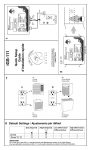
Disconnect the Ethernet cable (RJ45) from the connector located
underneath the control module iGS-221.
Simultaneously press the UP and DOWN ARROWS and keep pressed while
reconnecting the Ethernet cable.
∋(.5∀605./∀%∀−13.8105(/∀/.0,4∀#9999∃∀(22,(3∀10∀5−,∀+.42/(7∀#()165∀&∀4,∗10+4∃∀
before releasing the ARROW keys.
The controller will restart: all settings are restored except altitude, time and
the 24 hours log.
Reset does not affect the CO2 sensor’s calibration.
iGS-221
© 2010 - Nova Biomatique inc. PLUG’N’GROW∀
23
24
© 2010 - Nova Biomatique inc. PLUG’N’GROW∀
iGS-221