1
User’s Manual
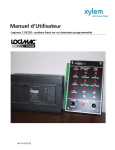
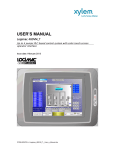
Logimac 330 PLC Based Triplex Pump Control Panel with Floats
330
Version 1.7
Issue date: April, 2012
USER’S MANUAL
of the PLC-based triplex pump control
system LOGIMAC® 330
Page: 2 of 34
Date: April 2012
Replacing December
2008
TABLE OF CONTENTS
.. PAGE
1. System general characteristics .......................................................................................... 3
1.1
Part Numbers............................................................................................................................ 3
2. Detailed specification ........................................................................................... 4
2.1
Logimac 330-PLC Configuration & Technical Data................................................................. 4
2.2
Assignation of Logimac 330-PLC I/O....................................................................................... 5
2.3
Program Description................................................................................................................. 7
2.4
2.3.1
FLOAT FAILURE DETECTION.................................................................................. 7
2.3.2
FLOAT ASSIGNATION .............................................................................................. 7
2.3.3
MODE OF OPERATION............................................................................................. 7
2.3.4
CHOICE OF PUMP TO START ................................................................................. 8
2.3.5
CONTACTOR OPERATION ...................................................................................... 9
2.3.6
ALARMS.................................................................................................................... 10
2.3.7
EMERGENCY/FAULT SIGNAL ............................................................................... 12
Alarm Annunciators: Logimac 440-AP1 & Logimac 440-AP2............................................... 13
3. Option: Operator Interface.................................................................................14
3.1
3.2
3.3
Description .............................................................................................................................. 14
Pump Group Choice............................................................................................................... 15
Operator Interface Program .................................................................................................. 16
3.3.1
PARAMETERS TO READ ONLY ............................................................................ 17
3.3.2
PARAMETERS TO READ & WRITE ....................................................................... 18
3.3.3
ALARM SCANNING ................................................................................................. 21
3.3.4
SYSTEM COLDSTART ............................................................................................ 22
3.3.5
ALARM REGISTER .................................................................................................. 22
3.3.6
DISPLAY OF THE ALARM REGISTER................................................................... 22
4. Appendices ....................................................................................................23
USER’S MANUAL
of the PLC-based triplex pump control
system LOGIMAC® 330
Page: 3 of 34
Date: April 2012
Replacing December
2008
System general characteristics
LOGIMAC® 330 (P/N 13-50 90 71) is a control system with the programmable logic controller
(PLC), which has been programmed especially for the operation and surveillance of stations
containing three submersible ITT FLYGT pumps. A level control is based on 5 or 4 (maximum two
pumps in simultaneous operation) float signals (level switches).
The control system accomplishes the following basic functions (without being limited to it):
•
allows a choice between three or two pumps in simultaneous operation
•
controls the three pumps start - stop sequence
•
alternates the duty pump 1, 2, 3 after each cycle of operation,
•
detects and diagnoses fault conditions of the pumps and of the level sensors,
•
puts into service the standby pump(s), if the duty pump is in fault,
•
Identifies the degree of urgency between all fault-conditions and classifies them as FAULTS
or EMERGENCY.
•
With operator interface option : allows a choice to control of 2 different groups of pumps
Normal & Jockey or Normal & Storm.
•
With operator interface option : allows reading of all runtime totalizers & event counters
and also parameter change (delays, # of pumps)
•
With operator interface option :
& time.
displays alarms & allows reading of logged alarm with date
1.1 Part numbers
Programmable logic controller LOGIMAC® 330-PLC : P/N 13-50 90 72
I/O expansion unit
: P/N 13-40 02 29
Alarm annunciator LOGIMAC® 440-AP1--------------------: P/N 13-50 90 38
Alarm annunciator LOGIMAC® 440-AP2--------------------: P/N 13-50 90 39
Operator Interface LOGIMAC® 330-OP------------------: (P/N 13-50 90 89) OPTION
Cable interface -PLC------------------------------------------: (P/N 13-40 02 19) OPTION
© Copyright 1995 ITT Flygt
®
The LOGIMAC is registered mark of ITT Flygt. All rights reserved. No part of this manual may be reproduced or copied without
the written permission of ITT Flygt.
USER’S MANUAL
of the PLC-based triplex pump control
system LOGIMAC® 330
Page: 4 of 34
Date: April 2012
Replacing December
2008
2. Detailed Specification
2.1
Logimac® 330-PLC Configuration & Technical Data
:
ITEM #
DESCRIPTION
CPU & Memory
TECHNICAL DATA
Flash user memory
program memory: 9 Kwords
storage memory: 2 Kwords
operation speed: 1.0 ms/ 1Kword of logic
user program: L330JS
P/N
16 - inputs
24V DC; current consumption: 7.3mA max./point
11 relays+1 DC -outputs
operating.voltage: 5-30 V DC
13-50 90 72
5-250 V AC max. load: 2A
resistive/ 0.6A ind.
Supply
120V AC ( 102 -132V), 60 Hz (47- 63 Hz)
DC output power supply: 24V + -10%,
200 mA max. current
P/N
13-40 02 29
Dimensions
(90H x 150W x76D) mm
service temperature
0..+55°C
stocking temperature
-40..+85°C
Port
Two serial ports:1: RS 232, 2: RS 485
Removable terminal strip
included
Expansion unit 8-nputs/6-outputs Inputs: 24V DC; current consumption: 7.3mA
max./point
Relay output: operating.voltage: 5-30VDC 5-250
V AC max. load: 2A resistive/ 0.6A ind.
Supply : 120V AC ( 102 -132V), 60 Hz (47- 63 Hz)
DC output power supply: 24V + -10%,
200 mA max. current
Dimensions: 90H x 95W x76D) mm
USER’S MANUAL
of the PLC-based triplex pump control
system LOGIMAC® 330
Page: 5 of 34
Date: April 2012
Replacing December
2008
2.2
Assignation of Logimac® 330-PLC Inputs & Outputs
LOGIMAC® 330-PLC has 24 digital inputs and 18 digital outputs (17 relay-based and 1 DC ) . For this
application the inputs and outputs are assigned to the signals specified in the table 1 and 2 respectively.
TABLE 1.: INPUT ASSIGNATION
INPUT
1
DESCRIPTION
2
ACKNOWLEDGE/
RESET
AUTO P1
3
AUTO P2
4
AUTO P3
5
B1
6
R5,R6
7
B2
8
R7,R8
9
FLH- NC (or ISRH)
10
FLH- NO (or ISRH)
11
FL4
12
FL3
13
FL2
14
FL1
15
M1 contactor closed
16
M2 contactor closed
17
M3 contactor closed
18
B3
19
R9,R10
20
21
PFD
FLL ( or ISRL) option
22
23
FLOV
jumper or GEN SET
RUN contact
not used
24
NOTES
signal provided by push button RESET on the alarm
annunciator
contact indicating AUTO position of the mode selector of the
P1 pump
contact indicating AUTO position of the mode selector of the
P2 pump
contact indicating AUTO position of the mode selector of the
P1 pump
contact indicating overcurrent (breaker aux. contact) of the P1
pump,
contact indicating leakage or high temperature (interfacing
relay contact from Mini CAS II unit ) of the P1 pump
contact indicating overcurrent (breaker aux. contact) of the P2
pump,
contact indicating leakage or high temperature (interfacing
relay contact from Mini CAS II unit ) of the P2 pump
contact indicating the high level reached (follows FLH float
NC contact)
contact indicating the high level reached (follows FLH float
NO contact)
contact indicating the START 3 level reached (follows FL4
float NO contact)
contact indicating the START 2 level reached (follows FL3
float NO contact)
contact indicating the START 1 level reached (follows FL2
float NO contact)
contact indicating the STOP level reached (follows FL1 float
NO contact)
auxiliary contact of the M1 contactor to indicate the contactor
status
auxiliary contact of the M2 contactor to indicate the contactor
status
auxiliary contact of the M3 contactor to indicate the contactor
status
contact indicating overcurrent (breaker aux. contact) of the P3
pump,
contact indicating leakage or high temperature (interfacing
relay contact from Mini CAS II unit ) of the P3 pump
power failure detection (PFD)
contact indicating the low level reached (follows FLL float NC
contact)
Contact indicating overflow (FLOV float )
to limit the parallel operation to 2 pumps;
For wiring details see drawing L330I/O: LOGIMAC 330 I/O CONNECTION
USER’S MANUAL
of the PLC-based triplex pump control
system LOGIMAC® 330
Page: 6 of 34
Date: April 2012
Replacing December
2008
TABLE 2.: OUTPUT ASSIGNATION
OUTPUT
DESCRIPTION
NOTES
1
High Level alarm (option 3) The output of 24V DC, 0.75 A max. load, programmed as a
memorised High Level alarm. Use a separate LED for
indication.
2
M1 closing signal
order to close the M1 contactor (interface relay R1)
3
M2 closing signal
order to close the M2 contactor (interface relay R2)
4
M3 closing signal
order to close the M3 contactor (interface relay R3)
5
EMERGENCY alarm
EMERGENCY alarm signal for remote transmission (interface
relay R14)
6
EMERGENCY/FAULT
EMERGENCY signal (flashing ) and FAULT signal (stable) to
alarm annunciator
7
P1 overcurrent
P1 overcurrent alarm signal to alarm annunciator (this output is
activated also if M1 contactor does not close its contact during
nine(9) seconds following the order to close - R1 relay contact
closing)
8
L1/T1
P1 Leakage or High Temperature alarm to annunciator
9
P2 overcurrent
P2 overcurrent alarm signal to alarm annunciator (this output is
activated also if M2 contactor does not close its contact during
nine(9) seconds following the order to close – R3 relay contact
closing)
10
L2/T2
P2 Leakage or High Temperature alarm to annunciator
11
FL1 FAILURE
FL1 float FAILURE signal
12
FL2 FAILURE
FL2 float FAILURE signal
17
Low Level alarm (option 2)
programmed as a memorised Low Level alarm (optional)
18
P3 overcurrent
P3 overcurrent alarm signal to alarm annunciator (this output is
activated also if M3 contactor does not close its contact during
nine(9) seconds following the order to close – R3 relay contact
closing)
19
L3/T3
P2 Leakage or High Temperature alarm to annunciator
20
FL3 FAILURE
FL3 float FAILURE signal
21
FL4 FAILURE
FL4 float FAILURE signal
22
FLH FAILURE
FLH float FAILURE signal
For wiring details see drawing L330 I/O: LOGIMAC 330 I/O CONNECTION
USER’S MANUAL
of the PLC-based triplex pump control
system LOGIMAC® 330
2.3
Page: 7 of 34
Date: April 2012
Replacing December
2008
Program Description
2.3.1
FLOAT FAILURE DETECTION
Programmable controller (PLC) assumes a continuous surveillance of the operating capabilities of all floats and
their electrical wiring.
Float failure detection is done during increasing and decreasing water level.
With a raising water level, the floats’ NO (normally open) contact must close in sequence: FL1-FL2-FL3-FL4FLH. If a lower float does not close its contact (contact fails to close) before the higher float, the lower float will
be declared faulty.
With a water going down, the floats must open in sequence: FLH-FL4-FL3-FL2-FL1. If a lower float opens its
NO contact before a higher float, the higher float (or floats) will be declared faulty (its contact fails to open).
The float failure fault can not be acknowledged or reset using the RESET push button of the alarm annunciator.
To clear the float failure fault, the float contact must close, if it failed to close, or open, if it failed to open.
A level sensor failure is indicated on the alarm annunciator by one of LED’s diodes labelled as “FL1 FAILURE”,
“FL2 FAILURE”, “FL3 FAILURE“,“FL4 FAILURE“,”FLH FAILURE” respectively
2.3.2.
FLOAT ASSIGNATION
Five (or four) specific levels are assigned to floats FL1, FL2, FL3, FL4, FLH during each scan of program:
• STOP level
• START 1 level
• START 2 level
• START 3 level
• HIGH LEVEL alarm
Under normal circumstances (no float failure) the floats are assigned as follow:
•
•
•
•
•
FL1 - STOP level (stops two pumps)
FL2 - START 1 level (starts the duty pump)
FL3 - START 2 level (starts the standby pump)
FL4 - START 3 level (starts the second standby pump)
FLH - water HIGH LEVEL alarm
If FL1 float fails with 5 floats sequence, the operating floats will be assigned as follows:
•
•
•
•
•
FL1 - failure alarm(out of order)
FL2 - STOP level (stops two pumps)
FL3 - START 1 level (starts the duty pump)
FL4 - START 2 level (starts the standby pump)
FLH - START 3 level (starts the second standby pump) and gives water HIGH LEVEL alarm
NOTE: See table 1&2 in appendices 1 for floats assignation in each specific case of the float failure.
2.3.3.
MODE OF OPERATION
A three-position MAN-OFF-AUTO operation mode selector is provided for each pump.
The AUTO position provides a completely automatic system operation.
If mode selector is placed in MAN position the respective pump will start without delay independently from level
detector conditions and requirements.
To stop this pump , put the mode selector in OFF position.
Either during manual or automatic operation the pumps stop automatically on fault condition.
USER’S MANUAL
of the PLC-based triplex pump control
system LOGIMAC® 330
2.3.4
Page: 8 of 34
Date: April 2012
Replacing December
2008
CHOICE OF PUMP TO START
The control system allows the operation of up to three pumps in parallel but prevents simultaneous start
of two or more pumps.
The number of pumps allowed to operate simultaneously (in parallel) can be limited if an input 23 is activated.
In manual mode the pump with its mode selector placed in MAN position will start.
In automatic mode a choice of the pump to start is done by PLC program following the conditions specified
below:
With all pumps available to operate simultaneously:
SEQUENCE 1
start 1
(FL2)
pump 1
start 2
(FL3)
pump 2
start 3
(FL4)
pump 3
SEQUENCE 2
pump 2
pump 3
pump 1
SEQUENCE 3
pump 3
pump 1
pump 2
With a limit to 2 of pumps available for simultaneous operation:
SEQUENCE 1
SEQUENCE 2
SEQUENCE 3
start 1
(FL2)
pump 1
pump 2
pump 3
start 2
(FL3)
pump 2
pump 3
pump 1
In automatic mode the choice of the pump start sequence is done automatically following the previous cycle of
operation memorized conditions.
If no sequence is memorized or if no alternate mode is chosen the pumps will start following the SEQUENCE 1.
On the event of the pump failure, the pump next in sequence, will receive the order to start with respect to level
conditions and the number of pumps allowed in parallel operation.
To start the pump, the corresponding START float should be active (its NO contact should be closed) at least
during a 10-second period calling START DELAY. The default value is 10 seconds.
If one of the pumps is stopped (for whatever reason) the BLOCKING DELAY will be activated. None of the
pumps can start during this period (all pumps will be prevented to start). If more pumps are running and one of
them stops, this delay will not have any effect on the running pumps.
The default value of the BLOCKING DELAY are 15
Either start conditions or parallel conditions should be kept during at least 10-second period (START DELAY) to
start the pump.
USER’S MANUAL
of the PLC-based triplex pump control
system LOGIMAC® 330
2.3.5.
Page: 9 of 34
Date: April 2012
Replacing December
2008
CONTACTOR OPERATION
In automatic mode the M1 contactor of the P1 pump (or the M2 contactor of the P2 pump) will close following
the closing signal from R1 (or R2) interface relay after START DELAY as specified in previous section.
Reception of closing confirmation by PLC is indicated by turning on the respective diode LED labelled RUN P1,
RUN P2 or RUN P3 on alarm annunciators (see appendices 2 for annunciator details).
NOTE: Closing fault: If PLC does not receive a confirmation of the closing (see M1, M2 or M3 contact on PLC
inputs I15, I16, I17) during a 9-second period following the closing order ( R1, R2 or R3 relay closing contact),
the closing signal will be removed and alarm will be signalled. The LED diode EMERGENCY/FAULT on the
alarm annunciator will turn on.
Each contactor can be opened or closed manually, using a mode selector ( MAN-OFF positions).
Either during manual or automatic operation the contactor opens automatically on fault condition of the
respective pump.
USER’S MANUAL
of the PLC-based triplex pump control
system LOGIMAC® 330
2.3.6.
Page: 10 of 34
Date: April 2012
Replacing December
2008
ALARMS
2.3.6.1 P1 / P2 / P3 PUMP OVERLOAD or M1/M2/M3 CONTACTOR CLOSING FAULT
On the overload fault, the respective pump breaker opens. Auxiliary contacts of breakers are used as the
overload signal for PLC inputs (B1, B2, B3).
If one of contacts is closed , the corresponding contactor closing signal will be removed ( see R1, R2, R3 relay)
and the OVERLOAD alarm will be memorized in PLC memory and be indicated by the flashing LED diode
(OVERLOAD P1 , OVERLOAD P2, OVERLOAD P3) on the alarm annunciator.
The same LED diode can turn on also in the case of Closing fault of the corresponding contactor (see NOTE
in previous chapter
This alarm will be held, even if the fault conditions disappear. The contactor of the pump in fault will open
automatically and cannot be closed without an operator’s intervention.
Reset the circuit after the fault correction: push the RESET push-button once for acknowledge (LED stops
flashing), and twice for reset .
2.3.6.2 .ALARM: WATER LEAKAGE OF P1 / P2 / P3 PUMP
The faults detection will be done by the sensors attached to Mini CAS II units of ITT Flygt. The interface relay of
this unit (R6, R8, R10) operates if water is detected in the corresponding pump ( P1, P2, P3). The contact of this
relay is connected to PLC input to provide the information .
If one of these contacts is closed, the corresponding contactor closing signal will be removed
( see R1, R2, R3 relay) and the alarm WATER LEAKAGE will be memorized in PLC memory and be indicated
by the flashing LED diode (LEAK. P1, LEAK. P2, LEAK. P3) on the alarm annunciator.
This alarm indication will be held, even if the fault conditions disappear. The contactor of the pump in fault will
open automatically but can be closed if the fault conditions disappear.
Reset the circuit after the fault correction: push the RESET push-button once for acknowledge (LED stops
flashing), and twice for reset .
2.3.6.3 ALARM: HIGH TEMPERATURE OF P1 / P2 / P3 PUMP
The faults detection will be done by the sensors attached to Mini CAS II units of Flygt. The interface relay of this
unit (R5, R7, R9) operates if the temperature of pump goes higher than sensor adjustment in the corresponding
pump. The contact of this relay is connected to PLC input to supply the information .
If one of these contacts is closed, the corresponding contactor closing signal will be removed ( see R1, R2, R3
relay) and the alarm HIGH TEMPERATURE will be memorized in PLC memory and will be indicated by flashing
LED diode (TEMP P1, TEMP P2, TEMP P3) on the alarm annunciator.
This alarm will be held, even if the fault conditions disappear. The contactor of the pump in fault will open
automatically and cannot be closed without an operator’s intervention.
Reset the circuit after the fault correction: push the RESET Mini Cas push-button first and after RESET on the
alarm annunciator once for acknowledge (LED stops flashing), and twice for reset .
USER’S MANUAL
of the PLC-based triplex pump control
system LOGIMAC® 330
Page: 11 of 34
Date: April 2012
Replacing December
2008
2.3.6.4. ALARM: HIGH WATER LEVEL
The fault detection will be done by FLH float. The normally open contact (NO) of the ISRH interface relay is
connected to the PLC input.
If this contact is closed, a HIGH WATER LEVEL alarm will be memorized in the PLC memory and will be
indicated by LED diode (HIGH LEVEL) on the alarm annunciator.
The R14 relay will operate (its NO contact is available for transmission of ALARM signal
remotely).
This alarm will be registered but indication on the annunciator will stay only the conditions are present.
If fault conditions disappear LED HIGH LEVEL turns off.
2.3.6.5. ALARM: Memorised HIGH WATER LEVEL (option 3)
If the red light (HIGH LEVEL) is connected to the 24VDC output Q1 of the LOGIMAC 330-PLC the HIGH
WATER LEVEL alarm be indicated by this red light on the control panel.
This alarm indication will be hold even if the fault conditions disappear.
Reset the circuit after fault correction: push the RESET push button on the alarm annunciator once for
acknowledge (stop flashing) and twice for reset.
2.3.6.6. ALARM: LOW WATER LEVEL (OPTION)
The faults detection can be done by FL1A float connected to LOGIMAC 440-PLC directly or by interposing
intrinsically safe relay (ISRLL).
If this input is energized, a LOW water LEVEL alarm will be memorized in PLC memory and will be indicated by
the flashing LED diode (LOW LEVEL) on the alarm annunciator.
This alarm will be registered and indicated on the annunciator even if fault conditions disappear.
Reset the circuit after the fault correction: push the RESET push-button once for acknowledge (LED stops
flashing), and twice for reset .
2.3.6.7. ALARM: POWER FAILURE
The faults detection will be done by the power failure detector (PFD) connected to three phases of the power
entrance. The PFD operates on phase or power failure. Its NC contact is opened if three phases are present
and voltage value is between adjusted limits. On fault this contact will close.
If this contact is closed, the contactor closing signals will be removed (see R1, R2, R3, R4 relay) and the alarm
POWER FAILURE will be memorized in PLC memory and will be indicated by the LED diode (POWER
FAILURE) on the alarm annunciator.
This alarm will be registered but will be indicated on the annunciator only if fault conditions still exist. The
contactors will open automatically but can be closed following start sequence if power is back to normal.
USER’S MANUAL
of the PLC-based triplex pump control
system LOGIMAC® 330
Page: 12 of 34
Date: April 2012
Replacing December
2008
2.3.6.8. ALARM: FL1/FL2/FL3/FL4/FLH FLOAT FAILURE
LOGIMAC 330 programming requires that the floats close and open their contacts in defined order:
•
with increasing level all floats should close their contacts
in sequence: FL1-FL2-FL3-FL4-FLH. If any of these floats
doesn’t follow this sequence ( for example : FL1 contact
does not close but the one of FL2 float does), the floats out
of sequence will be declared failed (FL1 will be declared
failed). The failed float will be “removed “ from pump control
sequence and its function will be assigned to the float,
which follows failed float in sequence. (see tables at the
end of this manual for detailed float’s function assignation).
If a failed float’s contact closes, the alarm will be cleared and this float will take back its function in the pump
control.
•
with decreasing level all floats should open their contacts
in sequence: FLH-FL4-FL3-FL2-FL1. If any of these floats
doesn’t follow this sequence ( for example : FL3 contact
does not open but the one of FL2 float does), the floats out
of sequence will be declared failed (FL3 will be declared
failed). The failed float will be “removed “ from pump control
sequence and its function will be assigned to the float,
which follows failed float in sequence. (See table at the end
of this manual for detailed float’s function assignation).
If a failed float’s contact opens, the alarm will be cleared and this float will take back its function in the
pump control.
The failed float will be indicated on the alarm annunciator.
2.3.7
EMERGENCY/FAULT SIGNAL
An EMERGENCY condition exists if :
-
High level sensor (float FLH) is activated or is faulty; or ,
Three pumps have experienced at least one fault each or,
Four (three for four- float sequence)or more floats failed
Power phase failure is detected
In an EMERGENCY condition alarm :
- Flashing LED diode EMERGENCY/FAULT is lit on the alarm annunciator ;
- R14 relay is activated (its NO contact is available for transmission of EMERGENCY signal
remotely).
Any fault condition other than an EMERGENCY condition is considered as FAULT and will be indicated by:
- Turning on a corresponding alarm LED diode on the alarm annunciator, and
- turning on LED diode EMERGENCY/FAULT stable (no flashing)
NOTE: If FAULT signal is required for remote indication, connect an auxiliary relay R15 ( 24V DC.) to
EMERGENCY/FAULT PLC output Q6 in series with normally closed contact (NC) of R14 relay. Use a
contact of this relay as FAULT signal (see drawing L330 I/O for details)
USER’S MANUAL
of the PLC-based triplex pump control
system LOGIMAC® 330
Page: 13 of 34
Date: April 2012
Replacing December
2008
2.4
Alarm Annunciators Logimac® 440-AP1 and Logimac® 440-AP2
2.4.1
TECHNICAL DATA :
Supply voltage: 24V DC
Current consuming: 80 mA.
2.4.2 COMPONENTS and THEIR FUNCTIONS:
Each annunciator is composed of four (4 ) integrated parts:
•
Printed circuit board (P/N 13-50 90 07)
•
Face plate with descriptions (P/N 13-51 15 44 or P/N 13-51 15 45)
•
Board connector with terminal (P/N13-42 00 03)
•
Flat cable (P/N 13-41 00 15)
The printed circuit board represents the circuit as per drawing 2603-A2 (see appendices 2). The circuit
contains:
• 13 diodes LED ( D1..D13),
• 2 push buttons (SW1et SW2),
• 13 resistors (R1..R13) to limit the current and
• 26 auxiliary diodes of type 1N4004 (D14.. 39).
Each parallel circuit (total 16 circuits) is connected to one pin (1-16) of the (P1) plug for the flat cable .
The functions of circuit are :
Indication:
The positive (+) signal of 24V DC power supply connected to terminal 2 is common for all diodes LED. To turn
on the diode LED, the negative (-) signal should be connected to another end of circuit. It can be done if the PLC
output relay contact, connected to the specific LED circuit closes (All PLC outputs connected to annunciator
should have the common terminal COM connected to negative( - ) terminal of source).
Lamp test:
The negative (-) signal of 24V DC power supply connected to terminal 1 is used to test LED diodes.
Pushing the push button SW1, connects 24V DC power supply to all LED diode circuits and turn all LED’s on.
Acknowledge/Reset:
By pressing the push button SW2, the positive(+) signal of 24V DC power supply will be connected to PLC input
being connected to terminal 4 of the annunciator.
This input signal is programmed in PLC as acknowledge signal ( first appearance) and as reset signal (second
appearance).
It is important to connect the common terminal COM of this PLC input to negative ( - ) terminal of
source.
Face plate is a two-side lamicoid plate with descriptions in English on one side, and in French on the another.
The descriptions are as per drawing C-51 15 44 or C-51 15 45
(see appendices 2).
Board connector with terminal is composed of 16 screw-terminals connected to a
16-pin male plug (P2) for flat cable .
The flat cable is a 2-meter length flat cable with one female-plug on each end, which can be plugged in:
• the P1 plug (on printed circuit board) and
• the P2 plug ( on board connector with terminals).
USER’S MANUAL
of the PLC-based triplex pump control
system LOGIMAC® 330
3.
Option: Operator Interface
3.1
Description
Page: 14 of 34
Date: April 2012
Replacing December
2008
The operator interface LOGIMAC® 330-OP is a fully programmable man-machine interface.
One part of a programming can be done using the software, specific for the unit, and another one should be
programmed in the PLC program software for PLC ladder programming.
The operator interface is equipped of:
•
•
•
•
•
•
•
•
6 programmable function-key
Alpha-numeric key-pad
LCD screen 160x32 pixels (89.6x17.9mm display) for small
graphic/80 total characters on 4 lines
PLC communication port RS 232
RS422/RS485 serial programming port
cable: operator interface-PLC (DB9F- RG45)
The supply voltage 24VDC
Power consumption: Normal 0.1A @ 24VDC, Max 0.3A
8-01
14:50
SYSTEM OK
LEVEL: FL1
Read
Write
Function-keys
description
D&T
PREV
Function-keys
Logimac 330-OP
The operator interface was fully programmed for this application (see description of this programming in
chapter 5 of this manual).
For further details, please refer to the manufacturer user manual supplied with unit.
USER’S MANUAL
of the PLC-based triplex pump control
system LOGIMAC® 330
3.2
Page: 15 of 34
Date: April 2012
Replacing December
2008
Pump Group Choice
The control system allows the operation of up to three pumps in parallel (operator choice) but prevents
simultaneous start of two or more pumps.
The pumps operation depends on pump groups setting.
Maximum 2 different groups (from 3 available) can be chosen: group N-Normal, group J-Jockey, group S- Storm
N - Normal (minimum 2) these pumps will work in normal and high level condition. They can work together if the
number of pumps in Parallel is set > 1.
J - Jockey: if J=1, P1 will be called a jockey–pump. Usually this pump will be smaller than Normal pumps. This
pump will always start first. Its purpose is to pump during a low inflow. Once the inflow rises above the jockey
pump capacity and the second start level reaches, the normal pump will start and the jockey pump will stop
S – Storm - usually a pump larger than Normal pumps, designed to work only in case of an extreme high inflow
(storm). If S=1 P3 is storm pump. The also can work together and with normal pumps depending on setting of
P- number of pumps in parallel operation.
See table below for setting the desired operation
N
J
S
P
Operation description
3
0
0
3
All 3 pumps alternate; All 3 pumps can work together (in parallel)
3
0
0
2
All 3 pumps alternate; Only 2 pumps can work together (in parallel)
3
0
0
1
All 3 pumps alternate; Only 1 pump can run at the time
(no parallel operation)
2
1
0
2
P1-jockey pump always starts first. P2,P3 alternate and both can work
together (in parallel). P1 stops if the first of the normal pumps starts.
2
1
0
1
P1-jockey pump always starts first. P2, P3 alternate but only one of them
can run at the time (no parallel operation). P1 stops if the normal pump
starts.
2
0
1
3
P1, P2 normal pumps. They alternate. P3-storm pump All 3 pumps can
work together (in parallel)
2
0
1
2
P1, P2 normal pumps. They alternate. P3-storm pump Only 2 normal
pump can work together (in parallel). Normal pumps stop if P3 starts
(START 3).
2
0
1
1
P1, P2 normal pumps. They alternate. P3-storm pump Only 1 normal
pumps can run at the time (no parallel operation)). Normal pump stops if
P3 starts (START 2).
Note: Total number of pumps N+J+S can’t be higher than 3. The system will reset to default
setting (N=3.J=0, S=0, P=3) if during a setup the total 3 is exceeded.
USER’S MANUAL
of the PLC-based triplex pump control
system LOGIMAC® 330
3.3
Page: 16 of 34
Date: April 2012
Replacing December
2008
Operator Interface Program
Using the operator interface, an operator can :
•
•
•
•
•
•
read or change PLC current date & time
read the parameters and data stored in the PLC data registers
read the alarm register
write the system operating parameters
monitor the alarms
reset all parameters to their default values (cold start)
If no alarm is active the following screen is displayed on the operator interface display:
:
Day
Hour
Month
Minutes
8-01 SYSTEM OK
LEVEL: FL1
Read
Write
14:50
Active floats
D&T
This is the default screen
The date (month - day) and the time (hour : minutes) stored in the CPU of PLC are displayed on the
operator interface default screen.
If these values do not correspond with reality, the operator can change it using operator interface key
pad.
To change one of the displayed values (month, day, hour, minutes) an operator should :
•
•
Push D&T function-key
Screen change to
8-01
SYSTEM OK
14:50
LEVEL: FL1
Confirme D&T
Read
Write
D&T
• Use ÖÕ arrow-keys to place the cursor on a value to change
(coursor flashes on the value),
• Type the new value
• Push ENTER
• Push D&T to confirm
• Screen return to default
8-01
SYSTEM OK
LEVEL: FL1
Read
Write
D&T
Repeat the procedure for each value to change
14:50
USER’S MANUAL
of the PLC-based triplex pump control
system LOGIMAC® 330
3.3.1
Page: 17 of 34
Date: April 2012
Replacing December
2008
PARAMETERS TO READ ONLY
If no alarm is active, an operator can read the data stored in the specific data memory register by
consecutively pushing Read function key. To read logged alarms push Read first and than ALM function
key.
Parameters to read are given in the table 5 below:
TABLE 5. PLC DATA REGISTER READING
PARAMETER
FUNCTION
KEY of
OPERATOR
INTERFACE
PLC
REGISTE
R
Read
Read
Read
Read
Read
Read
Read
Read
Read
Read
Read
Read
Read
Read
Read
Read
146, 143
Runtime P1 TOTAL
176, 173
Runtime P1/ DAY
Read than
ALM
155, 152
Runtime P2 TOTAL
185, 182
Runtime P2 / DAY
542, 539
Runtime P3 TOTAL
578, 575
Runtime P3 / DAY
164, 161
2P Runtime TOTAL
194, 191
2P Runtime / DAY
560, 557
3P Runtime TOTAL
596, 593
3P Runtime / DAY
217, 214
Overflow runtime
202
No. of starts P1
205
No. of starts P2
608
No. of starts P3
208
Hi level occurrences
220
Overflow
occurrences
270
Alarm register
The Read function key allows reading all runtime totalizers and event counters. The daily time totalizers
are cleared at Midnight.
Once displayed, each defined screen will be active during 60 seconds, if no key is pushed. After this
period the default screen SYSTEM OK will be displayed. To return to default screen without delay (60 s)
push Back key on the operator interface.
USER’S MANUAL
of the PLC-based triplex pump control
system LOGIMAC® 330
Page: 18 of 34
Date: April 2012
Replacing December
2008
3.3.2 PARAMETERS TO READ AND WRITE
If the default screen is displayed (no alarm), an operator can read and write the control system
parameters. To have access to these functions, the PASSWORD is required.
The read and write parameters are given in table 6 below.
TABLE 6. SYSTEM READ-WRITE PARAMETERS
FUNCTION
KEY of
OPERATOR
INTERFACE
Write
PLC
REGISTER
Write
Write
102
225
2000
2001
2002
24
2
5
613
616
8
11
619
20
132
%M35
Write
Write
Write
Write
Write
Write
Write
Write
Write
Write
PARAMETER
INITIAL VALUE
Language F - French
E - English
New password
Number of pumps
J-Jockey
N-Normal
S-Storm
P-in Parallel:
Start 1 delay
Start 2 delay
Start 3 delay
Start 4 delay
Blocking delay
P1
Blocking delay
P2
Blocking delay
P3
Alarm delay
Contactor Closing Delay
Alternating Mode
NOTES
E - English
9
0
3
0
3
10 s
10 s
10 s
10 s
15 s
15 s
15 s
5s
9s
on
CHOICE:
0.. 1
2.. 3
0.. 1
1-- 3
F2-ON
F1-OFF
If Write function-key is pressed the following screen appears:
Password: 0
Read
Write
Chang
Back
• Use ÖÕ arrow-keys to place the cursor on a digit 0
(Courser flashes on the value),
• Type the password using the numeric key-pad and press ENTER
The PASSWORD should be a number composed of 4 digits maximum.
•
If the password is correct the following message appears on the screen:
Accepted, continue
Defau
•
key.
Write
Lang
Back
Push the desired function-key
- Defau to coldstart (default parameters)
- Write to read or change another parameter
- Lang to change display language
- Back to return to default screen
USER’S MANUAL
of the PLC-based triplex pump control
system LOGIMAC® 330
LANGUAGE CHANGE
•
Page: 19 of 34
Date: April 2012
Replacing December
2008
On default screen push Write key and type password to get following
screen:
Accepted, continue
Defau
•
•
Write
Lang
Back
Push Lang on a that screen
The following screen appears:
English
Fr pour changer
Read
or
Write
Fr
En
Ecrir
Fr
En
Francais
En to change
Lire
PASSWORD CHANGE:
•
•
•
Active language is displayed
Push Fr to change to French or En to change to English
Press Write to write another parameters
•
On default screen push write
Password: 0
Read
•
Write
Chang
Back
Type the password and push Enter
Accepted, continue
Defau
•
•
•
Write
Lang
Back
Push PREV to return to previous screen
Push Chang
The following screen appears
New Password: 9
4 digits max
Read
•
•
Write
Back
Type your new password (composed of 4 digits max.)
Press ENTER
USER’S MANUAL
of the PLC-based triplex pump control
system LOGIMAC® 330
Page: 20 of 34
Date: April 2012
Replacing December
2008
NUMBER OF PUMPS CHANGE & TIME DELAYS CHANGE:
• On default screen push Write and type password to get following screen:
Accepted, continue
Defau
•
•
PUSH F2/F3 or F1
Write
Lang
Back
Push Write function-key
The following screen appears
Number of pumps:
N=3, J=0, S=0, P=3
Read
Write
•
•
•
•
Back
Change number of pumps Normal, Jockey, Storm, in
Parallel to desired operation (see table in chapter 3.2 for
details)
Press ENTER
Push Write to change or read another parameter or Back
to return to default screen
If you push Write the first DELAY screen appears:
P1 Start Delay:
10s
Read
•
•
•
•
•
•
Write
Back
Use ÖÕ arrow-keys to place the cursor
Type the new value
Press ENTER
Push Write function-key to read or write other delay
Repeat four previous steps to change the time delay value
Push Write to change or read another parameter or Back to return to
default screen
USER’S MANUAL
of the PLC-based triplex pump control
system LOGIMAC® 330
ALTERNATION MODE DISABLE:
•
Page: 21 of 34
Date: April 2012
Replacing December
2008
On default screen push Write and type password to get
following screen:
Accepted, continue
Defau
•
Write
Lang
Back
Push Write function-key consecutively to get the screen
Altern: ON/EN
OFF/ON to toggle
OFF
•
•
Write
ON
Back
Push OFF function-key to disable the alternate mode
Push Back to return to default screen
Once displayed, each defined screen will be active during 60 seconds if no key is pushed. After this
period the default screen will be displayed.
To return to default screen immediately push Back key on the operator interface
USER’S MANUAL
of the PLC-based triplex pump control
system LOGIMAC® 330
3.3.3
Page: 22 of 34
Date: April 2012
Replacing December
2008
ALARM SCANNING
If one or more alarms described in the chapter 2.3.6 are activated the corresponding alarm-messages will
appear on the screen of the operator interface, following the FAULT message. All displayed alarm messages are
bilinguals. During the alarm’s scanning, each screen is displayed for 2 seconds.
The list of alarm-messages is given in the table 7.
TABLE 7. ALARM- MESSAGES
MESSAGE
SURCHARGE P1
P1 OVERLOAD
FUITE
P1
LEAKAGE
P1
HAUTE TEMP. P1
P1 HIGH TEMP.
SURCHARGE P2
P2 OVERLOAD
FUITE
P2
LEAKAGE
P2
HAUTE TEMP. P2
P2 HIGH TEMP.
SURCHARGE P3
P3 OVERLOAD
FUITE
P3
LEAKAGE
P3
HAUTE TEMP. P3
P3 HIGH TEMP.
HAUT NIVEAU
HIGH LEV.
PERTE DU RESEAU
POWER FAILURE
BAS NIVEAU
LOW LEV.
DEBORDEMENT
OVERFLOW
DEFAUT/FAULT
FL1 Faute/Fails
Fermet./closing
FL2 Faute/Fails
Fermet./closing
FL3 Faute/Fails
Fermet./closing
FL4 Faute/Fails
Fermet./closing
FLH Faute/Fails
Fermet./closing
Notes
or DEFAUT M1
M1 CLOSING FAULT
or DEFAUT M2
M2 CLOSING FAULT
or DEFAUT M3
M3 CLOSING FAULT
or URGENCE/EMERGENCY
or ouvert./opening
or ouvert./opening
or ouvert./opening
or ouvert./opening
USER’S MANUAL
of the PLC-based triplex pump control
system LOGIMAC® 330
3.3.4
Page: 23 of 34
Date: April 2012
Replacing December
2008
SYSTEM COLDSTART
During the coldstart the default values of all system parameters ( see table 4 for details) are written to the
specific data memory registers.
The coldstart is done automatically during the PLC program’s first scan. An operator using the operator interface
may also do it. COLDSTART:
An operator using the operator interface can also do it.
• On default screen push Write and type password to get following screen:
Accepted, continue
Defau
•
•
Write
Lang
Back
Push and hold Defau function-key
The following screen will appear
For cold start
Hold Defau 10s
Writing…
Defau
•
Write
Lang
Back
After 10 s screen change to:
For cold start
Hold Defau 10s
Done
Defau
Write
Lang
Back
10-second delay is required for cold start to be effective. This action is also protected by PASSWORD.
USER’S MANUAL
of the PLC-based triplex pump control
system LOGIMAC® 330
3.3.5
Page: 24 of 34
Date: April 2012
Replacing December
2008
ALARM’S REGISTER
Up to 16 alarms with date and time can be stored in PLC registers R300-R400 following the FIFO rule (first infirst out).
To CLEAR alarm’s register an operator should push Read and than push and hold ALM function key during 10
seconds.
3.3.6
DISPLAY OF LOGGED ALARM’S REGISTER
To read alarm’s register :
•
•
•
On DEFAULT SCREEN push Read function key
Push ALM function key
first screen of the alarm’s register appears giving the number of alarms since the
last clearing
ALARMSLog: 10 alarms
ALM for data
Hold 10s to Reset
Read
•
•
ALM
Back
Push ALM function key
The most recent alarm appears with date :month- day and:
time: hour :minutes
Overload P1
8-01
Read
14:50
ALM
Back
month - day
hour : minutes
NOTE: The number of the alarms displayed on the first screen can be higher than 16, but only last
16 alarms will stay in PLC memory.
USER’S MANUAL
of the PLC-based triplex pump control
system LOGIMAC® 330
4.
Page: 25 of 34
Date: April 2012
Replacing December
2008
APPENDICE 1
TABLE 1. ASSIGNATION OF FLOATS for LOGIMAC 330 sequence with 5 floats operation
faulty
float (s)
FUNCTION
FLOAT 1
FUNCTION
FLOAT 2
FUNCTION
FLOAT 3
FUNCTION
FLOAT 4
FUNCTION
FLOAT H
NONE
STOP
START 1
START 2
START 3
HIGH LEVEL alarm
(stops three pumps) (starts first pump) (starts second
(starts third pump)
pump)
FLOAT 1
OUT OF ORDER
STOP
START 1
START 2
HIGH LEVEL alarm &
(stops three
(starts first pump) (starts second pump) START 3
pumps)
(starts third pump)
FLOAT 2
STOP
OUT OF ORDER
START 1
START 2
HIGH LEVEL alarm
(stops three pumps)
(starts first pump) (starts second pump) & START 3
(starts third pump)
FLOAT 3
STOP
START 1
OUT OF ORDER
START 2
HIGH LEVEL alarm &
(stops three pumps) (starts first pump)
(starts second pump) START 3
(starts third pump)
FLOAT 4
STOP
START 1
START 2
OUT OF ORDER HIGH LEVEL alarm &
START 3
(stops three pumps) (starts first pump)
(starts second
(starts third pump)
pump)
FLOAT H
STOP
START 1
START 2
START 3
OUT OF ORDER
(stops three pumps) (starts first pump)
(starts second (starts third pump)
pump)
OUT OF ORDER
OUT OF ORDER
STOP
START 1
HIGH LEVEL alarm &
FLOATS
1&2
(stops three
(starts first pump) START 2&3
pumps)
(starts two pumps)
OUT OF ORDER
STOP
OUT OF ORDER
START 1
HIGH LEVEL alarm &
FLOATS
1&3
(stops three
(starts first pump) START 2&3 (starts
two pumps)
pumps)
OUT OF ORDER
STOP
START 1
OUT OF ORDER HIGH LEVEL alarm &
FLOATS
START 2&3 (starts
1&4
(stops three
(starts first pump)
two pumps)
pumps)
OUT OF ORDER
STOP
START 1
START 2& 3
OUT OF ORDER
FLOATS
1&H
(stops three
(starts first pump) (starts two pumps)
pumps)
FLOATS
STOP
OUT OF ORDER OUT OF ORDER
START 1
HIGH LEVEL alarm &
2&3
(stops three pumps)
(starts first pump) START 2&3 (starts
two pumps)
STOP
OUT OF ORDER
START 1
OUT OF ORDER HIGH LEVEL alarm &
FLOATS
START 2&3 (starts
2&4
(stops three pumps)
(starts first pump)
two pumps)
STOP
OUT OF ORDER
START 1
START 2& 3
OUT OF ORDER
FLOATS
2&H
(stops three pumps)
(starts first pump) (starts two pumps)
FLOATS
STOP
START 1
OUT OF ORDER
OUT OF ORDER
START 2& 3
3&4
(stops three pumps) (starts first pump)
(starts two pumps)
STOP
START 1
FLOATS
3&H
(stops three pumps) (starts first pump)
STOP
START 1
FLOATS
4&H
(stops three pumps) (starts first pump)
FLOATS
OUT OF ORDER
OUT OF ORDER
1,2 & 3
FLOATS
1,2 & 4
OUT OF ORDER
OUT OF ORDER
FLOATS
1,2 & H
OUT OF ORDER
OUT OF ORDER
FLOATS
OUT OF ORDER
STOP
OUT OF ORDER
START 2& 3
(starts two pumps)
OUT OF ORDER
STOP
(stops three
pumps)
STOP
(stops three
pumps)
OUT OF ORDER
START 2& 3
(starts two pumps)
OUT OF ORDER
INDICATION
NONE or
EMERGENCY if
FLH active
FAULT or
EMERGENCY if
FLH active
FAULT or
EMERGENCY if
FLH active
FAULT or
EMERGENCY if
FLH active
FAULT or
EMERGENCY if
FLH active
EMERGENCY
FAULT or
EMERGENCY if
FLH active
FAULT or
EMERGENCY if
FLH active
FAULT or
EMERGENCY if
FLH active
EMERGENCY
FAULT or
EMERGENCY if
FLH active
FAULT or
EMERGENCY if
FLH active
EMERGENCY
OUT OF ORDER
FAULT or
EMERGENCY if
FLH active
EMERGENCY
OUT OF ORDER
EMERGENCY
STOP
HIGH LEVEL alarm &
FAULT or
START 1,2&3
EMERGENCY if
(stops three pumps)
(starts three pumps)
FLH active
OUT OF ORDER HIGH LEVEL alarm &
FAULT or
START 1,2&3
EMERGENCY if
(starts three pumps)
FLH active
START 1,2&3
OUT OF ORDER
EMERGENCY
(starts three pumps)
OUT OF ORDER
HIGH LEVEL alarm &
FAULT or
USER’S MANUAL
of the PLC-based triplex pump control
system LOGIMAC® 330
1,3 & 4
faulty
float (s)
FUNCTION
FLOAT 1
FLOATS
1,3 & H
OUT OF ORDER
FLOATS
1,4 & H
OUT OF ORDER
(stops three
pumps)
FUNCTION
FLOAT 2
FUNCTION
FLOAT 3
Page: 26 of 34
Date: April 2012
Replacing December
2008
FUNCTION
FLOAT 4
EMERGENCY if
FLH active
INDICATION
STOP
OUT OF ORDER
START 1,2&3
OUT OF ORDER
EMERGENCY
(starts three pumps)
(stops three
pumps)
STOP
START 1,2&3
OUT OF ORDER
OUT OF ORDER
EMERGENCY
(starts three pumps)
(stops three
pumps)
OUT OF ORDER OUT OF ORDER
OUT OF ORDER HIGH LEVEL alarm &
FAULT or
START 1,2&3
EMERGENCY if
(starts three pumps)
FLH active
OUT OF ORDER OUT OF ORDER
START 1,2&3
OUT OF ORDER
EMERGENCY
(starts three pumps)
STOP
(stops three
pumps)
STOP
FLOATS
2,3& H
(stops three
pumps)
STOP
START 1,2&3
OUT OF ORDER
OUT OF ORDER
FLOATS
(starts three pumps)
3,4& H
(stops three
pumps)
4 FLOATS THREE PUMPS START AND KEEP RUNNING UNTIL FAULT CORRECTION
or MORE
FLOATS
2,3& 4
START 1,2&3
(starts three pumps)
FUNCTION
FLOAT H
OUT OF ORDER
EMERGENCY
EMERGENCY
USER’S MANUAL
of the PLC-based triplex pump control
system LOGIMAC® 330
Page: 27 of 34
Date: April 2012
Replacing December
2008
TABLE 2. ASSIGNATION OF FLOATS for LOGIMAC 330 sequence with 4 floats operation
faulty
float (s)
FUNCTION
FLOAT 1
FUNCTION
FLOAT 2
NONE
STOP
(stops two pumps)
START 1
(starts first pump)
FLOAT 1
OUT OF ORDER
STOP
(stops two pumps)
FLOAT 2
STOP
(stops two pumps)
OUT OF ORDER
FLOAT 3
STOP
(stops two pumps)
START 1
(starts first pump)
FLOAT H
STOP
(stops two pumps)
START 1
(starts first pump)
FLOATS
1&2
OUT OF ORDER
OUT OF ORDER
FLOATS
1&3
OUT OF ORDER
STOP
(stops two pumps)
FLOATS
1&H
OUT OF ORDER
FLOATS
2&3
FLOATS
2&H
FLOATS
3 ET H
3 FLOATS
or MORE
FUNCTION
FLOAT 3
FUNCTION
FLOAT H
INDICATION
START 2
HIGH LEVEL alarm
NONE or
EMERGENCY if
(starts second
FLH active
pump)
START 1
HIGH LEVEL alarm
FAULT or
EMERGENCY if
(starts first pump) & START 2
FLH active
(starts second pump)
START 1
HIGH LEVEL alarm
(starts first pump) & START 2
(starts second pump)
OUT OF ORDER HIGH LEVEL alarm
& START 2
(starts second pump)
START 2
OUT OF ORDER
(starts second
pump)
STOP
HIGH LEVEL alarm
(stops two pumps) & START1&2
(starts two pumps)
OUT OF ORDER HIGH LEVEL alarm
& START1&2
(starts two pumps)
STOP
START 1& 2
OUT OF ORDER
(stops two pumps) (starts two pumps)
STOP
OUT OF ORDER
OUT OF ORDER HIGH LEVEL alarm
(stops two pumps)
& START1&2
(starts two pumps)
STOP
OUT OF ORDER
START 1& 2
OUT OF ORDER
(stops two pumps)
(starts two pumps)
STOP
START 1& 2
OUT OF ORDER
OUT OF ORDER
(stops two pumps) (starts two pumps)
TWO PUMPS START AND KEEP RUNNING UNTIL FAULT CORRECTION
FAULT or
EMERGENCY if
FLH active
FAULT or
EMERGENCY if
FLH active
EMERGENCY
FAULT or
EMERGENCY if
FLH active
FAULT or
EMERGENCY if
FLH active
EMERGENCY
FAULT or
EMERGENCY if
FLH active
EMERGENCY
EMERGENCY
EMERGENCY
USER’S MANUAL
of the PLC-based triplex pump control
system LOGIMAC® 330
Page: 28 of 34
Date: April 2012
Replacing December
2008
APPENDICE 2
List of attached drawings:
1. Drawing # 2603-A2 : Alarm annunciator, printed circuit and interconnection schematic
2. Drawing # C-51 15 44: LOGIMAC® 440-AP1 Alarm annunciator, face plate with descriptions
3. Drawing # C-51 15 45: LOGIMAC® 440-AP2 Alarm annunciator, face plate with descriptions
4. Drawing # L330 I/O : LOGIMAC 330 INPUT/OUTPUT CONNECTION
USER’S MANUAL
of the PLC-based triplex pump control
system LOGIMAC® 330
Page: 29 of 34
Date: April 2012
Replacing December
2008
USER’S MANUAL
of the PLC-based triplex pump control
system LOGIMAC® 330
Page: 30 of 34
Date: April 2012
Replacing December
2008
USER’S MANUAL
of the PLC-based triplex pump control
system LOGIMAC® 330
Page: 31 of 34
Date: April 2012
Replacing December
2008
USER’S MANUAL
of the PLC-based triplex pump control
system LOGIMAC® 330
Page: 32 of 34
Date: April 2012
Replacing December
2008
USER’S MANUAL
of the PLC-based triplex pump control
system LOGIMAC® 330
Page: 33 of 34
Date: April 2012
Replacing December
2008
USER’S MANUAL
of the PLC-based triplex pump control
system LOGIMAC® 330
Page: 34 of 34
Date: April 2012
Replacing December
2008
www.xylemwatersolutions.com/ca
Pointe-Claire, QC, Tel.: (514)695-0133 • Saint-Augustin-de-Desaures, QC, Tel.: (418)878-1800
• Val d’Or, QC, Tel.: (819)825-0792•Coquitlam, BC, Tel.: (604) 941-6664 • Calgary, AB, Tel.: (403) 279-8371
Edmonton, AB, Tel.: (780) 489-1961•Saskatoon, SK, Tel.: (306) 933-4849 • Winnipeg, MB, Tel.: (204) 235-0050
•Toronto, ON, Tel.: (416) 679-1199 •Ottawa, ON, Tel.: (613) 225-9600 • Sudbury, ON, Tel.: (705) 560-2141 •Moncton,
NB, Tel.: (506) 857-2244 • Halifax, NS, Tel.: (902) 450-1177 • St. John’s, NL, Tel.: (709) 722-6717.