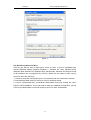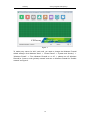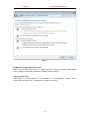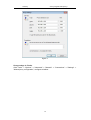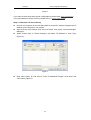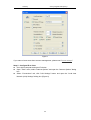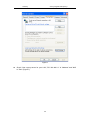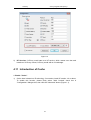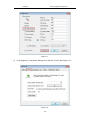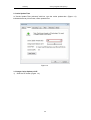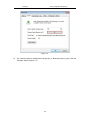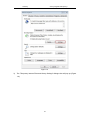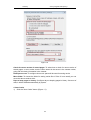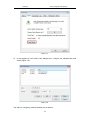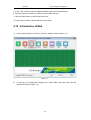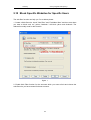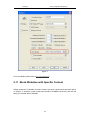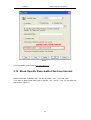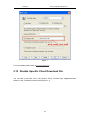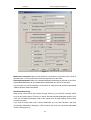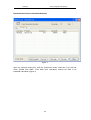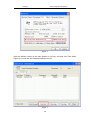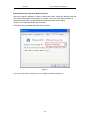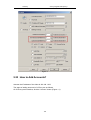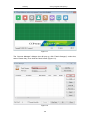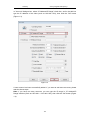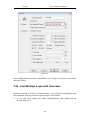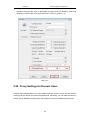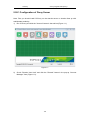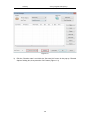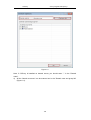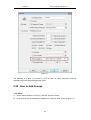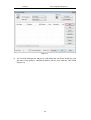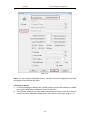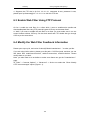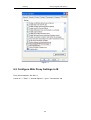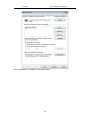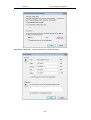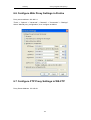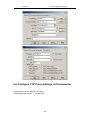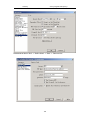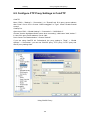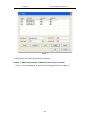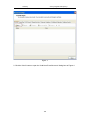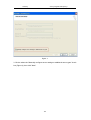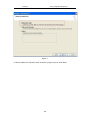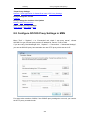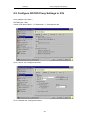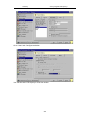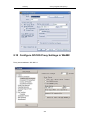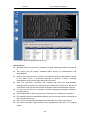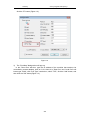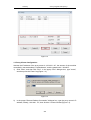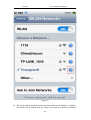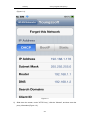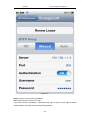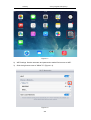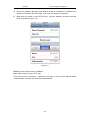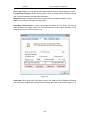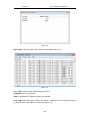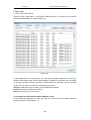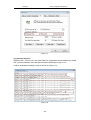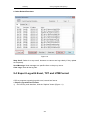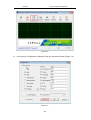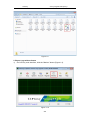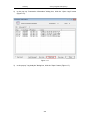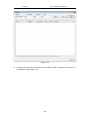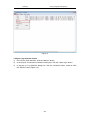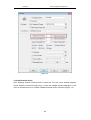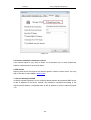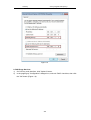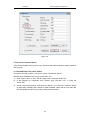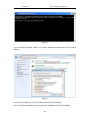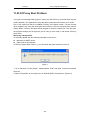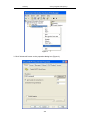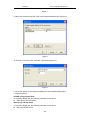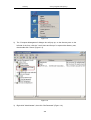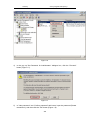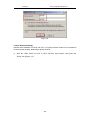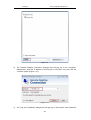
1
CCProxy www.youngzsoft.net/ccproxy/ CCProxy User Manual Youngzsoft 2014 CCProxy www.youngzsoft.net/ccproxy/ Content 1 2 3 4 5 System Requirements..................................................................................................6 1.1 CCProxy Supports All Windows Systems.....................................................6 1.2 Is CCProxy Compatible with Linux Operating System?..............................14 Quick Start.................................................................................................................15 2.1 CCProxy Quick Start...................................................................................15 2.2 Installation of CCProxy................................................................................18 2.3 CCProxy Server Screen Shot......................................................................25 2.4 Easy to Use All Internet Connection............................................................26 Security Related.........................................................................................................29 3.1 CCProxy Occupies a Lot of Memory?.........................................................29 3.2 Is CCProxy A Risk?.....................................................................................29 3.3 To Insure the Network Security with CCProxy Installed..............................31 3.4 CCProxy Keeps Connecting to a Special Website......................................31 3.5 Is CCProxy Safe?........................................................................................31 3.6 False Positive Statement for CCProxy........................................................34 3.7 Proxy Servers Close Automatically.............................................................36 3.8 What If the Proxy Server Crashed...............................................................36 Server Settings...........................................................................................................39 4.1 CCProxy Default Ports................................................................................39 4.2 Change Mail Proxy Port of CCProxy Server...............................................39 4.3 Port Mapping Function of CCProxy.............................................................40 4.4 Web Cache Function...................................................................................42 4.5 Access Internal Server from the Intranet.....................................................43 4.6 Run CCProxy in NT Services......................................................................44 4.7 Customize the "Unauthorized" Page...........................................................46 4.8 Display Customized Filter Message in IE....................................................48 4.9 Setting Cascading Proxy.............................................................................50 4.10 CCProxy Basic Server Settings...................................................................52 4.11 Introduction of Cache..................................................................................55 4.12 Introduction of Mail......................................................................................62 4.13 How to Enable Multiple IPs Outgoing..........................................................64 4.14 Introduction of Networks..............................................................................67 4.15 How to Use Ping Command........................................................................69 4.16 Use Proxy Server and Mail Server Synchronously.....................................71 4.17 Configuration of Dual-NICs..........................................................................73 4.18 Introduction of Dial-up.................................................................................74 4.19 Introduction of Others..................................................................................75 Account Settings........................................................................................................79 5.1 OpenDNS Filter Function in CCProxy.........................................................79 5.2 Block Access to a User with CCProxy.........................................................79 2 CCProxy 6 7 www.youngzsoft.net/ccproxy/ 5.3 Account Management Remotely.................................................................80 5.4 Limit One Account Available for One Person..............................................84 5.5 Manage Clients with Dynamic IP Address...................................................85 5.6 Use a Text File for Web Filter......................................................................86 5.7 Apply Filter to Block MSN............................................................................87 5.8 Allow Only Specific Websites......................................................................88 5.9 Sites Display Abnormally After I Allow Them...............................................89 5.10 Block Specific Websites for Specific Users.................................................90 5.11 Block Websites with Specific Content.........................................................91 5.12 Block Specific Exercisable Files from Internet............................................92 5.13 Disable Specific Client Download File.........................................................93 5.14 Allow Only Mail Proxy for Specific Client.....................................................94 5.15 Configure a Web Filter Schedule.................................................................95 5.16 Run CCProxy as Anonymous Proxy Server................................................97 5.17 How to Block TeamViewer...........................................................................98 5.18 Force Clients Access Internet via CCProxy...............................................101 5.19 How to Block Gmail with CCProxy?..........................................................104 5.20 CCProxy Account Management................................................................106 5.21 Internet, Web and Content Filter................................................................113 5.22 Bandwidth Control Function.......................................................................117 5.23 How to Add Accounts?...............................................................................122 5.24 Limit Multiple Login with Username...........................................................125 5.25 How to Limit Traffic Usage of Clients........................................................128 5.26 Proxy Settings for Domain Users..............................................................130 5.27 Auto Disable at..........................................................................................137 5.28 How to Add Groups...................................................................................138 5.29 Set the Bandwidth Quota...........................................................................141 Proxy for Browser and FTP......................................................................................144 6.1 Make Proxy Server Settings in Firefox......................................................144 6.2 Cannot Access FTP Sites Requiring Authentication..................................144 6.3 Enable Web Filter Using FTP Protocol......................................................147 6.4 Modify the Web Filter Feedback Information.............................................147 6.5 Configure Web Proxy Settings in IE..........................................................148 6.6 Configure Web Proxy Settings in Firefox..................................................150 6.7 Configure FTP Proxy Settings in WS-FTP................................................151 6.8 Configure FTP Proxy Settings in Dreamweaver........................................152 6.9 Configure FTP Proxy Settings in CuteFTP................................................153 6.10 Setup FTP Proxy in Filezilla......................................................................157 6.11 Access FTP Site Using Internet Explorer..................................................158 Proxy for Mail Client.................................................................................................162 7.1 Steps for Configuring Microsoft Outlook 2013...........................................162 7.2 Outlook Works with User/Password Auth Type.........................................166 7.3 Configuring Windows Live Mail.................................................................170 7.4 Set up Mail Proxy in Office Outlook...........................................................176 3 CCProxy 8 www.youngzsoft.net/ccproxy/ 7.5 Configure Mail Proxy Settings in Thunderbird7.0......................................177 7.6 Make Proxy Settings in Office Outlook for Gmail......................................177 7.7 Set Mail Proxy for Both Gmail and Hotmail...............................................186 7.8 Enter Username/Password to Use OE......................................................188 7.9 Configure Outlook Express E-mail Proxy Settings....................................188 7.10 Configure Mail Proxy in Outlook Express..................................................191 7.11 Configure E-mail Proxy in Eudora.............................................................194 7.12 Make Mail Proxy Settings in Thunderbird7.0.............................................195 7.13 Configure Mail Proxy in Office Outlook for Free Mail................................197 7.14 Make Office Outlook Proxy for Company Mail..........................................203 7.15 Make Office Outlook Proxy for Hotmail.....................................................209 7.16 Configure News Proxy Settings in OE.......................................................209 7.17 Send and Receive Gmails by OE with CCProxy.......................................210 7.18 Make Proxy Settings for Mail Clients.........................................................219 Proxy for Others.......................................................................................................227 8.1 Set up Proxy for Time Server....................................................................227 8.2 Setup Google Talk (GTalk) Proxy Settings................................................227 8.3 Make Proxy Settings for Java....................................................................228 8.4 Make Proxy Settings for UTorrent.............................................................229 8.5 Software without Proxy Setting Options....................................................230 8.6 Make Proxy Settings for TeamViewer on Client........................................230 8.7 CCProxy-Proxy Settings of Popular Software...........................................232 8.8 Configure SOCKS Proxy Settings in MSN................................................233 8.9 Configure SOCKS Proxy Settings in ICQ..................................................233 8.10 Configure SOCKS Proxy Settings in WinMX.............................................236 8.11 Configure Proxy Settings in Yahoo Messenger.........................................238 8.12 Configure Chat Software with SOCKS......................................................239 8.13 Configure MMS Proxy Settings in Media Player.......................................240 8.14 Configure RTSP Proxy Settings in Real Player.........................................243 8.15 Configure Telnet Proxy Settings in NetTerm..............................................245 8.16 Configure Java Proxy Settings for Game/Chat oom.................................247 8.17 Configure IRC Proxy Settings in mIRC.....................................................249 8.18 Make Proxy for Norton AntiVirus Live Update...........................................249 8.19 Set up Proxy in AVG for Online Update.....................................................250 8.20 Set Proxy in CA Anti-virus for Online Update............................................251 8.21 Set up Proxy for Time Server....................................................................251 8.22 Remote Desktop via CCProxy...................................................................251 8.23 Configure Other Software Proxy Settings.................................................251 8.24 HTTPS Proxy Server Work with Radius....................................................252 8.25 How to Use Remote Desktop via CCProxy...............................................253 8.26 Configure Proxifier to Work with CCProxy................................................257 8.27 Make Proxy Settings for Dropbox..............................................................261 8.28 Make Proxy Settings on Android Phone....................................................263 8.29 Make Proxy Settings on iPhone................................................................265 4 CCProxy www.youngzsoft.net/ccproxy/ 8.30 Make Proxy Settings on iPad....................................................................271 9 Monitor and Log.......................................................................................................274 9.1 Get Logs to Show Whether A Site Is Blocked...........................................274 9.2 Introduction of Log.....................................................................................274 9.3 Monitor and Log.........................................................................................277 9.4 Export Log with Excel, TXT and HTM Format...........................................283 10 Server Upgrade and Maintain...........................................................................292 10.1 Why CCProxy Startup Failed....................................................................292 10.2 Why CCProxy Stops Working in Win XP sp2............................................292 10.3 Get Garbage When Surfing via CCProxy..................................................292 10.4 Remove Unexpectedly Installed CCProxy................................................292 10.5 Internet Proxy Server Installation and Usage............................................293 10.6 Shut Down Programs Occupying CCProxy Ports.....................................299 10.7 CCProxy Upgrading Steps........................................................................303 10.8 Why the License Code of CCProxy Become Invalid.................................304 10.9 The Build-in Port Detection Function.........................................................306 10.10 Backup Upgrade and Transfer..................................................................310 11 Troubleshoots...................................................................................................312 11.1 Method of Blocking Cascading Proxy........................................................312 11.2 Operating Principle of Connections...........................................................313 11.3 Lost the Administrator Password of CCProxy...........................................314 11.4 Can I Use the Webcam or Voice Chat of MSN/Yahoo?............................315 11.5 Use Ping Command via CCProxy.............................................................315 11.6 CCProxy Supports Apple Macintosh.........................................................316 11.7 Use CCProxy in Terminal Services...........................................................317 11.8 Can I Build Internet Proxy Server..............................................................317 11.9 Can Not Thoroughly Hide IP Address........................................................317 11.10 How to Telnet If I Get Access to the Internet.............................................318 11.11 Get the "Control Service Startup Error".....................................................319 11.12 Why "MAC Address" Can Not Work?........................................................320 11.13 Why WinXP Cannot Run Windows Update...............................................321 11.14 Why I Get a Dialog Box about Download Files and Fail to Open When I Visit Some Sites?.....................................................................................................321 11.15 Display Images Properly in HTML Email in OE.........................................322 11.16 Can Not Run "Auto disable at" Function...................................................325 11.17 Decode Password in Accinfo.ini................................................................325 11.18 Account List Didn't Update Automatically..................................................326 11.19 Internet Speed on Client Is Slower than Server........................................326 11.20 How Many Users Can CCProxy Support..................................................326 11.21 Solutions for Slow Internet Speed on Clients............................................326 11.22 How to Check out Whether the CCProxy Server is Available or Not for Clients? 335 11.23 CCProxy Start Problem.............................................................................339 12 Miscellaneous...................................................................................................343 5 CCProxy www.youngzsoft.net/ccproxy/ 12.1 Turn off the The Icon of CCProxy in System Tray.....................................343 12.2 Can CCProxy Support VPN......................................................................343 12.3 Securely Access Blink Electric Car Charger Outside................................343 12.4 How to Dial VPN?......................................................................................358 12.5 Setting up Static IP Address......................................................................363 12.6 How to Close Firewall?..............................................................................367 12.7 Visiting Abroad Websites with CCProxy....................................................370 12.8 Make Port Map Rules in Router................................................................371 12.9 Difference between SOCKS4 and SOCKS5.............................................372 12.10 How to Use Remote Desktop....................................................................376 13 Purchase and Registration...............................................................................385 13.1 Demo Version VS. Registered Version......................................................385 13.2 Cannot Purchase Online from Our Site.....................................................385 13.3 Didn't Received License after Pay.............................................................386 13.4 Lost Register Information of CCProxy.......................................................387 13.5 Get Free License with One Year Upgrade.................................................387 13.6 How to Check Serial Number....................................................................388 13.7 CCProxy License and Concurrent Connections........................................390 6 CCProxy www.youngzsoft.net/ccproxy/ 1 System Requirements 1.1 CCProxy Supports All Windows Systems CCProxy Server full supports Windows XP, Windows 7, Vista, Windows 2003, Windows 2008, Windows 2000, Windows 98, Windows NT and Windows ME. We have tested CCProxy on the following Windows operation system for Internet connection sharing. Windows 98 SE: [Windows 98 Second Edition, Win98 SE, Win 98 SE, Window 98] Windows ME: [Windows Millennium Edition, Windows Me, Win ME, WinME, Window ME] Windows 2000 (Server, Advanced Server, Professional): [Win2K, Win2000, Window 2000] Windows NT: [Window NT, WinNT, SP4] Windows XP: [Window XP, WinXP, Win XP, SP1, SP2, SP3] Windows 2003: [Window 2003, Win2003, Win 2003, Win2K3] Windows Vista: [Window Vista, Win Vista, Vista, SP1] Windows 7: [Window 7, Win 7, Win7] Windows 2008:[Window 2008, Win2008, 2008] We recommend installing CCProxy on Win2003. CC Proxy Server works well under 300 users and 2000 connections on Windows 2003. I. Brief Introduction on Proxy Server for WinXP, Proxy Server for Win7 etc When we talk about proxy server for WinXP, proxy server for Win7 or proxy server for some other Windows editions, it mostly means a computer with WinXP/Win7/Vista/Win2003/Win2008 installed which is running as a proxy server. Nowadays, we make use of proxy server for various purpose like sharing Internet connections on a local area network, hide our IP address, implement Internet access control, access blocked websites and so on. Bellow are some benefits of proxy server: To share Internet connection on a LAN. Some small businesses and families have multiple computers but with only one Internet connection, they can share Internet connection for other computers on the LAN with a proxy server. 7 CCProxy www.youngzsoft.net/ccproxy/ To speed up Internet surfing. All requests from client computers will reach the proxy server at first, if the proxy server has cached the required resources in its local hard disk before with the web cache function, clients will get feedback directly from proxy server, it will be more quickly than direct accessing. To hide the IP address of the client computer so that it can surf anonymous, this is mostly for security reasons. A proxy server can act as an intermediary between the user's computer and the Internet to prevent from attack and unexpected access. To implement Internet access control like authentication for Internet connection, bandwidth control, online time control, Internet web filter and content filter etc. To bypass security restrictions and filters. For example, many work offices have blocked facebook and myspace however, via a proxy server you will be able to access blocked websites easily. To scan outbound content, e.g., for data leak protection. To circumvent regional restrictions. For example, a server using IP-based geolocation to restrict its service to a certain country can be accessed using a proxy located in that country to access the service. II-1. Build Proxy Server for WinXP There are many proxy server softwares which can be used to build proxy server for WinXP, the most prominent superiority of CCProxy is that it's very smart and easy-to-use. Bellow are the steps to build a proxy server for WinXP with CCProxy. 1. Choose a computer which is running WinXP and connected to both the LAN and the Internet. 2. Download the latest version of CCProxy from it's download center. 3. Launch "ccproxysetup.exe" and keep clicking the "Next" button to finish installation. You do not need to make any additional configuration, CCProxy will work as proxy server for WinXP automatically. 8 CCProxy www.youngzsoft.net/ccproxy/ Figure 1 To make proxy server for WinXP work well, you need to turn off the system firewall of WinXP or make an exception rule for CCProxy. Click Windows "Start" -> "Control Panel" -> "Security Center" -> "Windows Firwall" -> you can click "Off" check box to turn off Windows Firewall or keep it on as Figure 2. 9 CCProxy www.youngzsoft.net/ccproxy/ Figure 2 If you keep the Windows Firewall on, you need to create exception rule for CCProxy: click the "Exceptions" tab -> "Add Program" -> select CCProxy -> "OK" to save (Figure 3). 10 CCProxy www.youngzsoft.net/ccproxy/ Figure 3 II-2. Build Proxy Server for Win7 CCProxy can also be used to build proxy server for Win7, in fact it's compatible with various Windows editions including Windows 7, Windows XP, Vista, Windows 2003, Windows 2008, Windows NT, Windows 2000, Windows Me, Windows 98. Both 32 bit and 64 bit Windows can be supported by CCProxy. Bellow are the steps to build a proxy server for Win7 with CCProxy. 1. Choose a computer running Win7 and is connected to both the LAN and the Internet. 2. Download the latest version of CCProxy from it's download center. 3. Launch "ccproxysetup.exe" as Windows administrator and keep clicking the "Next" button to finish installation. You do not need to make any additional configuration, just run CCProxy as administrator, it will work as proxy server for Win7 automatically. 11 CCProxy www.youngzsoft.net/ccproxy/ Figure 4 To make proxy server for Win7 work well, you need to change the Windows Firewall default settings: click Windows "Start" -> "Control Panel" -> "System and Security" -> "Windows Firwall" -> "Turn Windows Firewall on or off" -> please turn off Windows Firewall for "Home or work (private) network" and turn on Windows Firewall for "Publick network" as Figure 5. 12 CCProxy www.youngzsoft.net/ccproxy/ Figure 5 III. Make Proxy Settings on the Client After you have built proxy server for WinXP and proxy server for Win7, please make proxy settings on the client computers as bellow to surf via proxy. Proxy settings in IE Click "Tools" -> "Internet Options" -> "Connections" -> "LAN Settings" -> select "Use a proxy server for your LAN" -> "Advanced", configure as bellow. 13 CCProxy www.youngzsoft.net/ccproxy/ Figure 6 Proxy settings in Firefox Click "Tools" -> "Options" -> "Advanced" -> "Network" -> "Connections" -> "Settings" -> "Manual proxy configuration", configure as bellow. 14 CCProxy www.youngzsoft.net/ccproxy/ Figure 7 Figure 8 shows surfing via CC Proxy server after you have made proxy server settings in IE. 15 CCProxy www.youngzsoft.net/ccproxy/ Figure 8 1.2 Is CCProxy Compatible with Linux Operating System? CCProxy is not compatible with linux operating system. However, if clients are using linux operating system, they can access Internet through CCProxy. 16 CCProxy www.youngzsoft.net/ccproxy/ 2 Quick Start 2.1 CCProxy Quick Start Step 1 - Install CCProxy on the Server The server is the computer that can access the Internet directly. Make sure that all clients within LAN are able to access the Server. Suppose the server IP in the LAN is 192.168.0.1, and then 192.168.0.1 is the proxy server address. You can download CCProxy here. Run ccproxysetup.exe and follow the on-screen instructions to install CCProxy. Run CCProxy on the server (Figure 1). Figure 1 If you get problem in launch CCProxy, please refer to "CCProxy Start Problem". Step 2 - Add client's IP into CCProxy Choose one computer in the LAN that needs to access the Internet. Suppose the IP address of the computer is 192.168.0.2. Open CCProxy main window, click "Account" button, then popup "Account Manager" 17 CCProxy www.youngzsoft.net/ccproxy/ dialog box. Select "Permit Only" in "Permit Category" and select "IP Address" in "Auth Type" (Figure 2). Figure 2 Click "New" button, fill "192.168.0.2" in the "IP Address/IP Range", click "Save" and "OK" button (Figure 3). Figure 3 18 CCProxy www.youngzsoft.net/ccproxy/ Step 3 - Configure IE at client Go to client computer and open IE window. Open "Tools" menu, select "Internet Options" and open the "Internet Options" dialog box. Select "Connections" tab, click "LAN Settings" button (Figure 4). Figure 4 In the pop up "Local Area Network (LAN) Settings" dialog box, select the "Use a proxy server for your LAN" check box, type "192.168.0.1" into the "Address" edit box, and type "808" into the "Port" edit box (Figure 5). 19 CCProxy www.youngzsoft.net/ccproxy/ Figure 5 Click "OK" button in "Local Area Network (LAN) Settings" and "Internet Options" dialog boxes. Now you can browser Internet web sites in IE at the client. 2.2 Installation of CCProxy Step 1 - LAN networks configuration Normally, the clients and server are connected with A Hub, Wireless Hub, Switch or Router. The network protocol between the server and clients is TCP/IP. Therefore both the server and the clients have an IP address. The server IP address is static and fixed. The clients IP address can be fixed or dynamic which is obtained through DHCP. CCProxy only requires that the clients can ping through the server IP address. We know that the server may have multiple IP addresses, but must have one that is used to connect with other LAN clients. The IP address that is used to connect with the other LAN client is called the proxy server address. We generally assumed this to be 192.168.0.1. If the clients and server have not yet been setup to have a connection, we recommend allocate IP addresses like this at below: Server IP address mask gateway DNS 192.168.0.1 255.255.255.0 empty empty 20 CCProxy www.youngzsoft.net/ccproxy/ Client1 192.168.0.2 255.255.255.0 192.168.0.1 192.168.0.1 Client2 192.168.0.3 255.255.255.0 192.168.0.1 192.168.0.1 ... ... ... ... ... Client99 192.168.0.100 255.255.255.0 192.168.0.1 192.168.0.1 How to detect whether ping Requests are transferring through between the clients and server? At the client, in the "start" menu -> "run" -> "cmd", assuming that the server IP is 192.168.0.1, in the command line, to type "ping 192.168.0.1" then press return. If the result is similar to that at below, it means the client is connected to the server successfully. Pinging 192.168.0.1 with 32 bytes of data: Reply from 192.168.0.1: bytes=32 time=2ms TTL=150 Reply from 192.168.0.1: bytes=32 time=2ms TTL=150 Reply from 192.168.0.1: bytes=32 time=7ms TTL=150 Reply from 192.168.0.1: bytes=32 time=7ms TTL=150 Ping statistics for 192.168.0.1: Packets: Sent = 4, Received = 4, Lost = 0 (0% loss), Approximate round trip times in milli-seconds: Minimum = 2ms, Maximum = 7ms, Average = 4ms If the result is like that at below, it means the client cannot connect to the server. Pinging 192.168.0.1 with 32 bytes of data: Request timed out. Request timed out. Request timed out. Request timed out. Ping statistics for 192.168.0.1: Packets: Sent = 4, Received = 0, Lost = 4 (100% loss), If the client cannot connect to the server, you need to check the IP address settings and the connections to the Hub, Switch or Router on the clients and server. Step 2 - Internet connection configuration We know that there are many ways of connecting to the Internet, which are for example, ADSL, optical fiber, satellite, broadband etc. CCProxy is not concerned about the manner in which the Internet connection is established, as long as the server is successful 21 CCProxy www.youngzsoft.net/ccproxy/ connected to the Internet. The simplest way to check the server can access the Internet is to input a web site address into the browser and see if the machine is able to access the web pages. Users frequently mentioned single and dual NIC. In fact, the CCProxy is not concerned with hardware equipment. Both single and multi-NIC cards are supported and there are no special settings. Special mention is that if the clients have been able to share the Internet, such as through the router, and hope to use the CCProxy to manage and control the clients' Internet access. You might need to do some changes on your hardware. For example: Figure 1 In this case, the clients can access the Internet directly with the Routers bypass proxy server. That's to say, CCProxy cannot control the clients. We need to isolate the client from Internet and force clients to access the Internet via the proxy server. We have two methods to realize this. Method 1: Add one NIC card on the server and change the LAN networks as: 22 CCProxy www.youngzsoft.net/ccproxy/ Figure 2 Method 2: Configure the NAT or route settings in the router and block all LAN IP address accessing the Internet directly except the server IP address. Only some advanced routers have this function. Please do this with the router's administrator. Step 3 - Install CCProxy on the Server Suppose the server IP address in the LAN is 192.168.0.1, and then 192.168.0.1 is the proxy server address. You can download CCProxy here. Run ccproxysetup.exe and follow the on-screen instructions to install CCProxy. Run CCProxy on the server (Figure 3). 23 CCProxy www.youngzsoft.net/ccproxy/ Figure 3 If you want to know more about server configurations, please read "Server Configuration". If you get problem in launch CCProxy, please refer to "CCProxy Start Problem". Step 4 - Add client's IP into CCProxy Choose one computer in the LAN that needs to access the Internet. Suppose the IP address of the computer is 192.168.0.2. Open CCProxy main window, click "Account" button, then popup "Account Manager" dialog box. Select "Permit Only" in "Permit Category" and select "IP Address" in "Auth Type" (Figure 4). Figure 4 Click "New" button, fill "192.168.0.2" in the "IP Address/IP Range", click "Save" and "OK" button (Figure 5). 24 CCProxy www.youngzsoft.net/ccproxy/ Figure 5 If you want to know more about account management, please read " Account Manager". Step 5 - Configure IE at client Go to client computer and open IE window. Open "Tools" menu, select "Internet Options" and open the "Internet Options" dialog box. Select "Connections" tab, click "LAN Settings" button and open the "Local Area Network (LAN) Settings" dialog box (Figure 6). 25 CCProxy www.youngzsoft.net/ccproxy/ Figure 6 Check "Use a proxy server for your LAN", Fill "192.168.0.1" in "Address" and "808" in "Port" (Figure 7). 26 CCProxy www.youngzsoft.net/ccproxy/ Figure 7 Click "OK" button in "Local Area Network (LAN) Settings" and "Internet Options" dialog boxes. Now you can browser Internet web sites in IE at the client. If you want to know more about client configurations, please read "Client Configuration". If you get problem in using CCProxy, please read "User Manual" and "FAQs". 2.3 CCProxy Server Screen Shot CCProxy Main Interface (Figure 1-1) 27 CCProxy www.youngzsoft.net/ccproxy/ Figure 1-1 CCProxy Settings Interface (Figure 1-2) Figure 1-2 28 CCProxy www.youngzsoft.net/ccproxy/ 2.4 Easy to Use All Internet Connection We have tested CCProxy for the following Internet Connections Sharing. Modem Sharing: [Dialup modem, ISP connections sharing, ISDN modem sharing] DSL Internet Connection: [ADSL, DSL, xDSL sharing] Cable Internet Connection Cable Modem Sharing Broadband Internet Connection Satellite Internet Connection Wireless Internet Connection: [Blue tooth sharing] Modem Sharing Modem sharing means to share a modem Internet connection so as to have multiple computers on the LAN get access to Internet via a single IP address. There are several methods to implement modem sharing but concerning some security and controllability reasons, proxy server software - CCProxy can do better in it, and bellow are the steps for you 1. Install 2 Network Interface Cards (NIC) in the computer (let's say PC-S) which is connected to the modem, NIC 1 connects to the modem and NIC 2 connects to the LAN. You can get IP address, subnet mast, default gateway and DNS server for NIC 1 from your ISP. For NIC 2, please set these manually to make it a LAN environment for all the computers, let's say it's "192.168.2.". 2. Download CCProxy from its download center and install it on PC-S and keep all default settings. After installation, CCProxy will work automatically without any additional configurations. 3. Make proxy server settings on the other computers so that they can get access to Internet via CCProxy. DSL Connection Sharing DSL technology is sometimes summarized as xDSL which includes ADSL (Asymmetric Digital Subscriber Line), HDSL (High Data Rate Digital Subscriber Line), IDSL (ISDN Digital Subscriber Line) and so on. The normal way to apply DSL connection sharing for multiple computers is to use a router that establishes a connection between the DSL modem and the LAN. But with a proxy server software - CCProxy you can get better performance for security, controllability. To use a DSL Internet connection, you always need a modem and the steps for implement DSL connection sharing with CCProxy are as 29 CCProxy www.youngzsoft.net/ccproxy/ bellow. 1. Install 2 Network Interface Cards (NIC) in the computer (let's say PC-S) which is connected to the DSL modem, NIC 1 connects to the DSL modem and NIC 2 connects to the LAN. You can get IP address, subnet mast, default gateway and DNS server for NIC 1 from your ISP. For NIC 2, please set these manually to make it a LAN environment for all the computers, let's say it's "192.168.2.". 2. Download CCProxy from its download center and install it on PC-S and keep all default settings. After installation, CCProxy will work automatically without any additional configurations. 3. Make proxy server settings on the other computers so that they can get access to Internet via CCProxy. Broadband Sharing Broadband sharing means to share a broadband Internet connection with other computers on the LAN so that they can access Internet. This will reduce the fees and budget for network construction. Surely you have heard of a router solution for this before. But what if you have only a simple switch? Even you have a router, what if you want to separate the LAN from the Internet for security purpose? Well, proxy server software - CCProxy will be a good choice. And bellow are the steps for you to implement broadband sharing. 1. Install 2 Network Interface Cards (NIC) in the computer (let's say PC-S) which is connected to the Internet via broadband, NIC 1 connects to the broadband cable and NIC 2 connects to the switch or router which is also connected to the other computers. You can get IP address, subnet mast, default gateway and DNS server for NIC 1 from your ISP. For NIC 2, please set these manually to make it a LAN environment for all the computers including PC-S, let's say it's "192.168.2.". 2. Download CCProxy from its download center and install it on PC-S and keep all default settings. After installation, CCProxy will work automatically without any additional configurations. 3. Make proxy server settings on the other computers so that they can get access to Internet via CCProxy. Besides modem sharing, DSL connection sharing and broadband sharing, CCProxy also has powerful management capabilities such as Internet access control, bandwidth control, Internet web filtering, online time control etc. 30 CCProxy www.youngzsoft.net/ccproxy/ 3 Security Related 3.1 CCProxy Occupies a Lot of Memory? Normally, CCProxy will use only a small part of memory. But if you check the "Web cache" option in CCProxy, it may occupy a lot of memory. 3.2 Is CCProxy A Risk? CCProxy is sometimes considered to be a virus or a risk tool by some antivirus softwares but, it's in fact false possibly just because CCProxy is mostly used for Internet connections sharing with other computers. On the other hand, CCProxy also keeps connecting to some specified sites to check the online status. To disable this online checking, you can go to "Options" - "Advanced" - "Networks" - fill "Web sites for on-line checking" with "127.0.0.1" instead. You can also create an exclusive rule for CCProxy when configuring the antivirus software. And if you cannot create exclusive rule for CCProxy.exe, please make exclusion for folder "CCProxy": create a folder named "CCProxy" and then make a exclusion for this folder before installing CCProxy into this existing folder. BTW, please make sure you have downloaded CCProxy from our download center. And for antivirus software, we recommend AVG, which has free edition for you. To improve CCProxy and our services, we need your help! If you find any antivirus software has considered CCProxy as a virus, malware, risk tool, please just email to us so that we can deal with it as soon as possible. Thanks! Furthermore, bellow are CCProxy scanner results of 37 antivirus softwares. You can also scan it by yourself on this site. 31 CCProxy www.youngzsoft.net/ccproxy/ 32 CCProxy www.youngzsoft.net/ccproxy/ 3.3 To Insure the Network Security with CCProxy Installed Please install the secure software on the proxy server on which CCProxy server software has been located so that all data and Internet access will be checked on proxy server. We recommend AVG for our customers. 3.4 CCProxy Keeps Connecting to a Special Website This is because CCProxy always check the on-line status. You can go to "Options" "Advanced" - "Networks" - Fill "Web sites for on-line checking" with "127.0.0.1" instead (Figure 1-1). Figure 1-1 33 CCProxy www.youngzsoft.net/ccproxy/ 3.5 Is CCProxy Safe? 1. Some antivirus software probably considers CCProxy as malware or risk, so they would block CCProxy. That is quite normal phenomenon. 2. CCProxy is absolutely secure, without any virus. Under no circumstance will it steal your information or attack your PCs. 3. CCProxy would not affect or limit your Internet speed itself. But CCProxy can limit clients' traffic or block some certain websites, so the server can manage clients. 4. CCProxy is sometimes considered to be a virus or a risk tool, just because CCProxy is mostly used for Internet connections sharing with other computers. On the other hand, CCProxy also keeps connecting to some specified sites to check the online status. To disable this online checking, you can go to "Options" - "Advanced" - "Networks" - fill "Web sites for on-line checking" with "127.0.0.1" instead. You can also create an exclusive rule for CCProxy when configuring the antivirus software. And if you cannot create exclusive rule for CCProxy.exe, please make exclusion for folder "CCProxy": create a folder named "CCProxy" and then make a exclusion for this folder before installing CCProxy into this existing folder. BTW, please make sure you have downloaded CCProxy from our download center. And for antivirus software, we recommend AVG, which has free edition for you. To improve CCProxy and our services, we need your help! If you find any antivirus software has considered CCProxy as a virus, malware, risk tool, please just email to us so that we can deal with it as soon as possible. Thanks! Furthermore, bellow are CCProxy scanner results of 37 antivirus softwares. You can also scan it by yourself on this site. 34 CCProxy www.youngzsoft.net/ccproxy/ 35 CCProxy www.youngzsoft.net/ccproxy/ 3.6 False Positive Statement for CCProxy CCProxy is sometimes considered to be a virus or a risk tool by some antivirus softwares but, it's in fact false positive just because CCProxy is mostly used for sharing Internet connections with other computers. On the other hand, CCProxy also keeps connecting to some specified sites to check the online status. To disable this online checking, you can go to "Options" - "Advanced" - "Networks" - fill "Web sites for on-line checking" with "127.0.0.1" instead. You can also create an exclusive rule for CCProxy when configuring the antivirus software. And if you cannot create exclusive rule for CCProxy.exe, please make exclusion for folder "CCProxy": create a folder named "CCProxy" and then make a exclusion for this folder before installing CCProxy into this existing folder. BTW, please make sure you have downloaded CCProxy from our download center. And for antivirus software, we recommend AVG, which has free edition for you. To improve CCProxy and our services, we need your help! If you find any antivirus software has considered CCProxy as a virus, maleware, risk tool, please just email to us so that we can deal with it as soon as possible. Thanks! Furthermore, bellow are CCProxy scanner results of 37 antivirus softwares. You can also scan it by yourself on this site. 36 CCProxy www.youngzsoft.net/ccproxy/ 37 CCProxy www.youngzsoft.net/ccproxy/ 3.7 Proxy Servers Close Automatically While using CCProxy, sometimes it would close automatically. That is because it is considered to be a virus by some anti-virus softwares. Solution for this is as follows: 1. Close Anti-virus Softwares Close those anti-virus softwares, then restart CCProxy. However, if you open those antivirus softwares again, it may close automatically again. 2. Configure CCProxy As Trusted On those anti-virus softwares, configure CCProxy as trusted, and then restart CCProxy. In this way, you could use the proxy server and those anti-virus softwares at the same time. Notes: The way of configuring as trusted is different according to different kind of anti-virus softwares. It is recommended to look for solutions in official websites of those anti-virus softwares. 3.8 What If the Proxy Server Crashed The operating environment of proxy server is so complicated that sometimes CCProxy would become crashed, stop in NT service or auto logout. If that happens, you may refer to the following solutions: 1) After opened the installation registry of CCProxy, double-click the "dump" folder (Figure 1-1). 38 CCProxy www.youngzsoft.net/ccproxy/ Figure 1-1 2) In the "dump" folder, check if there is any files whose file extension is ".dmp". If there is, please zip the "dump" folder and send it to [email protected]. So our technicists could analyze the folder and find out the problem (please zip CCProxydll.pdb and CCProxy.pdb as well) (Figure 1-2). 39 CCProxy www.youngzsoft.net/ccproxy/ Figure 1-2 Notes: If the version of operating system in the server is too low (such as Windows2000) or is simplified, the "dump" file would not display normally, so we cannot analyze the problem well. It is recommended to use the operating systems whose version are higher that Windows2000. 40 CCProxy www.youngzsoft.net/ccproxy/ 4 Server Settings 4.1 CCProxy Default Ports CCProxy default ports are as follows (Figure 1-1). Figure 1-1 Notes: You can change the ports as you wish accordingly. 4.2 Change Mail Proxy Port of CCProxy Server Click "Options"->"Advanced"->"Mail", you can change the POP3 Port and SMTP Port as you wish (Figure 1-1). 41 CCProxy www.youngzsoft.net/ccproxy/ Figure 1-1 4.3 Port Mapping Function of CCProxy On the "Options" dialog box, check the "Port Map", and then click the "E" button to add Port Map rules (Figure 1). 42 CCProxy www.youngzsoft.net/ccproxy/ Figure 1 For example, you need to visit a server (IP: 192.168.0.3, port: 555) in your LAN remotely, or you need to visit a server on the Internet by an application via particular port (pop.gmail.com, port: 995, using Outlook Express), you can add port map rules as below (Figure 2). 43 CCProxy www.youngzsoft.net/ccproxy/ Figure 2 4.4 Web Cache Function CCProxy's web cache function is based on IE web cache technology. It can save the visited web pages in cache. In the specified period of time, when users want to visit the same web page they've browsed, this web page can be loaded from cache directly. Therefore greatly improves surfing speed on the Internet. With default settings, the web Cache function of CCProxy is uncheck. You need to enable the web cache function as bellow: In "Options" dialog box, check the "Web Cached" (Figure 1). 44 CCProxy www.youngzsoft.net/ccproxy/ Figure 1 Note: The web cache function has been disabled in CCProxy latest version. If you must use the web cache function, please download CCProxy 7.3 build 20130530 installation package from http://pan.baidu.com/share/link?shareid=870668415&uk=2148544029. It has web cache function, but doesn't have much function like the latest build. 4.5 Access Internal Server from the Intranet Please enable the Port Mapping function and configure as below (suppose the server IP is 192.168.0.66, port is 99) (Figure 1-1): 45 CCProxy www.youngzsoft.net/ccproxy/ Figure 1-1 4.6 Run CCProxy in NT Services Please click to select the "NT Service" check box on the "Configuration" dialog box as Figure 1. 46 CCProxy www.youngzsoft.net/ccproxy/ Figure 1 Then you will find a service named "CCProxy" in the server's service list as Figure 2. Figure 2 If you have enabled this function you can also close the interface of CCProxy while the 47 CCProxy www.youngzsoft.net/ccproxy/ service is still running. 4.7 Customize the "Unauthorized" Page Please open file "ccproxy.ini", you can revise the wording by changing the parameters, "WebSiteForbidden" and "WebContentForbidden". If you are using V6.62 or above version, please go to this path: C:\CCProxy\web, and then you can find two files: authinfo-content.htm (used for content filter) and authinfosite.htm (used for site filter). Please modify them as you wish. Registered users can also customize the "Unauthorized" page by this way: "Options" -> "Advanced" -> "Customize", you can customize the message as (Figure 1). Figure 1 When people try to access blocked websites, he will get message like (Figure 2). Figure 2 48 CCProxy www.youngzsoft.net/ccproxy/ If you want to display image to the client, please do as bellow: 1. Create a folder (let's say the folder name is test) on the proxy server and share it to the clients. 2. Place the image you want to display to the client in this folder. 3. Suppose the server's IP address is 192.168.1.2, please add following string as (Figure 3): Figure 3 However, with the default setting, IE can not display such message. You need to do as (Figure 4) to make IE able to display customized message on the client computers. IE "Tools" -> "Internet Options" -> "Advanced" -> click to not select the "Show friendly HTTP error messages" option. 49 CCProxy www.youngzsoft.net/ccproxy/ Figure 4 4.8 Display Customized Filter Message in IE Registered users can customize the filter message which will display on the client's browsers. "Options" -> "Advanced" -> "Customize", you can customize the message as Figure 1. 50 CCProxy www.youngzsoft.net/ccproxy/ Figure 1 When people try to access blocked websites, he will get filter message like Figure 2. Figure 2 However, with the default setting, IE can not display such message. You need to do as Figure 3 to make IE able to display customized filter message on the client computers. IE "Tools" -> "Internet Options" -> "Advanced" -> click to not select the "Show friendly HTTP error messages" option. 51 CCProxy www.youngzsoft.net/ccproxy/ Figure 3 4.9 Setting Cascading Proxy If a computer has installed CCProxy server and has access to the Internet through proxy, then it needs to set the cascading proxy. Cascading proxy means that the client of CCProxy server has access to the Internet through two layers of proxies. Under this circumstance, CCProxy actually is a cascading proxy server. If CCProxy can surf the Internet, and just some specific protocol need to be set the proxy, the following methods are for your reference. The methods of setting cascading proxy are as follows. 1) Click the "Options" button on the main interface of CCProxy. (Figure 1-1) 52 CCProxy www.youngzsoft.net/ccproxy/ Figure 1-1 2) In the pup-up "Configuration" dialog box, click the "Advanced" button. (Figure 1-2) Figure 1-2 53 CCProxy 3) www.youngzsoft.net/ccproxy/ In the pup-up "Advanced" dialog box, select the "Cascading" tab, and then select the "Enable Cascading Proxy" check box. (Figure 1-3) Figure 1-3 Local Protocol: Select the upper proxy's protocol. Porxy Address: Input the upper proxy server's IP address. Proxy Protocol: Select the cascading proxy's protocol which you used to access the Internet through cascading proxy server. Port: Input the port of cascading proxy protocol. Need Authorization: Select the "Need Authorization" check box if the upper proxy server needs it. Then input the user name and password into the related edit box. If the upper proxy server is used in the circumstance of "Domain", then you need to input the domain name into its edit box. 4.10 CCProxy Basic Server Settings On CCProxy main interface, click "Options" button, the "Configuration" dialogue box will pop up (Figure 1-1). 54 CCProxy www.youngzsoft.net/ccproxy/ Figure 1-1 The above picture shows the default settings, you can change them accordingly. 1. Proxy Services 1) Mail: Mail proxy service. If there is mail server installed in the server, please uncheck it. 2) DNS: Domain Name Server. If there is DNS configured in the server, please uncheck it. If you want to check this option, please set the DNS address as the IP address of the server in "Network Configuration" in clients. 3) Web Cached: It can help to improve the network access speed. 4) Remote Dial-up: It is used for dial-up automatically and it can be configured in "Dialup" tab in "Advanced" dialogue box. 5) Auto Startup: Whether CCProxy will auto startup with the operating system. 6) Auto Hide: Whether CCProxy will hide to system tray after starting. 7) Port Map: To enable port map function (for example, Gmail needs port mapping for sending and receiving mails), please select "Port Map" check box, then click the "E" button on the right, configure in the popping up "Port Map" dialogue box, please refer to "Web Port Forward" for more details. 2. Protocol Ports The place where proxy protocol and ports being configured. Users can enable or disable these protocols accordingly, and ports could be changed as well (Figure 1-2). 55 CCProxy www.youngzsoft.net/ccproxy/ Figure 1-2 HTTP/RTSP: Ports which clients will occupy when visiting http or rtsp sites. Secure: Secure protocol goes with https protocol. For visiting https sites, please select it. FTP(Web): The protocol needs to be enabled when visiting FTP sites through explorer. Gopher: Gopher protocol enables all the Gopher client programs in Internet to communicate with the entire "registered" Gopher server in Internet. SOCKS/MMS: Support both TCP/UDP protocol, and various authentication mechanisms, such as QQ, MSN and so on. FTP: Protocols need to be enabled when visiting FTP sites with FTP clients (such as CuteFTP). Telnet: Telnet protocol is one member of the TCP/TP protocols, and the standard protocol and the main method of Internet remote login service. It enables users to finish remote host machine's work on local computer. News: News protocol. 3. Auto Detect 1) If clients need multiple outgoing IPs, please select "Auto Detect" check box. If clients need to use the specified IP, please firstly uncheck "Auto Detect" check box, then select an IP address in the combo box, and finally select the check box on the right side (Figure 1-3). 56 CCProxy www.youngzsoft.net/ccproxy/ Figure 1-3 2) NT Services: CCProxy would start as a NT service, which means even the main interface of CCProxy closed, CCProxy would still run in backstage. 4.11 Introduction of Cache 1. Enable "Cache" 1) Cache here is based on IE technology. You need to install IE version 4.0 or above. To enable this function, please firstly select "Web Cached" check box in "Configuration" dialogue box, then click the "Advanced" button (Figure 1-1). 57 CCProxy www.youngzsoft.net/ccproxy/ Figure 1-1 2) In the popped up "Advanced" dialogue box, click the "Cache" tab (Figure 1-2). Figure 1-2 58 CCProxy www.youngzsoft.net/ccproxy/ 2. Cache Update Time In "Cache Update Time (minutes)" edit box, type the cache update time. (Figure 1-3) indicates that every 60 minutes, cache update once. Figure 1-3 3. Change Cache Options via IE 1) Click the "IE" button (Figure 1-4). 59 CCProxy www.youngzsoft.net/ccproxy/ Figure 1-4 2) The "Internet Options" dialogue box will pop up, in "Browsing history" group, click the "Settings" button (Figure 1-5). 60 CCProxy www.youngzsoft.net/ccproxy/ Figure 1-5 3) The "Temporary Internet Files and History Settings" dialogue box will pop up (Figure 1-6). 61 CCProxy www.youngzsoft.net/ccproxy/ Figure 1-6 Check for newer version of stored pages: To select how to check for newer version of stored pages, so as to make sure the cache stored in the server is the newest version, going with the timely information in the Internet. Disk space to use: To configure how much space will be used for storing cache. Move folder: To choose the folder for storing cache files. If Drive C is too small, you can move the data to another drive. Days to keep pages in history: Configure days to keeping pages in history. Once out of date, it will be deleted automatically by system. 4. Auto Cache 1) Click the "Auto Cache" button (Figure 1-7). 62 CCProxy www.youngzsoft.net/ccproxy/ Figure 1-7 2) In the popped up "Auto Cache List" dialogue box, configure the websites that need cache (Figure 1-8). Figure 1-8 The steps of configuring cached websites are as follows: 63 CCProxy www.youngzsoft.net/ccproxy/ a. In the "URL" edit box, type the website address (such as www.dbmail.com). b. Click the "Start at" combo box, select the cache date and time. c. Click the "Add" button to add a new cache rule. To cache other websites, please redo the above steps. 4.12 Introduction of Mail 1) On the main interface of CCProxy, click the "Options" button (Figure 1-1). Figure 1-1 2) In the pop up "Configuration" dialogue box, select "Mail" check box, then click the "Advanced" button (Figure 1-2). 64 CCProxy www.youngzsoft.net/ccproxy/ Figure 1-2 If CCProxy is installed in the machine where mail server software is installed, please uncheck "Mail" check box. Otherwise, Port 25 and Port 110 will have conflicts. 3) In the pop up "Advanced" dialogue box, click the "Mail" tab. The "Mail" interface is as shown in (Figure 1-3). 65 CCProxy www.youngzsoft.net/ccproxy/ Figure 1-3 SMTP Port: Its default port is 25 which can be modified accordingly. POP3 Port: Its default port is 110 which can be modified accordingly. Anti Spam Check with RBL: After checking this check box, the build-in anti spam check will be started. 4.13 How to Enable Multiple IPs Outgoing 1. Functions of Enabling Multiple IPs Outgoing 1) Multiple IPs could be used for playing games. 2) There is how many IPs in the server means that how many IPs could be used by clients to access the Internet (CCProxy doesn't provide IPs). 2. Server Settings 1) On the main interface of CCProxy, click the "Options" button. 2) In the pop up "Configuration" dialogue box, select the "Auto Detect" check box, then click the "Advanced" button (Figure 1-1). 66 CCProxy www.youngzsoft.net/ccproxy/ Figure 1-1 3) In the pop up "Advanced" dialogue box, click the "Networks" tab, uncheck the "Disable External Users" check box, select the "Enable Multiple IPs Outgoing" check box, then keep clicking the "OK" button to the main interface (Figure 1-2). 67 CCProxy www.youngzsoft.net/ccproxy/ Figure 1-2 Note: It is advised to select the "Enable SOCKS4" check box. 3. Client Settings To make proxy setting in clients, you can configure any IP of the server. 1) Assume there are four IPs in the server and they are 172.16.36.3, 192.168.1.147, 192.168.101.1 and 192.168.107.1 (Figure 1-3). 68 CCProxy www.youngzsoft.net/ccproxy/ Figure 1-3 2) To make proxy settings for IE, in "Proxy address to use" edit boxes, you could use any of 172.16.36.3, 192.168.1.147, 192.168.101.1 or 192.168.107.1 (Figure 1-4). 69 CCProxy www.youngzsoft.net/ccproxy/ Figure 1-4 Note: To make proxy for other client software, you could configure multiple IPs as well. 4.14 Introduction of Networks 1) On the main interface of CCProxy, click the "Options" button (Figure 1-1). 70 CCProxy www.youngzsoft.net/ccproxy/ Figure 1-1 2) In the pop up "Configuration" dialogue box, click the "Advanced" button (Figure 1-2). Figure 1-2 71 CCProxy 3) www.youngzsoft.net/ccproxy/ In the pop up "Advanced" dialogue box, click the "Networks" tab (Figure 1-3). Figure 1-3 Enable SOCKS4: Whether enable SOCKS4 or not. Disable External Users: Whether disable external users to use CCProxy or not. For the sake of security, it is advised to select the "Disable External Users" check box. Web Sites for On-line Checking: To check whether the server could connect to the configured websites which could be modified accordingly. Socket Idle Disconnect Minutes: To decide after the Internet has been left unused for how many minutes, CCProxy would disconnect automatically. Server Bind IP Address: If there are multiple IPs in the server, you could select an IP address to bind with the server in the combo box. Enable Multiple IPs Outgoing: Please refer to "Enable Multiple IPs Outgoing" for more details. Add Client IP in HTTP Header: Whether add the IP of clients to HTTP header. Limit Multiple Login with Username: Please refer to "Limit Multiple Login with Username" for more details. 4.15 How to Use Ping Command The "ping" command is used for checking the Internet speed. If used at clients, the "ping" command could be used for checking whether the clients could connect to the server. 72 CCProxy www.youngzsoft.net/ccproxy/ Assume the IP address of the server is 192.168.1.147. The steps are as follows: 1) Click the "Start" button, type "cmd" in the "Run" edit box, and then press the "Enter" key. 2) In the pop up "dos command line" window, type "ping 192.168.1.147", then press the "Enter" key (Figure 1-1). Figure 1-1 3) The client has been connected to the server successfully (Figure 1-2). Figure 1-2 73 CCProxy 4.16 Use www.youngzsoft.net/ccproxy/ Proxy Server and Mail Server Synchronously If proxy server and mail server are installed in the same machine, in order to use them normally, you need to uncheck the "Mail" check box in the "Configuration" dialogue box. The steps are as follows: 1) On the main interface of CCProxy, click the "Options" button (Figure 1-1). Figure 1-1 2) In the pop up "Configuration" dialogue box, uncheck the "Mail" check box, then click the "OK" button (Figure 1-2). 74 CCProxy www.youngzsoft.net/ccproxy/ Figure 1-2 Notes: Mail servers normally use Ports 25 and 110. In order to get away from ports confliction, it is recommended not to set Ports 25 and 110 as proxy protocol ports (Figure 1-3). 75 CCProxy www.youngzsoft.net/ccproxy/ Figure 1-3 4.17 Configuration of Dual-NICs There are many kinds of network topology environment of surfing the Internet via proxy. Here introduces how to configure dual-NICs: 1. Configuration of NICs 1) There are two network cards on the proxy server, and the one connected to the Internet is called External NIC. The external NIC could be configured accordingly, as long as the server could access the Internet normally. 2) The one that connects the Switch and the terminal is called Internal NIC. While configuring the internal NIC, please note that the IPs of the internal NIC and the external NIC should not be in the same IP range. Besides, gateway and DNS could be left unconfigured. 2. Configuration of Clients In the "Local Area Connections" dialogue box, please configure as follows: 1) IP address (the IP address of clients should be in the same IP range with the IP address of the internal NIC of the server). 2) Subnet mask (255.255.255.0). 3) Default gateway. 76 CCProxy 4) www.youngzsoft.net/ccproxy/ DNS address (DNS is the IP address of the internal NIC of the server). 4.18 Introduction of Dial-up Click the "Dial-up" tab in "Advanced" dialogue box (Figure 1-1). Figure 1-1 If you have created a dial-up connection, you need to click the connection you need in "Dial-up Entries" drop list, in "Dial-up User Name" and "Dial-up Password" edit boxes type user name and password, then click the "OK" button (Figure 1-2). 77 CCProxy www.youngzsoft.net/ccproxy/ Figure 1-2 Idle Disconnect Minutes: After the network has been left unvisited over the configured time, system would disconnect the network automatically. Enable Auto Dial-up: When you visit web, mail, or FTP sites, if you haven't dialed up yet, system would dial-up automatically for you. 4.19 Introduction of Others 1. Remote Admin Assume the IP address of the server is 192.168.1.147. "Remote Admin" is designed for administrators to conduct simple account management via browsers, without logging in servers. The username is "Admin" and its password could be configured in "Admin Password" edit box. 1) After clicking the "Others" tab, select the "Enable Remote Admin" check box. The default port of "Admin Port" is 88 which could be modified accordingly. Type password in "Admin Password" edit box, then click the "OK" button (Figure 1-1). 78 CCProxy www.youngzsoft.net/ccproxy/ Figure 1-1 2) Type "http://192.168.1.147:88" in the address bar of browsers to open the remotely login window, please type the username and password (Figure 1-2). Figure 1-2 3) Remote admin window is as (Figure 1-3). 79 CCProxy www.youngzsoft.net/ccproxy/ Figure 1-3 2. Password Need password or not when startup or make settings in CCPrxoy (Figure 1-4). Figure 1-4 80 CCProxy www.youngzsoft.net/ccproxy/ Password Protection: If you select the "Password Protection" check box only, when make settings for CCProxy, you need to input password. Need Password When Startup: If you want to enable it, please select "Password Protection" first. Notes: Password here is the same with remote admin password. 3. Auto update CCProxy will update automatically or not. 81 CCProxy www.youngzsoft.net/ccproxy/ 5 Account Settings 5.1 OpenDNS Filter Function in CCProxy First of all, OpenDNS function has been added since V6.64. We can enable OpenDNS on the "Web Filter" interface as bellow Input the OpenDNS address behind "Advanced DNS Filter", multiple addresses should be divided by semicolon, fox example: "208.67.222.222;208.67.220.220". After saving the web filter we can enable OpenDNS function by enabling this web filter for different accounts. 82 CCProxy www.youngzsoft.net/ccproxy/ 5.2 Block Access to a User with CCProxy Q: Can I block access to a user with CCProxy? A: Yes. Please select the user you want to block -> click the "Edit" button -> unselect the "Enable" check box to disable this account (Figure 1-1). Figure 1-1 For more details of this function, please refer to how to progress account management remotely from the admin page. 83 CCProxy www.youngzsoft.net/ccproxy/ 5.3 Account Management Remotely For administrator of CCProxy 1. Click "Options" -> "Advanced" -> "Others" and configure as (Figure 1): Figure 1 You can specify the "Admin Port" and the "Admin Password" here as you wish. 2. Input http://192.168.1.110(server IP):88 in the address field of IE to open the remote management page, you will be required to login at first (Figure 2). Notes: Please input the whole URL of "http://192.168.1.110:88" here. 84 CCProxy www.youngzsoft.net/ccproxy/ Figure 2 3. Please input "admin" as user name and the password you set in Step 1 to login (Figure 3). Figure 3 As administrator of CCProxy you can add, edit and delete an account here, just like in 85 CCProxy www.youngzsoft.net/ccproxy/ CCProxy account management panel on the server. You can also change the admin password here. For normal users If the authentication type of your account is "User/Password", you can also login this account management page to change your password. Just input your user name and password in Figure 2 to login, then you will get the page as (Figure 4). Figure 4 86 CCProxy www.youngzsoft.net/ccproxy/ For more details, please refer to this link. 5.4 Limit One Account Available for One Person The "User/Password + IP" and "User/Password + MAC" auth type can do this. Suppose you have created an account "Tom", and want only Tom can use it. You need to know Tom's IP address (suppose it's 192.168.1.123) or MAC address (suppose it's 485b39ef5cf6), then the settings should be as Figure 1 (use "User/Password + IP" auth type). The IP address can be either LAN IP or Internet IP. Figure 1 Or, the settings should be as Figure 2 (use "User/Password + MAC" auth type). 87 CCProxy www.youngzsoft.net/ccproxy/ Figure 2 Attentions: 1. The premise is you should know the user's IP or MAC address. And the IP should better be static, otherwise you need to modify the IP settings every now and then. 2. The "User/Password + MAC" auth type can be used only on LAN while the "User/Password + IP" auth type can be used for both LAN and Internet. For more information about auth type, please refer to "Account Management". 5.5 Manage Clients with Dynamic IP Address If the clients get IP address from DHCP, you can use "MAC" or "User/Password" auth type for them. If you want to use "IP" auth type, please create an account with IP range setting like "192.168.1.100-192.168.1.200" (Figure 1) so that all clients with IP address in this range 88 CCProxy www.youngzsoft.net/ccproxy/ are able to surf via CCProxy. Figure 1 5.6 Use a Text File for Web Filter Yes. Please open "Account Manager"-> Web Filter-> Click the button "..." on the right of the blank field which is for inputting filter sites-> select the text file you prepared for web filter. Below is a sample format for that text file. Please note you need to make sure it is one item per line divided by semi-colon. *.inhealthrecords.com; inhealthrecords.com; *.sleepcmi.com; sleepcmi.com; 89 CCProxy www.youngzsoft.net/ccproxy/ fedex.com; *.fedex.com; *.pahcom.com; 5.7 Apply Filter to Block MSN Yes, you can use site filter rule in web filter. 1. Install the latest version of CCProxy. 2. Click "Account" -> "Web Filter" -> click to select the "Site Filter" and "Forbidden Sites" check box -> type ".hotmail.com;.passport.com;.msn.com;:1863" into the bellow text box -> click "Save" or "OK" button to save this web filter (Figure 1). Figure 1 3. Select an account for which you want to block MSN messenger and enable the web filter you created in Step 2 for this account (Figure 2). 90 CCProxy www.youngzsoft.net/ccproxy/ Figure 2 Now you can block MSN messenger for the client which using the account mentioned in Step 3. 5.8 Allow Only Specific Websites The web filter function can help you. Do as below please: 1. Create a Web filter rule: check "Site Filter" and "Permitted Sites" and then enter sites you want to allow such as "www.yahoo.com", ".yahoo.", ".yahoo.". The wildcard is usually used for this function. 2. Enable Web Filter function for the accounts which you want to limit and choose the web filter rule you have created for these accounts. 91 CCProxy www.youngzsoft.net/ccproxy/ For more details, please refer to Account Management. 5.9 Sites Display Abnormally After I Allow Them Reason Sometimes the site you allowed has some pictures or other info linked from other sites. In that case, the site will display abnormally cause you have not allowed the sites which provided the pictures and info. Solution Suppose you want to permit only yahoo. Right click an image on yahoo, click "Properties" to get the "Address (URL)" of this image. You can see the URL is not yahoo but yimg (Figure 1-1). Figure 1-1 So the filter item should be ".yahoo.;.yimg.". Note: for some sites, you may need to add more items in the filter, a better way to find the items is the CCProxy log. You can get all URL clients try to connect in the log, then choose to add items into filter with "". Nutshell, you need to add all URL of the site as CCProxy filter items. 92 CCProxy www.youngzsoft.net/ccproxy/ 5.10 Block Specific Websites for Specific Users The web filter function can help you. Do as below please: 1. Create a Web filter rule: check "Site Filter" and "Forbidden Sites" and then enter sites you want to block such as ".yahoo.;.facebook." will block yahoo and facebook. The wildcard is usually used for this function. Figure 1 2. Enable Web Filter function for the accounts which you want to limit and choose the web filter rule you have created for these accounts. 93 CCProxy www.youngzsoft.net/ccproxy/ Figure 2 For more details, please refer to Account Management. 5.11 Block Websites with Specific Content Please enable the "Forbidden Content" function and enter "game;sex;chat;travel" and so on (Figure 1). However, some normal sites would be forbidden cause any site with the string you entered will be forbidden. 94 CCProxy www.youngzsoft.net/ccproxy/ Figure 1 For more details, please refer to Account Management. 5.12 Block Specific Exercisable Files from Internet Please enable the "Forbidden URL" function and enter ".exe", ".msi" and so on. If you want to block some other types of file like ".avi", ".rmvb", ".swf" you can also use this function (Figure 1). 95 CCProxy www.youngzsoft.net/ccproxy/ Figure 1 For more details, please refer to Account Management. 5.13 Disable Specific Client Download File You can add a web filter rule in the account. Enter "Content-Type: application/octetstream" in the "Forbidden Content" field (Figure 1-1). 96 CCProxy www.youngzsoft.net/ccproxy/ Figure 1-1 5.14 Allow Only Mail Proxy for Specific Client Please click the "Account" button of CCProxy -> choose the account which you want to make this restriction -> click the "Edit" button -> select only "Mail" and leave the other proxy protocol options unselected (Figure 1-1). 97 CCProxy www.youngzsoft.net/ccproxy/ Figure 1-1 BTW, in that case, you can only send and receive emails by email client such as Outlook Express and thunderbird and so on. 5.15 Configure a Web Filter Schedule Suppose the "Auth Type" is "IP Address" and the client is 192.168.0.100. During work time (8:00—12:00;13:00—18:00), this client can access only specify sites such as www.companysite.com,mail.companysite.com and other time there's no limitation for this client. 1. Create two accounts with different user name (A and B) and the same IP: A: 192.168.0.100 B: 192.168.0.100 98 CCProxy www.youngzsoft.net/ccproxy/ 2. Create two time schedule rules: Rule1 From Monday to Friday: Can access Internet only during 8:00—12:00 and 13:00—18:00. Weekend: Cannot access Internet (Figure 1-1). Figure 1-1 Rule 2 From Monday to Friday: Can access Internet only during 00:00-08:00 and 12:00-13:00 and 18:00-24:00. Weekend: Can access Internet all day (Figure 1-2). Figure 1-2 3. Create a web filter named 001, check "Site Filter" and "Permitted Sites" and input ".companysite.". 4. Enable time schedule rule 1 and web filter 001 for A, enable time schedule rule 2 for B. 99 CCProxy www.youngzsoft.net/ccproxy/ 5.16 Run CCProxy as Anonymous Proxy Server How to run CCProxy as anonymous proxy server with web filter available? First of all, it's of course possible. The difference is you need to create an account using IP auth type and the "IP Range" should be "0.0.0.0-255.255.255.255", it means "permit all", in other words, anonymous proxy service (Figure 1-1). Figure 1-1 Now, you can specify a web filter for this account as normal accounts (Figure 1-2). How to apply web filter? 100 CCProxy www.youngzsoft.net/ccproxy/ Figure 1-2 5.17 How to Block TeamViewer Create a filter as bellow, the filter item should be ".dyngate.;.teamviewer." (Figure 1-1). 101 CCProxy www.youngzsoft.net/ccproxy/ Figure 1-1 This filter item depends on the URL TeamViewer tries to connect, it may be different in different countries. You can get this in the "Connection information" dialog box as bellow when a client trying to use TeamViewer via CCProxy (Figure 1-2). 102 CCProxy www.youngzsoft.net/ccproxy/ Figure 1-2 Enable this filter for the client for which you want to block TeamViewer (Figure 1-3). 103 CCProxy www.youngzsoft.net/ccproxy/ Figure 1-3 Please refer to this article to get more details of how to use web filter. 5.18 Force Clients Access Internet via CCProxy To enable web filters and bandwidth limitation for the client PCs, the precondition is that all these client PCs can access Internet only through CCProxy. If you have enabled the Internet Connection Sharing of Windows, please just disable it. If there's a router on the LAN, client PCs will be able to access Internet via the router, bypass CCProxy. For this situation, you can set the router allow only the proxy server access Internet depends on the proxy server's IP or MAC. Take TP-Link TL-WR340G for example, you can allow only the proxy server access Internet directly depending on IP address or MAC address. 1. "Security" -> "Firewall" 104 CCProxy www.youngzsoft.net/ccproxy/ 2. Click to select the "Enable Firewall" check box, then click to select "Enable IP Address Filtering" check box or the "Enable MAC Address Filtering" check box. Please select the "Allow" check box, then save. 3. Click "Add New" button in the bellow interface. 105 CCProxy www.youngzsoft.net/ccproxy/ 4. Suppose the proxy server's IP address is 192.168.1.100, the "LAN IP Address" range should be 192.168.1.100 - 192.168.1.100, select "Allow" for "Action", keep other options as default settings. 5. In fact, it's easily to change IP address on client PCs, so we recommend MAC address filtering here. Click "Add New" button in the bellow interface. 106 CCProxy www.youngzsoft.net/ccproxy/ Note: the "Default Filter Rules" here should be "Allow..." 6. Type the proxy server's MAC address and keep other options as default settings. 7. After you have finished these settings, you need to restart the router to enable them. Note: you can choose either IP address or MAC address filtering, up to you. 5.19 How to Block Gmail with CCProxy? The web filter function of CCProxy can be used to block gmail for specified clients and bellow are the steps: 1. Click the "Account" button in CCProxy main window -> click the "Web Filter" button -> click the "New" button -> Select "Site Filter" and "Forbidden Sites" -> input "mail.google." -> click the "OK" button to save (Figure 1). 107 CCProxy www.youngzsoft.net/ccproxy/ Figure 1 2. Select an account in the account list and edit it -> click to select the "Web Filter" check box -> select the web filter you have just created -> save (Figure 2). 108 CCProxy www.youngzsoft.net/ccproxy/ Figure 2 Now, Tom can visit all websites except gmail. 5.20 CCProxy Account Management In this section we will talk about the account management of CCProxy. CCProxy features powerful Internet access control function. It helps the administrator to manage clients easily and efficiently. The account management includes "Account List", "Web Filter" and "Time Schedule". We will introduce all of them in detail below. Account Management Main Interface Click "Account" button on the CCProxy window to open account manager dialog box: 109 CCProxy www.youngzsoft.net/ccproxy/ Permit Category: There are two options - "Permit All" and "Permit Only". "Permit All" means all proxy clients can access the Internet via CC Proxy. "Permit Only" means only the clients which have been given permission can access the Internet via CC Proxy. Auth Type: CCProxy account authentication supports IP Address, MAC Address and User/Password. Each account can be authenticated with these auth types. The "User/Password" authentication is only valid to web proxy and socks5 proxy service. Web Filter: The administrator can define the filter rule here. CCProxy supports "Web Site Filter"(Permit or forbidden), "Forbidden URL"(Web URL filter) and "Forbidden Content"(Web Content Filter). Time Schedule is used to control the clients' on-line time. New, Edit, Delete and Select All: These are used to create, edit or delete the account list. Auto Scan: This is used to scan the computers on the LAN to get the computer's information automatically. For example, computer name, IP address and MAC address. Export and Import: Export is used to save the account list information to a specific folder. Import is used to load account information from a specific file. These two features function just like the backup and restore operations of account list. Domain User Auth: If you check this box, CCProxy will scan out the Active Directory accounts automatically. You can input the AD server name in the edit box. "." means local server. Flow Stats: displays the bandwidth usage of each account. Create New Account 110 CCProxy www.youngzsoft.net/ccproxy/ "Account -> Permit Category -> Permit Only -> New". Enable is used to enable or disable the account. User/Group Name is used to define each account. It's also used as the username for User/password authentication. Password is used to define the account's password. IP Address/IP Range: you can input a single IP or IP range. For example: 192.168.0.1 or 192.168.0.1-192.168.0.10. MAC Address is used to define the client's MAC address. Click the "?" to get the MAC address by the IP address or computer name. As Group means this account is defined as a group account. Belongs to Group: you can add this account to any defined group. Maximum Connections refers to the maximum simultaneous connections. The value -1 means no limitation. Bandwidth refers to the maximum bandwidth of each connection. The value -1 means no limitation. 111 CCProxy www.youngzsoft.net/ccproxy/ Services are used to choose the permitted services of this account. Web Filter: you can choose a defined web filter here. Time Schedule: you can choose a defined time schedule here. Auto disable at: the account will be disabled at this defined time automatically. Web Filter Web filters can effectively restrict clients accessing to particular web sites. "Account -> Web Filter" Web Filter Name is used to define different web filter rules. Site Filter: Input the sites you want to filter in the edit box. Site filter supports wildcard character (,?). Multiple sites should be divided by semicolon. For example: .yahoo.com;???.hotmail.com;www..org. Also you can define port filter. For example: :433, .yahoo.com:80;.hotmail.com:; You can also input a web filter file name here. The web filter file format is one web filter for one line. For example: .yahoo.com; .hotmail.com; .bbc.com:; .msn.com:433; 112 CCProxy www.youngzsoft.net/ccproxy/ Permitted Sites: the clients can only access the sites which are included in the site filters. Forbidden Sites: the clients can not access the sites which are included in the site filters. Forbidden URL: You can define the URL filter here. You can input whole or partial URLs. For example: http://www.google.com/;.zip;.exe;/mail/; Forbidden URL is different from Site Filter. Site Filter only applies to the web host name and port, whereas Forbidden URL applies to the whole URL address. Forbidden Content can filter web pages with specific characters. If the web page includes such characters, it will be banned. Input the characters you want to name in the edit box. Multiple characters should be divided by semicolon. For example: chat;travel. Notes: This step is only to define a web filter rule. If you want to apply it to a specific account, you should edit the account's properties and select the web filter rule for the account. Time Schedule (Control On-line Time, Access Time Control) Time schedule is used to control the clients' on-line time. "Account -> Time Schedule" Time Schedule Name is used to define different time schedule rules. Sunday to Saturday: This is used to set different on-line time schedules for business days. You can edit time schedule directly in the edit box or click the button besides 113 CCProxy www.youngzsoft.net/ccproxy/ edit box. In the popup "Time Table" dialog box, there are 24 time range choices. Note: "01:00" means Internet access is allowed from 00:00 to 01:00. "Apply to," means the time control of the day is only effective for checked choices. Notes: This step is only to define a time schedule rule. If you want to apply it to the specific account, you should edit the account's property and select the time schedule rule for this account. Some Samples of Account Management How to block some certain sites for clients 1. Suppose you want to block Yahoo and CNN sites. 2. Open "Account Manager" dialog box. 3. Click "Web Filter" button and open the "Web Filter" dialog box. 4. Click "New" button. 5. Enter "filter-yahoo" in "Web Filter Name". 6. Check "Site Filter" and "Forbidden Sites". 7. Enter "yahoo.;cnn." in the edit box of "Site Filter". 8. Click "Save" and "OK" button. 9. Back to "Account Manager" dialog box. Select one client and click "Edit" button. 10. Check "Web Filter" and choose "filter-yahoo" from the list box. 11. Click "OK" button. Now the client unable to access Yahoo and CNN. How to allow only several certain sites for clients Suppose you want to allow clients only access www.youngzsoft.net. 1. Open "Account Manager" dialog box. 2. Click "Web Filter" button and open the "Web Filter" dialog box. 3. Click "New" button. 4. Enter "permit-youngzsoft" in "Web Filter Name". 5. Check "Site Filter" and "Permitted Sites". 6. Enter "youngzsoft" in the edit box of "Site Filter". 7. Click "Save" and "OK" button. 8. Back to "Account Manager" dialog box. Select one client and click "Edit" button. 9. Check "Web Filter" and choose "permit-youngzsoft" from the list box. 10. Click "OK" button. Now the client can only access www.youngzsoft.net. How to block sites with certain content Suppose you want to block sites that contains "chat". 1. Open "Account Manager" dialog box. 2. Click "Web Filter" button and open the "Web Filter" dialog box. 3. Click "New" button. 4. Enter "filter-chat" in "Web Filter Name". 5. Check "Forbidden Content". 6. Enter "chat" in the edit box of "Forbidden Content". 7. Click "Save" and "OK" button. 114 CCProxy www.youngzsoft.net/ccproxy/ 8. Back to "Account Manager" dialog box. Select one client and click "Edit" button. 9. Check "Web Filter" and choose "filter-chat" from the list box. 10. Click "OK" button. Now the client cannot access any sites that contains "chat". 11. How to block some exercisable files from Internet 12. Open "Account Manager" dialog box. 13. Click "Web Filter" button and open the "Web Filter" dialog box. 14. Click "New" button. 15. Enter "filter-exe" in "Web Filter Name". 16. Check "Forbidden URL". 17. Enter ".exe;.bat;.pif;.msi" in the edit box of "Forbidden URL". 18. Click "Save" and "OK" button. 19. Back to "Account Manager" dialog box. Select one client and click "Edit" button. 20. Check "Web Filter" and choose "filter-exe" from the list box. 21. Click "OK" button. Now the client cannot download exercisable files. How to limit bandwidth for clients 1. Open "Account Manager" dialog box. 2. Select one client and click "Edit" button. 3. Enter "4096" in the "Bandwidth". 4. Click "OK" button. Now the client's bandwidth is 4Kb/s. 5. If you only want to limit upload bandwidth, please go to CCProxy "Options" -> "Advanced" -> "Networks". You can select the bandwidth control type from "Bandwidth Control Apply for". How to block some certain ports for clients Suppose you want to block port 1863 (MSN messenger port). 1. Open "Account Manager" dialog box. 2. Click "Web Filter" button and open the "Web Filter" dialog box. 3. Click "New" button. 4. Enter "filter-port-1863" in "Web Filter Name". 5. Check "Site Filter" and "Forbidden Sites". 6. Enter ":1863" in the edit box of "Site Filter". 7. Click "Save" and "OK" button. 8. Back to "Account Manager" dialog box. Select one client and click "Edit" button. 9. Check "Web Filter" and choose "filter-port-1863" from the list box. 10. Click "OK" button. Now the client cannot access port 1863 and MSN messenger. How to customize the "Forbidden" page 1. Open "Options" dialog box. 2. Click "Advanced" button. 3. Click "Customize" button. 4. You can change the "Account auth failed message", "Web site filter message" and "Web content filter message". 5. Click "OK" button. 115 CCProxy www.youngzsoft.net/ccproxy/ 5.21 Internet, Web and Content Filter CCProxy Server Software has all-around filter functionality. It can realize Internet filter and Web filter, no matter basing on the content or the site itself. Web filter can effectively control the web sites that clients want to visit. Web Filter Web filters can effectively restrict clients accessing to particular web sites. "Account -> Web Filter" Web Filter Name is used to define different web filter rules. Site Filter: Input the sites you want to filter in the edit box. Site filter supports wildcard character (,?). Multiple sites should be divided by semicolon. For example: .yahoo.com;???.hotmail.com;www..org. Also you can define port filter. For example: :433, .yahoo.com:80;.hotmail.com:; You can also input a web filter file name here. The web filter file format is one web filter for one line. For example: 116 CCProxy www.youngzsoft.net/ccproxy/ .yahoo.com; .hotmail.com; .bbc.com:; .msn.com:433; Permitted Sites: the clients can only access the sites which are included in the site filters. Forbidden Sites: the clients can not access the sites which are included in the site filters. Forbidden URL: You can define the URL filter here. You can input whole or partial URLs. For example: http://www.google.com/;.zip;.exe;/mail/; Forbidden URL is different from Site Filter. Site Filter only applies to the web host name and port, whereasForbidden URL applies to the whole URL address. Forbidden Content can filter web pages with specific characters. If the web page includes such characters, it will be banned. Input the characters you want to name in the edit box. Multiple characters should be divided by semicolon. For example: chat;travel. Notes: This step is only to define a web filter rule. If you want to apply it to a specific account, you should edit the account's properties and select the web filter rule for the account. Time Schedule (Control On-line Time, Access Time Control) Time schedule is used to control the clients' on-line time. "Account -> Time Schedule" 117 CCProxy www.youngzsoft.net/ccproxy/ Time Schedule Name is used to define different time schedule rules. Sunday to Saturday: This is used to set different on-line time schedules for business days. You can edit time schedule directly in the edit box or click the button besides edit box. In the popup "Time Table" dialog box, there are 24 time range choices. Note:"01:00" means Internet access is allowed from 00:00 to 01:00. "Apply to," means the time control of the day is only effective for checked choices. Notes: This step is only to define a time schedule rule. If you want to apply it to the specific account, you should edit the account's property and select the time schedule rule for this account. Some Samples of Internet Web Filter Management How to block some certain sites for clients Suppose you want to block Yahoo and CNN sites. 1. Open "Account Manager" dialog box. 2. Click "Web Filter" button and open the "Web Filter" dialog box. 3. Click "New" button. 4. Enter "filter-yahoo" in "Web Filter Name". 5. Check "Site Filter" and "Forbidden Sites". 6. Enter "yahoo.;cnn." in the edit box of "Site Filter". 7. Click "Save" and "OK" button. 8. Back to "Account Manager" dialog box. Select one client and click "Edit" button. 9. Check "Web Filter" and choose "filter-yahoo" from the list box. 10. Click "OK" button. Now the client unable to access Yahoo and CNN. How to allow only several certain sites for clients Suppose you want to allow clients only access www.youngzsoft.net. 1. Open "Account Manager" dialog box. 2. Click "Web Filter" button and open the "Web Filter" dialog box. 3. Click "New" button. 4. Enter "permit-youngzsoft" in "Web Filter Name". 5. Check "Site Filter" and "Permitted Sites". 6. Enter "youngzsoft" in the edit box of "Site Filter". 7. Click "Save" and "OK" button. 8. Back to "Account Manager" dialog box. Select one client and click "Edit" button. 9. Check "Web Filter" and choose "permit-youngzsoft" from the list box. 10. Click "OK" button. Now the client can only access www.youngzsoft.net. How to block sites with certain content Suppose you want to block sites that contains "chat". 1. Open "Account Manager" dialog box. 2. Click "Web Filter" button and open the "Web Filter" dialog box. 3. Click "New" button. 118 CCProxy www.youngzsoft.net/ccproxy/ 4. Enter "filter-chat" in "Web Filter Name". 5. Check "Forbidden Content". 6. Enter "chat" in the edit box of "Forbidden Content". 7. Click "Save" and "OK" button. 8. Back to "Account Manager" dialog box. Select one client and click "Edit" button. 9. Check "Web Filter" and choose "filter-chat" from the list box. 10. Click "OK" button. Now the client cannot access any sites that contains "chat". How to block some exercisable files from Internet 1. Open "Account Manager" dialog box. 2. Click "Web Filter" button and open the "Web Filter" dialog box. 3. Click "New" button. 4. Enter "filter-exe" in "Web Filter Name". 5. Check "Forbidden URL". 6. Enter ".exe;.bat;.pif;.msi" in the edit box of "Forbidden URL". 7. Click "Save" and "OK" button. 8. Back to "Account Manager" dialog box. Select one client and click "Edit" button. 9. Check "Web Filter" and choose "filter-exe" from the list box. 10. Click "OK" button. Now the client cannot download exercisable files. How to limit bandwidth for clients 1. Open "Account Manager" dialog box. 2. Select one client and click "Edit" button. 3. Enter "4096" in the "Bandwidth". 4. Click "OK" button. Now the client's bandwidth is 4Kb/s. 5. If you only want to limit upload bandwidth, please go to CCProxy "Options" -> "Advanced" -> "Networks". You can select the bandwidth control type from "Bandwidth Control Apply for". How to block some certain ports for clients Suppose you want to block port 1863 (MSN messenger port). 1. Open "Account Manager" dialog box. 2. Click "Web Filter" button and open the "Web Filter" dialog box. 3. Click "New" button. 4. Enter "filter-port-1863" in "Web Filter Name". 5. Check "Site Filter" and "Forbidden Sites". 6. Enter ":1863" in the edit box of "Site Filter". 7. Click "Save" and "OK" button. 8. Back to "Account Manager" dialog box. Select one client and click "Edit" button. 9. Check "Web Filter" and choose "filter-port-1863" from the list box. 10. Click "OK" button. Now the client cannot access port 1863 and MSN messenger. How to customize the "Forbidden" page 1. Open "Options" dialog box. 119 CCProxy www.youngzsoft.net/ccproxy/ 2. Click "Advanced" button. 3. Click "Customize" button. 4. You can change the "Account auth failed message", "Web site filter message" and "Web content filter message". 5. Click "OK" button. 5.22 Bandwidth Control Function Bandwidth control is one of special features in CC Proxy. It is the best choice of bandwidth contoller for your company's networks, which can effectively realize bandwidth control and limit the bandwidth of your networks. In fact, CC Proxy Server can also work as bandwidth monitor and create bandwidth statistics report. Control Browsing Speed, Bandwidth Control and Limit Bandwidth You may use two parameters to control browsing speed of clients: "Maximum Connections" and "Bandwidth". Click "Account", open "Account Manager" dialog box, select one account and click "Edit": 120 CCProxy www.youngzsoft.net/ccproxy/ Figure 1 Maximum Connections refers to the maximum connections of the client to the server at the same time. CCProxy will refuse the extra connections of the client. Download Bandwidth refers to the download KBytes bandwidth per second of the client. Upload Bandwidthrefers to the upload KBytes bandwidth per second of the client. In most cases, we set the maximum connections for client as 5 and download bandwidth 10KB to limit the client's bandwidth. Bandwidth Monitoring When some users access the Internet through CCProxy, you will find a moving yellow curve on the green grids of CCProxy. It shows the total Internet bandwidth usage of your LAN. You can adjust the display scale of the yellow curve by right clicking mouse button on the green grids. If you want to watch each user's current bandwidth, you can click "Monitor" and open "Connection Information" dialog box. Click "Account" tab, and you will see the bandwidth of each client (Figure 2). 121 CCProxy www.youngzsoft.net/ccproxy/ Bandwidth Calculation, Bandwidth Statistics Figure 2 Open the "Options" dialog box, click the "Advanced" button, select the "Log" tab and check "Enable Flow Stats". "Flow Stats Time Interval(m)" means how often to do bandwidth calculation (Figure 3). 122 CCProxy www.youngzsoft.net/ccproxy/ Figure 3 Click the "Monitor" button on the main window of CCProxy, and then click "Flow Stats" (Figure 4), you will see the bandwidth statistics text file. Figure 4 123 CCProxy www.youngzsoft.net/ccproxy/ Bandwidth Control Upload or Download Only Open the "Options" dialog box, click the "Advanced" button, select the "Network" tab and you will find "Bandwidth Control Apply for" options. There are three options (Figure 5): Upload and Download: All upload and download bandwidth will be limited. Upload: Only upload bandwidth will be limited. Download: Only download bandwidth will be limited. Figure 5 If you are using V6.62 or above you can configure as bellow (Figure 6): 124 CCProxy www.youngzsoft.net/ccproxy/ Figure 6 5.23 How to Add Accounts? Assume the IP address of the client is 192.168.1.233. The steps of adding accounts in CCProxy are as follows: On CCProxy main interface, click the "Account" button (Figure 1-1). 125 CCProxy www.youngzsoft.net/ccproxy/ Figure 1-1 The "Account Manager" dialogue box will pop up, click "Permit Category" combo box, select "Permit Only", then click the "New" button (Figure 1-2). Figure 1-2 126 CCProxy www.youngzsoft.net/ccproxy/ In "Account" dialogue box, select "IP Address/IP Range" check box, and in the edit box type the IP address of the client (such as 192.168.1.233), then click the "OK" button (Figure 1-3). Figure 1-3 A new account has been successfully added. If you want to add more accounts, please redo the above steps. Note: If you have too many accounts, you can type the IP range in "IP Address/IP Range" edit box (Such as 192.168.1.1-192.168.1.255), then click the "OK" button (Figure 1-4). 127 CCProxy www.youngzsoft.net/ccproxy/ Figure 1-4 After configured like that, all the IP addresses in the IP range can access to the Internet through CCProxy. 5.24 Limit Multiple Login with Username When the auth type of CCProxy is "User/Password ", you could use "Limit Multiple Login with Username" to limit one account can only login in one machine. 1) In the "Auth Type" combo box, select "User/PAssword", then double-click the account (Figure 1-1). 128 CCProxy www.youngzsoft.net/ccproxy/ Figure 1-1 2) In the pop up "Account" dialogue box, configure the user name and password (Figure 1-2). 129 CCProxy www.youngzsoft.net/ccproxy/ Figure 1-2 3) In "Advanced" dialogue box, click the "Networks" tab (Figure 1-3). 130 CCProxy www.youngzsoft.net/ccproxy/ Figure 1-3 If you select the "Limit Multiple Login with Username" check box, only one client can use the user name "User-001" and its password to login. If you uncheck the "Limit Multiple Login with Username" check box, any client could use the user name "User-001" and its password to login. 5.25 How to Limit Traffic Usage of Clients 1) On the main interface of CCPrxoy, click the "Account" button (Figure 1-1). 131 CCProxy www.youngzsoft.net/ccproxy/ Figure 1-1 2) In the pop up dialogue box, double-click "User-001" (Figure 1-2). Figure 1-2 3) In the pop up "Account" dialogue box, select the "Bandwidth Quota" check box, in 132 CCProxy www.youngzsoft.net/ccproxy/ the edit boxes type the value of bandwidth and days (such as 10M/day), then keep clicking the "OK" button to the main interface of CCProxy (Figure 1-3). Figure 1-3 5.26 Proxy Settings for Domain Users Domain users authentication is a newly-added powerful function, which can be used for scanning all the domain accounts and passwords, especially, you can add accounts by domain group. Besides, domain users and password could be updated synchronously. 133 CCProxy www.youngzsoft.net/ccproxy/ 5.26.1 Configuration of Proxy Server Note: First you should install CCProxy on the domain server or domain client pc with administrator authority. 1) Run CCProxy and click the "Account" button in the tool bar (Figure 1-1). Figure 1-1 2) Check "Domain User Auth" and click the "Domain" button in the pop-up "Account Manager" form (Figure 1-2). 134 CCProxy www.youngzsoft.net/ccproxy/ Figure 1-2 3) Edit the “Domain name” and click the “Get user list” button in the pop-up "Domain Options" dialog box, then press the "OK" button (Figure 1-3). 135 CCProxy www.youngzsoft.net/ccproxy/ Figure 1-3 Note: If CCProxy is installed on domain server, you should enter "." in the "Domain name". 4) All the "domain accounts" can be scanned out in the "Domain user and group list" (Figure 1-4). 136 CCProxy www.youngzsoft.net/ccproxy/ Figure 1-4 5.26.2 Add Domain Accounts 1) Select the group (Sign [1]) and users (Sign [2]) from the "Domain user and group list" details pane in which all the accounts on the Active Directory can be found, and press the "OK" button (Figure 1-5). 137 CCProxy www.youngzsoft.net/ccproxy/ Figure 1-5 2) The domain group (Sign [1]) and users (Sign [2]) that you selected are added into the account list (Figure 1-6), then all the users in this domain group and other users that you add can access to Internet by CCProxy. 138 CCProxy www.youngzsoft.net/ccproxy/ Figure 1-6 Note: You only have to make sure the user belongs to the group on domain server, and this group is added into CCProxy, then the user can access to the Internet. 5.26.3 Configuration of Domain Server 1) 2) Click the "Start" button, input "gpedit.msc" in "Run" edit box, then press the "Enter" key. In the pop up "Local Group Policy Editor" window, click the "User Configuration" node to expand the tree; click the "Windows Settings" node to expand the tree; click the "Internet Explorer Maintenance" node to expand the tree; and then click "Connection", on the right side of the window double-click "Proxy Settings" (Figure 17). 139 CCProxy www.youngzsoft.net/ccproxy/ Figure 1-7 3) In the pop up "Proxy Settings" dialogue box, select the "Enable proxy settings" check box, type the IP address and port of the proxy server both in "Address of proxy" and "Port" edit boxes, then click the "OK" button (Figure 1-8). Figure 1-8 140 CCProxy www.youngzsoft.net/ccproxy/ 5.26.4 Configuration of Domain Clients Proxy Settings for Domain Clients After made "proxy server settings" and "domain server configuration", the IE browser in domain clients do not need to make proxy settings again. Accessing the Internet could be done by domain accounts, but it only works for IE. However, as many softwares access the Internet via IE' proxy, you do not need to make proxy settings for them. Some softwares could detect the system proxy of domain automatically. You could choose the system proxy settings to get away from making proxy settings for them. Mail Proxy Settings for Domain Clients Because Outlook don't support domain and auth type of user/password, the mail proxy settings for domain clients, please refer to this link. 5.27 Auto Disable at By taking advantage of "Auto disable at", you could control how long the clients can use the Internet by proxy conveniently and effectively. 1) In the "Account" dialogue box, select the "Auto disable at" check box. 2) In "Auto disable at" edit boxes, type date and time, or click the up/down arrow on "Spin" to configure the date and time (Figure 1-1). 141 CCProxy www.youngzsoft.net/ccproxy/ Figure 1-1 The meaning of (Figure 1-1) is that by 10:30 on May 23, 2013, User-001 would be forbidden to access the Internet through proxy. 5.28 How to Add Groups 1. As Group 1) On the main interface of CCProxy, click the "Account" button. 2) In the pop up "Account Manager" dialogue box, click the "New" button (Figure 1-1). 142 CCProxy www.youngzsoft.net/ccproxy/ Figure 1-1 3) The "Account" dialogue box will pop up. After select the "As Group" check box, type the name of the group in "User/Group Name" edit box, then click the "OK" button (Figure 1-2). 143 CCProxy www.youngzsoft.net/ccproxy/ Figure 1-2 Notes: You can configure bandwidth control, web filter and time management rules here to manage the accounts in this group. 2. Belongs to Group 1) In "Account Manager" dialogue box, double-click the account that needs to be added in the group "Marketing Department" (such as User-001). 2) The "Account" dialogue box. After select the "Belongs to Group" check box, click the combo box, select "Marketing Department", then click the "OK" button (Figure 1-3). 144 CCProxy www.youngzsoft.net/ccproxy/ Figure 1-3 5.29 Set the Bandwidth Quota Set the "Bandwidth Quota" for single account In the "Account" dialogue box, select the "Bandwidth Quota" check box. Type the size of capacity you want to set in the "MB" edit box, and how many days for this account to use from the time setted to the deadline (Figure 1-1). 145 CCProxy www.youngzsoft.net/ccproxy/ Figure 1-1 Set the "Bandwidth Quota" for batch For this step, you just need to modify the "IP Adress/IP Range" on the foundation of the single account settings (Figure 1-2). 146 CCProxy www.youngzsoft.net/ccproxy/ Figure 1-2 Note: If the bandwidth quota is exceeded on the client, you can get the info page as below (Figure 1-3). 147 CCProxy www.youngzsoft.net/ccproxy/ Figure 1-3 148 CCProxy www.youngzsoft.net/ccproxy/ 6 Proxy for Browser and FTP 6.1 Make Proxy Server Settings in Firefox Suppose the proxy server address is 192.168.0.1 "Tools" -> "Options" -> "Advanced" -> "Network" -> "Connection" -> "Settings": Select "Manual proxy configuration", then configure as bellow. 149 CCProxy 6.2 Cannot www.youngzsoft.net/ccproxy/ Access FTP Sites Requiring Authentication Sometimes, you may get an error as bellow and can not access FTP sites which require authentication. Here's a solution for this issue (suppose the proxy server's IP is 192.168.1.100) 1. Enable the "DNS" and "SOCKS/MMS" option of CCProxy in the "Configuration" window. 150 CCProxy www.youngzsoft.net/ccproxy/ 2. On the client, "Local Area Connection Status" -> "General" -> "Properties" -> "General" -> "Internet Protocol (TCP/IP)" -> "Properties", set the "Preferred DNS server" as the IP address of CCProxy server. 151 CCProxy www.youngzsoft.net/ccproxy/ 3. In the IE or Firefox proxy setting window, leave FTP proxy blank. 152 CCProxy www.youngzsoft.net/ccproxy/ 4. Suppose the FTP site is ftp://111.111.111.111, username is test, password is test, please input ftp://test:[email protected] to visit this FTP site. 6.3 Enable Web Filter Using FTP Protocol Q: Can I enable the web filter for a client while I want to send&receive emails and download&upload files using FTP protocol bypass CCProxy at the same client? A: Well, if you want to enable the web filter for a client you must make sure it can not access Internet without CCProxy. So that both email and FTP should also go through CCProxy at the same client. 6.4 Modify the Web Filter Feedback Information Pleaes open ccproxy.ini, and revise "AuthorityFailed=Unauthorized ..." to what you like. If you are using 6.62 or above, please go to this path: C:\CCProxy\web, and then you can find these files: authinfo-account.htm, authinfo-content.htm, authinfo-site.htm. Please modify them as you wish. Note: you also need to do as bellow to make sure clients can get the "Unauthorized..." page. IE "Tools" -> "Internet Options" -> "Advanced" -> click to not select the "Show friendly HTTP error messages" option (Figure 1-1). 153 CCProxy www.youngzsoft.net/ccproxy/ Figure 1-1 6.5 Configure Web Proxy Settings in IE Proxy server address: 192.168.0.1 Launch IE--> "Tools"-->" Internet Options"--> go to " Connections" tab. 154 CCProxy www.youngzsoft.net/ccproxy/ Click "LAN Settings", configure as it is shown below. 155 CCProxy www.youngzsoft.net/ccproxy/ Click button " Advanced". Configure servers as it is shown below. 156 CCProxy www.youngzsoft.net/ccproxy/ 6.6 Configure Web Proxy Settings in Firefox Proxy server address: 192.168.0.1 "Tools" -> "Options" -> "Advanced" -> "Network" -> "Connection" -> "Settings": Select "Manual proxy configuration", then configure as bellow. 6.7 Configure FTP Proxy Settings in WS-FTP Proxy Server Address: 192.168.0.1 157 CCProxy www.youngzsoft.net/ccproxy/ 6.8 Configure FTP Proxy Settings in Dreamweaver Suppose proxy server address: 192.168.0.1 Dreamweaver Menu "Edit" -> "Preferences": 158 CCProxy www.youngzsoft.net/ccproxy/ Dreamweaver Menu "Site" -> "Define Sites" -> "Edit" -> "Remote Info": 159 CCProxy www.youngzsoft.net/ccproxy/ 6.9 Configure FTP Proxy Settings in CuteFTP CuteFTP Menu "Edit"-> "Settings"-> "Connection"-> In "Firewall" tab: fill in proxy server address after "Host". Port is 2121. Choose "USER user@site" in "Type". Check "Enable firewall access". CuteFtp Pro Open menu "Edit"-> "Global Settings"-> "Connection"-> "SOCKS4 & 5" Choose "Use the highlighted Socks server when connecting"; click button "Add", delete "" in Host, fill in proxy server address. Port is 1080. Don't choose "Use Authentication". Choose "Socks5". If you are using CuteFTP 8.3 Professional, the proxy setting is "Tools" -> "Global Options" -> "Connection", you can use "SOCKS" proxy, "FTP" proxy, "HTTP" proxy and also IE proxy settings here. Using SOCKS Proxy 160 CCProxy www.youngzsoft.net/ccproxy/ Using FTP Proxy 161 CCProxy www.youngzsoft.net/ccproxy/ Using HTTP Proxy 162 CCProxy www.youngzsoft.net/ccproxy/ Using IE Proxy Settings 6.10 Setup FTP Proxy in Filezilla CC Proxy software can be used as an FTP proxy server and this is an instruction for you on how to setup FTP proxy in Filezilla: 163 CCProxy www.youngzsoft.net/ccproxy/ 6.11 Access FTP Site Using Internet Explorer Suppose the proxy server address is 192.168.0.100. 1. In CCProxy, click to select the "DNS" check box in the "Configuration" dialog box. 164 CCProxy www.youngzsoft.net/ccproxy/ 2. Click to select the "Enable SOCKS4" check box in "Options"->"Advanced" -> "Networks". 3. At clients, Open TCP/IP property in network property and set dns and gateway to 192.168.0.100. 165 CCProxy www.youngzsoft.net/ccproxy/ 4. Open IE at clents, click "Internet Options" -> "Connections" -> "Lan Settings" -> "Advanced" -> Leave blank in FTP field, fill "192.168.0.100" in SOCKS and 1080 in port. 166 CCProxy www.youngzsoft.net/ccproxy/ 167 CCProxy www.youngzsoft.net/ccproxy/ 7 Proxy for Mail Client 7.1 Steps for Configuring Microsoft Outlook 2013 Test result shows that CCProxy 7.3 (2013.06.19 or after) supports working with Microsoft Outlook 2013. Please follow the configuration steps below. 1) Install Microsoft Outlook 2013 on the client PC, and then run the program. 2) In the "Add an Email Account" dialog box, select the "Yes" radio button. And then, click the "Next" button (Figure 1-1). Figure 1-1 3) In the pop up "Auto Account Setup" dialog box, select the "Manual setup or additional server types" radio button, and then click the "Next" button (Figure 1-2). 168 CCProxy www.youngzsoft.net/ccproxy/ Figure 1-2 4) In the pop up "Choose Service" dialog box, select the "POP or IMAP" radio button, and then click the "Next" button (Figure 1-3). Figure 1-3 169 CCProxy 5) www.youngzsoft.net/ccproxy/ In the pop up "POP and IMAP Account Settings" dialog box, input the corresponding information to the "Your Name", "Email Address", "Incoming mail server", “Outgoing mail server (SMTP)”, "User Name" and "Password" edit box. And then click the "More Settings…" button (Figure 1-4). Figure 1-4 Your Name: Your mail account. Email Address: The full name of your mail address. Incoming mail server: CCProxy IP address. Outgoing mail server (SMTP): CCProxy IP address. User Name: Your mail account + # + incoming mail address. Password: Your mail password. 6) In the pop up "Internet E-mail Settings" dialog box, click the "Outgoing Server" tab, select the "My outgoing server (SMTP) requires authentication" check box, and then select the "Log on using" radio button. In the "User Name" edit box, type "Your Name + # + Outgoing Mail Address", and type the password into the "Password" edit box. Then, click the "OK" button (Figure 1-5). 170 CCProxy www.youngzsoft.net/ccproxy/ Figure 1-5 7) In the "POP and IMAP Account Settings" dialog box, click the "Test Account Settings" button. Then it will pop up the "Test Account Settings" dialog box. Just wait for the testing result, then you will see all tests completed successfully (Figure 1-6). 171 CCProxy www.youngzsoft.net/ccproxy/ Figure 1-6 7.2 Outlook Works with User/Password Auth Type If you set the "Auth Type" as "User/Password", or "User/Password + IP", or "User/Password + MAC" in the CCProxy "Account Manager" dialog box, then Outlook Express will not work with this settings. But you can solve this problem according to the following steps. 1) On the main interface of CCProxy, click the "Account" button (Figure 1-1). 172 CCProxy www.youngzsoft.net/ccproxy/ Figure 1-1 2) It will pop up the "Account Manager" dialog box, click the "Permit Category" combo box, and select "Permit Only". And then, click the "New" button (Figure 1-2). 173 CCProxy www.youngzsoft.net/ccproxy/ Figure 1-2 3) It will pop up the "Account" dialog box, type the User/Group Name in the "User/Group Name" edit box (such as "Mail"). Uncheck the "Password" check box. Select the "IP Address/IP Range" check box, and type the IP Address/IP Range in it (such as 192.168.1.1-192.168.1.255). Only select the "Mail" check box and then click the "OK" button (Figure 1-3). Figure 1-3 4) In the "Account Manager" dialog box, add a new account whose IP is within the "IP Address/IP Range". And then double click it (such as User-001) (Figure 1-4). 174 CCProxy www.youngzsoft.net/ccproxy/ Figure 1-4 5) In the pop up "Account" dialog box, select the "Password" check box, and type the password in the right side edit box. Uncheck the "Mail" check box, and then click the "OK" button (Figure 1-5). 175 CCProxy www.youngzsoft.net/ccproxy/ Figure 1-5 6) After finished the above steps, Outlook Express can work well with the "Auth Type" of "User/Password", or "User/Password + IP", or "User/Password + MAC". 7.3 Configuring Windows Live Mail 1) 2) Install Windows Live Mail on the Client PC, and then run the program. In the "Accounts" menu, click the "Email" button (Figure 1-1). 176 CCProxy www.youngzsoft.net/ccproxy/ Figure 1-1 3) It will pop up the "Add your email accounts" dialog box, type your Email address, Password and Display name in their corresponding edit box, and then click the "Next" button (Figure 1-2). 177 CCProxy www.youngzsoft.net/ccproxy/ Figure 1-2 4) It will pop up the "Configure server settings" dialog box, in the "Incoming server information" column, type the server address and log-on username in their corresponding edit box, and in the "Outgoing server information" column, type the server address in the "Server address" edit box. Then, click the "Next" button (Figure 1-3). 178 CCProxy www.youngzsoft.net/ccproxy/ Figure 1-3 5) You will find that your email account has been added successfully (Figure 1-4). 179 CCProxy www.youngzsoft.net/ccproxy/ Figure 1-4 6) In the "Accounts" menu, click the new added account, and then click the "Properties". In the pop up "Properties" dialog box, click the "Servers" tab, and then type the Email username and Password in their corresponding edit box. Then, select the "My server requires authentication" check box, and click the "Settings" button (Figure 1-5). 180 CCProxy www.youngzsoft.net/ccproxy/ Figure 1-5 7) In the pop up "Outgoing Mail Server" dialog box, select the "Log on using" radio button, and type the Account name and Password in their corresponding edit box. Then, click the "OK" button (Figure 1-6). 181 CCProxy www.youngzsoft.net/ccproxy/ Figure 1-6 8) In the "Home" menu, click the "Tools" button. Then, you will see that Windows Live Mail will automatically check for new messages on your email account successfully. 7.4 Set up Mail Proxy in Office Outlook Suppose your mail account information is login user name(account):aaa login password:bbb pop3 server address(incoming server address):ccc smtp server address(outcoming server address):ddd smtp login user name:eee (generally same as login user name) smtp login password:fff (generally same as login password) Suppose your proxy address is 192.168.0.1 You need to change your mail account information in your Outlook as: 182 CCProxy www.youngzsoft.net/ccproxy/ login user name(account):aaa#ccc login password:bbb pop3 server address(incoming server address):192.168.0.1 smtp server address(outcoming server address):192.168.0.1 smtp login user name:eee#ddd smtp login password:fff If your smtp server DOES NOT require a username and password that you should go to 'MORE SETTINGS' click on the OUTGOING SERVER tab and check MY SERVER (SMTP) REQUIRES AUTHENTICATION, and then in the USERNAME field type #your.smtp.server.here and leave the PASSWORD field blank. Put a check in 'REMEMBER PASSWORD' and then click OK then FINISH. Notes: if you are using office 2002 or office XP, you need install office sp1 first. For more details please refer to the mail proxy settings section in the client configuration page. 7.5 Configure Mail Proxy Settings in Thunderbird7.0 It's easy to make mail proxy settings in Thunderbird 7.0, only two steps (suppose the proxy server address is 192.168.1.100). For details, please refer to http://www.youngzsoft.net/ccproxy/how-to-make-mail-proxy-settings-in-thunderbird.htm. 7.6 Make Proxy Settings in Office Outlook for Gmail Gmail is different from other email service. The POP3, IMAP and SMTP (Port 465) are using SSL connection and SMTP (Port 587) is using STARTTLS connection. On the other hand, there's no STARTTLS option in Outlook Express. So if you want to send emails via Port 587, you need to use MS Office Outlook 2007 or above version. If you have no MS Office Outlook 2007 or above version installed, you can also use Thunderbird. Suppose the proxy server IP address is 192.168.1.250 and the Gmail address is [email protected]. Section 1 - Create port map rules in CCProxy 1. Open "Options" dialog box and click "E" button to open "Port Map" dialog box (Figure 1). 183 CCProxy www.youngzsoft.net/ccproxy/ Figure 1 2. Add a port map rule for POP3 service of Gmail: Fill "pop.gmail.com" in "Dest Host", "995" in "Dest Port", "995" in "Local Port" and select "TCP" in "Port Type", then click the "Add" button. Add a port map rule for IMAP service of Gmail: Fill "imap.gmail.com" in "Dest Host", "993" in "Dest Port", "993" in "Local Port" and select "TCP" in "Port Type", then click the "Add" button. Add a port map rule for SMTP (Port 465) service of Gmail: Fill "smtp.gmail.com" in "Dest Host", "465" in "Dest Port", "465" in "Local Port" and select "TCP" in "Port Type", then click the "Add" button. Add a port map rule for SMTP (Port 587) service of Gmail: Fill "smtp.gmail.com" in "Dest Host", "587" in "Dest Port", "587" in "Local Port" and select "TCP" in "Port Type", then click the "Add" button (Figure 2). 184 CCProxy www.youngzsoft.net/ccproxy/ Figure 2 3. Keep clicking "OK" button to save above settings. Section 2 - Make proxy settings in MS Office Outlook 2007 for Gmail 1. "Tools" -> "Account Settings" to open "Account Settings" window as Figure 3. 185 CCProxy www.youngzsoft.net/ccproxy/ Figure 3 2. Click the "New" button to open the "Add New E-mail Account" dialog box as Figure 4. 186 CCProxy www.youngzsoft.net/ccproxy/ Figure 4 3. Click to select the "Manually configure server settings or additional server types" check box (Figure 4), then click "Next". 187 CCProxy www.youngzsoft.net/ccproxy/ Figure 5 4. Click to select the "Internet E-mail" check box (Figure 5), then click "Next". 188 CCProxy www.youngzsoft.net/ccproxy/ Figure 6 5. Configure as Figure 6. 6. Click "More Settings" button -> "Outgoing Server", then configure as Figure 7. 189 CCProxy www.youngzsoft.net/ccproxy/ Figure 7 7. Click "Advanced" and configure as Figure 8. 190 CCProxy www.youngzsoft.net/ccproxy/ Figure 8 8. In the "Internet E-mail Settings" dialog box (Figure 8), click "OK" to save settings and back to dialog box as Figure 6. Then click "Next" to finish. 191 CCProxy www.youngzsoft.net/ccproxy/ Figure 9 7.7 Set Mail Proxy for Both Gmail and Hotmail To retrieve emails from Gmail/Hotmail by Outlook Express/MS Office Outlook/Thunderbird, we need to create port map rules in CCProxy. However, Gmail and Hotmail are using the same Port 995 for POP3 and Port 587 for SMTP. So we need to make different settings for one of them. Let's take hotmail for example. 1. Maintain all the settings of gmail, refer to this article for more details of Gmail proxy settings. 2. Set different local ports for hotmail in the "Port Map" dialog box of CCProxy. 192 CCProxy www.youngzsoft.net/ccproxy/ 3. In MS Office Outlook/Thunderbird, set the POP3 port as 996 and SMTP port as 588 for Hotmail. 4. Maintain other settings of Hotmail, refer to this article for more details of Hotmail proxy 193 CCProxy www.youngzsoft.net/ccproxy/ settings. 7.8 Enter Username/Password to Use OE If you choose "User/Password", or "User/Password+IP", or "User/Password+MAC" (Figure 1-1) auth type when using OE, there may be some problems. You can find the solutions on “Outlook Works with User/Password Auth Type”. Figure 1-1 7.9 Configure Outlook Express E-mail Proxy Settings Suppose email address is [email protected]. Mailbox account: support Password: SMTP address: smtp.youngzsoft.com POP3 address: pop3.youngzsoft.com Proxy server address: 192.168.0.1 Launch Outlook Express. 194 CCProxy www.youngzsoft.net/ccproxy/ Menu"Tools"--> "Accounts"--> "Mail" Tab Click button"Properties". The general info should be shown as below: Go to "Server" tab. The info should be shown as below. Pay attention to the account name of "Incoming Mail Server" 195 CCProxy www.youngzsoft.net/ccproxy/ Click button "Settings" If your original mail server requires authentication when sending emails, you need to configure as below. Pay attention to the account name. It is "support#smtp.youngzsoft.com" here. If your original mail server doesn't require authentication when sending emails, then configure as below. Pay attention to the account name. It is "#smtp.youngzsoft.com" here. 196 CCProxy www.youngzsoft.net/ccproxy/ 7.10 Configure Mail Proxy in Outlook Express Suppose email address is [email protected]. Mailbox account: support Password: SMTP address: smtp.youngzsoft.com POP3 address: pop3.youngzsoft.com Proxy server address: 192.168.0.1 Launch Outlook Express. Menu"Tools"--> "Accounts"--> "Mail" Tab Click button "Properties". The general info should be shown as below. 197 CCProxy www.youngzsoft.net/ccproxy/ Go to "Server" tab. Configure as below. Pay attention to account name. "[email protected]#pop3.youngzsoft.com" here. 198 It should be CCProxy www.youngzsoft.net/ccproxy/ Click button " Settings". If your original mail server need authentication when sending email, please configure as below. Pay attention to the account name. It "[email protected]#smtp.youngzsoft.com" here. should If your original mail server doesn't require authentication when sending email, please configure as below. Pay attention the account name. It should be "#smtp.youngzsoft.com" here. 199 be CCProxy www.youngzsoft.net/ccproxy/ 7.11 Configure E-mail Proxy in Eudora Suppose email address is [email protected]. Mailbox account: support Password: SMTP address: smtp.youngzsoft.com POP3 address: pop3.youngzsoft.com Email proxy server address: 192.168.0.1 Launch Eudora. Menu"Tools"--> "Opitions" 200 CCProxy www.youngzsoft.net/ccproxy/ Real name: input your own name. Mail Server (Incoming): input proxy server ip address. Login Name: support#pop3.youngzsoft.com##support#smtp.youngzsoft.com SMTP Server (Outgoing): input proxy server ip address. Note: If your original SMTP server requries authentication, Login Name = Your original name#Your original POP3 server address##Your original login name#Your original SMTP server address else Login Name = Your original name#Your original POP3 server address###Your original SMTP server address Only the version after 01/06/2002 of CCProxy supports Eudora mail proxy. You can download this version here. 7.12 Make Mail Proxy Settings in Thunderbird7.0 It's easy to make mail proxy settings in Thunderbird 7.0, only two steps (suppose the proxy server address is 192.168.1.100). 1. Windows "Start" -> "Control Panel" -> "Network Connections" -> "Local Area Connection" -> "General" -> "Properties" -> "Internet Protocol(TCP/IP)" properties -> set the "Prefered DNS server" as the proxy server's IP address - 192.168.1.100 (Figure 1). 201 CCProxy www.youngzsoft.net/ccproxy/ Figure 1 2. Thunderbird menu "Tools" -> "Options" -> "Advanced" -> "Network & Disk Space" -> "Connections" -> click "Settings" button -> set as Figure 2. 202 CCProxy www.youngzsoft.net/ccproxy/ Figure 2 7.13 Configure Mail Proxy in Office Outlook for Free Mail Suppose your mail account information is Email address: [email protected] login user name(account): testuser login password: poppw pop3 server address(incoming server address): pop3.ccproxy.com smtp server address(outcoming server address): smtp.ccproxy.com smtp login user name: testusersmtp (most time it's the same as pop3 login user name, let's say they are different in this case) smtp login password: smtppw (most time it's the same as pop3 login password, let's say they are different in this case) Suppose your proxy address is 192.168.1.250 You need to change your mail account information in your Outlook as: login user name(account): testuser#pop3.ccproxy.com login password: poppw pop3 server address(incoming server address): 192.168.1.250 203 CCProxy www.youngzsoft.net/ccproxy/ smtp server address(outcoming server address): 192.168.1.250 smtp login user: testusersmtp#smtp.ccproxy.com smtp login password: smtppw Notes: if you are using office 2002 or office XP, you need install office sp1 first. Bellow are screenshots of how to make proxy settings in Office Outlook 2007. 1. "Tools" -> "Account Settings" to open "Account Settings" window, and then click the "New" button as Figure 1. Figure 1 2. In the pop up "Auto Account Setup" dialog box, select the "Manually configure server settings or additional server types" check box, then click the "Next" button as Figure 2. 204 CCProxy www.youngzsoft.net/ccproxy/ Figure 2 3. In the pop up "Choose E-mail Service" dialog box, select the "Internet E-mail" radio button, then click the "Next" button (Figure 3). 205 CCProxy www.youngzsoft.net/ccproxy/ Figure 3 4. In the pop up "Internet E-mail Settings" dialog box, click the "More Settings" button as Figure 4. 206 CCProxy www.youngzsoft.net/ccproxy/ Figure 4 5. In the "Internet E-mail Settings" dialog box, click the "Outgoing Server" tab, then configure as Figure 5. 207 CCProxy www.youngzsoft.net/ccproxy/ Figure 5 6. In the "Internet E-mail Settings" dialog box (Figure 5), click "OK" to save settings and back to dialog box as Figure 4. Then click "Next" to finish. 208 CCProxy www.youngzsoft.net/ccproxy/ Figure 6 7.14 Make Office Outlook Proxy for Company Mail Suppose the company mail is [email protected], the proxy server address is 192.168.1.100. Bellow are steps of how to make mail proxy settings in Office Outlook 2007. Notes: If you are using office 2002 or office XP, you need install office sp1 first. 1. "Tools" -> "Account Settings" to open "Account Settings" window as Figure 1. 209 CCProxy www.youngzsoft.net/ccproxy/ Figure 1 2. Click the "New" button to open the "Add New E-mail Account" dialog box as Figure 2. 210 CCProxy www.youngzsoft.net/ccproxy/ Figure 2 3. Click to select the "Manually configure server settings or additional server types" check box (Figure 2), then click "Next". 211 CCProxy www.youngzsoft.net/ccproxy/ Figure 3 4. Click to select the "Internet E-mail" check box (Figure 3), then click "Next". 212 CCProxy www.youngzsoft.net/ccproxy/ Figure 4 5. Configure as Figure 4. 6. Click "More Settings" button -> "Outgoing Server", then configure as Figure 5. 213 CCProxy www.youngzsoft.net/ccproxy/ Figure 5 7. In the "Internet E-mail Settings" dialog box (Figure 5), click "OK" to save settings and back to dialog box as Figure 4. Then click "Next" to finish. 214 CCProxy www.youngzsoft.net/ccproxy/ Figure 6 7.15 Make Office Outlook Proxy for Hotmail Hotmail is different from other email service. The POP3 is using SSL connection and SMTP is using STARTTLS connection. However, there's no STARTTLS option in Outlook Express so we need to use MS Office Outlook 2007 or above version. If you have no MS Office Outlook 2007 or above version, you can also use Thunderbird, and it's much more easily to make mail proxy settings in Thunderbird. Suppose the proxy server IP address is 192.168.1.250 and the Hotmail address is [email protected]. 7.16 Configure News Proxy Settings in OE Choose the configured News server in Outlook Express and right click menu-> Properties-> Server. Suppose the original server name is "msnews.microsoft.com". You need to change the server name to the proxy server's address. Choose "This server requests to log on". Fill in "#msnews.microsoft.com" in account. Leave "Password" blank. Check "Remember 215 CCProxy www.youngzsoft.net/ccproxy/ Password". Note: If the News server you log onto isn't free of charge, then the account number and password are needed. Your account name should be revised to "old account name#original News server address". 7.17 Send and Receive Gmails by OE with CCProxy 1. Configure the Port Map Rules 1) On the main interface of CCProxy, click the "Options" button(Figure 1-1). Figure 1-1 2) In the popup "Configuration" dialogue box, select "Port Map" check box, then click "E" button(Figure 1-2). 216 CCProxy www.youngzsoft.net/ccproxy/ Figure 1-2 3) The "Port Map" dialogue box will pop up. In "Dest Host" edit box type the pop3 address of gmail, namely, "pop.gmail.com". In "Dest Port" and "Local Port" edit boxes type "995", select "TCP" in "Port Type" combo box, and then click the "Add" button. In "Dest Host" edit box type the smtp address of gamil, namely, "smtp.gmail.com". In "Dest Port" and "Local Port" edit boxes type "465", select "TCP" in "Port Type" combo box, and then click the "Add" button. After configured the port map rules, keep clicking the "OK" button to the main interface of CCProxy(Figure 1-3). 217 CCProxy www.youngzsoft.net/ccproxy/ Figure 1-3 4) The configuration of port mapping has been done. 2. Configure Outlook Express Assume the IP address of the server is 192.168.1.147, the account name of gmail is "[email protected]". 1) After launching Outlook Express, click "Tools" on the menu and then click "Accounts" button. 2) In the popup "Internet Accounts" dialogue box, select "Mail" tap, click "Add" and then click "Mail" button(Figure 1-4). 218 CCProxy www.youngzsoft.net/ccproxy/ Figure 1-4 3) In "Your Name" dialogue box, type name(such as yaozhi), then click the "Next" button(Figure 1-5). Figure 1-5 4) In "Internet E-mail Address" dialogue box, type your gmail account name(such as [email protected]), then click the "Next" button(Figure 1-6). 219 CCProxy www.youngzsoft.net/ccproxy/ Figure 1-6 5) In the popup "E-mail Server Names" dialogue box, select "POP3" server, in "Incoming/Outgoing Mail Server" edit boxes type "192.168.1.147" respectively, and then click "Next" button(Figure 1-7). 220 CCProxy www.youngzsoft.net/ccproxy/ Figure 1-7 6) In the popup "Internet Mail Logon" dialogue box, input your account name and password. Please note that you should type your complete gmail account name, and then click "Next" button(Figure 1-8). 221 CCProxy www.youngzsoft.net/ccproxy/ Figure 1-8 7) 8) Click "Finish" button, go back to "Internet Accounts" dialogue box. In "Internet Accounts" dialogue box, double-click the mail account you created just now(Figure 1-9). Figure 1-9 9) Select the "General" tab, in "Mail Account" edit box type your complete gmail 222 CCProxy www.youngzsoft.net/ccproxy/ address, in "Name" edit box type the name you want to show when sending& receiving e-mails, and in "E-mail address" edit box type your gmail address again(Figure 1-10). Figure 1-10 10) Click "Servers" tab, in "Incoming Mail" and "Outgoing Mail" edit boxes type the IP address of the server, namely, 192.168.1.147. In "Account Name" edit box type your gmail account, and type your password in "Password" edit box, select "My server requires authentication" check box, and then click "Settings" button(Figure 1-11). 223 CCProxy www.youngzsoft.net/ccproxy/ Figure 1-11 11) In the popup "Outgoing Mail Server" dialogue box, select the "Use same settings as my incoming mail server" radio button, then click "OK" button(Figure 1-12). Figure 1-12 12) Click "Advanced" tab, in "Outgoing mail" edit box type "465", select "This server requires a secure connection" check box, in "Incoming mail" edit box type "995", select "This server requires a secure connection" check box, and then click "OK" 224 CCProxy www.youngzsoft.net/ccproxy/ button(Figure 1-13). Figure 1-13 13) Now the configuration of using gmail to send and receive e-mails has been done. 7.18 Make Proxy Settings for Mail Clients Configurations of all mail clients are different, but the principle is still the same. Here set Outlook Express as an example to teach you how to configure them as follows: 1) After launched Outlook Express, click "Tools" button, and then click "Accounts". 2) In the pop up "Internet Accounts" dialogue box, click the "Mail" tab, and then click the "Add" button, select "Mail" (Figure 1-1). 225 CCProxy www.youngzsoft.net/ccproxy/ Figure 1-1 3) In the pop up "Display name" dialogue box, input the name (such as yaozhi), then click the "Next" button (Figure 1-2). Figure 1-2 4) In the pop up "Internet Connection Wizard" dialogue box, input your e-mail address, then click the "Next" button (Figure 1-3). 226 CCProxy www.youngzsoft.net/ccproxy/ Figure 1-3 5) In the pop up "E-mail Server Names" dialogue box, select "POP3" as the incoming mail server, in "Incoming mail server" and "Outgoing mail server" edit boxes, type the LAN IP address of the Server (such as 192.168.1.1), then click the "Next" button (Figure 1-4). 227 CCProxy www.youngzsoft.net/ccproxy/ Figure 1-4 6) In the pop up "Internet Mail Logon" dialogue box, input the complete account name and password, then click the "Next" button (Figure 1-5). 228 CCProxy www.youngzsoft.net/ccproxy/ Figure 1-5 7) 8) Click the "Finish" button to go back to the "Internet Accounts" dialogue box. In the pop up "Internet Accounts" dialogue box, double-click the mail account created just now (such as 192.168.1.1) (Figure 1-6). Figure 1-6 9) In the pop up "mail.youngsoft.com Properties" dialogue box, in "Mail Account" and 229 CCProxy www.youngzsoft.net/ccproxy/ "Name" edit boxes input the names, in the "E-mail address" edit box input the complete e-mail address (such as [email protected]), and then click the "Servers" tab (Figure 1-7). Figure 1-7 10) In the pop up "mail.youngzsoft.com" dialogue box, modify the account name of "Incoming Mail Server", it should be: account name + "#" + incoming mail server address, then select the "My server requires authentication" check box, then click the "Settings" button (Figure 1-8). Notes: Different mail accounts have different pop3 and smtp addresses. Here are some frequently used pop3 and smtp address: QQ Mail pop3 Address: pop.qq.com smtp Address: smtp.qq.com 163 Mail pop3 Address: pop.163.com smtp Address: smtp.163.com Sina Mail pop3 Address: pop.sina.com smtp Address: smtp.sina.com 230 CCProxy www.youngzsoft.net/ccproxy/ Figure 1-8 If your pop3 address is "mail.test.com" and account is "user" when you receive/send emails on the website, you should input "user#mail.test.com". If your pop3 address is "pop3.test.com" and account is "[email protected]" when you receive/send e-mails on the website, you should input "[email protected]#pop3.test.com". 11) The configuration rules of outgoing mail server is almost the same with the incoming mail server, you just need to notice that you should input the smtp server address behind "#", such as "smtp.domain.com", "main.domain.com" (Figure 1-9). 231 CCProxy www.youngzsoft.net/ccproxy/ Figure 1-9 If your smtp address is "mail.test.com" and account is "user" when you receive/send emails on the website, you should input "user#mail.test.com". If your smtp address is "smtp.test.com" and account is "[email protected]" when you receive/send e-mails on the website, you should input "[email protected]#smtp.test.com". 12) After the configuration is done, click the "Send/Recv" button to test whether outlook express could send/receive e-mails or not (Figure 1-10). Figure 1-10 232 CCProxy www.youngzsoft.net/ccproxy/ 8 Proxy for Others 8.1 Set up Proxy for Time Server suppose the target time server is www.xxx.com, you can add (dest host:www.xxx.com, dest port:123, port type:udp, local port:123) in port map of ccproxy. And then change client time server address to 192.168.0.1. 8.2 Setup Google Talk (GTalk) Proxy Settings "Settings" -> "Connection", Use the following proxy, Host: 192.168.1.100 Port: 1080 233 CCProxy www.youngzsoft.net/ccproxy/ 8.3 Make Proxy Settings for Java Some websites need a Java platform support. Suppose the proxy server IP address is 192.168.1.100, here's how to make proxy settings for Java step by step. 234 CCProxy www.youngzsoft.net/ccproxy/ 235 CCProxy www.youngzsoft.net/ccproxy/ 8.4 Make Proxy Settings for UTorrent "Options" -> "Preferences" -> "Connection", set as bellow. 236 CCProxy www.youngzsoft.net/ccproxy/ You can choose HTTP and SOCKS5, if SOCKS5, the port should be 1080 8.5 Software without Proxy Setting Options If the software has the proxy option (generally in network settings or system settings) for proxy configuration, you can configure the proxy according to the relative protocols and ports. Generally you can use SOCKS proxy settings (port is 1080) or HTTP proxy settings (port is 808). Also you can search proxy settings in google. For example, you can search "skype proxy settings" to find out how to set up proxy for skype. Otherwise, you will need to install SocksCap32, software from NEC on the client and add this software to SocksCap32. For specific guide, please refer to http://www.youngzsoft.net/sockscap/. 8.6 Make Proxy Settings for TeamViewer on Client Suppose the proxy server's IP address is 192.168.1.100, bellow are the steps for you to make proxy settings for TeamViewer. 1. TeamViewer menu "Extras" -> "Options" (Figure 1). 237 CCProxy www.youngzsoft.net/ccproxy/ Figure 1 2. "General" -> "Network Settings" -> "Proxy Settings" -> "Configure" (Figure 2) Figure 2 3. Select "Use manual proxy" and input the proxy server's IP address and port. If the proxy server need authentication, you should also input the user name and password (Figure 3). 238 CCProxy www.youngzsoft.net/ccproxy/ Figure 3 8.7 CCProxy-Proxy Settings of Popular Software In this section, we will talk about the proxy settings of client software. CCProxy is proxy server software. If the client wants to access the Internet via CCProxy, some proxy settings need to be set up in the client software. Below we provide guides for proxy settings for popular client software. Each guide is based on the assumption that the proxy address is 192.168.0.1. If you know other client software's proxy settings, please email us. We will publish them on our site for the benefit of other users. Web Proxy Settings Internet Explorer | Firefox Mail Proxy Settings Outlook Express for free email | Outlook Express for company email | Outlook Express for Gmail Outlook Express for News Group | Eudora | Thunderbird | Office Outlook for free email Office Outlook for company email | Office Outlook for Gmail | Office Outlook for Hotmail SOCKS/SOCKS4/SOCKS4a/SOCKS5 Proxy Settings MSN Messenger | ICQ | WinMX | Yahoo Messenger | Voice/Video Chat Software | GTalk FTP Proxy Settings WS-FTP | Dreamweaver | CuteFTP/CuteFTP Pro | Filezilla | Internet Explorer MMS Proxy Settings Media Player RTSP Proxy Settings Real Player 239 CCProxy www.youngzsoft.net/ccproxy/ Telnet Proxy Settings NetTerm | Java application for Game/Chat room | IRC Proxy Settings Proxy Settings for Torrent UTorrent Proxy Settings for Antivirus Live Update Norton | AVG | CA Anti-virus Other Software Proxy Settings Time Server | RDP Client | More 8.8 Configure SOCKS Proxy Settings in MSN Menu "Tool" -> "Options" -> In "Connection" tab, check "I use proxy server", choose SOCKS 5 in type, fill local proxy servers IP address in "Server". Port is 1080. If you are using Live Messenger 2011, "Options" -> "Connection" ->"Advanced Settings", you can set SOCKS proxy here and also can use HTTP proxy which are set in IE. For some other versions of MSN, if the SOCKS proxy settings do not work, you need to set HTTP proxy to make it work. 240 CCProxy www.youngzsoft.net/ccproxy/ 8.9 Configure SOCKS Proxy Settings in ICQ Proxy address:192.168.0.1 SOCKS5 port: 1080 Launch ICQ. Menu "Main"--> "Preferences"--> "Connections" tab Go to "Server" tab. Configure as below. Go to "Firewall" tab. Configure as below. 241 CCProxy www.youngzsoft.net/ccproxy/ Go to "User" tab. Configure as below. You can also set HTTPS proxy in ICQ Lite version 242 CCProxy www.youngzsoft.net/ccproxy/ 8.10 Configure SOCKS Proxy Settings in WinMX Proxy server address: 192.168.0.1 243 CCProxy www.youngzsoft.net/ccproxy/ 244 CCProxy www.youngzsoft.net/ccproxy/ 8.11 Configure Proxy Settings in Yahoo Messenger Suppose the proxy server address is 192.168.0.1 If you are using Yahoo Messenger V11.0 or above, you can use both "HTTP Proxy" and "SOCKS Proxy". If you choose "HTTP Proxy", Yahoo Messenger will use the proxy settings you made in IE. If you choose "SOCKS Proxy", you need to specify the proxy server parameters here. 245 CCProxy www.youngzsoft.net/ccproxy/ 8.12 Configure Chat Software with SOCKS Most voice chat software doesn't support proxy such as MSN and Yahoo. You need to install SocksCap32 at client, add voice chat software into SocksCap32 and launch it from SocksCap32. For specific guide, please refer to http://www.youngzsoft.net/sockscap/. Currently CCProxy cannot support MSN and Yahoo voice/video chat. If you want to use voice/video chat, we suggest you use skype. In skype, the Internet Explorer proxy settings are used. If you are using Skype, Skype supports SOCKS5. You can set up SOCKS5 in Skype's connection settings. We strongly suggest you use Skype's voice and video chat instead of other video chat software. For Skype proxy settings: "Tools" -> "Connection options" -> "Connection", you can select "HTTPS" and "SOCKS5" proxy for Skype. 246 CCProxy www.youngzsoft.net/ccproxy/ 8.13 Configure MMS Proxy Settings in Media Player We recommend using MedialPlayer7.0 or above. Local Proxy Server address:192.168.0.1. Proxy port for MediaPlayer:1080 Proxy port for HTTP:808 Menu"Tools"--> "Options"--> "Network" 247 CCProxy www.youngzsoft.net/ccproxy/ Figure-1 As it is shown in above figure, in Proxy Settings box, move cursor to HTTP , click button "Configure". Change settings to the way shown in figure-2. 248 CCProxy www.youngzsoft.net/ccproxy/ Figure-2 Move cursor to "MMS", click button"configure", change the settings to the way shown in figure-3. Figure-3 249 CCProxy www.youngzsoft.net/ccproxy/ Note: The ports for HTTP and MMS in figure-2 and figure-3 are different. The port for HTTP is 808, while the port for MMS is 1080. 8.14 Configure RTSP Proxy Settings in Real Player Take RealPlayer 8.0 for example: Proxy server address is 192.168.0.1. RealPlayer port is 808. Step1: Menu "View"-->"Preferences"-->"Transport" Choose "Use specified transports" Note: Don't choose "Use specific UDP port(s)". Figure-1 Step 2: Click "RTSP Settings". Check all the three choices under "Use TCP to Connect to Server". 250 CCProxy www.youngzsoft.net/ccproxy/ Figure-2 Step3: Choose "PNA Settings" in Figure-1. Check choice "Use HTTP Only". Figure-3 Step4: Menu "View"-->"Preferences"-->"Proxy" Check "Use RTSP proxy". Fill 192.168.0.1 in the first blank . Port is 808. Check "Manually configure HTTP proxy" Fill 192.168.0.1 in the first blank . Port is 808. Note: Don't choose "Use PNA proxy". 251 CCProxy www.youngzsoft.net/ccproxy/ Figure-4 8.15 Configure Telnet Proxy Settings in NetTerm Open menu "File"-> "Phone Directory". Choose the BBS in the list you want to log on. E.g. bbs.execpc.com. Follow info will be shown: Host Name is bbs.execpc.com; No entry in Host/IP and telnet port is 23. Fill in proxy server address (suppose 192.168.1.100) in Host/IP. 252 CCProxy www.youngzsoft.net/ccproxy/ Click button "Connect". Follow info will be showed on blue screen: CCProxy Telnet>CCProxy... Input "open bbs.execpc.com", click "Enter" key. Now you can log on bbs.execpc.com. 253 CCProxy www.youngzsoft.net/ccproxy/ 8.16 Configure Java Proxy Settings for Game/Chat oom First of all, you need to install Sun JRE (Java Runtime Environment). You can download it free athttp://www.java.com. After installation, 1. Go to Control Panel 2. Double click the "Java Plug-in" icon 3. Click the "Proxies" Tab 4. Make sure that the "Use Browser Settings" checkbox is checked. If it is not, then check it and hit the "Apply" button to save your changes. Doing this will cause the JRE to use the Web browser's proxy settings for all Internet connections. 5. Close all browser windows. Restart the browser and try to load the applet. For new version of Java platform, you can also make proxy settings as bellow: 254 CCProxy www.youngzsoft.net/ccproxy/ 255 CCProxy www.youngzsoft.net/ccproxy/ 8.17 Configure IRC Proxy Settings in mIRC 1. In mIRC, click on the File menu 2. Select Setup 3. Select the Firewall tab 4. Enable the Use SOCKS firewall option 5. Under Hostname enter the name of the CC Proxy machine 6. Check that the port number is where the CCProxy SOCKS proxy is configured to accept connections on (usually 1080) 7. The User ID and Password fields are redundant and do not require entries 8. Under the Indented tab, check that the Indented server option is disabled 9. Under the Local Info tab, you must enter the IP Address that was assigned to your machine (suggested as being in the 192.168.0 subnet) when it was configured to connect to your TCP/IP LAN. The Local Host name will also have been assigned to your machine and must be entered. mIRC will not be able to detect these fields as CC Proxy does not support reverse look-ups 10. Under Local Info, the On connect, always get: options are not fully understood. It is trial and error as to which of the two options should be enabled to make the application work. Both the Normal and Quick IP method options seem to work 11. The rest of the mIRC set up does not relate to CCProxy. 256 CCProxy www.youngzsoft.net/ccproxy/ 8.18 Make Proxy for Norton AntiVirus Live Update First, set HTTP proxy in IE. Open Live Update in Norton AntiVirus. Popup "Live Update" dialog box and click button "Configure". Popup dialog box "Live Update Configuration". In "ISP" tab, check "the Internet Options in Control Panel". In "Proxy" tab, check "I want to use my Internet Explorer Proxy Settings". 8.19 Set up Proxy in AVG for Online Update Suppose proxy address is 192.168.1.100. AVG -> Update Manager -> Settings -> Proxy -> User proxy server, Server: 192.168.1.100, Port 808. For AVG Anti-Virus Free Edition 2011, the proxy settings are: "Tools" -> "Advanced Settings" -> "Update" -> "Proxy". Two choices for you, "Manual" and "Auto". If you select "Auto", you need to make proxy settings in the IE first of all. 257 CCProxy www.youngzsoft.net/ccproxy/ Click to select the "Use PROXY authentication" check box and type in the "Username" & "Password" only if the proxy server requires. 8.20 Set Proxy in CA Anti-virus for Online Update CA Internet Security Suite -> Update Product -> Options -> Configure Proxy Settings -> User these proxy settings: Proxy Server: 192.168.0.1 Port: 808. 8.21 Set up Proxy for Time Server Suppose the target time server is www.xxx.com, you can add (dest host:www.xxx.com, dest port:123, port type:udp, local port:123) in port map of ccproxy. And then change client time server address to 192.168.0.1. 8.22 Remote Desktop via CCProxy For details, you can also refer to "How to Use Remote Desktop via CCProxy". Suppose proxy address is 192.168.0.1 1) If you want to RDP 111.111.111.111, you need to add a port map rule: "Options" - "Port Map" - "E", Dest Host: 111.111.111.111, Dest Port: 3389 Port Type: TCP, Local Port: 3389 On the RDP client, you just need to input 192.168.0.1 in the address edit box. 2) If you need to RDP another server at the same time, for example 222.222.222.222. You can add a new port map rule: Dest Host: 222.222.222.222, Dest Port: 3389 Port Type: TCP, Local Port: 3390 (Note: It's 3390 NOT 3389) On the RDP client, you need to input 192.168.0.1:3390 in the address edit box. 3) If you need to RDP another server with a special port, for example rdp3.test.com:8080 You need to add a new port map rule: Dest Host: rdp3.test.com, Dest Port: 8080 Port Type: TCP, Local Port: 3391 On the RDP client, you need t input 192.168.0.1:3391 in the address edit box. 258 CCProxy www.youngzsoft.net/ccproxy/ 8.23 Configure Other Software Proxy Settings 1. If the software has the proxy option (generally in network settings or system settings) for proxy configuration, you can configure the proxy according to the relative protocols and ports. Generally you can use SOCKS proxy settings (port is 1080) or HTTP proxy settings (port is 808). 2. Also you can search proxy settings in google. For example, you can search "skype proxy settings" to find out how to set up proxy for skype. 3. Otherwise, you will need to install SocksCap32, software from NEC on the client and add this software to SocksCap32. For specific guide, please refer to http://www.youngzsoft.net/sockscap/ 8.24 HTTPS Proxy Server Work with Radius Summary IPSS is Https proxy server software work with Radius. Users will connect to this Https server for anonymous surfing (in areas where isp or firewall restrictions are applied) 259 CCProxy www.youngzsoft.net/ccproxy/ HTTPS Proxy Server for Radius Built by IPSS Specifications Standard https proxy protocol is needed so regular clients like proxifier connects to it. This server will use another standard radius server for authentications and authorizations. When a user connects for the first time, this software sends a authentication request to the radius server. if successful response is received it sends a starting authorization request to the radius server and connects. After first successful connection this software will cache the authentication parameters like username and password and ip address in Ram and for the rest of connections it will use this Ram instead of sending another authentication requests. If a user was not active for X minutes, it sends a stopping authorization request to the radius server. We should be able to limit concurrent tcp connections to X number per username. Port filtering should be enabled (like blocking port 25 to prevent spam or blocking all ports except 80 and 443.) Each server should handle 500 online users and 5000 concurrent connections. The user's connection speed should not be dropped less than 80% of it's original speed. 260 CCProxy www.youngzsoft.net/ccproxy/ Prepare If you want to have a try, please prepare the following steps: Install Windows Server 2003 or Windows Server 2008 on VPS. Install Radius server. We recommend using NTTac Plus or IEA Radius. Give us the IP address and username/password of your VPS. Please also tell us the radius' IP, authentication and accounting port, login username/password and encryption key. Price USD 100, per month. 8.25 How to Use Remote Desktop via CCProxy 1.1 Configure Port Map Assume the IP address of the machine that needs to be controlled by remote desktop is 31.211.248.10. 1) On the main interface of CCProxy, click the "Options" button (Figure 1-1). Figure 1-1 2) On the popup "Configuration" dialogue box, select the "Port Map" check box, then 261 CCProxy www.youngzsoft.net/ccproxy/ click the "E" button (Figure 1-2). Figure 1-2 3) The "Port Map" dialogue box will pop up. In the "Dest Host" edit box, type the IP address of the machine that needs to be controlled by remote desktop, such as 31.211.248.10; in "Dest Port" and "Local Port" edit boxes type "3389", click "Port Type" combo box, select "TCP"; click the "Add" button, and then click the "OK" button(Figure 1-3). 262 CCProxy www.youngzsoft.net/ccproxy/ Figure 1-3 1.2 Proxy Clients Configuration Assume the IP address of the proxy server is 192.168.1.147, the account of the machine controlled by remote desktop is "Administrator", and the password is "1234567". 1) Click "Start", and then click "Run". In the popup "Run" dialogue box, type "mstsc", and then press the "Enter" key(Figure 1-4). Figure 1-4 2) In the popup "Remote Desktop Connection" dialogue box, type the proxy server's IP address, namely, 192.168.1.147, then click the "Connect" button(Figure 1-5). 263 CCProxy www.youngzsoft.net/ccproxy/ Figure 1-5 3) Account Loggin dialogue box will pop up, type the account name and password of the machine which needs to be controlled by remote desktop, and then press the "Enter" key(Figure 1-6). Figure 1-6 4) After successfully configured the remote desktop, you can use remote desktop now (Figure 1-7). 264 CCProxy www.youngzsoft.net/ccproxy/ Figure 1-7 8.26 Configure Proxifier to Work with CCProxy 1. Brief Introduction of Proxifier Proxifier is a common proxy software for SOCKS5 clients, supporting network applications to access the Internet through HTTPS or SOCKS proxy. Proxifier supports operating systems such as XP, Vista, Win7 and MAC OS, and so on. Besides, it supports protocols such as SOCKS4, SOCKS5, HTTP, TCP, UDP, and so on. Moreover, it supports all kinds of web games. After combined with CCProxy, the speed for playing games is very fast. 2. Functions of Proxifier 1) If the web application could make proxy settings or with that function, it could access the Internet by Proxifier. 2) After configured Proxifier, all the web applications could access the Internet through proxy, without the need to configure one by one. 3. Install CCProxy Install CCProxy on the server (Assume its IP address is 192.168.1.123 and the SOCKS port is 1080). 265 CCProxy www.youngzsoft.net/ccproxy/ 4. Configuration of Proxifier 4.1 Proxy Settings 1) Install Proxifier on the client. 2) On the "Profile" menu of Proxifier, click "Proxy Servers" (Figure 1-1). Figure 1-1 3) In the pop up "Proxy Server" dialogue box, click the "Add" button (Figure 1-2). Figure 1-2 4) In the pop up "Proxy Server" dialogue box, type the IP address and SOCKS port of 266 CCProxy www.youngzsoft.net/ccproxy/ the proxy server, select the "SOCKS Version 5" radio button, then click the "OK" button (Figure 1-3). Figure 1-3 5) In the "Proxy Server" dialogue box, click the "Check" button (Figure 1-4). Figure 1-4 267 CCProxy 6) www.youngzsoft.net/ccproxy/ The pop up "Proxy Checker" dialogue box will show the test result (Figure 1-5). Figure 1-5 4.2 Make Proxification Rules 1) On the "Profile" menu of Proxifier, click "Proxification Rules" (Figure 1-6). 268 CCProxy www.youngzsoft.net/ccproxy/ Figure 1-6 2) In the pop up "Proxification Rules" dialogue box, select the "192.168.1.123" check box, click the "Action" combo box, select "Proxy SOCKS 192.168.1.123", then click the "OK" button (Figure 1-7). Figure 1-7 3) Configuration is finished; all the web applications on clients could access the Internet through CCProxy now. Notes: 1) All the web applications have to cancel proxy settings on the clients which use Proxifier. Otherwise, they will fail to access the Internet via proxy. 2) In order to visit the Internet, Proxifier has to be launched first. 8.27 Make Proxy Settings for Dropbox 1) Click the "Dropbox" system tray icon, and then click the "Options" button. Finally, click the "Preferences..." (Figure 1-1). 269 CCProxy www.youngzsoft.net/ccproxy/ Figure 1-1 2) In the pop up "Dropbox Preferences" dialog box, click the "Proxies" tab (Figure 1-2). Figure 1-2 Proxy settings: Select the "Manual" radio button. Proxy type: Select "SOCKS5". Server: Type the server IP address into the first edit box, and then type the SOCKS5 proxy port into the next edit box. Note: If CCProxy has been set the "User + Password" auth type, then you need to select 270 CCProxy www.youngzsoft.net/ccproxy/ the "Proxy server requires a password" check box, and then enter the username and password into their corresponding edit boxes. 8.28 Make Proxy Settings on Android Phone 1) 2) Set up a wireless network environment. Configure wireless network on Android phone, and then type the password into the "Password" edit box (Figure 1-1). Figure 1-1 3) Select the "Show advanced options" check box (Figure 1-2). 271 CCProxy www.youngzsoft.net/ccproxy/ Figure 1-2 4) Click the "Proxy settings" combo box, and select "Manual". In the "Proxy hostname" edit box, type the proxy server IP address. And then, in the "Proxy port" edit box, type the http port of the proxy server. Finally, click the "Save" button (Figure 1-4). 272 CCProxy www.youngzsoft.net/ccproxy/ Figure 1-3 8.29 Make Proxy Settings on iPhone Suppose the Wifi account information is as follows. Wifi Account: Youngzsoft Wifi Password: 888888 Suppose the proxy server information is as follows. Proxy Server IP: 192.168.1.5 Proxy Server HTTP Port: 808 Username: user Password: user 1) "Settings" -> "WLAN" (Figure 1-1). 273 CCProxy www.youngzsoft.net/ccproxy/ Figure 1-1 2) Set the username and password to make iPhone connect to Wifi (Figure 1-2). 274 CCProxy www.youngzsoft.net/ccproxy/ Figure 1-2 3) Click the right arrow next to "Youngzsoft" (Figure 1-3). 275 CCProxy www.youngzsoft.net/ccproxy/ Figure 1-3 4) Set the IP address (Normally, iPhone will auto obtain the IP address. If it failed to auto obtain the IP, please click the "Static", and enter the relevant information) 276 CCProxy www.youngzsoft.net/ccproxy/ (Figure 1-4). Figure 1-4 5) Slide down the screen, under "HTTP Proxy", click the "Manual", and then enter the proxy information (Figure 1-5). 277 CCProxy www.youngzsoft.net/ccproxy/ Figure 1-5 Server: Input the proxy server IP address. Port: Input the proxy server HTTP port. If you have set the "Username + Password" auth type on proxy server, please enable "Authentication" and input the username and password. 278 CCProxy www.youngzsoft.net/ccproxy/ 8.30 Make Proxy Settings on iPad WiFi access point (AP wireless router), is a device which could connect WiFi users to the Internet, and normally provides route. But some AP does not provide route, and only used as a wireless switch. If you want to configure WiFi for Internet access, please learn some information about the operating mode of AP. Under normal circumstances, AP wireless router will auto assign an IP address to the users. And it will tell the users about the network mask and default route. At this time, it needs to configure via using iPad DHCP. For another rarely seen AP which is only used as a wireless switch, it requires the user to manually set the IP, mask and route. In this case, the user needs to use the iPad Static Mode to configure. And users could know the setup information from the AP providers. And the AP which is used for testing belongs to the later type. AP wireless router usually will require authentication, though there are many types of authentications, iPad only supports three types: WEP, WPA and WPA2. Users need to know AP configuration information from the AP providers. After knowing the AP wireless router, you can begin to configure and use this AP wireless router on iPad. For iPhone, please refer to "Make Proxy Settings on iPhone". 1) Click the "Settings" on iPad (Figure 1-1). 279 CCProxy www.youngzsoft.net/ccproxy/ Figure 1-1 2) 3) WiFi Settings. Set the username and password to make iPad connect to WiFi. Click the right arrow next to "Killian TC" (Figure 1-2). Figure 1-2 280 CCProxy 4) 5) www.youngzsoft.net/ccproxy/ Set the "IP address" (Normally, iPad will auto obtain an IP address. If it failed to auto obtain the IP, please click the "Static", and enter the relevant information). Slide down the screen, under "HTTP Proxy", click the "Manual", and then enter the proxy information (Figure 1-3). Figure 1-3 Server: Input the proxy server IP address. Port: Input the proxy server HTTP port. If you have set the "Username + Password" auth type on proxy server, please enable "Authentication" and input the username and password. 281 CCProxy www.youngzsoft.net/ccproxy/ 9 Monitor and Log 9.1 Get Logs to Show Whether A Site Is Blocked In the log file you will find 2 types of logs as bellow: 192.168.1.213 YOUNGZSOFT [16/Mar/2011:10:02:02 http://www.google.ca/ HTTP/1.0" 200 13044 "HTTP" "" 192.168.1.213 YOUNGZSOFT [16/Mar/2011:10:02:31 http://www.yahoo.com/ HTTP/1.0" 403 0 "HTTP" "" 200 means successfully while 403 means blocked. 9.2 Introduction of Log In the "Advanced" dialogue box, click the "Log" tab (Figure 1-1). Figure 1-1 282 +0800] "GET +0800] "GET CCProxy www.youngzsoft.net/ccproxy/ Save Logs to File: You can define which file should be used for saving logs by yourself. Log Session Selection: Select the log session that log would record, including request URL, picture information and web title information. Maximum Lines: Configure the maximum lines of the recorded information in logs. Days: You can define the days for saving logs. Flow Stats Time Interval: In order to grasp the flow status of each client, you need to select "Enable Flow Stats" check box, and type the time of flow stats interval in "Flow Stats Time Interval" edit box (Figure 1-2). Figure 1-2 Flow Stats: After clicking the "Flow Stats" button, the "Network Traffic Statistics" dialogue box will pop up, displaying the sending and receiving flow data of each client (Figure 1-3). 283 CCProxy www.youngzsoft.net/ccproxy/ Figure 1-3 Open Logs: Click the "Open Logs" button to open logs (Figure 1-4). Figure 1-4 Note: "GET" stands for the obtained data via HTTP. "CONNECT" is for SSL access. "POST" represents for submiting data to the website. Clear Logs: After clicking the "Clear Logs" button, a dialogue box for confirming will pop up, then click the "Yes" button to clear logs (Figure 1-5). 284 CCProxy www.youngzsoft.net/ccproxy/ Figure 1-5 Export Excel: After clicking the "Export Excel" button, logs will be saved into the Log file (Figure 1-6). Figure 1-6 9.3 Monitor and Log 1) 2) Click the "Monitor" button on the main interface of CCProxy. The pop up "Connection information" dialogue box shows the information of clients' using the Internet (Figure 1-1). 285 CCProxy www.youngzsoft.net/ccproxy/ Figure 1-1 1. Log Click the "Log" tab, the logs will be sorted chronologically. If you want to check some certain account's information, you could click the "Account" or "IP" tabs (Figure 1-2). Figure 1-2 286 CCProxy www.youngzsoft.net/ccproxy/ 2. Account Click the "Account" tab to show the user name, IP address, connections, bandwidth and bytes (Figure 1-3). Figure 1-3 3. IP Click the "IP" tab to show the IP address and connections of the active clients (Figure 14). 287 CCProxy www.youngzsoft.net/ccproxy/ Figure 1-4 4. Flow Stats 1) Click the "Flow Stats" button. 2) The pop up "Network Traffic Statistics" dialogue box will show the total usage of traffic of all the clients (Figure 1-5). Figure 1-5 288 CCProxy www.youngzsoft.net/ccproxy/ 5. Open Logs 5.1 The "Open Logs" Button Click the "Open Logs" button, "Log Analysis" dialog box pop up, use this you can find all the browsed information of clients (Figure 1-6). Figure 1-6 In the details pane of "Log Analysis", you can find the details information of each log, such as the browsing time of the vistied website, IP address of the client, the user name of the client, protocol used by the client, visited website by the client, and in the latest version 8.0, you also can check the outgoing IP in http logs. Analysis: Analysis the log according to your defined information. Export: Export the log and save to local. Open: Open the log in ".htm" format. 5.2 Configure the Information to Be Displayed in Logs In the "Advanced" dialogue box, click the "Log" tab to choose the information type that will be displayed in logs (Figure 1-7). 289 CCProxy www.youngzsoft.net/ccproxy/ Figure 1-7 Log Session Selection "Request URL", "Picture Info" and "Web Title Info" respectively decide whether the visited URL, picture information and web title information will display in logs or not. It will be embodied concretely in logs as shown in (Figure 1-8): Figure 1-8 290 CCProxy www.youngzsoft.net/ccproxy/ 6. Other Related Functions Figure 1-9 Stop Scroll: Select it to stop scroll, because we cannot see logs clearly if they update too frequently. Send Message: Send message to a specific client on the proxy server. Clear Logs: Clear all the log files. 9.4 Export Log with Excel, TXT and HTM Format CCProxy supports exporting log with excel, txt and htm format. 1. Export Logs with Excel Format 1) On CCProxy main interface, click the "Options" button (Figure 1-1). 291 CCProxy www.youngzsoft.net/ccproxy/ Figure 6-1 2) In the pop up "Configuration" dialog box, click the "Advanced" button (Figure 1-2). Figure 1-7 292 CCProxy 3) www.youngzsoft.net/ccproxy/ In the pop up "Advanced" dialog box, click the "Log" tab, and then click the "Export Excel" button (Figure 1-3). Figure 1-8 4) The log will be stored in the "Log" folder according to the date with excel format. Clear log will not delete excel logs (Figure 1-4). 293 CCProxy www.youngzsoft.net/ccproxy/ Figure 1-9 2. Export Logs with txt format 1) On CCProxy main interface, click the "Monitor" button (Figure 1-5). Figure 1-10 294 CCProxy 2) www.youngzsoft.net/ccproxy/ In the pop up "Connection information" dialog box, click the "Open Logs" button (Figure 1-6). Figure 1-11 3) In the pop up "Log Analysis" dialog box, click the "Open" button (Figure 1-7). 295 CCProxy www.youngzsoft.net/ccproxy/ Figure 1-12 4) It will pop up the txt log. On the menu bar, click the "File", and then click "Save as..." to save the txt log (Figure 1-8). 296 CCProxy www.youngzsoft.net/ccproxy/ Figure 13 3. Export Logs with htm format 1) On CCProxy main interface, click the "Monitor" button. 2) In the pop up "Connection information" dialog box, click the "Open Logs" button. 3) In the pop up "Log Analysis" dialog box, click the "Analysis" button, and then click the "Export" button (Figure 1-9). 297 CCProxy www.youngzsoft.net/ccproxy/ Figure 1-14 4) In the pop up "Save As" dialog box, click the "Save" button to save the logs to the "Log" folder of CCProxy installation folder with htm format (Figure 1-10). 298 CCProxy www.youngzsoft.net/ccproxy/ Figure 1-15 5) It will pop up the htm log webpage. And you can find the htm format log in CCProxy "Log" folder (Figure 1-11). 299 CCProxy www.youngzsoft.net/ccproxy/ Figure 1-16 300 CCProxy www.youngzsoft.net/ccproxy/ 10 Server Upgrade and Maintain 10.1 Why CCProxy Startup Failed First of all, download the latest version and upgrade: "Latest Version". If there are some other programs are using the same ports as CCProxy ("Default Ports"), CCProxy will report proxy service startup failed. CCProxy will also report which program is using the same port and stop this program with your confirmation. For more details, please refer to "CCProxy Start Problem". 10.2 Why CCProxy Stops Working in Win XP sp2 Because there is firewall software in XP sp2, it may block CCProxy. There are 2 methods for you to fix it. 1. Please just shut off the firewall. 2. Please create an exclusion rule for CCProxy in the firewall. Then you can restart CCProxy to make it work. 10.3 Get Garbage When Surfing via CCProxy 1. Please make sure you are using the latest version of CCProxy download from our download center. We have fixed a bug about this issue in latest version. 2. Please go to IE Internet options -> Advanced -> check the option of "Using HTTP/1.1 via proxy". 3. Some websites can not display correctly with the web cache function enabled, so if you still get garbages even using the latest version, please just disable the web cache function of CCProxy: "Options" -> click to not select the "Web Cached" check box -> Click "OK" to save. 301 CCProxy www.youngzsoft.net/ccproxy/ 10.4 Remove Unexpectedly Installed CCProxy As a proxy server software, CCProxy sometimes may be used by some hacker, this article introduces you how to remove CC Proxy server software which is installed unexpectedly. Youngzsoft never installed ccproxy to a computer without user permission. Some hackers cracked CCProxy program and installed it to the PC they hacked. so that's why you can find it on your PC. We suggest you checking your system and install the latest packages of Windows. Here is a way to remove CCProxy. Please go to system task manager, and find out which program has about 16 threads and the file size is between 760K and 1.2M. Search this program file name in your system and delete it. 10.5 Internet Proxy Server Installation and Usage An Internet proxy server means a proxy server which is available for clients over Internet. With CCProxy - A Windows OS based, easy-to-use and free proxy server software, you can build your own Internet proxy server easily and efficiently. Step 1 - Internet Proxy Server Installation and Configuration 1. Download the latest version of CCProxy (V7.2) from the download center. 2. Install CCProxy on a computer which can access Internet directly. Just keep clicking "Next" to finish the installation. Figure 1 3. "Options" -> "Advanced" -> "Networks", click to not select the "Disable External Users" 302 CCProxy www.youngzsoft.net/ccproxy/ check box, then keep clicking the "OK" button to save. Figure 2 4. Keep all the other options of CCProxy as the default settings. Step 2 - Internet Proxy Server Authentication Management After set up proxy server with CCProxy, you can specify the authentication type for your Internet proxy server in the "Account Manager" dialog box of CCProxy as bellow. 303 CCProxy www.youngzsoft.net/ccproxy/ Figure 3 There are 2 authentication types for you to select: Anonymous - please select "Permit All" for "Permit Category" as Figure 3. Authentication required - please select "Permit Only" for "Permit Category" and then select proper "Auth Type" as you wish (Figure 4). 304 CCProxy www.youngzsoft.net/ccproxy/ Figure 4 CCProxy supports several authentication types such as "IP Address", "MAC Address", "User/Password" and some combined auth types as you can see in the "Account Manager" dialog box. For an Internet proxy server, we recommend "User/Password" authentication type. It's difficult for CCProxy to get exactly the clients' IP address and MAC address over Internet because of the complex network conditions such as various routers, switches, firewalls, antivirus softwares and so on. Step 3 - Network Settings and Obtaining the Internet IP Address of Your Internet Proxy Server If the CCProxy server is accessable for Internet clients, please ignore this step. If it's behind a router/firewall, you need to open a hole in the router/firewall and map port 808 and 1080 to the computer on which CCProxy has been located. As a default setting, CCProxy uses port 808 and 1080 for HTTP and SOCKS proxy, these two protocols are mostly used. If you want to use other proxy protocol such as FTP and News, you also need to map corresponding ports to the CCProxy server. Figure 5 shows the default ports CCProxy uses. 305 CCProxy www.youngzsoft.net/ccproxy/ Figure 5 Before next step, you also need to obtain the Internet proxy server address, it should be an Internet IP address but not LAN IP address. Just google for "IP query" or "query IP" or some other similar keywords and open the website google has listed for you on your proxy server. Then you can get the current Internet IP address of this Internet proxy server for free. Step 4 - Make Proxy Server Settings in The Browser Such as IE, Firefox and so on Let's say your Internet proxy server's Internet IP address is "208.113.200.5". Now you and your friends can make proxy settings in the browser as bellow to surf with this proxy server. 306 CCProxy www.youngzsoft.net/ccproxy/ Figure 6 If you have selected "Permit All" for "Permit Category" as Figure 3, client computers can surf directly via this proxy server. If you have selected "Permit Only" for "Permit Category" and "User/Password" for "Auth Type", it will require username and password when you surf via this proxy server. 307 CCProxy www.youngzsoft.net/ccproxy/ Figure 7 Besides IE and Firefox, maybe you also need to make proxy settings for some other network applications such as MSN Messenger, Skype, CuteFTP etc. We have more instructions for you - how to proxy server for various network applications. 10.6 Shut Down Programs Occupying CCProxy Ports Sometimes SOCKS/HTTP/FTP/Mail or others would fail to boot through proxy. That is because other programs occupied those proxy ports, resulting in port conflicts. The First Situation 308 CCProxy 1) www.youngzsoft.net/ccproxy/ CCProxy would show which program occupied that port. As shown in (Figure 1-1), it is dbmailserver that occupied the Port 25 and its PID is 2900. Figure 1-1 2) 3) Open Windows Task Manager, click the "Process" tab. With the guidance of PID 2900, navigate to dbmailserver program; right-click it, select "End Process"(Figure 1-2). Figure 1-2 4) In this way, programs which occupied the server's port can be shut down. The Second Situation Assume the port being occupied is 25. If CCProxy doesn't show the program which has occupied the port, Active Ports can be 309 CCProxy www.youngzsoft.net/ccproxy/ used for detecting the port. 1) Download and install Active Ports. 2) Run Active ports. 3) The main interface of Active Ports is as shown in (Figure 1-3). Figure 1-3 Process: Name of the running programs PID: Process Identifier of the running programs Local IP: The local IP address used by that program Local Port: The local port used by that program 4) On the main interface of Active Ports, with the guidance of PID 2900, we find out that it is dbmailserver which occupied the Port 25 (Figure 1-4). 310 CCProxy www.youngzsoft.net/ccproxy/ Figure 1-4 5) Open Windows Task Manager, click the "Process" tab. With the guidance of PID 2900, navigate to dbmailserver program; right-click it, select "End Process"(Figure 15). 311 CCProxy www.youngzsoft.net/ccproxy/ Figure 1-5 6) In this way, programs which occupied the server's port can be shut down. If your operating system is Windows 7, you can also use the build-in port detection. You may refer to this link. 10.7 CCProxy Upgrading Steps Before upgrading, it is recommended that you should back-up files first. Configurations of servers are all saved in "CCProxy.ini", while accounts information, filter rules and time schedule are all saved in "AccInfo.ini". You just need to back-up these two files. If you modified files in Web directory, then this directory also needs backing-up. If you want to save the old logs, back-up log directory as well. Upgrading steps are as follows: 1) 2) Backing-up the files you need. In setting up directory, double-click "unins000" to uninstall CCProxy older version 312 CCProxy www.youngzsoft.net/ccproxy/ (after uninstalling CCProxy, none configuration files would be delete) (Figure 1-1). Figure 1-1 3) Set up the new version. Please note that the new version should be saved into the old setting up directory. Only in this way, the old configurations and account information can be imported to the new version. 10.8 Why the License Code of CCProxy Become Invalid 1. How to Check Machine ID The reason for license code become invalid is that the machine ID changed. 1) On the main interface of CCProxy, click the "Register" button (Figure 1-1). 313 CCProxy www.youngzsoft.net/ccproxy/ Figure 1-1 2) In the pop up "Registration" dialogue box, check the machine ID (Figure 1-2). Figure 1-2 2. Anti-virus Software and Firewall Anti-virus software and firewall would lead to the change of machine ID, please close firewall and anti-virus software, then register again. 3. NIC 314 CCProxy www.youngzsoft.net/ccproxy/ The machine ID would change as the NIC address change. 10.9 The Build-in Port Detection Function If your operating system is Win7 which is equipped with a build-in port detection function, you could use it to detect the processes occupying the ports (such as Port 25). 1) On the opened "Windows Task Manager", click the "Performance" tab, then click the "Resource Monitor" button (Figure 1-1). Figure 1-1 2) In the pop up "Resource Monitor" dialogue box, click the "Network" tab, then click the "Listening Ports" tab. After detecting, it is DBMail that occupied the Port 25 and its PID is 3840 (Figure 1-2). 315 CCProxy www.youngzsoft.net/ccproxy/ Figure 1-2 3) In the "Task Manager" dialogue box, click the "Progress" tab, according to the PID 3840 find the "dbmailserver" process. Right-click "dbmailserver", then click "End Process" to close the process which has occupied the Port 25 (Figure 1-3). 316 CCProxy www.youngzsoft.net/ccproxy/ Figure 1-3 Notes: If PID does not display in the "Task Manager", you can refer to the below steps: 1) On the "View" menu, click "Select Columns" (Figure 1-4). 317 CCProxy www.youngzsoft.net/ccproxy/ Figure 1-4 2) In the pop up "Select Process Page Columns" dialogue box, select the "PID (Process Identifier)" check box, then click the "OK" button (Figure 1-5). 318 CCProxy www.youngzsoft.net/ccproxy/ Figure 1-5 10.10 Backup Upgrade and Transfer 1. Backup CCProxy Advantage of backing up CCProxy: When CCProxy goes wrong, data could be restored. 1) 2) 3) 4) The settings of CCProxy itself is saved in "CCProxy.ini". Accounts information, filter rules and time schedule are all saved in "AccInfo.ini". You just need to back-up these two files. If you modified files in Web directory, then this directory also needs backing-up. If you want to save the old logs, back-up log directory as well. 2. Upgrade CCProxy Before upgrade, it is recommended that you should back-up files first. 1) In setting up directory, double-click "unins000" to uninstall CCProxy older version (after uninstalling CCProxy, none configuration files would be delete) (Figure 1-1). 319 CCProxy www.youngzsoft.net/ccproxy/ Figure1-1 2) Set up the new version. Please note that the new version should be saved into the old setting up directory. Only in this way, the old configurations and account information can be imported to the new version. 3. Transfer CCProxy Before upgrading, it is recommended that you should back-up files first. 1) 2) 3) Uninstall CCProxy. Copy CCProxy directory and paste it to the new server. On the new server, install CCProxy in the CCProxy directory. 320 CCProxy www.youngzsoft.net/ccproxy/ 11 Troubleshoots 11.1 Method of Blocking Cascading Proxy CCProxy supports cascading proxy. For more details, please refer to "Setting Cascading Proxy". However, sometimes you may want to block cascading proxy to make all the network flow can be used normally, then, you can follow the instructions below. Suppose you have installed CCProxy program on PC1, and PC2 is the client PC whose account is User-001. You can operate according to the following method. 1) On the PC1, open the "Account" dialog box of User-001. In the "Maximum Connections" edit box, type number "20", and then keep click the "OK" button until CCProxy main interface (Figure 1-1). 321 CCProxy www.youngzsoft.net/ccproxy/ Figure 1-1 Note: Set the "Maximum Connections" value as '20' can assure that PC2 will access to the Internet normally. However, if you set cascading proxy on PC2, it will affect the network speed of PC2. Thus, you can see that you've blocked cascading proxy successfully. 11.2 Operating Principle of Connections Questions about Connections 1) I have set the "Maximum Connections" value as "10", why can I still connect to the 11th webpage? 2) What is the reason that when I am going to visit the webpage, it keeps connecting but never going to the content? 322 CCProxy www.youngzsoft.net/ccproxy/ Introduction of Connections 1) Suppose that you have set the "Maximum Connections" value as "10" (Figure 1-1). Figure 1-1 Note: Clients are only allowed to visit 10 proxy connections at the same time. If you open the 11th connection, there will be a connection prompt. It keeps connecting, but it will not send any proxy requests. However, as long as one of the previous 10 proxy connections is disconnected, the 11th connection will send the proxy request at once. If CCProxy does not work in this way, after you open the 11th proxy connection, you will find that it is not able to visit the webpage, which will affect the user experience. 323 CCProxy www.youngzsoft.net/ccproxy/ 11.3 Lost the Administrator Password of CCProxy Please open file "CCProxy.ini" in CCProxy's install directory like "C:\CCProxy", remove line "password=". 11.4 Can I Use the Webcam or Voice Chat of MSN/Yahoo? Current version of CCProxy can't support webcam or voice chat function of yahoo messenger and MSN messenger. If you want to use webcam or voice chat, we recommend you to use SKYPE. 11.5 Use Ping Command via CCProxy You cannot ping from client directly. You can use ping in the telnet command: (suppose your proxy address is 192.168.1.100) Telent 192.168.1.100 324 CCProxy www.youngzsoft.net/ccproxy/ Ping www.yahoo.com 11.6 CCProxy Supports Apple Macintosh As a Windows based proxy server software, you need to install CCProxy on a server running Windows OS. However, CCProxy can support client computers which running various operation systems such as Apple Macintosh, Windows, Linux and so on. 325 CCProxy www.youngzsoft.net/ccproxy/ 11.7 Use CCProxy in Terminal Services How to Use CC Proxy Server Software in Terminal Services (Remote Desktop)? If you install CCProxy in Terminal services, we suggest you run CCProxy as NT service mode (check "NT Serivce" in "Options"). 11.8 Can I Build Internet Proxy Server Yes you can, and what you need to do is just uncheck "Disable External Users": "Options"->"Advanced"->"Networks". Furthermore, if the Internet proxy server on which CC Proxy software has been located is behind a router, you need to make port forward settings in the router to make sure Internet clients can connect to CCProxy. Mostly, you need to create such rules for port 808 and 1080. If you have changed these default ports, just create port forward rules for the customized ports. For more details, please refer to this article - Internet proxy server Installation guide. 326 CCProxy www.youngzsoft.net/ccproxy/ 11.9 Can Not Thoroughly Hide IP Address As a proxy server software, CCProxy can be used not only for Internet connection sharing but also LAN administration and hide IP address. Mostly, CCProxy can hide IP address of the client which access the Internet via it. However, some strict sites and servers can still detect your IP address with advanced track technology even you are using a proxy, not only CCProxy. 11.10 How to Telnet If I Get Access to the Internet Suppose the IP of CCProxy server is 192.168.1.254, you want to telnet 66.94.237.139 25, here's how to do 1. Windows Start -> Run -> type "cmd" -> press "Enter" key. 2. Type "telnet 192.168.1.254" -> press "Enter" key. 3. Type "o 66.94.237.139 25" -> press "Enter" key. 327 CCProxy www.youngzsoft.net/ccproxy/ 11.11 Get the "Control Service Startup Error" 1. Perhaps you have checked "NT service" in CCProxy. If so, please make sure that CCProxy service as bellow is running well. And you can also uncheck this option and then recheck it after restart CCProxy to have a try. 2. If you have installed Proxycap, it may cause this problem so please remove proxycap and reinstall CCProxy. (Thanks for Ben McDermott providing) 3. In CCProxy install folder (like C:\CCProxy), please open "CCProxy.ini" file and find "Control=8000", change 8000 to another port which has not been used by other applications. 4. CCProxy also uses Port 8001, please make sure this port is available for CCProxy. 328 CCProxy www.youngzsoft.net/ccproxy/ 11.12 Why "MAC Address" Can Not Work? There are 3 MAC address related authentication types: "MAC Address", "User/Password + MAC", "IP + MAC". To use such authentication types, CCProxy must be able to get the client's MAC address. Otherwise, the client will get error information like "Unauthorized...". CCProxy uses port 137 to get client's MAC address for authentication. So you need to make sure port 137 is available on both CCProxy server and client. Sometimes, antivirus software and firewall may block port 137, please check it out. On the other hand, you also need to install NetBIOS protocol on the client. If the client is in the same LAN of CCProxy server, it's easy for CCProxy to get the MAC address of the client. If an external/Internet client, CCProxy may not able to get its MAC address because of the complex network conditions. In that case, you need to use "IP Address" or "User/Password" authentication types instead. 329 CCProxy www.youngzsoft.net/ccproxy/ 11.13 Why WinXP Cannot Run Windows Update suppose proxy address is 192.168.0.1 and http port is 808. 1. Click Start, click Run, type cmd, and then click OK. 2. At the command prompt, type proxycfg -p 192.168.0.1:808, and then press ENTER. (Or type proxycfg -u, and then press ENTER) 11.14 Why I Get a Dialog Box about Download Files and Fail to Open When I Visit Some Sites? Please check "Use HTTP 1.1 through proxy connections" in IE Options: "Tools"->"Internet Options"->"Advanced". 330 CCProxy www.youngzsoft.net/ccproxy/ 11.15 Display Images Properly in HTML Email in OE Sometimes you may get an HTML email with images but in Outlook Express, the images can not display properly, just like Figure 1. 331 CCProxy www.youngzsoft.net/ccproxy/ Figure 1 That's because "Some pictures have been blocked to help prevent the sender from identifying your computer". Just click the red marked area to allow displaying images. Then you may get Figure 2. 332 CCProxy www.youngzsoft.net/ccproxy/ Figure 2 That's because you have not made proxy settings in IE which is necessary for you to display images in an HTML email in Outlook Express. So please just do it like Figure 3 (Suppose the proxy server's IP address is 192.168.0.1). Figure 3 333 CCProxy www.youngzsoft.net/ccproxy/ Then click the red marked area again, you will get the images display properly as Figure 4. Figure 4 11.16 Can Not Run "Auto disable at" Function Please make sure the IP address/range for each account is not overlapped. For example: There are 2 users, user 1 and user 2. 1. The IP range for user 1 is 192.168.0.1 - 192.168.0.10. 2. The IP address for user 2 is 192.168.0.8 3. Set 'Auto disable at' for user 1. Don't set 'Auto disable at' for user 2. 4. Since the IP address 192.168.0.8 is included in the IP range of user 1, even with 'Auto disable at' configuration, user 1 still can't use this function. 5. Remove/Revise the IP address which is overlapped. 'Auto disable at' function will work. 11.17 Decode Password in Accinfo.ini Here is the C code 334 CCProxy www.youngzsoft.net/ccproxy/ static void PasswordDecode(char szPassword) { char szEncode[1024]; char strDecodePass[_MAX_BUF_LEN + 1]={""}, strPass[_MAX_BUF_LEN + 1]={""}; strcpy(strDecodePass, szPassword); for(unsigned int i = 0; i < strlen(strDecodePass)/3; i ++) { char szCode[_MAX_BUF_LEN + 1]; strcpy(szCode, strDecodePass + i 3); szCode[3] = 0; int nCode = atoi(szCode); nCode = 999 - nCode; sprintf(szEncode, "%c", nCode); strcat(strPass, szEncode); } strcpy(szPassword, strPass); return; }; 11.18 Account List Didn't Update Automatically The account list will update automaticly after remotely configure when you restart CCProxy and in fact, the configuartions you have made remotely have already been enabled immediately by CC Proxy server software whether you have restarted CCProxy or not. For more details, please refer to how to progress account management remotely. 11.19 Internet Speed on Client Is Slower than Server Because CCProxy is used for Internet sharing, the whole bandwidth is separated by all your clients at the same time. 11.20 How Many Users Can CCProxy Support CCProxy can support more than 100 users in full version. It can support 1200 connections at the same time in theory. 335 CCProxy www.youngzsoft.net/ccproxy/ 11.21 Solutions for Slow Internet Speed on Clients 1. Check Internet Speed If your PC is the server, ping the IP address of client; if your PC is the client, ping the IP address of server. If the speed is over or equal to 60ms, indicating the speed is very slow (Figure 1-1). Figure 1-1 2. Upload/Download Bandwidth The upload/download bandwidth values being configured too small (for example, smaller than 40k/s) could result in the slow Internet speed (Figure 1-2). 336 CCProxy www.youngzsoft.net/ccproxy/ Figure 1-2 3. Maximum Connections If the maximum connections value is configured too small (for example, smaller that 4), that could result in the slow Internet speed. Configuring the maximum connections value as 10 is recommended (Figure 1-3). 337 CCProxy www.youngzsoft.net/ccproxy/ Figure 1-3 4. Disable External Users After selecting "Disable External Users" check box, IPs from other Internet segment cannot access to Internet through proxy; if there are multiple Internet segments on the LAN, we recommend you to uncheck "Disable External Users" check box (Figure 1-4). 338 CCProxy www.youngzsoft.net/ccproxy/ Figure 1-4 5. Firewall and Antivirus Software in Server If the Internet speed is very slow in clients, we recommend you to close firewall and antivirus software both in server and clients. 6. Web Cache Opening web cache can improve the Internet speed in clients to some extent. You may refer to this link for more details "Web Cache". 7. Clients' Gateway and DNS In clients' network properties, do not configure default gateway and preferred DNS server as the IP address of the server. Instead, they should be configured according to the actual network situation, configuring them as the IP address of router is optional (Figure 1-5). 339 CCProxy www.youngzsoft.net/ccproxy/ Figure 1-5 8. DNS Proxy Services 1) On CCProxy main interface, click "Options" button. 2) In the popping up "Configuration" dialogue box, uncheck "DNS" check box, then click the "OK" button (Figure 1-6). 340 CCProxy www.youngzsoft.net/ccproxy/ Figure 1-6 9. The Server's Internet Speed If the Internet speed in the server is very slow, then the Internet speed in clients would be slow as well. 10. Check Whether The LAN Is Offline To check if the LAN is offline, you can run "ping" command in clients: Assume the IP address of the server is 192.168.1.123. 1) Click "Start" button, in "Run" edit box type "cmd", press the "Enter" key. 2) In the popping up "Command Line" window, type "192.168.1.123 -t", press the "Enter" key. 3) Under normal circumstance, it will show as (Figure 1-7). However, if "timeout" shows up frequently, indicating the network is rather unstable, which will not only affect the Internet speed, but also may result in network disconnection. 341 CCProxy www.youngzsoft.net/ccproxy/ Figure 1-7 11. Virus Check if the server is attacked by virus. If it is, the Internet speed would be very slow. 12. The Server's NIC It is recommended to use standalone gigabyte NIC to improve the stability of the network. 13. Large Downloads Check if there is someone downloading files using Thunder, BT or other downloaders, occupying plentiful bandwidth. Though sometimes the downloading speed is not fast, they still occupy much network resources. 1) Open CCProxy main interface, click "Monitor" button. 2) In "Connection information" dialogue box, click "Account" tab to check bandwidth and bytes. If these two values are very large, indicating the relative account might be downloading (Figure 1-8). 342 CCProxy www.youngzsoft.net/ccproxy/ Figure 1-8 3) If some certain account occupies vast bytes and bandwidth during downloading/uploading, you can limit the account's downloading/uploading bandwidth. For example, limit the account's maximum downloading bandwidth to 40K, and maximum uploading bandwidth to 40K (Figure 1-9). 343 CCProxy www.youngzsoft.net/ccproxy/ Figure 1-9 11.22 How to Check out Whether the CCProxy Server is Available or Not for Clients? To use CCProxy, you first of all need to make sure that clients can connect to the CCProxy server via the proxy port. The default port settings of CCProxy are as bellow: 344 CCProxy www.youngzsoft.net/ccproxy/ Figure 1 For most users, they only use HTTP/HTTPS and SOCKS proxy. As a result, they just need to concentrate on port 808 and 1080. Here's a method for you to check out (suppose the IP address of the CCProxy server is 192.168.1.254). Run "telnet 192.168.1.254 808" as bellow. Figure 2 345 CCProxy www.youngzsoft.net/ccproxy/ If you get the result as Figure 3, it means the CCProxy server is available for current client. Figure 3 If you get the result as Figure 4, it means current client has no permission. Please create account for this client consulting the account management. Figure 4 If you get the result as Figure 5, it means the proxy port is not available, please shut down the firewall and some other security software on the CCProxy server to have a try. If it works, you need to create an exclusive rule for CCProxy. 346 CCProxy www.youngzsoft.net/ccproxy/ Figure 5 If you are using Windows 7/2008, you need to enable the telnet function first of all as Figure 6. Figure 6 After you Have Built Your Own Proxy Server with CCProxy Software You Can Check out Whether the Proxy Server is Available or Not by this Method! 347 CCProxy www.youngzsoft.net/ccproxy/ 11.23 CCProxy Start Problem If you get error message likes (Figure 1) when you start CCProxy, it means there is a port conflict problem. Two applications using the same socket port will cause a port conflict. First of all, make sure that the installed CCProxy is the latest version. If there is some other programs are using the same ports as CCProxy, CCProxy will report proxy service startup failed. CCProxy will report which program is using the same port. You can open the program settings and change the port in using or even stop it, and restart CCProxy when done. Mail proxy startup failed It's normally related with the following software on the server Microsoft IIS SMTP server Other mail server software If CCProxy reports likes (Figure 1), you can follow the steps at below to solve it. Figure 1 1. Go to Windows "Control Panel", "Administrative Tools" and open "Internet Information Services". 2. Select "Properties" on the right menu of "Default SMTP Virtual Server" (Figure 2). 348 CCProxy www.youngzsoft.net/ccproxy/ Figure 2 3. Click "Advanced" button on the properties dialog box (Figure 3). 349 CCProxy www.youngzsoft.net/ccproxy/ Figure 3 4. Select the first item and click "Edit" on the advanced dialog box (Figure 4). Figure 4 5. Change "TCP port" to 26, and click "OK" button (Figure 5). Figure 5 6. Click "OK" button on the advanced dialog box and properties dialog box. 7. Restart CCProxy. SOCKS proxy startup failed It's normally related with the following software on the server Other proxy server software News proxy startup failed It's normally related with the following software on the server Microsoft NEWS server 350 CCProxy www.youngzsoft.net/ccproxy/ Telnet proxy startup failed It's normally related with the following software on the server Microsoft Telnet server Port map proxy startup failed You need check port map settings of CCProxy if there are same local ports or the local ports are conflict with other software on the server. For more details, please refer to this link. 351 CCProxy www.youngzsoft.net/ccproxy/ 12 Miscellaneous 12.1 Turn off the The Icon of CCProxy in System Tray Press "Option" on the interface of CCProxy -> Advanced -> Miscellaneous -> Check the option "Hide All". Notes: we have removed this function from v 6.5. 12.2 Can CCProxy Support VPN As of now, CCProxy server software can not support VPN however, we will add this feature in future version. 12.3 Securely Access Blink Electric Car Charger Outside Back in May we purchased a 100% electric car – the Nissan Leaf (http://www.nissanusa.com/leaf-electric-car) - we no longer need to stop at gas stations to "fill up". We charge up the Leaf using our 'Blink' (http://www.blinknetwork.com), a residential 240V charger, installed in our garage. Bellow is our Blink 240V Residential charger and the Blink's internal web server - Main (Charging Status), Stats, Settings, Info, and more. 352 CCProxy www.youngzsoft.net/ccproxy/ The Blink has a bunch of features which you can manage through a touch screen. It also has an internal web server that allows us to check the Leaf's charging status, daily and monthly stats, change its configuration, and more. The Blink runs a custom version of Linux and can be connected to a network through an Ethernet cable (LAN) or through wifi. Once connected to your internal network, you can access the Blink's web server by opening a browser and pointing it to its internal IP address – in our case 192.168.7.126 (I configured our DHCP server to always give the same IP address to the Blink). External Access? A couple of months ago, I was wondering if there was an easy way to access the Blink's web server from outside my home, for example from my office. I can easily open a hole in our firewall and access the Blink – but unfortunately, the Blink does not offer a way to password protect most of its pages – so that would be highly dangerous. I asked a question on the excellent mynissanleaf.com forums, wondering if anyone had any ideas on how to protect the Blink's web pages so I could access it securely from outside of home Password protect Blink when accessing from PC on network? http://www.mynissanleaf.com/viewtopic.php?f=43&t=4152 353 CCProxy www.youngzsoft.net/ccproxy/ There were a few answers, including setting up an SSH gateway and from that tunnel connect to the Blink – which is a good idea, but since I didn't have anything like that already setup, it seemed a bit too time consuming. A couple of days ago I was researching network software and I stumbled upon CCProxy (/ccproxy/), an awesome proxy server for Windows. From its web site, here are some of its features CC Proxy Server can act as an HTTP, mail, FTP, SOCKS, news and telnet proxy server. It features powerful account management functions, including Internet access control, bandwidth control, Internet web filtering, content filtering and time control. It also provides web caching, online access monitoring, access logging and bandwidth usage statistics functions. As Windows proxy software, CCProxy is compatible with Windows 7/2008/2003/XP/Vista. I quickly downloaded the '3 user' version, which is free – and in literally minutes I had set it up so I could safely access the Blink from outside our home. Below I have additional details on how you could do the same. How to securely access your Blink electric car charger using a proxy server (CCProxy) I found a good way to securely access your Blink's web server through a proxy server running on windows - the details on how to set this up are below. Please note that to execute this you will need An understanding of how internal and external networks work. Download and install software (as an administrator if running Windows Vista or Windows 7). Manage your router and firewall. 354 CCProxy www.youngzsoft.net/ccproxy/ Manage your DHCP server. Manage your external dynamic IP address. A computer that runs 24x7 – or at least runs when you're not at home when you need to access your internal resources. If you feel uncomfortable executing any of the above items, contact a technical friend – geeks like to help. Here's how to securely access your Blink's web server from outside your home 1. Download CCProxy /ccproxy/proxy-server-download.htm (3 user version is free) 2. Install CCProxy I installed it on a netbook, which consumes very little power. We use this netbook for Zwave home automation (http://www.z-wave.com), and it's always on - 24x7. Note that you'll need a computer running CCProxy to access your Blink from the outside of your house. 3. Configure CCPRoxy, the proxy server for HTTP/HTTPS requests Enable HTTP, but turn off any protocols you won't use such as FTP, Mail, DNS, etc... Choose a random port, like 3843 Make sure you setup authentication - username/password is a minimum, "username/password + IP or MAC address" is even better. 4. Resolve your dynamic IP Signup for a free http://dyn.com/dns/ account, make sure you can resolve your home IP from the outside 5. Update your router/firewall I suppose you have a router which acts as your firewall and by default you don't allow any connections to your internal computers. Open a hole in your firewall and map port 3843 to the computer where CCProxy is running. Update your router/firewall to update your external IP on dyndns.com (or run the windows client). Make sure the firewall on the computer where CCProxy is running is off. 355 CCProxy www.youngzsoft.net/ccproxy/ 6. Test out CCProxy with Firefox Make sure you can use your new proxy server from outside of your house I like to use Firefox (http://www.mozilla.com/en-US/firefox/new/), since it allows me to setup a proxy just for Firefox, not for the whole operating system, which seems to be the case with Internet Explorer and Chrome. Use your external IP address (or dyndns.org address you setup in step 5) and the port you setup in step 3. Now here's the magic to access the Blink 7. CCProxy awesome feature: "Port Map" Use CCProxy's "Port Map" feature: Options > Check "Port Map" > Edit Destination Host: 192.168.1.126 (whatever your INTERNAL Blink IP address is) Destination Port: 80 Port Type: HTTP Local Port: 80 Now from work, or from anywhere outside your house, setup Firefox (or any other browser) to use your home proxy - type http://192.168.1.126 in your address bar, enter the username/password you set up in step 3 - and that's it! You can now use the Blink web interface in a relative safe way from anywhere in the world! Conclusion Setting up CCProxy is not only useful to access the Blink – but also has additional advantages Use your home connection from anywhere – for example to access the Blink's web server, but also any other resources you may have behind your firewall – music, pictures, etc… When in a foreign country, use your proxy server to access web sites that require a US IP address such as Hulu.com, Netflix, etc… When accessing a public wireless network with no security, connect to your home server through SSL (HTTPS) making it harder for hackers who may snoop your credentials and other sensitive information. Get CCProxy now – /ccproxy/features.htm It's free for up to 3 users! Additional Screenshots 356 CCProxy www.youngzsoft.net/ccproxy/ The Main CCProxy screen - CCPRoxy's proxy services configuration screen - CCProxy's port map screen - 357 CCProxy www.youngzsoft.net/ccproxy/ Firefox options screen > Advanced > Network Firefox options screen > Advanced > Network > Connection > Settings 358 CCProxy www.youngzsoft.net/ccproxy/ The Blink's web server, being accessed from outside my home with Firefox using CCProxy – notice that I'm accessing the Blink web server, but I am asked for a username/password. This is different than the Blink's "Intranet Password", which only protects certain configuration screens – this is the CCProxy password you setup and it protects all Blink screens. (but still no need to enter username/password when accessing the Blink directly from your home network, behind the firewall) 359 CCProxy www.youngzsoft.net/ccproxy/ Once I'm logged in, the Blink's main screen – Additional Blink screens The main screen – when charging, it displays the charging status and time it has been charging the Leaf; it also displays info on your last charge, for example the start time, how long it took to charge, and how much it cost (there are different parameters in estimating your costs for driving an electric car – but in my case I'm seeing $15 to $20 for every 1,000 miles) The monthly stats screen – including the total cost for the month, the average cost per charge, the CO2 saved, the number of gallons of gas saved, the price per kWh when you charged, and the total number of kWh used - 360 CCProxy www.youngzsoft.net/ccproxy/ You can get stats for the current or previous month - The settings screen – allows you to setup a schedule for charging the Leaf only during non-peak hours, setting up your utility's kWh costs, and more. Click on 'kWh Rate(s)' and you can setup your utility's cost for one kWh, during peak and non-peak hours, during summer or winter 361 CCProxy www.youngzsoft.net/ccproxy/ Our utility is "Pacific Gas and Electric", also known as PG&E (http://www.pge.com/) – we are on the E7 tariff, which has the following rates Our standard or 'off-peak' rate is $0.09273 (or roughly 9 cents) per kWh - We can then setup 'peak' rates – from May to October and between Noon to 6 PM one kWh costs $0.31550 (or roughly 30 cents) - 362 CCProxy www.youngzsoft.net/ccproxy/ From November to April and between Noon to 6 PM one kWh costs $0.12294 (or roughly 30 cents) - 363 CCProxy www.youngzsoft.net/ccproxy/ You can see it makes a lot of sense to setup timers on the Leaf or on the Blink, to charge our electric car during off-peak hours – it's three times cheaper! Note: we also have a solar power system – so during off-peak hours (noon to 6 PM) we are producing energy and our meter is rolling backwards – we sell to PG&E one kWh at 30 cents, but when we use a kWh we buy it for 9 cents – it's awesome! 364 CCProxy www.youngzsoft.net/ccproxy/ We actually got our blink for free, after being accepted in the "EV Project" (http://www.theevproject.com/overview.php) – a great project to develop the infrastructure for electric cars. It's managed by Ecotality (http://www.ecotality.com/) which was awarded a $99.8 million dollar grant from the US Department of Energy (http://energy.gov/) and a total of $230 million dollars. From their site ECOtality is deploying approximately 14,000 chargers in 18 major cities and metropolitan areas located in six states and the District of Columbia: California, Oregon, Washington, Arizona, Texas, Tennessee, and Washington, D.C. Chevrolet and Nissan North America are partners in The EV Project. Both Chevrolet Volt and Nissan LEAF drivers who qualify to participate in The EV Project receive a residential charger at no cost. In addition, most, if not all of the installation cost, are paid for by The EV Project. 365 CCProxy www.youngzsoft.net/ccproxy/ Here's our new "gas pump" – except we don't use any gas, just electricity - Our Leaf has a 240V charger and also a 480V 'fast/L3' charger that can charge the car at 80% in 20 minutes (it costs an extra $700, but we also got it for free through Ecotality!) Quote from Emmanuel's Blog. Thanks for Emmanuel's good job! 366 CCProxy www.youngzsoft.net/ccproxy/ 12.4 How to Dial VPN? To domestic Internet users, many abroad websites are blocked. If you want to visit abroad websites, you have to dial VPN. In most cases, a VPN account can only be used on one machine. However, if you use CCProxy, many clients can access to abroad websites by one VPN account. Assume the website used for connecting VPN is www.sharevpn.com, and its password is 123456789. 1) On the desktop, right-click "Network", then click "Properties" (Figure 1-1). Figure 1-1 2) In the popup dialogue box, click "Set up a new connection or network" (Figure 1-2). Figure 1-2 3) In "Choose a connection option" dialogue box, click "Connect to a workplace", and 367 CCProxy www.youngzsoft.net/ccproxy/ then click "Next" button (Figure 1-3). Figure 1-3 4) In "How do you want to connect?" dialogue box, click "Use my Internet connection (VPN)" (Figure 1-4). 368 CCProxy www.youngzsoft.net/ccproxy/ Figure 1-4 5) "Type the Internet address to connect to" dialogue box will pop up, in "Internet address" edit box type www.sharevpn.com, then click "Next" button (Figure 1-5). 369 CCProxy www.youngzsoft.net/ccproxy/ Figure 1-5 6) "Type your user name and password" dialogue box will pop up, type your user name in "User name" edit box, type "123456789" in "Password" edit box, then click "Connect" button (Figure 1-6). 370 CCProxy www.youngzsoft.net/ccproxy/ Figure 1-6 7) As (Figure 1-7) shows, you have dialed VPN successfully. 371 CCProxy www.youngzsoft.net/ccproxy/ Figure 1-7 12.5 Setting up Static IP Address 1) On desktop, right-click "Network", then click "Properties" (Figure 1-1). Figure 1-1 372 CCProxy 2) www.youngzsoft.net/ccproxy/ In the popping up window, click "Local Area Connection" (Figure 1-2). Figure 1-2 3) In the popping up "Local Area Connection Status" dialogue box, click "Properties" button (Figure 1-3). 373 CCProxy www.youngzsoft.net/ccproxy/ Figure 1-3 4) In the popping up "Networking" dialogue box, click "Internet Protocol Version 4 (TCP/IPv4)", and then click "Properties" button (Figure 1-4). 374 CCProxy www.youngzsoft.net/ccproxy/ Figure 1-4 5) In the popping up "Internet Protocol Version 4 (TCP/IPv4)" dialogue box, select "Use the following IP address" radio button, in "IP address" edit box type the IP address of the server (such as 192.168.1.147); obtaining Subnet mask automatically; in "Default gateway" edit box type default gateway (such as 192.168.1.1) (Figure 1-5). Select "Use the following DNS server address" radio button, in "Preferred DNS server" edit box type DNS server address (such as 192.168.1.1), then click the "OK" button (Figure 1-5). 375 CCProxy www.youngzsoft.net/ccproxy/ Figure 1-5 6) Setting up static IP address has been done. 12.6 How to Close Firewall? Sometimes firewall would consider CCProxy as a malware or virus, which is a false consumption and normal phenomenon. For better use of CCProxy, you need to close firewall first. 1) Click "Start" button, then click "Control Panel" (Figure 1-1). 376 CCProxy www.youngzsoft.net/ccproxy/ Figure 1-1 2) On control panel, click "Windows Firewall" (Figure 1-2). 377 CCProxy www.youngzsoft.net/ccproxy/ Figure 1-2 3) In the popping up "Control Panel" dialogue box, click "Turn Windows Firewall on or off" (Figure 1-3). Figure 1-3 378 CCProxy 4) www.youngzsoft.net/ccproxy/ In the popping up "Customize settings for each type of network" dialogue box, select "Turn off Windows Firewall (not recommended)" these two radio buttons, then click the "OK" button (Figure 1-4). Figure 1-4 5) By now, firewall has been closed. 12.7 Visiting Abroad Websites with CCProxy Choose a machine that could dial VPN successful as the server of CCProxy. Assume its IP address is 192.168.1.147, default gateway and preferred DNS server are 192.168.1.1. 1. Setting up Static IP Address You can click this link for more details "Setting up Static Address". 2. Close Firewall You can click this link for more details "How to Close Firewall". 379 CCProxy www.youngzsoft.net/ccproxy/ 3. Dial VPN You can click this link for more details "How to Dial VPN". 4. Add Account You can click this link for more details "How to Add Accounts". 5. Configure Web Proxy Settings in IE You can click this link for more details "How to Configure Web Proxy Settings in IE". 12.8 Make Port Map Rules in Router If your proxy server is behind a router/NAT, you need to configure port map (for example, Port 80). The steps are as follows: Normally, the local IP address of routers is 192.168.1.1. Assume the local IP of your server is 192.168.1.100. 1) Type "http://192.168.1.1" in your browser to login the control panel of the router (NAT). 2) Click "Forwarding"(control panels are different from different producer; TPLink is set as an example here). 3) Set up the port map rule for Port 80, then enable it and save the changes. Figure 1-1 380 CCProxy www.youngzsoft.net/ccproxy/ Notes: Because of the producers are different, the places for setting up port map rules are different, too. Please configure it according to the real situation to make sure you could open the Port 80 in the Internet. 12.9 Difference between SOCKS4 and SOCKS5 1. Definition of SOCKS Protocol for sessions traversal across firewall securely. SOCKet Secure (SOCKS) is an Internet protocol that routes network packets between a client and server through a proxy server. SOCKS5 additionally provides authentication so only authorized users may access a server. Practically, a SOCKS server proxies TCP connections to an arbitrary IP address, and provides a means for UDP packets to be forwarded.SOCKS performs at Layer 5 of the OSI model (the session layer, an intermediate layer between the presentation layer and the transport layer). 2. Difference between SOCKS4 and SOCKS5 SOCKS4 and SOCKS5 both belong to SOCKS protocol. It is the concrete supportive application that distinguishes them. SOCKS4 only supports TCP application, while SOCKS5 supports TCP and UDP applications. However, because of the fact that SOCKS5 also supports various authentication mechanisms and domain name resolution (DNS), which does not go with SOCKS4, the outgoing SOCKS proxy is normally SOCKS4 proxy. As a result, UDP applications are not supported normally. That is to say, SOCKS5 could support anything that SOCKS4 supports, but it is not the same with SOCKS4. 3. Application Cases 3.1 Downloading FTP Files via Browser Proxy To download files in FTP servers, you have to input the IP address and the FTP Port 808 of the server in the "FTP" edit box (Figure 1-1). 381 CCProxy www.youngzsoft.net/ccproxy/ Figure 1-1 3.2 Uploading FTP Files via Browser Proxy 1) To upload files to the FTP server, the "FTP" edit box has to be left blank, because IE would use the SOCKS4 protocol (Figure 1-2). 382 CCProxy www.youngzsoft.net/ccproxy/ Figure 1-2 2) Open the "Local Area connection Properties" dialogue box, click "Internet Protocol Version 4 (TCP/IPv4)", then click the "Properties" button (Figure 1-3). 383 CCProxy www.youngzsoft.net/ccproxy/ Figure 1-3 3) In the pop up "Internet Protocol Version 4 (TCP/IPv4) Properties" dialogue box, select the "User the following DNS server address" radio button, and then type the DNS address in the "Preferred DNS server" edit box (Figure 1-4). 384 CCProxy www.youngzsoft.net/ccproxy/ Figure 1-4 4) After configured like that, you could use browsers to upload files to the FTP server. 12.10 How to Use Remote Desktop Assume the machine PCA needs to remotely control the machine PCB, the following steps should be executed. 1. Enable Remote Desktop Please enable "Remote Desktop" service on PCB. 1) Right-click "My Computer", then click "Properties" (Figure 1-1). 385 CCProxy www.youngzsoft.net/ccproxy/ Figure 1-1 2) In the pop up "System Properties" dialogue box, click the "Remote" tab (Figure 1-2). Figure 1-2 3) Select "Turn on Remote Assistance and allow invitations to be sent from this computer" and "Enable Remote Desktop on this computer" check boxes, then click 386 CCProxy www.youngzsoft.net/ccproxy/ the "OK" button (Figure 1-3). Figure 1-3 2. Set up Administrator Password for PCB In order to be secure, PCB has to be configured a password. Only those people who know this password can remotely control PCB (If you have configured a password already, please skip this chapter). 1) Right-click "My Computer", then click "Manage" (Figure 1-4). 387 CCProxy www.youngzsoft.net/ccproxy/ Figure 1-4 2) The "Computer Management" dialogue box will pop up, on the directory tree on the left side of the form, click the "Local Users and Groups" to expand the directory tree, then double-click "Users" (Figure 1-5). Figure 1-5 3) Right-click "Administrator", then click "Set Password" (Figure 1-6). 388 CCProxy www.youngzsoft.net/ccproxy/ Figure 1-6 4) In the pop up "Set Password for Administrator" dialogue box, click the "Proceed" button (Figure 1-7). Figure 1-7 5) In "New password" and "Confirm password" edit boxes, input the password (Please remember it), and then click the "OK" button (Figure 1-8). 389 CCProxy www.youngzsoft.net/ccproxy/ Figure 1-8 3. Start "Remote Desktop" Assume the IP address of PCB is 192.168.1.112 (if the machine needs to be controlled is on the external network, please input public IP here). 1) Click the "Start" button on PCA, in "Run" edit box, input "mstsc", then press the "Enter" key (Figure 1-9). 390 CCProxy www.youngzsoft.net/ccproxy/ Figure 1-9 2) The "Remote Desktop Connection" dialogue box will pop up, in the "Computer" dialogue box, input the IP address of PCB (such as 192.168.1.112), then click the "Connect" button (Figure 1-10). Figure 1-10 3) The "Log On to Windows" dialogue box will pop up, in "User name" and "Password" 391 CCProxy www.youngzsoft.net/ccproxy/ edit boxes, type "Administrator" and password, then click the "OK" button (Figure 111). Figure 1-11 4) Now the remote desktop could be controlled. Notes: The default port of remote desktop is 3389. If it has been changed (such as being changed to 3388), you need to add ":" and the port after changed (such as 3388) when inputting the IP address of PCB (Figure 1-12). 392 CCProxy www.youngzsoft.net/ccproxy/ Figure1-12 393 CCProxy www.youngzsoft.net/ccproxy/ 13 Purchase and Registration 13.1 Demo Version VS. Registered Version 1. The demo version can support only 3 users at while the registered version has no such limitation. 2. You can get into a customized interface as bellow to make some useful settings after purchasing: 3. You can get both version upgrade and tech support free for one year. Of course you can also use CCProxy as long as you wish even if you do not want to purchase an upgrade after one year. 13.2 Cannot Purchase Online from Our Site We offer multiple payment types as bellow and PayPal is recommended, it's much more efficient. If you can not purchase online by PayPal, please try Western Union or wire transfer. And please feel free to contact us if you have any questions. PayPal - If you have got a PayPal account, it's easy for you to purchase from our 394 CCProxy site. And you can also [email protected] www.youngzsoft.net/ccproxy/ pay us directly to our PayPal account - Credit Card - PayPal supports credit card so if you have a credit card, you can pay via PayPal. Wire Transfer Our Bank Infomation Account Holder's Name: ZHU YAOKUN Bank Account No.: 001007455979 Bank ABA / Routing No.: CMBCCNBS Bank Name: China Merchants Bank, H. O. Bank Address: Shenzhen Bank Address 2: Bank City: Shenzhen Bank State: Guangdong Bank Zip Code: 518040 Bank Country: CN Intermediary Bank ID: CHIPS ABA 0008 Intermediary Bank Name: Citibank N.A. New York Intermediary Bank Info 1: Intermediary Bank Info 2: Additional Instructions: /TELE/pay through CMB Beijing Branch Payment Currency: USD Western Union You can use Western Union to transfer the payment fee. Please go to http://www.westernunion.com, select your country and learn how to send money. For example, http://www.westernunion.com.vn is the Vietnam's Western Union homepage. You can find western union agent in your country on the homepage. Go to this place and send us money. Our information maybe needed 1. Payee Name: WENBO LI 2. Address: Shi Jia Guo Ji Building 1620-1621, Fu Rong District, Chang Sha, Hu Nan Province, China 410001 3. Mobile: +86 18975850011 After you complete the transfer, please send this information to us by email 1. Your full name - please indicate the given name and last name 2. Address details you written in Western Union bill 3. Payment amount 4. MTCN Notes: To confirm the above information, you'd better scan the bank receipt and send it to us so that we can get the money and send the license code to you. If you don't know how to do this, please contact us. 395 CCProxy www.youngzsoft.net/ccproxy/ 13.3 Didn't Received License after Pay First, please make sure your email address which you left when purchasing works well for sometimes the license sent to you has been returned. If you are not sure about that, please use gmail or hotmail. Second, if you still have not got the license in 24 hours, please contact us and show your order number so that we can check it out for you, our support email address is: [email protected]. 13.4 Lost Register Information of CCProxy You can find both your Serial Number and Register Code in this file: CCProxy.ini: "UserName=": It's your Serial Number. "RegCode=": It's your register Code. If you cannot find CCProxy.ini, please contact us and provide your purchase information such as email address, order number and so on. 13.5 Get Free License with One Year Upgrade Write a review General requirements of the review: To win your free license you need to post a review of CCProxy on how you use it, what is good or bad about it. The review must be more than 400 words and written by yourself. And a link to CCProxy home page should be included. Copy in any form from our site or other sites is unacceptable. For any webmaster, blogger or Internet columnist, please: 1) Write a review of CCProxy on your own website, blog space or column. 2) Put the review on your index page or sub-page. 3) Keep the sub-page link including the review on your index page at least 2 months if you put the review on a sub-page. 4) Contain a link to CCProxy home page in the review content. 5) Make sure your website/blog can be indexed by Google. Once you posted the review of CCProxy on your space, please send an email with subject "Free License" to [email protected] including the review URL of your space. And you'll get the Free License in 2 business days! 396 CCProxy www.youngzsoft.net/ccproxy/ For people who haven't got a website or blog: Write a review of CCProxy (see General requirements of the review mentioned above), post it on no less than 10 public forums or communities and send us those links to the review at [email protected] with subject "Free License". We will send you a Free License within 10 business days after verification. Please note: We will not grant you a license in case we find your post to be a blatant forum-spam, or if your blog is just a spam blog or is not active. Adoptive suggestions You can send us suggestions of CCProxy or proxy related with subject "Suggestions of CCProxy" [email protected]. If your suggestion has been adopted, we will let you know and send you the free license in 15 business days. Translation In the installation directory of CCProxy such as "C:\CCProxy\Language", you will find language files. You can create a new translation and send us with subject "Translation of CCProxy" to [email protected]. If it indeed works, we will send you the free license in 15 business days. 13.6 How to Check Serial Number 1. Check Register Dialogue Box 1) On the main interface of CCProxy, click the "Register" button. 2) The "Registration" dialogue box will pop up, please check your serial number in "Serial Number" edit box (It is recommended to remember the machine ID in case of it change.) Figure 1-1 397 CCProxy www.youngzsoft.net/ccproxy/ 2. Check the Configuration Files of CCProxy 1) In the installation directory of CCProxy, double-click "CCProxy.ini" (Figure 1-2). Figure 1-2 2) In the pop up "CCProxy.ini" notepad, check the serial number (such as enabc400000) (Figure 1-3). 398 CCProxy www.youngzsoft.net/ccproxy/ Figure 1-3 3. Consult Youngzsoft 1) Offer your register information to Youngzsoft, the required information including: Company Name Contact Name E-mail Address Telephone Number Company Address 2) We will activate your serial number with guidance of the information you offered. 13.7 CCProxy License and Concurrent Connections CCProxy trial version can only support 3 users. For the registered version, it depends on how many users in your license. Normally, it could be 10, 20, 50, 100 and even more users etc. One license can be only used on one server, and one user corresponds to one client PC. If it is 10 users license, then it supports at most 10 clients. CCProxy supports 1500 concurrent connections at most and only one line at this moment. And load balance is not supported on CCProxy. 399