1
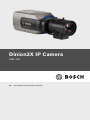
Dinion2X IP Camera
5.7
Installation | en
33
Lens mounting
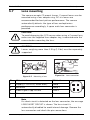
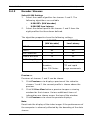
The camera accepts CS-mount lenses. C-mount lenses can be
mounted using a lens adapter ring. DC-iris lenses are
recommended for best picture performance. The camera
automatically detects the type of lens and optimizes
performance accordingly. A spare male lens connector is
provided.
CAUTION!
To avoid damaging the CCD sensor when using a C-mount lens,
make sure the supplied lens adapter ring is mounted onto the
camera before mounting the lens.
CAUTION!
Lenses weighing more than 0.5 kg (1.1lbs) must be separately
supported.
Bosch
Bosch
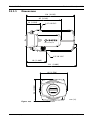
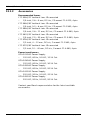
Figure 5.7 Mounting a lens
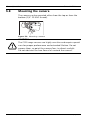
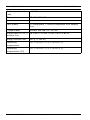
Figure 5.8 Lens connector
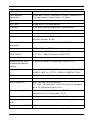
Pin
Video iris lens
DC iris lens
1
Supply (11.5V ±0.5, 50mA max.)
Damp -
2
Not used
Damp +
3
Video signal 1Vpp 1kOhm
Drive +
4
Ground
Drive -
Note
If a short circuit is detected on the lens connector, the message
LENS SHORT CIRCUIT is shown. The lens circuit is
automatically disabled to avoid internal damage. Remove the
lens connector and check the pin connections.
Bosch Security Systems
Installation and Operation Manual
AR18-10-B006 | v1.1 | 2010.06