1
Master Section
Options
App Tab
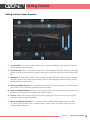
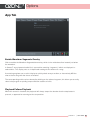
Enable Waveform Segments Overlay
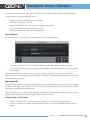
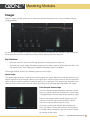
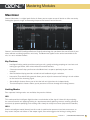
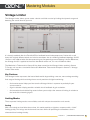
Click to enable the Waveform Segmentation overlay, which is the multicolored bar located just below
the waveform.
In Ozone 7, every imported audio file is scanned for matching “segments,” which are displayed as
colored bars. This display acts as a helpful color coding of the sections of a song.
A mastering engineer can use this display to quickly check every transition, or alternatively A/B the
chorus of one song with the chorus of another.
The corresponding audio can be selected by clicking on the colored segment, this allows you to easily
select a loop region or quickly jump to different sections of a file.
Playhead Follows Playback
When this control is checked, the playhead will always stop at the location that the stop button is
pressed, as opposed to returning to the start position.
O ZO NE 7 | OPTIONS 100