1
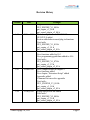
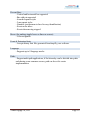
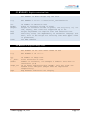
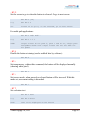
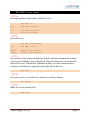
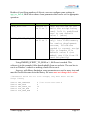
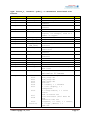
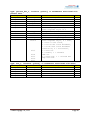
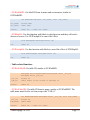
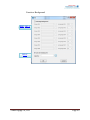
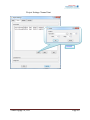
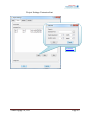
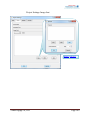
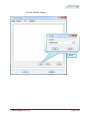
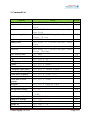
Parameters
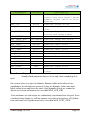
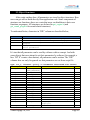
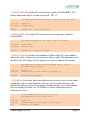
MAX_SCR_OBJ
Instance
so_obj
Description
Reserved dynamic objects on a
screen (see more detail about
dynamic object later in this
section)
MAX_SCR
guisc
Reserved screen slots
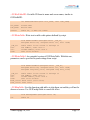
MAX_BACKGROUND
guibg
Reserved background image
slots
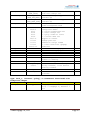
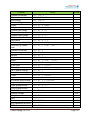
MAX_IMAGE
guiimage Reserved image slots used for
buttons and image boxes
MAX_BUTTON
guibt
Reserved button slots
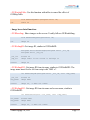
MAX_IMAGE_BOX
guiimgbox Reserved image box slots
MAX_TEXTBOX
guitxt
Reserved textbox slots
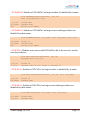
MAX_TABLE
guitab
Reserved table slots
MAX_TEXT_SIZE
guiltxt Reserved text pool size
MAX_LABEL
guilbl
Reserved label slots
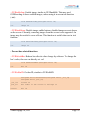
MAX_BOX
guibox
Reserved box slots
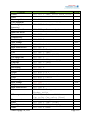
MAX_PERCENT_BAR
guibar
Reserved percent bar slots
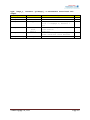
MAX_FONT
guifont Reserved font slots
MAX_EXT_FONT
guixfont Reserved extension font slots
MAX_IMG_FONT
guiifont Reserved image font slots
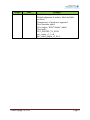
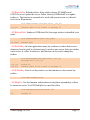
MAX_SOUND_FILE
snd_file Reserved sound file slots
MAX_SOUND
snd
Reserved sound slots
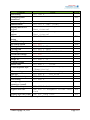
MAX_SOUND_SEQ
sndlist Longest sound sequence on a
screen
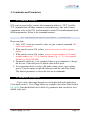
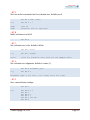
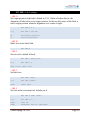
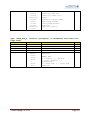
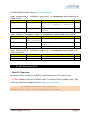
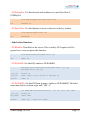
Remark: -All parameters must to be set to 1 or more
-Sound related parameters have to be set only when sound plug-in is
used
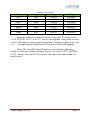
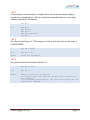
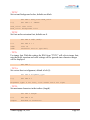
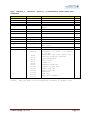
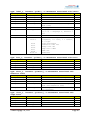
On a screen, not every object is dynamic. Buttons, tables and textboxes have
something to do when they are pressed, so they are dynamic. In the same time,
labels, image boxes and boxes are static. Only dynamic objects are counted as
objects on a screen and must not be over than MAX_SCR_OBJ.
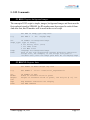
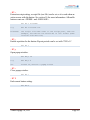
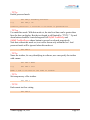
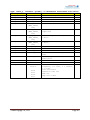
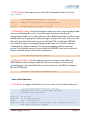
Texts and names set with scripts are continuously concatenated in a text pool. Even
a textbox having length set, will has memory reserved for its text here. All of these
texts and names size together must not be over than MAX_TEXT_SIZE.
Venus Supply Co., Ltd.
Page 52