1
has to be assigned;
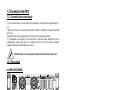
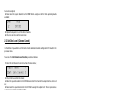
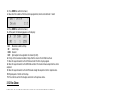
4. Now move the square brackets to the MOD field to assign one of the three operating modes
available;
CHN
MOD
2
[FIX]
5. Repeat from point 3 to set the other channels.
6. Press Esc to return to the main menu:
2.3 Set Chn Level (Channel Level)
In this Menu it's possible to set the level of each individual channel configured in FIX mode in the
previous menu.
To access the Set Channel Level function, proceed as follows:
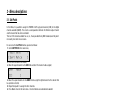
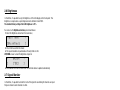
1. Select the Set Channel Level menu from the main menu;
<Main Menu
>
[Set chn level ]
2. Press Enter to confirm the choice;
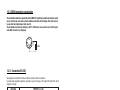
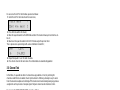
3. Move the square brackets to the CHN field and select the channel the output level has to be set
on;
4. Now move the square brackets to the LEV field to assign the output level. This is expressed as
a decimal value of between 000 and 255;
CHN
LEV
2
[255]
5. Repeat from point 3 to set the other channels.
6. Press Esc to return to the main menu: the selected data are automatically updated.
Powerlight 612 version1.03
2.4 Set Pre Heat
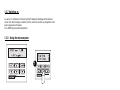
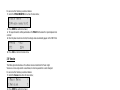
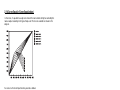
In this Menu, it's possible to set the pre heat (warm-up) level of each individual channel.
Incandescent lamps' behaviour varies according to the power voltage they are supplied.
When they are cold, before voltage is applied, the filament has a very low resistance, so at the
moment in which the voltage is applied, a very high current will pass through the lamp.
This explains why frequent voltage changes can have a negative effect on lamp life: it's therefore
indispensable to set warm-up level.
This enables to set the minimum current which must pass through in the lamp when it is not lit,
in order for the absorption of current to be reduced and lamp life increased.
This is expressed as a percentage of between 0% and 9.9% and is usually left at zero for
inductive
loads (neon, par 36), whereas for resistive loads it varies according to the type of lamp used.
For a good warm-up, it's sufficient to increase the level until the filament becomes just visible.
Standard factory warm-up setting is 4%
12