1
84
5.9
Spam Sleuth User's Guide
Unable to Fix
Make sure that you have gone through the steps in the Troubleshooter.
If you are still unable to solve the problem, please follow these steps:
1. Turn on Debug logging with CTRL-ALT-L and set to Debug level.
2. Try to duplicate the problem again with Debug logging turned on. This step is important because
we need to get a log of the problem occuring.
3. Open a trouble ticket by going to http://www.bluesquirrel.com/support, checking the FAQ for newer
information, and if the answer is not there, let us know the specifics. We may request the log file if
we cannot solve the problem right away.
6
Customer Support
This User's Manual focuses on your specific needs, supplying most of what you need to know to be
productive with Spam Sleuth ™. Below we have listed several options to choose from to assist you
with any help you may need using Spam Sleuth ™. Additional information about Spam Sleuth ™ can
be found in the README file.
6.1
How to Find Specific Topics in the Help File
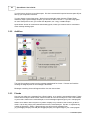
The Help system displays both the Contents and Index lists, providing alternative ways to get
information pertaining to a specific topic. The list of Contents shows the major categories of Help.
When a category is chosen, you'll be presented with Help text directly, or a pop up menu of topics,
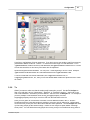
from which your choices will be narrowed. The index allows you to look up a word or phrase you have
in mind. Type the word or phrase, or look in the alphabetical list for your topic, select it, and click
Display.
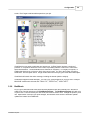
Clicking on the highlighted word or phrase brings up a list of Associated Topics. Double click on any
associated topic to read the contents. Or double click on the word or phrase to go directly to its first
associated topic.
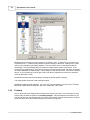
If you prefer to browse or read straight through Help, go to any topic as a starting point. From there,
use the >> and << buttons to move through topics forward or backward. You can read through the
entire Help system in this way.
6.2
Visit Our Web Site
Program Web Site:
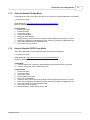
http://www.bluesquirrel.com/products/SpamSleuth/
If you cannot find the information you need at the program web site, try our FAQs located in our
Technical Support area for assistance.
http://www.bluesquirrel.com/support/
© 2004 Blue Squirrel