1
ST Alarms
ST Alarm
and INOP
Summary
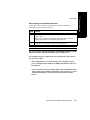
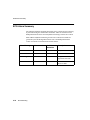
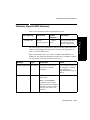
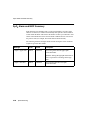
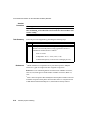
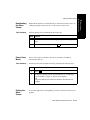
The following table lists the ST alarm messages and the description of the
conditions required to generate these alarms. These alarms are not active when
arrhythmia/ST monitoring is turned off at the Philips Information Center. In the
table below:
x = ST lead
y= ST lead when multilead
nnn = limit that was exceeded.
Message
Level
Sound
Description
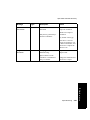
** STx > nnn
Yellow
Continuous
ST (for lead x) greater than the upper limit (nnn)
** STx < nnn
Yellow
Continuous
ST (for lead x) lower than the lower limit (nnn)
**MULTI ST x,y
Yellow
Continuous
Two or more ST leads exceed the alarm limits.
The default setting is +/-1.0. The alarm message
indicates the two leads (x, y) that are in greatest
violation of the limits. For EASI only.
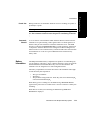
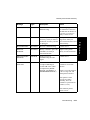
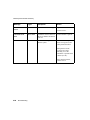
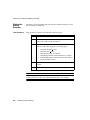
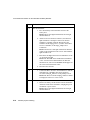
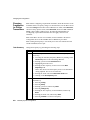
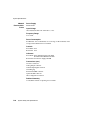
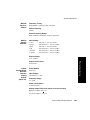
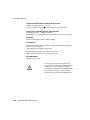
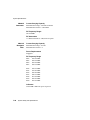
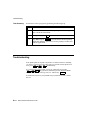
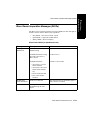
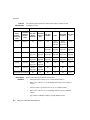
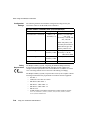
The following table lists the ST INOP messages
Note—A Hard INOP indicates a more severe situation than a soft INOP. Hard
INOPS have an audible tone, and monitoring and alarms are disabled. In a soft
INOP, no audible tone is generated; monitoring and alarms remain active.
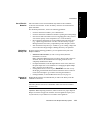
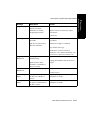
Message
Type
Description
Action
CANNOT
ANALYZE ST
Soft INOP
The algorithm cannot
generate a valid ST value
because:
• the variation between
measured ST values
exceeded the limits for
valid data, or
• the algorithm cannot
reliably analyze the ST
data on any monitored
leads.
Review the ECG signal
quality and correct if
necessary. Reposition the
Iso and J points.
(No sound)
3-10
ST/AR ST Segment Monitoring