1
CritiCool Pro™ Operating Manual
The Automatic Re-Warm Process.
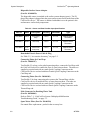
The Re-Warm process starts with the hypothermia temperature for example 33.5 °C, the first step of the process is to increase the virtual Set-Point
by 0.2ºC: 33.5 + 0.2 = 33.7ºC for a period of 30 minutes.
Assuming that at the end of the 30 minutes period, the Core temperature has
reached ,for example, 33.6ºC, the Re-Warm algorithm adds 0.2ºC to the current
Core temperature and the new virtual set point is now 33.6 + 0.2 = 33.8ºC for an
additional 30 minutes, and so on, until the Core temperatures reaches the Target
temperature. At this point the process stops and the system changes the mode to
"Cooling" mode with the Set Point equal to the Target temperature.
Note that the step delta temperature of the virtual set point, is from the Core
temperature that was achieve at the end of the step period, and not from the last
virtual set point.
6
To Start Automatic Re-Warm:
1.
Use CC (Menu) key to open the Set Mode panel and change the mode from
"Cooling" to "Re - Warm" (see “Selecting Modes” on page 4-6).
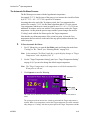
Note: In the automatic "Re-Warm" mode the set point display changes to "Target
Temperature" with a default of 36.5 °C
2.
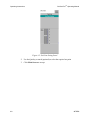
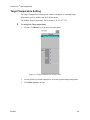
Use the "Target Temperature Setting" panel (see “Target Temperature Setting”
on page 4-9) if you need to change the default target temperature.
Note: The "Target" temperature is the temperature at which the automatic ReWarm process will end.
3.
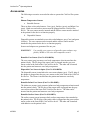
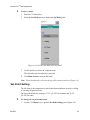
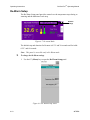
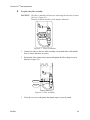
Click Operate to start Re-Warming.
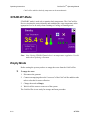
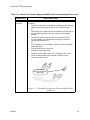
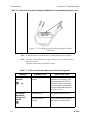
Flow Icon
Click to start
The CritiCool Pro heats the water, and starts circulation - The flow icon starts to
rotate.
The system proceeds to increase the virtual set point until the Target temperature is
reached. When Core temperature reaches the Target temperature, the mode automatically changes to "Cooling" with the set point equal to the Target Temperature and the
MTRE®
4-15