1
TK-3402/3406/3407
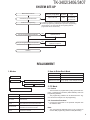
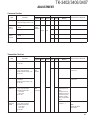
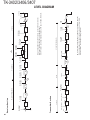
SYSTEM SET-UP
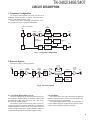
Merchandise received
Choose the type of transceiver
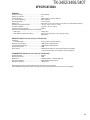
Frequency range (MHz)
RF power
Type
TX/RX 400~470
5.0W
TK-3402 K2,P
TK-3406 M2
TK-3407 M2
A personal computer, programming interface (KPG-22A/22U),
and FPU (programming software) are required for programming.
(The frequency, TX power HI/LOW, and signaling data are
programmed for the transceiver.)
Transceiver programming
Are you using the optional antenna?
YES
KRA-23 or KRA-27
Optional antenna
YES
KMC-21, KMC-45
Speaker microphone
NO
Are you using the speaker microphone?
NO
(Option)
Delivery
REALIGNMENT
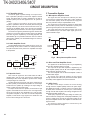
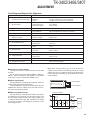
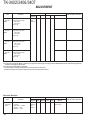
1. Modes
2. How to Enter Each Mode
Mode
User mode
User mode
Data programming mode
PC mode
PC test mode
PC tuning mode
PC mode
Received commands from PC
Wireless clone mode
[PTT] + [Side] + Power ON (Two seconds)
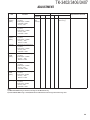
3. PC Mode
3-1. Preface
Wireless clone mode
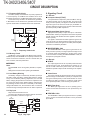
Mode
Operation
Power ON
Function
User mode
For normal use.
PC mode
Used for communication between the transceiver and PC.
Data programming Used to read and write frequency data and
mode
other features to and from the transceiver.
PC test mode
Used to check the transceiver using the PC.
This feature is included in the FPU.
Wireless clone
mode
Used to transfer programming data from one
transceiver to another.
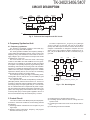
The transceiver is programmed by using a personal computer, a programming interface (KPG-22A/22U) and FPU
programming software.
The programming software can be used with a PC. Figure 1 shows the setup of a PC for programming.
3-2. Connection Procedure
1. Connect the transceiver to the personal computer with
the interface cable.
Note:
•
You must install the KPG-22U driver in the computer to
use the USB programming interface cable (KPG-22U).
3