1
Troubleshooting
Print-quality troubleshooting
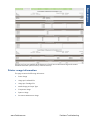
Whenever a print-quality problem appears, it is advisable to print the Diagnostic Print to help diagnose
the problem. The Diagnostic Print will help you differentiate between possible printhead errors and
other problems such as incorrect front-panel selection, driver or RIP configuration or mechanical
problems. For more information on solving print-quality problems, see Print quality on page 146.
Troubleshooting system error codes
System error codes on page 38 contains a list of system error codes and their respective descriptions
and recommended corrective actions. Try only one recommended action at a time and check whether
the error code has disappeared.
If you have an error code which is not documented in this Service Manual or you have an error which
you cannot resolve, then report the error to the HP Response Center or the nearest HP Support Office.
When reporting the error, have the following information ready:
●
Model and serial number of the printer.
●
Which firmware revision the printer is using (see Note below). Check firmware in Utilities /
Statistics / Code rev.
●
The complete error number.
NOTE: When reporting the system error code, make sure that you supply the full error code and
the firmware version. Without this information, HP support personnel cannot help you.
●
The service configuration print.
●
The current configuration sheet.
●
Which software application the customer is using (name, version, etc.).
Performing a service test on a failed assembly
If possible, always perform a Service Test on the component/assembly that you are about to replace,
just to make sure that is the component/assembly that has failed.
NOTE: If the test on that component/assembly passes, you should NOT replace it.
For information on the Service Tests and how to use them see Service tests and utilities on page 84.
Performing the necessary service calibrations
Is the printer calibrated correctly after replacing a component? For information on the Service
Calibrations and how to use them, see Service calibrations on page 123.
NOTE: Remember that certain calibrations are required even if an assembly has been disassembled
only to gain access to another assembly or component.
4
Chapter 1 Troubleshooting
www.Partshere.com
ENWW
Partshere Troubleshooting