1
2
Pre-Installation Information and Preparation
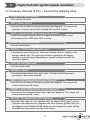
2.1 Carefully read the User Manual, Installation Guide and the Vehicle’s
Electrical Service Manual. Plan every action and ensure understanding
of the location/position for which the control unit, antenna and LED
indicator will be installed before beginning work.
2.2 Install in a well-lit, dry, covered area away from the elements and keep
at least one window open all time during installation. Do not leave key
inside and/or in the ignition switch. Prepare all tools that will be
required for the installation. Special tools and/or special requirements
maybe necessary depending on type of system.
2.3 Verify the vehicle's electrical functions and disconnect the ground wire
(- terminal) from the vehicle’s battery when working with wiring. To
avoid accidents, it is recommended to pull out related fuses from
sockets before installation, and put them back during the very last
steps. Do not begin work if unsure of the vehicle's state and/or
condition.
2.4 Only locate necessary wires related to the installation (most required
wiring are under driver dash/kick panel areas) and connect to the unit
according to the included wiring diagram. Use a multimeter to verify
and confirm signal wires before connecting or disconnecting. We
strictly prohibit testing or modifying the vehicle’s ECU, airbag and ABS
system.
2.5 Once the control unit is connected, begin function tests only after
verifying and ensuring all wires have been connected correctly and
insulated properly. Do not power up the module before it is properly
grounded. Should the unit be powered before being grounded, serious
damage to internal components might occur.
2.6 Advanced Keys will not accept any damage or injury resulting from the
installation of this system. Installation of this product is acceptance of
this statement and releases Advanced Keys from any liability.
3