1
May 2007
The SIGNL Option (cont.)
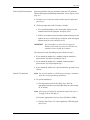
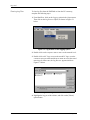
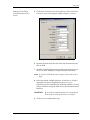
9. Press [Enter] to accept the current Amp. Discrim. High value or
enter a new value and press [Enter].
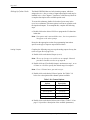
The amplitude discriminator measures the transducer signal received
by the Model XMT868i. The default value for the above parameter is
34, and values from 0 to 100 are acceptable. The E5: AMPLITUDE error
message appears when the amplitude discriminator exceeds the
programmed AMP. DISCRIM HIGH value. See Chapter 2, Error Codes, in
the Service Manual for a discussion of error codes.
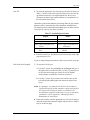
10.Press [Enter] to accept the current Delta T Offset value or enter a
new value and press [Enter].
An offset between the upstream and downstream transit times is
specified at this prompt. The default value for the above parameter is
0 μsec, and values from –1000 to 1000 μsec are acceptable.
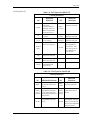
11. Press [Enter] to accept the current % of Peak value or enter a new
value and press [Enter].
The percentage of peak used to calculate the transit times and Delta T
is specified at this prompt. The default value for the above parameter
is -40%, and values from -100 to 100% are acceptable.
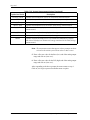
Note: This setting is a starting point for detecting the signal. The
meter will automatically adjust this value if the calculated
transit time is unacceptable. You can set the limits for this
value using the MIN. PEAK% and MAX. PEAK% discussed
on the next page.
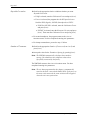
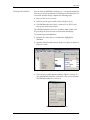
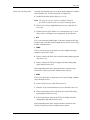
12.Scroll to the desired XMIT Sample Size (from 2 to 32) and press
[Enter]
Both the upstream and downstream transducers transmit ultrasonic
pulses in bursts, which consist of a series of transmit pulses. XMIT
Sample Size determines how many bursts are sent in one direction
before sending in the other direction. The default value for the above
parameter is 8 and values of 2, 4, 8, 16 and 32 are available.
13.Press [Enter] to accept the current # Errors Allowed value or enter
a new value (0 to 16) and press [Enter].
Use this prompt to enter the number of errors the XMT868i can
record before it displays an error message. The default value is 8.
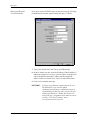
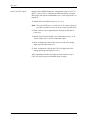
14.Press [Enter] to accept the current Min Peak% Limit value or enter
a new value and press [Enter].
Use this prompt to enter the minimum percent of peak that the
XMT868i can use to measure transit time. The XMT868i accepts
values from -100 to 100.
Programming Site Data
1-19