1
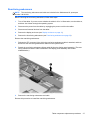
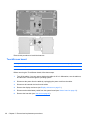
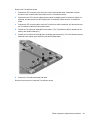
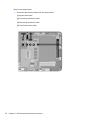
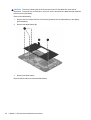
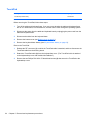
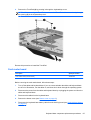
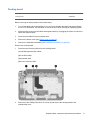
Remove the TouchScreen board:
1.
Release the ZIF connector (1) to which the volume button board cable is attached, and then
disconnect the volume button board cable from the TouchScreen board.
2.
Release the two ZIF connectors (2) and (3) to which the display panel TouchScreen cables are
attached, and then disconnect the display panel TouchScreen cables from the TouchScreen
board.
3.
Release the ZIF connector (4) to which the TouchScreen cable is attached, and then disconnect
the TouchScreen cable from the system board.
4.
Detach the TouchScreen cable (5) from the battery. (The TouchScreen cable is attached to the
battery with double-sided tape.)
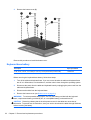
5.
Detach the TouchScreen board (6) from the display panel assembly. (The TouchScreen board is
attached to the display panel assembly with double-sided tape.)
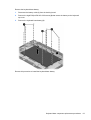
6.
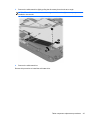
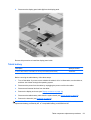
Remove the TouchScreen board and cable.
Reverse this procedure to install the TouchScreen board.
Tablet component replacement procedures
49