1
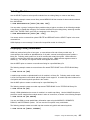
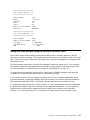
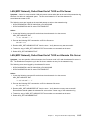
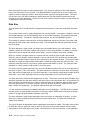
operation of the disk or a problem with a particular file on the disk. Only those errors that are associated
with the disk and files are described in this section.
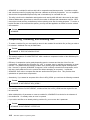
Your error handling routines should be different for the terminal and the store controller. For example, in
some situations you might want to design the terminal application to function in a stand-alone mode when
access to the store controller is lost.
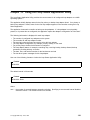
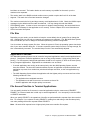
You can use the IF END# statement to detect end-of-file, missing records in keyed files, missing files, and
disk-full situations. Refer to the IBM 4680 BASIC: Language Reference for the details of using the IF
END# statement. Your application can either use a different IF END# routine for reads, writes, and so on,
or must set a variable to indicate to the IF END# routine the file function attempted.
All other disk and file errors cause the ON ERROR routine to be given control. If an IF END# statement is
not used, the IF END# types of errors also cause the ON ERROR statement to be given control. IF END#
statements are defined on a unique file basis and an ON ERROR statement is applicable to all disk and
file errors.
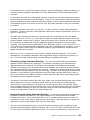
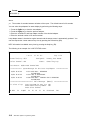
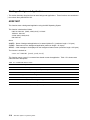
When errors detected on a READ statement cause the application to execute the ON ERROR routine, all
of the variables specified on the failing READ statement are set to zero or null when a RESUME
statement is executed.
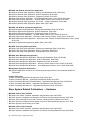
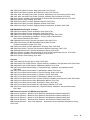
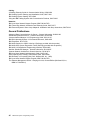
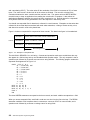
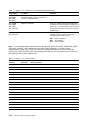
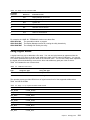
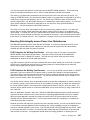
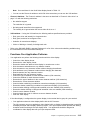
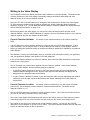
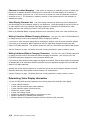
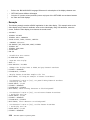
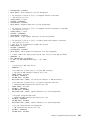
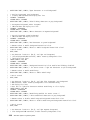
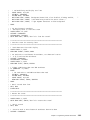
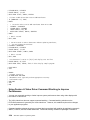
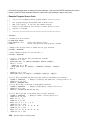
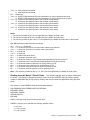
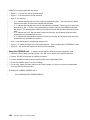
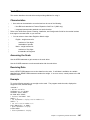
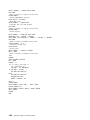
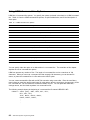
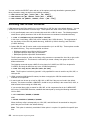
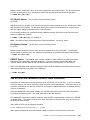
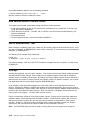
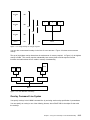
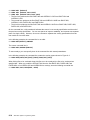
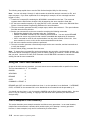
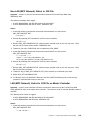
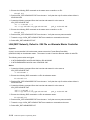
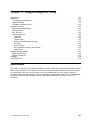
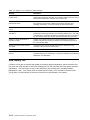
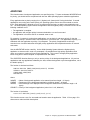
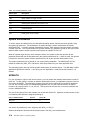
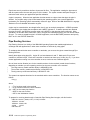
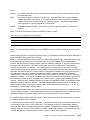
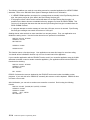
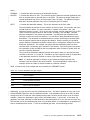
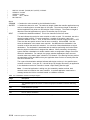
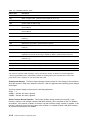
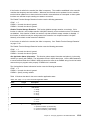
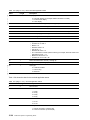
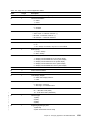
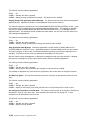
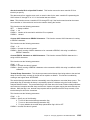
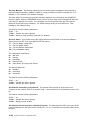
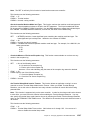
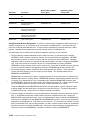
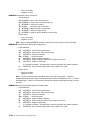
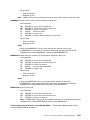
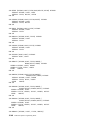
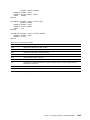
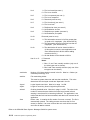
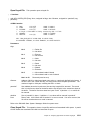
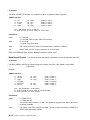
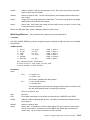
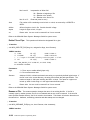
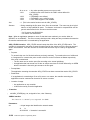
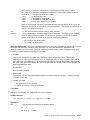
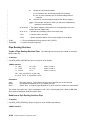
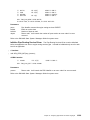
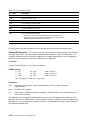
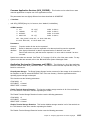
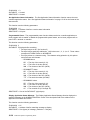
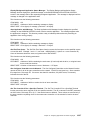
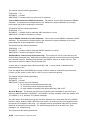
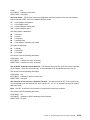
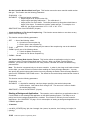
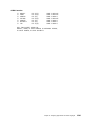
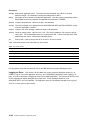
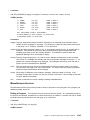
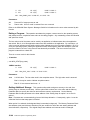
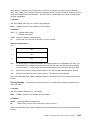
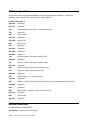
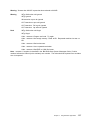
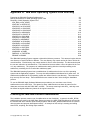
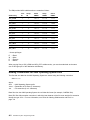
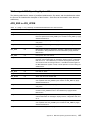
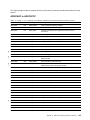
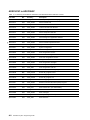
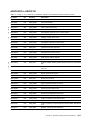
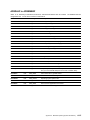
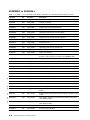
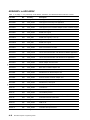
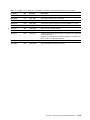
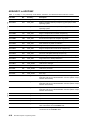
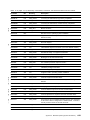
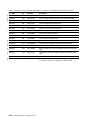
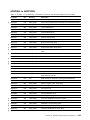
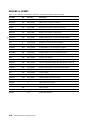
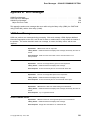
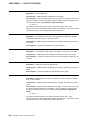
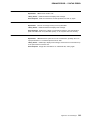
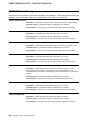
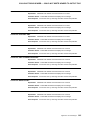
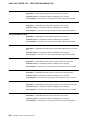
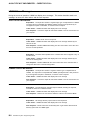
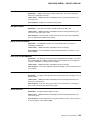
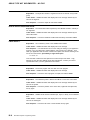
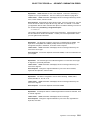
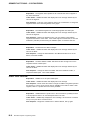
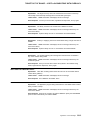
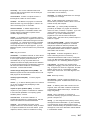
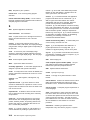
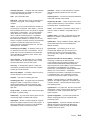
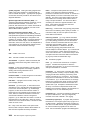
Table 4-1 shows errors that can occur for some or all of the disk 4680 BASIC statements. Only the most
likely errors needing application recovery code are listed. Most of the errors not listed in this section could
be treated as your application would treat other program defects. You should review all of the possible
disk and file errors by referring to the IBM 4680 BASIC: Language Reference.
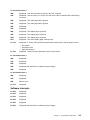
Table 4-1 shows errors that apply to both the store controller and the terminal. The xx values indicate
values that you need not pay attention to.
Table 4-1. Errors on the store controller and terminal
Error Code
Description
Action
EF 0000001C
No IF END statement and attempt to
read past end of sequential file
Type 12
EF 0000001C
No IF END statement and no record
found for keyed, random, direct
Type 16
DW 00000018
No IF END statement and there is no
disk or directory space to write another
record
Type 20
ME 0000003C
No IF END statement and there is no
disk or directory space to create a file
Type 20
xx 80xx4001
Cannot open file due to access rights
Type 10
NR 80xx4007
Bad FNUM
Type 24
xx 80xx4010
File not found
Type 14
xx 80xx400C
Cannot access file due to current use
Type 11
xx 80xx400D
Not enough memory
Type 17
xx 80xx4301
Media change occurred
Type 15
OM 80F30000
Insufficient memory
Type 17
KF 80F306C6
Chain in keyed file is not valid
Type 13
EF 80F306C8
Record not found in keyed file
Type 13
DW 80F306CE
Keyed file is full
Type 13
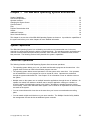
Chapter 4. Using Error Recovery Procedures and Facilities
4-11