1
Eng4 – Roller Diameter Check
Important Note: It is important to verify proper roller values as improper values can create inaccurate
speeds.
Roller Values:
Elite 1.1T = 1481
Elite 2.1T = 1481
Elite 3.1T = 1481
Elite 4.1T = 1952
Elite 5.1T = 1191
1.1T
a)
b)
c)
d)
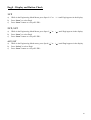
While in the Engineering Mode Menu, press Speed “+” or “-“ until Eng4 appears in the display.
Press, “Start” to select.
Press Speed “+” or “-“ until proper value is reached. (Please refer to chart above for value)
Press and hold “Start” for 3 – 5 seconds until the console beeps 3 times. The value has now been
properly saved.
2.1T, 3.1T
a)
b)
c)
d)
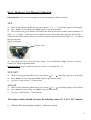
While in the Engineering Mode Menu, press the Speed “∧” or “∨ “ button until Eng4 appears in
the display.
Press, “Start” to select.
Press Speed “∧” or “∨ “ until proper value is reached. (Please refer to chart above for value)
Press and hold “Start” for 3 – 5 seconds until the console beeps 3 times. The value has now been
properly saved.
4.1T, 5.1T
a)
b)
c)
d)
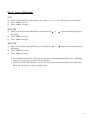
While in the Engineering Mode Menu, press the Speed “∧” or “∨ “ button until Eng4 appears in
the display.
Press, “Select” to select.
Press Speed “∧” or “∨ “ until proper value is reached. (Please refer to chart above for value)
Press and hold “Start” for 3 – 5 seconds until the console beeps 3 times. The value has now been
properly saved.
32