1
The First Screen
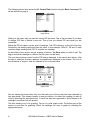
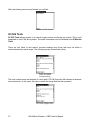
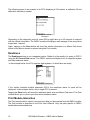
When you first run OBD-II, you will see the following screen:
Screen 1 :First screen
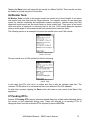
Tapping the Connect button will begin a diagnostic session with a vehicle. Tapping the
Configure button allows you to change some operating parameters and tapping the PIDs
button allows you to define PID sets when not connected to a vehicle. The Configure and
PIDs buttons will be discussed first.
Configuring OBD-II
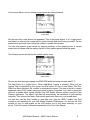
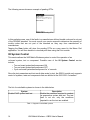
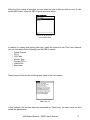
After tapping the Configure button, you will see the following screen:
Screen 2: Configure
The first item allows you to select either Metric or English units. Vehicles report metric units. If
you choose English units, these will be calculated by converting the metric measurements.
The second item allows you to select either Normal PID label or labels specified in the ISO15031-5 standard. Typically the Normal labels are easier to comprehend, though some might
prefer the standardized labels.
After configuring the OBD-II module as desired, tap on the Done button.
VAD Mobile Wireless – OBDII User’s Manual
3