1
Sun Java™ System
Directory Server 5.2
Administration Guide
2005Q1
Sun Microsystems, Inc.
4150 Network Circle
Santa Clara, CA 95054
U.S.A.
Part No: 817-7613-10
Copyright © 2005 Sun Microsystems, Inc., 4150 Network Circle, Santa Clara, California 95054, U.S.A. All rights reserved.
Sun Microsystems, Inc. has intellectual property rights relating to technology embodied in the product that is described in this document. In
particular, and without limitation, these intellectual property rights may include one or more of the U.S. patents listed at
http://www.sun.com/patents and one or more additional patents or pending patent applications in the U.S. and in other countries.
THIS PRODUCT CONTAINS CONFIDENTIAL INFORMATION AND TRADE SECRETS OF SUN MICROSYSTEMS, INC. USE, DISCLOSURE
OR REPRODUCTION IS PROHIBITED WITHOUT THE PRIOR EXPRESS WRITTEN PERMISSION OF SUN MICROSYSTEMS, INC.
U.S. Government Rights - Commercial software. Government users are subject to the Sun Microsystems, Inc. standard license agreement and
applicable provisions of the FAR and its supplements.
This distribution may include materials developed by third parties.
Parts of the product may be derived from Berkeley BSD systems, licensed from the University of California. UNIX is a registered trademark in the
U.S. and in other countries, exclusively licensed through X/Open Company, Ltd.
Sun, Sun Microsystems, the Sun logo, Java, Solaris, JDK, Java Naming and Directory Interface, JavaMail, JavaHelp, J2SE, iPlanet, the Duke logo,
the Java Coffee Cup logo, the Solaris logo, the SunTone Certified logo and the Sun ONE logo are trademarks or registered trademarks of Sun
Microsystems, Inc. in the U.S. and other countries.
All SPARC trademarks are used under license and are trademarks or registered trademarks of SPARC International, Inc. in the U.S. and other
countries. Products bearing SPARC trademarks are based upon architecture developed by Sun Microsystems, Inc.
Legato and the Legato logo are registered trademarks, and Legato NetWorker, are trademarks or registered trademarks of Legato Systems, Inc.
The Netscape Communications Corp logo is a trademark or registered trademark of Netscape Communications Corporation.
The OPEN LOOK and Sun(TM) Graphical User Interface was developed by Sun Microsystems, Inc. for its users and licensees. Sun acknowledges
the pioneering efforts of Xerox in researching and developing the concept of visual or graphical user interfaces for the computer industry. Sun
holds a non-exclusive license from Xerox to the Xerox Graphical User Interface, which license also covers Sun's licensees who implement OPEN
LOOK GUIs and otherwise comply with Sun's written license agreements.
Products covered by and information contained in this service manual are controlled by U.S. Export Control laws and may be subject to the
export or import laws in other countries. Nuclear, missile, chemical biological weapons or nuclear maritime end uses or end users, whether direct
or indirect, are strictly prohibited. Export or reexport to countries subject to U.S. embargo or to entities identified on U.S. export exclusion lists,
including, but not limited to, the denied persons and specially designated nationals lists is strictly prohibited.
DOCUMENTATION IS PROVIDED "AS IS" AND ALL EXPRESS OR IMPLIED CONDITIONS, REPRESENTATIONS AND WARRANTIES,
INCLUDING ANY IMPLIED WARRANTY OF MERCHANTABILITY, FITNESS FOR A PARTICULAR PURPOSE OR NON-INFRINGEMENT,
ARE DISCLAIMED, EXCEPT TO THE EXTENT THAT SUCH DISCLAIMERS ARE HELD TO BE LEGALLY INVALID.
_______________________________________________________________________________________________________________
Copyright © 2005 Sun Microsystems, Inc., 4150 Network Circle, Santa Clara, California 95054, Etats-Unis. Tous droits réservés.
Sun Microsystems, Inc. détient les droits de propriété intellectuels relatifs à la technologie incorporée dans le produit qui est décrit dans ce
document. En particulier, et ce sans limitation, ces droits de propriété intellectuelle peuvent inclure un ou plus des brevets américains listés à
l'adresse http://www.sun.com/patents et un ou les brevets supplémentaires ou les applications de brevet en attente aux Etats - Unis et dans les
autres pays.
CE PRODUIT CONTIENT DES INFORMATIONS CONFIDENTIELLES ET DES SECRETS COMMERCIAUX DE SUN MICROSYSTEMS, INC.
SON UTILISATION, SA DIVULGATION ET SA REPRODUCTION SONT INTERDITES SANS L AUTORISATION EXPRESSE, ECRITE ET
PREALABLE DE SUN MICROSYSTEMS, INC.
Cette distribution peut comprendre des composants développés par des tierces parties.
Des parties de ce produit pourront être dérivées des systèmes Berkeley BSD licenciés par l'Université de Californie. UNIX est une marque
déposée aux Etats-Unis et dans d'autres pays et licenciée exclusivement par X/Open Company, Ltd.
Sun, Sun Microsystems, le logo Sun, Java, Solaris, JDK, Java Naming and Directory Interface, JavaMail, JavaHelp, J2SE, iPlanet, le logo Duke, le
logo Java Coffee Cup, le logo Solaris, le logo SunTone Certified et le logo Sun[tm] ONE sont des marques de fabrique ou des marques déposées
de Sun Microsystems, Inc. aux Etats-Unis et dans d'autres pays.
Toutes les marques SPARC sont utilisées sous licence et sont des marques de fabrique ou des marques déposées de SPARC International, Inc. aux
Etats-Unis et dans d'autres pays. Les produits portant les marques SPARC sont basés sur une architecture développée par Sun Microsystems, Inc.
Legato, le logo Legato, et Legato NetWorker sont des marques de fabrique ou des marques déposées de Legato Systems, Inc. Le logo Netscape
Communications Corp est une marque de fabrique ou une marque déposée de Netscape Communications Corporation.
L'interface d'utilisation graphique OPEN LOOK et Sun(TM) a été développée par Sun Microsystems, Inc. pour ses utilisateurs et licenciés. Sun
reconnaît les efforts de pionniers de Xerox pour la recherche et le développement du concept des interfaces d'utilisation visuelle ou graphique
pour l'industrie de l'informatique. Sun détient une license non exclusive de Xerox sur l'interface d'utilisation graphique Xerox, cette licence
couvrant également les licenciés de Sun qui mettent en place l'interface d'utilisation graphique OPEN LOOK et qui, en outre, se conforment aux
licences écrites de Sun.
Les produits qui font l'objet de ce manuel d'entretien et les informations qu'il contient sont regis par la legislation americaine en matiere de
controle des exportations et peuvent etre soumis au droit d'autres pays dans le domaine des exportations et importations. Les utilisations finales,
ou utilisateurs finaux, pour des armes nucleaires, des missiles, des armes biologiques et chimiques ou du nucleaire maritime, directement ou
indirectement, sont strictement interdites. Les exportations ou reexportations vers des pays sous embargo des Etats-Unis, ou vers des entites
figurant sur les listes d'exclusion d'exportation americaines, y compris, mais de maniere non exclusive, la liste de personnes qui font objet d'un
ordre de ne pas participer, d'une facon directe ou indirecte, aux exportations des produits ou des services qui sont regi par la legislation
americaine en matiere de controle des exportations et la liste de ressortissants specifiquement designes, sont rigoureusement interdites.
LA DOCUMENTATION EST FOURNIE "EN L'ETAT" ET TOUTES AUTRES CONDITIONS, DECLARATIONS ET GARANTIES EXPRESSES
OU TACITES SONT FORMELLEMENT EXCLUES, DANS LA MESURE AUTORISEE PAR LA LOI APPLICABLE, Y COMPRIS NOTAMMENT
TOUTE GARANTIE IMPLICITE RELATIVE A LA QUALITE MARCHANDE, A L'APTITUDE A UNE UTILISATION PARTICULIERE OU A
L'ABSENCE DE CONTREFACON.
Contents
List of Figures . . . . . . . . . . . . . . . . . . . . . . . . . . . . . . . . . . . . . . . . . . . . . . . . . . . . . . . . . . . . . . . . 19
List of Tables . . . . . . . . . . . . . . . . . . . . . . . . . . . . . . . . . . . . . . . . . . . . . . . . . . . . . . . . . . . . . . . . . 21
List of Procedures . . . . . . . . . . . . . . . . . . . . . . . . . . . . . . . . . . . . . . . . . . . . . . . . . . . . . . . . . . . . . 23
List of Code Examples . . . . . . . . . . . . . . . . . . . . . . . . . . . . . . . . . . . . . . . . . . . . . . . . . . . . . . . . . 25
Preface . . . . . . . . . . . . . . . . . . . . . . . . . . . . . . . . . . . . . . . . . . . . . . . . . . . . . . . . . . . . . . . . . . . . . . 27
Conventions . . . . . . . . . . . . . . . . . . . . . . . . . . . . . . . . . . . . . . . . . . . . . . . . . . . . . . . . . . . . . . . . . . . . . . . . . . .
Related Books . . . . . . . . . . . . . . . . . . . . . . . . . . . . . . . . . . . . . . . . . . . . . . . . . . . . . . . . . . . . . . . . . . . . . . . . .
Directory Server Books . . . . . . . . . . . . . . . . . . . . . . . . . . . . . . . . . . . . . . . . . . . . . . . . . . . . . . . . . . . .
Administration Server Books . . . . . . . . . . . . . . . . . . . . . . . . . . . . . . . . . . . . . . . . . . . . . . . . . . . . . . .
Directory Proxy Server Books . . . . . . . . . . . . . . . . . . . . . . . . . . . . . . . . . . . . . . . . . . . . . . . . . . . . . . .
Related Java Enterprise System Books . . . . . . . . . . . . . . . . . . . . . . . . . . . . . . . . . . . . . . . . . . . . . . .
Documentation, Support, and Training . . . . . . . . . . . . . . . . . . . . . . . . . . . . . . . . . . . . . . . . . . . . . . . . . . . .
Related Third-Party Web Site References . . . . . . . . . . . . . . . . . . . . . . . . . . . . . . . . . . . . . . . . . . . . . . . . . .
Sun Welcomes Your Comments . . . . . . . . . . . . . . . . . . . . . . . . . . . . . . . . . . . . . . . . . . . . . . . . . . . . . . . . . .
27
27
30
30
30
30
30
30
30
30
30
30
31
31
31
31
31
31
Chapter 1 Directory Server Administration Overview . . . . . . . . . . . . . . . . . . . . . . . . . . . . . . 33
Overview of Directory Server Management . . . . . . . . . . . . . . . . . . . . . . . . . . . . . . . . . . . . . . . . . . . . . . . . 34
34
Starting and Stopping Directory Server . . . . . . . . . . . . . . . . . . . . . . . . . . . . . . . . . . . . . . . . . . . . . . . . . . . 35
35
Starting and Stopping the Server From the Command Line . . . . . . . . . . . . . . . . . . . . . . . . . . . . . . . . 35
35
Starting and Stopping the Server From the Console . . . . . . . . . . . . . . . . . . . . . . . . . . . . . . . . . . . . . . 35
35
Starting the Server with SSL Enabled . . . . . . . . . . . . . . . . . . . . . . . . . . . . . . . . . . . . . . . . . . . . . . . . . . . 36
36
Starting the Server as a Non-Root User on Ports less than 1024 . . . . . . . . . . . . . . . . . . . . . . . . . . . . . 37
37
Using Directory Server Console . . . . . . . . . . . . . . . . . . . . . . . . . . . . . . . . . . . . . . . . . . . . . . . . . . . . . . . . . . 37
37
Starting Directory Server Console . . . . . . . . . . . . . . . . . . . . . . . . . . . . . . . . . . . . . . . . . . . . . . . . . . . . . . 38
38
Contents
3
Navigating Directory Server Console . . . . . . . . . . . . . . . . . . . . . . . . . . . . . . . . . . . . . . . . . . . . . . . . . . .
Tasks Tab . . . . . . . . . . . . . . . . . . . . . . . . . . . . . . . . . . . . . . . . . . . . . . . . . . . . . . . . . . . . . . . . . . . . . . . .
Configuration Tab . . . . . . . . . . . . . . . . . . . . . . . . . . . . . . . . . . . . . . . . . . . . . . . . . . . . . . . . . . . . . . . .
Directory Tab . . . . . . . . . . . . . . . . . . . . . . . . . . . . . . . . . . . . . . . . . . . . . . . . . . . . . . . . . . . . . . . . . . . .
Status Tab . . . . . . . . . . . . . . . . . . . . . . . . . . . . . . . . . . . . . . . . . . . . . . . . . . . . . . . . . . . . . . . . . . . . . . .
Viewing the Current Bind DN From the Console . . . . . . . . . . . . . . . . . . . . . . . . . . . . . . . . . . . . . . . .
Changing Your Login Identity . . . . . . . . . . . . . . . . . . . . . . . . . . . . . . . . . . . . . . . . . . . . . . . . . . . . . . . . .
Using the Online Help . . . . . . . . . . . . . . . . . . . . . . . . . . . . . . . . . . . . . . . . . . . . . . . . . . . . . . . . . . . . . . .
The Console Clipboard . . . . . . . . . . . . . . . . . . . . . . . . . . . . . . . . . . . . . . . . . . . . . . . . . . . . . . . . . . . . . . .
Console Settings . . . . . . . . . . . . . . . . . . . . . . . . . . . . . . . . . . . . . . . . . . . . . . . . . . . . . . . . . . . . . . . . . . . . .
Visual Configuration Preferences . . . . . . . . . . . . . . . . . . . . . . . . . . . . . . . . . . . . . . . . . . . . . . . . . . .
Directory Tree View Options . . . . . . . . . . . . . . . . . . . . . . . . . . . . . . . . . . . . . . . . . . . . . . . . . . . . . . .
Configuring LDAP Parameters . . . . . . . . . . . . . . . . . . . . . . . . . . . . . . . . . . . . . . . . . . . . . . . . . . . . . . . . . . .
Configuring the Directory Manager . . . . . . . . . . . . . . . . . . . . . . . . . . . . . . . . . . . . . . . . . . . . . . . . . . . .
Changing Directory Server Port Numbers . . . . . . . . . . . . . . . . . . . . . . . . . . . . . . . . . . . . . . . . . . . . . .
To Modify the Port or Secure Port on Which Directory Server Listens for Incoming LDAP
Requests . . . . . . . . . . . . . . . . . . . . . . . . . . . . . . . . . . . . . . . . . . . . . . . . . . . . . . . . . . . . . . . . . . . . . . . . .
Setting Global Read-Only Mode . . . . . . . . . . . . . . . . . . . . . . . . . . . . . . . . . . . . . . . . . . . . . . . . . . . . . . .
Tracking Modifications to Directory Entries . . . . . . . . . . . . . . . . . . . . . . . . . . . . . . . . . . . . . . . . . . . . .
Verifying Plug-In Signatures . . . . . . . . . . . . . . . . . . . . . . . . . . . . . . . . . . . . . . . . . . . . . . . . . . . . . . . . . . . . .
Configuring the Verification of Plug-In Signatures . . . . . . . . . . . . . . . . . . . . . . . . . . . . . . . . . . . . . . .
Viewing the Status of a Plug-In . . . . . . . . . . . . . . . . . . . . . . . . . . . . . . . . . . . . . . . . . . . . . . . . . . . . . . . .
Configuring DSML . . . . . . . . . . . . . . . . . . . . . . . . . . . . . . . . . . . . . . . . . . . . . . . . . . . . . . . . . . . . . . . . . . . . .
Enabling DSML Requests . . . . . . . . . . . . . . . . . . . . . . . . . . . . . . . . . . . . . . . . . . . . . . . . . . . . . . . . . . . . .
Configuring DSML Security . . . . . . . . . . . . . . . . . . . . . . . . . . . . . . . . . . . . . . . . . . . . . . . . . . . . . . . . . .
DSML Identity Mapping . . . . . . . . . . . . . . . . . . . . . . . . . . . . . . . . . . . . . . . . . . . . . . . . . . . . . . . . . . . . .
39
40
41
42
44
45
45
45
46
47
47
47
49
49
49
50
51
52
53
54
55
55
56
57
59
Chapter 2 Managing Directory Entries . . . . . . . . . . . . . . . . . . . . . . . . . . . . . . . . . . . . . . . . . . . 61
61
Configuration Entries . . . . . . . . . . . . . . . . . . . . . . . . . . . . . . . . . . . . . . . . . . . . . . . . . . . . . . . . . . . . . . . . . . . 62
Modifying the Configuration Using the Console . . . . . . . . . . . . . . . . . . . . . . . . . . . . . . . . . . . . . . . . . 62
Modifying the Configuration From the Command Line . . . . . . . . . . . . . . . . . . . . . . . . . . . . . . . . . . . 63
Modifying the dse.ldif File . . . . . . . . . . . . . . . . . . . . . . . . . . . . . . . . . . . . . . . . . . . . . . . . . . . . . . . . . . . . 63
Managing Entries Using the Console . . . . . . . . . . . . . . . . . . . . . . . . . . . . . . . . . . . . . . . . . . . . . . . . . . . . . . 64
Creating Directory Entries . . . . . . . . . . . . . . . . . . . . . . . . . . . . . . . . . . . . . . . . . . . . . . . . . . . . . . . . . . . . 64
Creating an Entry Using a Custom Editor . . . . . . . . . . . . . . . . . . . . . . . . . . . . . . . . . . . . . . . . . . . . 65
Creating Other Types of Entries . . . . . . . . . . . . . . . . . . . . . . . . . . . . . . . . . . . . . . . . . . . . . . . . . . . . . 67
Modifying Entries With a Custom Editor . . . . . . . . . . . . . . . . . . . . . . . . . . . . . . . . . . . . . . . . . . . . . . . 68
Invoking the Custom Editor . . . . . . . . . . . . . . . . . . . . . . . . . . . . . . . . . . . . . . . . . . . . . . . . . . . . . . . . 69
Setting Attributes for Language Support . . . . . . . . . . . . . . . . . . . . . . . . . . . . . . . . . . . . . . . . . . . . . 70
Modifying Entries With the Generic Editor . . . . . . . . . . . . . . . . . . . . . . . . . . . . . . . . . . . . . . . . . . . . . . 70
Invoking the Generic Editor . . . . . . . . . . . . . . . . . . . . . . . . . . . . . . . . . . . . . . . . . . . . . . . . . . . . . . . . 70
To Invoke the Generic Editor for Any Entry in the Directory . . . . . . . . . . . . . . . . . . . . . . . . . . . . 70
Modifying Attribute Values . . . . . . . . . . . . . . . . . . . . . . . . . . . . . . . . . . . . . . . . . . . . . . . . . . . . . . . . 72
4
Directory Server 5.2 2005Q1 • Administration Guide
To Modify Attribute Values . . . . . . . . . . . . . . . . . . . . . . . . . . . . . . . . . . . . . . . . . . . . . . . . . . . . . . . .
Editing Multi-Valued Attributes . . . . . . . . . . . . . . . . . . . . . . . . . . . . . . . . . . . . . . . . . . . . . . . . . . . .
Adding an Attribute . . . . . . . . . . . . . . . . . . . . . . . . . . . . . . . . . . . . . . . . . . . . . . . . . . . . . . . . . . . . . . .
Removing an Attribute . . . . . . . . . . . . . . . . . . . . . . . . . . . . . . . . . . . . . . . . . . . . . . . . . . . . . . . . . . . .
Managing Object Classes . . . . . . . . . . . . . . . . . . . . . . . . . . . . . . . . . . . . . . . . . . . . . . . . . . . . . . . . . . .
Deleting Directory Entries . . . . . . . . . . . . . . . . . . . . . . . . . . . . . . . . . . . . . . . . . . . . . . . . . . . . . . . . . . . .
Bulk Operations Using the Console . . . . . . . . . . . . . . . . . . . . . . . . . . . . . . . . . . . . . . . . . . . . . . . . . . . .
Managing Entries From the Command Line . . . . . . . . . . . . . . . . . . . . . . . . . . . . . . . . . . . . . . . . . . . . . . .
Providing LDIF Input . . . . . . . . . . . . . . . . . . . . . . . . . . . . . . . . . . . . . . . . . . . . . . . . . . . . . . . . . . . . . . . .
Terminating LDIF Input on the Command Line . . . . . . . . . . . . . . . . . . . . . . . . . . . . . . . . . . . . . . .
Using Special Characters . . . . . . . . . . . . . . . . . . . . . . . . . . . . . . . . . . . . . . . . . . . . . . . . . . . . . . . . . . .
Using Attribute OIDs . . . . . . . . . . . . . . . . . . . . . . . . . . . . . . . . . . . . . . . . . . . . . . . . . . . . . . . . . . . . . .
Schema Checking . . . . . . . . . . . . . . . . . . . . . . . . . . . . . . . . . . . . . . . . . . . . . . . . . . . . . . . . . . . . . . . . .
Ordering of LDIF Entries . . . . . . . . . . . . . . . . . . . . . . . . . . . . . . . . . . . . . . . . . . . . . . . . . . . . . . . . . . .
Managing Large Entries . . . . . . . . . . . . . . . . . . . . . . . . . . . . . . . . . . . . . . . . . . . . . . . . . . . . . . . . . . .
Error Handling . . . . . . . . . . . . . . . . . . . . . . . . . . . . . . . . . . . . . . . . . . . . . . . . . . . . . . . . . . . . . . . . . . .
Adding Entries Using ldapmodify . . . . . . . . . . . . . . . . . . . . . . . . . . . . . . . . . . . . . . . . . . . . . . . . . . . . .
Modifying Entries Using ldapmodify . . . . . . . . . . . . . . . . . . . . . . . . . . . . . . . . . . . . . . . . . . . . . . . . . .
Adding an Attribute Value . . . . . . . . . . . . . . . . . . . . . . . . . . . . . . . . . . . . . . . . . . . . . . . . . . . . . . . . .
Using the Binary Attribute Subtype . . . . . . . . . . . . . . . . . . . . . . . . . . . . . . . . . . . . . . . . . . . . . . . . .
Adding an Attribute with a Language Subtype . . . . . . . . . . . . . . . . . . . . . . . . . . . . . . . . . . . . . . .
Modifying Attribute Values . . . . . . . . . . . . . . . . . . . . . . . . . . . . . . . . . . . . . . . . . . . . . . . . . . . . . . . .
Deleting an Attribute Value . . . . . . . . . . . . . . . . . . . . . . . . . . . . . . . . . . . . . . . . . . . . . . . . . . . . . . . .
Modifying One Value of a Multi-Valued Attribute . . . . . . . . . . . . . . . . . . . . . . . . . . . . . . . . . . . . .
Deleting Entries Using ldapdelete . . . . . . . . . . . . . . . . . . . . . . . . . . . . . . . . . . . . . . . . . . . . . . . . . . . . .
Deleting Entries Using ldapmodify . . . . . . . . . . . . . . . . . . . . . . . . . . . . . . . . . . . . . . . . . . . . . . . . . . . .
Renaming and Moving Entries . . . . . . . . . . . . . . . . . . . . . . . . . . . . . . . . . . . . . . . . . . . . . . . . . . . . . . . . . . .
Introduction to the Modify DN Operation . . . . . . . . . . . . . . . . . . . . . . . . . . . . . . . . . . . . . . . . . . . . . .
Difference Between Rename and Move Operations . . . . . . . . . . . . . . . . . . . . . . . . . . . . . . . . . . . .
Guidelines and Limitations for Using the Modify DN Operation . . . . . . . . . . . . . . . . . . . . . . . . . . .
Renaming or Moving an Entry by Using the Console . . . . . . . . . . . . . . . . . . . . . . . . . . . . . . . . . . . . .
Enabling the Modify DN Operation by Using the Console . . . . . . . . . . . . . . . . . . . . . . . . . . . . . .
To Extend the ACI Rights by Using the Console . . . . . . . . . . . . . . . . . . . . . . . . . . . . . . . . . . . . . . .
To Enable or Disable the Modify DN Operation Globally by Using the Console . . . . . . . . . . .
To Enable the Modify DN Operation for Specified Suffixes by Using the Console . . . . . . . . . .
Renaming an Entry by Using the Console . . . . . . . . . . . . . . . . . . . . . . . . . . . . . . . . . . . . . . . . . . . .
To Rename an Entry by Using the Console . . . . . . . . . . . . . . . . . . . . . . . . . . . . . . . . . . . . . . . . . . .
Moving an Entry by Using the Console . . . . . . . . . . . . . . . . . . . . . . . . . . . . . . . . . . . . . . . . . . . . . .
To Move an Entry by Using the Console . . . . . . . . . . . . . . . . . . . . . . . . . . . . . . . . . . . . . . . . . . . . .
Moving and Renaming an Entry by Using the Console . . . . . . . . . . . . . . . . . . . . . . . . . . . . . . . . .
Renaming or Moving an Entry by Using the ldapmodify Command . . . . . . . . . . . . . . . . . . . . . . . .
Enabling the Modify DN Operation by Using the ldapmodify Command . . . . . . . . . . . . . . . . .
To Enable the Modify DN Operation Globally by Using the ldapmodify Command . . . . . . . .
72
73
73
74
75
76
77
77
78
78
79
79
79
79
80
81
81
83
84
84
85
85
86
86
87
87
88
88
88
89
92
92
92
93
94
95
95
96
96
96
96
97
97
Contents
5
To Enable the Modify DN Operation for a Suffix by Using the ldapmodify Command . . . . . . 97
Renaming an Entry by Using the ldapmodify Command . . . . . . . . . . . . . . . . . . . . . . . . . . . . . . . 98
To Rename a Leaf Entry by Using the ldapmodify Command . . . . . . . . . . . . . . . . . . . . . . . . . . . 98
Moving an Entry by Using the ldapmodify Command . . . . . . . . . . . . . . . . . . . . . . . . . . . . . . . . . 98
To Move an Entry by Using the ldapmodify Command . . . . . . . . . . . . . . . . . . . . . . . . . . . . . . . . 98
To Rename and Move an Entry by Using the ldapmodify Command . . . . . . . . . . . . . . . . . . . . . 99
Setting Referrals . . . . . . . . . . . . . . . . . . . . . . . . . . . . . . . . . . . . . . . . . . . . . . . . . . . . . . . . . . . . . . . . . . . . . . . 99
Setting the Default Referrals . . . . . . . . . . . . . . . . . . . . . . . . . . . . . . . . . . . . . . . . . . . . . . . . . . . . . . . . . 100
Setting a Default Referral Using the Console . . . . . . . . . . . . . . . . . . . . . . . . . . . . . . . . . . . . . . . . . 100
Setting a Default Referral From the Command Line . . . . . . . . . . . . . . . . . . . . . . . . . . . . . . . . . . 100
Creating Smart Referrals . . . . . . . . . . . . . . . . . . . . . . . . . . . . . . . . . . . . . . . . . . . . . . . . . . . . . . . . . . . . 101
Creating Smart Referrals Using the Console . . . . . . . . . . . . . . . . . . . . . . . . . . . . . . . . . . . . . . . . . 101
Creating Smart Referrals From the Command Line . . . . . . . . . . . . . . . . . . . . . . . . . . . . . . . . . . . 102
Encrypting Attribute Values . . . . . . . . . . . . . . . . . . . . . . . . . . . . . . . . . . . . . . . . . . . . . . . . . . . . . . . . . . . . 103
Configuring Attribute Encryption Using the Console . . . . . . . . . . . . . . . . . . . . . . . . . . . . . . . . . . . . 105
Configuring Attribute Encryption From the Command Line . . . . . . . . . . . . . . . . . . . . . . . . . . . . . . 106
Maintaining Referential Integrity . . . . . . . . . . . . . . . . . . . . . . . . . . . . . . . . . . . . . . . . . . . . . . . . . . . . . . . . 108
How Referential Integrity Works . . . . . . . . . . . . . . . . . . . . . . . . . . . . . . . . . . . . . . . . . . . . . . . . . . . . . 108
Configuring Referential Integrity . . . . . . . . . . . . . . . . . . . . . . . . . . . . . . . . . . . . . . . . . . . . . . . . . . . . . 109
Configuring Referential Integrity From the Console . . . . . . . . . . . . . . . . . . . . . . . . . . . . . . . . . . 109
Using Referential Integrity with Replication . . . . . . . . . . . . . . . . . . . . . . . . . . . . . . . . . . . . . . . . . . . . 110
Using Referential Integrity With Legacy Replication . . . . . . . . . . . . . . . . . . . . . . . . . . . . . . . . . . 110
Searching the Directory . . . . . . . . . . . . . . . . . . . . . . . . . . . . . . . . . . . . . . . . . . . . . . . . . . . . . . . . . . . . . . . . 111
Searching the Directory With ldapsearch . . . . . . . . . . . . . . . . . . . . . . . . . . . . . . . . . . . . . . . . . . . . . . 112
ldapsearch Command-Line Format . . . . . . . . . . . . . . . . . . . . . . . . . . . . . . . . . . . . . . . . . . . . . . . . . 112
Using Special Characters . . . . . . . . . . . . . . . . . . . . . . . . . . . . . . . . . . . . . . . . . . . . . . . . . . . . . . . . . . 113
Commonly Used ldapsearch options . . . . . . . . . . . . . . . . . . . . . . . . . . . . . . . . . . . . . . . . . . . . . . . 113
ldapsearch Examples . . . . . . . . . . . . . . . . . . . . . . . . . . . . . . . . . . . . . . . . . . . . . . . . . . . . . . . . . . . . . . . . 115
Returning All Entries . . . . . . . . . . . . . . . . . . . . . . . . . . . . . . . . . . . . . . . . . . . . . . . . . . . . . . . . . . . . . 115
Specifying Search Filters on the Command Line . . . . . . . . . . . . . . . . . . . . . . . . . . . . . . . . . . . . . . 115
Searching the Root DSE Entry . . . . . . . . . . . . . . . . . . . . . . . . . . . . . . . . . . . . . . . . . . . . . . . . . . . . . 115
Searching the Schema Entry . . . . . . . . . . . . . . . . . . . . . . . . . . . . . . . . . . . . . . . . . . . . . . . . . . . . . . . 116
Using LDAP_BASEDN . . . . . . . . . . . . . . . . . . . . . . . . . . . . . . . . . . . . . . . . . . . . . . . . . . . . . . . . . . . 116
Displaying Subsets of Attributes . . . . . . . . . . . . . . . . . . . . . . . . . . . . . . . . . . . . . . . . . . . . . . . . . . . 117
Searching Multi-Valued Attributes . . . . . . . . . . . . . . . . . . . . . . . . . . . . . . . . . . . . . . . . . . . . . . . . . 117
Using Client Authentication When Searching . . . . . . . . . . . . . . . . . . . . . . . . . . . . . . . . . . . . . . . . 118
LDAP Search Filters . . . . . . . . . . . . . . . . . . . . . . . . . . . . . . . . . . . . . . . . . . . . . . . . . . . . . . . . . . . . . . . . 118
Search Filter Syntax . . . . . . . . . . . . . . . . . . . . . . . . . . . . . . . . . . . . . . . . . . . . . . . . . . . . . . . . . . . . . . 119
Using Attributes in Search Filters . . . . . . . . . . . . . . . . . . . . . . . . . . . . . . . . . . . . . . . . . . . . . . . . . . 119
Using Operators in Search Filters . . . . . . . . . . . . . . . . . . . . . . . . . . . . . . . . . . . . . . . . . . . . . . . . . . 120
Using OIDs in Search Filters . . . . . . . . . . . . . . . . . . . . . . . . . . . . . . . . . . . . . . . . . . . . . . . . . . . . . . . 121
Using Compound Search Filters . . . . . . . . . . . . . . . . . . . . . . . . . . . . . . . . . . . . . . . . . . . . . . . . . . . 121
Specifying Search Filters Using a File . . . . . . . . . . . . . . . . . . . . . . . . . . . . . . . . . . . . . . . . . . . . . . . 122
6
Directory Server 5.2 2005Q1 • Administration Guide
Specifying Non 7-Bit ASCII Characters in Search Filters . . . . . . . . . . . . . . . . . . . . . . . . . . . . . . .
Search Filter Examples . . . . . . . . . . . . . . . . . . . . . . . . . . . . . . . . . . . . . . . . . . . . . . . . . . . . . . . . . . . . . .
Searching for Operational Attributes . . . . . . . . . . . . . . . . . . . . . . . . . . . . . . . . . . . . . . . . . . . . . . .
Searching an Internationalized Directory . . . . . . . . . . . . . . . . . . . . . . . . . . . . . . . . . . . . . . . . . . . . . . . . .
Matching Rule Filter Syntax . . . . . . . . . . . . . . . . . . . . . . . . . . . . . . . . . . . . . . . . . . . . . . . . . . . . . . . . . .
Matching Rule Formats . . . . . . . . . . . . . . . . . . . . . . . . . . . . . . . . . . . . . . . . . . . . . . . . . . . . . . . . . . .
Using Wildcards in Matching Rule Filters . . . . . . . . . . . . . . . . . . . . . . . . . . . . . . . . . . . . . . . . . . .
Supported Search Types . . . . . . . . . . . . . . . . . . . . . . . . . . . . . . . . . . . . . . . . . . . . . . . . . . . . . . . . . . . . .
International Search Examples . . . . . . . . . . . . . . . . . . . . . . . . . . . . . . . . . . . . . . . . . . . . . . . . . . . . . . .
Less Than Example . . . . . . . . . . . . . . . . . . . . . . . . . . . . . . . . . . . . . . . . . . . . . . . . . . . . . . . . . . . . . . .
Less Than or Equal to Example . . . . . . . . . . . . . . . . . . . . . . . . . . . . . . . . . . . . . . . . . . . . . . . . . . . .
Equality Example . . . . . . . . . . . . . . . . . . . . . . . . . . . . . . . . . . . . . . . . . . . . . . . . . . . . . . . . . . . . . . . .
Greater Than or Equal to Example . . . . . . . . . . . . . . . . . . . . . . . . . . . . . . . . . . . . . . . . . . . . . . . . .
Greater Than Example . . . . . . . . . . . . . . . . . . . . . . . . . . . . . . . . . . . . . . . . . . . . . . . . . . . . . . . . . . . .
Substring Example . . . . . . . . . . . . . . . . . . . . . . . . . . . . . . . . . . . . . . . . . . . . . . . . . . . . . . . . . . . . . . .
Accessing the Directory Using DSMLv2 . . . . . . . . . . . . . . . . . . . . . . . . . . . . . . . . . . . . . . . . . . . . . . . . . .
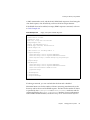
An Empty Anonymous DSML “Ping” Request . . . . . . . . . . . . . . . . . . . . . . . . . . . . . . . . . . . . . . . . .
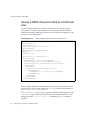
Issuing a DSML Request to Bind as a Particular User . . . . . . . . . . . . . . . . . . . . . . . . . . . . . . . . . . . .
A DSML Search Request . . . . . . . . . . . . . . . . . . . . . . . . . . . . . . . . . . . . . . . . . . . . . . . . . . . . . . . . . . . . .
123
123
124
124
125
125
127
127
128
128
129
129
129
130
130
130
131
134
136
Chapter 3 Creating Your Directory Tree . . . . . . . . . . . . . . . . . . . . . . . . . . . . . . . . . . . . . . . . . 141
141
Creating Suffixes . . . . . . . . . . . . . . . . . . . . . . . . . . . . . . . . . . . . . . . . . . . . . . . . . . . . . . . . . . . . . . . . . . . . . . 141
Creating a New Root Suffix Using the Console . . . . . . . . . . . . . . . . . . . . . . . . . . . . . . . . . . . . . . . . . 141
Creating a New Subsuffix Using the Console . . . . . . . . . . . . . . . . . . . . . . . . . . . . . . . . . . . . . . . . . . . 144
Creating Suffixes From the Command Line . . . . . . . . . . . . . . . . . . . . . . . . . . . . . . . . . . . . . . . . . . . . 147
Managing Suffixes . . . . . . . . . . . . . . . . . . . . . . . . . . . . . . . . . . . . . . . . . . . . . . . . . . . . . . . . . . . . . . . . . . . . 150
Disabling or Enabling a Suffix . . . . . . . . . . . . . . . . . . . . . . . . . . . . . . . . . . . . . . . . . . . . . . . . . . . . . . . . 150
Disabling or Enabling a Suffix Using the Console . . . . . . . . . . . . . . . . . . . . . . . . . . . . . . . . . . . . 150
Disabling or Enabling a Suffix From the Command Line . . . . . . . . . . . . . . . . . . . . . . . . . . . . . . 151
Setting Access Permissions and Referrals . . . . . . . . . . . . . . . . . . . . . . . . . . . . . . . . . . . . . . . . . . . . . . 151
Setting Access Permissions and Referrals Using the Console . . . . . . . . . . . . . . . . . . . . . . . . . . . 152
Setting Access Permissions and Referrals From the Command Line . . . . . . . . . . . . . . . . . . . . . 153
Deleting a Suffix . . . . . . . . . . . . . . . . . . . . . . . . . . . . . . . . . . . . . . . . . . . . . . . . . . . . . . . . . . . . . . . . . . . . 153
Deleting a Suffix Using the Console . . . . . . . . . . . . . . . . . . . . . . . . . . . . . . . . . . . . . . . . . . . . . . . . 154
Deleting a Suffix From the Command Line . . . . . . . . . . . . . . . . . . . . . . . . . . . . . . . . . . . . . . . . . . 154
Creating Chained Suffixes . . . . . . . . . . . . . . . . . . . . . . . . . . . . . . . . . . . . . . . . . . . . . . . . . . . . . . . . . . . . . . 155
Creating a Proxy Identity . . . . . . . . . . . . . . . . . . . . . . . . . . . . . . . . . . . . . . . . . . . . . . . . . . . . . . . . . . . . 156
Creating a Proxy Identity Using the Console . . . . . . . . . . . . . . . . . . . . . . . . . . . . . . . . . . . . . . . . . 156
Creating a Proxy Identity From the Command Line . . . . . . . . . . . . . . . . . . . . . . . . . . . . . . . . . . 156
Setting Default Chaining Parameters . . . . . . . . . . . . . . . . . . . . . . . . . . . . . . . . . . . . . . . . . . . . . . . . . . 157
Client Return Parameters . . . . . . . . . . . . . . . . . . . . . . . . . . . . . . . . . . . . . . . . . . . . . . . . . . . . . . . . . 157
Cascading Chaining Parameters . . . . . . . . . . . . . . . . . . . . . . . . . . . . . . . . . . . . . . . . . . . . . . . . . . . 158
Connection Management Parameters . . . . . . . . . . . . . . . . . . . . . . . . . . . . . . . . . . . . . . . . . . . . . . . 158
Contents
7
Error Detection Parameters . . . . . . . . . . . . . . . . . . . . . . . . . . . . . . . . . . . . . . . . . . . . . . . . . . . . . . . .
Setting Default Chaining Parameters Using the Console . . . . . . . . . . . . . . . . . . . . . . . . . . . . . . .
Setting Default Chaining Parameters From the Command Line . . . . . . . . . . . . . . . . . . . . . . . .
Creating Chained Suffixes Using the Console . . . . . . . . . . . . . . . . . . . . . . . . . . . . . . . . . . . . . . . . . .
Creating Chained Suffixes From the Command Line . . . . . . . . . . . . . . . . . . . . . . . . . . . . . . . . . . . .
Access Control Through Chained Suffixes . . . . . . . . . . . . . . . . . . . . . . . . . . . . . . . . . . . . . . . . . . . . .
Chaining Using SSL . . . . . . . . . . . . . . . . . . . . . . . . . . . . . . . . . . . . . . . . . . . . . . . . . . . . . . . . . . . . . . . . .
Managing Chained Suffixes . . . . . . . . . . . . . . . . . . . . . . . . . . . . . . . . . . . . . . . . . . . . . . . . . . . . . . . . . . . .
Configuring the Chaining Policy . . . . . . . . . . . . . . . . . . . . . . . . . . . . . . . . . . . . . . . . . . . . . . . . . . . . . .
Chaining Policy of LDAP Controls . . . . . . . . . . . . . . . . . . . . . . . . . . . . . . . . . . . . . . . . . . . . . . . . .
Chaining Policy of Server Components . . . . . . . . . . . . . . . . . . . . . . . . . . . . . . . . . . . . . . . . . . . . .
Modifying the Chaining Policy Using the Console . . . . . . . . . . . . . . . . . . . . . . . . . . . . . . . . . . . .
Modifying the Chaining Policy From the Command Line . . . . . . . . . . . . . . . . . . . . . . . . . . . . .
Disabling or Enabling a Chained Suffix . . . . . . . . . . . . . . . . . . . . . . . . . . . . . . . . . . . . . . . . . . . . . . . .
Disabling or Enabling a Chained Suffix Using the Console . . . . . . . . . . . . . . . . . . . . . . . . . . . .
Disabling or Enabling a Suffix From the Command Line . . . . . . . . . . . . . . . . . . . . . . . . . . . . . .
Setting Access Permissions and Referrals . . . . . . . . . . . . . . . . . . . . . . . . . . . . . . . . . . . . . . . . . . . . . .
Setting Access Permissions and Referrals Using the Console . . . . . . . . . . . . . . . . . . . . . . . . . . .
Setting Access Permissions and Referrals Using the Console . . . . . . . . . . . . . . . . . . . . . . . . . . .
Modifying the Chaining Parameters . . . . . . . . . . . . . . . . . . . . . . . . . . . . . . . . . . . . . . . . . . . . . . . . . .
Modifying the Chaining Parameters Using the Console . . . . . . . . . . . . . . . . . . . . . . . . . . . . . . .
Modifying the Chaining Parameters From the Command Line . . . . . . . . . . . . . . . . . . . . . . . . .
Optimizing Thread Usage . . . . . . . . . . . . . . . . . . . . . . . . . . . . . . . . . . . . . . . . . . . . . . . . . . . . . . . . . . .
Setting Thread Resources Using the Console . . . . . . . . . . . . . . . . . . . . . . . . . . . . . . . . . . . . . . . . .
Setting Thread Resources From the Command Line . . . . . . . . . . . . . . . . . . . . . . . . . . . . . . . . . .
Deleting a Chained Suffix . . . . . . . . . . . . . . . . . . . . . . . . . . . . . . . . . . . . . . . . . . . . . . . . . . . . . . . . . . . .
Deleting a Chained Suffix Using the Console . . . . . . . . . . . . . . . . . . . . . . . . . . . . . . . . . . . . . . . .
Deleting a Suffix From the Command Line . . . . . . . . . . . . . . . . . . . . . . . . . . . . . . . . . . . . . . . . . .
Configuring Cascading Chaining . . . . . . . . . . . . . . . . . . . . . . . . . . . . . . . . . . . . . . . . . . . . . . . . . . . . . . . .
Setting the Cascading Parameters . . . . . . . . . . . . . . . . . . . . . . . . . . . . . . . . . . . . . . . . . . . . . . . . . . . . .
Setting the Cascading Parameters Using the Console . . . . . . . . . . . . . . . . . . . . . . . . . . . . . . . . .
Setting the Cascading Parameters From the Command Line . . . . . . . . . . . . . . . . . . . . . . . . . . .
Transmitting LDAP Controls for Cascading . . . . . . . . . . . . . . . . . . . . . . . . . . . . . . . . . . . . . . . . . . . .
159
159
160
160
162
166
167
168
168
168
170
171
172
173
173
173
174
174
175
176
176
178
180
180
180
181
181
181
182
183
183
184
184
Chapter 4 Backing Up and Restoring Data . . . . . . . . . . . . . . . . . . . . . . . . . . . . . . . . . . . . . . 187
187
Setting Suffix Read-Only Mode . . . . . . . . . . . . . . . . . . . . . . . . . . . . . . . . . . . . . . . . . . . . . . . . . . . . . . . . . 188
Importing Data . . . . . . . . . . . . . . . . . . . . . . . . . . . . . . . . . . . . . . . . . . . . . . . . . . . . . . . . . . . . . . . . . . . . . . . 188
Importing LDIF Files . . . . . . . . . . . . . . . . . . . . . . . . . . . . . . . . . . . . . . . . . . . . . . . . . . . . . . . . . . . . . . . . 189
Importing LDIF Using the Console . . . . . . . . . . . . . . . . . . . . . . . . . . . . . . . . . . . . . . . . . . . . . . . . . 189
Importing LDIF From the Command Line . . . . . . . . . . . . . . . . . . . . . . . . . . . . . . . . . . . . . . . . . . . 190
Initializing a Suffix . . . . . . . . . . . . . . . . . . . . . . . . . . . . . . . . . . . . . . . . . . . . . . . . . . . . . . . . . . . . . . . . . 191
Initializing a Suffix From the Console . . . . . . . . . . . . . . . . . . . . . . . . . . . . . . . . . . . . . . . . . . . . . . . 191
Initializing a Suffix Using the ldif2db Command . . . . . . . . . . . . . . . . . . . . . . . . . . . . . . . . . . . . . 192
8
Directory Server 5.2 2005Q1 • Administration Guide
Initializing a Suffix Using ldif2db-task . . . . . . . . . . . . . . . . . . . . . . . . . . . . . . . . . . . . . . . . . . . . . .
Exporting Data . . . . . . . . . . . . . . . . . . . . . . . . . . . . . . . . . . . . . . . . . . . . . . . . . . . . . . . . . . . . . . . . . . . . . . .
Exporting the Entire Directory to LDIF Using the Console . . . . . . . . . . . . . . . . . . . . . . . . . . . . . . .
Exporting a Single Suffix to LDIF Using the Console . . . . . . . . . . . . . . . . . . . . . . . . . . . . . . . . . . . .
Exporting to LDIF From the Command Line . . . . . . . . . . . . . . . . . . . . . . . . . . . . . . . . . . . . . . . . . . .
Backing Up Data . . . . . . . . . . . . . . . . . . . . . . . . . . . . . . . . . . . . . . . . . . . . . . . . . . . . . . . . . . . . . . . . . . . . . .
Backing Up Your Server Using the Console . . . . . . . . . . . . . . . . . . . . . . . . . . . . . . . . . . . . . . . . . . . .
Backing Up Your Server From the Command Line . . . . . . . . . . . . . . . . . . . . . . . . . . . . . . . . . . . . . .
Backing Up the dse.ldif Configuration File . . . . . . . . . . . . . . . . . . . . . . . . . . . . . . . . . . . . . . . . . . . . .
Restoring Data from Backups . . . . . . . . . . . . . . . . . . . . . . . . . . . . . . . . . . . . . . . . . . . . . . . . . . . . . . . . . . .
Restoring Replicated Suffixes . . . . . . . . . . . . . . . . . . . . . . . . . . . . . . . . . . . . . . . . . . . . . . . . . . . . . . . .
Restoring the Supplier in a Single-Master Scenario . . . . . . . . . . . . . . . . . . . . . . . . . . . . . . . . . . .
Restoring a Supplier in a Multi-Master Scenario . . . . . . . . . . . . . . . . . . . . . . . . . . . . . . . . . . . . . .
Restoring a Hub . . . . . . . . . . . . . . . . . . . . . . . . . . . . . . . . . . . . . . . . . . . . . . . . . . . . . . . . . . . . . . . . .
Restoring a Dedicated Consumer . . . . . . . . . . . . . . . . . . . . . . . . . . . . . . . . . . . . . . . . . . . . . . . . . .
Restoring Your Server Using the Console . . . . . . . . . . . . . . . . . . . . . . . . . . . . . . . . . . . . . . . . . . . . . .
Restoring Your Server from the Command Line . . . . . . . . . . . . . . . . . . . . . . . . . . . . . . . . . . . . . . . .
Using the bak2db Command . . . . . . . . . . . . . . . . . . . . . . . . . . . . . . . . . . . . . . . . . . . . . . . . . . . . . .
Using bak2db-task . . . . . . . . . . . . . . . . . . . . . . . . . . . . . . . . . . . . . . . . . . . . . . . . . . . . . . . . . . . . . . .
Restoring the dse.ldif Configuration File . . . . . . . . . . . . . . . . . . . . . . . . . . . . . . . . . . . . . . . . . . . . . . .
193
194
195
196
196
197
198
198
199
199
200
200
200
201
202
203
203
203
204
204
Chapter 5 Managing Identity and Roles . . . . . . . . . . . . . . . . . . . . . . . . . . . . . . . . . . . . . . . . . 207
207
Managing Groups . . . . . . . . . . . . . . . . . . . . . . . . . . . . . . . . . . . . . . . . . . . . . . . . . . . . . . . . . . . . . . . . . . . . . 208
Adding a New Static Group . . . . . . . . . . . . . . . . . . . . . . . . . . . . . . . . . . . . . . . . . . . . . . . . . . . . . . . 208
Adding a New Dynamic Group . . . . . . . . . . . . . . . . . . . . . . . . . . . . . . . . . . . . . . . . . . . . . . . . . . . . 209
Modifying a Group Definition . . . . . . . . . . . . . . . . . . . . . . . . . . . . . . . . . . . . . . . . . . . . . . . . . . . . . 210
Removing a Group Definition . . . . . . . . . . . . . . . . . . . . . . . . . . . . . . . . . . . . . . . . . . . . . . . . . . . . . 210
Assigning Roles . . . . . . . . . . . . . . . . . . . . . . . . . . . . . . . . . . . . . . . . . . . . . . . . . . . . . . . . . . . . . . . . . . . . . . . 210
About Roles . . . . . . . . . . . . . . . . . . . . . . . . . . . . . . . . . . . . . . . . . . . . . . . . . . . . . . . . . . . . . . . . . . . . . . . 211
Searching the nsRole Attribute . . . . . . . . . . . . . . . . . . . . . . . . . . . . . . . . . . . . . . . . . . . . . . . . . . . . . 212
Permissions on the nsRole Attribute . . . . . . . . . . . . . . . . . . . . . . . . . . . . . . . . . . . . . . . . . . . . . . . . 212
Assigning Roles Using the Console . . . . . . . . . . . . . . . . . . . . . . . . . . . . . . . . . . . . . . . . . . . . . . . . . . . 213
Creating a Managed Role . . . . . . . . . . . . . . . . . . . . . . . . . . . . . . . . . . . . . . . . . . . . . . . . . . . . . . . . . 213
Creating a Filtered Role . . . . . . . . . . . . . . . . . . . . . . . . . . . . . . . . . . . . . . . . . . . . . . . . . . . . . . . . . . . 213
Creating a Nested Role . . . . . . . . . . . . . . . . . . . . . . . . . . . . . . . . . . . . . . . . . . . . . . . . . . . . . . . . . . . 215
Viewing and Editing an Entry’s Roles . . . . . . . . . . . . . . . . . . . . . . . . . . . . . . . . . . . . . . . . . . . . . . 215
Modifying a Role Entry . . . . . . . . . . . . . . . . . . . . . . . . . . . . . . . . . . . . . . . . . . . . . . . . . . . . . . . . . . . 216
Deleting a Role . . . . . . . . . . . . . . . . . . . . . . . . . . . . . . . . . . . . . . . . . . . . . . . . . . . . . . . . . . . . . . . . . . 216
Managing Roles From the Command Line . . . . . . . . . . . . . . . . . . . . . . . . . . . . . . . . . . . . . . . . . . . . . 217
Example of a Managed Role Definition . . . . . . . . . . . . . . . . . . . . . . . . . . . . . . . . . . . . . . . . . . . . . 217
Example of a Filtered Role Definition . . . . . . . . . . . . . . . . . . . . . . . . . . . . . . . . . . . . . . . . . . . . . . . 218
Example of a Nested Role Definition . . . . . . . . . . . . . . . . . . . . . . . . . . . . . . . . . . . . . . . . . . . . . . . 219
Defining Class of Service (CoS) . . . . . . . . . . . . . . . . . . . . . . . . . . . . . . . . . . . . . . . . . . . . . . . . . . . . . . . . . . 220
Contents
9
About CoS . . . . . . . . . . . . . . . . . . . . . . . . . . . . . . . . . . . . . . . . . . . . . . . . . . . . . . . . . . . . . . . . . . . . . . . . .
CoS Limitations . . . . . . . . . . . . . . . . . . . . . . . . . . . . . . . . . . . . . . . . . . . . . . . . . . . . . . . . . . . . . . . . . . . .
Managing CoS Using the Console . . . . . . . . . . . . . . . . . . . . . . . . . . . . . . . . . . . . . . . . . . . . . . . . . . . . .
Creating a New CoS . . . . . . . . . . . . . . . . . . . . . . . . . . . . . . . . . . . . . . . . . . . . . . . . . . . . . . . . . . . . . .
Editing an Existing CoS . . . . . . . . . . . . . . . . . . . . . . . . . . . . . . . . . . . . . . . . . . . . . . . . . . . . . . . . . . .
Deleting a CoS . . . . . . . . . . . . . . . . . . . . . . . . . . . . . . . . . . . . . . . . . . . . . . . . . . . . . . . . . . . . . . . . . . .
Managing CoS From the Command Line . . . . . . . . . . . . . . . . . . . . . . . . . . . . . . . . . . . . . . . . . . . . . .
Creating the CoS Definition Entry From the Command Line . . . . . . . . . . . . . . . . . . . . . . . . . . .
Overriding Real Attribute Values . . . . . . . . . . . . . . . . . . . . . . . . . . . . . . . . . . . . . . . . . . . . . . . . . .
Multivalued CoS Attributes . . . . . . . . . . . . . . . . . . . . . . . . . . . . . . . . . . . . . . . . . . . . . . . . . . . . . . .
Cos Attribute Priority . . . . . . . . . . . . . . . . . . . . . . . . . . . . . . . . . . . . . . . . . . . . . . . . . . . . . . . . . . . .
Creating the CoS Template Entry From the Command Line . . . . . . . . . . . . . . . . . . . . . . . . . . . .
Example of a Pointer CoS . . . . . . . . . . . . . . . . . . . . . . . . . . . . . . . . . . . . . . . . . . . . . . . . . . . . . . . . .
Example of an Indirect CoS . . . . . . . . . . . . . . . . . . . . . . . . . . . . . . . . . . . . . . . . . . . . . . . . . . . . . . . .
Example of a Classic CoS . . . . . . . . . . . . . . . . . . . . . . . . . . . . . . . . . . . . . . . . . . . . . . . . . . . . . . . . .
Creating Role-Based Attributes . . . . . . . . . . . . . . . . . . . . . . . . . . . . . . . . . . . . . . . . . . . . . . . . . . . . . . .
Monitoring the CoS Plug-In . . . . . . . . . . . . . . . . . . . . . . . . . . . . . . . . . . . . . . . . . . . . . . . . . . . . . . . . . .
220
222
223
223
225
226
226
226
228
229
230
230
231
232
233
234
235
Chapter 6 Managing Access Control . . . . . . . . . . . . . . . . . . . . . . . . . . . . . . . . . . . . . . . . . . . 237
237
Access Control Principles . . . . . . . . . . . . . . . . . . . . . . . . . . . . . . . . . . . . . . . . . . . . . . . . . . . . . . . . . . . . . . 238
ACI Structure . . . . . . . . . . . . . . . . . . . . . . . . . . . . . . . . . . . . . . . . . . . . . . . . . . . . . . . . . . . . . . . . . . . . . . 238
ACI Placement . . . . . . . . . . . . . . . . . . . . . . . . . . . . . . . . . . . . . . . . . . . . . . . . . . . . . . . . . . . . . . . . . . . . . 239
ACI Evaluation . . . . . . . . . . . . . . . . . . . . . . . . . . . . . . . . . . . . . . . . . . . . . . . . . . . . . . . . . . . . . . . . . . . . . 239
ACI Limitations . . . . . . . . . . . . . . . . . . . . . . . . . . . . . . . . . . . . . . . . . . . . . . . . . . . . . . . . . . . . . . . . . . . . 240
Default ACIs . . . . . . . . . . . . . . . . . . . . . . . . . . . . . . . . . . . . . . . . . . . . . . . . . . . . . . . . . . . . . . . . . . . . . . . . . 241
ACI Syntax . . . . . . . . . . . . . . . . . . . . . . . . . . . . . . . . . . . . . . . . . . . . . . . . . . . . . . . . . . . . . . . . . . . . . . . . . . . 242
Defining Targets . . . . . . . . . . . . . . . . . . . . . . . . . . . . . . . . . . . . . . . . . . . . . . . . . . . . . . . . . . . . . . . . . . . 243
Targeting a Directory Entry . . . . . . . . . . . . . . . . . . . . . . . . . . . . . . . . . . . . . . . . . . . . . . . . . . . . . . . 245
Targeting Attributes . . . . . . . . . . . . . . . . . . . . . . . . . . . . . . . . . . . . . . . . . . . . . . . . . . . . . . . . . . . . . . 246
Targeting Both an Entry and Attributes . . . . . . . . . . . . . . . . . . . . . . . . . . . . . . . . . . . . . . . . . . . . . 247
Targeting Entries or Attributes Using LDAP Filters . . . . . . . . . . . . . . . . . . . . . . . . . . . . . . . . . . . 247
Targeting Attribute Values Using LDAP Filters . . . . . . . . . . . . . . . . . . . . . . . . . . . . . . . . . . . . . . 248
Targeting a Single Directory Entry . . . . . . . . . . . . . . . . . . . . . . . . . . . . . . . . . . . . . . . . . . . . . . . . . 249
Defining Targets Using Macros . . . . . . . . . . . . . . . . . . . . . . . . . . . . . . . . . . . . . . . . . . . . . . . . . . . . 250
Defining Permissions . . . . . . . . . . . . . . . . . . . . . . . . . . . . . . . . . . . . . . . . . . . . . . . . . . . . . . . . . . . . . . . 250
Allowing or Denying Access . . . . . . . . . . . . . . . . . . . . . . . . . . . . . . . . . . . . . . . . . . . . . . . . . . . . . . 250
Assigning Rights . . . . . . . . . . . . . . . . . . . . . . . . . . . . . . . . . . . . . . . . . . . . . . . . . . . . . . . . . . . . . . . . . 250
Rights Required for LDAP Operations . . . . . . . . . . . . . . . . . . . . . . . . . . . . . . . . . . . . . . . . . . . . . . 252
Permissions Syntax . . . . . . . . . . . . . . . . . . . . . . . . . . . . . . . . . . . . . . . . . . . . . . . . . . . . . . . . . . . . . . . 253
Bind Rules . . . . . . . . . . . . . . . . . . . . . . . . . . . . . . . . . . . . . . . . . . . . . . . . . . . . . . . . . . . . . . . . . . . . . . . . . . . 254
Bind Rule Syntax . . . . . . . . . . . . . . . . . . . . . . . . . . . . . . . . . . . . . . . . . . . . . . . . . . . . . . . . . . . . . . . . . . . 254
Defining User Access - userdn Keyword . . . . . . . . . . . . . . . . . . . . . . . . . . . . . . . . . . . . . . . . . . . . . . . 256
Anonymous Access (anyone Keyword) . . . . . . . . . . . . . . . . . . . . . . . . . . . . . . . . . . . . . . . . . . . . . 256
10
Directory Server 5.2 2005Q1 • Administration Guide
General Access (all Keyword) . . . . . . . . . . . . . . . . . . . . . . . . . . . . . . . . . . . . . . . . . . . . . . . . . . . . .
Self Access (self Keyword) . . . . . . . . . . . . . . . . . . . . . . . . . . . . . . . . . . . . . . . . . . . . . . . . . . . . . . . .
Parent Access (parent Keyword) . . . . . . . . . . . . . . . . . . . . . . . . . . . . . . . . . . . . . . . . . . . . . . . . . . .
LDAP URLs . . . . . . . . . . . . . . . . . . . . . . . . . . . . . . . . . . . . . . . . . . . . . . . . . . . . . . . . . . . . . . . . . . . . .
Wildcards . . . . . . . . . . . . . . . . . . . . . . . . . . . . . . . . . . . . . . . . . . . . . . . . . . . . . . . . . . . . . . . . . . . . . . .
Logical OR of LDAP URLs . . . . . . . . . . . . . . . . . . . . . . . . . . . . . . . . . . . . . . . . . . . . . . . . . . . . . . . .
Excluding a Specific LDAP URL . . . . . . . . . . . . . . . . . . . . . . . . . . . . . . . . . . . . . . . . . . . . . . . . . . .
Defining Group Access - groupdn Keyword . . . . . . . . . . . . . . . . . . . . . . . . . . . . . . . . . . . . . . . . . . . .
Single LDAP URL . . . . . . . . . . . . . . . . . . . . . . . . . . . . . . . . . . . . . . . . . . . . . . . . . . . . . . . . . . . . . . . .
Logical OR of LDAP URLs . . . . . . . . . . . . . . . . . . . . . . . . . . . . . . . . . . . . . . . . . . . . . . . . . . . . . . . .
Defining Role Access - roledn Keyword . . . . . . . . . . . . . . . . . . . . . . . . . . . . . . . . . . . . . . . . . . . . . . .
Defining Access Based on Value Matching . . . . . . . . . . . . . . . . . . . . . . . . . . . . . . . . . . . . . . . . . . . . .
Using the userattr Keyword . . . . . . . . . . . . . . . . . . . . . . . . . . . . . . . . . . . . . . . . . . . . . . . . . . . . . . .
Using the userattr Keyword With Inheritance . . . . . . . . . . . . . . . . . . . . . . . . . . . . . . . . . . . . . . . .
Granting Add Permission Using the userattr Keyword . . . . . . . . . . . . . . . . . . . . . . . . . . . . . . . .
Defining Access From a Specific IP Address . . . . . . . . . . . . . . . . . . . . . . . . . . . . . . . . . . . . . . . . . . . .
Defining Access from a Specific Domain . . . . . . . . . . . . . . . . . . . . . . . . . . . . . . . . . . . . . . . . . . . . . . .
Defining Access at a Specific Time of Day or Day of Week . . . . . . . . . . . . . . . . . . . . . . . . . . . . . . .
Defining Access Based on Authentication Method . . . . . . . . . . . . . . . . . . . . . . . . . . . . . . . . . . . . . .
Examples . . . . . . . . . . . . . . . . . . . . . . . . . . . . . . . . . . . . . . . . . . . . . . . . . . . . . . . . . . . . . . . . . . . . . . .
Using Boolean Bind Rules . . . . . . . . . . . . . . . . . . . . . . . . . . . . . . . . . . . . . . . . . . . . . . . . . . . . . . . . . . .
Creating ACIs From the Command Line . . . . . . . . . . . . . . . . . . . . . . . . . . . . . . . . . . . . . . . . . . . . . . . . .
Viewing ACI Attribute Values . . . . . . . . . . . . . . . . . . . . . . . . . . . . . . . . . . . . . . . . . . . . . . . . . . . . . . .
Creating ACIs Using the Console . . . . . . . . . . . . . . . . . . . . . . . . . . . . . . . . . . . . . . . . . . . . . . . . . . . . . . . .
Viewing the ACIs of an Entry . . . . . . . . . . . . . . . . . . . . . . . . . . . . . . . . . . . . . . . . . . . . . . . . . . . . . . . .
Creating a New ACI . . . . . . . . . . . . . . . . . . . . . . . . . . . . . . . . . . . . . . . . . . . . . . . . . . . . . . . . . . . . . . . .
Editing an ACI . . . . . . . . . . . . . . . . . . . . . . . . . . . . . . . . . . . . . . . . . . . . . . . . . . . . . . . . . . . . . . . . . . . . .
Deleting an ACI . . . . . . . . . . . . . . . . . . . . . . . . . . . . . . . . . . . . . . . . . . . . . . . . . . . . . . . . . . . . . . . . . . . .
Access Control Usage Examples . . . . . . . . . . . . . . . . . . . . . . . . . . . . . . . . . . . . . . . . . . . . . . . . . . . . . . . . .
Granting Anonymous Access . . . . . . . . . . . . . . . . . . . . . . . . . . . . . . . . . . . . . . . . . . . . . . . . . . . . . .
Granting Write Access to Personal Entries . . . . . . . . . . . . . . . . . . . . . . . . . . . . . . . . . . . . . . . . . . .
Restricting Access to Key Roles . . . . . . . . . . . . . . . . . . . . . . . . . . . . . . . . . . . . . . . . . . . . . . . . . . . .
Granting a Group Full Access to a Suffix . . . . . . . . . . . . . . . . . . . . . . . . . . . . . . . . . . . . . . . . . . . .
Granting Rights to Add and Delete Group Entries . . . . . . . . . . . . . . . . . . . . . . . . . . . . . . . . . . . .
Granting Conditional Access to a Group or Role . . . . . . . . . . . . . . . . . . . . . . . . . . . . . . . . . . . . .
Denying Access . . . . . . . . . . . . . . . . . . . . . . . . . . . . . . . . . . . . . . . . . . . . . . . . . . . . . . . . . . . . . . . . . .
Setting a Target Using Filtering . . . . . . . . . . . . . . . . . . . . . . . . . . . . . . . . . . . . . . . . . . . . . . . . . . . .
Allowing Users to Add or Remove Themselves From a Group . . . . . . . . . . . . . . . . . . . . . . . . .
Defining Permissions for DNs That Contain a Comma . . . . . . . . . . . . . . . . . . . . . . . . . . . . . . . . . . .
Proxy Authorization ACI Example . . . . . . . . . . . . . . . . . . . . . . . . . . . . . . . . . . . . . . . . . . . . . . . . . . . .
Viewing Effective Rights . . . . . . . . . . . . . . . . . . . . . . . . . . . . . . . . . . . . . . . . . . . . . . . . . . . . . . . . . . . . . . .
Restricting Access to the Get Effective Rights Control . . . . . . . . . . . . . . . . . . . . . . . . . . . . . . . . . . .
Using the Get Effective Rights Control . . . . . . . . . . . . . . . . . . . . . . . . . . . . . . . . . . . . . . . . . . . . . . . .
257
257
257
257
258
258
258
259
259
259
260
260
260
263
264
265
266
267
268
269
269
270
270
271
272
274
275
276
276
277
279
282
284
285
288
290
292
292
294
294
295
296
296
Contents
11
Understanding Effective Rights Results . . . . . . . . . . . . . . . . . . . . . . . . . . . . . . . . . . . . . . . . . . . . . . . .
Advanced Access Control: Using Macro ACIs . . . . . . . . . . . . . . . . . . . . . . . . . . . . . . . . . . . . . . . . . . . . .
Macro ACI Example . . . . . . . . . . . . . . . . . . . . . . . . . . . . . . . . . . . . . . . . . . . . . . . . . . . . . . . . . . . . . . . .
Macro ACI Syntax . . . . . . . . . . . . . . . . . . . . . . . . . . . . . . . . . . . . . . . . . . . . . . . . . . . . . . . . . . . . . . . . . .
Matching for ($dn) in the Target . . . . . . . . . . . . . . . . . . . . . . . . . . . . . . . . . . . . . . . . . . . . . . . . . . .
Substituting ($dn) in the Subject . . . . . . . . . . . . . . . . . . . . . . . . . . . . . . . . . . . . . . . . . . . . . . . . . . .
Substituting [$dn] in the Subject . . . . . . . . . . . . . . . . . . . . . . . . . . . . . . . . . . . . . . . . . . . . . . . . . . .
Macro Matching for ($attr.attrName) . . . . . . . . . . . . . . . . . . . . . . . . . . . . . . . . . . . . . . . . . . . . . . . .
Access Control and Replication . . . . . . . . . . . . . . . . . . . . . . . . . . . . . . . . . . . . . . . . . . . . . . . . . . . . . . . . .
Access Control and Chaining . . . . . . . . . . . . . . . . . . . . . . . . . . . . . . . . . . . . . . . . . . . . . . . . . . . . . . . . . . .
Logging Access Control Information . . . . . . . . . . . . . . . . . . . . . . . . . . . . . . . . . . . . . . . . . . . . . . . . . . . . .
Compatibility with Earlier Releases . . . . . . . . . . . . . . . . . . . . . . . . . . . . . . . . . . . . . . . . . . . . . . . . . . . . . .
301
305
305
308
308
309
309
311
311
312
312
313
Chapter 7 Managing User Accounts and Passwords . . . . . . . . . . . . . . . . . . . . . . . . . . . . . . 315
315
Overview of Password Policies . . . . . . . . . . . . . . . . . . . . . . . . . . . . . . . . . . . . . . . . . . . . . . . . . . . . . . . . . . 316
Configuring the Global Password Policy . . . . . . . . . . . . . . . . . . . . . . . . . . . . . . . . . . . . . . . . . . . . . . . . . 316
Configuring the Password Policy Using the Console . . . . . . . . . . . . . . . . . . . . . . . . . . . . . . . . . . . . 316
Configuring the Password Policy From the Command Line . . . . . . . . . . . . . . . . . . . . . . . . . . . . . . 318
Managing Individual Password Policies . . . . . . . . . . . . . . . . . . . . . . . . . . . . . . . . . . . . . . . . . . . . . . . . . . 319
Defining a Policy Using the Console . . . . . . . . . . . . . . . . . . . . . . . . . . . . . . . . . . . . . . . . . . . . . . . . . . 319
Defining a Policy From the Command Line . . . . . . . . . . . . . . . . . . . . . . . . . . . . . . . . . . . . . . . . . . . . 321
Assigning Password Policies . . . . . . . . . . . . . . . . . . . . . . . . . . . . . . . . . . . . . . . . . . . . . . . . . . . . . . . . . 322
Using the Console . . . . . . . . . . . . . . . . . . . . . . . . . . . . . . . . . . . . . . . . . . . . . . . . . . . . . . . . . . . . . . . . 322
From the Command Line . . . . . . . . . . . . . . . . . . . . . . . . . . . . . . . . . . . . . . . . . . . . . . . . . . . . . . . . . 323
Using Roles and CoS . . . . . . . . . . . . . . . . . . . . . . . . . . . . . . . . . . . . . . . . . . . . . . . . . . . . . . . . . . . . . 323
Protecting the Individual Password Policy . . . . . . . . . . . . . . . . . . . . . . . . . . . . . . . . . . . . . . . . . . 324
Resetting User Passwords . . . . . . . . . . . . . . . . . . . . . . . . . . . . . . . . . . . . . . . . . . . . . . . . . . . . . . . . . . . . . . 324
Inactivating and Activating Users and Roles . . . . . . . . . . . . . . . . . . . . . . . . . . . . . . . . . . . . . . . . . . . . . . 325
Setting User and Role Activation Using the Console . . . . . . . . . . . . . . . . . . . . . . . . . . . . . . . . . . . . . 325
Setting User and Role Activation From the Command Line . . . . . . . . . . . . . . . . . . . . . . . . . . . . . . 326
Setting Individual Resource Limits . . . . . . . . . . . . . . . . . . . . . . . . . . . . . . . . . . . . . . . . . . . . . . . . . . . . . . 327
Setting Resource Limits Using the Console . . . . . . . . . . . . . . . . . . . . . . . . . . . . . . . . . . . . . . . . . . . . . 327
Setting Resource Limits From the Command Line . . . . . . . . . . . . . . . . . . . . . . . . . . . . . . . . . . . . . . . 329
Chapter 8 Managing Replication . . . . . . . . . . . . . . . . . . . . . . . . . . . . . . . . . . . . . . . . . . . . . . . 331
331
Introduction . . . . . . . . . . . . . . . . . . . . . . . . . . . . . . . . . . . . . . . . . . . . . . . . . . . . . . . . . . . . . . . . . . . . . . . . . . 332
Summary of Steps for Configuring Replication . . . . . . . . . . . . . . . . . . . . . . . . . . . . . . . . . . . . . . . . . . . . 334
Choosing Replication Managers . . . . . . . . . . . . . . . . . . . . . . . . . . . . . . . . . . . . . . . . . . . . . . . . . . . . . . . . . 336
Configuring a Dedicated Consumer . . . . . . . . . . . . . . . . . . . . . . . . . . . . . . . . . . . . . . . . . . . . . . . . . . . . . 337
Creating the Suffix for the Consumer Replica . . . . . . . . . . . . . . . . . . . . . . . . . . . . . . . . . . . . . . . . . . . 338
Enabling a Consumer Replica . . . . . . . . . . . . . . . . . . . . . . . . . . . . . . . . . . . . . . . . . . . . . . . . . . . . . . . . 338
Advanced Consumer Configuration . . . . . . . . . . . . . . . . . . . . . . . . . . . . . . . . . . . . . . . . . . . . . . . . . . 339
12
Directory Server 5.2 2005Q1 • Administration Guide
Configuring a Hub . . . . . . . . . . . . . . . . . . . . . . . . . . . . . . . . . . . . . . . . . . . . . . . . . . . . . . . . . . . . . . . . . . . .
Creating the Suffix for the Hub Replica . . . . . . . . . . . . . . . . . . . . . . . . . . . . . . . . . . . . . . . . . . . . . . . .
Enabling a Hub Replica . . . . . . . . . . . . . . . . . . . . . . . . . . . . . . . . . . . . . . . . . . . . . . . . . . . . . . . . . . . . .
Advanced Hub Configuration . . . . . . . . . . . . . . . . . . . . . . . . . . . . . . . . . . . . . . . . . . . . . . . . . . . . . . . .
Configuring a Master Replica . . . . . . . . . . . . . . . . . . . . . . . . . . . . . . . . . . . . . . . . . . . . . . . . . . . . . . . . . . .
Defining the Suffix for the Master Replica . . . . . . . . . . . . . . . . . . . . . . . . . . . . . . . . . . . . . . . . . . . . . .
Enabling a Master Replica . . . . . . . . . . . . . . . . . . . . . . . . . . . . . . . . . . . . . . . . . . . . . . . . . . . . . . . . . . .
Advanced Multi-Master Configuration . . . . . . . . . . . . . . . . . . . . . . . . . . . . . . . . . . . . . . . . . . . . . . . .
Creating Replication Agreements . . . . . . . . . . . . . . . . . . . . . . . . . . . . . . . . . . . . . . . . . . . . . . . . . . . . . . . .
Configuring Fractional Replication . . . . . . . . . . . . . . . . . . . . . . . . . . . . . . . . . . . . . . . . . . . . . . . . . . . . . .
Considerations for Fractional Replication . . . . . . . . . . . . . . . . . . . . . . . . . . . . . . . . . . . . . . . . . . . . . .
Defining the Attribute Set . . . . . . . . . . . . . . . . . . . . . . . . . . . . . . . . . . . . . . . . . . . . . . . . . . . . . . . . . . .
Enabling Fractional Replication . . . . . . . . . . . . . . . . . . . . . . . . . . . . . . . . . . . . . . . . . . . . . . . . . . . . . .
Initializing Replicas . . . . . . . . . . . . . . . . . . . . . . . . . . . . . . . . . . . . . . . . . . . . . . . . . . . . . . . . . . . . . . . . . . .
When to Initialize . . . . . . . . . . . . . . . . . . . . . . . . . . . . . . . . . . . . . . . . . . . . . . . . . . . . . . . . . . . . . . . . . . .
Initializing Replicas in Multi-Master Replication . . . . . . . . . . . . . . . . . . . . . . . . . . . . . . . . . . . . .
Initializing Replicas in Cascading Replication . . . . . . . . . . . . . . . . . . . . . . . . . . . . . . . . . . . . . . . .
Convergence After Multi-Master Initialization . . . . . . . . . . . . . . . . . . . . . . . . . . . . . . . . . . . . . . . . . .
To Begin Accepting Updates Through the Console . . . . . . . . . . . . . . . . . . . . . . . . . . . . . . . . . . .
To Begin Accepting Updates Through the Command Line . . . . . . . . . . . . . . . . . . . . . . . . . . . . .
To Set the Automatic Referral Delay . . . . . . . . . . . . . . . . . . . . . . . . . . . . . . . . . . . . . . . . . . . . . . . .
Initializing a Replica Using the Console . . . . . . . . . . . . . . . . . . . . . . . . . . . . . . . . . . . . . . . . . . . . . . .
Performing Online Replica Initialization . . . . . . . . . . . . . . . . . . . . . . . . . . . . . . . . . . . . . . . . . . . .
Initializing a Replica From the Command Line . . . . . . . . . . . . . . . . . . . . . . . . . . . . . . . . . . . . . . . . .
Exporting a Replica to LDIF . . . . . . . . . . . . . . . . . . . . . . . . . . . . . . . . . . . . . . . . . . . . . . . . . . . . . . .
Filtering an LDIF File for Fractional Replication . . . . . . . . . . . . . . . . . . . . . . . . . . . . . . . . . . . . . .
Importing the LDIF File to the Consumer Replica . . . . . . . . . . . . . . . . . . . . . . . . . . . . . . . . . . . .
Initializing a Replica Using Binary Copy . . . . . . . . . . . . . . . . . . . . . . . . . . . . . . . . . . . . . . . . . . . . . . .
Binary Copy Restrictions . . . . . . . . . . . . . . . . . . . . . . . . . . . . . . . . . . . . . . . . . . . . . . . . . . . . . . . . . .
Binary Copy Without Stopping the Server . . . . . . . . . . . . . . . . . . . . . . . . . . . . . . . . . . . . . . . . . . .
Binary Copy Using Minimum Disk Space . . . . . . . . . . . . . . . . . . . . . . . . . . . . . . . . . . . . . . . . . . .
Enabling the Referential Integrity Plug-In . . . . . . . . . . . . . . . . . . . . . . . . . . . . . . . . . . . . . . . . . . . . . . . .
Replication Over SSL . . . . . . . . . . . . . . . . . . . . . . . . . . . . . . . . . . . . . . . . . . . . . . . . . . . . . . . . . . . . . . . . . .
Replication Over a WAN . . . . . . . . . . . . . . . . . . . . . . . . . . . . . . . . . . . . . . . . . . . . . . . . . . . . . . . . . . . . . . .
Configuring Network Parameters . . . . . . . . . . . . . . . . . . . . . . . . . . . . . . . . . . . . . . . . . . . . . . . . . . . . .
Scheduling Replication Activity . . . . . . . . . . . . . . . . . . . . . . . . . . . . . . . . . . . . . . . . . . . . . . . . . . . . . .
Data Compression . . . . . . . . . . . . . . . . . . . . . . . . . . . . . . . . . . . . . . . . . . . . . . . . . . . . . . . . . . . . . . . . . .
Modifying the Replication Topology . . . . . . . . . . . . . . . . . . . . . . . . . . . . . . . . . . . . . . . . . . . . . . . . . . . . .
Managing Replication Agreements . . . . . . . . . . . . . . . . . . . . . . . . . . . . . . . . . . . . . . . . . . . . . . . . . . . .
Changing the Replication Manager . . . . . . . . . . . . . . . . . . . . . . . . . . . . . . . . . . . . . . . . . . . . . . . . .
Duplicating a Replication Agreement . . . . . . . . . . . . . . . . . . . . . . . . . . . . . . . . . . . . . . . . . . . . . . .
Disabling a Replication Agreement . . . . . . . . . . . . . . . . . . . . . . . . . . . . . . . . . . . . . . . . . . . . . . . . .
Enabling a Replication Agreement . . . . . . . . . . . . . . . . . . . . . . . . . . . . . . . . . . . . . . . . . . . . . . . . .
340
340
340
341
343
344
344
345
347
349
349
350
352
352
353
353
354
354
355
356
356
357
357
358
359
359
360
360
360
361
362
363
363
364
365
367
367
368
368
369
369
370
371
Contents
13
Deleting a Replication Agreement . . . . . . . . . . . . . . . . . . . . . . . . . . . . . . . . . . . . . . . . . . . . . . . . . . 371
Promoting or Demoting Replicas . . . . . . . . . . . . . . . . . . . . . . . . . . . . . . . . . . . . . . . . . . . . . . . . . . . . . 372
Disabling Replicas . . . . . . . . . . . . . . . . . . . . . . . . . . . . . . . . . . . . . . . . . . . . . . . . . . . . . . . . . . . . . . . . . . 373
Moving the Change Log . . . . . . . . . . . . . . . . . . . . . . . . . . . . . . . . . . . . . . . . . . . . . . . . . . . . . . . . . . . . . 373
Keeping Replicas in Sync . . . . . . . . . . . . . . . . . . . . . . . . . . . . . . . . . . . . . . . . . . . . . . . . . . . . . . . . . . . . 374
Replication Retry Algorithm . . . . . . . . . . . . . . . . . . . . . . . . . . . . . . . . . . . . . . . . . . . . . . . . . . . . . . . 375
Forcing Replication Updates from the Console . . . . . . . . . . . . . . . . . . . . . . . . . . . . . . . . . . . . . . . 375
Forcing Replication Updates from the Command Line . . . . . . . . . . . . . . . . . . . . . . . . . . . . . . . . 376
Replication With Earlier Releases . . . . . . . . . . . . . . . . . . . . . . . . . . . . . . . . . . . . . . . . . . . . . . . . . . . . . . . . 377
Replicating Between Directory Server 5.2 and Directory Server 5.1 . . . . . . . . . . . . . . . . . . . . . . . . 377
Replicating Between Directory Server 5.2 and Directory Server 4.x . . . . . . . . . . . . . . . . . . . . . . . . 378
To Configure Directory Server 5.2 as a Consumer of Directory Server 4.x . . . . . . . . . . . . . . . . 378
Updating Directory Server 5.1 Schema . . . . . . . . . . . . . . . . . . . . . . . . . . . . . . . . . . . . . . . . . . . . . . . . 380
To Update Directory Server 5.1 Schema . . . . . . . . . . . . . . . . . . . . . . . . . . . . . . . . . . . . . . . . . . . . . 380
Using the Retro Change Log Plug-In . . . . . . . . . . . . . . . . . . . . . . . . . . . . . . . . . . . . . . . . . . . . . . . . . . . . . 381
Description of the Retro Change Log Plug-In . . . . . . . . . . . . . . . . . . . . . . . . . . . . . . . . . . . . . . . . . . . 381
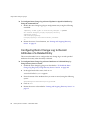
More Information About Retro Change Log . . . . . . . . . . . . . . . . . . . . . . . . . . . . . . . . . . . . . . . . . 381
Enabling the Retro Change Log Plug-In . . . . . . . . . . . . . . . . . . . . . . . . . . . . . . . . . . . . . . . . . . . . . . . 382
To Enable the Retro Change Log Plug-In by Using Directory Server Console . . . . . . . . . . . . . 382
To Enable the Retro Change Log Plug-In by Using the Command Line . . . . . . . . . . . . . . . . . . 383
Configuring Retro Change Log to Record Updates to Specified Suffixes . . . . . . . . . . . . . . . . . . . . 383
To Configure Retro Change Log to Record Updates for Specified Suffixes by Using Directory
Server Console . . . . . . . . . . . . . . . . . . . . . . . . . . . . . . . . . . . . . . . . . . . . . . . . . . . . . . . . . . . . . . . . . . 383
To Configure Retro Change Log to Record Updates for Specified Suffixes by Using the
Command Line . . . . . . . . . . . . . . . . . . . . . . . . . . . . . . . . . . . . . . . . . . . . . . . . . . . . . . . . . . . . . . . . . . 384
Configuring Retro Change Log to Record Attributes of a Deleted Entry . . . . . . . . . . . . . . . . . . . . 384
To Configure Retro Change Log to Record Attributes of a Deleted Entry by Using Directory
Server Console . . . . . . . . . . . . . . . . . . . . . . . . . . . . . . . . . . . . . . . . . . . . . . . . . . . . . . . . . . . . . . . . . . 384
To Configure Retro Change Log to Record Attributes of a Deleted Entry by Using the
Command Line . . . . . . . . . . . . . . . . . . . . . . . . . . . . . . . . . . . . . . . . . . . . . . . . . . . . . . . . . . . . . . . . . . 385
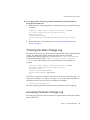
Trimming the Retro Change Log . . . . . . . . . . . . . . . . . . . . . . . . . . . . . . . . . . . . . . . . . . . . . . . . . . . . . 385
Accessing the Retro Change Log . . . . . . . . . . . . . . . . . . . . . . . . . . . . . . . . . . . . . . . . . . . . . . . . . . . . . . 385
Monitoring Replication Status . . . . . . . . . . . . . . . . . . . . . . . . . . . . . . . . . . . . . . . . . . . . . . . . . . . . . . . . . . 386
Command-Line Tools . . . . . . . . . . . . . . . . . . . . . . . . . . . . . . . . . . . . . . . . . . . . . . . . . . . . . . . . . . . . . . . 386
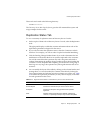
Replication Status Tab . . . . . . . . . . . . . . . . . . . . . . . . . . . . . . . . . . . . . . . . . . . . . . . . . . . . . . . . . . . . . . . 387
Solving Common Replication Conflicts . . . . . . . . . . . . . . . . . . . . . . . . . . . . . . . . . . . . . . . . . . . . . . . . . . . 388
Solving Naming Conflicts . . . . . . . . . . . . . . . . . . . . . . . . . . . . . . . . . . . . . . . . . . . . . . . . . . . . . . . . . . . 389
Renaming an Entry with a Multi-Valued Naming Attribute . . . . . . . . . . . . . . . . . . . . . . . . . . . . 389
Renaming an Entry with a Single-Valued Naming Attribute . . . . . . . . . . . . . . . . . . . . . . . . . . . 390
Solving Orphan Entry Conflicts . . . . . . . . . . . . . . . . . . . . . . . . . . . . . . . . . . . . . . . . . . . . . . . . . . . . . . 391
Solving Potential Interoperability Problems . . . . . . . . . . . . . . . . . . . . . . . . . . . . . . . . . . . . . . . . . . . . 391
14
Directory Server 5.2 2005Q1 • Administration Guide
Chapter 9 Extending the Directory Schema . . . . . . . . . . . . . . . . . . . . . . . . . . . . . . . . . . . . . 393
393
Schema Checking . . . . . . . . . . . . . . . . . . . . . . . . . . . . . . . . . . . . . . . . . . . . . . . . . . . . . . . . . . . . . . . . . . . . . 393
Setting Schema Checking Using the Console . . . . . . . . . . . . . . . . . . . . . . . . . . . . . . . . . . . . . . . . . . . 395
Setting Schema Checking From the Command Line . . . . . . . . . . . . . . . . . . . . . . . . . . . . . . . . . . . . . 395
Overview of Extending the Schema . . . . . . . . . . . . . . . . . . . . . . . . . . . . . . . . . . . . . . . . . . . . . . . . . . . . . . 395
Modifying the Schema Files . . . . . . . . . . . . . . . . . . . . . . . . . . . . . . . . . . . . . . . . . . . . . . . . . . . . . . . . . . 396
Modifying the Schema From the Command Line . . . . . . . . . . . . . . . . . . . . . . . . . . . . . . . . . . . . . . . 397
Modifying the Schema Using the Console . . . . . . . . . . . . . . . . . . . . . . . . . . . . . . . . . . . . . . . . . . . . . . 397
Managing Attribute Definitions . . . . . . . . . . . . . . . . . . . . . . . . . . . . . . . . . . . . . . . . . . . . . . . . . . . . . . . . . 398
Viewing Attributes . . . . . . . . . . . . . . . . . . . . . . . . . . . . . . . . . . . . . . . . . . . . . . . . . . . . . . . . . . . . . . . . . 398
Creating Attributes . . . . . . . . . . . . . . . . . . . . . . . . . . . . . . . . . . . . . . . . . . . . . . . . . . . . . . . . . . . . . . . . . 400
Editing Attributes . . . . . . . . . . . . . . . . . . . . . . . . . . . . . . . . . . . . . . . . . . . . . . . . . . . . . . . . . . . . . . . . . . 401
Deleting Attributes . . . . . . . . . . . . . . . . . . . . . . . . . . . . . . . . . . . . . . . . . . . . . . . . . . . . . . . . . . . . . . . . . 401
Managing Object Class Definitions . . . . . . . . . . . . . . . . . . . . . . . . . . . . . . . . . . . . . . . . . . . . . . . . . . . . . . 402
Viewing Object Classes . . . . . . . . . . . . . . . . . . . . . . . . . . . . . . . . . . . . . . . . . . . . . . . . . . . . . . . . . . . . . . 402
Creating Object Classes . . . . . . . . . . . . . . . . . . . . . . . . . . . . . . . . . . . . . . . . . . . . . . . . . . . . . . . . . . . . . . 403
Editing Object Classes . . . . . . . . . . . . . . . . . . . . . . . . . . . . . . . . . . . . . . . . . . . . . . . . . . . . . . . . . . . . . . . 404
Deleting Object Classes . . . . . . . . . . . . . . . . . . . . . . . . . . . . . . . . . . . . . . . . . . . . . . . . . . . . . . . . . . . . . . 405
Replicating Schema Definitions . . . . . . . . . . . . . . . . . . . . . . . . . . . . . . . . . . . . . . . . . . . . . . . . . . . . . . . . . 405
Modifying Replicated Schema Files . . . . . . . . . . . . . . . . . . . . . . . . . . . . . . . . . . . . . . . . . . . . . . . . . . . 406
Limiting Schema Replication . . . . . . . . . . . . . . . . . . . . . . . . . . . . . . . . . . . . . . . . . . . . . . . . . . . . . . . . . 407
Chapter 10 Indexing Directory Data . . . . . . . . . . . . . . . . . . . . . . . . . . . . . . . . . . . . . . . . . . . . 409
409
Overview of Indexing . . . . . . . . . . . . . . . . . . . . . . . . . . . . . . . . . . . . . . . . . . . . . . . . . . . . . . . . . . . . . . . . . . 409
System Indexes . . . . . . . . . . . . . . . . . . . . . . . . . . . . . . . . . . . . . . . . . . . . . . . . . . . . . . . . . . . . . . . . . . . . . 411
Default Indexes . . . . . . . . . . . . . . . . . . . . . . . . . . . . . . . . . . . . . . . . . . . . . . . . . . . . . . . . . . . . . . . . . . . . 411
Attribute Name Quick Reference Table . . . . . . . . . . . . . . . . . . . . . . . . . . . . . . . . . . . . . . . . . . . . . . . . 413
Managing Indexes . . . . . . . . . . . . . . . . . . . . . . . . . . . . . . . . . . . . . . . . . . . . . . . . . . . . . . . . . . . . . . . . . . . . . 414
Managing Indexes Using the Console . . . . . . . . . . . . . . . . . . . . . . . . . . . . . . . . . . . . . . . . . . . . . . . . . 415
Managing Indexes From the Command Line . . . . . . . . . . . . . . . . . . . . . . . . . . . . . . . . . . . . . . . . . . . 416
Creating an Index Configuration Entry . . . . . . . . . . . . . . . . . . . . . . . . . . . . . . . . . . . . . . . . . . . . . 417
Modifying an Index Configuration Entry . . . . . . . . . . . . . . . . . . . . . . . . . . . . . . . . . . . . . . . . . . . . 418
Running db2index-task . . . . . . . . . . . . . . . . . . . . . . . . . . . . . . . . . . . . . . . . . . . . . . . . . . . . . . . . . . . 419
Deleting all Indexes for an Attribute . . . . . . . . . . . . . . . . . . . . . . . . . . . . . . . . . . . . . . . . . . . . . . . . 419
Reindexing a Suffix . . . . . . . . . . . . . . . . . . . . . . . . . . . . . . . . . . . . . . . . . . . . . . . . . . . . . . . . . . . . . . . . . 420
Reindexing a Suffix . . . . . . . . . . . . . . . . . . . . . . . . . . . . . . . . . . . . . . . . . . . . . . . . . . . . . . . . . . . . . . 420
Reinitializing a Suffix . . . . . . . . . . . . . . . . . . . . . . . . . . . . . . . . . . . . . . . . . . . . . . . . . . . . . . . . . . . . . 421
Modifying the Set of Default Indexes . . . . . . . . . . . . . . . . . . . . . . . . . . . . . . . . . . . . . . . . . . . . . . . . . . 421
Managing Browsing Indexes . . . . . . . . . . . . . . . . . . . . . . . . . . . . . . . . . . . . . . . . . . . . . . . . . . . . . . . . . . . . 422
Browsing Indexes for the Console . . . . . . . . . . . . . . . . . . . . . . . . . . . . . . . . . . . . . . . . . . . . . . . . . . . . . 423
Browsing Indexes for Client Searches . . . . . . . . . . . . . . . . . . . . . . . . . . . . . . . . . . . . . . . . . . . . . . . . . 424
Specifying the Browsing Index Entries . . . . . . . . . . . . . . . . . . . . . . . . . . . . . . . . . . . . . . . . . . . . . . 424
Running the vlvindex Command . . . . . . . . . . . . . . . . . . . . . . . . . . . . . . . . . . . . . . . . . . . . . . . . . . 426
Contents
15
Chapter 11 Managing Authentication and Encryption . . . . . . . . . . . . . . . . . . . . . . . . . . . . . 427
427
Introduction to SSL in Directory Server . . . . . . . . . . . . . . . . . . . . . . . . . . . . . . . . . . . . . . . . . . . . . . . . . . 428
Summary of Steps for Enabling SSL . . . . . . . . . . . . . . . . . . . . . . . . . . . . . . . . . . . . . . . . . . . . . . . . . . . . . . 429
Obtaining and Installing Server Certificates . . . . . . . . . . . . . . . . . . . . . . . . . . . . . . . . . . . . . . . . . . . . . . . 429
Creating a Certificate Database . . . . . . . . . . . . . . . . . . . . . . . . . . . . . . . . . . . . . . . . . . . . . . . . . . . . . . . 430
Using the Console . . . . . . . . . . . . . . . . . . . . . . . . . . . . . . . . . . . . . . . . . . . . . . . . . . . . . . . . . . . . . . . . 430
Using the Command Line . . . . . . . . . . . . . . . . . . . . . . . . . . . . . . . . . . . . . . . . . . . . . . . . . . . . . . . . . 430
Generating a Certificate Request . . . . . . . . . . . . . . . . . . . . . . . . . . . . . . . . . . . . . . . . . . . . . . . . . . . . . . 431
Using the Console . . . . . . . . . . . . . . . . . . . . . . . . . . . . . . . . . . . . . . . . . . . . . . . . . . . . . . . . . . . . . . . . 431
Using the Command Line . . . . . . . . . . . . . . . . . . . . . . . . . . . . . . . . . . . . . . . . . . . . . . . . . . . . . . . . . 432
Installing the Server Certificate . . . . . . . . . . . . . . . . . . . . . . . . . . . . . . . . . . . . . . . . . . . . . . . . . . . . . . . 432
Using the Console . . . . . . . . . . . . . . . . . . . . . . . . . . . . . . . . . . . . . . . . . . . . . . . . . . . . . . . . . . . . . . . . 433
Using the Command Line . . . . . . . . . . . . . . . . . . . . . . . . . . . . . . . . . . . . . . . . . . . . . . . . . . . . . . . . . 434
Trusting the Certificate Authority . . . . . . . . . . . . . . . . . . . . . . . . . . . . . . . . . . . . . . . . . . . . . . . . . . . . . 434
Using the Console . . . . . . . . . . . . . . . . . . . . . . . . . . . . . . . . . . . . . . . . . . . . . . . . . . . . . . . . . . . . . . . . 435
Using the Command Line . . . . . . . . . . . . . . . . . . . . . . . . . . . . . . . . . . . . . . . . . . . . . . . . . . . . . . . . . 435
Activating SSL . . . . . . . . . . . . . . . . . . . . . . . . . . . . . . . . . . . . . . . . . . . . . . . . . . . . . . . . . . . . . . . . . . . . . . . . 436
Choosing Encryption Ciphers . . . . . . . . . . . . . . . . . . . . . . . . . . . . . . . . . . . . . . . . . . . . . . . . . . . . . . . . 438
Allowing Client Authentication . . . . . . . . . . . . . . . . . . . . . . . . . . . . . . . . . . . . . . . . . . . . . . . . . . . . . . 440
Configuring Client Authentication . . . . . . . . . . . . . . . . . . . . . . . . . . . . . . . . . . . . . . . . . . . . . . . . . . . . . . 440
SASL Authentication Through DIGEST-MD5 . . . . . . . . . . . . . . . . . . . . . . . . . . . . . . . . . . . . . . . . . . . 441
Configuring the DIGEST-MD5 Mechanism . . . . . . . . . . . . . . . . . . . . . . . . . . . . . . . . . . . . . . . . . . 441
DIGEST-MD5 Identity Mappings . . . . . . . . . . . . . . . . . . . . . . . . . . . . . . . . . . . . . . . . . . . . . . . . . . 442
SASL Authentication Through GSSAPI (Solaris Only) . . . . . . . . . . . . . . . . . . . . . . . . . . . . . . . . . . . 443
Configuring the Kerberos System . . . . . . . . . . . . . . . . . . . . . . . . . . . . . . . . . . . . . . . . . . . . . . . . . . 443
Configuring the GSSAPI Mechanism . . . . . . . . . . . . . . . . . . . . . . . . . . . . . . . . . . . . . . . . . . . . . . . 444
GSSAPI Identity Mappings . . . . . . . . . . . . . . . . . . . . . . . . . . . . . . . . . . . . . . . . . . . . . . . . . . . . . . . . 444
Identity Mapping . . . . . . . . . . . . . . . . . . . . . . . . . . . . . . . . . . . . . . . . . . . . . . . . . . . . . . . . . . . . . . . . . . . . . 446
Configuring LDAP Clients to Use Security . . . . . . . . . . . . . . . . . . . . . . . . . . . . . . . . . . . . . . . . . . . . . . . . 448
Configuring Server Authentication in Clients . . . . . . . . . . . . . . . . . . . . . . . . . . . . . . . . . . . . . . . . . . . 450
Managing Client Certificates Through Mozilla . . . . . . . . . . . . . . . . . . . . . . . . . . . . . . . . . . . . . . . 450
Managing Client Certificates Through the Command Line . . . . . . . . . . . . . . . . . . . . . . . . . . . . 451
Specifying SSL Options for Server Authentication . . . . . . . . . . . . . . . . . . . . . . . . . . . . . . . . . . . . 452
Configuring Certificate-Based Authentication in Clients . . . . . . . . . . . . . . . . . . . . . . . . . . . . . . . . . 452
Obtaining and Installing a User Certificate . . . . . . . . . . . . . . . . . . . . . . . . . . . . . . . . . . . . . . . . . . 452
Specifying SSL Options for Certificate-Based Client Authentication . . . . . . . . . . . . . . . . . . . . . 455
Using SASL DIGEST-MD5 in Clients . . . . . . . . . . . . . . . . . . . . . . . . . . . . . . . . . . . . . . . . . . . . . . . . . . 455
Specifying a Realm . . . . . . . . . . . . . . . . . . . . . . . . . . . . . . . . . . . . . . . . . . . . . . . . . . . . . . . . . . . . . . . 455
Specifying Environment Variables . . . . . . . . . . . . . . . . . . . . . . . . . . . . . . . . . . . . . . . . . . . . . . . . . 456
Examples of the ldapsearch Command . . . . . . . . . . . . . . . . . . . . . . . . . . . . . . . . . . . . . . . . . . . . . 456
Using Kerberos SASL GSSAPI in Clients . . . . . . . . . . . . . . . . . . . . . . . . . . . . . . . . . . . . . . . . . . . . . . . 457
Configuring Kerberos V5 on a Client Host . . . . . . . . . . . . . . . . . . . . . . . . . . . . . . . . . . . . . . . . . . . 457
Specifying SASL Options for Kerberos Authentication . . . . . . . . . . . . . . . . . . . . . . . . . . . . . . . . 457
16
Directory Server 5.2 2005Q1 • Administration Guide
Configuring Kerberos Authentication using GSSAPI with SASL: Example procedure . . . . . 458
Chapter 12 Implementing Pass-Through Authentication . . . . . . . . . . . . . . . . . . . . . . . . . . . 473
473
How Directory Server Uses PTA . . . . . . . . . . . . . . . . . . . . . . . . . . . . . . . . . . . . . . . . . . . . . . . . . . . . . . . . 473
Configuring the PTA Plug-In . . . . . . . . . . . . . . . . . . . . . . . . . . . . . . . . . . . . . . . . . . . . . . . . . . . . . . . . . . . 475
Creating the Plug-In Configuration Entry . . . . . . . . . . . . . . . . . . . . . . . . . . . . . . . . . . . . . . . . . . . . . . 475
Configuring PTA to Use a Secure Connection . . . . . . . . . . . . . . . . . . . . . . . . . . . . . . . . . . . . . . . . . . 476
Setting the Optional Connection Parameters . . . . . . . . . . . . . . . . . . . . . . . . . . . . . . . . . . . . . . . . . . . 476
Specifying Multiple Servers and Subtrees . . . . . . . . . . . . . . . . . . . . . . . . . . . . . . . . . . . . . . . . . . . . . . 477
Modifying the PTA Plug-In Configuration . . . . . . . . . . . . . . . . . . . . . . . . . . . . . . . . . . . . . . . . . . . . . 478
Chapter 13 Monitoring Directory Server Using Log Files . . . . . . . . . . . . . . . . . . . . . . . . . . 479
479
Defining Log File Policies . . . . . . . . . . . . . . . . . . . . . . . . . . . . . . . . . . . . . . . . . . . . . . . . . . . . . . . . . . . . . . 480
Defining a Log File Rotation Policy . . . . . . . . . . . . . . . . . . . . . . . . . . . . . . . . . . . . . . . . . . . . . . . . . . . 480
Defining a Log File Deletion Policy . . . . . . . . . . . . . . . . . . . . . . . . . . . . . . . . . . . . . . . . . . . . . . . . . . . 480
Manual Log File Rotation . . . . . . . . . . . . . . . . . . . . . . . . . . . . . . . . . . . . . . . . . . . . . . . . . . . . . . . . . . . . 481
Access Log . . . . . . . . . . . . . . . . . . . . . . . . . . . . . . . . . . . . . . . . . . . . . . . . . . . . . . . . . . . . . . . . . . . . . . . . . . . 481
Viewing the Access Log . . . . . . . . . . . . . . . . . . . . . . . . . . . . . . . . . . . . . . . . . . . . . . . . . . . . . . . . . . . 481
Configuring the Access Log . . . . . . . . . . . . . . . . . . . . . . . . . . . . . . . . . . . . . . . . . . . . . . . . . . . . . . . 483
Errors Log . . . . . . . . . . . . . . . . . . . . . . . . . . . . . . . . . . . . . . . . . . . . . . . . . . . . . . . . . . . . . . . . . . . . . . . . . . . . 485
Viewing the Errors Log . . . . . . . . . . . . . . . . . . . . . . . . . . . . . . . . . . . . . . . . . . . . . . . . . . . . . . . . . . . 485
Configuring the Errors Log . . . . . . . . . . . . . . . . . . . . . . . . . . . . . . . . . . . . . . . . . . . . . . . . . . . . . . . . 486
Audit Log . . . . . . . . . . . . . . . . . . . . . . . . . . . . . . . . . . . . . . . . . . . . . . . . . . . . . . . . . . . . . . . . . . . . . . . . . . . . 487
Configuring the Audit Log . . . . . . . . . . . . . . . . . . . . . . . . . . . . . . . . . . . . . . . . . . . . . . . . . . . . . . . . 487
Viewing the Audit Log . . . . . . . . . . . . . . . . . . . . . . . . . . . . . . . . . . . . . . . . . . . . . . . . . . . . . . . . . . . 487
Monitoring Server Activity . . . . . . . . . . . . . . . . . . . . . . . . . . . . . . . . . . . . . . . . . . . . . . . . . . . . . . . . . . . . . 488
Monitoring Your Server Using the Console . . . . . . . . . . . . . . . . . . . . . . . . . . . . . . . . . . . . . . . . . . . . 488
Monitoring Your Server From the Command Line . . . . . . . . . . . . . . . . . . . . . . . . . . . . . . . . . . . . . . 493
Chapter 14 Monitoring Directory Server Using SNMP . . . . . . . . . . . . . . . . . . . . . . . . . . . . . 495
495
SNMP in Sun Java System Servers . . . . . . . . . . . . . . . . . . . . . . . . . . . . . . . . . . . . . . . . . . . . . . . . . . . . . . . 496
Overview of the Directory Server MIB . . . . . . . . . . . . . . . . . . . . . . . . . . . . . . . . . . . . . . . . . . . . . . . . . . . 497
Setting Up SNMP . . . . . . . . . . . . . . . . . . . . . . . . . . . . . . . . . . . . . . . . . . . . . . . . . . . . . . . . . . . . . . . . . . . . . 498
On Solaris Platforms . . . . . . . . . . . . . . . . . . . . . . . . . . . . . . . . . . . . . . . . . . . . . . . . . . . . . . . . . . . . . . . . 498
Plugging into the snmpdx SNMP master agent - Solaris example . . . . . . . . . . . . . . . . . . . . . . . 498
On Linux Platforms . . . . . . . . . . . . . . . . . . . . . . . . . . . . . . . . . . . . . . . . . . . . . . . . . . . . . . . . . . . . . . . . . 501
Hints for SNMP on Linux . . . . . . . . . . . . . . . . . . . . . . . . . . . . . . . . . . . . . . . . . . . . . . . . . . . . . . . . . 502
Configuring SNMP in Directory Server . . . . . . . . . . . . . . . . . . . . . . . . . . . . . . . . . . . . . . . . . . . . . . . . . . 506
Starting and Stopping the SNMP Subagent . . . . . . . . . . . . . . . . . . . . . . . . . . . . . . . . . . . . . . . . . . . . . . . 507
Chapter 15 Enforcing Attribute Value Uniqueness . . . . . . . . . . . . . . . . . . . . . . . . . . . . . . . . 509
509
Overview . . . . . . . . . . . . . . . . . . . . . . . . . . . . . . . . . . . . . . . . . . . . . . . . . . . . . . . . . . . . . . . . . . . . . . . . . . . . 509
Contents
17
Enforcing Uniqueness of the uid Attribute . . . . . . . . . . . . . . . . . . . . . . . . . . . . . . . . . . . . . . . . . . . . . . . .
Configuring the Plug-In Using the Console . . . . . . . . . . . . . . . . . . . . . . . . . . . . . . . . . . . . . . . . . . . .
Configuring the Plug-In From the Command Line . . . . . . . . . . . . . . . . . . . . . . . . . . . . . . . . . . . . . .
Enforcing Uniqueness of Another Attribute . . . . . . . . . . . . . . . . . . . . . . . . . . . . . . . . . . . . . . . . . . . . . . .
Using the Uniqueness Plug-In With Replication . . . . . . . . . . . . . . . . . . . . . . . . . . . . . . . . . . . . . . . . . . .
Single-Master Replication Scenario . . . . . . . . . . . . . . . . . . . . . . . . . . . . . . . . . . . . . . . . . . . . . . . . . . . .
Multi-Master Replication Scenario . . . . . . . . . . . . . . . . . . . . . . . . . . . . . . . . . . . . . . . . . . . . . . . . . . . .
510
510
511
513
514
514
515
Chapter 16 Troubleshooting Directory Server . . . . . . . . . . . . . . . . . . . . . . . . . . . . . . . . . . . . 517
517
Troubleshooting Installation and Login . . . . . . . . . . . . . . . . . . . . . . . . . . . . . . . . . . . . . . . . . . . . . . . . . . 517
Appendix A Using the Sun Crypto Accelerator Board . . . . . . . . . . . . . . . . . . . . . . . . . . . . . 521
521
Before You Start . . . . . . . . . . . . . . . . . . . . . . . . . . . . . . . . . . . . . . . . . . . . . . . . . . . . . . . . . . . . . . . . . . . . . . . 521
Creating a Token . . . . . . . . . . . . . . . . . . . . . . . . . . . . . . . . . . . . . . . . . . . . . . . . . . . . . . . . . . . . . . . . . . . . . . 522
Generating Bindings for the Board . . . . . . . . . . . . . . . . . . . . . . . . . . . . . . . . . . . . . . . . . . . . . . . . . . . . . . . 523
Importing Certificates . . . . . . . . . . . . . . . . . . . . . . . . . . . . . . . . . . . . . . . . . . . . . . . . . . . . . . . . . . . . . . . . . 524
Configuring SSL . . . . . . . . . . . . . . . . . . . . . . . . . . . . . . . . . . . . . . . . . . . . . . . . . . . . . . . . . . . . . . . . . . . . . . 524
Appendix B Third Party Licence Acknowledgements . . . . . . . . . . . . . . . . . . . . . . . . . . . . . . 527
527
Glossary . . . . . . . . . . . . . . . . . . . . . . . . . . . . . . . . . . . . . . . . . . . . . . . . . . . . . . . . . . . . . . . . . . . . 531
531
18
Directory Server 5.2 2005Q1 • Administration Guide
List of Figures
Figure 1-1
Sun Java System Server Console . . . . . . . . . . . . . . . . . . . . . . . . . . . . . . . . . . . . . . . . . . . . . 39
Figure 1-2
Tasks Tab of Directory Server Console . . . . . . . . . . . . . . . . . . . . . . . . . . . . . . . . . . . . . . . 40
Figure 1-3
Configuration Tab of Directory Server Console . . . . . . . . . . . . . . . . . . . . . . . . . . . . . . . . 41
Figure 1-4
Directory Tab of the Directory Server Console . . . . . . . . . . . . . . . . . . . . . . . . . . . . . . . . . 43
Figure 1-5
Status Tab of Directory Server Console . . . . . . . . . . . . . . . . . . . . . . . . . . . . . . . . . . . . . . . 44
Figure 2-1
Directory Server Console - Custom Editor for User Entries . . . . . . . . . . . . . . . . . . . . . . 66
Figure 2-2
Directory Server Console - Generic Editor . . . . . . . . . . . . . . . . . . . . . . . . . . . . . . . . . . . . 71
Figure 3-1
Cascading Chaining With Three Servers . . . . . . . . . . . . . . . . . . . . . . . . . . . . . . . . . . . . . 182
Figure 6-1
Using Inheritance With the userattr Keyword . . . . . . . . . . . . . . . . . . . . . . . . . . . . . . . 264
Figure 6-2
The Access Control Management Dialog . . . . . . . . . . . . . . . . . . . . . . . . . . . . . . . . . . . . 272
Figure 6-3
The ACI Editor Dialog . . . . . . . . . . . . . . . . . . . . . . . . . . . . . . . . . . . . . . . . . . . . . . . . . . . . 273
Figure 6-4
Example Directory Tree for Macro ACIs . . . . . . . . . . . . . . . . . . . . . . . . . . . . . . . . . . . . . 306
Figure 8-1
Single Master Replication . . . . . . . . . . . . . . . . . . . . . . . . . . . . . . . . . . . . . . . . . . . . . . . . . . 333
Figure 8-2
Cascading Replication With Hubs . . . . . . . . . . . . . . . . . . . . . . . . . . . . . . . . . . . . . . . . . . 333
Figure 8-3
Multi-Master Replication . . . . . . . . . . . . . . . . . . . . . . . . . . . . . . . . . . . . . . . . . . . . . . . . . . 334
Figure 13-1
Viewing Log Contents . . . . . . . . . . . . . . . . . . . . . . . . . . . . . . . . . . . . . . . . . . . . . . . . . . . . 482
Figure 13-2
Configuration Panel for Log File Rotation and Deletion . . . . . . . . . . . . . . . . . . . . . . . . 484
Figure 13-3
Suffix Monitoring Panel . . . . . . . . . . . . . . . . . . . . . . . . . . . . . . . . . . . . . . . . . . . . . . . . . . . 491
List of Figures
19
20
Directory Server 5.2 2005Q1 • Administration Guide
List of Tables
Table 1
Typeface Conventions . . . . . . . . . . . . . . . . . . . . . . . . . . . . . . . . . . . . . . . . . . . . . . . . . . . . . 27
Table 2
Placeholder Conventions . . . . . . . . . . . . . . . . . . . . . . . . . . . . . . . . . . . . . . . . . . . . . . . . . . . 28
Table 3
Symbol Conventions . . . . . . . . . . . . . . . . . . . . . . . . . . . . . . . . . . . . . . . . . . . . . . . . . . . . . . . 28
Table 4
Shell Prompts . . . . . . . . . . . . . . . . . . . . . . . . . . . . . . . . . . . . . . . . . . . . . . . . . . . . . . . . . . . . . 29
Table 5
Documentation, Support, and Training links . . . . . . . . . . . . . . . . . . . . . . . . . . . . . . . . . . 31
Table 2-1
Entry Templates and Corresponding Object Classes . . . . . . . . . . . . . . . . . . . . . . . . . . . . 65
Table 2-2
Search Filter Operators . . . . . . . . . . . . . . . . . . . . . . . . . . . . . . . . . . . . . . . . . . . . . . . . . . . . 120
Table 2-3
Search Filter Boolean Operators . . . . . . . . . . . . . . . . . . . . . . . . . . . . . . . . . . . . . . . . . . . . 121
Table 2-4
Special Characters in Search Filters . . . . . . . . . . . . . . . . . . . . . . . . . . . . . . . . . . . . . . . . . 123
Table 2-5
Search Types, Operators, and Suffixes . . . . . . . . . . . . . . . . . . . . . . . . . . . . . . . . . . . . . . . 128
Table 3-1
LDAP Controls Allowed to Chain by Default . . . . . . . . . . . . . . . . . . . . . . . . . . . . . . . . 168
Table 3-2
LDAP Controls That May be Chained . . . . . . . . . . . . . . . . . . . . . . . . . . . . . . . . . . . . . . . 169
Table 4-1
Comparison of Importing Data Versus Initializing a Suffix . . . . . . . . . . . . . . . . . . . . . 189
Table 4-2
Description of ldif2db Options Used in the Example . . . . . . . . . . . . . . . . . . . . . . . . . . 193
Table 4-3
Description of ldif2db-task Options Used in the Example . . . . . . . . . . . . . . . . . . . . . . 193
Table 4-4
Description of db2ldif Options Used in the Example . . . . . . . . . . . . . . . . . . . . . . . . . . 197
Table 5-1
Object Classes and Attributes Used to Define Roles . . . . . . . . . . . . . . . . . . . . . . . . . . . 217
Table 5-2
Object Classes and Attributes in CoS Definition Entries . . . . . . . . . . . . . . . . . . . . . . . . 226
Table 5-3
CoS Definition Entry Attributes . . . . . . . . . . . . . . . . . . . . . . . . . . . . . . . . . . . . . . . . . . . . 227
Table 6-1
LDIF Target Keywords . . . . . . . . . . . . . . . . . . . . . . . . . . . . . . . . . . . . . . . . . . . . . . . . . . . . 244
Table 6-2
LDIF Bind Rule Keywords . . . . . . . . . . . . . . . . . . . . . . . . . . . . . . . . . . . . . . . . . . . . . . . . . 255
Table 6-3
Effective Rights Permissions Interdependencies . . . . . . . . . . . . . . . . . . . . . . . . . . . . . . 302
Table 6-4
Effective Rights Logging Information Reasons and Their Explanations . . . . . . . . . . 304
Table 6-5
Macros in ACI Keywords . . . . . . . . . . . . . . . . . . . . . . . . . . . . . . . . . . . . . . . . . . . . . . . . . . 308
List of Tables
21
22
Table 8-1
Replication Parameters on the Directory Server Console Status Tab . . . . . . . . . . . . . 387
Table 9-1
Columns of Tables in the Attributes Tab . . . . . . . . . . . . . . . . . . . . . . . . . . . . . . . . . . . . . 398
Table 9-2
Attribute Syntax Definitions . . . . . . . . . . . . . . . . . . . . . . . . . . . . . . . . . . . . . . . . . . . . . . . 398
Table 9-3
Fields of the Object Classes Tab . . . . . . . . . . . . . . . . . . . . . . . . . . . . . . . . . . . . . . . . . . . . 402
Table 10-1
System Indexes in Every Suffix . . . . . . . . . . . . . . . . . . . . . . . . . . . . . . . . . . . . . . . . . . . . . 411
Table 10-2
Default Indexes in Every New Suffix . . . . . . . . . . . . . . . . . . . . . . . . . . . . . . . . . . . . . . . . 412
Table 10-3
Primary Attribute Name and Their Alias . . . . . . . . . . . . . . . . . . . . . . . . . . . . . . . . . . . . 413
Table 10-4
Description of vlvindex Options Used in the Example . . . . . . . . . . . . . . . . . . . . . . . . . 426
Table 11-1
Ciphers Provided with Directory Server . . . . . . . . . . . . . . . . . . . . . . . . . . . . . . . . . . . . . 438
Table 13-1
Resource Summary Table . . . . . . . . . . . . . . . . . . . . . . . . . . . . . . . . . . . . . . . . . . . . . . . . . . 489
Table 13-2
Current Resource Usage . . . . . . . . . . . . . . . . . . . . . . . . . . . . . . . . . . . . . . . . . . . . . . . . . . . 489
Table 13-3
Connections Status Table . . . . . . . . . . . . . . . . . . . . . . . . . . . . . . . . . . . . . . . . . . . . . . . . . . 490
Table 13-4
Entry Cache Usage . . . . . . . . . . . . . . . . . . . . . . . . . . . . . . . . . . . . . . . . . . . . . . . . . . . . . . . 491
Table 13-5
Access to Database Cache . . . . . . . . . . . . . . . . . . . . . . . . . . . . . . . . . . . . . . . . . . . . . . . . . 492
Table 16-1
Common Installation and Login Problems With Solutions . . . . . . . . . . . . . . . . . . . . . 517
Table A-1
Prerequisites to Using the Board . . . . . . . . . . . . . . . . . . . . . . . . . . . . . . . . . . . . . . . . . . . . 521
Directory Server 5.2 2005Q1 • Administration Guide
List of Procedures
To Modify the Port or Secure Port on Which Directory Server Listens for Incoming LDAP Requests .
50
To Invoke the Generic Editor for Any Entry in the Directory . . . . . . . . . . . . . . . . . . . . . . . . . . . . . . . . . 70
To Modify Attribute Values . . . . . . . . . . . . . . . . . . . . . . . . . . . . . . . . . . . . . . . . . . . . . . . . . . . . . . . . . . . . . 72
To Extend the ACI Rights by Using the Console . . . . . . . . . . . . . . . . . . . . . . . . . . . . . . . . . . . . . . . . . . . . 92
To Enable or Disable the Modify DN Operation Globally by Using the Console . . . . . . . . . . . . . . . . . 93
To Enable the Modify DN Operation for Specified Suffixes by Using the Console . . . . . . . . . . . . . . . 94
To Rename an Entry by Using the Console . . . . . . . . . . . . . . . . . . . . . . . . . . . . . . . . . . . . . . . . . . . . . . . . 95
To Move an Entry by Using the Console . . . . . . . . . . . . . . . . . . . . . . . . . . . . . . . . . . . . . . . . . . . . . . . . . . . 96
To Enable the Modify DN Operation Globally by Using the ldapmodify Command . . . . . . . . . . . . . 97
To Enable the Modify DN Operation for a Suffix by Using the ldapmodify Command . . . . . . . . . . . 97
To Rename a Leaf Entry by Using the ldapmodify Command . . . . . . . . . . . . . . . . . . . . . . . . . . . . . . . . 98
To Move an Entry by Using the ldapmodify Command . . . . . . . . . . . . . . . . . . . . . . . . . . . . . . . . . . . . . 98
To Rename and Move an Entry by Using the ldapmodify Command . . . . . . . . . . . . . . . . . . . . . . . . . . 99
To Configure Directory Server 5.2 as a Consumer of Directory Server 4.x . . . . . . . . . . . . . . . . . . . . . 378
To Update Directory Server 5.1 Schema . . . . . . . . . . . . . . . . . . . . . . . . . . . . . . . . . . . . . . . . . . . . . . . . . . 380
To Enable the Retro Change Log Plug-In by Using Directory Server Console . . . . . . . . . . . . . . . . . . 382
To Enable the Retro Change Log Plug-In by Using the Command Line . . . . . . . . . . . . . . . . . . . . . . . 383
To Configure Retro Change Log to Record Updates for Specified Suffixes by Using Directory Server
Console . . . . . . . . . . . . . . . . . . . . . . . . . . . . . . . . . . . . . . . . . . . . . . . . . . . . . . . . . . . . . . . . . . . . . . . . . . . . . . 383
To Configure Retro Change Log to Record Updates for Specified Suffixes by Using the Command
Line . . . . . . . . . . . . . . . . . . . . . . . . . . . . . . . . . . . . . . . . . . . . . . . . . . . . . . . . . . . . . . . . . . . . . . . . . . . . . . . . . 384
To Configure Retro Change Log to Record Attributes of a Deleted Entry by Using Directory Server
Console . . . . . . . . . . . . . . . . . . . . . . . . . . . . . . . . . . . . . . . . . . . . . . . . . . . . . . . . . . . . . . . . . . . . . . . . . . . . . . 384
List of Procedures
23
To Configure Retro Change Log to Record Attributes of a Deleted Entry by Using the Command Line
385
Plugging into the snmpdx SNMP master agent - Solaris example . . . . . . . . . . . . . . . . . . . . . . . . . . . . 498
24
Directory Server 5.2 2005Q1 • Administration Guide
List of Code Examples
Code Example 2-1
Empty Anonymous DSML Request . . . . . . . . . . . . . . . . . . . . . . . . . . . . . . . . . 131
Code Example 2-2
Empty Anonymous DSML Response . . . . . . . . . . . . . . . . . . . . . . . . . . . . . . . . 133
Code Example 2-3
DSML Extended Operation: Bind as a Particular User . . . . . . . . . . . . . . . . . 134
Code Example 2-4
Response to DSML Extended Operation . . . . . . . . . . . . . . . . . . . . . . . . . . . . . 135
Code Example 2-5
DSML Search Request . . . . . . . . . . . . . . . . . . . . . . . . . . . . . . . . . . . . . . . . . . . . . 136
Code Example 2-6
DSML Search Response . . . . . . . . . . . . . . . . . . . . . . . . . . . . . . . . . . . . . . . . . . . 138
Code Example 11-1
Edited Kerberos client configuration file /etc/krb5/krb5.conf . . . . . . . . . . 460
Code Example 11-2
Edited Administration Server ACL configuration file . . . . . . . . . . . . . . . . . . 462
Code Example 11-3
Edited KDC server configuration file /etc/krb5/kdc.conf . . . . . . . . . . . . . 462
Code Example 11-4
Command for creating the KDC database . . . . . . . . . . . . . . . . . . . . . . . . . . . . 463
Code Example 11-5
Command for creating an Admin Principal and Keytab . . . . . . . . . . . . . . . 463
Code Example 11-6
Commands for starting the Kerberos daemons on Solaris 9 . . . . . . . . . . . . . 464
Code Example 11-7
Commands for starting the Kerberos daemons on Solaris 10 . . . . . . . . . . . . 464
Code Example 11-8
Commands for adding host principals . . . . . . . . . . . . . . . . . . . . . . . . . . . . . . 464
Code Example 11-9
Commands for adding an LDAP Principal to the KDC . . . . . . . . . . . . . . . . 465
Code Example 11-10
Commands for adding an test user to the KDC . . . . . . . . . . . . . . . . . . . . . . . 465
Code Example 11-11
gssapi.ldif file contents . . . . . . . . . . . . . . . . . . . . . . . . . . . . . . . . . . . . . . . . . 466
Code Example 11-12
Commands for updating the Directory Server to enable GSSAPI . . . . . . . . 467
Code Example 11-13
Commands for creating a keytab for Directory Server . . . . . . . . . . . . . . . . . 468
Code Example 11-14
Commands for altering keytab permissions and ownership . . . . . . . . . . . . 468
Code Example 11-15
Updated start-slapd script to use a custom Kerberos keytab . . . . . . . . . . 468
Code Example 11-16
Command for restarting the Directory Server . . . . . . . . . . . . . . . . . . . . . . . . 469
Code Example 11-17
New file testuser.ldif . . . . . . . . . . . . . . . . . . . . . . . . . . . . . . . . . . . . . . . . . . 469
Code Example 11-18
Command for adding the test entry to the server . . . . . . . . . . . . . . . . . . . . . 469
List of Code Examples
25
Code Example 11-19
Command for getting a Kerberos ticket . . . . . . . . . . . . . . . . . . . . . . . . . . . . . . 470
Code Example 11-20
Command for viewing information about the test ticket . . . . . . . . . . . . . . . 470
Code Example 11-21
Command for setting the SASL_PATH environment variable . . . . . . . . . . 471
Code Example 11-22
471
Retrieving the dc=example,dc=com entry after authenticating via GSSAPI . .
Code Example 11-23
26
471
Code Example 14-1
SNMP Linux Script directorysnmp . . . . . . . . . . . . . . . . . . . . . . . . . . . . . . . . . 502
Code Example A-1
Modifications to Activate SSL Using the Board (ssl.ldif) . . . . . . . . . . . . . 525
Directory Server 5.2 2005Q1 • Administration Guide
Preface
This guide describes the procedures you need to configure and maintain a
directory service based on Directory Server. It includes the procedures for
configuring all Directory Server features from the console and from the command
line when appropriate.
For information about how to access Sun™ documentation and how to use Sun
documentation, see the following sections:
•
Conventions
•
Related Books
•
Documentation, Support, and Training
•
Related Third-Party Web Site References
•
Sun Welcomes Your Comments
Conventions
Table 1 describes the typeface conventions used in this document.
Table 1
Typeface Conventions
Typeface
Meaning
Examples
AaBbCc123
API and language elements, HTML
tags, web site URLs, command
names, file names, directory path
names, on-screen computer output,
sample code.
Edit your .login file.
(Monospace)
AaBbCc123
(Monospace
bold)
What you type, as contrasted with
on-screen computer output.
Use ls -a to list all files.
% You have mail.
% su
Password:
27
Conventions
Typeface Conventions (Continued)
Table 1
Typeface
Meaning
Examples
AaBbCc123
Book titles.
Read Chapter 6 in the Developer’s Guide.
(Italic)
New words or terms.
These are called class options.
Words to be emphasized.
You must be superuser to do this.
Command-line variables to be
replaced by real names or values.
The file is located in the ServerRoot
directory.
Table 2 describes placeholder conventions used in this guide.
Table 2
Placeholder Conventions
Item
Meaning
Examples
install-dir
Placeholder for the directory prefix
under which software binaries
reside after installation.
The default install-dir prefix on Solaris
systems is /.
ServerRoot
Placeholder for the directory where
server instances and data reside.
The default install-dir prefix on Red Hat
systems is /opt/sun.
The default ServerRoot directory is
/var/opt/sun/serverroot.
You can manage each server under
a ServerRoot remotely through your
client-side Server Console. The
Server Console uses the
server-side Administration Server to
perform tasks that must execute
directly on the server-side system.
slapd-serverID
Placeholder for the directory where
a specific server instance resides
under the ServerRoot and its
associated data resides by default.
The default serverID is the host name.
Table 3 describes the symbol conventions used in this book.
Table 3
28
Symbol Conventions
Symbol
Meaning
Notation
[ ]
Contain optional command options.
O[n]
O4,
{ }
Contain a set of choices for a required
command option.
d{y|n}
dy
|
Separates command option choices.
Directory Server 5.2 2005Q1 • Administration Guide
Example
O
Conventions
Table 3
Symbol Conventions (Continued)
Symbol
Meaning
Notation
Example
+
Joins simultaneous keystrokes in keyboard
shortcuts that are used in a graphical user
interface.
Ctrl+A
-
Joins consecutive keystrokes in keyboard
shortcuts that are used in a graphical user
interface.
Esc-S
>
Indicates menu selection in a graphical user
interface.
File > New
File > New > Templates
Table 4 describes the shell prompt conventions used in this book.
Table 4
Shell Prompts
Shell
Prompt
C shell
machine-name%
C shell superuser
machine-name#
Bourne shell and Korn shell
$
Bourne shell and Korn shell superuser
#
Input and output of Directory Server commands are usually expressed using the
LDAP Data Interchange Format (LDIF) [RFC 2849]. Lines are wrapped for
readability.
Preface
29
Related Books
Related Books
The following books can be found in HTML and PDF at
http://www.sun.com/documentation/.
Directory Server Books
Directory Server Release Notes
Directory Server Technical Overview
Directory Server Deployment Planning Guide
Directory Server Installation and Migration Guide
Directory Server Performance Tuning Guide
Directory Server Administration Guide
Directory Server Administration Reference
Directory Server Plug-in Developer’s Guide
Directory Server Plug-in Developer’s Reference
Directory Server Man Page Reference
Administration Server Books
Administration Server Release Notes
Administration Server Administration Guide
Administration Server Man Page Reference
Directory Proxy Server Books
Directory Proxy Server Release Notes
Directory Proxy Server Administration Guide
Related Java Enterprise System Books
Java Enterprise System Installation Guide
Java Enterprise System Upgrade and Migration Guide
Java Enterprise System Glossary
30
Directory Server 5.2 2005Q1 • Administration Guide
Documentation, Support, and Training
Documentation, Support, and Training
Table 5 provides links to Sun documentation, support, and training information.
Table 5
Documentation, Support, and Training links
Typeface
Meaning
Examples
Documentation
http://www.sun.com/documentation/
Download PDF and HTML documents,
and order printed documents.
Support and Training
http://www.sun.com/supportraining/
Obtain technical support, download
patches, and learn about Sun courses.
Related Third-Party Web Site References
Sun is not responsible for the availability of third-party web sites mentioned in this
document. Sun does not endorse and is not responsible or liable for any content,
advertising, products, or other materials that are available on or through such sites
or resources. Sun will not be responsible or liable for any actual or alleged damage
or loss caused or alleged to be caused by or in connection with use of or reliance on
any such content, goods, or services that are available on or through such sites or
resources.
Sun Welcomes Your Comments
Sun is interested in improving its documentation and welcomes your comments
and suggestions. Use the web-based form to provide feedback to Sun:
http://www.sun.com/hwdocs/feedback/
Please provide the full document title and part number in the appropriate fields.
The part number is a seven-digit or nine-digit number that can be found on the title
page of the book or at the top of the document. For example, the part number of
this document is 817-7613-10.
Preface
31
Sun Welcomes Your Comments
32
Directory Server 5.2 2005Q1 • Administration Guide
Chapter 1
Directory Server Administration
Overview
The Directory Server product includes a Directory Server, an Administration
Server to manage multiple directories, and a Server Console to manage both
servers through a graphical interface. This chapter provides overview information
about Directory Server, and the most basic tasks you need to start administering a
directory service.
Verifying plug-in signatures is an additional security feature that allows the server
to detect or prevent unauthorized plug-ins from being loaded. Directory Server
Markup Language (DSML) is a new XML-based format for sending requests to a
directory server.
This chapter includes the following sections:
•
Overview of Directory Server Management
•
Starting and Stopping Directory Server
•
Starting the Server with SSL Enabled
•
Using Directory Server Console
•
Configuring LDAP Parameters
•
Verifying Plug-In Signatures
•
Configuring DSML
33
Overview of Directory Server Management
NOTE
If you are running more than one version of Directory Server, note
that all examples in this chapter assume that Directory Server 5.2 is
the default version. If this is not the case, you must either run the
following command once to set 5.2 as the default version:
# /usr/sbin/directoryserver -d 5.2
or include the -useversion option each time you run the
directoryserver command to specify the version, for example:
# /usr/sbin/directoryserver -useversion 5.2 start
Overview of Directory Server Management
Directory Server is a robust, scalable server designed to manage an enterprise-wide
directory of users and resources. It is based on an open-systems server protocol
called the Lightweight Directory Access Protocol (LDAP). Directory Server runs as
the ns-slapd process or service on your machine. The server manages the
directory contents and responds to client requests.
You perform most Directory Server administrative tasks through the
Administration Server, a second server that Sun Java System provides to help you
manage Directory Server (and several other Sun Java System servers). Server
Console is the graphical interface to the Administration Server. Directory Server
Console is a part of Server Console designed specifically for use with Directory
Server.
You can perform most Directory Server administrative tasks from Directory Server
Console. You can also perform administrative tasks manually by editing the
configuration files or by using command-line utilities. For more information about
Server Console see the Administration Server Administration Guide.
NOTE
If you are using the Sun Cluster HA for Directory Server data
service, you must use the directoryserver(1M) command and its
subcommands when administering Directory Server from the
command line.
Do not use the standalone scripts and binaries directly.
34
Directory Server 5.2 2005Q1 • Administration Guide
Starting and Stopping Directory Server
Starting and Stopping Directory Server
If you are not using Secure Sockets Layer (SSL), you can start and stop Directory
Server using the methods listed here. If you are using SSL, see “Starting the Server
with SSL Enabled” on page 36.
Starting and Stopping the Server From the
Command Line
To start or stop the server from the command line. Run the following commands:
# /usr/sbin/directoryserver -useversion 5.2 start
or
# /usr/sbin/directoryserver -useversion 5.2 stop
The useversion option is required only if Directory Server 5.2 is not the default
version. For the complete syntax of the directoryserver command, refer to the
Directory Server Man Page Reference.
These commands must be run as root if you specified root as the UID for Directory
Server.
Otherwise, both commands must run either as root, or with the same UID and GID
as Directory Server. For example, if Directory Server runs as nobody, you must run
the start and stop utilities as nobody.
For users of previous versions of Directory Server, note that starting the server in
referral mode is no longer available.You can set global referrals using Directory
Server Console. This procedure is explained in “Setting the Default Referrals” on
page 100.
Starting and Stopping the Server From the
Console
When Directory Server Console is running, you can start, stop, and restart
Directory Server through its graphical interface. For instructions on running the
console, see “Starting Directory Server Console” on page 38.
1.
On the top-level Tasks tab of Directory Server Console, click the button beside
“Start Directory Server”, “Stop Directory Server”, or “Restart Directory
Server,” as appropriate.
Chapter 1
Directory Server Administration Overview
35
Starting and Stopping Directory Server
When you successfully start or stop Directory Server from Directory Server
Console, the console displays a message dialog stating that the server has been
either started or shut down. In case of an error, the console will show all messages
pertaining to the error.
Starting the Server with SSL Enabled
Before enabling SSL, you must install and configure certificates on your server. For
instructions on managing certificates and enabling SSL, see Chapter 11, “Managing
Authentication and Encryption.” For information on certificates, certificate
databases, and obtaining a server certificate, see the Administration Server
Administration Guide.
To start the server with SSL enabled, you must start the server from the command
line and provide the password which protects the server’s certificates.
Alternatively, you can create a password file to store your certificate password. By
placing your certificate database password in a file, you can start your server from
the server console, and also allow the server to restart automatically when running
unattended.
CAUTION
This password is stored in clear text within the password file, so its
usage represents a significant security risk. Do not use a password
file if your server is running in an unsecured environment.
The password file must be placed in the following location:
ServerRoot/alias/slapd-serverID-pin.txt
where serverID is the identifier you specified for the server when you installed it.
Include the name of the security token and its password in the file as follows:
tokenName:password
The device name for the internal certificate database is shown in this example
(capitalization and spacing must be exactly as shown):
Internal (Software) Token:password
If you store certificates in an alternate device, use the name of the device that
appears in the drop-down menu at the top of the Manage Certificates Dialog. To
create certificate databases, you must use the administration server and the
Certificate Setup Wizard.
36
Directory Server 5.2 2005Q1 • Administration Guide
Using Directory Server Console
If you want to start the server with SSL enabled but prevent the server listening on
the non-SSL port, you can set nssldap-listenhosts to the loopback address
127.0.0.1. Alternatively, you can set the nsslapd-port attribute to 0, although
doing this could break certain administrative scripts, such as monitor, db2bak.pl
and ldif2db.pl.
For information on using SSL with Directory Server, see Chapter 11, “Managing
Authentication and Encryption.”
Starting the Server as a Non-Root User on Ports
less than 1024
Normally you must be root to start Directory Server if the port is less than 1024.
The following procedure enables you to use a specified non-root user instead.
1.
Install Directory Server and Administration Server. When configuring the
servers, ensure that the user for both servers is root.
Use the installation instructions in Java Enterprise System Installation Guide.
2.
Stop the Directory Server. See “Starting and Stopping Directory Server” on
page 35.
3.
From the ServerRoot directory, run the following commands to change
directory and file ownership to the required userID.
chown -R userID:groupID slapd-hostname
chown -R userID:groupID alias/slapd-hostname-*.db
4.
Edit the file dse.ldif to change the nsslapd-localuser value from root to the
required userID.
5.
Restart the Directory Server. See “Starting and Stopping Directory Server” on
page 35.
Using Directory Server Console
Directory Server Console is an interface that you access as a separate window of
Server Console. You start Directory Server Console from Server Console, as
described in the following procedure.
Chapter 1
Directory Server Administration Overview
37
Using Directory Server Console
Starting Directory Server Console
1.
Check that the Directory Server daemon, slapd-serverID is running. If it is not,
as root or administrative user, enter the following command to start it:
# /usr/sbin/directoryserver -useversion 5.2 start
2.
Check that the administration server daemon, ns-httpd, is running. If it is not,
as root or administrative user, enter the following command to start it:
# /usr/sbin/directoryserver -useversion 5.2 start-admin
3.
Start Server Console by entering the following command:
# /usr/sbin/directoryserver -useversion 5.2 startconsole
If you are running Server Console on a machine other than the one on which
Administration Server is installed, you may need to configure the connection
restrictions on the Administration Server, as described in the Administration
Server Administration Guide.
The Console login window is displayed. Or, if your configuration directory
(the directory that contains the o=NetscapeRoot suffix) is stored in a separate
instance of Directory Server, a window is displayed requesting the
administrator user DN, password, and the URL of the Administration Server
for that directory server.
4.
Log in using the bind DN and password of a user with sufficient access
permissions for the operations you want to perform.
Server Console is displayed.
5.
38
Navigate through the tree in the left-hand panel to find the machine hosting
your Directory Server and click on its name or icon to display its general
properties.
Directory Server 5.2 2005Q1 • Administration Guide
Using Directory Server Console
Figure 1-1
Sun Java System Server Console
To edit the name and description of your Directory Server, click the Edit
button. Enter the new name and description in the text boxes. Click OK to set
the new name and description. The name will appear in the tree on the left, as
shown in the previous figure.
6.
Double-click the name of your Directory Server in the tree or click the Open
button to display the Directory Server Console for managing this directory
server.
Navigating Directory Server Console
Directory Server Console provides the interface for browsing and performing
administration operations on your Directory Server instance. It always displays
four tabs from which you can access all Directory Server functionality:
Chapter 1
Directory Server Administration Overview
39
Using Directory Server Console
•
Tasks Tab - Contains buttons for administrative tasks such as restarting the
server.
•
Configuration Tab - Provides access to all parameters for managing the server.
•
Directory Tab - Displays and edits the data entries contained in the directory.
•
Status Tab - Displays the statistics, logs and replication status of the server.
Tasks Tab
The Tasks tab is the first interface visible when opening Directory Server Console.
It contains buttons for all of the major administrative tasks such as starting or
stopping Directory Server as shown in the following figure. To view all of the tasks
and their buttons, you may need to scroll through the list.
Figure 1-2
Tasks Tab of Directory Server Console
You must be logged in as a user with administrator rights in order to perform these
tasks. The task buttons will not be visible to users with insufficient rights.
40
Directory Server 5.2 2005Q1 • Administration Guide
Using Directory Server Console
Configuration Tab
The Configuration tab of Directory Server Console provides interfaces and dialogs
to view and modify all directory settings such as those for suffixes, replication,
schema, logs, and plug-ins. These dialogs are only available or will only take effect
if you are logged in as a user with administrator rights.
The left side of this tab contains a tree of all configuration functions and the
right-hand side displays the interface specific to managing each function. These
interfaces often contain other tabs, dialogs or pop-up windows. For example, the
following figure shows the general settings for the entire directory.
Figure 1-3
Configuration Tab of Directory Server Console
When you select a configurable item in the left-hand tree, the current settings for
that item will appear in one or more tabs in the right-hand panel. For the
explanation and behavior of these settings, please refer to the chapter in this guide
that describes each functionality. Depending on the setting, some changes will take
effect immediately when saved, and others not until the server is restarted. The
console will display a dialog informing you when the server needs to be restarted.
Chapter 1
Directory Server Administration Overview
41
Using Directory Server Console
Unsaved changes in a tab are signalled by a red mark next to the tab name.
Unsaved changes will remain on the tab even if you configure another item or view
one of the other major tabs. The Save and Reset buttons apply to all tabs of a given
configurable item, but do not affect the unsaved settings of other items.
Most text fields will only allow you to enter values that have the correct syntax for
the setting. By default, the label of the setting and the value that you type will be
highlighted in red until its syntax is correct. The Save button will be disabled until
all settings have valid syntax. You may choose italic font for highlighting incorrect
values, as described in “Visual Configuration Preferences” on page 47.
Directory Tab
The Directory Tab of the console displays the directory entries as a tree for easy
navigation. In this tab, all entries and the attributes they contain can be browsed,
displayed and edited.
NOTE
42
If you plan to browse lists of thousands of entries, create browsing
indexes for faster access. Refer to “Browsing Indexes for the
Console” on page 423 for instructions.
Directory Server 5.2 2005Q1 • Administration Guide
Using Directory Server Console
Figure 1-4
Directory Tab of the Directory Server Console
If the bind DN given during the login has sufficient access rights, the configuration
entries are viewed as normal entries and may be modified directly. However, you
should always use the dialogs available through the Configuration Tab to change
configuration settings safely.
Several options are available through the View menu to change the layout and
contents of the Directory Tab. New layout options include viewing all entries in a
single tree, including leaf entries, and also displaying attributes in the right-hand
pane. The default is to view leaf entries on the right and not in the left-hand tree.
The View>Display options enable ACI counts, role counts, and inactivation state
icons for all entries in the directory tree. In Figure 1-4, ACI counts and leaf entries
are displayed in the left-hand tree, and attribute values for the selected entry are
displayed in the right-hand pane. For more information, see “Directory Tree View
Options” on page 47.
Chapter 1
Directory Server Administration Overview
43
Using Directory Server Console
NOTE
If you are working in the left hand pane of the Directory tab and you
see a yellow triangle, this means an error has occurred. Consult the
access log in the Status Tab of Directory Server Console for more
information on the error encountered. If you encounter an error
while working in the right hand pane, you will not see an error alert.
Status Tab
The status tab displays server statistics and log messages. The tree on the left lists
all status items, and when selected, the contents of each are displayed in the
right-hand pane. For example, the following figure shows a table of log entries.
Figure 1-5
44
Status Tab of Directory Server Console
Directory Server 5.2 2005Q1 • Administration Guide
Using Directory Server Console
Viewing the Current Bind DN From the Console
You can view the bind DN you used to log in to Directory Server Console by
clicking the login icon in the lower-left corner of the display. The current bind DN
then appears next to the login icon as shown here:
Changing Your Login Identity
When you create or manage entries from Directory Server Console, and when you
first access Server Console, you are given the option to log in by providing a bind
DN and a password. This identifies who is accessing the directory tree and
determines the access permissions granted to perform operations.
You can log in with the Directory Manager DN when you first start Server Console.
At any time, you can choose to log in as a different user, without having to stop
and restart the Console.
To change your login in Server Console:
1.
On Directory Server Console, select the Tasks tab and click the button next to
the label “Log on to the Directory Server as a New User.” Or, when in another
console tab, select the Console>Log in as New User menu item.
A login dialog box appears.
2.
Enter the new DN and password and click OK.
Enter the full distinguished name of the entry with which you want to bind to
the server. For example, if you want to bind as the Directory Manager, then
enter the following DN in the Distinguished Name text box:
cn=Directory Manager
Using the Online Help
The online help provides context-sensitive information for most tabs and dialogs of
Directory Server Console. The Help button is usually located in the bottom
right-hand corner of these interfaces. The keyboard shortcut for invoking the
context-sensitive help on any screen is always Alt-P.
Chapter 1
Directory Server Administration Overview
45
Using Directory Server Console
Invoking the online help will display an HTML-based page in the Console’s
built-in browser. From there, you may click the Launch in Browser button to open
the same page in an external browser such as Mozilla. Within the online help, links
to further information will also open an external browser window.
Each online help page gives an explanation of the fields and buttons contained in
the corresponding tab or dialog. Use this information to guide you when
interpreting, entering or modifying values through the console.
The help system for Directory Server is dependent on Administration Server. If
you are running Directory Server Console on a machine remote to your
Administration Server, you will need to verify the following:
•
You may need to configure the connection restrictions enforced on the
Administration Server to allow access from your machine, as described in the
Administration Server Administration Guide.
•
If you wish to use an external browser to view the online help pages, and your
browser is configured to use proxies, you must do one of the following:
❍
❍
Disable proxies in your browser configuration. In Mozilla, select the
Edit>Preferences menu item. Then select the Advanced>Proxies category
to access the proxy configuration. In Internet Explorer, select Internet
Options from the Tools menu.
Configure the connection restrictions in the Administration Server to allow
access from the proxy server.
CAUTION
Configuring Administration Server to allow access from a proxy
server creates a potential security hole in your system.
The Console Clipboard
Directory Server Console uses your system clipboard to copy, cut, and paste text.
To reduce typing, you can copy the DN or URL of an entry into the clipboard when
navigating within the Directory tab.
Before opening a dialog or another tab where you need to paste the DN or URL in a
text field:
46
1.
On the top-level Directory tab of Directory Server Console, browse through the
tree and select (left-click) the entry whose DN or URL you want to copy.
2.
Then select either Edit>Copy DN or Edit>Copy URL from the menu.
Directory Server 5.2 2005Q1 • Administration Guide
Using Directory Server Console
Console Settings
Directory Server Console provides many settings for customizing how information
is displayed in the Configuration and Directory tabs.
Visual Configuration Preferences
When you modify configuration parameters and enter values in fields on the
top-level configuration tab, Directory Server Console uses colored text to indicate
valid input. For example, if you enable a feature that requires you to enter further
configuration values, the labels of the required fields will appear red and then turn
blue once you enter valid value.
By default the console uses red and blue colors, but you can modify this behavior
as follows:
1.
On any tab of Directory Server Console, select the Edit>Preferences menu item.
In the Console Preferences dialog, select the Misc. tab.
2.
Choose the radio button for the visual configuration indicator that you prefer.
You may choose colored fonts or font appearances or both.
3.
For a description of the settings on the other tabs of the Console Preferences
dialog, see the Administration Server Administration Guide.
Then click OK to save your changes.
4.
Exit all windows of Server Console and restart it.
Directory Tree View Options
On the top-level Directory tab of Directory Server Console, the items of the View
menu allow you to display additional information in the directory tree and select
what appears in the right-hand panel.
The following View options affect the contents of the Directory tab:
•
Follow Referrals - When this checkbox is selected, the directory tree will show
the entries and all children of the target of the referral, as if they were in the
directory. When the checkbox is empty, referrals are shown as referral entries.
For more information, see “Creating Smart Referrals” on page 101.
•
Sort Objects - When this checkbox is empty, entries are displayed in the order
in which they are returned by the server. When this checkbox is selected,
entries at the same level in the directory tree are sorted according their display
attribute describe below. For information on how to sort large subtrees without
impacting server performance, see “Browsing Indexes for the Console” on
page 423.
Chapter 1
Directory Server Administration Overview
47
Using Directory Server Console
Entries displayed by the following attributes will be sorted: cn, givenname, o,
ou, sn, and then uid. Entries displayed by other attributes will not be sorted.
•
Display>ACI Count - If an entry contains one or more access control
instructions (ACIs) in the aci attribute, the directory tree will show how many
beside the entry. For more information, see Chapter 6, “Managing Access
Control.”
•
Display>Role Count - If an entry is a member of one or more roles, the
directory tree will show how many beside the entry. For more information, see
“Assigning Roles” on page 210.
•
Display>Inactivation State - If a user or group entry has been deactivated to
prevent binding to the server, the directory tree will show a red box and line
through the entry’s icon. For more information, see “Inactivating and
Activating Users and Roles” on page 325.
•
Layout>View Children - When you choose this layout option, the tree in the
left-hand panel does not show leaf entries of the directory, and selecting a
parent node in the left-hand panel displays all of its children, including leaf
entries, in the right-hand panel. You may select entries in either panel.
•
Layout>View Only Tree - With this layout option, the Directory tab has only
one panel that displays a tree containing all entries in the directory.
•
Layout>View Attributes - In this layout, the left-hand panel displays a tree
containing all entries in the directory, and the right-hand panel displays the
attributes and values stored in the entry selected in the tree.
•
Display Attribute - Click this menu item to see the Display Attribute dialog
and choose the label for entries displayed in the Directory tab. By default, the
label is the value of the entry’s first RDN attribute, for example People. For
base entries that do not have an RDN, the label is entire DN, for example
dc=example,dc=com.
To use a different attribute to display entries in the directory tree, choose the
other radio button and select an attribute. Entries without the chosen attribute
will still use the entry’s first RDN attribute. By default, only the attribute value
is used in the label. If you select the “Show attribute name” checkbox, the label
will look like ou=People.
•
48
Refresh - After certain operations you must refresh the display of the directory
tree to view the new value. Selecting this item will reload the entire directory
tree from the server.
Directory Server 5.2 2005Q1 • Administration Guide
Configuring LDAP Parameters
Configuring LDAP Parameters
The LDAP parameters are the basic settings in your directory server, such as the
distinguished name (DN) of the Directory Manager, the global read-only setting,
the port configuration, and the ability to track all directory modification times.
Configuring the Directory Manager
The Directory Manager is the privileged server administrator, comparable to the
root user in UNIX. Access control does not apply to the entry you define as
Directory Manager. You initially defined this entry during installation. The default
is cn=Directory Manager.
The DN of the directory manager is stored in the nsslapd-rootDN attribute and
the password in the nsslapd-rootpw attribute of the cn=config branch.
Use Directory Server Console to change the Directory Manager DN, its password,
and the storage scheme used for this password:
1.
Log in to the Console as Directory Manager.
If you are already logged in to the Console, see “Changing Your Login
Identity” on page 45 for instructions on how to log in as a different user.
2.
On the top-level Configuration tab, select the server node at the root of the
navigation tree, and select the Settings tab in the right-hand panel.
3.
Enter the new distinguished name in the Directory Manager DN field. The
default value is the one defined during installation.
4.
From the Manager Password Encryption pull-down menu, select the storage
scheme you want the server to use to store the password for Directory
Manager.
5.
Enter the new password and confirm it using the text fields provided.
6.
Click Save.
Changing Directory Server Port Numbers
You can modify the port or secure port number of your user directory server using
Directory Server Console or by changing the value of the nsslapd-port or
nssldap-secureport attributes under the cn=config entry.
Chapter 1
Directory Server Administration Overview
49
Configuring LDAP Parameters
If you want to modify the port or secure port for a Directory Server that contains
the Sun Java System configuration information (o=NetscapeRoot subtree), you can
do so through Directory Server Console.
If you change the configuration directory or user directory port or secure port
numbers, you should be aware of the following repercussions:
•
You need to change the configuration or user directory port or secure port
number configured for the Administration Server. See the Administration
Server Administration Guide.
•
If you have other Sun Java System Servers installed that point to the
configuration or user directory, you need to update those servers to point to
the new port number.
•
If the Directory Server is referenced in replication agreements defined on other
servers, the replication agreements must be updated to use the new port or
secure port number.
•
If you set a non-privileged port number, and Directory Server is installed on a
machine to which other users have access, you may expose the port to a hijack
risk by another application. In other words, another application can bind to the
same address/port pair. This rogue application may then be able to process
requests intended for Directory Server, and could be used to capture
passwords used in the authentication process, to alter client requests or server
responses, or to produce a denial of service attack. To avoid this security risk,
use the nsslapd-listenhost attribute to specify the interface (address) on
which Directory Server listens. For more information on this attribute, see the
Directory Server Administration Reference.
•
Changing the port number via the console does not make the necessary
changes to the some scripts. The following scripts remain hard-coded to the
original port number and must be modified manually: bak2db.pl,
schema_push.pl, db2bak.pl, check-slapd, db2index.pl, db2ldif.pl,
monitor, ldif2db.pl, ns-accountstatus.pl, ldif2ldap, ns-activate.pl,
ns-inactivate.pl.
Note that the script names given here are the standalone tool names and that
the check-slapd command is not documented as it is not part of the publicly
exposed API. For more information, see the Directory Server Administration
Reference.
➤ To Modify the Port or Secure Port on Which Directory Server Listens for
Incoming LDAP Requests
To modify the ports for DSML requests, see “Configuring DSML” on page 55.
50
Directory Server 5.2 2005Q1 • Administration Guide
Configuring LDAP Parameters
1.
On the top-level Configuration tab of Directory Server Console, select the root
node with the server name, and select the Network tab in the right-hand panel.
The tab displays the server’s current port settings for the LDAP protocol.
2.
Enter the port number you want the server to use for non-SSL communications
in the Port field. The default value is 389.
3.
If you have activated SSL on this server as described in Chapter 11, “Managing
Authentication and Encryption,” you may allow connections on a secure port:
a.
Select the option to use both secure and non secure ports.
b.
Enter the port number you want the server to use for SSL communications
in the Secure Port field. The default value is 636.
The encrypted port number that you specify must not be the same port
number as you are using for normal LDAP communications.
4.
Click Save and then restart the server.
See “Starting and Stopping Directory Server” on page 35 for information.
Setting Global Read-Only Mode
Each suffix in your directory may be placed in read-only mode independently and
may return a specific referral if one is defined. Directory Server also provides a
global read-only mode that will apply to all suffixes and may return a global
referral when one is defined.
The global read-only mode is designed to allow administrators to prevent
modifications to the directory contents while performing tasks such as reindexing
the suffixes. For this reason, global read-only mode does not apply to the following
configuration branches:
•
cn=config
•
cn=monitor
•
cn=schema
These branches should be protected at all times by Access Control Instructions
(ACIs) against modifications by non-administrative users, regardless of the
read-only setting (see Chapter 6, “Managing Access Control.”) Global read-only
mode will prevent update operations on all other suffixes in the directory,
including update operations initiated by the Directory Manager.
Chapter 1
Directory Server Administration Overview
51
Configuring LDAP Parameters
Read-only mode will also interrupt replication on a suffix if it is enabled. A master
replica will no longer have any changes to replicate, although it will continue to
replicate any changes that were made before read-only mode was enabled. A
consumer replica will not receive updates until read-only mode is disabled. A
master in a multi-master replication scenario will neither have any changes to
replicate nor be able to receive updates from the other masters.
To enable or disable the global read-only mode:
1.
On the top-level Configuration tab of Directory Server Console, select the root
node in the configuration tree, then select the Settings tab in the right panel.
2.
Select or deselect the “Server is read only” checkbox.
3.
Click Save. The change will take effect immediately.
For information on placing an individual suffix in read-only mode, refer to “Setting
Suffix Read-Only Mode” on page 188.
Tracking Modifications to Directory Entries
You can configure the server to maintain special attributes for newly created or
modified entries:
•
creatorsName—The distinguished name of the person who initially created
the entry.
•
createTimestamp—The timestamp for when the entry was created in GMT
(Greenwich Mean Time) format.
•
modifiersName—The distinguished name of the person who last modified the
entry.
52
Directory Server 5.2 2005Q1 • Administration Guide
Verifying Plug-In Signatures
•
modifyTimestamp—The timestamp for when the entry was last modified in
GMT format.
NOTE
When a client application creates or modifies entries in a chained
suffix, the creatorsName and modifiersName attributes do not
reflect the real creator or modifier of the entries. These attributes
contain the name of the chaining proxy needed to bind to the remote
server. For information on proxy authorization, refer to “Creating a
Proxy Identity” on page 156.
When tracking modification times of replicated suffixes, the name
and timestamp attributes are replicated as normal attributes. As a
result, these attributes reflect the time of the original modification to
the entry on the master server, not the time that the entry was
replicated to a consumer.
To enable the Directory Server to track this information:
1.
On the top-level Configuration tab of Directory Server Console, select the root
node in the configuration tree, then select the Settings tab in the right-hand
panel.
2.
Select the “Track entry modification times” checkbox.
The server will add the creatorsName, createTimestamp, modifiersName,
and modifyTimestamp attributes to every newly created or modified entry.
Existing entries will not contain the creation attributes.
3.
Click Save and then restart the server.
See “Starting and Stopping Directory Server” on page 35 for more information.
Verifying Plug-In Signatures
The verification of plug-in signatures is a new feature of Directory Server 5.2.
Plug-ins provided with Directory Server each have a digital signature which may
be verified by the server at startup. By default, the server will verify plug-in
signatures, but it will load every plug-in regardless of the presence or validity of a
signature.
Verifying signatures has the following advantages:
•
A signature on a plug-in provided with Directory Server indicates that it has
been rigorously tested and is officially supported.
Chapter 1
Directory Server Administration Overview
53
Verifying Plug-In Signatures
•
Using a checksum of the plug-in binary itself, the signature verification can
detect whether the plug-in has been tampered with. Therefore the signature
protects sensitive code that runs in the server itself.
•
You may configure your server to load only the signed plug-ins, which may
help detect problems with unsigned and unsupported plug-ins.
Configuring the Verification of Plug-In Signatures
1.
On the top-level Configuration tab of Directory Server Console, select the
Plugins node in the configuration tree. The current signature verification
policy is displayed in the right-hand panel.
2.
Select one of the following options:
❍
❍
Do not verify plug-in signatures - All plug-ins defined in the server
configuration will be loaded regardless of their signature. No warnings or
errors will be shown because of a plug-in signature.
Flag plug-ins with invalid signatures - All plug-ins defined in the server
configuration will be loaded, but the server will verify the signature of
each one. If a plug-in binary is altered in any way, the signature will no
longer be valid, and the server will display a warning message on startup
and in the error log. Plug-ins without signatures will also be flagged.
This is the recommended option if you have custom, unsigned plug-ins.
Your plug-ins will be loaded, but you will still be able to view the status of
all signed plug-ins.
❍
Reject plug-ins with invalid signatures - The server will verify the
signature of all plug-ins defined in the configuration and will only load
plug-ins with valid signatures. The server will display a warning message
on startup and in the error log that indicates which plug-ins have an
invalid signature or no signature.
This is the most secure option, however, you will not be able to load
custom, unsigned plug-ins.
3.
54
Click Save, and then restart Directory Server as described in “Starting and
Stopping Directory Server” on page 35.
Directory Server 5.2 2005Q1 • Administration Guide
Configuring DSML
Viewing the Status of a Plug-In
1.
On the top-level Configuration tab of Directory Server Console, expand the
Plugins node in the configuration tree, and select the plug-in you wish to
verify. The current configuration of the plug-in is displayed in the right-hand
panel.
2.
The “Signature state” field shows the signature verification status of the
plug-in with one of the following values:
❍
❍
❍
❍
Unknown - This signature state occurs in all plug-ins when the server is
configured not to verify plug-in signatures. The following states are visible
only if you verify plug-in signatures.
Valid signature - The plug-in configuration provides a signature that
matches the checksum of the plug-in binary. This plug-in is officially
supported. The following states are visible only if you flag but do not reject
invalid signatures.
Invalid signature - The plug-in configuration contains a signature which
does not match the checksum of the plug-in binary. This state indicates
that the plug-in may have been tampered with.
No signature - The plug-in configuration did not provide a signature for
the server to verify.
Configuring DSML
In addition to processing requests in the Lightweight Directory Access Protocol
(LDAP), Directory Server also responds to requests sent in the Directory Service
Markup Language version 2 (DSMLv2). DSML is another way for a client to
encode directory operations, but the server processes DSML as any other request,
with all of the same access control and security features. In fact, DSML processing
allows many other types of clients to access your directory contents.
Directory Server supports the use of DSMLv2 over the Hypertext Transfer Protocol
(HTTP/1.1) and uses the Simple Object Access Protocol (SOAP) version 1.1 as a
programming protocol to transport the DSML content. For more information about
these protocols and examples of DSML requests, see “Accessing the Directory
Using DSMLv2” on page 130.
Chapter 1
Directory Server Administration Overview
55
Configuring DSML
Enabling DSML Requests
Because LDAP is the standard protocol for accessing a directory, DSML requests
are not enabled by default after installing Directory Server. If you want your server
to respond to DSML requests sent over HTTP/SOAP, you must explicitly enable
this feature.
To enable DSML requests on your server through the console:
1.
On the top-level Configuration tab of Directory Server Console, select the root
node in the configuration tree, and select the Network tab in the right-hand
panel.
2.
Select the Enable DSML checkbox and choose one of the following security
options. The secure port options are only available if you have activated SSL,
as described in Chapter 11, “Managing Authentication and Encryption.”
❍
❍
❍
3.
Only non-secure port - Only DSML requests over unencrypted HTTP will
be accepted on the non-secure port.
Only secure port - Only DSML requests over HTTPS will be accepted on
the secure port.
Both secure and non-secure ports - Both ports will be active and clients
may choose either one.
Then edit any of the following fields:
❍
❍
❍
Port - The HTTP port for receiving DSML requests.
Encrypted Port - The HTTPS port using SSL to received encrypted DSML
requests.
Relative URL - A relative URL that, when appended to the host and port,
determines the full URL that clients must use to send DSML requests.
By default, the server will process requests sent to the following URL:
http://host:80/dsml
4.
Click Save and you will be reminded that you must restart the server to begin
responding to DSML requests.
To enable DSML requests through the command line:
1.
56
Perform the following ldapmodify command to enable the DSML front-end
plug-in and modify its settings. Modifying the ds-hdsml-port,
ds-hdsml-secureport, and ds-hdsml-rooturl attributes is optional:
Directory Server 5.2 2005Q1 • Administration Guide
Configuring DSML
% ldapmodify -h host -p LDAPport -D "cn=Directory Manager" -w passwd
dn:cn=DSMLv2-SOAP-HTTP,cn=frontends,cn=plugins,cn=config
changetype: modify
replace: nsslapd-pluginEnabled
nsslapd-pluginEnabled: on
replace: ds-hdsml-port
ds-hdsml-port: DSMLport
add: ds-hdsml-secureport
ds-hdsml-port: secureDSMLport
replace: ds-hdsml-rooturl
ds-hdsml-root: relativeURL
^D
According to the parameters and attribute values you defined, DSML clients
may use the following URLs to send requests to this server:
http://host:DSMLport/relativeURL
https://host:secureDSMLport/relativeURL
2.
When the DSML front-end plug-in has been modified, you must restart the
server for the changes to take effect. However, before you restart the server,
you may wish to configure the security and identity mappings for DSML
authentication as described in the following sections.
Configuring DSML Security
In addition to the secure port setting described in the previous section, you may
configure the level of security that is required to accept DSML requests. The
ds-hdsml-clientauthmethod attribute of the DSML front-end plug-in determines
what authentication methods are required of the client. This attribute may have the
following values:
•
httpBasicOnly - The server uses the contents of the HTTP Authorization
header to find a user name that can be mapped to an entry in the directory.
This process and its configuration are described in “DSML Identity Mapping”
on page 59. With this setting, DSML requests to a secure HTTPS port are
encrypted through SSL but do not use client certification.
Chapter 1
Directory Server Administration Overview
57
Configuring DSML
•
clientCertOnly - The server uses credentials from the client certificate to
identify the client. With this value, all DSML clients must use the secure
HTTPS port to send DSML requests and provide a certificate. The server
checks that the client certificate matches an entry in the directory. See
Chapter 11, “Managing Authentication and Encryption,” for more
information.
•
clientCertFirst - The server will attempt to authenticate clients first with a
client certificate if one is provided. Otherwise, the server will authenticate
clients using the contents of the Authorization header.
If no certificate and no Authorization header is provided in the HTTP request, the
server will perform that DSML request with anonymous binding. Anonymous
binding is also used in the following cases:
•
•
The client provides a valid Authorization header but no certificate when
clientCertOnly is specified.
The client provides a valid certificate but no Authorization header when
httpBasicOnly is specified.
Regardless of the ds-hdsml-clientauthmethod attribute value, if a certificate is
provided but it cannot be matched to an entry, or if the HTTP Authorization
header is specified but cannot be mapped to a user entry, the DSML request will be
rejected with error message 403: “Forbidden.”
To set the DSML security requirements through the console:
1.
On the top-level Configuration tab of the Directory Server console, select the
root node in the configuration tree, and select the Encryption tab in the
right-hand panel.
You must have already configured and enabled SSL as described in
Chapter 11, “Managing Authentication and Encryption.”
2.
Select one of the choices for the drop-down menu in the DSML Client
Authentication field.
3.
Click Save and then restart the server to enforce this new security setting.
To set the DSML security requirements through the command line:
1.
58
Run the following ldapmodify command to edit the attribute of the DSML
front-end plug-in:
Directory Server 5.2 2005Q1 • Administration Guide
Configuring DSML
% ldapmodify -h host -p LDAPport -D "cn=Directory Manager" -w passwd
dn:cn=DSMLv2-SOAP-HTTP,cn=frontends,cn=plugins,cn=config
changetype: modify
replace: ds-hdsml-clientauthmethod
ds-hdsml-clientauthmethod: httpBasicOnly or
clientCertOnly or clientCertFirst
^D
2.
When the DSML front-end plug-in has been modified, you will need to restart
the server to enforce this new security setting.
DSML Identity Mapping
When performing basic authentication without a certificate, Directory Server uses a
mechanism called identity mapping to determine the bind DN to use when
accepting DSML requests. This mechanism extracts information from the
Authorization header of the HTTP request to determine the identity to use for
binding. See “Identity Mapping” on page 446 for a complete description of this
mechanism.
The default identity mapping for DSML-over-HTTP is given by the following entry
in your server configuration:
dn:cn=default,cn=HTTP-BASIC, cn=identity mapping, cn=config
objectclass: top
objectclass: nsContainer
objectclass: dsIdentityMapping
cn: default
dssearchbasedn: ou=People,userRoot
dssearchfilter: (uid=${Authorization})
This mapping searches the ou=People,userRoot subtree for an entry whose uid
attribute matches the user name given in the Authorization header. The userRoot
is the suffix you defined when installing the directory, for example
dc=example,dc=com.
Within the mapping entry attributes, you may use place-holders of the format
${header} where header is the name of an HTTP header. The most common headers
used in DSML mappings are:
•
${Authorization} - This string is replaced with the user name contained in
an HTTP Authorization header. An authorization header contains both a
username and its password, but only the user name is substituted in this
place-holder.
Chapter 1
Directory Server Administration Overview
59
Configuring DSML
•
${From} - This string is replaced with the email address that may be contained
in an HTTP From header.
•
${host} - This string is replaced with the hostname and port number in the
URL of the DSML request, which are those of the server itself.
To have DSML requests perform a different identity mapping, define a new
identity mapping for HTTP headers:
1.
Edit the default DSML-over-HTTP identity mapping or create custom
mappings for this protocol. See “Identity Mapping” on page 446 for the
definition of the attributes in an identity mapping entry. These mapping
entries must be located below the following entry:
cn=HTTP-BASIC, cn=identity mapping, cn=config.
You may create a new mapping entry in one of two ways:
❍
❍
2.
Use the top-level Directory tab of the Directory Server console to create a
new entry with the appropriate object classes, as described in “Managing
Entries Using the Console” on page 64.
Use the ldapmodify tool to add this entry from the command line, as
described in “Adding Entries Using ldapmodify” on page 81.
Restart Directory Server for your new mappings to take effect.
Custom mappings are evaluated first, and if no custom mapping is successful, then
the default mapping is evaluated. If all mappings fail to determine the bind DN for
the DSML request, the DSML request will be forbidden and rejected (error 403).
60
Directory Server 5.2 2005Q1 • Administration Guide
Chapter 2
Managing Directory Entries
This chapter discusses how to use Directory Server Console and the command-line
utilities to manage the contents of your directory. It also describes how attributes
can be stored with the attribute encryption feature, and how to access your
directory using DSML. When planning a directory deployment, you should
characterize the types of data that the directory will contain. Read the relevant
chapters in the Directory Server Deployment Planning Guide before creating entries
and modifying the default schema.
This chapter assumes some knowledge of LDAP schema and the object classes and
attributes it defines. For an introduction to the schema and the definition of all
object classes and attributes provided in Directory Server, refer to the Directory
Server Administration Reference. In addition, you cannot modify your directory
unless the appropriate access control instructions (ACIs) have been defined. For
further information, see Chapter 6, “Managing Access Control”.
This chapter contains the following sections:
•
Configuration Entries
•
Managing Entries Using the Console
•
Managing Entries From the Command Line
•
Renaming and Moving Entries
•
Setting Referrals
•
Encrypting Attribute Values
•
Maintaining Referential Integrity
•
Searching the Directory
•
Searching an Internationalized Directory
•
Accessing the Directory Using DSMLv2
61
Configuration Entries
Configuration Entries
Directory Server stores all of its configuration information in the following file:
ServerRoot/slapd-serverID/config/dse.ldif
This file is in the LDAP Data Interchange Format (LDIF). LDIF is a textual
representation of entries, attributes, and their values, and is a standard format
described in RFC2849 (http://www.ietf.org/rfc/rfc2849.) The Directory Server
configuration in the dse.ldif file consists of:
•
The attributes and values of the cn=config entry.
•
All of the entries in the subtree below cn=config and their attributes and
values. Often, the presence of an entry or attribute is significant.
•
The object classes and access control instructions (ACIs) of the root entry ("")
and cn=monitor entry. The other attributes of these entries are generated by
the server.
Directory Server makes all configuration settings readable and writable through
LDAP. By default, the cn=config branch of the directory is accessible only to the
directory administrators defined in the Administration Server and to the directory
manager. These administrative users can view and modify the configuration
entries just like any other directory entry.
You should avoid creating entries under the cn=config entry because they will be
stored in the dse.ldif file, which is not the same highly scalable database as
regular entries. As a result, if many entries, and particularly entries that are likely
to be updated frequently, are stored under cn=config, performance will probably
suffer. However, it can be useful to store special user entries such as the Replication
Manager (supplier bind DN) entry under cn=config, in order to centralize
configuration information.
Modifying the Configuration Using the Console
The recommended method for modifying the configuration is to use the top-level
Configuration tab of Directory Server Console. The panels and dialogs of this tab
provide task-based controls to help you set up your configuration quickly and
efficiently. In addition, the console interface manages the complexity and
interdependence of the configuration for you.
62
Directory Server 5.2 2005Q1 • Administration Guide
Configuration Entries
The console interface to the configuration is described in the procedures of this
document that are titled “...Using the Console.” These procedures explain how to
use the panels and dialogs of the Configuration tab to achieve the specific
management task. The interface itself makes it clear how to save your
configuration and when you need to restart the server for your changes to take
effect.
Modifying the Configuration From the Command
Line
Because the cn=config subtree is accessible through LDAP, the ldapsearch,
ldapmodify and ldapdelete commands can be used to view and modify the
server configuration. The cn=config entries and all entries below it may be
modified using the procedures and LDIF format described in “Managing Entries
From the Command Line” on page 77.
However, you must know the meaning of these entries, the purpose of their
attributes and the values which are allowed. These important considerations are
explained in the procedures of this document that are titled “...From the Command
Line.” These procedures will show you an example of the configuration entries and
attributes that you may set. For the complete description of all configuration
entries and attributes, including the range of allowed values, see the Directory
Server Administration Reference.
Modifying the configuration from the command line is thus not as straightforward
as using the console. However, a few rare configuration settings are not available
through the console, and only the command-line procedure will be given. You may
also use the command-line procedures to automate your configuration tasks by
writing scripts that use the command-line tools.
Modifying the dse.ldif File
The dse.ldif file contains the configuration that the server will read and use
when it is started or restarted. The LDIF contents of this file are the cn=config
entry and its subtree. The file is readable and writable only by the system user
defined during installation.
Modifying the configuration by editing the contents of this file directly is more
prone to error and is therefore not recommended. You should be aware of the
following behavior:
Chapter 2
Managing Directory Entries
63
Managing Entries Using the Console
•
The dse.ldif file is read only once at startup. Thereafter, the server
configuration is based on the in-memory LDAP image of the configuration
entries. Modifications to the file while the server is running will be erased.
•
Modifying the configuration using the console or from the command line
changes the LDAP image of the configuration. Some directory features read
the current configuration when invoked and do not require restarting the
server.
•
The server will write the dse.ldif file whenever the LDAP image of the
configuration is changed. Some directory features only read their configuration
when the server starts, and writing the file ensures the change will be present.
The existing dse.ldif file will be copied to dse.ldif.bak, and the existing
dse.ldif.bak will be overwritten. Therefore, any manual changes to the
dse.ldif file will be lost if the configuration is changed through LDAP before
the server is restarted.
•
After every successful startup of the directory, the dse.ldif file is copied to
dse.ldif.startOK in the same location. If your server cannot start because of
a faulty configuration change, you will need to restore the dse.ldif from this
file.
Managing Entries Using the Console
You can use the Directory tab and the entry editor dialogs on Directory Server
Console to add, modify, or delete entries individually. If you want to operate on
several entries simultaneously, see “Bulk Operations Using the Console” on
page 77.
For information on starting Directory Server Console and navigating the user
interface, refer to “Using Directory Server Console” on page 37.
Creating Directory Entries
Directory Server Console offers several custom templates for creating directory
entries. Each template is a custom editor for a specific type of object class. Table 2-1
shows the object class that is used for each custom editor.
64
Directory Server 5.2 2005Q1 • Administration Guide
Managing Entries Using the Console
Table 2-1
Entry Templates and Corresponding Object Classes
Template
Object Classes
User
inetOrgPerson (for creation and editing)
organizationalPerson (for editing)
person (for editing)
Group
groupOfUniqueNames and possibly others for dynamic groups
and certificate groups
Organizational Unit
organizationalUnit
Role
nsRoleDefinition, and others depending on choice of
managed, filtered or nested role
Class of Service
cosSuperDefinition, and others depending on type of class
of service
Password Policy
passwordPolicy
Referral
referral
These custom editors contain fields representing all the mandatory attributes, and
some of the commonly used optional attributes of their respective object class. To
create an entry using one of these templates, follow the instructions in “Creating an
Entry Using a Custom Editor” on page 65. To create any other type of entry, refer
to “Creating Other Types of Entries” on page 67.
Creating an Entry Using a Custom Editor
1.
On the top-level Directory tab of Directory Server Console, expand the
directory tree to display the entry that you wish to be the parent of the new
entry.
2.
Right-click the parent entry, select the New menu item, and then select the type
of entry from the submenu: User, Group, Organizational Unit, Role, Class of
Service, Password Policy, or Referral. Alternatively, you may left-click the
parent entry to select it and then choose the type of entry from the Object>New
menu. The custom editor dialog for the entry type you selected is displayed.
The custom editor has a list of tabs in the left-hand column and the fields of
each tab is displayed on the right. By default, all custom editors open with the
topmost User or General tab selected, which contains the fields to name and
describe the new entry.
For example, the following figure shows the custom editor for user entries:
Chapter 2
Managing Directory Entries
65
Managing Entries Using the Console
Figure 2-1
3.
Directory Server Console - Custom Editor for User Entries
Enter values in the fields of the custom editor for the attributes you wish to
provide. You must enter a value for all of the mandatory attributes that are
identified by an asterisk (*) beside the field name. You may leave any of the
other fields blank. In fields that allow multiple values, you my type Return to
separate the values.
Click the Help button for further assistance with specific fields in the custom
editor for your entry type. For an explanation of the Languages tab of the User
and Organizational Unit editors, see “Setting Attributes for Language
Support” on page 70.
66
Directory Server 5.2 2005Q1 • Administration Guide
Managing Entries Using the Console
For further instructions on creating groups, roles, and class of service entries,
see Chapter 5, “Managing Identity and Roles.” For instructions on creating
password policies, see Chapter 7, “Managing User Accounts and Passwords.”
For instructions on creating referrals, see “Setting Referrals” on page 99.
4.
Click OK to create your new entry and close the custom editor dialog. The new
entry appears in the directory tree.
5.
Custom editor dialogs do not provide fields for all optional attributes of their
respective object classes. If you wish to add optional attributes that are not
displayed in the custom editor, follow the instructions in “Modifying Entries
With the Generic Editor” on page 70.
Creating Other Types of Entries
Follow these steps to create an entry of any object class other than those listed in
Table 2-1 on page 65. You may also use this procedure to create an entry of any
custom object classes you may have defined in the directory schema:
1.
On the top-level Directory tab of Directory Server Console, expand the
directory tree to display the entry that you wish to be the parent of the new
entry.
2.
Right-click the parent entry and select the New>Other item from the submenu.
Alternatively, you may left-click the parent entry to select it and then select the
Object>New>Other menu item.
The New Object dialog will be displayed.
3.
In the object class list of the New Object dialog, select an object class that
defines your new entry, then click OK.
If you selected an object class listed in Table 2-1 on page 65, the corresponding
custom editor will be displayed (see “Creating an Entry Using a Custom
Editor” on page 65). In all other cases, the generic editor is displayed.
4.
When creating a new entry, the generic editor contains a field for each required
attribute of the object class you selected. You must enter a value for all the
required attributes. Some fields have a generic placeholder value such as New,
which you should replace with a meaningful value for your entry.
5.
To define other attributes that are allowed on the chosen object class, you must
add them explicitly. To provide values for optional attributes:
a.
Click the Add Attribute button to display a list of allowed attributes.
b.
Select one or more attributes from the Add Attribute dialog and click OK.
c.
Enter values beside the new attribute name in the generic editor.
Chapter 2
Managing Directory Entries
67
Managing Entries Using the Console
For further details about other controls in this dialog, see “Modifying Entries
With the Generic Editor” on page 70.
6.
7.
By default, one of the required attributes is selected as the naming attribute
and appears in the entry DN displayed in the generic editor. To change the
naming attribute:
a.
Click the Change button to display the Change Naming Attribute dialog.
b.
In the table of attributes, select the checkbox beside one or more attributes
you wish to use in the DN of your new entry.
c.
Click OK in the Change Naming Attribute dialog. The DN in the generic
editor shows the new DN using the selected naming attributes.
Click OK in the generic editor to save the new entry.
The new entry is displayed as a child of the parent entry in the directory tree.
Modifying Entries With a Custom Editor
For object classes listed in Table 2-1 on page 65, you have the option of editing the
entry with either the corresponding custom editor or the generic editor. When
using a custom editor, the most common fields are easily accessible, and the
interface helps you define values for complex attributes such as those in a role or
class of service definition.
The generic editor allows more advanced operations on an entry, such as adding
object classes, adding allowed attributes, and handling multivalued attributes. To
edit an entry with the generic editor, see “Modifying Entries With the Generic
Editor” on page 70.
NOTE
The custom editors can be used to edit only the object classes listed
in Table 2-1 on page 65. Entries that contain other structural object
classes, for example a custom class that inherits from
inetorgperson, can only be edited through the generic editor.
Entries that contain auxiliary object classes in addition to one of the
listed object classes can be managed with the custom editor.
However, none of the attributes defined by the auxiliary class will
be visible in the custom editor. For a definition of an auxiliary object
class, see the Directory Server Administration Reference.
68
Directory Server 5.2 2005Q1 • Administration Guide
Managing Entries Using the Console
Invoking the Custom Editor
To edit an entry whose object class is listed in Table 2-1 on page 65:
1.
On the top-level Directory tab of Directory Server Console, expand the
directory tree to display the entry that you wish edit.
2.
Double-click on the entry. Several alternate actions also invoke the custom
editor of an entry:
❍
❍
❍
Right-click the entry and select the “Edit With Custom Editor” item.
Left-click the entry to select it, then select the Object>Edit With Custom
Editor menu item.
Left-click the entry to select it, then use the keyboard shortcut Control-P.
The custom editor for the object class of your entry will be displayed. For
example, the custom editor for User entries is shown in Figure 2-1 on page 66.
3.
By default, all custom editors open with the topmost User or General tab
selected, which contains the fields to name and describe the new entry. Edit or
remove values in the fields of the custom editor for the attributes you wish to
modify. You may modify but not remove the value of mandatory attributes
that are identified by an asterisk (*) beside the field name. You may leave any
of the other fields blank. In fields that allow multiple values, you my type
Return to separate the values.
Select the other tabs in the left-hand column to modify the values on the
corresponding panel. Click the Help button for further assistance with specific
fields in the custom editor for your entry type.
For an explanation of the Languages tab of the User and Organizational Unit
editors, see “Setting Attributes for Language Support” on page 70. The fields of
the Account tab of user and group entries are described in Chapter 7,
“Managing User Accounts and Passwords.” The NT User and Posix User tabs
are provided for Directory Server Synchronization Services, please see your
Sun representative for details.
For further instructions on modifying groups, roles and class of service entries,
see Chapter 5, “Managing Identity and Roles.” For instructions on modifying
password policies, see Chapter 7, “Managing User Accounts and Passwords.”
For instructions on modifying referrals, see “Setting Referrals” on page 99.
4.
Click OK to save your changes to the entry and close the custom editor dialog.
If you modified the naming attribute, for example the common name of a user
entry, the change will be reflected in the directory tree.
Chapter 2
Managing Directory Entries
69
Managing Entries Using the Console
Setting Attributes for Language Support
The custom editors for both user and organizational unit entries provide language
support for internationalized directories.
1.
Open the custom editor for your entry as described in “Invoking the Custom
Editor” on page 69.
2.
Click on the Languages tab in the left-hand column.
3.
For user entries, you may set a preferred language using the drop-down list.
4.
For both user and organizational unit entries, you may enter localized values
in the given fields for any of the languages shown in the list. Select a language
and then enter one or more values in that language. The language name
appears in bold in the list when localized values are defined.
Certain languages also have pronunciation fields where you may enter
phonetical representation of the localized values.
5.
Click OK to save your changes to the entry and close the custom editor dialog.
Modifying Entries With the Generic Editor
The generic editor enables you to view all readable attributes of an entry and to
edit its writable attributes, according to the bind DN used to log into the console. It
also enables you add and remove attributes, set multivalued attributes, and
manage the object classes of the entry. When adding attributes, you may define
subtypes for binary attributes and language support.
Invoking the Generic Editor
➤ To Invoke the Generic Editor for Any Entry in the Directory
1.
On the top-level Directory tab of Directory Server Console, expand the
directory tree to display the entry that you wish edit.
2.
Right-click the entry and select the “Edit With Generic Editor” item. Several
alternate actions also invoke the generic editor:
❍
❍
70
Left-click the entry to select it, then select the Object>Edit With Generic
Editor menu item.
Double-click on the entry if its object class is not listed in Table 2-1 on
page 65. The generic editor will be used by default for object classes that do
not have a custom editor.
Directory Server 5.2 2005Q1 • Administration Guide
Managing Entries Using the Console
The generic editor is displayed, as shown in the following figure.
Figure 2-2
Directory Server Console - Generic Editor
In the generic editor, the entry’s attributes are listed alphabetically with a text
box containing the value of each one. All attributes, including read-only and
operational attributes are shown. The controls on the right allow you to modify
the display in the editor and edit the list of attributes.
3.
Optionally, you may modify the display of the generic editor using the controls
in the View box:
❍
Select the Show Attribute Names option to view the names of attributes as
they are first defined in the schema. The list of attributes will be rearranged
so that they are listed alphabetically by name.
Chapter 2
Managing Directory Entries
71
Managing Entries Using the Console
❍
❍
❍
❍
Select the Show Attribute Description option to list attributes by their
alternate name, if one is defined in the schema. The alternate name is
usually a more explicit description of the attribute. The list of attributes
will be rearranged so that they are listed alphabetically by description.
Deselect the Show only Attributes with Values checkbox to list all
attributes that are explicitly allowed by the schema for the entry’s object
classes. If the entry includes the extensibleObject object class, all
attributes are implicitly allowed, but they are not listed. By default, only
the attributes with a defined value are shown.
Select or deselect the Show DN checkbox to toggle the display of the
entry’s distinguished name beneath the list of attributes.
The Refresh button will access the server to update the values of all
attributes according to the current contents of the entry.
CAUTION
Clicking the Refresh button immediately removes any modifications
you have made in the generic editor without saving them.
The controls for setting attribute values, managing object classes and changing the
naming attribute of an entry are described in the following sections.
Modifying Attribute Values
➤ To Modify Attribute Values
1.
Open the generic editor as described in “Invoking the Generic Editor” on
page 70.
2.
Scroll through the list of attributes and click on the value you wish to modify.
The selected attribute is highlighted and an editing cursor appears in the text
field containing the selected value.
3.
Use the mouse and the keyboard to edit the text to the desired value. You may
use your system’s clipboard to copy, cut, and paste text in this field.
If you cannot edit the contents of the text field, that attribute is read-only, or
you do not have write permissions to modify it.
4.
72
Edit any other values or perform other modifications as desired to this entry,
then click OK to save your changes and close the generic editor.
Directory Server 5.2 2005Q1 • Administration Guide
Managing Entries Using the Console
Editing Multi-Valued Attributes
Attributes which are defined to be multi-valued in your directory schema may
have more than one value field in the generic editor. See Chapter 9, “Extending the
Directory Schema” for more information.
To add a new value to a multi-valued attribute:
1.
Open the generic editor as described in “Invoking the Generic Editor” on
page 70.
2.
Scroll through the list of attributes and click on the attribute or one of its
values. The selected attribute is highlighted and the Add Value button is
activated. If this button is not activated, the selected attribute is not defined to
be multi-valued, or it is read-only, or you do not have write permission to
modify it.
3.
Click the Add Value button. A new blank text field is displayed beside the
attribute name in the list.
4.
Enter a new value for this attribute in the new text field. You may use your
system’s clipboard to copy, cut, and paste text in this field.
5.
Edit any other values or perform other modifications as desired to this entry,
then click OK to save your changes and close the generic editor.
To remove a value of a multi-valued attribute:
1.
Open the generic editor as described in “Invoking the Generic Editor” on
page 70.
2.
Scroll through the list of attributes and click on the specific value you wish to
remove. The selected attribute is highlighted and the Delete Value button is
activated. If this button is not activated, the selected attribute is read-only, or
you do not have write permission to modify it.
3.
Click the Delete Value button. The text field containing the selected value is
removed.
4.
Edit any other values or perform other modifications as desired to this entry,
then click OK to save your changes and close the generic editor.
Adding an Attribute
Before you can add an attribute to an entry, the entry must contain an object class
that either requires or allows the attribute. For more information, see “Managing
Object Classes” on page 75 and Chapter 9, “Extending the Directory Schema.”
Chapter 2
Managing Directory Entries
73
Managing Entries Using the Console
To add an attribute to an entry:
1.
Open the generic editor as described in “Invoking the Generic Editor” on
page 70.
2.
Make sure that the Show only Attributes with Values option is checked.
3.
Click the Add Attribute button to display a dialog with a list of attributes. This
list contains only attributes that are allowed by the object classes defined for
the entry.
4.
In the Add Attribute dialog, select the one or more attribute you wish to add.
5.
Optionally, you may select either or both of the following subtypes from the
drop-down lists at the top of the dialog:
❍
Language subtype - Use this subtype to indicate the language used in the
value of the attribute. You may add an attribute multiple times with a
different languages to store localization information in your directory.
Optionally, you may select the Pronunciation subtype in addition to a
language to indicate that the value of this attribute contains a phonetic
equivalent for the value in the given language.
❍
Binary subtype - Assigning the binary subtype to an attribute indicates
that the values should be transported over LDAP as binary data (opaque
chunks of data) regardless of their actual syntax. This option should be
used with caution. It is designed for complex syntaxes that do not have
LDAP string representations, such as userCertificate. Do not use the
binary subtype with attributes whose values are already considered
binary.
6.
Click OK once you have selected an attribute and its optional subtypes. The
attribute is added alphabetically to the list in the generic editor.
7.
Enter a new value for this attribute in the empty text field beside the new
attribute name. You may use your system’s clipboard to copy, cut, and paste
text in this field.
8.
Edit any other values or perform other modifications as desired to this entry,
then click OK to save your changes and close the generic editor.
Removing an Attribute
To remove an attribute and all of its values from an entry:
1.
74
Open the generic editor as described in “Invoking the Generic Editor” on
page 70.
Directory Server 5.2 2005Q1 • Administration Guide
Managing Entries Using the Console
2.
Scroll through the list of attributes and click on the attribute name you wish to
remove. The selected attribute is highlighted and the Delete Attribute button is
activated. If this button is not activated, the selected attribute is read-only, or
you do not have write permission to modify it.
NOTE
The generic editor allows you to remove attributes that are required
by object classes that may be defined for this attribute. If you try to
save the entry without a required attribute, the server will respond
with an object class violation. Make sure your entry includes the
required attributes for all object classes it defines.
3.
Click the Delete Attribute button. The attribute and all of its text field values
are removed.
4.
Edit any other values or perform other modifications as desired to this entry,
then click OK to save your changes and close the generic editor.
Managing Object Classes
The object classes of an entry are defined by the multi-valued objectclass
attribute. The generic editor provides special dialogs when modifying this attribute
to help you manage the defined object classes.
To add an object class to an entry:
1.
Open the generic editor as described in “Invoking the Generic Editor” on
page 70.
2.
Scroll through the list of attributes and select the objectclass attribute. The
Add Value button is activated. If this button is not activated, you do not have
permission to modify this entry’s object class.
3.
Click the Add Value button.
The Add Object Class dialog is displayed. It shows a list of object classes that
you can add to the entry.
4.
Select one or more object classes that you want to add to this entry and click
OK. The object classes you selected will appear in the list of values for the
objectclass attribute.
5.
If the new object class has required attributes that did not already exist in your
entry, the generic editor will add them automatically. You must provide a
value for all of the required attributes.
Chapter 2
Managing Directory Entries
75
Managing Entries Using the Console
6.
Edit any other values or perform other modifications as desired to this entry,
then click OK to save your changes and close the generic editor.
To remove an object class from an entry:
1.
Open the generic editor as described in “Invoking the Generic Editor” on
page 70.
2.
Scroll through the list of attributes and click on the specific value of the
objectclass attribute you wish to remove. The Delete Value button is
activated if removing the selected object class is allowed by the schema and
you have permission to modify this entry’s object class.
3.
Click the Delete Value button. The specific object class is removed.
When you remove an object class, the generic editor will automatically remove
any attributes that are not allowed or required by the remaining object classes.
If one of the naming attributes was removed, another one will be selected
automatically, and the console will inform you of this change.
4.
Edit any other values or perform other modifications as desired to this entry,
then click OK to save your changes and close the generic editor.
Deleting Directory Entries
To delete entries using Directory Server Console:
1.
On the top-level Directory tab of Directory Server Console, expand the
directory tree to display the entry that you wish to remove.
You may also delete entire branches of the directory by selecting the root node
of the subtree.
2.
Right-click the entry and select the Delete item. Several alternate actions will
also delete the entry:
❍
❍
Left-click the entry to select it, then select the Edit>Delete menu item. You
may also use the Edit>Cut menu item if you wish to paste this entry
elsewhere in the directory.
Left-click the entry to select it, then use the keyboard shortcut Control-D.
When you have selected the View>Layout option to display children in the
right-hand panel of Directory Server Console, you may select multiple entries
for deletion using Control+click or Shift+click combinations.
3.
76
Confirm that you wish to delete the entry or the subtree and all of its contents.
Directory Server 5.2 2005Q1 • Administration Guide
Managing Entries From the Command Line
The server deletes the entry or entries immediately. There is no undo. If you
deleted more than one entry, the console will display an information dialog
with the number of entries deleted and any errors that may have occurred.
Bulk Operations Using the Console
You can use an LDIF file to add multiple entries, to perform a mix of operations or
to import an entire suffix. To add entries using an LDIF file and Directory Server
Console:
1.
Define the entries or operations in an LDIF file using the syntax shown in the
previous sections. If you are only adding entries or initializing a suffix, you do
not need changetype keywords, and your LDIF file may contain just entries. If
you are performing a mix of operations, every DN should be followed by a
changetype and, if applicable, the specific operation or attribute values.
2.
Import the LDIF file from the Directory Server console. See “Importing LDIF
Files” on page 189 for more information.
If you are performing a mix of operations, be sure to deselect “Add only” on
the Import LDIF dialog so that the server will perform all LDIF operations.
Managing Entries From the Command Line
The ldapmodify and ldapdelete command-line utilities provide full functionality
for adding, editing, and deleting your directory contents. You can use them to
manage both the configuration entries of the server and the data in the user entries.
The utilities can also be used to write scripts to perform bulk management of one
or more directories.
The ldapmodify and ldapdelete commands are used in procedures throughout
this book. The following sections describe all basic operations you will need to
perform these management procedures. For more information about the
ldapmodify and ldapdelete commands, see the Directory Server Man Page
Reference.
Input to the command-line utilities is always in LDIF, and can be provided either
directly from the command-line or through an input file. The following section
provides information about LDIF input, and subsequent sections describe the LDIF
for each type of modification.
Chapter 2
Managing Directory Entries
77
Managing Entries From the Command Line
Providing LDIF Input
All directory data is stored using the UTF-8 encoding of Unicode. Therefore, any
LDIF input you provide must also be UTF-8 encoded. The LDIF format is described
in detail in “LDAP Data Interchange Format Reference” in the Directory Server
Administration Reference.
Consider the following points when you provide LDIF input:
•
An object is a blank line followed by a line that starts with dn:. This line is the
distinguished name of the object. All other lines are the object’s attributes.
•
Comments start with # (and end with the EOL.)
•
Lines starting with a single space continue the previous line.
•
Binary values are base-64 encoded, and represented with a double colon (::)
after the attribute name.
•
Carriage returns and line feeds unsafe in LDIF values, and should be base-64
encoded.
•
Do not unintentionally leave trailing spaces at the end of an attribute value
when you change the attribute value by using the ldapmodify command. For
more information, see “Modifying Attribute Values” on page 85.
Terminating LDIF Input on the Command Line
The ldapmodify and ldapdelete utilities read the LDIF statements that you enter
after the command in exactly the same way as if they were read from a file. When
you finish providing input, enter the character that your shell recognizes as the end
of file (EOF) escape sequence.
•
Typically, the EOF escape sequence is always Control-D (^D).
The following example shows how to terminate input to the ldapmodify
command:
prompt> ldapmodify -h host -p port -D bindDN -w password
dn: cn=Barry Nixon,ou=People,dc=example,dc=com
changetype: modify
delete: telephonenumber
^D
prompt>
For simplicity and portability, examples in this document do not show prompts or
EOF sequences.
78
Directory Server 5.2 2005Q1 • Administration Guide
Managing Entries From the Command Line
Using Special Characters
When entering command options on the command line, you may need to escape
characters that have special meaning to the command-line interpreter, such as
space ( ), asterisk (*), backslash (\), and so forth. For example, many DNs contain
spaces, and you must enclose the value in double quotation marks ("") for most
UNIX shells:
-D "cn=Barbara Jensen,ou=Product Development,dc=example,dc=com"
Depending on your command-line interpreter, you should use either single or
double quotation marks for this purpose. Refer to your operating system
documentation for more information.
In addition, if you are using DNs that contain commas, you must escape the
commas with a backslash (\). For example:
-D "cn=Patricia Fuentes,ou=People,o=example.com Bolivia\,S.A."
Note that LDIF statements after the ldapmodify command are being interpreted
by the command, not by the shell, and therefore do not need special consideration.
Using Attribute OIDs
Attribute OIDs are by default not supported in attribute names. This was not the
case in some previous versions of Directory Server. If you used attribute OIDs as
attribute names in a previous version of Directory Server, you must set the
attribute nsslapd-attribute-name-exceptions to on for the attribute OIDs to be
accepted.
Schema Checking
When adding or modifying an entry, the attributes you use must be required or
allowed by the object classes in your entry, and your attributes must contain values
that match their defined syntax.
When modifying an entry, Directory Server performs schema checking on the
entire entry, not only the attributes being modified. Therefore, the operation may
fail if any object class or attribute in the entry does not conform to the schema. For
more information, see “Schema Checking” on page 393.
Ordering of LDIF Entries
In any sequence of LDIF text for adding entries, either on the command line or in a
file, parent entries must be listed before their children. This way, when the server
process the LDIF text, it will create the parent entries before the children entries.
Chapter 2
Managing Directory Entries
79
Managing Entries From the Command Line
For example, if you want to create entries in a People subtree that does not exist in
your directory, then list an entry representing the People container before the
entries within the subtree:
dn: dc=example,dc=com
dn: ou=People,dc=example,dc=com
...
People subtree entries
...
dn: ou=Group,dc=example,dc=com
...
Group subtree entries
...
You can use the ldapmodify command-line utility to create any entry in the
directory, however, the root of a suffix or subsuffix is a special entry that must be
associated with the necessary configuration entries. See “Creating Suffixes From
the Command Line” on page 147, to add a new root suffix or subsuffix and its
associated configuration entries.
Managing Large Entries
Before adding or modifying entries with very large attribute values, you may need
to configure the server to accept them. To protect against overloading the server,
clients are limited to sending data no larger than 2 MB by default.
If you add an entry larger than this, or modify an attribute to a value which is
larger, the server will refuse to perform the operation and immediately close the
connection. For example, binary data such as multi-media contents in one or more
attributes of an entry may exceed this limit.
Also, the entry defining a large static group may contain so many members that
their representation exceeds the limit. However, such groups are not
recommended for performance reasons, and you should consider redesigning your
directory structure. See “Managing Groups” on page 208 for more information.
To modify the size limit enforced by the server on data sent by clients:
80
1.
Set a new value for the nsslapd-maxbersize attribute of the cn=config entry.
•
To do this using the console, log on as Administrator or Directory Manager,
and edit the cn=config entry according to the procedure in “Modifying
Entries With the Generic Editor” on page 70. Set the nsslapd-maxbersize
attribute to the maximum number of bytes that a client may send at once.
•
To do this from the command line, use the following command:
Directory Server 5.2 2005Q1 • Administration Guide
Managing Entries From the Command Line
ldapmodify -h host -p port -D "cn=Directory Manager" -w password
dn: cn=config
changetype: modify
replace: nsslapd-maxbersize
nsslapd-maxbersize: sizeLimitInBytes
^D
For more information, see “nsslapd-maxbersize” in the Directory Server
Administration Reference.
2.
Restart the server as described in “Starting and Stopping Directory Server” on
page 35.
Error Handling
The command-line tools process all entries or modifications in the LDIF input
sequentially. The default behavior is to stop processing when the first error occurs.
Use the -c option to continue processing all input regardless of any errors. You
will see the error condition in the output of the tool.
In addition to the considerations listed above, common errors are:
•
Not having the appropriate access permission for the operation.
•
Adding an entry with a DN that already exists in the directory.
•
Adding an entry below a parent that does not exist.
For more information about error conditions that occur with the and how to avoid
ldapmodify and ldapdelete commands, see the Directory Server Man Page
Reference.
Adding Entries Using ldapmodify
You can add one or more entries to the directory by using the -a option of
ldapmodify. The following example creates an structural entry to contain user and
then creates a user entry:
ldapmodify -a -h host -p port -D "cn=Directory Manager" -w password
dn: ou=People,dc=example,dc=com
objectclass: top
objectclass: organizationalUnit
ou: People
description: Container for user entries
dn: uid=bjensen,ou=People,dc=example,dc=com
Chapter 2
Managing Directory Entries
81
Managing Entries From the Command Line
objectclass: top
objectclass: person
objectclass: organizationalPerson
objectclass: inetorgPerson
uid: bjensen
givenName: Barbara
sn: Jensen
cn: Babs Jensen
telephoneNumber: (408) 555-3922
facsimileTelephoneNumber: (408) 555-4000
mail: [email protected]
userPassword: clearPassword
The -D and -w options give the bind DN and password, respectively, of a user with
permissions to create these entries. The -a option indicates that all entries in the
LDIF will be added. Then each entry is given by its DN and its attribute values,
with a blank line between each entry. The ldapmodify utility will create each entry
after it is entered and report any errors.
By convention, the LDIF of an entry lists the attributes in the following order:
•
The list of object classes.
•
The naming attribute or attributes. This is the attribute used in the DN, and it is
not necessarily one of the required attributes.
•
The list of required attributes for all object classes.
•
Any allowed attributes that you wish to include.
When entering a value for the userpassword attribute, give the clear text version
of the password. The server will encrypt this value and store only the encrypted
value. Be sure to limit read permissions to protect clear passwords that appear in
LDIF files.
You may also use an alternate form of the LDIF that does not require the -a option
on the command line. The advantage of this form is that you may combine entry
addition with entry modification statements shown in the next section.
ldapmodify -h host -p port -D "cn=Directory Manager" -w password
dn: ou=People,dc=example,dc=com
changetype: add
objectclass: top
objectclass: organizationalUnit
ou: People
description: Container for user entries
dn: uid=bjensen,ou=People,dc=example,dc=com
82
Directory Server 5.2 2005Q1 • Administration Guide
Managing Entries From the Command Line
changetype: add
objectclass: top
objectclass: person
objectclass: organizationalPerson
objectclass: inetorgPerson
uid: bjensen
givenName: Barbara
sn: Jensen
cn: Barbara Jensen
telephoneNumber: (408) 555-3922
facsimileTelephoneNumber: (408) 555-4000
mail: [email protected]
userPassword: clearPassword
The changetype: add keywords indicate that the entry with the given DN should
be created with all of the subsequent attributes. All other options and LDIF
conventions are the same.
In both examples you may use the -f filename option to read the LDIF from a file
instead of from the terminal input. The LDIF file must contain the same format as
used for the terminal input, according to the use of the -a option.
Modifying Entries Using ldapmodify
Use changetype: modify keywords to add, replace, or remove attributes and
their values in an existing entry. When you specify changetype: modify, you
must also provide one or more change operations to indicate how the entry is to be
modified. The three possible LDIF change operations are shown in the following
example:
dn: entryDN
changetype: modify
add: attribute
attribute: value
...
replace: attribute
attribute: newValue
...
delete: attribute
[attribute: value]
...
Chapter 2
Managing Directory Entries
83
Managing Entries From the Command Line
Use a hyphen (-) on a line to separate operations on the same entry and a blank line
to separate groups of operations on different entries. You may also give several
attribute: value pairs for each operation to add, replace with, or delete all of them
together.
Adding an Attribute Value
The following example shows how you may use the same add LDIF syntax to add
values to existing multivalued attribute and to attributes which do not exist yet:
ldapmodify -h host -p port -D "cn=Directory Manager" -w password
dn: uid=bjensen,ou=People,dc=example,dc=com
changetype: modify
add: cn
cn: Babs Jensen
add: mobile
mobile: (408) 555-7844
mobile: (408) 555-7845
This operation may fail and the server will return an error if:
•
The given value already exists for an attribute.
•
The value does not follow the syntax defined for the attribute.
•
The attribute type is not required or allowed by the entry’s object classes.
•
The attribute type is not multivalued and a value already exists for it.
Using the Binary Attribute Subtype
The attribute;binary subtype indicates that attribute values should be transported
over LDAP as binary data, regardless of their actual syntax. This subtype is
designed for complex syntaxes that do not have LDAP string representations, such
as userCertificate. The binary subtype should not be used outside of this
purpose.
Appropriate subtypes may be added to attribute names in any of the LDIF
statements used with the ldapmodify command.
To enter a binary value, you may enter it directly in the LDIF text or read it from
another file. The LDIF syntax for reading it from a file is shown in the following
example:
84
Directory Server 5.2 2005Q1 • Administration Guide
Managing Entries From the Command Line
ldapmodify -h host -p port -D "cn=Directory Manager" -w password
version: 1
dn: uid=bjensen,ou=People,dc=example,dc=com
changetype: modify
add: userCertificate;binary
userCertificate;binary:< file:///path/certFile
In order to use the < syntax to specify a filename, you must begin the LDIF
statement with the line version: 1. When ldapmodify processes this statement, it
will set the attribute to the value read from the entire contents of the given file.
Adding an Attribute with a Language Subtype
Language and pronunciation subtypes of attributes designate localized values.
When you specify a language subtype for an attribute, the subtype is added to the
attribute name as follows:
attribute;lang-CC
where attribute is an existing attribute type, and CC is the two-letter country code to
designate the language. You may optionally add a pronunciation subtype to a
language subtype to designate a phonetic equivalent for the localized value. In this
case the attribute name becomes:
attribute;lang-CC;phonetic
To perform an operation on an attribute with a subtype, you must explicitly match
its subtype. For example, if you want to modify an attribute value that has the
lang-fr language subtype, you must include lang-fr in the modify operation as
follows:
ldapmodify -h host -p port -D "cn=Directory Manager" -w password
dn: uid=bjensen,ou=People,dc=example,dc=com
changetype: modify
replace: homePostalAddress;lang-fr
homePostalAddress;lang-fr: 34\, avenue des Champs-Elysées
Modifying Attribute Values
The following example shows how to change the value of an attribute by using the
replace syntax in LDIF:
ldapmodify -h host -p port -D "cn=Directory Manager" -w password
dn: uid=bjensen,ou=People,dc=example,dc=com
changetype: modify
replace: sn
sn: Morris
Chapter 2
Managing Directory Entries
85
Managing Entries From the Command Line
replace: cn
cn: Barbara Morris
cn: Babs Morris
All current values of the specified attributes are removed and all given values are
added.
After changing an attribute value, you can use the ldapsearch command to verify
the change.
Trailing Spaces
When you modify an attribute value, do not unintentionally include trailing spaces
at the end of the value. Trailing spaces may result in the value appearing in base-64
encoding (such as 34xy57eg).
If the attribute value ends with a trailing space, the trailing space is encoded as part
of the attribute value. When you verify the change using the console or the
ldapsearch command, the value you see may be plain text, but it might also
appear as base-64 encoded text. This depends on which Directory Server client you
use.
Deleting an Attribute Value
The following example shows how to delete an attribute entirely and delete only
one value of a multi-valued attribute:
ldapmodify -h host -p port -D "cn=Directory Manager" -w password
dn: uid=bjensen,ou=People,dc=example,dc=com
changetype: modify
delete: facsimileTelephoneNumber
delete: cn
cn: Babs Morris
When using the delete syntax without specifying an attribute: value pair, all values
of the attribute will be removed. If you specify an attribute: value pair, only that
value will be removed.
Modifying One Value of a Multi-Valued Attribute
In order to modify one value of a multi-valued attribute with the ldapmodify
command, you must perform two operations as shown in the following example:
86
Directory Server 5.2 2005Q1 • Administration Guide
Managing Entries From the Command Line
ldapmodify -h host -p port -D "cn=Directory Manager" -w password
dn: uid=bjensen,ou=People,dc=example,dc=com
changetype: modify
delete: mobile
mobile: (408) 555-7845
add: mobile
mobile: (408) 555-5487
Deleting Entries Using ldapdelete
Use the ldapdelete command-line utility to delete entries from the directory. This
utility binds to the directory server and deletes one or more entries given by their
DN. You must provide a bind DN that has permission to delete the specified
entries.
You cannot delete an entry that has children. The LDAP protocol forbids the
situation where children entries would no longer have a parent. For example, you
cannot delete an organizational unit entry unless you have first deleted all the
entries that belong to the organizational unit.
CAUTION
Do not delete the suffix o=NetscapeRoot. Administration Server
uses this suffix to store information about installed Sun Java System
servers. Deleting this suffix could force you to reinstall all of your
Sun Java System servers, including Directory Server.
In the following example, there is only one entry in the organizational unit, so we
can delete it and then the parent entry:
ldapdelete -h host -p port -D "cn=Directory Manager" -w password
uid=bjensen,ou=People,dc=example,dc=com
ou=People,dc=example,dc=com
Deleting Entries Using ldapmodify
You may also use the changetype: delete keywords to delete entries using the
ldapmodify utility. All of the same limitations apply as when using ldapdelete
described above. The advantage of the LDIF syntax for deleting entries is that you
may perform a mix of operation in a single LDIF file.
Chapter 2
Managing Directory Entries
87
Renaming and Moving Entries
The following example will perform the same delete operations as the previous
example:
ldapmodify -h host -p port -D "cn=Directory Manager" -w password
dn: uid=bjensen,ou=People,dc=example,dc=com
changetype: delete
dn: ou=People,dc=example,dc=com
changetype: delete
Renaming and Moving Entries
This section introduces the modify DN operation, gives guidelines on using the
modify DN operation, and describes how to perform modify DN operations by
using the console and the command line.
Introduction to the Modify DN Operation
In versions of Directory Server prior to Directory Server 5.2 2005Q1, it was possible
to rename an entry. In Directory Server 5.2 2005Q1 and onwards, it is possible to
rename an entry and move an entry.
The modify DN operation cannot be used for the following tasks:
•
Move an entry from one suffix to another suffix
•
Rename or move the root suffix
Difference Between Rename and Move Operations
This section describes the difference between renaming an entry and moving an
entry.
Renaming an Entry
Renaming an entry changes the left-most (least significant) attribute type=value pair
in an entry’s DN. This attribute type=value pair is the entry’s RDN. The attribute
type, the attribute value, or both the attribute type and the attribute value can be
renamed. For the rename operation to succeed, the new DN must not exist already.
The following examples show how attribute types and attribute values can be
changed.
Example 1: To change the attribute type from cn to uid in the following DN:
88
Directory Server 5.2 2005Q1 • Administration Guide
Renaming and Moving Entries
dn: cn=john,dc=california,dc=sun,dc=com
becomes
dn: uid=john,dc=california,dc=sun,dc=com
Note that uid must be a valid attribute of the entry.
Example 2: To change the attribute value from john to bob in the following DN:
dn: cn=john,dc=california,dc=sun,dc=com
becomes
dn: cn=bob,dc=california,dc=sun,dc=com
Moving an Entry
Moving an entry changes the right-most (most significant) attribute type=value pair
in the entry’s DN. This action moves an entry to a different subtree. For the move
operation to succeed, the DN corresponding to the new location must exist in the
same suffix.
Example 3: To move the entry john from california to france in the following DN:
dn: cn=john,dc=california,dc=sun,dc=com
becomes
dn: cn=john,dc=france,dc=sun,dc=com
Guidelines and Limitations for Using the Modify
DN Operation
When you are planning to use the modify DN operation, follow the guidelines
given in the following sections:
•
“General Guidelines for Using the Modify DN Operation”
•
“Guidelines for Using the Modify DN Operation With Replication”
General Guidelines for Using the Modify DN Operation
Comply with the following recommendations when you use the modify DN
operation.
•
Do not use the modify DN operation for the following tasks:
❍
To move an entry from one suffix to another suffix
Chapter 2
Managing Directory Entries
89
Renaming and Moving Entries
❍
90
To rename or move the root suffix
•
Ensure that you are running Directory Server 5.2 2005Q1 or later. You cannot
use the modify DN operation on versions of Directory Server prior to Directory
Server 5.2 2005Q1. If you are using a replicated topology, ensure that all
servers in the topology are running Directory Server 5.2 2005Q1 or later.
•
Do not use the entryid operational attribute in your application because it is
reserved for internal use only. The entryid attribute of an entry can change
when an entry is moved.
•
Enable the modify DN operation globally for all suffixes on a server, or
individually on each suffix where you wish to run the operation. By default the
modify DN operation is disabled. If you are running a replicated topology,
enable the modify DN operation on all servers in the topology. For information
about how to enable the modify DN operation, see “Enabling the Modify DN
Operation by Using the Console” on page 92 or “Enabling the Modify DN
Operation by Using the ldapmodify Command” on page 97.
•
Extend the ACI rights on each suffix where you wish to run the modify DN
operation. The Import access right allows an entry to be imported to the
specified DN. The Export access right allows an entry to be exported from the
specified DN. For information about how to extend ACI rights, see “Enabling
the Modify DN Operation by Using the Console” on page 92 or “Enabling the
Modify DN Operation by Using the ldapmodify Command” on page 97.
•
Before performing a modify DN operation, ensure that the operation would
not break the client authentication. If you move an entry that refers to a client
certificate, you break the client authentication. After moving an entry, validate
your certificates.
•
Before performing a modify DN operation, ensure that the operation would
not break your application. The rename or move of an entry can affect several
suffixes, or can change the following characteristics of the entry:
❍
The scope of a filtered role of an entry
❍
The nested role of an entry, where the nested role contains a filtered role
❍
The dynamic group membership of an entry
Directory Server 5.2 2005Q1 • Administration Guide
Renaming and Moving Entries
Guidelines for Using the Modify DN Operation With Replication
If you use the modify DN operation with replication, your replication topology
must comply with the following requirements:
CAUTION
Using the modify DN operation without complying with the
following requirements can break replication and bring down your
directory service.
•
Ensure that all servers in our replication topology are running Directory Server
5.2 2005Q1 or later. You cannot use the modify DN operation on versions of
Directory Server prior to Directory Server 5.2 2005Q1.
•
Enable the modify DN operation on all servers in your replication topology. If
the modify DN operation is supported on the master server but not on the
consumer server, replication will fail. A message similar to the following will
be written to the error log on the supplier server:
Unable to start a replication session with MODDN enabled
To restart replication, perform the following steps:
1. Reconfigure the replication topology to enable the modify DN operation
on all servers.
2. Start a replication session in one of the following ways:
•
By following the instructions in “Forcing Replication Updates from the
Console” on page 375, or “Forcing Replication Updates from the
Command Line” on page 376
•
By changing an entry on the supplier server. The change is replicated
to the consumer servers.
•
Enable and configure the referential integrity plug-in on all master replicas in
the topology. This action ensures that the server maintains referential integrity
for groups and roles. For information about how to enable and configure the
referential integrity plug-in, see “Configuring Referential Integrity” on
page 109.
•
After performing a modify DN operation, allow time for the referential
integrity plug-in to replicate its changes.
Chapter 2
Managing Directory Entries
91
Renaming and Moving Entries
Renaming or Moving an Entry by Using the
Console
This section describes how to rename an entry and move an entry by using the
console.
Enabling the Modify DN Operation by Using the Console
You cannot perform the modify DN operation on a suffix unless the ACI rights are
configured to give you permission. The modify DN operation can be enabled or
disabled globally for all suffixes on a server, or it can be enabled or disabled
individually for each specified suffix.
The following procedures are examples of how to configure different ACI rights.
These procedures might not configure the most appropriate ACI rights for you. For
information about how to configure different ACI rights, see information about
working with access control instructions in the Administration Server
Administration Guide.
➤ To Extend the ACI Rights by Using the Console
This procedure configures the ACI rights so that all users can perform the modify
DN operation on the whole suffix.
1.
Open the Directory Server Console on the Directory tab.
2.
On the left-hand side, select the suffix for which you want to extend the ACI
permissions.
3.
Right click on the suffix and select “Set Access Permissions” from the pop-up
menu.
The Access Control Manager window is displayed. It contains the list of ACIs
belonging to the entry.
92
Directory Server 5.2 2005Q1 • Administration Guide
Renaming and Moving Entries
4.
In the Access Control Manager window, highlight the Anonymous access ACI,
and click Edit.
The Access Control Editor is displayed..
5.
Select the check box labeled import to allow child entries to be imported to the
specified suffix.
6.
Select the check box labeled export to allow entries to be moved from beneath
the specified suffix to another location in the suffix.
7.
Click OK in the Edit ACI window. The window closes.
8.
Click OK in the Access Control Manager window. The window closes.
➤ To Enable or Disable the Modify DN Operation Globally by Using the Console
1.
Open the Directory Server Console on the Configuration tab and the Settings
tab.
Chapter 2
Managing Directory Entries
93
Renaming and Moving Entries
2.
To allow the modify DN operation globally, select the check box labeled
“Allow the modify dn operation”.
To disallow the modify DN operation globally, deselect the checkbox labeled
“Allow the modify dn operation”.
3.
Click Save.
4.
In the pop-up confirmation window, click Yes to confirm your choice.
➤ To Enable the Modify DN Operation for Specified Suffixes by Using the
Console
1. Open the Directory Server Console on the Configuration tab and the Settings
tab.
94
2.
On the left-hand side, select the suffix for which you want to allow or disallow
the modify DN operation.
3.
Select the Settings tab.
Directory Server 5.2 2005Q1 • Administration Guide
Renaming and Moving Entries
4.
In the box labeled “Modify DN operation” select an operation from the
drop-down menu to allow or disallow the modify DN operation for the suffix.
5.
Click Save.
If the modify DN operation is enabled globally for the server, a confirmation
window pops up.
6.
In the pop-up confirmation window, click Yes to confirm your choice.
7.
Repeat Step 4 through Step 6 for each suffix, as required.
Renaming an Entry by Using the Console
This section describes how to rename an entry. This operation is supported by
versions of Directory Server prior to Directory Server 5.2 2005Q1. To perform this
operation, you do not need to enable the modify DN operation.
➤ To Rename an Entry by Using the Console
1.
Open the Directory Server Console on the Directory tab.
2.
Expand the directory tree to display the entry that you wish edit.
Chapter 2
Managing Directory Entries
95
Renaming and Moving Entries
3.
Select the entry to rename, right click and select “Edit With Generic Editor”.
The generic editor window opens. The generic editor window is illustrated in
Figure 2-2 on page 71.
4.
Select the attribute that corresponds to the RDN that you want to change.
5.
Change the text in the attribute box from the current name of the entry to the
new name of the entry.
6.
Click OK.
Moving an Entry by Using the Console
This procedure is not supported by versions of Directory Server prior to Directory
Server 5.2 2005Q1.
➤ To Move an Entry by Using the Console
1.
Ensure that the modify DN operation is enabled globally or for the suffix
containing the entry that you wish to move. For information, see “Enabling the
Modify DN Operation by Using the Console” on page 92.
2.
Open the Directory Server Console on the Directory tab.
3.
Expand the directory tree to display the entry that you wish to edit.
4.
Select the entry that you wish to move.
5.
Drag the entry and drop it onto the new parent.
6.
In the warning pop-up box, click Continue.
Moving and Renaming an Entry by Using the Console
To rename and move an entry, perform both of the following procedures:
•
“To Rename an Entry by Using the Console” on page 95
•
“To Move an Entry by Using the Console” on page 96
Renaming or Moving an Entry by Using the
ldapmodify Command
This section describes how to rename an entry and move an entry by using the
ldapmodify command.
The following attributes are used with the LDIF statements:
96
Directory Server 5.2 2005Q1 • Administration Guide
Renaming and Moving Entries
•
dn - specifies the entry to rename or move.
•
changetype: modrdn - specifies that a modify DN operation is to be used
•
newrdn - gives the new naming attribute
•
deleteoldrdn - indicates whether the previous naming attribute should be
removed from the entry (1 is yes, 0 is no)
Note that you cannot remove a naming attribute from the entry if that attribute
is obligatory in the entry definition.
•
newsuperior - specifies the new superior attribute of the entry
For information about the attributes used with the LDIF statement, see “Attribute
Reference” in the Directory Server Administration Reference. For information about
the ldapmodify command and its options, see the Directory Server Man Page
Reference.
Enabling the Modify DN Operation by Using the ldapmodify
Command
Before you can use the modify DN operation you must extend the ACI rights and
enable the modify DN operation.
For information about how to extend the ACI rights, see “Creating ACIs From the
Command Line” on page 270.
This section describes how to enable the modify DN operation.
➤ To Enable the Modify DN Operation Globally by Using the ldapmodify
Command
Run the ldapmodify command. For example, the following example enables the
modify DN operation:
ldapmodify -h <hostname> -p <port> -D <user> -w <user_password>
dn: cn=config,cn=ldbm database,cn=plugins,cn=config
changetype: modify
replace: nsslapd-moddn-enabled
nsslapd-moddn-enabled: on
➤ To Enable the Modify DN Operation for a Suffix by Using the ldapmodify
Command
Run the ldapmodify command. For example, the following example enables the
modify DN operation for the suffix called suffix-name:
Chapter 2
Managing Directory Entries
97
Renaming and Moving Entries
ldapmodify -h <hostname> -p <port> -D <user> -w <user_password>
dn: cn=<suffix-name>,cn=ldbm database,cn=plugins,cn=config
changetype: modify
replace: nsslapd-moddn-enabled
nsslapd-moddn-enabled: on
Renaming an Entry by Using the ldapmodify Command
This section describes how to rename an entry. This operation is supported by
versions of Directory Server prior to Directory Server 5.2 2005Q1. To perform this
operation, you do not need to enable the modify DN operation.
➤ To Rename a Leaf Entry by Using the ldapmodify Command
Run the ldapmodify command. For example, the following example renames the
entry john to bob:
ldapmodify -h <hostname> -p <port> -D <user> -w <user_password>
dn: cn=john,dc=california,dc=sun,dc=com
changetype: modrdn
newrdn: cn=bob
deleteoldrdn: 1
Moving an Entry by Using the ldapmodify Command
This section describes how to move an entry to another part of the suffix. This
operation is not supported by versions of Directory Server prior to Directory
Server 5.2 2005Q1.
➤ To Move an Entry by Using the ldapmodify Command
1.
Ensure that the ACI rights are extended for the modify DN operation. For
information, see “Enabling the Modify DN Operation by Using the ldapmodify
Command” on page 97.
2.
Ensure that the modify DN operation is enabled for the suffix or suffixes
affected by the rename and move operation. For information, see “Enabling the
Modify DN Operation by Using the ldapmodify Command” on page 97.
3.
Run the ldapmodify command. For example, the following command moves
the entry john from the subtree for California to the subtree for France:
ldapmodify -h <hostname> -p <port> -D <user> -w <user_password>
dn: cn=john,dc=california,dc=sun,dc=com
changetype: modrdn
newrdn: cn=john
deleteoldrdn: 0
newsuperior: dc=france,dc=france,dc=sun,dc=com
98
Directory Server 5.2 2005Q1 • Administration Guide
Setting Referrals
Renaming and Moving an Entry by Using the ldapmodify Command
This section describes how to rename and move an entry to another part of the
suffix. This operation is not supported by versions of Directory Server prior to
Directory Server 5.2 2005Q1.
➤ To Rename and Move an Entry by Using the ldapmodify Command
1.
Ensure that the ACI rights are extended for the modify DN operation. For
information, see “Enabling the Modify DN Operation by Using the ldapmodify
Command” on page 97.
2.
Ensure that the modify DN operation is enabled for the suffix or suffixes
affected by the rename and move operation. For information, see “Enabling the
Modify DN Operation by Using the ldapmodify Command” on page 97.
3.
Run the ldapmodify command. For example, the following command
combines the rename operation and the move operation into one operation:
ldapmodify -h <hostname> -p <port> -D <user> -w <user_password>
dn: cn=john,dc=california,dc=sun,dc=com
changetype: modrdn
newrdn: dc=bob
deleteoldrdn: 1
newsuperior: dc=france,dc=france,dc=sun,dc=com
Setting Referrals
You can use referrals to tell client applications which server to contact if the
information is not available locally. Referrals are pointers to a remote suffix or
entry that Directory Server returns to the client in place of a result. The client must
then perform the operation again on the remote server named in the referral. This
redirection occurs in three cases:
•
When a client application requests an entry that does not exist on the local
server, the server returns the default referral.
•
When an entire suffix has been taken offline for maintenance or security
reasons, the server will return the referrals defined by that suffix. The
suffix-level referrals are described in “Setting Access Permissions and
Referrals” on page 151. Read-only replicas of a suffix also return referrals to the
master servers when a client requests a write operation.
Chapter 2
Managing Directory Entries
99
Setting Referrals
•
You can create entries that are known as smart referrals. When a client
specifically accesses a smart referral, the server will instead return the referral
it defines. Directory Server Console can be configured to follow smart referrals
automatically, so that they appear to be local entries on the top-level Directory
tab.
In all cases, a referral is an LDAP URL that contains the hostname, port number
and optionally a DN on another server. For more information, see the Directory
Server Administration Reference. For conceptual information on how you can use
referrals in your directory deployment, see the Directory Server Deployment
Planning Guide.
The following sections describe the procedures for defining your directory’s
default referrals and defining smart referrals.
Setting the Default Referrals
Default referrals are returned to client applications that submit operations on a DN
not contained within any of the suffixes maintained by your directory. Default
referrals are sometimes called global referrals because they apply to all suffixes in
the directory. The server will return all referrals that are defined, but the order in
which they are returned is not defined.
Setting a Default Referral Using the Console
1.
On the top-level Configuration tab of Directory Server Console, select the
server node at the root of the configuration tree, and select the Network tab in
the right-hand panel.
2.
Select the Return Referral checkbox and enter an LDAP URL in the text field.
Alternatively, click Construct URL to be guided through the definition of an
LDAP URL. An example of an LDAP URL to a secure port is:
ldaps://east.example.com:636/dc=example,dc=com
You can enter multiple referral URLs separated by spaces and in quotes as
follows:
"ldap://east.example.com:389" "ldap://backup.example.com:389"
3.
Click Save for your changes to take effect immediately.
Setting a Default Referral From the Command Line
Use the ldapmodify command-line utility to add or replace one or more default
referrals to the cn=config entry in your directory configuration file. For example:
100
Directory Server 5.2 2005Q1 • Administration Guide
Setting Referrals
ldapmodify -a -h host -p port -D "cn=Directory Manager" -w password
dn: cn=config
changetype: modify
replace: nsslapd-referral
nsslapd-referral: ldap://east.example.com:389
nsslapd-referral: ldap://backup.example.com:389
You do not need to restart the server.
Creating Smart Referrals
Smart referrals allow you to map a directory entry or directory tree to a specific
LDAP URL. Using smart referrals, you can refer client applications to a specific
server or a specific entry on a specific server.
Often, a smart referral points to an actual entry with the same DN on another
server. However, you may define the smart referral to any entry on the same server
or on a different server. For example, you may define the entry with the following
DN:
uid=bjensen,ou=People,dc=example,dc=com
to be a smart referral which points to another entry on the server
east.example.com:
cn=Babs Jensen,ou=Sales,o=east,dc=example,dc=com
The way the directory uses smart referrals conforms to the standard specified in
section 4.1.11 of RFC 2251 (http://www.ietf.org/rfc/rfc2251.txt).
Creating Smart Referrals Using the Console
1.
On the top-level Directory tab of Directory Server Console, expand the
directory tree to display the entry that you wish to be the parent of the smart
referral.
2.
Right-click the parent entry, and select the New>Referral menu item.
Alternatively, you may left-click the parent entry to select it and then choose
the Object>New>Referral menu item.
The custom editor dialog for referral entries is displayed.
3.
On the General tab of the editor, enter a name for the referral and select its
naming attribute from the drop-down list. The name will be the value of the
naming attribute you select. Optionally, you may enter a description string for
this referral.
Chapter 2
Managing Directory Entries
101
Setting Referrals
4.
On the URLs tab of the editor, click the Construct button to define the URL of
the smart referral. Enter the elements of an LDAP URL in dialog that appears.
The elements of the URL include the host name and LDAP port number of the
directory server that holds the referral entry, and the DN of the target entry on
the server. By default, the target DN is the same DN as that of the smart
referral entry. However, the target DN can be any suffix, subtree, or leaf entry.
5.
Click OK in the LDAP URL construction dialog. The URL is displayed in the
new referral text box.
6.
Click Add beside the new referral text box to add the referral to the list.
7.
You may defined more than one URL to return as referrals for this entry. Use
the Construct, Add, Delete, and Change buttons to create and manage the
Referral List.
8.
Click the Referral Authentication button to display a dialog where you may set
the credentials that Directory Server Console will use to bind when follow the
referral to the remote server. You may define the bind DN and password that
will be used when accessing a server. All referrals to the same server will use
the same credentials.
9.
Use the Add, Edit, and Delete buttons to manage the list of servers and
corresponding credentials. Then click OK when you are done.
10. In the custom editor for referrals, click OK to save your smart referral entry.
In the directory tree of the console, you should see the target subtree or entry in
place of the smart referral entry. If you smart referral entry with a yellow
warning icon, the URL or the credentials were invalid. Double click the entry,
click Continue when you see the Referral Error, and modify the URL or
Referral Authentication to fix the error.
Creating Smart Referrals From the Command Line
To create a smart referral, create an entry with referral and extensibleObject
object classes. The referral object class allows the ref attribute that is expected to
contain an LDAP URL. The extensibleObject object class allows you to use any
schema attribute as the naming attribute, in order to match the target entry.
For example, define the following entry to return a smart referral instead of the
entry uid=bjensen:
ldapmodify -a -h host -p port -D "cn=Directory Manager" -w password
dn: uid=bjensen,ou=People,dc=example,dc=com
objectclass: top
objectclass: extensibleObject
102
Directory Server 5.2 2005Q1 • Administration Guide
Encrypting Attribute Values
objectclass: referral
uid: bjensen
ref: ldap://east.example.com/cn=Babs%20Jensen,ou=Sales,
o=east,dc=example,dc=com
NOTE
Any information after a space in an LDAP URL is ignored by the
server. For this reason, you must use %20 instead of spaces in any
LDAP URL you intend to use as a referral. Other special characters
must be escaped.
Once you have defined the smart referral, modifications to the uid=bjensen entry
will actually be performed on the cn=Babs Jensen entry on the other server. The
ldapmodify command will automatically follow the referral, for example:
ldapmodify -h host -p port -D "cn=Directory Manager" -w password
dn: uid=bjensen,ou=People,dc=example,dc=com
changetype: replace
replace: telephoneNumber
telephoneNumber: (408) 555-1234
In order to modify the smart referral entry, you must use the -M option of
ldapmodify, for example:
ldapmodify -M -h host -p port -D "cn=Directory Manager" -w password
dn: uid=bjensen,ou=People,dc=example,dc=com
changetype: replace
replace: ref
ref: ldap://east.example.com/cn=Babs%20Jensen,ou=Marketing,
o=east,dc=example,dc=com
Encrypting Attribute Values
Attribute encryption protects sensitive data while it is stored in the directory.
Attribute encryption allows you to specify that certain attributes of an entry be
stored in an encrypted format. This prevents data from being readable while stored
in database files, backup files, and exported LDIF files.
Chapter 2
Managing Directory Entries
103
Encrypting Attribute Values
With this feature, attribute values are encrypted before they are stored in the
Directory Server database, and decrypted back to their original value before being
returned to the client. You must use access controls to prevent clients from
accessing such attributes without permission, and SSL to encrypt the attribute
values when in transit between the client and Directory Server. For an architectural
overview of data security in general and attribute encryption in particular, see the
Directory Server Deployment Planning Guide.
Attribute encryption is active only when SSL is configured and enabled on the
server. However, no attributes are encrypted by default. Attribute encryption is
configured at the suffix level. This means that an attribute is encrypted for every
entry in which it appears in a suffix. If you want to encrypt an attribute in an entire
directory, you must enable encryption for that attribute in every suffix.
CAUTION
Attribute encryption affects all data and index files associated with a
suffix. If you modify the encryption configuration of an existing
suffix, you must first export its contents, make the configuration
change, and then re-import the contents. The console will help you
perform these steps.
In addition, when turning on encryption, you must manually delete
the database cache files that may still contain unencrypted values.
Preferably, you should enable any encrypted attributes before
loading or creating data in a new suffix.
If you choose to encrypt an attribute that some entries use as a naming attribute,
values that appear in the DN will not be encrypted, but values stored in the entry
will be encrypted.
You may select the userPassword attribute for encryption, however this provides
no real security benefit unless the password needs to be stored in the clear (as is the
case for DIGEST-MD5 SASL authentication.) If the password already has an
encryption mechanism defined in the password policy, further encryption
provides little additional security but will impact performance of every bind
operation.
When in storage, encrypted attributes are prefaced with a cipher tag that indicates
the encryption algorithm used. An encrypted attribute using the DES encryption
algorithm would appear as follows:
{CKM_DES_CBC}3hakc&jla+=snda%
104
Directory Server 5.2 2005Q1 • Administration Guide
Encrypting Attribute Values
Configuring Attribute Encryption Using the
Console
1.
Select the Configuration tab in Directory Server Console, expand the Data
node, and select the suffix for which you wish to encrypt attribute values.
Select the Attribute Encryption tab in the right panel.
This tab contains a table listing the name and encryption scheme of all
currently encrypted attributes for this suffix.
2.
To enable encryption for an attribute:
a.
Click the Add Attribute button to display a list of attributes.
b.
Select the attribute you want to encrypt from the list and click OK. The
attribute is added to the Attribute Name column of the table.
c.
Select the Encryption Scheme for this attribute from the drop-down list
next to the attribute name.
3.
To make an attribute no longer encrypted, select the attribute name from the
table and click the Delete Attribute button.
4.
Click Save. You will be prompted to export the contents of the suffix to an
LDIF file before the configuration change is made.
5.
Click Export suffix to open the export dialog or click Continue to modify the
attribute encryption configuration without exporting. The new configuration
will then be saved.
If you have not already exported the suffix, you must do so now in order to
save its contents. If the suffix contains encrypted attributes, you may leave
them encrypted in the exported LDIF if you plan to reinitialize the suffix using
this LDIF file in the next step.
You will now be prompted to initialize the suffix from an LDIF file.
6.
Click Initialize suffix now to open the initialization dialog and then enter the
name of an LDIF file to load into the directory.
If you exported your suffix with encrypted attributes in the previous step, you
must use that file to initialize now, because the encrypted values will be
unrecoverable once the suffix is reinitialized. As it is loaded and the indexes
are created, all values of the specified attributes will be encrypted.
Click Close if you do not wish to initialize the suffix at this time. You may
import data at a later time using the procedures described in “Importing Data”
on page 188.
Chapter 2
Managing Directory Entries
105
Encrypting Attribute Values
7.
If you have changed the configuration to encrypt one or more attributes, and
these attributes had values before the import operation, some of those
unencrypted values may still be visible in the database cache. To clear the
database cache:
a.
Stop Directory Server as described in “Starting and Stopping Directory
Server” on page 35.
b.
As root or having administrator privileges, delete the database cache files
from your file system:
ServerRoot/slapd-serverID/db/__db.*
c.
Start Directory Server again. The server will automatically create new
database cache files.
Configuring Attribute Encryption From the
Command Line
1.
If the suffix on which you wish to configure attribute encryption contains any
entries whatsoever, you must first export the contents of that suffix to an LDIF
file. See “Exporting Data” on page 194 for more information.
If the suffix contains encrypted attributes, you may leave them encrypted in
the exported LDIF if you plan to re-initialize the suffix using this LDIF file in
Step 5.
2.
To enable encryption for an attribute, use the ldapmodify command to add the
following configuration entry:
ldapmodify -a -h host -p port -D cn=Directory Manager -w password
dn: cn=attributeName, cn=encrypted attributes, cn=databaseName,
cn=ldbm database, cn=plugins, cn=config
objectclass: top
objectclass: dsAttributeEncryption
cn: attributeName
dsEncryptionAlgorithm: cipherName
where attributeName is the type name of the attribute to encrypt, databaseName
is the symbolic name of the database corresponding to the suffix, and
cipherName is one of the following:
106
❍
ckm_des_cbc - DES block cipher
❍
ckm_des3_cbc - Triple-DES block cipher
Directory Server 5.2 2005Q1 • Administration Guide
Encrypting Attribute Values
3.
❍
ckm_rc2_cbc - RC2 block cipher
❍
ckm_rc4 - RC4 stream cipher
To make an attribute no longer encrypted, use the ldapmodify command to
modify the following configuration entry:
ldapmodify -h host -p port -D cn=Directory Manager -w password
dn: cn=attributeName, cn=encrypted attributes, cn=databaseName,
cn=ldbm database, cn=plugins, cn=config
changetype: modify
replace: dsEncryptionAlgorithm
dsEncryptionAlgorithm: clearText
where attributeName is the type name of the attribute to encrypt, and
databaseName is the symbolic name of the database corresponding to the suffix.
NOTE
4.
Do not delete the attribute encryption configuration entry. It will be
removed automatically the next time the suffix is initialized.
If you have changed the configuration to encrypt one or more attributes, and
these attributes had values before the import operation, some of those
unencrypted values may still be visible in the database cache. To clear the
database cache:
a.
Stop Directory Server as described in “Starting and Stopping Directory
Server” on page 35.
b.
As root or having administrator privileges, delete the database cache files
from your file system:
ServerRoot/slapd-serverID/db/__db.*
c.
5.
Start Directory Server again. The server will automatically create new
database cache files. Performance of operations in this suffix may be
slightly impacted until the cache is filled again.
Initialize the suffix with an LDIF file as described in “Importing Data” on
page 188.
As the file is loaded and the corresponding indexes are created, all values of
the specified attributes will be encrypted.
Chapter 2
Managing Directory Entries
107
Maintaining Referential Integrity
Maintaining Referential Integrity
Referential integrity is a plug-in mechanism that ensures relationships between
related entries are maintained. Several types of attributes, such as those for group
membership contain the DN of another entry. Referential integrity can be used to
ensure that when an entry is removed, all attributes which contain its DN are also
removed.
For example, if a user’s entry is removed from the directory and referential
integrity is enabled, the server also removes the user from any groups of which the
user is a member. If referential integrity is not enabled, the user must be manually
removed from the group by the administrator. This is an important feature if you
are integrating Directory Server with other Sun Java System products that rely on
the directory for user and group management.
How Referential Integrity Works
When the referential integrity plug-in is enabled it performs integrity updates on
specified attributes immediately after a delete, rename, or move operation. By
default, the referential integrity plug-in is disabled.
Whenever you delete, rename, or move a user or group entry in the directory, the
operation is logged to the referential integrity log file:
ServerRoot/slapd-serverID/logs/referint
After a specified time, known as the update interval, the server performs a search on
all attributes for which referential integrity is enabled, and matches the entries
resulting from that search with the DNs of deleted or modified entries present in
the log file. If the log file shows that the entry was deleted, the corresponding
attribute is deleted. If the log file shows that the entry was changed, the
corresponding attribute value is modified accordingly.
When the default configuration of the referential integrity plug-in is enabled, it
performs integrity updates on the member, uniquemember, owner, seeAlso, and
nsroledn attributes immediately after every delete, rename, or move operation.
You can, however, configure the behavior of the referential integrity plug-in to suit
your own needs:
108
•
Record referential integrity updates in a different file.
•
Modify the update interval. If you want to reduce the impact referential
integrity updates has on your system, you may want to increase the amount of
time between updates.
Directory Server 5.2 2005Q1 • Administration Guide
Maintaining Referential Integrity
•
Select the attributes to which you apply referential integrity. If you use or
define attributes containing DN values, you may want the referential integrity
plug-in to monitor them.
Configuring Referential Integrity
Use the following procedure to enable or disable referential integrity and configure
the plug-in from Directory Server Console.
NOTE
All attributes in all databases that are used by the referential
integrity plug-in must be indexed. The indexes need to be created
in the configuration of all the databases. When the retro change log
is enabled, the cn=changelog suffix must be indexed. For
information, see Chapter 10, “Indexing Directory Data.”
Configuring Referential Integrity From the Console
1.
On the top-level Configuration tab of Directory Server Console, expand the
Plugins node, and select the “referential integrity postoperation” plug-in.
The settings for the plug-in are displayed in the right-hand panel.
2.
Check the Enable plug-in check box to enable the plug-in, clear it to disable it.
3.
Set the value of Argument 1 to modify the update interval in seconds.
Common values are:
❍
0 - Update immediately after every operation. This is the default value. Be
advised that immediate referential integrity checks after every delete and
modify operation can significantly impact server performance.
❍
90 - Updates occur every 90 seconds
❍
3600 - Updates occur every hour
❍
10,800 - Updates occur every 3 hours
❍
28,800 - Updates occur every 8 hours
❍
86,400 - Updates occur once a day
❍
604,800 - Updates occur once a week
Set a positive value, based on a compromise between integrity and overall
performance.
Chapter 2
Managing Directory Entries
109
Maintaining Referential Integrity
4.
Set the value of Argument 2 to the absolute path of the referential integrity log
file you wish to use.
Argument 3 is not used but it must be present.
5.
The attributes monitored for referential integrity are listed beginning with
Argument 4. Click the Add and Delete buttons to manage this list and add
your own attributes.
6.
Click Save to save your changes.
7.
For your changes to be taken into account, you must restart Directory Server.
Using Referential Integrity with Replication
There are certain limitations associated with the use of the referential integrity
plug-in in a replication environment:
•
It must be enabled on all servers containing master replicas.
•
You must enable it with the same configuration on every master.
•
It is not useful to enable it on servers containing only hub or consumer replicas.
To configure the referential integrity plug-in in a replication topology:
1.
Make sure all replicas are configured and all replication agreements are
defined.
2.
Determine the set of attributes for which you will maintain referential
integrity. Also determine the update interval you wish to use on your master
servers.
3.
Enable the referential integrity plug-in on all master servers using the same set
of attributes and the same update interval. This procedure is described in
“Configuring Referential Integrity” on page 109.
4.
Ensure that the referential integrity plug-in is disabled on all consumer servers.
Using Referential Integrity With Legacy Replication
When replicating from a 4.x master to a 5.x consumer, with referential integrity
enabled, you must reconfigure the referential integrity plug-in on the 4.x master to
write referential integrity changes to the 4.x change log. This enables referential
integrity changes to be replicated. If you do not reconfigure the plug-in, referential
integrity will not work correctly.
To reconfigure the referential integrity plug-in in this environment:
110
Directory Server 5.2 2005Q1 • Administration Guide
Searching the Directory
1.
Stop the 4.x server.
2.
Open the slapd.ldbm.conf file located in ServerRoot/slapd-ServerID/config/.
3.
Locate the line that begins
plugin postoperation on "referential integrity postoperation"
4.
Modify this line by changing the argument that appears just before the list of
attributes from 0 to 1.
For example, change
plugin postoperation on "referential integrity postoperation"
"ServerRoot/lib/referint-plugin.dll" referint_postop_init 0
"ServerRoot/slapd-serverID/logs/referint" 0 "member" "uniquemember"
"owner" "seeAlso"
to
plugin postoperation on "referential integrity postoperation"
"ServerRoot/lib/referint-plugin.dll" referint_postop_init 0
"ServerRoot/slapd-serverID/logs/referint" 1 "member" "uniquemember"
"owner" "seeAlso"
5.
Save the slapd.ldbm.conf file.
6.
Restart the server.
7.
Reinitialize the 5.x consumer from the 4.x supplier.
Searching the Directory
You can locate entries in a directory using any LDAP client. Most clients provide
some form of search interface that enables you to search the directory and retrieve
entry information.
The access control that has been set in your directory determines the results of your
searches. Common users typically do not “see” much of the directory, and
directory administrators have full access to all data, including configuration.
Chapter 2
Managing Directory Entries
111
Searching the Directory
Searching the Directory With ldapsearch
You can use the ldapsearch command-line utility to locate and retrieve directory
entries. Note that the ldapsearch utility described in this section is not the utility
provided with the Solaris platform, but is part of the Directory Server Resource Kit.
For more information on this utility, refer to the Directory Server Resource Kit Tools
Reference.
This utility opens a connection to the server with a specified a user identity
(usually a distinguished name) and password, and locates entries based on a
search filter. Search scopes can include a single entry, an entry’s immediate
subentries, or an entire tree or subtree.
Search results are returned in LDIF format.
ldapsearch Command-Line Format
When you use ldapsearch, you must enter the command using the following
format:
ldapsearch [optional_options] [search_filter] [optional_list_of_attributes]
where
•
optional_options represents a series of command-line options. These must be
specified before the search filter, if any.
•
search_filter represents an LDAP search filter as described in “LDAP Search
Filters” on page 118. You must specify a search filter, unless you are supplying
search filters in a file using the -f option.
•
optional_list_of_attributes represents a list of attributes separated by a space.
Specifying a list of attributes reduces the number of attributes returned in the
search results. This list of attributes must appear after the search filter. For an
example, see “Displaying Subsets of Attributes” on page 117. If you do not
specify a list of attributes, the search returns values for all attributes permitted
by the access control set in the directory (with the exception of operational
attributes).
NOTE
112
If you want operational attributes returned as a result of a search
operation, you must explicitly specify them in the search command.
To retrieve regular attributes in addition to explicitly specified
operational attributes, use an asterisk (*) in the list of attributes in
the ldapsearch command.
Directory Server 5.2 2005Q1 • Administration Guide
Searching the Directory
Using Special Characters
When using the ldapsearch command-line utility, you may need to specify values
that contain characters that have special meaning to the command-line interpreter
(such as space [ ], asterisk [*], backslash [\], and so forth). When you specify special
characters, enclose the value in quotation marks (“”). For example:
-D "cn=Charlene Daniels,ou=People,dc=example,dc=com"
Depending on your command-line interpreter, use either single or double
quotation marks for this purpose. Refer to your shell documentation for more
information.
Commonly Used ldapsearch options
The following lists the most commonly used ldapsearch command-line options. If
you specify a value that contains a space [ ], the value should be surrounded by
double quotation marks, for example, -b "ou=groups, dc=example,dc=com".
-b
Specifies the starting point for the search. The value specified here
must be a distinguished name that currently exists in the database.
This option is optional if the LDAP_BASEDN environment variable has
been set to a base DN.
The value specified in this option should be provided in double
quotation marks. For example:
-b "cn=Charlene Daniels, ou=People, dc=example,dc=com"
-D
Specifies the distinguished name with which to authenticate to the
server. This option is optional if anonymous access is supported by
your server. If specified, this value must be a DN recognized by
Directory Server, and it must also have the authority to search for the
entries. For example:
-D "uid=cdaniels, dc=example,dc=com"
-h
Specifies the hostname or IP address of the machine on which
Directory Server is installed. If you do not specify a host, ldapsearch
uses the localhost. For example, -h myServer.
Chapter 2
Managing Directory Entries
113
Searching the Directory
-l
Specifies the maximum number of seconds to wait for a search request
to complete. Regardless of the value specified here, ldapsearch will
never wait longer than is allowed by the server’s nsslapd-timelimit
attribute (except in the case of a persistent search.) For more
information on persistent searches, see the Directory Server Resource
Kit Tools Reference.
For example, -l 300. The default value for the nsslapd-timelimit
attribute is 3,600 seconds (1 hour.)
-p
Specifies the TCP port number that Directory Server uses. For
example, -p 5201. The default is 389, and 636 when the SSL options
are used.
-s
Specifies the scope of the search. The scope can be one of:
•
base—Search only the entry specified in the -b option or defined
by the LDAP_BASEDN environment variable.
•
one—Search only the immediate children of the entry specified in
the -b option. Only the children are searched; the actual entry
specified in the -b option is not searched.
•
sub—Search the entry specified in the -b option and all of its
descendants. That is, perform a subtree search starting at the point
identified in the -b option. This is the default.
-w
Specifies the password associated with the distinguished name that is
specified in the -D option. If you do not specify this option,
anonymous access is used. For example, -w diner892.
-x
Specifies that the search results are sorted on the server rather than on
the client. This is useful if you want to sort according to a matching
rule, as with an international search. In general, it is faster to sort on
the server rather than on the client, although server-side sorting uses
server resources.
-z
Specifies the maximum number of entries to return in response to a
search request. For example, -z 1000.
Normally, regardless of the value specified here, ldapsearch never
returns more entries than the number allowed by the server’s
nsslapd-sizelimit attribute. However, you can override this
limitation by binding as the root DN when using this command-line
argument. When you bind as the root DN, this option defaults to zero
(0). The default value for the nsslapd-sizelimit attribute is 2,000
entries.
114
Directory Server 5.2 2005Q1 • Administration Guide
Searching the Directory
For detailed information on all ldapsearch utility options, refer to the Directory
Server Resource Kit Tools Reference.
ldapsearch Examples
In the next set of examples, the following assumptions are made:
•
You want to perform a search of all entries in the directory.
•
The server is located on hostname myServer.
•
The server uses port number 5201.
•
You are binding to the directory as Directory Manager, with a password of
password.
•
SSL is enabled for the server on port 636 (the default SSL port number).
•
The suffix under which all data is stored is dc=example,dc=com.
Returning All Entries
Given the previous information, the following call will return all entries in the
directory:
ldapsearch -h myServer -p 5201 -D "cn=directory manager" -w password
-b "dc=example,dc=com" -s sub "(objectclass=*)"
"(objectclass=*)" is a search filter that matches any entry in the directory.
Specifying Search Filters on the Command Line
You can specify a search filter directly on the command line. If you do this, be sure
to enclose your filter in quotation marks (“filter”). Also, do not specify the -f
option.
For example:
ldapsearch -h myServer -p 5201 -D "cn=directory manager" -w password
-b "dc=example,dc=com" "(cn=Charlene Daniels)"
Searching the Root DSE Entry
The root DSE is a special entry that contains information related to the current
server instance, such as a list of supported suffixes, available authentication
mechanisms, and so forth. You can search this entry by supplying a search base of
“”. You must also specify a search scope of base and a filter of
"(objectclass=*)".
Chapter 2
Managing Directory Entries
115
Searching the Directory
For example:
ldapsearch -h myServer -p 5201 -D "cn=directory manager" -w password
-b "" -s base "(objectclass=*)"
Searching the Schema Entry
Directory Server stores all directory server schema in the special cn=schema entry.
This entry contains information on every object class and attribute defined for your
directory server.
You can examine the contents of this entry as follows:
ldapsearch -h myServer -p 5201 -D "cn=directory manager" -w password
-b "cn=schema" -s base "(objectclass=*)"
NOTE
For strict compliance, the location of the schema subentry for a
given entry is specified by the subschemaSubentry operational
attribute. In this version of Directory Server, the value of this
attribute is always cn=schema.
Using LDAP_BASEDN
To make searching easier, you can set your search base using the LDAP_BASEDN
environment variable. Doing this allows you to skip specifying the search base
with the -b option (for information on how to set environment variables, see the
documentation for your operating system).
Typically, you set LDAP_BASEDN to your directory’s suffix value. Since your
directory suffix is equal to the root, or topmost, entry in your directory, this causes
all searches to begin from your directory’s root entry.
For example, if you have set LDAP_BASEDN to dc=example,dc=com, you can search
for (cn=Charlene Daniels) in your directory using the following command-line
call:
ldapsearch -h myServer -p 5201 -D "cn=directory manager" -w password
"(cn=Charlene Daniels)"
In this example, the default scope of sub is used because the -s option was not
used to specify the scope.
116
Directory Server 5.2 2005Q1 • Administration Guide
Searching the Directory
Displaying Subsets of Attributes
The ldapsearch command returns all search results in LDIF format. By default,
ldapsearch returns the entry’s distinguished name and all of the attributes that
you are allowed to read. You can set up the directory access control such that you
are allowed to read only a subset of the attributes on any given directory entry.)
Only operational attributes are not returned. If you want operational attributes
returned as a result of a search operation, you must explicitly specify them in the
search command. For more information on operational attributes, refer to the
Directory Server Administration Reference.
Suppose you do not want to see all of the attributes returned in the search results.
You can limit the returned attributes to just a few specific attributes by specifying
the ones you want on the command line immediately after the search filter. For
example, to show the cn and sn attributes for every entry in the directory, use the
following command:
ldapsearch -h myServer -p 5201 -D "cn=directory manager" -w password
"(objectclass=*)" sn cn
This example assumes you set your search base with LDAP_BASEDN.
Searching Multi-Valued Attributes
During a search, Directory Server does not necessarily return multi-valued
attributes in sorted order. For example, suppose you want to search for
configuration attributes on cn=config requiring that the server be restarted before
changes take effect.
ldapsearch -h myServer -p 5201 -D "cn=directory manager" -w password
-b cn=config "(objectclass=*)" nsslapd-requiresrestart
The following result is returned:
dn: cn=config
nsslapd-requiresrestart: cn=config:nsslapd-port
nsslapd-requiresrestart: cn=config:nsslapd-secureport
nsslapd-requiresrestart: cn=config:nsslapd-plugin
nsslapd-requiresrestart: cn=config:nsslapd-changelogdir
nsslapd-requiresrestart: cn=config:nsslapd-changelogsuffix
nsslapd-requiresrestart: cn=config:nsslapd-changelogmaxentries
nsslapd-requiresrestart: cn=config:nsslapd-changelogmaxage
nsslapd-requiresrestart: cn=config:nsslapd-db-locks
nsslapd-requiresrestart: cn=config:nsslapd-return-exact-case
nsslapd-requiresrestart: cn=config,cn=ldbm database,cn=plugins,
cn=config:nsslapd-allidsthreshold
nsslapd-requiresrestart: cn=config,cn=ldbm database,cn=plugins,
cn=config:nsslapd-dbcachesize
Chapter 2
Managing Directory Entries
117
Searching the Directory
nsslapd-requiresrestart: cn=config,cn=ldbm database,cn=plugins,
cn=config:nsslapd-dbncache
nsslapd-requiresrestart: cn=config,cn=ldbm database,cn=plugins,
cn=config:nsslapd-directory
nsslapd-requiresrestart:
cn=encryption,cn=config:nssslsessiontimeout
nsslapd-requiresrestart: cn=encryption,cn=config:nssslclientauth
nsslapd-requiresrestart: cn=encryption,cn=config:nssslserverauth
nsslapd-requiresrestart: cn=encryption,cn=config:nsssl2
nsslapd-requiresrestart: cn=encryption,cn=config:nsssl3
...
As shown here, the nsslapd-requiresrestart attribute takes multiple values.
These values are not, however, in sorted order. If you develop an application that
requires multi-valued attributes in sorted order, make sure that your application
performs the sort.
Using Client Authentication When Searching
This example shows user cdaniels searching the directory using client
authentication:
ldapsearch -h myServer -p 636 -b "dc=example,dc=com"
-N "cdanielsscertname" -Z -W certdbpassword
-P /home/cdaniels/certdb/cert.db "(givenname=Richard)"
LDAP Search Filters
Search filters select the entries to be returned for a search operation. They are most
commonly used with the ldapsearch command-line utility. When you use
ldapsearch, you can place multiple search filters in a file, with each filter on a
separate line in the file, or you can specify a search filter directly on the command
line.
For example, the following filter specifies a search for the common name Lucie Du
Bois:
(cn=Lucie Du Bois)
This search filter returns all entries that contain the common name Lucie Du Bois.
Searches for common name values are not case sensitive.
When the common name attribute has values associated with a language tag, all of
the values are returned. Thus, the following two attribute values both match this
filter:
118
Directory Server 5.2 2005Q1 • Administration Guide
Searching the Directory
cn: Lucie Du Bois
cn;lang-fr: Lucie Du Bois
Search Filter Syntax
The basic syntax of a search filter is:
(attribute operator value)
For example:
(buildingname>=alpha)
In this example, buildingname is the attribute, >= is the operator, and alpha is the
value. You can also define filters that use different attributes combined together
with Boolean operators.
Search filters are described in detail in the following sections:
•
Using Attributes in Search Filters
•
Using Operators in Search Filters
•
Using OIDs in Search Filters
•
Using Compound Search Filters
•
Specifying Search Filters Using a File
•
Specifying Non 7-Bit ASCII Characters in Search Filters
•
Search Filter Examples
Using Attributes in Search Filters
When searching for an entry, you can specify attributes associated with that type of
entry. For example, when you search for people entries, you can use the cn
attribute to search for people with a specific common name.
Examples of attributes that people entries might include:
•
cn (the person’s common name)
•
sn (the person’s surname, or last name, or family name)
•
telephoneNumber (the person’s telephone number)
•
buildingName (the name of the building in which the person resides)
•
l (the locality in which you can find the person)
Chapter 2
Managing Directory Entries
119
Searching the Directory
For a listing of the attributes associated with types of entries, see the Directory
Server Administration Reference.
Using Operators in Search Filters
The operators that you can use in search filters are listed in Table 2-2:
Table 2-2
Search Filter Operators
Search Type
Operator
Description
Equality
=
Returns entries containing attribute values that exactly match the
specified value. For example, cn=Bob Johnson
Substring
=string*
string
Returns entries containing attributes containing the specified
substring. For example,
cn=Bob*
cn=*Johnson
cn=*John*
cn=B*John
(The asterisk (*) indicates zero (0) or more characters.)
Greater than
or equal to
>=
Returns entries containing attributes that are greater than or equal
to the specified value. For example,
buildingname >= alpha
Less than or
equal to
<=
Returns entries containing attributes that are less than or equal to
the specified value. For example,
buildingname <= alpha
Presence
=*
Returns entries containing one or more values for the specified
attribute. For example,
cn=*
telephonenumber=*
manager=*
Approximate
~=
Returns entries containing the specified attribute with a value that is
approximately equal to the value specified in the search filter. For
example,
cn~=suret
l~=san fransico
could return
cn=sarette
l=san francisco
The Approximate operator is experimental and works only with
English language strings. It does not work with non-ASCII based
strings, such as Ja or Zn.
120
Directory Server 5.2 2005Q1 • Administration Guide
Searching the Directory
Extended operators exist that extend searches to dn attributes (cn:dn:=John, for
example) and provide support for internationalized searches.
Using OIDs in Search Filters
LDAPv3 enables you to build match operators and rules for a particular attribute.
Matching rules define how to compare attribute values with a particular syntax. In
other words, a matching rule defines how potentially matching attributes are
compared. For example, a matching rule can define whether or not to take text case
into account when comparing attributes.
When the rules are created, they can be referred to in a search filter.
For example, the following search filter compares entries containing the surname
“Jensen” by using the matching rule designated by OID 2.5.13.5:
(sn:2.5.13.5:=Jensen)
The following example illustrates the use of the ":dn" notation to indicate that OID
2.5.13.5 should be used when making comparisons, and that the attributes of an
entry's distinguished name should be considered part of the entry when evaluating
the match:
(sn:dn:2.5.13.5:=Jensen)
Using Compound Search Filters
Multiple search filter components can be combined using Boolean operators
expressed in prefix notation as follows:
(Boolean-operator(filter)(filter)(filter)...)
where Boolean-operator is any one of the Boolean operators listed in Table 2-3.
Boolean operators can be combined and nested together to form complex
expressions, such as:
(Boolean-operator(filter)(Boolean-operator(filter)(filter)))
The Boolean operators available for use with search filters include the following:
Search Filter Boolean Operators
Table 2-3
Operator
Symbol
Description
AND
&
All specified filters must be true for the statement to be true.
For example,
(&(filter)(filter)(filter)...)
Chapter 2
Managing Directory Entries
121
Searching the Directory
Search Filter Boolean Operators (Continued)
Table 2-3
Operator
Symbol
Description
OR
|
At least one specified filter must be true for the statement to be true.
For example,
(|(filter)(filter)(filter)...)
NOT
!
The specified statement must not be true for the statement to be true. Only
one filter is affected by the NOT operator. For example,
(!(filter))
Boolean expressions are evaluated in the following order:
•
Innermost to outermost parenthetical expressions first
•
All expressions from left to right
Specifying Search Filters Using a File
You can enter search filters into a file instead of entering them on the command
line. When you do this, specify each search filter on a separate line in the file. The
ldapsearch command runs each search in the order in which it appears in the file.
For example, if the file contains:
(sn=Daniels)
(givenname=Charlene)
then ldapsearch first finds all the entries with the surname Daniels, and then all
the entries with the given name Charlene. If an entry is found that matches both
search criteria, the entry is returned twice.
For example, suppose you specified the previous search filters in a file named
searchdb, and you set your search base using LDAP_BASEDN. The following returns
all the entries that match either search filter:
ldapsearch -h myServer -p 5201 -D "cn=directory manager" -w password
-f searchdb
You can limit the set of attributes returned here by specifying the attribute names
that you want at the end of the search line. For example, the following ldapsearch
command performs both searches, but returns only the DN and the givenname and
sn attributes of each entry:
ldapsearch -h myServer -p 5201 -D "cn=directory manager" -w password
-f searchdb sn givenname
122
Directory Server 5.2 2005Q1 • Administration Guide
Searching the Directory
Specifying Non 7-Bit ASCII Characters in Search Filters
Non 7-bit ASCII characters in search filters must be replaced with a representation
of the character, where each byte of the UTF-8 encoding is preceded by a backslash.
In UTF-8, characters are represented by a hexadecimal code for each byte.
For example, the character é has UTF-8 representation c3a9. Thus, in a search filter,
you represent é as \c3\a9. So, to search for cn=Véronique Martin:
ldapsearch -h myServer -b "dc=example,dc=com" "(cn=V\c3\a9ronique Martin)"
The special characters listed in Table 2-4 must also be represented in this fashion
when used in search filters.
Table 2-4
Special Characters in Search Filters
Special character
Value With Special Character
Example Filter
*
Five*Star
(cn=Five\2aStar)
\
c:\File
(cn=\5cFile)
()
John (2nd)
(cn=John \282nd\29)
null
0004
(bin=\00\00\00\04)
Escaped Characters in Distinguished Names within Search Filters
When using a DN in any part of Directory Server, you must escape commas and
certain other special characters with a backslash (\). If you are using a DN in a
search filter, the backslash used for escaping special characters in DNs must be
represented by \5c. For example:
DN: cn=Julie Fulmer,ou=Marketing\,Bolivia,dc=example,dc=com
DN in a search filter: ldapsearch -h myServer -b "dc=example,dc=com"
"(manager=cn=Julie Fulmer,ou=Marketing\5c,Bolivia,dc=example,dc=com)"
Search Filter Examples
The following filter searches for entries containing one or more values for the
manager attribute. This is also known as a presence search:
(manager=*)
The following filter searches for entries containing the common name Ray Kultgen.
This is also known as an equality search:
(cn=Ray Kultgen)
Chapter 2
Managing Directory Entries
123
Searching an Internationalized Directory
The following filter returns all entries that contain a description attribute that
contains the substring X.500:
(description=*X.500*)
The following filter returns all entries whose organizational unit is Marketing and
whose description field does not contain the substring X.500:
(&(ou=Marketing)(!(description=*X.500*)))
The following filter returns all entries whose organizational unit is Marketing and
that have Julie Fulmer or Cindy Zwaska as a manager:
(&(ou=Marketing)(|(manager=cn=Julie Fulmer,ou=Marketing,
dc=example,dc=com)(manager=cn=Cindy Zwaska,ou=Marketing,
dc=example,dc=com)))
The following filter returns all entries that do not represent a person:
(!(objectClass=person))
Note that the previous filter will have a negative performance impact and should
be used as part of a complex search. The following filter returns all entries that do
not represent a person and whose common name is similar to printer3b:
(&(cn~=printer3b)(!(objectClass=person)))
Searching for Operational Attributes
If you want operational attributes returned as a result of a search operation, you
must explicitly specify them in the search command.
ldapsearch -h myServer -p 5201 -D "cn=directory manager" -w password
"(objectclass=*)" aci
To retrieve regular attributes in addition to explicitly specified operational
attributes, specify “*” in addition to the operational attributes. For example:
ldapsearch -h myServer -p 5201 -D "cn=directory manager" -w password
"(objectclass=*)" aci *
Searching an Internationalized Directory
When you perform search operations, you can request that the directory sort the
results based on any language for which the server has a supporting collation order.
For a list of the collation orders supported by the directory, see the Directory Server
Administration Reference.
124
Directory Server 5.2 2005Q1 • Administration Guide
Searching an Internationalized Directory
This section focuses on the matching rule filter portion of the ldapsearch syntax.
For more information on general ldapsearch syntax, see “LDAP Search Filters” on
page 118. For information on searching internationalized directories using the
Users and Groups portion of the Directory Server Console, refer to the online help
or the Administration Server Administration Guide.
This section covers the following topics:
•
Matching Rule Filter Syntax
•
Supported Search Types
•
International Search Examples
Matching Rule Filter Syntax
A matching rule provides special guidelines for how the directory compares
strings during a search operation. In an international search, the matching rule tells
the system what collation order and operator to use when performing the search
operation. The syntax of the matching rule filter is as follows:
attr:matchingRule:=value
where:
•
attr is an attribute belonging to entries you’re searching for, such as cn or mail
•
matchingRule is a string that identifies either the collation order or the collation
order and a relational operator, depending on the format you prefer. For a
discussion of matching rule formats, see “Matching Rule Formats” on
page 125.
•
value is either the attribute value for which you want to search or a relational
operator plus the attribute value for which you want to search. The syntax of
the value portion of the filter depends on the matching rule format you use.
Matching Rule Formats
The matching rule portion of a search filter can be represented in the following
ways:
•
As the OID of the collation order for the locale on which you want to base your
search.
•
As the language tag associated with the collation order on which you want to
base your search.
Chapter 2
Managing Directory Entries
125
Searching an Internationalized Directory
•
As the OID of the collation order and a suffix that represents a relational
operator.
•
As the language tag associated with the collation order and a suffix that
represents a relational operator.
The syntax for each of these options is discussed in the following sections:
•
Using an OID for the Matching Rule
•
Using a Language Tag for the Matching Rule
•
Using an OID and Suffix for the Matching Rule
•
Using a Language Tag and Suffix for the Matching Rule
Using an OID for the Matching Rule
Each locale supported by Directory Server has an associated collation order OID.
For a list of supported locales and their associated OIDs, see the Directory Server
Administration Reference.
You can use the collation order OID in the matching rule portion of the matching
rule filter as follows:
attr:OID:=(relational_operator value)
The relational operator is included in the value portion of the string, separated
from the value by a single space. For example, to search for all departmentNumber
attributes that are at or after N4709 in the Swedish collation order, use the
following filter:
departmentNumber:1.3.6.1.4.1.42.2.27.9.4.129.1:=>= N4709
Using a Language Tag for the Matching Rule
Each locale supported by Directory Server has an associated language tag. For a list
supported locales and their associated language tags, see the Directory Server
Administration Reference.
You can use the language tag in the matching rule portion of the matching rule
filter as follows:
attr:language-tag:=(relational_operator value)
The relational operator is included in the value portion of the string, separated
from the value by a single space. For example, to search the directory for all
description attributes with a value of estudiante using the Spanish collation
order, use the following filter:
description:es:== estudiante
126
Directory Server 5.2 2005Q1 • Administration Guide
Searching an Internationalized Directory
Using an OID and Suffix for the Matching Rule
As an alternative to using a relational operator-value pair, you can append a suffix
that represents a specific operator to the OID in the matching rule portion of the
filter. Combine the OID and suffix as follows:
attr:OID+suffix:=value
For example, to search for businessCategory attributes with the value
Softwareprodukte in the German collation order, use the following filter:
businessCategory:1.3.6.1.4.1.42.2.27.9.4.28.1.3:=Softwareprodukte
The .3 in the previous example is the equality suffix.
Using a Language Tag and Suffix for the Matching Rule
As an alternative to using a relational operator-value pair, you can append a suffix
that represents a specific operator to the language tag in the matching rule portion
of the filter. Combine the language tag and suffix as follows:
attr:language-tag+suffix:=value
For example, to search for all surnames that come at or after La Salle in the
French collation order, use the following filter:
sn:fr.4:=La Salle
Using Wildcards in Matching Rule Filters
When performing a substring search using a matching rule filter, you can use the
asterisk (*) character as a wildcard to represent zero or more characters.
For example, to search for an attribute value that starts with the letter k and ends
with the letter n, you would enter a k*n in the value portion of the search filter.
Similarly, to search for all attribute values beginning with the letter u, you would
enter a value of u* in the value portion of the search filter.
To search for a value that contains the asterisk (*) character, you must escape the
asterisk character.
Supported Search Types
The directory server supports the following types of international searches:
•
equality (=)
•
substring (*)
Chapter 2
Managing Directory Entries
127
Searching an Internationalized Directory
•
greater than (>)
•
greater than or equal to (>=)
•
less than (<)
•
less than or equal to (<=)
Approximate, or phonetic, and presence searches are supported only in English.
As with a regular ldapsearch search operation, an international search uses
operators to define the type of search. However, when invoking an international
search, you can either use the standard operators (=, >=, >, <, <=) in the value
portion of the search string, or you can use a special type of operator, called a suffix
(not to be confused with the directory suffix), in the matching rule portion of the
filter. Table 2-5 on page 128 summarizes each type of search, the operator, and the
equivalent suffix.
Table 2-5
Search Types, Operators, and Suffixes
Search Type
Operator
Suffix
Less than
<
.1
Less than or equal to
<=
.2
Equality
=
.3
Greater than or equal to
>=
.4
Greater than
>
.5
Substring
*
.6
International Search Examples
The following sections show examples of how to perform international searches on
directory data. Each example gives all the possible matching rule filter formats so
that you can become familiar with the formats and select the one that works best
for you.
Less Than Example
When you perform a locale-specific search using the less than operator (<) or suffix
(.1), you search for all attribute values that come before the given attribute in a
specific collation order.
128
Directory Server 5.2 2005Q1 • Administration Guide
Searching an Internationalized Directory
For example, to search for all surnames that come before the surname Marquez in
the Spanish collation order, you could use any of the following matching rule
filters:
sn:1.3.6.1.4.1.42.2.27.9.4.49.1:=< Marquez
sn:es:=< Marquez
sn:1.3.6.1.4.1.42.2.27.9.4.49.1.1:=Marquez
sn:es.1:=Marquez
Less Than or Equal to Example
When you perform a locale-specific search using the less than or equal to operator
(<=) or suffix (.2), you search for all attribute values that come at or before the
given attribute in a specific collation order.
For example, to search for all room numbers that come at or before room number
CZ422 in the Hungarian collation order, you could use any of the following
matching rule filters:
roomNumber:1.3.6.1.4.1.42.2.27.9.4.88.1:=<= CZ422
roomNumber:hu:=<= CZ422
roomNumber:1.3.6.1.4.1.42.2.27.9.4.88.1.2:=CZ422
roomNumber:hu.2:=CZ422
Equality Example
When you perform a locale-specific search using the equal to operator (=) or suffix
(.3), you search for all attribute values that match the given attribute in a specific
collation order.
For example, to search for all businessCategory attributes with the value
Softwareprodukte in the German collation order, you could use any of the
following matching rule filters:
businessCategory:1.3.6.1.4.1.42.2.27.9.4.28.1:== Softwareprodukte
businessCategory:de:== Softwareprodukte
businessCategory:1.3.6.1.4.1.42.2.27.9.4.28.1.3:=Softwareprodukte
businessCategory:de.3:=Softwareprodukte
Greater Than or Equal to Example
When you perform a locale-specific search using the greater than or equal to
operator (>=) or suffix (.4), you search for all attribute values that come at or after
the given attribute in a specific collation order.
For example, to search for all localities that come at or after Québec in the French
collation order, you could use any of the following matching rule filters:
Chapter 2
Managing Directory Entries
129
Accessing the Directory Using DSMLv2
locality:1.3.6.1.4.1.42.2.27.9.4.76.1:=>= Québec
locality:fr:=>= Québec
locality:1.3.6.1.4.1.42.2.27.9.4.76.1.4:=Québec
locality:fr.4:=Québec
Greater Than Example
When you perform a locale-specific search using the greater than operator (>) or
suffix (.5), you search for all attribute values that come at or before the given
attribute in a specific collation order.
For example, to search for all mail hosts that come after host schranka4 in the Czech
collation order, you could use any of the following matching rule filters:
mailHost:1.3.6.1.4.1.42.2.27.9.4.26.1 :=> schranka4
mailHost:cs:=> schranka4
mailHost:1.3.6.1.4.1.42.2.27.9.4.26.1.5:=schranka4
mailHost:cs.5:=schranka4
Substring Example
When you perform an international substring search, you search for all values that
match the given pattern in the specified collation order.
For example, to search for all user IDs that end in ming in the Chinese collation
order, you could use any of the following matching rule filters:
uid:1.3.6.1.4.1.42.2.27.9.4.143.1:=* *ming
uid:zh:=* *ming
uid:1.3.6.1.4.1.42.2.27.9.4.143.1.6:=*ming
uid:zh.6:=*ming
Accessing the Directory Using DSMLv2
The following examples indicate how to use DSML requests to access and search
the directory. For a complete list of DSML-related attributes and information about
the DSMLv2 standard, see the Directory Server Administration Reference.
This section contains the following examples:
130
•
An Empty Anonymous DSML “Ping” Request
•
Issuing a DSML Request to Bind as a Particular User
•
A DSML Search Request
Directory Server 5.2 2005Q1 • Administration Guide
Accessing the Directory Using DSMLv2
Note that the content-length: header in these examples contains the exact length
of the DSMLv2 request. For these examples to function correctly, ensure that the
editor you use respects these content lengths, or that you modify them accordingly.
An Empty Anonymous DSML “Ping” Request
The DSML front end is disabled by default. For information on how to enable it,
refer to “Enabling DSML Requests” on page 56. To check whether the DSML front
end is enabled, send an empty DSML batch request, as shown in Code
Example 2-1:
Code Example 2-1
Empty Anonymous DSML Request
POST /dsml HTTP/1.1
content-length: 451
HOST: hostMachine
SOAPAction: ""
Content-Type: text/xml
Connection: close
<?xml version=’1.0’ encoding=’UTF-8’?>
<soap-env:Envelope
xmlns:xsd=’http://www.w3.org/2001/XMLSchema’
xmlns:xsi=’http://www.w3.org/2001/XMLSchema-instance’
xmlns:soap-env=’http://schemas.xmlsoap.org/soap/envelope/’>
<soap-env:Body>
<batchRequest
xmlns=’urn:oasis:names:tc:DSML:2:0:core’
requestID=’Ping!’>
<!-- empty batch request -->
</batchRequest>
</soap-env:Body>
</soap-env:Envelope>
Chapter 2
Managing Directory Entries
131
Accessing the Directory Using DSMLv2
The first section of this DSML request contains the HTTP method line (POST /dsml
HTTP/1.1) followed by a number of HTTP headers. The HTTP method line
specifies the HTTP method request and URL to be used by the DSML front end.
POST is the only HTTP method request accepted by the DSML front end. The /dsml
URL is the default URL for Directory Server, but can be configured with any other
valid URL. The HTTP headers that follow, specify the remaining details of the
DSML request.
•
content-length: 451
specifies the exact length of the SOAP/DSML request
•
HOST: hostMachine
specifies the name of the host Directory Server being contacted.
•
SOAPAction:
is mandatory and informs the directory that you want to perform a DSML
request on the HTTP/SOAP stack. It may however, be left empty.
•
Content-Type: text/xml
must have a value of text/xml which defines the content as XML.
•
Connection: close
specifies that the connection will be closed once the request has been satisfied
(the default HTTP/1.1 behavior is to maintain the connection open.)
The remainder of the request is the SOAP/DSML section. The DSML request
begins with the XML prolog header:
<?xml version=’1.0’ encoding=’UTF-8’?>
This specifies that the request must be encoded with the UTF-8 character set. The
header is followed by the SOAP envelope and body elements that contain the
mandatory inclusion of the XML schema, XML schema instance and SOAP
namespaces.
The DSML batch request element marks the beginning of the DSML batch request,
and is immediately followed by the mandatory inclusion of the DSMLv2
namespace:
xmlns=’urn:oasis:names:tc:DSML:2:0:core’.
The request is optionally identified by the following request ID
requestID=’Ping!’>
The empty batch request
<!-- empty batch request -->
132
Directory Server 5.2 2005Q1 • Administration Guide
Accessing the Directory Using DSMLv2
is XML commented as such, and the SOAP/DSML batch request is closed using the
close batch request, close SOAP body, and close SOAP envelope elements.
If the DSML front end is enabled, an empty DSML response is returned, as shown
in Code Example 2-2.
Code Example 2-2
Empty Anonymous DSML Response
HTTP/1.1 200 OK
Cache-control: no-cache
Connection: close
Date: Mon, 09 Sep 2002 13:56:49 GMT
Accept-Ranges: none
Server: Sun-ONE-Directory/5.2
Content-Type: text/xml; charset="utf-8"
Content-Length: 500
<?xml version=’1.0’ encoding=’UTF-8’ ?>
<soap-env:Envelope
xmlns:xsd=’http://www.w3.org/2001/XMLSchema’
xmlns:xsi=’http://www.w3.org/2001/XMLSchema-instance’
xmlns:soap-env=’http://schemas.xmlsoap.org/soap/envelope/’
>
<soap-env:Body>
<batchResponse
xmlns:xsd=’http://www.w3.org/2001/XMLSchema’
xmlns:xsi=’http://www.w3.org/2001/XMLSchema-instance’
xmlns=’urn:oasis:names:tc:DSML:2:0:core’
requestID=’Ping!’
>
</batchResponse>
</soap-env:Body>
</soap-env:Envelope>
If nothing is returned, you can conclude that the front end is disabled.
Maximum limits exist for the number of clients connecting simultaneously to the
directory and for the size of the DSML requests. The limit for the number of clients
is specified by the ds-dsml-poolsize and ds-dsml-poolmaxsize attributes and the
request size limit by the ds-dsml-requestmaxsize attribute. For more information
on the DSML-related attributes, see the Directory Server Administration Reference.
Chapter 2
Managing Directory Entries
133
Accessing the Directory Using DSMLv2
Issuing a DSML Request to Bind as a Particular
User
To issue a DSML request you can bind to the directory as a specified user or
anonymously. To bind as a specified user, the request must include an HTTP
authorization header containing a UID and a password that are mapped to a DN,
as shown in Code Example 2-3.
Code Example 2-3
DSML Extended Operation: Bind as a Particular User
POST /dsml HTTP/1.1
content-length: 578
Content-Type: text/xml; charset="utf-8"
HOST: hostMachine
Authorization: Basic ZWFzdGVyOmVnZw==
SOAPAction: ""
Connection: close
<?xml version=’1.0’ encoding=’UTF-8’?>
<soap-env:Envelope
xmlns:xsd=’http://www.w3.org/2001/XMLSchema’
xmlns:xsi=’http://www.w3.org/2001/XMLSchema-instance’
xmlns:soap-env=’http://schemas.xmlsoap.org/soap/envelope/’>
<soap-env:Body>
<batchRequest
xmlns=’urn:oasis:names:tc:DSML:2:0:core’>
<extendedRequest>
<requestName>1.3.6.1.4.1.4203.1.11.3</requestName>
</extendedRequest>
</batchRequest>
</soap-env:Body>
</soap-env:Envelope>
In this example the HTTP authorization header transports the uid easter and the
password egg, which, in clear, appears as easter:egg, and encoded in base64 as
Authorization: Basic ZWFzdGVyOmVnZw==.
The <extendedRequest> tag is used to specify an LDAP Extended Operation. The
<requestName> tag is used to specify the OID of the extended operation. In this
example, the OID 1.3.6.1.4.1.4203.1.11.3 identifies the whoami extended
operation.
134
Directory Server 5.2 2005Q1 • Administration Guide
Accessing the Directory Using DSMLv2
The response to the DSML extended operation shows the DN of the user that made
the bind request. In Code Example 2-4, the whoami response (which contains the
DN) is shown in the line:
<response>dn:uid=easter,ou=people,dc=france,dc=sun,dc=com</response>.
For more information on the whoami extended operation, see
http://www.ietf.org/internet-drafts/draft-zeilenga-ldap-authzid-08.txt.
Code Example 2-4
Response to DSML Extended Operation
HTTP/1.1 200 OK
Cache-control: no-cache
Connection: close
Date: Fri, 30 Jul 2004 09:15:09 GMT
Accept-Ranges: none
Server: Sun-ONE-Directory/5.2
Content-Type: text/xml; charset="utf-8"
Content-Length: 697
<?xml version=’1.0’ encoding=’UTF-8’ ?>
<soap-env:Envelope
xmlns:xsd=’http://www.w3.org/2001/XMLSchema’
xmlns:xsi=’http://www.w3.org/2001/XMLSchema-instance’
xmlns:soap-env=’http://schemas.xmlsoap.org/soap/envelope/’
>
<soap-env:Body>
<batchResponse
xmlns:xsd=’http://www.w3.org/2001/XMLSchema’
xmlns:xsi=’http://www.w3.org/2001/XMLSchema-instance’
xmlns=’urn:oasis:names:tc:DSML:2:0:core’
>
<extendedResponse>
<resultCode code=’0’ descr=’success’/>
<responseName>1.3.6.1.4.1.4203.1.11.3</responseName>
<response>dn:uid=easter,ou=people,dc=france,dc=sun,dc=com</response>
</extendedResponse>
</batchResponse>
</soap-env:Body>
</soap-env:Envelope>
For anonymous access, no HTTP authorization header is required, although
anonymous access is often subject to strict access controls, and possibly to data
access restrictions. Similarly, you can issue DSML requests to perform LDAP
operations by LDAP proxy.
Chapter 2
Managing Directory Entries
135
Accessing the Directory Using DSMLv2
Because DSML requests are managed on a batch basis, if you issue requests by
LDAP proxy, the required DSML proxy authorization request must be the first in a
given batch of requests.
A DSML Search Request
Code Example 2-5 shows a DSML base object search request on the root DSE entry.
Code Example 2-5
136
DSML Search Request
Directory Server 5.2 2005Q1 • Administration Guide
Accessing the Directory Using DSMLv2
POST /dsml HTTP/1.1
HOST: hostMachine
Content-Length: 1081
Content-Type: text/xml
SOAPAction: ""
Connection: close
<?xml version=’1.0’ encoding=’UTF-8’?>
<soap-env:Envelope
xmlns:xsd=’http://www.w3.org/2001/XMLSchema’
xmlns:xsi=’http://www.w3.org/2001/XMLSchema-instance’
xmlns:soap-env=’http://schemas.xmlsoap.org/soap/envelope/’
>
<soap-env:Body>
<batchRequest
xmlns=’urn:oasis:names:tc:DSML:2:0:core’
requestID=’Batch of search requests’
>
<searchRequest
dn=""
requestID="search on Root DSE"
scope="baseObject"
derefAliases="neverDerefAliases"
typesOnly="false"
>
<filter>
<present name="objectClass"/>
</filter>
<attributes>
<attribute name="namingContexts"/>
<attribute name="supportedLDAPversion"/>
<attribute name="vendorName"/>
<attribute name="vendorVersion"/>
<attribute name="supportedSASLMechanisms"/>
</attributes>
</searchRequest>
</batchRequest>
</soap-env:Body>
</soap-env:Envelope>
In this example:
Chapter 2
Managing Directory Entries
137
Accessing the Directory Using DSMLv2
•
dn=""
requestID="search on Root DSE"
specifies that the search operation requests data under the root DSE entry
(empty DN) and is identified with an optional request ID attribute.
•
scope="baseObject"
specifies that the search is a base object search.
•
derefAliases="neverDerefAliases"
specifies that the aliases should not be dereferenced while searching or locating
the base object of the search. This is the only derefAliases value supported by
Directory Server.
•
typesOnly="false"
specifies that both the attribute names and their values be returned.
typesOnly="true" would return attribute names only. The default value for this
attribute is false.
For the entry to match the filter, the presence of objectclass filter is used as follows:
<filter>
<present name="objectClass"/>
</filter>
This is equivalent to the LDAP filter string (objectclass=*). The filter is followed
by the list of desired attributes:
<attributes>
<attribute
<attribute
<attribute
<attribute
<attribute
</attributes>
name="namingContexts"/>
name="supportedLDAPversion"/>
name="vendorName"/>
name="vendorVersion"/>
name="supportedSASLMechanisms"/>
An example DSML search response is shown in Code Example 2-6.
Code Example 2-6
DSML Search Response
HTTP/1.1 200 OK
Cache-control: no-cache
Connection: close
Date: Fri, 30 Jul 2004 09:21:43 GMT
Accept-Ranges: none
138
Directory Server 5.2 2005Q1 • Administration Guide
Accessing the Directory Using DSMLv2
Server: Sun-ONE-Directory/5.2
Content-Type: text/xml; charset="utf-8"
Content-Length: 1287
<?xml version=’1.0’ encoding=’UTF-8’ ?>
<soap-env:Envelope
xmlns:xsd=’http://www.w3.org/2001/XMLSchema’
xmlns:xsi=’http://www.w3.org/2001/XMLSchema-instance’
xmlns:soap-env=’http://schemas.xmlsoap.org/soap/envelope/’
>
<soap-env:Body>
<batchResponse
xmlns:xsd=’http://www.w3.org/2001/XMLSchema’
xmlns:xsi=’http://www.w3.org/2001/XMLSchema-instance’
xmlns=’urn:oasis:names:tc:DSML:2:0:core’
requestID=’Batch of search requests’
>
<searchResponse requestID=’search on Root DSE’>
<searchResultEntry>
<attr name=’namingContexts’>
<value>dc=france,dc=sun,dc=com</value>
<value>o=NetscapeRoot</value>
</attr>
<attr name=’supportedLDAPVersion’>
<value>2</value>
<value>3</value>
</attr>
<attr name=’vendorName’>
<value>Sun Microsystems, Inc.</value>
</attr>
Chapter 2
Managing Directory Entries
139
Accessing the Directory Using DSMLv2
<attr name=’vendorVersion’>
<value>Sun-ONE-Directory/5.2</value>
</attr>
<attr name=’supportedSASLMechanisms’>
<value>EXTERNAL</value>
<value>GSSAPI</value>
<value>DIGEST-MD5</value>
</attr>
</searchResultEntry>
<searchResultDone>
<resultCode code=’0’ descr=’success’/>
</searchResultDone>
</searchResponse>
</batchResponse>
</soap-env:Body>
</soap-env:Envelope>
140
Directory Server 5.2 2005Q1 • Administration Guide
Chapter 3
Creating Your Directory Tree
The directory tree consists of all of the entries in your server, as identified by their
distinguished name (DN). The hierarchical nature of the DN creates branches and
leaves which structure the data in the tree. In order to manage the directory tree, it
is defined administratively in terms of suffixes, subsuffixes, and chained suffixes.
Directory Server Console provides the controls for creating and administering all
of these elements, or you may use command-line tools.
For conceptual information on structuring directory data, and on suffixes in
general, refer to the Directory Server Deployment Planning Guide.
This chapter includes the following sections:
•
Creating Suffixes
•
Managing Suffixes
•
Creating Chained Suffixes
•
Managing Chained Suffixes
•
Configuring Cascading Chaining
Creating Suffixes
You can create both root suffixes and subsuffixes using either Directory Server
Console or the command line.
Creating a New Root Suffix Using the Console
1.
On the top-level Configuration tab of Directory Server Console, right-click on
the Data node, and select New Suffix from the pop-up menu.
141
Creating Suffixes
Alternatively, you may select the Data node and choose New Suffix from the
Object menu.
The “New Suffix” dialog box is displayed.
2.
Enter a unique suffix name in the Suffix DN field. The name must use the
distinguished name format consisting of one or more attribute-value pairs
separated by commas.
By convention, root suffixes use domain-component (dc) naming attributes.
For example, you might enter dc=example,dc=org for a new suffix DN.
NOTE
3.
Suffix names contain attribute-value pairs in the DN format, but are
treated as a single string. Therefore, all spaces are significant and are
part of the suffix name.
By default, the location of database files for this suffix is chosen automatically
by the server. Also by default, the suffix will maintain only the system indexes,
no attributes will be encrypted, and replication will not be configured.
To modify any of the defaults, click the Options button to display the new
suffix options:
a.
The name of the database is also the name of the directory containing
database files. The default database name is the value of the first naming
attribute in the suffix DN, possibly with a number appended for
uniqueness. To use a different name, select the Use Custom radio button
and enter a new, unique database name.
Database names may only contain ASCII (7-bit) alphanumeric characters,
hyphens (-), and underscores (_). For example, you might name the new
database example_2.
b.
You may also choose the location of the directory containing database files.
By default it is a subdirectory of the following path:
ServerRoot/slapd-serverID/db
Enter a new path or click Browse to find a new location for the database
directory. The new path must be accessible on the directory server host.
c.
142
To speed up the configuration of your new suffix, you may choose to clone
an existing suffix. Select the Clone Suffix Configuration and choose the
suffix you wish to clone from the drop-down menu. Then select any of the
following configurations to clone:
Directory Server 5.2 2005Q1 • Administration Guide
Creating Suffixes
d.
4.
•
Clone index configuration - The new suffix will maintain the same
indexes on the same attributes as the cloned suffix.
•
Clone attribute encryption configuration - The new suffix will enable
encryption for the same list of attributes and the same encryption
schemes as in the cloned suffix.
•
Clone replication configuration - The new suffix will be the same
replica type as the cloned suffix, all replication agreements will be
duplicated if it is a supplier, and replication will be enabled.
Click OK when you have configured all of the new suffix options. The new
suffix dialog will show all the options you chose.
Click OK in the new suffix dialog to create the new root suffix.
The root suffix appears automatically under the Data branch. See “Managing
Suffixes” on page 150, to further configure the new suffix.
A new root suffix does not contain any entries, not even an entry for the suffix
DN. Consequently, it will not be accessible in the directory nor visible in the
Directory tab of the console until it has been initialized and given the
appropriate access permissions.
If you will initialize the suffix from an LDIF file you may skip the remaining
steps. However, be sure the root entry in your LDIF file contains the access
control instructions (ACIs) required by your deployment.
5.
Select the top-level Directory tab of the console. The new suffix is not yet
visible in the directory tree.
6.
Only the directory manager has the right to create the top entry of a suffix. If
you are not logged in as the directory manager, do so now by selecting the
Console>Log in as New User menu item. Enter the DN and password of the
directory manager to log in. By default, the directory manager DN is
cn=Directory Manager.
7.
Right-click on the root node of the directory tree, the one containing the server
hostname and port. Select the New Root Object item from the pop-up menu
and select the DN of the new root suffix.
Alternatively, select the root node of the directory tree and then choose the
New Root Object item from the Object menu.
Chapter 3
Creating Your Directory Tree
143
Creating Suffixes
8.
In the New Object dialog that is displayed, select a single object class for the
root object. This object class will determine what other attributes may be added
to the root entry.
By convention, root objects for suffix DNs containing dc naming attributes
belong to the domain object class. Usually, root objects are simple objects and
contain little data.
9.
Click OK in the New Object dialog when you have selected the object class.
The console now displays the generic editor for the new root object. The set of
default ACIs is automatically added to the new object. See “Default ACIs” on
page 241 for additional information. Add and edit any attribute values
necessary for your topology, including any modifications to the set of ACIs.
10. When you have edited the entry, click OK in the Generic Editor to create the
root object of the new suffix.
The new suffix now appears in the directory tree and can be managed through
the console, according to the rights given by the ACIs.
Creating a New Subsuffix Using the Console
The following procedure describes how to create a new subsuffix under an already
existing root or subsuffix:
1.
On the top-level Configuration tab of Directory Server Console, expand the
Data node and any suffix node to display the parent suffix.
2.
Right-click on the parent suffix node, and select New Subsuffix from the
pop-up menu.
Alternatively, you may select the parent suffix node and choose New Subsuffix
from the Object menu.
The “New Subsuffix” dialog box is displayed.
3.
Enter a unique name in the Subsuffix RDNs field. The name must be in the
relative distinguished name format consisting of one or more attribute-value
pairs separated by commas, for example ou=Contractors.
The line below the text box shows the complete DN of this subsuffix, consisting
of the parent suffix DN appended to the RDNs.
144
Directory Server 5.2 2005Q1 • Administration Guide
Creating Suffixes
Subsuffix names contain attribute-value pairs in the RDN format,
but are treated as a single string. Therefore, all spaces are significant
and are part of the suffix DN.
NOTE
4.
By default, the location of database files for this suffix is chosen automatically
by the server. Also by default, the suffix will maintain only the system indexes,
no attributes will be encrypted, and replication will not be configured.
To modify any of the defaults, click the Options button to display the new
suffix options:
a.
The name of the database is also the name of the directory containing
database files. The default database name is the value of the first naming
attribute in the RDN, possibly with a number appended for uniqueness. To
use a different name, select the Use Custom radio button and enter a new,
unique database name.
Database names may only contain ASCII (7-bit) alphanumeric characters,
hyphens (-), and underscores (_). For example, you might name the new
database temps-US.
b.
You may also choose the location of the directory containing database files.
By default it is a subdirectory of the following path:
ServerRoot/slapd-serverID/db
Enter a new path or click Browse to find a new location for the database
directory. The new path must be accessible by the directory server
application.
c.
To speed up the configuration of your new subsuffix, you may choose to
clone an existing suffix, either its parent or any other suffix. Select the
Clone Suffix Configuration and choose the suffix you wish to clone from
the drop-down menu. Then select any of the following configurations to
clone:
•
Clone index configuration - The new suffix will maintain the same
indexes on the same attributes as the cloned suffix.
•
Clone attribute encryption configuration - The new suffix will enable
encryption for the same list of attributes and the same encryption
schemes as in the cloned suffix.
Chapter 3
Creating Your Directory Tree
145
Creating Suffixes
•
d.
5.
Clone replication configuration - The new suffix will be the same
replica type as the cloned suffix, all replication agreements will be
duplicated if it is a supplier, and replication will be enabled.
Click OK when you have configured all of the new suffix options. The new
subsuffix dialog will show all the options you chose.
Click OK in the new subsuffix dialog to create the subsuffix.
The subsuffix appears automatically under its parent suffix in the
Configuration tab. See “Managing Suffixes” on page 150, to further configure
the new suffix.
A new subsuffix does not contain any entries, not even an entry for the RDN.
Consequently, it will not be accessible in the directory nor visible in the
Directory tab of the console until it has been initialized and given the
appropriate access permissions.
If you initialize the suffix from an LDIF file you may skip the remaining steps.
However, be sure the parent suffix and the new entries in your LDIF file
contain the access control instructions (ACIs) required by your deployment.
6.
On the top-level Directory tab of the console, expand the directory tree to
display the parent of the subsuffix. The new subsuffix will not be visible yet.
7.
Only the directory manager has the right to create the top entry of a suffix and
subsuffix (ACI.) If you are not logged in as the directory manager, do so now
by selecting the Console>Log in as New User menu item. Enter the DN and
password of the directory manager to log in. By default, the directory manager
DN is cn=Directory Manager.
8.
Right-click on the parent of the subsuffix, and select the New item from the
pop-up menu. In the list of new objects, select the type of object that
corresponds to the RDN of the subsuffix. For example, choose the
OrganizationalUnit item if you created the ou=Contractors subsuffix. If the
object class of your subsuffix is not listed, select Other and choose it from list in
the New Object dialog that is displayed. Alternatively, select the parent of the
subsuffix and then choose the New item from the Object menu.
9.
The console now displays the custom or generic editor for the new object. Add
and edit any attribute values necessary for your topology, including any
modifications to the set of ACIs.
10. When you have edited the entry, click OK in the Editor to create the entry for
the new subsuffix.
The new subsuffix now appears in the directory tree and can be managed
through the console, according to the rights given by the ACIs.
146
Directory Server 5.2 2005Q1 • Administration Guide
Creating Suffixes
Creating Suffixes From the Command Line
You may also use the ldapmodify command-line utility to create suffixes in your
directory. Because root suffixes and subsuffixes are managed internally in the same
way by the server, the procedure for creating them from the command line is
nearly the same.
Although “cn=Directory Manager” is used in the following examples, the
configuration entries can be created by any administrative user. However, the top
entry of the suffix must be created by the directory manager.
1.
Create the suffix configuration entry under cn=mapping tree,cn=config
with the following command for a root suffix:
ldapmodify -a -h host -p port -D "cn=Directory Manager" -w password
dn: cn="suffixDN",cn=mapping tree,cn=config
objectclass: top
objectclass: extensibleObject
objectclass: nsMappingTree
cn: suffixDN
nsslapd-state: backend
nsslapd-backend: databaseName
^D
For a subsuffix, use the same command with an additional attribute:
nsslapd-parent-suffix: "parentSuffixDN"
The suffixDN is the full DN of the new suffix. For a root suffix, the convention
is to use the domain-component (dc) naming attribute, for example,
dc=example,dc=org. In the case of a subsuffix, the suffixDN includes the RDN
of the subsuffix and the DN of its parent suffix, for example
ou=Contractors,dc=example,dc=com.
The databaseName is a name for the internally managed database associated
with this suffix. The name must be unique among the databaseNames of all
suffixes, and by convention it is the value of the first naming component of the
suffixDN. The databaseName is also the name of the directory containing
database files for the suffix, and therefore should contain only ASCII (7-bit)
alphanumeric characters, hyphens (-), and underscores (_).
For a subsuffix, the parentSuffixDN is the exact DN of the parent suffix.
2.
Create the database configuration entry with the following command:
Chapter 3
Creating Your Directory Tree
147
Creating Suffixes
ldapmodify -a -h host -p port -D "cn=Directory Manager" -w password
dn: cn=databaseName,cn=ldbm database,cn=plugins,cn=config
objectclass: top
objectclass: extensibleObject
objectclass: nsBackendInstance
cn: databaseName
nsslapd-suffix: suffixDN
^D
where databaseName and suffixDN must have the same value as those used in
the previous step.
When this entry is added to the directory, the database module of the server
will automatically create the database files in the following directory:
ServerRoot/slapd-serverID/db/databaseName
To make the server create the database files in another location, create the
database configuration entry with the following attribute:
nsslapd-directory: path/databaseName
The server will automatically create a directory named databaseName in the
give location to hold the database files.
3.
Create the base entry of the root suffix or subsuffix.
For example, the base entry of the dc=example,dc=org root suffix can be
created with the following command:
ldapmodify -a -h host -p port -D "cn=Directory Manager" -w password
dn: dc=example,dc=org
objectclass: top
objectclass: domain
dc: example
^D
You must include the first naming attribute of the DN and its value. You must
also include all attributes that are required by the schema of the base entry’s
object class. By convention, root suffix DNs using domain-components (dc)
have the domain object class, which does not require any other attributes.
You should also add access control instructions (ACI) attributes to a root suffix
to enforce your access policy. The following are the aci attribute values you
may add to allow anonymous reading, secure self-modification, and full
administrator access:
148
Directory Server 5.2 2005Q1 • Administration Guide
Creating Suffixes
aci: (targetattr != "userPassword") (version 3.0; acl
"Anonymous access";
allow (read, search, compare)userdn = "ldap:///anyone";)
aci: (targetattr != "nsroledn || aci || nsLookThroughLimit ||
nsSizeLimit || nsTimeLimit || nsIdleTimeout ||
passwordPolicySubentry || passwordExpirationTime ||
passwordExpWarned || passwordRetryCount || retryCountResetTime
|| accountUnlockTime || passwordHistory ||
passwordAllowChangeTime")(version 3.0; acl "Allow self entry
modification except for nsroledn, aci, resource limit
attributes, passwordPolicySubentry and password policy state
attributes"; allow (write)userdn ="ldap:///self";)
aci: (targetattr = "*")(version 3.0; acl
"Configuration Administrator";
allow (all) userdn = "ldap:///uid=admin,ou=Administrators,
ou=TopologyManagement, o=NetscapeRoot";)
aci: (targetattr ="*")(version 3.0;acl
"Configuration Administrators Group";
allow (all) (groupdn =
"ldap:///cn=Configuration Administrators, ou=Groups,
ou=TopologyManagement, o=NetscapeRoot");)
As an example of a subsuffix, the base entry for
ou=Contractors,dc=example,dc=com can be created with the following
command:
ldapmodify -a -h host -p port -D "cn=Directory Manager" -w password
dn: ou=Contractors,dc=example,dc=com
objectclass: top
objectclass: organizationalUnit
description: base of separate subsuffix for contractor identities
^D
You must include the naming attributes of the DN and their values. You must
also include all attributes that are required by the schema of the base entry’s
object class, and you may add any others that are allowed. A subsuffix will
have the access control defined by ACIs on its parent, provided the scope of
those ACIs includes the new subsuffix. To define a different access policy on
the subsuffix, specify your aci attributes when you create the base entry.
Chapter 3
Creating Your Directory Tree
149
Managing Suffixes
Managing Suffixes
Creating suffixes allows you to manage all of their contents together. This section
explains how to manage access to the suffix, including disabling all operations,
making the suffix read only and creating suffix-level referrals.
Many other directory administration tasks are configured at the suffix-level, but
covered in separate chapters of this book:
•
“Importing Data” on page 188.
•
“Exporting Data” on page 194.
•
“Managing Indexes” on page 414.
•
“Encrypting Attribute Values” on page 103.
•
“Managing Replication” on page 331.
Disabling or Enabling a Suffix
Sometime you may need to make a suffix unavailable for maintenance, or make its
contents unavailable for security reasons. Disabling a suffix prevents the server
from reading or writing the contents of the suffix in response to any client
operations that try to access the suffix. If you have a default referral defined, that
referral will be returned when clients attempt to access a disabled suffix.
Disabling or Enabling a Suffix Using the Console
1.
On the top-level Configuration tab of Directory Server Console, expand the
Data node and select the suffix you wish to disable.
2.
In the right panel, select the Settings tab. By default, all suffixes are enabled
when they are created.
If you have enabled replication for this suffix, you will see a note informing
you that the contents of this tab may be updated automatically. Disabling a
suffix that is replicated will also interrupt replication to this suffix. As long as
replication is not interrupted longer than the recover settings, the replication
mechanism will resume updates to this replica when the suffix is enabled
again. The replication recovery settings are the purge delay of this consumer
replica and the maximum size and age of its supplier’s change log (see
“Advanced Consumer Configuration” on page 339).
3.
150
Deselect the “Enable access to this suffix” checkbox to disable the suffix, or
select the checkbox to enable it.
Directory Server 5.2 2005Q1 • Administration Guide
Managing Suffixes
4.
Click Save to apply the change and immediately disable or enable the suffix.
5.
Optionally, you may set the global default referral that will be returned for all
operations on this suffix while it is disabled. This setting is located on the
Network tab of root node of the top-level Configuration tab. For more
information, see “Setting a Default Referral Using the Console” on page 100.
Disabling or Enabling a Suffix From the Command Line
1.
Edit the nsslapd-state attribute in the suffix’s configuration entry with the
following command:
ldapmodify -h host -p port -D "cn=Directory Manager" -w password
dn: cn="suffixDN",cn=mapping tree,cn=config
changetype: modify
replace: nsslapd-state
nsslapd-state: disabled or backend
^D
where suffixDN is the full string of the suffix DN as it was defined, including
any spaces. Set the nsslapd-state attribute to the value disabled to disable
the suffix and to the value backend to enable full access.
The suffix will be disabled immediately when the command is successful.
2.
Optionally, you may set the global default referral that will be returned for all
operations on this suffix while it is disabled. For more information, see “Setting
a Default Referral From the Command Line” on page 100.
Setting Access Permissions and Referrals
If you wish to limit access to a suffix without disabling it completely, you may
modify the access permissions to allow read-only access. In this case you must
define a referral to another server for write operations. You may also deny both
read and write access and define a referral for all operations on the suffix.
Referrals can also be used to temporarily point a client application to a different
server. For example, you might add a referral to a suffix so that the suffix points to
a different server while backing up the contents of the suffix.
The replication mechanism relies on write permissions and referrals to configure
the suffix for replication. Enabling replication, promoting a replica, or demoting a
replica will modify the referral settings.
Chapter 3
Creating Your Directory Tree
151
Managing Suffixes
CAUTION
If the suffix is replicated, modifying the referrals may affect the
replicated behavior of this suffix.
Setting Access Permissions and Referrals Using the Console
1.
On the top-level Configuration tab of the Directory Server console, expand the
Data node and select the suffix where you wish to set a referral.
2.
In the right panel, select the Settings tab. You will only be able to set
permissions and referrals if the chained suffix is enabled. If you have enabled
replication for this suffix, you will see a note informing you that the contents of
this tab may be updated automatically.
3.
Select one of the following radio buttons to set the response to any write
operation on entries in this suffix:
❍
❍
❍
4.
Process write and read requests - This radio button is selected by default
and represents the normal behavior of a suffix. Referrals may be defined,
but they will not be returned.
Process read requests and return a referral for write requests - Select this
radio button if you wish to make your suffix read-only and enter one or
more LDAP URLs in the list to be returned as referrals for write requests.
Return a referral for both read and write requests - Select this radio button
if you wish to deny both read and write access. This behavior is similar to
disabling access to the suffix, except that the referrals may be defined
specifically for this suffix instead of using the global default referral.
Edit the list of referrals with the Add and Remove buttons. Clicking the Add
button will display a dialog for creating an LDAP URL of a new referral. You
may create a referral to the DN of any branch in the remote server. For more
information about the structure of LDAP URLs, refer to the‘Directory Server
Administration Reference.
You can enter multiple referrals. The directory will return all referrals in this
list in response to requests from client applications.
5.
152
Click Save to apply you changes and immediately begin enforcing the new
permissions and referral settings.
Directory Server 5.2 2005Q1 • Administration Guide
Managing Suffixes
Setting Access Permissions and Referrals From the Command Line
Referrals are labeled URLs, that is, an LDAP URL possibly followed by a space
character and a label. Because space characters are significant, any space characters
in the URL part of the referral must be escaped using %20.
In the following command, suffixDN is the full string of the suffix DN as it was
defined, including any spaces. LDAPURL is a valid URL containing the hostname,
port number and DN of the target, for example:
ldap://phonebook.example.com:389/ou=All%20People,dc=example,dc=com
1.
Edit the suffix’s configuration entry with the following command:
ldapmodify -h host -p port -D "cn=Directory Manager" -w password
dn: cn="suffixDN",cn=mapping tree,cn=config
changetype: modify
replace: nsslapd-state
nsslapd-state: referral on update or referral
add: nsslapd-referral
nsslapd-referral: LDAPURL
^D
You may repeat the last change statement to add any number of LDAP URLs to
the nsslapd-referral attribute.
When the value of nsslapd-state is referral on update, the suffix is
read-only and all LDAP URLs will be returned as referrals for write operations.
When the value is referral, both read and write operations are denied and
the referrals are returned for any request.
2.
The suffix will become read-only or inaccessible and ready to return referrals
immediately after the command is successful.
Deleting a Suffix
Deleting a suffix removes its entire branch from the directory. You may delete a
parent suffix and keep its subsuffixes in the directory as new root suffixes.
CAUTION
When you delete a suffix, you permanently remove all of its entries
from the directory and remove all configuration of the suffix,
including its replication configuration.
Chapter 3
Creating Your Directory Tree
153
Managing Suffixes
Deleting a Suffix Using the Console
1.
On the Configuration tab of Directory Server Console, expand the Data node.
2.
Right-click on the suffix you wish to remove, and select Delete from the
pop-up menu.
Alternatively, you may select the suffix node and choose Delete from the
Object menu.
3.
A confirmation dialog appears to inform you that all suffix entries will be
removed from the directory.
In addition for a parent suffix, you have the choice of recursively deleting all of
its subsuffixes. Select “Delete this suffix and all of its subsuffixes” if you want
to remove the entire branch. Otherwise, select “Delete this suffix only” if you
want to remove only this particular suffix, and keep its subsuffixes in the
directory.
4.
Click OK to delete the suffix.
A progress dialog box is displayed that tells you the steps being completed by
the console.
Deleting a Suffix From the Command Line
To delete a suffix from the command line, use the ldapdelete command to
remove its configuration entries from the directory.
If you wish to delete an entire branch containing subsuffixes, you must find the
subsuffixes of the deleted parent and repeat the procedure for each of them and
their possible subsuffixes.
1.
Remove the suffix configuration entry using the following command:
ldapdelete -h host -p port -D "cn=Directory Manager" -w password \
-v ’cn="suffixDN",cn=mapping tree,cn=config’
This command removes the suffix from the server, starting with the base entry
at the suffixDN. Now the suffix is no longer visible nor accessible in the
directory. The -v option specifies verbose output mode: additional information
about the delete operation is displayed.
2.
154
Remove the corresponding database configuration entry located in
cn=databaseName,cn=ldbm database,cn=plugins,cn=config and all entries
below it. To do this recursive delete, use the ldapsubtdel command from the
download the Directory Server Resource Kit (DSRK). This software is available
at the following location: http://wwws.sun.com/software/download/.
Directory Server 5.2 2005Q1 • Administration Guide
Creating Chained Suffixes
% ./ldapsubtdel -h hostname -p port -D "cn=Directory Manager" -w - -b
"ou=test,dc=example,dc=com" -r -v
Enter bind password: password
Processing subtree ou=test,dc=example,dc=com
Deleting entry uid=test0,ou=test,dc=example,dc=com
Deleting entry uid=test1,ou=test,dc=example,dc=com
Deleting entry uid=test2,ou=test,dc=example,dc=com
Deleting entry uid=test3,ou=test,dc=example,dc=com
[...]
Deleting entry ou=test,dc=example,dc=com
Successfully deleted subtree ou=test,dc=example,dc=com
%
This output shows all of the index configuration entries that were associated with
the database and that needed to be removed. When the database configuration is
entirely deleted, the server will remove all database files and directories associated
with this suffix.
Creating Chained Suffixes
Both root suffixes and subsuffixes may be chained to another server, and both
procedures may be performed through the console or from the command line.
However, before you create any chained suffixes, you should create a proxy
identity on the remote server. The local server will use the proxy identity to bind to
the remote server when forwarding an operation through the chained suffix.
If you are configuring many chained suffixes with identical parameters, you
should also set default values for the chaining parameters of new chained suffixes.
At any time before or after creating chained suffixes, you may also set the chaining
policy for LDAP controls and server components, as described in “Configuring the
Chaining Policy” on page 168.
Chapter 3
Creating Your Directory Tree
155
Creating Chained Suffixes
Creating a Proxy Identity
The proxy identity is a user on the remote server that the local server will use to
bind and forward the chained operation. For security reasons you should never use
the Directory Manager or the Administrative user (admin) for proxying.
Instead, create a new identity that will be used only for chained operations from a
given server. Create this identity on all servers that will be chained and on all
failover servers defined in “Creating Chained Suffixes Using the Console” on
page 160 or “Modifying the Chaining Policy Using the Console” on page 171. The
proxy identity must have full access to the chained suffix
Creating a Proxy Identity Using the Console
This procedure applies to the Directory Server Console connected to the remote
server that is the target of a chained suffix.
1.
On the top-level Directory tab of Directory Server Console, expand the
directory tree.
2.
Right-click on the cn=config entry and select New>User from the pop-up
menu. Alternatively, select the cn=config entry and choose the New>User
item from the Object menu.
3.
Fill in the fields of the Create New User dialog with values to describe the
proxy identity, for example:
First Name:
Last Name:
Common Name:
User ID:
Password:
Confirm Password:
proxy
host1
host1 chaining proxy
host1_proxy
password
password
where host1 is the name of the server containing the chained suffix. You should
use a different proxy identity for each server that has a suffix chained to this
server.
4.
Click OK to save this new proxy identity.
Creating a Proxy Identity From the Command Line
This procedure uses host1 and host2 to refer to the local server containing the
chained suffix and the remote server that is the target of a chained suffix,
respectively.
1.
156
Use the following command to create the proxy identity on host2:
Directory Server 5.2 2005Q1 • Administration Guide
Creating Chained Suffixes
ldapmodify -a -h host2 -p port2 -D "cn=Directory Manager" -w password2
dn: uid=host1_proxy,cn=config
objectclass: top
objectclass: person
objectclass: organizationalPerson
objectclass: inetorgperson
uid: host1_proxy
cn: host1 chaining proxy
sn: host1
userpassword: password
description: proxy entry to be used for chaining from host1
^D
CAUTION
You should perform the ldapmodify command through an
encrypted port to avoid sending a clear password.
Setting Default Chaining Parameters
Chaining parameters determine how the server connects to a chained server and
processes operations on that chained suffix. These parameters are configured on
each chained suffix. Directory Server provides default values that are used every
time a chained suffix is created. You may edit these default values to specify the
chaining parameters on all new chained suffixes.
Every new chained suffix created after you modify the default parameters will
have the values you specify. However, once a suffix is created you may only
modify the parameters as described in “Managing Chained Suffixes” on page 168.
The attributes and default values for the chaining parameters are described below.
Refer to the Directory Server Administration Reference for a description of allowed
values:
Client Return Parameters
•
nsReferralOnScopedSearch - When on by default, clients searches with a
scope entirely within the chained suffix will receive a referral to the remote
server. This avoids transmitting the search results twice. When set to off, you
should set the size and time limit parameters to avoid long searches on chained
suffixes.
Chapter 3
Creating Your Directory Tree
157
Creating Chained Suffixes
•
nsslapd-sizelimit - This parameter determines the number of entries that
will be returned in response to the chained search operation. The default size
limit is 2000 entries. Set this parameter to a low value if you wish to limit broad
searches involving the chained suffix. In any case, the operation will be limited
by any size settings on the remote server.
•
nsslapd-timelimit - This parameter controls the length of time for chained
operation. The default time limit is 3600 seconds (one hour). Set this parameter
to a low value if you wish to limit the time allowed for operations on the
chained suffix. In any case, the operation will be limited by any time settings
on the remote server.
Cascading Chaining Parameters
•
nsCheckLocalACI - In single-level chaining, the local server does not check the
access rights of the bound user on the chained suffix because that is the
responsibility of the remote server. Therefore, the default value is off.
However, intermediate servers in a cascading chain must set this parameter to
on in order to check and limit the access rights of the proxy DN used by the
server that is forwarding the chained operation.
•
nsHopLimit - Loop detection relies on this parameter to define the maximum
number of hops allowed. Any chained operation that reaches this number of
hops will not be forwarded but instead abandoned under the assumption there
is an accidental loop in the cascading topology.
Connection Management Parameters
•
nsOperationConnectionsLimit - Maximum number of simultaneous LDAP
operation connections that the chained suffix can establish with the remote
server. The default value is 10 connections.
•
nsBindConnectionsLimit - The maximum number of simultaneous bind
connections that the chained suffix can establish with the remote server. The
default value is 3 connections.
•
nsConcurrentBindLimit - Maximum number of simultaneous bind
operations per LDAP connection. The default value is 10 outstanding bind
operations per connection.
•
nsBindRetryLimit - Number of times a chained suffix attempts to rebind to
the remote server upon error. A value of 0 indicates that the chained suffix will
try to bind only once. The default value is 3 attempts.
158
Directory Server 5.2 2005Q1 • Administration Guide
Creating Chained Suffixes
•
nsConcurrentOperationsLimit - Maximum number of simultaneous
operations per LDAP connection. The default value is 10 operations per
connection.
•
nsBindTimeout - Amount of time, in seconds, before the bind attempts to the
chained suffix will time out. The default value is 15 seconds.
•
nsAbandonedSearchCheckInterval - Number of seconds before the server
checks to see if an operation has been abandoned. The default value is
2 seconds.
•
nsConnectionLife - How long a connection made between the chained suffix
and remote server remains open so that it may be reused. It is faster to keep the
connections open, but it uses more resources. For example, if you are using a
dial-up connection you may want to limit the connection time. By default,
connections are unlimited, which is defined by the value 0.
Error Detection Parameters
•
nsmaxresponsedelay - Maximum amount of time a remote server may take to
respond to the initiation of an LDAP request for a chained operation. This
period is given in seconds. After this delay, the local server will test the
connection. The default delay period is 60 seconds.
•
nsmaxtestresponsedelay - Duration of the test to check whether the remote
server is responding. The test is a simple search request for an entry which
does not exist. This period is given in seconds. If no response is received
during the test delay, the chained suffix assumes the remote server is down.
The default test response delay period is 15 seconds.
If you have defined only one remote server for this chained suffix, all chained
operations to remote server will be blocked for 30 seconds to protect against
overloading. If you have defined failover servers, chained operations will
begin using the next alternate server defined.
Setting Default Chaining Parameters Using the Console
1.
On the top-level Directory tab of the Directory Server console, expand the
directory tree and select the following entry: cn=default instance
config,cn=chaining database,cn=plugins,cn=config.
2.
Double click this entry or select the Object>Edit with Generic Editor menu
item. Modify the values of the desired attributes from the list above.
3.
Click Save in the Generic Editor dialog, and the changes will take effect
immediately.
Chapter 3
Creating Your Directory Tree
159
Creating Chained Suffixes
Setting Default Chaining Parameters From the Command Line
1.
Use the ldapmodify command to edit the entry cn=default instance
config,cn=chaining database,cn=plugins,cn=config. All attributes of
this entry become the default values of the parameters in a new chained suffix.
For example, the following command will increase the default size limit to 5000
entries and decrease the default time limit to 10 minutes in new chained
suffixes:
ldapmodify -h host -p port -D "cn=Directory Manager" -w password
dn: cn=default instance config,cn=chaining database,
cn=plugins,cn=config
changetype: modify
replace: nsslapd-sizelimit
nsslapd-sizelimit: 5000
replace: nsslapd-timelimit
nsslapd-timelimit: 600
^D
Modifications to this entry will take effect immediately.
Creating Chained Suffixes Using the Console
The following procedure is nearly identical for creating chained root suffixes and
chained subsuffixes:
1.
Select the Configuration tab of Directory Server Console.
❍
❍
For a chained root suffix, right-click on the Data node, and select New
Chained Suffix from the pop-up menu. Alternatively, you may select the
Data node and choose New Chained Suffix from the Object menu.
For a chained subsuffix, expand the Data node and any suffix node to
display the parent suffix. Right-click on the parent suffix node, and select
New Chained Subsuffix from the pop-up menu. Alternatively, you may
select the parent suffix node and choose New Chained Subsuffix from the
Object menu.
The “New Chained (Sub)Suffix” dialog is displayed.
2.
160
Enter the DN of the entry on the remote server to which you want to chain. The
remote entry does not necessarily have to be the base entry of a remote suffix:
Directory Server 5.2 2005Q1 • Administration Guide
Creating Chained Suffixes
❍
❍
For a root suffix, enter the full DN of the remote entry in the Suffix DN
field. You may enter any DN that is an entry in the remote directory tree.
That entry will be the base of the chained root suffix and everything below
it will be available through the chained suffix.
For a subsuffix, enter the subsuffix RDNs of the entry that will be chained.
That entry will be the base of the chained subsuffix. The complete
subsuffix name that appears below the text field must be an entry that
exists in the remote server.
3.
Enter the hostname of the remote server containing the suffix data, including
the domain if necessary.
4.
Enter the port number for accessing the remote server and select the checkbox
if this is the secure port. When using a secure port, the chaining operation will
be encrypted over SSL. For more information, refer to “Chaining Using SSL”
on page 167.
The text at the bottom of the dialog will show the full URL of the remote server.
5.
Enter the bind DN and password of the proxy identity on the remote server.
The local server will use this DN as a proxy when accessing contents of the
suffix on the remote server. For example, use the uid=host1_proxy,cn=config
DN defined in “Creating a Proxy Identity” on page 156.
You cannot use the DN of the Directory Manager on the remote server.
Operations performed through the chained suffix will use this proxy identity
in the creatorsName and modifiersName attributes. You may omit the
proxy DN, in which case the local server will bind anonymously when
accessing the remote server.
6.
Click OK to create the chained suffix. The new suffix will appear in the
configuration tree with the icon for chaining.
7.
Click on the new chained suffix to select it, and select the Remote Server tab in
the right-hand panel.
8.
Optionally, you may define one or more failover servers for this chained suffix.
If the server cannot contact the remote server, it will try each of the failover
servers in the order defined until one of them responds. Failover servers must
contain the same suffix that is being chained and allow the same bind DN for
proxying.
To define failover servers, enter more hostname and port number pairs,
separated by spaces in the Remote Server URL field. This field has the
following format:
ldap[s]://hostname[:port][ hostname[:port]].../
Chapter 3
Creating Your Directory Tree
161
Creating Chained Suffixes
9.
At the bottom of the Remote Servers tab, the text box displays the ACI needed
to allow the proxied operation through chaining. You must add this ACI to the
entry with the suffixDN on the remote server. If you defined any failover
servers, you should add the ACI to all of them. Use the Copy ACI button to
copy the ACI text to your system’s clipboard for pasting.
Once this ACI is added to the base entry on the remote server, the chained
suffix will be visible in the directory tree of the local server.
CAUTION
You may need to define other ACIs on the same entry to restrict
access to the remote server that is now exposed through chaining.
See “Access Control Through Chained Suffixes” on page 166.
10. If you have configured the chaining policy for server components, you must
also add ACIs that will allow those components to access the remote server.
For example, if you allow the referential integrity plug-in to chain, you must
add the following ACI to the base entry whose DN was given in Step 2:
aci: (targetattr "*")
(target="ldap:///suffixDN")
(version 3.0; acl "RefInt Access for chaining"; allow
(read,write,search,compare) userdn = "ldap:///cn=referential
integrity postoperation,cn=plugins,cn=config";)
Creating Chained Suffixes From the Command
Line
You may also use the ldapmodify command-line utility to create chained suffixes
in your directory. Because chained root suffixes and chained subsuffixes are
managed internally in the same way by the server, the procedure for creating them
from the command line is nearly the same.
1.
Create the chained suffix entry under cn=mapping tree,cn=config with the
following command for a chained root suffix:
ldapmodify -a -h host -p port -D "cn=Directory Manager" -w password
dn: cn=suffixDN,cn=mapping tree,cn=config
objectclass: top
objectclass: extensibleObject
objectclass: nsMappingTree
162
Directory Server 5.2 2005Q1 • Administration Guide
Creating Chained Suffixes
cn: suffixDN
nsslapd-state: backend
nsslapd-backend: databaseName
^D
For a chained subsuffix, use the same command with an additional attribute:
nsslapd-parent-suffix: parentSuffixDN
In the case of a chained subsuffix, the suffixDN is the RDN of the subsuffix and
the DN of its parent suffix, for example l=Europe,dc=example,dc=com. The
suffixDN must be the DN of an entry available through the remote server, but it
does not necessarily have to be the base entry of a remote suffix.
Suffix names are in the DN format but are treated as a single string. Therefore,
all spaces are significant and are part of the suffix name. In order for the server
to access the remote entry, the suffixDN string must respect the same spacing
used in the remote suffixes.
The databaseName is used by the chaining plug-in component to identify this
chained suffix. The name must be unique among the databaseNames of all
suffixes, and by convention it is the value of the first naming component of the
suffixDN. Unlike a local suffix, chained suffixes do not have any database files
on the local server.
For a subsuffix, the parentSuffixDN is the exact DN of the parent suffix. The
parent may be either a local suffix or a chained suffix.
2.
Create the chaining configuration entry with the following command:
ldapmodify -a -h host -p port -D "cn=Directory Manager" -w password
dn: cn=databaseName,cn=chaining database,cn=plugins,cn=config
objectclass: top
objectclass: extensibleObject
objectclass: nsBackendInstance
cn: databaseName
nsslapd-suffix: suffixDN
nsfarmserverurl: LDAPURL
nsmultiplexorbinddn: proxyDN
nsmultiplexorcredentials: ProxyPassword
^D
where databaseName and suffixDN must have the same value as those used in
the previous step. The LDAPURL is the URL of the remote server, but it does
not include any suffix information. The URL may include failover servers
listed in the following format:
ldap[s]://hostname[:port][ hostname[:port]].../
Chapter 3
Creating Your Directory Tree
163
Creating Chained Suffixes
All remote servers listed in the LDAP URL must contain the suffixDN. For
information about specifying a secure port, refer to “Chaining Using SSL” on
page 167.
The proxyDN is the DN of the proxy identity on the remote server. The local
server will use this DN as a proxy when accessing contents of the suffix on the
remote server. Operations performed through the chained suffix will use this
proxy identity in the creatorsName and modifiersName attributes. If no
proxy DN is specified, the local server will bind anonymously when accessing
the remote server.
The ProxyPassword is the non-encrypted value of the password for the
proxy DN. The password will be encrypted when it is stored in the
configuration file. For example:
nsmultiplexorbinddn: uid=host1_proxy,cn=config
nsmultiplexorcredentials: secret
CAUTION
You should perform the ldapmodify command through an
encrypted port to avoid sending a clear password.
The new entry will automatically include all of the chaining parameters with
the default values defined in cn=default instance config,cn=chaining
database,cn=plugins,cn=config. You may override any of these values by
setting the attributes with different values when you create the chaining
configuration entry. See “Setting Default Chaining Parameters” on page 157
for the list of attributes for which you may define values.
3.
Use the following command to create an ACI on the remote entry. This ACI is
needed to allow the proxied operation through chaining. For more information
on ACIs, refer to Chapter 6, “Managing Access Control.”
ldapmodify -h host2 -p port2 -D "cn=Directory Manager" -w password2
dn: suffixDN
changetype: modify
add: aci
aci: (targetattr=*)(target = "ldap:///suffixDN")(version 3.0;acl
"Allows use of admin for chaining"; allow (proxy)
(userdn="ldap:///proxyDN");)
^D
CAUTION
164
You may need to define other ACIs on the same entry to restrict
access to the remote server that is now exposed through this server.
See “Access Control Through Chained Suffixes” on page 166.
Directory Server 5.2 2005Q1 • Administration Guide
Creating Chained Suffixes
4.
If you have configured the chaining policy for sever components, you must
also add ACIs that will allow those components to access the remote server.
For example, if you allow the referential integrity plug-in to chain, you must
add the following ACI to the base entry with the suffixDN:
aci: (targetattr "*")
(target="ldap:///suffixDN")
(version 3.0; acl "RefInt Access for chaining"; allow
(read,write,search,compare) userdn = "ldap:///cn=referential
integrity postoperation,cn=plugins,cn=config";)
The following commands give an example of creating a chained subsuffix. Note
that commas in the suffixDN must be escaped with a backslash (\) only when they
appear in the naming attribute in the DN.
ldapmodify -a -h host1 -p port1 -D "cn=Directory Manager" -w password1
dn: cn=l=Europe\,dc=example\,dc=com,cn=mapping tree,cn=config
objectclass: top
objectclass: extensibleObject
objectclass: nsMappingTree
cn: l=Europe,dc=example,dc=com
nsslapd-state: backend
nsslapd-backend: Europe
nsslapd-parent-suffix: dc=example,dc=com
dn: cn=Europe,cn=chaining database,cn=plugins,cn=config
objectclass: top
objectclass: extensibleObject
objectclass: nsBackendInstance
cn: Europe
nsslapd-suffix: l=Europe,dc=example,dc=com
nsfarmserverurl: ldap://host2:port2/
nsmultiplexorbinddn: uid=host1_proxy,cn=config
nsmultiplexorcredentials: proxyPassword
^D
ldapmodify -h host2 -p port2 -D "cn=Directory Manager" -w password2
dn: l=Europe,dc=example,dc=com
changetype: modify
changetype: modify
aci: (targetattr=*)(target =
"ldap:///l=Europe,dc=example,dc=com")(version 3.0;acl
"Allows use of admin for chaining"; allow (proxy)
(userdn="ldap:///uid=host1_proxy,cn=config");)
^D
Chapter 3
Creating Your Directory Tree
165
Creating Chained Suffixes
Access Control Through Chained Suffixes
When an authenticated user accesses a chained suffix, the server sends the user’s
identity to the remote server. Access controls are always evaluated on the remote
server. Every LDAP operation evaluated on the remote server uses the original
identity of the client application passed via the proxied authorization control.
Operations succeed on the remote server only if the user has the correct access
controls on the subtree contained on the remote server. This means that you need
to add the usual access controls to the remote server with a few restrictions:
•
You cannot use all types of access control.
For example, role-based or filter-based ACIs need access to the user entry.
Because you are accessing the data via chained suffixes, only the data in the
proxy control can be verified. Consider designing your directory in a way that
ensures the user entry is located in the same suffix as the user’s data.
•
All access controls based on the IP address or DNS domain of the client may
not work, as the original domain of the client is lost during chaining.
The remote server views the client application as being at the same IP address
and in the same DNS domain as the chained suffix.
The following restrictions apply to the ACIs you create to use with chained
suffixes:
•
ACIs must be located on the same server as the groups they use. If the groups
are dynamic, all users in the group must be located with the ACI and the
group. If the group is static, it may refer to remote users.
•
ACIs must be located on the same server as any role definitions they use and
with any users intended to have those roles.
•
ACIs that refer to values of a user’s entry (for example, userattr subject rules)
will work if the users are remote.
Though access controls are always evaluated on the remote server, you can also
choose to have them evaluated on both the server containing the chained suffix and
the remote server. This poses several limitations:
•
During access control evaluation, contents of user entries are not necessarily
available (for example, if the access control is evaluated on the server
containing the chained suffix and the entry is located on a remote server).
For performance reasons, clients cannot do remote inquiries and evaluate
access controls.
166
Directory Server 5.2 2005Q1 • Administration Guide
Creating Chained Suffixes
•
The chained suffix does not necessarily have access to the entries being
modified by the client application.
When performing a modify operation, the chained suffix does not have access
to the full entry stored on the remote server. If performing a delete operation,
the chained suffix is only aware of the entry’s DN. If an access control specifies
a particular attribute, then a delete operation will fail when being conducted
through a chained suffix.
By default, access controls set on the server containing the chained suffix are not
evaluated. To override this default, use the nsCheckLocalACI attribute in the
cn=databaseName,cn=chaining database,cn=plugins,cn=config entry.
However, evaluating access controls on the server containing the chained suffix is
not recommended unless using cascading chaining. For more information, see
“Configuring Cascading Chaining” on page 182.
Chaining Using SSL
You can configure the server to communicate with the remote server using SSL
when performing an operation on a chained suffix. Using SSL with chaining
involves the following steps:
1.
Enable SSL on the remote server.
2.
Enable SSL on the server that contains the chained suffix.
For more information on enabling SSL, refer to Chapter 11, “Managing
Authentication and Encryption.”
3.
Specify SSL and the secure port of the remote server in the procedure for
creating or modifying a chained suffix.
When using the console, select the secure port checkbox in the chained suffix
creation or configuration procedures. See “Creating Chained Suffixes Using
the Console” on page 160 or “Modifying the Chaining Policy Using the
Console” on page 171.
When using the command-line procedures, specify an LDAPS URL and the
secure port of the remote server, for example: ldaps://example.com:636/.
See “Creating Chained Suffixes From the Command Line” on page 162 or
“Modifying the Chaining Policy From the Command Line” on page 172.
When you configure the chained suffix and remote server to communicate using
SSL, this does not mean that the client application making the operation request
must also communicate using SSL. The client may use either port of either the
LDAP or DSML protocol.
Chapter 3
Creating Your Directory Tree
167
Managing Chained Suffixes
Managing Chained Suffixes
This section describes how to update and delete existing chained suffixes and
control the chaining mechanism.
Configuring the Chaining Policy
The chaining policy of the server determines which LDAP controls will be
propagated to chained servers and which server components are allowed to access
chained suffixes. You should be aware of these settings and their influence on
operations involving chained suffixes. The chaining policy applies to all chained
suffixes on the server.
The default settings are intended to allow the transparent completion of normal
operations. However, if your operations involve LDAP controls, or you are using
server components such as the referential integrity plug-in, you should ensure the
chaining policy is configured for your needs.
It is best to configure the chaining policy before creating any chained suffixes, so
that the policy will be applied as soon as chained suffixes are enabled. However,
you may also modify the policy at any later time.
Chaining Policy of LDAP Controls
LDAP controls are sent by clients as part of a request to modify the operation or its
results in some way. The server chaining policy determines which controls the
server will forward to a chained suffix along with the operation. By default, the
following controls are forwarded to the remote server of a chained suffix:
Table 3-1
168
LDAP Controls Allowed to Chain by Default
OID of the Control
Name and Description of the Control
1.2.840.113556.1.4.473
Server side sorting - Associated with a search to sort the resulting
entries according to their attribute values.1
1.3.6.1.4.1.1466.29539.12
Chaining loop detection - Tracks of the number of times the server
chains with another server. When the count reaches a number you
configure, the operation is abandoned, and the client application is
notified. For more information, see “Transmitting LDAP Controls for
Cascading” on page 184.
2.16.840.1.113730.3.4.2
Managed DSA for smart referrals - Returns smart referrals as
entries rather than following the referral. This allows you to change
or delete the smart referral itself.
Directory Server 5.2 2005Q1 • Administration Guide
Managing Chained Suffixes
Table 3-1
LDAP Controls Allowed to Chain by Default (Continued)
OID of the Control
Name and Description of the Control
2.16.840.1.113730.3.4.9
Virtual list view (VLV) - Provides partial results to a search rather
than returning all resulting entries at once.1
1. Server side sorting and VLV controls are supported through chaining only when the scope of the search is a
single suffix. Chained suffixes cannot support VLV controls when a client application makes a request to
multiple suffixes.
The following table lists the other LDAP controls you may allow to chain by
configuring the chaining policy:
Table 3-2
LDAP Controls That May be Chained
OID of the Control
Name and Description of the Control
1.3.6.1.4.1.42.2.27.9.5.2
Get effective rights request - Asks the server to return information
about access rights and ACIs relating to the entries and attributes in
the result.
2.16.840.1.113730.3.4.12
Proxied authorization (old specification) - Allows the client to
assume another identity for the duration of a request.1
2.16.840.1.113730.3.4.14
Search on specific database- Used with search operations to
specify that the search must be done on the database which is
named in the control.
2.16.840.1.113730.3.4.16
Authentication identity request control - Allows the client to request
the bind DN or the userAuthID established during the connection
bind. For example, when using SASL External and SSL, it allows
the client to know the DN of the entry needed to get the certificate.
2.16.840.1.113730.3.4.17
Real attribute only request - Indicates that the server should return
only attributes that are truly contained in the entries returned and
that it does not need to resolve virtual attributes.
2.16.840.1.113730.3.4.18
Proxied authorization (new specification) - Allows the client to
assume another identity for the duration of a request.1
2.16.840.1.113730.3.4.19
Virtual attributes only request - Indicates that the server should
return only attributes generated by the roles and class of service
features.
1. Applications may use either control for proxied authorization. You should have the same chaining policy for
both of these OIDs. For more information, see “Transmitting LDAP Controls for Cascading” on page 184.
Chapter 3
Creating Your Directory Tree
169
Managing Chained Suffixes
Chaining Policy of Server Components
A component is any feature or functional unit of the server that uses internal
operations. For example, plug-ins are considered to be components. To perform
their task, most components must access the directory contents, either the
configuration data or the user data stored in the directory.
By default, no server components are allowed to chain. You must explicitly allow
chaining if you want them to access chained suffixes. The components that may
access chained data are listed by their DN below.
As described in “Creating Chained Suffixes Using the Console” on page 160, you
must grant certain rights in an ACI on the remote server to allow chaining. When
chaining server components, you must allow search, read, and compare in this ACI
so that the server components may perform these operations. In addition, certain
components require write permission on the remote server, as explained in the list:
•
cn=ACL Plugin,cn=plugins,cn=config - The ACL plug-in implements the
access control feature. Operations used to retrieve and update ACI attributes
are not chained because it is not safe to mix local and remote ACI attributes.
However, requests used to access user entries may be chained. For further
information on the limitations surrounding ACIs and chaining see “ACI
Limitations” on page 240.
•
cn=old plugin,cn=plugins,cn=config - This plug-in represents all
Directory Server 4.x plug-ins and whether or not they are allowed to chain. The
4.x plug-ins share the same chaining policy. You may need to set ACIs on the
remote server depending upon the operations performed by the 4.x plug-ins.
•
cn=resource limits,cn=components,cn=config - This component sets
resource usage limits based on the user bind DN. You can enforce resource
limits on users whose identity is stored in a chained suffix when this
component is allowed to chain.
•
cn=certificate-based authentication,cn=components,cn=config -
This component is used when the SASL-external bind method is used. It
retrieves the user certificate from the remote server.
CAUTION
170
Allowing certificate-based authentication from chained suffixes may
create a security hole. If other suffixes are chained to remote servers
that are not trusted, a certificate on an untrusted server could be
used for authentication.
Directory Server 5.2 2005Q1 • Administration Guide
Managing Chained Suffixes
•
cn=referential integrity postoperation,cn=plugins,cn=config This plug-in ensures that the removal of an entry is propagated to other entries
that might have referenced its DN, such as lists of group members. Using this
plug-in with chaining helps simplify the management of static groups when
the group members are located in chained suffixes. When this plug-in accesses
chained suffixes, it requires write permission on the remote server.
•
cn=uid uniqueness,cn=plugins,cn=config - The UID uniqueness plug-in
ensures that all new values of a specified attribute are unique on the server.
Allowing this plug-in to chain will ensure uniqueness in the entire directory
tree.
NOTE
The following components cannot be chained:
•
Roles plug-in
•
Password policy component
•
Replication plug-ins
Modifying the Chaining Policy Using the Console
1.
On the Configuration tab of Directory Server Console, select the Data node,
and in the right-hand panel, select the Chaining tab.
2.
Select one or more LDAP controls from the right-hand list and click Add to
allow them to chain. Create the list of controls that you allow to chain by using
the Add and Delete buttons.
LDAP controls are listed by their OID. See “Chaining Policy of LDAP
Controls” on page 168, for the name and description of each control.
3.
Server components allowed to chain are listed in the bottom of the same tab.
Select one or more component names from the right-hand list and click Add to
allow them to chain. Create the list of components that you allow to chain by
using the Add and Delete buttons.
See “Chaining Policy of Server Components” on page 170 for a description of
each component.
4.
Click Save to save your chaining policy.
5.
Restart the server in order for the changes to take affect.
Chapter 3
Creating Your Directory Tree
171
Managing Chained Suffixes
Modifying the Chaining Policy From the Command Line
The cn=config,cn=chaining database,cn=plugins,cn=config entry contains
the attributes for the chaining policy configuration. Use the ldapmodify command
to edit this entry:
1.
Modify the multivalued nsTransmittedControls attribute so that it contains
the OIDs of all LDAP controls you allow to chain. Refer to the “Chaining Policy
of LDAP Controls” on page 168 for the OID of all controls that may be chained.
For example, the following command adds the effective rights control to the
list of chained controls:
ldapmodify -h host -p port -D "cn=Directory Manager" -w password
dn: cn=config,cn=chaining database,cn=plugins,cn=config
changetype: modify
add: nsTransmittedControls
nsTransmittedControls: 1.3.6.1.4.1.42.2.27.9.5.2
^D
If your client applications use custom controls and you wish to allow them to
chain, you may also add their OID to the nsTransmittedControls attribute.
2.
Modify the multivalued nsActiveChainingComponents attribute so that it
contains the DNs of all server components you allow to chain. Refer to the
“Chaining Policy of Server Components” on page 170 for a description of each
component.
For example, the following command adds the referential integrity component
to the list of chained components:
ldapmodify -h host -p port -D "cn=Directory Manager" -w password
dn: cn=config,cn=chaining database,cn=plugins,cn=config
changetype: modify
add: nsActiveChainingComponents
nsActiveChainingComponents: cn=referential integrity
postoperation,cn=components,cn=config
^D
3.
172
Once you have modified the chaining policy configuration entry, you must
restart the server for your changes to take affect.
Directory Server 5.2 2005Q1 • Administration Guide
Managing Chained Suffixes
Disabling or Enabling a Chained Suffix
Sometime you may need to make a chained suffix unavailable for maintenance or
for security reasons. Disabling a suffix prevents the server from contacting the
remote server in response to any client operations that try to access the suffix. If
you have a default referral defined, that referral will be returned when clients
attempt to access a disabled suffix.
Disabling or Enabling a Chained Suffix Using the Console
1.
On the top-level Configuration tab of Directory Server Console, expand the
Data node and select the chained suffix you wish to disable.
2.
In the right panel, select the Settings tab. By default, all chained suffixes are
enabled when they are created.
3.
Deselect the “Enable access to this suffix” checkbox to disable the suffix, or
select the checkbox to enable it.
4.
Click Save to apply the change and immediately disable or enable the suffix.
5.
Optionally, you may set the global default referral that will be returned for all
operations on this suffix while it is disabled. This setting is located on the
Network tab of root node of the top-level Configuration tab. For more
information, see “Setting a Default Referral Using the Console” on page 100.
Disabling or Enabling a Suffix From the Command Line
1.
Edit the nsslapd-state attribute in the chained suffix entry with the
following command:
ldapmodify -h host -p port -D "cn=Directory Manager" -w password
dn: cn=suffixDN,cn=mapping tree,cn=config
changetype: modify
replace: nsslapd-state
nsslapd-state: disabled or backend
^D
where suffixDN is the full string of the suffix DN as it was defined, including
any spaces or backslashes (\) to escape commas in the value. Set the
nsslapd-state attribute to the value disabled to disable the suffix and to the
value backend to enable full access.
The suffix will be disabled immediately when the command is successful.
Chapter 3
Creating Your Directory Tree
173
Managing Chained Suffixes
2.
Optionally, you may set the global default referral that will be returned for all
operations on this suffix while it is disabled. For more information, see “Setting
a Default Referral From the Command Line” on page 100.
Setting Access Permissions and Referrals
If you want to limit access to a chained suffix without disabling it completely, you
can modify the access permissions to allow read-only access. In this case you must
define a referral to another server for write operations. You can also deny both read
and write access and define a referral for all operations on the suffix.
For more information on referrals in general, refer to the Directory Server
Deployment Planning Guide.
Setting Access Permissions and Referrals Using the Console
1.
On the top-level Configuration tab of Directory Server Console, expand the
Data node and select the chained suffix where you wish to set a referral.
2.
In the right panel, select the Settings tab. You will only be able to set
permissions and referrals if the chained suffix is enabled.
3.
Select one of the following radio buttons to set the response to any write
operation on entries in this suffix:
❍
❍
❍
174
Process write and read requests - This radio button is selected by default
and represents the normal behavior. Both read and write operations will be
forwarded to the remote server and the results will be returned to the
client. Referrals may be defined, but they will not be returned to clients.
Process read requests and return a referral for write requests - The server
will forward only read requests and return their results to the client. Enter
one or more LDAP URLs in the list to be returned as referrals for write
requests.
Return a referral for both read and write requests - Enter one or more
LDAP URLs in the list to be returned as referrals for all operations. This
behavior is similar to disabling access to the suffix, except that the referrals
may be defined specifically for this suffix instead of using the global
default referral.
Directory Server 5.2 2005Q1 • Administration Guide
Managing Chained Suffixes
4.
Edit the list of referrals with the Add and Remove buttons. Clicking the Add
button will display a dialog for creating an LDAP URL of a new referral. You
may create a referral to the DN of any branch in the remote server. For more
information about the structure of LDAP URLs, refer to the Directory Server
Administration Reference.
You can enter multiple referrals. The directory will return all referrals in this
list in response to requests from client applications.
5.
Click Save to apply you changes and immediately begin enforcing the new
permissions and referral settings.
Setting Access Permissions and Referrals Using the Console
In the following command, suffixDN is the full string of the chained suffix as it was
defined, including any spaces. LDAPURL is a valid URL containing the hostname,
port number and DN of the target, for example:
ldap://alternate.example.com:389/ou=People,dc=example,dc=com
1.
Edit the chained suffix entry with the following command:
ldapmodify -h host -p port -D "cn=Directory Manager" -w password
dn: cn=suffixDN,cn=mapping tree,cn=config
changetype: modify
replace: nsslapd-state
nsslapd-state: referral on update or referral
add: nsslapd-referral
nsslapd-referral: LDAPURL
^D
You may repeat the last change statement to add any number of LDAP URLs to
the nsslapd-referral attribute.
When the value of nsslapd-state is referral on update, the suffix is
read-only and all LDAP URLs will be returned as referrals for write operations.
When the value is referral, both read and write operations are denied and
the referrals are returned for any request.
2.
The suffix will become read-only or inaccessible and ready to return referrals
immediately after the command is successful.
Chapter 3
Creating Your Directory Tree
175
Managing Chained Suffixes
Modifying the Chaining Parameters
Once you have defined a chained suffix, you may modify the parameters that
control chaining. You may specify how to access the remote server, change the DN
used for proxying, or even change the remote server. You may also modify
performance parameters that control how the server establishes and maintains
connections to chained servers.
Modifying the Chaining Parameters Using the Console
1.
On the top-level Configuration tab of Directory Server Console, expand the
Data node and select the chained suffix you wish to modify.
2.
In the right panel, select the Remote Server tab.
3.
To change the name or port of the remote server, modify the Remote Server(s)
URL field. The URL contains the hostname and optional port number of on or
more remote servers in the following format:
ldap[s]://hostname[:port][ hostname[:port]].../
The URL it does not include any suffix information. For information about
specifying a secure port, refer to “Chaining Using SSL” on page 167. The
servers in URL will be contacted in the order listed when the first one fails to
respond to a chained request. All remote servers listed in the LDAP URL must
contain the suffixDN that is the base entry of the chained suffix.
4.
To change the DN of the proxy user, enter a new value in the Bind DN field.
Enter and confirm the corresponding password for this DN in the Password
fields.
The proxyDN is the DN of a user on the remote server. The local server will use
this DN as a proxy when accessing contents of the suffix on the remote server.
Operations performed through the chained suffix will use this proxy identity
in the creatorsName and modifiersName attributes. If no proxy DN is
specified, the local server will bind anonymously when accessing the remote
server.
5.
176
The text box at the bottom of the tab shows the ACIs required to allow chaining
of this suffix. If you changed the remote server URL, you must add the ACI to
the entry with the suffixDN on the new remote server or servers. If you
modified the proxy DN, you should update the ACI on all chained servers. Use
the Copy ACI button to copy the ACI text to your system’s clipboard for
pasting.
Directory Server 5.2 2005Q1 • Administration Guide
Managing Chained Suffixes
6.
Select the Limits & Controls tab to configure the parameters for chained
requests. The cascading chaining parameters are described in “Configuring
Cascading Chaining” on page 182.
7.
Set the Control Client Return parameters to limit the size and time of a chained
operation:
❍
❍
❍
8.
Return Referral on Scoped Search - A search whose scope is entirely within
the chained suffix is inefficient because the results are transmitted twice.
By default, the server will instead return a referral to the chained server,
forcing the client to perform the search directly on the chained server. If
you deselect this option, you should set the following parameters to limit
the size of results that will be chained.
Size Limit or No Size Limit - This parameter determines the number of
entries that will be returned in response to the chained search operation.
The default size limit is 2000 entries. Set this parameter to a low value if
you wish to limit broad searches involving the chained suffix. In any case,
the operation will be limited by any size settings on the remote server.
Time Limit or No Time Limit - This parameter controls the length of time
for chained operations. The default time limit is 3600 seconds (one hour).
Set this parameter to a low value if you wish to limit the time allowed for
operations on the chained suffix. In any case, the operation will be limited
by any time settings on the remote server.
Set the Connection Management parameters to control how the server
manages the network connection and the binding with the remote server:
❍
❍
❍
❍
Maximum LDAP connection(s). Maximum number of simultaneous LDAP
operation connections that the chained suffix can establish with the remote
server. The default value is 10 connections.
Maximum bind connection(s). The maximum number of simultaneous
bind connections that the chained suffix can establish with the remote
server. The default value is 3 connections.
Maximum binds per connection. Maximum number of simultaneous bind
operations per LDAP connection. The default value is 10 outstanding bind
operations per connection.
Maximum bind retries. Number of times a chained suffix attempts to
rebind to the remote server upon error. A value of 0 indicates that the
chained suffix will try to bind only once. The default value is 3 attempts.
Chapter 3
Creating Your Directory Tree
177
Managing Chained Suffixes
❍
❍
❍
❍
Maximum operations per connection. Maximum number of simultaneous
operations per LDAP connection. The default value is 10 operations per
connection.
Bind timeout or No bind timeout. Amount of time, in seconds, before the
bind attempts to the chained suffix will time out. The default value is 15
seconds.
Timeout before abandon or No Timeout. Number of seconds before the
server checks to see if an operation has been abandoned. The default value
is 2 seconds.
Connection lifetime or Unlimited. How long a connection made between
the chained suffix and remote server remains open so that it may be
reused. It is faster to keep the connections open, but it uses more resources.
For example, if you are using a dial-up connection you may want to limit
the connection time. By default, connections are unlimited.
The error detection parameters are not available through the console. See
“Modifying the Chaining Parameters From the Command Line” on page 178.
9.
Click Save when you have finished setting your chaining parameters.
Modifying the Chaining Parameters From the Command Line
From the command line, you may set all of the same parameters as when using the
console, and you may also configure the additional parameters described in “Error
Detection Parameters” on page 159:
1.
Edit the chaining configuration entry corresponding to the suffix you wish to
modify with the following command:
ldapmodify -h host -p port -D "cn=Directory Manager" -w password
dn: cn=databaseName,cn=chaining database,cn=plugins,cn=config
changetype: modify
replace: attributeName
attributeName: attributeValue
replace: attributeName2
attributeName2: attributeValue2
...
^D
The possible attribute names and values are described in the following steps.
You may include several change statements in the command to change any
number of parameters at once.
178
Directory Server 5.2 2005Q1 • Administration Guide
Managing Chained Suffixes
2.
Modify the nsfarmserverURL attribute to change the name or port of the
remote server. The value is a URL containing the hostname and optional port
number of on or more remote servers in the following format:
ldap[s]://hostname[:port][ hostname[:port]].../
The URL it does not include any suffix information. For information about
specifying a secure port, refer to “Chaining Using SSL” on page 167. The
servers in URL will be contacted in the order listed when the first one fails to
respond to a chained request. All remote servers listed in the LDAP URL must
contain the suffixDN that is the base entry of the chained suffix.
3.
Modify the nsmultiplexorBindDN and nsmultiplexorCredentials
attributes to change the DN used for proxy access to the remote server.
The local server will use this DN as a proxy when accessing contents of the
suffix on the remote server. Operations performed through the chained suffix
will use this proxy identity in the creatorsName and modifiersName
attributes. If no proxy DN is specified, the local server will bind anonymously
when accessing the remote server.
4.
If you modify the proxy DN or its credentials, you must create the
corresponding ACI on the remote server. This ACI is needed to allow the
proxied operation through chaining:
ldapmodify -h host2 -p port2 -D "cn=Directory Manager" -w password2
dn: suffixDN
changetype: modify
add: aci
aci: (targetattr=*)(target = "ldap:///suffixDN")(version 3.0;acl
"Allows use of admin for chaining"; allow (proxy)
(userdn="ldap:///proxyDN");)
^D
5.
Set any of the attributes described in “Setting Default Chaining Parameters” on
page 157 to control the connection and operation handling on the remote
server. The cascading parameters are further described in “Configuring
Cascading Chaining” on page 182.
Chapter 3
Creating Your Directory Tree
179
Managing Chained Suffixes
Optimizing Thread Usage
You may also set the number of threads used globally by the server to take into
account the thread resources used for chaining. Chained operations may take
significantly longer because they must be forwarded to the remote server, but their
threads are idle while the remote server processes the operation. If your chained
servers add significant delays, you should increase the number of threads so that
more are available to process local operations in the meantime.
By default, the number of threads used by the server is 30. However, when using
chained suffixes, you can improve performance by increasing the number of
threads available for processing operations. The number of threads you need
depends on the number of chained suffixes, the number and types of operations on
them, and the average time needed to process the operations on the remote server.
In general you should increase the number of threads by 5 to 10 per chained suffix,
assuming the chained suffix is the target of the same number of operations as local
suffixes.
Setting Thread Resources Using the Console
1.
On the top-level Configuration tab of Directory Server Console, click on the
Performance node and select the Miscellaneous tab in the right-hand panel.
2.
Enter a new value for the Max number of threads field.
3.
Click OK to save your changes, and confirm the message that you will need to
restart the server for the changes to take effect.
4.
Restart the directory server to use the new number of threads.
Setting Thread Resources From the Command Line
1.
Edit the global configuration entry to modify the number of threads with the
following command:
ldapmodify -h host -p port -D "cn=Directory Manager" -w password
dn: cn=config
changetype: modify
replace: nsslapd-threadnumber
nsslapd-threadnumber: newThreadNumber
^D
2.
180
Restart the directory server to use the new number of threads.
Directory Server 5.2 2005Q1 • Administration Guide
Managing Chained Suffixes
Deleting a Chained Suffix
Deleting a chained suffix will make it inaccessible through the local directory tree,
but it will not delete the entries or suffix on the chained server. You may delete a
parent suffix and keep its subsuffixes in the directory as new root suffixes.
Deleting a Chained Suffix Using the Console
1.
On the Configuration tab of Directory Server Console, expand the Data node.
2.
Right-click on the suffix you wish to remove, and select Delete from the
pop-up menu.
Alternatively, you may select the suffix node and choose Delete from the
Object menu.
3.
A confirmation dialog appears to inform you that entries accessible through
this chained suffix will not be removed from the remote directory.
In addition for a parent suffix, you have the choice of recursively deleting all of
its subsuffixes. Select “Delete this suffix and all of its subsuffixes” if you want
to remove the entire branch. Otherwise, select “Delete this suffix only” if you
want to remove only this particular suffix, and keep its subsuffixes in the
directory.
4.
Click OK to delete the suffix.
A progress dialog box is displayed that tells you the steps being completed by
the console.
Deleting a Suffix From the Command Line
To delete a suffix from the command line, use the ldapdelete command to
remove its configuration entries from the directory.
If you wish to delete an entire branch containing subsuffixes, you must find the
subsuffixes of the deleted parent and repeat the procedure for each of them and
their possible subsuffixes.
1.
Remove the suffix configuration entry using the following command:
ldapdelete -h host -p port -D "cn=Directory Manager" -w password
cn=suffixDN,cn=mapping tree,cn=config
This command makes the chained suffix and its remote entries no longer
visible in the directory.
Chapter 3
Creating Your Directory Tree
181
Configuring Cascading Chaining
2.
Remove the corresponding database configuration entry located in
cn=databaseName,cn=chaining database,cn=plugins,cn=config and the
monitor entry below it:
ldapdelete -h host -p port -D "cn=Directory Manager" -w password
cn=monitor,cn=dbName,cn=chaining database,cn=plugins,cn=config
cn=dbName,cn=chaining database,cn=plugins,cn=config
Configuring Cascading Chaining
In cascading chaining, a subtree being chained from one server may itself be a
chained suffix or contain chained subsuffixes. When an operation involves the
chained suffix in the one server, it will be forwarded to the intermediate server that
will contact a third server, and so on. A cascading chain occurs any time more than
one hop between servers is required to access all of the data in a directory tree.
For example, the following diagram show how access to the entry
ou=People,l=Europe,dc=example,dc=com is chained from Server A to Server B
and finally to Server C. Server A contains a root suffix dc=example,dc=com, and a
chained subsuffix to Server B for the branch l=Europe,dc=example,dc=com.
Server B contains the entry l=Europe,dc=example,dc=com, but the branch
ou=People,l=Europe,dc=example,dc=com is a chained subsuffix to Server C.
Server C actually contains the entry ou=People,l=Europe,dc=example,dc=com
Figure 3-1
Cascading Chaining With Three Servers
dc=example,dc=com
ou=Groups
ou=People
l=Europe
ou=People
Root Suffix on Server A
Subsuffix chained from Server A to Server B
Subsuffix chained from Server B to Server C
182
Directory Server 5.2 2005Q1 • Administration Guide
ou=Groups
Configuring Cascading Chaining
Setting the Cascading Parameters
There are two chaining parameters to configure for cascading:
•
All servers should configure loop detection so that any accidental loop in the
chaining topology will be detected. If loop detection is not enabled, servers in a
loop will forward an operation around and around until it overloads them.
•
All intermediate chained suffixes should be configured to evaluate local ACIs
which is usually not done on the first level of a chained suffix.
Setting the Cascading Parameters Using the Console
1.
On the top-level Configuration tab of Directory Server Console, expand the
Data node and select the chained suffix you wish to modify.
2.
In the right panel, select the Limits & Controls tab where the Cascading
Chaining parameters may be modified.
3.
On all intermediate servers in a cascading chain, select the checkbox to check
local ACIs.
During single level chaining, this checkbox is not selected because a user’s
access rights are not evaluated on the first server but rather on the second
server through the proxy. However, on the intermediate server of a cascading
chain, you must enable ACI checking to allow perform access control before
forwarding the operation again.
4.
On all servers in a cascading chain, set the maximum number of hops that
allows all chaining operations in your topology. Every time the same operation
is forwarded to another chained suffix counts as a hop, and a chained suffix
will not forward the operation any more if this limit is reached.
You should set a number greater than the number of hops in your longest
cascading chain. Any operation that reaches the limit will be aborted because
the servers will assume it is an accidental loop in your topology.
You must also set the chaining configuration to allow the loop detection
control, as described in “Transmitting LDAP Controls for Cascading” on
page 184.
5.
Click Save when you have finished setting the cascading parameters.
Chapter 3
Creating Your Directory Tree
183
Configuring Cascading Chaining
Setting the Cascading Parameters From the Command Line
1.
On all intermediate servers, edit the chaining configuration entry for the
cascading suffix with the following command:
ldapmodify -h host -p port -D "cn=Directory Manager" -w password
dn: cn=databaseName,cn=chaining database,cn=plugins,cn=config
changetype: modify
replace: nsCheckLocalACI
nsCheckLocalACI: on
changetype: modify
replace: nsHopLimit
nsHopLimit: maximumHops
^D
You should set the maximumHops greater than the number of hops in your
longest cascading chain. Any operation that reaches the limit will be aborted
because the servers will assume it is an accidental loop in your topology. You
must also set the chaining configuration to allow the loop detection control, as
described in “Transmitting LDAP Controls for Cascading” on page 184.
2.
On all other servers in a cascading chain, edit the chaining configuration entry
for the cascading suffix with the following command:
ldapmodify -h host -p port -D "cn=Directory Manager" -w password
dn: cn=databaseName,cn=chaining database,cn=plugins,cn=config
replace: nsHopLimit
nsHopLimit: maximumHops
^D
where maximumHops has the same definition as in the previous step.
Transmitting LDAP Controls for Cascading
By default, a chained suffix does not transmit the Proxy Authorization control.
However, when one chained suffix contacts another, this control is needed to
transmit the user identification required for access control on the remote server.
The intermediate chained suffixes must allow this control to chain.
Recently, a second protocol was defined for the Proxy Authorization control.
Because different server versions may use either control, you should configure all
cascading servers to allow both the old and the new Proxy Authorization control to
chain.
184
Directory Server 5.2 2005Q1 • Administration Guide
Configuring Cascading Chaining
The Loop Detection control is also needed to prevent loops during cascading
chaining. By default it is allow to be forwarded with chained operations, but you
should verify this configuration. If a server does not allow this control to chain, any
loop involving that server will not be detected.
Follow the steps in “Configuring the Chaining Policy” on page 168 to ensure that
the following three controls are allowed to chain:
•
2.16.840.1.113730.3.4.12 - Proxy Authorization control (old specification)
•
2.16.840.1.113730.3.4.18 - Proxy Authorization control (new specification)
•
1.3.6.1.4.1.1466.29539.12 - Loop Detection control
Chapter 3
Creating Your Directory Tree
185
Configuring Cascading Chaining
186
Directory Server 5.2 2005Q1 • Administration Guide
Chapter 4
Backing Up and Restoring Data
The data managed by your directory server is often imported in bulk. Directory
Server provides tools for importing and exporting entire suffixes. It also provides
tools for making backups of all suffixes at once and for restoring all data from a
backup.
You can backup and restore data using the plain-text LDAP Data Interchange
Format (LDIF).
This chapter describes the following procedures for backing up and restoring
directory data:
•
Setting Suffix Read-Only Mode
•
Importing Data
•
Exporting Data
•
Backing Up Data
•
Restoring Data from Backups
NOTE
If you are running more than one version of Directory Server, note
that all examples in this chapter assume that Directory Server 5.2 is
the default version. If this is not the case, you must either run the
following command once to set 5.2 as the default version:
# /usr/sbin/directoryserver -d 5.2
or include the -useversion option each time you run the
directoryserver command to specify the version, for example:
# /usr/sbin/directoryserver -useversion 5.2 ldif2db ...
187
Setting Suffix Read-Only Mode
Setting Suffix Read-Only Mode
Before performing certain export or backup operations on your Directory Server,
you can enable read-only mode on any suffix to ensure you have a faithful image of
the state of its contents at a given time. Also, before performing an import or
restore operation, you must ensure that the suffixes affected by the operation are
not in read-only mode.
Directory Server Console and the command-line utilities do not automatically put
the directory in read-only mode before export or backup operations because this
would make your directory unavailable for updates. However, if you have a
multi-master configuration, you may enable read-only mode on one server, and
your data will remain writable on the other masters.
To make a suffix read-only, follow the procedure described in “Setting Access
Permissions and Referrals” on page 151. Alternatively, you may make the entire
directory server unwritable, as described in “Setting Global Read-Only Mode” on
page 51.
Importing Data
Directory Server provides two methods for importing data:
•
Importing an LDIF file allows you to add, modify, and delete entries in bulk in
any suffix of the directory.
•
Initializing a suffix from an LDIF file deletes the current data in the suffix and
replaces it with the contents of the LDIF file.
Both methods are available through Directory Server Console and using the
command-line utilities.
NOTE
All LDIF files you import must use UTF-8 character set encoding.
When importing LDIF, parent entries must either exist in the
directory or be added first from the file. When initializing a suffix,
the LDIF file must contain the root entry and all directory tree
nodes of the corresponding suffix.
The following table shows the differences between an import and an initialization:
188
Directory Server 5.2 2005Q1 • Administration Guide
Importing Data
Table 4-1
Comparison of Importing Data Versus Initializing a Suffix
Domain of Comparison
Importing Data
Initializing Suffixes
Overwrites content
No
Yes
LDAP operations
Add, modify, delete
Add only
Performance
Slower
Fast
Response to server failure
Best effort (all changes made up
to the point of the failure remain)
Atomic (all changes are
lost after a failure)
LDIF file location
On client machine
Local to client or local to
server
Imports configuration
information (cn=config)
Yes
No
Importing LDIF Files
When you perform an import operation, Directory Server Console performs an
ldapmodify operation to add new entries to the directory. Entries are specified in
an LDIF file which may also contain update statements to modify or delete existing
entries as part of the import operation.
The imported entries may target any suffix managed by your Directory Server and
any chained suffix or chained sub-suffix defined in your configuration. As with
any other operation that adds entries, the server will index all new entries as they
are imported.
Importing LDIF Using the Console
You must be logged in as the Directory Manager or an Administrator in order to
perform an import:
1.
On the top-level Tasks tab of Directory Server Console, scroll to the bottom of
the tab and click the button beside “Import from LDIF.”
The Import LDIF dialog is displayed.
2.
In the LDIF File field of the Import LDIF dialog, enter the full path to the LDIF
file you want to import, or click Browse to select the file in the local file system.
If you are accessing a directory on a remote machine, the field name appears as
“LDIF file (on console machine).” This label reminds you that you are
browsing the local file system, not that of the remote directory server machine.
Chapter 4
Backing Up and Restoring Data
189
Importing Data
3.
Set the following options as desired:
a.
“Add only” - The LDIF file may contain modify and delete instructions in
addition to the default add instructions. Select this checkbox if you want
the console to perform only add instructions and ignore all others in the
LDIF file.
b.
“Continue on error” - Select this checkbox if you want the console to
continue with the import even if errors occur. For example, you might use
this option if you are importing an LDIF file that contains some entries that
already exist in the suffix. The console notes errors such as existing entries
in the rejects file while performing the import operation.
When this checkbox is not selected, the import operation will stop after the
first error it encounters. All prior entries in the LDIF file will have been
successfully imported and will remain in the directory.
4.
In the “File for rejects” field, enter the full path to the file in which you want
the console to record all entries it cannot import, or click Browse to select the
file in the local file system.
For example, the server cannot import an entry that already exists in the
directory or an entry that has no parent object. The console will write the error
message sent by the server in the rejects file.
If you leave this field blank, the server will not record rejected entries.
5.
Click OK to begin the import operation.
Directory Server Console displays a dialog containing the status of the
operation and the text of any errors that occur. If the “File for rejects” field is
not blank, all error messages will also be written in the named file.
Importing LDIF From the Command Line
The directoryserver ldif2ldap command will import an LDIF file through
LDAP and perform all operations it contains. Using this command you import data
to all directory suffixes at the same time. The server must be running in order to
import using ldif2ldap.
The full path of the command is:
# /usr/sbin/directoryserver -s serverID ldif2ldap
The following example performs an import using the ldif2ldap command. You
do not need root privileges to run this command, but you must authenticate as a
user with root permissions, such as Directory Manager. The last parameter
specifies the name of the LDIF file to import.
190
Directory Server 5.2 2005Q1 • Administration Guide
Importing Data
# /usr/sbin/directoryserver -s example ldif2ldap \
-D "cn=Directory Manager" -w password \
-f /var/opt/mps/serverroot/slapd-example/ldif/demo.ldif
For more information about using this command, see the Directory Server Man Page
Reference.
Initializing a Suffix
Initializing a suffix overwrites the existing data in a suffix with the contents of an
LDIF file which contains only entries for addition.
CAUTION
If the server you are managing is a Configuration Directory Server,
be careful not to overwrite the o=NetscapeRoot suffix when
initializing suffixes from an LDIF file, unless you are restoring data.
Otherwise, you will delete information that will require the
reinstallation of all your Sun Java System servers.
You must be authenticated as the Directory Manager or Administrator to initialize
a suffix. For security reasons only the Directory Manager and Administrators have
access to the root entry of a suffix, for example dc=example,dc=com.Therefore,
only these identities may import an LDIF file that contains a root entry.
Initializing a Suffix From the Console
CAUTION
This procedure overwrites the data in your suffix.
1.
On the top-level Configuration tab of Directory Server Console, expand the
Data node to display the suffix you wish to initialize.
2.
Right-click the suffix node and select Initialize from the pop-up menu.
Alternatively, you may select the suffix node and then choose Initialize from
the Object menu. The Initialize Suffix dialog is displayed.
3.
In the “LDIF file” field, enter the full path to the LDIF file you want to use for
initialization, or click Browse to locate it on your machine.
Chapter 4
Backing Up and Restoring Data
191
Importing Data
4.
If you are operating the console from a machine local to the file being
imported, skip to step 6. If you are operating the console from a machine
remote to the server containing the LDIF file, select one of the following
options:
on console. Indicates that the LDIF file is located on the machine on which you
are running the console. In this case, you can browse for the file.
on server. Indicates that the LDIF file is located on a remote server. In this case,
the Browse button is disabled. By default, the console looks for the file in the
following directory:
ServerRoot/slapd-serverID/ldif
5.
Click OK.
6.
Confirm that you wish to overwrite the data in your suffix. The suffix
initialization will proceed and any errors will be reported in a dialog.
Initializing a Suffix Using the ldif2db Command
The directoryserver ldif2db command initializes a suffix and overwrites the
existing data. This command requires you to shut down the server before
proceeding with the import.
By default, the command first saves and then merges any existing
o=NetscapeRoot configuration information with the o=NetscapeRoot
configuration information in the files being imported.
CAUTION
This command overwrites the data in your suffix.
To import LDIF with the server stopped:
1.
As root from the command line, stop the server with the following command:
# /usr/sbin/directoryserver -s serverID stop
2.
Run the import command:
# /usr/sbin/directoryserver -s serverID ldif2db ...
3.
Start the server as follows:
# /usr/sbin/directoryserver -s serverID start
The following example uses the ldif2db command to import two LDIF files into a
single suffix.
192
Directory Server 5.2 2005Q1 • Administration Guide
Importing Data
/usr/sbin/directoryserver -s example ldif2db -n Database1 \
-i /var/opt/mps/serverroot/slapd-example/ldif/demo.ldif \
-i /var/opt/mps/serverroot/slapd-example/ldif/demo2.ldif
Table 4-2
Description of ldif2db Options Used in the Example
Option
Description
-n
Specifies the name of the database into which you are importing the data.
CAUTION: If you specify a database that does not correspond to the suffix contained
in the LDIF file, all of the data contained in the database is deleted and the import
fails. Make sure that you do not misspell the database name.
Specifies the full path name of the LDIF file(s) to be imported. This option is
required. You can use multiple -i arguments to import more than one LDIF file at a
time. When you import multiple files, the server imports the LDIF files in the order
specified on the command line.
-i
For more information about using this command, see the Directory Server Man Page
Reference.
Initializing a Suffix Using ldif2db-task
As with the ldif2db command, the directoryserver ldif2db-task command
overwrites the data in a specified suffix. This script requires the server to be
running in order to perform the import.
The command for this script is:
# /usr/sbin/directoryserver -s serverID ldif2db-task ...
The following example imports an LDIF file using ldif2db-task. You do not need
root privileges to run the command, but you must authenticate as a user with root
permissions, such as Directory Manager.
/usr/sbin/directoryserver -s example ldif2db-task \
-D "cn=Directory Manager" -w password -n Database1 \
-i /var/opt/mps/serverroot/slapd-example/ldif/demo.ldif
The following table describes the ldif2db-task options used in the example:
Table 4-3
Description of ldif2db-task Options Used in the Example
Option
Description
-D
Specifies a user DN with root permissions, such as Directory Manager.
Chapter 4
Backing Up and Restoring Data
193
Exporting Data
Table 4-3
Description of ldif2db-task Options Used in the Example
Option
Description
-w
Specifies the password of the user.
-n
Specifies the name of the database into which you are importing the data.
CAUTION: If you specify a database that does not correspond to the suffix contained
in the LDIF file, all of the data contained in the database is deleted and the import
fails. Make sure that you do not misspell the database name.
Specifies the full path name of the LDIF file(s) to be imported. This option is
required. You can use multiple -i arguments to import more than one LDIF file at a
time. When you import multiple files, the server imports the LDIF files in the order
specified on the command line.
-i
For more information about using this command, see the Directory Server Man Page
Reference.
Exporting Data
You can export the contents of your directory using LDIF. Exporting data can be
useful for the following:
•
Backing up the data in your server.
•
Copying your data to another directory server.
•
Exporting your data to another application.
•
Repopulating suffixes after a change to your directory topology.
The export operations do not export the configuration information (cn=config).
CAUTION
194
Do not stop the server while an export operation is in progress.
Directory Server 5.2 2005Q1 • Administration Guide
Exporting Data
Exporting the Entire Directory to LDIF Using the
Console
You can export some or all of your directory data to LDIF, depending on the
location of the final exported file. When the LDIF file is on the server, you can
export only the data contained in the local suffixes on the server. If the LDIF file is
remote to the server, you can export all of the suffixes and chained suffixes.
To export directory data to LDIF from Directory Server Console while the server is
running:
1.
On the top-level Tasks tab of Directory Server Console, scroll to the bottom of
the tab and click the button beside “Export to LDIF.”
The Export dialog is displayed.
2.
If you are running the console on a machine remote to the server, two radio
buttons are displayed beneath the LDIF file field. Select “on console machine”
to indicate that you are exporting to an LDIF file in the machine from which
you run the console. Select “on server machine” to indicate that you are
exporting to an LDIF file located on the server’s machine.
3.
Enter the full path and file name of the LDIF file in the “LDIF file” field, or click
Browse to locate the file.
If you have selected “on server machine”, the Browse button is disabled. When
the Browse button is not enabled, the file is stored by default in the following
directory:
ServerRoot/slapd-serverID/ldif
4.
If you want to export the whole directory, select the “All suffixes” radio button.
If you want to export only a subtree of the directory, select the “Subtree” radio
button and then enter the DN at the base of the subtree in the text box.
You can also click Browse to select a subtree.
5.
Click OK to export the directory contents to the file.
Chapter 4
Backing Up and Restoring Data
195
Exporting Data
Exporting a Single Suffix to LDIF Using the
Console
To export one suffix to LDIF from Directory Server Console while the server is
running:
1.
On the top-level Configuration tab of Directory Server Console, expand the
Data node to display the suffix you wish to export.
2.
Right-click the suffix node and select Export from the pop-up menu.
Alternatively, you may select the suffix node and then choose Export from the
Object menu.
The Export Suffix dialog is displayed.
3.
In the “LDIF file” field, enter the full path to the LDIF file, or click Browse to
locate it on your machine.
When the Browse button is not enabled, by default the file is stored in the
following directory:
ServerRoot/slapd-serverID/ldif
4.
If the suffix is replicated you may select the checkbox to Export Replication
Information. This feature is only necessary if you will use the exported LDIF to
initialize another replica of this suffix.
5.
If attribute encryption is enabled for this suffix, you may select the checkbox to
Decrypt attributes. In order to do so, you must provide the password that
protects the server’s certificate database. Select the option to enter the
password or to enter the name of a file containing the password. If you cannot
provide the password to decrypt attribute values, the encrypted values will
appear in the LDIF output.
6.
Click OK to export the contents of the suffix to the file.
Exporting to LDIF From the Command Line
You can export any suffix or subtree of the directory to LDIF using the
directoryserver db2ldif command. This script exports all of your suffix
contents or a part of their contents to an LDIF file, when the server is either running
or stopped.
To export the contents of a database to an LDIF file, use the following command:
# /usr/sbin/directoryserver -s serverID db2ldif ...
196
Directory Server 5.2 2005Q1 • Administration Guide
Backing Up Data
The following example exports two suffixes to a single LDIF file:
/usr/sbin/directoryserver -s example db2ldif \
-a /var/opt/mps/serverroot/slapd-example/output.ldif \
-s "dc=example,dc=com" -s "o=NetscapeRoot"
The following table describes the db2ldif options used in this example:
Table 4-4
Description of db2ldif Options Used in the Example
Option
Description
-a
Defines the name of the output file in which the server saves the exported LDIF. This
file is stored by default in the ServerRoot/slapd-serverID directory.
-s
Specifies the suffix or subtree to include in the export. You may use multiple -s
arguments to specify multiple suffixes or subtrees.
The db2ldif command may also be used with the -r option to export replicated
suffixes to an LDIF file. The resulting LDIF will contain attribute subtypes that are
used by the replication mechanism. This LDIF file can then be imported on the
consumer server to initialize the consumer replica, as described in “Initializing
Replicas” on page 352.
The server must not be running when using the db2ldif command with the
-r option. You must stop the server first and start it afterwards, or use the
db2ldif.pl script with the -r option that does not require the server to be
stopped.
For more information about using this script, see the Directory Server Man Page
Reference.
Backing Up Data
Backing up data saves a snapshot of the contents of your directory in case the
database files later become corrupted or deleted. You can back up suffixes using
Directory Server Console or a command-line script.
CAUTION
Never stop the server during a backup operation.
Chapter 4
Backing Up and Restoring Data
197
Backing Up Data
All backup procedures described here store a copy of the server files on the same
host by default. You should then copy and store your backups on a different
machine or file system for greater security.
NOTE
You cannot use these backup methods to back up a chained suffix on
a remote server. Separate servers must be backed up independently.
Backing Up Your Server Using the Console
When you back up your server from Directory Server Console, the server copies all
of the database contents and associated index files to a backup location. You can
perform a backup while the server is running.
To back up your server from the console:
1.
On the top-level Tasks tab of Directory Server Console, click the button beside
“Back up Directory Server”.
The Backup Directory Server dialog box is displayed.
2.
In the Directory text box, enter the full path of the directory where you want to
store the backup. If you are running the console on the same machine as the
directory, click Browse to find a local directory.
Or click “Use Default” to store the backup in the following directory:
ServerRoot/slapd-serverID/bak/YYYY_MM_DD_hh_mm_ss
where serverID is the name of your directory server and the directory name is
generated to contain the time and date the backup was created.
3.
Click OK to create the backup.
Backing Up Your Server From the Command
Line
You can back up your server from the command line using the directoryserver
db2bak command. This command works whether or not the server is running.
You cannot back up configuration information using this backup method. For
information on backing up the configuration information, refer to “Backing Up the
dse.ldif Configuration File” on page 199.
198
Directory Server 5.2 2005Q1 • Administration Guide
Restoring Data from Backups
To back up your directory, use the following command:
# /usr/sbin/directoryserver -s serverID db2bak backupDir
The backupDir parameter specifies the directory where the backup should be
stored. The default backup directory name is generated from the current date:
YYYY_MM_DD_hh_mm_ss. For more information about using this command, see the
Directory Server Man Page Reference. For information on designing a backup
strategy for your deployment, see the Directory Server Deployment Planning Guide.
Backing Up the dse.ldif Configuration File
When restoring a server, the dse.ldif configuration file must contain the same
configuration as when the server was backed up. To ensure this, back up a copy of
your dse.ldif configuration file by saving it in a safe place whenever you make a
backup of your server.
In addition, when you perform the following actions, Directory Server
automatically backs up the dse.ldif configuration file in the directory
ServerRoot/slapd-serverID/config.
•
When you start Directory Server, it automatically creates a backup of the
dse.ldif file in a file named dse.ldif.startOK.
•
When you make modifications to the cn=config branch, the file is first backed
up to a file named dse.ldif.bak in the config directory before the server
writes the modifications to the dse.ldif file.
Restoring Data from Backups
The following procedures describe how to restore suffixes in your directory using
Directory Server Console or the command line. Your server must have been backed
up using the procedures described in “Backing Up Data” on page 197. Before
restoring suffixes involved in replication agreements, please read “Restoring
Replicated Suffixes” on page 200.
CAUTION
Do not stop the server during a backup or restore operation.
Restoring your server overwrites any existing database files and
thus loses any modifications of the data since the backup.
Chapter 4
Backing Up and Restoring Data
199
Restoring Data from Backups
Restoring Replicated Suffixes
Suffixes that are replicated between supplier servers and consumer servers require
special consideration before being restored. If possible, you should update the
suffix through the replication mechanism instead of restoring it from a backup.
When you restore a supplier or hub instance, the server configuration must be the
same as it was when the backup was made. To ensure this, restore dse.ldif before
restoring Directory Server data. See “Restoring the dse.ldif Configuration File” on
page 204.
This section explains how and when to restore a replica, and how to ensure that it
is synchronized with other replicas after the operation. For further information on
using backup and restore to initialize a replica, see “Initializing Replicas” on
page 352.
Restoring the Supplier in a Single-Master Scenario
A suffix that is a single-master supplier contains the authoritative data for the
entire replication topology. Therefore, restoring this suffix is equivalent to
reinitializing all data in the entire topology. You should restore a single master
only if you want to reinitialize all data from the contents of the backup to be
restored.
If the single master data is not recoverable due to an error, you may consider using
the data on one of the consumers because it may contain updates that are more
recent than a backup. In this case, you need to export the data from the consumer
replica to an LDIF file, and reinitialize the master from the LDIF file.
Whether you restore a backup or import an LDIF file on a master replica, you must
then reinitialize all of the hubs and consumer replicas that receive updates from
this replica. A message is logged to the supplier servers’ log files to remind you
that reinitialization of the consumers is required.
Restoring a Supplier in a Multi-Master Scenario
In multi-master replication, the other masters each contain an authoritative copy of
the replicated data. You cannot restore an old backup which may be out of date
with the current replica contents. If possible you should allow the replication
mechanism to bring the master up to date from the contents of the other masters.
If that is not possible, you should only restore a multi-master replica in one of the
following ways:
200
Directory Server 5.2 2005Q1 • Administration Guide
Restoring Data from Backups
•
The simplest way is not to restore a backup, but to reinitialize the intended
master from one of the other masters. This insures that the latest data is sent to
the intended master and that the data will be ready for replication. See
“Initializing a Replica Using the Console” on page 357 or “Initializing a Replica
From the Command Line” on page 358.
•
For replicas with millions of entries, it can be faster to use the new binary copy
feature to restore a more recent backup taken from one of the other masters.
See “Initializing a Replica Using Binary Copy” on page 360.
•
If you have a backup of your master that is not older than the maximum age of
the change log contents on any of the other masters, then it may be used to
restore this master. See “Advanced Multi-Master Configuration” on page 345,
for a description of change log age. When the old backup is restored, the other
masters will use their change logs to update this master with all modifications
that have been processed since the backup was saved.
Regardless of how you restore or reinitialize, the master replica will remain in
read-only mode after the initialization. This behavior allows the replica to
synchronize with the other masters, after which time you may allow write
operations, as described in “Convergence After Multi-Master Initialization” on
page 354.
The advantage of allowing all replicas to converge before allowing write
operations on the restored or reinitialized master is that none of the hub or
consumer servers will require reinitialization.
Restoring a Hub
This section applies only in situations where the replication mechanism cannot
automatically bring a hub replica up to date, for example if the database files
become corrupted or if replication has been interrupted for too long. In these cases,
you will need to restore or reinitialize the hub replica in one of the following ways:
•
The simplest way is not to restore a backup, but to reinitialize the hub from one
of the master replicas. This ensures that the latest data is sent to the hub and
that the data will be ready for replication. See “Initializing a Replica Using the
Console” on page 357 or “Initializing a Replica From the Command Line” on
page 358.
•
For replicas with millions of entries, it can be faster to use the new binary copy
feature to restore a more recent backup taken from another hub replica. See
“Initializing a Replica Using Binary Copy” on page 360. If there is no other hub
replica to copy, you must reinitialize the hub as described in the previous
paragraph or restore it as described in the next paragraph, if possible.
Chapter 4
Backing Up and Restoring Data
201
Restoring Data from Backups
•
If you have a backup of your hub that is not older than the maximum age of the
change log contents on any of its suppliers, either hub or master replicas, then it
may be used to restore this hub. See “Advanced Multi-Master Configuration”
on page 345, for a description of change log age. When the old backup is
restored, its suppliers will use their change logs to update this hub with all
modifications that have been processed since the backup was saved.
NOTE
Regardless of how you restore or reinitialize the hub replica, you
must then reinitialize all consumers of this hub, including any other
levels of hubs.
Restoring a Dedicated Consumer
This section applies only in situations where the replication mechanism cannot
automatically bring a dedicated consumer replica up to date, for example if the
database files become corrupted or if replication has been interrupted for too long.
In these cases, you will need to restore or reinitialize the consumer in one of the
following ways:
202
•
The simplest way is not to restore a backup, but to reinitialize the consumer
from one of its suppliers, either a master or a hub replica. This ensures that the
latest data is sent to the consumer and that the data will be ready for
replication. See “Initializing a Replica Using the Console” on page 357 or
“Initializing a Replica From the Command Line” on page 358.
•
For replicas with millions of entries, it can be faster to use the new binary copy
feature to restore a more recent backup taken from another consumer replica.
See “Initializing a Replica Using Binary Copy” on page 360. If there is no other
consumer to copy, you must reinitialize the replica as described in the previous
paragraph or restore it as described in the next paragraph, if possible.
•
If the backup of your consumer is not older than the maximum age of change
log contents on any of its suppliers, either hub or master replicas, then it may
be used to restore the consumer. See “Advanced Multi-Master Configuration”
on page 345, for a description of change log age. When the old backup is
restored, its suppliers will use their change logs to update this consumer with
all modifications that have been processed since the backup was saved.
Directory Server 5.2 2005Q1 • Administration Guide
Restoring Data from Backups
Restoring Your Server Using the Console
You can restore corrupted directory data from a previously generated backup
using Directory Server Console. To restore data using the console, Directory Server
must be running. However, the corresponding suffixes will be unavailable for
processing operations during the restore.
To restore your server from a previously created backup:
1.
On the top-level Tasks tab of Directory Server Console, click the button beside
“Restore Directory Server”.
The Restore Directory dialog box is displayed.
2.
Select the backup from the Available Backups list, or enter the full path to a
valid backup in the Directory text box.
The Available Backups list shows all of the backups located in the default
directory:
ServerRoot/slapd-serverID/bak
3.
Click OK to restore your server.
Restoring Your Server from the Command Line
You can restore your server from the command line using the following scripts:
•
Using the directoryserver bak2db command. This command requires the
server to be shut down.
•
Using the directoryserver bak2db-task command. This command requires
the server to be running.
Using the bak2db Command
To restore your directory from the command line while the server is shut down:
1.
As root from the command line, stop the server with the following command:
# /usr/sbin/directoryserver -s serverID stop
2.
Use the bak2db command with the full path of the backup directory:
# /usr/sbin/directoryserver -s serverID bak2db backupDir
3.
Start the server as follows:
# /usr/sbin/directoryserver -s serverID start
Chapter 4
Backing Up and Restoring Data
203
Restoring Data from Backups
The following example restores a backup from the default backup directory:
/usr/sbin/directoryserver -s example bak2db \
/var/opt/mps/serverroot/slapd-example/bak/2003_07_01_11_34_00
For more information on the bak2db command, see the Directory Server Man Page
Reference.
Using bak2db-task
To restore your directory from the command line while the server is running, use
the following command:
# /usr/sbin/directoryserver -s serverID bak2db-task ...
The following example restores a backup using the bak2db-task command. The -a
option gives the full path of the backup directory.
/usr/sbin/directoryserver -s example bak2db-task\
-D "cn=Directory Manager" -w password \
-a /var/opt/mps/serverroot/slapd-example/bak/2003_07_01_11_34_00
For more information, see the Directory Server Man Page Reference.
Restoring the dse.ldif Configuration File
The directory creates two backup copies of the dse.ldif file in the following
directory:
ServerRoot/slapd-serverID/config
The dse.ldif.startOK file records a copy of the dse.ldif file at server start up.
The dse.ldif.bak file contains a backup of the most recent changes to the
dse.ldif file. Copy the file with the most recent changes to your directory.
To restore the dse.ldif configuration file:
1.
As root from the command line, stop the server with the following command:
# /usr/sbin/directoryserver -s serverID stop
2.
Change to the directory containing the configuration files, for example:
# cd /var/mps/serverrot/slapd-serverID/config
3.
Overwrite the dse.ldif file with a backup configuration file known to be
good. For example, you might type the following:
cp dse.ldif.startOK dse.ldif
204
Directory Server 5.2 2005Q1 • Administration Guide
Restoring Data from Backups
4.
Start the server with the following command:
# /usr/sbin/directoryserver -s serverID start
Chapter 4
Backing Up and Restoring Data
205
Restoring Data from Backups
206
Directory Server 5.2 2005Q1 • Administration Guide
Chapter 5
Managing Identity and Roles
Beyond the hierarchical structure of data in a directory, managing entries that
represent users often requires creating groups and sharing common attribute
values. Directory Server provides this advanced entry management functionality
through groups, roles and class of service (CoS).
Groups are entries that name other entries, either as a list of members or as a filter
for members. Roles provide the same functionality, and more, through a
mechanism that generates the nsrole attribute on each member of a role. CoS also
generates a virtual attribute, allowing entries to share a common attribute value
without having to store it in each entry.
Directory Server provides the ability to perform searches based on the values of the
roles and CoS virtual attributes. Filter strings used in any operation may include
the nsRole attribute or any attribute generated by a CoS definition and perform
any of the comparison operations on the value of this attribute. However, virtual
CoS attributes cannot be indexed and therefore any search involving a
CoS-generated attribute will be unindexed. This may consume a large amount of
resources in terms of time and memory.
To take full advantage of the features offered by roles and class of service, you
should determine your directory topology in the planning phase of your directory
deployment. Refer to the Directory Server Deployment Planning Guide for a
description of these mechanisms and how they can simplify your topology.
This chapter contains the following sections:
•
Managing Groups
•
Assigning Roles
•
Defining Class of Service (CoS)
207
Managing Groups
Managing Groups
Groups enable you to associate entries for ease of administration, such as for
defining ACIs. Group definitions are special entries that either name their
members in a static list or give a filter which defines a dynamic set of entries.
The scope of possible members of a group is the entire directory, regardless of
where the group definition entries are located. To simplify administration, all
group definition entries are usually stored in a single location, usually ou=Groups
under the root suffix.
The entry that defines a static group inherits from either the groupOfNames or the
groupOfUniqueNames object class. Group members are listed by their DN as
multiple values of the member or uniqueMember attributes.
The entry that defines a dynamic group inherits from the groupOfURLs object class.
Group membership is defined by one or more filters given in the multi-valued
memberURL attribute. The members in a dynamic group are the entries that match
any one of the filters whenever they are evaluated.
The following sections describe how to create and modify both static and dynamic
groups using the console.
Adding a New Static Group
1.
On the top-level Directory tab of Directory Server Console, right-click the entry
in the directory tree where you want to add the new group, and select the
New>Group item.
Alternatively, select the entry and choose the New>Group item from the
Object menu.
208
2.
In the Create New Group dialog, you must type a name for your new group in
the “Group Name” field, and you can add an optional description of the group
in the “Description” field. The group name will become the value of the cn
(common name) attribute for the new group entry and will appear in its DN.
3.
Click Members in the left-hand list of the dialog. In the right panel, the Static
Group tab is selected by default.
4.
Click Add to add new members to the group. The standard “Search users and
groups” dialog box appears.
Directory Server 5.2 2005Q1 • Administration Guide
Managing Groups
5.
In the Search drop-down list, select Users and enter a string to search for, and
then click Search. Click the Advanced button to search specific attributes or
specific attribute values.
Select one or more of the entries in the results and click OK. Repeat this step to
add all of the members you want to add to this static group.
NOTE
Static group members may be remote due to chaining. You can use
the referential integrity plug-in to ensure that deleted member
entries are automatically deleted from the static group entry. For
more information about using referential integrity with chaining,
refer to “Configuring the Chaining Policy” on page 168.
6.
Click Languages in the left-hand list to give your group a name and
descriptions string in another language. These will be displayed when the
console is using the corresponding locale.
7.
Click OK to create your new group. It appears as one of the children of the
entry where it was created.
Adding a New Dynamic Group
1.
On the top-level Directory tab of Directory Server Console, right-click the entry
in the directory tree where you want to add the new group, and select the
New>Group item.
Alternatively, select the entry and choose the New>Group item from the
Object menu.
2.
In the Create New Group dialog, type a name for your new group in the
“Group Name” field. You may add an optional description of the group in the
“Description” field. The group name will become the value of the cn (common
name) attribute for the new group entry and appear in its DN.
3.
Click Members in the left-hand list of dialog and select the Dynamic Group tab
in the right panel.
4.
Click Add to create an LDAP URL containing the filter string that will define
group members. The standard “Construct and Test LDAP URL” dialog box is
displayed.
Chapter 5
Managing Identity and Roles
209
Assigning Roles
5.
Enter an LDAP URL in the text field or select Construct to be guided through
the construction of an LDAP URL containing the filter for your group. Click
Test to view the list of entries that are returned by this filter.
Click OK when you have constructed the URL. Repeat this step to add all of the
URLs containing the filters that define your dynamic group.
6.
Click Languages in the left-hand list to give your group a name and
descriptions string in another language. These will be displayed when the
console is using the corresponding locale.
7.
Click OK to create your new group. It appears as one of the children of the
entry where it was created.
Modifying a Group Definition
1.
On the top-level Directory tab of Directory Server Console, double-click the
entry representing the group you want to modify.
Alternatively, select the entry and choose Open from the Object menu.
2.
In the Edit Entry dialog, make your changes to the group information in the
General, Members, or Languages categories. You may add or remove members
of a static group or add, edit, or remove the URLs containing filters for a
dynamic group.
3.
Click OK when you are done modifying the group definition.
To view your changes in the console, select Refresh from the View menu.
Removing a Group Definition
To remove either type of group, simply delete the entry that defines it.
Assigning Roles
Roles are an alternate grouping mechanism designed to be more efficient and
easier to use for applications. Roles are defined and administered like groups, but
in addition, member entries also have a generated attribute that indicates the roles
in which they participate. For example, an application can simply read the roles of
an entry, rather than select a group and browse the members list.
210
Directory Server 5.2 2005Q1 • Administration Guide
Assigning Roles
By default, the scope of a role is limited to the subtree where it is defined. Directory
Server 5.2 introduces extended scoping of the nested role, allowing it to nest roles
located in other subtrees and have members anywhere in the directory. For details
on extending role scope, see “Example of a Nested Role Definition” on page 219
About Roles
Each role has members, or entries that possess the role. As entries are retrieved from
the directory, the roles mechanism automatically generates the nsRole attribute in
every entry that is a member of any role. This multi-valued attribute contains the
DN of all role definitions of which the entry is a member. The nsRole attribute is a
computed attribute that is not stored with the entry itself, but is returned to the
client application as a normal attribute in operation results.
Directory Server supports three types of roles:
•
Managed role - The administrator assigns a managed role by adding the
nsRoleDN attribute to the desired member entries. The value of this attribute is
the DN of the role definition entry. A managed role is similar to a static group
except that membership is defined in each entry and not in the role definition
entry.
•
Filtered role - These are equivalent to dynamic groups: they define a filter
string in their nsRoleFilter attribute. The scope of a filtered role is the
subtree in which it is located, rooted at the parent of its definition entry. When
the server returns an entry in the scope of a filtered role that matches its filter,
that entry will contain the generated nsRole attribute identifying the role.
•
Nested role - These are roles that name other role definitions, including other
nested roles. The set of members of a nested role is the union of all members of
the roles it contains. Nested roles may also define extended scope to include
the members of roles in other subtrees.
Roles enable client applications to determine all role membership of an entry by
directly reading its nsRole attribute. This simplifies client processing and
optimizes directory usage. Roles can be used in combination with the CoS
mechanism to generate other attributes for role members (see “Creating
Role-Based Attributes” on page 234). Roles can be used to define access control (see
“Defining Role Access - roledn Keyword” on page 260). Roles also support other
functionality such as activating or deactivating all of their members at once (see
“Inactivating and Activating Users and Roles” on page 325).
Chapter 5
Managing Identity and Roles
211
Assigning Roles
Searching the nsRole Attribute
Directory Server permits the use of the nsRole attribute in any search filter. You
can search for a particular value for this attribute using any of the comparison
operators. When searching nsRole attribute, keep in mind the following
considerations:
•
Searches involving the nsRole attribute may take significantly longer because
all roles must be evaluated before the entries can be filtered.
•
Directory Server is optimized for equality searches on membership in specific
in managed roles. For example, the following search will be nearly as fast as a
search on real attributes:
(&(objectclass=person)
(nsRole=cn=managersRole,ou=People,dc=example,dc=com)
•
The nsRoleDN attribute used to define managed role membership is indexed
by default in all suffixes. Optimizations for searching managed role
membership will be lost if indexing for this attribute is disabled.
•
Searching for entries containing a filtered role involves an internal search using
the role filter. This internal operation will be fastest if all attributes that appear
in the role filter are indexed in all suffixes in the scope of the role.
Permissions on the nsRole Attribute
The nsRole attribute may only be assigned by the roles mechanism and is never
writable nor modifiable by any directory user. However, you should keep in mind
the following considerations:
•
The nsRole attribute is potentially readable by any directory user, and you can
define access controls to protect it against reading.
•
The nsRoleDN attribute defines managed role membership and you should
decide whether users may add or remove themselves from the role. See
“Example of a Managed Role Definition” on page 217 for the ACI that prevents
users from modifying their own roles.
•
Filtered roles determine membership through filters that are based on the
existence or the values of attributes in user entries. Define the user permissions
of these attributes carefully, to control who may define membership in the
filtered role.
For more information about how to use roles in your directory, refer to the
Directory Server Deployment Planning Guide.
212
Directory Server 5.2 2005Q1 • Administration Guide
Assigning Roles
Assigning Roles Using the Console
This section describes the procedures for creating and modifying roles through
Directory Server Console.
Creating a Managed Role
Managed roles have a role definition entry and members are designated by adding
the nsRoleDN attribute to each member entry. To create and add members to a
managed role using the console:
1.
On the top-level Directory tab of Directory Server Console, right-click the entry
in the directory tree where you want to add the new role definition, and select
the New>Role item.
Alternatively, select the entry and choose the New>Role item from the Object
menu.
2.
In the Create New Role dialog, you must type a name for your new role in the
“Role Name” field, and you may add an optional description of the role in the
“Description” field. The group name will become the value of the cn (common
name) attribute for the new role entry and appear in its DN.
3.
Click Members in the left-hand list of the dialog. In the right pane, the
Managed Role radio button is selected by default.
4.
Click Add below the list of members to add new members to the role. The
standard “Search users and groups” dialog box appears.
5.
In the Search drop-down list, select Users and enter a string to search for, and
then click Search. Click the Advanced button to search specific attributes or
specific attribute values.
Select one or more of the entries in the results and click OK. Repeat this step to
add all of the members you want to add to this managed role.
6.
When you have finished adding entries to the role, click OK. The new role
appears in the directory tree with the icon for a managed role, and all member
entries will be given the attribute nsRoleDN with the value of the DN of this
new role entry.
7.
Once the role is created, you can also assign this role to any entry by adding the
nsRoleDN attribute to the entry with the value of the DN of the role entry.
Creating a Filtered Role
Entries are members of a filtered role if they possess attributes or attribute values
that are selected by the LDAP filter in the role’s definition.
Chapter 5
Managing Identity and Roles
213
Assigning Roles
NOTE
The filter string of a filtered role may be based on any attribute,
except other virtual attributes generated by the CoS mechanism (see
“About CoS” on page 220).
To create and add members to a filtered role using the console:
1.
On the top-level Directory tab of Directory Server Console, right-click the entry
in the directory tree where you want to add the new role definition, and select
the New>Role item.
Alternatively, select the entry and choose the New>Role item from the Object
menu.
214
2.
In the Create New Role dialog, you must type a name for your new role in the
“Role Name” field, and you may add an optional description of the role in the
“Description” field. The role name will become the value of the cn (common
name) attribute for the new role entry and appear in its DN.
3.
Click Members in the left-hand list of the dialog and select the Filtered Role
radio button in the right-hand panel.
4.
Enter an LDAP filter in the text field to define the filter that will determine role
members. Alternatively, click Construct to be guided through the construction
of an LDAP filter.
5.
If you click Construct, the Construct LDAP Filter dialog appears. Disregard the
LDAP Server Host, Port, Base DN, and Search scope fields, because you cannot
specify these in a filtered role definition.
a.
Search only for users in a filtered role. This will add the component
(objectclass=person) to the filter. If you do not want this component,
you must edit the LDAP filter in the text field of the Create New Role
dialog.
b.
Refine the filter by selecting an attribute from the “Where” drop-down list
and setting the matching criteria. To add additional filters, click More. To
remove unnecessary filters, click Fewer.
c.
Click OK to use your filter in the filtered role definition. You can then edit
the filter in the text field to modify any component.
6.
Click Test to try your filter. A Filter Test Result dialog will display the entries
that currently match your filter.
7.
Click OK to create the new role entry. The new role appears in the directory
tree with the icon for a filtered role.
Directory Server 5.2 2005Q1 • Administration Guide
Assigning Roles
Creating a Nested Role
Nested roles enable you to create roles that contain other roles and to extend the
scope of existing roles. Before you create a nested role, another role must exist.
When you create a nested role, the console displays a list of the roles available for
nesting. A nested role may contain another nested role, up to 30 levels of nesting.
Beyond this fixed limit, the server will log an error when evaluating the role.
To create and add members to a nested role using the console:
1.
On the top-level Directory tab of Directory Server Console, right-click the entry
in the directory tree where you want to add the new role definition, and select
the New>Role item.
Alternatively, select the entry and choose the New>Role item from the Object
menu.
2.
In the Create New Role dialog, you must type a name for your new role in the
“Role Name” field, and you may add an optional description of the role in the
“Description” field. The role name will become the value of the cn (common
name) attribute for the new role entry and appear in its DN.
3.
Click Members in the left-hand list of the dialog and select the Nested Role
radio button in the right panel.
4.
Click Add to add existing roles to the list of nested roles. In the Role Selector
dialog box that appears, select one or more roles from the list of available roles
and click OK.
5.
Click OK to create the nested role entry. The new role appears in the directory
with the icon for a nested role.
6.
To modify the scope of the nested role, use the command-line procedure
shown in “Example of a Nested Role Definition” on page 219.
Viewing and Editing an Entry’s Roles
1.
On the top-level Directory tab of Directory Server Console, browse the
directory tree to display the entry for which you want to view or edit a role.
2.
Right-click the entry and select Set Roles from the pop-up menu. Alternatively,
you may left-click the entry to select it and choose Set Roles from the Object
menu.
The Set Roles dialog is displayed.
3.
Select the Managed Roles tab to display the managed roles to which this entry
belongs. You may perform the following actions:
Chapter 5
Managing Identity and Roles
215
Assigning Roles
❍
❍
❍
4.
To remove a managed role, select it and click Remove.
To edit a managed role associated with an entry, select it in the table and
click Edit. The role is displayed in the custom editor for Roles. Make any
changes to the role and click OK to save the new role definition.
Select the Other Roles tab to view the filtered or nested roles to which this
entry belongs. To change role membership in a filtered or nested role, you
must edit the role definition:
❍
5.
To add a new managed role, click Add and select an available role from the
Role Selector window. Click OK in the Role Selector window.
Select the role and click Edit to display the custom editor for Roles. Make
changes to the role and click OK to save the new role definition.
Click OK once you have finished modifying the roles to save your changes.
Modifying a Role Entry
1.
On Directory Server Console, select the Directory tab.
2.
Browse the navigation tree to locate the definition entry of an existing role.
Roles are children of the entry where they were created. Double-click the role.
The Edit Entry dialog box appears.
3.
Click General in the left pane to change the role name and description.
4.
Click Members in the left pane to change the members of managed and nested
roles or to change the filter of a filtered role.
5.
Click OK to save your changes.
Deleting a Role
Deleting a role deletes only the entry of the role definition, not its members.
To delete a role:
1.
In Directory Server Console, select the Directory tab.
2.
Browse the navigation tree to locate the definition entry of your role. Roles are
children of the entry where they were created.
3.
Right-click the role and select Delete.
A dialog box appears asking you to confirm the deletion. Click Yes.
4.
216
The Deleted Entries dialog box appears to inform you that the role was
successfully deleted. Click OK.
Directory Server 5.2 2005Q1 • Administration Guide
Assigning Roles
Deleting a role deletes the role entry but does not delete the
NOTE
nsRoleDN attribute for each role member. To do this, enable the
Referential Integrity Plug-In and configure it to manage the
nsRoleDN attribute. For more information, see “Maintaining
Referential Integrity” on page 108.
Managing Roles From the Command Line
Roles are defined in entries that the directory administrator can access through
command-line utilities. Once you create a role, you assign members to it as follows:
•
Members of a managed role have the nsRoleDN attribute in their entry.
•
Members of a filtered role are entries that match the filter specified in the
nsRoleFilter attribute.
•
Members of a nested role are members of the roles specified in the nsRoleDN
attributes of the nested role definition entry.
All role definitions inherit from the LDAPsubentry and nsRoleDefinition object
classes. The following table lists additional object classes and associated attributes
specific to each type of role.
Table 5-1
Object Classes and Attributes Used to Define Roles
Role Type
Object Classes
Attributes
Managed Role
nsSimpleRoleDefinition
nsManagedRoleDefinition
Description (optional)
Filtered Role
nsComplexRoleDefinition
nsFilteredRoleDefinition
nsRoleFilter
Description (optional)
Nested Role
nsComplexRoleDefinition
nsNestedRoleDefinition
nsRoleDN
Description (optional)
Example of a Managed Role Definition
To create a role that will be assigned to all marketing staff, run the following
ldapmodify command:
Chapter 5
Managing Identity and Roles
217
Assigning Roles
ldapmodify -a -h host -p port -D "cn=Directory Manager" -w password
dn: cn=Marketing,ou=marketing,ou=People,dc=example,dc=com
objectclass: top
objectclass: LDAPsubentry
objectclass: nsRoleDefinition
objectclass: nsSimpleRoleDefinition
objectclass: nsManagedRoleDefinition
cn: Marketing
description: managed role for marketing staff
Notice that the nsManagedRoleDefinition object class inherits from the
LDAPsubentry, nsRoleDefinition and nsSimpleRoleDefinition object classes.
Assign the role to a marketing staff member named Bob by updating his entry with
the following ldapmodify command:
ldapmodify -h host -p port -D "cn=Directory Manager" -w secret
dn: cn=Bob Arnold,ou=marketing,ou=People,dc=example,dc=com
changetype: modify
add: nsRoleDN
nsRoleDN: cn=Marketing,ou=marketing,ou=People,dc=example,dc=com
The nsRoleDN attribute present in the entry indicates that the entry is a member of
a managed role identified by the DN of its role definition. To allow users to modify
their own nsRoleDN attribute, but to prevent them from adding or removing the
nsManagedDisabledRole, add the following access control instruction (ACI):
aci: (targetattr="nsRoleDN")(targattrfilters="add=nsRoleDN:
(!(nsRoleDN=cn=AdministratorRole,dc=example,dc=com)),
del=nsRoleDN:(!(nsRoleDN=cn=nsManagedDisabledRole,dc=example,
dc=com)")(version3.0;aci "allow mod of nsRoleDN by self except
for critical values"; allow(write) userdn="ldap:///self";)
Example of a Filtered Role Definition
To set up a filtered role for sales managers, assuming they all have the isManager
attribute, run the following ldapmodify command:
ldapmodify -a -h host -p port -D "cn=Directory Manager" -w password
dn: cn=ManagerFilter,ou=sales,ou=People,dc=example,dc=com
objectclass: top
objectclass: LDAPsubentry
objectclass: nsRoleDefinition
objectclass: nsComplexRoleDefinition
218
Directory Server 5.2 2005Q1 • Administration Guide
Assigning Roles
objectclass: nsFilteredRoleDefinition
cn: ManagerFilter
nsRoleFilter: (isManager=True)
Description: filtered role for sales managers
Notice that the nsFilteredRoleDefinition object class inherits from the
LDAPsubentry, nsRoleDefinition, and nsComplexRoleDefinition object
classes. The nsRoleFilter attribute specifies a filter that will find all employees in
the ou=sales organization that have subordinates, for example:
ldapsearch -h host -p port -D "cn=Directory Manager" -w password \
-b "ou=People,dc=example,dc=com" -s sub "(cn=*Fuentes)"
dn: cn=Carla Fuentes,ou=sales,ou=People,dc=example,dc=com
cn: Carla Fuentes
isManager: TRUE
...
nsRole: cn=ManagerFilter,ou=sales,ou=People,dc=example,dc=com
NOTE
The filter string of a filtered role may be based on any attribute,
except other virtual attributes generated by the CoS mechanism (see
“About CoS” on page 220).
When filtered role members are user entries, you may choose to restrict their ability
to add or remove themselves from the role by protecting the filtered attributes with
access control instructions (ACIs).
Example of a Nested Role Definition
The roles nested within the nested role are specified using the nsRoleDN attribute.
To create a role that contains both the marketing staff and sales manager members
of the roles created in the previous examples, use the following command:
ldapmodify -a -h host -p port -D "cn=Directory Manager" -w password
dn: cn=MarketingSales,ou=marketing,ou=People,dc=example,dc=com
objectclass: top
objectclass: LDAPsubentry
objectclass: nsRoleDefinition
objectclass: nsComplexRoleDefinition
objectclass: nsNestedRoleDefinition
cn: MarketingSales
nsRoleDN: cn=ManagerFilter,ou=sales,ou=People,dc=example,dc=com
nsRoleDN: cn=Marketing,ou=marketing,ou=People,dc=example,dc=com
nsRoleScopeDN: ou=sales,ou=People,dc=example,dc=com
Chapter 5
Managing Identity and Roles
219
Defining Class of Service (CoS)
Notice the nsNestedRoleDefinition object class inherits from the LDAPsubentry,
nsRoleDefinition, and nsComplexRoleDefinition object classes. The nsRoleDN
attributes contain the DN of the marketing managed role and the sales managers
filtered role. Both of the users in the previous examples, Bob and Carla, would be
members of this new nested role.
The scope of this filter includes the default scope, which is the subtree where it is
located, and the subtree below any values of the nsRoleScopeDN attribute. In this
case, the ManagerFilter is in the ou=sales,ou=People,dc=example,dc=com
subtree, and this subtree must be added to the scope.
Defining Class of Service (CoS)
The Class of Service (CoS) mechanism generates virtual attributes as an entry is
retrieved for a client application. CoS simplifies entry management and reduces
storage requirements.
As with groups and roles, CoS relies on helper entries in your directory and may be
configured through the console or through the command line. The following
sections describe CoS and provide the procedures for managing CoS in both ways.
NOTE
Any search operation may test the existence of a CoS generated
attribute or compare its value. The names of the virtual attributes
may be used in any filter string, whether from a client search
operation or an internal filter used in a filtered role. Directory Server
also supports virtual attributes in VLV (virtual list view) operations
and in server-side sorting controls, just like any real attribute.
About CoS
A CoS defines a virtual attribute and its value for any entry within the scope of the
CoS, called the target entries. Each CoS is comprised of the following entries in your
directory:
•
220
CoS Definition Entry - Identifies the type of CoS you are using and the name of
the CoS attribute that will be generated. Like the role definition entry, it
inherits from the LDAPsubentry object class. The scope of the CoS is the entire
subtree below the parent of the CoS definition entry. Multiple definitions may
exist for the same CoS attribute which may therefore be multivalued.
Directory Server 5.2 2005Q1 • Administration Guide
Defining Class of Service (CoS)
•
Template Entry - Contains the values of one or more virtual attributes. All
entries within the scope of the CoS will use the values defined here. There may
also be multiple template entries in which case the generated attribute may be
multivalued.
There are three types of CoS, each of which corresponds to a different interaction
between the CoS definition and template entries:
•
Pointer CoS - The CoS definition entry directly identifies the template entry by
its DN. All target entries will have the same value for the CoS attribute as given
in the template.
•
Indirect CoS - The CoS definition identifies an attribute, called the indirect
specifier, whose value in a target entry must contain the DN of a template.
With indirect CoS, each target entry may use a different template and thus
have a different value for the CoS attribute.
•
Classic CoS - The CoS definition identifies the base DN of the template and a
specifier, which is the name of an attribute in target entries. The specifier
attribute must contain an RDN (relative distinguished name) that when
combined with the template base DN, determines the template containing the
CoS values.
The CoS definition entry is an instance of the cosSuperDefinition object class
and also inherits from one of the following object classes to specify the type of CoS:
•
cosPointerDefinition
•
cosIndirectDefinition
•
cosClassicDefinition
The CoS definition entry contains the attributes specific to each type of CoS for
naming the virtual CoS attribute, the template DN, and the specifier attribute in
target entries, if needed. By default, the CoS mechanism will not override the value
of an existing attribute with the same name as the CoS attribute. However, the
syntax of the CoS definition entry allows you to control this behavior.
The CoS template entry is an instance of the cosTemplate object class. The CoS
template entry contains the value or values of the attributes generated by the CoS
mechanism. The template entries for a given CoS are stored in the directory tree at
the same level as the CoS definition.
When possible, definition and template entries should be located in the same place
for easier management. Also, you should name them in a way that suggests the
functionality they provide. For example, a definition entry DN such as
cn=ClCosGenerateEmployeeType,ou=People,dc=example,dc=com is more
descriptive than cn=ClassicCos1,ou=People,dc=example,dc=com.
Chapter 5
Managing Identity and Roles
221
Defining Class of Service (CoS)
The Directory Server Deployment Planning Guide describes each type of CoS in more
detail and provides examples and deployment considerations. For more
information about the object classes and attributes associated with each type of
CoS, refer to “Managing CoS From the Command Line” on page 226.
CoS Limitations
The creation and administration of CoS definition and template entries are subject
to the following limitations. Further limitations related to the deployment of CoS
virtual attributes are described in the Directory Server Deployment Planning Guide.
Searches involving CoS generated attributes are unindexed. Any search filter
may test the existence or compare the value of a virtual attribute. However, virtual
attributes cannot be indexed and any filter component that involves a CoS
generated attribute will result in an unindexed search with significant impact on
performance. Note that Directory Server 5.2 introduces hash tables that speed up
searches on schemes with more than ten classic CoS template entries. This facility is
enabled by default. For information on how to disable the facility, see the Directory
Server Administration Reference.
Restricted subtrees. You cannot create CoS definitions in the cn=config nor in the
cn=schema subtrees. Therefore, these entries cannot contain virtual attributes.
Restricted attribute types. You must not generate the following attribute types
with the CoS mechanism, because they will not have the same behavior as real
attributes of the same name:
•
userPassword - A CoS-generated password value cannot be used to bind to
the directory server.
•
aci - The directory server will not apply any access control based on the
contents of a virtual ACI value defined by CoS.
•
objectclass - The directory server will not perform schema checking on the
value of a virtual object class defined by CoS.
•
nsRoleDN - A CoS-generated nsRoleDN value will not be used by the server to
generate roles.
Attribute subtypes not supported. The CoS mechanism will not generate
attributes with subtypes, such as languages or ;binary.
222
Directory Server 5.2 2005Q1 • Administration Guide
Defining Class of Service (CoS)
Real and virtual attribute values. The CoS mechanism never generates
multivalued attributes containing “real” values defined in the entry and “virtual”
values defined by the CoS template. The values of an attribute are either those
stored in the entry or those generated by the CoS mechanism, as described in
“Overriding Real Attribute Values”” and “Multivalued CoS Attributes” on
page 229.
All templates must be local. The DNs of template entries, either in a CoS definition
or in the specifier of the target entry, must refer to local entries in the directory
server. Templates and the values they contain cannot be retrieved through
directory chaining or referrals.
Managing CoS Using the Console
This section describes how to create and edit CoS definitions through Directory
Server Console.
In addition, if your CoS values need to be secure, you should define access control
instructions (ACIs) for both CoS definition and template entries, as well as for the
specifier attribute in the target entries. See the Directory Server Deployment Planning
Guide for CoS security considerations and Chapter 6, “Managing Access Control”
for procedures on creating ACIs using the console.
Creating a New CoS
In the case of pointer CoS and classic CoS, you must create the template entry
before the definition entry:
1.
On the top-level Directory tab of Directory Server Console, right-click the entry
in the directory tree where you want to add the new template entry, and select
the New>Other item from the pop-up menu.
Alternatively, select the parent entry and choose the New>Other item from the
Object menu.
2.
In the New Object dialog, select costemplate from the list of object classes.
The Generic Editor dialog opens with default values for certain attributes in
the new template.
3.
Edit the new template object in the following manner:
a.
Add the LDAPsubentry and extensibleobject values to the
objectclass attribute.
b.
Add the cn attribute and give it a value that will identify the template, for
example, cosTemplateForHeadquartersFax.
Chapter 5
Managing Identity and Roles
223
Defining Class of Service (CoS)
c.
Change the naming attribute to the new cn attribute.
You may add any other attribute and use it as the naming attribute instead,
but using cn is common practice.
d.
Modify the cosPriority attribute by setting it to an integer value, or
remove the priority attribute altogether if it is not needed. For more
information, see “Cos Attribute Priority” on page 230.
e.
Add the attribute and its value that you wish to be generated on target
entries by the CoS mechanism.
4.
Click OK in the Generic Editor dialog to create the template entry.
5.
If you are going to define a pointer CoS for this template, select the new
template entry in directory tree and select Edit>Copy DN from the menu.
The procedure for creating the definition entry is the same for all types of CoS:
1.
On the top-level Directory tab of the Directory Server console, right-click the
entry in the directory tree where you want to add the new CoS definition, and
select the New>Class of Service item from the pop-up menu.
Alternatively, select the parent entry and choose the New>Class of Service
item from the Object menu.
The custom editor for Class of Service entries is displayed.
2.
Enter a name and optional description for your new Class of Service. The name
will appear in the cn naming attribute for the CoS definition entry.
3.
Click the Attributes tab in the left-hand list. The dialog displays the list of
attributes that will be generated by the CoS mechanism on the target entries.
Click Add to browse the list of possible attributes and add them to the list.
4.
Once you have added an attribute to the list, the “Class of Service Behavior”
column contains a drop-down list. Click in this cell to select the override
behavior:
❍
❍
❍
224
Does not override target entry attribute - The CoS attribute value will be
generated only if there is no corresponding attribute value already stored
in the same attribute of the target entry.
Overrides target entry attribute - The value of the attribute generated by
the CoS will override any value for that attribute in the target entry.
Overrides target entry attribute and is operational - The attribute will
override any target value and be an attribute operational, so that it is not
visible to client applications unless explicitly requested.
Directory Server 5.2 2005Q1 • Administration Guide
Defining Class of Service (CoS)
NOTE
You can only make an attribute operational if it is also defined as
operational in the schema.
5.
The Merge column contains a checkbox for merge-schemes. Select this
checkbox to allow this CoS attribute to merge with other CoS values for the
same attribute. However, a CoS attribute will never merge with an existing
value, it will either replace it or not be generated as defined by the previous
column.
6.
Click the Template tab in the left-hand list. Select how the template entry is
identified and then fill in the corresponding fields. This will determine the type
of CoS you wish to define.
❍
❍
❍
7.
By its DN - This choice will define a pointer CoS: enter the DN of a
template entry in the “Template DN” field. Click Browse to select the
template DN from the directory, or type Ctrl-V to paste the DN that you
copied after creating the template entry.
Using the value of one of the target entry’s attributes - This choice will
define an indirect CoS: enter the name of the specifier attribute in the
“Attribute Name” field. Be sure to select an attribute which contains DN
values. Click Change to select the attribute from a list.
Using both its DN and the value of one of the target entry’s attributes This choice will define a classic CoS: enter both the base DN for a template
and an attribute name. Click Browse to select the parent entry of the
potential target entries, and click Change to select the attribute from a list.
Click OK to create the CoS definition entry.
Editing an Existing CoS
1.
On the top-level Directory tab of Directory Server Console, double-click the
CoS definition entry or right-click on it and select Edit With Custom Editor
from the pop-up menu.
The custom editor for Class of Service entries is displayed.
2.
Edit the name and description fields as desired.
3.
Click the Attributes tab in the left-hand list to add or remove virtual attributes
that will be generated by the CoS mechanism.
Chapter 5
Managing Identity and Roles
225
Defining Class of Service (CoS)
4.
Click the Template tab in the left-hand list to redefine the name of the template
specifier attribute or the template entry DN. This dialog also allows you to
redefine the type of your CoS definition.
5.
Click OK to save your changes.
Deleting a CoS
1.
On the top-level Directory tab of Directory Server Console, browse the
directory tree to display the CoS definition entry.
2.
Right-click the CoS entry and select Delete from the pop-up menu. A dialog
box appears asking you to confirm the deletion. Click Yes.
Managing CoS From the Command Line
Because all configuration information and template data is stored as entries in the
directory, you can use the LDAP command-line tools to configure and manage CoS
definitions. This section shows how to create CoS definition and template entries
from the command line.
In addition, if your CoS values need to be secure, you should define access control
instructions (ACIs) for both CoS definition and template entries, as well as for the
specifier attribute in the target entries. See the Directory Server Deployment Planning
Guide for CoS security considerations and Chapter 6, “Managing Access Control”
for procedures to create ACIs from the command line.
Creating the CoS Definition Entry From the Command Line
All CoS definition entries have the LDAPsubentry object class and inherit from the
cosSuperDefinition object class. In addition, each type of CoS inherits from
specific object classes and contains the corresponding attributes. The following
table lists the object classes and attributes associated with each type of CoS
definition entry:
Table 5-2
226
Object Classes and Attributes in CoS Definition Entries
CoS Type
CoS Definition Entry
Pointer CoS
objectclass: top
objectclass: LDAPsubentry
objectclass: cosSuperDefinition
objectclass: cosPointerDefinition
cosTemplateDN: DN
cosAttribute: attributeName override merge
Directory Server 5.2 2005Q1 • Administration Guide
Defining Class of Service (CoS)
Table 5-2
Object Classes and Attributes in CoS Definition Entries (Continued)
CoS Type
CoS Definition Entry
Indirect CoS
objectclass: top
objectclass: LDAPsubentry
objectclass: cosSuperDefinition
objectclass: cosIndirectDefinition
cosIndirectSpecifier: attributeName
cosAttribute: attributeName override merge
Classic CoS
objectclass: top
objectclass: LDAPsubentry
objectclass: cosSuperDefinition
objectclass: cosClassicDefinition
cosTemplateDN: DN
cosSpecifier: attributeName
cosAttribute: attributeName override merge
In all cases, cosAttribute is multi-valued, with each value defining an attribute
that will be generated by the CoS mechanism.
You can use the following attributes in CoS definition entries (for more information
about these attributes, refer to the Directory Server Administration Reference.
Table 5-3
CoS Definition Entry Attributes
Attribute
Purpose Within the CoS Definition Entry
cosAttribute:
Defines the name of the virtual attribute for which you want to
generate a value. This attribute is multivalued, each value giving
the name of an attribute whose value will be generated from the
template. The override and merge qualifiers specify how the CoS
attribute value is computed in special cases described below this
table.
attributeName override merge
The attributeName may not contain any subtypes. Attribute names
with subtypes will be ignored but other values of
cosAttribute will be processed.
cosIndirectSpecifier:
attributeName
Defines the name of the attribute in target entries whose value is
used by indirect CoS to identify the template entry. The named
attribute is called the specifier and must contain a full DN string in
each target entry. This attribute is single-valued but the specifier
attribute may be multivalued to designate multiple templates.
Chapter 5
Managing Identity and Roles
227
Defining Class of Service (CoS)
Table 5-3
CoS Definition Entry Attributes (Continued)
Attribute
Purpose Within the CoS Definition Entry
cosSpecifier:
Defines the name of the attribute in target entries whose value is
used by classic CoS to identify the template entry. The named
attribute is called the specifier and must contain a string that can
be found in the RDN of template entries. This attribute is
single-valued but the specifier attribute may be multivalued to
designate multiple templates.
attributeName
cosTemplateDN:
DN
Provides the full DN of the template entry for a pointer CoS
definition or the base DN of the template entry for classic CoS.
The cosAttribute attribute allows two qualifiers following the name of the CoS
attribute. The override qualifier has one of the following values:
•
default (or no qualifier) - Indicates that the server does not override a real
attribute value stored in the entry when it has the same type as the virtual
attribute.
•
override - Indicates that the server always returns the value generated by the
CoS, even when there is a value stored with the entry.
•
operational - Indicates that the attribute will only be returned if it is explicitly
requested in the search. Operational attributes do not need to pass a schema
check in order to be returned. It also has the same behavior as the override
qualifier.
You can only make an attribute operational if it is also defined as operational in
the schema. For example, if your CoS generates a value for the description
attribute, you cannot use the operational qualifier because this attribute is
not marked operational in the schema.
The merge qualifier is either absent or given with the following value:
•
merge-schemes - Allows the virtual CoS attribute to be multivalued, either
from multiple templates or multiple CoS definitions. For more information, see
“Multivalued CoS Attributes” on page 229.
Overriding Real Attribute Values
You might create a pointer CoS definition entry that contains an override qualifier
as follows:
228
Directory Server 5.2 2005Q1 • Administration Guide
Defining Class of Service (CoS)
dn: cn=pointerCoS,dc=example,dc=com
objectclass: top
objectclass: LDAPsubentry
objectclass: cosSuperDefinition
objectclass: cosPointerDefinition
cosTemplateDn: cn=exampleUS,cn=data
cosAttribute: postalCode override
This pointer CoS definition entry indicates that it is associated with the template
entry cn=exampleUS,cn=data that generates the value of the postalCode
attribute. The override qualifier indicates that this value will take precedence over
the value of the postalCode attribute if it exists in a target entry.
NOTE
If the CoS attribute is defined with the operational or override
qualifiers, you will not be able to perform write operations on the
“real” value of that attribute in any entry in the CoS scope.
Multivalued CoS Attributes
When you specify the merge-schemes qualifier, the generated CoS attribute may
be multivalued. There are two ways for a CoS attribute to be multivalued:
•
With indirect or classic CoS, the specifier attributes in target entries may be
multivalued. In this case, each value determines a template and the value from
each template is part of the generated value.
•
There can be multiple CoS definition entries of any type containing the same
attribute name in their cosAttribute. In this case, if all definitions contain the
merge-schemes qualifier, the generated attribute will contain all values
computed by each definition.
The two situations may occur together and define even more values. However, in
all cases, duplicate values will only be returned once in generated attribute.
In the absence of the merge-schemes qualifier, the cosPriority attribute of the
template entry will be used to determine a single value among all templates for the
generated attribute, as described in the next section.
The merge-schemes qualifier never merges a “real” value defined in the target
with generated values from the templates. The merge qualifier is independent of the
override qualifier, all pairings are possible and the behaviors implied by each are
complimentary. Also, the qualifiers may be specified in any order after the
attribute name.
Chapter 5
Managing Identity and Roles
229
Defining Class of Service (CoS)
NOTE
When there are multiple CoS definitions for the same attribute, they
must all have the same override and merge qualifiers. When different
pairs of qualifiers occur in CoS definitions, one of the combinations
is selected arbitrarily among all definitions.
Cos Attribute Priority
If there are multiple CoS definitions or multivalued specifiers, but no
merge-schemes qualifier Directory Server uses a priority attribute to select a single
template that defines the single value of the virtual attribute.
The cosPriority attribute represents the global priority of a particular template
among all those being considered. A priority of zero is the highest priority.
Templates that contain no cosPriority attribute are considered the lowest
priority. When two or more templates provide an attribute value but have the same
(or no) priority, a value is chosen arbitrarily.
Template priorities are not taken into account when using the merge-schemes
qualifier. When merging, all templates being considered define a value regardless
of any priority they define. The cosPriority attribute is defined on CoS template
entries as described in the following section.
NOTE
The cosPriority attribute must not have a negative value. Also,
attributes generated by indirect CoS do not support priority. Do not
use cosPriority in template entries of an indirect CoS definition.
Creating the CoS Template Entry From the Command Line
When using pointer CoS or classic CoS, the template entry contains the
LDAPsubentry and cosTemplate object classes. This entry must be created
specifically for the CoS definition. Making the CoS template entry an instance of
the LDAPsubentry object classes allows ordinary searches to be performed
unhindered by the configuration entries.
The template of the indirect CoS mechanism is an arbitrary, existing entry in the
directory. The target does not need to be identified ahead of time nor given the
LDAPsubentry object class, but it must have the auxiliary cosTemplate object
class. The indirect CoS template is accessed only when the CoS is evaluated to
generate a virtual attribute and its value.
230
Directory Server 5.2 2005Q1 • Administration Guide
Defining Class of Service (CoS)
In all cases, the CoS template entry must contain the attribute and the value that is
generated by the CoS on the target entries. The attribute name is specified in the
cosAttribute attribute of the CoS definition entry.
The following example shows a template entry of the highest priority for a pointer
CoS that generates the postalCode attribute:
dn: cn=ZipTemplate,ou=People,dc=example,dc=com
objectclass: top
objectclass: LDAPsubentry
objectclass: extensibleobject
objectclass: cosTemplate
postalCode: 95054
cosPriority: 0
The following sections provide examples of template entries along with examples
of each type of CoS definition entry.
Example of a Pointer CoS
The following command creates a pointer CoS definition entry that has the
cosPointerDefinition object class. This definition entry uses the CoS template
entry given above to share a common postal code among all entries in the
ou=People,dc=example,dc=com tree.
ldapmodify -a -h host -p port -D "cn=Directory Manager" -w password
dn: cn=pointerCoS,ou=People,dc=example,dc=com
objectclass: top
objectclass: LDAPsubentry
objectclass: cosSuperDefinition
objectclass: cosPointerDefinition
cosTemplateDn: cn=ZipTemplate,ou=People,dc=example,dc=com
cosAttribute: postalCode
The CoS template entry (cn=ZipTemplate,ou=People,dc=example,dc=com)
supplies the value stored in its postalCode attribute to all entries located under the
ou=People,dc=example,dc=com suffix. If you search for any entry that does not
have a postal code in the same subtree, you will see the value of the generated
attribute:
ldapsearch -h host -p port -D "cn=Directory Manager" -w password \
-b "ou=People,dc=example,dc=com" -s sub "(cn=*Jensen)"
dn: cn=Babs Jensen,ou=People,dc=example,dc=com
cn: Babs Jensen
...
postalCode: 95054
Chapter 5
Managing Identity and Roles
231
Defining Class of Service (CoS)
Example of an Indirect CoS
Indirect CoS names an attribute in the cosIndirectSpecifier attribute to locate
the template specific to each target. This indirect CoS uses the manager attribute of
the target entry to identify the CoS template entry. The template entry is the
manager’s user entry, and it must contain the value of the attribute to generate.
The following command creates the indirect CoS definition entry, containing the
cosIndirectDefinition object class:
ldapmodify -a -h host -p port -D "cn=Directory Manager" -w password
dn: cn=generateDeptNum,ou=People,dc=example,dc=com
objectclass: top
objectclass: LDAPsubentry
objectclass: cosSuperDefinition
objectclass: cosIndirectDefinition
cosIndirectSpecifier: manager
cosAttribute: departmentNumber
Next, add the cosTemplate object class to the template entries, and make sure they
define the attribute to be generated. In this example, all manager entries will be
templates:
ldapmodify -h host -p port -D "cn=Directory Manager" -w password
dn: cn=Carla Fuentes,ou=People,dc=example,dc=com
changetype: modify
add: objectclass
objectclass: cosTemplate
add: departmentNumber
departmentNumber: 318842
With this CoS, target entries (the entries under ou=People,dc=example,dc=com)
containing the manager attribute will automatically have the department number
of their manager. The departmentNumber attribute is virtual on the target entries
because it does not exist in the server, but it is returned as part of the target entry.
For example, if Babs Jensen’s manager is defined to be Carla Fuentes, her
department number will be the following:
ldapsearch -h host -p port -D "cn=Directory Manager" -w password \
-b "ou=People,dc=example,dc=com" -s sub "(cn=*Jensen)"
dn: cn=Babs Jensen,ou=People,dc=example,dc=com
cn: Babs Jensen
...
manager: cn=Carla Fuentes,ou=People,dc=example,dc=com
departmentNumber: 318842
232
Directory Server 5.2 2005Q1 • Administration Guide
Defining Class of Service (CoS)
Example of a Classic CoS
This example shows how to generate a postal address with a classic CoS. The
generated value is given in a template entry that is found by a combination of the
cosTemplateDN in the CoS definition and the value of the cosSpecifier attribute
in the target entry. The following command creates the definition entry using the
cosClassicDefinition object class:
ldapmodify -a -h host -p port -D "cn=Directory Manager" -w password
dn: cn=classicCoS,dc=example,dc=com
objectclass: top
objectclass: LDAPsubentry
objectclass: cosSuperDefinition
objectclass: cosClassicDefinition
cosTemplateDn: ou=People,dc=example,dc=com
cosSpecifier: building
cosAttribute: postalAddress
Continuing the same command, create the template entries that give the postal
address for each building:
dn: cn=B07,ou=People,dc=example,dc=com
objectclass: top
objectclass: LDAPsubentry
objectclass: extensibleobject
objectclass: cosTemplate
postalAddres: 7 Old Oak Street$Anytown, CA 95054
With this CoS, target entries (the entries under ou=People,dc=example,dc=com)
containing the building attribute will automatically have the corresponding
postal address. The CoS mechanism searches for a template entry that has the
specifier attribute value in its RDN. In this example, if Babs Jensen is assigned to
building B07, her postal address will be generated as follows:
ldapsearch -h host -p port -D "cn=Directory Manager" -w password \
-b "ou=People,dc=example,dc=com" -s sub "(cn=*Jensen)"
dn: cn=Babs Jensen,ou=People,dc=example,dc=com
cn: Babs Jensen
...
building: B07
postalAddress: 7 Old Oak Street$Anytown, CA 95054
Chapter 5
Managing Identity and Roles
233
Defining Class of Service (CoS)
Creating Role-Based Attributes
You can create classic CoS schemes that generate attribute values for an entry
based on the role possessed by the entry. For example, you could use role-based
attributes to set the server look-through limit on an entry-by-entry basis.
To create a role-based attribute, use the nsRole attribute as the cosSpecifier in
the CoS definition entry of a classic CoS. Because the nsRole attribute can be
multivalued, you can define CoS schemes that have more than one possible
template entry. To resolve the ambiguity of which template entry to use, you can
include the cosPriority attribute in your CoS template entry.
For example, you can create a CoS that allows members of the manager role to
exceed the standard mailbox quota. The manager role exists as follows:
dn: cn=ManagerRole,ou=People,dc=example,dc=com
objectclass: top
objectclass: LDAPsubentry
objectclass: nsRoleDefinition
objectclass: nsComplexRoleDefinition
objectclass: nsFilteredRoleDefinition
cn: ManagerRole
nsRoleFilter: (isManager=True)
Description: filtered role for managers
The classic CoS definition entry would be created as follows:
dn: cn=generateManagerQuota,ou=People,dc=example,dc=com
objectclass: top
objectclass: LDAPsubentry
objectclass: cosSuperDefinition
objectclass: cosClassicDefinition
cosTemplateDn: cn=managerCOS,ou=People,dc=example,dc=com
cosSpecifier: nsRole
cosAttribute: mailboxquota override
The CoS template name must be a combination of the cosTemplateDn and the
value of nsRole, which is the DN of the role. For example:
dn:cn="cn=ManagerRole,ou=People,dc=example,dc=com",cn=managerCOS,
ou=People,dc=example,dc=com
objectclass: top
objectclass: LDAPsubentry
objectclass: extensibleobject
objectclass: cosTemplate
mailboxquota: 1000000
234
Directory Server 5.2 2005Q1 • Administration Guide
Defining Class of Service (CoS)
The CoS template entry provides the value for the mailboxquota attribute. An
additional qualifier of override tells the CoS to override any existing
mailboxquota attributes values in the target entry. Target entries which are
members of the role will have virtual attributes generated by the role and by the
CoS, for example:
ldapsearch -h host -p port -D "cn=Directory Manager" -w password \
-b "ou=People,dc=example,dc=com" -s sub "(cn=*Fuentes)"
dn: cn=Carla Fuentes,ou=People,dc=example,dc=com
cn: Carla Fuentes
isManager: TRUE
...
nsRole: cn=ManagerRole,ou=People,dc=example,dc=com
mailboxquota: 1000000
NOTE
The role entry and the CoS definition entry should be located in the
same place in the directory tree so that they have the same target
entries in their scope. The CoS target entry should also be located in
the same place so that it is easy to find and maintain.
Monitoring the CoS Plug-In
Directory Server 5.2 enables you to monitor certain aspects of the CoS plug-in. CoS
monitoring attributes are held under the cn=monitor,cn=Class of
Service,cn=plugins,cn=config entry. For details of these attributes and the
information they provide, see Directory Server Administration Reference.
Chapter 5
Managing Identity and Roles
235
Defining Class of Service (CoS)
236
Directory Server 5.2 2005Q1 • Administration Guide
Chapter 6
Managing Access Control
Controlling access to your directory contents is an integral part of creating a secure
directory. This chapter describes access control instructions (ACIs) that determine
what permissions are granted to users who access the directory. Directory Server
includes the ability to view the effective rights of a given user for a given entry.
This feature simplifies the administration of the complex and powerful access
control mechanism.
While you are in the planning phase of your directory deployment, you should
define an access control strategy that serves your overall security policy. Refer to
the Directory Server Deployment Planning Guide for tips on planning an access
control strategy.
This chapter includes the following topics:
•
Access Control Principles
•
Default ACIs
•
ACI Syntax
•
Bind Rules
•
Creating ACIs From the Command Line
•
Creating ACIs Using the Console
•
Access Control Usage Examples
•
Viewing Effective Rights
•
Advanced Access Control: Using Macro ACIs
•
Access Control and Replication
•
Logging Access Control Information
•
Compatibility with Earlier Releases
237
Access Control Principles
Access Control Principles
The mechanism by which you define access is called access control. When the server
receives a request, it uses the authentication information provided by the user in
the bind operation, and the access control instructions (ACIs) defined in the server
to allow or deny access to directory information. The server can allow or deny
permissions such as read, write, search, or compare. The permission level granted
to a user may depend on the authentication information provided.
Using access control, you can control access to the entire directory, a subtree of the
directory, specific entries in the directory (including entries defining configuration
tasks), a specific set of entry attributes, or specific entry attribute values. You can
set permissions for a specific user, all users belonging to a specific group or role, or
all users of the directory. Finally, you can define access for a specific client
identified by its IP address or DNS name.
ACI Structure
Access control instructions are stored in the directory as attributes of entries. The
aci attribute is an operational attribute; it is available for use on every entry in the
directory, regardless of whether it is defined for the object class of the entry. It is
used by Directory Server to evaluate what rights are granted or denied when it
receives an LDAP request from a client. The aci attribute is returned in an
ldapsearch operation if specifically requested.
The three main parts of an ACI statement are:
•
Target - Determines the entry or attributes to which the permissions will apply.
•
Permission - Defines what operations are allowed or denied.
•
Bind Rule - Determines who is subject to the ACI based on their bind DN.
The permission and bind rule portions of the ACI are set as a pair, also called an
Access Control Rule (ACR). The specified permission to access the target is granted
or denied depending on whether the accompanying rule is evaluated to be true.
For more information, see “ACI Syntax” on page 242.
238
Directory Server 5.2 2005Q1 • Administration Guide
Access Control Principles
ACI Placement
If an entry containing an ACI does not have any child entries, the ACI applies to
that entry only. If the entry has child entries, the ACI applies to the entry itself and
all entries below it. Therefore, when the server evaluates access permissions to an
entry, it verifies the ACIs for every entry between the one requested and the base of
its root suffix.
The aci attribute is multi-valued, which means that you can define several ACIs
for the same entry or subtree.
You can create an ACI on an entry that does not apply directly to that entry but to
some or all of the entries in the subtree below it. The advantage of this is that you
can place at a high level in the directory tree a general ACI that effectively applies
to entries more likely to be located lower in the tree. For example, at the level of an
organizationalUnit entry or a locality entry, you could create an ACI that
targets entries that include the inetorgperson object class.
You can use this feature to minimize the number of ACIs in the directory tree by
placing general rules at high level branch points. To limit the scope of more specific
rules, you should place them as close as possible to leaf entries.
NOTE
ACIs placed in the root DSE entry (with the DN "") apply only to
that entry.
ACI Evaluation
To evaluate the access rights to a particular entry, the server compiles a list of the
ACIs present on the entry itself and on the parent entries back up to the base of the
entry’s root suffix. During evaluation, the server processes the ACIs in this order.
ACIs are evaluated in all of the suffixes and subsuffixes between an entry and the
base of its root suffix, but not across chained suffixes on other servers.
NOTE
The Directory Manager is the only privileged user to whom access
control does not apply. When a client is bound to the directory as
the Directory Manager, the server does not evaluate any ACIs before
performing operations.
As a result, performance of LDAP operations as Directory Manager
is not comparable to the expected performance of other users. You
should always test directory performance with a typical user
identity.
Chapter 6
Managing Access Control
239
Access Control Principles
By default, if no ACI applies to an entry, access is denied to all users except the
Directory Manager. Access must be explicitly granted by an ACI for a user to
access any entry in the server. The default ACIs define anonymous read access and
allow users to modify their own entries, except for attributes needed for security.
For more information, see “Default ACIs” on page 241.
Although the server processes the ACIs closest to the target entry first, the effect of
all ACIs that apply to an entry is cumulative. Access granted by any ACI is allowed
unless any ACI denies it. ACIs that deny access, no matter where they appear in
the list, take precedence over ACIs that allow access to the same resource.
For example, if you deny write permission at the directory’s root level, then none of
the users can write to the directory regardless of the specific permissions you grant
them. To grant a specific user write permissions to the directory, you have to
restrict the scope of the original denial for write permission so that it does not
include the user.
ACI Limitations
When creating an access control policy for your directory service, you need to be
aware of the following restrictions:
•
If your directory tree is distributed over several servers using the chaining
feature, some restrictions apply to the keywords you can use in access control
statements:
❍
❍
ACIs that depend on group entries (groupdn keyword) must be located on
the same server as the group entry. If the group is dynamic, then all
members of the group must have an entry on the server too. If the group is
static, the members’ entries can be located on remote servers.
ACIs that depend on role definitions (roledn keyword) must be located on
the same server as the role definition entry. Every entry that is intended to
have the role must also be located on the same server.
However, you can do value matching of values stored in the target entry with
values stored in the entry of the bind user (for example, using the userattr
keyword). Access is evaluated normally even if the bind user does not have an
entry on the server that holds the ACI.
For more information on how to chain access control evaluation, see “Access
Control Through Chained Suffixes” on page 166.
240
Directory Server 5.2 2005Q1 • Administration Guide
Default ACIs
•
Attributes generated by a CoS cannot be used in all ACI keywords.
Specifically, you should not use attributes generated by CoS with the userattr
and userdnattr keywords because the access control rule will not work. For
more information, refer to “Using the userattr Keyword” on page 260. For
more information on CoS, see Chapter 5, “Managing Identity and Roles”.
•
Access control rules are always evaluated on the local server. You must not
specify the hostname or port number of the server in LDAP URLs used in ACI
keywords. If you do, the LDAP URL will not be taken into account at all. For
more information, see the Directory Server Administration Reference.
•
When granting proxy rights, you cannot grant a user the right to proxy as the
Directory Manager, nor can you grant proxy rights to the Directory Manager.
Default ACIs
When you install Directory Server, the following default ACIs are defined on the
the root suffix specified during configuration:
•
All users have anonymous access to the directory for search, compare, and
read operations (except for the userpassword attribute.)
•
Bound users can modify their own entry in the directory, but not delete it. They
cannot modify the aci, nsroledn,and passwordPolicySubentry attributes,
nor any of their resource limit attributes, password policy state attributes or
account lockout state attributes.
•
The configuration administrator (by default uid=admin,ou=Administrators,
ou=TopologyManagement,o=NetscapeRoot) has all rights except proxy rights.
•
All members of the Configuration Administrators group have all rights except
proxy rights.
•
All members of the Directory Administrators group have all rights except
proxy rights.
•
All members of the SIE (Server Instance Entry) group have all rights except
proxy rights. The SIE group is for administrators of this directory’s server
group in the Administration Server.
Whenever you create a new root suffix in the directory, its base entry has the
default ACIs listed above, except for the self-modification ACI. For added security,
you should add this ACI as described in “Creating a New Root Suffix Using the
Console” on page 141.
Chapter 6
Managing Access Control
241
ACI Syntax
The NetscapeRoot subtree for the Administration Server has its own set of default
ACIs:
•
All members of the Configuration Administrators group have all rights on the
NetscapeRoot subtree except proxy rights. This allows them to add new
members to the Configuration Administrators group
•
All users have anonymous access to the NetscapeRoot subtree for search and
read operations.
•
The Group Expansion ACI allows members of the administrative groups to
access the group definition.
The following sections explain how to modify these default settings to suit the
needs of your organization.
ACI Syntax
ACIs are complex structures with many possible variations. Whether you create
and modify ACIs using the console or from the command line, you should
understand the syntax of an ACI in LDIF. The following sections describe the
syntax of an ACI in detail.
Because they are so complex, Directory Server Console does not
support all ACIs for editing visually. Also, setting access control for
a large number of directory entries is much faster using the
command line. Therefore, understanding ACI syntax is the key to
creating secure directories with effective access control.
TIP
The aci attribute has the following syntax:
aci: (target)(version 3.0;acl "name";permission bindRules;)
where:
242
•
target specifies the entry, attributes, or set of entries and attributes for which
you want to control access. The target can be a distinguished name, one or
more attributes, or a single LDAP filter. The target is optional. When the target
is not specified, the ACI applies to the entire entry where it is defined and all of
its children.
•
version 3.0 is a required string that identifies the ACI version.
Directory Server 5.2 2005Q1 • Administration Guide
ACI Syntax
•
TIP
name is a name for the ACI. The name can be any string that identifies the ACI.
The ACI name is required and should describe the effect of the ACI.
Although there are no restrictions on the name, it is good practice to
use unique names for ACIs. If you use unique names, the “Get
Effective Rights” control enables you to determine which ACI is in
force.
•
permission specifically states what rights you are either allowing or denying, for
example read or search rights.
•
bindRules specify the credentials and bind parameters that a user has to
provide to be granted access. Bind rules can also be based on user or group
membership or connection properties of the client.
You can have multiple targets and permission-bind rule pairs. This allows you to
refine both the entry and attributes being targeted and efficiently set multiple
access controls for a given target. For example:
aci: (target)...(target)(version 3.0;acl "name"; permission bindRule;
permission bindRule; ...; permission bindRule;)
The following is an example of a complete LDIF ACI:
aci: (target="ldap:///uid=bjensen,dc=example,dc=com"
(targetattr="*")(version 3.0; acl "example"; allow (write)
userdn="ldap:///self";)
In this example, the ACI states that the user bjensen has rights to modify all
attributes in her own directory entry.
The following sections describe the syntax of each portion of the ACI in more
detail.
Defining Targets
The target identifies what the ACI applies to. When a client requests an operation
on attributes in an entry, the server evaluates the target to see if the ACI must be
evaluated to allow or deny the operation. If the target is not specified, the ACI
applies to all attributes in the entry containing the aci attribute and to the entries
below it.
Chapter 6
Managing Access Control
243
ACI Syntax
The general syntax for a target is one of the following:
(keyword = "expression")
(keyword != "expression")
where:
•
•
keyword indicates the type of target. The following types of targets are defined
by the keywords in Table 6-1 on page 244:
❍
A directory entry or its subtree.
❍
The attributes of an entry.
❍
A set of entries or attributes that match an LDAP filter.
❍
An attribute value or combination of values that match an LDAP filter.
Equal (=) indicates that the target is the object specified in the expression, and
not equal (!=) indicates the target is any object not specified in the expression.
The “not equal” operator is not supported for the targattrfilters
keyword.
NOTE
•
expression is dependent on the keyword and identifies the target. The quotation
marks ("") around expression are syntactically required, although the current
implementation accepts expressions like targetattr=*. In future versions
syntax checking may become more strict, however, so you should always use
quotation marks.
The following table lists each keyword and the associated expressions:
Table 6-1
244
LDIF Target Keywords
Keyword
Valid Expressions
Wildcard Allowed?
target
ldap:///distinguished_name
yes
targetattr
attribute
yes
targetfilter
LDAP_filter
yes
targattrfilters
LDAP_operation:LDAP_filter
yes
Directory Server 5.2 2005Q1 • Administration Guide
ACI Syntax
Targeting a Directory Entry
Use the target keyword and a DN inside an LDAP URL to target a specific
directory entry and any entries below it. The targeted DN must be located in the
subtree below the entry where the ACI is defined. The target expression has the
following syntax:
(target = "ldap:///distinguished_name")
(target != "ldap:///distinguished_name")
The distinguished name must be in the subtree rooted at the entry where the ACI is
defined. For example, the following target may be used in an ACI on
ou=People,dc=example,dc=com:
(target = "ldap:///uid=bjensen,ou=People,dc=example,dc=com")
NOTE
The DN of the entry must be a distinguished name in string
representation (RFC 2253). Therefore, characters syntactically
significant for a dn, such as commas, must be escaped with a single
backslash (\). For example:
(target="ldap:///uid=cfuentes,o=Example Bolivia\, S.A.")
You can also use a wildcard in the DN to target any number of entries that match
the LDAP URL. The following are legal examples of wildcard usage:
•
(target="ldap:///uid=*,dc=example,dc=com")
Matches every entry in the entire example.com tree that has the uid attribute in
the entry’s RDN. This target will match entries at any depth in the tree, for
example:
uid=tmorris,ou=sales,dc=example,dc=com
uid=yyorgens,ou=marketing,dc=example,dc=com
uid=bjensen,ou=eng,ou=east,dc=example,dc=com
•
(target="ldap:///uid=*Anderson,ou=People,dc=example,dc=com")
Matches every entry in the ou=People branch with a uid ending in Anderson.
•
(target="ldap:///*Anderson,ou=People,dc=example,dc=com")
Matches every entry in the ou=People branch whose RDN ends with
Anderson, regardless of the naming attribute.
Multiple wildcards are allowed, such as in uid=*,ou=*,dc=example,dc=com. This
example matches every entry in the example.com tree whose distinguished name
contains the uid and ou attributes.
Chapter 6
Managing Access Control
245
ACI Syntax
NOTE
You cannot use wildcards in the suffix part of a distinguished name.
That is, if your directory uses the suffixes c=US and c=GB, then you
cannot use the following target to reference both suffixes:
(target="ldap:///dc=example,c=*").
Neither can you use a target such as uid=bjensen,o=*.com.
Targeting Attributes
In addition to targeting directory entries, you can also target one or more
attributes, or all but one or more attributes, that occur in the targeted entries. This
is useful when you want to deny or allow access to partial information about an
entry. For example, you could allow access to only the common name, surname,
and telephone number attributes of a given entry. Or you could deny access to
sensitive information such as personal data.
If no targetattr rule is present, no attributes can be accessed by default. To access
all attributes, the rule must be targetattr="*".
The targeted attributes do not need to exist on the target entry or its subtree, but
the ACI will apply whenever they do. The attributes you target do not need to be
defined in the schema. The absence of schema checking makes it possible to
implement an access control policy before importing your data and its schema.
To target attributes, you use the targetattr keyword and provide the attribute
names. The targetattr keyword uses the following syntax:
(targetattr = "attribute")
(targetattr != "attribute")
You can target multiple attributes by using the targetattr keyword with the
following syntax:
(targetattr = "attribute1 || attribute2 ... || attributen")
(targetattr != "attribute1 || attribute2 ... || attributen")
For example, to target an entry’s common name, surname, and uid attributes, you
would use the following:
(targetattr = "cn || sn || uid")
Targeted attributes include all subtypes of the named attribute. For example,
(targetattr = "locality") will also target locality;lang-fr. You may also
target subtypes specifically, for example (targetattr =
"locality;lang-fr-ca").
246
Directory Server 5.2 2005Q1 • Administration Guide
ACI Syntax
You can use wildcards in a targetattr rule, but this is discouraged as it serves no
particular purpose, and may have a negative performance impact.
Targeting Both an Entry and Attributes
By default, the entry targeted by an ACI containing a targetattr keyword is the
entry on which the ACI is placed. That is, if you put the ACI
aci: (targetattr = "uid")(accessControlRules;)
on the ou=Marketing, dc=example,dc=com entry, then the ACI applies to the
entire Marketing subtree. However, you can also explicitly specify a target using
the target keyword as follows:
aci: (target="ldap:///uid=*,ou=Marketing,dc=example,dc=com")
(targetattr="uid") (accessControlRules;)
The order in which you specify the target and the targetattr keywords is
irrelevant.
Targeting Entries or Attributes Using LDAP Filters
You can use LDAP filters to target a set of entries that match certain criteria. To do
this, use the targetfilter keyword with an LDAP filter. The ACI will apply to all
entries that match the filter in the subtree below the entry containing the ACI.
The syntax of the targetfilter keyword is:
(targetfilter = "LDAPfilter")
where LDAPfilter is a standard LDAP search filter. For more information on filter
syntax, see “LDAP Search Filters” on page 118.
For example, suppose that all entries representing employees have a status of
salaried or contractor and an attribute representing the number of hours worked,
as a percentage of a full-time position. To target all the entries representing
contractors or part-time employees, you could use the following filter:
(targetfilter = "(|(status=contractor)(fulltime<=79))")
The Netscape extended filter syntax is not supported in ACIs. For example, the
following target filter is not valid:
(targetfilter = "(locality:fr:=<= Québec)")
However, the filter syntax describing matching rules for internationalized values is
supported, for example:
(targetfilter = "(locality:2.16.840.1.113730.3.3.2.18.1.4:=Québec)")
Chapter 6
Managing Access Control
247
ACI Syntax
Target filters select whole entries as targets of the ACI. You can associate the
targetfilter and the targetattr keywords to create ACIs that apply to a subset
of attributes in the targeted entries.
The following LDIF example allows members of the Engineering Admins group to
modify the departmentNumber and manager attributes of all entries in the
Engineering business category. This example uses LDAP filtering to select all
entries with businessCategory attributes set to Engineering:
dn: dc=example,dc=com
objectClass: top
objectClass: organization
aci: (targetattr="departmentNumber || manager")
(targetfilter="(businessCategory=Engineering)")
(version 3.0; acl "eng-admins-write"; allow (write)
groupdn ="ldap:///cn=Engineering Admins, dc=example,dc=com";)
Although using LDAP filters can be useful when you are targeting
entries and attributes that are spread across the directory, the results
are sometimes unpredictable because filters do not directly name the
object for which you are managing access. The set of entries targeted
by a filtered ACI is likely to change as attributes are added or
deleted. Therefore, if you use LDAP filters in ACIs, you should
verify that they target the correct entries and attributes by using the
same filter in an ldapsearch operation.
TIP
Targeting Attribute Values Using LDAP Filters
You can use access control to target specific attribute values. This means that you
can grant or deny permissions on an attribute if that attribute’s value meets the
criteria defined in the ACI. An ACI that grants or denies access based on an
attribute’s value, is called a value-based ACI.
For example, you might grant all users in your organization permission to modify
the nsRoleDN attribute in their own entry. However, you would also want to
ensure that they do not give themselves certain key roles such as “Top Level
Administrator.” LDAP filters are used to check that the conditions on attribute
values are satisfied.
To create a value based ACI, you must use the targattrfilters keyword with
the following syntax:
(targattrfilters="Op=attr1:F1 [(&& attr2:F2)*][;Op=attr:F [(&& attr:F)*]”)
where:
248
Directory Server 5.2 2005Q1 • Administration Guide
ACI Syntax
❍
Op is either an add or delete operation
❍
add represents the operation of creating an attribute.
❍
delete represents the operation of deleting an attribute.
❍
attr represents the target attributes.
❍
F represents filters that apply only to the associated attribute.
When creating an entry, if a filter applies to an attribute in the new entry, then each
instance of that attribute must satisfy the filter. When deleting an entry, if a filter
applies to an attribute in the entry, then each instance of that attribute must also
satisfy the filter.
When modifying an entry, if the operation adds an attribute, then the add filter that
applies to that attribute must be satisfied; if the operation deletes an attribute, then
the delete filter that applies to that attribute must be satisfied. If individual values
of an attribute already present in the entry are replaced, then both the add and
delete filters must be satisfied.
For example consider the following attribute filter:
(targattrfilters="add=nsroleDN:(!(nsRoleDN=cn=superAdmin)) &&
telephoneNumber:(telephoneNumber=123*)")
This filter can be used to allow users to add any role (nsRoleDN attribute) to their
own entry, except the superAdmin role. It also allows users to add a telephone
number with a 123 prefix.
NOTE
You cannot create value-based ACIs from Directory Server
Console.
Targeting a Single Directory Entry
There is no explicit way to target a single entry. However, it can be done:
•
By creating a bind rule that matches user input in the bind request with an
attribute value stored in the targeted entry. For more details, see “Defining
Access Based on Value Matching” on page 260.
•
By using the targetfilter keyword.
With the targetfilter keyword you can specify an attribute value that appears
only in the desired entry. For example, during the installation of Directory Server,
the following ACI is created:
Chapter 6
Managing Access Control
249
ACI Syntax
aci: (targetattr="*")(targetfilter=(o=NetscapeRoot))
(version 3.0; acl "Default anonymous access";
allow (read, search) userdn="ldap:///anyone";)
This ACI can apply only to the o=NetscapeRoot entry, because that is the only
entry with an attribute o having the value NetscapeRoot.
The risk associated with these methods is that your directory tree might change in
the future, and you would have to remember to modify this ACI.
Defining Targets Using Macros
You can use a macro to represent a DN in the target portion of the ACI, thereby
optimizing the number of ACIs used in the directory. For more information, see
“Advanced Access Control: Using Macro ACIs” on page 305.
Defining Permissions
Permissions specify the type of access you are allowing or denying. You can either
allow or deny permission to perform specific operations in the directory. The
various operations that can be assigned are known as rights.
There are two parts to setting permissions:
•
Allowing or denying access
•
Assigning rights
Allowing or Denying Access
You can either explicitly allow or deny access permissions to your directory tree.
For more guidelines on when to allow and when to deny access, refer to
“Designing Access Control” in the Directory Server Deployment Planning Guide.
Assigning Rights
Rights detail the specific operations a user can perform on directory data. You can
allow or deny all rights, or you can assign one or more of the following rights:
Read. Indicates whether users can read directory data. This permission applies
only to the search operation.
Write. Indicates whether users can modify an entry by adding, modifying, or
deleting attributes. This permission applies to the modify and modrdn operations.
250
Directory Server 5.2 2005Q1 • Administration Guide
ACI Syntax
Add. Indicates whether users can create entries. This permission applies only to the
add operation.
Delete. Indicates whether users can delete entries. This permission applies only to
the delete operation.
Search. Indicates whether users can search for the directory data. Users must have
Search and Read rights in order to view the data returned as part of a search result.
This permission applies only to the search operation.
Compare. Indicates whether the users can compare data they supply with data
stored in the directory. With compare rights, the directory returns a success or
failure message in response to an inquiry, but the user cannot see the value of the
entry or attribute. This permission applies only to the compare operation.
Selfwrite. Indicates whether users can add or delete their own DN in an attribute
of the target entry. The syntax of this attribute must be “distinguished name”. This
right is used only for group management. Selfwrite works with proxy
authorization: it grants the right to add or delete the proxy DN from the group
entry (not the DN of the bound user).
Proxy. Indicates whether the specified DN can access the target with the rights of
another entry. You can grant proxy access using the DN of any user in the directory
except the Directory Manager DN. Moreover, you cannot grant proxy rights to the
Directory Manager. An example is provided in “Proxy Authorization ACI
Example” on page 294.
Import. This access right is used by the modify DN operation. This access right
indicates whether an entry can be imported to the specified DN.
Export. This access right is used by the modify DN operation. This access right
indicates whether an entry can be exported from the specified DN.
All. Indicates that the specified DN has the following rights to the targeted entry:
read, write, search, delete, compare, and selfwrite. The All access right does not
give the following rights to the target entry: proxy, import, and export.
Rights are granted independently of one another. This means, for example, that a
user who is granted add rights can create an entry but cannot delete it if delete
rights have not been specifically granted. Therefore, when planning the access
control policy for your directory, you must ensure that you grant rights in a way
that makes sense for users. For example, it doesn’t usually make sense to grant
write permission without granting read and search permissions.
Chapter 6
Managing Access Control
251
ACI Syntax
Rights Required for LDAP Operations
This section describes the rights you need to grant to users depending on the type
of LDAP operation you want to authorize them to perform.
Adding an entry:
•
Grant add permission on the entry being added.
•
Grant write permission on the value of each attribute in the entry. This right is
granted by default but could be restricted using the targattrfilters
keyword.
Deleting an entry:
•
Grant delete permission on the entry to be deleted.
•
Grant write permission on the value of each attribute in the entry. This right is
granted by default but could be restricted using the targattrfilters
keyword.
Modifying an attribute in an entry:
•
Grant write permission on the attribute type.
•
Grant write permission on the value of each attribute type. This right is granted
by default but could be restricted using the targattrfilters keyword.
Modifying the RDN of an entry:
•
Grant write permission on the entry.
•
Grant write permission on the attribute type used in the new RDN.
•
Grant write permission on the attribute type used in the old RDN, if you want
to grant the right to delete the old RDN.
•
Grant write permission on the value of attribute type used in the new RDN.
This right is granted by default but could be restricted using the
targattrfilters keyword.
Moving an entry to another subtree:
•
Grant export permissions on the entry that you want to move.
•
Grant import permission on the new superior entry of the entry that you want
to move.
Comparing the value of an attribute:
•
252
Grant compare permission on the attribute type.
Directory Server 5.2 2005Q1 • Administration Guide
ACI Syntax
Searching for entries:
•
Grant search permission on each attribute type used in the search filter.
•
Grant read permission on at least one attribute type used in the entry to ensure
that the entry is returned.
•
Grant read permission an each attribute type to be returned with the entry.
The permissions you need to set up to allow users to search the directory are more
readily understood with an example. Consider the following search:
(target="ldap:///dc=example,dc=com")
ldapsearch -h host -p port -D "uid=bjensen,dc=example,dc=com" \
-w password -b "dc=example,dc=com" \
"(objectclass=*)" mail
The following ACI is used to determine whether user bjensen can be granted
access for searching her own entry:
aci: (targetattr = "mail")(version 3.0; acl "self access to \
mail"; allow (read, search) userdn = "ldap:///self";)
The search result list is empty because this ACI does not allow bjensen the right to
search on the objectclass attribute. If you want the search operation described
above to be successful, you must modify the ACI to read as follows:
aci: (targetattr = "mail || objectclass")(version 3.0; acl \
"self access to mail"; allow (read, search) userdn = \
"ldap:///self";)
Permissions Syntax
In an ACI statement, the syntax for permissions is:
allow|deny (rights)
where rights is a list of comma-separated keywords enclosed within parentheses.
Valid keywords are read, write, add, delete, search, compare, selfwrite, proxy,
import, export, or all.
The all access right does not give the following rights to the target entry: proxy,
import, and export.
In the following example, read, search, and compare access is allowed, provided
that the bind rule is evaluated to be true:
aci: (target="ldap:///dc=example,dc=com") (version 3.0;acl \
"example"; allow (read, search, compare) bindRule;)
Chapter 6
Managing Access Control
253
Bind Rules
Bind Rules
Depending on the ACIs defined for the directory, for certain operations, you need
to bind to the directory. Binding means logging in or authenticating yourself to the
directory by providing a bind DN and password, or, if using SSL, a certificate. The
credentials provided in the bind operation, and the circumstances of the bind
determine whether access to the directory is allowed or denied.
Every permission set in an ACI has a corresponding bind rule that details the
required credentials and bind parameters.
A simple bind rule might require that the person accessing the directory must
belong to a specific group. A complex bind rule can state that a person must belong
to a specific group and must log in from a machine with a specific IP address,
between 8 am and 5 pm.
Bind rules define who can access the directory, when, and from where. More
specifically, bind rules can specify:
•
Users, groups, and roles that are granted access
•
Location from which an entity must bind. Note that the location from which a
user authenticates can be spoofed, and can therefore not be trusted. Do not
base ACIs on this information alone.
•
Time or day on which binding must occur
•
Type of authentication that must be in use during binding
Additionally, bind rules can be complex constructions that combine these criteria
by using Boolean operators. See “Using Boolean Bind Rules” on page 269 for more
information.
The server evaluates the logical expressions used in ACIs according to a
three-valued logic similar to the one used to evaluate LDAP filters, as described in
RFC 2251 Lightweight Directory Access Protocol (v3). In summary, this means that if
any component in the expression evaluates to Undefined (for example if the
evaluation of the expression aborted due to a resource limitation), then the server
handles this case correctly: it does not erroneously grant access because an
Undefined value occurred in a complex Boolean expression.
Bind Rule Syntax
Whether access is allowed or denied depends on whether an ACI’s bind rule is
evaluated to be true. Bind rules use one of the two following patterns:
254
Directory Server 5.2 2005Q1 • Administration Guide
Bind Rules
keyword = "expression";
keyword != "expression";
where equal (=) indicates that keyword and expression must match in order for the
bind rule to be true, and not equal (!=) indicates that keyword and expression must
not match in order for the bind rule to be true.
NOTE
The timeofday keyword also supports the inequality expressions
(<, <=, >, >=). This is the only keyword that supports these
expressions.
The quotation marks ("") around expression and the delimiting semicolon (;) are
required. The expressions you can use depend on the associated keyword.
The following table lists each keyword and the associated expressions. It also
indicates whether wildcard characters are allowed in the expression.
Table 6-2
LDIF Bind Rule Keywords
Keyword
Valid Expressions
Wildcard Allowed?
userdn
ldap:///distinguished_name
ldap:///all
ldap:///anyone
ldap:///self
ldap:///parent
ldap:///suffix??sub?(filter)
yes, in DN only
groupdn
[ldap:///DN]
no
roledn
[ldap:///DN]
no
userattr
attribute#bindType or
attribute#value
no
ip
IP_address
yes
dns
DNS_host_name
yes
dayofweek
sun
mon
tue
wed
thu
fri
sat
no
timeofday
0 - 2359
no
Chapter 6
Managing Access Control
255
Bind Rules
Table 6-2
LDIF Bind Rule Keywords (Continued)
Keyword
Valid Expressions
Wildcard Allowed?
authmethod
none
simple
ssl
sasl authentication_method
no
The following sections further detail the bind rule syntax for each keyword.
Defining User Access - userdn Keyword
User access is defined using the userdn keyword. The userdn keyword requires
one or more valid distinguished names in the following format:
userdn = "ldap:///dn [|| ldap:///dn]..."
userdn != "ldap:///dn [|| ldap:///dn]..."
where dn can be a DN or one of the expressions anyone, all, self or parent.
These expressions refer to the following users:
•
userdn = "ldap:///anyone" - Both anonymous and authenticated users.
•
userdn = "ldap:///all" - Only authenticated users.
•
userdn = "ldap:///self" - Only the same user as the target entry of the ACI.
•
userdn = "ldap:///parent" - Only the parent entry of the ACI target.
The userdn keyword can also be expressed as an LDAP filter of the form:
userdn = ldap:///suffix??sub?(filter)
NOTE
Characters, syntactically significant for a dn, such as commas, must
be escaped with a single backslash (\).
Anonymous Access (anyone Keyword)
Granting anonymous access to the directory means that anyone can access it
without providing a bind DN or password, and regardless of the circumstances of
the bind. You can limit anonymous access to specific types of access (for example,
access for read or access for search) or to specific subtrees or individual entries
within the directory. Anonymous access using the anyone keyword also allows
access by any authenticated user.
256
Directory Server 5.2 2005Q1 • Administration Guide
Bind Rules
For example, if you want to allow anonymous read and search access to the entire
example.com tree, you would create the following ACI on the dc=example,dc=com
node:
aci: (version 3.0; acl "anonymous-read-search";
allow (read, search) userdn = "ldap:///anyone";)
General Access (all Keyword)
You can use bind rules to indicate that a permission applies to anyone who has
successfully bound to the directory. The all keyword therefore allows access by all
authenticated users. This allows general access while preventing anonymous
access.
For example, if you want to grant read access to the entire tree to all authenticated
users, you would create the following ACI on the dc=example,dc=com node:
aci: (version 3.0; acl "all-read"; allow (read)
userdn="ldap:///all";)
Self Access (self Keyword)
Specifies that users are granted or denied access to their own entries. In this case,
access is granted or denied if the bind DN matches the DN of the targeted entry.
For example, if you want to grant all users in the example.com tree write access to
their userPassword attribute, you would create the following ACI on the
dc=example,dc=com node.
aci: (targetattr = "userPassword") (version 3.0; acl
"modify own password"; allow (write) userdn = "ldap:///self";)
Parent Access (parent Keyword)
Specifies that users are granted or denied access to the entry only if their bind DN
is the parent of the targeted entry. Note that you must edit ACIs manually in Server
Console to use the parent keyword.
For example, if you want to allow users to modify any child entries of their bind
DN, you would create the following ACI on the dc=example,dc=com node:
aci: (version 3.0; acl "parent access";
allow (write) userdn="ldap:///parent";)
LDAP URLs
You can dynamically target users in ACIs using a URL with a filter as follows:
Chapter 6
Managing Access Control
257
Bind Rules
userdn = "ldap:///<suffix>??sub?(filter)"
For example, all users in the accounting and engineering branches of the
example.com tree would be granted or denied access to the targeted resource
dynamically based on the following URL:
userdn = "ldap:///dc=example,dc=com??sub?(|(ou=eng)(ou=acct))"
NOTE
Do not specify a hostname or port number within the LDAP URL.
LDAP URLs always apply to the local server.
For more information on LDAP URLs, see the Directory Server Administration
Reference.
Wildcards
You can also specify a set of users by using the wildcard character (*). For example,
specifying a user DN of uid=b*,dc=example,dc=com indicates that only users
with a bind DN beginning with the letter b will be allowed or denied access based
on the permissions you set.
Logical OR of LDAP URLs
Specify several LDAP URLs or keyword expressions to create complex rules for
user access. For example:
userdn = "ldap:///uid=b*,c=example.com ||
ldap:///cn=b*,dc=example,dc=com";
The bind rule is evaluated to be true for users binding with either of the DN
patterns.
Excluding a Specific LDAP URL
Use the not-equal (!=) operator to define user access that excludes specific URLs or
DNs. For example:
userdn != "ldap:///uid=*,ou=Accounting,dc=example,dc=com";
The bind rule is evaluated to be true if the client is not binding as a UID-based
distinguished name in the accounting subtree. This bind rule only makes sense if
the targeted entry is not under the accounting branch of the directory tree.
258
Directory Server 5.2 2005Q1 • Administration Guide
Bind Rules
Defining Group Access - groupdn Keyword
Members of a specific group can access a targeted resource. This is known as group
access. Group access is defined using the groupdn keyword to specify that access to
a targeted entry will be granted or denied if the user binds using a DN that belongs
to a specific group.
The groupdn keyword requires the distinguished names of one or more groups in
the following format:
groupdn="ldap:///groupDN [|| ldap:///groupDN]..."
The bind rule is evaluated to be true if the bind DN belongs to a group specified by
any of the groupDNs. The following section give examples using the groupdn
keyword.
NOTE
Characters, syntactically significant for a dn, such as commas, must
be escaped with a single backslash (\).
Single LDAP URL
groupdn = "ldap:///cn=Administrators,dc=example,dc=com";
The bind rule is evaluated to be true if the bind DN belongs to the Administrators
group. If you wanted to grant the Administrators group permission to write to the
entire directory tree, you would create the following ACI on the
dc=example,dc=com node:
aci: (version 3.0; acl "Administrators-write"; allow (write)
groupdn="ldap:///cn=Administrators,dc=example,dc=com";)
Logical OR of LDAP URLs
groupdn = "ldap:///cn=Administrators,dc=example,dc=com ||
ldap:///cn=Mail Administrators,dc=example,dc=com";
The bind rule is evaluated to be true if the bind DN belongs to either the
Administrators or the Mail Administrators group.
Chapter 6
Managing Access Control
259
Bind Rules
Defining Role Access - roledn Keyword
Members of a specific role can access a targeted resource. This is known as role
access. Role access is defined using the roledn keyword to specify that access to a
targeted entry will be granted or denied if the user binds using a DN that belongs
to a specific role.
The roledn keyword requires one or more valid distinguished names in the
following format:
roledn = "ldap:///dn [|| ldap:///dn]... [|| ldap:///dn]"
The bind rule is evaluated to be true if the bind DN belongs to the specified role.
NOTE
Characters, syntactically significant for a dn, such as commas, must
be escaped with a single backslash (\).
The roledn keyword has the same syntax and is used in the same way as the
groupdn keyword.
Defining Access Based on Value Matching
You can set bind rules to specify that an attribute value of the entry used to bind to
the directory must match an attribute value of the targeted entry.
For example, you can specify that the bind DN must match the DN in the manager
attribute of a user entry in order for the ACI to apply. In this case, only the user’s
manager would have access to the entry.
This example is based on DN matching. However, you can match any attribute of
the entry used in the bind with the targeted entry. For example, you could create an
ACI that allowed any user whose favoriteDrink attribute is “beer” to read all the
entries of other users that have the same value for favoriteDrink.
Using the userattr Keyword
The userattr keyword can be used to specify which attribute values must match
between the entry used to bind and the targeted entry.
You can specify:
260
•
A user DN
•
A group DN
Directory Server 5.2 2005Q1 • Administration Guide
Bind Rules
•
A role DN
•
An LDAP filter, in an LDAP URL
•
Any attribute type
The LDIF syntax of the userattr keyword is as follows:
userattr = "attrName#bindType"
or, if you are using an attribute type that requires a value other than a user DN,
group DN, role DN, or an LDAP filter:
userattr = "attrName#attrValue"
where:
•
attrName is the name of the attribute used for value matching
•
bindType is one of USERDN,GROUPDN,ROLEDN,LDAPURL
•
attrValue is any string representing an attribute value
NOTE
You must not use an attribute generated by a Class of Service (CoS)
definition with the userattr keyword. ACIs containing bind rules
that depend on attribute values generated by CoS will not work.
The following sections provide examples of the userattr keyword with the
various possible bind types.
Example with USERDN Bind Type
The following is an example of the userattr keyword associated with a bind
based on the user DN:
userattr = "manager#USERDN"
The bind rule is evaluated to be true if the bind DN matches the value of the
manager attribute in the targeted entry. You can use this to allow a user’s manager
to modify employees’ attributes. This mechanism only works if the manager
attribute in the targeted entry is expressed as a full DN.
The following example grants a manager full access to his or her employees’
entries:
aci: (target="ldap:///dc=example,dc=com")(targetattr="*")
(version 3.0;acl "manager-write";
allow (all) userattr = "manager#USERDN";)
Chapter 6
Managing Access Control
261
Bind Rules
Example with GROUPDN Bind Type
The following is an example of the userattr keyword associated with a bind
based on a group DN:
userattr = "owner#GROUPDN"
The bind rule is evaluated to be true if the bind DN is a member of the group
specified in the owner attribute of the targeted entry. For example, you can use this
mechanism to allow a group to manage employees’ status information. You can
use an attribute other than owner, as long as the attribute you use contains the DN
of a group entry.
The group you point to can be a dynamic group, and the DN of the group can be
under any suffix in the directory. However, the evaluation of this type of ACI by
the server is very resource intensive.
If you are using static groups that are under the same suffix as the targeted entry,
you can use the following expression:
userattr = "ldap:///dc=example,dc=com?owner#GROUPDN"
In this example, the group entry is under the dc=example,dc=com suffix. The
server can process this type of syntax more quickly than the previous example.
Example With ROLEDN Bind Type
The following is an example of the userattr keyword associated with a bind
based on a role DN:
userattr = "exampleEmployeeReportsTo#ROLEDN"
The bind rule is evaluated to be true if the bind DN belongs to the role specified in
the exampleEmployeeReportsTo attribute of the targeted entry. For example, if
you create a nested role for all managers in your company, you can use this
mechanism to grant managers at all levels access to information about employees
that are at a lower grade than themselves.
The DN of the role can be under any suffix in the directory. If, in addition, you are
using filtered roles, the evaluation of this type of ACI uses a lot of resources on the
server.
Example With LDAPURL Bind Type
The following is an example of the userattr keyword associated with a bind
based on an LDAP filter:
userattr = "myfilter#LDAPURL"
262
Directory Server 5.2 2005Q1 • Administration Guide
Bind Rules
The bind rule is evaluated to be true if the bind DN matches the filter specified in
the myfilter attribute of the targeted entry. The myfilter attribute can be replaced by
any attribute that contains an LDAP filter.
Example With Any Attribute Value
The following is an example of the userattr keyword associated with a bind
based on any attribute value:
userattr = "favoriteDrink#Beer"
The bind rule is evaluated to be true if the bind DN and the target DN include the
favoriteDrink attribute with a value of Beer.
Using the userattr Keyword With Inheritance
When you use the userattr keyword to associate the entry used to bind with the
target entry, the ACI applies only to the target specified and not to the entries
below it. In some circumstances, you might want to extend the application of the
ACI several levels below the targeted entry. This is possible by using the parent
keyword, and specifying the number of levels below the target that should inherit
the ACI.
When you use the userattr keyword in association with the parent keyword, the
syntax is as follows:
userattr = "parent[inheritance_level].attribute#bindType"
where :
•
inheritance_level is a comma separated list that indicates how many levels
below the target will inherit the ACI. You can include five levels [0,1,2,3,4]
below the targeted entry; zero (0) indicates the targeted entry.
•
attribute is the attribute targeted by the userattr or groupattr keyword.
•
bindType can be either USERDN or GROUPDN. The LDAPURL and ROLEDN bind types
are not supported with inheritance.
For example,
userattr = "parent[0,1].manager#USERDN"
This bind rule is evaluated to be true if the bindDN matches the manager attribute
of the targeted entry. The permissions granted when the bind rule is evaluated to
be true apply to the target entry and to all entries immediately below it.
Chapter 6
Managing Access Control
263
Bind Rules
Example With userattr Inheritance
The example in the following figure indicates that user bjensen is allowed to read
and search the cn=Profiles entry as well as the first level of child entries which
includes cn=mail and cn=news.
Figure 6-1
Using Inheritance With the userattr Keyword
cn=Profiles
aci: (targetattr="*") version 3.0; acl "profiles access";
allow (read,search) userattr="parent[0,1].owner=#USERDIT";)
owner: cn=bjensen, ou=people, dc=example, dc=com
cn=mail,cn=Profiles
mailuser: bjensen
cn=news,cn=Profiles
newuser: bjensen
In this example, if you did not use inheritance you would have to do one of the
following to achieve the same result:
•
Explicitly set read and search access for user bjensen on the cn=Profiles,
cn=mail, and cn=news entries in the directory.
•
Add the owner attribute and the following ACI to the cn=mail,cn=Profiles
and cn=news,cn=Profiles entries:
aci: (targetattr="*") (version 3.0; acl "profiles access"; allow
(read,search) userattr="owner#USERDN";)
Granting Add Permission Using the userattr Keyword
If you use the userattr keyword in conjunction with all or add permissions, you
might find that the behavior of the server is not what you expect. Typically, when a
new entry is created in the directory, Directory Server evaluates access rights on
the entry being created, and not on the parent entry. However, in the case of ACIs
using the userattr keyword, this behavior could create a security hole, and the
server’s normal behavior is modified to avoid it.
Consider the following example:
aci: (target="ldap:///dc=example,dc=com")(targetattr="*")
(version 3.0; acl "manager-write"; allow (all)
userattr = "manager#USERDN";)
264
Directory Server 5.2 2005Q1 • Administration Guide
Bind Rules
This ACI grants managers all rights on the entries of employees that report to
them. However, because access rights are evaluated on the entry being created, this
type of ACI would also allow any employee to create an entry in which the
manager attribute is set to their own DN. For example, disgruntled employee Joe
(cn=Joe,ou=eng,dc=example,dc=com), might want to create an entry in the
Human Resources branch of the tree, to use (or misuse) the privileges granted to
Human Resources employees.
He could do this by creating the following entry:
dn: cn= Trojan Horse,ou=Human Resources,dc=example,dc=com
objectclass: top
...
cn: Trojan Horse
manager: cn=Joe,ou=eng,dc=example,dc=com
To avoid this type of security threat, the ACI evaluation process does not grant add
permission at level 0, that is, to the entry itself. You can, however, use the parent
keyword to grant add rights below existing entries. You must specify the number
of levels below the parent for add rights. For example, the following ACI allows
child entries to be added to any entry in the dc=example,dc=com that has a
manager attribute that matches the bind DN:
aci: (target="ldap:///dc=example,dc=com")(targetattr="*")
(version 3.0; acl "parent-access"; allow (add)
userattr = "parent[0,1].manager#USERDN";)
This ACI ensures that add permission is granted only to users whose bind DN
matches the manager attribute of the parent entry.
Defining Access From a Specific IP Address
Using bind rules, you can indicate that the bind operation must originate from a
specific IP address. This is often used to force all directory updates to occur from a
given machine or network domain.
The LDIF syntax for setting a bind rule based on an IP address is as follows:
ip = "IPaddressList" or ip != "IPaddressList"
The IPaddressList is a list of one or more comma-separated elements from among
any of the following:
•
A specific IPv4 address: 123.45.6.7
•
An IPv4 address with wildcards to specify a subnetwork: 12.3.45.*
Chapter 6
Managing Access Control
265
Bind Rules
•
An IPv4 address or subnetwork with subnetwork mask:
123.45.6.*+255.255.255.192
•
•
An IPv6 address in any of its legal forms and contained in square brackets “[“
and “]”, as defined by RFC 2373 (http://www.ietf.org/rfc/rfc2373.txt)
and RFC 2732 (http://www.ietf.org/rfc/rfc2732.txt). The following
addresses are equivalent:
❍
ldap://[12AB:0000:0000:CD30:0000:0000:0000:0000]
❍
ldap://[12AB::CD30:0:0:0:0]
❍
ldap://[12AB:0:0:CD30::]
An IPv6 address with a subnet prefix length:
ldap://[12AB::CD30:0:0:0:0]/60
The bind rule is evaluated to be true if the client accessing the directory is located at
the named IP address. This can be useful for allowing certain kinds of directory
access only from a specific subnet or machine. Note that the IP address from which
a user authenticates can be spoofed, and can therefore not be trusted. Do not base
ACIs on this information alone.
From the Server Console, you can define specific machines to which the ACI
applies through the Access Control Editor. For more information, see “Creating
ACIs Using the Console” on page 271.
Defining Access from a Specific Domain
A bind rule can specify that the bind operation must originate from a particular
domain or host machine. This is often used to force all directory updates to occur
from a given machine or network domain.
The LDIF syntax for setting a bind rule based on the DNS host name is as follows:
dns = "DNS_Hostname" or dns != "DNS_Hostname"
CAUTION
The dns keyword requires that the naming service used on your
machine is DNS. If the name service is not DNS, you should use the
ip keyword instead.
The dns keyword requires a fully qualified DNS domain name. Granting access to
a host without specifying the domain creates a potential security threat. For
example, the following expression is allowed but not recommended:
266
Directory Server 5.2 2005Q1 • Administration Guide
Bind Rules
dns = "legend.eng";
You should use a fully qualified name such as:
dns = "legend.eng.example.com";
The dns keyword allows wildcards. For example:
dns = "*.example.com";
The bind rule is evaluated to be true if the client accessing the directory is located in
the named domain. This can be useful for allowing access only from a specific
domain. Note that wildcards will not work if your system uses a naming service
other than DNS. In such a case, if you want to restrict access to a particular domain,
use the ip keyword, as described in “Defining Access From a Specific IP Address”
on page 265.
Defining Access at a Specific Time of Day or
Day of Week
You can use bind rules to specify that binding can only occur at a certain time of
day or on a certain day of the week. For example, you can set a rule that will allow
access only if it is between the hours of 8 am and 5 pm Monday through Friday.
The time used to evaluate access rights is the time on the directory server, not the
time on the client.
The LDIF syntax for setting a bind rule based on the time of day is as follows:
timeofday operator "time"
where operator can be one of the following symbols: equal to (=), not equal to (!=),
greater than (>), greater than or equal to (>=), less than (<), or less than or equal to
(<=). The time is expressed as four digits representing hours and minutes in the
24-hour clock (0 to 2359). For example:
•
timeofday = "1200"; is true if the client is accessing the directory during the
minute that the system clock shows noon.
•
timeofday != "0100"; is true for access at any other time than 1 a.m.
•
timeofday > "0800"; is true for access from 8:01 a.m. through 11:59 p.m.
•
timeofday >= "0800"; is true for access from 8:00 a.m. through 11:59 p.m.
•
timeofday < "1800"; is true for access from 12:00 midnight through
5:59 p.m.
Chapter 6
Managing Access Control
267
Bind Rules
NOTE
The time and date on the server are used for the evaluation of the
timeofday and dayofweek bind rules, and not the time on the
client.
The LDIF syntax for setting a bind rule based on the day in the week is as follows:
dayofweek = "day1, day2 ..."
The possible values for the dayofweek keyword are the English three-letter
abbreviations for the days of the week: sun, mon, tue, wed, thu, fri, sat. Specify all
days you wish to grant access, for example:
dayofweek = "Mon, Tue, Wed, Thu, Fri";
The bind rule is true if the directory is being accessed on one of the days listed.
Defining Access Based on Authentication
Method
You can set bind rules that state that a client must bind to the directory using a
specific authentication method. The authentication methods available are:
•
None - Authentication is not required. This is the default. It represents
anonymous access.
•
Simple - The client must provide a user name and password to bind to the
directory.
•
SSL - The client must bind to the directory over a Secure Sockets Layer (SSL) or
Transport Layer Security (TLS) connection.
In the case of SSL, the connection is established to the LDAPS second port; in
the case of TLS, the connection is established through a Start TLS operation.In
both cases, a certificate must be provided. For information on setting up SSL,
see Chapter 11, “Managing Authentication and Encryption.”.
•
SASL - The client must bind to the directory using a Simple Authentication
and Security Layer (SASL) mechanism, such as DIGEST-MD5 or GSSAPI.
You cannot set up authentication-based bind rules through the Access Control
Editor.
The LDIF syntax for setting a bind rule based on an authentication method is as
follows:
268
Directory Server 5.2 2005Q1 • Administration Guide
Bind Rules
authmethod = "authentication_method"
where authentication_method is none, simple, ssl, or sasl sasl_mechanism. For
example:
Examples
The following are examples of the authmethod keyword:
•
authmethod = "none"; Authentication is not checked during bind rule
evaluation.
•
authmethod = "simple"; The bind rule is evaluated to be true if the client is
accessing the directory using a username and password.
•
authmethod = "ssl"; The bind rule is evaluated to be true if the client
authenticates to the directory using a certificate over LDAPS. It will not be true
if the client authenticates using simple authentication (bind DN and password)
over LDAPS.
•
authmethod = "sasl DIGEST-MD5"; The bind rule is evaluated to be true if
the client is accessing the directory using the SASL DIGEST-MD5 mechanism.
The other supported SASL mechanisms are EXTERNAL (all platforms) and
GSSAPI (only on Solaris systems).
Using Boolean Bind Rules
Bind rules can be complex expressions that use the Boolean expressions AND, OR,
and NOT to set very precise access rules.
You cannot use Directory Server Console to create Boolean bind rules. You must
create an LDIF statement.
When creating boolean bind rules, always use parentheses to define the order in
which rules are to be evaluated.
A trailing semicolon is a required delimiter that must appear after the final rule.
For example, to bind with bindRuleA, and with either bindRuleB, or with either
bindRuleC and bindRuleD, use the following syntax:
(bindRuleA and (bindRuleB or (bindRuleC and bindRuleD));)
Using another example, the following bind rule will be evaluated to be true if the
bind DN client is accessed from within the example.com domain, and is a member
of either the administrators group, or both the mail administrators and calendar
administrators groups.
Chapter 6
Managing Access Control
269
Creating ACIs From the Command Line
(dns = "*.example.com" and
(groupdn = "ldap:///cn=administrators,dc=example,dc=com" or
(groupdn = "ldap:///cn=mail administrators,dc=example,dc=com" and
groupdn = "ldap:///cn=calendar administrators,dc=example,dc=com"));)
Creating ACIs From the Command Line
You can create access control instructions manually using LDIF statements, and
add them to your directory tree using the ldapmodify command. Because ACI
values can be very complex, it is useful to view existing values and copy them to
help create new ones.
Viewing ACI Attribute Values
ACIs are stored as one or more values of the aci attribute on an entry. The aci
attribute is a multi-valued operational attribute that may be read and modified by
directory users and that should itself be protected by ACIs. Administrative users
are usually given full access to the aci attribute and may view its values in one of
the following ways.
You can view the aci attribute values as any other values in the Generic Editor. In
the top-level Directory tab of Directory Server Console, right-click an entry with
ACIs and choose the Edit With Generic Editor menu item. However, aci values are
usually long strings that are difficult to view and edit in this dialog.
Instead, you may then invoke the Access Control Editor by right-clicking the entry
in the directory tree and choosing the Set Access Permissions menu item. Select an
ACI and click Edit, then click Edit Manually to view the corresponding aci value.
By switching between the Manual and Visual editors of the ACI, you can compare
the syntax of the aci value with its configuration.
If your operating system allows it, you may copy the aci value from either the
Generic Editor or the Manual Access Control Editor to paste it into your LDIF file.
Administrative users can also view the ACI attribute of an entry by running the
following ldapsearch command:
ldapsearch -h host -p port -D "cn=Directory Manager" -w password \
-b entryDN -s base "(objectclass=*)" aci
270
Directory Server 5.2 2005Q1 • Administration Guide
Creating ACIs Using the Console
The result is LDIF text that you may copy into your new LDIF ACI definition for
editing. Because the value of an ACI is a long string, the output from the
ldapsearch operation is likely to be displayed over several lines, with the first
space being a continuation marker. Take this into account when copying and
pasting the LDIF output.
NOTE
To view the effect of an aci value, in terms of the permissions that it
grants or denies, see “Viewing Effective Rights” on page 295.
Creating ACIs Using the Console
Directory Server Console can be configured to show which entries in the directory
have aci attributes. Select or deselect the View>Display>ACI Count menu item to
toggle this display. Entries listed in the top-level Directory tab will then be
appended with the number of ACIs which are defined in their aci attribute.You
may then use Directory Server Console to view, create, edit, and delete access
control instructions for your directory.
See “Access Control Usage Examples” on page 276 for a collection of access control
rules commonly used in Directory Server security policies, along with step-by-step
instructions for using Directory Server Console to create them.
The Access Control Editor does not enable you to construct some of the more
complex ACIs when you are in Visual editing mode. In particular, from the Access
Control Editor you cannot:
•
Deny access (see “Permissions Syntax” on page 253)
•
Create value-based ACIs (see “Targeting Attribute Values Using LDAP Filters”
on page 248)
•
Define parent access (see “Parent Access (parent Keyword)” on page 257)
•
Create ACIs that contain Boolean bind rules (see “Using Boolean Bind Rules”
on page 269)
•
Generally, create ACIs that use the following keywords: roledn, userattr,
authmethod
TIP
In the Access Control Editor, you can click on the Edit Manually
button at any time to check the LDIF representation of the changes
you make through the graphical interface.
Chapter 6
Managing Access Control
271
Creating ACIs Using the Console
Viewing the ACIs of an Entry
1.
On the top-level Directory tab of Directory Server Console, browse the
directory tree to display the entry for which you wish to set access control. You
must have directory administrator or directory manager privileges to edit
ACIs.
2.
Right-click the entry and select Set Access Permissions from the pop-up menu.
Alternatively, left-click the entry to select it, and choose Set Access Permissions
from the Object menu.
The Access Control Management dialog is displayed as shown in the following
figure. It lists the description of all ACIs defined on the selected entry and
allows you to edit or remove them and create new ones.
Figure 6-2
The Access Control Management Dialog
Selecting the Show Inherited ACIs checkbox lists all ACIs defined by parents of
the selected entry and that apply to it. Inherited ACIs cannot be edited or
removed; you must manage them on the entry where they are defined.
3.
272
Click New to define new access permissions on the selected object and its
entire subtree. The ACI editor is displayed as shown in Figure 6-3.
Directory Server 5.2 2005Q1 • Administration Guide
Creating ACIs Using the Console
Figure 6-3
The ACI Editor Dialog
The ACI name at the top of the dialog is the description of ACI that will appear in
the Access Control Management Dialog. Giving descriptive ACI names will make
it easier to manage ACIs throughout the directory, especially when viewing the
inherited ACIs on a leaf entry.
The tabs of the Access Control Editor allow you to specify the users who are
granted or denied access, the targets that are being accessed or restricted, and
advanced parameters such as the allowed hostnames and times for the operation.
For details about the individual fields in the Access Control tabs, please refer to the
online help.
The tabs of the ACI editor provide a graphical display of the contents of the ACI
value. Click the Edit Manually button to see the ACI value and edit it textually. In
the text editor, you may define advanced ACIs that cannot be defined through the
tabs. However, once you edit the ACI value, you may not be able to edit the ACI
visually anymore, even if you do not use advanced features.
Chapter 6
Managing Access Control
273
Creating ACIs Using the Console
Creating a New ACI
1.
Display the Access Control Editor.
This task is explained in “Viewing the ACIs of an Entry” on page 272.
If the view displayed is different from Figure 6-3 on page 273, click the Edit
Visually button.
2.
Name the ACI, by typing a name in the ACI Name text box.
The name can be any string you want to use to uniquely identify the ACI. If
you do not enter a name, the server uses unnamed ACI.
3.
In the Users/Groups tab, select the users to whom you are granting access by
highlighting All Users, or clicking the Add button to search the directory for
the users to add.
In the Add Users and Groups window:
a.
Select a search area from the drop-down list, enter a search string in the
Search field, and click the Search button.
The search results are displayed in the list below.
b.
Highlight the entries you want in the search result list, and click the Add
button to add them to the list of entries which have access permission.
c.
Click OK to dismiss the Add Users and Groups window.
The entries you selected are now listed on the Users/Groups tab in the ACI
editor.
4.
In the Access Control Editor, click the Rights tab, and use the checkboxes to
select the rights to grant.
5.
Click the Targets tab, then click This Entry to display the node targeted by the
ACI.
You can change the value of the target DN, but the new DN must be a direct or
indirect child of the selected entry.
If you do not want every entry in the subtree under this node to be targeted by
the ACI, you must enter a filter in the Filter for Sub-entries field.
Additionally, you can restrict the scope of the ACI to only certain attributes by
selecting the attributes you want to target in the attribute list.
274
Directory Server 5.2 2005Q1 • Administration Guide
Creating ACIs Using the Console
6.
Click the Hosts tab, then the Add button to display the Add Host Filter dialog
box.
You can specify a hostname or an IP address. If you specify an IP address, you
can use the wildcard character (*).
7.
Click the Times tab to display the table showing at what times access is
allowed.
By default, access is allowed at all times. You can change the access times by
clicking and dragging the cursor over the table. You cannot select discrete
blocks of time.
8.
When you have finished editing the ACI, click OK.
The ACI Editor is dismissed and the new ACI is listed in the ACI Manager
window.
NOTE
At any time during the creation of the ACI, you can click the Edit
Manually button to display the LDIF statement that corresponds to
your input. You can modify this statement, but your changes will
not necessarily be visible in the graphical interface.
Editing an ACI
To edit an ACI:
1.
On the Directory tab, right-click the top entry in the subtree, and choose Set
Access Permissions from the pop-up menu.
The Access Control Manager window is displayed. It contains the list of ACIs
belonging to the entry.
2.
In the Access Control Manager window, highlight the ACI that you want to
edit, and click Edit.
The Access Control Editor is displayed. For details on the information you can
edit using this dialog box, refer to the online help.
3.
Make the changes you want under the various tabs of the Access Control
Editor.
4.
When you have finished editing the ACI, click OK.
The ACI Editor is dismissed, and the modified ACI is listed in the ACI
Manager.
Chapter 6
Managing Access Control
275
Access Control Usage Examples
Deleting an ACI
To delete an ACI:
1.
On the Directory tab, right-click the top entry in the subtree, and choose Set
Access Permissions from the pop-up menu.
The Access Control Manager window is displayed. It contains the list of ACIs
belonging to the entry.
2.
In the Access Control Manager window, select the ACI that you want to delete.
3.
Click Remove.
The ACI is no longer listed in the Access Control Manager.
Access Control Usage Examples
The examples provided in this section illustrate how an imaginary ISP company,
example.com, would implement its access control policy. All the examples explain
how to perform a given task from the console and using an LDIF file.
Example.com’s business is to offer a web hosting service and internet access. Part
of Example.com’s web hosting service is to host the directories of client companies.
Example.com actually hosts and partially manages the directories of two
medium-sized companies, Company333, and Company999. It also provides
internet access to a number of individual subscribers.
These are the access control rules that example.com wants to put in place:
276
•
Grant anonymous access for read, search, and compare to the entire
example.com tree for example.com employees (see “Granting Anonymous
Access” on page 277.)
•
Grant write access to example.com employees for personal information for
such as homeTelephoneNumber, homeAddress (see “Granting Write Access to
Personal Entries” on page 279.)
•
Grant example.com employees the right to add any role to their entry, except
certain critical roles (see “Restricting Access to Key Roles” on page 282.)
•
Grant the example.com Human Resources group all rights on the entries in the
People branch (see “Granting a Group Full Access to a Suffix” on page 284.)
Directory Server 5.2 2005Q1 • Administration Guide
Access Control Usage Examples
•
Grant all example.com employees the right to create group entries under the
Social Committee branch of the directory, and to delete group entries that they
own (see “Granting Rights to Add and Delete Group Entries” on page 285.)
•
Grant all example.com employees the right to add themselves to group entries
under the Social Committee branch of the directory (see “Allowing Users to
Add or Remove Themselves From a Group” on page 292.)
•
Grant access to the directory administrator (role) of Company333 and
Company999 on their respective branches of the directory tree, with certain
conditions such as SSL authentication, time and date restrictions, and specified
location (see “Granting Conditional Access to a Group or Role” on page 288.)
•
Grant individual subscribers access to their own entries (see “Granting Write
Access to Personal Entries” on page 279.)
•
Deny individual subscribers access to the billing information in their own
entries (see “Denying Access” on page 290.)
•
Grant anonymous access to the world to the individual subscribers subtree,
except for subscribers who have specifically requested to be unlisted. (This part
of the directory could be a slave server outside of the firewall and updated
once a day.) See “Granting Anonymous Access” on page 277 and “Setting a
Target Using Filtering” on page 292.
Granting Anonymous Access
Most directories are run such that you can anonymously access at least one suffix
for read, search, or compare. For example, you might want to set these permissions
if you are running a corporate personnel directory that you want employees to be
able to search, such as a phone book. This is the case at example.com internally,
and is illustrated in the ACI “Anonymous example.com” example.
As an ISP, example.com also wants to advertise the contact information of all of its
subscribers by creating a public phone book accessible to the world. This is
illustrated in the ACI “Anonymous World” example.
ACI “Anonymous example.com”
In LDIF, to grant read, search, and compare permissions to the entire example.com
tree to example.com employees, you would write the following statement:
aci: (targetattr !="userPassword")(version 3.0; acl "Anonymous
example"; allow (read, search, compare)
userdn= "ldap:///anyone" and dns="*.example.com";)
This example assumes that the aci is added to the dc=example,dc=com entry.
Note that the userPassword attribute is excluded from the scope of the ACI.
Chapter 6
Managing Access Control
277
Access Control Usage Examples
From the console, you can set this permission by doing the following:
1.
On the Directory tab, right click the example.com node in the left navigation
tree, and choose Set Access Permissions from the pop-up menu to display the
Access Control Manager.
2.
Click New to display the Access Control Editor.
3.
On the Users/Groups tab, in the ACI name field, type “Anonymous
example.com”. Check that All Users is displayed in the list of users granted
access permission.
4.
On the Rights tab, tick the checkboxes for read, compare, and search rights.
Make sure the other checkboxes are clear.
5.
On the Targets tab, click This Entry to display the dc=example,dc=com suffix
in the target directory entry field. In the attribute table, locate the
userPassword attribute and clear the corresponding checkbox.
All other checkboxes should be ticked. This task is made easier if you click the
Name header to organize the list of attributes alphabetically.
6.
On the Hosts tab, click Add, and in the DNS host filter field, type
*.example.com. Click OK to dismiss the dialog box.
7.
Click OK in the Access Control Editor window.
The new ACI is added to the ones listed in the Access Control Manager
window.
ACI “Anonymous World”
In LDIF, to grant read and search access of the individual subscribers subtree to the
world, while denying access to information on unlisted subscribers, you could
write the following statement:
aci: (targetfilter= "(!(unlistedSubscriber=yes))")
(targetattr="homePostalAddress || homePhone || mail")
(version 3.0; acl "Anonymous World"; allow (read, search)
userdn="ldap:///anyone";)
This example assumes that the ACI is added to the ou=subscribers,dc=example,
dc=com entry. It also assumes that every subscriber entry has an
unlistedSubscriber attribute which is set to yes or no. The target definition
filters out the unlisted subscribers based on the value of this attribute. For details
on the filter definition, refer to “Setting a Target Using Filtering” on page 292.
From the console, you can set this permission by doing the following:
278
Directory Server 5.2 2005Q1 • Administration Guide
Access Control Usage Examples
1.
On the Directory tab, right click the Subscribers entry under the example.com
node in the left navigation tree, and choose Set Access Permissions from the
pop-up menu to display the Access Control Manager.
2.
Click New to display the Access Control Editor.
3.
On the Users/Groups tab, in the ACI name field, type “Anonymous World”.
Check that All Users is displayed in the list of users granted access permission.
4.
On the Rights tab, tick the checkboxes for read, and search rights. Make sure
the other checkboxes are clear.
5.
On the Targets tab, click This Entry to display the dc=subscribers,
dc=example,dc=com suffix in the target directory entry field.
a.
In the filter for subentries field, type the following filter:
(!(unlistedSubscriber=yes))
b.
In the attribute table, tick the checkboxes for the homePhone,
homePostalAddress, and mail attributes.
All other checkboxes should be clear. This task is made easier if you click
the Check None button to clear the checkboxes for all attributes in the
table, then click the Name header to organize them alphabetically, and
select the appropriate ones.
6.
Click OK.
The new ACI is added to the ones listed in the Access Control Manager
window.
Granting Write Access to Personal Entries
Many directory administrators want to allow internal users to change some but not
all of the attributes in their own entry. The directory administrators at
example.com want to allow users to change their own password, home telephone
number, and home address, but nothing else. This is illustrated in the ACI “Write
example.com” example.
It is also example.com’s policy to let their subscribers update their own personal
information in the example.com tree provided that they establish an SSL
connection to the directory. This is illustrated in the ACI “Write Subscribers”
example.
Chapter 6
Managing Access Control
279
Access Control Usage Examples
ACI “Write example.com”
NOTE
By setting this permission, you are also granting users the right to
delete attribute values.
In LDIF, to grant example.com employees the right to update their password,
home telephone number and home address, you would write the following
statement:
aci: (targetattr="userPassword || homePhone ||
homePostalAddress")(version 3.0; acl "Write example.com";
allow (write) userdn="ldap:///self" and dns="*.example.com";)
This example assumes that the ACI is added to the
ou=People,dc=example,dc=com entry.
From the console, you can set this permission by doing the following:
1.
On the Directory tab, right-click ou=People,dc=example,dc=com entry the in
the left navigation tree, and choose Set Access Permissions from the pop-up
menu to display the Access Control Manager.
2.
Click New to display the Access Control Editor.
3.
On the Users/Groups tab, in the ACI name field, type “Write example.com”.
In the list of users granted access permission, do the following:
a.
Select and remove All Users, then click Add.
The Add Users and Groups dialog box is displayed.
4.
280
b.
Set the Search area to Special Rights, and select Self from the Search results
list.
c.
Click the Add button to list Self in the list of users who are granted access
permission.
d.
Click OK to dismiss the Add Users and Groups dialog box.
On the Rights tab, tick the checkbox for write right. Make sure the other
checkboxes are clear.
Directory Server 5.2 2005Q1 • Administration Guide
Access Control Usage Examples
5.
On the Targets tab, click This Entry to enter ou=People,dc=example,dc=com
in the target directory entry field. In the attribute table, tick the checkboxes for
the homePhone, homePostalAddress, and userPassword attributes.
All other checkboxes should be clear. This task is made easier if you click the
Check None button to clear the checkboxes for all attributes in the table, then
click the Name header to organize them alphabetically, and select the
appropriate ones.
6.
On the Hosts tab, click Add to display the Add Host Filter dialog box. In the
DNS host filter field, type *.example.com. Click OK to dismiss the dialog box.
7.
Click OK in the Access Control Editor window.
The new ACI is added to the ones listed in the Access Control Manager
window.
ACI “Write Subscribers”
NOTE
By setting this permission, you are also granting users the right to
delete attribute values.
In LDIF, to grant example.com subscribers the right to update their password and
home telephone number, you would write the following statement:
aci: (targetattr="userPassword || homePhone")
(version 3.0; acl "Write Subscribers"; allow (write)
userdn= "ldap://self" and authmethod="ssl";)
This example assumes that the aci is added to the ou=subscribers,dc=example,
dc=com entry.
Note that example.com subscribers do not have write access to their home address,
because they might delete the attribute, and example.com needs that information
for billing. Therefore, the home address is business-critical information.
From the console, you can set this permission by doing the following:
1.
On the Directory tab, right click the Subscribers entry under the example.com
node in the left navigation tree, and choose Set Access Permissions from the
pop-up menu to display the Access Control Manager.
2.
Click New to display the Access Control Editor.
3.
On the Users/Groups tab, in the ACI name field, type “Write Subscribers”. In
the list of users granted access permission, do the following:
Chapter 6
Managing Access Control
281
Access Control Usage Examples
a.
Select and remove All Users, then click Add.
The Add Users and Groups dialog box is displayed.
b.
Set the Search area to Special Rights, and select Self from the Search results
list.
c.
Click the Add button to list Self in the list of users who are granted access
permission.
d.
Click OK to dismiss the Add Users and Groups dialog box.
4.
On the Rights tab, tick the checkbox for write. Make sure the other checkboxes
are clear.
5.
On the Targets tab, click This Entry to display the dc=subscribers,
dc=example,dc=com suffix in the target directory entry field.
a.
In the filter for subentries field, type the following filter:
(!(unlistedSubscriber=yes))
b.
In the attribute table, tick the checkboxes for the homePhone,
homePostalAddress, and mail attributes.
All other checkboxes should be clear. This task is made easier if you click
the Check None button to clear the checkboxes for all attributes in the
table, then click the Name header to organize them alphabetically, and
select the appropriate ones.
6.
If you want users to authenticate using SSL, switch to manual editing by
clicking the Edit Manually button and add authmethod=ssl to the LDIF
statement so that it reads as follows:
(targetattr="homePostalAddress || homePhone || mail")
(version 3.0; acl "Write Subscribers"; allow (write)
(userdn= "ldap:///self") and authmethod="ssl";)
Note that this is a continuous line, split for readability.
7.
Click OK.
The new ACI is added to the ones listed in the Access Control Manager
window.
Restricting Access to Key Roles
You can use role definitions in the directory to identify functions that are critical to
your business, the administration of your network and directory, or another
purpose.
282
Directory Server 5.2 2005Q1 • Administration Guide
Access Control Usage Examples
For example, you might create a superAdmin role by identifying a subset of your
system administrators that are available at a particular time of day and day of the
week at corporate sites worldwide. Or you might want to create a First Aid role
that includes all members of staff on a particular site that have done first aid
training. For information on creating role definitions, refer to “Assigning Roles” on
page 210.
When a role gives any sort of privileged user rights over critical corporate or
business functions, you should consider restricting access to that role. For example,
at example.com, employees can add any role to their own entry, except the
superAdmin role. This is illustrated in the ACI “Roles” example.
ACI “Roles”
In LDIF, to grant example.com employees the right to add any role to their own
entry, except the superAdmin role, you would write the following statement:
aci: (targetattr="*") (targattrfilters="add=nsRoleDN:
(nsRoleDN !="cn=superAdmin, dc=example, dc=com")")
(version 3.0; acl "Roles"; allow (write)
userdn= "ldap:///self" and dns="*.example.com";)
This example assumes that the ACI is added to the ou=People,dc=example,
dc=com entry.
From the console, you can set this permission by doing the following:
1.
On the Directory tab, right click the example.com node in the left navigation
tree, and choose Set Access Permissions from the pop-up menu to display the
Access Control Manager.
2.
Click New to display the Access Control Editor.
3.
On the Users/Groups tab, in the ACI name field, type “Roles”. In the list of
users granted access permission, do the following:
a.
Select and remove All Users, then click Add.
The Add Users and Groups dialog box is displayed.
4.
b.
Set the Search area in the Add Users and Groups dialog box to Special
Rights, and select Self from the Search results list.
c.
Click the Add button to list Self in the list of users who are granted access
permission.
d.
Click OK to dismiss the Add Users and Groups dialog box.
On the Rights tab, tick the checkbox for write. Make sure the other checkboxes
are clear.
Chapter 6
Managing Access Control
283
Access Control Usage Examples
5.
On the Hosts tab, click Add to display the Add Host Filter dialog box. In the
DNS host filter field, type *.example.com. Click OK to dismiss the dialog box.
6.
To create the value-based filter for roles, switch to manual editing by clicking
the Edit Manually button. Add the following to the beginning of the LDIF
statement:
(targattrfilters="add=nsRoleDN:
(nsRoleDN != "cn=superAdmin, dc=example,dc=com")")
The LDIF statement should read as follows:
(targetattr="*") (targattrfilters="add=nsRoleDN:
(nsRoleDN != "cn=superAdmin, dc=example,dc=com")")
(target = "ldap:///dc=example,dc=com")
(version 3.0; acl "Roles"; allow (write)
(userdn = "ldap:///self") and (dns="*.example.com");)
7.
Click OK.
The new ACI is added to the ones listed in the Access Control Manager
window.
Granting a Group Full Access to a Suffix
Most directories have a group that is used to identify certain corporate functions.
These groups can be given full access to all or part of the directory. By applying the
access rights to the group, you can avoid setting the access rights for each member
individually. Instead, you grant users these access rights simply by adding them to
the group.
For example, when you install Directory Server using the Typical Install process,
an Administrators group with full access to the directory is created by default.
At example.com, the Human Resources group is allowed full access to the
ou=People branch of the directory so that they can update the employee directory.
This is illustrated in the ACI “HR” example.
ACI “HR”
In LDIF, to grant the HR group all rights on the employee branch of the directory,
use the following statement:
aci: (targetattr="*") (version 3.0; acl "HR"; allow (all)
groupdn= "ldap:///cn=HRgroup,ou=People,dc=example,dc=com";)
This example assumes that the ACI is added to the following entry:
ou=People,dc=example,dc=com
284
Directory Server 5.2 2005Q1 • Administration Guide
Access Control Usage Examples
From the console, you can set this permission by doing the following:
1.
On the Directory tab, right click the example.com-people entry under the
example.com node in the left navigation tree, and choose Set Access
Permissions from the pop-up menu to display the Access Control Manager.
2.
Click New to display the Access Control Editor.
3.
On the Users/Groups tab, in the ACI name field, type “HR”. In the list of users
granted access permission, do the following:
a.
Select and remove All Users, then click Add.
The Add Users and Groups dialog box is displayed.
b.
Set the Search area to Users and Groups, and type “HRgroup” in the
Search for field.
This example assumes that you have created an HR group or role. For
more information on groups and roles, see Chapter 5, “Managing Identity
and Roles.”
4.
c.
Click the Add button to list the HR group in the list of users who are
granted access permission.
d.
Click OK to dismiss the Add Users and Groups dialog box.
On the Rights tab, click the Check All button.
All checkboxes are ticked, except for Proxy rights.
5.
Click OK.
The new ACI is added to the ones listed in the Access Control Manager
window.
Granting Rights to Add and Delete Group Entries
Some organizations want to allow employees to create entries in the tree if it can
increase their efficiency, or if it can contribute to the corporate dynamics.
At example.com for example, there is an active social committee that is organized
into various clubs: tennis, swimming, skiing, role-playing, etc. Any example.com
employee can create a group entry representing a new club. This is illustrated in
the ACI “Create Group” example. Any example.com employee can become a
member of one of these groups. This is illustrated in ACI “Group Members” under
“Allowing Users to Add or Remove Themselves From a Group” on page 292. Only
the group owner can modify or delete a group entry. This is illustrated in the ACI
“Delete Group” example.
Chapter 6
Managing Access Control
285
Access Control Usage Examples
ACI “Create Group”
In LDIF, to grant example.com employees the right to create a group entry under
the ou=Social Committee branch, you would write the following statement:
aci: (target="ldap:///ou=social committee,dc=example,dc=com")
(targetattr="*")(targattrfilters="add=objectClass:
(|(objectClass=groupOfNames)(objectClass=top))")
(version 3.0; acl "Create Group"; allow (read,search,add)
userdn= "ldap:///uid=*,ou=People,dc=example,dc=com")
and dns="*.example.com";)
NOTE
•
This ACI does not grant write permission, which means that the entry creator
cannot modify the entry.
•
Because the server adds the value “top” behind the scenes, you need to
specify objectclass=top in the targattrfilters keyword.
This example assumes that the ACI is added to the ou=social committee,
dc=example,dc=com entry.
From the console, you can set this permission by doing the following:
1.
On the Directory tab, right click the Social Committee entry under the
example.com node in the left navigation tree, and choose Set Access
Permissions from the pop-up menu to display the Access Control Manager.
2.
Click New to display the Access Control Editor.
3.
On the Users/Groups tab, in the ACI name field, type “Create Group”. In the
list of users granted access permission, do the following:
a.
Select and remove All Users, then click Add.
The Add Users and Groups dialog box is displayed.
286
b.
Set the Search area to Special Rights, and select All Authenticated Users
from the Search results list.
c.
Click the Add button to list All Authenticated Users in the list of users who
are granted access permission.
d.
Click OK to dismiss the Add Users and Groups dialog box.
4.
On the Rights tab, tick the checkbox for read, search, and add. Make sure the
other checkboxes are clear.
5.
On the Targets tab, click This Entry to display the ou=social committee,
dc=example,dc=com suffix in the target directory entry field.
Directory Server 5.2 2005Q1 • Administration Guide
Access Control Usage Examples
6.
On the Hosts tab, click Add to display the Add Host Filter dialog box. In the
DNS host filter field, type *.example.com. Click OK to dismiss the dialog box.
7.
To create the value-based filter that will allow employees to add only group
entries to this subtree, switch to manual editing by clicking the Edit Manually
button. Add the following to the beginning of the LDIF statement:
(targattrfilters="add=objectClass:(objectClass=groupOfNames)
|(objectClass=top)")
The LDIF statement should read as follows:
(targetattr = "*")
(targattrfilters="add=objectClass:(objectClass=groupOfNames)
|(objectClass=top)") (target="ldap:///ou=social
committee,dc=example,dc=com) (version 3.0; acl "Create Group";
allow (read,search,add) (userdn= "ldap:///all") and
(dns="*.example.com"); )
8.
Click OK.
The new ACI is added to the ones listed in the Access Control Manager
window.
ACI “Delete Group”
In LDIF, to grant example.com employees the right to modify or delete a group
entry which they own under the ou=Social Committee branch, you would write
the following statement:
aci: (target="ou=social committee,dc=example,dc=com)
(targetattr = "*")
(targattrfilters="del=objectClass:(objectClass=groupOfNames)")
(version 3.0; acl "Delete Group"; allow (write,delete)
userattr="owner#GROUPDN";)
This example assumes that the aci is added to the ou=social committee,
dc=example,dc=com entry.
Using the console is not an effective way of creating this ACI because you would
have to use manual editing mode to create the target filter, and to check group
ownership.
Chapter 6
Managing Access Control
287
Access Control Usage Examples
Granting Conditional Access to a Group or Role
In many cases, when you grant a group or role privileged access to the directory,
you want to ensure that those privileges are protected from intruders trying to
impersonate your privileged users. Therefore, in many cases, access control rules
that grant critical access to a group or role are often associated with a number of
conditions.
example.com, for example, has created a Directory Administrator role for each of
its hosted companies, Company333 and Company999. It wants these companies to
be able to manage their own data and implement their own access control rules
while securing it against intruders. For this reason, Company333 and Company999
have full rights on their respective branches of the directory tree, provided the
following conditions are fulfilled:
•
Connection authenticated using a certificate over SSL,
•
Access requested between 8 am and 6 pm, Monday through Thursday, and
•
Access requested from a specified IP address for each company.
These conditions are illustrated in a single ACI for each company, ACI
“Company333” and ACI “Company999”. Because the content of these ACIs is the
same, the examples below illustrate the “Company333” ACI only.
ACI “Company333”
In LDIF, to grant Company333 full access to their own branch of the directory
under the conditions stated above, you would write the following statement:
aci: (target="ou=Company333,ou=corporate-clients,dc=example,dc=com")
(targetattr = "*") (version 3.0; acl "Company333"; allow (all)
(roledn="ldap:///cn=DirectoryAdmin,ou=Company333,
ou=corporate-clients,dc=example,dc=com") and (authmethod="ssl")
and (dayofweek="Mon,Tues,Wed,Thu") and (timeofday >= "0800" and
timeofday <= "1800") and (ip="255.255.123.234"); )
This example assumes that the ACI is added to the ou=Company333,
ou=corporate-clients,dc=example,dc=com entry.
From the console, you can set this permission by doing the following:
288
1.
On the Directory tab, right click the Company333 entry under the example.com
node in the left navigation tree, and choose Set Access Permissions from the
pop-up menu to display the Access Control Manager.
2.
Click New to display the Access Control Editor.
3.
On the Users/Groups tab, in the ACI name field, type “Company333”. In the
list of users granted access permission, do the following:
Directory Server 5.2 2005Q1 • Administration Guide
Access Control Usage Examples
a.
Select and remove All Users, then click Add.
The Add Users and Groups dialog box is displayed.
b.
Set the Search area to Users and Groups, and type DirectoryAdmin in the
Search For field.
This example assumes that you have created an administrators role with a
cn of DirectoryAdmin.
c.
Click the Add button to list the administrators role in the list of users who
are granted access permission.
d.
Click OK to dismiss the Add Users and Groups dialog box.
4.
On the Rights tab, click the Check All button.
5.
On the Targets tab, click This Entry to display the
ou=Company333,ou=corporate-clients,dc=example,dc=com suffix in the
target directory entry field.
6.
On the Hosts tab, click Add to display the Add Host Filter dialog box. In the IP
address host filter field, type 255.255.123.234. Click OK to dismiss the dialog
box.
The IP address must be a valid IP address for the host machine that the
Company333 administrators will use to connect to the example.com directory.
7.
On the Times tab, select the block time corresponding to Monday through
Thursday, and 8 am to 6 pm.
A message appears below the table that specifies what time block you have
selected.
8.
To enforce SSL authentication from Company333 administrators, switch to
manual editing by clicking the Edit Manually button. Add the following to the
end of the LDIF statement:
and (authmethod=”ssl”)
The LDIF statement should be similar to:
aci: (targetattr = "*")(target="ou=Company333,
ou=corporate-clients,dc=example,dc=com") (version 3.0; acl
"Company333"; allow (all) (roledn="ldap:///cn=DirectoryAdmin,
ou=Company333,ou=corporate-clients, dc=example,dc=com") and
(dayofweek="Mon,Tues,Wed,Thu") and (timeofday >= "0800" and
timeofday <= "1800") and (ip="255.255.123.234") and
(authmethod="ssl"); )
Chapter 6
Managing Access Control
289
Access Control Usage Examples
9.
Click OK.
The new ACI is added to the ones listed in the Access Control Manager
window.
Denying Access
If your directory holds business-critical information, you might specifically want to
deny access to it.
For example, example.com wants all subscribers to be able to read billing
information such as connection time or account balance under their own entries,
but explicitly wants to deny write access to that information. This is illustrated in
ACI “Billing Info Read” and ACI “Billing Info Deny” respectively.
ACI “Billing Info Read”
In LDIF, to grant subscribers permission to read billing information in their own
entry, you would write the following statement:
aci: (targetattr="connectionTime || accountBalance")
(version 3.0; acl "Billing Info Read"; allow (search,read)
userdn="ldap:///self";)
This example assumes that the relevant attributes have been created in the schema,
and that the ACI is added to the ou=subscribers,dc=example,dc=com entry.
From the console, you can set this permission by doing the following:
1.
On the Directory tab, right click the subscribers entry under the example.com
node in the left navigation tree, and choose Set Access Permissions from the
pop-up menu to display the Access Control Manager.
2.
Click New to display the Access Control Editor.
3.
On the Users/Groups tab, in the ACI name field, type “Billing Info Read”. In
the list of users granted access permission, do the following:
a.
Select and remove All Users, then click Add.
The Add Users and Groups dialog box is displayed.
290
b.
Set the Search area in the Add Users and Groups dialog box to Special
Rights, and select Self from the Search results list.
c.
Click the Add button to list Self in the list of users who are granted access
permission.
d.
Click OK to dismiss the Add Users and Groups dialog box.
Directory Server 5.2 2005Q1 • Administration Guide
Access Control Usage Examples
4.
On the Rights tab, tick the checkboxes for search and read rights. Make sure the
other checkboxes are clear.
5.
On the Targets tab, click This Entry to display the ou=subscribers,
dc=example,dc=com suffix in the target directory entry field. In the attribute
table, tick the checkboxes for the connectionTime and accountBalance
attributes.
All other checkboxes should be clear. This task is made easier if you click the
Check None button to clear the checkboxes for all attributes in the table, then
click the Name header to organize them alphabetically, and select the
appropriate ones.
This example assumes that you have added the connectionTime and
accountBalance attributes to the schema.
6.
Click OK.
The new ACI is added to the ones listed in the Access Control Manager
window.
ACI “Billing Info Deny”
In LDIF, to deny subscribers permission to modify billing information in their own
entry, you would write the following statement:
aci: (targetattr="connectionTime || accountBalance")
(version 3.0; acl "Billing Info Deny";
deny (write) userdn="ldap:///self";)
This example assumes that the relevant attributes have been created in the schema,
and that the ACI is added to the ou=subscribers,dc=example,dc=com entry.
From the console, you can set this permission by doing the following:
1.
On the Directory tab, right click the subscribers entry under the example.com
node in the left navigation tree, and choose Set Access Permissions from the
pop-up menu to display the Access Control Manager.
2.
Click New to display the Access Control Editor.
3.
On the Users/Groups tab, in the ACI name field, type “Billing Info Deny”. In
the list of users granted access permission, do the following:
a.
Select and remove All Users, then click Add.
The Add Users and Groups dialog box is displayed.
b.
Set the Search area in the Add Users and Groups dialog box to Special
Rights, and select Self from the Search results list.
Chapter 6
Managing Access Control
291
Access Control Usage Examples
c.
Click the Add button to list Self in the list of users who are granted access
permission.
d.
Click OK to dismiss the Add Users and Groups dialog box.
4.
On the Rights tab, tick the checkbox for write. Make sure the other checkboxes
are clear.
5.
Click the Edit Manually button and in the LDIF statement that is displayed,
change the word allow to deny.
6.
On the Targets tab, click This Entry to display the ou=subscribers,
dc=example,dc=com suffix in the target directory entry field. In the attribute
table, tick the checkboxes for the connectionTime and accountBalance
attributes.
All other checkboxes should be clear. This task is made easier if you click the
Check None button to clear the checkboxes for all attributes in the table, then
click the Name header to organize them alphabetically, and select the
appropriate ones.
This example assumes that you have added the connectionTime and
accountBalance attributes to the schema.
7.
Click OK.
The new ACI is added to the ones listed in the Access Control Manager
window.
Setting a Target Using Filtering
If you want to set access controls that allow access to a number of entries that are
spread across the directory, you may want to use a filter to set the target. Keep in
mind that because search filters do not directly name the object for which you are
managing access, it is easy to unintentionally allow or deny access to the wrong
objects, especially as your directory becomes more complex. Additionally, filters
can make it difficult for you to troubleshoot access control problems within your
directory.
Allowing Users to Add or Remove Themselves From a Group
Many directories set ACIs that allow users to add or remove themselves from
groups. This is useful, for example, for allowing users to add and remove
themselves from mailing lists.
At example.com, employees can add themselves to any group entry under the
ou=social committee subtree. This is illustrated in the ACI “Group Members”
example.
292
Directory Server 5.2 2005Q1 • Administration Guide
Access Control Usage Examples
ACI “Group Members”
In LDIF, to grant example.com employees the right to add or delete themselves
from a group, you would write the following statement:
aci: (targettattr="member")(version 3.0; acl "Group Members";
allow (selfwrite)
(userdn= "ldap:///uid=*,ou=People,dc=example,dc=com") ;)
This example assumes that the ACI is added to the ou=social committee,
dc=example,dc=com entry.
From the console, you can set this permission by doing the following:
1.
On the Directory tab, right click the People entry under the example.com node
in the left navigation tree, and choose Set Access Permissions from the pop-up
menu to display the Access Control Manager.
2.
Click New to display the Access Control Editor.
3.
On the Users/Groups tab, in the ACI name field, type “Group Members”. In
the list of users granted access permission, do the following:
a.
Select and remove All Users, then click Add.
The Add Users and Groups dialog box is displayed.
b.
Set the Search area in the Add Users and Groups dialog box to Special
Rights, and select All Authenticated Users from the Search results list.
c.
Click the Add button to list All Authenticated Users in the list of users who
are granted access permission.
d.
Click OK to dismiss the Add Users and Groups dialog box.
4.
On the Rights tab, tick the checkbox for selfwrite. Make sure the other
checkboxes are clear.
5.
On the Targets tab, type dc=example,dc=com suffix in the target directory
entry field. In the attribute table, tick the checkbox for the member attribute.
All other checkboxes should be clear. This task is made easier if you click the
Check None button to clear the checkboxes for all attributes in the table, then
click the Name header to organize them alphabetically, and select the
appropriate ones.
6.
Click OK.
The new ACI is added to the ones listed in the Access Control Manager
window.
Chapter 6
Managing Access Control
293
Access Control Usage Examples
Defining Permissions for DNs That Contain a
Comma
DNs that contain commas require special treatment within your LDIF ACI
statements. In the target and bind rule portions of the ACI statement, commas must
be escaped by a single backslash (\). The following example illustrates this syntax:
dn: o=example.com Bolivia\, S.A.
objectClass: top
objectClass: organization
aci: (target="ldap:///o=example.com Bolivia\,S.A.")
(targetattr="*") (version 3.0; acl "aci 2"; allow (all)
groupdn = "ldap:///cn=Directory Administrators,
o=example.com Bolivia\, S.A.";)
Proxy Authorization ACI Example
The proxy authorization method is a special form of authentication: a user that
binds to the directory using its own identity is granted through proxy
authorization the rights of another user.
For this example, suppose:
•
The client application’s bind DN is uid=MoneyWizAcctSoftware,
ou=Applications,dc=example,dc=com.
•
The targeted subtree to which the client application is requesting access is
ou=Accounting,dc=example,dc=com.
•
An Accounting Administrator with access permissions to the
ou=Accounting,dc=example,dc=com subtree exists in the directory.
In order for the client application to gain access to the Accounting subtree (using
the same access permissions as the Accounting Administrator):
•
The Accounting Administrator must have access permissions to the
ou=Accounting,dc=example,dc=com subtree. For example, the following ACI
grants all rights to the Accounting Administrator entry:
aci: (target="ldap:///ou=Accounting,dc=example,dc=com")
(targetattr="*") (version 3.0; acl "allowAll-AcctAdmin"; allow
(all) userdn="ldap:///dn:uid=AcctAdministrator,ou=Administrators,
dc=example,dc=com";)
294
Directory Server 5.2 2005Q1 • Administration Guide
Viewing Effective Rights
•
The following ACI granting proxy rights to the client application must exist in
the directory:
aci: (target="ldap:///ou=Accounting,dc=example,dc=com")
(targetattr="*") (version 3.0; acl "allowproxyaccountingsoftware"; allow (proxy) userdn=
"ldap:///dn:uid=MoneyWizAcctSoftware,ou=Applications,
dc=example,dc=com";)
With this ACI in place, the MoneyWizAcctSoftware client application can bind to
the directory and send an LDAP command such as ldapsearch or ldapmodify
that requires the access rights of the proxy DN.
In the above example, if the client wanted to perform an ldapsearch command,
the command would include the following controls:
ldapsearch \
-D "uid=MoneyWizAcctSoftware,ou=Applications,dc=example,dc=com"\
-w password\
-y "uid=AcctAdministrator,ou=Administrators,dc=example,dc=com"\ ...
Note that the client binds as itself, but is granted the privileges of the proxy entry.
The client does not need the password of the proxy entry.
NOTE
You cannot use the Directory Manager’s DN as a proxy DN. Nor
can you grant proxy rights to the Directory Manager.In addition, if
Directory Server receives more than one proxied authentication
control in the same bind operation, an error is returned to the client
application and the bind attempt is unsuccessful.
Viewing Effective Rights
When maintaining the access policy on the entries of a directory, it is useful to
know the effects on security of the ACIs you define. Directory Server enables you
to evaluate existing ACIs and report the effective rights that they grant for a given
user on a given entry.
Directory Server responds to the “Get Effective Rights” control which may be
included in a search operation. The response to this control is to return the effective
rights information about the entries and attributes in the search results. This extra
information includes read and write permissions for each entry and for each
attribute in each entry. The permissions may be requested for the bind DN used for
the search or for an arbitrary DN, allowing administrators to test the permissions of
directory users.
Chapter 6
Managing Access Control
295
Viewing Effective Rights
Effective rights functionality relies on an LDAP control. To view the effective rights
on a chained suffix, you must enable this control in the chaining policy, as
described in “Configuring the Chaining Policy” on page 168. You must also ensure
that the proxy identity used to bind to the remote server is also allowed to access
the effective rights attributes.
Restricting Access to the Get Effective Rights
Control
Viewing effective rights is itself a directory operation that should be protected and
appropriately restricted.
Modify the default ACI for getEffectiveRights attribute and create a new ACI for
getEffectiveRightsInfo attribute in order to restrict access by directory users to
this information.
For example, the ACI below allows only members of the Directory Administrators
Group to get effective rights.
aci: (targetattr != "aci")(version 3.0; acl "getEffectiveRights";
allow(all) groupdn = "ldap:///cn=Directory
Administrators,ou=Groups,dc=example,dc=com";)
Using the Get Effective Rights Control
Specify the “Get Effective Rights” control by using the ldapsearch command with
the -J "1.3.6.1.4.1.42.2.27.9.5.2" option. By default, the control will return
the effective rights of the bind DN entry on the entries and attributes in the search
results. Use the following options to change the default behavior:
•
-c "dn: DN" - The search results will show the effective rights of the user
binding with the given DN. This option allows an administrator to check the
effective rights of another user. The option -c "dn:" will show the effective
rights for anonymous authentication.
•
-X "attributeName ..." - The search results will also include the effective rights on
the named attributes. Use this option to specify attributes that will not appear
in the search results. For example, use this option to determine if a user has
permission to add an attribute that does not currently exist in an entry.
296
Directory Server 5.2 2005Q1 • Administration Guide
Viewing Effective Rights
When using either or both the -c and -X attributes, the -J option with the OID of
the “Get Effective Rights” control is implied and does not need to be specified. If
you specify a NULL value for the Effective Rights control, the rights for the current
user and the rights for the attributes and entries being returned with the current
ldapsearch operation are retrieved.
Then you must select the type of information you wish to view, either the simple
rights or the more detailed logging information that explains how those rights are
granted or denied. The type of information is determined by adding either
aclRights or aclRightsInfo, respectively, as an attribute to return in the search
results. You may request both attributes to receive all effective rights information,
although the simple rights are redundant with the information in the detailed
logging information.
NOTE
The aclRights and aclRightsInfo attributes have the behavior of
virtual operational attributes. They are not stored in the directory,
and they will not be returned unless explicitly requested. These
attributes are generated by Directory Server in response to the “Get
Effective Rights” control.
For this reason, neither of these attributes may be used in filters or
search operations of any kind.
The effective rights feature inherits other parameters that affect access control
(such as time of day, authentication method, machine address and name,) from the
user initiating the search operation.
The following example shows how a user may view her rights in the directory. In
the results, a 1 means that permission is granted, and a 0 means that permission is
denied:
ldapsearch -J "1.3.6.1.4.1.42.2.27.9.5.2" \
-h rousseau.example.com -p 389 \
-D "uid=cfuente,ou=People,dc=example,dc=com" \
-w password -b "dc=example,dc=com" \
"(objectclass=*)" aclRights
dn: dc=example,dc=com
aclRights;entryLevel: add:0,delete:0,read:1,write:0,proxy:0
dn: ou=Groups, dc=example,dc=com
aclRights;entryLevel: add:0,delete:0,read:1,write:0,proxy:0
dn: ou=People, dc=example,dc=com
aclRights;entryLevel: add:0,delete:0,read:1,write:0,proxy:0
Chapter 6
Managing Access Control
297
Viewing Effective Rights
dn: cn=Accounting Managers,ou=groups,dc=example,dc=com
aclRights;entryLevel: add:0,delete:0,read:1,write:0,proxy:0
dn: cn=HR Managers,ou=groups,dc=example,dc=com
aclRights;entryLevel: add:0,delete:0,read:1,write:0,proxy:0
dn: uid=bjensen,ou=People, dc=example,dc=com
aclRights;entryLevel: add:0,delete:0,read:1,write:0,proxy:0
dn: uid=cfuente, ou=People, dc=example,dc=com
aclRights;entryLevel: add:0,delete:0,read:1,write:1,proxy:0
This result shows Carla Fuente the entries in the directory where she has at least
read permission and that she can modify her own entry. The effective rights control
does not bypass normal access permissions, so a user will never see the entries for
which they do not have read permission. In the following example, the Directory
Manager can see the entries to which Carla Fuente does not have read permission:
ldapsearch -h rousseau.example.com -p 389 \
-D "cn=Directory Manager" -w password \
-c "dn: uid=cfuente,ou=People,dc=example,dc=com" \
-b "dc=example,dc=com" \
"(objectclass=*)" aclRights
dn: dc=example,dc=com
aclRights;entryLevel: add:0,delete:0,read:1,write:0,proxy:0
dn: ou=Groups, dc=example,dc=com
aclRights;entryLevel: add:0,delete:0,read:1,write:0,proxy:0
dn: cn=Directory Administrators, dc=example,dc=com
aclRights;entryLevel: add:0,delete:0,read:0,write:0,proxy:0
dn: ou=Special Users,dc=example,dc=com
aclRights;entryLevel: add:0,delete:0,read:0,write:0,proxy:0
dn: ou=People, dc=example,dc=com
aclRights;entryLevel: add:0,delete:0,read:1,write:0,proxy:0
dn: cn=Accounting Managers,ou=groups,dc=example,dc=com
aclRights;entryLevel: add:0,delete:0,read:1,write:0,proxy:0
dn: cn=HR Managers,ou=groups,dc=example,dc=com
aclRights;entryLevel: add:0,delete:0,read:1,write:0,proxy:0
dn: uid=bjensen,ou=People, dc=example,dc=com
aclRights;entryLevel: add:0,delete:0,read:1,write:0,proxy:0
dn: uid=cfuente, ou=People, dc=example,dc=com
aclRights;entryLevel: add:0,delete:0,read:1,write:1,proxy:0
298
Directory Server 5.2 2005Q1 • Administration Guide
Viewing Effective Rights
In the output above, the directory manager can see that Carla Fuente cannot even
view the Special Users nor the Directory Administrators branches of the directory
tree. In the following example, the directory manager can see that Carla Fuente
cannot modify the mail and manager attributes in her own entry:
ldapsearch -h rousseau.example.com -p 389 \
-D "cn=Directory Manager" -w password \
-c "dn: uid=cfuente,ou=People,dc=example,dc=com" \
-b "dc=example,dc=com" \
"(uid=cfuente)" aclRights "*"
version: 1
dn: uid=cfuente, ou=People, dc=example,dc=com
aclRights;attributeLevel;mail: search:1,read:1,compare:1,
write:0,selfwrite_add:0,selfwrite_delete:0,proxy:0
mail: [email protected]
aclRights;attributeLevel;uid: search:1,read:1,compare:1,
write:1,selfwrite_add:1,selfwrite_delete:1,proxy:0
uid: cfuente
aclRights;attributeLevel;givenName: search:1,read:1,compare:1,
write:1,selfwrite_add:1,selfwrite_delete:1,proxy:0
givenName: Carla
aclRights;attributeLevel;sn: search:1,read:1,compare:1,
write:1,selfwrite_add:1,selfwrite_delete:1,proxy:0
sn: Fuente
aclRights;attributeLevel;cn: search:1,read:1,compare:1,
write:1,selfwrite_add:1,selfwrite_delete:1,proxy:0
cn: Carla Fuente
aclRights;attributeLevel;userPassword: search:0,read:0,
compare:0,write:1,selfwrite_add:1,selfwrite_delete:1,proxy:0
userPassword: {SSHA}wnbWHIq2HPiY/5ECwe6MWBGx2KMiZ8JmjF80Ow==
aclRights;attributeLevel;manager: search:1,read:1,compare:1,
write:0,selfwrite_add:0,selfwrite_delete:0,proxy:0
manager: uid=bjensen,ou=People,dc=example,dc=com
aclRights;attributeLevel;telephoneNumber: search:1,read:1,compare:1,
write:1,selfwrite_add:1,selfwrite_delete:1,proxy:0
telephoneNumber: (234) 555-7898
Chapter 6
Managing Access Control
299
Viewing Effective Rights
aclRights;attributeLevel;objectClass: search:1,read:1,compare:1,
write:1,selfwrite_add:1,selfwrite_delete:1,proxy:0
objectClass: top
objectClass: person
objectClass: organizationalPerson
objectClass: inetorgperson
aclRights;entryLevel: add:0,delete:0,read:1,write:0,proxy:0
300
Directory Server 5.2 2005Q1 • Administration Guide
Viewing Effective Rights
Understanding Effective Rights Results
Depending on the options specified, an effective rights request returns the
following information:
•
Rights Information
•
Write, Selfwrite_add, and Selfwrite_delete permissions
•
Logging Information
Rights Information
The effective rights information is presented according to the following subtypes:
aclRights;entrylevel
Presents entry level rights information
aclRights;attributelevel
Presents attribute level rights information
aclRightsInfo;entrylevel
Presents entry level logging information
aclRightsInfo;attributelevel
Presents attribute level logging information
The format of the aclRights string is: permission:value(permission:value)*
Possible entry level permissions are add, delete, read, write, import, export,
and proxy. Possible attribute level permissions are read, search, compare, write,
selfwrite_add, selfwrite_delete, and proxy.
The values of these permissions can be one of:
•
0 - granted
•
1 - not granted
•
? - in cases where the granting of rights depends on the value of the attribute
you are adding, deleting, or replacing. If you see a ?, consult the logging
information to establish why the permissions will or will not be granted.
•
- - to indicate that the attribute in question is a virtual attribute, and therefore
not updatable. The only way to modify a virtual attribute is to modify the
mechanism that generates it.
Chapter 6
Managing Access Control
301
Viewing Effective Rights
Write, Selfwrite_add, and Selfwrite_delete permissions
In Directory Server 5.2 only write attribute level permissions can have a value of
“?”. For add and delete permissions, the entries you can add and delete depend on
the values of the attributes in the entry. Instead of returning a “?”, the permission
(0 or 1) is returned on the entries as they are returned with the ldapsearch
operation.
If the value for a write permission is 1, the permission is granted for both add and
delete ldapmodify operations for all values (except the authorization dn value.) A
value of 0 for a write permission means that the permission is not granted for either
add or delete ldapmodify operations for any values (except the authorization dn
value.) The permission in force for the value of the authorization dn is returned
explicitly in one of the selfwrite permissions; that is, either selfwrite_add or
selfwrite_delete.
Although selfwrite-add and selfwrite-delete attribute level permissions do
not exist as such in the context of ACIs, a set of ACIs can grant a user selfwrite
permission for just the add or just the delete part of a modify operation. For
selfwrite permissions, the value of the attribute being modified is the
authorization dn. The same distinction is not made for write permissions because
the value of the attribute being modified for a write permission is undefined.
When the effective permission depends on a targattrfilters ACI, the “?” value
indicates that the logging information should be consulted for more permission
detail. Given the relative complexity of the interdependencies between the write,
selfwrite_add, and selfwrite_delete permissions, Table 6-3 explains what the
possible combinations of these three permissions mean.
Table 6-3
302
Effective Rights Permissions Interdependencies
write
selfwrite_
add
selfwrite_
delete
Effective Rights Explanation
0
0
0
Cannot add or delete any values of this attribute.
0
0
1
Can only delete the value of the authorization dn.
0
1
0
Can only add the value of the authorization dn.
0
1
1
Can only add or delete the value of the authorization dn.
1
0
0
Can add or delete all values except the authorization dn.
1
0
1
Can delete all values including the authorization dn and can
add all values excluding the authorization dn.
1
1
0
Can add all values including the authorization dn and can
delete all values excluding the authorization dn.
1
1
1
Can add or delete all values of this attribute.
Directory Server 5.2 2005Q1 • Administration Guide
Viewing Effective Rights
Table 6-3
Effective Rights Permissions Interdependencies
write
selfwrite_
add
selfwrite_
delete
Effective Rights Explanation
?
0
0
Cannot add or delete the authorization dn value, but may be
able to add or delete other values. Refer to logging
information for further detail regarding the write permission.
?
0
1
Can delete but cannot add the value of the authorization dn,
and may be able to add or delete other values. Refer to
logging information for further detail regarding the write
permission.
?
1
0
Can add but cannot delete the value of the authorization dn,
and may be able to add or delete other values. Refer to
logging information for further detail regarding the write
permission.
?
1
1
Can add and delete the value of the authorization dn, and
may be able to modify add or modify delete other values.
Refer to logging information for further detail regarding the
write permission.
Logging Information
The effective rights logging information enables you to understand and debug
access control difficulties. The logging information contains an access control
summary statement, called the acl_summary, that indicates why access control has
been allowed or denied. The access control summary statement includes the
following information:
•
Whether access was allowed or denied
•
The permissions granted
•
The target entry of the permissions
•
The name of the target attribute
•
The subject of the rights being requested
•
Whether or not the request was made by proxy, and if so, the proxy
authentication DN
•
The reason for allowing or denying access (important for debugging
purposes.) Possible reasons are listed in Table 6-4:
Chapter 6
Managing Access Control
303
Viewing Effective Rights
Table 6-4
Effective Rights Logging Information Reasons and Their Explanations
Logging Information Reason
Explanation
no reason available
No reason available to explain why access was allowed or denied.
no allow acis
No allow ACIs exist, which results in denied access.
result cached deny
Cached information was used to determine the access denied decision.
result cached allow
Cached information was used to determine the access allowed decision.
evaluated allow
An ACI was evaluated to determine the access allowed decision. The
name of the aci is included in the log information.
evaluated deny
An ACI was evaluated to determine the access denied decision. The
name of the aci is included in the log information.
no acis matched the resource
No ACIs match the resource or target, which results in denied access.
no acis matched the subject
No ACIs match the subject requesting access control, which results in
denied access.
allow anyone aci matched anon user
An ACI with a userdn = "ldap:///anyone" subject allowed access
to the anonymous user.
no matching anyone aci for anon user
No ACI with a userdn= "ldap:///anyone" subject was found, and
so access for the anonymous user was denied.
user root
The user is root DN and is allowed access.
NOTE
Write permissions for virtual attributes are not provided, nor is any
associated logging evaluation information, because virtual
attributes are not updatable.
For the precise log file format see the Directory Server Administration Reference.
304
Directory Server 5.2 2005Q1 • Administration Guide
Advanced Access Control: Using Macro ACIs
Advanced Access Control: Using Macro ACIs
In organizations that use repeating directory tree structures, it is possible to
optimize the number of ACIs used in the directory by using macros. Reducing the
number of ACIs in your directory tree makes it easier to manage your access
control policy, and improves the efficiency of ACI memory usage.
Macros are placeholders that are used to represent a DN or a portion of a DN in an
ACI. You can use a macro to represent a DN in the target portion of the ACI, in the
bind rule portion, or in both. In practice, when Directory Server gets an incoming
LDAP operation, the ACI macros are matched against the resource targeted by the
LDAP operation to determine a matching substring, if any. If there is a match, the
bind rule-side macro is expanded using the matched substring, and access to the
resource is determined by evaluating that expanded bind rule.
Macro ACI Example
The benefits of macro ACIs and how they work are best explained using an
example. Figure 6-4 on page 306 shows a directory tree in which using macro ACIs
is an effective way of reducing the overall number of ACIs.
In this illustration, note the repeating pattern of subdomains with the same tree
structure (ou=groups,ou=people). This pattern is also repeated across the tree,
because the example.com directory tree stores the following suffixes
dc=hostedCompany2,dc=example,dc=com, and
dc=hostedCompany3,dc=example,dc=com.
The ACIs that apply in the directory tree also have a repeating pattern. For
example, the following ACI is located on the
dc=hostedCompany1,dc=example,dc=com node:
aci: (targetattr="*")
(targetfilter=(objectClass=nsManagedDomain))(version 3.0;
acl "Domain access"; allow (read,search) groupdn=
"ldap:///cn=DomainAdmins,ou=Groups,dc=hostedCompany1,
dc=example,dc=com";)
This ACI grants read and search rights to the DomainAdmins group to any entry in
the dc=hostedCompany1,dc=example,dc=com tree.
Chapter 6
Managing Access Control
305
Advanced Access Control: Using Macro ACIs
Figure 6-4
Example Directory Tree for Macro ACIs
dc=hostedcompany1,dc=example,dc=com
ou=groups
cn=domainAdmins
cn=deptAdmins
ou=people
cn=helpdesk
cn=all
dc=subdomain1
ou=groups
cn=domainAdmins
cn=deptAdmins
ou=people
cn=helpdesk
cn=all
dc=subdomain1.1
ou=groups
ou=people
The following ACI is located on the dc=hostedCompany1,dc=example,dc=com
node:
aci: (targetattr="*")
(targetfilter=(objectClass=nsManagedDomain))
(version 3.0; acl "Domain access"; allow (read,search)
groupdn="ldap:///cn=DomainAdmins,ou=Groups,dc=hostedCompany1,
dc=example,dc=com";)
The following ACI is located on the dc=subdomain1,dc=hostedCompany1,
dc=example,dc=com node:
306
Directory Server 5.2 2005Q1 • Administration Guide
Advanced Access Control: Using Macro ACIs
aci: (targetattr="*")
(targetfilter=(objectClass=nsManagedDomain))
(version 3.0; acl "Domain access"; allow (read,search)
groupdn="ldap:///cn=DomainAdmins,ou=Groups,dc=subdomain1,
dc=hostedCompany1,dc=example,dc=com";)
The following ACI is located on the dc=hostedCompany2,dc=example,dc=com
node:
aci: (targetattr="*")
(targetfilter=(objectClass=nsManagedDomain))
(version 3.0; acl "Domain access"; allow (read,search)
groupdn="ldap:///cn=DomainAdmins,ou=Groups,dc=hostedCompany2,
dc=example,dc=com";)
The following ACI is located on the dc=subdomain1,dc=hostedCompany2,
dc=example,dc=com node:
aci: (targetattr="*")
(targetfilter=(objectClass=nsManagedDomain))
(version 3.0; acl "Domain access"; allow (read,search)
groupdn="ldap:///cn=DomainAdmins,ou=Groups, dc=subdomain1,
dc=hostedCompany2,dc=example,dc=com";)
In the four ACIs shown above, the only difference is the DN specified in the
groupdn keyword. By using a macro for the DN, it is possible to replace these ACIs
by a single ACI at the root of the tree, on the dc=example,dc=com node. This ACI
reads as follows:
aci: (target="ldap:///ou=Groups,($dn),dc=example,dc=com")
(targetattr="*")(targetfilter=(objectClass=nsManagedDomain))
(version 3.0; acl "Domain access"; allow (read,search) groupdn=
"ldap:///cn=DomainAdmins,ou=Groups,[$dn],dc=example,dc=com";
)
Note that the target keyword which was not previously used needs to be
introduced.
In the example above, the number of ACIs is reduced from four to one. However,
the real benefit is a factor of how many repeating patterns you have down and
across your directory tree.
Chapter 6
Managing Access Control
307
Advanced Access Control: Using Macro ACIs
Macro ACI Syntax
To simplify the discussion in this section, the ACI keywords used to provide bind
credentials such as userdn, roledn, groupdn, and userattr, are collectively called
the subject of the ACI. The subject determines to whom the ACI applies.
Macro ACIs include the following types of expressions to replace a DN or part of a
DN:
•
($dn) - For matching in the target and direct substitution in the subject.
•
[$dn] - For substituting multiple RDNs that work in subtrees of the subject.
•
($attr.attributeName) - For substituting the value of the attributeName attribute
from the target entry into the subject.
Table 6-5 shows in what parts of the ACI you can use DN macros:
Table 6-5
Macros in ACI Keywords
Macro
ACI Keyword
($dn)
target, targetfilter, userdn, roledn, groupdn, userattr
[$dn]
targetfilter, userdn, roledn, groupdn, userattr
($attr.attrName)
userdn, roledn, groupdn, userattr
The following restrictions apply:
•
When using the ($dn) and [$dn] macros in a subject, you must define a target
that contains the ($dn) macro.
•
You can combine the ($dn) macro, but not [$dn], with the ($attr.attrName)
macro in a subject.
Matching for ($dn) in the Target
The ($dn) macro in the target of an ACI determines the substitution value by
comparison to the entry targeted by the LDAP request. For example, you have an
LDAP request targeted at the cn=all,ou=groups,dc=subdomain1,
dc=hostedCompany1,dc=example,dc=com entry, and an ACI that defines the
target as follows:
(target="ldap:///ou=Groups,($dn),dc=example,dc=com")
The ($dn) macro matches with “dc=subdomain1, dc=hostedCompany1“. This
substring is then used for substitutions in the subject of the ACI.
308
Directory Server 5.2 2005Q1 • Administration Guide
Advanced Access Control: Using Macro ACIs
Substituting ($dn) in the Subject
In the subject of the ACI, the ($dn) macro is replaced by the entire substring that
matches in the target. For example:
groupdn="ldap:///cn=DomainAdmins,ou=Groups,($dn),
dc=example,dc=com"
becomes:
groupdn="ldap:///cn=DomainAdmins,ou=Groups,dc=subdomain1,
dc=hostedCompany1,dc=example,dc=com"
Once the macro has been expanded, Directory Server evaluates the ACI following
the normal process to determine whether access is granted or not.
NOTE
Unlike a standard ACI, an ACI using macro substitution does not
necessarily grant access to the children of the targeted entry. The
reason for this is that when the DN of the children is the target, the
substitution may not create a valid DN in the subject string.
Substituting [$dn] in the Subject
The substitution mechanism for [$dn] is slightly different than for ($dn). The DN
of the targeted resource is examined several times, each time dropping the
left-most RDN component, until a match is found.
For example, you have an LDAP request targeted at the cn=all,ou=groups,
dc=subdomain1,dc=hostedCompany1,dc=example,dc=com subtree, and the
following ACI:
aci: (targetattr="*")
(target="ldap:///ou=Groups,($dn),dc=example,dc=com")
(version 3.0; acl "Domain access"; allow (read,search)
groupdn="ldap:///cn=DomainAdmins,ou=Groups,[$dn],
dc=example,dc=com";)
The server proceeds as follows to expand this ACI:
1.
($dn) in target matches dc=subdomain1,dc=hostedCompany1.
2.
Replace [$dn] in the subject with dc=subdomain1,dc=hostedCompany1.
The resulting subject is groupdn="ldap:///cn=DomainAdmins,ou=Groups,
dc=subdomain1,dc=hostedCompany1,dc=example,dc=com". If access is
granted because the bind DN is a member of that group, the macro expansion
stops, and the ACI is evaluated. If it is not a member, the process continues.
Chapter 6
Managing Access Control
309
Advanced Access Control: Using Macro ACIs
3.
Replace [$dn] in the subject with dc=hostedCompany1.
The resulting subject is groupdn="ldap:///cn=DomainAdmins,ou=Groups,
dc=hostedCompany1,dc=example,dc=com". Again, the bind DN is tested as a
member of this group and if so, the ACI is evaluated fully. If it is not a member,
macro expansion stops with the last RDN of the matched value and ACI
evaluation is finished for this ACI.
The advantage of the [$dn] macro is that it provides a flexible way of granting
access to domain-level administrators to all the subdomains in the directory tree.
Therefore, it is useful for expressing a hierarchical relationship between domains.
For example, consider the following ACI:
aci: (target="ldap:///ou=*,($dn),dc=example,dc=com")
(targetattr="*")(targetfilter=(objectClass=nsManagedDomain))
(version 3.0; acl "Domain access"; allow (read,search) groupdn=
"ldap:///cn=DomainAdmins,ou=Groups,[$dn],dc=example,dc=com";)
It grants access to the members of cn=DomainAdmins,ou=Groups,
dc=hostedCompany1,dc=example,dc=com to all of the subdomains under
dc=hostedCompany1, so an administrator belonging to that group could access, for
example, the subtree ou=people,dc=subdomain1.1,dc=subdomain1.
However, at the same time, members of cn=DomainAdmins,ou=Groups,
dc=subdomain1.1, would be denied access to the ou=people,dc=subdomain1,
dc=hostedCompany1 and ou=people,dc=hostedCompany1 nodes.
310
Directory Server 5.2 2005Q1 • Administration Guide
Access Control and Replication
Macro Matching for ($attr.attrName)
The ($attr.attrname) macro is always used in the subject part of a DN. For
example, you could define the following roledn:
roledn = "ldap:///cn=DomainAdmins,($attr.ou),dc=HostedCompany1,
dc=example,dc=com"
Now, assume the server receives an LDAP operation targeted at the following
entry:
dn:
cn:
sn:
ou:
...
cn=Babs Jensen,ou=People,dc=HostedCompany1,dc=example,dc=com
Babs Jensen
Jensen
Sales
In order to evaluate the roledn part of the ACI, the server reads the value of the ou
attribute stored in the targeted entry, and substitutes this value in the subject to
expand the macro. In the example, the roledn is expanded as follows:
roledn = "ldap:///cn=DomainAdmins,ou=Sales,dc=HostedCompany1,
dc=example,dc=com"
Directory Server then evaluates the ACI according to the normal ACI evaluation
algorithm.
When the attribute named in the macro is multi-valued, each value is used in turn
to expand the macro, and the first one that provides a successful match is used.
Access Control and Replication
ACIs are stored as attributes of entries, therefore, if an entry containing ACIs is part
of a replicated suffix, the ACIs are replicated like any other attribute.
ACIs are always evaluated on the directory server that services the incoming
LDAP requests. This means that when a consumer server receives an update
request, it will return a referral to the master server before evaluating whether the
request can be serviced or not on the master.
Chapter 6
Managing Access Control
311
Access Control and Chaining
Access Control and Chaining
If your directory tree is distributed over several servers using chaining, certain
restrictions apply to the keywords you can use in access control statements. For
more information, see “ACI Limitations” on page 240.
When an authenticated user accesses a chained suffix, the server sends the user’s
identity to the remote server. Access controls are always evaluated on the remote
server. Every LDAP operation evaluated on the remote server uses the original
identity of the client application passed via the proxied authorization control.
Operations succeed on the remote server only if the user has the correct access
controls on the subtree contained on the remote server. This means that you need
to add the usual access controls to the remote server with a few restrictions. For
more information, see “Access Control Through Chained Suffixes” on page 166.
Logging Access Control Information
To obtain information on access control in the error logs, you must set the
appropriate log level.
To set the error log level from the console:
1.
On the top-level Directory tab of Directory Server Console, right click the
cn=config node, and choose Edit With Generic Editor from the pop-up menu.
This displays the Generic Editor with the contents of the cn=config entry.
2.
Scroll down the list of attribute value pairs to locate the
nsslapd-errorlog-level attribute.
3.
Add 128 to the value already displayed in the nsslapd-errorlog-level field.
For example, if the value already displayed is 8192 (replication debugging),
you should change the value to 8320. For complete information on error log
levels, refer to the Directory Server Administration Reference.
4.
312
Click OK to save your changes and dismiss the Generic Editor.
Directory Server 5.2 2005Q1 • Administration Guide
Compatibility with Earlier Releases
Compatibility with Earlier Releases
Some ACI keywords that were used in earlier releases of Directory Server have
been deprecated from Directory Server 5.2. However, for reasons of backward
compatibility, they are still supported. These keywords are:
•
userdnattr
•
groupdnattr
Therefore, if you have set up a replication agreement between a legacy supplier
server and a consumer Directory Server 5.2, you should not encounter any
problems in the replication of ACIs.
However, we recommend that you replace these keywords with the functionality
of the userattr keyword, as described in “Defining Access Based on Value
Matching” on page 260.
Chapter 6
Managing Access Control
313
Compatibility with Earlier Releases
314
Directory Server 5.2 2005Q1 • Administration Guide
Chapter 7
Managing User Accounts and
Passwords
When a user connects to Directory Server, the user is authenticated and the
directory can grant access rights and resource limits to the user depending upon
the identity established during authentication.
This chapter describes tasks for user account management, including configuring
the password and account lockout policies for your directory, inactivating accounts
or groups of users so they cannot access the directory, and limiting system
resources available to users depending on their bind DNs.
Directory Server supports individual password policies. You may define any
number of different password policies and apply any one of them to a given user
or group of users. This makes it much easier to control how different types of users
may access the directory.
This chapter contains the following sections:
•
Overview of Password Policies
•
Configuring the Global Password Policy
•
Managing Individual Password Policies
•
Resetting User Passwords
•
Inactivating and Activating Users and Roles
•
Setting Individual Resource Limits
315
Overview of Password Policies
Overview of Password Policies
A secure password policy minimizes the risks associated with easily-guessed
passwords by enforcing the following:
•
Users must change their passwords according to a schedule.
•
Users must provide non-trivial passwords.
•
Accounts may be locked after a number of binds with an incorrect password.
Directory Server supports both individual and global password policies. An
individual password policy is defined by a subentry in the directory tree which is
referenced by user entries having that policy. If a user entry does not reference an
individual policy, the global password policy in cn=PasswordPolicy,cn=config
applies to it.
Password policies apply only to the userPassword attribute when present in a user
entry, and are enforced during authentication based on this attribute. They do not
apply to other authentication schemes such as SASL GSSAPI or SSL-based
authentication.
The following sections explain how to implement password policies and assign
them to users and groups. For more information, see the Directory Server
Deployment Planning Guide.
Configuring the Global Password Policy
The global password policy applies to all users in the directory who do not have an
individual policy defined. However, the global password policy does not apply to
the Directory Manager.
Configuring the Password Policy Using the
Console
To set up or modify the global password policy for your Directory Server:
316
1.
On the top-level Configuration tab of Directory Server Console, select the Data
node, then select the Passwords tab in the right-hand panel.
2.
On the Passwords tab, set the following aspects of the policy:
Directory Server 5.2 2005Q1 • Administration Guide
Configuring the Global Password Policy
❍
Specify that users must change their password the first time they log on by
selecting the “User must change password after reset” checkbox.
If you select this checkbox, only the Directory Manager is authorized to
reset users’ passwords. A regular administrative user cannot force the user
to update their password.
❍
❍
❍
❍
❍
❍
❍
❍
To allow users to change their own passwords, select the “User may
change password” checkbox.
To limit how often users may change their own passwords, enter the
number of days in the “Allow changes in X day(s)” text box. To allow users
to change their passwords as often as they desire, select the No Limitation
checkbox.
To prevent users from using the same password over and over, select the
“Keep password history” checkbox and specify the number of passwords
you want the server to keep for each user in the “Remember X passwords”
text box. Users will not be able to set a password that still exists in the list.
To be effective, you should also limit how often users may change their
password.
If you do not want user passwords to expire, select the “Password never
expires” radio button.
Otherwise, select the “Password expires after X days” radio button to force
users to periodically change their passwords, and then enter the number of
days that a user password is valid.
If you selected expiring passwords, you can specify how long before the
password expires to send a warning to the user in the “Send warning X
days before password expires” field.
When the user receives a warning, the password will expire on the original
date. Deselect the “Expire regardless of warning” checkbox to extend the
expiration to allow a full warning period after the warning is sent. Only
one warning and one extension will occur. There is no grace login if the
user binds after the password has expired.
If you want the server to check the syntax of a user password to make sure
it meets the minimum requirements set by the password policy, select the
“Check password syntax” checkbox. Then, specify the minimum
acceptable password length in the “Password minimum length” text box.
Chapter 7
Managing User Accounts and Passwords
317
Configuring the Global Password Policy
❍
❍
3.
Specify what encryption method you want the server to use when storing
passwords from the “Password encryption” pull-down menu.
Click on the Account Lockout tab and select the “Accounts may be locked out”
checkbox to define the account lockout policy:
❍
❍
❍
4.
By default, the Directory Manager cannot reset a password that violates
the password policy, for example reusing a password in the history. Select
the “Allow Directory Manager to bypass Password Policy” checkbox to
allow this.
Enter the number of login failures and the period in which they must occur
to trigger a lockout.
Select the Lockout forever radio button to make a lockout permanent until
the Directory Manager resets the user password.
Otherwise, select the Lockout duration radio button and enter the number
of minutes the user account will be temporarily locked.
When you have finished making changes to the password policy, click Save.
The new global password policy will be enforced immediately.
Configuring the Password Policy From the
Command Line
The global password policy is defined by the attributes of the cn=Password
Policy,cn=config entry. Use the ldapmodify utility to change the global policy
in this entry.
The definition of all possible attributes in a password policy is given in the
Directory Server Administration Reference.
For example, password syntax and length checking are off by default and account
lockout is disabled. Use the following command to turn on syntax checking, set the
minimum length to 8, and enable a temporary five-minute lockout after 5 incorrect
password attempts:
ldapmodify -h host -p port -D "cn=Directory Manager" -w password
dn: cn=Password Policy,cn=config
changetype: modify
replace: passwordCheckSyntax
passwordCheckSyntax: on
replace: passwordMinLength
318
Directory Server 5.2 2005Q1 • Administration Guide
Managing Individual Password Policies
passwordMinLength: 8
replace: passwordLockout
passwordLockout: on
replace: passwordMaxFailure
passwordMaxFailure: 5
replace: passwordLockoutDuration
passwordLockoutDuration: 300
replace: passwordUnlock
passwordUnlock: on
Managing Individual Password Policies
An individual password policy is defined in a subentry with the passwordPolicy
object class. The policy may be defined anywhere in your directory tree with a DN
of the form cn=policy name,subtree. After defining the password policy using
Directory Server Console or the command-line utilities, you assign the password
policy by setting the passwordPolicySubentry attribute in the desired user entry.
In this section, we use the example of implementing a password policy for
temporary employees at Example.com, whose subtree root is dc=example,dc=com.
Defining a Policy Using the Console
1.
On the top-level Directory tab of Directory Server Console, display the entry
where you wish to define the individual password policy subentry.
2.
Right-click on the entry and select New>Password Policy. Alternatively, you
may left-click the entry to select it and choose New>Password Policy from the
Object menu.
The custom editor for Password Policy entries is displayed.
3.
In the General fields, enter a name and optional description for this policy. The
name will become the value of the cn naming attribute for the subentry that
defines the policy.
4.
Click on the Password tab to set the following aspects of the policy:
Chapter 7
Managing User Accounts and Passwords
319
Managing Individual Password Policies
❍
❍
❍
❍
❍
❍
❍
Specify that users must change their password the first time they log on by
selecting the “User must change password after reset” checkbox. If you
select this checkbox, only the Directory Manager is authorized to reset a
user’s password. A regular administrative user cannot force the user to
update their password.
To allow users to change their own passwords, select the “User may
change password” checkbox.
To limit how often users may change their own password, enter the
number of days in the “Allow changes in X day(s)” text box. To allow users
to change their password as often as they like, select the No Limitation
checkbox.
To prevent users from using the same password over and over, select the
“Keep password history” checkbox and specify the number of passwords
to be stored for each user. Users will not be able to set a password that still
exists in this list. To be effective, you should also limit how often users may
change their password.
If you do not want user passwords to expire, select the “Password never
expires” radio button.
Otherwise, select the “Password expires after X days” radio button to force
users to periodically change their passwords, and then enter the number of
days that a user password is valid.
If you selected expiring passwords, you can specify how long before the
password expires a warning should be sent to the user. In the “Send
warning X days before password expires” text enter the number of days
before password expiration a warning should be sent.
When the user receives a warning, the password will expire on the original
date. Deselect the “Expire regardless of warning” checkbox to extend the
expiration to allow a full warning period after the warning is sent. Only
one warning and one extension will occur. There is no grace login if the
user binds after the password has expired.
❍
❍
320
If you want the server to check the syntax of a user password to make sure
it meets the minimum requirements set by the password policy, select the
“Check password syntax” checkbox. Then, specify the minimum
acceptable password length in the “Password minimum length” text box.
By default, the Directory Manager cannot reset a password that violates
the password policy, for example reusing a password in the history. Select
the “Allow Directory Manager to bypass Password Policy” checkbox to
allow this.
Directory Server 5.2 2005Q1 • Administration Guide
Managing Individual Password Policies
❍
5.
Click on the Lockout tab and select the “Accounts may be locked out”
checkbox to define the account lockout policy:
❍
❍
❍
6.
Specify what encryption method you want the server to use when storing
passwords from the “Password encryption” pull-down menu.
Enter the number of login failures and the period in which they must occur
to trigger a lockout.
Select the Lockout forever radio button to make a lockout permanent until
the Directory Manager resets the user password.
Otherwise, select the Lockout duration radio button and enter the number
of minutes the user account will be temporarily locked.
Click OK in the custom editor to save your policy and create its subentry.
Defining a Policy From the Command Line
For this password policy, imagine you want passwords of temporary employees to
expire after 100 days (8 640 000 seconds), with a warning about the expiration
returned to the user upon binds starting 3 days (259 200 seconds) before the
password expires. Turn on syntax checking to force minimal checks for password
security, and enforce lock outs to prevent intruders from trying to crack the
password through a dictionary attack. For other aspects of the policy, you apply
the default values.
Define this password policy in the example.com subtree by adding the following
subentry under dc=example,dc=com:
ldapmodify -a -h host -p port -D "cn=Directory Manager" -w password
dn: cn=TempPolicy,dc=example,dc=com
objectClass: top
objectClass: passwordPolicy
objectClass: LDAPsubentry
cn: TempPolicy
passwordStorageScheme: SSHA
passwordChange: on
passwordMustChange: on
passwordCheckSyntax: on
passwordExp: on
passwordMinLength: 6
passwordMaxAge: 8640000
passwordMinAge: 0
passwordWarning: 259200
passwordInHistory: 6
Chapter 7
Managing User Accounts and Passwords
321
Managing Individual Password Policies
passwordLockout: on
passwordMaxFailure: 3
passwordUnlock: on
passwordLockoutDuration: 3600
passwordResetFailureCount: 600
The definition of all possible attributes in a password policy is given in the
Directory Server Administration Reference.
NOTE
The passwordExpirationTime operational attribute is a
single-valued attribute, in contrast to previous versions of Directory
Server. When you add a user entry via the command line, do not
specify a value for this attribute, because the operation will be
rejected. Entries created in previous versions of Directory Server
will also be rejected if they have multiple values for this attribute.
Assigning Password Policies
Assigning individual password policies consists of pointing to the appropriate
policy subentry. Either you add the policy to a single entry as the value of
passwordPolicySubentry, or you manage the policy with CoS and roles.You
must also set access control to prevent users from modifying the password policy
that applies to them.
Using the Console
The Directory Server console provides an interface for managing the password
policy assigned to a user or group:
322
1.
On the top-level Directory tab of Directory Server Console, display the user or
group entry where you wish to assign or modify the individual password
policy.
2.
Right-click the entry and select Set Password Policy from the pop-up menu.
Alternatively, you may left-click the entry to select it and then choose Set
Password Policy from the Object menu.
3.
The Password Policy dialog tells you which password policy applies to this
entry:
•
If the global policy applies, click Assign to select a password policy subentry
anywhere in the directory tree.
Directory Server 5.2 2005Q1 • Administration Guide
Managing Individual Password Policies
•
If an individual policy is already defined, you may replace it, remove it, or edit
it. Clicking Edit Policy will invoke the custom editor for the named policy
subentry.
Assigning or replacing a password policy will invoke a directory browser
dialog where you may find password policy subentries shown with a small
key icon.
4.
Click OK in the Password Policy dialog if you have changed the policy. The
new policy will take effect immediately.
From the Command Line
To assign a password policy to a user or a group entry, add the DN of the
password policy as the value of the passwordPolicySubentry attribute. For
example, the following command will assign
cn=TempPolicy,dc=example,dc=com to Barbara Jensen:
ldapmodify -h host -p port -D "cn=Directory Manager" -w password
dn: uid=bjensen,ou=People,dc=example,dc=com
changetype: modify
add: passwordPolicySubentry
passwordPolicySubentry: cn=TempPolicy,dc=example,dc=com
Using Roles and CoS
When grouping users with roles, you can use CoS to point to the appropriate
policy subentry. Refer to Chapter 5, “Managing Identity and Roles.” for details on
using Roles and CoS.
As an example, the following command will create a filtered role for temporary
employees at Example.com and assign cn=TempPolicy,dc=example,dc=com to
those having the role:
ldapmodify -a -h host -p port -D "cn=Directory Manager" -w password
dn: cn=TempFilter,ou=people,dc=example,dc=com
objectclass: top
objectclass: LDAPsubentry
objectclass: nsRoleDefinition
objectclass: nsComplexRoleDefinition
objectclass: nsFilteredRoleDefinition
cn: TempFilter
nsRoleFilter: (&(objectclass=person)(status=contractor))
description: filtered role for temporary employees
dn: cn=PolTempl,dc=example,dc=com
objectclass: top
Chapter 7
Managing User Accounts and Passwords
323
Resetting User Passwords
objectclass: nsContainer
dn: cn="cn=TempFilter,ou=people,dc=example,dc=com",
cn=PolTempl,dc=example,dc=com
objectclass: top
objectclass: extensibleObject
objectclass: LDAPsubentry
objectclass: costemplate
cosPriority: 1
passwordPolicySubentry: cn=TempPolicy,dc=example,dc=com
dn: cn=PolCoS,dc=example,dc=com
objectclass: top
objectclass: LDAPsubentry
objectclass: cosSuperDefinition
objectclass: cosClassicDefinition
cosTemplateDN: cn=PolTempl,dc=example,dc=com
cosSpecifier: nsRole
cosAttribute: passwordPolicySubentry operational
The users who have the status of contractor now become subject to the password
policy cn=TempPolicy,dc=example,dc=com.
Protecting the Individual Password Policy
To prevent users from modifying which password policy applies to them, you
must also add an ACI such as the following to the root entry:
ldapmodify -h host -p port -D "cn=Directory Manager" -w password
dn: dc=example,dc=com
changetype: modify
add: aci
aci: (targetattr != "passwordPolicySubentry")(version 3.0; acl
"Allow self modification except for passwordPolicySubentry";
allow (write) (userdn ="ldap:///self");)
Resetting User Passwords
The directory stores password values in the userPassword attribute of the user
entry. Depending on the access control settings for the server, users may set the
value of userPassword in accordance with the password policy you specify, using
standard tools, such as ldapmodify for example.
324
Directory Server 5.2 2005Q1 • Administration Guide
Inactivating and Activating Users and Roles
In case permanent account lockout occurs (accountUnlockTime, an operational
attribute for the user, is 0, and passwordUnlock is off in the password policy), you
can reset the password as Directory Manager to unlock the user account. For
example, assume Example.com directory user Barbara Jensen gets permanently
locked out after forgetting and guessing her password:
ldapmodify -h host -p port -D "cn=Directory Manager" -w password
dn: uid=bjensen,ou=People,dc=example,dc=com
changetype: modify
replace: userPassword
userPassword: ChAnGeMe
If passwordMustChange is on in the password policy, Barbara will have to change
her password after the next bind. Remember to tell her that you changed her
password to ChAnGeMe, preferably through a secure channel.
Inactivating and Activating Users and Roles
You can temporarily inactivate a single user account or a set of accounts. Once
inactivated, a user cannot bind to the directory. The authentication operation will
fail.
The procedures in this section can be used for inactivating both users and roles in
the same manner. However, when you inactivate a role, you are inactivating the
members of the role and not the role entry itself. For more information about roles
in general and how roles interact with access control in particular, refer to
Chapter 5, “Managing Identity and Roles.”
Setting User and Role Activation Using the
Console
1.
On the top-level Directory tab of Directory Server Console, browse the
directory tree to display the user or role entry you wish to inactivate or
reactivate.
2.
Double-click the entry to display its custom editor, and click on the Account
tab in the left-hand column.
The right panel displays the activation status of the entry.
Chapter 7
Managing User Accounts and Passwords
325
Inactivating and Activating Users and Roles
3.
Click the button to inactivate or activate the user or role corresponding to this
entry. A red box and bar through the user or role icon in the editor indicates
that the entry will be inactivated.
4.
Click OK to close the dialog box and save the new activation state of the entry.
As a short cut to opening the custom editor, you may also select the entry and
choose Inactivate or Activate from the Object menu.
You can view the activation state of any directory object by selecting Inactivation
State from the Console View>Display menu. The icons of all inactive entries are
then shown with a red bar through them. The correct activation state of user entries
is shown regardless of whether they are inactivated directly or through role
membership.
Setting User and Role Activation From the
Command Line
To inactivate a user account or the members of a role, use the directoryserver
account-inactivate command. To activate or reactivate a user or role, use the
directoryserver account-activate command:
# /usr/sbin/directoryserver account-inactivate
# /usr/sbin/directoryserver account-activate
The following commands show how to use these commands to inactivate and
reactivate Barbara Jensen’s user account:
/usr/sbin/directoryserver account-inactivate -h host -p port -D "cn=Directory\
Manager" -w password -I "uid=bjensen,ou=People,dc=example,dc=com"
/usr/sbin/directoryserver account-activate -h host -p port -D "cn=Directory\
Manager" -w password -I "uid=bjensen,ou=People,dc=example,dc=com"
In both of these commands, the -I option specifies the DN of the user or role for
which you wish to set the activation state.
For more information on the commands, see the Directory Server Man Page
Reference.
326
Directory Server 5.2 2005Q1 • Administration Guide
Setting Individual Resource Limits
Setting Individual Resource Limits
You can control server limits for search operations using special operational
attribute values on the client application binding to the directory. You can set the
following search operation limits:
•
The look-through limit specifies the maximum number of entries that will be
examined for a search operation.
•
The size limit specifies the maximum number of entries the server returns to
the client application in response to a search operation.
•
The time limit specifies the maximum time the server spends processing a
search operation.
•
The idle timeout specifies the time a client connection to the server can be idle
before the server drops the connection.
NOTE
The Directory Manager may use unlimited resources by default.
The resource limits you set for a specific user take precedence over the default
resource limits you set in the global server configuration. You should verify that
attributes which store the individual resource limits are protected from self
modification by the following ACI on the suffix containing user entries:
(targetattr != "nsroledn || aci || nsLookThroughLimit || nsSizeLimit ||
nsTimeLimit || nsIdleTimeout || passwordPolicySubentry ||
passwordExpirationTime || passwordExpWarned || passwordRetryCount ||
retryCountResetTime || accountUnlockTime || passwordHistory ||
passwordAllowChangeTime")(version 3.0; acl "Allow self entry
modification except for nsroledn, aci, resource limit attributes,
passwordPolicySubentry and password policy state attributes"; allow
(write)userdn ="ldap:///self";)
Setting Resource Limits Using the Console
1.
On the top-level Directory tab of Directory Server Console, browse the
directory tree to display the user for which you wish to set resource limits.
2.
Double-click the entry to display the custom editor, and click on the Account
tab in the left-hand column. The right panel displays the current limits set on
the entry.
Chapter 7
Managing User Accounts and Passwords
327
Setting Individual Resource Limits
328
3.
Enter values in the four text fields for the resource limits described above.
Entering a value of -1 indicates no limit for that resource.
4.
Click OK when you are finished to save the new limits.
Directory Server 5.2 2005Q1 • Administration Guide
Setting Individual Resource Limits
Setting Resource Limits From the Command
Line
The following attributes can be set with the ldapmodify command on a user entry
to limit that user’s resource usage:
Attribute
Description
nsLookThroughLimit
Specifies how many entries examined for a search operation.
Specified as a number of entries. Giving this attribute a value of -1
indicates that there is no limit.
nsSizeLimit
Specifies the maximum number of entries the server returns to a
client application in response to a search operation. Giving this
attribute a value of -1 indicates that there is no limit.
nsTimeLimit
Specifies the maximum time the server spends processing a search
operation. Giving this attribute a value of -1 indicates that there is
no time limit.
nsIdleTimeout
Specifies the time a connection to the server can be idle, before the
connection is dropped. The value is given in seconds. Giving this
attribute a value of -1 indicate that there is no limit.
For example, you might set the size limit for an entry by performing an
ldapmodify as follows:
ldapmodify -h host -p port -D "cn=Directory Manager" -w password
dn: uid=bjensen,ou=People,dc=example,dc=com
changetype: modify
add: nsSizeLimit
nsSizeLimit: 500
The ldapmodify statement adds the nsSizeLimit attribute to Barbara Jensen’s
entry and gives it a search return size limit of 500 entries.
Chapter 7
Managing User Accounts and Passwords
329
Setting Individual Resource Limits
330
Directory Server 5.2 2005Q1 • Administration Guide
Chapter 8
Managing Replication
Replication is the mechanism by which directory contents are automatically copied
from a Directory Server to one or more others. Write operations of any kind—entry
additions, modifications, or even deletions—are automatically mirrored to other
Directory Servers. For a complete description of replication concepts, replication
scenarios, and how to plan for replication in your directory deployment, see the
Directory Server Deployment Planning Guide.
Directory Server 5.2 includes the following new replication features:
•
Multi-master replication (MMR) over wide area networks (WANs) enables you
to create replication agreements between geographically distant masters to
distribute your data more effectively.
•
MMR now supports four simultaneous, fully connected masters which
provides additional failover protection.
•
Binary copy can make the initialization of large replicas much faster.
•
Fractional replication allows you to specify the set of attributes that will be
replicated to distribute your data more efficiently.
•
New command-line tools help you monitor replication activity.
This chapter describes the tasks to be performed to set up the various replication
scenarios, and includes the following topics:
•
Introduction
•
Summary of Steps for Configuring Replication
•
Choosing Replication Managers
•
Configuring a Dedicated Consumer
•
Configuring a Hub
•
Configuring a Master Replica
331
Introduction
•
Creating Replication Agreements
•
Configuring Fractional Replication
•
Initializing Replicas
•
Enabling the Referential Integrity Plug-In
•
Replication Over SSL
•
Replication Over a WAN
•
Modifying the Replication Topology
•
Replication With Earlier Releases
•
Using the Retro Change Log Plug-In
•
Monitoring Replication Status
•
Solving Common Replication Conflicts
Introduction
Configuring replication is a complex task. Before you begin, you should have a
clear understanding of the way that replication will be deployed in your
organization, for example, whether to use single-master, multi-master or cascading
replication with hubs. The unit of replication is a suffix or a subsuffix: all the
entries of that suffix are replicated together. In your intended deployment, you
must identify each suffix as either a master, a hub, or a dedicated consumer for the
data it contains.
A replicated suffix on a server is called a replica. A master is the replica that accepts
both read and write operations from clients. Hubs and dedicated consumers are
read-only replicas which receive updates only through the replication mechanism.
A hub receives updates either from a master or another hub and forwards them to
another hub or a dedicated consumer. A dedicated consumer only receives updates
from either a master or a hub.
The following three diagrams show the relationship between replicas in common
replication scenarios.
332
Directory Server 5.2 2005Q1 • Administration Guide
Introduction
Figure 8-1
Single Master Replication
Read write
M
DC
DC
Read only
M = Master
DC = Dedicated consumer
Client request
Replication update
Figure 8-2
Cascading Replication With Hubs
Read write
Read only
M
H
DC
Read only
H
DC
DC
DC
Read only
M = Master
H = Hub
DC = Dedicated consumer
Client request
Replication update
Chapter 8
Managing Replication
333
Summary of Steps for Configuring Replication
Figure 8-3
Multi-Master Replication
Read write
M
M
DC
DC
Read write
DC
Read only
M = Master
DC = Dedicated consumer
Client request
Replication update
This document also uses the terms supplier and consumer to refer to the roles of two
servers participating in a replication agreement. The supplier is the server that
sends replication updates, and the consumer is the server that receives them. The
diagram above demonstrates the following relationships:
•
A single master is a supplier, not a consumer.
•
A master in multi-master replication is both a supplier and a consumer of other
masters.
•
A hub is always a supplier and a consumer.
•
A dedicated consumer is only a consumer.
Many replication settings apply to the replica in the supplier or consumer role of
an agreement, regardless of its type.
Summary of Steps for Configuring Replication
The following steps assume you are replicating a single suffix. If you are
replicating more than one suffix, you may configure them in parallel on each
server. In other words, you may repeat each step to configure replication on
multiple suffixes.
334
Directory Server 5.2 2005Q1 • Administration Guide
Summary of Steps for Configuring Replication
To configure any replication topology, proceed in the following order:
1.
Define a replication manager entry on all servers except single masters (or use
the default replication manager on all servers.)
2.
On all servers containing a dedicated consumer replica:
3.
4.
5.
a.
Create an empty suffix for the consumer replica.
b.
Enable the consumer replica on the suffix through the replication wizard.
c.
Optionally, configure the advanced replica settings.
On all servers containing a hub replica, if applicable:
a.
Create an empty suffix for the hub replica.
b.
Enable the hub replica on the suffix through the replication wizard.
c.
Optionally, configure the advanced replica settings.
On all servers containing a master replica:
a.
Choose or create a suffix on one of the masters that will be the master
replica.
b.
Enable the master replica on the suffix through the replication wizard.
c.
Optionally, configure the advanced replica settings.
Configure the replication agreements on all supplier replicas, in the following
order:
a.
Between masters in a multi-master set.
b.
Between masters and their dedicated consumers.
c.
Between masters and hub replicas.
Optionally, you can configure fractional replication at this stage.
6.
Configure replication agreements between the hub replicas and their
consumers.
7.
For multi-master replication, initialize all masters from the same master replica
containing the original copy of the data. Initialize the hub and consumer
replicas.
Chapter 8
Managing Replication
335
Choosing Replication Managers
NOTE
It is important to enable all replicas before you attempt to create a
replication agreement. This allows you to initialize consumer
replicas immediately after you create the replication agreement.
Consumer initialization is always the last stage in setting up
replication.
Choosing Replication Managers
A critical part of setting up replication is to choose the entry, referred to as the
replication manager, that the suppliers will use to bind to a consumer server when
sending replication updates. All servers that contain suffixes receiving updates
must have at least one replication manager entry.
Directory Server has a default replication manager entry that you can use on every
server. Its DN is cn=Replication Manager,cn=replication,cn=config.
It is recommended that you use the default replication manager for simple
replication scenarios. The replication wizard automatically configures consumer
replicas with this entry, thereby simplifying the deployment of replicas.
The replication wizard prompts you to set the password for the default replication
manager if none is defined. To change the password at a later time:
1.
On the top-level Configuration tab of Directory Server Console, select the Data
node, and then select the Replication tab in the right-hand panel.
2.
Type the new password in both text fields under the Replication Manager
heading.
3.
Click Save once the password is confirmed. The Save button will not be active
if the password does not match its confirmation.
If you do not use the default replication manager, you can create any new entry to
act as a replication manager. For example, you may want several replication
manager entries to have a different password for every replicated suffix. Another
reason to create your own replication manager is to support a different
authentication model for replication, for example using certificates over SSL.
The replication manager entry must contain the attributes required by the
authentication method you choose when defining the replication agreement. For
example, the default replication manager is a person object class that allows a
userPassword attribute for simple authentication. See “Replication Over SSL” on
page 363 for details on using certificates to bind the replication manager.
336
Directory Server 5.2 2005Q1 • Administration Guide
Configuring a Dedicated Consumer
The replication manager entry should not be located in a replicated suffix of the
consumer server. A suitable location for defining replication managers is in
cn=replication,cn=config.
If you create a new replication manager manually from the command line, you
must specify the bind DN on the consumer by modifying the nsDS5ReplicaBindDN
attribute of the replica configuration entry.
If you are using legacy replication, there are additional constraints on the
replication manager entry. See “To Configure Directory Server 5.2 as a Consumer
of Directory Server 4.x” on page 378 for more information.
CAUTION
You must never bind or perform operations on the server using the
DN and password of the replication manager entry. The replication
manager is for use only by the replication mechanism and any other
use may require reinitializing the replicas.
You must never use the Directory Manager as the replication
manager.
Once you have chosen the replication manager for each consumer:
1.
Write down or remember the replication manager DN that you chose or
created. You will need this DN and its password later when creating the
replication agreement with this consumer on its supplier.
2.
If you define a password expiration policy, you must remember to exclude the
replication manager, otherwise replication will fail when the password expires.
To disable password expiration on the replication manager entry, create a
password policy in which passwords do not expire and assign it to the
replication manager entry. For more information, see “Managing Individual
Password Policies” on page 319.
Configuring a Dedicated Consumer
A dedicated consumer is a read-only copy of a replicated suffix. It receives updates
from servers that bind as the Replication Manager to make changes. Configuring
the consumer server consists of preparing an empty suffix to hold the replica and
enabling replication on that suffix using the replication wizard. Optional advanced
configuration includes choosing a different replication manager, setting referrals,
or setting the purge delay.
Chapter 8
Managing Replication
337
Configuring a Dedicated Consumer
The following sections give the steps for configuring one dedicated consumer
replica on its server. Repeat all procedures on each server that will contain a
dedicated consumer replica of a given suffix.
Creating the Suffix for the Consumer Replica
If it does not already exist, create an empty suffix on the consumer with the same
DN as the intended master replica. For instructions, refer to “Creating Suffixes” on
page 141.
If the suffix exists and is not empty, its contents will be lost when the replica is
initialized from the master.
Enabling a Consumer Replica
The replication wizard simplifies the task of enabling a dedicated consumer
replica:
1.
On the top-level Configuration tab of Directory Server Console, expand both
the Data node and the node for the suffix you wish to be a consumer replica,
then select the Replication node below the suffix.
The replica status information is displayed in the right-hand panel.
2.
Click the Enable replication button to begin the replication wizard.
3.
The Consumer Replica radio button is selected by default. Click Next to
continue.
4.
If you have not already done so, you are prompted to enter and confirm a
password for the default replication manager. Type the same password in each
field and click Next to continue.
If the default replication manager already had a password defined, the wizard
skips this step.
5.
The replication wizard displays a status message while updating the
replication configuration. Click Close when it has completed.
The replication status now shows that the replica is ready to receive updates, and
the icon in the left-hand pane changes to reflect this.
338
Directory Server 5.2 2005Q1 • Administration Guide
Configuring a Dedicated Consumer
Advanced Consumer Configuration
By default, the wizard configures the replica to use the default replication
manager. If you want to use a different replication manager entry, you must set the
advanced configuration. You can also use this dialog to set referrals for
modifications and the purge delay.
1.
On the top-level Configuration tab of Directory Server Console, expand both
the Data node and the node for the suffix you want to configure, and then
select the Replication node below the suffix.
2.
In the right-hand panel, click the Advanced button to display the Advanced
Replica Settings dialog.
3.
On the Bind DN tab, use the Add and Delete buttons to create a list of DNs that
are valid replication managers. A supplier can then use any one of these DNs
in its agreement with this replica. You can add a new DN by typing its name or
browsing the directory.
To configure replication using certificates over SSL, enter the DN of the
certificate entry as one of the replication managers.
4.
Click OK when you are done or select the Optional tab for more advanced
configuration.
5.
On the Optional tab of the Advanced Replica Settings dialog, the list of LDAP
URLs specifies additional referrals for modification requests sent to this
consumer. Use the Add or Delete buttons to create a list of LDAP URLs.
The replication mechanism automatically configures consumers to return
referrals for all known masters in the replication topology. These default
referrals assume that clients will use simple authentication over a regular
connection. If you want to give clients the option of binding to masters using
SSL for a secure connection, add referrals of the form ldaps://servername:port
that use a secure port number. (If the masters are configured for secure
connections only, the URLs will point to the secure ports by default.)
If you have added one or more LDAP URLs as referrals, selecting the checkbox
below the list will force the consumer to send referrals exclusively for these
LDAP URLs and not for the master replicas. For example, if you want clients to
always be referred to the secure port on the master servers and not to the
default port, create a list of LDAP URLs for these secure ports and select this
checkbox. You may also use an exclusive referral if you want to designate a
specific master or a Directory Server Proxy that should handle all updates.
Chapter 8
Managing Replication
339
Configuring a Hub
6.
Also on the Optional tab, you can change the purge delay.
The consumer server stores internal information about updates to the replica
contents, and the purge delay parameter specifies how long it must keep this
information. It is related to the MaxAge parameter of the change log on its
supplier server. The shorter of these two parameters determines the longest
time that replication between the two servers may be disabled or down and
still recover normally. The default value of 7 days is sufficient in most cases.
7.
Click OK to save the advanced replication configuration for this replica.
Configuring a Hub
Hub replicas act as both consumers and masters to further distribute replicated
data to a larger number of consumers. Hub replicas receive replication updates
from their suppliers and send replication updates to their consumers. They do not
accept modifications, but instead return referrals to the masters.
Configuring a hub server consists of preparing an empty suffix to hold the replica
and enabling replication on that suffix using the replication wizard. Optional
advanced configuration includes choosing a different replication manager, setting
referrals, setting the purge delay, and setting the change log parameters.
The following sections give the steps for configuring one hub server. Repeat all
procedures on each server that will contain a hub replica of a given suffix.
Creating the Suffix for the Hub Replica
If it does not already exist, create an empty suffix on the hub server with the same
DN as the intended master replica. For instructions, refer to “Creating Suffixes” on
page 141.
If the suffix exists and is not empty, its contents will be lost when the replica is
initialized from the master.
Enabling a Hub Replica
The replication wizard simplifies the task of enabling a hub replica:
340
Directory Server 5.2 2005Q1 • Administration Guide
Configuring a Hub
1.
On the top-level Configuration tab of Directory Server Console, expand both
the Data node and the node for the suffix you wish to be a hub replica, and
then select the Replication node below the suffix.
The replica status information is displayed in the right-hand panel.
2.
Click the Enable replication button to begin the replication wizard.
3.
Select the Hub Replica radio button and click Next to continue.
4.
If you have not already done so, you will be prompted to select the change log
file. The default change log file is shown in the text field. If you do not wish to
use the default, type in a filename for the change log or click Browse to display
a file selector.
If the change log has already been enabled, the wizard will skip this step.
5.
Click Next. If you have not already done so, you will be prompted to enter and
confirm a password for the default replication manager. Type the same
password in each field and then click Next to continue.
If the default replication manager already had a password defined, the wizard
will skip this step.
6.
The replication wizard will display a status message while updating the
replication configuration. Click Close when it has completed.
The replication status now shows that the replica is ready to receive updates, and
the icon in the left-hand pane changes to reflect this.
Advanced Hub Configuration
As a supplier, a hub server requires a change log, and the wizard configures the
hub replica to use the default change log settings. To modify these settings:
1.
On the top-level Configuration tab of Directory Server Console, select the Data
node and then the Replication tab in the right-hand panel.
2.
You might need to refresh the contents of this tab by checking the Enable
Changelog checkbox and clicking the Reset button. You should then see the
change log file that you chose in the replication wizard.
3.
You can change the name of the change log file and update the change log
parameters:
Chapter 8
Managing Replication
341
Configuring a Hub
a.
Max changelog records - Determines the total number of modifications to
store for sending updates to consumers. By default it is unlimited. You
may wish to limit the number of records to save disk space if your replica
receives many large modifications.
b.
Max changelog age - Determines the time for which the hub will store
updates it must send to consumers. By default it is unlimited. The max age
parameter is the recommended way to limit the size of the change log.
The change log configuration attributes are described in detail in the Directory
Server Administration Reference.
The replication wizard also uses the default replication manager. If you have
created a different replication manager entry that you wish to use, you need to set
the advanced configuration. You may also use this dialog to set referrals for
modifications and the purge delay.
1.
On the top-level Configuration tab of Directory Server Console, expand both
the Data node and the node for the suffix you wish to configure, and then
select the Replication node below the suffix.
2.
In the right-hand panel, click the Advanced button to display the Advanced
Replica Settings dialog.
3.
On the Bind DN tab, use the Add and Delete buttons to create a list of DNs that
are valid replication managers. A supplier can then use any one of these DNs
in its agreement with this replica. You can add a new DN by typing its name or
browsing the directory.
To configure replication using certificates over SSL, enter the DN of the
certificate entry as one of the replication managers.
4.
342
Click OK when you are done or select the Optional tab for more advanced
configuration.
Directory Server 5.2 2005Q1 • Administration Guide
Configuring a Master Replica
5.
On the Optional tab of the Advanced Replica Settings dialog, the list of LDAP
URLs specifies additional referrals for modification requests sent to this hub.
Use the Add or Delete buttons to create a list of LDAP URLs.
The replication mechanism automatically configures hubs to return referrals
for all known masters in the replication topology. These default referrals
assume that clients will use simple authentication over a regular connection. If
you want to give clients the option of binding to masters using SSL for a secure
connection, add referrals of the form ldaps://servername:port that use a secure
port number.
If you have added one or more LDAP URLs as referrals, selecting the checkbox
below the list will force the server to send referrals exclusively for these LDAP
URLs and not for the master replicas. For example, if you want clients to
always be referred to the secure port on the master servers and not to the
default port, create a list of LDAP URLs for these secure ports and select this
checkbox. You may also use an exclusive referral if you want to designate a
specific master or a Directory Server Proxy that should handle all updates.
6.
Also on the Optional tab, you can change the purge delay.
The hub server stores internal information about updates to the replica
contents, and the purge delay parameter specifies how long it must keep this
information. It is related to the MaxAge parameter of the change log on the
server that supplies updates (not of its own change log). The shorter of these
two parameters determines the longest time that replication between the two
servers may be disabled or down and still recover normally. The default value
of 7 days is sufficient in most cases.
7.
Click OK to save the advanced replication configuration for this replica.
Configuring a Master Replica
Master replicas contain the master copy of the data and centralize all modifications
before propagating updates to all other replicas. A master records all changes,
checks the status of its consumers, and sends updates to them when necessary. In
multi-master replication, master replicas also receive updates from other masters.
Configuring a master server consists of defining the suffix containing the master
replica, enabling the master replica using the replication wizard, and configuring it
for advanced replication if necessary.
The following sections give the steps for configuring one master server. Repeat all
procedures on each server that will contain a master replica of a given suffix.
Chapter 8
Managing Replication
343
Configuring a Master Replica
Defining the Suffix for the Master Replica
Choose or create a suffix on the master server that will contain the entries you wish
to replicate. For instructions, refer to “Creating Suffixes” on page 141.
The suffix should contain all the initial data before you create replication
agreements. This will allow you to initialize consumer replicas immediately from
this data. To ensure correct multi-master configuration and initialization, only one
of the masters should contain all of the initial data, and the suffix on the other
masters should be empty.
Enabling a Master Replica
The replication wizard simplifies the task of enabling a master replica:
1.
On the top-level Configuration tab of Directory Server Console, expand both
the Data node and the node for the suffix you wish to be a master replica, and
then select the Replication node below the suffix.
The replica status information is displayed in the right-hand panel.
2.
Click the Enable replication button to begin the replication wizard.
3.
Select the Master Replica radio button and click Next to continue.
4.
Enter a Replica ID: choose a unique integer between 1 and 65534, inclusive.
The replica ID must be unique among all master replicas for a given suffix.
Master replicas of different suffixes on the same server may use the same
replica ID, as long as it is unique among each replica’s other masters.
5.
Click Next. If you have not already done so, you will be prompted to select the
change log file. The default change log file is shown in the text field. If you do
not wish to use the default, type in a filename for the change log or click
Browse to display a file selector.
If the change log has already been enabled, the wizard will skip this step.
6.
Click Next. If you have not already done so, you will be prompted to enter and
confirm a password for the default replication manager. The replication
manager is not used in the case of single-master replication, but you must still
enter a password to proceed. Type the same password in each field and then
click Next to continue.
If the default replication manager already had a password defined, the wizard
will skip this step.
344
Directory Server 5.2 2005Q1 • Administration Guide
Configuring a Master Replica
7.
The replication wizard will display a status message while updating the
replication configuration. Click Close when it has completed.
The replication status now shows the replica ID of this master, and the icon in the
left-hand pane changes to show that replication is active for this suffix.
Advanced Multi-Master Configuration
By default, the wizard configures the master replica to use the default change log
settings. To modify the change log settings:
1.
On the top-level Configuration tab of Directory Server Console, select the Data
node and then the Replication tab in the right-hand panel.
2.
You might need to refresh the contents of this tab by checking the Enable
Changelog checkbox and clicking the Reset button. You should then see the
change log file that you chose in the replication wizard.
3.
You may change the name of the change log file and update the change log
parameters:
a.
Max changelog records - Determines the total number of modifications to
store for sending updates to consumers. By default it is unlimited. You
may wish to limit the number of records to save disk space if your replica
receives many large modifications.
b.
Max changelog age - Determines the time for which the master will store
updates it must send to consumers. By default it is unlimited. The max age
parameter is the recommended way to limit the size of the change log.
The change log configuration attributes are described in detail in the Directory
Server Administration Reference.
The replication wizard also uses the default replication manager. If you have
created a different replication manager entry that you wish to use, you need to set
the advanced configuration. You may also use this dialog to set referrals for
modifications and the purge delay. If you are configuring a single master, you may
skip this procedure.
1.
On the top-level Configuration tab of Directory Server Console, expand both
the Data node and the node for the suffix you wish to configure, and then
select the Replication node below the suffix.
2.
In the right-hand panel, click the Advanced button to display the Advanced
Replica Settings dialog.
Chapter 8
Managing Replication
345
Configuring a Master Replica
3.
On the Bind DN tab, use the Add and Delete buttons to create a list of DNs that
are valid replication managers. A supplier can then use any one of these DNs
in its agreement with this replica. You can add a new DN by typing its name or
browsing the directory.
To configure replication using certificates over SSL, enter the DN of the
certificate entry as one of the replication managers.
4.
Click OK when you are done or select the Optional tab for more advanced
configuration.
5.
On the Optional tab of the Advanced Replica Settings dialog, the list of LDAP
URLs specifies additional referrals for modification requests sent to this
master. A master will automatically return referrals immediately after being
initialized, as described in “Convergence After Multi-Master Initialization” on
page 354. Use the Add or Delete buttons to create a list LDAP URLs.
The replication mechanism automatically configures hubs to return referrals
for all known masters in the replication topology. These default referrals
assume that clients will use simple authentication over a regular connection. If
you want to give clients the option of binding to masters using SSL for a secure
connection, add referrals of the form ldaps://servername:port that use a secure
port number.
If you have added one or more LDAP URLs as referrals, selecting the checkbox
below the list will force the server to send referrals exclusively for these LDAP
URLs and not for the master replicas. For example, if you want clients to
always be referred to the secure port on the master servers and not to the
default port, create a list of LDAP URLs for these secure ports and select this
checkbox.
6.
Also on the Optional tab, you may change the purge delay.
The master server must store internal information about updates to the replica
contents, and the purge delay parameter specifies how long it must keep this
information. It is related to the MaxAge parameter of the change log on a
master server that supplies updates (not of its own change log). The shorter of
these two parameters determines the longest time that replication between the
two servers may be disabled or down and still recover normally. The default
value of 7 days is sufficient in most cases.
7.
346
Click OK to save the advanced replication configuration for this replica.
Directory Server 5.2 2005Q1 • Administration Guide
Creating Replication Agreements
Creating Replication Agreements
A replication agreement is a set of parameters on a supplier that configures and
controls how updates are sent to a given consumer. The replication agreement
must be created on the supplier replica that is sending updates to its consumer.
You must create a replication agreement for every consumer that you wish to be
updated.
Create replication agreements in the following order:
1.
Between masters in a multi-master set, starting with the master containing the
original copy of the suffix to replicate.
2.
Between masters and dedicated consumers not replicated through hubs.
3.
Between masters and hub replicas.
4.
Between hub replicas and their consumers.
For example, in the multi-master replication topology with 2 masters and 3
dedicated consumers shown in Figure 8-3 on page 334, you would create eight
replication agreements in the following order:
•
Between one master and the other.
•
Between the other master and the first one.
•
Between one master and each of the 3 dedicated consumers.
•
Between the other master and each of the three dedicated consumers.
To create a replication agreement:
1.
On the top-level Configuration tab of Directory Server Console, expand both
the Data node and the node for the supplier suffix, and then select the
Replication node below the suffix.
The replica status information is displayed in the right-hand panel.
2.
Click the New button beside the list of defined replication agreements.
3.
In the Replication Agreement dialog, select from the menu an existing server
containing the consumer replica, or click the Other button to define one.
When you click the Other button, enter the fully qualified name of a consumer
server as well as its LDAP port number. Check the box for a secure port if
using SSL on this port to enable secure connections for replication updates.
Chapter 8
Managing Replication
347
Creating Replication Agreements
4.
Enter the DN and password of the replication manager entry on the consumer
server. By default, the DN is that of the default replication manager.
If you chose a consumer with a secure port, you can click the Options button to
determine the meaning of the DN field. If you connect using a password, the
supplier will use simple authentication and communication over an encrypted
SSL connection. If you connect using a certificate, the DN field is the DN of the
entry containing the certificate and no password is required.
5.
Optionally, type a description string for this agreement. The consumer server
name and port number and the description string will appear in the list of
replication agreements for this master replica.
6.
Click OK when done. A confirmation dialog is displayed asking if you wish to
test the connection parameters you have just entered.
7.
Click Yes if you wish to test the connection to the given server and port
number using the given replication manager and password. If the connection
fails you will still have the choice of using this agreement, for example if the
parameters are correct but the server is offline.
When you have finished, the agreement appears in the list of replication
agreements for this master replica.
You can edit the replication agreement later to change the DN and password of the
replication manager on the consumer server:
1.
Select the replication agreement from the list and click the Edit button.
2.
In the Replication Agreement dialog, select the Connection tab.
3.
Edit the replication manager DN or password for the consumer server.
4.
Optionally, edit the description string for the agreement.
5.
Click OK to save the new settings and begin using them immediately when
sending updates to this consumer.
The configuration parameters in the other tabs are described in “Enabling
Fractional Replication” on page 352 and “Replication Over a WAN” on
page 364.
348
Directory Server 5.2 2005Q1 • Administration Guide
Configuring Fractional Replication
6.
After creating each replication agreement, you may optionally configure
fractional replication for this suffix and then immediately initialize the replica,
as described in “Initializing Replicas” on page 352.
NOTE
If you change the port number on a master once replication is
already functioning, you do not need to reinitialize the servers.
However, the old Replication Agreement that pointed to the old
address (host:oldport) is no longer useful, and if you wish
replication to continue as before the change of port, it must be
replaced by a new agreement with the new address (host:newport).
Configuring Fractional Replication
By default, replication copies entire entries in the replicated suffix to consumer
replicas. With the fractional replication feature, you can specify the subset of
attributes that is replicated or excluded during replication. Fractional replication is
configured in the replication agreement, allowing you to define the attribute set for
each consumer replica of a master. This allows you to control which data is
distributed and use replication bandwidth and consumer resources more
efficiently.
For example, if you wish to reduce replication bandwidth you may choose not to
replicate attributes with typically large values such as photo, jpegPhoto, and
audio. As a result, these attributes will not be available on consumers. As another
example, you may choose to replicate only the uid and userpassword attributes to
a consumer server that is dedicated to performing authentication.
Considerations for Fractional Replication
Enabling or modifying the fractional set of attributes requires you to reinitialize the
consumer replica. Therefore, you should determine your fractional replication
needs before deployment and define your attribute set before you initialize your
replicas for the first time.
Chapter 8
Managing Replication
349
Configuring Fractional Replication
You should proceed with caution when replicating a small set of attributes, given
the dependency of complex features such as ACIs, roles, and CoS on certain
attributes. In addition, not replicating other attributes that are mentioned in
specifiers or filters of the ACI, roles, or CoS mechanisms may compromise the
security of the data or result in different sets of attributes being returned in
searches. Managing a list of attributes to exclude is safer, and less prone to human
error, than managing a list of attributes to include.
You should turn off schema checking in the consumer server if the attribute set that
you replicate does not allow all replicated entries to follow the schema. Replication
of non-conforming entries will not cause errors because the replication mechanism
bypasses schema checking on the consumer. However, the consumer will contain
non-conforming entries and should have schema checking turned off to expose a
coherent state to its clients.
Fractional replication is configured in the replication agreement of master replicas
with hubs and dedicated consumers. Configuration of fractional replication
between two master replicas in a multi-master replication environment is not
supported. Also, if several masters have replication agreements with the same
replica, all these agreements must replicate the same set of attributes.
The fractional replication functionality provided in Directory Server 5.2 is not
backward compatible with previous versions of Directory Server. When
configuring a fractional replication agreement, both the master and consumer
replicas must be on Directory Server instances version 5.2.
Defining the Attribute Set
An attribute set is a list of attributes that will be replicated, exclusive of all others,
when fractional replication is enabled on a replica. You may define any number of
attribute sets on the master server and then associate one of them with a replication
agreement.
350
1.
On the top-level Configuration tab of Directory Server Console, select the Data
node and then the Replication tab in the right-hand panel.
2.
Click the Manage Replicated Attribute Sets button at the bottom of the
Replication tab. You may have to scroll down to see this button.
Directory Server 5.2 2005Q1 • Administration Guide
Configuring Fractional Replication
3.
Click Add to define a new attribute set or select an existing one from the list
and click Edit to modify it. In the Attribute Set dialog box that is displayed,
select or deselect the checkbox in the Replicate column to include or exclude
the corresponding attribute from the set. A checked box next to an attribute
name indicates that it will be replicated.
By default, all attributes are selected, and it is recommended that you deselect
only those attributes you specifically do not wish to replicate. If you wish to
start over with your selection, the Check All button will select all attributes
again. When you deselect a number of attributes, the directory server will
replicate all attributes except the ones which are deselected. If new attributes are
later defined in the schema and used in replicated entries, those new attributes
will be replicated unless you edit the attribute set to deselect them.
Clicking the Check None button will deselect all attributes and you may then
select the attributes to include in your set. When you define your exact set of
attributes after clicking on Check None, only the selected attributes will be
replicated. If new attributes are later defined in the schema and used in
replicated entries, those new attributes will not be replicated unless you edit
the attribute set to select them.
NOTE
The attributes objectClass, nsUniqueId and nsDS50ruv, and the
RDN naming attribute are always replicated, regardless of whether
you exclude them in the attribute set. This is because objectClass
and the naming attribute are required for LDAP modifications and
the nsUniqueId and nsDS50ruv attributes are required for
replication to work correctly.
Excluding ACI attributes will have an effect on the access control in
the consumer replica. Excluding the userPassword attribute will
result in no users being able to authenticate to the consumer replica.
4.
Optionally, enter or modify the description string for this attribute set. This is
the text that will appear in the list of defined sets and when editing the
replication agreement that will use this set. If no description is provided, the
server will generate a description based on the attributes that are excluded or
included.
5.
Click Save when you are finished.
Chapter 8
Managing Replication
351
Initializing Replicas
Enabling Fractional Replication
Fractional replication can be enabled only on existing replication agreements:
1.
Create the replication agreement as described in “Creating Replication
Agreements” on page 347 or select a previously defined agreement to modify.
2.
Disable the replication agreement as described in “Disabling a Replication
Agreement” on page 370. An agreement must be disabled to modify the
fractional replication configuration.
3.
Select the disabled agreement and click Edit. Select the Replicated Attributes
tab in the Replication Agreement dialog that appears.
4.
Select the “Replicate only a set of attributes” checkbox.
5.
Select an existing attribute set from the drop-down list or click New to define a
new attribute set as described in “Defining the Attribute Set” on page 350. You
may also click Manage Replicated Attribute Sets to view and modify existing
set definitions.
Fractional replication allows only one attribute set to be associated with a
replication agreement. That set should contain the exact list of attributes you
wish to replicate.
6.
Click OK when you have chosen an attribute set. An informational message
warns you that you have configured fractional replication and that you need to
reinitialize the consumer replica. Click OK to dismiss the message.
7.
Click Enable to reactivate the replication agreement.
8.
Depending on the attributes that are replicated, you should consider disabling
schema checking on the consumer server.
9.
If other masters also have replication agreements with this replica, you must
repeat this procedure to enable fractional replication with the same attribute
set on all of them.
10. You must now initialize the consumer replica, or reinitialize it if it was already
replicated. See “Initializing Replicas”” below.
Initializing Replicas
Once you have created a replication agreement, you must initialize the consumer
replica before replication will actually begin. During initialization, you physically
copy data from the supplier replica to the consumer replica.
352
Directory Server 5.2 2005Q1 • Administration Guide
Initializing Replicas
Certain error conditions or configuration changes require you to reinitialize
replicas. When reinitializing, the contents of the replicated suffix are deleted on the
consumer and replaced with the contents of the suffix on the master. This ensures
that the replicas are in sync and replication updates may resume. Also, all of the
initialization methods described here automatically rebuild the indexes of the
consumer replica, so that the consumer is ready to respond optimally to client read
requests.
When to Initialize
Replica initialization must be done after both replicas have been configured, and
before any replication can occur. Once the data in the suffix has been entirely
copied to the consumer, the supplier can begin replaying update operations to the
consumer.
Under normal operations, the consumer should never have to be initialized again.
However, if the data in a single master replica is restored from a backup for any
reason, then you should reinitialize all of the replicas that it updates. With
multi-master replication, consumers may not need to be reinitialized if they have
been updated by the other masters.
You may either initialize the replica online using the console or manually using the
command line. Online initialization using the console is convenient for initializing
a small number of consumers. You may initialize a replica online directly from its
replication agreement. However, since each replica is initialized in sequence, this
method is not suited to initializing a large number of replicas. Manual initialization
using the command line is a more effective method of initializing a large number of
consumers simultaneously from a single LDIF file.
Finally, the binary copy feature can be used by experienced administrators to clone
either master or consumer replicas. Certain restrictions on this feature make it
practical and time efficient only for replicas with very large database files, for
example replicas containing millions of entries.
Initializing Replicas in Multi-Master Replication
In the case of multi-master replication, you should initialize replicas in the
following order:
1.
Ensure that one master has the complete set of data to replicate. Use this
master to initialize the replica on each of the other masters.
Chapter 8
Managing Replication
353
Initializing Replicas
2.
Initialize the consumer replicas from their masters (refer to “Performing
Online Replica Initialization” on page 357) or from the LDIF file of any one of
the masters (refer to “Exporting a Replica to LDIF” on page 359.)
Initializing Replicas in Cascading Replication
In the case of cascading replication, remember that you should always initialize
replicas in the following order:
1.
If you also have multi-master replication, ensure that one master has the
complete set of data to replicate. Use this master to initialize the replica on each
of the other masters.
2.
Initialize the replicas on the first-level hub replicas from their master replicas.
3.
If you have several levels of hubs, initialize each level from the previously
initialized level of hubs.
4.
From the last level of hub replicas, initialize the replicas on the dedicated
consumers.
Convergence After Multi-Master Initialization
In the case of multi-master replication, other masters may process change
operations while a given master is being initialized. Therefore, when initialization
is complete, the new master must also receive new updates that were not included
in the initialization data. Since initialization may take a significant amount of time,
the number of pending updates may also be significant.
To allow convergence of these pending updates, newly-initialized masters are
automatically set to read-only mode for client operations after initialization. (This
is true only when initializing through an LDIF file from the command line or using
a backup to perform a binary copy.) This behavior is new in Directory Server 5.2.
Therefore, after initialization, a master in a multi-master configuration will process
replication updates and allow read operations, but it will return referrals for all
write operations from clients. You may define the referrals as described in
“Advanced Multi-Master Configuration” on page 345. A master will revert to
read-write mode under the following conditions:
•
354
Set the ds5BeginReplicaAcceptUpdates configuration attribute to start to
explicitly allow update operations. You should verify that the new master
replica has converged with the other masters before enabling updates. This
may be done using either the replication configuration panel on the Directory
Server console or through the command line (see the procedures below).
Directory Server 5.2 2005Q1 • Administration Guide
Initializing Replicas
Manual intervention is the recommended method for enabling updates on an
initialized master because it allows you to verify that the new master is fully
synchronized with the other masters before allowing updates.
•
If you have previously set the ds5referralDelayAfterInit attribute, the
master replica will automatically switch to the normal read-write mode after
the given delay. This attribute may be set independently for each master
replica on a server.
If you choose to set this attribute, you should determine a delay that is always
sufficient to allow the master replica to converge with the other masters after
initialization. This delay will depend on the size and length of expected
initializations and the rate of changes occurring simultaneously on the other
masters. A master that accepts update operations while still replicating
changes after initialization may be the source of unexplained errors. See error
references in the Directory Server Administration Reference if you encounter
replication errors.
NOTE
With master replicas sending referrals because of this new behavior,
clients wanting to perform write operations may reach their
configured hop limit. You may need to increase the hop limit
configuration for clients so they may reach an available master. If all
master replicas are initialized or reinitialized, all write operations
will fail because no replica will be accepting client updates.
In any case, you should monitor initialized masters closely and set
the referral attributes appropriately to maximize server response.
To Begin Accepting Updates Through the Console
Follow these steps to explicitly allow update operations after the initialization of a
multi-master replica:
1.
On the top-level Configuration tab of Directory Server Console, expand both
the Data node and the node for the replicated suffix, and select the Replication
node below the suffix.
In the right panel, the console will display a message indicating that the replica
has been initialized and is currently returning referrals for update operations.
If this message indicates the automatic referral delay is enabled, you may still
follow this procedure to override the delay.
Chapter 8
Managing Replication
355
Initializing Replicas
2.
Use the insync tool to ensure that the replica has converged with all other
masters. Replicas are in sync if the delay between modifications on all servers
is zero or if the replica has never had any changes to replicate (delay of -1). For
more information, see the Directory Server Administration Reference.
3.
Click the button to the right of the message to start accepting update
operations immediately.
To Begin Accepting Updates Through the Command Line
The following commands may be used in scripts that automate the process of
initializing a multi-master replica by checking for convergence and explicitly
allowing update operations:
1.
Use the insync tool to ensure that the replica has converged with all other
masters. Replicas are in sync if the delay between modifications on all servers
is zero or if the replica has never had any changes to replicate (delay of -1). For
more information, see the Directory Server Administration Reference.
2.
Modify the ds5BeginReplicaAcceptUpdates configuration attribute with the
following command:
ldapmodify -h host -p port -D "cn=Directory Manager" -w password
dn: cn=replica, cn=suffixName, cn=mapping tree, cn=config
changetype: modify
add: ds5BeginReplicaAcceptUpdates
ds5BeginReplicaAcceptUpdates: start
^D
When a replica is initialized, ds5BeginReplicaAcceptUpdates is automatically
deleted so that update operations are again refused after the initialization.
To Set the Automatic Referral Delay
The ds5ReferralDelayAfterInit configuration attribute determines the number
of seconds after any initialization for which a replica will return referrals. After this
delay, the replica will automatically begin processing update operations from
clients. This attribute is specific to each replica and should be set to a value
according to the criteria described in “Convergence After Multi-Master
Initialization” on page 354.
Changing the value of this attribute will dynamically affect the corresponding
replica if it has been recently initialized and is still not accepting updates. You may
lengthen or shorten the delay in progress by modifying this value. If the delay has
already elapsed and the replica is accepting updates, setting this attribute will have
no effect.
356
Directory Server 5.2 2005Q1 • Administration Guide
Initializing Replicas
The default value of this attribute is -1, which means the replica will refuse update
operations indefinitely. In this case, you may define a delay to automatically allow
updates when the delay elapses, as measured since the initialization. Setting a
delay that has already elapsed will cause the replica to begin accepting updates
immediately.
1.
Set the ds5ReferralDelayAfterInit attribute with the following command:
ldapmodify -h host -p port -D "cn=Directory Manager" -w password
dn: cn=replica, cn=suffixName, cn=mapping tree, cn=config
changetype: modify
replace: ds5ReferralDelayAfterInit
ds5ReferralDelayAfterInit: seconds
^D
Initializing a Replica Using the Console
Online replica initialization using the console is the easiest way to initialize or
reinitialize a consumer. However, if you are initializing a large number of entries
(more than 1-2 million), this process can be time consuming, and you may find
manual consumer initialization using the command line to be a more efficient
approach (refer to “Initializing a Replica From the Command Line” on page 358 for
more information).
When a consumer replica is being initialized using the console, all operations
(including searches) on the suffix are referred to the master servers until the
initialization process is completed.
Initializing a replica with fractional replication configured is transparent when
using Directory Server Console. Only the selected attributes will be sent to the
consumer during the initialization.
Performing Online Replica Initialization
To initialize or reinitialize a replica using the console:
1.
On the top-level Configuration tab of Directory Server Console, expand both
the Data node and the node for the suffix of the master replica, and then select
the Replication node below the suffix.
The replica status information is displayed in the right-hand panel.
Chapter 8
Managing Replication
357
Initializing Replicas
2.
In the list of defined agreements, select the replication agreement
corresponding to the consumer you wish to initialize and, and click
Action>Initialize remote replica.
A confirmation message warns you that any information already stored in the
replica on the consumer will be removed.
3.
Click Yes in the confirmation box.
Online consumer initialization begins immediately. The icon of the replication
agreement shows a red gear to indicate the status of the initialization process.
4.
Click Refresh>Refresh Now or Refresh>Continuous Refresh to follow the
status of the consumer initialization.
Any messages for the highlighted agreement will appear in the text box below
the list.
For more information about monitoring replication and initialization status, see
“Monitoring Replication Status” on page 386.
Initializing a Replica From the Command Line
Manual replica initialization using the command line is the fastest method of
consumer initialization for deployments that are replicating large numbers of
entries. Use the manual process if you find that the online process is inappropriate
due to performance constraints. However, the manual consumer initialization
process is more complex than the online consumer initialization process. Note that
you must set up replication agreements before you initialize replicas.
To manually initialize or reinitialize a replica, first export the original copy of the
suffix data to an LDIF file. If you are initializing a fractional replica, then you
should filter the file to keep only the replicated attributes. Then you transfer that
file to all of the consumer servers and import it. In a multi-master replication
deployment, you can use the LDIF file exported from the original master to
initialize both the other masters and any consumers. In a cascading replication
environment, you can use the same file to initialize both the hub replicas and their
consumers.
In all cases, you must start with an LDIF file that has been exported from a
configured master replica. You cannot use an arbitrary LDIF to initialize all replicas
because it does not contain replication data. You must first import your LDIF file
into a master replica, and then export it with the following procedure.
358
Directory Server 5.2 2005Q1 • Administration Guide
Initializing Replicas
Exporting a Replica to LDIF
You can store the replica contents in an LDIF file by using the db2ldif -r or
db2ldif-task -r commands. For more information, see “Exporting to LDIF From
the Command Line” on page 196. You must use the -r option to export a replica
with these commands.
The following example will export the entire dc=example,dc=com replica to a file
called example_master.ldif:
# /usr/sbin/directoryserver -s example stop
# /usr/sbin/directoryserver db2ldif -r -s "dc=example,dc=com" \
-a /var/ds5/slapd-serverID/ldif/example_master.ldif
# /usr/sbin/directoryserver -s example start
You can then filter the LDIF file if necessary and transfer it to the consumer hosts to
initialize the consumer replicas.
Filtering an LDIF File for Fractional Replication
If you have configured fractional replication, you should filter out any unused
attributes before copying the exported LDIF file to the consumer servers. Directory
Server provides the fildif tool for this purpose. This tool filters the given LDIF
file to keep only the attributes allowed by the attribute set defined in your
replication agreement.
This tool will read the server’s configuration to determine the attribute set
definition. In order to read the configuration file, the fildif tool must be run as
root, or as the user who owns the process and the files (specified by the
nsslapd-localuser attribute.) For example, the following command filters the file
exported from the dc=example,dc=com suffix in the previous example:
# CAMUS=/var/opt/mps/serverroot/slapd-camus
# /var/opt/mps/serverroot/shared/bin/fildif \
-i $CAMUS/ldif/example_master.ldif \
-o $CAMUS/ldif/filtered.ldif -c $CAMUS/config/dse.ldif \
-b "cn=rousseau.example.com:389, cn=replica, \
cn=\"dc=example,dc=com\", cn=mapping tree, cn=config"
The -i and -o options are the input and output files, respectively. The -c option is
the configuration file that contains the replication agreement and attribute set
definitions. The dse.ldif file is where the server stores the contents of the
cn=config entry, including the replication agreements and attribute sets.
Chapter 8
Managing Replication
359
Initializing Replicas
The -b option is the DN of the replication agreement where fractional replication is
defined. You can find this entry by browsing the cn=config suffix as Directory
Manager in Directory Server Console. Select the entry under the cn=replica entry
for your suffix and use the Edit>Copy DN menu item to copy this DN to the
clipboard for using when typing your command.
For the full command-line syntax for the fildif tool, see the Directory Server Man
Page Reference.
You may then use the filtered.ldif file produced by fildif to initialize the
consumer in this replication agreement. Transfer the file to the consumer server
and import it as described in the next section.
Importing the LDIF File to the Consumer Replica
You can import the LDIF file that contains the master replica contents to the
consumer replica by using the import features in Directory Server Console, or by
using either the directoryserver ldif2db or directoryserver ldif2db-task
command. As with all import operations, these commands require the bind DN
and password of the Directory Manager to perform the import. Both import
methods are described in “Importing LDIF From the Command Line” on page 190.
The following example shows how to import an LDIF file to initialize the
dc=example,dc=com consumer replica:
# /usr/sbin/directoryserver -s example stop
# /usr/sbin/directoryserver ldif2db -s "dc=example,dc=com" \
-i example_master.ldif
# /usr/sbin/directoryserver -s example start
Using ldif2db-taskdoes not require stopping the server beforehand. For more
information, see the Directory Server Man Page Reference.
Initializing a Replica Using Binary Copy
The binary copy feature clones an entire server by using the binary backup files
from one server to restore the identical directory contents on another server. This
advanced feature interacts with the database files of the directory server and
should only be used by experienced administrators.
Binary Copy Restrictions
Because the binary copy feature moves database files from one machine to another,
the mechanism is subject to the following strict limitations:
360
Directory Server 5.2 2005Q1 • Administration Guide
Initializing Replicas
•
Both machines must use the same hardware and the same operating system,
including any service packs or patches.
•
Both machines must have the same version of Directory Server installed,
including binary format (32 bits or 64 bits), service pack and patch level.
•
Both servers must have the same directory tree divided into the same suffixes.
The database files for all suffixes must be copied together, individual suffixes
cannot be copied.
•
Each suffix must have the same indexes configured on both servers, including
VLV (virtual list view) indexes. The databases for the suffixes must have the
same name.
•
The Directory Server to be copied must not hold the o=NetscapeRoot suffix,
which means it cannot be a configuration directory for Administration Server.
•
Each server must have the same suffixes configured as replicas, and replicas
must have the same role (master, hub, or consumer) on both servers. If
fractional replication is configured, it must be configured identically on all
servers.
•
Attribute encryption must not be used on either server.
•
The attribute value uniqueness plug-in must have the same configuration on
both servers if enabled, and it must be reconfigured on the new copy, as
explained in the procedures below.
Under the above conditions, you may then initialize or reinitialize either a master
from the binary copy of another master server or a consumer from the binary copy
of another consumer server. The following two procedures describe alternate ways
of performing a binary copy, one that does not require stopping the server and one
that uses the minimum amount of disk space.
Binary Copy Without Stopping the Server
The following procedure is recommended for performing a binary copy because it
uses the normal backup functionality to create a copy of the server’s database files.
Performing a normal backup ensures all database files are in a coherent state
without requiring you to stop the server.
Chapter 8
Managing Replication
361
Initializing Replicas
However, this procedure has certain limitations that you should take into
consideration. The backup and restore operations create copies of the database files
on the same machine, thereby doubling the amount of disk space required by those
files on each machine. Additionally, the actual copy operation on these files may
take significant time if your directory contains gigabytes of data. See “Binary Copy
Using Minimum Disk Space” on page 362 if your disk space is limited or your
database files are extremely large.
1.
Install Directory Server on the target machine for the new replica, create a new
instance of the server if necessary, and then configure it according to the
“Binary Copy Restrictions” on page 360.
2.
Create all replication agreements in your replication topology that involve this
replica. This includes agreements from suppliers to this replica, and if it is not a
dedicated consumer, from this replica to its consumers.
3.
Select a fully configured and initialized replica of the same type as you wish to
initialize, either master, hub, or consumer, and perform a normal backup on it
according to the procedure in “Backing Up Your Server Using the Console” on
page 198.
4.
Copy or transfer the files from the backup directory to a directory on the target
machine, for example using the ftp command.
5.
Load the files into the target server according to the procedures in “Restoring
Data from Backups” on page 199.
6.
If you have initialized a new master in a multi-master replication scenario,
follow the procedures in “Convergence After Multi-Master Initialization” on
page 354 to ensure the new replica will begin accepting update operations
from clients.
Binary Copy Using Minimum Disk Space
The following procedure uses less disk space and takes less time because it does
not make backup copies of the database files. However, it requires you to stop the
server being cloned to ensure the database files are in a coherent state.
CAUTION
362
This procedure must not be used to reinitialize a master that has
already participated in a multi-master replication scenario. It may
only be used to reinitialize a consumer server or to initialize a new
master server. To reinitialize an existing master replica, use online
initialization, import an LDIF file, or follow the procedure for
“Binary Copy Without Stopping the Server” on page 361.
Directory Server 5.2 2005Q1 • Administration Guide
Enabling the Referential Integrity Plug-In
1.
Install Directory Server on the target machine for the new replica, create a new
instance of the server if necessary, and then configure it according to the
“Binary Copy Restrictions” on page 360.
2.
Create all replication agreements in your replication topology that involve this
replica. This includes agreements from suppliers to this replica, and if it is not a
dedicated consumer, from this replica to its consumers.
3.
Stop the target server that will be initialized or reinitialized, as described in
“Starting and Stopping Directory Server” on page 35.
4.
Select a fully configured and initialized replica of the same type that you wish
to initialize, either master, hub, or consumer, and stop this server as well. If
you are cloning a master replica in a multi-master configuration, you should
ensure that it is fully up-to-date with all of the latest changes from the other
masters before stopping it.
5.
Remove all database files from the target server, including transaction logs,
changelogs, and region files (__db.xxx files.) Unless the files have been
relocated, database files and transaction logs are located in the
ServerRoot/slapd-serverID/db directory.
6.
Copy or transfer all database files including transaction logs from the source
replica machine to the target machine, for example using the ftp command.
Unless the files have been relocated, database files and transaction logs are
located in the ServerRoot/slapd-serverID/db directory.
If you are initializing a master or hub replica, you must also copy all files in the
change log, located in ServerRoot/slapd-serverID/changelog by default.
7.
Restart both the source and the target servers.
Enabling the Referential Integrity Plug-In
If you are using the referential integrity plug-in, you must enable it on all master
servers. You do not need to enable it on hub or consumer servers. See “Using
Referential Integrity with Replication” on page 110.
Replication Over SSL
You can configure Directory Servers involved in replication so that all replication
operations occur over an SSL connection. To do so, complete the following steps:
Chapter 8
Managing Replication
363
Replication Over a WAN
1.
Configure both the supplier and consumer servers to use SSL.
Refer to Chapter 11, “Managing Authentication and Encryption” for details.
NOTE
•
Replication over SSL will fail if the supplier server certificate is an SSL
server-only certificate that cannot act as a client during an SSL handshake.
•
Replication over SSL is currently unsupported with self-signed certificates.
2.
If replication is not configured for the suffix on the consumer server, enable it
as described in “Enabling a Consumer Replica” on page 338.
3.
Follow the procedure in “Advanced Consumer Configuration” on page 339, to
define the DN of the certificate entry on the consumer as another replication
manager.
4.
If replication is not configured for the suffix on the supplier server, enable it as
described in “Enabling a Hub Replica” on page 340, or “Enabling a Master
Replica” on page 344.
5.
On the supplier server, create a new replication agreement to send updates to
the consumer on the secure SSL port. Follow the procedure in “Creating
Replication Agreements” on page 347, for detailed instructions. Specify a
secure port on the consumer server and select the SSL option of either using a
password or a certificate. Enter a DN for the SSL option that you chose, either a
replication manager or a certificate.
After you finish configuring the replication agreement, the supplier will send all
replication update messages to the consumer over SSL and will use certificates if
you chose that option. Customer initialization will also use a secure connection if
performed through the console using an agreement configure for SSL.
Replication Over a WAN
Directory Server 5.2 introduces the ability to perform all forms of replication
including multi-master replication (MMR) between machines connected through a
Wide Area Network (WAN). Internal improvements to the replication mechanism
allow supplier servers to initialize and update consumers with reasonable delay
over networks with higher latency and lower bandwidth.
364
Directory Server 5.2 2005Q1 • Administration Guide
Replication Over a WAN
NOTE
Replication data transfer rates will always be less than what the
available physical medium allows in terms of bandwidth. If the
update volume between replicas cannot physically be made to fit
into the available bandwidth, tuning will not prevent your replicas
from diverging under heavy update load. Replication delay and
update performance are dependent on many factors, including but
not limited to: modification rate, entry size, server hardware,
average latency and average bandwidth. Contact your Sun
Professional Services representatives if you have questions about
replication in your environment.
Internal parameters of the replication mechanism are optimized by default for
WANs. However, if you experience slow replication due to the factors mentioned
above, you may wish to empirically adjust the window size and group size
parameters. You may also be able to schedule your replication to avoid peak
network times, thus improving your overall network usage. Finally, Directory
Server supports the compression of replication data to optimize bandwidth usage.
Configuring Network Parameters
The following two parameters determine how the replication mechanism groups
entries to send them more efficiently over the network. They affect how suppliers
and consumers exchange replication update messages and acknowledgements.
•
Window Size (default value 10) - Represents the maximum number of update
messages that can be sent without immediate acknowledgement from the
consumer.
It is more efficient to send many messages in quick succession instead of
waiting for an acknowledgement after each one. Using the appropriate
window size, you can eliminate the time replicas spend waiting for replication
updates or acknowledgements to arrive.
If your consumer replica is lagging behind the supplier, increase the window
size to a higher value than the default, such as 100, and check replication
performance again before making further adjustments. When the replication
update rate is high and the time between updates is therefore small, even
replicas connected by a LAN can benefit from a higher window size.
•
Group Size (default value 1) - Represents the maximum number of data
modifications that can be bundled into a single update message.
Chapter 8
Managing Replication
365
Replication Over a WAN
If the network connection appears to be the bottleneck for replication, increase
the group size to a higher value than the default, such as 10, and check
replication performance again. When increasing group size, make sure that:
❍
❍
Window size is set significantly higher than group size
Window size / group size is much greater than the value for
nsslapd-maxThreadsPerConn under cn=config on the consumer (typically
twice as large)
When group size is set higher than 1, the supplier does not wait to fill a group
before sending updates to the supplier. If the list of updates to send is larger
than the group size, however, the supplier groups what it can, aiming to send
groups of independent modifications that the consumer can process in parallel.
Monitor the effects of any modifications you make and adjust accordingly. Refer to
“Monitoring Replication Status” on page 386 for instructions.
These two network parameters are configurable in every replication agreement.
This allows you to tailor the replication performance according to the specific
network conditions of each consumer.
You do not need to interrupt replication to modify the window and group size
parameters:
1.
Select the Configuration tab on Directory Server Console, and expand both the
Data node and the node for the replicated suffix.
2.
Select the Replication node below the suffix, and in the right pane, select the
replication agreement you want to configure and click Edit.
3.
Select the Network tab of the Replication Agreement dialog and enter new
values for the window size (in the range 1 to 1000) and for the group size (in
the range 1 to 100). The group size must be less than or equal to the window
size.
4.
Click OK to save the new values and close the Replication Agreement dialog.
The new parameter values take effect immediately with the next replication
updates sent to the corresponding consumer.
366
Directory Server 5.2 2005Q1 • Administration Guide
Replication Over a WAN
Scheduling Replication Activity
If immediate synchronization between your replicas is not critical, one way to
replicate data over a WAN is to schedule updates during periods of low network
usage. Updates may perform significantly faster when the network is more
available, and replication messages will not add further congestion to your
network when it is already under high use.
You may schedule updates on a daily or weekly basis independently for every
consumer through its replication agreement:
1.
On the top-level Configuration tab of Directory Server Console, expand both
the Data node and the node for the replicated suffix.
2.
Select the Replication node below the suffix, and in the right pane, select the
replication agreement you want to configure and click Edit.
3.
Select the Schedule tab of the Replication Agreement dialog and select the
radio button beside the weekly schedule.
4.
Define your schedule:
a.
For a weekly update, select the checkbox beside the day or days on which
you wish replication to occur. You may optionally enter a time range
(using 24-hour notation) if you wish to further restrict replication on those
days.
b.
For a daily update, click All to replicate every day and enter a time range
(using 24-hour notation) when the replication should occur.
Note that time ranges may not straddle midnight.
5.
Click OK to save the new values and close the Replication Agreement dialog.
The new schedule will take effect immediately, causing the next replication
updates for the corresponding consumer to be delayed until first allowed by
the schedule.
Data Compression
To reduce the bandwidth used by replication, you may configure replication to
compress the data that is sent when updating consumers. The replication
mechanism uses the Zlib compression library. Both supplier and consumer must be
running on a Solaris or Linux platform to enable compression.
Chapter 8
Managing Replication
367
Modifying the Replication Topology
The configuration of replication compression is only available by setting the
ds5ReplicaTransportCompressionLevel attribute on the replication agreement
entry in the master server. This attribute takes one of the following values:
0 - No compression is performed. This is the behavior by default when the
ds5ReplicaTransportCompressionLevel attribute is not defined.
1 - Use the default compression level of the Zlib library.
2 - Use the best size compression level of the Zlib library.
3 - Use the best speed compression level of the Zlib library.
You should empirically test and select the compression level that gives you best
results in your WAN environment for your expected replication usage. You should
not set this parameter in a LAN (local area network) where network delay is
insignificant, because the compression and decompression computations will slow
down replication.
For example, to use the fastest compression when sending replication updates to
the consumer on east.example.com, use the following ldapmodify command:
ldapmodify -h host -p port -D "cn=Directory Manager" -w password
dn: cn=east.example.com:389,cn=replica,cn="suffixDN",
cn=mapping tree,cn=config
changetype: modify
add: ds5ReplicaTransportCompressionLevel
ds5ReplicaTransportCompressionLevel: 3
^D
For more information on setting the compression level, see the Directory Server
Administration Reference.
Modifying the Replication Topology
This section contains procedures for managing an existing replication topology
such as editing or removing replication agreements, promoting, demoting or
disabling a replica, forcing updates to consumers, and managing the change log.
Managing Replication Agreements
From the replication panel for a master suffix, you can manage the replication
agreements to change the authentication information in an agreement, interrupt
replication to a specific consumer, or remove consumers from the topology.
368
Directory Server 5.2 2005Q1 • Administration Guide
Modifying the Replication Topology
Changing the Replication Manager
You can edit a replication agreement to change the replication manager identity
used to bind to the consumer server. To avoid any interruption of the replication,
you should define the new replication manager entry or certificate entry on the
consumer before modifying the replication agreement. However, if replication is
interrupted due to a bind failure, the replication mechanism will automatically
send all the necessary updates when you correct the error, within the limits of the
replication recovery settings (see “Advanced Consumer Configuration” on
page 339).
To change the replication manager used to authenticate to a consumer:
1.
On the top-level Configuration tab on Directory Server Console, expand both
the Data node and the node for the replicated suffix, and select the Replication
node below the suffix.
2.
In the right panel, select the replication agreement you want to modify, and
click Edit.
3.
In the Replication Agreement dialog, select the Connection tab.
The status line indicates the hostname and port number of the consumer
server.
4.
Modify the DN and password field to contain either the DN and password of
another replication manager entry or the DN of a certificate entry on the
consumer server.
5.
If this replication agreement uses SSL over a secure port, you may also click the
Options button to select the type of secure authentication. If you connect using
a password, the supplier will use simple authentication with the given DN
over an encrypted SSL connection. If you connect using a certificate, the DN
field is the DN of the certificate entry and no password is required.
You cannot switch an existing replication agreement from non-secure to secure
authentication, nor vice-versa. To enable replication with a different security
setting, you must create another replication agreement.
6.
Click OK to save your changes.
Duplicating a Replication Agreement
Duplicating a replication agreement is a simple way to configure many consumers
of a supplier replica in a large replication topology:
Chapter 8
Managing Replication
369
Modifying the Replication Topology
1.
On the top-level Configuration tab on Directory Server Console, expand both
the Data node and the node for the replicated suffix, and select the Replication
node below the suffix.
2.
From the list of replication agreements, select one that you wish to duplicate. If
you wish to create a new agreement with a secure connection to the consumer,
you must select an existing agreement that also uses a secure port. If you wish
to create a new non-secure agreement, you must select a non-secure one.
Verify the configuration of this agreement by clicking Edit and browsing the
tabs of the Replication Agreement dialog. The configurations on these tabs are
described in the following sections:
❍
❍
❍
The Connection tab is described in “Changing the Replication Manager”
on page 369.
The Schedule and Network tabs are described in “Replication Over a
WAN” on page 364.
The Replicated Attributes tab is described in “Configuring Fractional
Replication” on page 349.
3.
With the same replication agreement still selected, click the Duplicate button.
4.
Select the hostname and port number of the new consumer from the list, or
click the Add Host button to use a different host and port. The list and the Add
Host dialog will only allow you to select a consumer with the same type of
security as the consumer agreement that is being duplicated.
5.
Make sure a hostname is selected in the list and click OK to create the new
replication agreement for that consumer server.
6.
The new agreement duplicates all configuration information of the existing
one. This implies that you must have exactly the same replication manager
entry, using the same password, defined on the two servers. If you wish to
modify the configuration of the new agreement, to change the replication
manager DN for example, select it from the list and click Edit.
Disabling a Replication Agreement
When a replication agreement is disabled, the master stops sending updates to the
designated consumer. Replication to that server is stopped, but all settings in the
agreement are preserved. You may resume replication by re-enabling the
agreement at a later time. See “Enabling a Replication Agreement” below for
information about resuming the replication mechanism after an interruption.
370
Directory Server 5.2 2005Q1 • Administration Guide
Modifying the Replication Topology
To disable a replication agreement:
1.
On the top-level Configuration tab on Directory Server Console, expand both
the Data node and the node for the replicated suffix, and select the Replication
node below the suffix.
2.
In the right panel, select the replication agreement you want to disable.
3.
Select Action>Disable agreement in the box below the list of agreements.
4.
Click Yes to confirm that you want to disable the replication agreement.
The icon for the agreement in the list changes to show it is disabled.
Enabling a Replication Agreement
Enabling a replication agreement will resume replication with the designated
consumer. However, if replication has been interrupted longer than the replication
recovery settings will allow and the consumer was not updated by another
supplier, you will have to reinitialize the consumer. The replication recovery
settings are the maximum size and age of this supplier’s change log and the purge
delay of the consumer (see “Advanced Consumer Configuration” on page 339).
When the interruption is short and replication can recover, the master will update
the consumer automatically when the agreement is re-enabled.
To enable a replication agreement:
1.
On the top-level Configuration tab on Directory Server Console, expand both
the Data node and the node for the replicated suffix, and select the Replication
node below the suffix.
2.
In the right panel, select the replication agreement you want to enable.
3.
Click the Enable button in the box below the list of agreements.
4.
Reinitialize the consumer replica if necessary.
Deleting a Replication Agreement
Deleting a replication agreement will stop the replication to the corresponding
consumer and remove all configuration information about the agreement. If you
wish to resume replication at a later date, disable the agreement instead, as
described in “Disabling a Replication Agreement” on page 370.
Chapter 8
Managing Replication
371
Modifying the Replication Topology
To delete a replication agreement:
1.
On the top-level Configuration tab on Directory Server Console, expand both
the Data node and the node for the replicated suffix, and select the Replication
node below the suffix.
2.
In the right panel, select the replication agreement you want to delete.
3.
Click the Delete button to the right of the list of agreements.
4.
Click Yes to confirm that you want to delete the replication agreement.
Promoting or Demoting Replicas
Promoting or demoting a replica changes its role in the replication topology.
Dedicated consumers may be promoted to hubs, and hubs may be promoted to
masters. Masters may be demoted to hubs, and hubs may also be demoted to
dedicated consumers. However, masters may not be demoted directly to
consumers, just as consumers may not be promoted directly to masters.
The allowed promotions and demotions within the multi-master replication
mechanism make the topology very flexible. A site that was formerly served by a
consumer replica may grow and require a hub with several replicas to handle the
load. If the load includes many modifications to the replica contents, the hub can
become a master to allow faster local changes that can then be replicated to other
masters at other sites.
To promote or demote a replica:
1.
On the top-level Configuration tab on Directory Server Console, expand both
the Data node and the node for the replicated suffix, and select the Replication
node below the suffix.
2.
In the right panel, select the Change>Promote-Demote Replica menu item.
3.
The replication wizard will only let you select a new role that is allowed and
then step through the configuration procedure for the new replica role. You
should be aware of the following effects:
❍
❍
372
When demoting a master to a hub, the replica will become read-only and
be configured for sending referrals to the remaining masters. The new hub
will retain all of its consumers, whether hubs or dedicated consumers.
Demoting a single master to a hub will create a topology without a master
replica. The wizard will allow you to do this under the assumption that
you will define a new master. However, it is better to add a new master as
a multi-master and allow it to be initialized before demoting the other one.
Directory Server 5.2 2005Q1 • Administration Guide
Modifying the Replication Topology
❍
❍
❍
When demoting a hub to a consumer, all replication agreements will be
deleted. If the hub’s consumers were not updated by other hubs or
masters, they will no longer be updated. You should create new
agreements on the remaining hubs or masters to update these consumers.
When promoting a consumer to a hub, its change log is enabled, and you
may define new agreements with consumers.
When promoting a hub to a master, the replica will accept modification
requests and you may define new agreements with other masters, hubs, or
dedicated consumers.
Disabling Replicas
Disabling a replica will remove it from the replication topology. It will no longer be
updated or send updates, depending on its role as a master, hub or consumer.
Disabling a supplier will delete all replication agreements, and they will have to be
recreated if the replica is enabled again.
To disable a replica:
1.
On the top-level Configuration tab on Directory Server Console, expand both
the Data node and the node for the replicated suffix, and select the Replication
node below the suffix.
2.
In the right panel, select the Change>Disable Replication menu item.
3.
Click Yes in the confirmation dialog.
4.
Optionally, reset the write permissions and referrals for this suffix. These
settings are left as is when the replica is disabled, for example, a disabled
consumer still sends modification requests to its former master replica.
To modify the write permissions and referrals, select the node for this suffix on
the Configuration tab and make modifications on the Settings tab in the
right-hand panel. For more information, see “Setting Access Permissions and
Referrals” on page 174.
Moving the Change Log
The change log is an internal record of all modifications on a given supplier replica
that the server uses to replay modifications to the other replicas. The contents of
the change log are managed automatically by the server and will be updated
through multi-master updates even after the server is restarted.
Chapter 8
Managing Replication
373
Modifying the Replication Topology
In earlier versions of Directory Server, the change log was accessible over LDAP.
Now, however, it is intended only for internal use by the server. If you have
applications that need to read the change log, use the Retro Change Log Plug-in for
backward compatibility. For more information, refer to “Using the Retro Change
Log Plug-In” on page 381.
The only time administrators should modify the change log is when its files need to
be moved to a different location, for example if the disk where it resides becomes
full.
The change log is reinitialized when you disable it or move it to a new location. If
there are changes that have not been replicated to other servers in the topology
when the change log directory is changed, you will need to reinitialize all
consumers in the topology. If all changes have been replicated before the change
log is moved (that is, if all servers are in sync,) no reinitialization is required.
You must move the change log using Directory Server Console and never using the
operating system rename or mv commands:
1.
On the top-level Configuration tab on Directory Server Console, select the Data
node and choose the Replication tab in the right panel.
2.
Enter a new location in the text field. This is the new path and directory name
where you wish to store the change log from now on. For example, move the
change log from the default location ServerRoot/slapd-serverID/changelogdb
to ServerRoot/slapd-serverID/newchangelog.
The existing change log will be deleted from the old location and a new one
will be kept in the new location.
3.
Click Save in the Replication tab.
4.
Restart the Directory Server.
5.
Reinitialize your consumers as described in “Initializing Replicas” on page 352.
Keeping Replicas in Sync
After you stop a Directory Server involved in replication for regular maintenance,
when it comes back online, you need to ensure that it gets updated through
replication immediately. In the case of a master in a multi-master environment, the
directory information needs to be updated by another master in the multi-master
set. In other cases, after a hub replica or a dedicated consumer is taken offline for
maintenance, when they come back online, they need to be updated by the master
replica.
374
Directory Server 5.2 2005Q1 • Administration Guide
Modifying the Replication Topology
This section describes the replication retry algorithm, and how to force replication
updates to occur without waiting for the next retry.
NOTE
The procedures described in this section can be used only when
replication is already set up and consumers have been initialized.
Replication Retry Algorithm
When a supplier is unsuccessful in an attempt to replicate to a consumer, it retries
periodically in incremental time intervals. The retry pattern is as follows: 10, 20, 40,
80, 160 seconds, then five times 300 seconds. The supplier repeats the same retry
pattern continuously.
Note that even if you have configured replication agreements to always keep the
supplier replica and the consumer replica in sync, this is not sufficient to bring
back up-to-date immediately a replica that has been offline for over five minutes.
To ensure that directory information will be synchronized immediately when a
server comes back online, you can use either Directory Server Console or a
customizable script.
Forcing Replication Updates from the Console
To ensure that replication updates are sent immediately when a consumer, or a
master in a multi-master replication configuration, comes back online after a
period of time, you can perform these steps on the supplier that holds the most
recent version of the directory data:
1.
On the top-level Configuration tab on Directory Server Console, expand both
the Data node and the suffix node for the master replica, and select the
Replication node below the suffix.
The replica status information is displayed in the right-hand panel.
2.
Select the replication agreement from the list that corresponds to the consumer
you wish to update, and then click Action>Send updates now.
This initiates replication toward the replica that holds the information that
needs to be updated.
Chapter 8
Managing Replication
375
Modifying the Replication Topology
Forcing Replication Updates from the Command Line
From the consumer that requires updating, the following script will prompts its
supplier to send replication updates immediately. You can copy this example and
give it a meaningful name, for example, replicate_now.sh. You must provide
actual values for the variables listed in this example.
NOTE
The administrator must run this script because it cannot be
configured to run automatically as soon as the server which was
offline comes back online again.
#!/bin/sh
SUP_HOST=supplier_hostname
SUP_PORT=supplier_portnumber
SUP_MGRDN=supplier_directoryManagerDN
SUP_MGRPW=supplier_directoryManagerPassword
MY_HOST=consumer_hostname
MY_PORT=consumer_portnumber
ldapsearch -1 -h ${SUP_HOST} -p ${SUP_PORT} -D "${SUP_MGRDN}" \
-w ${SUP_MGRPW} -b "cn=mapping tree, cn=config" \
"(&(objectclass=nsds5replicationagreement) \
(nsDS5ReplicaHost=${MY_HOST}) \
(nsDS5ReplicaPort=${MY_PORT}))" \
dn nsds5ReplicaUpdateSchedule > /tmp/$$
cat /tmp/$$ |
awk ’
BEGIN { s = 0 }
/^dn: / { print $0;
print "changetype: modify";
print "replace: nsds5ReplicaUpdateSchedule";
print "nsds5ReplicaUpdateSchedule: 0000-2359 0123456";
print "-";
print "";
print $0;
print "changetype: modify";
print "replace: nsds5ReplicaUpdateSchedule";
}
/^nsds5ReplicaUpdateSchedule: / { s = 1; print $0; }
/^$/ {
if ( $s == 1 )
{ print "-" ; print ""; }
else
376
Directory Server 5.2 2005Q1 • Administration Guide
Replication With Earlier Releases
{ print "nsds5ReplicaUpdateSchedule: 0000-2359 0123456";
print "-" ; print ""; };
s = 0; }
’ > /tmp/ldif.$$
echo "Ldif is in /tmp/ldif.$$"
echo
ldapmodify -c -h ${SUP_HOST} -p ${SUP_PORT} -D "${SUP_MGRDN}" \
-w ${SUP_MGRPW} -f /tmp/ldif.$$
If you want the update operation to occur over an SSL connection, you must
modify the ldapmodify command in the script with the appropriate parameters
and values. For more information, see “Configuring LDAP Clients to Use Security”
on page 448.
Replication With Earlier Releases
This section provides information on how to configure replication with earlier
releases of Directory Server.
Replicating Between Directory Server 5.2 and
Directory Server 5.1
Directory Server 5.1 and 5.2 are fully compatible with regard to any replication
configuration, with the following exceptions:
•
Fractional replication must not be configured between master replicas running
Directory Server 5.2 and consumer replicas running Directory Server 5.1.
•
Before configuring an agreement between a 5.2 supplier and a 5.1 consumer,
you must set nsslapd-schema-repl-useronly to on in cn=config.
Otherwise the schema in 5.2 will create conflicts when replicated to 5.1. With
this setting, only user-defined schema elements, those stored in the file
99user.ldif, will be replicated. See “Replicating Schema Definitions” on
page 405.
•
In Directory Server 5.2, the schema file 11rfc2307.ldif has been altered to
conform to RFC 2307. You must update the corresponding file on your 5.1
server, as described in “Updating Directory Server 5.1 Schema” on page 380.
Chapter 8
Managing Replication
377
Replication With Earlier Releases
•
A 5.2 master that has been demoted to a hub will still appear in the list of
referrals on a 5.1 consumer. However, due to the internal mechanism for
demotion, the port number for the demoted replica will be zero. This referral
URL will not be usable, and most clients will automatically try the referrals to
the other masters when they are not able to follow this one. However, you may
need to increase the hop limit for referrals on clients that access these 5.1
replicas. A 5.2 consumer replica does not display nor return the unusable
referral URL to a demoted master.
Replicating Between Directory Server 5.2 and
Directory Server 4.x
Directory Server 5.2 can be involved in replication scenarios with 4.x releases of
Directory Server, under the following conditions:
•
Directory Server 5.2 is configured as a master but replicated only as a
consumer to a Directory Server 4.x supplier.
•
A consumer replica cannot be a consumer to both legacy 4.x suppliers and 5.2
suppliers. However, a 5.2 server may have different replicas, where one is
supplied by a legacy Directory Server, and the other is supplied by a 5.2
Directory Server.
•
A Directory Server 5.2 replica that has been configured as a consumer to a
legacy 4.x supplier cannot act as a hub replica for this suffix in the topology.
The main advantage of being able to use Directory Server 5.2 as a consumer of a
legacy Directory Server is to ease the migration of a replicated environment. For
more information on the steps to follow to migrate a replicated environment, see
the Directory Server Installation and Migration Guide.
➤ To Configure Directory Server 5.2 as a Consumer of Directory Server 4.x
If you intend to use Directory Server 5.2 as a consumer of a 4.x release of Directory
Server, you must configure it as follows:
378
1.
Enable the replica as a master replica, as described in “Enabling a Master
Replica” on page 344. Even though the replica will be a consumer to the 4.x
supplier, it must be configured as a master replica.
2.
On the top-level Configuration tab on Directory Server Console, expand both
the Data node and the node for the replicated suffix, and select the Replication
node below the suffix.
Directory Server 5.2 2005Q1 • Administration Guide
Replication With Earlier Releases
3.
In the right panel, select Change>Enable 4.x compatibility for this replica.
Alternatively, select Enable 4.x compatibility from the Object menu.
4.
In the Enabling 4.x Compatibility window, specify a bind DN and password
that the legacy supplier server will use to bind. The bind DN and password
that you specify here must be used only for legacy replication. You must
therefore not use an existing DN, or the default replication manager used in 5.x
replication.
If you use the Replication Wizard to configure legacy replication, the bind DN
and password you specify are stored correctly in the legacy replication
configuration entry. If you configure legacy replication manually from the
command line, you must specify the bind DN and password in the legacy
replication configuration entry, using the nsslapd-legacy-updatedn and
nsslapd-legacy-updatepw attributes.
Legacy replication works only with simple authentication, not with secure
authentication using certificates.
5.
Click OK. This consumer replica is now ready to receive updates from a legacy
supplier.
6.
Make sure that the schema on the 5.2 replica server defines all attributes and
object classes used by the contents that will be replicated from the 4.x master.
7.
Initialize the 5.2 replica by importing an LDIF replica file created on the 4.x
master. The first entry in this file contains the copiedfrom attribute required
by the 4.x replication mechanism.
Enabling 4.x compatibility on a server configures the legacy replication plug-in that
is installed by default. This plug-in processes updates from the legacy supplier and
performs the updates on the contents of the replicated suffix.
NOTE
As long as 4.x compatibility is enabled, this replica will return
referrals for any modification requests from clients. Even though
Directory Server 5.2 is configured as a master replica, it will not
perform modification requests on this suffix. Instead, it will return a
referral to the 4.x supplier server.
To complete the legacy replication setup, you must now configure the legacy
supplier to replicate to the 5.2 Directory Server. For instructions on configuring a
replication agreement on a 4.x Directory Server, refer to the documentation
provided with your legacy Directory Server.
Chapter 8
Managing Replication
379
Replication With Earlier Releases
Updating Directory Server 5.1 Schema
In Directory Server 5.2, the schema file 11rfc2307.ldif has been altered to
conform to RFC 2307 (http://www.ietf.org/rfc/rfc2307.txt). Before you
configure or enable replication between a 5.2 and 5.1 server, you must update the
schema on the 5.1 server. On both versions of the server, the schema files are
located in ServerRoot/slapd-serverID/config/schema/.
➤ To Update Directory Server 5.1 Schema
1.
Copy the file 11rfc2307.ldif from the 5.2 server to the 5.1 server.
❍
❍
2.
If you have a zip-file installation of the 5.1 server on any other platform,
you will overwrite the existing 11rfc2307.ldif file.
The following schema files are affected by this change and must also be copied
from the 5.2 server to overwrite the existing files on the 5.1 server:
❍
20subscriber.ldif
❍
30ns-common.ldif
❍
50ns-admin.ldif
❍
50ns-certificate.ldif
❍
50ns-directory.ldif
❍
50ns-legacy.ldif
❍
50ns-mail.ldif
❍
50ns-mlm.ldif
❍
50ns-msg.ldif
❍
50ns-netshare.ldif
3.
Restart the 5.1 server, then proceed with the configuration of replication and
initialization of replicas. There may be some schema attributes that are
replicated between servers as they synchronize other schema elements, but this
is the normal behavior of the replication mechanism.
4.
You may need to update any applications which rely on the old version of the
schema. The new 11rfc2307.ldif file includes the following modifications:
❍
380
If you have a Solaris package installation of the 5.1 server, you must also
delete the outdated 10rfc2307.ldif file.
The automount and automountInformation attributes were removed.
Directory Server 5.2 2005Q1 • Administration Guide
Using the Retro Change Log Plug-In
❍
❍
❍
❍
❍
❍
The list of allowed attributes of the ipHost object class no longer includes
o $ ou $ owner $ seeAlso $ serialNumber.
The list of mandatory attributes of the ieee802Device object class no
longer includes cn.
The list of allowed attributes of the ieee802Device object class no longer
includes description $ l $ o $ ou $ owner $ seeAlso $
serialNumber.
The list of mandatory attributes for the bootableDevice object class no
longer includes cn.
The list of allowed attributes of the bootableDevice object class no longer
includes description $ l $ o $ ou $ owner $ seeAlso $
serialNumber.
The OID of the nisMap object class is now 1.3.6.1.1.1.2.9.
Using the Retro Change Log Plug-In
Description of the Retro Change Log Plug-In
Retro change log is a plug-in used by LDAP clients for maintaining application
compatibility with Directory Server 4.x versions. The retro change log is stored in a
separate database to the Directory Server change log, under the suffix
cn=changelog.
A retro change log can be enabled on a standalone server or on each server in a
replication topology. When the retro change log is enabled on a server, by default
updates to all suffixes on that server are logged. The retro change log can be
configured to log updates to specified suffixes only.
More Information About Retro Change Log
For information about using the retro change log in a replicated topology, and for
information on restrictions on using the retro change log plug-in see “Replication
and the Retro Change Log” in the Directory Server Deployment Planning Guide.
For information about the attributes of an entry in the retro change log, see the
changeLogEntry in “Object Class Reference” in the Directory Server Administration
Reference.
Chapter 8
Managing Replication
381
Using the Retro Change Log Plug-In
For information about the attributes of the retro change log, see “Attribute
Reference” in the Directory Server Administration Reference.
Enabling the Retro Change Log Plug-In
The retro change log plug-in configuration information is stored in the cn=Retro
Changelog Plugin,cn=plugins,cn=config entry in dse.ldif.
➤ To Enable the Retro Change Log Plug-In by Using Directory Server Console
1.
On the top-level Configuration tab on Directory Server Console, expand the
Plugins node, and scroll down to select Retro Changelog Plugin.
2.
In the right panel, check the “Enable plug-in” checkbox and click Save.
To disable the plug-in, clear this checkbox and click Save.
The following figure shows the retro change log plug-in configuration screen.
3.
382
Restart Directory Server after enabling or disabling the plug-in.
Directory Server 5.2 2005Q1 • Administration Guide
Using the Retro Change Log Plug-In
➤ To Enable the Retro Change Log Plug-In by Using the Command Line
1.
Modify the retro change log plug-in configuration entry using the following
command:
ldapmodify -h host -p port -D "cn=Directory Manager" -w password
dn: cn=Retro Changelog Plugin,cn=plugins,cn=config
changetype: modify
replace: nsslapd-pluginenabled
nsslapd-pluginenabled: on
^D
2.
Restart the server. For information, see “Starting and Stopping Directory
Server” on page 35.
Configuring Retro Change Log to Record
Updates to Specified Suffixes
When the retro change log is enabled on a server, by default the retro change log
records updates to all suffixes on the server. This section describes how to
configure the retro change log to record updates to specified suffixes only.
➤ To Configure Retro Change Log to Record Updates for Specified Suffixes by
Using Directory Server Console
1. Enable the retro change log plug in as described in “To Enable the Retro
Change Log Plug-In by Using Directory Server Console” on page 382.
2.
In the right-hand of the screen, click on Add.
A new field called Argument appears.
3.
Enter the names of the suffixes that you want to log, using the following
syntax:
suffixes="suffix1","suffix2"
4.
Click on Save.
5.
Restart the server as described in “Starting and Stopping Directory Server” on
page 35.
Chapter 8
Managing Replication
383
Using the Retro Change Log Plug-In
➤ To Configure Retro Change Log to Record Updates for Specified Suffixes by
Using the Command Line
1. Modify the retro change log plug-in configuration entry using the following
command:
ldapmodify -h host -p port -D "cn=Directory Manager" -w password
dn: cn=Retro Changelog Plugin,cn=plugins,cn=config
changetype: modify
add: nsslapd-pluginarg2
nsslapd-pluginarg2: suffixes="suffix1","suffix2"
^D
2.
Restart the server. For information, see “Starting and Stopping Directory
Server” on page 35.
Configuring Retro Change Log to Record
Attributes of a Deleted Entry
This section describes how to configure the retro change log to record specified
attributes of an entry when that entry is deleted.
➤ To Configure Retro Change Log to Record Attributes of a Deleted Entry by
Using Directory Server Console
1. Enable the retro change log plug in as described in “To Enable the Retro
Change Log Plug-In by Using Directory Server Console” on page 382.
2.
In the right-hand of the screen, click on Add.
A new field called Argument appears.
3.
Enter the names of the attributes that you want to record, using the following
syntax:
deletedentryattributes=description,givenname
384
4.
Click on Save.
5.
Restart the server as described in “Starting and Stopping Directory Server” on
page 35.
Directory Server 5.2 2005Q1 • Administration Guide
Using the Retro Change Log Plug-In
➤ To Configure Retro Change Log to Record Attributes of a Deleted Entry by
Using the Command Line
1. Modify the retro change log plug-in configuration entry by using the following
command:
ldapmodify -h host -p port -D "cn=Directory Manager" -w password
dn: cn=Retro Changelog Plugin,cn=plugins,cn=config
changetype: modify
add: nsslapd-pluginarg3
nsslapd-pluginarg3: deletedEntryAttributes=attribute1,attribute2
^D
2.
Restart the server. For information, see “Starting and Stopping Directory
Server” on page 35.
Trimming the Retro Change Log
The entries in the change log can be removed automatically after a specified period
of time. To configure the period of time after which entries are deleted
automatically from the change log, you must set the nsslapd-changelogmaxage
configuration attribute in the cn=Retro Changelog Plugin, cn=plugins,
cn=config entry. This attribute can only be set from the command line, for
example:
ldapmodify -h host -p port -D "cn=Directory Manager" -w password
dn: cn=Retro Changelog Plugin,cn=plugins,cn=config
changetype: modify
replace: nsslapd-changelogmaxage
nsslapd-changelogmaxage: IntegerTimeunit
^D
where Integer represents a number, and Timeunit can be one of the following: s for
seconds, m for minutes, h for hours, d for days, or w for weeks. There should be no
space between the Integer and Timeunit variables, for example:
nsslapd-changelogmaxage: 2d
The retro change log will be trimmed at the next operation on the change log.
Accessing the Retro Change Log
The change log supports search operations. It is optimized for searches that include
filters of the form:
Chapter 8
Managing Replication
385
Monitoring Replication Status
(&(changeNumber>=X)(changeNumber<=Y))
As a general rule, you should not perform add or modify operations on the retro
change log entries, although you can delete entries to trim the size of the change
log. The only time you will need to perform a modify operation on the retro change
log is to modify the default access control policy.
When the retro change log is created, by default, the following access control rules
apply:
•
Read, search, and compare rights are granted to all authenticated users
(userdn=anyone, not to be confused with anonymous access where
userdn=all) to the retro change log top entry cn=changelog.
•
Write and delete access are not granted, except implicitly to the Directory
Manager.
You should not grant read access to anonymous users, because the change log
entries can contain modifications to sensitive information, such as passwords. You
may wish to further restrict access to the retro change log contents if even
authenticated users should not be allowed to view its contents.
To modify the default access control policy that applies to the retro change log, you
should modify the aci attribute of the cn=changelog entry. Refer to Chapter 6,
“Managing Access Control,” for more information about setting aci attributes.
Monitoring Replication Status
You can monitor replication status by using the new command-line tools and using
the Directory Server console.
Command-Line Tools
There are three new command-line tools for monitoring your replication
deployment:
•
repldisc - “Discovers” and constructs a table of all known servers in a
replication deployment.
386
•
insync - Indicates the synchronization state between a supplier and one or
more consumer replicas.
•
entrycmp - Compares the same entry in two or more replicas.
Directory Server 5.2 2005Q1 • Administration Guide
Monitoring Replication Status
These tools are located in the following directory:
ServerRoot/shared/bin
The Directory Server Man Page Reference gives the full command-line syntax and
usage examples for these tools.
Replication Status Tab
To view a summary of replication status in Directory Server Console:
1.
On the top-level Status tab on Directory Server Console, select the Replication
node.
The right panel displays a table that contains information about each of the
replication agreements configured for this server.
2.
If you wish to monitor the replication status, select the Continuous refresh
checkbox. For example, you will see when a replica has finished initializing.
3.
Click the Pending Change Number button if you wish to determine the last
modification on the master that has not yet been replicated to the consumer.
You will be warned that this operation may take a long time and asked to
confirm. Determining the pending change number requires downloading the
consumer’s record of updates and comparing it to the master’s change log. If
these logs are very large, this operation may take significant time and server
resources.
4.
You can modify the layout of the table by clicking on the column headers and
resizing them. You can also modify the contents of the table by clicking the
View Options button and selection only those columns you wish to see. Table
8-1 describes the replication parameters you may select to display in the table
for each agreement on this server.
Table 8-1
Replication Parameters on the Directory Server Console Status Tab
Table Header
Description
Suffix
Names the suffix or subsuffix that is being replicated.
Remote Replica
Contains the hostname and port of the consumer server.
Description
Contains the description string provided in this replication
agreement.
State
Indicates whether the agreement is disabled, initializing the
consumer, or replicating normally through incremental updates.
Chapter 8
Managing Replication
387
Solving Common Replication Conflicts
Table 8-1
Replication Parameters on the Directory Server Console Status Tab (Continued)
Table Header
Description
Summary
Contains the latest event (start or end of initialization or update)
and the last message received.
Sent updates
Cumulates the total number of individual updates sent to the
consumer since replication was enabled or the server was
restarted.
Last update started
Indicates when the most recent replication update started.
Last update ended
Indicates when the most recent replication update ended.
Last update message
Provides the status for the most recent replication updates.
Last initialization message
Provides status on the last initialization of the consumer.
Last initialization started
Indicates when the most recent initialization of the consumer
replica started.
Last initialization ended
Indicates when the most recent initialization of the consumer
replica ended.
Solving Common Replication Conflicts
Multi-master replication uses a loose consistency replication model. This means
that the same entries may be modified simultaneously on different servers. When
updates are sent between the two servers, the conflicting changes need to be
resolved. Mostly, resolution occurs automatically, based on the timestamp
associated with the change on each server. The most recent change takes
precedence.
However, there are some cases where change conflicts require manual intervention
in order to reach a resolution. Entries that have a change conflict that cannot be
resolved automatically by the replication process contain the operational attribute
nsds5ReplConflict as a conflict marker.
Search for entries that contain this attribute periodically to find entries with
conflicts. For example, you could use the following ldapsearch command:
% ldapsearch -h host -p port -D "cn=Directory Manager" -w
-b "dc=example,dc=com" "(nsds5ReplConflict=*)"
password \
Note that the nsds5ReplConflict attribute is indexed by default.
388
Directory Server 5.2 2005Q1 • Administration Guide
Solving Common Replication Conflicts
Solving Naming Conflicts
Entries with identical DNs may be created on separate masters if they are created
before the servers replicate the changes to each other. Upon replication, the conflict
resolution mechanism will automatically rename the second entry created.
An entry with a DN naming conflict is renamed by including its unique identifier,
given by the operational attribute nsuniqueid, in its DN. For example, if the entry
uid=bjensen,ou=People,dc=example,dc=com is created simultaneously on two
masters, both will have the following two entries after replication:
•
uid=bjensen,ou=People,dc=example,dc=com
•
nsuniqueid=66446001-1dd211b2+uid=bjensen,dc=example,dc=com
The second entry needs to be renamed in such a way that it has a useful DN. You
can delete the conflicting entry and add it again with a non-conflicting name.
However, the surest way to keep the entry as it was created is to rename it. The
renaming procedure depends on whether the naming attribute is single-valued or
multi-valued. Each procedure is described below.
Renaming an Entry with a Multi-Valued Naming Attribute
To rename an conflicting entry that has a multi-valued naming attribute:
1.
Rename the entry while keeping the old RDN value. For example:
ldapmodify -h host -p port -D "cn=Directory Manager" -w password
dn: nsuniqueid=66446001-1dd211b2+uid=bjensen,dc=example,dc=com
changetype: modrdn
newrdn: uid=NewValue
deleteoldrdn: 0
^D
You cannot delete the old RDN value in this step because it also contains the
nsuniqueid operational attribute which cannot be deleted.
2.
Remove the old RDN value of the naming attribute and the conflict marker
attribute. For example:
ldapmodify -h host -p port -D "cn=Directory Manager" -w password
dn: uid=NewValue,dc=example,dc=com
changetype: modify
delete: uid
uid: bjensen
delete: nsds5ReplConflict
^D
Chapter 8
Managing Replication
389
Solving Common Replication Conflicts
Renaming an Entry with a Single-Valued Naming Attribute
When the naming attribute is single-valued, for example dc (domain component),
you cannot simply rename the entry to another value of the same attribute. Instead
you must give it a temporary name.
1.
Rename the entry using a different naming attribute, and keep the old RDN.
For example:
ldapmodify -h host -p port -D "cn=Directory Manager" -w password
dn: nsuniqueid=66446001-1dd211b2+dc=HR,dc=example,dc=com
changetype: modrdn
newrdn: o=TempName
deleteoldrdn: 0
^D
You cannot delete the old RDN value in this step because it also contains the
nsuniqueid operational attribute which cannot be deleted.
2.
Change the desired naming attribute to a unique value and remove the conflict
marker attribute. For example:
ldapmodify -h host -p port -D "cn=Directory Manager" -w password
dn: o=TempName,dc=example,dc=com
changetype: modify
replace: dc
dc: uniqueValue
delete: nsds5ReplConflict
^D
3.
Rename the entry back to the intended naming attribute. For example:
ldapmodify -h host -p port -D "cn=Directory Manager" -w password
dn: o=TempName,dc=example,dc=com
changetype: modrdn
newrdn: dc=uniqueValue
deleteoldrdn: 1
^D
By setting the value of the deleteoldrdn attribute to 1, you delete the temporary
attribute-value pair o=TempName. If you want to keep this attribute, you can set the
value of the deleteoldrdn attribute to 0.
390
Directory Server 5.2 2005Q1 • Administration Guide
Solving Common Replication Conflicts
Solving Orphan Entry Conflicts
When a delete operation is replicated, and the consumer server finds that the entry
to be deleted has child entries, the conflict resolution procedure creates a glue entry
to avoid having orphaned entries in the directory.
In the same way, when an add operation is replicated, and the consumer server
cannot find the parent entry, the conflict resolution procedure creates a glue entry
representing the parent so that the new entry is not an orphan entry.
Glue entries are temporary entries that include the object classes glue and
extensibleObject. Glue entries can be created in several ways:
•
If the conflict resolution procedure finds a deleted entry with a matching
unique identifier, the glue entry is a resurrection of that entry, with the
addition of the glue object class, and the nsds5ReplConflict attribute.
In such cases, you can either modify the glue entry to remove the glue object
class and the nsds5ReplConflict attribute, to keep the entry as a normal
entry, or you can delete the glue entry and its child entries.
•
The server creates a minimal entry with the glue and extensibleObject
object classes.
In such cases, you must modify the entry to turn it into a meaningful entry, or
delete it and all of its child entries.
Solving Potential Interoperability Problems
For reasons of interoperability with applications that rely on attribute uniqueness
such as a mail server, you might need to restrict access to the entries that contain
the nsds5ReplConflict attribute. If you do not restrict access to these entries, then
the applications requiring one attribute only will pick up both the original entry
and the conflict resolution entry containing the nsds5ReplConflict and
operations will fail.
To restrict access you need to modify the default ACI that grants anonymous read
access, using the following command:
ldapmodify -h host -p port -D "cn=Directory Manager" -w password
dn: dc=example,dc=com
changetype: modify
delete: aci
aci: (target ="ldap:///dc=example,dc=com")
(targetattr !="userPassword"
Chapter 8
Managing Replication
391
Solving Common Replication Conflicts
(version 3.0;acl "Anonymous read-search access";
allow (read, search, compare)(userdn = "ldap:///anyone");)
add: aci
aci: (target="ldap:///dc=example,dc=com")
(targetattr!="userPassword")
(targetfilter="(!(nsds5ReplConflict=*))")(version 3.0;acl
"Anonymous read-search access";allow (read, search, compare)
(userdn="ldap:///anyone");)
^D
The new ACI will keep entries that contain the nsds5ReplConflict attribute from
being returned in search results.
392
Directory Server 5.2 2005Q1 • Administration Guide
Chapter 9
Extending the Directory Schema
Directory Server comes with a standard schema that includes hundreds of object
classes and attributes. While the standard object classes and attributes should meet
most of your requirements, you may need to extend your schema by creating new
object classes and attributes. For an overview of the standard schema and
instructions on designing schema to suit your deployment, see the Directory Server
Deployment Planning Guide.
This chapter describes how to extend your schema in the following sections:
•
Schema Checking
•
Overview of Extending the Schema
•
Managing Attribute Definitions
•
Managing Object Class Definitions
•
Replicating Schema Definitions
Schema Checking
When schema checking is on, Directory Server ensures that all import, add, and
modify operations conform to the currently defined directory schema:
•
The object classes and attributes of each entry conform to the schema.
•
The entry contains all required attributes for all of its defined object classes.
•
The entry contains only attributes that are allowed by its object classes.
393
Schema Checking
NOTE
When modifying an entry, Directory Server performs schema
checking on the entire entry, not only on the attributes being
modified. Therefore, the operation may fail if any object class or
attribute in the entry does not conform to the schema. Schema
checking does not verify the validity of attribute values with regard
to their syntax, however.
Schema checking is turned on by default, and you should always run Directory
Server with schema checking turned on. Many client applications assume that
having schema checking turned on is an indication that all entries conform to the
schema. However, turning on schema checking will not verify the existing contents
in the directory. The only way to guarantee that all directory contents conform to
the schema is to turn on schema checking before adding any entries or before
reinitializing all entries.
The only case where you might want to turn schema checking off is to accelerate
import operations of LDIF files known to conform to the schema. However, there is
always a risk of importing entries that do not conform to the schema, and this
cannot be detected.
When an entry does not conform to the schema, it may be impossible to search for
this entry, and modification operations on it may fail. To make an entry comply
with the schema you must do the following:
1.
If your server is in a production environment, you may want to first make the
entire server read-only to prevent any modifications while schema checking is
turned off. See “Setting Global Read-Only Mode” on page 51.
2.
Turn off schema checking as described below.
3.
Retrieve the entry and manually compare it with the currently defined schema
to determine why it does not comply. See “Viewing Attributes” on page 398
and “Viewing Object Classes” on page 402.
4.
Modify the entry to make it comply with the schema.
If you have many nonconforming entries, and these entries represent a pattern
or new format for your data, you may consider modifying the schema instead.
However, you should plan your schema ahead of your deployment to
minimize changes to the schema. For more information, see the Directory
Server Deployment Planning Guide.
394
5.
Turn on schema checking as described below.
6.
Unset the global read-only mode if you had enabled it.
Directory Server 5.2 2005Q1 • Administration Guide
Overview of Extending the Schema
Setting Schema Checking Using the Console
1.
On the top-level Configuration tab of Directory Server Console, select the
schema node in the configuration tree.
The right-hand panel contains the definition of the schema.
2.
The status message at the top of the panel indicates whether schema checking
is currently enabled or disabled. Click the button to the right to toggle schema
checking off or on:
❍
The button is labeled Disable to turn off schema checking.
❍
The button will be labeled Enable when you can turn on schema checking.
The new schema checking policy is effective immediately.
Setting Schema Checking From the Command
Line
You can also turn schema checking on and off by setting the
nsslapd-schemacheck attribute of the cn=config entry:
ldapmodify -h host -p port -D "cn=Directory Manager" -w password
dn: cn=config
changetype: modify
replace: nsslapd-schemacheck
nsslapd-schemacheck: on or off
^D
The server will enforce the new schema checking policy immediately.
Overview of Extending the Schema
When you add new attributes to your schema, you must create a new object class to
contain them. Although it may seem convenient to just add the attributes you need
to an existing object class that already contains most of the attributes you require,
doing so compromises interoperability with LDAP clients.
Interoperability of Directory Server with existing LDAP clients relies on the
standard LDAP schema. If you change the standard schema, you will also have
difficulties when upgrading your server. For the same reasons, you cannot delete
standard schema elements.
Chapter 9
Extending the Directory Schema
395
Overview of Extending the Schema
For more information on object classes, attributes, and the directory schema as well
as guidelines for extending your schema, refer to the Directory Server Deployment
Planning Guide. For information on standard attributes and object classes, see the
Directory Server Administration Reference.
Directory Server schema is stored in attributes of the cn=schema entry. Like the
configuration entry, this is an LDAP view of the schema that is read from files
during server startup. The schema files are LDIF files located in:
ServerRoot/slapd-serverID/config/schema
This directory contains files for the standard schema used by Directory Server and
other Sun Java System servers that rely on Directory Server. These files and the
standard schema are described in the Directory Server Administration Reference.
Modifying the Schema Files
The schema files are read once only at startup by the server. The LDIF contents of
the files are added to the in-memory LDAP view of the schema in cn=schema.
Because the order of schema definitions is important, schema filenames are
prefixed by a number and loaded in alphanumerical order. Schema files in this
directory are writable only by the system user defined during installation.
To modify the schema definition in the files, you must create or modify the desired
file and then restart the server. The syntax of definitions in the schema files is
described in RFC 2252 (http://www.ietf.org/rfc/rfc2252.txt).
When defining the schema directly in an LDIF file, you must not use the value
’user defined’ for the X-ORIGIN field. This value is reserved for schema
elements that are defined through the LDAP view of cn=schema and that appear in
the file 99user.ldif.
The 99user.ldif file contains additional ACIs for the cn=schema entry and all
schema definitions added from the command-line or using the console. The
99user.ldif file will be overwritten when new schema definitions are added. If
you wish to modify this file, you must restart the server immediately to ensure that
your changes will be permanent.
You should not modify the standard schema defined in the other schema files.
However, you can add new files to define new attributes and object classes. For
example, to define new schema elements in many servers, you could define them
in a file named 98mySchema.ldif and copy this file to the schema directory of all
servers. You must then restart all servers to load your new schema file.
396
Directory Server 5.2 2005Q1 • Administration Guide
Overview of Extending the Schema
Modifying the Schema From the Command Line
Because the schema is defined by the LDAP view in cn=schema, you may view and
modify the schema online using the ldapsearch and ldapmodify utilities.
However, you may modify only schema elements that have the value ’user
defined’ for the X-ORIGIN field. The server will refuse any modification to the
other definitions.
Use ldapmodify to add and delete individual values of the attributeTypes and
objectClasses attributes. To modify one of the values, you must delete the
specific value and then add it as a new value because these attributes are
multivalued (see “Modifying One Value of a Multi-Valued Attribute” on page 86).
You must use the syntax for defining schema elements that is described in
RFC 2252 (http://www.ietf.org/rfc/rfc2252.txt).
Any new element definitions, and changes you make to user-defined elements are
saved in the file 99user.ldif.
Modifying schema definitions from the command line is prone to error because of
the long values you must enter exactly. However, you may use this functionality in
scripts that need to update your directory schema.
Modifying the Schema Using the Console
The recommended method for customizing your directory schema is to use
Directory Server Console, as described in the following sections. The console lets
you view the standard schema, and provides a graphical interface for defining new
attributes and object classes and editing the elements you have defined.
Any new element definitions, and changes you make to user-defined elements are
saved in the file 99user.ldif.
To extend the directory schema you should proceed in the following order:
1.
Create the new attributes first, as described in “Creating Attributes” on
page 400.
2.
Then create an object class to contain the new attributes and add the attributes
to the object class. See “Creating Object Classes” on page 403 for information.
Chapter 9
Extending the Directory Schema
397
Managing Attribute Definitions
Managing Attribute Definitions
Directory Server Console provides an interface to view all attributes in your
schema and to create, edit, and delete your own attribute definitions.
Viewing Attributes
To view information about all attributes that currently exist in your directory
schema:
1.
On the top-level Configuration tab of Directory Server Console, select the
Schema node in the configuration tree, then select the Attributes tab in the
right-hand panel.
This tab contains tables that list all the standard (read-only) and user-defined
attributes in the schema. Holding the mouse over a line of a table will display
the description string for the corresponding attribute.
The following tables describe the fields of the attribute tables.
Table 9-1
Columns of Tables in the Attributes Tab
Column Heading
Description
Name
The name, sometimes called the type, of the attribute.
OID
The object identifier of the attribute. An OID is a string, usually of dotted
decimal numbers, that uniquely identifies the schema object.
For more information about OIDs, or to request a prefix for your enterprise,
send mail to the IANA (Internet Assigned Number Authority) at
[email protected] or visit the IANA website at
http://www.iana.org/.
Syntax
The syntax describes the allowed format of values for this attribute the
possible syntaxes are listed in Table 9-2 on page 398.
Multivalued
The checkbox in this column designates whether or not the attribute is
multivalued. A multivalued attribute may appear any number of times in an
entry, but a single valued attribute may only appear once.
Table 9-2
398
Attribute Syntax Definitions
Syntax Name
Definition
Binary (formerly bin)
Indicates that values for this attribute are treated as binary data.
Directory Server 5.2 2005Q1 • Administration Guide
Managing Attribute Definitions
Table 9-2
Attribute Syntax Definitions (Continued)
Syntax Name
Definition
Boolean
Indicates that this attribute has one of only two values: True or
False.
Country String
Indicates that values for this attribute are limited to a two-letter country
code specified by ISO 3166, for example FR.
DN (formerly dn)
Indicates that values for this attribute are DNs (distinguished names).
DirectoryString
(formerly cis)
Indicates that values for this attribute may contain any UTF-8 encoded
character and are not treated as case-sensitive.
GeneralizedTime
Indicates that values for this attribute are encoded as printable strings.
The time zone must be specified. It is strongly recommended to use
GMT.
IA5String (formerly ces)
Indicates that values for this attribute may contain only a subset of the
ASCII characters and are treated as case-sensitive.
Integer (formerly int)
Indicates that valid values for this attribute are numbers.
OctetString
Same behavior as binary.
Postal Address
Indicates that values for this attribute are encoded as
dstring[$ dstring]*
where each dstring component is encoded as a value with
DirectoryString syntax. Backslashes and dollar characters within
dstring must be quoted, so that they will not be mistaken for line
delimiters. Many servers limit the postal address to 6 lines of up to
thirty characters. For example:
1234 Main St.$Anytown, CA 12345$USA
TelephoneNumber
(formerly tel)
Indicates that values for this attribute are in the form of telephone
numbers. It is recommended to use telephone numbers in
international form.
URI
Indicates that the values for this attribute contain a URL, with an
optional prefix such as http://, https://, ftp://, ldap://,
or ldaps://. The URI values have the same behavior as IA5String
(see RFC 2396,
http://www.ietf.org/rfc/rfc2396.txt).
Chapter 9
Extending the Directory Schema
399
Managing Attribute Definitions
Creating Attributes
To add your own definition of an attribute to the schema:
1.
On the top-level Configuration tab of Directory Server Console, select the
Schema node in the configuration tree, then select the Attributes tab in the
right-hand panel.
2.
Click Create to display the Create Attribute dialog.
3.
Enter the following information in the text fields to define your new attribute.
Only the attribute name and syntax are required:
❍
NOTE
❍
❍
❍
❍
❍
4.
Attribute Name - Enter a unique name for the attribute, also called its
attribute type. Attribute names must begin with a letter and only contain
ASCII letters, digits, and hyphens.
The attribute name may contain upper-case letters, but no LDAP
client should rely on them. Attribute names must be handled in a
case-insensitive manner according to section 4.1.4 of RFC 2251
(http://www.ietf.org/rfc/rfc2251.txt).
Attribute OID (optional) - Enter an object identifier for your attribute. OIDs
are described in Table 9-1 on page 398. If you do not specify an OID,
Directory Server automatically uses attributeName-oid. Note that for strict
LDAP v3 compliance, you must provide a valid, numeric OID.
Attribute aliases (optional) - Enter alternate names for your attribute in a
comma-separated list.
Attribute description (optional) - Enter a short descriptive text to explain
the attribute’s purpose.
Syntax - Select a syntax from the drop-down list that describes the data to
be held by the attribute. Available syntaxes are described in Table 9-2 on
page 398.
Multi-valued - By default, attributes are multi-valued. Deselect this
checkbox if your attribute must have only one value per entry.
Click OK in the Create Attribute dialog to define your new attribute. It will
appear in the table of user-defined attributes.
Before defining values for this attribute in directory entries, you must create or
edit an object class that requires or allows it, as described in “Managing Object
Class Definitions” on page 402.
400
Directory Server 5.2 2005Q1 • Administration Guide
Managing Attribute Definitions
Editing Attributes
You can edit only the user-defined attributes using the console. Before modifying
the name, syntax, or multi-valued definition of an attribute, you must ensure that
no entry in the directory currently uses this attribute, otherwise clients will be
unable to access that entry.
To modify the schema definition of an attribute:
1.
On the top-level Configuration tab of Directory Server Console, select the
Schema node in the configuration tree, then select the Attributes tab in the
right-hand panel.
2.
Select the attribute that you want to edit in the table of User Defined Attributes
and click Edit.
3.
Modify the fields of the Edit Attribute dialog to redefine your attribute.
If the OID string is based on the attribute’s name, you should change the OID
whenever you change the name. OIDs are described in Table 9-1 on page 398.
Available syntaxes are described in Table 9-2 on page 398.
4.
When you have finished editing the attribute, click OK to save your changes.
Deleting Attributes
You can delete only the user-defined attributes using the console. Before deleting
an attribute definition, you must ensure that no entry in directory currently uses
this attribute, otherwise clients will be unable to access that entry.
To delete the schema definition of an attribute:
1.
On the top-level Configuration tab of Directory Server Console, select the
Schema node in the configuration tree, then select the Attributes tab in the
right-hand panel.
2.
In the table of user-defined attributes, select the attribute and click Delete.
3.
Confirm the delete when prompted.
The server will delete the attribute definition immediately. You cannot undo
this action.
Chapter 9
Extending the Directory Schema
401
Managing Object Class Definitions
Managing Object Class Definitions
Directory Server Console also provides an interface to view all object classes in
your schema and to create, edit, and delete your own object class definitions.
Viewing Object Classes
To view information about all currently defined object classes:
1.
On the top-level Configuration tab of Directory Server Console, select the
Schema node in the configuration tree, then select the Object Classes tab in the
right-hand panel.
This tab contains lists of all the standard (read-only) and user-defined object
classes in the schema.
2.
Select the object class that you want to view from either list.
The other fields in the tab display the following information about the selected
object class:
Table 9-3
Fields of the Object Classes Tab
Field
Description
Required Attributes
Contains a list of attributes that must be present in entries that use this
object class. This list includes inherited attributes.
Allowed Attributes
Contains a list of attributes that may be present in entries that use this
object class. This list includes inherited attributes.
Parent
The parent identifies the object class from which an object class inherits
its attributes and structure. Object classes automatically inherit the
required and allowed attributes from their parent object class.
OID
The object identifier of the object class. An OID is a string, usually of
dotted decimal numbers, that uniquely identifies the schema object.
For more information about OIDs, or to request a prefix for your
enterprise, send mail to the IANA (Internet Assigned Number Authority)
at [email protected] or visit the IANA website at
http://www.iana.org/.
402
Directory Server 5.2 2005Q1 • Administration Guide
Managing Object Class Definitions
Creating Object Classes
If you are creating several object classes that inherit from one another, you must
create the parent object classes first. If your new object class will use custom
attributes, you must also define those first.
NOTE
The console only allows you to create structural object classes. These
object classes must inherit from a parent. To define auxiliary and
abstract object classes, you must use the command-line utilities.
To add your own definition of an object class to the schema:
1.
On the top-level Configuration tab of Directory Server Console, select the
Schema node in the configuration tree, then select the Object Classes tab in the
right-hand panel.
2.
Click Create to display the Create Object Class dialog.
3.
Enter the following information in the text fields to define your new object
class:
❍
❍
Name - Enter a unique name for the object class.
Parent - Select an existing object class to be the parent. By default, top is
selected and must be used if your object class does not inherit from any
other. The required and allowed attributes inherited from the parent and
its parents are shown in the corresponding lists.
Typically, if you want to add new attributes for user entries, the parent
would be the inetOrgPerson object class. If you want to add new
attributes for corporate entries, the parent is usually organization or
organizationalUnit. If you want to add new attributes for group entries,
the parent is usually groupOfNames or groupOfUniqueNames.
❍
4.
OID (Optional) - Enter an object identifier for your object class. OIDs are
described in Table 9-3 on page 402. If you do not specify an OID, Directory
Server automatically uses objectClassName-oid. Note that for strict LDAP v3
compliance, you must provide a valid, numeric OID.
Define the attributes that entries using your new object class will contain:
❍
To define attributes that must be present, select one or more of them in the
Available Attributes list and then click the Add button to the left of the
Required Attributes box.
Chapter 9
Extending the Directory Schema
403
Managing Object Class Definitions
❍
❍
5.
To define attribute that may be present, select one or more of them in the
Available Attributes list and then click the Add button to the left of the
Allowed Attributes box.
To remove an attribute that you previously added, highlight the attribute
in either list and then click the corresponding Remove button. You cannot
remove allowed or required attributes that are inherited from the parent
object class.
Click OK in the Create Object Class dialog to define your new object class. It
will appear in the table of user-defined object classes, and you may now define
entries with this object class.
Editing Object Classes
You can edit only the user-defined object classes using the console. Before
modifying the definition of an object class, you must ensure that no entry in the
directory currently uses it, otherwise clients will be unable to access that entry.
To modify the schema definition of an object class:
1.
On the top-level Configuration tab of Directory Server Console, select the
Schema node in the configuration tree, then select the Object Class tab in the
right-hand panel.
2.
Select the object class that you want to edit in the list of User Defined Object
Classes and click Edit.
3.
Modify the fields of the Edit Object Class dialog to redefine your object class.
You cannot rename the object class nor change its OID. To modify these, delete
the object class and create a new one.
❍
❍
❍
404
Parent - Select an existing object class to be the parent. The required and
allowed attributes inherited from the parent and its parents are shown in
the corresponding lists.
To define attributes that must be present, select one or more of them in the
Available Attributes list and then click the Add button to the left of the
Required Attributes box.
To define attribute that may be present, select one or more of them in the
Available Attributes list and then click the Add button to the left of the
Allowed Attributes box.
Directory Server 5.2 2005Q1 • Administration Guide
Replicating Schema Definitions
❍
4.
To remove an attribute that you previously added, highlight the attribute
in either list and then click the corresponding Remove button. You cannot
remove allowed or required attributes that are inherited from the parent
object class.
When you have finished editing the object class, click OK to save your changes.
Deleting Object Classes
You can delete only the user-defined object classes using the console. Before
deleting an object class definition, you must ensure that no entry in the directory
currently uses this object class, otherwise clients will be unable to access that entry.
To delete the schema definition of an object class:
1.
On the top-level Configuration tab of Directory Server Console, select the
Schema node in the configuration tree, then select the Object Class tab in the
right-hand panel.
2.
In the list of user-defined object classes, select the object class name and click
Delete.
3.
Confirm the delete when prompted.
The server will delete the object class definition immediately. You cannot undo
this action.
Replicating Schema Definitions
Whenever you configure the replication of one or more suffixes between two
servers, the schema is automatically replicated as well. This ensures that all replicas
have a complete, identical schema that defines all object classes and attributes that
may be replicated to the consumers. Therefore, master servers also contain the
master schema.
To enforce the schema on all replicas, you must enable schema checking on all
masters. Because the schema is checked on the master where the LDAP operation is
performed, it does not need to be checked when updating the consumer. To
improve performance, the replication mechanism bypasses schema checking on
consumer replicas.
Chapter 9
Extending the Directory Schema
405
Replicating Schema Definitions
NOTE
You should not turn off schema checking on hubs and dedicated
consumers. Schema checking has no performance impact on a
consumer, and it should be left on to indicate that the replica
contents conform to its schema.
Master servers replicate the schema automatically to their consumers during
consumer initialization and anytime the schema is modified through the console or
through the command-line tools. By default, the entire schema is replicated and
any additional schema elements that do not yet exist on the consumer will be
created there and stored in the 99user.ldif file.
For example, assume a master server contains schema definitions in the
98mySchema.ldif file when it is started, and you then define replication
agreements to other servers, either masters, hubs, or dedicated consumers. When
you subsequently initialize the replicas from this master, the replicated schemas
will contain the definitions from 98mySchema.ldif, but they will be stored in
99user.ldif on the replica servers.
After the schema has been replicated during consumer initialization, modifying the
schema in cn=schema on the master will also replicate the entire schema to the
consumer. Therefore, any modifications to the master schema through the
command-line utilities or through the console will be replicated to the consumers.
These modifications will be stored in 99user.ldif on the master, and by the same
mechanism as above, they will also be stored in 99user.ldif on the consumers.
Modifying Replicated Schema Files
The replication mechanism cannot detect any changes you make directly to the
LDIF files that contain the schema. Therefore, if you update your schema as
described in “Modifying the Schema Files” on page 396, your changes will not be
replicated to consumers even after restarting the master.
Directory Server 5.2 provides the following script to “push” the changes in a
schema file to consumers:
# ServerRoot/slapd-serverID/schema_push.pl
406
Directory Server 5.2 2005Q1 • Administration Guide
Replicating Schema Definitions
Use the following procedure to modify the schema files on a master server:
1.
Add a new schema file or modify an existing one in the schema directory:
ServerRoot/slapd-serverID/config/schema
Schema files in this directory are writable only by the system user defined
during installation. For more information, see “Modifying the Schema Files”
on page 396.
2.
Run the schema_push.pl script, as described above. This script does not
actually “push” the schema to replicas, instead it writes a special attribute into
the schema files so that they will be replicated as soon as they are loaded.
3.
Restart the server. The server will load all schema files and the replication
mechanism will replicate the new schema to its consumers.
Limiting Schema Replication
By default, whenever the replication mechanism replicates the schema, it sends the
entire schema to its consumers. There are two situations where this is not desirable:
•
Modifications to cn=schema using the console or from the command-line are
limited to the user-defined schema elements, all of the standard schema is
unchanged. If you modify the schema often, sending the large set of
unchanged schema elements every time has a performance impact. You may
improve replication and server performance by replicating only the
user-defined schema elements.
•
When a master on Directory Server 5.2 replicates to a consumer on Directory
Server 5.1, the schema for the configuration attributes of these versions differ
and create conflicts. In this case, you must replicate only the user-defined
schema elements, as described below.
Use the following command to limit schema replication so that only the
user-defined schema is replicated:
ldapmodify -h host -p port -D "cn=Directory Manager" -w password
dn: cn=config
changetype: modify
replace: nsslapd-schema-repl-useronly
nsslapd-schema-repl-useronly: on
^D
The default value of off will cause the entire schema to be replicated when
necessary.
Chapter 9
Extending the Directory Schema
407
Replicating Schema Definitions
408
Directory Server 5.2 2005Q1 • Administration Guide
Chapter 10
Indexing Directory Data
Like a book index, Directory Server indexes speed up searches by associating
search strings with references to the directory contents. Indexes are tables of
attribute values that are stored in separate database files. Indexes are created and
managed independently for each suffix in the directory. Once you create an index
in the suffix configuration, the server maintains the index automatically.
For an introduction to indexing, its costs and benefits, an explanation of the
nsslapd-allidsthreshold attribute, and how to improve Directory Server
performance, see the Directory Server Performance Tuning Guide.
This chapter contains the following sections:
•
Overview of Indexing
•
Managing Indexes
•
Managing Browsing Indexes
Overview of Indexing
Indexes are stored for each suffix in files in the corresponding database directory.
Each index file contains all of the indexes defined in the suffix for a given attribute.
For example, all indexes maintained for the common name (cn) attribute are stored
in the databaseName_cn.db3 file.
Index files are created when you initialize a suffix or use the commands described
in this chapter. During client search operations and internal operations, the server
accesses the indexes to find entries in the directory faster. During modify
operations, the directory updates the directory contents and maintains the index by
updating the index files.
Directory Server supports the following types of indexes:
409
Overview of Indexing
•
Presence index (pres) - Contains a list of the entries that contain the particular
attribute, regardless of its value.
•
Equality index (eq) - Enables you to search efficiently for entries containing a
specific attribute value.
•
Approximate index (approx) - Provides efficient “sounds-like” searches using
the ~= filter operator. For example, the approximate index is useful for
searching partial names or misspelled names. Directory Server uses a variation
of the metaphone phonetic algorithm to perform searches on an approximate
index.
NOTE
•
The metaphone phonetic algorithm in Directory Server supports
only US-ASCII letters. Therefore, use approximate indexing only
with English values.
Substring index (sub) - Provides efficient searches of attribute value substrings,
such as cn=*john or cn=john*. This is a costly index to maintain because of the
many possible substrings for every value.
Directory Server indexes substrings such that searches for a minimum of
two-character substrings may be found in the index. A search for (sn=*ab) can
therefore be accelerated using an index, for example, but a search for (sn=*a)
cannot. Directory Server offers further optimization allowing initial substring
searches of only one character before the wildcard. Thus a search for (sn=a*),
but not (sn=*a), can also be accelerated when a substring index is available.
For more information on substring indexes, see the Directory Server
Performance Tuning Guide.
410
•
Matching rule index - Speeds up searches in international directories by
associating the OID of a localized matching rule (also called collation order)
with the attributes to be indexed.
•
Browsing index - Improves the response time of searches performed with the
virtual list view (VLV) control. You may create a browsing index on any
branchpoint in the directory tree to improve display performance of a very
populated subtree, for example ou=People,dc=example,dc=com.
Directory Server 5.2 2005Q1 • Administration Guide
Overview of Indexing
System Indexes
System indexes are indexes that cannot be deleted or modified. They are required
for Directory Server to function properly and efficiently. The following table lists
the system indexes created automatically in every suffix:
Table 10-1
System Indexes in Every Suffix
Attribute
Eq
aci
Pres Purpose
X
Allows the directory server to quickly obtain the access
control information maintained in the directory.
ancestorid
X
Contains a list of ancestors for every entry.
entrydn
X
Speeds up entry retrieval based on DN searches.
id2entry
X
Contains the actual database of directory entries. All
other database files can be recreated from this one.
nsUniqueId
X
Used to search for specific entries.
nscpEntryDN
X
Used internally in Directory Server for replication.
nsds5ReplConflict
X
numsubordinates
X
Used to help find replication conflicts.
X
Used by Directory Server Console to enhance display
performance on the Directory tab.
objectClass
X
Used to help accelerate subtree searches in the
directory.
parentID
X
Enhances directory performance during one-level
searches.
Default Indexes
When you create a new suffix in your directory, the server configures a set of
default indexes in the corresponding database directory. The default indexes can
be modified depending on your indexing needs, although you should ensure that
no server plug-ins or other servers in your enterprise depend on an indexed
attribute before you unconfigure its index.
To modify the set of default indexes that will be used when new suffixes are
created, see “Modifying the Set of Default Indexes” on page 421.
The following table lists the pre-configured default indexes in Directory Server:
Chapter 10
Indexing Directory Data
411
Overview of Indexing
Table 10-2
Default Indexes in Every New Suffix
Attribute
Eq
Pres Sub Purpose
cn
X
X
X
Improves the performance of the most common
types of user directory searches.
givenName
X
X
X
Improves the performance of the most common
types of user directory searches.
mail
X
X
X
Improves the performance of the most common
types of user directory searches.
mailAlternateAddress X
Used by Sun Java System Messaging Server.
mailHost
X
Used by Sun Java System Messaging Server.
member
X
Improves Sun Java System server performance.
This index is also used by the referential integrity
plug-in. See “Maintaining Referential Integrity” on
page 108 for more information.
nsCalXItemId
X
nsLIProfileName
X
Used by roaming feature of Sun Java System
Messaging Server.
nsRoleDN
X
Improves the performance of role-based
operations.
nswcalCALID
X
Used by Sun Java System Calendar Server.
owner
X
Improves Sun Java System server performance.
This index is also used by the referential integrity
plug-in. See “Maintaining Referential Integrity” on
page 108 for more information.
pipstatus
X
Used by Sun Java System Servers.
X
X
pipuid
412
X
Used by Sun Java System Calendar Server.
Used by Sun Java System Servers.
seeAlso
X
sn
X
X
X
Improves the performance of the most common
types of user directory searches.
telephoneNumber
X
X
X
Improves the performance of the most common
types of user directory searches.
uid
X
Directory Server 5.2 2005Q1 • Administration Guide
Improves Sun Java System server performance.
This index is also used by the referential integrity
plug-in. See “Maintaining Referential Integrity” on
page 108 for more information.
Improves Sun Java System server performance.
Overview of Indexing
Table 10-2
Default Indexes in Every New Suffix (Continued)
Attribute
Eq
uniquemember
X
Pres Sub Purpose
Improves Sun Java System server performance.
This index is also used by the referential integrity
plug-in. See “Maintaining Referential Integrity” on
page 108 for more information.
Attribute Name Quick Reference Table
The following table lists all attributes which have a primary or real name as well as
an alias. When creating indexes be sure to use the primary name.
Table 10-3
Primary Attribute Name and Their Alias
Primary Attribute Name
Attribute Alias
authorCn
documentAuthorCommonName
authorSn
documentAuthorSurname
c
countryName
cn
commonName
co
friendlyCountryName
dc
domainComponent
dn
distinguishedName
drink
facsimileTelephoneNumber
l
labeledUri
mail
mobile
o
ou
pager
favoriteDrink
fax
localityName
labeledUrl
rfc822mailbox
mobileTelephoneNumber
organizationName
organizationalUnitName
pagerTelephoneNumber
sn
surname
st
stateOrProvinceName
Chapter 10
Indexing Directory Data
413
Managing Indexes
Table 10-3
Primary Attribute Name and Their Alias
Primary Attribute Name
street
Attribute Alias
streetAddress
ttl
timeToLive
uid
userId
Managing Indexes
This section describes how to create and remove presence, equality, approximate,
substring and international indexes for specific attributes using Directory Server
Console and the command line. See “Managing Browsing Indexes” on page 422 for
the separate procedures required for virtual list view (VLV) operations.
NOTE
Because indexes are specific to each suffix, you need to remember
to create your new indexes in every suffix configuration.
When you create new suffixes using the console, you have the
option of cloning the index configuration of an existing suffix.
Before you create new indexes, balance the benefits of maintaining indexes against
the costs. Keep in mind that:
414
•
Approximate indexes should not be used for attributes commonly containing
numbers, such as telephone numbers, because they are not efficient.
•
Substring indexes do not work for binary attributes.
•
Equality indexes should not be used for large values such as attributes
intended to contain binary data, for example jpegPhoto.
•
Maintaining indexes requires more resources, therefore only attributes that are
commonly searched should be indexed. Entry creation will require more CPU
time because the server must examine all indexed attributes and generate new
entries for each one contained in the new entry.
•
The size of each index file is proportional to directory contents.
•
Attributes that are not indexed can still be specified in search requests,
although the search performance will not be comparable to that of indexed
searches, depending on the type of search.
Directory Server 5.2 2005Q1 • Administration Guide
Managing Indexes
Managing Indexes Using the Console
If you plan to modify or add indexes on many attributes, you should first make the
suffix read-only and then export its contents to LDIF. It will then be faster to
reindex the suffix by reinitializing it from the LDIF file.
1.
On the top-level Configuration tab of Directory Server Console, expand the
Data node and select the suffix you want to index. Then select the Indexes tab
in the right-hand panel.
The table of System Indexes cannot be modified. Add, modify or remove
indexes on attributes in the table of Additional Indexes.
2.
To add an index on an attribute that is not yet indexed, click on the Add
Attribute button. In the dialog that is displayed, select one or more attributes to
index, and click OK.
The new attributes appear in the table of Additional Indexes.
3.
To modify the indexes of an attribute, select or deselect the checkboxes for each
type of index you wish to maintain for that attribute in the table of Additional
Indexes.
4.
If you want to create an index for an attribute containing values in a language
other than English, enter the OID of the collation order you want to use in the
Matching Rules field.
You can index the attribute using multiple languages by listing multiple OIDs
separated by commas (but no whitespace). For the list of supported locales and
the OID of their associated collation order, see the Directory Server
Administration Reference.
5.
To remove all indexes for an attribute, select its row in the table and click the
Delete attribute button.
6.
Click Save to save the new index configuration.
If you removed all indexes of an attribute, the server will remove the index
files for that attribute and the configuration is finished. If you modified the
indexes of an attribute or added a new one, proceed with the following step.
7.
A warning dialog informs you that you must update the database files to begin
using the new index. You may either reindex the suffix or reinitialize it.
Chapter 10
Indexing Directory Data
415
Managing Indexes
❍
❍
❍
If you added or modified only one or two indexes, or if your suffix must
not be unavailable, you should reindex the suffix. Click on the Reindex
Suffix button to display the reindexing dialog. By default, the attributes
that you modified or added to the index configuration are selected. Click
OK to begin reindexing these attributes. Reindexing many attributes for
directories with millions of entries may take several hours, but the suffix
will always be online during the reindexing.
If you added or modified indexes on several attributes, and you have a
recent LDIF file exported from this suffix, click on the Initialize suffix
button. In the Initialize suffix dialog enter or browse the path and name of
the LDIF file and click OK. The server will reinitialize the suffix from the
LDIF file an create all indexes according to the new configuration.
Depending on the size of the directory, reinitializing the suffix is usually
faster than reindexing two or more attribute, but the suffix is unavailable
during the initialization.
If you do not reindex or reinitialize the suffix, all data will still be available
but the new index will not be created and will not improve directory access
performance.
If you reindex or reinitialize the suffix, the new index is immediately active for
any new data that you add and any existing data in your directory. You do not
have to restart your server.
Managing Indexes From the Command Line
Creating or modifying indexes from the command line involves two steps:
416
•
Using the ldapmodify command-line utility to add or modify an index
configuration entry. Indexes are configured separately in each suffix, and
index configuration entries are stored with the corresponding database
configuration.
•
Running the directoryserver db2index-task command to generate the
new set of indexes to be maintained by the server.
Directory Server 5.2 2005Q1 • Administration Guide
Managing Indexes
CAUTION
You must not delete system indexes as deleting them can
significantly affect Directory Server performance. System indexes
are located in the following entries:
cn=index,cn=databaseName,cn=ldbm database,cn=plugins,cn=config
cn=default indexes,cn=config,cn=ldbm database,
cn=plugins,cn=config
Take care when deleting default indexes, because they can also affect
how Directory Server works.
Creating an Index Configuration Entry
To create an index for an attribute that is not already indexed, you must create a
new entry for that attribute in the configuration of the corresponding database.
Index configuration entries have the following DN:
cn=attributeName,cn=index,cn=databaseName,cn=ldbm database,
cn=plugins,cn=config
where databaseName is the name of the database corresponding to the suffix in
which you wish to create the index. For example, the following command will
create presence, equality, substring, and “sounds-like” indexes for values of the sn
(surname) attribute in French:
ldapmodify -a -h host -p port -D "cn=Directory Manager" -w password
dn: cn=sn,cn=index,cn=databaseName,cn=ldbm database,
cn=plugins,cn=config
objectClass: top
objectClass: nsIndex
cn: sn
nsSystemIndex: false
nsIndexType: pres
nsIndexType: eq
nsIndexType: sub
nsIndexType: approx
nsMatchingRule: 1.3.6.1.4.1.42.2.27.9.4.76.1
^D
Index configuration entries have the nsIndex object class, and the nsSystemIndex
attribute must be present and its value must be false. You cannot create a new
system index. Only the existing system indexes defined internally by Directory
Server will be maintained.
Chapter 10
Indexing Directory Data
417
Managing Indexes
The values of the nsIndexType attribute list the indexes that will be maintained for
the given attribute. Use any of the values shown above to define the corresponding
index.
You may also use the single value none to explicitly disable indexes for the
attribute, for example in order to temporarily disable indexing of the attribute. If
you do not include the nsIndexType attribute in your index configuration entry,
all indexes will be maintained by default.
The optional nsMatchingRule attribute contains the OID for any matching rule
known by the server. This includes the OID of a language collation order for
internationalized indexes, but also other matching rules such as CaseExactMatch.
For the list of supported locales and the OID of their associated collation order, see
the Directory Server Administration Reference.
For more information about index configuration attributes, see the Directory Server
Administration Reference.
NOTE
You should always use the attribute’s primary name (not the
attribute’s alias) when creating indexes. The primary name of the
attribute is the first name listed for the attribute in the schema, for
example uid for the userid attribute. See Table 10-3 on page 413 for
a list of all primary and alias attribute names.
Modifying an Index Configuration Entry
To configure the indexes that have already been defined on an attribute, modify
the corresponding index entry. For example, the following command on the
previously defined sn index configuration will remove the “sounds-like” index and
change the language to Canadian French:
ldapmodify -h host -p port -D "cn=Directory Manager" -w password
dn: cn=sn,cn=index,cn=databaseName,cn=ldbm database,
cn=plugins,cn=config
changetype: modify
delete: nsIndexType
nsIndexType: approx
replace: nsMatchingRule
nsMatchingRule: 1.3.6.1.4.1.42.2.27.9.4.78.1
^D
418
Directory Server 5.2 2005Q1 • Administration Guide
Managing Indexes
Running db2index-task
Once you have created an indexing entry, added additional index types to an
existing indexing entry, or modified its collation order, run the directoryserver
db2index-task command to generate the new indexes. This command reads the
contents of the suffix and reindexes the given attribute according to its
configuration entry.
While this command is running, the contents of the suffix remain available through
the server, but searches will not be indexed until the command has completed.
Reindexing is a resource-intensive task that may impact the performance of other
operations on the server. Depending on the size of the directory, reinitializing the
suffix is usually faster than reindexing two or more attributes, but a suffix is
unavailable during the initialization. For more information, see “Reinitializing a
Suffix” on page 421.
The following example regenerates the sn index in the suffix corresponding to the
databaseName.
# /usr/sbin/directoryserver db2index-task
-D "cn=Directory Manager" -w password -n databaseName -t sn
For more information, see the Directory Server Man Page Reference.
Deleting all Indexes for an Attribute
If you wish to remove all indexes configured for an attribute, you may remove its
configuration entry and database file. For example, the following command will
unconfigure all indexes for the sn attribute in the database named databaseName.
ldapdelete -h host -p port -D "cn=Directory Manager" -w password \
"cn=sn,cn=index,cn=databaseName,cn=ldbm database,cn=plugins, \
cn=config"
Once you have deleted this entry, the indexes for the sn attribute will no longer be
maintained in the suffix corresponding to the databaseName database. To save disk
space you may also delete the corresponding index file because it will no longer be
used by the server. In this example, you could delete the following file:
ServerRoot/slapd-serverID/db/databaseName/databaseName_sn.db3
Chapter 10
Indexing Directory Data
419
Managing Indexes
Reindexing a Suffix
If your index files become corrupt, you will need to re-index the suffix to recreate
the index files in the corresponding database directory. There are two ways to
re-index a suffix using Directory Server Console, either reindexing or
reinitialization.
Reindexing a Suffix
When you reindex a suffix, the server examines all of the entries it contains and
rebuilds the index files. During reindexing, the contents of the suffix are available
for read and write operations. However, the server must scan the entire suffix for
every attribute that is reindexed. This may take up to several hours for suffixes
with millions of entries, depending on the indexes you configure. Also, during
reindexing, indexes are not available and server performance is impacted.
To reindex a suffix using the console:
1.
On the top-level Configuration tab of Directory Server Console, expand the
Data node to display the suffix you want to re-index.
2.
Right-click the suffix configuration node and select Reindex from the pop-up
menu. Alternatively, left-click the node to select it and then choose Reindex
from the Object menu.
The Reindex Suffix dialog is displayed with a list of all attributes that are
indexed in the chosen suffix.
3.
Select the checkbox beside each attribute you wish to re-index. Use the Check
All and Check None buttons to help you make your selection. Because all
indexes for a given attribute are stored in the same database file, you must
re-index all of them together.
4.
Click OK. The console displays a confirmation message about possible
unexpected search results and performance impact during the reindexing.
5.
Click Yes to begin reindexing.
The console displays a dialog with any messages about the reindexing. Close
the dialog when done.
To re-index a suffix from the command line, follow the instructions in “Running
db2index-task” on page 419 and specify all attributes for which you wish to rebuild
an index file.
420
Directory Server 5.2 2005Q1 • Administration Guide
Managing Indexes
Reinitializing a Suffix
When you reinitialize a suffix, its contents are replaced and new index files are
created as the new contents are imported. Reinitializing a suffix is usually faster
than reindexing more than one attribute because all attributes are indexed in one
pass as the entries are loaded. However, the suffix is unavailable while it is being
reinitialized.
All of the following steps may be performed using Directory Server Console or
from the command line:
1.
Set the suffix to read-only as described in “Setting Access Permissions and
Referrals” on page 151. You must make the suffix unwritable first so that no
modifications are made after you export the contents.
2.
Export the entire suffix to an LDIF file as described in “Exporting a Single
Suffix to LDIF Using the Console” on page 196.
3.
Import the same LDIF file to reinitialize the suffix, as described in “Initializing
a Suffix” on page 191.
During the initialization, the suffix will be unavailable. When the initialization
is done, all configured indexes will be ready to use.
4.
Make the suffix writable again, as described in “Setting Access Permissions
and Referrals” on page 151.
Modifying the Set of Default Indexes
The set of default indexes that is used when creating a new suffix is defined under
the following entry:
cn=default indexes,cn=config,cn=ldbm database,cn=plugins,cn=config
Whenever you create a suffix using the console or from the command line, the
default index definition entries will be copied as-is to become the initial index
configuration of the corresponding database.
The set of default indexes may only be configured using the command-line
utilities. The default index entries have exactly the same syntax as index
configuration entries described in “Managing Indexes From the Command Line”
on page 416. For example, use the following ldapmodify command to add a
default index configuration entry:
Chapter 10
Indexing Directory Data
421
Managing Browsing Indexes
ldapmodify -a -h host -p port -D "cn=Directory Manager" -w password
dn: cn=drink,cn=default indexes,cn=config,cn=ldbm database,
cn=plugins,cn=config
objectClass: top
objectClass: nsIndex
cn: drink
nsSystemIndex: false
nsIndexType: eq
nsIndexType: sub
nsMatchingRule: 1.3.6.1.4.1.42.2.27.9.4.76.1
^D
After this entry has been added, any new suffix will have values of the drink
attribute indexed for equality and substring searches in French.
To modify or delete the default index entries, use the ldapmodify or ldapdelete
commands to edit the set of indexes in cn=default indexes,cn=config,cn=ldbm
database,cn=plugins,cn=config.
Managing Browsing Indexes
Browsing indexes are special indexes used only for search operations that request
server-side sorting or virtual list view (VLV) results. Using browsing indexes can
improve the performance of searches that request server-side sorting of a large
number of results. Depending on your directory configuration, the server may
refuse to perform searches that request sorting when no browsing index is defined.
This prevents large sorting operations from overloading server resources.
Browsing indexes apply to an entry that is the base of your searches, and you must
create a separate index for every search filter you use in sorted requests. For
example, if your client applications often request a sorted list of all users, you
would create a browsing index on ou=People for the filter string used by your
clients.
As with other indexes, there is a performance cost during update operations
needed to maintain a browsing index. You should carefully plan and test the
deployment of browsing indexes.
422
Directory Server 5.2 2005Q1 • Administration Guide
Managing Browsing Indexes
Browsing Indexes for the Console
Directory Server Console often performs searches of the entire directory to refresh
the contents of it panels. If you have configured the console to sort the entries in the
directory tree as described in “Directory Tree View Options” on page 47, you
should create browsing indexes for the console.
The browsing indexes for the console are specific to the searches performed by the
console. They are also created using the console. To create a browsing index for the
console:
1.
On the top-level Directory tab of Directory Server Console, browse the
directory tree to display the parent of a large subtree that needs to be sorted,
for example ou=People,dc=example,dc=com containing thousands of user
entries.
2.
Right-click the parent entry and select Create Browsing Index from the pop-up
menu. Alternatively, left-click the entry to select it, and choose Create
Browsing Index from the Object menu.
The Create Browsing Index dialog box shows you the status of the index
creation. The console creates the browsing index configuration entries shown
below and then generates the contents of the index file.
3.
Click Close to close the Create Browsing Index dialog box.
The new index is immediately active for any console refresh operations and it
will be maintained for any new data that you add to your directory. You do not
have to restart your server.
The browsing index configuration for the console consists of the following entries.
The vlvSearch entry defines the base, scope and filter of the search that will be
indexed. The vlvSort attribute of the vlvIndex entry shows the attributes
supported for sorting in the order in which they are sorted:
dn: cn=MCC entryDN,cn=databaseName,cn=ldbm database,
cn=plugins,cn=config
objectClass: top
objectClass: vlvSearch
cn: MCC entryDN
vlvBase: "entryDN"
vlvScope: 1
vlvFilter: (|(objectclass=*)(objectclass=ldapsubentry))
dn: cn=by MCC entryDN, cn=MCC entryDN,cn=databaseName,
cn=ldbm database,cn=plugins,cn=config
Chapter 10
Indexing Directory Data
423
Managing Browsing Indexes
objectClass: top
objectClass: vlvIndex
cn: by MCC entryDN
vlvSort: cn givenname o ou sn uid
To delete a browsing index for Directory Server Console:
1.
On the top-level Directory tab of Directory Server Console, browse the
directory tree to display an entry where you have created a browsing index.
2.
Right-click the entry and select Delete Browsing Index from the pop-up menu.
Alternatively, left-click the entry to select it, and choose Delete Browsing Index
from the Object menu. This menu item will only be active if the chosen entry
has a Browsing Index for the console.
3.
A Delete Browsing Index dialog box appears asking you to confirm that you
want to delete the index. Click Yes to delete the browsing index.
Browsing Indexes for Client Searches
Customized browsing indexes for sorting client search results must be defined
manually. Creating a browsing index, or virtual list view (VLV) index from the
command line involves two steps:
•
Add new browsing index entries or edit existing browsing index entries using
the ldapmodify utility or the Directory tab of Directory Server Console.
•
Run the directoryserver vlvindex command to generate the new set of
browsing indexes to be maintained by the server.
Specifying the Browsing Index Entries
A browsing index is specific to a given search on a given base entry and its subtree.
The browsing index configuration is defined in the database configuration of the
suffix containing the entry.
NOTE
You cannot create browsing indexes in chained suffixes, only in
local suffixes and subsuffixes.
Two entries are used to configure a browsing index. The first uses the vlvSearch
object class and specifies the base, scope, and filter of the search operation whose
results will be indexed. The second is a child of the first and uses the vlvIndex
object class to specify the attributes to sort, and order in which to sort them.
424
Directory Server 5.2 2005Q1 • Administration Guide
Managing Browsing Indexes
The following example uses the ldapmodify utility to create the two browsing
index configuration entries:
ldapmodify -a -h host -p port -D "cn=Directory Manager" -w password
dn: cn=Browsing ou=People, cn=databaseName,
cn=ldbm database,cn=plugins,cn=config
objectClass: top
objectClass: vlvSearch
cn: Browsing ou=People
vlvbase: ou=People,dc=example,dc=com
vlvscope: 1
vlvfilter: (objectclass=inetOrgPerson)
dn: cn=Sort rev employeenumber, cn=Browsing ou=People,
cn=databaseName,cn=ldbm database,cn=plugins,cn=config
objectClass: top
objectClass: vlvIndex
cn: Sort rev employeenumber
vlvSort: -employeenumber
^D
The vlvscope is either 0 for the base entry alone, 1 for the immediate children of
the base, or 2 for the entire subtree rooted at the base. The vlvfilter is the same
LDAP filter that will be used in the client search operations. Because all browsing
index entries are located in the same place, you should use descriptive cn values to
name your browsing indexes.
Each vlvSearch entry must have at least one vlvIndex entry. The vlvSort
attribute is a list of attribute names that defines the attribute to sort on and the
sorting order. The dash (-) in front of an attribute name indicates reverse ordering.
You may define more than one index for a search by defining several vlvIndex
entries. With the previous example, you could add the following entry:
ldapmodify -a -h host -p port -D "cn=Directory Manager" -w password
dn: cn=Sort sn givenname uid, cn=Browsing ou=People,
cn=databaseName,cn=ldbm database,cn=plugins,cn=config
objectClass: top
objectClass: vlvIndex
cn: Sort sn givenname uid
vlvSort: sn givenname uid
^D
Chapter 10
Indexing Directory Data
425
Managing Browsing Indexes
To modify a browsing index configuration, edit the corresponding vlvSearch or
vlvIndex entry. To remove a browsing index so it is no longer maintained by the
server, remove the individual vlvIndex entries, or if there is only one, remove both
the vlvSearch entry and the vlvIndex entry. When you remove a vlvIndex entry,
you may also remove the corresponding database file, for example:
ServerRoot/slapd-serverID/db/dbName/dbName_vlv#Sortsngivennameuid.db3
Running the vlvindex Command
Once you have created the browsing index entries or modified existing ones, you
must run the directoryserver vlvindex command to generate the new set of
browsing indexes. This command will scan the directory contents and create a
database file for the browsing index.
To generate browsing indexes, use the following command:
# /usr/sbin/directoryserver vlvindex
The following example generates the browsing indexes defined in the previous
section:
# /usr/sbin/directoryserver vlvindex -n databaseName -T "Browsing
ou=People"
Table 10-4
Description of vlvindex Options Used in the Example
Option
Description
-n
Specifies the name of the database containing the entries to be indexed.
-T
Specifies the value of the naming attribute of the vlvSearch entry of the
corresponding browsing index. All indexes corresponding to the vlvIndex entries
of the given vlvSearch entry will be generated.
For more information on the commands, see the Directory Server Man Page
Reference.
426
Directory Server 5.2 2005Q1 • Administration Guide
Chapter 11
Managing Authentication and
Encryption
Directory Server supports several mechanisms to provide secure and trusted
communications over the network. LDAPS is the standard LDAP protocol that
runs on top of the Secure Sockets Layer (SSL) to encrypt data and optionally use
certificates for authentication.
Directory Server also supports the Start Transport Layer Security (Start TLS)
extended operation to enable TLS on an LDAP connection that was originally not
encrypted.
In addition, Directory Server supports the Generic Security Services API (GSSAPI)
over the Simple Authentication and Security Layer (SASL). This allows you to use
the Kerberos Version 5 security protocol on the Solaris Operating System. An
identity mapping mechanism then associates the Kerberos principal with an
identity in the directory.
For additional security information, refer to the NSS website at:
http://www.mozilla.org/projects/security/pki/nss/
This chapter contains the following sections:
•
Introduction to SSL in Directory Server
•
Summary of Steps for Enabling SSL
•
Obtaining and Installing Server Certificates
•
Activating SSL
•
Configuring Client Authentication
•
Identity Mapping
•
Configuring LDAP Clients to Use Security
427
Introduction to SSL in Directory Server
Introduction to SSL in Directory Server
The Secure Sockets Layer (SSL) provides encrypted communications and optional
authentication between a Directory Server and its clients. SSL may be enabled for
both the LDAP and DSML-over-HTTP protocols to provide security for any
connection to the server. In addition, the replication and chaining suffix
mechanisms may be configured to use SSL for secure communications between
servers.
Using SSL with simple authentication (bind DN and password) will encrypt all
data sent to and from the server to guarantee confidentiality and data integrity.
Optionally, clients may use a certificate to authenticate to Directory Server or a
third-party security mechanism through the Simple Authentication and Security
Layer (SASL). Certificate-based authentication uses public-key cryptography to
prevent forgery and impersonation of either client or server.
Directory Server is capable of simultaneous SSL and non-SSL communications on
separate ports. For security reasons, you may also restrict all communications to
the secure port. Client authentication is also configurable and may be either
required or simply allowed to determine the level of security you enforce.
Enabling SSL also enables support for the Start TLS extended operation that
provides security on a regular LDAP connection. Clients may bind to the non-SSL
port and then use the Transport Layer Security protocol to initiate an SSL
connection. The Start TLS operation allows more flexibility for clients and may
help simplify port allocation.
The encryption mechanisms provided by SSL are also used for attribute
encryption. Enabling SSL will allow you to configure attribute encryption on your
suffixes to protect data while it is stored in the directory. For more information, see
“Encrypting Attribute Values” on page 103.
For additional security, access control to directory contents may be configured
according to the client’s use of SSL and certificates. You may define access control
instructions (ACIs) which require a specific authentication method, and will thus
ensure that data can only be transmitted over a secure channel. For more
information, see “Bind Rules” on page 254.
For a complete description of SSL, internet security, and certificates, including how
to configure SSL in your Administration Server as well, see the Administration
Server Administration Guide.
428
Directory Server 5.2 2005Q1 • Administration Guide
Summary of Steps for Enabling SSL
Summary of Steps for Enabling SSL
Each of the following steps are covered in the subsequent sections of this chapter:
1.
Obtain and install a certificate for your Directory Server, and configure
Directory Server to trust the certification authority’s certificate. This procedure
includes:
a.
Creating a certificate database if necessary.
b.
Generating and sending a certificate request from your server to your
Certificate Authority who will provide your server certificate.
c.
Installing your new certificate in the server.
d.
Trusting your Certificate Authority and all certificates it issues.
2.
Activate and configure SSL in your directory, including the secure ports for
LDAP and DSML operations. You may also configure Directory Server
Console to access the server using SSL.
3.
Optionally, configure the server for one or more of the following client
authentication mechanisms:
a.
The default certificate-based authentication.
b.
The DIGEST_MD5 authentication mechanism over SASL.
c.
The GSSAPI authentication over SASL that allows use of the Kerberos V5
security mechanism.
Once you have finished these steps, configure your clients to use SSL when
communicating with Directory Server, including any of the optional authentication
mechanisms you wish to use. Refer to tools such as ldapsearch and ldapmodify.
Some of the steps above may also be performed with the certutil tool to manage
certificates through the command line. This tool is provided in the SUNWtlsu
package.
Obtaining and Installing Server Certificates
This section describes the process of creating a certificate database, obtaining and
installing a certificate for use with Directory Server, and configuring Directory
Server to trust the Certificate Authority’s (CA) certificate.
Chapter 11
Managing Authentication and Encryption
429
Obtaining and Installing Server Certificates
Creating a Certificate Database
The first time you configure SSL on your server, you must set the password for
your security device. If you are not using an external hardware security device, the
internal security device is a certificate and key database stored in the following
files:
ServerRoot/alias/slapd-serverID-cert8.db
ServerRoot/alias/slapd-serverID-key3.db
If your serverID contains upper-case letters, you must use the command-line
procedure below to create your certificate database.
Using the Console
When using the console, the server will create the certificate database files
automatically the first time you invoke the certificate manager dialog:
1.
On the top-level Tasks tab of Directory Server Console, click the Manage
Certificates button. Alternatively, with the Tasks tab showing, select the
Manage Certificates item from the Console>Security menu.
2.
The server will automatically create a certificate and key database, and you
will be asked to set its password for the security device. This password protects
the private keys of the certificates stored in your server. Enter the password
twice to confirm it, then click OK.
Using the Command Line
When creating the certificate database files from the command line, you must use
the path and file name prefixes shown in the following procedure so that the server
can find them.
1.
On the server host machine, create a certificate database with the following
command:
certutil -N -d ServerRoot/alias -P slapd-LCserverID-
where LCserverID is your server name in all lower-case letters.
The tool will prompt you for a password to protect the keys of the certificates.
430
Directory Server 5.2 2005Q1 • Administration Guide
Obtaining and Installing Server Certificates
Generating a Certificate Request
Use one of the following procedures to generate a PKCS #10 certificate request in
PEM format. PEM is the Privacy Enhanced Mail format specified by RFCs 1421
through 1424 (http://www.ietf.org/rfc/rfc1421.txt) and used to represent a
base64-encoded certificate request in US-ASCII characters. The content of the
request will look similar to the following example:
-----BEGIN NEW CERTIFICATE REQUEST----MIIBrjCCARcCAQAwbjELMAkGA1UBhMCVXMxEzARBgNVBAgTCkNBElGT1JOSUExLD
AqBgVBAoTI25ldHNjYXBlIGNvb11bmljYXRpb25zIGNvcnBvcmF0aWuMRwwGgYDV
QQDExNtZWxsb24umV0c2NhcGUuY29tMIGfMA0GCSqGSIb3DQEBAUAA4GNADCBiQK
BgCwAbskGh6SKYOgHy+UCSLnm3ok3X3u83Us7u0EfgSLR0f+K41eNqqWRftGR83e
mqPLDOf0ZLTLjVGJaHJn4l1gG+JDf/n/zMyahxtV7+T8GOFFigFfuxJaxMjr2j7I
vELlxQ4IfZgwqCm4qQecv3G+N9YdbjveMVXW0v4XwIDAQABAAwDQYJKoZIhvcNAQ
EEBQADgYEAZyZAm8UmP9PQYwNy4Pmypk79t2nvzKbwKVb97G+MT/gw1pLRsuBoKi
nMfLgKp1Q38K5Py2VGW1E47/rhm3yVQrIiwV+Z8Lcc=
-----END NEW CERTIFICATE REQUEST-----
Using the Console
1.
On the top-level Tasks tab of Directory Server Console, click the Manage
Certificates button. Alternatively, with the Tasks tab showing, select the
Manage Certificates item from the Console>Security menu.
The Manage Certificates dialog is displayed.
2.
Select the Server Certs tab, and click the Request button.
The Certificate Request Wizard is displayed.
3.
If you have installed a plug-in allowing the server to communicate directly
with the CA, you may select it now. Otherwise, you must request a certificate
manually by transmitting the generated request via email or a website. Click
Next to continue.
4.
Enter the Requestor Information in the blank text fields:
Server Name. Enter the fully qualified hostname of the Directory Server as it is
used in DNS lookups, for example, east.example.com.
Organization. Enter the legal name of your company or institution. Most CAs
require you to verify this information with legal documents such as a copy of a
business license.
Organizational Unit. (Optional). Enter a descriptive name for your division or
business unit within your company.
Chapter 11
Managing Authentication and Encryption
431
Obtaining and Installing Server Certificates
Locality. (Optional). Enter your company’s city name.
State or Province. Enter the full name of your company’s state or province,
with no abbreviations.
Country. Select the two-character abbreviation for your country’s name in ISO
format. The country code for the United States is US. The Directory Server
Administration Reference contains a list of ISO Country Codes.
Click Next to continue.
5.
Enter the password of your security device, then click Next. This is the
password set in “Creating a Certificate Database” on page 430.
6.
Select Copy to Clipboard or Save to File to save the certificate request
information that you must send to the Certificate Authority.
7.
Click Done to dismiss the Certificate Request Wizard.
Using the Command Line
1.
Create a request for a server certificate with the following command:
certutil -R \
-s "cn=serverName,ou=division,o=company,l=city,st=state,c=country" \
-a -d ServerRoot/alias -P slapd-serverID-
The -s option specifies the DN of the requested server certificate. Certificate
Authorities usually require all of the attributes shown in this example in order
to completely identify the server. See Step 4 above for a description of each
attribute.
2.
The certutil tool will prompt you for the password to the server’s key
database. This is the password set in “Creating a Certificate Database” on
page 430. The tool will then generate a PKCS #10 certificate request in the PEM
encoded text format.
Installing the Server Certificate
Transmit the request from the previous section to your Certificate Authority,
according to its procedures. For example, you may be asked to send the certificate
request in an email, or you may be able to enter the request through the CA’s
website.
432
Directory Server 5.2 2005Q1 • Administration Guide
Obtaining and Installing Server Certificates
Once you have sent your request, you must wait for the CA to respond with your
certificate. Response time for your request varies. For example, if your CA is
internal to your company, it may only take a day or two to respond to your request.
If your selected CA is external to your company, it could take several weeks to
respond to your request.
When the CA sends a response, be sure to save the information in a text file. The
PKCS #11 certificate in PEM format will look similar to the following example.
-----BEGIN CERTIFICATE----MIICjCCAZugAwIBAgICCEEwDQYJKoZIhKqvcNAQFBQAwfDELMAkGA1UEBhMCVVMx
IzAhBgNVBAoGlBhbG9a2FWaWxsZGwSBXaWRnZXRzLCBJbmMuMR0wGwYDVQQLExRX
aWRnZXQgTW3FrZXJzICdSJyBVczEpMCcGAx1UEAxgVGVzdCBUXN0IFRlc3QgVGVz
dCBUZXN0IFlc3QgQ0EswHhcNOTgwMzEyMDIzMzUWhcNOTgwMzI2MDIzMpzU3WjBP
MQswCYDDVQQGEwJVUzEoMCYGA1UEChMfTmV0c2NhcGUgRGlyZN0b3J5VIFB1Ymxp
Y2F0aW9uczEWMB4QGA1UEAxMNZHVgh49dq2tLNvbjTBaMA0GCSqGSIb3DQEBAQUA
A0kAMEYkCQCksMR/aLGdfp4m0OiGgijG5KgOsyRNvwGYW7kfW+8mmijDtZaRjYNj
jcgpF3VnlbxbclX9LVjjNLC5737XZdAgEDozYwpNDARBglghkgBhvhCEAQEEBAMC
APAwHkwYDVR0jBBgwFAU67URjwCaGqZHUpSpdLxlzwJKiMwDQYJKoZIhQvcNAQEF
BQADgYEAJ+BfVem3vBOPBveNdLGfjlb9hucgmaMcQa9FA/db8qimKT/ue9UGOJqL
bwbMKBBopsDn56p2yV3PLIsBgrcuSoBCuFFnxBnqSiTS7YiYgCWqWaUA0ExJFmD6
6hBLseqkSWulk+hXHN7L/NrViO+7zNtKcaZLlFPf7d7j2MgX4Bo=
-----END CERTIFICATE-----
You should also back up the certificate data in a safe location. If your system ever
loses the certificate data, you can reinstall the certificate using your backup file.
Once you have your server certificate, you are ready to install it in your server’s
certificate database.
Using the Console
1.
On the top-level Tasks tab of Directory Server Console, click the Manage
Certificates button. Alternatively, with the Tasks tab showing, select the
Manage Certificates item from the Console>Security menu.
The Manage Certificates window is displayed.
2.
Select the Server Certs tab, and click Install.
The Certificate Install Wizard is displayed.
3.
Choose one of the following options for the certificate location:
In this file.Enter the absolute path to the certificate in this field.
Chapter 11
Managing Authentication and Encryption
433
Obtaining and Installing Server Certificates
In the following encoded text block. Copy the text from the Certificate
Authority or from the text file you created and paste it in this field. For
example:
Click Next to continue.
4.
Verify that the certificate information displayed is correct, then click Next.
5.
Specify a name for the certificate, then click Next. This is the name that will
appear in the table of certificates.
6.
Verify the certificate by providing the password that protects the private key.
This password is the same as the one you provided in Step 2 of “Creating a
Certificate Database” on page 430. Click Done when you are finished.
Your new certificate appears in the list on the Server Certs tab. Your server is
now ready for SSL activation.
Using the Command Line
1.
Install the new server certificate in your certificate database with the following
command:
certutil -A -n "certificateName" -t "u,," -a -i certFile \
-d ServerRoot/alias -P slapd-serverID-
where certificateName is a name you give to identify your certificate, and certFile
is the text file containing the PKCS #11 certificate in PEM format. The -t "u,,"
option indicates that this is a server certificate for SSL communications.
2.
Optionally, you may also use the following certutil command to verify your
installed certificates:
certutil -L -d ServerRoot/alias -P slapd-serverID-
The certificates listed with a trust attribute of u,, are the server certificates.
Trusting the Certificate Authority
Configuring your Directory Server to trust the Certificate Authority consists of
obtaining its certificate and installing it into your server’s certificate database. This
process differs depending on the certificate authority you use. Some commercial
CAs provide a website that allows you to automatically download the certificate,
and others will email it to you upon request.
434
Directory Server 5.2 2005Q1 • Administration Guide
Obtaining and Installing Server Certificates
Using the Console
Once you have the CA certificate, you can use the Certificate Install Wizard to
configure Directory Server to trust the Certificate Authority.
1.
On the top-level Tasks tab of Directory Server Console, click the Manage
Certificates button. Alternatively, with the Tasks tab showing, select the
Manage Certificates item from the Console>Security menu.
The Manage Certificates window is displayed.
2.
Select the CA Certs tab, and click Install.
The Certificate Install Wizard is displayed.
3.
If you saved the CA’s certificate to a file, enter the path in the field provided. If
you received the CA’s certificate via email, copy and paste the certificate
including the headers into the text field provided. Click Next.
4.
Verify that the certificate information displayed is correct for your Certificate
Authority, then click Next.
5.
Specify a name for the certificate, then click Next.
6.
Select the purpose of trusting this CA. You may select either or both:
Accepting connections from clients (Client Authentication). Select this
checkbox if your LDAP clients perform certificate-based client authentication
by presenting certificates issued by this CA.
Accepting connections to other servers (Server Authentication). Select this
checkbox if your server will play a replication supplier or chaining multiplexor
role over SSL with another server that has a certificate issued by this CA.
7.
Click Done to dismiss the wizard.
Using the Command Line
1.
You may also use the following command to install a trusted CA certificate:
certutil -A -n "CAcertificateName" -t "trust,," -a -i certFile \
-d ServerRoot/alias -P slapd-serverID-
where CAcertificateName is a name you give to identify the trusted CA, certFile
is the text file containing the PKCS #11 certificate of the CA in PEM encoded
text format, and the trust is one of the following codes:
❍
T - This CA is trusted to issue client certificates. Use this code if your LDAP
clients perform certificate-based client authentication by presenting
certificates issued by this CA.
Chapter 11
Managing Authentication and Encryption
435
Activating SSL
❍
C - This CA is trusted to issue server certificates. Use this code if your
server will play a replication supplier or chaining multiplexor role over
SSL with another server that has a certificate issued by this CA.
❍
CT - This CA is trusted to issue both client and server certificates. Use this
code if both cases above apply to this CA.
2.
Optionally, you may also use the following certutil command to verify your
installed certificates:
certutil -L -d ServerRoot/alias -P slapd-serverID-
The certificates listed with a trust attribute of u,, are the server certificates and
those with CT,, are trusted CA certificates.
Activating SSL
Once you have installed your server certificate and trusted the CA’s certificate, you
are ready to activate SSL. Most of the time, you want your server to run with SSL
enabled. If you temporarily disable SSL, make sure you re-enable it before
processing operations that require confidentiality, authentication, or data integrity.
Before you can activate SSL, you must create a certificate database, obtain and
install a server certificate and trust the CA’s certificate as described in “Obtaining
and Installing Server Certificates” on page 429.
Then, the following procedure will activate SSL communications and enable
encryption mechanisms in the Directory Server:
1.
On the top-level Configuration tab of Directory Server Console, select the root
node with the server name, and then select the Encryption tab in the
right-hand panel.
The tab displays the current server encryption settings.
436
2.
Indicate that you want encryption enabled by selecting the “Enable SSL for this
Server” checkbox.
3.
Check the “Use this Cipher Family” checkbox.
4.
Select the certificate that you want to use from the drop-down menu.
5.
Click Cipher Settings and select the ciphers you want to use in the Cipher
Preference dialog. For more information about specific ciphers, see “Choosing
Encryption Ciphers” on page 438.
Directory Server 5.2 2005Q1 • Administration Guide
Activating SSL
6.
Set your preferences for client authentication:
Do not allow client authentication. With this option, the server will ignore the
client’s certificate and will refuse authentication based on it.
Allow client authentication. This is the default setting. With this option,
authentication is performed on the client’s request. For more information
about certificate-based authentication, see “Configuring Client
Authentication” on page 440.
NOTE
If you are using certificate-based authentication with replication,
then you must configure the consumer server to either allow or
require client authentication.
Require client authentication. With this option, the client connection will be
refused if the client does not respond to the server’s request for authentication.
NOTE
If Server Console connects to Directory Server over SSL, selecting
“Require client authentication” disables communication because
the Server Console does not have a certificate to use for client
authentication. To modify this attribute from the command line, see
“Allowing Client Authentication” on page 440.
7.
Optionally, select Use SSL in Server Console if you want the Console to use
SSL when communicating with Directory Server.
8.
Click Save when done.
9.
Optionally, set the secure port you want the server to use for SSL
communications in both LDAP and DSML-over-HTTP protocols. See
“Changing Directory Server Port Numbers” on page 49 for information.
All connections to the secure port must use SSL. Regardless of whether you
configure the secure port, once SSL is activated, clients may use the Start TLS
operation to perform SSL encryption over the non-secure port.
10. Restart Directory Server.
See “Starting the Server with SSL Enabled” on page 36 for more information.
Chapter 11
Managing Authentication and Encryption
437
Activating SSL
Choosing Encryption Ciphers
A cipher is the algorithm used to encrypt and decrypt data. Generally speaking, the
more bits a cipher uses during encryption, the stronger or more secure it is. Ciphers
for SSL are also identified by the type of message authentication used. Message
authentication is another algorithm which computes a checksum that guarantees
data integrity. For a more complete discussion of cipher algorithms and their
strengths, see the Administration Server Administration Guide.
When a client initiates an SSL connection with a server, the client and server must
agree on a cipher to use to encrypt information. In any two-way encryption
process, both parties must use the same cipher, normally the strongest one
supported by both parties.
Directory Server provides the following ciphers for SSL 3.0 and TLS:
Table 11-1
438
Ciphers Provided with Directory Server
Cipher Name
Description
None
No encryption, only MD5 message authentication (rsa_null_md5).
RC4 (128 bits)
RC4 cipher with 128-bit encryption and MD5 message
authentication (rsa_rc4_128_md5).
RC4 (Export)
RC4 cipher with 40-bit encryption and MD5 message authentication
(rsa_rc4_40_md5).
RC2 (Export)
RC2 cipher with 40-bit encryption and MD5 message authentication
(rsa_rc2_40_md5).
DES or DES (Export)
DES with 56-bit encryption and SHA message authentication
(rsa_des_sha).
DES (FIPS)
FIPS DES with 56-bit encryption and SHA message authentication.
This cipher meets the FIPS 140-1 U.S. government standard for
implementations of cryptographic modules (rsa_fips_des_sha).
Triple-DES
Triple DES with 168-bit encryption and SHA message
authentication (rsa_3des_sha).
Triple-DES (FIPS)
FIPS Triple DES with 168-bit encryption and SHA message
authentication. This cipher meets the FIPS 140-1 U.S. government
standard for implementations of cryptographic modules
(rsa_fips_3des_sha).
Fortezza
Fortezza cipher with 80-bit encryption and SHA message
authentication.
RC4 (Fortezza)
Fortezza RC4 cipher with 128-bit encryption and SHA message
authentication.
None (Fortezza)
No encryption, only Fortezza SHA message authentication.
Directory Server 5.2 2005Q1 • Administration Guide
Activating SSL
In order to continue using Server Console with SSL, you must select at least one of
the following ciphers:
•
RC4 cipher with 40-bit encryption and MD5 message authentication.
•
No encryption, only MD5 message authentication (not recommended).
•
DES with 56-bit encryption and SHA message authentication.
•
RC4 cipher with 128-bit encryption and MD5 message authentication.
•
Triple DES with 168-bit encryption and SHA message authentication.
Use the following procedure to choose the ciphers you want the server to use:
1.
On the top-level Configuration tab of Directory Server Console, select the root
node with the server name, and then select the Encryption tab in the
right-hand panel.
The tab displays the current server encryption settings. Make sure SSL is
enabled for your server as described in “Activating SSL” on page 436.
2.
Click Cipher Settings.
The Cipher Preference dialog box is displayed.
3.
In the Cipher Preference dialog box, specify which ciphers you want your
server to use by selecting or deselecting the checkbox beside their name.
Unless you have a security reason to not use a specific cipher, you should select
all of the ciphers, except for none,MD5.
CAUTION
4.
Avoid selecting the cipher with no encryption and only MD5
message authentication, because the server will use this option if no
other ciphers are available on the client. In this situation, the
connection is not secure because no encryption is used.
Click OK in the Cipher Preference dialog, then click Save in the Encryption
Tab.
Chapter 11
Managing Authentication and Encryption
439
Configuring Client Authentication
Allowing Client Authentication
If you have configured Directory Server to require client authentication and Server
Console to connect using SSL, you can no longer use Server Console to manage any
of your Sun Java System servers. You will have to use the appropriate
command-line utilities instead.
However, if you wish to change your directory configuration so that you can use
Server Console, you must follow these steps to no longer require but allow client
authentication:
1.
Modify the cn=encryption,cn=config entry with the following command:
ldapmodify -h host -p port -D "cn=Directory Manager" -w password
dn: cn=encryption,cn=config
changetype: modify
replace: nsSSLClientAuth
nsSSLClientAuth: allowed
^D
2.
Restart Directory Server as described in “Starting and Stopping the Server
From the Command Line” on page 35.
You can now start Server Console.
Configuring Client Authentication
Client authentication is a mechanism for the server to verify the identity of the
client. Client authentication may be performed simply (by providing a dn and a
password), using a certificate presented by the client, or through a SASL-based
mechanism such as DIGEST-MD5. On the Solaris operating system, the Directory
Server now supports the GSSAPI mechanism through SASL, which allows the
authentication of a client through Kerberos V5.
Certificate-based authentication uses the client certificate obtained through the SSL
protocol to find a user entry for identification. This mechanism is also known as
EXTERNAL because it relies on an authentication mechanism that has already been
established at a lower layer. (External authentication may be used with the IP
Security Protocol (ipsec) in a future release.)
Certificate-based authentication is fully described in the Administration Server
Administration Guide.
440
Directory Server 5.2 2005Q1 • Administration Guide
Configuring Client Authentication
The following sections describe how to configure the two SASL mechanisms on
Directory Server. See also “Configuring LDAP Clients to Use Security” on
page 448.
NOTE
Identity mapping does not support chained suffixes.
SASL Authentication Through DIGEST-MD5
The DIGEST-MD5 mechanism authenticates clients by comparing a hashed value
sent by the client with a hash of the user’s password. However, because the
mechanism must read user passwords, all users wishing to be authenticated
through DIGEST-MD5 must have {CLEAR} passwords in the directory. When
storing {CLEAR} passwords in the directory, you must ensure that access to
password values is properly restricted through ACIs, as described in Chapter 6,
“Managing Access Control”. You may wish to further protect {CLEAR} passwords
by configuring attribute encryption in that suffix, as described in “Encrypting
Attribute Values” on page 103.
Configuring the DIGEST-MD5 Mechanism
The following procedure explains the steps necessary to configure Directory Server
to use DIGEST-MD5:
1.
Using either the console or the ldapsearch command, verify that DIGEST-MD5
is a value of the supportedSASLMechanisms attribute on the root entry. For
example, the following command will show which SASL mechanisms are
enabled:
ldapsearch -h host -p port -D "cn=Directory Manager" -w password \
-s base -b "" "(objectclass=*)" supportedSASLMechanisms
dn:
supportedSASLMechanisms: EXTERNAL
supportedSASLMechanisms: DIGEST-MD5
supportedSASLMechanisms: GSSAPI
^D
2.
If DIGEST-MD5 is not enabled, use the following ldapmodify command to
enable it:
ldapmodify -h host -p port -D "cn=Directory Manager" -w password
dn: cn=SASL, cn=security, cn=config
changetype: modify
add: dsSaslPluginsEnable
dsSaslPluginsEnable: DIGEST-MD5
Chapter 11
Managing Authentication and Encryption
441
Configuring Client Authentication
replace: dsSaslPluginsPath
dsSaslPluginsPath: ServerRoot/lib/sasl
^D
3.
Use the default identity mapping for DIGEST-MD5, or create new ones as
described in“DIGEST-MD5 Identity Mappings” on page 442.
4.
Ensure that the password is stored in {CLEAR} for all users who will access the
server through SSL using DIGEST-MD5. See Chapter 7, “Managing User
Accounts and Passwords,” for instructions on how to configure password
storage schemes.
5.
Restart the Directory Server if you modified the SASL configuration entry or
one of the DIGEST-MD5 identity mapping entries.
DIGEST-MD5 Identity Mappings
Identity mappings for SASL mechanisms try to match credentials of the SASL
identity with a user entry in the directory. See “Identity Mapping” on page 446 for
a complete description of this mechanism. Authentication will fail if the mapping
cannot find a DN that corresponds to the SASL identity.
The SASL identity is a string called the Principal that represents a user in a format
specific to each mechanism. In DIGEST-MD5, it is recommended that clients create
a Principal which contains either a dn: prefix and an LDAP DN or a u: prefix
followed by any text determined by the client. During the mapping, the Principal
sent by the client is available in the ${Principal} place-holder.
The default identity mapping for DIGEST-MD5 is given by the following entry in
your server configuration:
dn: cn=default,cn=DIGEST-MD5,cn=identity mapping,cn=config
objectClass: top
objectClass: nsContainer
objectClass: dsIdentityMapping
objectClass: dsPatternMatching
cn: default
dsMatching-pattern: ${Principal}
dsMatching-regexp: dn:(.*)
dsMappedDN: $1
This identity mapping assumes the dn field of the Principal contains the exact DN
of an existing user in the directory.
To define you own identity mappings for DIGEST-MD5:
442
Directory Server 5.2 2005Q1 • Administration Guide
Configuring Client Authentication
1.
Edit the default mapping entry or create new mapping entries under
cn=DIGEST-MD5,cn=identity mapping,cn=config. See “Identity Mapping”
on page 446 for the definition of the attributes in an identity mapping entry.
An example mapping for DIGEST-MD5 is located in the following file:
ServerRoot/slapd-serverID/ldif/identityMapping_Examples.ldif
This example assumes that the unqualified text field of the Principal contains
the username of the desired identity. The following command shows how this
mapping would be defined:
ldapmodify -a -h host -p port -D "cn=Directory Manager" -w password
dn: cn=unqualified-username,cn=DIGEST-MD5,cn=identity mapping,
cn=config
objectclass: dsIdentityMapping
objectclass: dsPatternMatching
objectclass: nsContainer
objectclass: top
cn: unqualified-username
dsMatching-pattern: ${Principal}
dsMatching-regexp: u:(.*)@(.*)\.com
dsSearchBaseDN: dc=$2
dsSearchFilter: (uid=$1)
2.
Restart Directory Server for your new mappings to take effect.
SASL Authentication Through GSSAPI
(Solaris Only)
The Generic Security Services API (GSSAPI) over SASL allows you to use a
third-party security system such as Kerberos V5 to authenticate clients. The
GSSAPI library is available only on Solaris SPARC-based platforms. Sun
recommends you install the Kerberos V5 implementation in the Sun Enterprise
Authentication Mechanism (SEAM) 1.0.1 server.
The server uses this API to validate the identity of the user. Then, the SASL
mechanism applies the GSSAPI mapping rules to obtain a DN that is the bind DN
for all operations during this connection.
Configuring the Kerberos System
Configure the Kerberos software according to the manufacturer’s instructions. If
you are using the SEAM 1.0.1 server, this includes the following steps:
1.
Configure the files in /etc/krb5.
Chapter 11
Managing Authentication and Encryption
443
Configuring Client Authentication
2.
Create the Kerberos database to store users and services, and in it create the
principal for the LDAP service. The LDAP service principal is:
ldap/serverFQDN@REALM
where the serverFQDN is the fully qualified domain name of your Directory
Server.
3.
Start the Kerberos daemon processes.
Note that the DNS must be configured on the host machine.
Please refer to your software documentation for detailed instructions for each of
these steps. Refer also to the example “Configuring Kerberos Authentication using
GSSAPI with SASL: Example procedure” on page 458.
Configuring the GSSAPI Mechanism
The following procedure explains the steps necessary to configure Directory Server
to use GSSAPI on the Solaris platform:
1.
Create the default identity mapping for GSSAPI and any custom mappings as
described in “GSSAPI Identity Mappings” on page 444.
2.
Create a keytab to store the service keys, including one for the LDAP service.
❍
Ensure that the keytab is only readable by the Directory Server user.
❍
Make the filename different from the default /etc/krb5/krb5.keytab.
Set the environment variable KRB5_KTNAME in the start-slapd script, in order
to ensure the new keytab is used rather than the default.
3.
Restart the Directory Server if you modified the SASL configuration entry or
one of the GSSAPI identity mapping entries.
Note that the DNS must be configured on the host machine.
GSSAPI Identity Mappings
Identity mappings for SASL mechanisms try to match credentials of the SASL
identity with a user entry in the directory. See “Identity Mapping” on page 446 for
complete description of this mechanism. Authentication will fail if the mapping
cannot find a DN that corresponds to the SASL identity.
444
Directory Server 5.2 2005Q1 • Administration Guide
Configuring Client Authentication
The SASL identity is a string called the Principal that represents a user in a format
specific to each mechanism. In Kerberos using GSSAPI, the Principal is an identity
with the format uid[/instance][@realm], where the uid may contain an optional
instance identifier followed by an optional realm that is often a domain name. For
example, the following are all valid user Principals:
bjensen
bjensen/Sales
[email protected]
bjensen/[email protected]
Initially, there are no GSSAPI mappings defined in the directory. You should
define a default mapping and any custom mappings you need according to how
your clients define the Principal they use.
To define identity mappings for GSSAPI:
1.
Create new mapping entries under cn=GSSAPI,cn=identity mapping,
cn=config. See “Identity Mapping” on page 446 for the definition of the
attributes in an identity mapping entry.
Examples of GSSAPI mappings are located in the following file:
ServerRoot/slapd-serverID/ldif/identityMapping_Examples.ldif
The default GSSAPI mapping suggested in this file assumes that the Principal
contains only a user ID, and this determines a user in a fixed branch of the
directory:
dn: cn=default,cn=GSSAPI,cn=identity mapping,cn=config
objectclass: dsIdentityMapping
objectclass: nsContainer
objectclass: top
cn: default
dsMappedDN: uid=${Principal},ou=people,dc=example,dc=com
Another example in this file shows how to determine the user ID when it is
contained in a Principal that includes a known Realm.
dn: cn=same_realm,cn=GSSAPI,cn=identity mapping,cn=config
objectclass: dsIdentityMapping
objectclass: dsPatternMatching
objectclass: nsContainer
objectclass: top
cn: same_realm
dsMatching-pattern: ${Principal}
dsMatching-regexp: (.*)@EXAMPLE.COM
dsMappedDN: uid=$1,ou=people,dc=EXAMPLE,dc=COM
Chapter 11
Managing Authentication and Encryption
445
Identity Mapping
2.
Restart the Directory Server for your new mappings to take effect.
Identity Mapping
Several authentication mechanisms in Directory Server require a mapping from
credentials of another protocol to a DN in the directory. Currently, this is the case
for the DSML-over-HTTP protocol and the DIGEST-MD5 and GSSAPI SASL
mechanisms. Each of these uses identity mapping to determine a bind DN based
on protocol-specific credentials provided by the client.
Identity mapping uses the entries in the cn=identity mapping, cn=config
configuration branch. This branch includes a container for each of the protocols
which must perform identity mapping:
•
cn=HTTP-BASIC, cn=identity mapping, cn=config - Contains the
mappings for DSML-over-HTTP connections.
•
cn=DIGEST-MD5, cn=identity mapping, cn=config - Contains the
mappings for client authentication using the DIGEST-MD5 SASL mechanism.
•
cn=GSSAPI, cn=identity mapping, cn=config - Must be created to contain
the mappings for client authentication using the GSSAPI SASL mechanism.
A mapping entry defines a way of extracting the elements of the protocol-specific
credentials to use them in a search of the directory. If that search returns a single
user entry, the mapping has succeeded and the connection will use this entry as the
bind DN for all operations. If the search returns zero or more than one entry, the
mapping fails and any other mappings are applied.
Each branch should contain a default mapping for that protocol and any number of
custom mappings. The default mapping has the RDN cn=default, and custom
mappings may have any other RDN that uses cn as the naming attribute. All of the
custom mappings are evaluated first, in a non-deterministic order until one of
them succeeds. If all custom mappings fail, the default mapping is applied last. If
the default mapping also fails, authentication of the client fails.
A mapping entry must contain the top, Container, and dsIdentityMapping
object classes. The entry may then contain the following attributes:
•
dsMappedDN: DN - A literal string that defines a DN in the directory. This DN
will be used for binding if it exists when the mapping is performed. You may
also define the following attributes to perform a search in case this DN does
not exist.
446
Directory Server 5.2 2005Q1 • Administration Guide
Identity Mapping
•
dsSearchBaseDN: DN - The base DN for a search. If omitted, the mapping will
search all root suffixes in the entire directory tree (including all naming
contexts, but excluding cn=config, cn=monitor, and cn=schema.)
•
dsSearchScope: base|one|sub - The scope for a search, either the search
base itself, one level of children below the base, or the entire subtree below the
base. The default scope for mapping searches is the entire subtree when this
attribute is omitted.
•
dsSearchFilter: filterString - A filter string to perform the mapping search.
LDAP search filters are defined in RFC 2254
(http://www.ietf.org/rfc/rfc2254.txt).
Additionally, a mapping entry may also contain the dsPatternMatching object
class which allows it to use the following attributes:
•
dsMatching-pattern: patternString - Specifies a string on which to perform
pattern matching.
•
dsMatching-regexp: regularExpression - Specifies a regular expression to apply
to the pattern string.
All of the attribute values above, except for dsSearchScope may contain
place-holders of the format ${keyword} where keyword is the name of an element in
the protocol specific credentials. During the mapping, the place-holder will be
substituted for the actual value of the element as provided by the client.
After all place-holders have been substituted, any pattern matching that is defined
will be performed. The matching pattern will be compared to the regular
expression. If the regular expression does not match the pattern string, this
mapping fails. If it does match, the matching values of regular expression terms in
parentheses will be available as numbered place-holders for use in other attribute
values. For example, the following mapping could be defined for SASL:
dsMatching-pattern: ${Principal}
dsMatching-regexp: (.*)@(.*)\.(.*)
dsMappedDN: uid=$1,ou=people,dc=$2,dc=$3
If a client authenticates with the Principal of [email protected], this mapping
will define the bind DN uid=bjensen,ou=people,dc=example,dc=com. If this
DN exists in the directory, the mapping will succeed, the client will be
authenticated, and all operations performed during this connection will use this
bind DN.
Chapter 11
Managing Authentication and Encryption
447
Configuring LDAP Clients to Use Security
The dsMatching-pattern is compared to the dsMatching-regexp using the Posix
regexec(3C) and regcomp(3C) function calls. Directory Server uses extended
regular expressions and all comparisons are case insensitive. For more information,
please refer to the man pages for these functions in the Directory Server Man Page
Reference.
The attribute values that may contain place-holders must encode any $, {, and }
characters that are not part of a place-holder, even if no place-holder is used. You
must encode these characters with the following values: $ as \24, { as \7B, and
} as \7D.
Using place-holders and substitutions allows you to create mappings that extract a
username or any other value from the protocol-specific credentials and use its
value to define a mapped DN or perform a search for a corresponding DN
anywhere in the directory. You should define the mappings that extract the
expected credentials provided by your directory clients and map them to your
specific directory structure.
CAUTION
Creating a poorly defined mapping is a security hole. For example, a
mapping to a hard-coded DN without pattern matching will always
succeed, thereby authenticating clients who might not be directory
users.
It is safer to define several mappings to handle different client
credential formats than to create a single, overly-generic and
permissive mapping. You should always try to map client
connections to specific users according to the client credentials.
Configuring LDAP Clients to Use Security
The following sections explain how to configure and use SSL in LDAP clients that
wish to establish secure connections with the Directory Server. In an SSL
connection, the server sends its certificate to the client. The client must first
authenticate the server by trusting its certificate. Then, the client may optionally
initiate one of the client authentication mechanisms by sending its own certificate
or information for one of the two SASL mechanism, either DIGEST-MD5 or
GSSAPI using Kerberos V5.
448
Directory Server 5.2 2005Q1 • Administration Guide
Configuring LDAP Clients to Use Security
The following sections use the ldapsearch tool as an example of an SSL-enabled
LDAP client. The ldapmodify, ldapdelete and ldapcompare tools provided with
the Directory Server are configured in the same way. These directory access tools
are based on the Directory SDK for C and are further documented in the Directory
Server Resource Kit Tools Reference.
To configure SSL connections on other LDAP clients, please refer to the
documentation provided with your application.
NOTE
Some client applications implement SSL but do not verify that the
server has a trusted certificate. They use the SSL protocol to
provide data encryption but cannot guarantee confidentiality nor
protect against impersonation.
Chapter 11
Managing Authentication and Encryption
449
Configuring LDAP Clients to Use Security
Configuring Server Authentication in Clients
When a client establishes an SSL connection with a server, it must trust the
certificate presented by the server. In order to do so, the client must:
•
Have a certificate database.
•
Trust the Certificate Authority (CA) that issues the server certificate.
•
Specify the SSL options of the LDAP client.
Mozilla is a client application that uses SSL to communicate with web servers over
the HTTP protocol. You can use Mozilla to manage the certificates that your LDAP
client will also use. Alternatively, you may use the certutil tool to manage
certificate databases.
Managing Client Certificates Through Mozilla
The following procedure describes how to use Mozilla to manage a certificate
database on the client machine.
1.
Upon startup, Mozilla will ensure that a certificate database exists, or it will
create one if needed. The certificate database will be stored in a file along with
other Mozilla preferences, for example
.mozilla/username/string.slt/cert8.db
If you use this procedure, find the certificate database created by Mozilla and
remember the path for use by your client applications.
2.
Use Mozilla to browse the website of the Certificate Authority that issued the
certificate for the Directory Server you wish to access. Mozilla will
automatically retrieve the Certificate Authority’s certificate and ask you if it
should be trusted.
For example, if you are using an internally deployed Sun Java System
Certificate Server, you will go to a URL of the form https://hostname:444.
3.
Trust the Certificate Authority’s certificate when prompted to do so by
Mozilla. You should trust the CA certificate for server authentication.
This step may not be possible depending on the CA’s website. If Mozilla does
not automatically prompt you to trust the CA certificate, use the following
procedure to do it manually.
450
Directory Server 5.2 2005Q1 • Administration Guide
Configuring LDAP Clients to Use Security
Managing Client Certificates Through the Command Line
Use the certutil tool to manage certificates through the command line. This tool
is provided in the SUNWtlsu package.
1.
On the client host machine, create a certificate database with the following
command:
certutil -N -d path -P prefix
The tool will prompt the user for a password to protect the certificates. The tool
will then create the following files: path/prefixcert8.db and path/prefixkey3.db.
The certificate database should be created individually by the users of the
LDAP client application in a location that is accessible only to them, for
example a protected subdirectory of their home directory.
2.
Contact the Certificate Authority that issued the certificate for Directory Server
that you wish to access and request their CA certificate. You may send email or
access their website to obtain a PEM encoded text version of their PKCS #11
certificate. Save this certificate in a file.
For example, if you are using an internally deployed Sun Java System
Certificate Server, you will go to a URL of the form https://hostname:444.
From the top-level Retrieval tab, select Import CA Certificate Chain and copy
the encoded certificate there.
Alternatively, if you obtain your client and server certificates from the same
CA, you may reuse the CA certificate obtained through the procedure for
“Trusting the Certificate Authority” on page 434.
3.
Import the CA certificate as a trusted CA for issuing server certificates used in
SSL connections. Use the following command:
certutil -A -n "certificateName" -t "C,," -a -i certFile -d path -P prefix
where certificateName is a name you give to identify this certificate, certFile is
the text file containing the PKCS #11 certificate of the CA in PEM encoded text
format, and path and prefix are the same as in Step 1.
Every user of the LDAP client application must import the CA certificate into
his or her certificate database. All users may import the same certificate located
in certFile.
Chapter 11
Managing Authentication and Encryption
451
Configuring LDAP Clients to Use Security
Specifying SSL Options for Server Authentication
To perform server authentication in SSL with the ldapsearch tool, users only need
to specify the path of their certificate database. When establishing the SSL
connection through the secure port, the server will send its certificate. The
ldapsearch tool will then find in the user’s certificate database the trusted CA
certificate of the CA that issued the server certificate.
The following command shows how a user would specify his or her certificate
database if it was created by Mozilla:
ldapsearch -h
-D
-Z
-b
host -p securePort \
"uid=bjensen,dc=example,dc=com" -w bindPassword \
-P .mozilla/bjensen/string.slt/cert8.db \
"dc=example,dc=com" "(givenname=Richard)"
Configuring Certificate-Based Authentication in
Clients
The default mechanism for client authentication uses certificates to securely
identify users to the Directory Server. In order to perform certificate-based
authentication of clients, you must:
•
Obtain a certificate for every directory user and install it where the client
application may access it.
•
Configure the user’s directory entry with a binary copy of the same certificate.
During authentication, the server will match the certificate presented by the
client application with this copy to positively identify the user.
•
Configure the server for certificate-based authentication, as described in
Administration Server Administration Guide.
•
Specify the SSL options of the LDAP client for certificate-based authentication.
These procedures require the certutil tool to manage certificates through the
command line. This tool is provided in the SUNWtlsu package.
Obtaining and Installing a User Certificate
Client certificates must be requested and installed by each user wishing to access
the directory with certificate-based authentication. This procedure assumes the
user has already configured a certificate database as described in “Configuring
Server Authentication in Clients” on page 450.
1.
452
Create a request for a user certificate with the following command:
Directory Server 5.2 2005Q1 • Administration Guide
Configuring LDAP Clients to Use Security
certutil -R \
-s "cn=Babs Jensen,ou=Sales,o=example.com,l=city,st=state,c=country"\
-a -d path -P prefix
The -s option specifies the DN of the requested certificate. Certificate
Authorities usually require all of the attributes shown in this example in order
to completely identify the owner of the certificate. The certificate DN will be
mapped to the user’s directory DN through the certificate mapping
mechanism in Step 9.
The path and prefix locate the user’s certificate and key databases. The
certutil tool will prompt the user for the password to their key database. The
tool will then generate a PKCS #10 certificate request in PEM encoded text
format.
2.
Save the encoded certificate request in a file and transmit it to your Certificate
Authority, according to its procedures. For example, you may be asked to send
the certificate request in an email, or you may be able to enter the request
through the CA’s website.
3.
Once you have sent your request, you must wait for the CA to respond with
your certificate. Response time for your request varies. For example, if your CA
is internal to your company, it may only take a day or two to respond to your
request. If your selected CA is external to your company, it could take several
weeks to respond to your request.
4.
When the CA sends a response, download or copy the PEM encoded text of
your new certificate to a text file.
5.
Install the new user certificate in your certificate database with the following
command:
certutil -A -n "certificateName" -t "u,," -a -i certFile -d path -P prefix
where certificateName is a name you give to identify your certificate, certFile is
the text file containing the PKCS #11 certificate in PEM format, and path and
prefix are the same as in Step 1.
Alternatively, if you are managing your certificate database through Mozilla,
there may be a link on your CA’s website to install the certificate directly. Click
this link and step through the dialog boxes that Mozilla presents to you.
6.
Create a binary copy of your certificate with the following command:
certutil -L -n "certificateName" -d path -r > userCert.bin
where certificateName is the name you gave to your certificate when you
installed it, path is the location of your certificate database, and userCert.bin is
the name of the output file that will contain the certificate in binary format.
Chapter 11
Managing Authentication and Encryption
453
Configuring LDAP Clients to Use Security
7.
On the Directory Server, add the userCertificate attribute to the directory
entry for the user who owns the client certificate.
•
To add the certificate through the console:
•
a.
From the top-level Directory tab of Directory Server Console, locate the
user entry in the directory tree, right click on it, and select Edit with
Generic Editor from the pop-up menu.
b.
In the Generic Editor, click Add Attribute.
c.
Select the userCertificate attribute from the pop-up dialog and binary
from the Subtype drop-down list. You must specify the binary subtype,
otherwise certificate mapping will fail.
d.
Locate the new userCertificate field in the Generic Editor. Click the
corresponding Set Value button to set a binary value for this attribute.
e.
In the Set Value dialog, enter the name of the userCert.bin file created in
Step 6, or click Browse to locate the file.
f.
Click OK in the Set Value dialog and then click Save in the Generic Editor.
To add the certificate from the command line, use the ldapmodify command
as shown in the following example. This command uses SSL to send the
certificate over a secure connection:
ldapmodify -h host -p securePort \
-D "uid=bjensen,dc=example,dc=com" -w bindPassword \
-Z -P .mozilla/bjensen/string.slt/cert8.db
version: 1
dn: uid=bjensen,dc=example,dc=com
changetype: modify
add: userCertificate
userCertificate;binary: < file:///path/userCert.bin
You must include the binary subtype, otherwise certificate mapping will fail.
The spaces before and after < are significant and must be used exactly as
shown. In order to use the < syntax to specify a filename, you must begin the
LDIF statement with the line version: 1. When ldapmodify processes this
statement, it will set the attribute to the value read from the entire contents of
the given file.
8.
454
On Directory Server, install and trust the certificate of the CA that issued your
user certificate, if necessary. This CA must be trusted for accepting connections
from clients. See “Trusting the Certificate Authority” on page 434.
Directory Server 5.2 2005Q1 • Administration Guide
Configuring LDAP Clients to Use Security
9.
Configure Directory Server for certificate-based authentication as described in
the Administration Server Administration Guide. In this procedure, you will edit
the certmap.conf file so that the server maps the user certificate presented
through the LDAP client to the corresponding user DN.
Make sure that the verifyCert parameter is set to on in the certmap.conf
file. The server will then verify that the user entry contains the same certificate,
thereby positively identifying the user.
Specifying SSL Options for Certificate-Based Client Authentication
To perform certificate-based client authentication in SSL with the ldapsearch tool,
users need to specify several command-line options to use their certificate. When
establishing the SSL connection through the secure port, the tool will authenticate
the server’s certificate and then send the user certificate to the server.
The following command shows how a user would specify the options to access his
or her certificate database if it was created by Mozilla:
ldapsearch -h
-Z
-N
-K
-b
host -p securePort \
-P .mozilla/bjensen/string.slt/cert8.db \
"certificateName" \
.mozilla/bjensen/string.slt/key3.db -W keyPassword \
"dc=example,dc=com" "(givenname=Richard)"
The -Z option indicates certificate-based authentication, the certificateName
specifies which certificate to send, and the -K and -W options allow the client
application to access the certificate so that it can be sent. By not specifying the -D
and -w options, the bind DN will be determined from the certificate mapping.
Using SASL DIGEST-MD5 in Clients
When using the DIGEST-MD5 mechanism in clients, you do not need to install a
user certificate. However, if you wish to use encrypted SSL connections, you must
still trust the server certificate as described in “Configuring Server Authentication
in Clients” on page 450.
Specifying a Realm
A realm defines the namespace from which the authentication identity is selected.
In DIGEST-MD5 authentication, you must authenticate to a specific realm.
Directory Server uses the fully qualified hostname of the machine as the default
realm for DIGEST-MD5. The server uses the lower-case value of the hostname
found in the nsslapd-localhost configuration attribute.
Chapter 11
Managing Authentication and Encryption
455
Configuring LDAP Clients to Use Security
If you do not specify a realm, then the default realm offered by the server will be
used.
Specifying Environment Variables
In the UNIX environment, you must set the SASL_PATH environment variable so
the LDAP tools will find the DIGEST-MD5 libraries. The DIGEST-MD5 library is a
shared library dynamically loaded by the SASL plug-in, and therefore you should
set the SASL_PATH variable as follows (for example in the Korn shell):
export SASL_PATH=ServerRoot/lib/sasl
This path assumes that Directory Server is installed on the same host where the
LDAP tools will be invoked.
Examples of the ldapsearch Command
You may perform DIGEST-MD5 client authentication without using SSL. The
following example will use the default DIGEST-MD5 identity mapping to
determine the bind DN:
ldapsearch -h
-o
-o
-o
-b
host -p nonSecurePort -D "" -w bindPassword \
mech=DIGEST-MD5 [-o realm="hostFQDN"] \
authid="dn:uid=bjensen,dc=example,dc=com" \
authzid="dn:uid=bjensen,dc=example,dc=com" \
"dc=example,dc=com" "(givenname=Richard)"
The example above shows the use of the -o (lowercase letter o) option to specify
SASL options. The Realm is optional, but if specified, it must be the fully qualified
domain name of the server host machine. The authid and authzid must both be
present and identical, although the authzid intended for proxy operations is not
used.
The value of authid is the Principal used in identity mapping. It is recommended
that the authid contain the dn: prefix followed by a valid user DN in the directory
or the u: prefix followed by any string determined by the client. This allow you to
use the mappings shown in “DIGEST-MD5 Identity Mappings” on page 442.
Usually, you will want an SSL connection to provide encryption over secure port
and DIGEST-MD5 to provide the client authentication. The following example will
perform the same operation over SSL:
456
Directory Server 5.2 2005Q1 • Administration Guide
Configuring LDAP Clients to Use Security
ldapsearch -h
-Z
-N
-o
-o
-o
-b
host -p securePort \
-P .mozilla/bjensen/string.slt/cert8.db \
"certificateName" -W keyPassword \
mech=DIGEST-MD5 [-o realm="hostFQDN"] \
authid="dn:uid=bjensen,dc=example,dc=com" \
authzid="dn:uid=bjensen,dc=example,dc=com" \
"dc=example,dc=com" "(givenname=Richard)"
In this example, the -N and -W options are required by the ldapsearch command,
but they are not used for client authentication. Instead, the server will again
perform a DIGEST-MD5 identity mapping of the Principal in the authid value.
Using Kerberos SASL GSSAPI in Clients
When using the GSSAPI mechanism in clients, you do not need to install a user
certificate, but you must configure the Kerberos V5 security system. Also, if you
wish to use encrypted SSL connections, you must trust the server certificate as
described in “Configuring Server Authentication in Clients” on page 450.
Configuring Kerberos V5 on a Client Host
You must configure Kerberos V5 on the host machine where your LDAP clients
will run:
1.
Install Kerberos V5 according to its installation instructions. Sun recommends
installing the Sun Enterprise Authentication Mechanism (SEAM) 1.0.1 client
software.
2.
Configure the Kerberos software. With SEAM, configure the files under
/etc/krb5 in order to setup the kdc server, define the default realm, and any
other configuration required by your Kerberos system.
3.
If necessary, modify the file /etc/gss/mech so that the first value listed is
kerberos_v5.
Specifying SASL Options for Kerberos Authentication
1.
Before using a GSSAPI-enabled client application, you must initialize the
Kerberos security system with your user Principal using the following
command:
kinit userPrincipal
The userPrincipal is your SASL identity, for example [email protected].
Chapter 11
Managing Authentication and Encryption
457
Configuring LDAP Clients to Use Security
2.
Specify SASL options for using Kerberos.
Note that in the UNIX environment, you must set the SASL_PATH environment
variable to ServerRoot/lib/sasl in order for the correct libraries to be found.
For example in the Korn shell:
export SASL_PATH=ServerRoot/lib/sasl
This path assumes that Directory Server is installed on the same host where the
LDAP tools will be invoked.
The following example of the ldapsearch tool shows the use of the -o
(lowercase letter o) option to specify SASL options for using Kerberos:
ldapsearch -h
-o
-o
-o
-b
host -p Port \
mech=GSSAPI \
authid="[email protected]" \
authzid="[email protected]" \
"dc=example,dc=com" "(givenname=Richard)"
The authid may be omitted because they are present in the Kerberos cache
which was initialized by the kinit command. If authid is present, authid and
authzid must be identical, although the authzid intended for proxy operations
is not used. The value of authid is the Principal used in identity mapping. The
Principal must be the full Principal, including the realm. See “GSSAPI Identity
Mappings” on page 444, for more information.
Configuring Kerberos Authentication using GSSAPI with SASL:
Example procedure
Configuring Kerberos for Directory Server can be complicated. Your first point of
reference should be Kerberos documentation.
For more help, use the example procedure below to get an idea of which steps to
follow. Please be aware however, that this procedure is an example, and you must
modify it to suit your own configuration and environment.
Additional information on configuring and using Kerberos in Solaris can be found
in the Security Services System Administration Guide, which is a part of the Solaris
documentation set. You can also consult the man pages.
The steps in this example procedure are as follows:
458
1.
“Assumptions”
2.
“All Machines - Edit the Kerberos Client Configuration File”
3.
“All Machines - Edit the Administration Server ACL Configuration File”
Directory Server 5.2 2005Q1 • Administration Guide
Configuring LDAP Clients to Use Security
4.
“KDC Machine - Edit the KDC Server Configuration File”
5.
“KDC Machine - Create the KDC Database”
6.
“KDC Machine - Create an Admin Principal and Keytab”
7.
“KDC Machine - Start the Kerberos Daemons”
8.
“KDC Machine - Add Host Principals for the KDC and Directory Server
Machines”
9.
“KDC Machine - Add an LDAP Principal for the Directory Server”
10. “KDC Machine - Add a Test User to the KDC”
11. “Directory Server Machine - Install the Directory Server”
12. “Directory Server Machine - Configure the Directory Server to Enable GSSAPI”
13. “Directory Server Machine -- Create a Directory Server Keytab”
14. “Directory Server Machine - Add a Test User to the Directory Server”
15. “Directory Server Machine - Get a Kerberos Ticket as the Test User”
16. “Client Machine - Authenticate to the Directory Server via GSSAPI”
Assumptions
This example procedure describes the process of configuring one machine to
operate as a KDC, and a second machine to run a Directory Server that will allow
users to perform Kerberos authentication via GSSAPI.
It is possible to run both the KDC and the Directory Server on the same machine. If
you choose to do this, use the same procedure, but omit the steps listed for the
Directory Server machine that have already been done for the KDC machine.
This procedure makes a number of assumptions about the environment that will be
used. These are listed below. When using the example procedure, modify the
values accordingly to suit your environment.
•
This system will have a fresh installation of the Solaris 9 operating
environment with the latest recommended patch cluster installed. It is
important to have the latest recommended patch cluster installed because in
some cases Kerberos authentication to the Directory Server has failed because
the appropriate Solaris patches were not installed. Also note that although the
documented procedure is largely the same for Solaris 10, the configuration file
format is slightly different, and the output of some of the commands may not
be the same.
Chapter 11
Managing Authentication and Encryption
459
Configuring LDAP Clients to Use Security
•
The machine running the Kerberos daemons will have a fully-qualified domain
name of kdc.example.com. The machine must be configured to use DNS as a
naming service (this is a requirement of Kerberos, and certain operations may
fail if other naming services like file are used instead).
•
The machine running Directory Server will have a fully-qualified domain
name of directory.example.com. This machine must also be configured to use
DNS as a naming service.
•
The Directory Server machine will serve as the client system for authenticating
to the Directory Server via Kerberos. Although this authentication may be
performed from any system that can communicate with both the Directory
Server and Kerberos daemons, all the necessary components for this example
are provided with the Directory Server and the authentication will be
performed from that system.
•
Users in the Directory Server will have DNs in the form of uid=username,
ou=People,dc=example,dc=com, and the corresponding Kerberos principal will
be [email protected]. If a different naming scheme is used, then a
different GSSAPI identity mapping should be used.
All Machines - Edit the Kerberos Client Configuration File
The /etc/krb5/krb5.conf configuration file provides information required by
Kerberos clients in order to communicate with the KDC.
Edit the /etc/krb5/krb5.conf configuration file on the KDC machine, the
Directory Server machine, and any client machines that will authenticate to the
Directory Server using Kerberos, as follows:
•
Replace every occurrence of "___default_realm___" with "EXAMPLE.COM".
•
Replace every occurrence of "___master_kdc___" with "kdc.example.com".
•
Remove the line containing "___slave_kdcs___" as there will be only a single
Kerberos server.
•
Replace "___domain_mapping___" with ".example.com = EXAMPLE.COM" (note
the initial period in .example.com).
The updated /etc/krb5/krb5.conf configuration file should look like the contents
of Code Example 11-1:
Code Example 11-1
460
Edited Kerberos client configuration file /etc/krb5/krb5.conf
Directory Server 5.2 2005Q1 • Administration Guide
Configuring LDAP Clients to Use Security
#pragma ident
"@(#)krb5.conf 1.2
99/07/20 SMI"
# Copyright (c) 1999, by Sun Microsystems, Inc.
# All rights reserved.
#
# krb5.conf template
# In order to complete this configuration file
# you will need to replace the __<name>__ placeholders
# with appropriate values for your network.
#
[libdefaults]
default_realm = EXAMPLE.COM
[realms]
EXAMPLE.COM = {
kdc = kdc.example.com
admin_server = kdc.example.com
}
[domain_realm]
.example.com = EXAMPLE.COM
[logging]
default = FILE:/var/krb5/kdc.log
kdc = FILE:/var/krb5/kdc.log
kdc_rotate = {
# How often to rotate kdc.log. Logs will get rotated no more
# often than the period, and less often if the KDC is not used
# frequently.
period = 1d
# how many versions of kdc.log to keep around (kdc.log.0, kdc.log.1, ...)
versions = 10
}
[appdefaults]
kinit = {
renewable = true
forwardable= true
}
gkadmin = {
help_url =
http://docs.sun.com:80/ab2/coll.384.1/SEAM/@AB2PageView/1195
}
Chapter 11
Managing Authentication and Encryption
461
Configuring LDAP Clients to Use Security
All Machines - Edit the Administration Server ACL Configuration File
Replace "___default_realm___" with "EXAMPLE.COM" in the file
/etc/krb5/kadm5.acl configuration file. The updated /etc/krb5/kadm5.acl file
should look like Code Example 11-3:
Code Example 11-2
Edited Administration Server ACL configuration file
#
# Copyright (c) 1998-2000 by Sun Microsystems, Inc.
# All rights reserved.
#
#pragma ident
"@(#)kadm5.acl 1.1
01/03/19 SMI"
*/[email protected] *
KDC Machine - Edit the KDC Server Configuration File
Edit the file /etc/krb5/kdc.conf file to replace "___default_realm___" with
"EXAMPLE.COM".
The updated /etc/krb5/kdc.conf file should look like Code Example 11-3:
Code Example 11-3
Edited KDC server configuration file /etc/krb5/kdc.conf
# Copyright 1998-2002 Sun Microsystems, Inc. All rights reserved.
# Use is subject to license terms.
#
#ident "@(#)kdc.conf
1.2
02/02/14 SMI"
[kdcdefaults]
kdc_ports = 88,750
[realms]
EXAMPLE.COM = {
profile = /etc/krb5/krb5.conf
database_name = /var/krb5/principal
admin_keytab = /etc/krb5/kadm5.keytab
acl_file = /etc/krb5/kadm5.acl
kadmind_port = 749
max_life = 8h 0m 0s
max_renewable_life = 7d 0h 0m 0s
default_principal_flags = +preauth
}
462
Directory Server 5.2 2005Q1 • Administration Guide
Configuring LDAP Clients to Use Security
KDC Machine - Create the KDC Database
Create the KDC database with the command used in Code Example 11-4:
Code Example 11-4
Command for creating the KDC database
bash-2.05# /usr/sbin/kdb5_util create -r EXAMPLE.COM -s
Initializing database ’/var/krb5/principal’ for realm ’EXAMPLE.COM’,
master key name ’K/[email protected]’
You will be prompted for the database Master Password.
It is important that you NOT FORGET this password.
Enter KDC database master key: master-password
Re-enter KDC database master key to verify: master-password
bash-2.05#
KDC Machine - Create an Admin Principal and Keytab
Use the following command to create an administrative user with a principal of
kws/[email protected] and service keys that will be used by the admin daemon.
Code Example 11-5
Command for creating an Admin Principal and Keytab
bash-2.05# /usr/sbin/kadmin.local
kadmin.local: add_principal kws/admin
Enter password for principal "kws/[email protected]": kws-password
Re-enter password for principal "kws/[email protected]": kws-password
Principal "kws/[email protected]" created.
kadmin.local: ktadd -k /etc/krb5/kadm5.keytab kadmin/kdc.example.com
Entry for principal kadmin/kdc.example.com with kvno 3, encryption type
DES-CBC-CRC added to keytab WRFILE:/etc/krb5/kadm5.keytab.
kadmin.local: ktadd -k /etc/krb5/kadm5.keytab changepw/kdc.example.com
Entry for principal changepw/kdc.example.com with kvno 3, encryption type
DES-CBC-CRC added to keytab WRFILE:/etc/krb5/kadm5.keytab.
kadmin.local: ktadd -k /etc/krb5/kadm5.keytab kadmin/changepw
Entry for principal kadmin/changepw with kvno 3, encryption type
DES-CBC-CRC added to keytab WRFILE:/etc/krb5/kadm5.keytab.
kadmin.local: quit
bash-2.05#
Chapter 11
Managing Authentication and Encryption
463
Configuring LDAP Clients to Use Security
KDC Machine - Start the Kerberos Daemons
Run the following commands to start the KDC and admin daemons. The KDC
process will appear in the process list as /usr/lib/krb5/krb5kdc and the admin
daemon will appear as /usr/lib/krb5/kadmind.
Code Example 11-6
Commands for starting the Kerberos daemons on Solaris 9
bash-2.05# /etc/init.d/kdc start
bash-2.05# /etc/init.d/kdc.master start
bash-2.05#
Note than on Solaris 10, the daemons are managed by the SMF framework. Start
the daemons on Solaris 10 as follows:
Code Example 11-7
bash-2.05#
bash-2.05#
bash-2.05#
bash-2.05#
bash-2.05#
svcadm
svcadm
svcadm
svcadm
Commands for starting the Kerberos daemons on Solaris 10
disable network/security/krb5kdc
enable network/security/krb5kdc
disable network/security/kadmin
enable network/security/kadmin
KDC Machine - Add Host Principals for the KDC and Directory Server
Machines
Use the following sequence of commands to add host principals to the Kerberos
database for the KDC and Directory Server machines. The host principal is used by
certain Kerberos utilities such as klist.
Code Example 11-8
Commands for adding host principals
bash-2.05# /usr/sbin/kadmin -p kws/admin
Enter Password: kws-password
kadmin: add_principal -randkey host/kdc.example.com
Principal "host/[email protected]" created.
kadmin: ktadd host/kdc.example.com
Entry for principal host/kdc.example.com with kvno 3, encryption type
DES-CBC-CRC added to keytab WRFILE:/etc/krb5/krb5.keytab.
kadmin: add_principal -randkey host/directory.example.com
Principal "host/[email protected]" created.
kadmin: ktadd host/directory.example.com
464
Directory Server 5.2 2005Q1 • Administration Guide
Configuring LDAP Clients to Use Security
Entry for principal host/directory.example.com with kvno 3, encryption type
DES-CBC-CRC added to keytab WRFILE:/etc/krb5/krb5.keytab.
kadmin: quit
bash-2.05#
KDC Machine - Add an LDAP Principal for the Directory Server
In order for the Directory Server to be able to validate the Kerberos tickets held by
authenticating users, the Directory Server must have its own principal. Currently,
the Directory Server is hard-coded to require a principal of ldap/fqdn@realm where
fqdn is the fully-qualified domain name of the Directory Server (which must match
the fully qualified name provided when installing the Directory Server) and realm
is the Kerberos realm. In this case, the principal for the Directory Server would be
ldap/[email protected].
Use the following sequence of commands to create an LDAP principal for the
Directory Server:
Code Example 11-9
Commands for adding an LDAP Principal to the KDC
bash-2.05# /usr/sbin/kadmin -p kws/admin
Enter Password: kws-password
kadmin: add_principal -randkey ldap/directory.example.com
Principal "ldap/[email protected]" created.
kadmin: quit
bash-2.05#
KDC Machine - Add a Test User to the KDC
In order to be able to perform Kerberos authentication, the user authenticating
must exist in the Kerberos database. In this example, the user will have the
username kerberos-test, which means that the Kerberos principal will be
[email protected].
Create the user using command sequence provided in Code Example 11-10.
Code Example 11-10 Commands for adding an test user to the KDC
bash-2.05# /usr/sbin/kadmin -p kws/admin
Enter Password: kws-password
kadmin: add_principal kerberos-test
Enter password for principal "[email protected]": test-password
Chapter 11
Managing Authentication and Encryption
465
Configuring LDAP Clients to Use Security
Re-enter password for principal "[email protected]": test-password
Principal "[email protected]" created.
kadmin: quit
bash-2.05#
Directory Server Machine - Install the Directory Server
Install Directory Server 5.2 and patches. Example settings are provided below:
Fully Qualified Computer Name
directory.example.com
Install Root
/data/ds52p2
Server User
unixuser
Server Group
unixgroup
Server Identifier
directory
Server Port
389
Suffix
dc=example,dc=com
Administrator ID
admin
Administrator Password
dsadmin-password
Administration Domain
example.com
Directory Manager DN
cn=Directory Manager
Directory Manager Password
dm-password
Administration Port
390
Directory Server Machine - Configure the Directory Server to Enable
GSSAPI
First, create the file /data/ds52p2/shared/bin/gssapi.ldif to define the mapping
that should be used by the Directory Server to identify which Kerberos user is
authenticating, based on the principal. Create file contents to be the same as what is
shown in Code Example 11-11:
Code Example 11-11 gssapi.ldif file contents
466
Directory Server 5.2 2005Q1 • Administration Guide
Configuring LDAP Clients to Use Security
n: cn=GSSAPI,cn=identity mapping,cn=config
changetype: add
objectClass: top
objectClass: nsContainer
cn: GSSAPI
dn: cn=default,cn=GSSAPI,cn=identity mapping,cn=config
changetype: add
objectClass: top
objectClass: nsContainer
objectClass: dsIdentityMapping
objectClass: dsPatternMatching
cn: default
dsMatching-pattern: ${Principal}
dsMatching-regexp: (.*)@EXAMPLE.COM
dsMappedDN: uid=$1,ou=People,dc=example,dc=com
dn: cn=SASL,cn=security,cn=config
changetype: modify
replace: dsSaslPluginsPath
dsSaslPluginsPath: /data/ds52p2/lib/sasl
Next, use the ldapmodify command to update the Directory Server to enable
GSSAPI with the appropriate mappings, as shown in Code Example 11-12.
Code Example 11-12 Commands for updating the Directory Server to enable GSSAPI
bash-2.05# ./ldapmodify -D ’cn=Directory Manager’ -w dm-password -a -f
gssapi.ldif
adding new entry cn=GSSAPI,cn=identity mapping,cn=config
adding new entry cn=default,cn=GSSAPI,cn=identity mapping,cn=config
modifying entry cn=SASL,cn=security,cn=config
bash-2.05#
Directory Server Machine -- Create a Directory Server Keytab
As mentioned previously, in order to authenticate Kerberos users via GSSAPI, the
Directory Server must have its own principal in the KDC. In order for this to work
properly, this principal information must reside in a Kerberos keytab on the
Directory Server machine in a file that is readable by the user account under which
the Directory Server operates.
Create a keytab file with the correct properties by using the following command
sequence:
Chapter 11
Managing Authentication and Encryption
467
Configuring LDAP Clients to Use Security
Code Example 11-13 Commands for creating a keytab for Directory Server
bash-2.05# /usr/sbin/kadmin -p kws/admin
Enter Password: kws-password
kadmin: ktadd -k /data/ds52p2/slapd-directory/config/ldap.keytab
ldap/directory.example.com
Entry for principal ldap/directory.example.com with kvno 3, encryption type
DES-CBC-CRC added to keytab
WRFILE:/data/ds52p2/slapd-directory/config/ldap.keytab.
kadmin: quit
bash-2.05#
Change the permissions and ownership on this custom keytab to make it owned by
the user account used to run Directory Server and readable only by that user:
Code Example 11-14 Commands for altering keytab permissions and ownership
bash-2.05# chown unixuser:unixgroup
/data/ds52p2/slapd-directory/config/ldap.keytab
bash-2.05# chmod 600 /data/ds52p2/slapd-directory/config/ldap.keytab
bash-2.05#
By default, the Directory Server will try to use the standard Kerberos keytab in the
file /etc/kerb5/krb5.keytab. However, making this file readable by the Directory
Server user could constitute a security risk, which is why a custom keytab was
created for the Directory Server.
Configure the Directory Server to use the new custom keytab. Do this by editing
the start-slapd script to use the KRB5_KTNAME environment variable as shown in
Code Example 11-15.
Code Example 11-15 Updated start-slapd script to use a custom Kerberos keytab
#!/bin/sh
# Configure the server to use a custom Kerberos keytab.
KRB5_KTNAME=/data/ds52p2/slapd-directory/config/ldap.keytab
export KRB5_KTNAME
unset LD_LIBRARY_PATH
# Script that starts the ns-slapd server.
# Exit status can be:
#
0: Server started successfully
#
1: Server could not be started
#
2: Server was already started
468
Directory Server 5.2 2005Q1 • Administration Guide
Configuring LDAP Clients to Use Security
NETSITE_ROOT=/data/ds52p2
export NETSITE_ROOT
{The remainder of this file has been omitted to conserve space}
Finally, restart the Directory Server to allow these changes to take effect:
Code Example 11-16 Command for restarting the Directory Server
bash-2.05# cd /data/ds52p2/slapd-directory
bash-2.05# ./stop-slapd
bash-2.05# ./start-slapd
bash-2.05#
Directory Server Machine - Add a Test User to the Directory Server
In order to authenticate a Kerberos user to the Directory Server, there must be a
directory entry for the user that corresponds to the Kerberos principal for that user.
In a previous step, a test user was added to the Kerberos database with a principal
of [email protected]. Because of the identity mapping configuration
added to the directory, the corresponding directory entry for that user must have a
DN of uid=kerberos-test,ou=People,dc=example,dc=com.
Add the user to the directory by first creating the file
/data/ds52p2/shared/bin/testuser.ldif with the following contents:
Code Example 11-17 New file testuser.ldif
dn: uid=kerberos-test,ou=People,dc=example,dc=com
changetype: add
objectClass: top
objectClass: person
objectClass: organizationalPerson
objectClass: inetOrgPerson
uid: kerberos-test
givenName: Kerberos
sn: Test
cn: Kerberos Test
description: An account for testing Kerberos authentication through GSSAPI
Next, use ldapmodify to add this entry to the server:
Code Example 11-18 Command for adding the test entry to the server
Chapter 11
Managing Authentication and Encryption
469
Configuring LDAP Clients to Use Security
bash-2.05# ./ldapmodify -D ’cn=Directory Manager’ -w dm-password -f
testuser.ldif
adding new entry uid=kerberos-test,ou=People,dc=example,dc=com
bash-2.05#
Directory Server Machine - Get a Kerberos Ticket as the Test User
Now that the test user exists in both the Kerberos database and Directory Server
and the KDC, it is possible to authenticate as that user to the Directory Server over
Kerberos using GSSAPI.
Firstly, use the kinit command to get a Kerberos ticket for the user, as shown in
Code Example 11-19.
Code Example 11-19 Command for getting a Kerberos ticket
bash-2.05# kinit kerberos-test
Password for [email protected]: test-password
bash-2.05#
Then, use the klist command to view information about this ticket:
Code Example 11-20 Command for viewing information about the test ticket
bash-2.05# klist
Ticket cache: /tmp/krb5cc_0
Default principal: [email protected]
Valid starting
Expires
Sat Jul 24 00:24:15 2004 Sat Jul 24 08:24:15 2004
renew until Sat Jul 31 00:24:15 2004
bash-2.05#
Service principal
krbtgt/[email protected]
Client Machine - Authenticate to the Directory Server via GSSAPI
The final step is to authenticate to the Directory Server using GSSAPI. The
ldapsearch utility provided with the Directory Server provides support for SASL
authentication, including GSSAPI, DIGEST-MD5, and EXTERNAL mechanisms.
However, to do this it is necessary to provide the client with the path to the SASL
library it should use. This can be done by setting the SASL_PATH environment
variable to the lib/sasl directory under the Directory Server install root:
470
Directory Server 5.2 2005Q1 • Administration Guide
Configuring LDAP Clients to Use Security
Code Example 11-21 Command for setting the SASL_PATH environment variable
bash-2.05# SASL_PATH=/data/ds52p2/lib/sasl
bash-2.05# export SASL_PATH
bash-2.05#
To actually perform a Kerberos-based authentication to the Directory Server using
ldapsearch, it is necessary to include the -o mech=GSSAPI and -o authzid=principal
arguments. The following example retrieves the dc=example,dc=com entry while
authenticated as the Kerberos test user account created previously:
Code Example 11-22 Retrieving the dc=example,dc=com entry after authenticating via
GSSAPI
bash-2.05# ./ldapsearch -h directory.example.com -p 389 -o mech=GSSAPI -o
authzid="[email protected]" -b "dc=example,dc=com" -s base
"(objectClass=*)"
version: 1
dn: dc=example,dc=com
dc: example
objectClass: top
objectClass: domain
bash-2.05#
Check the Directory Server access log to confirm that the authentication was
processed as expected:
Code Example 11-23
bash-2.05# tail -12 /data/ds52p2/slapd-directory/logs/access
[24/Jul/2004:00:30:47 -0500] conn=0 op=-1 msgId=-1 - fd=23 slot=23 LDAP connection from
1.1.1.8 to 1.1.1.8
[24/Jul/2004:00:30:47 -0500] conn=0 op=0 msgId=1 - BIND dn="" method=sasl version=3
mech=GSSAPI
[24/Jul/2004:00:30:47 -0500] conn=0 op=0 msgId=1 - RESULT err=14 tag=97 nentries=0
etime=0, SASL bind in progress
[24/Jul/2004:00:30:47 -0500] conn=0 op=1 msgId=2 - BIND dn="" method=sasl version=3
mech=GSSAPI
[24/Jul/2004:00:30:47 -0500] conn=0 op=1 msgId=2 - RESULT err=14 tag=97 nentries=0
etime=0, SASL bind in progress
[24/Jul/2004:00:30:47 -0500] conn=0 op=2 msgId=3 - BIND dn="" method=sasl version=3
mech=GSSAPI
[24/Jul/2004:00:30:47 -0500] conn=0 op=2 msgId=3 - RESULT err=0 tag=97 nentries=0 etime=0
dn="uid=kerberos-test,ou=people,dc=example,dc=com"
[24/Jul/2004:00:30:47 -0500] conn=0 op=3 msgId=4 - SRCH base="dc=example,dc=com" scope=0
filter="(objectClass=*)" attrs=ALL
Chapter 11
Managing Authentication and Encryption
471
Configuring LDAP Clients to Use Security
[24/Jul/2004:00:30:47
[24/Jul/2004:00:30:47
[24/Jul/2004:00:30:47
[24/Jul/2004:00:30:48
bash-2.05#
-0500]
-0500]
-0500]
-0500]
conn=0
conn=0
conn=0
conn=0
op=3 msgId=4 - RESULT err=0 tag=101 nentries=1 etime=0
op=4 msgId=5 - UNBIND
op=4 msgId=-1 - closing - U1
op=-1 msgId=-1 - closed.
From this, we can see that the bind is a three step process, with the first two
returning LDAP result 14 (SASL bind in progress) and the third showing that the
bind was successful. The method=sasl and mech=GSSAPI tags show that the bind
used the GSSAPI SASL mechanism, and the
dn="uid=kerberos-test,ou=people,dc=example,dc=com" at the end of the
successful bind response shows that the bind was performed as the appropriate
user.
472
Directory Server 5.2 2005Q1 • Administration Guide
Chapter 12
Implementing Pass-Through
Authentication
Pass-through authentication (PTA) is a mechanism by which one directory server
consults another to authenticate bind requests. The PTA plug-in provides this
functionality, allowing a directory server to accept simple bind operations
(password based) for entries not stored in its local suffixes.
Directory Server uses PTA to allow you to administer your user and configuration
directories on separate instances of Directory Server.
NOTE
The PTA plug-in is not listed in Directory Server Console when you
use the same server for your user directory and your configuration
directory, but you may create it to use pass-through authentication.
This chapter describes the PTA plug-in in the following sections:
•
How Directory Server Uses PTA
•
Configuring the PTA Plug-In
How Directory Server Uses PTA
If you install the configuration directory and the user directory on separate
instances of Directory Server, the installation program automatically sets up PTA
to allow the Configuration Administrator user (usually admin) to perform
administrative duties.
473
How Directory Server Uses PTA
PTA is required in this case because the admin user entry is stored under
o=NetscapeRoot in the configuration directory. Therefore, attempts to bind to the
user directory as admin would normally fail. PTA allows the user directory to
transmit the credentials to the configuration directory which verifies them. The
user directory then allows the admin user to bind.
The user directory in this example acts as the PTA server, that is, the server that
passes through bind requests to another directory server. The configuration
directory acts as the authenticating server, that is, the server that contains the entry
and verifies the bind credentials of the requesting client.
You will also see the term PTA subtree used in this chapter. The pass-through
authentication subtree is the subtree not present on the PTA server. When a user’s
bind DN contains this subtree, the user’s credentials are passed on to the
authenticating directory.
This sequence of steps shows how pass-through authentication works:
1.
You install the configuration directory server (authenticating directory)
containing the pass-through authentication subtree o=NetscapeRoot on the
host configdir.example.com.
2.
You install the user directory server (PTA directory) containing data in the
dc=example,dc=com suffix on the host userdir.example.com.
3.
During the installation of the user directory, you are prompted to provide an
LDAP URL that points to the configuration directory, for example:
ldap://configdir.example.com/o=NetscapeRoot
4.
The installation program configures and enables the PTA plug-in in the user
directory with the LDAP URL you provided.
The user directory is now configured as a PTA directory. It will send all bind
requests for entries whose DN contains o=NetscapeRoot to the configuration
directory configdir.example.com.
5.
When installation is complete, the admin user attempts to bind to the user
directory to begin creating the user data.
The admin entry is stored in the configuration directory as uid=admin,
ou=Administrators,ou=TopologyManagement,o=NetscapeRoot. So, the
user directory passes the bind request through to the configuration directory as
defined by the PTA plug-in configuration.
474
6.
The configuration directory authenticates the bind credentials, including the
password, and sends the confirmation back to the user directory.
7.
The user directory allows the admin user to bind.
Directory Server 5.2 2005Q1 • Administration Guide
Configuring the PTA Plug-In
Configuring the PTA Plug-In
PTA plug-in configuration information is specified in the cn=Pass Through
Authentication,cn=plugins,cn=config entry on the PTA server.
If you installed the user and configuration directories on different server instances,
the PTA plug-in entry is automatically added to the user directory’s configuration.
If you installed both directories on the same instance, and you wish to perform
pass-through authentication with other directories, you must first create the
plug-in configuration entry.
Creating the Plug-In Configuration Entry
1.
Run the following command to create the plug-in configuration entry:
ldapmodify -a -h PTAhost -p port -D "cn=Directory Manager" -w password
dn: cn=Pass Through Authentication,cn=plugins,cn=config
objectClass: top
objectClass: nsSlapdPlugin
objectClass: extensibleObject
cn: Pass Through Authentication
nsslapd-pluginPath: ServerRoot/lib/passthru-plugin.soextension
nsslapd-pluginInitfunc: passthruauth_init
nsslapd-pluginType: preoperation
nsslapd-plugin-depends-on-type: database
nsslapd-pluginId: passthruauth
nsslapd-pluginVersion: 5.2
nsslapd-pluginVendor: Sun Microsystems, Inc.
nsslapd-pluginDescription: pass through authentication plugin
nsslapd-pluginEnabled: on or off
nsslapd-pluginarg0: ldap[s]://authenticatingHost[:port]/PTAsubtree options
where ServerRoot depends on your installation and the extension is .sl on
HP-UX, .so on all other UNIX platforms, and .dll on Windows.
The plug-in argument specifies the LDAP URL identifying the hostname of the
authenticating directory server, an optional port, and the PTA subtree. If no
port is specified, the default port is 389 with LDAP and 636 with LDAPS. You
may also set the optional connection parameters described in the following
sections. If the PTAsubtree exists in the PTAhost, the plug-in will not pass the
bind request to the authenticatingHost, and the bind will be processed locally
without any pass-through.
2.
Restart the server as described in “Starting and Stopping Directory Server” on
page 35.
Chapter 12
Implementing Pass-Through Authentication
475
Configuring the PTA Plug-In
Configuring PTA to Use a Secure Connection
Because the PTA plug-in must send bind credentials including the password to the
authenticating directory, we recommend using a secure connection. To configure
the PTA directory to communicate with the authenticating directory over SSL:
•
Configure and enable SSL in both the PTA and authenticating directories, as
described in Chapter 11, “Managing Authentication and Encryption.”
•
Create or modify the PTA plug-in configuration to use LDAPS and the secure
port in the LDAP URL, for example:
ldaps://configdir.example.com:636/o=NetscapeRoot
Setting the Optional Connection Parameters
The PTA plug-in arguments accept a set of optional connection parameters after
the LDAP URL:
ldap[s]://host[:port]/subtree [maxconns,maxops,timeout,ldapver,connlife]
The parameters must be given in the order shown. Although these parameters are
optional, if you specify one of them, you must specify them all. If you do not wish
to customize all parameters, specify their default values given below. Make sure
there is a space between the subtree parameter and the optional parameters.
You can configure the following optional parameters for each LDAP URL:
476
•
maxconns - The maximum number of connections the PTA server can open
simultaneously to the authenticating server. This parameter limits the number
of simultaneous binds that can be passed-through to the authenticating server.
The default value is 3.
•
maxops - The maximum number of bind requests the PTA directory server can
send simultaneously to the authenticating directory server within a single
connection. This parameter further limits the number of simultaneous
pass-through authentications. The default is value is 5.
•
timeout - The maximum delay in seconds that you want the PTA server to wait
for a response from the authenticating server. The default value is 300 seconds
(five minutes).
•
ldapver - The version of the LDAP protocol you want the PTA server to use
when connecting to the authenticating server. The allowed values are 2 for
LDAPv2 and 3 for LDAPv3. The default value is 3.
Directory Server 5.2 2005Q1 • Administration Guide
Configuring the PTA Plug-In
•
connlife - The time limit in seconds within which the PTA server will reuse a
connection to the authenticating server. If a bind in the PTA subtree is
requested by a client after this time has expired, the server closes the PTA
connection and opens a new one. The server will not close the connection
unless a bind request is initiated and the server determines the timeout has
been exceeded. If you do not specify this option, or if only one authenticating
server is listed in the LDAP URL, no time limit will be enforced. If two or more
hosts are listed, the default is 300 seconds (five minutes).
The following example of a PTA plug-in argument increases the number of
connections to 10, but decreases the timeout to one minute (60 seconds). The
default values are give for all other parameters:
ldaps://configdir.example.com:636/o=NetscapeRoot 10,5,60,3,300
Specifying Multiple Servers and Subtrees
You may configure the PTA plug-in with multiple arguments to specify multiple
authenticating servers, multiple PTA subtrees, or both. Each argument contains
one LDAP URL and may have its own set of connection options.
When there are multiple authenticating servers for the same PTA subtree, they act
as failover servers. The plug-in will establish connections to them in the order
listed whenever a PTA connection reaches the timeout limit. If all connections time
out, the authentication fails.
When there are multiple PTA subtrees defined, the plug-in will pass-through the
authentication request to the corresponding server according to the bind DN. The
following example shows four PTA plug-in arguments that define two PTA
subtrees, each with a failover server for authentication and server-specific
connection parameters:
nsslapd-pluginarg0: ldaps://configdir.example.com/o=NetscapeRoot
10,10,60,3,300
nsslapd-pluginarg1: ldaps://configbak.example.com/o=NetscapeRoot
3,5,300,3,300
nsslapd-pluginarg2: ldaps://east.example.com/ou=East,ou=People,
dc=example,dc=com 10,10,300,3,300
nsslapd-pluginarg3: ldaps://eastbak.example.com/ou=East,ou=People,
dc=example,dc=com 3,5,300,3,300
Chapter 12
Implementing Pass-Through Authentication
477
Configuring the PTA Plug-In
You can also specify multiple servers by separating the host names by spaces, as
shown in the following example:
nsslapd-pluginarg0: ldaps://configdir.example.com:636
configbak.example.com:636/o=NetscapeRoot 10,10,60,3,300
Modifying the PTA Plug-In Configuration
You can reconfigure the PTA plug-in at any time to enable or disable it, or to
change the authenticating hosts or PTA subtrees.
1.
Edit the PTA plug-in configuration entry (cn=Pass Through
Authentication,cn=plugins,cn=config) to modify the
nsslapd-pluginenabled and nsslapd-pluginargN attributes. You may use
either the console or the ldapmodify utility to edit the configuration.
For example, the following command will enable the PTA plug-in with SSL
and the connection parameters shown above.
dn: cn=Pass Through Authentication,cn=plugins,cn=config
changetype: modify
replace: nsslapd-pluginenabled
nsslapd-pluginenabled: on
replace: nsslapd-pluginarg0
nsslapd-pluginarg0: ldaps://configdir.example.com:636/
o=NetscapeRoot 10,10,60,3,300
replace: nsslapd-pluginarg1
nsslapd-pluginarg1: ldaps://configbak.example.com:636/
o=NetscapeRoot 3,5,300,3,300
^D
2.
478
Restart the server as described in “Starting and Stopping Directory Server” on
page 35.
Directory Server 5.2 2005Q1 • Administration Guide
Chapter 13
Monitoring Directory Server Using
Log Files
This chapter describes how to monitor Directory Server by configuring a logging
policy and analyzing the status information maintained by the server.
Directory Server provides three types of logs:
•
Access Log - Lists the clients which connect to the server, and the operations
requested.
•
Errors Log - Provides information about server errors.
•
Audit Log - Gives details about modifications to suffixes and to the
configuration.
The status information in the server includes statistics about connections and cache
activity. This information is available through Directory Server Console and in
monitoring entries available through the LDAP command-line tools. For
information on using SNMP to monitor your server, see Chapter 14, “Monitoring
Directory Server Using SNMP.”
This chapter contains the following sections:
•
Defining Log File Policies
•
Access Log
•
Errors Log
•
Audit Log
•
Monitoring Server Activity
479
Defining Log File Policies
Defining Log File Policies
The following sections describe how to define log file creation and deletion
policies.
Defining a Log File Rotation Policy
If you want the directory to periodically archive the current log and start a new
one, you can define a log file rotation policy from Directory Server Console. You
can configure the following parameters:
•
The total number of logs you want the directory to keep. When the directory
reaches this number of logs, it deletes the oldest log file in the folder before
creating a new log. The default is 10 logs. Do not set this value to 1. If you do,
the directory will not rotate the log and the log will grow indefinitely.
•
The maximum size (in MB) for each log file. If you do not want to set a
maximum size, type -1 in this field. The default is 100 MB. Once a log file
reaches this maximum size (or the maximum age defined in the next step), the
directory archives the file and starts a new one. If you set the maximum
number of logs to 1, the directory ignores this attribute.
•
How often the directory archives the current log file and creates a new one by
entering a number of minutes, hours, days, weeks, or months. The default is
every day. If you set the maximum number of logs to 1, the directory ignores
this attribute.
Defining a Log File Deletion Policy
If you want the directory to automatically delete old archived logs, you can define
a log file deletion policy from Directory Server Console. The log deletion policy
only makes sense if you have previously defined a log file rotation policy. Log file
deletion will not work if you have just one log file.
The server evaluates and applies the log file deletion policy at the time of log
rotation.
You can configure the following parameters:
•
480
The maximum size of the combined archived logs. When the maximum size is
reached, the oldest archived log is automatically deleted. If you do not want to
set a maximum size, type -1 in this field. The default is 500 MB. This
parameter is ignored if the number of log files is set to 1.
Directory Server 5.2 2005Q1 • Administration Guide
Access Log
•
The minimum amount of free disk space. When the free disk space reaches this
minimum value, the oldest archived log is automatically deleted. The default is
5 MB. This parameter is ignored if the number of log files is set to 1.
•
The maximum age of log files. When a log file reaches this maximum age, it is
automatically deleted. The default is 1 month. This parameter is ignored if the
number of log files is set to 1.
Manual Log File Rotation
You can manually rotate log files if you have not set automatic log file creation or
deletion policies. By default, access, errors, and audit log files can be found in the
following directory:
ServerRoot/slapd-serverID/logs
To manually rotate log files:
1.
Shut down the server. See “Starting and Stopping Directory Server” on page 35
for instructions.
2.
Move or rename the log file you are rotating in case you need the old log file
for future reference.
3.
Restart the server. See “Starting and Stopping Directory Server” on page 35 for
instructions.
The server automatically creates new files according to each log configuration.
Access Log
The access log contains detailed information about client connections to the
directory. The Directory Server Resource Kit provides a log analyzer tool,
logconv.pl, that enables you to analyze Directory Server access logs. The log
analyzer tool extracts usage statistics and counts the occurrences of significant
events. For more information this tool, refer to the Directory Server Resource Kit
Tools Reference.
Viewing the Access Log
1.
On the top-level Status tab of Directory Server Console, select the Logs icon,
and then select the Access Log tab in the right-hand panel.
Chapter 13
Monitoring Directory Server Using Log Files
481
Access Log
I.
Figure 13-1
482
This tab displays a table containing the latest entries in the selected
access log, as shown in the following figure. For an explanation of the
access messages, see the Directory Server Administration Reference.
Viewing Log Contents
2.
To refresh the current display, click Refresh. Select the Continuous checkbox if
you want the display to refresh automatically every ten seconds.
3.
To view a different access log file, select it from the Select Log drop-down
menu.
Directory Server 5.2 2005Q1 • Administration Guide
Access Log
4.
To display a different number of messages, enter the number you want to view
in the “Lines to show” text box and then click Refresh.
5.
To filter the log messages you can enter a string in the “Show only lines
containing” text box and then click Refresh. You can also select the Do Not
Show Console Logs checkbox, to filter out any message that originated from
the console’s connections to the server.
6.
To modify the columns of the table of log entries, click View Options. Use the
controls of the View Options dialog to change the order of the columns, add or
remove columns, and choose a column on which to sort the table.
Configuring the Access Log
You can configure a number of settings to customize the access log, including
where the directory stores the access log and the creation and deletion policies.
You can also disable access logging for the directory. You may do this because the
access log can grow very quickly (every 2,000 accesses to your directory will
increase your access log by approximately 1 MB). However, before you turn off
access logging, consider that the access log provides beneficial troubleshooting
information.
To configure the access log:
1.
On the top-level Configuration tab of Directory Server Console, select the Logs
icon, and then select the Access Log tab in the right-hand panel.
This tab contains configuration settings for the access log, as shown in
Figure 13-2:
Chapter 13
Monitoring Directory Server Using Log Files
483
Access Log
Figure 13-2
2.
Configuration Panel for Log File Rotation and Deletion
To enable access logging, select the Enable Logging checkbox.
Clear this checkbox if you do not want the directory to maintain an access log.
Access logging is enabled by default.
3.
In the Log File field, enter the full path and filename you want the directory to
use for the access log. The default file is:
ServerRoot/slapd-serverID/logs/access
484
Directory Server 5.2 2005Q1 • Administration Guide
Errors Log
4.
Set the maximum number of logs, log size, and archive period.
For information on these parameters, see “Defining a Log File Rotation Policy”
on page 480.
5.
Set the maximum size of combined archived logs, minimum amount of free
disk space, and maximum age for a log file.
For information on these parameters, see “Defining a Log File Deletion Policy”
on page 480.
6.
When you have finished making changes, click Save.
Errors Log
The errors log contains detailed messages of errors and events the directory
experiences during normal operation.
Viewing the Errors Log
1.
On the top-level Status tab of Directory Server Console, select the Logs icon,
and then select the Errors Log tab in the right-hand panel.
This tab displays a table containing the latest entries in the selected errors log,
such as the one shown in Figure 13-1 on page 482. For an explanation of error
messages, see the Directory Server Administration Reference.
2.
To refresh the current display, click Refresh. Select the Continuous checkbox to
refresh the display automatically every ten seconds.
3.
To view an archived errors log, select it from the Select Log pull-down menu.
4.
To specify a different number of messages, enter the number you want to view
in the “Lines to show” text box and click Refresh.
5.
To filter the log messages you can enter a string in the “Show only lines
containing” text box and then click Refresh. You can also select the Do Not
Show Console Logs checkbox, to filter out any error message that originated
from the console’s connections to the server.
6.
To modify the columns of the table of log entries, click View Options. Use the
controls of the View Options dialog to change the order of the columns, add or
remove columns, and choose a column on which to sort the table.
Chapter 13
Monitoring Directory Server Using Log Files
485
Errors Log
Configuring the Errors Log
You can change several settings for the errors log, including where the directory
stores the log and what you want the directory to include in the log.
To configure the errors log:
1.
On the top-level Configuration tab of Directory Server Console, select the Logs
icon, and then select the Errors Log tab in the right-hand panel.
This tab contains configuration settings for the errors log, such as those shown
in Figure 13-2 on page 484.
2.
To enable error logging, select the Enable Logging checkbox.
Clear this checkbox if you do not want the directory to maintain an errors log.
Error logging is enabled by default.
3.
To set the level of detail in the errors log, click the Log Level button to display
the Errors Log Level dialog. Select one or more internal product components
for which you want more error and debugging information. Optionally, select
the Verbose checkbox to return the maximum amount of runtime output,
including trivial messages.
Changing these values from the defaults may cause your errors log to grow
very rapidly, so you must plan to have plenty of disk space. It is recommended
that you do not change your logging level unless you are asked to do so by Sun
Java System Customer Support.
4.
In the Log File field, enter the full path and filename you want the directory to
use for the errors log. The default file is:
ServerRoot/slapd-serverID/logs/error
5.
Set the maximum number of logs, log size, and archiving period.
For information on these parameters, see “Defining a Log File Rotation Policy”
on page 480.
6.
Set the maximum size of combined archived logs, minimum amount of free
disk space, and maximum age for a log file.
For information on these parameters, see “Defining a Log File Deletion Policy”
on page 480.
7.
486
When you have finished making changes, click Save.
Directory Server 5.2 2005Q1 • Administration Guide
Audit Log
Audit Log
The audit log contains detailed information about changes made to each suffix as
well as to server configuration. Unlike the access log and errors log, the audit log is
not enabled by default. Before viewing the log, you must enable it.
Configuring the Audit Log
You can use Directory Server Console to enable and disable audit logging and to
specify where the audit log file is stored.
To configure the audit log:
1.
On the top-level Configuration tab of Directory Server Console, select the Logs
icon, and then select the Audit Log tab in the right-hand panel.
This tab contains configuration settings for the audit log, such as those shown
in Figure 13-2 on page 484.
2.
To enable audit logging, select the Enable Logging checkbox.
To disable audit logging, clear the checkbox. By default, audit logging is
disabled.
3.
In the Log File field, enter the full path and filename you want the directory to
use for the audit log. The default file is:
ServerRoot/slapd-serverID/logs/audit
4.
Set the maximum number of logs, log size, and archiving period.
For information on these parameters, see “Defining a Log File Rotation Policy”
on page 480.
5.
Set the maximum size of combined archived logs, minimum amount of free
disk space, and maximum age for a log file.
For information on these parameters, see “Defining a Log File Deletion Policy”
on page 480.
6.
When you have finished making changes, click Save.
Viewing the Audit Log
1.
On the top-level Status tab of Directory Server Console, select the Logs icon,
and then select the Audit Log tab in the right-hand panel.
This tab displays a table containing the latest entries in the selected audit log,
such as the one shown in Figure 13-1 on page 482.
Chapter 13
Monitoring Directory Server Using Log Files
487
Monitoring Server Activity
2.
To refresh the current display, click Refresh. Select the Continuous checkbox to
refresh the display automatically every ten seconds.
3.
To view an archived audit log, select it from the Select Log pull-down menu.
4.
To display a different number of messages, enter the number you want to view
in the “Lines to show” text box and click Refresh.
5.
To filter the log messages you can enter a string in the “Show only lines
containing” text box and then click Refresh.
Monitoring Server Activity
The server always maintains counters and statistics about its activity, for example
the number of connections, operations, and cache activity for all suffixes. This
information can help you troubleshoot any errors and observe the performance of
your server. You can monitor Directory Server’s current activities from Directory
Server Console or from the command line.
Many of the parameters that can be monitored reflect Directory Server
performance and may be influenced by configuration and tuning. For more
information about the configurable attributes and how to tune them, see the
Directory Server Performance Tuning Guide.
Monitoring Your Server Using the Console
1.
On the top-level Status tab of Directory Server Console, select the server icon at
the root of the status tree.
The right-hand panel displays current information about server activity. If the
server is currently not running, this tab will not provide performance
monitoring information.
2.
Click Refresh to refresh the current display. If you want the server to
continuously update the displayed information, select the Continuous
checkbox.
This server status panel shows:
488
•
The date and time the server was started.
•
The current date and time on server. When replication is enabled, you should
periodically check that the dates on each server do not begin to diverge.
Directory Server 5.2 2005Q1 • Administration Guide
Monitoring Server Activity
•
The Resource Summary Table. For each of the following resources, the table
lists the total number since startup and the average per minute since startup.
Table 13-1
Resource Summary Table
Resource
Total and Per-Minute Average Since Startup
Connections
Number of client connections established.
Operations Initiated
Number of operations requested by clients.
Operations Completed
Number of operations not aborted by clients, and for which the server
returned a result.
Entries Sent to Clients
Number of entries returned in search results.
Bytes Sent to Clients
Number of bytes in all responses to client requests.
•
The Current Resource Usage Table. This table shows the following resources
that were in use when the panel was last refreshed.
Table 13-2
Current Resource Usage
Resource
Most Current Real-Time Usage
Active Threads
Number of threads used for handling requests. Additional threads may
be created by internal server mechanisms such as replication and
chaining.
Open Connections
Number of current open connections. Each connection can account
for multiple operations, and therefore multiple threads.
Remaining Available
Connections
Total number of remaining connections that the server can
concurrently open. This number is based on the number of currently
open connections and the total number of concurrent connections that
the server is allowed to open. In most cases, the latter value is
determined by the operating system, and is expressed as the number
of file descriptors available to a task.
Threads Waiting to Read
from Client
Threads may be waiting to read if the server starts to receive a request
from the client and then the transmission of that request is halted for
some reason. Generally, threads waiting to read are an indication of a
slow network or slow client.
Databases in Use
Number of suffixes hosted on this server. This number does not
include chained suffixes.
Chapter 13
Monitoring Directory Server Using Log Files
489
Monitoring Server Activity
•
The Connection Status Table. This table shows the following information about
each currently open connection.
Table 13-3
Connections Status Table
Column Header
Description
Time Opened
The time on the server when the connection was established.
Initiated
The number of operations requested during this connection.
Completed
The number of operations not aborted by the client and completed by
the server during this connection.
Bound As
Gives the distinguished name used by the client to bind to the server.
If the client has not authenticated to the server, this column displays
not bound.
State
•
Not blocked - Indicates that the server is idle, or actively
sending or receiving data over the connection.
•
Blocked - Indicates that the server is waiting to read or write
data over the connection. The probable cause is a slow network or
a slow client.
Type
3.
490
Indicates whether it is an LDAP or DSML-over-HTTP connection.
Click on the Suffixes node in the left-hand status tree. This panel displays
monitoring information about the entry cache and index usage in the database
cache of each suffix, as shown in the following figure.
Directory Server 5.2 2005Q1 • Administration Guide
Monitoring Server Activity
Suffix Monitoring Panel
Figure 13-3
Set the refresh mode if desired. Click on Display Suffixes at the bottom of the
panel to select which suffixes will be listed in the tables.
•
The first table shows the following information about each entry cache.
Table 13-4
Entry Cache Usage
Column Header
Description
Suffix
Base DN of the suffix.
Chapter 13
Monitoring Directory Server Using Log Files
491
Monitoring Server Activity
Table 13-4
Entry Cache Usage (Continued)
Column Header
Description
Hits
The number of entries read from the cache instead of the disk.
Tries
The number of entries that were requested from the cache.
Hit Ratio (%)
The ratio of hits to tries, expressed as a percentage.
Size (MB)
Current size of entry cache contents from the given suffix.
Max Size (MB)
Maximum size of the cache in current configuration.
Size (Entries)
Current number of entries in the cache from the given suffix.
Max Size (Entries)
Maximum number of cached entries in current configuration.
The following tables show access to the database cache of each suffix.
•
The first table shows the access to the database cache through the configured
indexes. From the list of attribute names, select the one for which you wish to
see index statistics. The table will show data only for suffixes in which the
chosen attribute is indexed.
•
The Entry Access table shows access to the database caches to retrieve entries.
•
The Totals in the last table show all combined access to all database caches.
All three tables have the following columns:
Table 13-5
492
Access to Database Cache
Column Header
Description
Suffix
Base DN of the suffix.
Hits
The number of entries read through the index.
Tries
The number of entries requested from through the index.
Hit Ratio (%)
The ratio of hits to tries, expressed as a percentage.
Pages read in
The number of pages read from disk into the suffix cache.
Pages written out
The number of pages written from the cache back to disk. A suffix
page is written to disk whenever a read-write page has been modified
and then subsequently removed from the cache to make room for new
pages.
Directory Server 5.2 2005Q1 • Administration Guide
Monitoring Server Activity
•
Below the tables, the following page evicts are cumulative for all database
caches. Pages discarded from the cache have to be written to disk, possibly
affecting server performance. The lower the number of page evicts, the better:
❍
❍
4.
Read-write page evicts - Indicates the number of read-write pages
discarded from the cache to make room for new pages. This value differs
from Pages Written Out in that these are discarded read-write pages that
have not been modified.
Read-only page evicts - Indicates the number of read-only pages discarded
from the caches to make room for new pages.
If applicable, click on the Chained Suffixes node in the left-hand status tree.
This panel displays information about access to the chained suffixes
configured in your directory. Set the refresh mode if desired.
Select the DN of a chained suffix in the list to view its statistics. The table to the
right lists the count of all different operations performed on the chained suffix.
Monitoring Your Server From the Command Line
You can monitor Directory Server’s current activities from any LDAP client by
performing a search operation on the following entries:
•
cn=monitor
•
cn=monitor, cn=ldbm database, cn=plugins, cn=config
•
cn=monitor,cn=dbName,cn=ldbm database,cn=plugins,cn=config
•
cn=monitor,cn=dbName,cn=chaining database,cn=plugins,cn=config
where dbName is the database name of the suffix that you want to monitor. Note
that except for information about each connection, by default, the cn=monitor
entry is readable by anyone, including clients bound anonymously.
The following example shows how to view the general server statistics:
ldapsearch -h host -p port -D "cn=Directory Manager" -w password \
-s base -b "cn=monitor" "(objectclass=*)"
For the description of all monitoring attributes available in these entries, see the
Directory Server Administration Reference.
Chapter 13
Monitoring Directory Server Using Log Files
493
Monitoring Server Activity
494
Directory Server 5.2 2005Q1 • Administration Guide
Chapter 14
Monitoring Directory Server Using
SNMP
The Simple Network Management Protocol (SNMP) is a standardized
management protocol for monitoring and managing devices and applications in
real time. Directory Server provides a subagent interface so that it can be
monitored by an SNMP manager application. This allows network applications to
determine the status of the directory server and obtain information about its
activity.
The Directory Server SNMP subagent contains read-only values. SNMP
management applications cannot perform actions on the server.
In general, the access and error logs described in Chapter 13, “Monitoring
Directory Server Using Log Files,” provide much more detailed information about
the server, and LDAP is the protocol of choice for securely accessing and
modifying the server configuration. However, the SNMP subagent does allow
Directory Server instances to participate in existing network management systems.
This chapter contains the following topics:
•
SNMP in Sun Java System Servers
•
Overview of the Directory Server MIB
•
Setting Up SNMP
•
Configuring SNMP in Directory Server
•
Starting and Stopping the SNMP Subagent
495
SNMP in Sun Java System Servers
SNMP in Sun Java System Servers
SNMP allows a management application to query applications and devices which
run an agent or subagent application. The SNMP agent or subagent gathers
information from the application or device in response to a query from the SNMP
manager. This information is structured as variables in tables which are defined by
a management information base (MIB) for the agent.
Usually, the network manager queries the SNMP variables in the subagent, and the
subagent returns the requested value. SNMP also defines a mechanism that allows
an agent to report an event by sending a trap message to all network managers. If
the subagent and master agent are running before the Directory Server daemon is
launched, the Directory Server subagent sends a SMUX trap to the master agent on
Directory Server startup or shutdown. The master agent converts this to an SNMP
trap.
Multiple subagents can be installed on a host machine. For example, if Directory
Server, Application Server, and Messaging Server all installed on the same host,
the subagents for each of these servers communicate with the same master agent.
In the UNIX environment, an SNMP master agent (MAGT) is provided for
Directory Server and other Sun Java System products when the Administration
Server is installed.
For more information on using SNMP to monitor servers, see the Administration
Server Administration Guide.
The general procedure for setting up your server to be monitored through SNMP is
the following:
1.
Compile the Directory Server MIB and integrate it into your SNMP
management system. Refer to your system documentation.
2.
Set up SNMP on your machine, as described in “Setting Up SNMP” on
page 498.
3.
Configure the SNMP subagent through Directory Server Console. Refer to
“Configuring SNMP in Directory Server” on page 506.
4.
Start the SNMP subagent through Directory Server Console. See “Starting and
Stopping the SNMP Subagent” on page 507.
5.
Access the SNMP managed objects defined by the MIB and exposed through
the agents. This step is entirely dependent on your SNMP management
system.
The steps that are specific to Directory Server configuration are described in the
following sections.
496
Directory Server 5.2 2005Q1 • Administration Guide
Overview of the Directory Server MIB
Overview of the Directory Server MIB
The Directory Server MIB has the following object identifier:
iso.org.dod.internet.private.enterprises.netscape.nsldap
(nsldapd OBJECT IDENTIFIER ::= { 1.3.6.1.4.1.1450.7 })
It is defined in the following file:
ServerRoot/plugins/snmp/netscape-ldap.mib
The MIB defines the variables that can be monitored through SNMP and the type
of values they contain. The directory MIB is broken into four distinct tables of
managed objects:
•
Operations table - Contains statistics about binds, operations, referrals and
errors in the directory. Values for these variables are also available in the
attributes of the cn=snmp,cn=monitor entry of the directory. See the Directory
Server Administration Reference.
•
Entries Table - Contains counts of entries in the directory and entry cache hits.
Values for these variables are also mixed in with operation variables in the
attributes of the cn=snmp,cn=monitor entry of the directory. See the Directory
Server Administration Reference.
•
Interactions Table - Contains statistics about the last 5 directory servers with
which this directory server has communicated. See the Directory Server
Administration Reference.
•
Entity Table - Contains variables that describe this instance of Directory Server,
such as its server ID and version. See the Directory Server Administration
Reference.
Before you can use the directory’s MIB, you must compile it along with the MIBs
that you will find in the following directory:
ServerRoot/plugins/snmp/mibs
For information on how to compile MIBs, see your SNMP product documentation.
Chapter 14
Monitoring Directory Server Using SNMP
497
Setting Up SNMP
Setting Up SNMP
On Solaris Platforms
The recommended configuration on Solaris is to plug the Directory Service master
agent (MPS/MAGT) into the Solaris native agent framework. In this configuration,
the Solaris agent snmpdx is responsible for starting the MPS agent and forwarding
Directory Server SNMP requests on to the MPS agent. This means that all SNMP
management clients can contact the Solaris agent on the standard port 161,
regardless of whether the requests are Directory Server related or not.
You must reconfigure the MPS agent to run on a different port (1161 is suggested)
so that it does not conflict with the Solaris agent. The example procedure given
below includes that step. There are further instructions for configuring the MPS
agent in the Administration Server Administration Guide. Note however this
configuration requires that the MPS agent is started by the Solaris agent, so you
would not use the Administration Server to start or stop the MPS agent.
➤ Plugging into the snmpdx SNMP master agent - Solaris example
Follow this procedure to plug into Solaris snmpdx agent (man snmpdx(1M)). The
Solaris snmpdx agent can be run on the standard port 161, and will forward
Directory SNMP requests to Directory Server.
Substitute slapd-instance with your directory instance name.
1.
498
Login as root.
Directory Server 5.2 2005Q1 • Administration Guide
Setting Up SNMP
2.
Create a registration file for the MPS agent: /etc/snmp/conf/mps.reg
Add the following contents to the file:
#
# Registration file for MPS Agent.
#
##########
# agents #
##########
agents = {
{
name = "mps"
subtrees = {
# Directory Server
1.3.6.1.4.1.1450.7,
# Web Server
1.3.6.1.4.1.1450.1.60
}
timeout = 2000000
watch-dog-time = 86400
port = 1161
}
}
Chapter 14
Monitoring Directory Server Using SNMP
499
Setting Up SNMP
3.
Create a resource file for the MPS agent: /etc/snmp/conf/mps.rsrc
Add the following contents to the file:
#
# Resource file for MPS Agent.
#
resource =
{
{
registration_file = "/etc/snmp/conf/mps.reg"
policy = "spawn"
type = "legacy"
command = "install-dir/plugins/snmp/magt/magt
install-dir/plugins/snmp/magt/CONFIG
install-dir/plugins/snmp/magt/INIT"
}
}
4.
Add the following lines of code to the end of:
install-dir/plugins/snmp/magt/CONFIG
TRANSPORT extraordinary SNMP
OVER UDP SOCKET
AT PORT 1161
500
Directory Server 5.2 2005Q1 • Administration Guide
Setting Up SNMP
5.
Reboot, and then check that the magt process is running on port 1161. For
example:
$ pgrep magt
21954
$ netstat -a | grep 1161
*.1161
Idle
*.1161
6.
Idle
Configure the Directory Server subagent as described in “Configuring SNMP
in Directory Server” on page 506. Use the default port 199.
You can create a startup script in /etc/init.d containing the following lines in
order to start the subagent automatically at boot time. The subagent will only
start if the MPS agent has already been started.
$ cd install-dir/bin/slapd/server
[ -x ./64/ns-slapd ] && [ "‘/bin/isainfo -b 2> /dev/null‘" = 64 ] &&
cd ./64
./ns-ldapagt -d install-dir/slapd-instance
7.
Check that the subagent is running. For example:
$ pgrep ns-ldapagt
22411
On Linux Platforms
The procedure in this section was developed for setting up SNMP on Red Hat
Linux Advanced Server, with the master agent default community of public. If
you are using an alternative version of Linux, or a different community, please
modify this procedure accordingly.
Chapter 14
Monitoring Directory Server Using SNMP
501
Setting Up SNMP
1.
On Red Hat Linux Advanced Server, check to make sure the native snmpd is
not running. Use the command:
$ pgrep snmpd
If the native snmpd is running, stop it using the command:
/etc/rc.d/init.d/snmpd stop
2.
If you are going to run the native snmpd, change the port number of the native
snmpd. This is because by default both the Directory Server MPS (MAGT)
master agent and the native snmpd use port 161.
To change the port number, modify the OPTIONS variable in
/etc/rc.d/init.d/snmpd as follows:
OPTIONS="-s -l /dev/null -P /var/run/snmpd.pid -a -p 1161" adding -p
1161
This changes the snmpd port to 1161.
3.
Start the native snmpd by running:
/etc/rc.d/init.d/snmpd start
Hints for SNMP on Linux
When configuring SNMP on Linux, take the following points into account:
•
When configuring the Directory Server SNMP subagent as described in
“Configuring SNMP in Directory Server” on page 506, use the default port 199.
•
If you would like to use a script for starting, stopping, and restarting the
Directory Server, its MAGT (MPS) SNMP master agent, and SNMP subagent,
use the code in Code Example 14-1. Create a script in /etc/init.d with
filename directorysnmp.
Code Example 14-1
SNMP Linux Script directorysnmp
#!/bin/sh
DIR=""
BASEDIR=‘/bin/rpm -qa --queryformat ’%{INSTPREFIXES}’ sun-directory\* |
head -1‘
502
Directory Server 5.2 2005Q1 • Administration Guide
Setting Up SNMP
[ -r "$BASEDIR/directory-server/5.2/shared/config/serverroot.conf" ] ||
exit 0
VAR=‘/bin/cat
$BASEDIR/directory-server/5.2/shared/config/serverroot.conf‘
for di in $VAR/slapd-*
do
[ -d "$di" ]
&& DIR="$DIR $di"
done
start() {
[ ! -z "$DIR" ] || exit 0
# Start the Directory Server or Servers
for di in $DIR; do
$di/start-slapd
done
# Start the master agent
cd $VAR/plugins/snmp/magt
./magt ./CONFIG ./INIT >/dev/null 2>&1 &
# Give the master agent a chance to start.
#
loop_counter=1
max_count=10
while [ $loop_counter -le $max_count ]; do
n=‘/usr/bin/pgrep -f magt | /usr/bin/wc -l‘
if [ $n -gt 0 ]; then break; fi
loop_counter=‘expr $loop_counter + 1‘
sleep 1
Chapter 14
Monitoring Directory Server Using SNMP
503
Setting Up SNMP
done
if [ $n -eq 0 ]; then
echo "Directory Server agents not started."
exit 1
fi
# Start the subagent
cd $VAR/bin/slapd/server
for di in $DIR; do
./ns-ldapagt -d $di >/dev/null 2>&1 &
done
}
stop()
{
[ ! -z "$DIR" ] || exit 0
# Stop the subagent
for di in $DIR; do
lkfile=${di}/logs/NSLDAPAGT.LK
if [ -r $lkfile ]; then
pid=‘/usr/bin/cut -f 1 -d’ ’ $lkfile‘
kill $pid >/dev/null 2>&1
fi
done
# Stop the master agent
/usr/bin/pkill magt
# Stop the Directory Server
for di in $DIR; do
$di/stop-slapd
done
504
Directory Server 5.2 2005Q1 • Administration Guide
Setting Up SNMP
}
# See how we were called.
case "$1" in
start)
start
;;
stop)
stop
;;
restart)
stop
start
;;
*)
echo $"Usage: $0 {start|stop|restart}"
exit 1
esac
exit 0
•
To have the Directory Server and the two SNMP agents start automatically at
boot time, create a symbolic link in both /etc/rc3.d and /etc/rc5.d as
follows:
cd /etc/rc3.d
ln -s ../init.d/directorysnmp S98directorysnmp
cd /etc/rc5.d
ln -s ../init.d/directorysnmp S98directorysnmp
Chapter 14
Monitoring Directory Server Using SNMP
505
Configuring SNMP in Directory Server
This will run directorysnmp in both run levels 3 and 5, which are the
multi-user run levels. Systems that use X-Windows, or a GUI login run at level
5, level 3 is for systems not using X-Windows.
•
After rebooting, verify the Directory Server and its SNMP agents are running
using the commands:
pgrep slapd
pgrep magt
pgrep ns-ldapag
•
Once you have finished setting up SNMP, you can use snmpwalk to check
Directory Server related info via SNMP.
snmpwalk hostname community enterprises.1450.7.1.1.1
For example:
snmpwalk auseng026.example.com public enterprises.1450.7.1.1.1
Configuring SNMP in Directory Server
After setting up the SNMP agent or service on your platform, you must configure
the SNMP parameters in your Directory Server instance. To configure SNMP
settings from Directory Server Console:
1.
On the top-level Configuration tab of Directory Server Console, select the
server node at the root of the configuration tree, then select the SNMP tab in
the right-hand panel.
2.
Select the “Enable statistics collection” checkbox. By default, statistics for
SNMP variables are not collected in order to improve resource usage. If you do
not use SNMP and do not monitor the attributes of the cn=snmp,cn=monitor
entry through LDAP, you should leave this checkbox disabled.
3.
Enter the hostname and port number of the master agent in the corresponding
text fields.
The defaults are localhost and port 199, respectively.
4.
Enter information in the text fields of the Descriptive Properties box. These
values will be reflected in the SNMP Entity table exposed by this server:
❍
506
Description - Enter a description of your directory server, similar to the
description field for this instance in the topology tree of Server Console.
Directory Server 5.2 2005Q1 • Administration Guide
Starting and Stopping the SNMP Subagent
❍
❍
❍
Organization - Enter the name of the company or internal organization to
which the directory server belongs.
Location - Enter a geographical location for the directory server host.
Contact - Enter the email address or contact information of the directory
server administrator.
5.
Click Save to store your changes.
6.
Start or restart the SNMP subagent, as described in the following section.
Starting and Stopping the SNMP Subagent
The following procedures describe how to start, restart or stop the SNMP subagent
from Directory Server Console.
NOTE
If you add another server instance on the same host, and you want
the instance to be part of the SNMP network, you must restart the
SNMP subagent.
To start, stop, and restart the SNMP subagent:
1.
On the top-level Configuration tab of Directory Server Console, select the
server node at the root of the configuration tree, then select the SNMP tab in
the right-hand panel.
2.
Use the subagent control buttons below the Descriptive Properties box to start
stop, or restart the subagent.
Stopping the directory does not stop the directory subagent. If you want to
stop the subagent, you must do so from this tab.
Chapter 14
Monitoring Directory Server Using SNMP
507
Starting and Stopping the SNMP Subagent
508
Directory Server 5.2 2005Q1 • Administration Guide
Chapter 15
Enforcing Attribute Value Uniqueness
The UID uniqueness plug-in ensures that the value of a given attribute is unique
among all entries of the directory or of a subtree. The plug-in will stop any
operation that tries to add an entry which contains an existing value for the given
attribute, or any operation that adds or modifies the attribute to a value that
already exists in the directory.
The UID uniqueness plug-in is disabled by default. When it is enabled, it ensures
the uniqueness of the uid attribute by default. You can create new instances of the
plug-in to enforce unique values on other attributes. The UID uniqueness plug-in is
limited to ensuring attribute value uniqueness on a single server.
This chapter contains the following sections:
•
Overview
•
Enforcing Uniqueness of the uid Attribute
•
Enforcing Uniqueness of Another Attribute
•
Using the Uniqueness Plug-In With Replication
Overview
The UID uniqueness plug-in is a pre-operation plug-in. It checks all LDAP
operations before the server performs an update of the directory. The plug-in
determines whether the operation will cause two entries to have the same attribute
value, in which case the server terminates the operation and returns an error 19,
LDAP_CONSTRAINT_VIOLATION, to the client.
509
Enforcing Uniqueness of the uid Attribute
You can configure the plug-in to enforce uniqueness in one or more subtrees in the
directory or among entries of a specific object class. This configuration determines
the set of entries for which unique attribute values will be enforced. An operation
may be terminated only if it targets an entry of this set and if the attribute value is
not unique among all entries of this set.
You can define several instances of the UID uniqueness plug-in if you want to
enforce the uniqueness of other attributes. Define one plug-in instance for each set
of entries and attribute whose value must be unique. You can also have several
plug-in instances for the same attribute to enforce “separate” uniqueness in several
sets of entries. A given attribute value will be allowed only once in each set.
When you enable attribute uniqueness on an existing directory, the server does not
check for uniqueness among existing entries. Uniqueness is only enforced when an
entry is added or when the attribute is added or modified.
By default, the UID uniqueness plug-in is disabled because it affects the operation
of multi-master replication. You may enable the UID uniqueness plug-in when
using replication, but you should be aware of the behavior described in “Using the
Uniqueness Plug-In With Replication” on page 514.
Enforcing Uniqueness of the uid Attribute
This section explains how to enable and configure the default uniqueness plug-in
for the uid attribute. To enforce uniqueness for another attribute, see “Enforcing
Uniqueness of Another Attribute” on page 513.
Configuring the Plug-In Using the Console
When using the console, you must not modify the default uid uniqueness plug-in
to enforce uniqueness of another attribute. If you do not wish to have a uid
uniqueness plug-in, leave it disabled and create a new plug-in instance for another
attribute, as described in “Enforcing Uniqueness of Another Attribute” on
page 513.
1.
On the top-level Configuration tab of Directory Server Console, expand the
Plug-Ins node and select the uid uniqueness plug-in.
2.
In the right-hand panel, select the checkbox to enable the plug-in.
Do not modify the fields for the initialization function or the plug-in module
path.
510
Directory Server 5.2 2005Q1 • Administration Guide
Enforcing Uniqueness of the uid Attribute
3.
Modify the plug-in arguments according to how you wish to specify the
subtrees where uniqueness is enforced:
❍
❍
To specify the base DN of a single subtree, edit the value of Argument 2.
To specify more than one subtree, click Add to add more arguments and
enter the base DN of a subtree in each new text field.
To specify subtrees by the object class of their base entries, set the
arguments to the following values:
Argument 1: attribute=uid
Argument 2: markerObjectClass=baseObjectClass
The plug-in will enforce uid uniqueness in the subtree below every entry
in the directory with the given baseObjectClass. For example, if you have
user entries in many branches such as ou=Employees and
ou=Contractors, specify markerObjectClass=organizationalUnit.
Because the scope of branches under the marker object classes may be
quite large, you can further restrict the enforcement of attribute
uniqueness to certain entries, according to their object class. Click on Add
to add a third plug-in argument and set it to the following value:
Argument 3: requiredObjectClass=entryObjectClass
Within the subtree of entries with the baseObjectClass, the plug-in will
enforce uniqueness only in operations that target entries with the
entryObjectClass. For example, if you have traditional user entries, specify
requiredObjectClass=inetorgperson.
4.
Click Save when you have finished editing the uid uniqueness plug-in. You
will be reminded that you must restart the server for the changes to take effect.
5.
Restart the server to begin enforcing unique values for the uid attribute.
Configuring the Plug-In From the Command Line
The following procedure describes how to enable and configure the uid
uniqueness plug-in using the ldapmodify command. The DN of the plug-in
configuration entry is cn=uid uniqueness,cn=plugins,cn=config.
1.
Enable or disable the plug-in by setting the nsslapd-pluginEnabled attribute
to on or off, respectively:
Chapter 15
Enforcing Attribute Value Uniqueness
511
Enforcing Uniqueness of the uid Attribute
ldapmodify -h host -p port -D "cn=Directory Manager" -w password
dn: cn=uid uniqueness,cn=plugins,cn=config
changetype: modify
replace: nsslapd-pluginEnabled
nsslapd-pluginEnabled: on or off
^D
2.
Modify the plug-in arguments according to how you wish to specify the
subtrees where uniqueness is enforced:
•
To specify the base DN of a single subtree, modify the value of
nsslapd-pluginarg1:
ldapmodify -h host -p port -D "cn=Directory Manager" -w password
dn: cn=uid uniqueness,cn=plugins,cn=config
changetype: modify
replace: nsslapd-pluginArg1
nsslapd-pluginArg1: subtreeBaseDN
^D
To specify more than one subtree, add more arguments with the full base DN
of a subtree as the value of each argument:
ldapmodify -h host -p port -D "cn=Directory Manager" -w password
dn: cn=uid uniqueness,cn=plugins,cn=config
changetype: modify
add: nsslapd-pluginArg2
nsslapd-pluginArg2: subtreeBaseDN
add: nsslapd-pluginArg3
nsslapd-pluginArg3: subtreeBaseDN
...
^D
•
To specify subtrees according to the object class of their base entries, set the
arguments to the following values. Uniqueness of the uid attribute will be
enforced in the subtree below every entry with the baseObjectClass. Optionally,
you may specify the entryObjectClass in the third argument so that the plug-in
enforces uniqueness only in operations that target entries with this object class.
ldapmodify -h host -p port -D "cn=Directory Manager" -w password
dn: cn=uid uniqueness,cn=plugins,cn=config
changetype: modify
replace: nsslapd-pluginArg0
nsslapd-pluginArg0: attribute=uid
replace: nsslapd-pluginArg1
512
Directory Server 5.2 2005Q1 • Administration Guide
Enforcing Uniqueness of Another Attribute
nsslapd-pluginArg1: markerObjectClass=baseObjectClass
replace: nsslapd-pluginArg2
nsslapd-pluginArg2: requiredObjectClass=entryObjectClass
^D
3.
Restart the server for your changes to take effect.
Enforcing Uniqueness of Another Attribute
The UID uniqueness plug-in may be used to enforce the uniqueness of any
attribute. You must create a new instance of the plug-in by creating a new entry
under cn=plugins,cn=config in the directory.
1.
Use the ldapmodify command to add the configuration entry of the new
plug-in instance. The first part of the command is shown below. The rest of the
command is shown in the following steps.
ldapmodify -a -h host -p port -D "cn=Directory Manager" -w password
dn: cn=plug-in_name,cn=plugins,cn=config
objectClass: top
objectClass: nsSlapdPlugin
objectClass: extensibleObject
cn: plug-in_name
nsslapd-pluginDescription: Enforce unique attribute values
nsslapd-pluginType: preoperation
nsslapd-plugin-depends-on-type: database
nsslapd-pluginPath: ServerRoot/lib/uid-plugin.soextension
nsslapd-pluginVersion: 5.2
nsslapd-pluginVendor: Sun Microsystems, Inc.
nsslapd-pluginId: NSUniqueAttr
nsslapd-pluginInitfunc: NSUniqueAttr_Init
nsslapd-pluginEnabled: on or off
...
^D
In this first part of the command, plug-in_name should be a short and
descriptive name that includes the name of the attribute, for example cn=mail
uniqueness. The ServerRoot and library extension depend on your platform.
Specify the enabled state of your new instance as either on or off when the
server is restarted.
2.
The rest of the command specifies the plug-in arguments that depend on how
you wish to determine the subtrees where uniqueness is enforced:
Chapter 15
Enforcing Attribute Value Uniqueness
513
Using the Uniqueness Plug-In With Replication
•
To define one or more subtrees according to their base DN, the first argument
must be the name of the attribute that should have unique values, and the
subsequent arguments are the full DNs of the base entries of the subtrees:
nsslapd-pluginarg0: attribute_name
nsslapd-pluginarg1: subtreeBaseDN
nsslapd-pluginarg2: subtreeBaseDN
...
^D
•
To define subtrees according to the objectclass of their base entries, the first
argument must contain attribute=attribute_name to specify the name of the
attribute that should have unique values. The second argument must be the
baseObjectClass that determines the base entry of subtrees where uniqueness is
enforced. Optionally, you may specify an entryObjectClass in the third
argument so that the plug-in enforces uniqueness only in operations that target
entries with this object class.
nsslapd-pluginarg0: attribute=attribute_name
nsslapd-pluginarg1: markerObjectClass=baseObjectClass
nsslapd-pluginarg2: requiredObjectClass=entryObjectClass
^D
In all plug-in arguments, there must be no white space before or after
the = sign.
3.
Restart the server to load this new instance of the uniqueness plug-in into the
server.
Using the Uniqueness Plug-In With Replication
The UID uniqueness plug-in does not perform any checking on attribute values
when an update is performed as part of a replication operation. This does not affect
single-master replication, but the plug-in cannot automatically enforce attribute
uniqueness for multi-master replication.
Single-Master Replication Scenario
Because all modifications by client applications are performed on the master
replica, the UID uniqueness plug-in should be enabled on the master server. The
plug-in should be configured to enforce uniqueness in the replicated suffix.
Because the master ensures that the values of the desired attribute are unique, it is
unnecessary to enable the plug-in on the consumer server.
514
Directory Server 5.2 2005Q1 • Administration Guide
Using the Uniqueness Plug-In With Replication
Enabling the UID uniqueness plug-in on the consumer of a single master will not
interfere with replication or normal server operations, but it may cause a slight
performance degradation.
Multi-Master Replication Scenario
The UID uniqueness plug-in was not designed for use in a multi-master replication
scenario. Because multi-master replication uses a loosely consistent replication
model, simultaneously adding the same attribute value on both servers will not be
detected, even if the plug-in is enabled on both servers.
However, you can use the UID uniqueness plug-in under the following conditions:
•
The attribute on which you are performing the uniqueness check is a naming
attribute.
•
The uniqueness plug-in is enabled for the same attribute in the same subtrees
on all masters.
When these conditions are met, uniqueness conflicts are reported as naming
conflicts at replication time. Naming conflicts require manual resolution. For
information on resolving replication conflicts, refer to “Solving Common
Replication Conflicts” on page 388.
Chapter 15
Enforcing Attribute Value Uniqueness
515
Using the Uniqueness Plug-In With Replication
516
Directory Server 5.2 2005Q1 • Administration Guide
Chapter 16
Troubleshooting Directory Server
This chapter provides basic troubleshooting information on installing and logging
into Directory Server.
Troubleshooting Installation and Login
.
Table 16-1
Common Installation and Login Problems With Solutions
Problem
Possible Solutions
I get a message about
missing libraries.
Run idsktune and fix at least all ERROR conditions, installing all recommended
patches.
Installation did not work, and
now I cannot uninstall. What
do I do?
•
Removing the product registry file unless doing so would negatively impact other products:
/var/sadm/install/productregistry on Solaris systems when
installing as super user
•
/var/tmp/sw/productregistry on AIX and HP-UX systems
•
/var/tmp/productregistry on Red Hat systems
•
%SYSTEM_DIR%\system32\productregistry, on Windows
Next, remove the partially installed files by hand before reinstalling.
Installation failed and I do
not know why. Is there an
installation log somewhere?
Yes. The log can be found under the following location:
•
On Solaris systems, /var/sadm/install/logs (installation as super user)
or /var/tmp (installation as a regular user)
•
On other UNIX systems, /var/tmp
•
On Windows systems, %TEMP% folder
517
Troubleshooting Installation and Login
Table 16-1
Common Installation and Login Problems With Solutions (Continued)
Problem
Possible Solutions
Clients cannot locate the
server.
Try using the host name such as dirserv.
If that does not work, make sure the server is listed in the name service you are using
such as DNS, and try the fully qualified domain name such as
dirserv.example.com.
If that does not work, try using the IP address for the host such as 192.168.0.30.
The port is in use.
If upgrading, you probably did not shut down Directory Server before you upgraded it.
Shut down the old server, then manually start the upgraded one.
Otherwise, another server might be using the port. Examine which ports are in use
with an appropriate tool such as the netstat(1M) utility with the -a option on UNIX
systems to determine which ports remain available.
An LDAP authentication
error causes installation to
fail.
You may have provided the incorrect fully qualified domain name during installation,
such as dirserv.nisDomain.Example.COM instead of
dirserv.example.com.
I have forgotten the
Directory Manager DN and
password.
The Directory Manager DN is recorded as the value of nsslapd-rootdn in
ServerRoot/slapd-serverID/config/dse.ldif.
The Directory Manager password is recorded as the value of nsslapd-rootpw in
dse.ldif. If the password is not encrypted — we strongly recommend you encrypt
it! — then it appears in dse.ldif in clear text, not prefixed with an encryption
scheme identifier such as {SSHA}.
If the password is encrypted, you must fix the problem manually.
1. Stop Directory Server.
2. Change the value of nsslapd-rootpw in dse.ldif, taking care not to add
trailing spaces.
3. Save and close dse.ldif.
4. Restart the server.
5. Login as Directory Manager using the value you assigned to nsslapd-rootpw.
6. Set an encryption scheme for the Directory Manager password (as described in
“Managing Individual Password Policies” on page 319,) and then change the
password again.
518
Directory Server 5.2 2005Q1 • Administration Guide
Troubleshooting Installation and Login
Table 16-1
Common Installation and Login Problems With Solutions (Continued)
Problem
Possible Solutions
I have forgotten the
administrator password.
If you cannot recall the administrator password used when the server was installed,
you can log in through Server Console using the Directory Manager user ID (default:
cn=Directory Manager) and Directory Manager password. If you do not recall the
Directory Manager user ID or password, see the previous item.
Once you are ready to log in as Directory Manager:
1. Start Server Console.
2. Log in as Directory Manager.
3. Open the Directory Server console for the Directory Server containing your
configuration information. If you have only one Directory Server instance installed,
the configuration information is in there.
4. Click the Directory tab, and navigate to the Administrators node under
o=NetscapeRoot > TopologyManagement.
5. Double-click the administrator user whose password you want to change, then
change the password (and confirm) in the window that pops up.
At this point, you should be able to log back into Server Console using the
administrator user ID and the password you have just changed.
I installed the 32-bit version
of the Directory Server by
mistake.
How do I run the 64-bit
version instead?
1. Export all suffixes to LDIF.
2. Remove all database files.
Database files are found under the path indicated by the value of
nsslapd-directory on cn=config,cn=ldbm
database,cn=plugins,cn=config for the instance.
3. Install 64-bit components if you have not done so already.
4. Make ServerRoot/bin/slapd/server/64/ns-slapd executable.
5. If the operating system is running in 32-bit mode, reboot it in 64-bit mode.
6. If necessary, change cache size settings to work in 32-bit mode.
7. Initialize all suffixes with the LDIF you exported.
8. Restart the server.
I installed the 64-bit version
of the Directory Server by
mistake.
How do I run the 32-bit
version instead?
1. Export all suffixes to LDIF.
2. Remove all database files.
Database files are found under the path indicated by the value of
nsslapd-directory on cn=config,cn=ldbm
database,cn=plugins,cn=config for the instance.
3. Change the mode of ServerRoot/bin/slapd/server/64/ns-slapd so it is
not executable.
4. Initialize all suffixes with the LDIF you exported.
5. Restart the server.
Chapter 16
Troubleshooting Directory Server
519
Troubleshooting Installation and Login
Table 16-1
Common Installation and Login Problems With Solutions (Continued)
Problem
Possible Solutions
I wrote a script to handle
installation. When I tried
installing using my script, the
installer returned 73, rather
than 0.
The installation program return codes are as follows:
What is going on here?
0
1
2
3
4
5
50
51
52
53
54
55
56
57
58
59
60
61
62
70
71
72
73
74
75
76
77
-
SUCCESS
WARNING_REBOOT_REQUIRED
WARNING_PLATFORM_SUPPORT_LIMITED
WARNING_RESOURCE_NOT_FOUND
WARNING_CANNOT_WRITE_LOG
WARNING_LOCALE_NOT_SUPPORTED
ERROR_FATAL
ERROR_ACCESS
ERROR_PLATFORM_NOT_SUPPORTED
ERROR_NO_WINDOWING_SYSTEM_AVAILABLE
ERROR_RESOURCE_NOT_FOUND
ERROR_TASK_FAILURE
ERROR_USER_EXIT
ERROR_CANNOT_UPGRADE
ERROR_NOTHING_TO_DO
ERROR_IN_SERIALIZATION
ERROR_ABNORMAL_EXIT
ERROR_INCOMPATIBLE_STATEFILE
ERROR_UNKNOWN_COMMANDLINE_OPTION
ERROR_NOT_INSTALLED
PARTIALLY_UNINSTALLED
FULLY_UNINSTALLED
INSTALLED
ERROR_FAILED
ERROR_STOPPED
ERROR_STOPPED_ON_ERROR
PARTIALLY_INSTALLED
In other words, 73 indicates successful installation.
520
Directory Server 5.2 2005Q1 • Administration Guide
Appendix A
Using the Sun Crypto Accelerator
Board
This appendix provides instructions on using a Sun Crypto Accelerator board with
Directory Server to enhance performance for connections using the Secure Sockets
Layer (SSL) protocol with certificate-based authentication.
Before You Start
Table A-1 covers items that must be completed before attempting to use the Sun
Crypto Accelerator board to enhance SSL connection performance.
Table A-1
Prerequisites to Using the Board
Prerequisite
Remarks
Board installation
Refer to the product documentation provided for the board
when installing the hardware, drivers, patches, and
administrative utilities on the host.
Directory Server installation
Refer to the Java Enterprise System Installation Guide for
instructions.
Server cert. (PKCS#12 format)
Obtain a server certificate for Directory Server as a .p12 file
CA cert. (PEM format)
Obtain the CA certificate for your Certificate Authority (CA) as
a Privacy Enhanced Mail (PEM) format file.
Refer to Chapter 11, “Managing Authentication and Encryption,” both for a
discussion of the SSL protocol itself and of SSL certificates, and for instructions on
how to use the protocol with Sun Java System servers supporting administration
through the Server Console.
521
Creating a Token
Creating a Token
Directory Server uses a token and password to access the appropriate
cryptographic key material on the accelerator board. The token takes the form
user@realm, where user is a user in terms of the accelerator board — an owner of
cryptographic keying material — and realm is a realm in terms of the accelerator
board — a logical partition of users and their keying material. The accelerator
board user need not bear any relation to a user account on the system. It is specific
to the board. Refer to the accelerator board product documentation for further
explanation of users and realms.
You may create a user and realm for the token using the secadm(1M) utility
provided for use with the board. The accelerator board also permits creation of
multiple slots to manage tokens for multiple applications. It is assumed here that
for performance reasons, you dedicate the host to Directory Server and therefore
use only one slot, the default. Refer to the accelerator board product
documentation for details on using the board with multiple software applications.
Perform the following steps to create the user and realm for a token to access the
default slot.
1.
Start the secadm utility.
$ CryptoPath/bin/secadm
The default CryptoPath is /opt/SUNWconn/crypto.
2.
Create a realm for the token.
secadm> create realm=dsrealm
System Administrator Login Required
Login: super-user
Password:
Realm dsrealm created successfully.
3.
Set the realm in which to create a user.
secadm> set realm=dsrealm
secadm{dsrealm}> su
System Administrator Login Required
Login: super-user
Password:
secadm{root@dsrealm}#
4.
522
Create the user nobody to use the default slot, supplying the password used
when restarting Directory Server with SSL configured.
Directory Server 5.2 2005Q1 • Administration Guide
Generating Bindings for the Board
secadm{root@dsrealm}# create user=nobody
Initial password: password
Confirm password: password
User nobody created successfully.
secadm{root@dsrealm}# exit
At this point you have created the user and realm for the token nobody@dsrealm,
and supplied a password used when restarting Directory Server.
Generating Bindings for the Board
Bindings for the accelerator board take the form of an external security module you
generate so Directory Server may bind to the board. Perform the following steps to
generate a binding between the external security module and Directory Server
certificate database with support for several SSL algorithms.
1.
Set LD_LIBRARY_PATH before using modutil.
$ set LD_LIBRARY_PATH=ServerRoot/lib ; export LD_LIBRARY_PATH
2.
Create a security module database if none exists.
$ cd ServerRoot/shared/bin
$ ./modutil -create -dbdir ../../alias -dbprefix "slapd-serverID"
3.
Add the external security module to the security module database.
$ ./modutil -add "Crypto Mod" -dbdir ../../alias -nocertdb \
-libfile CryptoPath/lib/libpkcs11.so \
-mechanisms "RSA:DSA:RC4:DES" -dbprefix "slapd-serverID"
The default CryptoPath is /opt/SUNWconn/crypto.
4.
List the security modules to ensure the add succeeded.
$ ./modutil -list -dbdir ../../alias -dbprefix "slapd-serverID"
You should see an entry for the Crypto Mod you added in Step 3.
5.
Make the external security module the default for RSA, DSA, RC4, and DES.
$ ./modutil -default "Crypto Mod" -dbdir ../../alias \
-mechanisms "RSA:DSA:RC4:DES" -dbprefix "slapd-serverID"
This should successfully change the default security module.
At this point you have generated bindings for the accelerator board and may
import certificates.
Appendix A
Using the Sun Crypto Accelerator Board
523
Importing Certificates
Importing Certificates
Before configuring SSL, you must import the server and CA certificates you
obtained as described in Table A-1 on page 521. Perform the following steps to
import the certificates.
1.
Import the server certificate .p12 file.
$ cd ServerRoot/shared/bin
$ ./pk12util -i ServerCert.p12 -d ../../alias -P "slapd-serverID" \
-h "nobody@dsrealm"
Enter Password or Pin for "nobody@dsrealm": password
Enter Password for PKCS12 file: password
2.
Import the CA certificate.
$ ./certutil -A -n "Crypto CA Cert" -t CT -i CACert.txt \
-d ../../alias -P "slapd-serverID" -h "nobody@dsrealm"
3.
List the certificates associated with the token to ensure the imports succeeded.
$ ./certutil -L -d ../../alias -P "slapd-serverID" \
-h "nobody@dsrealm"
You should see entries for the certificates you added in Step 1 and Step 2.
At this point you have imported the certificates and may configure Directory
Server to listen for SSL connections.
Configuring SSL
Using the token and password you created, bindings you generated between the
external security module and Directory Server certificate database, and the
certificates you imported, you may configure Directory Server to start in secure
mode. Perform these steps to configure SSL and restart Directory Server in secure
mode.
1.
524
Create a file, ssl.ldif, of modifications to change SSL related Directory
Server configuration entries.
Directory Server 5.2 2005Q1 • Administration Guide
Configuring SSL
Code Example A-1
Modifications to Activate SSL Using the Board (ssl.ldif)
dn: cn=RSA,cn=encryption,cn=config
changetype: add
objectclass: top
objectclass: nsEncryptionModule
cn: RSA
nsSSLToken: nobody@dsrealm
nsSSLPersonalitySSL: ServerCertNickname1
nsSSLActivation: on
dn: cn=encryption,cn=config
changetype: modify
replace: nsSSL3
nsSSL3: on
replace: nsSSLClientAuth
nsSSLClientAuth: allowed
replace: nsSSL3Ciphers
nsSSL3Ciphers: -rsa_null_md5,+rsa_rc4_128_md5,+rsa_rc4_40_md5,
+rsa_rc2_40_md5,+rsa_des_sha,+rsa_fips_des_sha,+rsa_3des_sha,
+rsa_fips_3des_sha,+fortezza,+fortezza_rc4_128_sha,
+fortezza_null,+tls_rsa_export1024_with_rc4_56_sha,
+tls_rsa_export1024_with_rc4_56_sha,
+tls_rsa_export1024_with_des_cbc_sha
replace: nsCertfile
nsCertfile: alias/slapd-serverID-cert8.db
replace: nsKeyFile
nsKeyFile: alias/slapd-serverID-key3.db
dn: cn=config
changetype: modify
replace: nsslapd-secureport
nsslapd-secureport: port
replace: nsslapd-security
nsslapd-security: on
1. This nickname is contained in the certificate for Directory Server.
Here port, the value of nsslapd-secureport, is the port on which Directory
Server listens for SSL connections once started in secure mode.
2.
Apply the modifications to change Directory Server configuration.
Appendix A
Using the Sun Crypto Accelerator Board
525
Configuring SSL
$ ldapmodify -p currPort -D "cn=directory manager" -w password -f ssl.ldif
where currPort is the number of the port on which the Directory Server
currently listens for client requests.
3.
Restart the Directory Server in secure mode.
$ ServerRoot/slapd-serverID/restart-slapd
Enter PIN for nobody@dsrealm: password
Here password is the user password for nobody provided when the token
nobody@dsrealm was created.
At this point, Directory Server listens for SSL traffic over the port you specified.
You may configure Sun Java System Administration Server and client applications
to access Directory Server over SSL through that port. Refer to Chapter 11,
“Managing Authentication and Encryption” for details.
526
Directory Server 5.2 2005Q1 • Administration Guide
Appendix B
Third Party Licence
Acknowledgements
This product includes software covered by the following copyright notices. All
trademarks and registered trademarks mentioned herein are the property of their
respective owners.
Copyright (c) 1990-2000 Sleepycat Software. All rights reserved.
Redistribution and use in source and binary forms, with or without modification, are permitted provided that the following conditions are met:
1. Redistributions of source code must retain the above copyright notice, this list of conditions and the following disclaimer.
2. Redistributions in binary form must reproduce the above copyright notice, this list of conditions and the following disclaimer in the documentation and/or other materials provided with the distribution.
3. Redistributions in any form must be accompanied by information on how to obtain complete source code for the DB software and any accompanying software that uses the DB software. The source code
must either be included in the distribution or be available for no more than the cost of distribution plus a nominal fee, and must be freely redistributable under reasonable conditions. For an executable file,
complete source code means the source code for all modules it contains. It does not include source code for modules or files that typically accompany the major components of the operating system on which
the executable file runs.
THIS SOFTWARE IS PROVIDED BY SLEEPYCAT SOFTWARE “AS IS” AND ANY EXPRESS OR IMPLIED WARRANTIES, INCLUDING, BUT NOT LIMITED TO, THE IMPLIED WARRANTIES OF
MERCHANTABILITY, FITNESS FOR A PARTICULAR PURPOSE, OR NON-INFRINGEMENT, ARE DISCLAIMED. IN NO EVENT SHALL SLEEPYCAT SOFTWARE BE LIABLE FOR ANY DIRECT,
INDIRECT, INCIDENTAL, SPECIAL, EXEMPLARY, OR CONSEQUENTIAL DAMAGES (INCLUDING, BUT NOT LIMITED TO, PROCUREMENT OF SUBSTITUTE GOODS OR SERVICES; LOSS OF USE,
DATA, OR PROFITS; OR BUSINESS INTERRUPTION) HOWEVER CAUSED AND ON ANY THEORY OF LIABILITY, WHETHER IN CONTRACT, STRICT LIABILITY, OR TORT (INCLUDING
NEGLIGENCE OR OTHERWISE) ARISING IN ANY WAY OUT OF THE USE OF THIS SOFTWARE, EVEN IF ADVISED OF THE POSSIBILITY OF SUCH DAMAGE.
Copyright (c) 1990, 1993, 1994, 1995 The Regents of the University of California. All rights reserved.
Redistribution and use in source and binary forms, with or without modification, are permitted provided that the following conditions are met:
1. Redistributions of source code must retain the above copyright notice, this list of conditions and the following disclaimer.
2. Redistributions in binary form must reproduce the above copyright notice, this list of conditions and the following disclaimer in the documentation and/or other materials provided with the distribution.
3. Neither the name of the University nor the names of its contributors may be used to endorse or promote products derived from this software without specific prior written permission.
THIS SOFTWARE IS PROVIDED BY THE REGENTS AND CONTRIBUTORS “AS IS” AND ANY EXPRESS OR IMPLIED WARRANTIES, INCLUDING, BUT NOT LIMITED TO, THE IMPLIED
WARRANTIES OF MERCHANTABILITY AND FITNESS FOR A PARTICULAR PURPOSE ARE DISCLAIMED. IN NO EVENT SHALL THE REGENTS OR CONTRIBUTORS BE LIABLE FOR ANY DIRECT,
INDIRECT, INCIDENTAL, SPECIAL, EXEMPLARY, OR CONSEQUENTIAL DAMAGES (INCLUDING, BUT NOT LIMITED TO, PROCUREMENT OF SUBSTITUTE GOODS OR SERVICES; LOSS OF USE,
DATA, OR PROFITS; OR BUSINESS INTERRUPTION) HOWEVER CAUSED AND ON ANY THEORY OF LIABILITY, WHETHER IN CONTRACT, STRICT LIABILITY, OR TORT (INCLUDING
NEGLIGENCE OR OTHERWISE) ARISING IN ANY WAY OUT OF THE USE OF THIS SOFTWARE, EVEN IF ADVISED OF THE POSSIBILITY OF SUCH DAMAGE.
Copyright (c) 1995, 1996 The President and Fellows of Harvard University. All rights reserved.
Redistribution and use in source and binary forms, with or without modification, are permitted provided that the following conditions are met:
1. Redistributions of source code must retain the above copyright notice, this list of conditions and the following disclaimer.
2. Redistributions in binary form must reproduce the above copyright notice, this list of conditions and the following disclaimer in the documentation and/or other materials provided with the distribution.
3. Neither the name of the University nor the names of its contributors may be used to endorse or promote products derived from this software without specific prior written permission.
THIS SOFTWARE IS PROVIDED BY HARVARD AND ITS CONTRIBUTORS “AS IS” AND ANY EXPRESS OR IMPLIED WARRANTIES, INCLUDING, BUT NOT LIMITED TO, THE IMPLIED
WARRANTIES OF MERCHANTABILITY AND FITNESS FOR A PARTICULAR PURPOSE ARE DISCLAIMED. IN NO EVENT SHALL HARVARD OR ITS CONTRIBUTORS BE LIABLE FOR ANY DIRECT,
527
INDIRECT, INCIDENTAL, SPECIAL, EXEMPLARY, OR CONSEQUENTIAL DAMAGES (INCLUDING, BUT NOT LIMITED TO, PROCUREMENT OF SUBSTITUTE GOODS OR SERVICES; LOSS OF USE,
DATA, OR PROFITS; OR BUSINESS INTERRUPTION) HOWEVER CAUSED AND ON ANY THEORY OF LIABILITY, WHETHER IN CONTRACT, STRICT LIABILITY, OR TORT (INCLUDING
NEGLIGENCE OR OTHERWISE) ARISING IN ANY WAY OUT OF THE USE OF THIS SOFTWARE, EVEN IF ADVISED OF THE POSSIBILITY OF SUCH DAMAGE.
Copyright (c) 2001 Carnegie Mellon University. All rights reserved.
Redistribution and use in source and binary forms, with or without modification, are permitted provided that the following conditions are met:
1. Redistributions of source code must retain the above copyright notice, this list of conditions and the following disclaimer.
2. Redistributions in binary form must reproduce the above copyright notice, this list of conditions and the following disclaimer in the documentation and/or other materials provided with the distribution.
3. The name “Carnegie Mellon University” must not be used to endorse or promote products derived from this software without prior written permission. For permission or any other legal details, please
contact Office of Technology Transfer Carnegie Mellon University 5000 Forbes Avenue Pittsburgh, PA 15213-3890 (412) 268-4387, fax: (412) 268-7395 [email protected]
4. Redistributions of any form whatsoever must retain the following acknowledgment: “This product includes software developed by Computing Services at Carnegie Mellon University
(http://www.cmu.edu/computing/).”
CARNEGIE MELLON UNIVERSITY DISCLAIMS ALL WARRANTIES WITH REGARD TO THIS SOFTWARE, INCLUDING ALL IMPLIED WARRANTIES OF MERCHANTABILITY AND FITNESS, IN NO
EVENT SHALL CARNEGIE MELLON UNIVERSITY BE LIABLE FOR ANY SPECIAL, INDIRECT OR CONSEQUENTIAL DAMAGES OR ANY DAMAGES WHATSOEVER RESULTING FROM LOSS OF
USE, DATA OR PROFITS, WHETHER IN AN ACTION OF CONTRACT, NEGLIGENCE OR OTHER TORTIOUS ACTION, ARISING OUT OF OR IN CONNECTION WITH THE USE OR PERFORMANCE
OF THIS SOFTWARE.
Copyright (c) 1997, 1998 Kungliga Tekniska Högskolan (Royal Institute of Technology, Stockholm, Sweden). All rights reserved.
Redistribution and use in source and binary forms, with or without modification, are permitted provided that the following conditions are met:
1. Redistributions of source code must retain the above copyright notice, this list of conditions and the following disclaimer.
2. Redistributions in binary form must reproduce the above copyright notice, this list of conditions and the following disclaimer in the documentation and/or other materials provided with the distribution.
3. All advertising materials mentioning features or use of this software must display the following acknowledgement: This product includes software developed by Kungliga Tekniska Högskolan and its
contributors.
4. Neither the name of the Institute nor the names of its contributors may be used to endorse or promote products derived from this software without specific prior written permission.
THIS SOFTWARE IS PROVIDED BY THE INSTITUTE AND CONTRIBUTORS “AS IS” AND ANY EXPRESS OR IMPLIED WARRANTIES, INCLUDING, BUT NOT LIMITED TO, THE IMPLIED
WARRANTIES OF MERCHANTABILITY AND FITNESS FOR A PARTICULAR PURPOSE ARE DISCLAIMED. IN NO EVENT SHALL THE INSTITUTE OR CONTRIBUTORS BE LIABLE FOR ANY
DIRECT, INDIRECT, INCIDENTAL, SPECIAL, EXEMPLARY, OR CONSEQUENTIAL DAMAGES (INCLUDING, BUT NOT LIMITED TO, PROCUREMENT OF SUBSTITUTE GOODS OR SERVICES; LOSS
OF USE, DATA, OR PROFITS; OR BUSINESS INTERRUPTION) HOWEVER CAUSED AND ON ANY THEORY OF LIABILITY, WHETHER IN CONTRACT, STRICT LIABILITY, OR TORT (INCLUDING
NEGLIGENCE OR OTHERWISE) ARISING IN ANY WAY OUT OF THE USE OF THIS SOFTWARE, EVEN IF ADVISED OF THE POSSIBILITY OF SUCH DAMAGE.
Copyright (C) 1987, 1988 Student Information Processing Board of the Massachusetts Institute of Technology. Permission to use, copy, modify, and distribute this software and its documentation for any
purpose and without fee is hereby granted, provided that the above copyright notice appear in all copies and that both that copyright notice and this permission notice appear in supporting documentation,
and that the names of M.I.T. and the M.I.T. S.I.P.B. not be used in advertising or publicity pertaining to distribution of the software without specific, written prior permission. M.I.T. and the M.I.T. S.I.P.B. make
no representations about the suitability of this software for any purpose. It is provided “as is” without express or implied warranty.
Copyright (c) 1996 Regents of the University of Michigan. All rights reserved. Redistribution and use in source and binary forms are permitted provided that this notice is preserved and that due credit is given
to the University of Michigan at Ann Arbor. The name of the University may not be used to endorse or promote products derived from this software without specific prior written permission. This software is
provided “as is” without express or implied warranty.
Copyright 1992 Network Computing Devices, Inc. Permission to use, copy, modify, and distribute this software and its documentation for any purpose and without fee is hereby granted, provided that the
above copyright notice appear in all copies and that both that copyright notice and this permission notice appear in supporting documentation, and that the name of Network Computing Devices may not be
used in advertising or publicity pertaining to distribution of the software without specific, written prior permission. Network Computing Devices makes no representations about the suitability of this
software for any purpose. It is provided “as is” without express or implied warranty.
NETWORK COMPUTING DEVICES DISCLAIMS ALL WARRANTIES WITH REGARD TO THIS SOFTWARE, INCLUDING ALL IMPLIED WARRANTIES OF MERCHANTABILITY AND FITNESS, IN NO
EVENT SHALL NETWORK COMPUTING DEVICES BE LIABLE FOR ANY SPECIAL, INDIRECT OR CONSEQUENTIAL DAMAGES OR ANY DAMAGES WHATSOEVER RESULTING FROM LOSS OF
USE, DATA OR PROFITS, WHETHER IN AN ACTION OF CONTRACT, NEGLIGENCE OR OTHER TORTIOUS ACTION, ARISING OUT OF OR IN CONNECTION WITH THE USE OR PERFORMANCE
OF THIS SOFTWARE.
Copyright (c) 2001-2002 The Apache Software Foundation. All rights reserved.
Redistribution and use in source and binary forms, with or without modification, are permitted provided that the following conditions are met:
1. Redistributions of source code must retain the above copyright notice, this list of conditions and the following disclaimer.
2. Redistributions in binary form must reproduce the above copyright notice, this list of conditions and the following disclaimer in the documentation and/or other materials provided with the distribution.
3. The end-user documentation included with the redistribution, if any, must include the following acknowledgment: “This product includes software developed by the Apache Software Foundation
(http://www.apache.org/).” Alternately, this acknowledgment may appear in the software itself, if and wherever such third-party acknowledgments normally appear.
4.The names “Xerces” and “Apache Software Foundation” must not be used to endorse or promote products derived from this software without prior written permission. For written permission, please
contact [email protected].
528
Directory Server 5.2 2005Q1 • Administration Guide
5. Products derived from this software may not be called “Apache”, nor may “Apache” appear in their name, without prior written permission of the Apache Software Foundation.
THIS SOFTWARE IS PROVIDED “AS IS” AND ANY EXPRESSED OR IMPLIED WARRANTIES, INCLUDING, BUT NOT LIMITED TO, THE IMPLIED WARRANTIES OF MERCHANTABILITY AND
FITNESS FOR A PARTICULAR PURPOSE ARE DISCLAIMED. IN NO EVENT SHALL THE APACHE SOFTWARE FOUNDATION OR ITS CONTRIBUTORS BE LIABLE FOR ANY DIRECT, INDIRECT,
INCIDENTAL, SPECIAL, EXEMPLARY, OR CONSEQUENTIAL DAMAGES (INCLUDING, BUT NOT LIMITED TO, PROCUREMENT OF SUBSTITUTE GOODS OR SERVICES; LOSS OF USE, DATA, OR
PROFITS; OR BUSINESS INTERRUPTION) HOWEVER CAUSED AND ON ANY THEORY OF LIABILITY, WHETHER IN CONTRACT, STRICT LIABILITY, OR TORT (INCLUDING NEGLIGENCE OR
OTHERWISE) ARISING IN ANY WAY OUT OF THE USE OF THIS SOFTWARE, EVEN IF ADVISED OF THE POSSIBILITY OF SUCH DAMAGE.
COPYRIGHT Copyright (c) 1997-2000 Messaging Direct Ltd. All rights reserved.
Redistribution and use in source and binary forms, with or without modification, are permitted provided that the following conditions are met:
1. Redistributions of source code must retain the above copyright notice, this list of conditions and the following disclaimer.
2. Redistributions in binary form must reproduce the above copyright notice, this list of conditions and the following disclaimer in the documentation and/or other materials provided with the distribution.
THIS SOFTWARE IS PROVIDED BY MESSAGING DIRECT LTD. “AS IS” AND ANY EXPRESS OR IMPLIED WARRANTIES, INCLUDING, BUT NOT LIMITED TO, THE IMPLIED WARRANTIES OF
MERCHANTABILITY AND FITNESS FOR A PARTICULAR PURPOSE ARE DISCLAIMED. IN NO EVENT SHALL MESSAGING DIRECT LTD. OR ITS EMPLOYEES OR AGENTS BE LIABLE FOR ANY
DIRECT, INDIRECT, INCIDENTAL, SPECIAL, EXEMPLARY, OR CONSEQUENTIAL DAMAGES (INCLUDING, BUT NOT LIMITED TO, PROCUREMENT OF SUBSTITUTE GOODS OR SERVICES; LOSS
OF USE, DATA, OR PROFITS; OR BUSINESS INTERRUPTION) HOWEVER CAUSED AND ON ANY THEORY OF LIABILITY, WHETHER IN CONTRACT, STRICT LIABILITY, OR TORT (INCLUDING
NEGLIGENCE OR OTHERWISE) ARISING IN ANY WAY OUT OF THE USE OF THIS SOFTWARE, EVEN IF ADVISED OF THE POSSIBILITY OF SUCH DAMAGE. END COPYRIGHT
COPYRIGHT Copyright (c) 2000 Fabian Knittel. All rights reserved.
Redistribution and use in source and binary forms, with or without modification, are permitted provided that the following conditions are met:
1. Redistributions of source code must retain any existing copyright notice, and this entire permission notice in its entirety, including the disclaimer of warranties.
2. Redistributions in binary form must reproduce the above copyright notice, this list of conditions and the following disclaimer in the documentation and/or other materials provided with the distribution.
3. Redistributions in binary form must reproduce all prior and current copyright notices, this list of conditions, and the following disclaimer in the documentation and/or other materials provided with the
distribution.
THIS SOFTWARE IS PROVIDED “AS IS” AND ANY EXPRESS OR IMPLIED WARRANTIES, INCLUDING, BUT NOT LIMITED TO, THE IMPLIED WARRANTIES OF MERCHANTABILITY AND FITNESS
FOR A PARTICULAR PURPOSE ARE DISCLAIMED. IN NO EVENT SHALL THE AUTHOR(S) BE LIABLE FOR ANY DIRECT, INDIRECT, INCIDENTAL, SPECIAL, EXEMPLARY, OR CONSEQUENTIAL
DAMAGES (INCLUDING, BUT NOT LIMITED TO, PROCUREMENT OF SUBSTITUTE GOODS OR SERVICES; LOSS OF USE, DATA, OR PROFITS; OR BUSINESS INTERRUPTION) HOWEVER CAUSED
AND ON ANY THEORY OF LIABILITY, WHETHER IN CONTRACT, STRICT LIABILITY, OR TORT (INCLUDING NEGLIGENCE OR OTHERWISE) ARISING IN ANY WAY OUT OF THE USE OF THIS
SOFTWARE, EVEN IF ADVISED OF THE POSSIBILITY OF SUCH DAMAGE. END COPYRIGHT
The source code to the Standard Version of Perl can be obtained from CPAN sites, including http://www.perl.com/.
This product incorporates compression code by the Info-ZIP group. There are no extra charges or costs due to the use of this code, and the original compression sources are freely available from
ftp://ftp.cdrom.com/pub/infozip/ on the Internet.
Appendix B
Third Party Licence Acknowledgements
529
530
Directory Server 5.2 2005Q1 • Administration Guide
Glossary
Refer to the Java Enterprise System Glossary (http://docs.sun.com/doc/816-6873)
for a complete list of terms that are used in this documentation set.
531
532
Directory Server 5.2 2005Q1 • Administration Guide
Section A
Index
A
access control
ACI attribute 238
ACI syntax 242
allowing or denying access 250
and replication 311
and schema checking 246
anonymous access 256, 268, 277
bind rules 254
access at specific time or day 267
access based on value matching 260
general access 257
user and group access 256
Boolean bind rules 269
compatibility with earlier versions 313
creating from console 271
dynamic targets 257
from specific domain 266
from specific IP address 265
logging information 312
overview 237, 238
permissions 250
placement of ACIs 239
rights 250
SASL authentication 268
simple authentication 268
SSL authentication
structure of ACIs
target DN containing comma 294
target DN containing comma and 245
targeting 243
targeting attribute values 248
targeting attributes 246
targeting entries 245
targeting using filters 247
using the Access Control Editor 271
value matching 260
Access Control Editor
displaying 272
access control instruction (ACI). See ACI
access log, see logs
accounts, see user accounts
ACI
assessment
attribute 239
authmethod keyword 268
bind rules 243, 254
creating from console 274
dayofweek keyword 268
deleting from console 276
dns keyword 266
editing from console 275
evaluation 240
examples of use 276
groupdn keyword 259
inheritance 263
ip keyword 265
name 243
permissions 243, 250
precedence rule 240
Index
533
Section A
proxy rights example 294
replication 311
rights 250
roledn keyword 260
structure
syntax 242
targattrfilters keyword 248
target 242
target DN containing comma 294
target DN containing comma and 245
target keywords 244
target overview 243
targetattr keyword 246
targetfilter keyword 247
userattr and parent 263
userattr keyword 260
using macro ACIs 305
value-based 248
wildcard in target 245
wildcards 258
ACI attribute
overview 238
ACI placement 239
ACIs
chained suffixes 166
protecting password policies 324
with retro change log 386
ACL. See ACI
add right 251
agents
master agent
Unix 496
subagent
configuring 506
enabling 506
starting and stopping on Unix 507
all keyword 257
allowing access 250
anonymous access 268
example 277
overview 256
anyone keyword 256
approximate index, see indexing
approximate searches 120
attribute
534
Directory Server 5.2 2005Q1 • Administration Guide
ACI 238, 239
targeting 246
attribute types
cosAttribute 228
cosIndirectSpecifier 232
cosPriority 230
cosSpecifier 233
cosTemplateDN 233
ds5BeginReplicaAcceptUpdates 356
ds5ReferralDelayAfterInit 356
ds5ReplicaTransportCompressionLevel 368
dsMappedDN 446
dsMatching-pattern 447
dsMatching-regexp 447
dsSearchBaseDN 447
dsSearchFilter 447
dsSearchScope 447
nsIdleTimeout 329
nsIndexType 418
nsLookThroughLimit 329
nsMatchingRule 418
nsRole 212
nsRoleDN 218, 220
nsRoleFilter 219
nsRoleScopeDN 220
nsSizeLimit 329
nsSystemIndex 417
nsTimeLimit 329
passwordCheckSyntax 318
passwordLockout 318
passwordLockoutDuration 318
passwordMaxFailure 318
passwordMinLength 318
passwordMustChange 325
passwordUnlock 318
ref 102
see also schema
attribute uniqueness, see UID uniqueness plug-in
attributes
adding a binary value from the command line 84
adding to an entry using the console 73
removing a value using the console 74
searching for 119
subtypes
not supported in class of service (CoS) 222
using referential integrity 108
attributes values
Section B
targeting 248
audit log, see logs
authentication
access control and 268
bind DN 45
authentication methods
proxy authorization 294
authmethod keyword 268
B
-b option 113
backing up data 197
default directory location 198
dse.ldif server configuration file 199
from the command line 198
using the console 198
bak2db utility 203
bak2db.pl perl script 204
base DN, ldapsearch and 116
bind DN
changing using the console 45
viewing current 45
bind rules
access at specific time or day 267
access based on authentication method 268
LDIF example 269
access based on value matching
overview 260
ACI syntax 243
all keyword 257
anonymous access 256
example 277
anyone keyword 256
authmethod keyword 268
Boolean 269
dayofweek keyword 268
dns keyword 266
general access 257
group access 259
group access example 284
groupdn keyword 259
ip keyword 265
LDAP URLs 257
LDIF keywords 255
overview 254
parent keyword 257
role access 260
roledn keyword 260
self keyword 257
timeofday keyword 267
user access
parent 257
self 257
user access example 279
userattr keyword 260
userdn keyword 256
Boolean bind rules
overview 269
Boolean operators, in search filters 121
browsing index, see indexing
C
cascading replication, see replication
certificate-based authentication 440
certificates, see SSL
chained suffixes, see chaining
chaining
access control evaluation 166
cascading chaining configuration 182
class of service (CoS) templates cannot be
chained 223
creating chained suffixes from the command
line 162
creating chained suffixes using the console 160
deleting a chained suffix 181
LDAP controls 168
managing chained suffixes 168
monitoring chained suffix usage 493
overview 155
proxy authorization for cascading 184
server components 170
setting the chaining policy for controls and
components 171
SSL configuration 167
temporarily disabling chained suffixes 173
Index
535
Section D
change log 373
ciphers 438
class of service, see CoS
classic CoS, see CoS
collation order
search filters and 124
collation order, see indexing with matching rule
command-line utilities
ldapmodify 81
ldapsearch 118
start-slapd 35
stop-slapd 35
commas in DNs 123
commas, in DNs 79
ACI targets and 245, 294
compare right 251
compatibility
ACIs 313
compound search filters 121
connections
monitoring 490
console
performance 42, 410
consumer replica
configuration 338
CoS 220
classic CoS 221
creating
all types of CoS using the console 224
classic CoS from the command line 233
indirect CoS from the command line 232
pointer and classic CoS template entries using
the console 223
pointer CoS from the command line 231
template entries from the command line 230
deleting a CoS definition 226
editing a CoS definition 225
generating operational attributes 228
indirect CoS 221
limitations 222
multi-valued attributes (merge-schemes) 229
overriding real attribute values 228
pointer CoS 221
priority among templates 230
role-based CoS 234
536
Directory Server 5.2 2005Q1 • Administration Guide
template entry 221
used to assign individual password policies 323
cosAttribute attribute type 228
cosClassicDefinition object class 233
cosIndirectDefinition object class 232
cosIndirectSpecifier attribute type 232
cosPointerDefinition object class 231
cosPriority attribute type 230
cosSpecifier attribute type 233
cosSuperDefinition object class 226
cosTemplate object class 221
cosTemplateDN attribute type 233
D
-D option 113
database cache
monitoring 492
dayofweek keyword 268
db2bak utility 198
db2index.pl perl script 419
db2ldif utility 196
exporting a replica 359
defining
access control policy 271
delete right 251
deleting
ACI 276
denying access 250
precedence rule 240
DES cipher 439
DIGEST-MD5, see SASL
directory entries
managing from command line 77
directory entries, see entries
Directory Manager
configuring 49
privileges 49
directory server
binding to 45
changing bind DN 45
Section E
configuration 49
controlling access 237
deleting entries using the console 76
login 45
managing entries using the console 64
MIB 497
modifying entries using the console 70
monitoring 488
monitoring with SNMP 495
overview 34
performance counters 488
searching 111
starting and stopping 35
dns keyword 266
documentation 27
ds5BeginReplicaAcceptUpdates attribute type 356
ds5ReferralDelayAfterInitattribute type 356
ds5ReplicaTransportCompressionLevel attribute
type 368
dse.ldif file
backing up 199
restoring from a backup 204
dsIdentityMapping object class 446
dsMappedDN attribute type 446
dsMatching-pattern attribute type 447
dsMatching-regexp attribute type 447
dsSearchBaseDN attribute type 447
dsSearchFilter attribute type 447
dsSearchScope attribute type 447
dynamic groups, see groups
E
encryption 438
end of file marker in LDIF input 78
entries
adding attributes using the console 73
bulk operations in LDIF 77
creating with the console 64
defining role membership 215
deleting entries using the console 76
deleting from the command line 87
finding 111, 112
managing from command line 77
managing object classes using the console 75
managing with the console 64
modifying from the command line 81
modifying with Generic Editor 70
ordering in LDIF files 80
targeting 245
viewing role membership 215
entry
renaming or moving 96
entry cache
monitoring 491
EOF marker in LDIF input 78
equality index, see indexing
equality search 120
international example 129
equality searches
example 123
error log
access control information 312
errors log, see logs
escaping characters 123
exporting LDIF 194
from the command line 196
using the console 195
F
filtered role
example 218
filtered roles, see roles
filtering 118
filters
matching rule 125
Fortezza 438
G
general access
overview 257
Index
537
Section H
greater than or equal to search
international example 130
greater than or equal to searches 120
international example 129
groupdn keyword 259
groupdnattr keyword 260
groups 208
access control 256
access control example 284
access to directory 259
creating
dynamic groups 209
static groups 208
dynamic groups 208
modifying a group definition 210
referential integrity management 108
removing a group definition 210
static groups 208
GSSAPI, see SASL
H
-h option 113
hub replica
configuration 340
K
I
identity mapping 446
importing LDIF 188
from the command line 190
initializing a suffix using the console 191
initializing a suffix with ldif2db 192
initializing a suffix with ldif2db.pl 193
using the console 189
inactivating user accounts 325
indexing 409
approximate index 410
browsing index 422
creating browsing indexes for client searches 424
creating browsing indexes for the console 423
538
creating indexes from the command line 416
creating indexes using the console 415
deleting an index file 419
equality index 410
matching rule index 410
modifying the default indexes 421
presence index 410
reindexing a suffix 420
reindexing by reinitializing a suffix 421
substring index 410
system indexes 411
viewing the default indexes 411
indirect CoS, see CoS
international searches 128
equality 129
examples 128
greater than 130
greater than or equal to 129
less than 128
less than or equal to 129
matching rule filter syntax 125
substring 130
using OIDs in 126
internationalization 124
matching rule filters 125
modifying entries 85
ip keyword 265
Directory Server 5.2 2005Q1 • Administration Guide
Kerberos, see SASL
L
-l option 114
language tags 126
in international searches 126
LDAP clients
authentication over SSL 448
LDAP controls
chaining 168
Section M
LDAP search filters
DNs with commas and 123
in targets 247
example 292
examples 247
LDAP URLs
in access control 257
LDAP_BASEDN 116
ldapdelete utility
deleting entries 87
DNs with commas 79
ldapmodify
using to rename or move entries 96
ldapmodify utility
DNs with commas 79
modifying entries 81
ldapsearch utility 112
base DN and 116
command-line syntax 112
DNs with commas and 123
examples 115
filters 118
limiting attributes returned 117
options 113
search filters 118
special characters 113
specifying files 117
LDIF
access control keywords
groupdnattr 260
userattr 260
bulk operations using the console 77
LDAP Data Interchange Format 29
ordering of entries 80
ldif2db utility 192
ldif2db.pl perl script 193
ldif2ldap utility 190
legacy servers
replication 378
less than or equal to searches
international example 129
syntax 120
less than searches
international example 128
logs 479
access log 481
audit log 487
configuring
access log 483
audit log 487
errors log 486
disk space usage of the access log 483
errors log 485
file rotation policy 480
manual file rotation 481
viewing
access log 481
audit log 487
errors log 485
M
macro ACIs
example 305
overview 305
syntax 308
managed roles, see roles
master agent
Unix 496
master replica
configuration 344
matching rule filters 125
matching rule index, see indexing
matching rules
using language tags and suffixes in 127
using language tags in 126
using OIDs 126
using OIDs and suffixes in 127
using wildcards in 127
metaphone phonetic algorithm in approximate
indexing 410
MIB
directory server 497
netscape-ldap.mib 497
monitoring
chained suffix usage 493
connections 490
database cache 492
entry cache 491
Index
539
Section N
from the command line 493
log files 479
replication status 386
resource usage 489
using the console 488
with SNMP 495
multi-master replication, see replication
multiple search filters 121
N
nested roles, see roles
netscape-ldap.mib 497
nsComplexRoleDefinition object class 219
nsFilteredRoleDefinition object class 219
nsIdleTimeout attribute types 329
nsIndex object class 417
nsIndexType attribute type 418
nsLookThroughLimit attribute types 329
nsManagedRoleDefinition object class 218
nsMatchingRule attribute type 418
nsNestedRoleDefinition object class 220
nsRole attribute type 212
nsRoleDefinition object class 217
nsRoleDN attribute type 218, 220
nsRoleFilter attribute type 219
nsRoleScopeDN attribute type 220
nsSimpleRoleDefinition object class 218
nsSizeLimit attribute types 329
nsSystemIndex attribute type 417
nsTimeLimit attribute types 329
O
object classes
cosClassicDefinition 233
cosIndirectDefinition 232
cosPointerDefinition 231
cosSuperDefinition 226
cosTemplate 221
540
Directory Server 5.2 2005Q1 • Administration Guide
dsIdentityMapping 446
managing on an entry using the console 75
nsComplexRoleDefinition 219
nsFilteredRoleDefinition 219
nsIndex 417
nsManagedRoleDefinition 218
nsNestedRoleDefinition 220
nsRoleDefinition 217
nsSimpleRoleDefinition 218
passwordPolicy 321
referral 102
see also schema
object identifier (OID)
in matching rules 126
OIDs 125
operators
Boolean 121
international searches and 127
search filters and 120
suffix 128
P
-p option 114
parent access 257
parent keyword 257
pass-through authentication (PTA) 473
configuring the plug-in 475
connection parameters 476
specifying failover servers 477
using SSL 476
password policies
assigning to users 322
configuring the global password policy from the
command line 318
configuring the global password policy using the
console 316
creating an individual policy from the command
line 321
creating an individual policy using the
console 319
protecting with ACIs 324
password policy
replication considerations 337
Section R
passwordCheckSyntax attribute type 318
passwordLockout attribute type 318
passwordLockoutDuration attribute type 318
passwordMaxFailure attribute type 318
passwordMinLength attribute type 318
passwordMustChange attribute type 325
passwordPolicy object class 321
passwords
resetting user passwords 324
see also password policies
passwordUnlock attribute type 318
performance
console 42, 410
performance counters
monitoring the server 488
permissions
ACI syntax 243
allowing or denying access 250
assigning rights 250
overview 250
precedence rule 240
pointer CoS, see CoS
port number
directory server configuration 49
precedence rule
ACI 240
presence index, see indexing
presence searches
example 123
syntax 120
proxy authorization 294
ACI example 294
with cascading chaining 184
proxy DN 295
proxy right 251
R
RC4 cipher 439
read right 250
read-only mode
suffixes 188
realm
inSASL DIGEST-MD5 455
ref attribute type 102
referential integrity
attributes 108
disabling 109
enabling 109
log file 108
overview 108
with replication 110, 363
referral object class 102
referrals
creating smart referrals 101
default referrals 100
global referrals 100
setting suffix-level referrals 151
reindexing by reinitializing a suffix 421
replicate_now.sh script 376
replication 331
and access control 311
change log 373
choosing the replication manager entry 336
compatibility with earlier versions 377
configuring a dedicated consumer replica 338
configuring a hub replica 340
configuring a master replica 344
configuring legacy replication 378
consumer referrals 339
creating a replication agreement 347
ensuring synchronization 374
initializing cascading replicas 354
initializing consumers from the command
line 358
initializing multi-master replicas 353
monitoring status 386
of ACIs 311
over WAN 364
purge delay 340
referential integrity configuration 110
replica ID 344
replicate_now.sh script 376
with SSL 363
resetting user passwords 324
resource limits
setting
using command line 329
Index
541
Section S
resource limits on users 327
resources
monitoring 489
restoring backups
dse.ldif server configuration file 204
from the command line 203, 204
replication considerations 200
using the console 203
retro change log
ACIs 386
trimming 385
retro change log plug-in
enabling 382
overview 381
rights
list of 250
roledn keyword 260
roles 210
access to directory 260
creating
filtered roles from the command line 218
filtered roles using the console 213
managed roles from the command line 217
managed roles using the console 213
nested roles from the command line 219
nested roles using the console 215
defining an entry’s role membership 215
deleting a role definition 216
editing a role definition 215
filtered
example 218
filtered roles 211
inactivating members 325
managed roles 211
modifying a role definition 216
nested roles 211
object classes and attributes 217
role-based class of service (CoS) 234
used to assign individual password policies 323
viewing an entry’s role membership 215
root DN, see Directory Manager
root DSE 115
root suffixes, see suffixes
542
Directory Server 5.2 2005Q1 • Administration Guide
S
-s option 114
SASL 427
configuring DIGEST_MD5 in clients 455
configuring DIGEST-MD5 on the server 441
configuring GSSAPI on the server 444
configuring Kerberos on the server 443
DIGEST-MD5 realm 455
GSSAPI 443
identity mapping for DIGEST-MD5 442
identity mapping mechanism 446
identity mappings for GSSAPI and Kerberos 444
Kerberos 443
using Kerberos in clients 457
SASL authentication 268
schema 393
checking 393
deleting attribute type definitions 401
deleting attributes from an object class 404
deleting object class definitions 405
editing attribute type definitions 401
modifying object class definitions 404
optional (MAY) attributes of an object class 404
required (MUST) attributes of an object class 403
searching 116
viewing attribute type definitions 398
viewing object class definitions 402
schema checking 393
and access control 246
search filters 115, 118
Boolean operators 121
compound 121
contained in file 117
examples 118, 123
matching rule 125
operators in 120
specifying attributes 119
specifying using a file 122
syntax 119
using attributes in 119
using compound 121
using multiple 121
using operators in 120
search right 251
search types
Section S
supported 127
search types, list of 120
searches
approximate 120
equality 120, 123, 129
greater than or equal to 120, 129, 130
less than 128
less than or equal to 120, 129
presence 120, 123
specifying scope 114
substring 120, 130
searching 112
Secure Sockets Layer, see SSL 36
security 427
client authentication 440
self access 257
self keyword 257
selfwrite right 251
example 292
setting access controls 271
simple authentication 268
Simple Authentication and Security Layer (SASL).
See SASL authentication
Simple Sockets Layer. See SSL
SNMP
agents 496
master agent
Unix 496
monitoring the directory server 495
overview 496
subagent
configuring 506
configuring master host 506
configuring master port 506
enabling 506
starting and stopping on Unix 507
special characters 113, 123
SSL 427
accelerating 521–526
allowing client authentication for the console 440
and chained suffixes 167
choosing encryption ciphers 438
client authentication 440
configuring certificate-based authentication in
clients 452
configuring clients to use SSL 448
configuring server authentication in clients 450
configuring SSL 436
creating a certificate database 430
enabling SSL 429
generating a certificate request 431
installing a server certificate 432
server certificates 429
starting the server with a pin file 36
trusting the Certificate Authority 434
user certificates in clients 452
with replication 363
with the pass-through authentication plug-in 476
SSL authentication
starting the directory server 35
with SSL 36
start-slapd script 35
static groups, see groups
stopping the directory server 35
stop-slapd script 35
subagent
configuring 506
enabling 506
starting and stopping on Unix 507
subsets 117
substring index, see indexing
substring searches 120
international example 130
subsuffixes, see suffixes
subtree
renaming or moving 96
subtypes
for binary attributes 84
for languages in LDIF update statements 85
suffixes 421
backing up the entire directory 197
chaining, see chaining
creating a root suffix using the console 141
creating from command line 147
creating subsuffixes using the console 144
deleting a suffix 153
exporting a single suffix using the console 196
exporting data to LDIF 194
exporting the entire directory using the
console 195
Index
543
Section T
exporting to LDIF from the command line 196
importing entries from LDIF 189
initializing a suffix from the command line 192,
193
initializing a suffix using the console 191
monitoring entry and database cache usage 490
read-only mode 188
reindexing a suffix 420
setting suffix-level referrals 151
temporarily disabling 150
syntax
matching rule filter 125
search filter 119
unique attribute plug-in
configuring 510
Unix
master agent 496
user access 256
example 279
to child entries 257
to own entry 257
user accounts
inactivating 325
setting individual resource limits 327
userattr keyword 260
restriction on add 264
userdn keyword 256
T
targattrfilters keyword 248
target
ACI syntax 242
attribute values 248
attributes 246
DNs containing commas 245, 294
keywords in ACIs 244
overview 243
using LDAP search filters 247
using LDAP URLs 257
target keyword 245
targetattr keyword 246
targetfilter keyword 247
targeting
directory entries 245
timeofday keyword 267
TLS 427
Triple DES cipher 439
troubleshooting 517
tuning
SSL 521–526
V
value-based ACI 248
virtual attributes
generated by class of service (CoS)
generated by roles 210
VLV index, see indexing with browsing index
vlvindex utility 426
W
-w option 114
wildcard
in LDAP URL 258
in target 245
wildcards
in matching rule filters 127
write right 250
X
U
-x option 114
UID uniqueness plug-in 509
544
Directory Server 5.2 2005Q1 • Administration Guide
Section Z
Z
-z option 114
Index
545
Section Z
546
Directory Server 5.2 2005Q1 • Administration Guide