1
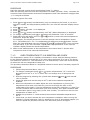
USER and TECHNICAL MANUAL KANMED WARMING CABINET Page 7 of 16 PROCEDURE Place the external control sensor as described under 7.1 above. Start the warming and wait until the temperature is stable (at least 1 hour). Compare the external control thermometer with the set temperature and if the deviation is bigger than +/-1C adjust as follows. Regulator type No 700-0821 1. Press and exactly simultaneously (only one beep may be heard, if you don’t succeed- repeat) and keep buttons pressed for 5 sec until the indicator display shows “PA”. 2. Press one time. 3. Press within 15s until -19 is displayed. 4. Press one time. 5. Press and exactly simultaneously until “SP” (Select Parameter) is displayed 6. To change a parameter press or button till parameter “CA1” is received. 7. Press SET once and within 2 sec on or button to enter the noted temperature difference. Press SET again For example: The display shows 50C but the external control temperature shows 47C. The difference is -3C. To compensate this difference press button 3 times. Store the new calibrated value by pressing and simultaneously (only one beep may be heard, if you don’t succeed- repeat) and keep pressed for 5 sec until the indicator display shows the actual temperature. 8. Make a new measurement of the temperature and control that T1 shown value compares to that of the external thermometer. 7.1.2 OVER TEMPERATURE T2 CALIBRATION AND CHECK The temperature sensor T2 is a capillary thermostat in series with the heating element. In the Kanmed Cabinet its hysteretic is 4C max. When delivered T2 is set to 5C above the maximum value of T1. The activation of T2 is identified by a clear click sound as well as when the red over temperature lamp is lit The procedure described below is a simplified method to check and if necessary adjust T2 PROCEDURE 1. Follow the procedure above, step 1-5. 2. To change a parameter press or button till parameter “r2” is received. Normally set to 42˚C or 70˚C. Press “set” and change it to 47 and press set again. 3. Exit the program by pressing the up and down buttons and until normal view is present. 4. Press Set again and set the temp to 47˚C and let the Cabinet temperature stabilise. 5. When the temperature is stable adjust the over temperature by turning T2's adjustment screw with a screwdriver (you find it through the hole on the underneath of the shelf). Turn the adjustment screw fully clockwise (+). Now Turn counter clockwise back to activation (one click sounds), turn again clockwise past the activation point in tiny steps (a new click sounds). You have now set the over temperature to about 47˚C. 6. Repeat the procedure 1-3 and set back the maximal selectable temperature to 42˚C. 7. Check that you don’t activate the over temperature indication when running the Cabinet in normal operation (with T1 prepared on 42C) If this should happen you have to repeat the procedure and set T2:s activation point a bit higher.