1
NOS MINI 2 STAGE PROGRESSIVE CONTROLLER
P/N 15974NOS
Progressive, Staged Nitrous Oxide Injection
FEATURES:
The NOS progressive controller is a 2 stage digital nitrous controller. It combines a TPS sensing switch, two RPM window
switches, and two progressive timers all into one unit. The ramp time programming (RAMP TIME) is adjustable up to 10
seconds, allowing the user to control the time until the nitrous ramps up or down to the desired final programmed delivery rate.
The integrated wide-open-throttle detection allows the user to wire the box up to their throttle position sensor, and detect when
the vehicle achieves full throttle.
The other features of the NOS 2 STAGE PROGRESSIVE CONTROLLER are the ability to set a ramp percentage rate at the
start and end of the nitrous ramp for the vehicle. This allows the user to tailor the nitrous delivery to their vehicle’s needs
(START % & END %). The CONTROL OUTPUT DELAY TIME feature sets the amount of time until control output #1 or #2 is
turned on.
FUNCTIONS & USES:
A progressive, 2 stage nitrous system works by cycling each set of solenoids for a user defined start time, cycle time, and
duration. This NOS 2 stage PROGRESSIVE CONTROLLER allows the user to drive the solenoids at different times, to tailor
power delivery to the engine as needed. The user can choose to utilize a window switch (rpm), a throttle position switch (TPS),
and or a throttle microswitch to trigger the controller.
When the user sets up the controller or chooses the trigger mechanism, they can utilize the time delay option to trigger the first
or second stage of nitrous when it is most needed. This could be after the vehicle has launched (low traction, first stage), and
then has traction later on in the run (second stage).
OPERATION:
The NOS 2 stage PROGRESSIVE CONTROLLER is actually 2 fully independent nitrous controllers, each with its own
integrated throttle-position activation switch (TPAS) and an RPM-activated window switch (RPMWS). The window switch
accepts most tach signals, including low-voltage and irregular signals, such as those found on many V-10s. Each channel will
drive 1 set of fuel and nitrous solenoids progressively. The TPAS accepts all analog throttle-position sensor signals as well as a
“hot” or “grounded” wide-open-throttle (WOT) switch.
Both channels have their own programmable parameters, as well as their own control output for triggering extra functions, such
as ignition retard. Each channel’s internal TPAS can be configured to prevent it from activating, unless you are at WOT.
Solenoid pulse frequency is also adjustable to allow the use of different types of solenoids.
The RPM WINDOW SWITCH requires 9-18 volts to operate correctly. The solenoid control lines switch ground and have a
maximum current rating of 40 amps per channel. When activated (ON), the control outputs switch ground for loads up to a
maximum current rating of 1 amp.
NOTE: CH 1 & CH 2 trigger input wires can be used together or separate on the TPS sensor.
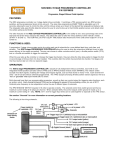
The following is the wiring schematic. See section “tach setup” for more information on the tach input wire.
Switched 12V
from Arming
Switch
TESTING THE THROTTLE POSITION SENSOR:
A properly adjusted and functioning throttle position sensor is essential to the proper operation of the NOS Mini Progressive
Controller. The TPS is a precision electrical component that acts as a variable resistor. The ECU provides a reference voltage
to the TPS. As the resistance varies with the throttle angle, the TPS provides a return signal to the ECU.
1.
Locate the vehicle’s TPS sensor, and the associated wires that attach to it.
2.
Connect the positive (+) lead of a digital voltmeter set to measure DC voltage to the TPS signal wire (there are 3 wires on
the TPS) leading to the TPS and the negative (-) lead of the voltmeter to a good chassis ground.
3.
Turn the ignition key to the “on” position.
4.
Using the positive lead of the voltmeter, probe the wires that connect to the TPS sensor. One wire will have a constant 5
volt signal to it (reference), the other wire will be a ground wire, and the remaining wire will be the signal wire.
5.
When the “signal” wire is located, note the voltage that is output with the throttle closed. This value will typically be 1 volt or
less, depending on the application.
6.
Slowly open the throttle and observe the voltmeter’s readout. The voltage should increase smoothly from the closed throttle
voltage to 4.0 to 5.0 volts at wide-open throttle.
7.
Remove the voltmeter wires from the TPS connector.
8.
Connect the provided connector onto the wire that has a 0 to 5 volt output.
NOTE: Some vehicles may have a “falling” voltage signal output. If this is the case, make sure you use setting 0 2
when setting the TPAS mode (See Configuration Step 8).
RUN MODE: This mode indicates the status of the Mini Controller
The LEDs (A.B.C.) will show the unit’s status:
r r
indicates the unit is ready, but untriggered
12
indicates the unit is triggered (1=ch1 & 2=ch2)
PP
indicates that the unit is in ramp pause mode and is currently paused
- indicates that the unit has timed out (30 seconds)
Switch 1 - resets the controller
Switch 2 - displays RPM
Switch #1
Switch #2
PROGRAMMING THE MINI PROGRESSIVE CONTROLLER:
Switch #1 - toggles through the configuration menu. As you toggle through the configuration menu, the stored value will be
displayed. Use this switch to toggle to the next step in programming mode (Press switch #1 2 times).
Switch #2 - increments the flashing value that was selected by switch #1.
LED A.B.C - displays the configuration step number and its setting
A = this is the step being programmed
B C = value for the current configuration step
A B C
To enter the programming mode:
Press and hold both switches until “Pro” is displayed. Now release the switches and the unit will automatically go to the first
configuration step.
STEP F. SOLENOID FREQUENCY (Hz)
B C is the frequency that the solenoids are driven at (NOS recommends a default setting of 15 Hz
for our solenoids).
STEP C. RPM SIGNAL SET-UP – (This mode sets up the controller to work with the style of ignition system that your
vehicle uses. A brief description of each setting and its application is included after each option).
B C is the number of cylinders. This setting is used by the RPM WS to calculate the correct RPM.
0 0 = individual coil per cylinder systems where the ground trigger wire is connected to the coil.
Connect wire to the ground trigger on coil. (ex: the GM LS1 engine, 4.6 liter Ford Mustang, or
the Vortec 5.3 liter)
0 1 = coil packs that fire in pairs [waste spark systems]. Connect to ground trigger on coil. (ex: the Mitsubishi
Eclipse Turbo, Buick Grand National, or a wastespark/ dual outlet coil pack)
2
0 2 - 1 2 = For 2 to 12 cylinder engines, when the tach wire is connected to the tach from the engine electronic
controller or distributor (ex: a cd ignition system or a conventional coil / distributor setup) (This would be the 12v square
wave tach output on a MSD box or a GM HEI).
NOTE: The controller’s RPM signal input can be connected directly to the negative side of a coil on a “points” style
ignition.
NOTE: Refer to the factory service manual to specify what style ignition system the vehicle has and for proper
wire connection.
STEP P. RAMP PAUSE MODE – (This mode will allow the NOS 2 Stage PROGRESSIVE CONTROLLER to either reset or
resume the progressive nitrous ramp, that has been programmed into it. In reset mode, the ramp will start over from
the beginning when the trigger has been deactivated and reapplied. In resume mode, once the trigger is deactivated
and reapplied, the ramp will return to the last point that the system was active and continue the ramp from that point.
NOTE: The NOS 2 stage Progressive Controller has a built-in 30 second time out. This means that after a total of 30 seconds
of activation, the controller resets itself. This allows ample time for dyno runs or dragstrip runs to occur, without the controller
shutting off prematurely.
NOTE: If the system has completed the ramp and has not reached the 30 second time out, the user can reset the
controller by pressing the left (#1) button and the display should then return to (r r)
NOTE: This can only, and should only, need to be done when the controller is in Resume Ramp Mode!
B C determines if the ramp is restarted or resumed when the trigger is reapplied.
0 0 = unit is in reset ramp mode (restarts with loss of trigger – starts over)
0 1 = unit is in resume ramp mode (resumes back to where it was when trigger was lost –
Has to be reset before the next run, only if the system has not timed out).
Display shows "CHX" for 1 second to indicate which channel is being programmed
1. ACTIVATION RPM
B C = RPM where system is activated 23 = 2300 RPM (default setting is 30 or 3000 rpm)
NOTE: This setting can range from a minimum of any RPM greater than 0 rpm (3000 rpm recommended) up to a
maximum of 9900 rpm.
2. DEACTIVATION RPM
B C = RPM where system is deactivated 99 = 9900 RPM (default setting is 59 or 5900 rpm)
NOTE: This setting should be set to 200 RPM below engine rev limiter (maximum of 9900 rpm).
NOTE: To deactivate the RPM window switch function, set the activation RPM to (.00) and the deactivation RPM
to (.99). The tach input wire (green) must also be connected to a chassis ground.
3. DELAY TIME
B C = time in seconds (x.x) that the controller delays nitrous activation after trigger is applied.
The setting shown represents 2.0 seconds of delay, before the nitrous ramp begins.
NOTE: 0 seconds is the minimum delay and 9.9 seconds is the maximum delay time that the controller allows to
activate. This can be used to tailor power delivery to activate when the power can be used most effectively (i.e.,
delay the nitrous until after launching etc.)
4. START %
B C = ramp start percentage % of initial nitrous activation (00 to 99, 99 being max %)
NOTE: This controls how much nitrous the engine receives at the beginning of the ramp.
NOTE: The start % can be more or less than the end %.
5. RAMP TIME
B C = time in seconds that the ramp builds to the END %
The setting shown represents 5.0 seconds total that each nitrous ramp takes to build to the end %.
NOTE: Minimum time is 0 seconds, which will allow for the strongest, most immediate nitrous activation
Maximum time is 9.9 seconds, which will allow for the softest, most delayed nitrous activation.
3
6. END %
B C = system percentage at the end of the ramp (00 to 99)
NOTE: (99% is full %)
NOTE: The end % can be greater or less than the start %.
7. CONTROL OUTPUT DELAY TIME
B C = time in seconds that the controller waits before turning on control output #1 or #2
NOTE: This output is useful when using a timing retard, activation switch, or any other
switch requiring a ground input (not a 12V).
8. TPAS MODE
B C = throttle position activation switch mode
0 0 = “grounded” WOT switch (requires a ground input to activate controller)
NOTE: 0 0 is commonly used with a WOT microswitch.
0 1 = “hot” WOT switch
NOTE: 0 1 is used when activation is desired above a fixed 3.75 volt lever. This can be used on a 12V
microswitch or TPS application.
0 2 = TPS signal – channel # is active at 90% of WOT (see step 9) –
NOTE: Option 0 2 should be the default setting for most TPS sensor equipped, electronic fuel injection
cars (continue to step 9).
0 3 = turns this feature off if you do not wish to utilize the WOT (wide-open throttle) switch feature
9. TPS SETTING
NOTE: only applies if Step 8 is configured as 0 2
B.C = WOT voltage
While at IDLE, press switch #2 to read and display the TPS signal. Momentarily press the accelerator pedal completely
to the floor and release, to reach 100% throttle – the unit only needs to see WOT for a fraction of a second. Now press
switch #1 to save the displayed value. (You do not have to be at WOT when you press switch #1 to save.) Engine does
not have to be running, but ignition must be ON! (This may or may not work on ALL drive-by-wire vehicles.)
NOTE: On drive-by wire vehicles, remove the air inlet plumbing and have someone engage the throttle to 100%. If the throttle
plate opens fully and the TPS output on the display shows a corresponding high voltage (ex. 4.5 volts or higher), the controller
should work correctly (if it’s a “falling” voltage, you should see approximately one volt at WOT).
If you just completed channel #1 set-up, you will now be prompted to set up channel #2. (Repeat steps 1-7 for channel #2) or
toggle through the channel #2 setup until you see End which indicates that the programming is complete. If at any point you
see Err, a programming error has occurred. Turn the power off, back on, and try again.
NOTE: The user must continue through the setup for stage 1 and stage 2 until they see END. If the power is shut off or the
system reset in any way, the changes will not be saved.
NOS TECHNICAL SUPPORT
Toll-Free: 1-866-GOHOLLEY
Phone: 1-270-781-9741
Fax: 1-270-781-9772
For online help, please refer to the Tech Service section of our website: www.holley.com
15974NOS
Date: 2-3-06
4