1
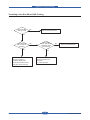
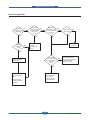
Alignment & Troubleshooting
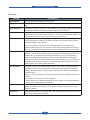
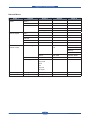
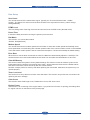
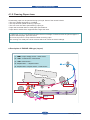
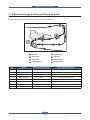
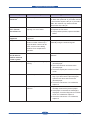
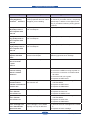
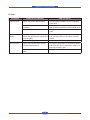
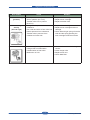
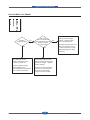
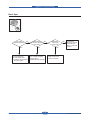
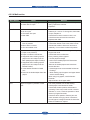
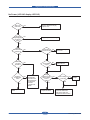
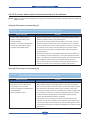
■ Description of ENGINE JAM type (Simplex)
Type
Case
Jam Removal
Jam Layout
FEED SENSOR
FEED SENSOR
Jam 0
Jam 1
Leading edge of media does
not arrive at registration within a
certain time after pick-up(If fails
at a time,it tries pick-up again)
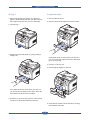
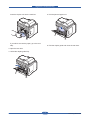
1. Pull out cassette
2. Remove jammed paper
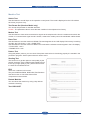
Leading edge of media does not
arrive at Exit Sensor within a
certain time after registration
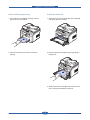
1. Open front cover
2. Pull out toner cartridge
3. Remove jammed paper
FEED SENSOR
FEED SENSOR
SCAN SENSOR
EXIT SENSOR
FEED SENSOR
SCAN SENSOR
EXIT SENSOR
FEED SENSOR
SCAN SENSOR
EXIT SENSOR
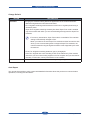
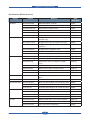
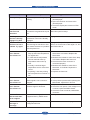
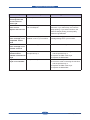
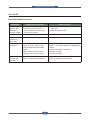
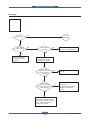
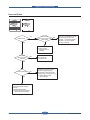
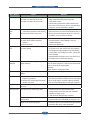
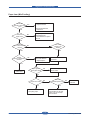
Jam 2
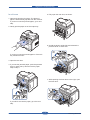
1. Open rear cover
Trailing edge of media does not 2. Pull down jam lever on fuser
leave Exit Sensor within a certain
unit and open fuser cover)
time after touching registration
3. Remove jammed paper from
exit
EXIT SENSOR
EXIT SENSOR
EXIT SENSOR
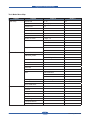
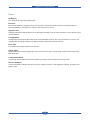
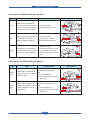
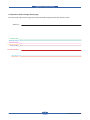
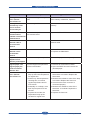
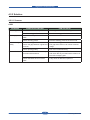
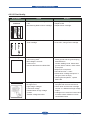
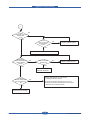
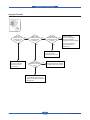
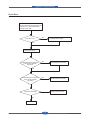
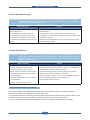
■ Description of ENGINE JAM type (Duplex)
Type
Duplex
Jam 1
Duplex
Jam 0
Case
Jam Removal
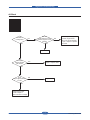
1. Open rear cover
2. Remove jammed paper
Trailing edge of media leaves
OR
Exit Sensor, and does not arrive
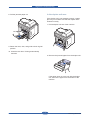
1. Pull out duplex unit
at Duplex Sensor
2. Remove jammed paper from
duplex unit
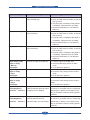
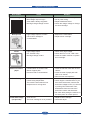
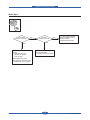
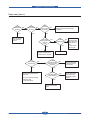
Leading edge of media does
not arrive at registration within
a certain time after touching
Duplex Sensor
1. Open rear cover
2. Remove jammed paper
OR
1. Pull out duplex unit
2. Remove jammed paper from
duplex unit
Jam Layout
EXIT SENSOR
DUPLEX SENSOR
EXIT SENSOR
DUPLEX SENSOR
FEED SENSOR
DUPLEX SENSOR
FEED SENSOR
DUPLEX SENSOR
Service Manual
4-29
Samsung Electronics