1
142
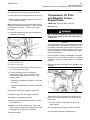
Maintenance Section
Hydraulic System Oil Filter (Gear Pump and Case Drain) - Replace
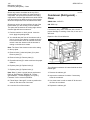
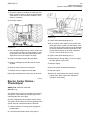
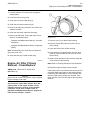
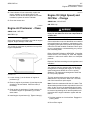
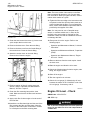
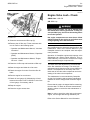
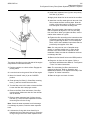
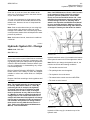
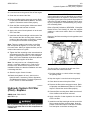
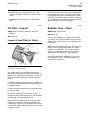
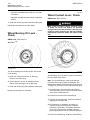
1. Clean the hydraulic oil filler cap.
2. The hydraulic oil filler cap is a locking cap. If a
padlock is on the cap, remove the padlock. Raise
lever (4) in order to engage the lug.
SEBU7857-04
16. Check the hydraulic oil level. The oil level should
be above the “ADD” level in the sight gauge. Add
oil, if necessary.
3. Turn the hydraulic oil filler cap counterclockwise in
order to remove the cap. Slowly remove the cap in
order to relieve pressure in the hydraulic tank.
Note: The oil must be free from bubbles. If there are
bubbles in the oil, then air is entering the hydraulic
system. Inspect the suction hoses and the clamps. If
necessary, tighten any loose clamps and any loose
connections. Replace any damaged hoses.
4. Slowly remove hydraulic tank drain plug (2).
17. Stop the engine.
5. Open hydraulic tank drain valve (1). Allow the oil
to drain into a suitable container.
6. Change the hydraulic system filters. Refer to the
following topics that apply to your machine:
• Operation and Maintenance Manual, “Hydraulic
System Oil Filter (Gear Pump and Case Drain)
- Replace”
• Operation and Maintenance Manual, “Hydraulic
System Oil Filter (Pilot) - Replace”
• Operation and Maintenance Manual, “Hydraulic
System Oil Filter - Replace”
7. Close the hydraulic tank drain valve.
8. Clean the hydraulic tank drain plug. Install the
hydraulic tank drain plug.
i02503059
Hydraulic System Oil Filter
(Gear Pump and Case Drain) Replace
SMCS Code: 5068-510; 5091-510
S/N: DBY1-Up
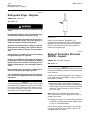
NOTICE
Care must be taken to ensure that fluids are contained
during performance of inspection, maintenance, testing, adjusting and repair of the product. Be prepared to
collect the fluid with suitable containers before opening any compartment or disassembling any component containing fluids.
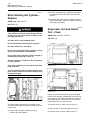
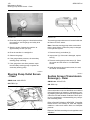
9. A screen is located under hydraulic oil filler cap
(3). Remove the screen.
Refer to Special Publication, NENG2500, “Caterpillar
Dealer Service Tool Catalog” for tools and supplies
suitable to collect and contain fluids on Caterpillar
products.
10. Wash the screen in clean, nonflammable solvent.
Inspect the screen for damage. If the screen is
damaged, replace the screen.
Dispose of all fluids according to local regulations and
mandates.
11. Install the screen.
12. Fill the hydraulic tank to the proper level. Refer
to the following topics:
• Operation and Maintenance Manual, “Lubricant
Viscosities”
• Operation and Maintenance Manual, “Capacities
(Refill)”
• Operation and Maintenance Manual, “Hydraulic
System Oil Level - Check”
13. Inspect the cap seal for damage. If the seal is
damaged, replace the seal.
14. Install the hydraulic oil filler cap.
15. Start the machine. Run the machine at a low idle.
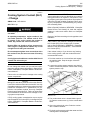
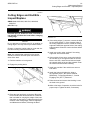
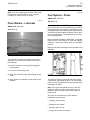
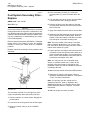
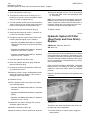
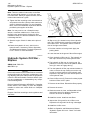
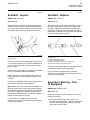
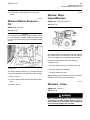
Illustration 171
g00669655
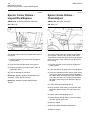
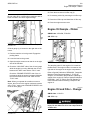
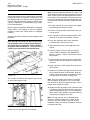
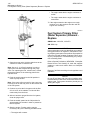
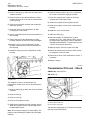
The filter for the gear pump and the case drain is on
the right side of the transmission.
1. Park the machine on a level surface. Apply the
parking brake.