1
U585
CAN OBDII/VW AUDI
Safety Precautions
To avoid personal injury, instrument damage and/or damage to your
vehicle; do not use the U585 before reading this manual.
This manual describes common test procedures used by experienced
service technicians. Many test procedures require precautions to avoid
accidents that can result in personal injury, and/or damage to your vehicle
or test equipment. Always read your vehicle's service manual and follow its
safety precautions before and during any test or service procedure.
ALWAYS observe the following general safety precautions:
z When an engine is running, it produces carbon monoxide, a toxic and
poisonous gas. To prevent serious injury or death from carbon
monoxide poisoning, operate the vehicle ONLY in a well-ventilated
area.
z To protect your eyes from propelled objects as well as hot or caustic
liquids, always wear approved safety eye protection.
z When an engine is running, many parts (such as the coolant fan,
pulleys, fan belt etc.) turn at high speed. To avoid serious injury,
always be aware of moving parts. Keep a safe distance from these
parts as well as other potentially moving objects.
z Engine parts become very hot when the engine is running. To prevent
severe burns, avoid contact with hot engine parts.
z Before starting an engine for testing or trouble-shooting, make sure
the parking brake is engaged. Put the transmission in park (for
automatic transmission) or neutral (for manual transmission). Block the
drive wheels with suitable blocks.
z Connecting or disconnecting test equipment when the ignition is ON
can damage test equipment and the vehicle's electronic components.
Turn the ignition OFF before connecting the U585 to or disconnecting
the U585 from the vehicle’s Data Link Connector (DLC).
z To prevent damage to the on-board computer when taking vehicle
electrical measurements, always use a digital multimeter with at least
10meg Ohms of impedance.
z Fuel and battery vapors are highly flammable. To prevent an explosion,
keep all sparks, heated items and open flames away from the battery
1
U585
z
CAN OBDII/VW AUDI
and fuel / fuel vapors. DO NOT SMOKE NEAR THE VEHICLE
DURING TESTING.
Don't wear loose clothing or jewelry when working on an engine.
Loose clothing can become caught in the fan, pulleys, belts, etc.
Jewelry is highly conductive, and can cause a severe burn if it makes
contact between a power source and ground.
Product Information
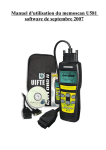
1. Tool Description
① LCD Display
128*64 pixel display with contrast adjustment, Backlit
② enter key
selects displayed
③ exit key
go back to the previous screens
④ up/down arrows
moves the selection pointer and scrolls up or down.
⑤ LEFT/RIGHT arrows
Select responses and moves cursor.
⑥ Power button
⑦ OBDII connector cable, connect car and the scan tool
⑧ Battery compartment
2
U585
CAN OBDII/VW AUDI
2. Product Specifications
y Display
Backlit LCD,128*64 pixel display.
y Operating Temperature
y Internal Power
y External Power:
0 to 50℃ (﹣32 to 122℉)
9v Cell
10.0 to 15.5 vols provided via vehicle battery
y Dimensions:
195mm Length(7.76”)
81mm Width(3.16”)
32mm Height(1.27”)
OBDII connector , 1500mm(59.99”)
3. Product Features
Works on all 1996 and newer cars & light trucks that are OBD II
compliant (including the VPW, PWM, ISO, KWP 2000 and CAN
protocols)
Reads and clears generic and manufacturer specific Diagnostic
Trouble Codes (DTCs)
Reading Freeze Frame Data
Testing I/M Reading Status
Reading vehicle info
Rescanning Data
Works on all VW, AUDI, SKODA, and SEAT vehicles,and so on.
3
U585
CAN OBDII/VW AUDI
About U585 for CAN OBDII
1. General OBD-II Information
1.1What is OBD-II?
OBD-II stands for On-Board Diagnostics, II generation. It is a set of
documents issued by SAE and ISO, which describe the interchange of
digital information between on-board emission-related Electronic
Control Units (ECUs) of road vehicles and an OBD-II scan tool. OBD-II
also commonly refers to the physical on-board diagnostic system of a
vehicle, which consists of an ECU (or multiple ECUs), Malfunction
Indicator Light(MIL), Diagnostic Link Connector (DLC), and the wiring
that connect the different elements.
1.2 How do I know whether my car is OBD-II compliant?
There are several ways.
1996 or newer model year vehicle sold in the United States
United States legislation requires all cars and light trucks model year
(MY) 1996 and newer to be OBD-II compliant. More information is
available on the EPA's website.
2001 or newer model year gasoline vehicle sold in the European
Union
Commission Directive 70/220/EEC, Annex I:
Vehicles with positive-ignition engines
With effect from 1 January 2000 for new types and from 1 January
2001 for all types, vehicles of category M1, except vehicles the
maximum mass of which exceeds 2500 kg, and vehicles of category
N1 class I, must be fitted with an on-board diagnostic (OBD) system
for emission control in accordance with Annex XI. [...]
Note that here "European Union" means countries which were
members of the EU in 2000.
2004 or newer model year diesel vehicle sold in the European
Union
Commission Directive 70/220/EEC, Annex I:
Vehicles with compression-ignition engines
Vehicles of category M1, except
- vehicles designed to carry more than six occupants including the
driver,
- vehicles whose maximum mass exceeds 2500 kg,
4
U585
CAN OBDII/VW AUDI
from 1 January 2003 for new types and from 1 January 2004 for all
types, must be fitted with an on-board diagnostic (OBD) system for
emission control in accordance with Annex XI.
Note that here "European Union" means countries which were
members of the EU in 2003.
Other vehicles
If your vehicle does not fall into any of the above categories, look
under the hood and try to locate a label (Fig. 1) that explicitly states
that the vehicle was designed to comply with OBD-II legislation.
Fig. 1 - Vehicle Emission Control Information Label
In this case, OBD-II is used as a general term and can mean any of the
following:
OBD II (California ARB)
EOBD (European OBD)
JOBD (Japanese OBD)
You may also consult your vehicle's owner's manual and perhaps
contact your local dealer. However, be aware of the fact that many
dealers do not know the difference between OBD and OBD-II.
If the vehicle is not OBD-II compliant, you cannot use a generic OBD-II
scan tool such as U480 to obtain diagnostic information from your
vehicle.
But my car has the 16-pin OBD connector, shouldn't it be OBD-II
compliant?
No, not necessarily. A lot of European and Asian manufacturers
equipped their vehicles with D-shaped 16-pin connectors long before
they began installing OBD-II systems on those vehicles. One curious
thing to note here is the fact that most non-EOBD compliant vehicles
had a DLC that does not fully conform to SAE J1979. Compare figures
2 and 3, and notice the "ears" on the non-EOBD compliant Ford
Focus.
5
U585
CAN OBDII/VW AUDI
Fig. 2 - Ford Escort DLC
(courtesy of DigitalFriction, UK)
Fig. 3 - J1962 Vehicle Connector,
Type A (courtesy of SAE)
1.3 Which OBD-II protocol is supported by my vehicle?
All cars and light trucks built for sale in the United States after 1996 are
required to be OBD-II compliant. The European Union OBD legislation
is somewhat more complicated.
An OBD-II compliant vehicle can use any of the five communication
protocols: J1850 PWM, J1850 VPW, ISO9141-2, ISO14230-4 (also
known as Keyword Protocol 2000), and more recently,
ISO15765-4/SAE J2480 (a "flavor" of CAN). US car manufacturers
were not allowed to use CAN until model year 2003.
There are two types of diagnostic link connectors (DLCs) defined by
SAE J1962 - Type A and Type B, shown in Figures 2 and 3,
respectively. The main difference between the two connectors is in the
shape of the alignment tab.
Location - According to J1962,Type A DLC "shall be located in the
passenger or driver's compartment in the area bounded by the driver's
end of the instrument panel to 300 mm (~1 ft) beyond the vehicle
centerline, attached to the instrument panel and easy to access from
the driver's seat. The preferred location is between the steering
column and the vehicle centerline."
Fig. 1 - J1962 Vehicle Connector, Type A
(courtesy of SAE)
6
U585
CAN OBDII/VW AUDI
Type B DLC "shall be located in the passenger or driver's compartment
in the area bounded by the driver's end of the instrument panel,
including the outer side, and an imagined line 750 mm (~2.5 ft) beyond
the vehicle centerline. It shall be attached to the instrument panel and
easy to access from the driver's seat or from the Co-drivers seat or
from the outside. The vehicle connector shall be mounted to facilitate
mating and unmating."
Fig.2 - J1962 Vehicle Connector, Type B
(courtesy of SAE)
As a general rule, you can determine which protocol your vehicle is
using by looking at the pinout of the DLC:
Fig. 3
7
U585
CAN OBDII/VW AUDI
The following table explains how to determine the protocol:
Pin 2
Pin 6
Pin 7
must have
Pin 10
Pin 14
Pin 15
must have
Standard
J1850 PWM
must have
J1850 VPW
must have
may have*
must have
must have
ISO9141/14230
ISO15765 (CAN)
*Pin 15 (also called the "L-line") is optional in newer vehicles that use the
ISO9141-2 or ISO14230-4 protocols.
In addition to pins 2, 7, 10, and 15, the connector should have pins 4
(Chassis Ground), 5 (Signal Ground), and 16 (Battery Positive). This
means that:
PWM
VPW
ISO
CAN
The connector must have pins 2, 4, 5, 10, and 16
The connector must have pins 2, 4, 5, and 16, but not 10.
The connector must have pins 4, 5, 7, and 16. Pin 15 may or may not be present.
The connector must have pins 4, 5, 6, 14, and 16.
2. Operating Instructions
2.1 start Memoscan:
1. Turn the ignition off
2. Locate the 16-pin Data Link Connector (DTC), and plug into the
cable connector to the DLC.
3. Press “button power”, Wait for the LCD display
8
U585
CAN OBDII/VW AUDI
4. select “CAN OBD SYSTEM”
5. Turn the ignition on. Needn’t start the engine . and press any key
2.2 Read codes:
1. the trouble codes function read DTCs from the vehicle's computer
modules there tow types of codes, Malfunction Indicator Lamp(MIL)
Codes and pending codes.
MIL Codes: These codes cause the computer to illuminate the MIL
when an emission related or driveability fault occurs. The MIL is also
known as the “service Engine Soon” or “Check Engine Lamp”. MIL
codes remain in the vehicle’s memory until the fault is repaired.
2.Pending Codes: These codes are also referred as “continuous monitor”
and “maturing codes”. An intermittent fault will cause the computer to
store a code in memory. If the fault does not occur within 40 warm-up
cycles, the code will be cleared from memory.If the fault occurs a
specific number of times,the code will mature into a DTC and the MIL
will turn on.
3.Select Trouble codes and press ENTER, The U585 retrives the DTCs
stored in the vehicle's computer modules.
9
U585
▲
▲
CAN OBDII/VW AUDI
if there are no trouble codes, it will display “NO CODES ARE FOUND”
If there are any trouble codes, all information will be reported on the
display
2.3 Erase codes
Select Erase Codes and press the ENTER key.
a message appears asking if you are sure. Press the LEFT/RIGHT arrow
keys to move the brackets to the desired response and press ENTER
.
10
U585
CAN OBDII/VW AUDI
2.4 Live data
1.Display the live data,
2. All live data are reported on the display
11
U585
CAN OBDII/VW AUDI
2.5 Freeze Frame
1. when an emission-related fault occurs, certain vehicle conditions are
recorded by the on-board computer. this information is referred to as a
freeze.
Frame data.this data can be overwriten by faults with a higher priority.
2. if codes were erased, the freeze frame data may not be stored in
vehicle memory.
Select Freeze Frame from the menu and press ENTER
3. All Freeze Frame data are reported on the display
2.6 IM Status
1. select I/M Status and press ENTER
12
U585
CAN OBDII/VW AUDI
2. using the UP/DOWN arrows to view status of the following monitors.
Abbreviated Name
-Misfire Monitor
-FUEL System Mon
-Com Component
-Catalyst Mon
-Htd Catalyst
-Evap System Mon
-Sec Air System
-A/C Refrig Mon
-OXYGEN Sens Mon
Oxygen Sens HTR
-EGR System Mon
Monitor
Expanded Name
Misfire monitor
Fuel System Monitor
Comprehensive Components Monitor
Catalyst Monitor
Heated Catalyst Monitor
Evaporative System Monitor
Secondary Air System Monitor
Air Conditioning Refrigerant Monitor
Oxygen Sensor Monitor
Oxygen Heater Sensor Monitor
Exhaust Gas Recirculation System
2.7 Vehicle info
1. Select “Vehicle info” from the main menu,press the “ENTER” button.
13
U585
CAN OBDII/VW AUDI
2. Use the SCROLL button to view additional digits of the 17-digit string.
3. If the vehicle does not support this mode, a message will show " the
selected mode is not supported!"
2.8 Rescan Data
Select "Rescan Data" from the main Menu, and press the "ENTER"
button. U585 will Retest you car
2.9 Battery
1. Open the battery compartment and install the battery.
2. When U585 connect with the car, the batter power on automatically,
after completing the testing, pull out the OBDII connector cable from
your car, the U585 still power on, U585 keep the trouble codes. You
can read it anytime anywhere. Press Enter key to turn it off ( press 6
seconds)
Attention: if the battery power is not enough, the U585 will emit some
noise (Piiiiiiii), please to replace the old battery.
14
U585
CAN OBDII/VW AUDI
About U585 for VW/AUDI
1. Applications
U585 is a powerful, affordable handy scanner designed for all VW, AUDI,
SKODA, and SEAT vehicles. It is small in size, robust in design,
competitive in price and easy to use. With only 10% of the cost of a large
special tool, it can nearly do the same work as that of a VAG1551/1552.
This is a stand alone unit; it does not need a laptop computer to operate.
2. Available Functions
z
z
z
z
z
z
z
z
z
z
z
z
z
Control Unit Information
Read Fault Codes
Measuring Blocks
Clear Fault Codes
Basic Setting
Adaptation
Single Reading
Output Tests
Code Module
Login
Service Oil Reset
Code Modes
Dealership Code Set
3. Supported Systems
U585 can support the following systems:
z Engine
z Transmission
z Airbag, etc. there are 78 systems available.
4. Main Features
z
z
z
z
z
Low price: the price is only about 10% of that for a large special tool
Powerful functions: it can nearly do the same work as that of a
VAG1551/1552
Powered via diagnostic connector, no additional power is needed
Plug and play, ease to use
High reliable and accurate
15
U585
CAN OBDII/VW AUDI
Operation Instructions
1. Preparation for Testing
The U585 aids in monitoring electronic and emissions-related faults in your
vehicle and retrieving fault codes related to malfunctions in these systems.
Mechanical problems such as low oil level or damaged hoses, wiring or
electrical connectors can cause poor engine performance and may also
cause a “false” fault code. Fix any known mechanical problems before
performing any test. See your vehicle’s service manual or a mechanic for
more information.
Check the following areas before starting any test:
z Check the engine oil, power steering fluid, transmission fluid (if
applicable), engine coolant and other fluids for proper levels. Top off
low fluid levels if needed.
z Make sure the air filter is clean and in good condition. Make sure all
air filter ducts are properly connected. Check the air filter ducts for
holes, rips or cracks.
z Make sure all engine belts are in good condition. Check for cracked,
torn, brittle, loose or missing belts.
z Make sure mechanical linkages to engine sensors (throttle, gearshift
position, transmission, etc.) are secure and properly connected. See
your vehicle’s service manual for locations.
z Check all rubber hoses (radiator) and steel hoses (vacuum/fuel) for
leaks, cracks, blockage or other damage. Make sure all hoses are
routed and connected properly.
z Make sure all spark plugs are clean and in good condition. Check for
damaged, loose, disconnected or missing spark plug wires.
z Make sure the battery terminals are clean and tight. Check for
corrosion or broken connections. Check for proper battery and
charging system voltages.
z Check all electrical wiring and harnesses for proper connection. Make
sure wire insulation is in good condition, and there are no bare wires.
z Make sure the engine is mechanically sound. If needed, perform a
compression check, engine vacuum check, timing check (if
applicable), etc.
16
U585
CAN OBDII/VW AUDI
2. Connect the U585 for VW/AUDI
2.1 Turn the ignition off.
2.2 Locate the vehicle's 16-pin Data Link Connector (DLC).
2.3 Connect the U585 cable connector to the vehicle’s DLC. Turn on the
ignition, Press [power button], The U585 will auto start, the following
screen will be displayed.
2.4 Wait a moment, the screen will auto display the main menu:
z
z
z
[Diagnosis system]: enter the control module selection menu.
[Specialfunction]: specialfunction.
[Contrast]: adjust the contrast.
3. Diagnosis system
Select [Diagnosis system] and then press [enter] key. The screen will
display the system selection menu as follow:
17
U585
CAN OBDII/VW AUDI
There are 78 systems available. Here let’s take [01. Engine Elec.] for
example. Select [01. Engine Elec.], and press [Enter] key. The screen will
display the following message:
After successful communication, the screen will display the ECU version
information as shown in the figure below:
press any key.
Select [01. READ ECU version], and press [Enter] key. The screen will
display the following message:
18
U585
CAN OBDII/VW AUDI
press [Esc] key, U585 will enter the function menu for engine electronics
system:
3. 1 READ ECU version
Select [01.READ ECU version] and then press [Enter] key. The screen will
display the control unit information:
3.2 Read Fault memory
Select [02. RD Fault memory] and then press [Enter] key. If the system has
fault code(s), the screen will display the fault code(s) and descriptions:
As seen on the top right corner, the front digit is the No. of the displayed
fault code, while latter digit is the number of total fault codes.
Press [down] key to read the next page, press [up] key for the previous
page.
19
U585
CAN OBDII/VW AUDI
3.3 ERASE Fault
Select [03. ERASE Fault] and then press [Enter] key. The fault codes will
be erased.
3.4 Basic Setting
Basic Settings mode is very similar to Measuring Blocks. The content of
each display group is the same. The difference between the functions is
that the Control Module may try to perform various calibrations while in
Basic Settings mode.
Warning!
You should refer to the Factory Repair Manual for your particular car
(or some other documented procedure) before "playing" with the
Basic Settings function. Failure to follow the proper procedures can
result in serious damage to the vehicle.
Select [04. Basic Setting] and then press [enter] key. The screen will be
displayed as shown below.
You should input the Channel Number first (from 0-255).
20
U585
CAN OBDII/VW AUDI
You can input the Channel Number with the [up], [down], [left],[right]and
[enter] key:
z [up] and [down] keys: increase or decrease the number.
z [left] and [right] keys: moves the cursor [---] and select the digit.
z [enter] key: confirm and enter.
For example, enter Channel number 001 and press [enter] key, the screen
will display the data stream for data block 001, as shown in the figure
below:
Notes:
Multiple Groups are not permitted in Basic Settings. The data
presented in each Basic Settings Group varies greatly from Control
Module to Control Module and between different models and years.
Some groups are documented in the Factory Repair Manuals, but
many are not.
3.5 READ Measuring value
Select [05. READ Measuring value] and then press [enter] key. The
screen will be displayed as shown below.
21
U585
CAN OBDII/VW AUDI
You should input the Channel Number first (from 0-255).
When the Block number is entered, press [enter]. The screen will be
displayed as shown in the figure:
Here you can press [down] key to switch to the next block, or press [up] to
return to the previous block.
3.6 READ indi. value
Select [06. READ indi. value] and then press [enter] key. The screen will
be displayed as shown below.
22
U585
CAN OBDII/VW AUDI
You should input the Channel Number first (from 0-255).
When the Block number is entered, press [enter]. The screen will be
displayed as shown in the figure:
3.7 Adaptation
The Adaptation function allows you to alter certain values and/or settings in
control modules that support it.
Select [07. Adaptation] and then press [enter] key. The screen will be
displayed as shown below.
You should input the Channel Number first (from 0-255).
23
U585
CAN OBDII/VW AUDI
When the Block number is entered, press [enter]. The screen will be
displayed as shown in the figure:
Here you can press [up] and [down] keys to adjust the adaptation value,
and then press [enter] key to save the adaptation value, or press [esc] key
to cancel the operation and return.
3. 8 Code Control unit
Select [08. Code Control unit] and then press [enter] key. The screen will
be displayed as shown below.
Input the Channel Number and press [enter] key, The screen will display
the control unit information:
3.9 FND Output
Select [09. FND Output] and then press [enter] key. The screen will be
displayed as shown below.
24
U585
CAN OBDII/VW AUDI
The U585 is testing the displayed actuator. Here you can press [up] key to
switch to the next actuator, or press [down] key to cancel the operation
and return.
3.10 Login procedure
The Login Function must be used on some (but not all) Control Modules
before you can Recode or change Adaptation values. On others, it
"enables" certain features like cruise control. Valid Login codes can be
found in the Factory Repair Manual for your car.
Select [10. Login procedure] and then press [enter] key. The screen will be
displayed as shown below.
Warning!
Make sure get the correct module code before performing this
function; otherwise the system may be destroyed.
4. Location of Data Link Connector
The OBD-II 16pin connector is as shown in the figure below. For Golf, it is
located on the right side of steering column; For Jetta, it is located in the left
driver room below instrument panel; For Santana, it is located in front of the
gearbox dust cover.
For more detailed information, please refer to the Repair Manual of your
vehicle.
25
U585
CAN OBDII/VW AUDI
The use of upgrading software
Correct installation of updated software is through com cable connecting
the com mouth of the computer. (You don’t need to open the power of the
memo scanner.)
1. visit website ww.memoscan.cn, download the software
2. Run UIF-ISP,. there will be the interface as follows
26
U585
CAN OBDII/VW AUDI
3.
Select the com port.
4.
Press “Open File” button, select the file for update(expand: .uif)
27
U585
5.
CAN OBDII/VW AUDI
Press “update”, open the power of memo scanner, there will be the
interface as follows. The Memo scanner is trying to connect with PC.
5-1. The blow interface will appear if the connection is success.
28
U585
CAN OBDII/VW AUDI
5-2. If the connection is fail, this time requests to close the power of memo
scanner and check whether the connection and the choice of COM
mouth are right or not.
6.
Connection succeed, upgrading starts.
29
U585
CAN OBDII/VW AUDI
6-1. If the below interface appears in the process of upgrading, that’s to say
the communications failures, this time requests to close the procedures
and re-run the programmer
7.
update successful
30
U585
CAN OBDII/VW AUDI
7-1. If the below interface appears, that’s to say the upgrading failure. This
time requests to close the power of memo scanner and back to step 1 to
re-upgrading .
Warranty and Servicing
1. One Year Warranty
1.U585 warrants to its customers that this product will be free of all
defects in materials and workmanship under normal use and
maintenance for a period of one (1) year from the date of the original
purchase.
2.This warranty does not apply to damages caused by improper use,
accident, abuse, lightning , or if the product was altered or repaired by
anyone other than the Manufacturer’s Service Center.
2. Service Procedures
If you have any questions, please contact our local store, distributor or
the Service Center
31