1
3-6
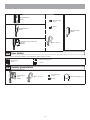
Bus control unit, 4-way video junction unit and power supply
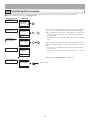
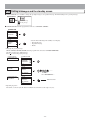
DIN rail mounting
The length of the connecting cable between the GT-BCX and GT-VBX is 40 cm. Therefore, mount them adjacently to each other.
1
2
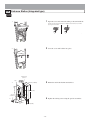
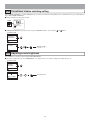
Mount the unit on the DIN rail. Click the unit into place.
When removing the unit, pull the lock release lever down.
* When the system does not operate properly, check the wiring.
Turn off the GT-BC and GT-VBC power switch and then turn the switch back on after four seconds.
This will reset the entire system.
GT-BC
GT-VBC
1
GT-4Z
GT-BCX
GT-VBX
1
DIN rail
DIN rail
1
DIN rail
DIN rail
DIN rail
ON
OFF
*
Power switch
2
Power on LED
2
2
Lock release lever
Lock release lever
Lock release lever
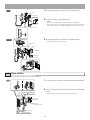
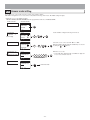
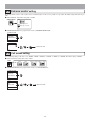
Direct mounting to wall surfaces
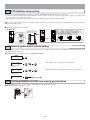
Use the wall mounting screws to mount the unit to a wall surface.
The GT-BCX and GT-VBX cannot be mounted directly to a wall surface.
GT-BC
GT-VBC
Screw hole
GT-4Z
Screw hole
Screw hole
Wall mounting screws
Wall mounting screws
PS-2420DIN
Screw hole
PS-2420
PS-2420S
PS-2420UL
1
Mounting bracket
1-gang box
83.5 mm
(3-5/16")
DIN rail
DIN rail
- 19 -