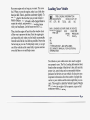
1
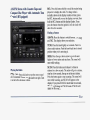
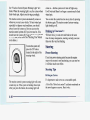
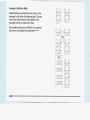
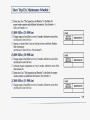
FWD (2):Press this buttonto advance quickly to
AM-FM: Press this buttonto play the radio when
another partof the tape. Press the button again to return a tape isin the player. The tape will stop but remain
in
to playing speed. The radio will play the last-selected the player.
station while the tape advances.
You may select stations
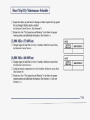
TAPE-CD: Press this button if you have a disc loaded
during FWD operation by using TUNE.
in the CD player and the radio is playing, to play a
PROG (3): Press this button to play the other
side of
compact disc. PressAM-FM to return to the radio when
the tape.
a compact discis playing. Press TAPE-CD to switch
are loaded.
between the tape and compact disc if both
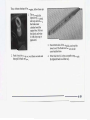
00 (4): Press this button to reduce background noise.
The inactive tape or CD will remain safely inside the
will appear onthe display.
Note that the double-D symbol
Dolby Noise Reductionis manufactured under a license radio for future listening. The display will show TP
from Dolby Laboratories Licensing Corporation. Dolby and CD.
and the double-D symbolare trademarks of Dolby
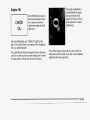
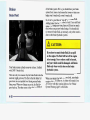
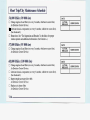
EJECT Press this button to remove the tape.
The radio
Laboratories Licensing Corporation.
will play. EJECT may be activated with either the
TONE: Press this button to select a tone while playing aignition or radio off. Cassettes may be loaded with the
radio and ignitionoff if this button is pressed first.
cassette. The tone will be automatically set whenever
you play a cassette tape.
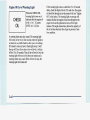
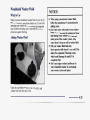
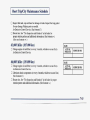
CLN: If this message appears on the display, the
SEEK: Press the up or down arrow to search
for the
cassette tape player needs be
to cleaned. It will still play
Your tape must
next or previous selection on the tape.
it as soon as possible to
tapes, but you should clean
have at least three seconds of silence between each
of
prevent damage to the tapes and player. See “Care
Your Cassette Tape Player” in
the Index. After you clean
selection for SEEK to work.
EJECT for five seconds to
the player, press and hold
SCAN: Press this button to listen to each selection
for a
reset the CLN indicator.
The radio will display--- to
few seconds.The tape will go tothe next selection, stop
for a few seconds, then go on
to the next selection. Press show the indicator was reset.
this button again to stop scanning. The sound will mute
while scanning, SCAN will appear the
on display and
the tape direction arrow will blink while scanning.
3-16