1
Analysis and Processing of Result
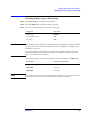
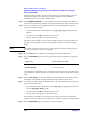
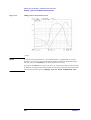
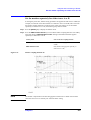
Reading the difference from the reference point on the screen (delta marker)
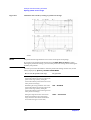
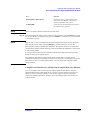
When you press the key, the current set value of the selected parameter indicating the delta
marker position is displayed in the Setting Parameter Value field in the upper left area of
the screen.
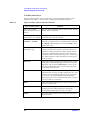
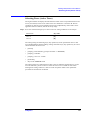
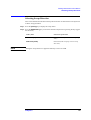
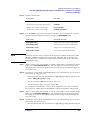
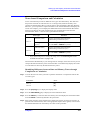
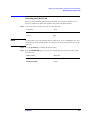
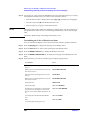
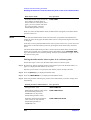
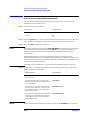
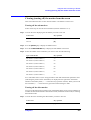
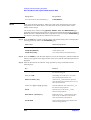
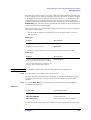
When the measurement parameter is COMPLEX Z-Y, there are two types of scalar
measurement parameters (primary measurement parameter and secondary measurement
parameter) for both trace A and trace B; therefore you set the measurement parameter
values of the delta marker with two keys: FIXED ∆MKR VALUE key and FIXED ∆MKR
AUX VALUE key. The definition of the primary measurement parameter and secondary
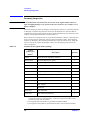
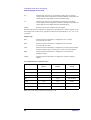
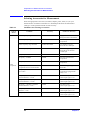
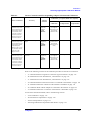
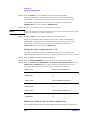
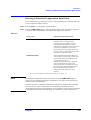
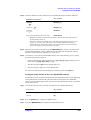
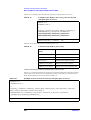
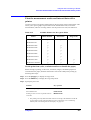
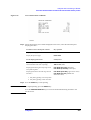
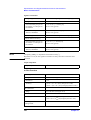
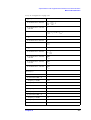
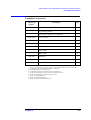
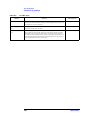
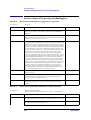
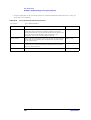
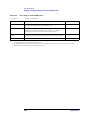
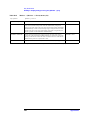
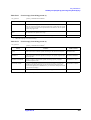
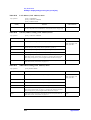
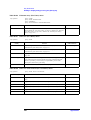
measurement parameter is shown in Table 8-1.
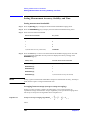
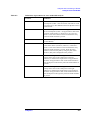
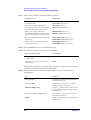
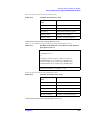
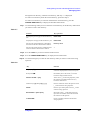
Table 8-1
NOTE
Definitions of primary and secondary parameters when measurement
parameter is COMPLEX Z-Y
Display format
Primary measurement
parameter
Secondary measurement
parameter
Complex plane
(COMPLEX)
Real part (R or G)
Imaginary part (X or B)
Polar coordinates
(POLAR)
Absolute value (|Z| or |Y|)
Phase (θZ or θY)
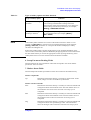
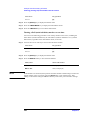
If you have selected the delta-marker-on-the-trace mode (∆MKR key) in “Placing the delta
marker on the reference point with the main marker” on page 217, you cannot set the
measurement parameter value (FIXED ∆MKR key) or secondary measurement parameter
value (FIXED ∆MKR AUX VALUE key).
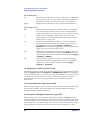
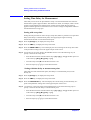
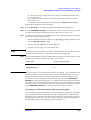
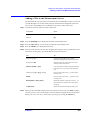
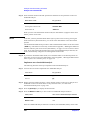
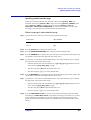
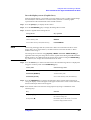
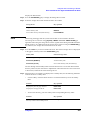
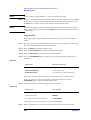
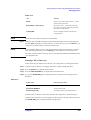
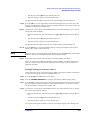
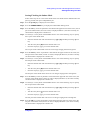
Step 5. Use the keys or rotary knob of the ENTRY block in one of the following ways to specify
the position parameter of the delta marker you have selected.
•
Enter the desired value with the numeric keys ([0] to [9] [.] and [-]) and then press one
of the unit keys ([G/n], [M/µ], [k/m], or [×1]).
•
Turn the rotary knob (❍) until the desired value is set.
•
Press the step keys ([↑][↓]) to set the desired value.
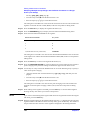
Step 6. Repeat Step 4 and Step 5 to move the delta marker to the reference point.
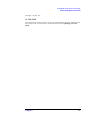
NOTE
You cannot use the automatic move (search) function of the delta marker alone to move to
a point on the trace such as the maximum value, minimum value, target value, peak, and so
on. To move the delta marker to one of these points, follow the step shown in “Placing the
delta marker on the reference point with the main marker” on page 217.
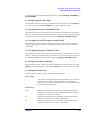
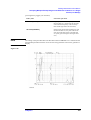
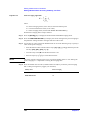
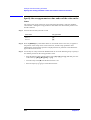
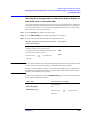
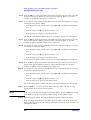
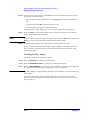
Displaying the main/sub-marker and reading the difference from the
reference point
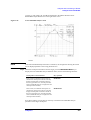
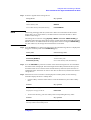
After placing the delta marker at the reference point by following “Placing the delta marker
on the reference point with the main marker” on page 217 or “Moving the delta marker
alone to place it at a reference point” on page 218, display the main marker or sub-marker
on the trace and move it to the desired location.
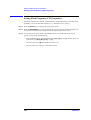
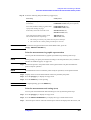
For how to move the main marker, refer to related topics including:
Chapter 8
219