1
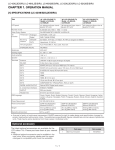
LC-32DH77E/RU/S
[2] OPERATION MANUAL
Remote control unit
1
2
(Standby/On)
Buttons for useful operations
(Teletext)
ATV: Display analogue teletext.
DTV: Select MHEG-5 and teletext for
DTV.
(Reveal hidden Teletext)
(Subtitle)
Switch subtitle languages on/off.
(Freeze/Hold)
Press to freeze a moving image on
the screen.
Teletext: Stop updating teletext
pages automatically or release the
hold mode.
(Subpage)
3
4
5
6
7
1
2
3
15
4
5
6
7
8
9
10
16
17
18
19
20
21
11
22
12
(Top/Bottom/Full)
13
Set the area of magnification in
14
teletext mode.
0-9 numeric buttons
Set the channel.
Enter desired numbers.
Set the page in teletext mode.
When the five Nordic countries
(Sweden, Norway, Finland,
Denmark, or Iceland) are selected
in the country setting from "Auto
Installation", DTV services are
four digits. When another country
is selected, DTV services are three
digits.
(Flashback)
Press to return to the previously
selected channel or external input.
DTV
Press to access digital TV mode.
ATV
Press to access conventional
analogue TV mode.
(Sound mode)
Select a sound multiplex mode
+/- (Volume)
Increase/decrease TV volume.
9
(Mute)
TV sound on/off.
(WIDE MODE)
10
Select a wide mode.
23
24
25
11 AV MODE
Select a video setting.
17 RADIO
DTV: Switch between Radio and
Data mode.
When only data broadcasting (no
radio broadcasting) is transmitted
by DVB, the radio broadcasting
will be skipped.
18 P. INFO
Press to display programme
information which is transmitted
through digital video broadcasting in
the upper left corner of the screen
(DTV only).
19 P /
Select the TV channel.
(Display information)
20
Press to display the station
information (channel number, signal,
etc.) in the upper right corner of the
screen.
21 ECO (Standard/Advanced/Off)
Select "Energy Save" setting.
22 MENU
"MENU" screen on/off.
23
(Return)
Return to the previous "MENU"
screen.
24 SLEEP
Press to schedule a time for the TV
to automatically standby.
25 AQUOS LINK buttons
If external equipment such as a
AQUOS BD Player is connected via
HDMI cables and is AQUOS LINK
compatible, you can use these
AQUOS LINK buttons.
8
12
13 END
Exit the "MENU" screen.
14 R/G/Y/B (Colour) buttons
The coloured buttons are
correspondingly used to select the
coloured items on the screen (e.g.
EPG, MHEG-5, Teletext).
(INPUT SOURCE)
15
Select an input source.
16 EPG
DTV: Display the EPG screen.
/ / / (Cursor)
Select a desired item on the setting
screen.
OK
Execute a command within the
"MENU" screen.
ATV/DTV: Display the programme
list when no other "MENU" screen is
running.
1–2