1
Quick Reference Tips for:
VeinViewer® Vision
VeinViewer® VisionXTND
Use Vision’s exclusive ASSESSTM Imaging Suite to find the optimal vessel while keeping your
Eyes On Patient.TM
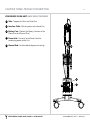
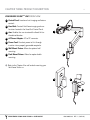
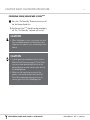
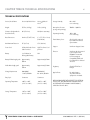
Powering (Chapter 5, Page 20)
• Vision:
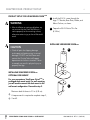
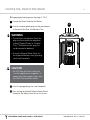
Press Projector Power Switch located on the Battery Cover.
Press the On/Standby button located on the Control Panel..
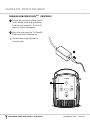
• VisionXTND:
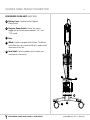
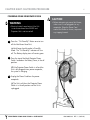
Focusing (Chapter 6, Page 24)
•The
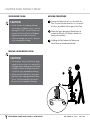
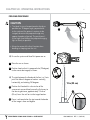
proper focal distance from the Head Unit to the assessment area is 13 inches (33cm).
There is a 1 inch (2.54 cm) window in either direction where the image will remain in focus.
• Position the Head Unit as close to perpendicular (90°) as possible with the assessment area.
• Placing the Head Unit close to the patient skin, move away until the border text
becomes legible.
Imaging (Chapter 6, Page 25)
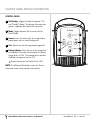
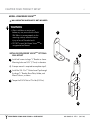
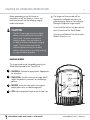
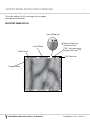
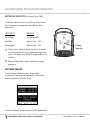
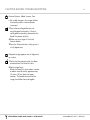
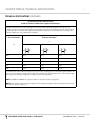
•Once in focus, choose the desired imaging mode by pressing the Mode button:
-Universal - baseline imaging mode for all patients.
-Fine Detail - enhances small details to bring out finer vessels. Helpful for pediatrics, neonates or sclerotherapy patients
• Size - adjusts the image window to three different sizes.
•Inverse - inverts the colors within the image field to project green veins on a dark
background.
For further assistance with VeinViewer®, refer to the Troubleshooting section (Chapter 11) of this User Guide. Or call Christie
Medical Holdings, Inc. Customer Service at 1-877-SEE-VEIN (1-877-733-8346) toll-free (+01-901-721-0330 international), or
e-mail [email protected].
VE IN V IEWER VI SI ON AND V IS IO N X T N D US ER GUIDE
020-300036-03 rEV. 1 (2012-09)