1
Control Devices
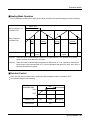
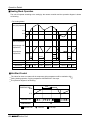
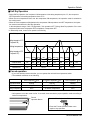
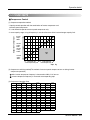
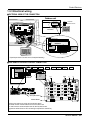
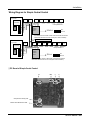
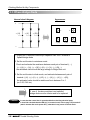
■. ROTARY SWITCH SETTING(INSTALLATION FOR 2 OR MORE SIMPLE CENTRAL CONTROL)
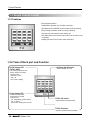
The setting of Group Number in the Central Control is done by the rotary switch as shown in the figure below.
It is possible to set 0~15 Group(Total 16 Groups). All the numbers on the rotary switch represent the different
Group Numbers. By changing the knob we can set rotary switch to the group number we want to control. The
above fig. Shows the control of group number “0”. Similarly we can control all the 16 Groups.
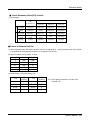
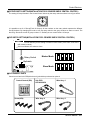
■. DIP SWITCH SETTING(INSTALLATION FOR 2 OR MORE SIMPLE CENTRAL CONTROL)
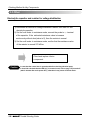
CAUTION
Dip switch is now used only for the setting of master or slave mode.( In the case of two more
than central controls.)
Set one to Master, the others to slave.
Master Mode
Rotary Switch
Dip Switch
ON
OFF
Slave Mode
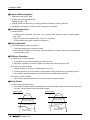
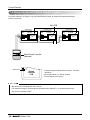
■. ACCEASSORY PARTS
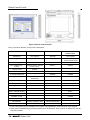
Central control and sub PCB(with wire ass'y) should be purchased as optional.
Central Control(1EA)
Screw(4EA)
Sub PCB
6871A20295A
Wire Assy 1
Wire Assy 2
Wire Assy 3
Service Manual 191