1
Setup and Programming
Accessing and using the brewer’s programming features is done from the front panel and requires no special tools.
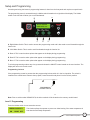
The programming menu is accessed through a hidden switch located on the right side of the display. The hidden
switch on the left side will allow you to scroll backwards.
A
B
ENABLE
ON / OFF
BREW
®
READY TO BREW
WATER TEMP: 200°
BREW
A
BREW
B
C
D
FULL
HALF
BREW
C
E
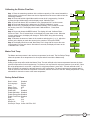
A. Right Hidden Switch: This is used to access the programming mode and is also used to scroll forward through the
function list.
B. Left Hidden Switch: This is used to scroll backwards through the function list.
C. Brew A: This is used to select options that appear on the display during programming.
D. Brew B: This is used to select options that appear on the display during programming.
E. Brew C: This is used to select options that appear on the display during programming.
To exit the programming mode at any time, press and release the ON/OFF button located on the user interface. The
display will return to the main screen.
Programming Lockout
MEMORY
LOCK
UNLOCK
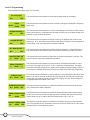
If the programming cannot be access then the programming lockout switch is in the Lock position. The switch is
located on the control board. Remove the top panel, locate the switch and place it into the Unlock position.
PROGRAMMING
LOCKOUT SWITCH
P3048
Note: Prior to serial number ICB00007479, the lockout switch will be located on the memory module board.
Level 1 Programming
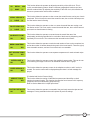
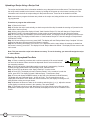
Press the hidden switch for one second to access.
BREW LOCKOUT ?
ON
DONE OFF
This function allows the operator to prevent or allow brewing if the water temperature is
less than the Set Ready temperature.
7
Bunn-O-Matic Corporation