1
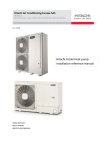
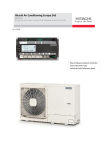
YUTAKI SERIES
RHUE-A(V)HN
Air to water
Heat pump
• RHUE-3AVHN
• RHUE-4AVHN
• RHUE-5A(V)HN
• RHUE-6A(V)HN
Specifications in this manual are subject to change
without notice in order that HITACHI may bring the
latest innovations to their customers.
Whilst every effort is made to ensure that all
specifications are correct, printing errors are beyond
Hitachi’s control; Hitachi cannot be held responsible
for these errors.
Contents
Service Manual
C oC no tnet en nt tss
Model codification and accessory codes
0
Units installation
1
Water pipe installation
2
Electrical wiring connections and diagram
3
Control system
4
Available optional functions
5
Test run
6
Troubleshooting
7
Spare parts
8
Servicing
9
SMGB0066 rev.1 - 03/2010
3
Contents
Service Manual
General index
1.
Units installation..............................................................................................................................15
1.1. RHUE-(3~6)A(V)HN.....................................................................................................................17
1.1.1.
1.1.2.
1.1.3.
1.1.4.
1.1.5.
0
Transportation.........................................................................................................................................17
Center of gravity......................................................................................................................................18
Installation space....................................................................................................................................19
Place provision........................................................................................................................................20
Optional parts..........................................................................................................................................22
1.2. Accessories Installation................................................................................................................27
1.2.1.
1.2.2.
1.2.3.
2.
2.1
Pump kit .................................................................................................................................................27
WEH - Water Electric Heater...................................................................................................................28
DHWT - Domestic Hot Water Tank..........................................................................................................30
Water pipe installation....................................................................................................................33
General notes...............................................................................................................................34
2.2. Piping work connection considerations........................................................................................35
2.2.1.
2.2.2.
Minimum water volume description.........................................................................................................35
Correction factor due to use of glycol......................................................................................................37
2.3. Water control................................................................................................................................37
2.4. Water check valve........................................................................................................................38
2.5. Accessories hydraulic installation................................................................................................39
2.5.1.
2.5.2.
2.5.3.
2.5.4.
3.
Pump kit..................................................................................................................................................39
WEH- Water Electric Heater....................................................................................................................40
DHWT- Domestic Hot Water Tank...........................................................................................................42
Water drain discharge connection...........................................................................................................44
Electrical wiring connections and diagram......................................................................................45
3.1. General check..............................................................................................................................46
3.2. Electrical wiring connection..........................................................................................................47
3.2.1.
3.2.2.
Field minimum wire sizes for the power source......................................................................................48
Main switches and fuses.........................................................................................................................49
3.3. Setting the DIP switches..............................................................................................................49
3.4. LED indication..............................................................................................................................53
3.5. Accessories electrical installation.................................................................................................54
3.5.1.
3.5.2.
3.5.3.
Pump kit..................................................................................................................................................54
WEH- Water Electric Heater....................................................................................................................57
DHWT- Domestic Hot Water Tank...........................................................................................................59
SMGB0066 rev.1 - 03/2010
General index
5
Contents
Service Manual
3.6. Electrical wiring diagrams............................................................................................................65
3.6.1.
3.6.2.
4.
Electrical wiring diagram for models RHUE-(3~6)AVHN.........................................................................66
Electrical wiring diagram for RHUE-(5/6)AHN.........................................................................................67
Control system................................................................................................................................69
4.1. System configuration, settings and control system......................................................................73
4.1.1.
4.1.2.
4.1.3.
4.1.4.
4.1.5.
4.1.6.
Description..............................................................................................................................................73
Software version.....................................................................................................................................73
System controller overview.....................................................................................................................74
Contents of the controller pack...............................................................................................................74
Quick-start installation steps...................................................................................................................74
Abbreviations & terminology...................................................................................................................75
4.2. Mounting......................................................................................................................................75
4.2.1.
4.2.2.
4.2.3.
Fitting or removing the front cover..........................................................................................................75
Wall Mounting..........................................................................................................................................76
Mounting on a DIN-rail............................................................................................................................76
4.3. Mounting the Sensors..................................................................................................................77
4.3.1.
4.3.2.
Water Temperature Sensor.....................................................................................................................77
Outside Temperature Sensor..................................................................................................................77
4.4. Electrical wiring............................................................................................................................78
4.4.1.
4.4.2.
4.4.3
4.4.4.
Wiring access ports.................................................................................................................................79
Wiring connections..................................................................................................................................79
System component connections.............................................................................................................80
System configurations.............................................................................................................................84
4.5. Application configurations............................................................................................................87
4.5.1.
4.5.2.
4.5.3.
4.5.4.
4.5.5.
4.5.6.
Principle of bi-valent or mono-energetic operation..................................................................................88
Mono-Valent Systems (CONF 1).............................................................................................................89
Mono-Energetic Systems (CONF 2).......................................................................................................90
Bi-valent Systems - Parallel Operation (CONF3)....................................................................................91
Bi-Valent System - Parallel Operation - Mixing Loop (CONF 4)..............................................................91
Bi-Valent System - Serial Operation (CONF 5).......................................................................................92
4.6. Supply setpoint calculation...........................................................................................................93
4.7. Heating control functions..............................................................................................................94
4.7.1.
4.7.2.
Heating Circuit – General........................................................................................................................94
Heating Characteristic Curve (OTC Control)...........................................................................................94
4.7.2.1. Room Setpoint Parallel Shift...................................................................................................................................95
4.7.2.2. Room Temperature Compensation.........................................................................................................................95
4.7.3.
4.7.4.
4.7.5.
6
Heating Circuit Minimum/Maximum Temperature Limits.........................................................................96
Heating Circuit (Secondary) Pump . .......................................................................................................96
Automatic No-Load Function...................................................................................................................97
SMGB0066 rev.1 - 03/2010
Mounting
Contents
Service Manual
4.8. DHW control functions.................................................................................................................97
4.8.1.
4.8.2.
4.8.3.
4.8.4.
4.8.5.
4.8.6.
4.8.7.
0
DHW Storage Tank Loading....................................................................................................................97
DHW Control...........................................................................................................................................98
Maximum DHW Loading Time................................................................................................................99
DHW Electric Heater.............................................................................................................................100
Using the Boiler for DHW loading.........................................................................................................102
Response of the Heat pump to a DHW demand...................................................................................102
DHW Time Program..............................................................................................................................103
4.9. Heatpump control functions.......................................................................................................104
4.9.1.
4.9.2.
4.9.3.
4.9.4.
4.9.5.
4.9.6.
Heatpump Control.................................................................................................................................104
Heatpump Setting Control Signal..........................................................................................................104
Heatpump Sensor Offset.......................................................................................................................105
Heatpump Maximum Return High Limit................................................................................................105
Heatpump Operating Limits..................................................................................................................106
Tariff Switch (Heat Pump blocking) Input..............................................................................................106
4.10. Boiler control functions...............................................................................................................107
4.10.1.
4.10.2.
4.10.3.
4.10.4.
4.10.5.
Boiler Control........................................................................................................................................107
Supply-Return Difference Check...........................................................................................................108
Boiler Minimum On / Off Times.............................................................................................................109
Boiler Waiting Time...............................................................................................................................109
Maximum Outdoor Temperature for Boiler Operation........................................................................... 110
4.11. Electric heater control functions................................................................................................. 110
4.11.1.
4.11.2.
4.11.3.
4.11.4.
4.11.5.
Electric Heater Control.......................................................................................................................... 110
Supply-Return Difference Check........................................................................................................... 112
Electric Heater Waiting Time................................................................................................................. 112
Electric Heater Return High Limit Check............................................................................................... 113
Maximum Outdoor Temperature for Electrical Heater Operation.......................................................... 113
4.12. Mixing valve control functions.................................................................................................... 114
4.12.1.
4.12.2.
4.12.3.
4.12.4.
Mixing Valve Control ............................................................................................................................ 114
Mixing / Bypass Valve Control............................................................................................................... 114
Mixed Heating Circuit Maximum Temperature Limit Protection............................................................. 115
Mixing Valve Opening Delay................................................................................................................. 115
4.13. General functions....................................................................................................................... 116
4.13.1.
4.13.2
4.13.3.
4.13.4.
System Frost Protection........................................................................................................................ 116
Automatic Summer Switch-Off.............................................................................................................. 116
Pump and Valve Seizure Protection...................................................................................................... 116
Screed Function (Drying for New Floors).............................................................................................. 116
4.14. Parameter tables........................................................................................................................ 117
4.14.1 Installer Parameters.............................................................................................................................. 117
4.14.2. Engineering Parameters....................................................................................................................... 119
4.15. Conversion table: heat pump supply temperature to mA...........................................................120
SMGB0066 rev.1 - 03/2010
Mounting
7
Contents
Service Manual
4.16. R resistance tables.....................................................................................................................121
4.17. Technical data............................................................................................................................121
4.17.1. System Controller (XEK23232 A)..........................................................................................................121
4.17.2. Water Temperature Sensor (XEK35524 A)...........................................................................................122
4.17.3. Outdoor Temperature Sensor (XEK35438 A)........................................................................................122
4.18. User interface.............................................................................................................................122
4.18.1. Display..................................................................................................................................................122
4.18.2. Controls.................................................................................................................................................123
4.19. Installation configuration settings...............................................................................................124
4.20. System testing............................................................................................................................124
4.20.1.
4.20.2.
4.20.3.
4.20.4.
System start-up.....................................................................................................................................124
SYSTEM TEST.....................................................................................................................................125
REVIEWING THE OPERATIONAL DATA.............................................................................................125
MANUALLY OVERRIDING THE OUTPUTS.........................................................................................126
4.21. Expanding the system................................................................................................................127
4.21.1. Additional mixing zone..........................................................................................................................127
4.21.2. Binding RF components together..........................................................................................................127
4.22. System MMI Pack (Room unit and RF receiver)........................................................................128
4.22.1. Room Unit installation guide.................................................................................................................128
4.22.1.1. Description........................................................................................................................................................... 128
4.22.1.2. Installation information......................................................................................................................................... 128
4.22.1.3. Installing the System MMI Pack............................................................................................................................129
4.22.1.4. Installing the RF Receiver.....................................................................................................................................129
4.22.2. Installing the Room Unit........................................................................................................................130
4.22.2.1. Power up...............................................................................................................................................................130
4.22.2.2. RF Communication check (test mode)..................................................................................................................131
4.22.2.3. Locating the Room Unit.........................................................................................................................................131
4.22.3. Communication loss..............................................................................................................................132
4.22.4. Installer mode........................................................................................................................................132
4.22.4.1.
4.22.4.2.
4.22.4.3.
4.22.4.4.
Entering installer mode.........................................................................................................................................133
Fail-Safe mode setup............................................................................................................................................133
Using the Room Unit for specific applications.......................................................................................................133
Using the special features of the Room Unit.........................................................................................................134
4.22.5. Installer parameters table......................................................................................................................134
4.22.5.1. Category 1 - Room Unit settings...........................................................................................................................134
4.22.5.2. Category 2 - System settings................................................................................................................................135
4.22.6. Binding / Rebinding procedure..............................................................................................................136
4.22.7. Room Unit user guide...........................................................................................................................137
4.22.7.1. Setting-up..............................................................................................................................................................138
4.22.7.2. Programming.........................................................................................................................................................140
4.22.7.3. Operating..............................................................................................................................................................142
4.23. Device control system................................................................................................................143
4.24. Yutaki unit PCB..........................................................................................................................144
4.25. Safety and control device setting...............................................................................................145
8
SMGB0066 rev.1 - 03/2010
Mounting
Contents
Service Manual
4.25.1. Defrost operation control.......................................................................................................................147
4.25.2. Control of expansion valve....................................................................................................................149
5.
0
Available optional functions..........................................................................................................151
5.1. Freeze protection.......................................................................................................................152
5.2. Restart after power failure..........................................................................................................152
5.3. Compressor ON/OFF control.....................................................................................................153
5.4. 3 Minutes guard control..............................................................................................................154
5.5. Power save mode......................................................................................................................154
6.
Test run.........................................................................................................................................155
6.1. Checking procedure before the test run.....................................................................................156
6.2. Test run procedure for Yutaki.....................................................................................................158
6.2.1.
7.
System controller testing.......................................................................................................................160
Troubleshooting............................................................................................................................165
7.1. Initial troubleshooting.................................................................................................................166
7.1.1.
7.1.2.
7.1.3.
Unit and System controller - Power Supply failure................................................................................166
Abnormal operation of the devices........................................................................................................168
Incidents of operation............................................................................................................................174
7.2. Troubleshooting procedure........................................................................................................175
7.2.1.
Alarm code............................................................................................................................................177
7.3. Failure diagnosis method...........................................................................................................216
7.4. Checking procedure for main parts............................................................................................218
7.4.1.
7.4.2.
7.4.3.
7.4.4.
RHUE-(3~6)AVHN. Procedure for checking the DIP-IPM.....................................................................218
RHUE-(5/6)AHN. Procedure for checking the ISPM.............................................................................220
Checking capacitors CB1 & CB2..........................................................................................................222
Fault diagnosis of DC fan motor............................................................................................................223
7.5. Troubleshooting of control system.............................................................................................225
7.5.1.
7.5.2.
System controller..................................................................................................................................225
System MMI Pack.................................................................................................................................226
7.6. Troubleshooting of accessories..................................................................................................227
7.6.1.
7.6.2.
Pump kit................................................................................................................................................227
WEH - Water Electric Heater.................................................................................................................228
SMGB0066 rev.1 - 03/2010
Mounting
9
Contents
Service Manual
7.6.3.
8.
DHWT - Domestic Hot Water Tank........................................................................................................228
Spare parts...................................................................................................................................229
8.1. Spare parts of Yutaki..................................................................................................................230
8.1.1.
8.1.2.
Cycle and estructural parts...................................................................................................................230
Electrical parts.......................................................................................................................................231
8.2. Spare parts of accessories.........................................................................................................233
8.2.1.
8.2.2.
9.
WEH - Water Electric Heater.................................................................................................................233
DHWT - Domestic Hot Water Tank........................................................................................................234
Servicing.......................................................................................................................................237
9.1. RHUE-(3~6)A(V)HN...................................................................................................................239
9.1.1.
9.1.2.
9.1.3.
9.1.4.
9.1.5.
9.1.7.
9.1.6.
9.1.8.
9.1.9.
9.1.10.
9.1.11.
9.1.12.
9.1.13.
9.1.14.
9.1.15.
9.1.16.
9.1.17.
9.1.18.
9.1.19.
9.1.20.
9.1.21.
10
Removing service cover........................................................................................................................239
Removing air outlet grille.......................................................................................................................239
Removing upper cover..........................................................................................................................240
Removing the lower part of service panel and rear panel.....................................................................240
Removing Yutaki fan motor ..................................................................................................................241
Removing the compressor....................................................................................................................242
Mounting Yutaki fan motor.....................................................................................................................242
Removing high pressure switch............................................................................................................245
Opening electrical box (P-mounting plate)............................................................................................246
Removing the coils for the reversing and solenoid valves....................................................................247
Removing electronic expansion valve coils...........................................................................................248
Removing pressure switches................................................................................................................249
Removing reversing valve.....................................................................................................................250
Removing expansion valves.................................................................................................................250
Removing solenoid valve......................................................................................................................251
Removing electrical components..........................................................................................................252
Removing inverter components............................................................................................................253
Removing the ISPM..............................................................................................................................254
Removing the DIP-IPM.........................................................................................................................255
Removing the electrical-noise filter.......................................................................................................256
Removing other electrical components.................................................................................................257
SMGB0066 rev.1 - 03/2010
Mounting
Contents
Service Manual
0.model codification and accessory codes
¡¡ Unit code list
0
List of air to water units and accessories available in this Service Manual.
YUTAKI RHUE UNITS
AVHN UNITS
Unit
AHN UNITS
Unit
Code
Code
RHUE-3AVHN
9E311100
RHUE-4AVHN
9E411100
RHUE-5AVHN
9E511100
RHUE-5AHN
9E531100
RHUE-6AVHN
9E611100
RHUE-6AHN
9E631100
1~
Meaning of model codification:
3N~
RHUE -
5
A
V
H
N
Unit type (made in Europe)
Compressor power (HP) 3/4/5/6
Air-to-water unit
Single phase
Heating only
R410A Refrigerant
SMGB0066 rev.1 - 03/2010
Unit code list
11
Contents
Service Manual
List of accessory codes
12
Accessory
Name
Code
Step 1
Water temperature sensor
9E500004
RMPID1
Extension controller
9E500005
Pump Kit A
Pump kit A (TOP-S 25/7)
9E500006
Pump Kit B
Pump kit B (TOP-S 25/10)
9E500007
WEH-6E
Water Electric Heater
WEH-6E
BDHM1
Hydraulic separator
BDHM1
VID3V1
3 way valve
VID3V1
CDH2Z1
Disconnection vessel
CDH2Z1
ASMSH1
Aquastat
ASMSH1
SMGB0066 rev.1 - 03/2010
List of accessory codes
Figure
Contents
Service Manual
LIST OF ACCESSORY CODES (cont.)
Accessory
Name
Code
DHWT200E-2.5H1E
Domestic Hot Water Tank
Enamelled / 200 L.
70544000
DHWT300E-2.5H1E
Domestic Hot Water Tank
Enamelled / 300 L.
70544001
DHWT200S-2.5H1E
Domestic Hot Water Tank
Stainless / 200 L.
70544100
DHWT300S-2.5H1E
Domestic Hot Water Tank
Stainless / 300 L.
70544101
DHWT-CP-01
Permanent cathode
protection for enamelled
tank
70544900
DHWT-CP-02
Permanent cathode
protection for stainless tank
70544901
DHWT-SWG-01
Security valve
70544902
Figure
SMGB0066 rev.1 - 03/2010
List of accessory codes
0
13
Unit installation
Service Manual
1. Units Installation
This chapter provides information concerning the installation of Yutaki units.
1
Contents
1.1. RHUE-(3~6)A(V)HN.....................................................................................................................17
1.1.1.
1.1.2.
1.1.3.
1.1.4.
1.1.5.
Transportation.........................................................................................................................................17
Center of gravity......................................................................................................................................18
Installation space....................................................................................................................................19
Place provision........................................................................................................................................20
Optional parts..........................................................................................................................................22
1.2. Accessories Installation................................................................................................................27
1.2.1.
1.2.2.
1.2.3.
Pump kit .................................................................................................................................................27
WEH - Water Electric Heater...................................................................................................................28
DHWT - Domestic Hot Water Tank..........................................................................................................30
SMGB0066 rev.1 - 03/2010
Contents
15
Unit installation
Service Manual
danger
-- Electrical hazard. Risk of death.
-- Before gaining access to terminals or performing any maintenance operation, turn OFF all power switches
and disconnect all supply circuits.
-- Check that the LED201 (red) located on the DIP-IPM is OFF.
-- Do not touch the electrical components when LED201 (Red) is ON in order to avoid an electrical shock.
-- Do not touch the electrical components of the PCB directly.
warning
-- Damage by water. Electrical hazard.
-- Install the unit indoors to prevent water contact. The water proof class is IPX0.
-- Install the unit where no high level of oil mist, salty air or sulphurous atmosphere exists.
-- Attach a water proof cover in order to prevent water getting into the unit when installing.
-- Risk of explosion. A fire may occur. Use of inflammable agent may cause explosion or fire. For cleaning
operation, use non-inflammable and nontoxic cleaning liquid.
-- Oxygen deficiency. Toxic gases may be produced. Work with sufficient ventilation. Working in an enclosed
space is dangerous. Toxic gas may be produced when cleaning agent is heated to high temperature by, e.g.,
being exposed to fire.
-- Electric shock. Electrical hazard. In order to avoid electric shock or fire, pay attention not to clamp cables when
attaching the service cover.
-- Electrical hazard. Electrical discharge. This unit contains condensers that might remain charged once the unit
is switched off. Wait at least five minutes after the stop of the unit before to start any cleaning or maintenance
operation, allowing the discharge of the condensers.
caution
-- Malfunction. Unit failure. When installing more than one unit together, keep clearance of more than 500 mm
between units and avoid obstacles that could hamper air intake.
-- Malfunction. Short circuit. Keep cleareance of more than 3000 mm between the wall (without vent holes) and air
inlet/outlet.
-- Electromagnetic contamination. Equipment failures. Install the unit as far as possible (being at least 3 meters)
from electromagnetic wave radiator, such as medical equipment.
-- Overheat of the unit. Malfunction. Install the unit in the shade or not exposed to direct sunshine or direct
radiation from high temperature heat source.
-- Sharp fins. Risk of injury. Aluminium fins have very sharp edges. Pay attention to the fins in order to avoid injury. Use gloves.
Note
-- This appliance is not intended to be used by people (including children) with reduced physical, sensory or
mental capabilities, or lack of experience and knowledge, unless they have been given supervision and
instruction concerning the use of the appliance by a person responsible for their safety.
-- For easy operation and maintenance, install the unit with sufficient clearance around it as shown in the next
pages.
-- Transport the package as close as possible to the intallation location before unpacking.
-- Make sure that the foundation is flat, levelled and strong enough.
-- Install the unit in a place where no seasonal wind might directly blow into the outdoor fan.
-- Install the unit in a restricted area not accessible by the general public.
-- Cleaning liquid shall be collected after cleaning operation.
16
SMGB0066 rev.1 - 03/2010
Contents
Unit installation
Service Manual
1.1.RHUE-(3~6)A(V)HN
1.1.1. Transportation
warning
-- Malfunction. Unit failure. Do not put any foreign material into the unit and make sure that none exists inside the
unit before the installation or test run.
1
• Hanging method
When hanging the unit, ensure its balance and lift it up smoothly and safely. Do not remove any packing materials until the
unit is positioned and hang the unit under packing condition with two ropes, as shown in the figure below.
Wire rope
Over 60º
0.7 to 1.0 m
Do not remove the
plastic band or the
corrugate paper frame
Pass the wire ropes
through each lifting hole
in the wooden base as
shown
warning
-- Crush hazard. Can cause seriour injury.
-- Lift the unit with 2 wire ropes and without removing its factory packaging. Make sure that the unit is lifted
smoothly and does not lean.
-- Do not attach lifting equipment to the plastic band or the corrugated paper frame, since the ropes might slip or
break the materials.
Note
-- Make sure that the exterior of the unit is adequately protected with cloth or paper.
-- Do not hold the unit with the handles or the air outlet parts. Steel plates may be deformed. Use gloves.
SMGB0066 rev.1 - 03/2010
RHUE-(3~6)A(V)HN
17
Unit installation
Service Manual
1.1.2. Center of gravity
When the unit is lifted manually (using the handles), pay attention to the following: do not remove the wooden base from
the unit to prevent its overturning. Pay attention to the center of gravity shown in the below figure.
Center of
gravity
Center of gravity position
(mm)
Unit model
Operation weight
(kg)
a
b
h
RHUE-3AVHN
130
705
223
545
RHUE-4AVHN
130
705
223
545
RHUE-5AVHN
135
695
228
560
RHUE-5AHN
140
695
228
560
RHUE-6AVHN
139
695
228
560
RHUE-6AHN
144
695
228
560
Note
-- It is recommended that at least two people participate when lifting is done manually.
18
SMGB0066 rev.1 - 03/2010
RHUE-(3~6)A(V)HN
Unit installation
Service Manual
1.1.3. Installation space
Single installation
Around sides are open
Around sides are open with obstacles above
1
0<L≤1/2H→A≥350
1/2H<L≤H→A≥450
H=1380
0<L≤1/2H→A≥600
1/2H<L≤H→A≥1200
H=1380
H=1380
Around sides are closed
500
500
0<L≤1/2H→A≥600
1/2H<L≤H→A≥1200
H=1380
500
50
Around sides are open with obstacles above
Around sides are open
Around sides are open with obstacles above
0<L≤1/2H→A≥350
1/2H<L≤H→A≥450
H=1380
0<L≤1/2H→A≥600
1/2H<L≤H→A≥1200
H=1380
(Unit: mm)
Note
-- All measuring units are in milimetres (mm).
SMGB0066 rev.1 - 03/2010
RHUE-(3~6)A(V)HN
19
Unit installation
Service Manual
1.1.4. Place provision
• Concrete Foundation
-- Foundation shall be on a level surface and it is recommended to be 100-300 mm higher than ground level.
-- Use M10 anchor bolts to fix the unit to the foundation. (Foundation bolts, nuts and washers are not included, and
must be field supplied).
-- Drain water might turn into ice on cold weather areas. Therefore, when installing the unit on a roof or a veranda,
avoid the draining on a public area since it may become slippery.
Drain water place
Concrete base
Foundation bolt
Mortar charge
174
640
410
Drain water
440
900
1250
1450
-- The whole of the base of the Yutaki unit should be installed on a foundation. When using vibration-proof mat, it should
also be positioned the same way. When installing the Yutaki unit on a fieldsupplied frame, use metal plates to adjust
the frame width for stable installation as shown in below figure.
INCORRECT
CORRECT
57 mm
57 mm
Base width of Yutaki unit
Yutaki unit is
Yutaki unit is
unstable
stable
Frame
Frame
60mm
Frame with
(Field supplied)
Recommended Metal Plate Size
-- (Field-Supplied) Material: Hot-Rolled Mild Steel
-- Plate (SPHC) Plate Thickness: 4.5 T
20
SMGB0066 rev.1 - 03/2010
RHUE-(3~6)A(V)HN
Base width of Yutaki unit
Metal plate
100mm or more
Unit installation
Service Manual
The foundation drawing shown previously is an example.
-- The unit is low-vibration model, but consider using some floor reinforcement or anti-vibration mat/rubber when
vibration should occur due to weakness of attached surface.
-- The foundation shall be unified with the floor slab. If not, calculate the vibration proof of the installation of Yutaki Unit
as well as of the Yutaki Unit with the foundation in order to ensure strength against a fall or for when the unit has to
be moved.
-- Drain water and rainwater are discharged from the bottom of the unit when in operation as well as when stopped.
-- Choose a location with good drainage or place a water drain as in the drawing.
-- Make the foundation flat and waterproof, as a water pool may appear in case of, for instance, rain.
-- This is a low-profile product with a shallow depth. It may also be able to fix on the wall as shown below when fixing
only with the foundation bolt does not seem sufficiently stable depending on the conditions of the installation. (Metal
fittings must be field supplied).
1
•Fix unit to the wall
1.Fix the unit onto the wall as indicated
in the figure. (Stay field supplied).
Both sides can be fixed to the wall.
(Metal fittings are field supplied)
Anti-vibration rubber
(field supplied). Apply
when necessary.
2.The foundation shall be strong
enough to avoid any deformation
and vibration.
3.In order to prevent vibration transfer
to the building, place rubber material
between the stay and the wall.
warning
-- Crush hazard. Can cause serious injury.
-- Installation must ensure that the unit will not incline, vibrate, make noise or fall down by a blast of wind or in
an earthquake.
-- Calculate quake-resistance strength to ensure that installation is strong enough against falling. Fix the unit with
wires (field supplied) when installing in a location without walls or windbreak and likely exposed to a blast of wind.
SMGB0066 rev.1 - 03/2010
RHUE-(3~6)A(V)HN
21
Unit installation
Service Manual
• Installing location where the unit will be exposed to strong wind
Strong winds against the unit´s air outlet
causes short circuits and these can be the
consequences:
-- Lack of air flow and adversely affect to
normal function.
-- Frequent frost acceleration.
-- Fan can rotating very fast until it breaks.
Adverse strong wind
Follow the instructions below to install on
a rooftop or a location without surrounding
buildings, where strong wind is expected against
the unit.
Air flow
1.Choose a location where the outlet or inlet
side of the product will not be exposed to
strong wind.
2.In case the fulfillment of point 1 is not
possible, it is recommended to use the
optional parts (see section Optional parts and
installation for RHUE-(3~6)A(V)HN).
Adverse
strong
wind
caution
-- Strong wind. Damage to fan motor. Excessive strong wind against the unit outlet may cause inverse rotation and
damage the fan motor.
1.1.5.Optional parts
• Air flow guide, wind guard and snow protection hood
Optional parts
Air flow guide
Wind guard
Stainless
plate
(SUS304)
Snow
protection
hood
Zinc plate
22
Air outlet
Air inlet of rear side
Air inlet of side face
Air outlet
Air inlet of rear side
Air inlet of rear side
Air outlet
Air inlet of rear side
Air inlet of side face
Air outlet
Air inlet of rear side
Air inlet of rear side
SMGB0066 rev.1 - 03/2010
RHUE-(3~6)A(V)HN
HP
Model
AG-335A X 2
WSP-335A X 2
ASG-NP335F X 2
ASG-NP335B
ASG-NP335L
ASG-NP335F X 2
ASG-NP335B
(3~6)
ASG-NP335L
ASG-NP335FS X 2
ASG-335BS
ASG-NP335LS
ASG-NP335FS X 2
ASG-NP335BS
ASG-NP335LS
Unit installation
Service Manual
• Air flow guide
Specifications
Model
AG-335A
View from A
2 per unit
Air discharge direction
Material
Upward (downward), left &
right
Weather proof polypropylene
resin
Color
Gray
Weight
1.9 kg
Accessories
Fixing screw x 4 [M5 (SUS)
x 20]
Installation manual
Installation restriction
“Wind Guard” or “Snow
protection hood” is not
available to install with air
flow guide. (“Guard net”
is available to be installed
together.)
•
Mounting dimension
1
Mounting dimension
Quantity
Air flow guide
Attaching example of air flow guide
- Attach the air flow guide to the air discharge grille with four (4) screws (supplied).
- The fixing holes are located at 4 positions on the grille. (Screw tightening torque 2.4~3.1N.m)
- Do not remove the air discharge grille for air flow guide installation.
warning
-- Rotating fan blades. Risk of cut. If the air guide is installed without discharge grille, it may cause injury due to
rotating fan.
Two windbreak covers installation
Outdoor unit
M5 fixing screw x4
(Accessories)
Air discharge grille
Air flow
Air flow guide (*)
Air flow
Air flow guide (*)
Service space (In case of upward air discharge)
-In case of right and left sides air discharge, enough
space for air discharge is required.
-The downward air discharge is also available. In
such case, install the base under the unit to secure
enough space for air discharge.
-In case of serial units installation, air discharge
should be upward.
M5 fixing screw x4
Unit
Air flow guide
(Accessories)
(*) Air flow direction of both air flow guides should be the same
Passage side
SMGB0066 rev.1 - 03/2010
RHUE-(3~6)A(V)HN
23
Unit installation
Service Manual
• Wind guard
Specifications
WSP-335A
Quantity
2 per unit
Material
Color
Galvanized sheet metal + baked
painting
Gray (1.oY8.5/0.5)
Weight
5.5 kg
Accessories
Fixing screw x 4 [M5 (SUS) x 20]
Installation manual
Installation restriction
“Guard net”, “Air flow guide” or
“Snow protection hood” is not
available to install with Wind guard
(Mounting dimension)
Air flow
(Mounting dimension)
Model
Air flow
Air flow
Air flow
• Attaching example of air wind guard
- Attach the air flow guide to the air discharge grille with four (4) screws (supplied).
- The fixing holes are located at 4 positions on the grille. (Screw tightening torque 2.4~3.1N.m)
- Do not remove the air discharge grille for air flow guide installation.
caution
-- Rotating fan blades. Risk of cut. If the air guide is installed without discharge grille, it may cause injury due to
rotating fan.
Two windguard covers installation
Air discharge grille
Service space
Yutaki
M5 fixing screw x4
(Accessories)
-Both sides of the unit should be open.
-No obstacles should be placed in the air
discharge side.
Wind guard
Wind guard
Unit
Wind guard
Air discharge grille
24
SMGB0066 rev.1 - 03/2010
RHUE-(3~6)A(V)HN
Unit installation
Service Manual
• Snow protection hood
Air discharge hood
No.
Part name
Qty.
Right side
plate
1
Left side
plate
1
Front panel
1
Stay
4
Fixing screw
(Accessories)
1
Hole for safety wire
rope to prevent
overturning
Rear suction hood
No.
Part name
Upper right
side plate
Upper left
side plate
Upper
front panel
(Upside)
Upper
front panel
(Downside)
Lower right
side plate
Lower left
side plate
Upper
front panel
(Upside)
Upper
front panel
(Downside)
Qty.
1
1
1
1
1
1
Unit
<
>
Fixing screw
Fixing screw
(Accessories)
(Accessories)
Hole for safety wire
rope to prevent
overturning
1
1
Left suction hood
No.
Part name
Qty.
Right side
plate
1
Left side
plate
1
Front panel
(Upside)
1
Front panel
(Downside)
1
Fixing hole x 2
Enlarged view of A (Fixing hole)
Fixing screw
(Accessories)
SMGB0066 rev.1 - 03/2010
RHUE-(3~6)A(V)HN
25
Unit installation
Service Manual
• Attaching example of snow protection hood
Fixing screw
(Accessories)
Left suction hood
Fixing screw
Air discharge hood
(Accessories)
Fixing screw
(Accessories) Rear suction hood
Upper side
Air discharge grille
Air discharge hood
Wire rope
Front side
(Optional. For
overturning
protection)
Rear suction hood
Lower side
Fixing screw
Air discharge grille
Left side
(Accessories)
Fixing screw
(Accessories)
Rear side
Specifications of snow protection hood
Product name
Air discharge hood
Left suction hood
ASG-NP335BS
ASG-NP335L
ASGNP335LS
Stainless
(SUS304)
Bonderized
steel sheet
Iron
Stainless
(SUS304)
Gray
(1.0Y8.5/0.5 or
approximation)
Gray
(1.0Y8.5/0.5 or
approximation)
-
14 kg
8 kg
Model
ASG-NP335F
Quantity
2 per unit
Material
Bonderized
steel sheet
Iron
Stainless
(SUS304)
Bonderized
steel sheet
Iron
Color
Gray
(1.0Y8.5/0.5 or
approximation)
-
Weight
3 kg
Assembling
Knockingdown parts (assembled at field)
Components
ASG-NP335FS
Rear suction hood
ASG-NP335B
1 per unit
Hood
For air discherge part x 1
For rear side air intake x 1
(Upper side x 1, lowe side x 1)
For left side air intake x 1
Fixing
screw
8 (M5x12 tapping screw)
10 (M5x14 tapping screw)
8 (M5x12 tapping screw)
Fixing
screw
(SUS)
6 (M5x12
tapping screw)
24 (M5x12
tapping screw)
14 (M5x12
tapping screw)
6 (M5x14)
24 (M5x14)
Installation manual
26
Installation restriction
Installation with “Guard net”,
“Wind guard” or “Air flow guide” is
not available
Safety wire rope for overturning
prevention (optional parts)
ASG-SW20A
SMGB0066 rev.1 - 03/2010
RHUE-(3~6)A(V)HN
Installation with “Guard net” is not available
14 (M5x14)
Unit installation
Service Manual
1.2.Accessories Installation
1.2.1. Pump kit
Note
-- Minimum inlet pressure at the pump suction side in order to prevent cavitation noises at an ambient temperature
of +40ºC and a water temperature of Tmax:
Tmax
Minimum inlet pressure
+50ºC
0.05 bar
+95ºC
0.5 bar
1
-- These values are valid up to 300m above sea level. For higher elevations add 0.01 bar/100m additional height.
Components supplied:
- Complete pump.
- Two-part heat insulation (for single pump only).
- 2 seals (for threaded connections only).
Installation guidelines:
-Installation should only take place once all welding and soldering work has been completed and the pipe network has
been rinsed. Dirt can have an adverse effect on the functioning of the pump.
- The flow direction of the pump must correspond to the directional arrow on the pump housing.
caution
-- Crash damage. Risk of damage to the O-ring. When turning the motor housing round, ensure the O-ring
between the can pot and the pump housing does not become damaged. The O-ring must not be turned and
must remain at the edge of the can pot pointing towards the impeller.
-- Damage by water. Risk of build-up of condensation water. For units that require insulation and for which the
standard insulation provided cannot be used, only the pump housing may be insulated. The condensation water
openings on the motor flange must be left open.
Lateral view of a generic pump
caution
-- Untrained personnel. General malfunction and other damages. Assembly and installation should only be carried
out by qualified personnel.
-- Contamination. Risk of poisoning.The pumps must not be used for drinking water or foodstuffs.
SMGB0066 rev.1 - 03/2010
Accessories Installation
27
Unit installation
Service Manual
1.2.2. WEH - Water Electric Heater
Name of parts
Ref. Qty.
Name
Ref. Qty.
Name
1
Tank body
1
PSW
1
Front E-casing
2
3-pole contactor
1
Back E-casing
1
Thermostat
1
Tank in-connection
1
Terminal board
1
Wall support
1
Packing gland
1
Tank front cover
2
Packing gland
1
Tank out-connection
1
PSW protector
1
Resistance
1
Caution label
1
Tank body insulation
1
Wiring label
1
Tank body insulation
Unit installation
Transport the products as close as possible to the installation location before unpacking.
Check the contents of the package:
-- WEH-6E
-- Installation and Operation Manual
-- (2) M6x15 screw and (2) M6 washers
-- Wall fixing support
Selection procedure for YUTAKI units
NOTE
-- WEH appliance must be installed in an indoor place.
-- WEH installation must be done by professional installers.
-- Install the WEH with sufficient clearance around it for operation and maintenance as shown in the following
figures.
-- Install the WEH where good ventilation is available. Do not install the WEH where there is a high level of oil
mist, salty air or sulphurous atmosphere.
-- When installing some device next to WEH, keep clearance between WEH and any other obstacle of more than
500mm.
28
SMGB0066 rev.1 - 03/2010
Accessories Installation
Unit installation
Service Manual
caution
-- Insufficient ventilation. Can cause oxygen deficiency.
-- Working with insufficient ventilation, in an enclosed space, can produce toxic gas, especially when cleaning
agent is heated to high temperature by, e.g., being exposed to fire.
-- Do not install WEH near any flammable substance.
Place provision
Drill 2 holes Ø 8mm on the wall for fixing WEH according to the dimensions of the Wall Support attached.
1
-----
Fixed supplied support to the wall by using previous drill holes.
Use attached screws for fixing WEH to the supplied support.
Check that WEH are installed horizontally.
For cleaning, use non flammable and non toxic cleaning liquid. The use of flammable agents should cause explosion
or fire.
-- Cleaning liquid shall be collected after cleaning.
-- Pay attention do not trapp cables when closing the electrical box cover. It could cause a electric shock.
SMGB0066 rev.1 - 03/2010
Accessories Installation
29
Unit installation
Service Manual
1.2.3.DHWT - Domestic Hot Water Tank
Name of parts
DHWT (200/300)S-2.5H1E
Ref. Qty.
Name
1 Inspection aperture
1 HSW storage tank
1 External covering
1 Top cover
1 Thermal insulation
1 Control panel
1 Electrical Heater
1 Heating coil
1 Sensor probe
DHWT (200/300)E-2.5H1E
Ref. Qty.
30
SMGB0066 rev.1 - 03/2010
Accessories Installation
Name
1 Inspection aperture
1 HSW storage tank
1 External covering
1 Top cover
1 Thermal insulation
1 Control panel
1 Electrical Heater
1 Heating coil
1 Sensor probe
1 (anode)
Cathodic protection
Unit installation
Service Manual
Unit installation
Transport the products as close as possible to the installation location before unpacking.
Check the contents of the package:
-- DHWT Model
-- Installation and Operation Manual & Documents
Selection procedure for DHWT units
1
NOTE
-- DHWT appliance must be installed in an indoor place.
-- DHWT installation must be done by professional installers.
-- Install the DHWT with sufficient clearance around it for operation and maintenance.
-- Install the DHWT where good ventilation is available. Do not install the DHWT where there is a high level of oil
mist, salty air or sulphurous atmosphere.
-- When installing some device next to DHWT, keep clearance between DHWT and any other obstacle of more
than 500mm.
caution
-- Insufficient ventilation. Can cause oxygen deficiency.
-- Working with insufficient ventilation, in an enclosed space, can produce toxic gas, especially when cleaning
agent is heated to high temperature by, e.g., being exposed to fire.
-- Do not install DHWT near any flammable substance.
Working space
-- Check that DHWT are installed vertically .
-- For cleaning, use no flammable and no toxic cleaning liquid. The use of flammable agents should cause explosion or
fire.
-- Cleaning liquid shall be collected after cleaning.
-- Pay attention do not trap cables when closing the electrical box cover. It could cause a electric shock.
SMGB0066 rev.1 - 03/2010
Accessories Installation
31
Water pipe
installation
Service Manual
2. WATER PipE installation
This chapter provides information about the procedures to perform water piping work connections for Yutaki units.
Contents
2.1
General notes...............................................................................................................................34
2.2. Piping work connection considerations........................................................................................35
2.2.1.
2.2.2.
2
Minimum water volume description.........................................................................................................35
Correction factor due to use of glycol......................................................................................................37
2.3. Water control................................................................................................................................37
2.4. Water check valve........................................................................................................................38
2.5. Accessories hydraulic installation................................................................................................39
2.5.1.
2.5.2.
2.5.3.
2.5.4.
Pump kit..................................................................................................................................................39
WEH- Water Electric Heater....................................................................................................................40
DHWT- Domestic Hot Water Tank...........................................................................................................42
Water drain discharge connection...........................................................................................................44
SMGB0066 rev.1 - 03/2010
Contents
33
Water pipe
installation
Service Manual
2.1 General notes
1. Connect all pipes as close as possible to the unit, so that disconnection can be easily performed when required.
2. It is recommended to use flexible joints for the piping of water inlet and outlet, so vibration will not be transmited.
3. Whenever possible, sluice valves should be installed for water piping, in order to minimise flow resistance and to
maintain sufficient water flow.
4. Proper leak inspection should be performed to check for leaking parts inside and outside the system, by completely
opening the hot water inlet and outlet valves to the water condenser. Additionally, install equip valves to the inlet and
outlet piping.
5. This unit is equipped with an air purge at the highest position of the water system. If this position is not the highest one
within the whole water installation, equip another air purge.
Also, equip a drain cock on the outlet piping. The cock handle should be removed so that the cock can not be opened
under normal circumstances. If this cock is opened during operation, trouble will occur due to water blow-off.
6. When necessary, put insulation on the pipes in order to avoid heat losses.
7. When the unit is stopped during shutdown periods and the ambient temperature is very low, it is possible that the water
in the pipes and in the circulating pump freeze, thus damaging the pipes and the water pump.
In order to prevent this, during shutdown periods it is useful to empty the water from the installation.
Note
-- In that case, open the unit by removing the service cover and unscrew the water inlet thermistor in order to drain
the water of the circuit (as shown below)
Water inlet
thermistor
Otherwise, it is recommended to maintain the power supply to the installation, since an electric cord could prevent the
freezing of the water contained in the circuit.
Additionally, in cases where water drainage is difficult, an antifreeze mixture of glycol (ethylene or propylene) should be
used (content between 10 % and 40 %).
The performance of the unit working with glycol may decrease in proportion to the percentage of glycol used, since the
density of glycol is higher than that of water. (For more information, see chapter 4 of Technical Catalogue).
34
SMGB0066 rev.1 - 03/2010
General notes
Water pipe
installation
Service Manual
5
1
1
2
3
3
4
Pressure gauge
Strainer
Flexible joint
Valve
Check valve
4
2
caution
-- Malfunction. Damage by clogging.
-- This product is equipped with plate heat exchanger type. In the heat exchanger, water flows through a narrow
space between the plates. Therefore, there is a possibility that freezing may occur if foreign particles or dust
are clogged. In order to avoid this clogging, mesh water strainer shall be installed in the water inlet pipe and
as close as possible to the plate heat exchanger. In case of punching metal type strainer, mesh hole size shall
be Ø 1.5mm or less.
-- Never use the salt type antifreeze mixture, since it possesses strong corrosion characteristics, and water
equipment might be damaged.
-- When connecting several units to a common pipe, its design should ensure that the water flow on each unit is
the same (see below figure). Imbalance of water distribution may cause a serious damage like water freezing
in the plate heat exchanger.
2.2.Piping work connection considerations
2.2.1. Minimum water volume description
• Necessity of water in system and summary of its calculation
The following problems may occur when the quantity of water in the forced circulation system(1) on water side is insufficient.
-- Compressor in operation repeats numerous "start/stop" when light-loaded, which may result in shorter life or failure.
-- Low temperature in water circulation during defrost operation, which may cause an alarm (freeze protection) at the stop
of the unit.
--
(1)
Note
The shaded part of the pipe system below. (Excluding the expansion tank (cistern))
SMGB0066 rev.1 - 03/2010
Piping work connection considerations
35
Water pipe
installation
Service Manual
Calculate and ensure that the water volume in the system is equal or greater than the larger value obtained from:
1. Protective water volume for product
2. Minimum water volume for temperature drop during defrost operation
When the minimum water volume can not be ensured, use a Buffer tank to compensate the shortage (<0) of water (2). See
figure below.
Expansion tank
Yutaki unit
Pump
Load
system
Buffer tank
Expansion tank
Pump
Load
system
Yutaki unit
--
(2)
Note
Shortage = Minimum water volume – Water volume in circulation system
The following part shows the minimum water volume in the system for product protection and temperature drop during
defrost operation.
1. Protective water volume for product
Ensure that the water volume is equal or greater than those shown below, in order to reduce ON/OFF frequency of the unit
at no load or extreme light load. When water volume is less than the volume indicated (minimum water volume), compressor
operation frequently stops at light load, which may result in shorter life or failure.
Model
ON/OFF
Temp. differential
RHUE-3AVHN
RHUE-4AVHN
RHUE-5A(V)HN
RHUE-6A(V)HN
4ºC
28
38
46
56
3ºC
36
48
58
70
2ºC
50
65
80
96
1ºC
80
107
130
156
(Units are in ltrs.)
36
SMGB0066 rev.1 - 03/2010
Piping work connection considerations
Water pipe
installation
Service Manual
Note
-- The factory default ON/OFF temperature differential is “4 °C”. Note that the minimum water volume varies for
different setting for each purpose as shown in the table above.
2. Minimum required water volume during defrosting
The following table shows the minimum water volume needed in each YUTAKI unit in case of a permitted drop in
temperature of 10ºC.
Model
RHUE-3AVHN
RHUE-4AVHN
RHUE-5A(V)HN
RHUE-6A(V)HN
5ºC
212
276
342
410
10ºC
106
138
171
205
15ºC
71
92
114
137
20ºC
53
69
86
103
25ºC
42
55
68
Water
temperature drop
2
82
(Units are in ltrs.)
Note
-- The values shown on the table are based on theoretical installation conditions, and therefore, it rests with the
client to recalculate these values depending on the real conditions of the installation.
2.2.2. Correction factor due to use of glycol
When the ambient temperature is low in winter, it is possible that the unit will be damaged by freezing water in the pipes and
in the circulating pump during the shutdown periods.
In order to prevent this, it is useful to empty the water from the installation or to maintain the supply to the installation, as an
electric cord can prevent the water from freezing in the circuit.
Additionally, in cases where water drainage is difficult, an antifreeze mixture of ethylene glycol or propylene should be used
(Between 10 % and 40 %).
The performance of the unit when working with glycol may decrease in proportion to the percentage of glycol used, as the
density of glycol is higher than that of water. (For more information, see TCGB0066)
2.3.Water control
caution
-- Malfunction. Damage by poor quality water. Industrial water rarely causes deposits of scales or other foreign
substances on equipment and the most vulnerable components are plate heat exchangers. However, well water
or river water may in most cases contain suspended solid matter, organic matter, and scales in great quantities.
Therefore, such water should be subjected to filtration or softening treatment with chemicals before its use as
heat transporter in Yutaki unit.
SMGB0066 rev.1 - 03/2010
Water control
37
Water pipe
installation
Service Manual
The following table shows the reference values fo the most important parameters concerning the quality of the water:
Water System
Tendency
Item
Circulating Water
(20 C Less than)
Supply Water
Standard quality pH (25 °C)
6.8 ~ 8.0
6.8 ~ 8.0
Electrical conductivity (mS/m) (25°C)
{µS/cm} (25 °C) (2)
Less than 40
Less than 400
Less than 30
Less than 300
Chlorine Ion (mg CI¯/I)
Less than 50
Less than 50
Sulphur acid Ion (mg SO42¯/I)
Less than 50
Less than 50
The amount of acid consumption (pH 4.8)
(mg CaCO3/I)
Less than 50
Less than 50
Total hardness (mg CaCO3 /I)
Less than 70
Less than 70
Calcium hardness (mg CaCO3 /I)
Less than 50
Less than 50
Silica L (mg SIO2 /I)
Less than 30
Less than 30
Reference quality
total iron (mg Fe/I)
Less than 1.0
Less than 0.3
Total copper (mg Cu/I)
Less than 1.0
Less than 0.1
Sulphur ion (mg S2¯/I)
Corrosion
Deposits of scales
It shall not be detected.
Ammonium ion (mg NH4+/I)
Less than 1.0
Less than 0.1
Remaining chlorine (mg CI/I)
Less than 0.3
Less than 0.3
Floating carbonic acid (mg CO2/I)
Less than 4.0
Less than 4.0
Index of stability
6.8 ~ 8.0
-
Note
-- The mark “ ” in the table means the factor concerned with the tendency of corrosion or deposits of scales.
-- The value showed in “{}" are for reference only according to the former unit.
-- As the the well water should not fulfil the above limits, the use of industrial water or other water sources should
be considered.
2.4.Water check valve
Attached to the unit there is a water check valve (non return valve). This component is a safety device to protect the system
against back pressure, back flow and back syphonage of non-potable water into service pipe, plants and equipments.
This valve shall be installed at site.
Main Characteristics:
Maximum working pressure: 16bar
Maximum working temperature: 70ºC (short term 90ºC)
Threaded connection R1/2”
Available test and drain plugs 1/4”
Length: 137mm
Kvs value: 6
Weight: 0.24kg
38
SMGB0066 rev.1 - 03/2010
Water check valve
Water pipe
installation
Service Manual
Installation guidelines:
1. Note flow direction (indicated by arrow) when installing the check valve.
2. In a drinking water supply the check valves are fitted immediately after water meter. This position ensures optimum
protection for the drinking water supply.
3. Install in horizontal pipework with test plugs directed downwards. This position ensures optimum protection efficiency and
is the best for testing the valve.
4. Shutt off valves should be fitted on each side of the check valve for easier and faster valve testing.
5. The installation location should be protected against frost and be easily accessible.
2
2.5.Accessories hydraulic installation
2.5.1. Pump kit
¡¡ Pump kit assembly
Ref.
Name
Ref.
Name
Service Cover 1
Packing (Qty. 2)
Service Cover 2
Water pipe 1
Plate Heat Exchanger Assembly
Water pipe 2 Assembly
Water Pump
SMGB0066 rev.1 - 03/2010
Accessories hydraulic installation
39
Water pipe
installation
Service Manual
-- Remove service cover 1 (item 1) and service cover 2 (item 2).
-- Unscrew the nut of the plate heat exchanger assembly (item 3) and the nut of the water pipe 2 assembly (item 6) in
order to disassemble water pipe1 (item 5) from the Yutaki unit.
-- Separate the packings (item 4) to make possible to remove the water pipe1 (item 5).
-- Put the packings and connect the water pump (item 7) to the Yutaki unit and screw again the nut of the plate heat
exchanger assembly (item 3) and the nut of the water pipe 2 assembly (item 6).
-- Connect the pump wiring from the electrical box to the pump according to the detail.
-- Assemble the service cover 2 (item 2) and service cover 1 (item 1) to finish the installation.
¡¡ Installation out of the Yutaki unit
Additionally, when the pump is installed out of the Yutaki unit, the installation must be in accordance with the following
guidelines:
-- The pump must be installed in an easily accesible place to facilitate inspection and replacement.
-- Assemble the pump such that water can not drip into the pump motor or terminal box.
-- Carry out stress- free installation with the pump motor shift in horizontal plane (see installation position in the next
figure):
-- The motor terminal box must not point downwards (see admissible installation position in previous figure). It may be
necessary to turn the motor hoosing round after loosening the hexagon socket screws.
2.5.2. WEH- Water Electric Heater
¡¡ Hydraulic circuit
General notes
When Piping connections are performed:
1. Connect all pipes as close as possible to the unit, so that disconnection can be easily performed when required.
2. It is recommended to use flexible joints for the piping of water inlet and outlet, so vibration will not be transmitted.
3. Whenever possible, sluice valves should be installed for water piping, in order to minimise flow resistance and to
maintain sufficient water flow.
4. It is recommended to apply ball valves in both water pipe connections to make easier any maintenance work.
5. Proper inspection should be performed to check for leaking parts inside and outside the system, by completely
opening the hot water inlet and outlet valves to the water condenser.
6. This WEH must be fully air purged to avoid heating elements radiating the tank case without water.
Install WEH as shows on the following drawing in order to allow a natural purge on the WEH (inlet pipe in the bottom
side, and outlet pipe in the upper side, both vertically oriented).
It is recommended to install an air purge after outlet piping in the highest position of the hydraulic installation.
Previous recommendation is a must when there are other parts of hydraulic system that could be installed in a higher
position than WEH.
7. Apply thermal insulation on the hydraulic system pipes in order to avoid accidental injure due to excessive heat on
piping surfaces and also to avoid heat losses.
8. When the unit is stopped during shutdown periods and the ambient temperature is very low, it is possible that the
water in the pipes and in the circulating pump freeze, thus damaging the pipes and the water pump.
40
SMGB0066 rev.1 - 03/2010
Accessories hydraulic installation
Water pipe
installation
Service Manual
In order to prevent this, during shutdown periods it is useful to empty the water from the installation.
Note
-- In cases where water drainage is difficult, an antifreeze mixture of glycol (ethylene or propylene) should be used
(content between 10 % and 40 %).
-- The performance of the unit working with glycol may decrease in proportion to the percentage of glycol used,
since the density of glycol is higher than that of water.
1G” Water OUT
2
1/4G”
Water IN
1G”
- Inlet and outlet connection pipes must be 1G”
- It must be kept the water flow direction indicated in previous drawing
Note
-- Check periodically:
-- Water flow and pressure
-- Water leakages
-- Fixing points tightening
Minimum water volume description
- Necessity of water in system:
The following problems should occur when the quantity of water in the forced circulation system (1) on water side is
insufficient.
1. WEH frequently ON/OFF cycles affecting Yutaki performance.
2. Low temperature in water circulation system at defrosting, which should cause an alarm (freeze protection).
3. LWPS or Cut-Out thermostat activation due to low water pressure (< 1 bar) or due to excessive high water
temperature inside WEH.
SMGB0066 rev.1 - 03/2010
Accessories hydraulic installation
41
Water pipe
installation
Service Manual
Note
-- Calculate and ensure that the water volume in the system is enough (see Yutaki product manual for
recommendations).
Water control
caution
-- Malfunction. Damage by poor quality water.
-- When it is used industrial water inside hydraulic system, it rarely causes deposits of scales or other foreign
substances on the equipment. However, well water or river water should in most cases contain suspended
solid matter, organic matter, and scales in great quantities. Therefore, such water should be subjected to
filtration or to a softening treatment with chemicals before application as chilled water.
-- It is also necessary to analyse the quality of water by checking pH, electrical conductivity, ammonia ion
content, sulphur content, and others. Should the results of the analysis be not good, the use of industrial
water would be recommended.
2.5.3.DHWT- Domestic Hot Water Tank
• Hydraulic circuit
When Piping connections are performed:
1. Connect all pipes as close as possible to the unit, so that disconnection can be easily performed when required.
2. It is recommended to use flexible joints for the piping of water inlet and outlet, so vibration will not be transmitted.
3. Whenever possible, sluice valves should be installed for water piping, in order to minimise flow resistance and to
maintain sufficient water flow.
4. It is recommended to apply ball valves in both water pipe connections to make easier any maintenance work.
5. Proper inspection should be performed to check for leaking parts inside and outside the system, by completely
opening the hot water inlet and outlet valves to the water condenser.
6. This DHWT must be fully air purged to avoid heating elements radiating the tank case without water.
7. Apply thermal insulation on the hydraulic system pipes in order to avoid accidental injure due to excessive heat on
piping surfaces and also to avoid heat losses.
8. When the unit is stopped during shutdown periods and the ambient temperature is very low, it is possible that the
water in the pipes and in the circulating pump freeze, thus damaging the pipes and the water pump. In order to
prevent this, during shutdown periods it is useful to empty the water from the installation.
-- Check periodically:
-- Water flow and pressure
-- Water leakage’s
-- Fixing points tightening
-- Inlet and outlet connection pipes must be 1G”
42
SMGB0066 rev.1 - 03/2010
Accessories hydraulic installation
Note
Water pipe
installation
Service Manual
DHWT(200/300)(E/S)-2.5H1E
H.S.W.
Ref.
Name
Sanitary safety valve unit
Recirculation
Input
Heating coil
Recirculation pump
Return
Mains
water input
Non-return valve
2
Shutoff cock
Drain
Drain valve
• Pressure drop
DHWT(200/300)E-2.5H1E
DHWT(200/300)S-2.5H1E
500
500
200
200
100
mbar
mbar
100
50
50
20
20
10
10
5
5
0
0.2
0.5
1
2
5
10
Cp= m3/h
0
0.2
0.5
1
2
5
10
Cp= m3/h
• General standard for hydraulic installation
-- The safety valve unit will fitted at the sanitary water installation.
-- A pressure reducer must be placed in the DHWT installation. The nominal pressure of the safety unit will be 8 bar.
-- When the main pressure is more than 6 bar a pressure reducer should be installed.
-- The water discharge during heating (expansion) is normal. The volume of this discharge can be up to 3% of the storage
tank’s capacity.
-- The pressure regulator device must be working regularly , depending on the quality of water, in order to remove the
lime’s deposits and verify that it is not blockade.
-- A water leakage in the pressure protection device can exist. The discharge pipe should be always open to the
atmosphere, free of frost and in continuous slope to the down side.
-- Dielectric bushes must be fitted at the input and output sanitary water and at the tank circuit connections.
-- Emptying the DHWT: Close the main inlet water valve and open the relief valve of the security water group.
SMGB0066 rev.1 - 03/2010
Accessories hydraulic installation
43
Water pipe
installation
Service Manual
Ref
Name
Main inlet water
DHWT inlet connection
Security valve and manual empty
Emptying connection
Check valve
Close valve
2.5.4. Water drain discharge connection
• Drain discharging boss
When the base of the Yutaki is temporarily used as a drain receiver, the drain boss should be connected to the drain pipe.
See the below figure for further details.
Model
Applicable Model
DBS-26
RHUE(3-6)A(V)HN
Drain pipe
Drain pipe
Extruded portion
Drain hole of Base
Drain Boss
Rubber cap
• Connection procedure
1. Insert the rubber cap into the drain boss up to the extruded portions.
2. Insert the boss into the unit base and turn approximately 40 degree counterclockwise.
3. The outer diameter section of the drain boss is 32 mm.
4. A drain pipe should be field-supplied.
note
-- Do not use this drain boss set in a cold area, since the drain water may freeze.
-- This drain boss may not be sufficient to collect drain water. In such a case, a bigger drain pan should be
fieldsupplied and installed under the unit.
44
SMGB0066 rev.1 - 03/2010
Accessories hydraulic installation
Electrical wiring
Service Manual
3.electrical wiring CONNECTIONS AND DIAGRAM
This chapter describes the procedures to carry out the electrical wiring connections for the Yutaki and its control system.
Contents
3.1. General check..............................................................................................................................46
3.2. Electrical wiring connection..........................................................................................................47
3.2.1.
3.2.2.
Field minimum wire sizes for the power source......................................................................................48
Main switches and fuses.........................................................................................................................49
3.3. Setting the DIP switches..............................................................................................................49
3.4. LED indication..............................................................................................................................53
3
3.5. Accessories electrical installation.................................................................................................54
3.5.1.
3.5.2.
3.5.3.
Pump kit..................................................................................................................................................54
WEH- Water Electric Heater....................................................................................................................57
DHWT- Domestic Hot Water Tank...........................................................................................................59
3.6. Electrical wiring diagrams............................................................................................................65
3.6.1.
3.6.2.
Electrical wiring diagram for models RHUE-(3~6)AVHN.........................................................................66
Electrical wiring diagram for RHUE-(5/6)AHN.........................................................................................67
SMGB0066 rev.1 - 03/2010
Contents
45
Electrical wiring
Service Manual
3.1.General check
danger
-- Electrical hazard. Can cause serious injuries or death.
-- Do not connect or adjust any wiring or connections unless the main power switch is OFF.
-- Make sure that all the power sources are switched OFF.
-- Check that the earth wire is securely connected, tagged and locked in accordance with national and local
codes.
-- Check and test to ensure that if there is more than one source of power supply, that all are turned OFF.
-- Check to ensure that the screws of the terminal block are tightly tightened.
-- Crash hazard. Can cause serious injuries.
-- Check to ensure that Yutaki fans are stopped before electrical wiring work or periodical check is performed.
caution
-- Damage to wires. Risk of fire.
-- Protect the wires, drain pipe and electrical parts from water, rats or other small animals. If not protected, rats
may damage unprotected parts.
-- Wrap the accessory packing around the wires, and plug the wiring connection hole with the seal material to
protect the product from any condensed water and insects.
-- Tightly secure the wires with the cord clamp inside the unit.
-- Lead the wires through the knockout hole in the side cover when using conduit.
-- Secure the cable of the remote control switch with the cord clamp inside the electrical box.
-- Electrical wiring must comply with national and local codes. Contact your local authority in regards to
standards, rules, regulations, etc.
-- Check that the ground wire is securely connected.
-- Electrical hazard. Risk of fire.
-- Connect a fuse of specified capacity.
-- Do not pass cables through the ventilation hole.
Ventilation
hole
Make sure that the field-supplied electrical components (main power switches, circuit breakers, wires, connectors and wire
terminals) have been properly selected according to the electrical data indicated. Make sure that they comply with national
and regional electrical codes.
Following the Council Directive 2004/108/EC(89/336/EEC), relating to electromagnetic compatibility, next table indicates the
maximum permissible system impedance Zmax at the interface point of the user’s supply, in accordance with EN61000-3-11.
46
SMGB0066 rev.1 - 03/2010
General check
MODEL
Zmax (Ω)
RHUE-3AVHN
0,41
RHUE-4AVHN
0,41
RHUE-5AVHN
0,29
RHUE-6AVHN
0,26
RHUE-5AHN
-
RHUE-6AHN
-
Electrical wiring
Service Manual
Harmonics situation of each model regarding IEC 61000-3-2 and IEC 61000-3-12 is as follows:
MODELS SITUATION REGARDING IEC 61000-3-2 AND IEC 61000-3-12 Ssc “xx”
MODELS
Ssc “xx”
(kVA)
Equipment complying with IEC 61000-3-2 (Professional use)
RHUE-5AHN
RHUE-6AHN
-
Equipment complying with IEC 61000-3-12
RHUE-3AVHN
RHUE-4AVHN
RHUE-5AVHN
RHUE-6AVHN
-
Check that the power supply voltage is within +/-10 % of the rated voltage. And that power supply has an impedance low
enough to avoid reducing the starting voltage more than 85% of the rated voltage.
3.2.Electrical wiring connection
Power supply:
1~230V 50 Hz (3N~400V 50 Hz for RHUE-(5/6)AHN)
3
YUTAKI unit
Earth wiring
Power
supply
Pump
ON/OFF
contactor
230 V
230 V
Non-voltage
Water
pump
Main controller
Remote ON/OFF wiring
Temperature
setting wiring
(4-20mA)
Alarm
Remote
indication
wiring
Power
supply
SMGB0066 rev.1 - 03/2010
Electrical wiring connection
47
Y20A
YE1
Y20B
PC4
Note
PCN1
DSA
SEG2
EF1
EF2
C16
-- The heater
and
the 3-way valve are accessories. (Their codes are EH61 and VID3V1 respectively).
LED6
RSW2
RSW1
-- Refer to chapter "4" for more information.
5 4
8 7
1 09
5 4
6
8 7
5 4
8 7
3 2
3 2
6
5 4
6
8 7
6
3 2
3 2
SSW
PCN1
654
654
87
87
LED4
LED5
EF1
32
32
1 09
1 09
654
87
C9
Z1
1 2 3 4
Z2
1 2 3 4 5 6 7 8
PCN2
1 2 3 4
32
654
32
CN11
87
PC9
CS
R17
PCN10
PC8
R16
BSON
R10
R107
19
0
RSW4
Z3
PSW2 PSW1
DSW3
DSW4
1.Z4 Connect
theDSW2
three-phase
power supply source wires L1, L2, L3 and N (for 400V 50Hz) to the terminal board in case
1
2
of
unit, and L1 and N in case of RHUE-(3~6)AVHN units. Connect the ground wire to the plate in the
4
1 2 3 4
1 2 3RHUE-(5/6)AHN
DSW1
DSW5
electrical
box.
Tr1
Z2
Z3
Tr2
IC3
IC5
Tr
Tr
PCN2
PCN3A
PCN3B
CN6
LED8
PCN3A
PCN3B
REG4
C8
REG3
IC4
C4
REG2
CN10A
C19
REG1
C1
REG2
C1
C21
REG1
R137
DM1
DM6
EF3
R3
R2
CN2
CN9
REG6
CN7
CN1
C7
R138
XP
CN8
DM6
C6
REG6
CN2
XP
R3
REG9
R143
LED7
R2
REG8
R138
DM8
C5
C2
DM7
C7
1 2
Z5
DM7
IC8
C6
R135
DSW6
CN10B
REG7
CN3
DM8
C5
C2
DM5
REG7
OSC
U82
DM1
DM4
PC10
IC2
DM5
IC7
C20
CN10B
CN4
DM4
ZD9
CN10A
CN5
C4
Service Manual
SEG3 electrical
SEG4
SEG5
Z4
RSW3
RSW4
The correct
wiring
connection
unit is shown below.
Z1 for the
19
0
1 2 3 4 5 6 7 8
DSW4
EG3
Electrical wiring
CS
ON
R15
R9
C12
LED3
BS
OFF
PC2
LED2
BS
PCN4
PC7
C13
1 09
DSA
EF2
CN12
PC2
R110
R86
R85
R84
R83
R82
R81
C18
PC1
PC1
CN13
R88
C10
RSW2
19
0
SEG1
R10
R9R87
C11
BSOFF
IC6
PCN10
R17
R113
C17
C14
PCN4
LED1
PC9
C18
C14
19
0
W3
R16
PC5
C15
RS1
R15
YRS
PC8
C17
C16
W1
R11
PC7
PC5
C12
R12
PC3
PCN11
Y20L
PC6
PCN5
PC4
R13
Y52C
C15
C13
R11
PCN6
RS2
Y52CS
R12
PC3
YPR
PCN7
PCN5
Y52C
Y52CS
R13
YE2
R14
YA
REG8
REG9
Control
cables
Power supply
cables
15
4 16
5 176 187 19 8 20 9
2
L1
L2
L3
N
L1
A B
RHUE-(5/6)AHN
N
1
2
A
B
RHUE-(3~6)AVHN
U00A
U00B
U
U75
10 11 12 13 14 15 16 17 18 19 20
1
TB1
U82A
TB1
danger
-- Electrical hazard. Can cause serious injuries or death. Allways connect ground wires to the respective terminals
or plates to avoid electrical hazard.
U00B
3.2.1.Field minimum wire sizes for the power source
Model
Power source
RHUE-3AVHN
RHUE-4AVHN
RHUE-5AVHN
U14
1~ 230V 50Hz
RHUE-6AVHN
RHUE-5AHN
RHUE-6AHN
48
SMGB0066 rev.1 - 03/2010
Electrical wiring connection
3N~ 400V 50Hz
Power source cable size
Signal cable size
Max. current (A)
EN60 335-1
EN60 335-1
18
4.0 mm2
18
4.0 mm2
26
6.0 mm2
29
6.0 mm2
11
2.5 mm2
15
4.0 mm2
0.75 mm2
U0
Electrical wiring
Service Manual
3.2.2. Main switches and fuses
Select the main switches (current breaker) according to the next table:
Model
Power source
RHUE-3AVHN
RHUE-4AVHN
RHUE-5AVHN
RHUE-6AHN
ELB
(Earth Leakage Breaker)
(Number of poles/A/mA)
32
1~ 230V 50Hz
RHUE-6AVHN
RHUE-5AHN
CB
(Circuit Break) (A)
32
32
2/40/30
32
3N~ 400V 50Hz
20
20
4/40/30
3.3.Setting the DIP switches
• Number and position of DIP switches
The PCB of the Yutaki unit contains 9 DIP switches.
DIP switches location on the PCB:
3
Upper side shows unit status
Lower side shows discharge
and suction pressure value
alternatively
1. Status indication
Press the PSW2 more than 3 seconds to
change the status display mode
2. Alarm history
Press the PSW1 and PSW2 together more
than 3 seconds to switch to alarm history
mode
Note
-- The mark “■“ indicates the position of dips switches.
-- No mark “■” or "not available" indicates pin position is not affecting.
-- The figures show the settings before shipment or after selection.
-- "Not used" means that the pin must not be changed. A malfunction might happen if changed.
Note
-- Before setting dips switches, first turn the power source off. Otherwise, the changes will not be taken into
account.
SMGB0066 rev.1 - 03/2010
Setting the DIP switches
49
Electrical wiring
Service Manual
•DIP switch factory set for all units:
DSW
RHUE-3AVHN
RHUE-4AVHN
RHUE-5AVHN
RHUE-5AHN
RHUE-6AVHN
RHUE-6AHN
1234 5678
1234 5678
1234 5678
1234 5678
1234 5678
1234 5678
12
12
12
12
12
12
DSW1
DSW2
DSW3
DSW4
DSW5
DSW6
DSW7
DSW8
DSW9
• Rotary switches
RSW1 & RSW2: heating temperature setting
RSW3 & RSW4 & SSW: not used
•DSW1: optional functions
Function
Factory setting
PCB self checking
Pump / High cut test
Optional functions setting mode
Compressor enable
50
SMGB0066 rev.1 - 03/2010
Setting the DIP switches
Set PINs
Electrical wiring
Service Manual
•DSW2: unit control configuration / unit HP
Function
Set PINs
Function
Pulse signal commissioning
3HP unit
Level signal (System controller)
4HP unit
(Not used)
5 HP unit
Counter flow (Yutaki)
6 HP unit
Set PINs
Remote ON/OFF signal
PHEX flow direction
•DSW3: unit control configuration
Function
Set PINs
3
Yutaki unit
Available low ambient for cooling
mode (Not available)
Heating only (Not used)
Set temp by rotary switch
(Commissioning)
Set temp by system controller
(4 to 20 mA)
•DSW4: unit model confgurations
Function
(Not used)
(Not used)
Heat pump
Yutaki heat pump
(Not used)
(Not used)
(Not used)
(Not used)
Set PINs
1234 5678
1234 5678
1234 5678
1234 5678
1234 5678
1234 5678
1234 5678
1234 5678
Function
(Not used)
(Not used)
R410A
CO2 (Not used)
Power save (Max Hz=Nominal)
(Not available)
230 V
400 V
Set PINs
1234 5678
1234 5678
1234 5678
1234 5678
1234 5678
1234 5678
1234 5678
1234 5678
SMGB0066 rev.1 - 03/2010
Setting the DIP switches
51
Electrical wiring
Service Manual
•DSW5: H-LINK available / settings
Function
Set PINs
Not used
Not used
•DSW6: end resistance / fuse recovery
Function
Not used
Not used
Set PINs
12
12
•DSW7: unit control configuration
Function
Set PINs
Three phase
Single phase
Not used
Inverter compresor
Cancel zero-reset expansion
valve
Liquid injection enable
•DSW8 (Pd) / DSW9 (Ps): setting Pd / Ps pressure sensor type
Function
Not used
Pressure sensor R410A
52
SMGB0066 rev.1 - 03/2010
Setting the DIP switches
Set PINs
Electrical wiring
Service Manual
● Jumper lead setting (JP2): Automatic restart after power failure
JP2
Keep the same status as before. Setting before shipment:
1
0 = Open; 1 = Short circuit
The function selection using the jumper lead setting is shown in the table below.
Setting
Function
0
Enable
1
Disable
Details
If this function is 'Enable', in case of power failure the unit will restart
automatically once the power is recovered
3.4.LED indication
3
•LED1, LED2 and LED3: Power supply indication
Status
LED1
LED2
LED3
Power supply ON
ON
OFF
OFF
Power supply OFF
OFF
OFF
OFF
Not available for Yutaki
•LED4: Operation status indication
Status
LED4
Unit stopped
OFF
Unit running
ON
Alarm
OFF
•LED5: Alarm indication
Status
LED5
Normal
OFF
Alarm
ON
•LED6: Setting mode indication
Status
LED6
Setting mode disable
OFF
Setting mode enable
(DSW1#3: ON)
ON
SMGB0066 rev.1 - 03/2010
LED indication
53
Electrical wiring
Service Manual
3.5.Accessories electrical installation
3.5.1. Pump kit
Yutaki is controlling the pump by itself. The pump kits A or B must be always connected according to the wiring below:
Only for TOP-S 25/10
Model
Protection type (Cut-out)
TOP-S 25/7
Auto reset
To pump
Connection terminals
1~ 230 V, 50 Hz
TOP-S 25/10
54
SMGB0066 rev.1 - 03/2010
Accessories electrical installation
Manual reset
Electrical wiring
Service Manual
Note
-- The generic pump must be connected to terminals 17 and 18 in the terminal board (TB2).
-- Terminals 17 and 18 were designed for 230V/3A. Take it into account when installing the pump. An external
relay might be necessary. Do not install a pump with more than 3A consumption.
-- Earth screw terminal is used for both pump and power supply wiring connection.
-- Install a pump accordingly to the necessary supply water delivery.
-- Hitachi recomends the use of accessory pump kits A or B.
-- For TOP-S 25/10, connect wires from WSK to terminal 2 and 16 in the terminal board (TB2).
Follow the procedure described in "water pipe installation" to assemble the pump kit. Remove the front cover according to
the procedures described in "main parts".
caution
-- Contamination. Risk of poisoning. The pumps must not be used for drinking water or food stuffs.
3
Electrical connection
Danger
-- Electrical hazard. Can cause serious injuries or death.
-- All electrical connections must be completed by a qualified and licensed electrician in strict compliance with
local regulations.
-- Before working on the pump, switch OFF all the terminals of the supply voltage and wait five minutes due to
the presence of a hazardous contact voltage (capacitors).
-- Check that all connections including potential-free contacts are neutral.
-According to Part 1 of VDE 0730, the pump must be connected to the electrical supply by a solid wire equipped with a
plug or an all-pole switch. The width of the contact gap must be at least 3 mm.
- Main fuse: 3.3 A, time-lag.
- The pump/ installation must be earthed in compliance with the applicable regulations.
- Check that the mains current and connection voltage comply with the data on the rating plate.
SMGB0066 rev.1 - 03/2010
Accessories electrical installation
55
Electrical wiring
Service Manual
Note
-- The motor may become damaged by overvoltage.
-- Before applying voltage to the motor, double-check the voltage.
-- Connect to the mains and connect the SK 602/ SK 622 and SK-C2 tripping unit (observe rating plate data) in
accordance with the switching diagrams.
TOP-S
-- To guarantee protection against dripping water and to ensure strain relief of the cable gland (PG 13.5), a connecting
cable with an external diameter of 10 - 12 mm is to be used and assembled. In addition, the cables in the vicinity of
the cable gland are to be bent into a run-off loop to drain off any dripping water.
¡¡ Motor protection
Max. power
consumption P1max
Tripping
Reset
Speed switching
TOP-S 25/7
1~230V
P1max ≤ 245W
Internal switch off of the motor
main power supply
Auto-reset-once the motor
has cooled down the pump
will automatically switch
back on
Speed adjustment
switch, 3 settings
TOP-S 25/10
1~230V
330W ≤ P1max ≤ 400W
WSK and external switch
(SK602/ SK622, C-SK or other
control unit)
Manually at the external
switch box once the motor
has cooled down
Speed adjustment
switch, 3 settings
Pump
(see rating plate data)
¡¡ Operation
The system must be filled and vented properly. The pump rotor chamber will vent automatically after a short running period.
Brief dry running will not damage the pump. The pumps wich are equipped with vent screws can be ventilated as follows if
necessary.
1. Switch off the pump.
2. Close the shut-off valve on the discharge side.
caution
-- Risk of scalding.
-- Depending on the fluid temperature and the system presssure, if the vent screw is completely loosened hot
liquid or gas should escape or even shoot out at high pressure. Protect all electrical parts against the water
released from the unit.
56
SMGB0066 rev.1 - 03/2010
Accessories electrical installation
Electrical wiring
Service Manual
3.5.2. WEH- Water Electric Heater
¡¡ General check
1. Ensure that the field-supplied electrical components (main power switches, circuit breakers, wires, connectors and
wire terminals) have been properly selected according to the electrical data indicated. Make sure that they comply
with national and regional electrical codes.
2. Electrical connection must be done by professional installers.
3. Make sure that the power supply voltage is within +/-10% of the rated voltage.
4. Make sure that power supply has an impedance low enough to warranty not reduce the starting voltage more than
85% of the rated voltage.
5. Check that the earth wire is securely connected, tagged and locked in accordance with national and local codes.
6. Connect a fuse of specified capacity.
7. Check periodically the electrical connection tightening
danger
-- Electrical hazard. Can cause serious injuries or death.
-- Do not connect or adjust any wiring or connections unless the main power switch is OFF.
-- Make sure that all the power sources are switched OFF.
-- Check that the earth wire is securely connected, tagged and locked in accordance with national and local
codes.
-- Check and test to ensure that if there is more than one source of power supply, that all are turned OFF.
-- Check to ensure that the screws of the terminal block are tightly tightened.
3
caution
-- Damage to wires. Risk of fire.
-- Protect the wires, drain pipe and electrical parts from water, rats or other small animals. If not protected, rats
may damage unprotected parts.
-- Wrap the accessory packing around the wires, and plug the wiring connection hole with the seal material to
protect the product from any condensed water and insects.
-- Tightly secure the wires with the cord clamp inside the unit.
-- Electrical wiring must comply with national and local codes. Contact your local authority in regards to
standards, rules, regulations, etc.
-- Check that the ground wire is securely connected.
¡¡ Electrical installation
-- Install the unit in a restricted area not accessible by the general public.
-- Follow local codes and regulations when selecting field wires, circuit breakers and earth Leakage breakers. (See
Heater manual).
Customer connection:
The electrical wiring connection between WEH, Yutaki system controller and the electrical power installation is as follows:
SMGB0066 rev.1 - 03/2010
Accessories electrical installation
57
Electrical wiring
Service Manual
Alimentation/Supply
3N~400V 50 Hz
Alimentation/Supply
1~230V 50 Hz
System Controller
N.O. (1bar)
note
-- This connection is only for the electric heater WEH-6E.
¡¡ Wiring size
• Connection wiring
The minimum thickness of the wiring that must be used in the installation.
Power source cable size
Control cable size
EN 60335-1
EN 60335-1
30
6mm2
0.75mm2
10
2.5mm
0.75mm2
Power source
Max. current (A)
CB (A)
ECB
Number of poles/A/mA
1~230V, 50Hz
30
32
2/40/30
3N~400V, 50Hz
10
10
4/40/30
Power source
Max. current (A)
1~230V, 50Hz
3N~400V, 50Hz
2
• Main switch protection
58
SMGB0066 rev.1 - 03/2010
Accessories electrical installation
Electrical wiring
Service Manual
note
-- Follow local codes and regulations when selecting field wires, Circuit Breakers and Earth Leakage Breakers
-- Use the wires which are not lighter than de ordinary polychloroprene sheated flexible cord (code designation
H05RN-F).
3.5.3.DHWT- Domestic Hot Water Tank
¡¡ General check
1. Ensure that the field-supplied electrical components (mains power switches, circuit breakers, wires, connectors and
wire terminals) have been properly selected according to the electrical data indicated. Make sure that they comply with
national and regional electrical codes.
2. Electrical connection must be done by professional installer.
3. Check to ensure that the power supply voltage is within +/-10% of the rated voltage.
4. Make ensure that power supply has an impedance low enough to warranty not reduce the starting voltage more than
85% of the rated voltage.
5. Check that the earth wire is securely connected, tagged and locked in accordance with national and local codes.
3
6. Connect a fuse of specified capacity.
7. Check periodically the electrical connection tightening.
danger
-- Electrical hazard. Can cause serious injuries or death.
-- Do not connect or adjust any wiring or connections unless the main power switch is OFF.
-- Make sure that all the power sources are switched OFF.
-- Check that the earth wire is securely connected, tagged and locked in accordance with national and local
codes.
-- Check and test to ensure that if there is more than one source of power supply, that all are turned OFF.
-- Check to ensure that the screws of the terminal block are tightly tightened.
caution
-- Damage to wires. Risk of fire.
-- Protect the wires, drain pipe and electrical parts from water, rats or other small animals. If not protected, rats
may damage unprotected parts.
-- Wrap the accessory packing around the wires, and plug the wiring connection hole with the seal material to
protect the product from any condensed water and insects.
-- Tightly secure the wires with the cord clamp inside the unit.
-- Electrical wiring must comply with national and local codes. Contact your local authority in regards to
standards, rules, regulations, etc.
-- Check that the ground wire is securely connected.
SMGB0066 rev.1 - 03/2010
Accessories electrical installation
59
Electrical wiring
Service Manual
¡¡ Electrical wiring connection
The electrical wiring connection between DHWT, AquaFREE or Yutaki system controller and the electrical power installation
is as follows:
Customer connection:
¡¡ Wire size
Recommended minimum sizes for field provided
• Connection wiring
Power source
cable size
Control cable
size
EN60 335-1
EN60 335-1
2,5mm²
1mm²
Power
Source
Max.
Current (A)
1˜ 230V 50Hz
15
Power
Source
Max.
Current (A)
CB (A)
1˜ 230V 50Hz
15
20
• Main switch protection
ELB
(Number of poles/A/mA)
2/40/30
Notice
-- Follow local codes and regulations when selecting field wires, Circuit Breakers and Earth Leakage Breakers
-- Use the wires which are not lighter than de ordinary polychloroprene sheated flexible cord (code designation
H05RN-F).
60
SMGB0066 rev.1 - 03/2010
Accessories electrical installation
Electrical wiring
Service Manual
¡¡ Electrical wiring connection diagram
Power cable
Control cable
(To system control unit)
Main switch
3
Ref.
WT
Re
SW1
Name
Regulating and Safety thermostat
Auxiliary Relay
Operating Mode switch
R 123
LD1
LD2
LD3
Electrical Heater
LED1: POWER ON
LED2: AUTO MODE ON
LED3: Electrical Heater Manual
TB
L/N/T
3/4
5/6
Terminal Board
Power supply
Control Heater Input
Electrical Heater Connection
SMGB0066 rev.1 - 03/2010
Accessories electrical installation
61
Electrical wiring
Service Manual
¡¡ Internal wiring
Internal Wiring Connection
Power cable
Control EH cable
Detail D
¡¡ Cathodic protection
1-4
2
+
9
10
3
8
2
3
-
5
Anode-Control
OK
Test
7
6
In order to protect the inside of the vessel from corrosion all the enamelled DHWT can be equipped whit a cathodic
protection unit, comprising magnesium sacrifice anodes, charge gauges and wiring of connection.
It basically comprises a magnesium anode (1) mounted on the storage tank’s connection plate (2), connected to the external
anode load measured (3) which allow to know the anode consumption rate without having to dismantle it.
62
SMGB0066 rev.1 - 03/2010
Accessories electrical installation
Electrical wiring
Service Manual
The electrical connection of the load measured (3) to the anode (1), is made through the wiring of connection (6):
- To the anode: U shaped terminal M10 (4)
- To the load measured: female Faston terminal 2.8 (10)
The electrical connection of the load measured (3) to the earth, is made through the wiring of connection (7):
-To earth: U shaped terminal M10 (5)
- To the load measured: female Faston terminal 6.3 (10)
caution
-- Check the magnesium anode load periodically by pushing the button. If the gauge is in the red zone, the
magnesium anode must be replaced.
-- Do not install the permanent cathode protection and the cathodic protection together.
¡¡ Titanium protection accessory
4
2
5
1
6
3
9
10
3
11
7
8
All the Hitachi DHWT can be equipped with the permanent cathode protection system which is totally automatic and
maintenance free.
It basically comprises a titanium anode (1) mounted on the storage tank’s connection plate (2) and connected to a
potentiostat (3) which automatically regulates the input current to the anode, constantly measuring the potential of the
storage tank), through the leads (4).Wiring the anode to the potentiostat by means of leads (4) is carried out in the following
way:
-To the anode: connection (5), female Faston terminal.
SMGB0066 rev.1 - 03/2010
Accessories electrical installation
63
Electrical wiring
Service Manual
-To earth: connection (6), U shaped terminal.
-To the potentiostat: connections at (9) and (10), pins (7) and (8) respectively.
note
-- Use original wires only. To avoid any risk of corrosion due to reverse polarity do not lengthen nor shorten the
wires.
-- Use a socket base near to the storage heater for this purpose.The protective anode starts comes into operation
when the storage heater is full of water. When there is no water the control pilot light (11) lights up red and
blinks on and off.
-- lf the pilot light (11) is green, this shows that the storage heater is receiving a protective current. lf the pilot
light is not on or lights up red and blinks, check the connections, contacts and mains supply. lf this anomaly
continues, contact the fitter or our Customer Technical Service Department.
-- In the case of vertically installed storage heaters from which water is not going to be extracted for periods of
more than 3 months, we recommend fitting an automatic purger at the D.H.W. outlet.
-- lf the storage heater is installed horizontally, we recommend the extraction of water at least once every 3
months.
-- The potentiostat (3) and connecting wires (4) must not be disconnected, except when the storage heater is
emptied.
-- Do not disconnect the protection system during periods of absense (holidays, etc.).
-- Occasionally check that the pilot light is working correctly (11).
¡¡ Electric heater
The electric heater is made of Incoloy alloy 825 and complies with the European Low Voltage Directive 2006/95/EC.
It comprises a flange that holds three U-Shaped heating elements for 2.5kw power resistances.
• Replace electric heater
The steps to be followed are:
1. Totally disconnect the unit from the main power supply.
2. With the help of a tool remove the heater to be replaced. Be careful not to damage the enamel surface in case of
enamelled tanks.
3. Insert the new heater in the same position as the old one.
4. Connect again and plug into the main power supply.
• Safety measures
Before any intervention, totally disconnect the DHWT from the main power supply. All the connections circuits must be
disconnected.
Installation, configuration, start up and maintenance of heating elements must be carried out by an authorised electrical
fitter. All standards and regulations must be observed.
The user is responsible of ensuring that the essential requirements of the European Low Voltage Directive are respected.
Electric heating elements generates high temperatures. Precautions should be taken to protect goods and persons from
accidental burns during the operation and after the equipment has been disconnected or installed.
Note minimum cable section: Resistances of 2.5kW recommended cable: H05SJ-K accordance with UNE 21027, and will
have at least 2.5mm² section.
64
SMGB0066 rev.1 - 03/2010
Accessories electrical installation
Electrical wiring
Service Manual
The tanks must be with a DHWT temperature control thermostat and an all-pole limiter thermostat (the setting of these
two components must be compatible with the design parameters of storage tanks). The sensors must always be located
at a higher level than the electric heater element.
We recommend installing appropriate safety devices (temperature safety device, safety level for heating liquids by
natural convection, flow safety device for liquids in circulation, etc.).
Ref.
DHWT(200/300)S-2.5H1E
To earth terminal of the control panel
To the top flange
To terminal 5 and 6 of the control panel
DHWT(200/300)E-2.5H1E
Name
Flange
Heater
Seal
Washers
Screws
Studs
Nuts
Metal protective casing
Screws M6
Panel
Screws M4
Wires
Earth Wire
Ref.
To earth terminal of the control panel
To the top flange
To terminal 5 and 6 of the control panel
Heater connection
3
Name
Flange
Heater
Seal
Nuts
Nylon bushing
Nylon washers
Metalic washers
Metal protective casing
Screws M6
Panel
Screws M4
Wires
Earth Wire
3.6.Electrical wiring diagrams
This sub-chapter shows the electrical wiring diagram for each unit of the Yutaki series.
SMGB0066 rev.1 - 03/2010
Accessories electrical installation
65
SMGB0066 rev.1 - 03/2010
Electrical wiring diagram for models RHUE-(3~6)AVHN
N
MP
L
17
4
3
18
THM
8
(A)
(B) 2 4 6
(B)
DCL
52C
XP
7
(A) 1 3 5
EP Line Connection
2
1
(B)
P
52P
EF
(A)
L2,N
R
NF
S
N2
N1
C2
CN2
(Green)
L12
L11
DIP-IPM
3
1
DCL2
DCL1
CMC
E
(B)
(A)
PF 1
U
U
V
W
W
C1
MC
V
NF
NF3
Line Connection
2
2
5
1
MF2
2
4
3
3
CN203
(Black)
2
2
3
1
4
5
1
MF1
2
1
5
3
3
CN204
(Blue)
2
2
PCN202
(Red)
3
Line Connection
2
3
5
PC4
PC3
1
4
R1
1
CN201
(White)
4
EF
CN15
(Red)
1
3
3
7
5
3
1
PCN1
CN14
(White)
PCN201
(White)
CN206
(White)
1
1
CN8
NF1
PWB1
4
4
4
3
1
2
3
4
5
MV
Line Connection
2
CN202
(Red)
5
5
CN7A
1
M
BSR
OFF
6
5
CN7B
1
BS
OFF
4
2
5
5
MVC
6
7
1
6
BS
ON
REMOTE
4
PCN10
3
BSR
ON
2
M
2
3
11
9
3 LOCAL
CS
1
13
Earth
1
CE13
1
PCN2
PCN3A
11
3
3
5
5
6
XP
CE1
5
3
15
1
3
PCN4
CN10A
1
1
14
3
1
Earth
PCN5
52P
13
16
2
220V
1
6
3
63H
3
PCN3B
1
5
6
CS
Y 52
5
CS
C
Y 52
1
PCN7
Y 52
CN10B
CE2
A2
52C
3
220V
A1
Line Connection
PCN6
3
Tr2
240V
C
Y 52
1
CE22
NK1
2
CN1
CE21
1
A
3
B
4
1
Y E1
CN11
2
Y E1
CE24
NK2
CE23
5
1
CN12
2
CE4
20G
3
B
3
CE26
NK3
CE25
CE5
Mark
MC
MF1 , 2
52C
PF 1
63H
OH 1,2,3,4
PWB1
PWB2
DCL
DIP-IPM
NF 1,2,C2
NF C1
NK 1~5
EF R1
Tr 1~2
TB 1
TB 2
20G
20I
21
MV,MVC
WH
CS
A
20I
CE6
Y 20
PCN8
Y 20
2
Line Connection
CE3
B
Y 20
1
CN13
1
Line Connection
OH1
DS4
DS3
CE7
1
L
Y 20
L
Y 20
CE9
OH2
DS6
DS5
Y E2
DS8
DS7
CE8
CE10
OH3
19
R DC
OH4
5
2
YE
CE12
21
CE11
3
1
20
CE28
NK4
CE27
YA
YA
Line Connection
Line Connection
PCN12
3
CN3
1 2 3
PS(L)
1
WH
CN2
CN6
CN5
DS10
DS9
PCN9
Y PR
YPR
CN9
Name of Parts
Motor (for Compressor)
Motor (for Fan)
Contactor (for Compressor)
Power Fuse for Compressor
High Pressure Switch
Oil Heater
Printed Wiring Board (for Main Control)
Printed Wiring Board (for I/O)
Reactor
Inverter Module
Noise Filter
Noise Filter
Noise Filter
Fuse for Control Circuit
Transfomer
Terminal Board (for Power Supply. H-Link)
Terminal Board (for Control Circuit (1) to (20))
Solenoid Valve (for Hot Gas By-pass)
Solenoid Valve (for Liquid Injection)
Magnetic 4-Way Valve
Electrical Expansion Valve
Frozen Prevention Heater for Piping
Changeover Switch
DS2
DS1
A
Y 20
CN4
1 2 3
PS(H)
Tr1
240V
1
12
52P
A2
A1
3
3
CN4
CN3
CN2
14
PCN1
4
3
2
1
3
2
1
2
1
PWB2
Line Connection
4
3
2
1
3
2
1
2
1
9
NF2
CE30
9
3
OL
10
PCN2
Y1
NK5
CE29
4
1
Y1
CN1
CE14
2
8
~
Mark
BS ON
BS OFF
THM Wi
THM Wo
THM d
THM eh
THM ec
THM s
THM a
PS(H)
PS(L)
CE 1~14
CE 21~30
DS 1~10
R DC
MP
52P
EF P
XP
E
BSR ON
BSR OFF
RL, OL
1
2
CN10
1
PCN3
Y2
THM a
Y2
CN9
1
3
THM s
2
9
RL
1
4
PCN4
Y3
3
2
3
CN12
1
3
4
1
2
1
Y4
Y4
PCN5
CN13
5
2
3
1
CN14
1
3
PCN6
4
2
5
3
CN15
1
THM d
1
3
Name of Parts
Push Button Switch (for Starting)
Push Button Switch (for Stoppage)
Thermistor (for Inlet Water Temperature)
Thermistor (for Outlet Water Temperature)
Thermistor (for Discharge Gas Temperature)
Thermistor (for Evaporating Gas Temperature)
Thermistor (for Liquid Refrigerant Temperature)
Thermistor (for Suction Gas Temperature)
Thermistor (for Ambient Temperature)
High Pressure Sensor
Low Pressure Sensor
Connector (Terminating Connector)
Connector (Terminating Connector)
Connector (Relay Connector)
Resistance (for 4-20mADC Signal)
Motor (for Pump)
Contactor (for Pump)
Power Fuse for Pump
Auxiliary Relay
Earth
Push Button Switch (for Starting)
Push Button Switch (for Stoppage)
Pilot Lamp
Y3
CN11
1
eh
L1
Wo
THM
THM
TB1
Wi
THM
Power Supply
for Remote Indication
ec
66
THM
3.6.1. Electrical wiring diagram for models RHUE-(3~6)AVHN
2
PCN7
CN16
1
5
3
CN8
CN7
CN6
CN5
1
3
1
PCN9
1
3
PCN8
2
1
2
1
2
1
2
1
Electrical wiring
Service Manual
EP
2
1
(B)
P
52P
EF
(A)
L2
N
4
3
C1
MP
L
17
N
L3
18
(A)
1 3 5
(-)
CB2
(+)
(-)
CB1
(+)
(B)
DCL
(A)
(B) 2 4 6
52C
8
Line Connection
R2
R1
XP
7
NF3
L1
R
L1'
NF C3
N
C
P
RB
U
U
TB3(PD)
P1
NF C1
L2
V
L3
N
W
E
C2
1
T
3
ISPM
2
(White)
E'
E1
CN206
NF
N'
RS
W
T
L3'
MC
V
S
L2'
(B)
(B)
PF 2
(A)
(A)
PF1
R
S
E2
5
3
PWB
(White)
1
CE17
PCN201
CE18
CE16
47C
3
1
(White)
4
CN201
(White)
PCN203
(Red)
3
CN202
2
1
NF1
2
5
4
3
2
1
5
3
E3
4
47C
1
Mark
MC
MF1 , 2
52C
PF 1.2
63H
OH 1,2,3,4
PWB1
PWB2
PWB3,4
PWB5
DCL
CB 1,2
ISPM
C1
R 1,2
47C
NF 1,2,C2,C3
NF C1
3
1
CN8
8
7
CE15
(White)
2
5
MF2
4
EF
R1
1
PC4
PC3
(Red)
3
PCN201
5
4
1
(Red)
CN201
(Red)
PCN203
(Black)
3
3
CN202
2
2
(Red)
CN15
4
4
5
4
3
2
1
3
1
PCN
203
5
5
1
2
3
CN7A
4
BSR
OFF
MF1
6
Line Connection
5
MV
5
1
Name of Parts
Motor (for Compressor)
Motor (for Fan)
Contactor (for Compressor)
Power Fuse for Compressor
High Pressure Switch
Oil Heater
Printed Wiring Board (for Main Control)
Printed Wiring Board (for I/O)
Printed Wiring Board (for Fan Power Supply)
Printed Wiring Board (for Reverse Protection)
Reactor
Capacitor
Inverter Module
Capacitor
Resistance (for Starting)
Reverse Protection Relay
Noise Filter
Noise Filter
PWB
1
Line Connection
3
CN14
7
5
3
1
PCN1
PWB1
M
2
3
4
BSR
ON
BS
OFF
4
2
5
5
MVC
6
7
1
6
BS
ON
REMOTE
PCN10
CN7B
M
2
3
11
9
3
LOCAL
CS
1
13
Earth
1
CE13
1
PCN2
PCN3A
11
3
3
5
5
Tr1
XP
CE1
1
5
3
15
3
PCN4
CN10A
6
240V
1
1
14
52P
13
16
2
220V
3
PCN5
1
Earth
1
63H
1
PCN6
3
5
Mark
NK 1~5
EF R1
Tr 1~2
TB 1
TB 2
20G
20I
21
MV,MVC
WH
BS ON
BS OFF
CS
THM Wi
THM Wo
THM d
THM eh
Line Connection
6
3
3
PCN3B
Tr2
CS
Y 52
5
CS
C
PCN7
C
Y 52
1
CE22
NK1
2
CN1
CE21
1
A
3
B
4
1
Y E1
CN11
2
Y E1
CE24
NK2
CE23
5
1
CN12
2
CE4
20G
3
B
3
CE26
NK3
CE25
CE5
A
1
20I
CE6
Y 20
PCN8
Y 20
2
Line Connection
CE3
B
Y 20
1
CN13
Line Connection
A
Y 20
DS2
OH1
CN4
1 2 3
DS1
Name of Parts
Noise Filter
Fuse for Control Circuit
Transfomer
Terminal Board (for Power Supply. H-Link)
Terminal Board (for Control Circuit (1) to (20))
Solenoid Valve (for Hot Gas By-pass)
Solenoid Valve (for Liquid Injection)
Magnetic 4-Way Valve
Electrical Expansion Valve
Frozen Prevention Heater for Piping
Push Button Switch (for Starting)
Push Button Switch (for Stoppage)
Changeover Switch
Thermistor (for Inlet Water Temperature)
Thermistor (for Outlet Water Temperature)
Thermistor (for Discharge Gas Temperature)
Thermistor (for Evaporating Gas Temperature)
CE2
A2
52C
3
220V
A1
Y 52
1
Y 52
CN10B
6
240V
PS(H)
PWB5
DS4
DS3
CE7
1
L
Y 20
Y E2
CE9
OH2
DS5
DS6
CE10
OH3
DS8
DS7
CE8
5
OH4
Line Connection
PCN12
3
CN3
Y 20
L
PS(L)
1 2 3
2
YE
CE12
21
1
20
CE28
NK4
CE27
YA
YA
R DC
CE11
3
Line Connection
19
1
WH
CN2
CN6
CN5
DS10
DS9
PCN9
Y PR
YPR
CN9
4
3
2
1
3
2
1
2
1
1
Mark
THM ec
THM s
THM a
PS (H)
PS (L)
CE 1~18
CE 21~30
DS 1~10
R DC
MP
52P
EF P
XP
E
BS ON
BS OFF
RL, OL
12
A2
A1
CE30
9
3
CE14
2
1
8
~
2
CN10
1
PCN3
Y2
THM a
Y2
CN9
1
3
2
9
RL
1
Y3
CN11
1
THM s
4
PCN4
Y3
3
2
3
CN12
1
3
4
1
2
1
Y4
Y4
PCN5
CN13
5
2
3
1
CN14
1
3
4
2
5
3
CN15
1
THM d
PCN6
Name of Parts
Thermistor (for Liquid Refrigerant Temperature)
Thermistor (for Suction Gas Temperature)
Thermistor (for Ambient Temperature)
High Pressure Sensor
Low Pressure Sensor
Connector (Terminating Connector)
Connector (Terminating Connector)
Connector (Relay Connector)
Resistance (for 4-20mADC Signal)
Motor (for Pump)
Contactor (for Pump)
Power Fuse for Pump
Auxiliary Relay
Earth
Push Button Switch (for Starting)
Push Button Switch (for Stoppage)
Pilot Lamp
OL
10
PCN2
Y1
NK5
CE29
4
52P
14
1
3
Y1
CN1
3
CN4
CN3
CN2
PCN1
4
3
2
1
3
2
1
2
1
PWB2
Line Connection
9
NF2
eh
THM
L1
Wo
THM
TB1
Wi
THM
Power Supply
for Remote Indication
ec
THM
3.6.2. Electrical wiring diagram for RHUE-(5/6)AHN
1
3
2
PCN7
CN16
1
5
3
CN8
CN7
CN6
CN5
1
3
1
PCN9
1
3
PCN8
2
1
2
1
2
1
2
1
Electrical wiring
Service Manual
Electrical wiring diagram for RHUE-(5/6)AHN
SMGB0066 rev.1 - 03/2010
3
67
Controller pack
Service Manual
4. Controller pack
This chapter presents the system configuration, settings and control system for the Yutaki series.
Contents
4.1. System configuration, settings and control system......................................................................73
4.1.1.
4.1.2.
4.1.3.
4.1.4.
4.1.5.
4.1.6.
Description..............................................................................................................................................73
Software version.....................................................................................................................................73
System controller overview.....................................................................................................................74
Contents of the controller pack...............................................................................................................74
Quick-start installation steps...................................................................................................................74
Abbreviations & terminology...................................................................................................................75
4.2. Mounting......................................................................................................................................75
4.2.1.
4.2.2.
4.2.3.
Fitting or removing the front cover..........................................................................................................75
Wall Mounting..........................................................................................................................................76
Mounting on a DIN-rail............................................................................................................................76
4.3. Mounting the Sensors..................................................................................................................77
4.3.1.
4.3.2.
4
Water Temperature Sensor.....................................................................................................................77
Outside Temperature Sensor..................................................................................................................77
4.4. Electrical wiring............................................................................................................................78
4.4.1.
4.4.2.
4.4.3
4.4.4.
Wiring access ports.................................................................................................................................79
Wiring connections..................................................................................................................................79
System component connections.............................................................................................................80
System configurations.............................................................................................................................84
4.5. Application configurations............................................................................................................87
4.5.1.
4.5.2.
4.5.3.
4.5.4.
4.5.5.
4.5.6.
Principle of bi-valent or mono-energetic operation..................................................................................88
Mono-Valent Systems (CONF 1).............................................................................................................89
Mono-Energetic Systems (CONF 2).......................................................................................................90
Bi-valent Systems - Parallel Operation (CONF3)....................................................................................91
Bi-Valent System - Parallel Operation - Mixing Loop (CONF 4)..............................................................91
Bi-Valent System - Serial Operation (CONF 5).......................................................................................92
4.6. Supply setpoint calculation...........................................................................................................93
4.7. Heating control functions..............................................................................................................94
4.7.1.
4.7.2.
Heating Circuit – General........................................................................................................................94
Heating Characteristic Curve (OTC Control)...........................................................................................94
4.7.2.1. Room Setpoint Parallel Shift...................................................................................................................................95
4.7.2.2. Room Temperature Compensation.........................................................................................................................95
4.7.3.
4.7.4.
4.7.5.
Heating Circuit Minimum/Maximum Temperature Limits.........................................................................96
Heating Circuit (Secondary) Pump . .......................................................................................................96
Automatic No-Load Function...................................................................................................................97
SMGB0066 rev.1 - 03/2010
Mounting
69
Controller pack
Service Manual
4.8. DHW control functions.................................................................................................................97
4.8.1.
4.8.2.
4.8.3.
4.8.4.
4.8.5.
4.8.6.
4.8.7.
DHW Storage Tank Loading....................................................................................................................97
DHW Control...........................................................................................................................................98
Maximum DHW Loading Time................................................................................................................99
DHW Electric Heater.............................................................................................................................100
Using the Boiler for DHW loading.........................................................................................................102
Response of the Heat pump to a DHW demand...................................................................................102
DHW Time Program..............................................................................................................................103
4.9. Heatpump control functions.......................................................................................................104
4.9.1.
4.9.2.
4.9.3.
4.9.4.
4.9.5.
4.9.6.
Heatpump Control.................................................................................................................................104
Heatpump Setting Control Signal..........................................................................................................104
Heatpump Sensor Offset.......................................................................................................................105
Heatpump Maximum Return High Limit................................................................................................105
Heatpump Operating Limits..................................................................................................................106
Tariff Switch (Heat Pump blocking) Input..............................................................................................106
4.10. Boiler control functions...............................................................................................................107
4.10.1.
4.10.2.
4.10.3.
4.10.4.
4.10.5.
Boiler Control........................................................................................................................................107
Supply-Return Difference Check...........................................................................................................108
Boiler Minimum On / Off Times.............................................................................................................109
Boiler Waiting Time...............................................................................................................................109
Maximum Outdoor Temperature for Boiler Operation........................................................................... 110
4.11. Electric heater control functions................................................................................................. 110
4.11.1.
4.11.2.
4.11.3.
4.11.4.
4.11.5.
Electric Heater Control.......................................................................................................................... 110
Supply-Return Difference Check........................................................................................................... 112
Electric Heater Waiting Time................................................................................................................. 112
Electric Heater Return High Limit Check............................................................................................... 113
Maximum Outdoor Temperature for Electrical Heater Operation.......................................................... 113
4.12. Mixing valve control functions.................................................................................................... 114
4.12.1.
4.12.2.
4.12.3.
4.12.4.
Mixing Valve Control ............................................................................................................................ 114
Mixing / Bypass Valve Control............................................................................................................... 114
Mixed Heating Circuit Maximum Temperature Limit Protection............................................................. 115
Mixing Valve Opening Delay................................................................................................................. 115
4.13. General functions....................................................................................................................... 116
4.13.1.
4.13.2
4.13.3.
4.13.4.
System Frost Protection........................................................................................................................ 116
Automatic Summer Switch-Off.............................................................................................................. 116
Pump and Valve Seizure Protection...................................................................................................... 116
Screed Function (Drying for New Floors).............................................................................................. 116
4.14. Parameter tables........................................................................................................................ 117
4.14.1 Installer Parameters.............................................................................................................................. 117
4.14.2. Engineering Parameters....................................................................................................................... 119
4.15. Conversion table: heat pump supply temperature to mA...........................................................120
70
SMGB0066 rev.1 - 03/2010
Mounting
Controller pack
Service Manual
4.16. R resistance tables.....................................................................................................................121
4.17. Technical data............................................................................................................................121
4.17.1. System Controller (XEK23232 A)..........................................................................................................121
4.17.2. Water Temperature Sensor (XEK35524 A)...........................................................................................122
4.17.3. Outdoor Temperature Sensor (XEK35438 A)........................................................................................122
4.18. User interface.............................................................................................................................122
4.18.1. Display..................................................................................................................................................122
4.18.2. Controls.................................................................................................................................................123
4.19. Installation configuration settings...............................................................................................124
4.20. System testing............................................................................................................................124
4.20.1.
4.20.2.
4.20.3.
4.20.4.
System start-up.....................................................................................................................................124
SYSTEM TEST.....................................................................................................................................125
REVIEWING THE OPERATIONAL DATA.............................................................................................125
MANUALLY OVERRIDING THE OUTPUTS.........................................................................................126
4.21. Expanding the system................................................................................................................127
4.21.1. Additional mixing zone..........................................................................................................................127
4.21.2. Binding RF components together..........................................................................................................127
4
4.22. System MMI Pack (Room unit and RF receiver)........................................................................128
4.22.1. Room Unit installation guide.................................................................................................................128
4.22.1.1. Description........................................................................................................................................................... 128
4.22.1.2. Installation information......................................................................................................................................... 128
4.22.1.3. Installing the System MMI Pack............................................................................................................................129
4.22.1.4. Installing the RF Receiver.....................................................................................................................................129
4.22.2. Installing the Room Unit........................................................................................................................130
4.22.2.1. Power up...............................................................................................................................................................130
4.22.2.2. RF Communication check (test mode)..................................................................................................................131
4.22.2.3. Locating the Room Unit.........................................................................................................................................131
4.22.3. Communication loss..............................................................................................................................132
4.22.4. Installer mode........................................................................................................................................132
4.22.4.1.
4.22.4.2.
4.22.4.3.
4.22.4.4.
Entering installer mode.........................................................................................................................................133
Fail-Safe mode setup............................................................................................................................................133
Using the Room Unit for specific applications.......................................................................................................133
Using the special features of the Room Unit.........................................................................................................134
4.22.5. Installer parameters table......................................................................................................................134
4.22.5.1. Category 1 - Room Unit settings...........................................................................................................................134
4.22.5.2. Category 2 - System settings................................................................................................................................135
4.22.6. Binding / Rebinding procedure..............................................................................................................136
4.22.7. Room Unit user guide...........................................................................................................................137
4.22.7.1. Setting-up..............................................................................................................................................................138
4.22.7.2. Programming.........................................................................................................................................................140
4.22.7.3. Operating..............................................................................................................................................................142
4.23. Device control system................................................................................................................143
4.24. Yutaki unit PCB..........................................................................................................................144
SMGB0066 rev.1 - 03/2010
Mounting
71
Controller pack
Service Manual
4.25. Safety and control device setting...............................................................................................145
4.25.1. Defrost operation control.......................................................................................................................147
4.25.2. Control of expansion valve....................................................................................................................149
72
SMGB0066 rev.1 - 03/2010
Mounting
Controller pack
Service Manual
4.1.System configuration, settings and control system
4.1.1.Description
The System Controller is a configurable outdoor-temperature-compensated heating controller.
The System Controller is a part of the Heat Pump Controller Pack and is linked to the other components of the hydronic
control system, such as the wireless Room Unit, RF Receiver, Water Temperature Sensor and Outside Sensor.
The Room Unit is connected to the System Controller via radio signals, enabling simpler installation and offering the end
user a choice to operate the system.
The System Controller operates the heat pump, electric heater or boiler, valves and pumps to ensure optimal operation of
the heating system.
The System Controller has an LCD display with a simple menu structure operated by five buttons, so that it can easily be
configured to many different applications with specific installation settings.
Note
-- When performing any work with this product (installation, mounting, start-up), all instructions given by the
manufacturer and in particular the safety instructions provided in the installation instructions must be followed.
-- The System Controller may only be installed and mounted by authorised and suitably trained personnel.
-- If the unit is modified in any way, except by the manufacturer, all warranties concerning operation and safety are
invalidated.
-- Make sure that local standards and regulations are respected at all times.
-- Use only accessory equipment that comes from or has been approved by Honeywell or Hitachi.
4
caution
-- Electrical hazard. Can cause serious injuries or death.
-- Disconnect the mains power supply before the installation of the System Controller. Do not reconnect the
power supply until all installation work is completed.
-- Before the controller is dismantled, disconnect the main power supply.
4.1.2. Software version
This documentation refers to the functionality of software version v9 of the System Controller. The software version is shown
on the display for 2 seconds during the power-up sequence. The software and hardware version numbers are also printed
on the product label on the top side of the System Controller.
Note
-- The specification on the version of System Controller is subject to change without notice.
SMGB0066 rev.1 - 03/2010
System configuration, settings and control system
73
Controller pack
Service Manual
4.1.3. System controller overview
The System Controller is designed for controlling the heat pump in a mono-valent, mono-energetic or bi-valent heating
system. It provides efficient control and reduces energy use while maintaining comfort in the building.
•
•
•
•
•
Modulating control of heat pump.
Control of an Auxiliary heat source (electric heater or boiler).
Outside temperature compensated (OTC) control.
Control of heating circuit pumps/valves and, optionally, domestic hot water storage.
System frost protection.
The functionality of the System Controller depends on the installed components and the selected configuration. The System
Controller is designed in a way that it can be configured and upgraded to meet many application requirements.
4.1.4. Contents of the controller pack
Syste
mC
ontro
ller
System Controller
- System Controller
• Controls the heat pump.
• Controls other system components.
• Measures system sensors.
• Allows system configuration and settings.
- System MMI Pack
Syste
mM
MI P
ack
Room Unit
Sen
RF Receiver
•Room Unit - The user interface for the system and
allows time / temperature profile programming.
•RF Receiver - Receives wireless signals from the Room
Unit and is wired directly to the System Controller.
- Sensor Pack
sor P
ack
Water Temperature
Sensors
Outside
Temperature
Sensor
• 3 x Water Temperature Sensors.
• 1 x Outside Temperature Sensor.
• Sensors connect directly to System Controller.
4.1.5. Quick-start installation steps
1. Select which type of system you wish to install.
2. Determine where the various system components should be installed.
3. Mount the system components- for System Controller and Sensors: see installation instructions in the System MMI
Pack.
4. Connect the Sensors, RF Receiver, heat pump and other system components to the System Controller according to
your selected system configuration.
5. Change installer parameters on the System Controller according to your selected system configuration.
6. Review settings and time/temperature profile on the Room Unit (see installation instructions in the System MMI Pack).
7. Test the system.
8. Show end-user how to operate the Room Unit.
9. Leave literature pack with the end-user.
74
SMGB0066 rev.1 - 03/2010
System configuration, settings and control system
Controller pack
Service Manual
4.1.6. Abbreviations & terminology
Mono-Valent
One heating source (electric Heat Pump)
Mono-Energetic
One energy source (electric Heat Pump and electric heater)
Bi-Valent
Two heating sources (electric Heat Pump and gas/oil Boiler)
OTC
Outside Temperature Compensated Control
DHW
Domestic Hot Water
Zone 1
The main heating loop controlled by the System Controller.
Zone 2
The extension mixed heating loop controlled by the Extension Controller.
TSUP
Supply Water Temperature
TRET
Return Water Temperature
TDHW
DHW Temperature
TEXT
Outside (external) Air Temperature
TMIX
Mixed Water Temperature
TR1
Room Temperature
V
Mixing Valve Position
FAUL
Fault status
SSUP
Overall system supply setpoint
S1
Zone 1 supply setpoint
SR1
Zone 1 room temperature setpoint
S2
Zone 2 supply setpoint
DSET
DHW setpoint
SDHW
DHW supply setpoint
4
4.2.Mounting
The System Controller is designed to be mounted either directly onto the wall or on a DIN-rail.
caution
-- Incorrect wall mounting. Reduction of the IP protection degree. Perform the installation of the System Controller
without damaging the unit.
4.2.1.Fitting or removing the front cover
To remove the front cover from the mounting base
1. Unscrew the two retaining screws .
2. Pull the front cover off the mounting base .
caution
-- Crash hazard. Wire damage. Make sure that all connector pins and blocks are correctly located before pushing
the front cover onto the base, otherwise, damage may occur.
SMGB0066 rev.1 - 03/2010
Mounting
75
Controller pack
Service Manual
To fit the front cover onto the mounting base:
1. Line up the mounting base and front cover.
2. Push the front cover firmly onto the mounting base.
3. Secure the front cover using the two retaining screws.
4.2.2. Wall Mounting
- Four 4.0 mm holes for installation are located on the System Controller mounting base for wall mounting.
- Before wall mounting, remove the four break-outs (A) in the case as necessary.
- For wire entry, remove the appropriate break-outs in the mounting box (B).
- Use screws (max diameter 4mm) and wall plugs suitable for the wall material (not included in the delivery).
4.2.3. Mounting on a DIN-rail
-
1.
2.
3.
4.
76
The system controller can easily be clicked on to a DIN-rail via the locating clips on both sides of the mounting base.
Hold the system controller at an angle, and hook onto the top of the DIN-rail.
Push the system controller straight and against the DIN-rail.
The locating clips will snap on the bottom of the DIN-rail.
For removal, bend the clips and pull off the system controller from the DIN-rail .
SMGB0066 rev.1 - 03/2010
Mounting
Controller pack
Service Manual
4.3.Mounting the Sensors
4.3.1. Water Temperature Sensor
The water temperature sensor can be inserted into a suitable immersion well or strapped on to a pipe using the supplied
metal clip.
Note
-- For strap-on mounting, the metal clip must be used and tightened firmly to provide a good thermal connection. A
badly-mounted sensor can cause control problems.
The best location for measuring the temperature and, therefore, inserting the sensor, is the immersion well for boiler
temperature displays, boiler thermostat, and safe temperature guard. There is usually space for the sensor in this well
(sensor cartridge: 6.5 mm Ø, 50 mm long).
4
In order to have good heat transmission between the sensor cartridge and the immersion well, the contact strip supplied
must be inserted along with the cartridge. If there is no space in the well for the sensor, another separate well can be used
near the aforementioned immersion well.
4.3.2.Outside Temperature Sensor
• Location of device
The most important rule for locating the Outdoor Temperature Sensor is that it should have the same temperature, wind, and
solar conditions as the occupied rooms. In most cases, the Outdoor Temperature Sensor is to be mounted on the coldest side
of the building (N–NW side) so as not to be affected by direct sunshine. This is to ensure that it will be warm enough in each
room of the house. Only when the windows of all the rooms to be regulated face in the same direction can the sensor element
be mounted onto the outside of this same wall. This can also be the south side of the house. The Outdoor Temperature
Sensor’s protective housing prevents the sun’s rays from affecting the sensor. If the sensor has been mounted on the south
SMGB0066 rev.1 - 03/2010
Mounting the Sensors
77
Controller pack
Service Manual
side of a house with large windows facing in this direction, it is recommended that you remove the sun guard. Do not mount
the Outdoor Temperature Sensor in a protected area, such as a wall niche or under the balcony. It should be put on an open
façade so that it can detect all weather conditions. Avoid mounting the sensor above doors and windows since warm air
movements may otherwise influence the measurement results. The Temperature Sensor should be mounted about 2/3 the
way up the wall on buildings of not more than 3 stories; on taller buildings, between the second and third stories.
• Mounting
Press in the clasp (R) and pull off the top (H). Pull the clip (B) out of the housing (G). Screw on the clip (B) and put on the
housing. To wire, unscrew the lid. Slide the top (H) over the housing until the clasp is firmly attached.
4.4.Electrical wiring
caution
-- Electrical hazard. Can cause serious injuries or death.
-- Do not connect or adjust any wiring or connections unless the main power switch is OFF.
-- Make sure that all the power sources are switched OFF.
-- Isolate the mains power supply before installing the System Controller. Do not reconnect the mains power
supply until the installation is completed.
-- The system controller must be intalled by a suitably qualified person, in accordance with local standards and
guidelines.
The mounting base has two options for wiring: wall or surface-wiring, with wires from the rear or wiring from the bottom or
sides. For safety reasons, the power source wiring and signal wires are separated and in different compartments of the
mounting base
- On the left side the signal wiring is laid out (inputs, mainly sensors).
- On the right side, the power source and earth wiring are situated (power and output relay contacts).
Note
-- It is important that power supply lines are kept separate from signal/ data communications lines. This is to
minimise the risk of electrical interference.
78
SMGB0066 rev.1 - 03/2010
Electrical wiring
Controller pack
Service Manual
4.4.1. Wiring access ports
• Wiring holes for wall or surface-wiring
When wiring through the back of the mounting base remove the breakout ports from the wiring holes at the rear base.
• Wiring holes for side- or bottom-wiring
When wiring through the bottom or side of the mounting base, insulated cables must be used. To ensure safety,
appropriate cable glands (not included with the System Controller) must be used.
To install the cable glands, remove the breakout ports from the wiring holes at the required location in the base.
Note
-- That cable glands will fit a range of cable diameters; therefore check to ensure that the proper combination is
used.
4
4.4.2. Wiring connections
caution
-- Static electricity. Malfunction.The electronic components within the System Controller are susceptible to damage
caused by static electricity. When handling the device:
-- Do not touch internal components.
-- Touch an earthed piece of metal to discharge static electricity from your body.
-- Incorret wiring. Electrical damage. A short circuit or incorrect installation will damage the system controller.
• The terminal blocks
The terminal blocks (A, B and C) have the same terminals and are suitable for wires from 0.3 to 1.6mm2. The earth
connector block D is suitable for wires from 0.3 to 2.7mm2.
note
-- In some applications, there may be several input and output cables that cannot be connected directly within the
system controller terminal blocks. In such cases, it is recommended that a separate wiring centre is used, with
an appropriate cover as necessary.
SMGB0066 rev.1 - 03/2010
Electrical wiring
79
Controller pack
Service Manual
• Mains power supply – Terminal block B
The mains power connection (230VAC) is wired to connector block B, terminals 13 and 15. Terminal 13 and 14 are
internally connected.
13 14 15
N
N
L
• Earth terminals – Terminal block D
The earth wires coming from the mains power cable and the pump, mixing valve, heat pump and boiler, can be combined
and connected to connector block D. All three terminals are internally connected.
4.4.3
System component connections
• Heat pump
The System Controller controls the heat pump outlet water temperature by a 4-20mA signal. When there is no demand for
the heat pump to be on, the System Controller directly switches the heat pump off. The heat pump can signal to the System
Controller when it has a fault so that a fault code can be displayed and appropriate action taken.
TERMINAL BLOCK A
1
2
4-20mA
5
6
ON/
OFF
12 13
TERMINAL
BLOCK C
80
SMGB0066 rev.1 - 03/2010
Electrical wiring
Heat Pump
Controller pack
Service Manual
Note
-- The 4-20mA signal is polarity-sensitive. Connect the wires as shown. Please refer to heat pump installation
manual for terminal connections.
• Three- stage electric heater
In a mono-energetic system (CONF 2), the electric heater is used if required to increase the supply water temperature.
P19 Waiting time for boiler/electric heater
TERMINAL BLOCK A
7
8
9
Output 2 N Output 1
Electric Heater
• Boiler
In a Bi-Valent System (CONF 3,4,5), the boiler is used when the heat pump cannot achieve the desired supply temperature
on its own. Set the minimum on and off times (P17 and P18), according to boiler type, to prevent inefficient short-cycling.
P17 Boiler Minimum ON Time
P18 Boiler Minimum OFF Time
P19 Waiting time for boiler/electric heater
TERMINAL
BLOCK A
4
5
6
7
Boiler
Pump
(CONF4)
8
9 10 11 12
Boiler
Pump
(CONF3)
Boiler
ON/OFF
• Mixing valve
In a mixing system (CONF 4,5), the mixing valve is controlled to maintain the required supply temperature. Set the
parameter (P9) according to the running time of the actuator used.
P9 Actuator Run Time for Mixing Valve
TERMINAL
BLOCK A
7
8
9
Open N Close
Mixing Valve
• Secondary pump
The secondary pump is the circulating pump for the main heating loop. In mono-valent and mono-energetic systems (CONF
1, 2), a secondary pump is only required if a hydraulic separator or buffer tank is used and in this case it is necessary to set
the parameter (P2) to 1. Before the heating is switched off, the pump continues to run for a short time - pump overrun time
(P3) – to distribute the energy through the system.
P2 Secondary Pump Selection (CONF 1,2)
P3 Pump Overrun Time
SMGB0066 rev.1 - 03/2010
Electrical wiring
81
Controller pack
Service Manual
TERMINAL
BLOCK A
3
4
Secondary Pump
• Domestic Hot Water (DHW)
The System Controller can use the heat pump and boiler (bi-valent systems) to maintain the DHW storage tank at the DHW
setpoint (P10).
P10 DHW setpoint
P11 DHW control differential
P12 DHW supply offset
TERMINAL
BLOCK A
5
6
DHW Valve/Pump
7
TERMINAL
BLOCK C
8
• RF receiver box
The RF Receiver is connected to the polarity-free terminals 7 and 8. The Room Unit and RF Receiver are already configured
to communicate with each other. If the Room Unit or RF Receiver is replaced, it is necessary to use the RF Binding
procedure.
RF Receiver
• DHW electric heater
(CONF 1 and 2 only)
If the DHW storage tank contains a thermostatic electric heater, the System Controller can enable it if the heat pump cannot
achieve the required DHW temperature by itself. The system controller waits for a time (P34) after DHW storage heating is
required before enabling this output.
TERMINAL
BLOCK A
10 11 12
Boiler
ON/OFF
• DHW time clock
It is possible to connect an external time clock to the System Controller to provide time-of-day switching of the DHW storage.
The input can be configured so that heating of the DHW storage tank is blocked (disabled) on either an open circuit or closed
circuit condition.
P24 Configuration of Tariff/Timer Input
Note that the Tariff/Timer input (terminals 10 & 11) can be used for DHW Time Switching OR Tariff-Switching, not both.
82
SMGB0066 rev.1 - 03/2010
Electrical wiring
Controller pack
Service Manual
0
1
2
3
4
Open Circuit on terminals 10/11
Closed Circuit on terminals 10/11
Tariff/Timer Input is ignored
Tariff/Timer input is used for Heat Pump blocking
Tariff/Timer input is used for Heat Pump blocking
DHW is blocked
DHW is enabled
DHW is enabled
DHW is blocked
TERMINAL
BLOCK C
10 11
P24
Timer input
• Tariff-switching device
If a tariff-switching device (load shedding management) is provided by the electricity utility, it can be used to prevent the
heat pump switching on, and the System Controller will use the boiler instead to satisfy the heating requirements (bi-valent
systems only). The input can be configured so that the heat pump is blocked (disabled) on either an open circuit or closed
circuit condition.
P24 Configuration of Tariff/Timer Input
Note that the Tariff/Timer input (terminals 10 & 11) can be used for DHW Time Switching OR Tariff-Switching, not both.
0
1
2
3
4
Open Circuit on terminals 10/11
Closed Circuit on terminals 10/11
Tariff/Timer Input is ignored
Heat Pump is enabled
Heat Pump is blocked
Heat Pump is blocked
Heat Pump is enabled
Tariff/Timer input is used for DHW time clock
Tariff/Timer input is used for DHW time clock
10 11
P24
TERMINAL
BLOCK C
4
Tariff input
14 15
T MIX
TERMINAL
BLOCK C
T DHW
T RET
T SUP
2
1
TERMINAL
BLOCK C
3
4
5
TERMINAL
BLOCK C
9 10
• Temperature sensors
All sensors used are of type NTC 20K (at 25°C).
•The outdoor sensor (T EXT) is used for the OTC control, frost protection, summer switch-off, and bi-valent system
management.
• The DHW sensor (T DHW) is used to control the domestic hot water storage tank.
•The supply sensor (T SUP) is used to control the water temperature from the heat sources. Please see hydraulic
diagrams for sensor positioning.
•The mixed supply sensor (T MIX) is used in systems with a mixing valve (CONF 4 & 5 only) and should be positioned
after the mixing valve and the circulation pump.
•The return water sensor (T RET) is used to control the heat pump return temperature protection and should be
positioned on the return pipe to the heat pump.
T EXT
SMGB0066 rev.1 - 03/2010
Electrical wiring
83
Controller pack
Service Manual
4.4.4
System configurations
In this sub-chapter, it’s shown the different terminal connections used for all the hydraulic system configurations of the
System Controller.
¡¡ Mono-valent systems ‘conf 1’
-
4-20mA
7
RF Receiver
6
5
Supply sensor
Outdoor sensor
3
4
2
1
T EXT
¡¡ Mono-energetic systems ‘conf 2’
84
SMGB0066 rev.1 - 03/2010
System configurations
4
5
6
7
8
9 10 11 12
DHW Heater
enable
Return sensor
T SUP
3
DHW
Valve/Pump
T RET
2
Secondary
pump
Heat pump
remote on/off
Heat pump fault
1
Terminal block B (Power Supply)
N
N
L
13 14 15
Heat pump control
output
Tariff/ Timer input
DHW sensor
Terminal block A (outputs)
ON/
OFF
T DHW
8
+
9 10 11 12 13 14 15
Terminal block C (inputs)
Controller pack
Service Manual
+
4-20mA
Heat pump control
output
Terminal block A (outputs)
1
2
3
4
5
6
7
8
Terminal block B (Power Supply)
9 10 11 12
Tariff/ Timer input
7
6
5
4
2
1
Outdoor sensor
DHW Heater
enable
Supply sensor
T EXT
2
T SUP
Electric heater
output 2
Electric heater
output 1
DHW
Valve/Pump
Return sensor
Secondary
Pump
T RET
Heat pump
remote on/off
Heat pump fault
1
RF receiver
3
N
N
L
DHW sensor
ON/
OFF
8
T DHW
13 14 15
9 10 11 12 13 14 15
Terminal block C (inputs)
¡¡ Bi-Valent parallel systems - direct ‘conf 3’
4
-
4-20mA
Heat pump
control output
7
RF Receiver
6
5
Supply sensor
Outdoor sensor
3
4
2
1
T EXT
4
5
6
7
8
9 10 11 12
N
N
L
Boiler on/off
Return sensor
T SUP
3
Boiler primary
pump
T RET
2
DHW
Valve/Pump
Secondary
pump
Heat pump
remote on/off
Heat pump fault
1
Terminal block B (Power Supply)
13 14 15
Tariff/ Timer input
DHW Sensor
Terminal block A (outputs)
ON/
OFF
T DHW
8
+
9 10 11 12 13 14 15
Terminal block C (inputs)
SMGB0066 rev.1 - 03/2010
System configurations
85
Controller pack
Service Manual
¡¡ Bi-Valent system - parallel operation - mixing loop ‘conf 4’
-
T MIX
4-20mA
Mixed supply
sensor
Heat pump control
output
Tariff/ Timer input
7
6
5
3
4
2
1
SMGB0066 rev.1 - 03/2010
System configurations
7
8
Terminal block B (Power Supply)
9 10 11 12
N
N
L
13 14 15
¡¡ Bi-Valent system - serial operation ‘conf 5’
86
6
Boiler on/off
Supply sensor
Outdoor sensor
5
Mixing valve close
T EXT
4
Mixing valve open
T SUP
3
Boiler primary pump
Return sensor
2
Secondary pump
Heat pump fault
T RET
1
Heat pump
remote on/off
RF Receiver
Terminal block A (outputs)
ON/
OFF
8
+
9 10 11 12 13 14 15
Terminal block C (inputs)
Controller pack
Service Manual
-
4-20mA
7
6
5
3
4
2
1
Supply sensor
Outdoor sensor
6
7
8
9 10 11 12
N
N
L
Boiler on/off
T EXT
5
Mixing valve close
T SUP
4
Mixing valve open
DHW
Valve/Pump
Return sensor
3
Secondary pump
Heat pump fault
T RET
2
Heat pump
remote on/off
RF Receiver
1
Terminal block B (Power Supply)
13 14 15
T DHW
Terminal block A (outputs)
ON/
OFF
Mixed supply
sensor
Heat pump
control output
Tariff/ Timer input
DHW Sensor
T MIX
8
+
9 10 11 12 13 14 15
Terminal block C (inputs)
4.5.Application configurations
The System Controller can be used for several different hydraulic system configurations, including mono-valent systems,
mono-energetic systems with auxiliary electric heater, and bi-valent systems with gas/oil boiler. The hydraulic system
configuration should be selected by setting the parameter CONF.
Hydraulic
Configuration
Description
Heat
Pump
Electric Heater
Boiler
Mono-valent System
CONF 1
Heat Pump only
Direct Circuit
Mono-Energetic System
CONF 2
Heat Pump and Electric Heater
Direct Circuit
Bi-Valent Parallel System
CONF 3
Heat Pump and Boiler
Direct Circuit
DHW
Direct Circuit Mixing Circuit
()
()
()
4
Bi-Valent Parallel System
CONF 4
Heat Pump and Boiler
Mixing Circuit
Bi-Valent Serial System
CONF 5
Heat Pump and Boiler
Mixing By-pass Circuit
()
• DHW Storage
The System Controller can be used in a system which has a DHW storage tank, with either a diverting valve or pump.
If the system has a separate DHW pump, then a hydraulic separator or buffer tank has to be used to ensure proper
hydraulic balancing of the system.
The DHW system type is selected by an installer parameter (P1)
• Buffer Tank or Hydraulic Separator
When a hydraulic separator or buffer tank is used in CONF 1 & 2, the system will contain a secondary pump on the
distribution side of the separator/buffer. In this case it is necessary to set installer parameter P2 to 1.
In bi-valent systems (CONF 3,4,5) a hydraulic separator or buffer tank is always needed.
SMGB0066 rev.1 - 03/2010
System configurations
87
Controller pack
Service Manual
4.5.1. Principle of bi-valent or mono-energetic operation
• Function
Bi-valent and mono-energetic systems use an auxiliary heat source (boiler or electric heater respectively) in addition to
the heat pump.
At higher outdoor temperatures, the heat pump can provide all the heating requirements of the system, and it is not
necessary to switch on the auxiliary heat source. However at lower outdoor temperatures, the electric heater or boiler is
used to provide the increased heating demand. The changeover point for bi-valent or mono-energetic operation is called
the balance point. A +/-0.5K control differential is applied to the switching between the operating modes.
Outdoor temperature (TEXT) > Balance Point (BP)+0.5K, the boiler or electric heater is not used. (Exception is that the
boiler can be used for DHW loading.)
Outdoor temperature (TEXT) < Balance point (BP)-0.5K, the system controller determines whether to switch on the boiler
or electric heater depending on the heating requirements. Refer to the sections on Boiler Control and Electric Heater
Control for more details.
• Installer Parameters
P15 Maximum Outdoor Temperature for Boiler/Electric Heater Operation = Balance Point (BP) (default 0°C)
P14 Minimum Outdoor Temperature for Heat Pump Operation (CONF 3,4,5 only) (default -20°C)
Note
-- Parameter P15 can be set to OFF, in which case the boiler or electric heater is allowed to operate at all outdoor
temperatures
-- Parameter P14 can be set to OFF, in which case the heat pump is allowed to operate at all outdoor
temperatures.
• Configuration Specific
-- CONF 2 Mono-Energetic Systems
The electric heater is used to “top-up” the energy required for the system. The System Controller tries to ensure that
the heat pump is always running when the electric heater is used, but there may be some circumstances where the
electric heater is providing all the energy for the heating system.
Heating Zone
Heat P
ump C
apacit
y (kW
Heat Pump
Only
)
kW)
nd (
ema
tD
Hea
Electric Heater
Heat Pump
20ºC
P15
Heat Pump operates
Heat Pump plus
on it’s own down to the
Electric Heater
balance point (installer
operate together
parameter P15)
-20ºC Outside Temp
-- CONF 3,4 Bi-Valent Parallel Systems
The normal operation in these systems is that when the heat pump cannot meet the heating load, the boiler will take over
the full energy requirements of the system (alternative operation).
Alternative Operation can be achieved by setting P14=P15. This means that either the heat pump or the boiler operate
but not the two together (exception is during DHW demand).
IMPORTANT Note
-- P14 should never be set higher than P15, otherwise incorrect operation will result.
88
SMGB0066 rev.1 - 03/2010
System configurations
Controller pack
Service Manual
-- CONF 5 Bi-Valent Series System
The boiler is used to top-up the energy required for the system, but when the heat pump is outside it’s operating limits,
the boiler will provide all of the heating requirements.
Heating Zone
Heat
Heat P
ump C
apacit
y (kW
)
W)
and (k
Dem
Boiler
Boiler
Only
Heat Pump
Only
Heat Pump
P15
20ºC
Heat Pump
operates alone
P14
Boiler and Heat
Pump operate
together when
needed
default
value 0C
Outside Temp. ºC
Boiler operates
alone
default
value -20C
4.5.2.Mono-Valent Systems (CONF 1)
• Summary
In mono-valent systems, the heat pump is the sole provider of heating energy to the system. The Heat Pump is sized to
provide 100% of the heating requirements on the coldest day of the year. It is recommended for low-energy houses and
for moderate climates without severe winters. Used in new builds or in boiler-replacement applications.
This configuration is suitable for low-temperature radiators and underfloor heating systems.
• Important Parameter Settings
CONF = 1
P1 = 0,1,2 according to DHW system type.
P2 = 0,1 according to whether a buffer tank/hydraulic separator and secondary pump is installed.
P4 = heating curve according to building and system characteristics.
It is also recommended to review all parameter settings, and make modifications as required by the installation.
In order to achieve higher DHW temperatures, the system can operate with an auxiliary DHW electric heater.
4
• Example
Mono-Valent System with DHW.
DHW controlled by diverting valve
Auxiliary DHW electric heater.
CONF=1
P1=1
P2=0
Mono-valent system
DHW valve
no secondary pump
• Example
Mono-Valent System with DHW.
Hydraulic separator or buffer tank.
Secondary pump for heating system.
DHW controlled by separate pump.
Auxiliary DHW electric heater.
CONF=1
P1=2
P2=1
Mono-valent system
DHW pump
Secondary pump
SMGB0066 rev.1 - 03/2010
System configurations
89
Controller pack
Service Manual
4.5.3.Mono-Energetic Systems (CONF 2)
• Summary
In mono-energetic systems, the heat pump is supplemented by a 3-stage electric heater to provide additional heating
energy to the system. The Heat Pump is sized to provide around 60% of the heating requirements on the coldest
day of the year, and will typically provide 90-95% of the heating requirements over the whole heating season. An
electric auxiliary heater is used to provide the additional heating required on cold days. Used in new builds or in boilerreplacement applications.
• Important Parameter Settings
CONF = 2
P1 = 0,1,2 according to DHW system type.
P2 = 0,1 according to whether a buffer tank/hydraulic separator and secondary pump is installed.
P4 = heating curve according to building and system characteristics.
P33 = 5K (electric heater return high limit offset)
The Electric Heater Return High Limit is an important check to help ensure that the heat pump operates as much as
possible even when higher supply temperatures are required, thus emphasising energy economy operation. To enable
this feature parameter P33 (return temperature limit offset) should be set to a value of 5K. Refer to the section on Electric
Heater Control for more information.
It is also recommended to review all parameter settings, and make modifications as required by the installation.
In order to achieve higher DHW temperatures, the system can operate with an auxiliary DHW electric heater.
• Example
Mono-Energetic System with DHW.
DHW controlled by diverting valve
Auxiliary DHW electric heater.
CONF=2
P1=1
P2=0
Mono-energetic system
DHW valve
no secondary pump
• Example
Mono-Energetic System with DHW.
Hydraulic separator or buffer tank.
Secondary pump for heating system.
DHW controlled by separate pump.
Auxiliary DHW electric heater.
CONF=1
P1=2
P2=1
90
Mono-energetic system
DHW pump
Secondary pump
SMGB0066 rev.1 - 03/2010
System configurations
Controller pack
Service Manual
4.5.4. Bi-valent Systems - Parallel Operation (CONF3)
• Summary
This is a bivalent system where the boiler is configured in parallel with the heat pump. A hydraulic separator or buffer
tank has to be used to ensure proper hydraulic balancing. This system is recommended for retrofit (upgrade) applications
where an existing gas/oil boiler will be retained to provide the full heating requirements on the coldest days of the year
• Important Parameter Settings
CONF = 3
P1 = 0,1,2 according to DHW system type.
P4 = heating curve according to building and system characteristics.
It is also recommended to review all parameter settings, and make modifications as required by the installation.
• Example
Bi-Valent System with DHW.
DHW controlled by diverting valve
Hydraulic separator or buffer tank.
CONF=3
P1=1
Bi-valent Parallel system
DHW valve
4
• Example
Bi-Valent System with DHW.
Hydraulic separator or buffer tank.
DHW controlled by separate pump.
CONF=3
P1=2
Bi-Valent Parallel system
DHW pump
4.5.5. Bi-Valent System - Parallel Operation - Mixing Loop (CONF 4)
• Summary
This is a bivalent system where the boiler is configured in parallel with the heat pump. A hydraulic separator or buffer
tank has to be used to ensure proper hydraulic balancing. This system is recommended for retrofit (upgrade) applications
where an existing gas/oil boiler will be retained to provide the full heating requirements on the coldest days of the year.
• Important Parameter Settings
CONF = 4
P4 = heating curve according to building and system characteristics.
DHW tank control is not possible with this system.
It is also recommended to review all parameter settings,
and make modifications as required by the installation.
• Example
Bi-Valent System with DHW & mixed heating loop.
Hydraulic separator or buffer tank.
CONF=4
Bi-valent Parallel system
SMGB0066 rev.1 - 03/2010
System configurations
91
Controller pack
Service Manual
4.5.6. Bi-Valent System - Serial Operation (CONF 5)
• Summary
This is a bivalent system where the boiler is configured in series with the heat pump. A hydraulic separator or buffer tank
has to be used to ensure proper hydraulic balancing. This system is also used for retrofit (upgrade) applications, but
operates like the mono-energetic system using the gas/oil boiler, similarly to the electric heater, in series with the heatpump. The boiler only needs to provide the additional peak load capacity
• Important Parameter Settings
CONF = 5
P1 = 0,1,2 according to DHW system type.
P4 = heating curve according to building and system characteristics.
It is also recommended to review all parameter settings, and make modifications as required by the installation.
• Example
Bi-Valent System with DHW.
Serial operation with bypass/mixing valve.
DHW controlled by diverting valve
Hydraulic separator or buffer tank.
CONF=5
P1=1
Bi-valent Parallel system
DHW valve
• Example
Bi-Valent System with DHW.
Serial operation with bypass/mixing valve.
DHW controlled by separate pump.
Hydraulic separator or buffer tank.
CONF=5
P1=2
92
Bi-Valent Parallel system
DHW pump
SMGB0066 rev.1 - 03/2010
System configurations
Controller pack
Service Manual
4.6.Supply setpoint calculation
• Calculation
The System Controller uses the “zone of greatest demand” strategy for calculating the supply water temperature required
from the Heat Pump (and/or 3-stage electric heater or boiler).
The system controller recognises three “zones”:
Zone 1: The normal heating loop controlled directly by the System Controller (direct or mixed depending on the
system configuration).
Zone 2: The mixed heating loop controlled by the Extension Controller.
DHW zone: The DHW storage tank loading loop.
Each zone can generate a demand to the heat pump (and/or boiler/electric heater) for a particular supply water
temperature
S1:
The supply setpoint water temperature required by the “zone 1” heating loop.
S2:
The supply setpoint water temperature required by the “zone 2” heating loop.
SDHW:
The supply setpoint water temperature required by the DHW loop.
The actual supply setpoint used at any time is the maximum of the three zone supply setpoints.
SSUP = maximum (S1, S2, SDHW)
It is the objective of the system controller to manage the Heat Pump, 3-stage electric heater and boiler appropriately to
control the supply water temperature (TSUP) to this setpoint (SSUP).
• Illustration
The diagram below shows the three possible “zones” and illustrates the required water temperatures (S1, S2, SDHW) for
each zone, and the resulting overall supply setpoint (SSUP).
DHW
Zone 1
Devices controlled by the
System Controller
4
Zone 2
Devices controlled by the
Extension Controler
• Example
Heating zone 1 requires 50°C (calculated from OTC heating curve)
Heating zone 2 requires 35°C (calculated by extension controller)
DHW loading not required
S1 = 50°C, S2 = 35°C, SDHW = 0°C
Therefore SSUP = maximum of (50°C, 35°C, 0°C) = 50°C
Note that the extension controller will then control the mixing circuit to achieve comfort conditions in zone 2.
SMGB0066 rev.1 - 03/2010
Supply setpoint calculation
93
Controller pack
Service Manual
4.7.Heating control functions
4.7.1. Heating Circuit – General
• Function
The heating circuit is usually always enabled which means the controller will always try to provide the correct water
temperature to maintain the desired comfort conditions based on the heating characteristic curve as described below.
However, the heating circuit is disabled when:
DHW storage tank loading is required.
or the summer switch-off condition is active
or the no-load condition is active
4.7.2. Heating Characteristic Curve (OTC Control)
• Function
The System Controller is an Outside Temperature Compensated (OTC) control system that uses the outside
temperature, the room temperature setpoint, and optionally the room temperature, to calculate the correct supply water
temperature for the system in order to maintain comfort conditions. A prerequisite for constant room comfort conditions is
the correct setting of the heating characteristic curve as well as the correct design of the heating system by the heating
installer according to heat demand calculations.
The heating curve should be selected according to the local climatic conditions, building structure and type of heating
distribution system. The gradient of the heating curve describes the relation between the change in the supply
temperature and the change in outside temperature. In the case of large heating surfaces (and therefore low supply
temperatures) like floor heating systems the heating characteristic curve is less steep compared to smaller heating
surfaces (eg radiators). Typically a well-insulated, modern building with underfloor heating would use a heating curve
value of 0.4-0.6 and one with radiator heating a value of around 1.6.
• Parameter Settings
P4OTC Heating Curve Gradient (default value 1.1)
The graph shows the supply water temperature setpoint, when the room setpoint=20°C and no room compensation is
applied.
94
SMGB0066 rev.1 - 03/2010
Heating control functions
Controller pack
Service Manual
• Example
P4 = 1.1,
TEXT (outside temperature) = 0°C,
SR1 (room setpoint) = 20°C
=> From graph, S1 (supply setpoint) = 49°C
4.7.2.1. Room Setpoint Parallel Shift
• Function
At different times of the day, according to the time programme in the Room Unit, the room temperature setpoint will
cause a parallel shift of the heating curve. The change in supply setpoint due to the room setpoint is dependant on the
actual value of the outside temperature and the selected heating curve.
4
• Example
P4 = 1.1
TEXT (outside temperature) = 0°C
SR1 (room setpoint) = 18°C
=> S1 (supply setpoint) = 45°C
In this case, for a 2K change in room setpoint, the supply setpoint is changed by 4 K
Note
-- The room setpoint value is sent from the Room Unit to the System Controller by a wireless signal. There can
be a short delay in response between a room setpoint change and the system controller changing the supply
setpoint.
4.7.2.2. Room Temperature Compensation
• Function
If room compensation is enabled, the calculated OTC supply setpoint is adjusted based on the difference between room
temperature and room setpoint in order to reduce the room error. The amount of room influence can be adjusted by the
room temperature compensation factor setting.
• Parameter Setting
P7Room Compensation Factor (default value 2)
To increase or decrease the amount of room compensation, adjust the room compensation factor. A higher value will give
more priority to the room temperature error, and a lower value will mean the controller follows more closely the selected
heating curve.
SMGB0066 rev.1 - 03/2010
Heating control functions
95
Controller pack
Service Manual
• Example
P7 = 2,
SR1 (room setpoint) = 20,
TR1 (room temperature) = 23
=> S1 (supply setpoint) reduced by 2 * (23 – 20) = 6K
• Enable/Disable
To disable room compensation completely, set P7=0. It is also recommended to change the setting 8:Su=1 on the room
unit. This will prevent the room temperature being transmitted to the System Controller and the room temperature will
not be displayed to the end-user on the Room Unit. Please refer to the System MMI Pack Installation and Operation
Manual for further details.
Note
-- Room compensation should not be used when the room unit is located in a position unrepresentative of the
desired temperature in the living spaces, for example in a warm cupboard
-- The room setpoint and room temperature values are sent from the Room Unit to the System Controller by a
wireless signal. There can be a short delay in response between a room setpoint or temperature change and
the system controller changing the supply setpoint.
4.7.3. Heating Circuit Minimum/Maximum Temperature Limits
• Function
The calculated supply water temperature setpoint is limited between the minimum supply temperature and the maximum
supply temperature settings. The maximum temperature limit can be used for example to prevent high temperatures
going to floor heating systems. The minimum temperature limit can be used when it is desired to keep a minimum level of
heating in the heating circuit.
• Parameter Setting
P5Minimum Supply Temperature (default 15°C)
P6Maximum Supply Temperature (default 55°C)
• Configuration Specific
CONF 1: P6 can be set up to a maximum value of 55°C
CONF 2: P6 can be set up to a maximum value of 65°C
CONF 3,4,5: P6 can be set up to a maximum value of 90°C
4.7.4. Heating Circuit (Secondary) Pump
• Function
When the heating circuit is enabled, the secondary pump will be switched on. When the heating circuit is disabled, the
secondary pump is switched off after a pump overrun time.
If the screed function is activated or system frost protection is active, the secondary pump continues to run.
If the system uses a DHW diverting valve and DHW storage tank loading is active, then the secondary pump continues to
run, since it is also used for the DHW loading.
• Parameter Settings
P2Secondary Pump Selection (default 0 – no secondary pump)
P3Pump Overrun Time (default 2 min)
96
SMGB0066 rev.1 - 03/2010
Heating control functions
Controller pack
Service Manual
• Configuration Specific
CONF 1,2: If a buffer tank or hydraulic separator is used between the Heat Pump and the heating circuit, it is
necessary to set parameter P2=1 to enable control of the secondary pump.
CONF 3,4,5: Secondary pump control is always enabled.
CONF 4,5: If the mixed circuit maximum temperature limit is active, then the secondary pump is switched off.
4.7.5. Automatic No-Load Function
• Function
When the calculated supply temperature setpoint (from OTC heating curve + room setpoint shift + room compensation
shift) is less than the room temperature, then the heating circuit can be switched off to save energy. A switching
differential of +/- 1K is applied.
• Algorithm
OTC supply setpoint < room temperature (TR1) – 1K
OTC supply setpoint > room temperature (TR1) + 1K
=> No-Load condition is active
=> No-Load condition is not active.
When the No-Load condition is active, the heating circuit is switched off.
• Parameter Settings
P30 No-Load Function enable/disable (default 1)
= 0disabled
= 1enabled
4
4.8.DHW control functions
4.8.1.DHW Storage Tank Loading
• Configuration Specific
The DHW control function is available for configurations CONF1,2,3, and 5.
• Enable/Disable
To enable DHW control, parameter P1 should be set according to whether the system uses a diverting valve or separate
pump for the DHW circuit.
DHW
Circuit
Heating
Circuit
DHW diverting valve system
DHW
Circuit
Heating
Circuit
DHW pumped system
• Function
The DHW function has priority over the Heating Circuit, which means that when the DHW storage tank is being loaded,
the heating circuit will be switched off.
The DHW function will be blocked (temporarily disabled) when the Tariff/Timer input is configured for DHW and the input
SMGB0066 rev.1 - 03/2010
DHW control functions
97
Controller pack
Service Manual
is open circuit (or alternatively short circuit as defined by parameter – see “DHW Time Program”).
• Parameter Settings
P1System DHW Choice (default 0)
-- P1=0 No DHW function
-- P1=1
System with DHW diverting valve
-- P1=2
System with DHW pump
4.8.2.DHW Control
• Function
When DHW control is enabled, the system controller heats the DHW tank temperature to the DHW setpoint (P10). When
the DHW temperature drops below the DHW setpoint minus the DHW differential (P11), this function switches on the
DHW Pump or opens the DHW valve, and sets a supply setpoint equal to DHW setpoint + DHW supply offset (P12). The
DHW loading is complete when the DHW temperature rises above the DHW setpoint.
Supply Setpoint for DHW loading = DHW setpoint + DHW Supply Offset (P12)
DSET = DHW setpoint (P10)
SDHW = Supply Setpoint for DHW loading.
TDHW = DHW tank temperature
• Diagram
HW loading starts (power-on or DHW timer signal)
D
Supply water temperature set to P10+P12(*)
HW tank temperature (TDHW) rises above P10
D
DHW loading stops
Supply water temperature is determined by heating circuit
requirements.
HW tank temperature (TDHW) falls below P10 - P11
D
DHW loading starts
Supply water temperature set to valve P10+P12(*)
Note
-- The Heat Pump outlet temperature setpoint will be equal
to the Supply Water Temperature Setpoint + P31 (Heat
Pump supply offset) to account for pipe losses. The Heat
Pump outlet temperature setpoint is always limited to 55º
C or 50º C depending on the outside temperature.
• Parameter Settings
P10 DHW setpoint (default 45°C)
P11 DHW differential (default 5K)
P12 DHW supply offset (default 10K)
98
SMGB0066 rev.1 - 03/2010
DHW control functions
Controller pack
Service Manual
• Configuration Specific
CONF 1,2: Heat Pump heats the DHW storage tank directly. If the storage tank also has an internal DHW electric
heater this can also be used if necessary.
CONF 2: The 3-stage electric heater cannot be used for DHW loading. When DHW loading starts, the 3-stage
electric heater is switched off.
CONF 3,5: If the Heat Pump is not able to reach the DHW supply setpoint by itself, the boiler may also be used to
raise the temperature of the DHW tank (see “Using the Boiler for DHW loading”).
• Parameter Notes
P10: DHW setpoint
CONF 1,2: If there is no internal DHW electric heater, setting the DHW setpoint higher than 45°C may result in very
long DHW loading times, and the desired temperature may not be reached. This is because the maximum
outlet temperature from the Heat Pump is normally 55°C, and at low outdoor temperatures 50°C.
CONF 3,5: The DHW setpoint may be set higher since the boiler will also be used to heat the DHW storage tank.
P11: DHW differential
A small DHW differential will increase the frequency of the DHW loading periods while making them shorter. A large DHW
differential will reduce the frequency of the DHW loading periods, while making each period longer, and will cause larger
swings in DHW temperatures.
P12: DHW supply offset
CONF 1,2: setting a value higher than 10K will not affect the DHW loading period since the maximum outlet
temperature from the Heat Pump is 55°C.
CONF 3,5: setting a value higher than 10K will allow faster DHW loading times since the boiler can be used.
4
4.8.3. Maximum DHW Loading Time
• Function
In case there is a continuous high demand for DHW over a very long period, or the DHW setpoint is set too high, the
Heat Pump may not be able to reach the desired temperature. In this case, to ensure that heat is provided in the living
space (heating circuit), the DHW loading is stopped after a preset time (parameter P27) and the system controller returns
to satisfy the demand from the heating circuit.
• Diagram
HW loading starts (power-on or DHW timer signal)
D
Supply water temperature set to P10+P12(*)
HW setpoint not reached after time P27
D
DHW loading stopped
SMGB0066 rev.1 - 03/2010
DHW control functions
99
Controller pack
Service Manual
• Parameter Setting
P27 Maximum allowed DHW loading time (default 1.5hr)
Note
-- After the DHW loading has stopped, the DHW electric heater (if connected) will continue to be enabled until the
DHW setpoint temperature is reached
• Automatic Reset
Only after 24hrs, or at the next time clock enable period (if an external DHW time clock is used), the system controller will
use the Heat Pump once again to load the DHW tank.
4.8.4.DHW Electric Heater
Configuration Specific This function is only available in configurations 1 and 2 (CONF 1,2).
Function The DHW tank may have an internal electric heater for situations when the
heatpump is unable to fully load the DHW tank
The Heat Pump is not able to heat the DHW tank to high temperatures by itself
because its output is limited. The maximum temperature to which the heat pump
can raise the DHW tank is defined as :
DSET_HP = the maximum temperature to which the heat pump can heat the DHW
tank
= Heat Pump maximum supply temperature (EP29 or EP33) – EP39
IF DSET (P10) is set less than this value then the DHW electric heater operates as
in situation 1 below.
IF DSET (P10) is greater than this value then the DHW electric heater operates as
in situation 2 below... .
Situation 1: If, after the DHW electric heater waiting time, the DHW temperature has not
P10 < DSET_HP reached the DHW setpoint, the DHW electrical heater enable output is switched on.
The electrical heater operates on its own thermostat to raise the temperature of the
DHW tank.
100
SMGB0066 rev.1 - 03/2010
DHW control functions
Controller pack
Service Manual
Situation 2: The Heat Pump is used to heat the DHW tank to the temperature DSET_HP. Then
P10 > DSET_HP the DHW electric heater is switched on to heat the DHW tank to the temperature
DSET. With slow reductions in DHW temperature, the DHW electric heater is
switched on again when the DHW temperature falls below DSET minus P11. With a
large reductions in DHW temperature (for example, a large draw-off from the tank,
or after a period of DHW blocking), when the DHW temperature falls below DSET_
HP minus P11, the heat pump is again used to heat the DHW tank to DSET_HP
before the DHW electric heater is switched on again.
If, after the DHW electric heater waiting time (P34), the DHW temperature has not
reached the DHW setpoint, the DHW electric heater enable output is switched on.
The electric heater operates on its own thermostat to raise the temperature of the
DHW tank.
4
Parameter Setting: P10 DHW setpoint
P34 DHW Electric Heater Waiting Time (default 45 min)
EP39 DHW offset for maximum heat pump supply temperature (default 7K)
Engineering Parameters (EP) are only available for service engineers.
Note The electric heater should have its own thermostat set to a higher value than the
DHW setpoint of the System Controller. Please take care about the type of DHW
storage tank fitted and the position of the electric heater.
SMGB0066 rev.1 - 03/2010
DHW control functions
101
Controller pack
Service Manual
4.8.5. Using the Boiler for DHW loading
Configuration Specific Applies only to configurations CONF 3,5
Function The boiler may also be used to raise the temperature of the DHW tank if the Heat
Pump is not able to reach the DHW supply setpoint by itself. The boiler will only
start after a time delay defined by parameter P19 (waiting time for boiler) in order to
allow the Heat Pump time to satisfy the DHW loading demand by itself.
The maximum temperature to which the heat pump can heat the DHW tank is
defined as:
DSET_HP = the maximum temperature to which the heat pump can heat the DHW
tank
= Heat Pump maximum supply temperature (EP29 or EP33) – EP39
If DSET (P10) is set less than this value then the Boiler operates as in situation 1
below.
If DSET (P10) is set greater than this value then the Boiler operates as in situation
2 below.
Situation 1 P10 < DSET_HP If, after the boiler waiting time (P19), the DHW temperature has
not reached the DHW setpoint, the boiler is switched on.
Situation 2 P10 > DSET_HP The Heat Pump is used to heat the DHW tank to the temperature
DSET_HP. Then the Boiler is switched on to heat the DHW tank to the temperature
DSET. This action is similar to the action for the DHW electric heater (section 5.4).
If, after the boiler waiting time (P19), the DHW temperature has not reached the
DHW setpoint, the boiler is anyway switched on.
Parameter Setting P10 DHW setpoint
P19 Waiting Time for Boiler (default 30 min)
EP39 DHW offset for maximum heat pump supply temperature (default 7K)
Engineering Parameters (EP) are only available for service engineers.
4.8.6. Response of the Heat pump to a DHW demand
• Function
Since the heat pump only reads the control signal (mA) once every 20 minutes there can be a delay before the system
responds to the DHW request. In order to improve this response time, the System Controller uses a feature of the heat
pump that when the control signal is set to its highest value, it responds immediately. So if the supply setpoint has to be
increased due to a DHW demand, then the supply setpoint is set to the parameter EP29 (Heat Pump maximum supply
temperature) for a certain time. This time is the Heat Pump Max Time High Setpoint (EP35). When this time period
expires, the Supply Setpoint is set to the normal calculated DHW supply setpoint.
• Parameter Setting
EP35
Heat Pump Max Time High Setpoint (default 180sec)
Note
-- Engineering Parameters (EP) are only available for service engineers
102
SMGB0066 rev.1 - 03/2010
DHW control functions
Controller pack
Service Manual
4.8.7.DHW Time Program
• Function
A DHW time program is not provided inside the controller. An external timer can be used by itself or together with a tariffswitch device. For example, with an external timer it is possible to block DHW loading during daytime periods.
It is possible to use
1. only a external timer. Operates according to EP24 setting.
2. an external timer in series with a tariff-switch device. In this case:
if EP24=3 both the external timer and the tariff-switch contacts must be closed to allow DHW loading
if EP24=4 either of the external timer or the tariff-switch contacts can be open to allow DHW loading.
3. an external timer in parallel with a tariff-switch device. In this case:
if EP24=3 either of the external timer or the tariff-switch contacts can be open to allow DHW loading
if EP24=4 both the external timer and the tariff-switch contacts must be closed to allow DHW loading.
4. only a tariff switch device. Operates according to EP24 setting.
Depending on the setting of the configuration of tariff/timer input parameter (EP24), DHW loading can be blocked
according to the status of the input (open or closed).
• Diagram
4
• Parameter Setting
P24 Configuration of Tariff/Timer Input (default 4)
P24
Open Circuit on terminals 10/11
Closed Circuit on terminals 10/11
0
Tariff/Timer input is ignored
1
Tariff/Timer input is used for Heat Pump blocking
2
Tariff/Timer input is used for Heat Pump blocking
3
DHW is blocked
DHW is enabled
4
DHW is enabled
DHW is blocked
Note
-- The tariff/timer input can be used for DHW time switching OR Heat Pump blocking, not both
SMGB0066 rev.1 - 03/2010
DHW control functions
103
Controller pack
Service Manual
4.9.Heatpump control functions
4.9.1. Heatpump Control
• Function
The System Controller normally switches the heat pump on when there is a demand from the heating or the DHW circuit.
The Heat Pump on/off output of the System Controller is connected to the Remote on/off input of the heat pump.
The heat pump will start the water circulation pump (primary pump) when the remote on/off input is switched on, and
enable its internal control of the compressor and heat pump system components.
The System Controller switches the heat pump off when :
the outdoor temperature (TEXT) < -20°C (adjustable, see “Heat Pump operating limits”)
or, the return water temperature > 60°C (adjustable, see “Heat Pump Return High Limit”)
or, heat pump blocking is active (tariff/timer input)
Note
-- The compressor will not always run when the remote on/off signal is switched on by the System Controller. The
Heat Pump has an internal control function “thermo-off” which will switch the compressor off when the target water
temperature is exceeded. The compressor will also be switched off when there is an internal heat pump fault.
4.9.2. Heatpump Setting Control Signal
• Function
When there is a demand for heating or DHW, the System Controller will send to the heat pump a signal for the required
Heat Pump outlet temperature. The System controller uses the 4-20mA connection to represent the outlet water
temperature setpoint. The heatpump will modulate the appliance according to its own control strategy to achieve the
correct output water temperature.
A conversion table from water temperature setting to mA signal is provided at the end of this guide.
• Calculation
Heat Pump Supply Setting = SSUP (supply setpoint) + P31 (Heat Pump Sensor Offset)
The Heat Pump Supply setting is always constrained within the maximum and minimum heat pump supply temperatures.
These limits depend on the current outside temperature; see “Heat Pump Operating Limits”. Heat Pump Sensor Offset is
explained in the next section.
• Parameter Settings
EP6Heat Pump Supply Setpoint at 4mA (default 20°C)
EP7Heat Pump Supply Setpoint at 20mA (default 55°C)
104
SMGB0066 rev.1 - 03/2010
Heatpump control functions
Controller pack
Service Manual
These parameters should only be changed with the approval of the manufacturer.
Note
-- Engineering Parameters (EP) are only available for service engineers.
4.9.3. Heatpump Sensor Offset
• Function
In practice, there may be a difference between the heat pump outlet temperature (measured by the Heat Pump) and the
supply temperature (measured by the system controller). This can be caused by:
1. Different measuring position. The Heat Pump is outside and some loss of heat is possible between the heat pump
and the supply pipes inside the house.
2. Different types of sensor. The Heat Pump measures the outlet temperature using an immersion-type sensor directly
in the water flow after the condenser. The System Controller uses a strap-on type sensor, which depending on the
ambient conditions, will typically measure a lower temperature than an immersion-type in the same location.
This difference needs to be taken into account for optimum control performance, and parameter P31 is provided so this
can be adjusted according to the installation.
• Parameter Settings
P31Heat Pump Sensor Offset (default 3K)
Note
-- It is important to minimise this effect as much as possible during installation. The following precautions should
be taken
4
-- 1. Fully insulate the supply and return pipes.
-- 2. Ensure that the supply temperature sensor is tightly strapped-on to the pipe with the metal clip provided.
-- The metal clip should be used directly around the sensor element itself (since it itself improves the heat transfer)
and then insulation should be placed around the sensor and fixed securely in place.
4.9.4. Heatpump Maximum Return High Limit
• Function
The Heat Pump itself ensures good control of the outlet water temperature, and switches off the compressor when the
return water temperature gets too high. However, in some circumstances with bi-valent systems, the boiler may be
operating at high supply and return temperatures. If the return water temperature to the Heat Pump rises above 65°C it
will generate a system fault (“excessively high water temperature”). To prevent this happening, the System Controller will
directly switch off the heat pump if the return temperature rises above a set limit.
Return water temperature (TRET) > EP13 + 0.5K
Heat Pump is switched off
Return water temperature (TRET) < EP13 - 0.5K
Heat Pump may be switched on.
• Parameter Settings
EP13
Heat Pump Maximum Return Temperature (default 60°C)
This value should not normally need to be changed.
Note
-- Engineering Parameters (EP) are only available for service engineers.
SMGB0066 rev.1 - 03/2010
Heatpump control functions
105
Controller pack
Service Manual
4.9.5. Heatpump Operating Limits
• Function
Heat Pump operation is only possible within certain temperature ranges as defined below. Parameters are provided in
order to adjust the working area if required to do so by Hitachi.
The Heat Pump water temperature setting sent by the System Controller is always constrained to lie between the
maximum and minimum limits defined by the operating limits.
If the outdoor temperature is below -20°C (P14 in Config 3,4,5 / EP14 in Config 1,2), the heat pump will always be
switched off.
• Heat Pump Working Area
• Parameter Settings
P14 / EP14 Heat Pump minimum outdoor temperature (default -20°C)
EP28
Heat Pump minimum supply temperature below outdoor temperature of EP32 (default 35°C)
EP29
Heat Pump maximum supply temperature above outdoor temperature of EP34 (default 55°C)
EP32
Heat Pump minimum supply inflexion point (default 0°C)
EP33
Heat Pump maximum supply temperature below outdoor temperature of EP34 (default 50°C)
EP34
Heat Pump maximum supply changing point (default -10°C)
Note
-- Engineering Parameters (EP) are only available for service engineers.
4.9.6. Tariff Switch (Heat Pump blocking) Input
• Configuration Specific
The tariff switch input (heat pump blocking) is only allowed for Bi-Valent systems. For mono-valent or mono-energetic
systems the heat pump can never be blocked by this input.
• Function
This function allows an external tariff-switch device to switch off the heat pump during times of peak electricity demand.
When the controller is working in bi-valent mode, the boiler will be switched on to provide the necessary heating.
106
SMGB0066 rev.1 - 03/2010
Heatpump control functions
Controller pack
Service Manual
• Parameter Setting
P24 Configuration of Tariff/Timer Input (default 4)
P24
0
Open Circuit on terminals 10/11
Closed Circuit on terminals 10/11
Tariff/Timer input is ignored
1
Heat Pump is enabled
Heat Pump is blocked
2
Heat Pump is blocked
Heat Pump is enabled
3
Tariff/Timer input is used for DHW time clock
4
Tariff/Timer input is used for DWH time clock
Note
-- The tariff/timer input can be used for DHW time switching OR Heat Pump blocking, not both.
4.10.Boiler control functions
4.10.1. Boiler Control
4
• Configuration Specific
Boiler control is available only in configurations 3,4,5 (CONF3, CONF 4, CONF5)
• Function
The boiler control decides whether to switch the boiler on or off based on a proportional plus integral action (P+I) control
algorithm and the difference between the Boiler Setpoint and the Supply Water Temperature (TSUP).
The boiler will only be used when
-- the outdoor temperature is below the bivalence point (maximum outdoor temperature for boiler operation)
-- or the boiler has been manually released (after a heat pump fault).
In addition the Supply-Return Difference Check is performed before allowing the boiler to switch on, unless the heat
pump is switched off or has an internal fault.
• Special Note
Parameter P33 should be set = OFF in configurations 3, 4, and 5. P33 relates to a function “Return Limit Offset” for
electric heater control. It is not recommended to use this function for boiler control. If P33 is not set to OFF, then the
boiler will be prevented from starting until this special condition is met.
Note
-- The boiler is always enabled when there is DHW loading required, or when the Heat Pump is blocked by the
Tariff/Timer input.
• Boiler Setpoint & Supply Setpoint Control Offset
If the heat pump is switched off, or has an internal fault, the Boiler Setpoint = Supply Setpoint (SSUP)
SMGB0066 rev.1 - 03/2010
Boiler control functions
107
Controller pack
Service Manual
If the heat pump is switched on, the water setpoint used for the boiler control depends on the value of the Supply
Setpoint. When the supply setpoint is low the boiler will only be used if the actual supply temperature is much lower than
the desired setpoint. To achieve this, the boiler setpoint is offset lower than the supply setpoint. When the supply setpoint
is higher than can be achieved by the heat pump alone, the boiler setpoint is equal to the supply setpoint. This function is
intended to help reduce the number of times the boiler is used, to emphasise energy saving operation.
If Supply Setpoint > Heat Pump maximum supply temperature – Heat Pump Sensor Offset + 0.5K,
then Boiler Setpoint = Supply Setpoint (SSUP)
If Supply Setpoint < Heat Pump maximum supply temperature – Heat Pump Sensor Offset - 0.5K,
then Boiler Setpoint = Supply Setpoint (SSUP) – Supply Setpoint Control Offset (EP31)
The heat pump maximum supply temperature depends on the outdoor temperature and the heat pump operating limits.
• Control Algorithm
The P+I algorithm calculates a “Load factor” from 0% to 100%. The boiler is switched on when the Load Factor reaches
100% and switched off when the Load Factor reaches 0%.
Required Load Factor = PI function ( Boiler Setpoint – TSUP )
ON
BOILER
CONTROL
0%
100%
Required Load Factor
• Parameter Settings
EP2
Integral Factor Required Load - Boiler/Electric Heater Control (default 2.5 %/Kmin.)
EP16
Proportional Band Required Load - Boiler/Electric Heater Control (default 6 K/100%)
EP31
Supply Setpoint Control Offset (default 4 K)
It is not normally recommended to change these parameters. They have been selected during laboratory tests for best
performance in most situations.
Note
-- Engineering Parameters (EP) are only available for service engineers.
4.10.2. Supply-Return Difference Check
• Function
This function helps prevent the boiler operating unless the heat pump is already providing heat. When the heat pump
is in “thermo-off” state (compressor off) or in “defrost”, the difference between the supply temperature TSUP and return
temperature TRET will be small (or negative in case of defrost) since no heating is provided. The boiler is prevented
from switching on until this difference is greater than the Supply-Return Difference Limit (P32). A +/-0.5K control
differential is applied.
TSUP-TRET > P32 + 0.5K
Boiler is allowed to switch on.
TSUP-TRET < P32 – 0.5K
108
SMGB0066 rev.1 - 03/2010
Boiler control functions
Boiler is not allowed to switch on.
Controller pack
Service Manual
When the boiler starts from cold, the supply temperature can drop for a small time as the cold water in the heat
exchanger is pumped into the system. This function would then cause the boiler to be switched off. In order to prevent
this, this function does not operate when the boiler is switched on until a certain time has passed from the boiler starting.
This delay time is defined by a parameter Boiler Delay Time (EP36).
• Enable/Disable
This function can be disabled by setting parameter P32=OFF.
• Parameter Settings
P32
Supply-Return Difference Limit (default 3K)
EP36
Boiler Delay Time (default 5min)
A high value of P32 will prevent the boiler switching on until a large temperature difference is seen by the System
Controller. With a low value of P32 or with the function disabled, the boiler may start more often, for example during
defrost cycles.
Note
-- This check is ignored if the Heat Pump is switched off or has a fault
-- Engineering Parameters (EP) are only available for service engineers.
4.10.3. Boiler Minimum On / Off Times
4
• Function
In order to prevent inefficient short-cycling of the boiler, this function prevents the boiler from switching on or switching off
until either the boiler minimum off time or boiler minimum on time, respectively, has elapsed.
• Parameter Settings
P17Boiler minimum ON time (default 2 min.)
P18Boiler minimum OFF time (default 5 min.)
High values of minimum ON and OFF times may cause large fluctuations in water temperature and should usually be
avoided.
Note
-- If the boiler is disabled, rather than off due to normal control (load=0%), then the boiler minimum ON time does
not apply
4.10.4. Boiler Waiting Time
• Function
It is important with bi-valent systems that the Heat pump should first try to satisfy the heating demand by itself. For this
reason a boiler waiting time applies. This means that when the heatpump cannot meet the heating demand, then the
boiler is switched on only after the waiting time has elapsed.
The waiting time starts:
-- When the heat pump is switched on, or
-- When the boiler switches off (but only also when the Supply Setpoint SSUP < heat pump maximum temperature –
heat pump sensor offset).
SMGB0066 rev.1 - 03/2010
Boiler control functions
109
Controller pack
Service Manual
This means that when the heatpump should normally be able to meet the heating demand on its own, the boiler waiting
time applies, but when the supply setpoint is so high that the heat pump cannot meet the heating demand on its own, the
waiting time does not apply.
• Parameter Settings
P19Waiting Time for Boiler (default 30min.)
A higher value of P19 will reduce the number of times that the boiler is used at lower supply setpoints, but the desired
supply temperature may not be reached quickly if there is a high heating load (slower response). Conversely, a lower
value of P19 will increase the number of times the boiler is used at lower supply setpoints, but ensure that the desired
supply temperature is reached more quickly (better response).
4.10.5. Maximum Outdoor Temperature for Boiler Operation
• Function
This function disables the boiler control when the outdoor temperature is above the boiler maximum outdoor temperature
setting. Above this setting it is assumed that the heat-pump is able to deliver all the requested heat by itself and the boiler
is therefore not required.
• Parameter Setting
P15 Maximum Outdoor Temperature for Boiler Operation (default 0°C)
• Enable/Disable
To disable this function and allow boiler operation at all outdoor temperatures, set the parameter P15=OFF.
Note
-- The boiler is always available for DHW loading, independent of outdoor temperature.
4.11.Electric heater control functions
4.11.1. Electric Heater Control
• Configuration Specific
Electric Heater control is available only in configuration 2 (CONF 2).
• Function
When the heatpump cannot meet the heating demand the 3-stage electric heater can be switched on to raise the supply
temperature up to a maximum of 65°C. The electric heater control decides whether to switch on one or more of the
electric heater stages based on a proportional plus integral action (P+I) control algorithm and the difference between the
Electric Heater Setpoint and the Supply Water Temperature (TSUP).
110
SMGB0066 rev.1 - 03/2010
Electric heater control functions
Controller pack
Service Manual
The electric heater will only be used when
-- the outdoor temperature is below the bivalence point (maximum outdoor temperature for electric heater operation)
-- or the electric heater has been manually released (after a heat pump fault)
In addition, two further checks are made before the electric heater is allowed to switch on. The purpose of these checks
are to help ensure that the electric heater only switches on when the heat pump is working at its maximum capacity.
1. the Supply-Return Difference Check
2. the Electric Heater Return High Limit Check
These checks are not carried out if the heat pump is switched off or has an internal fault.
Note
-- The boiler is always enabled when there is DHW loading required
• Electric Heater Setpoint & Supply Setpoint Control Offset
If the heat pump is switched off, or has an internal fault, the Electric Heater Setpoint = Supply Setpoint (SSUP)
If the heat pump is switched on, the water setpoint used for the electric heater control depends on the value of the
Supply Setpoint. When the supply setpoint is low, the electric heater will only be used if the actual supply temperature is
much lower than the desired setpoint. To achieve this, the electric heater setpoint is offset lower than the supply setpoint.
When the supply setpoint is higher than can be achieved by the heat pump alone, the electric heater setpoint is equal to
the supply setpoint. This function is intended to help reduce the number of times the electric heater is used, to emphasise
energy saving operation.
If Supply Setpoint > Heat Pump maximum supply temperature – Heat Pump Sensor Offset + 0.5K,
then Electric Heater Setpoint = Supply Setpoint (SSUP)
4
If Supply Setpoint < Heat Pump maximum supply temperature – Heat Pump Sensor Offset - 0.5K,
then Electric Heater Setpoint = Supply Setpoint (SSUP) – Supply Setpoint Control Offset (EP31)
The heat pump maximum supply temperature depends on the outdoor temperature and the heat pump operating limits.
• Control Algorithm
The P+I algorithm calculates a “Load factor” from 0% to 100%. The electric heater stages are switched on depending on
the load factor
Required Load Factor = PI function ( Electric Heater Setpoint – TSUP )
Before switching in more or fewer stages (for example between stage 1 and stage 2), the System Controller waits for a
certain time to prevent too fast switching. This time is the Inter-Stage Waiting Time, parameter EP20.
SMGB0066 rev.1 - 03/2010
Electric heater control functions
111
Controller pack
Service Manual
• Parameter Settings
EP2
Integral Factor Required Load - Boiler/Electric Heater Control (default 2.5 %/Kmin.)
EP16
Proportional Band Required Load - Boiler/Electric Heater Control (default 6 K/100%)
EP20
Inter-Stage Waiting Time (default 10 sec.)
EP31
supply Setpoint Control Offset (default 4 K)
It is not normally recommended to change these parameters. They have been selected during laboratory tests for best
performance in most situations. Correct positioning of the Supply Temperature Sensor close to the outlet of the Electric
Heater should result in good control performance. If necessary, adjusting these parameters can correct unstable control
behaviour in certain circumstances.
Note
-- Engineering Parameters (EP) are only available for service engineers
4.11.2. Supply-Return Difference Check
• Function
This function helps prevent the electric heater operating unless the heat pump is already providing heat. When the heat
pump is in “thermo-off” state (compressor off) or in “defrost”, the difference between the supply temperature TSUP and
return temperature TRET will be small (or negative in case of defrost) since no heating is provided. The electric heater
is prevented from switching on until this difference is greater than the Supply-Return Difference Limit (P32). A +/-0.5K
control differential is applied.
TSUP-TRET > P32 + 0.5K
Electric Heater is allowed to switch on.
TSUP-TRET < P32 – 0.5K
Electric Heater is not allowed to switch on.
• Enable/Disable
This function can be disabled by setting parameter P32=OFF.
• Parameter Settings
P32 Supply-Return Difference Limit (default 3K)
A high value will prevent the electric heater switching on until a large temperature difference is seen by the System
Controller. With a low value or with the function disabled, the electric heater may start more often, for example during
defrost cycles.
Note
-- This check is ignored if the Heat Pump is switched off or has an internal fault.
4.11.3. Electric Heater Waiting Time
• Function
It is important with mono-energetic systems that the Heat pump should first try to satisfy the heating demand by itself.
For this reason an electric heater waiting time applies. This means that when the heatpump cannot meet the heating
demand, then the electric heater is switched on only after the waiting time has elapsed.
112
SMGB0066 rev.1 - 03/2010
Electric heater control functions
Controller pack
Service Manual
The waiting time starts:
When the heat pump is switched on, or
When the electric heater switches off (but only also when the Supply Setpoint SSUP < heat pump maximum temperature
– heat pump sensor offset).
This means that when the heatpump should normally be able to meet the heating demand on its own, the electric heater
waiting time applies, but when the supply setpoint is so high that the heat pump cannot meet the heating demand on its
own, the waiting time does not apply.
• Parameter Settings
P19Waiting Time for Electric Heater (default 30min.)
A higher value of P19 will reduce the number of times that the electric heater is used at lower supply setpoints, but the
desired supply temperature may not be reached quickly if there is a high heating load (slower response). Conversely, a
lower value of P19 will increase the number of times the electric heater is used at lower supply setpoints, but ensure that
the desired supply temperature is reached more quickly (better response).
4.11.4. Electric Heater Return High Limit Check
• Function
The return high limit check is used to help ensure that the heat pump operates as much as possible even when higher
supply temperatures are required, thus emphasising energy economy operation. The electric heater is disabled when the
return water temperature (TRET) rises above the maximum heat pump outlet temperature minus the return limit offset
(P33). A +/-0.5K control differential applies.
TRET > Heat Pump maximum supply temperature – P33 + 0.5K Electric Heater disabled
TRET < Heat Pump maximum supply temperature – P33 - 0.5K
Electric Heater enabled
4
Since the electric heater is switched off then the return temperature rises too high, the effect will be that in some system
conditions it will not be possible to reach 65°C supply temperature. If it is important to allow 65°C operation, then the
parameter can be reduced or set to OFF, but the result is that in some situations the electric heater will operate on its
own and the heat pump will not be used. This will cause higher energy costs.
• Parameter Settings
P33Return Temperature Limit Offset (default OFF)
• Special Note
It is highly recommended for CONF 2, that the parameter P33 is not left in the default OFF state.
Recommended setting is 5K.
• Enable/ Disable
This function can be disabled by setting the parameter P33=OFF.
4.11.5. Maximum Outdoor Temperature for Electrical Heater Operation
• Function
This function disables the electric heater control when the outdoor temperature is above the electric heater maximum
outdoor temperature setting. Above this setting it is assumed that the heat-pump is able to deliver all the requested heat
by itself and the electric heater is therefore not required.
• Parameter Setting
P15 Maximum Outdoor Temperature for Electric Heater Operation (default 0°C)
• Enable/Disable
To disable this function and allow electric heater operation at all outdoor temperatures, set the parameter P15=OFF.
SMGB0066 rev.1 - 03/2010
Electric heater control functions
113
Controller pack
Service Manual
4.12.Mixing valve control functions
4.12.1. Mixing Valve Control
• Configuration Specific
This function only applies to configuration 4 (CONF 4)
• Function
When heating is required, the System Controller controls the mixing valve so that the mixed water temperature is close to
the Supply Setpoint. The mixing valve position is calculated with a proportional plus integral action (P+I) control algorithm
based on the difference between the Supply Setpoint and mixed water temperature (TMIX).
Desired Mixing Valve Position = PI function ( Supply Setpoint – TRET )
The System Controller then decides how much to open or close the mixing valve to achieve the desired position of the
valve. This is dependent on the running time of the actuator used on the valve. The running time is defined as the time it
takes to drive the valve from the fully closed to the fully open position. Typically this can be between 1 and 4 minutes.
• Parameter Setting
P9 Mixing Valve Runtime (default 120 sec)
EP1Mixing Valve Integral factor (default 2.5)
The installer should set the parameter p9 based on his selection of actuator and mixing valve.
The value for EP1 has been chosen based on laboratory tests and it is not recommended to change it.
Note
-- Engineering Parameters (EP) are only available for service engineers.
4.12.2. Mixing / Bypass Valve Control
• Configuration Specific
This function only applies to configuration 5 (CONF 5)
• Function
When the boiler is switched on, the mixing valve control is enabled and operates in the same manner as described
above (Mixing Valve Control).
When the boiler is switched off, and the difference between the supply water temperature (TSUP) and mixed supply
temperature (TMIX) is small (less than EP3), the mixing valve is always closed (by-pass operation) so that the hot
supply water from the heat Pump does not circulate through the boiler heat exchanger, which may cause unnecessary
heat loss and reduction in system efficiency. While the water from the boiler (TSUP) is much hotter than the mixed supply
temperature (TSUP), the mixing control continues to operate.
• Parameter Setting
P9 Mixing Valve Runtime (default 120 sec)
EP3Difference Supply water temperature (default 1.5K)
114
SMGB0066 rev.1 - 03/2010
Mixing valve control functions
Controller pack
Service Manual
The value for EP3 has been chosen based on laboratory tests and it is not recommended to change it.
Note
-- Engineering Parameters (EP) are only available for service engineers.
4.12.3. Mixed Heating Circuit Maximum Temperature Limit Protection
• Configuration Specific
This function only applies to configurations 4 and 5 (CONF 4,5)
• Function
The secondary circulation pump is switched off and the mixing valve closed when the maximum supply temperature
(mixing circuit) setting is exceeded. This function helps prevent damage to floor heating systems by very high
temperatures.
TMIX > P6
Pump switched off, mixing valve closed.
TMIX < P6 – 5K
Returns to normal control.
• Parameter Setting
P6 Maximum Supply Temperature
Note
4
-- A fault code is displayed when the maximum limit is exceeded.
4.12.4. Mixing Valve Opening Delay
• Configuration Specific
This function only applies to configurations 4 and 5 (CONF 4,5)
• Function
With some boilers, especially oil boilers, there is a risk of unwanted liquid condensation on the gas side of the boiler
heat exchanger if the temperature falls below the water condensation temperature. This can cause reduced boiler life. In
these situations, it is desirable to allow the boiler heat exchanger to warm up before the heating circuit water is circulated
through the heat exchanger. This function prevents the mixing valve opening until after the boiler has been switched on
for a set period of time (parameter P35).
The recommended setting will depend on the size and type of boiler. (delay time can be set between 1 and 20 minutes).
• Parameter Setting
P35Mixing Valve Opening Delay Time (default OFF)
Note
-- If P35 is set to OFF, this function is disabled.
SMGB0066 rev.1 - 03/2010
Mixing valve control functions
115
Controller pack
Service Manual
4.13.General functions
4.13.1. System Frost Protection
• Function
The System Controller has a frost protection function to help prevent the heating system pipe-work freezing. When the
actual outside temperature falls below the parameter (P22) , the supply water temperature will be maintained at least at
the parameter value (P21). A switching differential of 1K is applied.
Outside temperature (TEXT) < P22Supply Setpoint (SSUP) determined by heating or DHW demand but always >= P21
Outside temperature (TEXT) > P22+1K Supply Setpoint (SSUP) determined by heating or DHW demand.
• Parameter Settings
P21Frost Protection minimum Supply Temperature (default 20°C)
P22Frost Protection Activation Temperature (default 2°C)
• Enable/ Disable
To disable the system frost protection function, set P22=OFF.
4.13.2 Automatic Summer Switch-Off
• Function
At higher outside temperatures it doesn’t make sense to keep heating the building. The System Controller will switch
the heating off when the average daily outdoor temperature (averaged over 24hrs) rises above the parameter (P26). A
control differential of +/-0.5K is applied.
• Algorithm
Average Outside Temperature > P26
Average Outside Temperature < P26-0.5K
Summer Switch-Off condition is active.
Summer Switch-Off condition is not active.
When the Summer Switch-Off condition is active, the heating is switched off.
• Parameter Settings
P26Summer Switch-off Temperature (default 20°C)
• Enable/Disable
To disable the automatic summer switch-off function, set P26=OFF.
4.13.3. Pump and Valve Seizure Protection
• Function
The System Controller has an anti-seize protection function for valves and pumps which helps to prevent these
components sticking during long periods of inactivity. Every 24hrs the components which have not been used will be run
for a short period.
4.13.4. Screed Function (Drying for New Floors)
• Function
The screed function is used exclusively for the required drying of newly applied screed on floor heating systems. The
process is based on EN 1264 part 4. When the screed function is activated :
1. The flow temperature is kept constant at 25°C for 3 days,
2. Heating is set at the maximum supply setpoint (P6) for 4 days
(water temperature is always limited to 55°C)
116
SMGB0066 rev.1 - 03/2010
General functions
Controller pack
Service Manual
On completion of the screed function, the controller returns to normal operation.
• To Activate
The function is activated by setting parameter P25 to 1. The screed function can be deactivated at any time by setting
the parameter P25 to 0.
• Diagram
[ºC]
eg Maximum temperature setting = 40 ºC
[Days]
• Parameter Settings
P25 Start Screed-Drying Function (default 0)
4
Note
-- If there is a power interruption, the screed function will continue when the power is restored.
4.14.Parameter tables
4.14.1 Installer Parameters
• Setting Instructions
Please refer to the System Controller Installation & Operation Manual for instructions on how to set the installer
parameters.
ID
Parameter
CONF System Configuration
CONF
1
3
Set to 0=No DHW, 1=DHW valve, 2=DHW pump
0
2
1
0
0
1
1
0
1
10
1
2 min.
0.2
2.2
0.1
1.1
5
40
1
15°C
20
55/65/
90*
1
55°C
0
5
0.5
2
Secondary Pump
12---
P3
Pump Overrun Time
P7
Default
5
P2
P6
Step
1
123-5
P5
Max
Set according to the type of hydraulic
configuration installed.
DHW Configuration
OTC Heating Curve
Gradient
Minimum Supply
Temperature
Zone 1: Maximum
Supply Temperature
Room Compensation
Factor
Min
12345
P1
P4
Description
12345
12345
12345
12345
12345
Set to 1 if a buffer/hydraulic separator and a
secondary pump is used (CONF 1 or CONF 2
only)
Sets how long the pumps run after the heating is
switched off.
Sets the heating curve for OTC control function
Sets the minimum supply water temperature for
the heating.
Sets the maximum supply water temperature for
the heating (zone 1)
Sets the room temperature influence for the OTC
control function
SMGB0066 rev.1 - 03/2010
Parameter tables
117
Controller pack
Service Manual
ID
P9
P10
P11
P12
P15
P14
P17
P18
Parameter
Actuator Run Time /
Mixing valve Control
DHW setpoint
(not available if P1=0)
DHW differential
(not available if P1=0)
DHW supply offset
(not available if P1=0)
Maximum Outdoor
Temperature for Boiler /
Electric Operation.
Heat Pump Minimum
Outdoor Temperature
(Config 3,4,5 only)
Boiler Minimum ON
Time
Boiler minimum OFF
time
CONF
Description
600
10
120 s
123-5
Setpoint for the DHW control function.
45
65
1
45°C
123-5
DHW control differential
1
10
1
5K
1
30
1
10 K
-20
20, then
OFF
1
0°C
-25
20,
then
OFF
1
-20°C
1
30
1
2 min
1
30
1
5 min.
1
90
1
30 min.
10
35
1
20 °C
-20,
then
OFF
5
1
2°C
20
55/65/
90*
1
50°C
0
4
1
4
0
1
1
0
10
25, then
OFF
1
20°C
1
12
0.5
1.5 hr
0
1
1
1
0
5
1
3°C
1, then
OFF
10
1
3°C
1, then
OFF
15
1
OFF
0
60
1
45min
1, then
OFF
20
1
OFF
123-5
-2345
--345
--345
--345
Influences how quickly the hot water tank is
heated
Boiler / Electric heater will be disabled above
this temperature (Heat Pump works on its own).
OFF means the boiler/electric heater is always
enabled.
Heat Pump Operating Limits: Defines the lowest
possible outside temperature of operation of the
heat pump.
Sets the minimum ON time of the boiler to reduce
inefficient short-cycling
Sets the minimum OFF time of the boiler to
reduce inefficient short-cycling
Sets the minimum time the controller will wait
(after the heat pump is switched on) before using
the boiler or electric heater
P21
Minimum Supply
Setpoint during Frost
Protection
12345
Sets the minimum supply water temperature when
the frost protection function is active.
P22
Frost Protection
Activation Temperature
12345
Sets the outdoor temperature below which the
frost protection function will activate.
P25
P26
Default
30
-2345
P24
Step
Set to the running time of the actuator (see
actuator manufacturer’s technical data)
Waiting Time for Boiler/
Electric Heater
Zone2: Maximum
Supply Temperature
Configuration of Tariff/
Timer Input
Start Screed-Drying
Function
Summer switch-off
temperature
Max
---45
P19
P23
Min
12345
12345
12345
12345
P27
Maximum allowed
DHW loading time
(not available if P1=0)
123-5
P30
No-load function enable
12345
P31
Heat Pump Sensor
Offset
12345
P32
Supply-Return
Difference Control Limit
-2345
P33
Return Temperature
Limit Offset
-2345
P34
DHW Electric Heater
Waiting Time (not
available if P1=0)
12---
P35
Mixing Valve Opening
Delay Time
---45
Sets the maximum supply water temperature for
the heating (zone 2 extension)
The sets the meaning of the digital input “Tariff/
Timer”
Set to 1 to start immediately the underfloor
screed-drying function
Sets the daily average outdoor temperature above
which the heating will be switched off.
Sets the maximum time allowed for DHW
loading. After this time, if the DHW setpoint is not
achieved, the controller will nevertheless return to
heating.
Disables the heating in Zone 1 if the OTC
calculated supply setpoint falls below the room
temperature
Compensates for differences in temperature
measurement between the Heat Pump and the
Supply Sensor.
Control parameter to help maximise running time
of the heat pump and minimise use of the electric
heater or boiler.
Control parameter to prevent electric heater use
when the return temperature is too high for heat
pump operation.
Sets the time to wait after starting to heat the
DHW tank before enabling the special output for
“DHW electric heater enable”
For solid fuel or oil fired boilers. Prevents the
mixing valve opening for the set delay time to
allow the boiler to heat up (minutes).
CONF: Only parameters that are allowed in a particular configuration are shown on the display..
118
SMGB0066 rev.1 - 03/2010
Parameter tables
Controller pack
Service Manual
4.14.2. Engineering Parameters
• Function
Engineering Parameters (EP) are provided for service engineers or the manufacturer to make adjustments that may be
required to fix difficult or unusual problems. They are accessed in a similar way to the installer parameters via the front
panel keypad.
• Setting Instructions
buttons
To enter Engineering Parameter Display mode from the Normal Operation mode, press the SET , SEL and
together for at least one second. The display will show “EP1” (or “EP2” or “EP5” depending on the system configuration)
to indicate that the System Controller is in Engineering Parameter Display mode, and shows the parameter abbreviation
and its current setting.
1. Use the + and - buttons to move up or down the parameter list according to the table.
2. To change a parameter setting, use the SET button to enter Parameter Setting Mode. The value of the parameter will
flash to show that it can now be changed. Use the + and - buttons to change the value to the desired setting.
3. To store the parameter setting, press the SET button. The flashing will stop to show the value has been saved. Instead,
to cancel the change, and retain the previously stored value, press the SEL button.
4. Continue to change the parameters as required. When finished, or at any time, pressing the
button will return the
display to Normal Operation mode.
ID
Parameter
CONF
Description
Min
Max
Step
Default
EP1
Mixing Valve Integral
Factor
---45
Mixing Valve Control: the integral reset factor of
the P+I control algorithm.
0.0
20.0
0.1
2.5 %/Kmin
EP2
Integral Factor
Required Load
-2345
Electric Heater or Boiler Control: the integral
reset factor of the P+I control algorithm.
0.0
20.0
0.1
2.5 %K/min
EP3
Difference Supply
Water Temperature
----5
Mixing / Bypass Valve Control: offset to decide
when to start the mixing control.
0.0
5.0
0.1
1.5 K
EP5
Show Entire Menu
12345
Setting EP5=1 shows all installer and engineering
parameters independent of configuration.
0
1
1
0
EP6
Heat Pump supply
setpoint at 4mA
12345
Heat Pump Control: the outlet supply setpoint of
the Heat Pump for a 4mA control signal.
10
30
1
20°C
EP7
Heat Pump supply
setpoint at 20mA
12345
Heat Pump Control: the outlet supply setpoint of
the Heat Pump for a 20mA control signal.
40
70
1
55°C
EP8
Mixing Valve
Proportional Band
---45
Mixing Valve Control: the proportional band of the
P+I control algorithm.
0.2
20.0
0.2
6.0K
EP13
Heat Pump Maximum
Return Temperature
12345
Heat Pump Control: the maximum return
temperature allowed while the heat pump is on.
20
70
1
60°C
EP14
Heat Pump Minimum
Outdoor Temperature
(Config 1,2 only)
12---
Heat Pump Operating Limits: Defines the lowest
possible outside temperature of operation of the
heat pump.
-25
20,
then OFF
1
-20°C
EP16
P band Required Load
-2345
Electric Heater or Boiler Control: the proportional
band of the P+I control algorithm.
0.2
20.0
0.2
6.0K
EP20
Inter-Stage Waiting
Time
-2---
Electric Heater Control: The minimum time
between switching stages of the electric heater.
10
250
10
10sec
EP28
Heat Pump Minimum
Supply Temperature.
12345
Heat Pump Operating Limits: minimum supply
temperature below outside temperature of EP32
10
40
1
35°C
EP29
Heat Pump Maximum
Supply Temperature
12345
Heat Pump Operating Limits: maximum supply
above outdoor temperature of EP34.
40
70
1
55°C
EP31
Offset Supply Setpoint
-2345
0
10
1
4K
EP32
Heat Pump Minimum
Supply Inflexion Point
12345
-25
20
1
0°C
Electric Heater or Boiler Control: reduced supply
setpoint offset for control of electric heater or
boiler.
Heat Pump Operating Limits: parameter to define
shape of minimum supply temperature operating
curve.
SMGB0066 rev.1 - 03/2010
Parameter tables
4
119
Controller pack
Service Manual
ID
Parameter
CONF
Description
Min
Max
Step
Default
EP33
Heat Pump Maximum
Supply Temperature
12345
Heat Pump Operating Limits: maximum supply
temperature below outside temperature of EP34
40
70
1
50°C
EP34
Heat Pump Maximum
Supply Changing Point
12345
Heat Pump Operating Limits: parameter to define
point at which maximum supply temperature
changes.
-25
20
1
-10°C
EP35
Heat Pump Max Time
High Setpoint
12345
DHW Control: time that supply setpoint is held at
maximum when DHW demand occurs.
0
180
1
180sec
EP36
Boiler Delay Time
--345
1
15
1
5min
EP37
DHW offset for Heat
Pump maximum supply
temperature.
12345
0
20
1
7K
Boiler Control: Inhibits the Supply-Return
Difference Check until this time has expired after
the boiler is switched on.
The maximum DHW temperature able to be
supplied by the heat pump is the Heat Pump
maximum supply temperature minus this EP37
value
CONF: Only parameters that are allowed in a particular configuration are shown on the display..
4.15. Conversion table: heat pump supply temperature to mA
The following table converts the Heat Pump supply temperature setting in °C to current (I) in mA.
mA
2.0 ≤ I < 2.2
2.2 ≤ I < 2.4
2.4 ≤ I < 2.7
2.7 ≤ I < 2.9
2.9 ≤ I < 3.1
3.1 ≤ I < 3.3
3.3 ≤ I < 3.6
3.6 ≤ I < 3.8
3.8 ≤ I < 4.0
4.0 ≤ I < 4.3
4.3 ≤ I < 4.5
4.5 ≤ I < 4.7
4.7 ≤ I < 4.9
4.9 ≤ I < 5.2
5.2 ≤ I < 5.4
5.4 ≤ I < 5.6
5.6 ≤ I < 5.9
5.9 ≤ I < 6.1
6.1 ≤ I < 6.3
6.3 ≤ I < 6.5
6.5 ≤ I < 6.8
6.8 ≤ I < 7.0
7.0 ≤ I < 7.2
7.2 ≤ I < 7.5
7.5 ≤ I < 7.7
7.7 ≤ I < 7.9
7.9 ≤ I < 8.1
120
Setting (°C)
15.5
16.0
16.5
17.0
17.5
18.0
18.5
19.0
19.5
20.0
20.5
21.0
21.5
22.0
22.5
23.0
23.5
24.0
24.5
25.0
25.5
26.0
26.5
27.0
27.5
28.0
28.5
mA
8.1 ≤ I < 8.4
8.4 ≤ I < 8.6
8.6 ≤ I < 8.8
8.8 ≤ I < 9.1
9.1 ≤ I < 9.3
9.3 ≤ I < 9.5
9.5 ≤ I < 9.7
9.7 ≤ I < 10.0
10.0 ≤ I < 10.2
10.2 ≤ I < 10.4
10.4 ≤ I < 10.7
10.7 ≤ I < 10.9
10.9 ≤ I < 11.1
11.1 ≤ I < 11.3
11.3 ≤ I < 11.6
11.6 ≤ I < 11.8
11.8 ≤ I < 12.0
12.0 ≤ I < 12.3
12.3 ≤ I < 12.5
12.5 ≤ I < 12.7
12.7 ≤ I < 12.9
12.9 ≤ I < 13.2
13.2 ≤ I < 13.4
13.4 ≤ I < 13.6
13.6 ≤ I < 13.9
13.9 ≤ I < 14.1
SMGB0066 rev.1 - 03/2010
Conversion table: heat pump supply temperature to mA
Setting (°C)
29.0
29.5
30.0
30.5
31.0
31.5
32.0
32.5
33.0
33.5
34.0
34.5
35.0
35.5
36.0
36.5
37.0
37.5
38.0
38.5
39.0
39.5
40.0
40.5
41.0
41.5
mA
14.1 ≤ I < 14.3
14.3 ≤ I < 14.5
14.5 ≤ I < 14.8
14.8 ≤ I < 15.0
15.0 ≤ I < 15.2
15.2 ≤ I < 15.5
15.5 ≤ I < 15.7
15.7 ≤ I < 15.9
15.9 ≤ I < 16.1
16.1 ≤ I < 16.4
16.4 ≤ I < 16.6
16.6 ≤ I < 16.8
16.8 ≤ I < 17.1
17.1 ≤ I < 17.3
17.3 ≤ I < 17.5
17.5 ≤ I < 17.7
17.7 ≤ I < 18.0
18.0 ≤ I < 18.2
18.2 ≤ I < 18.4
18.4 ≤ I < 18.7
18.7 ≤ I < 18.9
18.9 ≤ I < 19.1
19.1 ≤ I < 19.3
19.3 ≤ I < 19.6
19.6 ≤ I < 19.8
19.8 ≤ I < 20.0
20.0 ≤ I < 20.3
Setting (°C)
42.0
42.5
43.0
43.5
44.0
44.5
45.0
45.5
46.0
46.5
47.0
47.5
48.0
48.5
49.0
49.5
50.0
50.5
51.0
51.5
52.0
52.5
53.0
53.5
54.0
54.5
55.0
Controller pack
Service Manual
4.16.R resistance tables
NTC 20k Celsius Temperature Characteristic
temp. (°C) resist. (Ω) temp. (°C) resist. (Ω) temp. (°C) resist. (Ω) temp. (°C) resist. (Ω) temp. (°C) resist. (Ω)
-50.0
-49.0
-48.0
-47.0
-46.0
-45.0
-44.0
-43.0
-42.0
-41.0
-40.0
-39.0
-38.0
-37.0
-36.0
-35.0
-34.0
-33.0
-32.0
-31.0
-30.0
-29.0
-28.0
-27.0
-26.0
-25.0
-24.0
-23.0
-22.0
-21.0
-20.0
-19.0
-18.0
-17.0
-16.0
-15.0
-14.0
-13.0
-12.0
-11.0
-10.0
1659706
1541379
1432919
1332091
1238358
1153525
1073429
999894
932327
869327
814000
759391
708806
661924
618451
578119
540677
505902
473588
443546
415600
389298
364833
342063
320860
301107
282696
265528
249511
234561
220600
207607
195459
184096
173463
163508
154185
145450
137262
129583
122380
-9.0
-8.0
-7.0
-6.0
-5.0
-4.0
-3.0
-2.0
-1.0
0.0
1.0
2.0
3.0
4.0
5.0
6.0
7.0
8.0
9.0
10.0
11.0
12.0
13.0
14.0
15.0
16.0
17.0
18.0
19.0
20.0
21.0
22.0
23.0
24.0
25.0
26.0
27.0
28.0
29.0
30.0
115575
109189
103194
97564
92274
87303
82628
78232
74094
70200
66515
63046
59777
56697
53793
51055
48472
46034
43733
41560
39500
37553
35714
33975
32331
30775
29303
27909
26590
25340
24155
23032
21967
20958
20000
19089
18224
17404
16624
15884
31.0
32.0
33.0
34.0
35.0
36.0
37.0
38.0
39.0
40.0
41.0
42.0
43.0
44.0
45.0
46.0
47.0
48.0
49.0
50.0
51.0
52.0
53.0
54.0
55.0
56.0
57.0
58.0
59.0
60.0
61.0
62.0
63.0
64.0
65.0
66.0
67.0
68.0
69.0
70.0
15180
14511
13875
13270
12695
12148
11627
11131
10659
10210
9781
9373
8983
8612
8258
7920
7598
7291
6998
6718
6450
6195
5951
5718
5495
5282
5078
4883
4696
4518
4347
4184
4027
3877
3734
3596
3464
3338
3216
3100
71.0
72.0
73.0
74.0
75.0
76.0
77.0
78.0
79.0
80.0
81.0
82.0
83.0
84.0
85.0
86.0
87.0
88.0
89.0
90.0
91.0
92.0
93.0
94.0
95.0
96.0
97.0
98.0
99.0
100.0
101.0
102.0
103.0
104.0
105.0
106.0
107.0
108.0
109.0
110.0
2989
2882
2779
2681
2587
2496
2409
2325
2245
2168
2094
2022
1954
1888
1824
1763
1705
1648
1594
1542
1491
1443
1396
1351
1308
1266
1226
1187
1150
1114
1079
1046
1014
982.8
952.8
923.9
896.0
869.1
843.1
818.0
111.0
112.0
113.0
114.0
115.0
116.0
117.0
118.0
119.0
120.0
121.0
122.0
123.0
124.0
125.0
126.0
127.0
128.0
129.0
130.0
793.7
770.3
747.7
725.8
704.7
684.2
664.5
645.3
626.9
609.0
591.7
575.0
558.8
543.2
528.0
513
499
485
472
459
4
4.17.Technical data
4.17.1. System Controller (XEK23232 A)
Power supply
Power Consumption
Ambient Operating
Temperature
Storage Temperature
Humidity
Dimensions
Material Base
Material Cover
Degree of Protection
Fire Class
Protection class
230Vac +10%, -15%, 50Hz
Max 5VA
0 to 50°C
-20 to 55°C
0 to 90% RH non-condensing
121 x 161.5 x 46mm (WxHxD)
PA-GF 25-FR
PC-FR (VO certified)
IP20 (IP30 with cable glands)
V0
Class I (according to EN60730-1)
Emissions Standards
Complies with EN61000-6-3
Immunity Standards
Complies with EN61000-6-1
SMGB0066 rev.1 - 03/2010
Technical data
121
Controller pack
Service Manual
Safety Standards
CE Compliance
Complies with EN60730-1:2007
93/68/EEC
WEEE Compliance
2002/96/EC
RoHS Compliance
2002/95/EC
Heat Pump Control Signal
Boiler output relay
DHW electric heater enable
output relay
All other output relays
Tariff / Timer Input
Heat Pump Fault Input
RF Receiver connection
Diagnostic Interface
0-20mA, (max 10V @ 20mA), cable length max 20m (with wire cross-section 0.5mm²)
Potential free contacts (24V-230Vac 0.5A)
Potential-free contacts (230Vac 1A)
230Vac 1A (3A total)
Input for potential-free contact (rated 5Vdc, switching current 1mA)
Input for potential-free contact (rated 5Vdc, switching current 100mA)
Serial communications according to OpenTherm® technical specification v2.3 (max 18V,
23mA, 1000 baud)
I²C Bus Specification v2.1. An I²C to RS232 interface is required for connection to a PC.
4.17.2. Water Temperature Sensor (XEK35524 A)
Element Type
Mounting
Range, Precision
Cable Length
Dimensions (cartridge)
Protection class
NTC 20k @ 25°C
Insertion well, or strap-on pipe with provided metal clip
+5 to +90°C, +/-1K
2m cable, 2 core. (max cable length 100m)
6.5mm Ø, 50mm long
IP62
4.17.3.Outdoor Temperature Sensor (XEK35438 A)
Element Type
Mounting
Range, Precision
Dimensions
Housing
Electric Connection
Cable Length
Protection Class
NTC 20k @ 25°C
Outside wall mounting
-30 to +40°C, +/-1K
95 x 65 x 70mm (HxWxD)
Plastic (ABS)
Terminals for 2 x 1.5mm² cable
Max 100m
IP30
4.18.User interface
4.18.1.Display
The display of the System Controller is simple to understand and has extra segments to indicate the operating mode, failures
and status.
Frost Protection Symbol
Displayed when the frost protection feature is active.
122
SMGB0066 rev.1 - 03/2010
User interface
Controller pack
Service Manual
Heat Pump Symbol
Indicates that the Heat Pump is switched on by the controller.
Boiler Symbol
Displayed when the boiler (bi-valent system) is switched on to provide additional heating.
Electric Heater Symbol
Displayed when the electric heater (mono-energetic system) is switched on to provide additional heating.
Tariff/Timer Symbol
Displayed when external tariff/timer blocking function is activated.
DHW Symbol
Displayed when the system is heating the DHW storage tank.
Pump I Symbol
Displayed when the primary boiler pump (bi-valent systems) is running.
Pump II Symbol
Displayed when the secondary pump (if connected) is running.
Fault Symbol
Displayed in case of a fault. The display will show the text “FAUL” and the fault number.
4.18.2. Controls
The System Controller has a simple five buttons interface with an user friendly display.
4
Select button
• Used to leave setting mode.
• Used to cancel a new setting and retain old value.
Increase button
• Used to select the next parameter.
• Used to increase the value of the selected parameter.
Decrease button
• Used to select the previous parameter.
• Use to decrease the value of the selected parameter.
Set button
• Used to enter setting mode
• Used to accept new value for a parameter.
Info button
• Used to enter Operational Data Display mode.
• Used to select next operational data item
Pressing particular combinations of these buttons will allow display or alteration of the various operating parameters.
SMGB0066 rev.1 - 03/2010
User interface
123
Controller pack
Service Manual
4.19.Installation configuration settings
The configuration of the System Controller is performed using the 5 buttons on the front cover. Via these buttons, a simple
menu structure can be accessed to adjust all the controller parameters.
All menus use the 4 characters in the left of the display to show an abbreviated name, and the three digits in the right for the
value. Units are shown in the far right of the display next to the value.
If no button is pressed for 10 minutes, the display will return to the default menu, or the relevant fault code.
The System Controller is delivered with a set of pre-programmed parameters to allow a quick start-up procedure. The factory
default settings are shown in the table on the next page. Should it be necessary to adjust any of these parameter settings,
please refer to the table and follow the instructions below.
To enter Parameter Display mode from the Normal Operation mode, press
and
buttons together for at least one
second. The display will show “CONF” to indicate that the System Controller is in Parameter Display mode, and shows the
first parameter CONF (Hydraulic Configuration) and its current setting.
1. Use the
and
buttons to move up or down the parameter list according to the table.
2. To change a parameter setting, use the SET button to enter Parameter Setting mode. The value of the parameter will flash
to show that it can now be changed. Use the
and
buttons to change the value to the desired setting.
3. To store the parameter setting, press the SET button. The flashing will stop to show the value has been saved. Instead, to
cancel the change, and retain the previously stored value, press the SEL button.
4. Continue to change the parameters as required. When finished, or at any time, pressing the
display to Normal Operation mode.
Normal Operation mode
Output Display mode
&
button will return the
Output Setting mode
> 1 sec.
SET
SEL
SET
4.20.System testing
4.20.1. System start-up
After the installation of sensors and outputs, the System Controller controller can be started for the first time.
Switch on the mains power supply.
The controller will be initialised with the default configuration stored in the internal memory.
124
SMGB0066 rev.1 - 03/2010
System testing
Controller pack
Service Manual
A test procedure is performed to check the validity of the data in the internal memory, and the various inputs are tested. All
sensors and communications devices are automatically detected. All faults and warnings are automatically reset and the
software version is displayed for reference.
4.20.2. SYSTEM TEST
Once the system has been installed, it is recommended that the following tests are carried out:
1. Check that you have selected the correct configuration, and that the necessary installation parameters have been set.
2. Check the wiring of the inputs and outputs. Use the procedure in 7.3 to view the temperature sensor values. Using the
procedure in 4.20.4, it is possible to manually override the outputs to test the system operation.
3. Check that the Room Unit is communicating with the RF Receiver. To do this, change the temperature setpoint on the
Room Unit to the maximum or minimum value and check that the heat pump reacts appropriately
4.20.3. REVIEWING THE OPERATIONAL DATA
Controller Setpoints
Sensor
Temperatures
The table below shows the values that are available to be viewed during Normal Operation mode. These can be shown by
pressing the
button
Abbr.
Operational Data
Units
CONF
TEXT
Outdoor temperature
°C
12345
TSUP
Supply water temperature
°C
12345
TMIX
Zone1: Mixed supply temperature
°C
---45
TRET
Return temperature
°C
12345
TDHW
DHW temperature
°C
123-5
TR1
Room temperature
°C
12345
V
Mixing valve position
-
---45
FAUL
Fault status
-
12345
SSUP
Overall system supply setpoint
°C
12345
S1
Zone1: supply setpoint
°C
12345
SR1
Zone1: room setpoint
°C
12345
S2
Zone2: supply setpoint
°C
12345
DSET
DHW setpoint
°C
123-5
SDHW
DHW supply setpoint
°C
123-5
4
Normal Operation mode
Note
-- Operational data shown depends on the system configuration (CONF) setting.
-- Zone 1 is the heating loop controlled by the System Controller.
-- Zone 2 is the heating loop controlled by the Extension Controller.
SMGB0066 rev.1 - 03/2010
System testing
125
Controller pack
Service Manual
4.20.4. MANUALLY OVERRIDING THE OUTPUTS
This feature allows the status of the outputs to be changed in order to test the electrical connections.
To enter Output Display mode from Normal Operating mode, press the SEL and SET buttons together for at least one
second. The display will show “HPS” to indicate that the controller is in Output Display mode and shows the first output
“HPS” and its current status.
1. Use the
and
buttons to move up or down the output list according to the table.
2. To change an output, use the SET button to enter Output Setting mode. The value of the output will flash to show that it
can now be changed. To change the output value, use the
and
buttons.
3. To save the output setting, press the SET button. The flashing will stop to show the value has been saved, and the letter
F (Fixed) will appear to show that the output is being overridden. Note that the value must be saved before it takes effect.
Instead, to cancel the change, and retain the previously stored value, press the SEL button.
To cancel the manual override of an output, enter the Output Setting mode and then press
second. The “F” disappears from the display to show that the output is no longer overridden.
At any time, pressing the
and
together for one
button will return the display to Normal Operation mode.
Please refer to the electrical wiring connections to identify which relays should be connected to which output for a particular
system configuration
Normal Operation mode
&
Output Display mode
Output Setting mode
> 1 sec.
SET
SEL
SET
126
SMGB0066 rev.1 - 03/2010
System testing
Controller pack
Service Manual
ID
Output
Min
Max
CONF
HPS
Heat Pump setting (mA)
2
20
12345
HP
Heat Pump remote on/off
0
1
12345
PO2
Secondary pump (not displayed if P2=0)
0
1
12345
DHWV
DHW valve/pump (not shown if P1=0)
0
1
123-5
EHS1
Electric heater output 1
0
1
-2---
EHS2
Electric heater output 2
0
1
-2---
DHWE
DHW electric heater enable (not shown if P1=0)
0
1
12---
PO1
Boiler pump
0
1
--34
BLR
Boiler on/off
0
1
--345
V
Mixing valve position (%)
0
99
---45
Operational data shown depends on the system configuration (CONF) setting.
4.21.Expanding the system
4.21.1. Additional mixing zone
The system controller is designed so that it can be expanded when necessary to control heating systems with an additional
mixed heating zone. The extension controller will control a mixing circuit, consisting of a mixing valve and pump as shown
below. It is possible to use one room unit for the entire system, or have one room unit in each heating zone with separate
time programmes.
Installation instructions are included with the extension controller.
4
4.21.2. Binding RF components together
The Room Unit and RF receiver included in the system pack are already factory configured to work together. If either of
these units have to be replaced, please follow the instructions below for the method of binding RF components together.
To enter the RF Binding procedure, press and hold the button on the RF Receiver for 5 seconds. The red LED will begin to
flash.
When binding the RF Receiver to the Room Unit, the System Controller display will show a flashing “ZONE 1”, meaning that
the system will bind to the first heating zone by default. Zone 1 is the zone controlled directly by the System Controller.
To bind Zone 2 (the extension system), press the + button on the System Controller. “ZONE 2” will be displayed, and the
RF system will be bound to that zone. The bound zone can be changed by following the re-binding procedure on the RF
SMGB0066 rev.1 - 03/2010
Expanding the system
127
Controller pack
Service Manual
Receiver/Room Unit and adjusting the zone selected on the System Controller display.
4.22.System MMI Pack (Room unit and RF receiver)
4.22.1. Room Unit installation guide
4.22.1.1.Description
The Room Unit communicates with the RF Receiver on an 868MHz Radio Frequency (RF) band to control the Heat Pump
System Controller. Neither product will communicate with other RF products that use different frequencies or communication
protocols.
Note
-- The RF link between the Room Unit and RF Receiver in system packs is pre-configured at the factory and
therefore should be installed at the same site. This makes the installation process fast and easy, but if
products from individual system packs are separated, or mixed with other pre-configured system packs during
installations please refer to the section Binding / Rebinding procedure to bind the desired units together and
allow them to communicate with each other.
4.22.1.2.Installation information
As these products communicate using RF technology special care must be taken during installation. The location of the
RF components as well as the building structure may influence performance of the RF system. To assure system reliability,
please review and apply the information given below.
Within a typical residential building the two products should communicate reliably within a 30m range. It is important to
take into consideration that walls and ceilings will reduce the RF signal. The strength of the RF signal reaching the RF
Receiver depends on the number of walls and ceilings separating it from the Room Unit, as well as the building construction
- the diagram below illustrates an example of typical signal strength reduction. Walls and ceilings reinforced with steel or
plasterboard walls lined with metal foil reduce the RF signal significantly more.
Once a position is selected for the Room Unit this can be checked using the RF Communication Test mode as described in
section Locating the Room Unit. If the position is unsuitable the RF Receiver will not respond and an alternative position for
the Room Unit must be selected.
128
SMGB0066 rev.1 - 03/2010
System MMI Pack (Room unit and RF receiver)
Controller pack
Service Manual
= Signal Strength
Wall
Wall
Wall
Ceiling
Max. Signal Length 30 metres
Typical example of building fabric signal losses
4.22.1.3.Installing the System MMI Pack
Please follow the illustrations and information below in sequence to install the RF Receiver and Room Unit correctly. To
enable special features and see what other system options are available refer to section Installer Mode.
4
4.22.1.4.Installing the RF Receiver
Note
-- The RF Receiver contains no user serviceable parts. It should be opened and installed by qualified installer only.
caution
-- Static electricity. Malfunction. Do not touch the circuit board.
SMGB0066 rev.1 - 03/2010
System MMI Pack (Room unit and RF receiver)
129
Controller pack
Service Manual
max. 30m. 2 x 0.5mm2 ; 2 x 0.8mm2
System
Controller
RF Receiver
System
Controller
7 8
The RF Receiver can be connected to other Open therm appliances. For the correct wiring
connections refer to the installation manual of the Open therm device.
Note
-- All wiring must be in accordance with IEE regulations.
-- Observe ambient temperature and current limits (see the RF Receiver wiring label).
4.22.2. Installing the Room Unit
4.22.2.1.Power up
IInstalling the Batteries:
a. Lift up the front cover of the Room Unit to reveal the battery cover and product controls.
b. Remove the battery cover by pressing down and sliding out.
c. Insert the 2 x AA LR6 Alkaline Batteries supplied with the Room Unit, ensuring the correct orientation.
d. After a short pause the Room Unit will display information on the screen and is now ready for use.
e. Replace the battery cover by sliding it firmly back into the front of the Room Unit.
130
SMGB0066 rev.1 - 03/2010
System MMI Pack (Room unit and RF receiver)
Controller pack
Service Manual
Setting the date and time:
a. Press the button to begin setting the date. When you set the date
for the first time after the batteries are inserted, the display will show:
Press the
or buttons to set the current day of the month (e.g. d
01 = 1st day of the month) then press the green
button to confirm.
b. Press the
or buttons to set the current month of the year (e.g.
m 01 = January) then press the green
button to confirm.
c. Press the
or buttons to set the current year (e.g. yr 07 = 2007)
then press the green
button to confirm.
The date is now stored and the Day Indicator will be displayed under
the current day of the week (e.g. 1 = Monday, 2 = Tuesday, etc.)
d. Use the
or buttons to set the correct time then press the green
button to confirm. Each press of the buttons will change the time
by one minute and holding them down will change the time slowly at
first and get progressively quicker.
AM
Note
-- If this mode is entered accidentally then press the
,
or
4
buttons to exit.
4.22.2.2.RF Communication check (test mode)
To check the RF communication, hold the Room Unit about 2-3 metres from the installed RF Receiver. Set the Room Unit
to off by pressing the button. then press the
and buttons together with the
button for 3 seconds. The unit will
display “test” and it will send test signals to the RF Receiver. If the test signals are received the LED on the RF Receiver
will flash between 1 and 5 times. The number of flashes indicates the strength of the radio signal. The higher the number of
flashes, the stronger the signal is.
Note
-- If the LED does not flash or if you are installing a replacement RF Receiver or Room Unit, follow the procedures
described in section Binding / Rebinding Procedure.
4.22.2.3.Locating the Room Unit
While still in the Test Mode, the Room Unit should be located taking the following into consideration and reviewing the
illustrations below:
1. Find a suitable location where the signal transmission is reliable. Reliable transmission is indicated when the RF
Receiver is flashing the green LED every 6 seconds.
2. Install the Room Unit EITHER on the wall using the wall bracket OR attach the optional table stand as shown in below.
3. Exit the Test Mode by pressing the
or
button.
SMGB0066 rev.1 - 03/2010
System MMI Pack (Room unit and RF receiver)
131
Controller pack
Service Manual
Wall bracket
Table stand
•The Room Unit should be installed in an open space for best performance as it is a radio frequency device.
•Leave at least 30cm distance from any metal objects including wall boxes and at least 1 meter from any other
electrical equipment as radio, TV, PC etc.
• Do not mount onto metal wall boxes.
• It is recommended that the RF Receiver is fully installed.
4.22.3. Communication loss
In the event of an RF communications loss, the LED on the RF Receiver will indicate which type of fault has occurred.
•If there is a communications fault between the RF Receiver and the Room Unit, then the LED on the RF Receiver will
flash red for 0.1 sec ON every three seconds.
•If there is a fault in communications between the boiler or System Controller, then the LED on the RF Receiver will flash
3 times quickly and then be off for three seconds.
•If there is more than one Room Unit installed, as in multi-zone systems for example, and communications is lost with one
zone, then the red LED on the RF Receiver will flash two times quickly and then be off for two seconds.
•If there is more than one Room Unit installed, as in multi-zone systems for example, and communications is lost with
both zones, then the red LED on the RF Receiver will flash once for 0.1 sec ON, and 0.9 sec OFF.
Once the faulty device has been identified, replace as necessary and follow the re-binding procedure as described in section
Binding / Rebinding Procedure.
4.22.4. Installer mode
Installer Mode is used to alter the system settings for specific applications, to use the special features of the Room Unit in a
different way or to alter the factory preset parameters. Parameters are divided into two groups:
- Category 1 parameters – Room Unit Setup
- Category 2 parameters – System Setup. (These are all listed in section Installer Parameters Table.).
132
SMGB0066 rev.1 - 03/2010
System MMI Pack (Room unit and RF receiver)
Controller pack
Service Manual
4.22.4.1.Entering installer mode
1
2
3
4
5
6
7
MANAUTO
2
1..6
2
Press the
button.
Press and hold the button and
the PROGRAM
&
buttons
together.
1
The unit will display the first
parameter of installer parameter
group category 1 (from Parameter
n.1 to n.19) as shown
Press the
or to change
factory setting.
The display will flash indicating that
a change has been made.
Press the green
button to
confirm the change.
The display will stop flashing.
(Continues in the next page)
Press
button to go to the next
parameter.
Press the
button to go to Installer parameter group
category 2 ( ) (from Parameter nº 4 to nº 14)
To exit the installer mode press the
buttons.
4
or
4.22.4.2.Fail-Safe mode setup
The fail-safe mode defines the system status if the RF communication is lost (e.g. when the Room Unit stops
communicating due to discharged batteries). If the system is a direct (radiator one), then the factory setting will make the
system revert to a set point of 10°C for frost protection. If indirect loops are added, the system will continue to operate at the
last communicated setpoint.
4.22.4.3.Using the Room Unit for specific applications
The Room Unit is a versatile controller that can be used to control many different applications. Please note that when
the Room Unit is installed in conjunction with a System Controller, the functionality will differ to that when installed with a
standard boiler system. Most of the functions shown below will be controlled by the System Controller and be set within its
parameters. Therefore, some of the system parameters within the Room Unit menu will not apply. Please also note other
changes to the setting of the optimisation and proportional band settings as shown in the the next tables.
SMGB0066 rev.1 - 03/2010
System MMI Pack (Room unit and RF receiver)
133
Controller pack
Service Manual
Note
-- In order for the Room Unit to send the heating demand signal to the RF Receiver, it is essential that the
Category 2 parameter 8:Su is set to the correct value (see Installer Parameters Table, Category 2 – System
Settings). Failure to do this will mean that the heating system will not respond to changes in the setpoint on the
Room Unit. Under these circumstances the system will operate with no input from the Room Unit and may not
therefore provide adequate temperature control.
4.22.4.4.Using the special features of the Room Unit
Special feature
Description:
Enable/Disable
Heating
operation
(This feature is not available with the system)
This product can be used for heating applications.
You can independently modify the profile.
To enable: Set parameter
4:HC (category 2) to 1.
Summer/winter
auto time change
This feature moves time automatically on the last
Sunday of March and the last Sunday of October.
The feature is factory enabled.
To enable: Set parameter
3:tC (category 1) to 1.
Temperature
offset
If the Room Unit is located in a particularly hot/cold
location for reliable signal transmission reasons
then the measured/displayed temperature can be
adjusted by +/- 3°C. This is useful if the homeowner
wants the reading to match another appliance
temperature display.
Set parameter 12:tO
(category 1) to the required
offset value.
Upper/lower
temperature limit
The normal upper temperature limit of 35°C can be
reduced to 21°C to save the homeowner energy.
The normal lower limit of 5°C can be increased up to
21°C to protect inhabitants from cold.
Set parameter 6:uL
(category 1) to the desired
upper limit.
Set parameter 7:LL
(category 1) to the desired
lower limit.
4.22.5. Installer parameters table
4.22.5.1.Category 1 - Room Unit settings
Parameter
Parameter No.
Factory Default Setting
Optional Setting
Category 1 Parameters – Room Unit Settings
AM-PM / 24hr
Display
134
1:CL
Display
Description
Display
Description
24
24 hr clock display
format
12
12 hr – AM/PM clock display
format
0
Reset Time/
Temp Program
2:rP
1
Time / Temp
profile set to
factory default
Changes to 0
when one of the
time/temp profiles
are changed
Auto Summer/
Winter Time
Change
3:tC
1
Auto Summer/
Winter Time
Change Enabled
0
Auto Summer/Winter Time
Change Disabled
LCD
Backlighting
5:bL
1
Backlighting
Enable
0
Backlighting Disabled
SMGB0066 rev.1 - 03/2010
System MMI Pack (Room unit and RF receiver)
Time / Temperature are as
programmed
To restore the factory profile
set to 1
Controller pack
Service Manual
Upper Temp
Limit
6:uL
35
35°C Upper Temp.
Limit
21 to
34
21°C to 34°C adjustment in
1°C steps
Lower Temp
Limit
7:LL
5
5°C Lower Temp.
Limit
5 to 21
6°C to 21°C adjustment in 1°C
steps
Optimisation
Note: This
parameter will
not function
with the System
Controller.
8:OP
0
Optimisation
Disabled
1
Optimisation Enabled
DO NOT CHANGE
Temperature
Offset
12:tO
0
No temperature
offset
-3 to
+3
-3°C to +3°C adjustment in
0.1°C steps
Proportional
Band Width
Note: This
function is
for use with
the extension
system only. It
will not function
with the System
Controller alone
13:Pb
1.5
Proportional band
of 1.5 degrees
1.6 to
3.0
1.6°C to 3.0°C adjustment in
0.1°C steps
1
All settings at
factory defaults
Changes to 0
when one of the
parameter is
changed
0
Reset
Parameters
to Factory
Defaults
19:FS
Settings are as modified above
To restore the factory profile
set to 1
4
Note
button to confirm that you want to store your new Installer Set-Up
-- Remember to always press the green
setting. To exit the Installer Mode press the
or
button.
4.22.5.2.Category 2 - System settings
Note
-- To ensure correct heat pump system operation, parameter “8:Su” must be set correctly. See note in section
Using the Room Unit for Specific Applications.
SMGB0066 rev.1 - 03/2010
System MMI Pack (Room unit and RF receiver)
135
Controller pack
Service Manual
Parameter
Parameter No.
Factory Default Setting
Category 2 Parameters – System Settings (press the
Optional Setting
button to access this category)
Heat/Cool
selection enable
/ disable
4:HC
0
Disabled
1
Enabled
DO NOT CHANGE
Room
Temperature
Sensor Use
8:Su
0
Programmer
and room
compensation unit
1
Programmer only. Transmits
demand and room setpoint (no
temperature displayed)
Maximum
Flow Setpoint
(extension
systems only)
11:uF
55
55°C Maximum
Flow Temp.
0 to
99
0°C to 99°C adjustment in 1°C
steps
Minimum
Flow Setpoint
(extension
systems only)
12:LF
15
15°C Minimum
Flow Temp.
0 to
50
0°C to 50°C adjustment in 1°C
steps
Mixing Value
Run Time
(extension
systems only)
13:Ar
150
150 seconds
0 to
240
0 to 240 sec. adjustment in 1sec
steps
Pump Overrun
Run Time
(extension
systems only)
14:Pr
15
15 minutes
0 to
99
0 to 99 mins adjustment in 1min
steps
Note
button to confirm that you want to store your new Installer Set-Up
-- Remember to always press the green
setting. To exit the Installer Mode press the
or
button.
4.22.6. Binding / Rebinding procedure
The binding operation described below is required if:
• Any of the system components (Room Unit or RF Receiver) are replaced.
•The RF Receiver has incorrect or no binding data stored (e.g. when pre-bound system pack components have been
mismatched).
Note
-- During the binding procedure keep approximately 1m distance between the Room Unit and the RF Receiver.
136
SMGB0066 rev.1 - 03/2010
System MMI Pack (Room unit and RF receiver)
Controller pack
Service Manual
To bind/rebind:
1. Hold button on RF Receiver for 15 seconds. LED will flash red 0.1 sec ON, and 0.9 sec OFF.
2. Hold button on RF Receiver for 5 seconds. LED will flash red for 0.5 sec ON, and 0.5 sec OFF.
button on the Room Unit.
3. Press the
4. Hold
,
and
5. Press the green
buttons for 2 seconds. Display will show “InSt CO”. The boiler and RF signal icons will be displayed.
button.
6. When Red LED on the RF Receiver goes off, the devices are bound.
7. If binding is unsuccessful, then the LED will stay on. In this case, move the Room Unit and repeat the procedure from the
beginning.
8. The LED on the RF Receiver will flash green every 10 seconds to indicate that the device is live.
9. Now go to Section 2. Installing the System MMI Pack to setup the system.
4.22.7. Room Unit user guide
•Description
The Hitachi programmable wireless room unit is designed to control your heating system efficiently, providing comfortable
temperatures when you are at home and energy savings when you are away. The following instructions explain how to
program and use the Hitachi room unit to provide the highest home comfort with a minimum cost.
4
•Features
• Ergonomic user interface featuring an ‘OK-button’.
• Large LCD (Liquid Crystal Display) Screen with backlight.
• 7-day heating program to match your lifestyle, whilst maximising energy savings.
• 6 independent temperature levels per day (from 5°C to 35°C).
• Holiday button saves energy by letting you reduce the temperature for 1 to 99 days.
• Built-in Memory holds the user program indefinitely.
• Controls layout
SMGB0066 rev.1 - 03/2010
System MMI Pack (Room unit and RF receiver)
137
Controller pack
Service Manual
1
2
3
4
5
6
7
OFFMANAUTO
PROGRAM
1..6
LCD screen
Temperature change buttons
Holiday function button
Battery low indicator
Temperature enquiry button
Program buttons
Time display
Operating mode buttons
Copy day button
Burner on indicator
Green OK button
Set date/Day button
Day indicator
Battery compartment
Time change buttons
Temperature display
Battery cover
4.22.7.1.Setting-up
This section shows you how to setup and run the Hitachi room unit in 3 simple steps:
STEP 1: Installing the batteries
Note
-- Please follow the instructions in this section only if the Hitachi room unit screen is blank (no symbols or digits
are displayed). If the room temperature is already displayed move on to Step 2: Setting the date and time.
138
SMGB0066 rev.1 - 03/2010
System MMI Pack (Room unit and RF receiver)
Controller pack
Service Manual
To install the batteries:
a. Lift up the front cover of the Hitachi room unit to reveal the battery cover and product controls.
b. Remove the battery cover by pressing down and sliding out.
c. Insert the 2 x AA LR6 Alkaline Batteries supplied with the Hitachi room unit, ensuring the correct orientation (see
‘Controls Layout’).
d. After a short pause the Hitachi room unit will display information on the screen and is now ready for use.
e. Replace the battery cover by sliding it firmly back into the front of the Hitachi room unit.
STEP 2: Setting the date and time
To set the Date and Time:
a. Press the
button to begin setting the date.
or
buttons to set the current day of the month (e.g. d01 = 1st day of the month) then press the
b. Press the
green
button to confirm.
or
c. Press the
button to confirm.
buttons to set the current month of the year (e.g. m01 = January) then press the green
d. Press the
or
buttons to set the current year (e.g. yr08 = 2008) then press the green button to confirm. The
date is now stored and the Day Indicator will be displayed under the current day of the week (e.g. 1 = Monday, 2 =
Tuesday, etc.)
4
e. Use the
or
buttons to set the correct time then press the green
button to confirm. Each press of
the buttons will change the time by one minute and holding them down will change the time slowly at first and get
progressively quicker.
-- If this mode is entered accidentally then press the
Note
,
or
buttons to exit.
STEP 3: Running the built-in heating program
The Hitachi room unit is now ready for operation. Press the
button and the built-in heating program will start running.
Note
-- The built-in heating program has been designed to provide normal comfort requirements, but if you want to
customise the settings please see the next section ‘Programming the Hitachi room unit’.
SMGB0066 rev.1 - 03/2010
System MMI Pack (Room unit and RF receiver)
139
Controller pack
Service Manual
4.22.7.2.Programming
• The built-in heating program
The built-in heating program has 6 temperature level changes per day that can be set between 3.00am and 2.50am the
following day - allowing you to maintain the evening temperature after midnight. Each temperature level can be set between
5°C and 35°C, and adjusted in 0.5°C increments. The factory default program for heating is as follows.
Monday to Friday
Period
(Day 1 to 5)
1
2
3
4
5
6
Time
6:30
8:00
12:00
14:00
18:00
22:30
Temperature
21ºC
18ºC
21ºC
18ºC
21ºC
16ºC
Saturday to Sunday
Period
1
2
3
4
5
6
(Day 6 to 7)
Time
8:00
10:00
12:00
14:00
18:00
23:00
Temperature
21ºC
21ºC
21ºC
21ºC
21ºC
16ºC
• Reviewing the heating program
or
buttons to navigate between the 6 individual
To review or edit the heating program use the PROGRAM
programming periods for that day. Use the button
to step through each day of the week, so the complete 7 day heating
program can be reviewed or edited.
• Modifying the heating program
To change the heating program:
or
buttons to enter the programming mode. The time / temperature settings for
a. Press either of the PROGRAM
period 1 on Monday (Day 1) will be flashing as shown. The active period is highlighted by a flashing square around
the numbers at the bottom of the screen and the selected day is shown with the day indicator.
1
2
3
4
5
6
7
1 2 3 4 5 6
b. To adjust the period start time use the
or
buttons, the ‘OK?’ indicator will be displayed to confirm the
change. Holding the button down will change the time quickly.
-- If you are pressing the
will be pushed forward.
Note
or
buttons and the display flashes the next period, it means the next period
c. Once the required time is reached press the green
button to confirm.
Note
-- If the original time setting did not require adjustment press the green
140
SMGB0066 rev.1 - 03/2010
System MMI Pack (Room unit and RF receiver)
button to move to step ‘d’.
Controller pack
Service Manual
d. The temperature setting for period 1 on Monday (Day 1) will now be flashing. To adjust this press the
buttons and confirm the setting again by pressing the green
button.
or
e. The next time and temperature period will now be active. Adjust this by repeating steps b - d above until all 6 periods
are set for Monday or press the
button to run the program as set, at any time.
You now have a choice of how to set the program for the next day:
to copy Monday’s program into Tuesday. The display will go blank apart from the ‘non flashing’
f. i) P
ress the button
day indicator, which indicates the day copied and the ‘flashing’ target day to copy the program to. To accept this day
press the green
button. To select a different target day press the
button until the ‘flashing’ day indicator is
under the required day, then accept it by pressing the green
button.
Note
-- Once the target day is confirmed it becomes the day that is copied if the
button is pressed again.
OR ii) Press the
button to move the day indicator to Tuesday (Day 2). The program for that day can then be adjusted
by following steps b to e. Programs for the remaining days can be set in the same way, using the
button to
move to the next day. To exit the programming mode select the desired operating mode by pressing the
,
or
buttons.
4
Note
-- To run the adjusted program select the AUTO mode.
Disabling / Enabling time periods
The Hitachi room unit has 6 periods each day that can be programmed, but you may not need all of these switch points for your
heating requirements. Therefore, any period from 2 to 4 can be removed from (or returned to) the heating program profile.
To disable or enable time periods:
or
a. To disable unwanted periods go to the desired period ( 2 to 6 ) using the PROGRAM
ensure the correct period is highlighted with the flashing square symbol. Press and hold the
seconds and the display will indicate the period has been removed from the program.
buttons to navigate,
button for at least 2
b. To enable periods again follow the same procedure as above, navigating to the already disabled period. To enable
this period again press and hold the
button for at least 2 seconds.
SMGB0066 rev.1 - 03/2010
System MMI Pack (Room unit and RF receiver)
141
Controller pack
Service Manual
4.22.7.3.Operating
• Choosing the operating mode
The Hitachi room unit can operate in three different modes: Automatic, Manual or Off. To set the operating mode press either
of the
,
or
buttons. The screen indicates which mode is currently active by displaying AUTO, MAN or OFF.
• AUTOMATIC (
• MANUAL (
• OFF (
)mode sets the Hitachi room unit to follow the built-in temperature program (default or personalised).
Operating the Hitachi room unit in this mode is the best way to maintain a high level of temperature
comfort whilst maximising your energy savings.
)mode sets the Hitachi room unit to act as a simple thermostat with a fixed setpoint throughout the day.
The setpoint can be adjusted from 5°C to 35°C by using the
or
buttons. The Hitachi room unit
will continue to maintain this temperature until another operating mode or temperature is selected.
) mode sets the Hitachi room unit to control to a minimum temperature setting of 5°C (default) that acts as a
frost protection measure for your home.
• During normal operation
• Temperature Override
During normal operation (AUTO ( ) or mode) the programmed temperature can be adjusted manually by pressing the
or
buttons or the
button. The ‘target’ temperature will be displayed and flash for 5 seconds - during this time the
or
buttons can be used to modify the set value. Note: This temperature override is cancelled at the next programmed
temperature change.
• Temperature Enquiry
When the Hitachi room unit is configured to control the room temperature directly it will display the current room temperature.
To review the programmed ‘target’ temperature (the temperature which the Hitachi room unit is trying to maintain) press
the
button. This ‘target’ temperature value will be displayed flashing for 5 seconds before returning to the current room
temperature value.
• Using the special functions
HOLIDAY Function
The holiday function allows you to set a constant temperature (default = 10°C) for a specified number of days (from 1 - 99
days). This lets you save energy and related costs when you are away from home, but resumes normal operation on the day
of your return.
To set the Holiday function:
a. Ensure the Hitachi room unit is running in AUTO (
b. Press the holiday button to display the holiday
indicator
.
c. Press the
d. Press the
confirm.
142
or
or
) or MAN (
) operating modes.
days counter and temperature setting, along with the holiday
time buttons to set the holiday time (1 to 99 days) and press the green
buttons to set the holiday temperature (5°C to 35°C) and press the green
SMGB0066 rev.1 - 03/2010
System MMI Pack (Room unit and RF receiver)
button to confirm.
button to
Controller pack
Service Manual
The Hitachi room unit will now control to the new temperature for the set number of days that your home is vacant. At
midnight the holiday counter will be reduced by one until the selected number of days have passed. The Hitachi room unit
will then return to normal operation as set by the AUTO ( ) or MAN (
) mode. To cancel the HOLIDAY function or to exit
the function at any time press the
button a second time.
• Adjusting the time
To adjust only the time during normal operation use the
button again to confirm any changes.
or
buttons to adjust the time and press the green
4.23.Device control system
Purpose
Heating operation
Defrost operation
The frequency control is determined by PI
Control frequency of
control, through the next parameters:
Fixed frequency
inverter compressor
∆ outlet temperature and water target
temperature.
- Control range of expansion valve
Opening degree expansion
opening degree is determined to
Fully open
valve for main circuit
optimize TsSH.
Opening degree expansion -Specified opening degree controlled by
valve for liquid injection
temp. on the top of compressor (Td.).
- Fan Step is controlled according to PS
Fan
Fan stop.
(Suction pressure)
4-Way valve (RVR)
ON
OFF
Solenoid valve (SVG)
-Turn ON at starting before 4-way valve Turn ON for 1 minute
(Hot gas bypass)
ON.
at defrosting
Solenoid valve (SVI)
-Turn ON if Td≥90ºC continue 3 seconds
OFF
(Liquid injection)
Control subject
4
Temp.:Temperature
Td: discharge temperature
TsSH: Suction gas super heat
Ps: suction pressure
SMGB0066 rev.1 - 03/2010
Device control system
143
Controller pack
Service Manual
4.24.Yutaki unit PCB
• PCB drawing
The PCB in the Yutaki unit operates with nine DIP switches, six LEDs and two rotary switches. The location is as follows:
LED indication
Function
LED 1
LED 2
Power supply indication
LED 3
LED 4
LED 5
LED 6
Operation status indication
Alarm indication
Setting mode indication
1. Status indication.
Press the PSW2 more than three seconds to change the
status display mode.
2. Alarm history
Press the PSW1 and PSW2 together more than three
seconds to switch to alarm history mode.
Switch indication
DSW1
Optional functions
DSW2
Unit control configuration / Unit HP
DSW3
Unit control configuration
DSW4
Unit model configuration
DSW5
Not used
DSW6
End resistance / Fuse recovery
DSW7
Unit control configuration
DSW8
Setting Pd Pressure Sensor Type
DSW9
Setting Ps Pressure Sensor Type
NOTE
-- The mark “” indicates position of dips switches. Figures show
setting before shipment or after selection.
-- Not mark “” indicates pin position is not affecting.
NOTE
-- Before setting dips switches, firstly turn off power source and
set the position of the dips switches. If the switches are set
without turning off the power source, the contents of the setting
are invalid.
Rotatory switch
Heating setting temperature
Segment
Indication
RSW3 & RSW4
Not used
SEG1 / SEG2
Unit Status
SSW
UP=”+ Temp.” / DOWN=”-Temp.”
SEG3, SEG4, SEG5
Discharge and Suction pressure value
alternatively
RSW1 & RSW2
Jumper setting
JP2
144
SMGB0066 rev.1 - 03/2010
Yutaki unit PCB
Cut ⇒ Re-Start after power failure
Controller pack
Service Manual
4.25.Safety and control device setting
MODEL
RHUE3AVHN
RHUE4AVHN
RHUE5A(V)HN
RHUE6A(V)HN
For compressor
Pressure switches
HIGH Cut-Out
Cut-In
Automatic Reset, Non-Adjustable (one per unit)
-0.05
-0.05
4.15
MPa
4.15
MPa
3.20±0.15
3.20±0.15
-0.15
-0.15
-0.05
4.15
-0.05
4.15
-0.15
3.20±0.15
-0.15
3.20±0.15
Fuse
1~ 230V 50Hz
A
40
40
50
50
3N~ 400V 50Hz
A
-
-
2x20
2x20
Oil Heater Capacity
W
40
40
40
40
ºC
-
-
-
-
Fuse (on PCBw1)
A
5
5
5
5
Fuse (on PCBw3)
A
5
5
5
5
Fuse (on PCBw4)
A
5
5
5
5
A
3.15
3.15
3.15
3.15
For condenser fan motor
Internal thermostat
Cut-Out
Automatic Reset, Non-Adjustable (one per each fan)
For control circuit
For water pump circuit
Fuse
4
• Compressor protection
The following devices and their combinations protect the compressor
Device
High- Pressure switch
Oil heater
Fan motor protection
Protection
This switch cuts out the operation of the compressor when the discharge pressure exceeds the setting.
This band heater protects against the oil carry-over during the cold starting, as the band heater is
energized while the compressor is stopped.
Internal thermostat that is embedded in the fan motor winding: this internal thermostat cuts out the
operation of the fan motor when the temperature of the fan motorr widing exceeds the settings.
SMGB0066 rev.1 - 03/2010
Safety and control device setting
145
Controller pack
Service Manual
The figure below shows the outline of the control system
Thermistor for water inlet
Thermistor for water outlet
Thermistor for outdoor temperature
Thermistor for evaporation in heating
Thermistor for evaporation in bolig
Disharge gas thermistor
Suction gas thermistor
Suction gas pressue sensor
Discharge gas pressure sensor
Transver.
circuit
Wireless remote control switch
Remote control MCU
Multiple signals
Single signals
Operation signals
Power source
PSC
A+D conversion circuit
Protection circuit
Wireless transmission circuit
System controller
YUTAKI unit
Electrical control expansion
valve drive circuit
MV
MC
146
MV
WH
4xCH1
Relay drive circuit
Motor (Camp)
CT1
MC
MOF
2xSVA
RVR
Current transformer
MOF
Motor for outdoor fan
RVR
4-Way valve
MV
Elec.Exap. Valve
SVA
Solenoid valve
CH
Crankase heater
PSC
Pressure switch for control
WH
Water heater
WP
Water pump
SMGB0066 rev.1 - 03/2010
Safety and control device setting
Inverter power section
Inverter control MCU
MOF
CT1
Inverter control MCU
WP
Controller pack
Service Manual
4.25.1.Defrost operation control
Defrosting
Conditions Fulfilled
-- For desfrosting, operate at the compressor frequency shown in
the defrosting flow chart (without applying upper/lower limit).
Compressor Frequency
40 Hz Output (*1)
Compressor Real
Frequency = 40 Hz?
NOTE
-- Liquid injection shall be OFF at desfrosting.
No
Yes
60 sec passed
after (*1)?
10 Sec Count
No
Yes
Hot Gas bypass Solenoid
Valve (20G ON)
1 Sec Count
Fan stop, 4-way valve switching
Main expansion valve “a pulse” *2
<Start Defrosting>
10 Sec Count
<Anti-Defrosting at
Liquefaction>
Tr ≤ - 2ºC?
Yes
Compressor Frequency
60 Hz Output
No
4
Tr ≥ - 2ºC?
No
Compressor Frequency
70 Hz Output
Compressor Frequency
Retention
<Prevent Ps Over-increase by
Hot Gas>
Ps ≥ 1.0 MPa ?
Yes
No
1 min passed from
defrosting start?
<Anti-Defrosting when Empty>
Yes
Yes
Yes
No
No
Yes
Pd ≥ 3.6 MPa?
Tr ≤ - 10ºC?
No
Fan OFF if in operation
Hot Gas Bypass OFF
No
3 min passed from
defrosting start?
<Anti-Defrosting at
Liquefaction>
Yes
No
Yes
Fan in operation?
No
Pd ≥3.0 MPa?
Yes
* Fan 1 step operation start
6 min passed from
desfrosting start?
No
Hot gas Bypass OFF
Defrosting Finish
Condition Fulfilled
* At operation start, 6-step operation for 10 seconds
and 1-step operation thereafter
SMGB0066 rev.1 - 03/2010
Safety and control device setting
147
Controller pack
Service Manual
Defrosting Finish
Conditions Fulfilled
Fan: 25-step Operation (Full-speed)
Pd ≤ 2.3 MPa ?
Yes
No
No
10 sec passed from
fan 25-step?
Yes
4-way valve switching
YDEF OFF
Compressor Frequency 30 Hz
Output (Order Frequency)
10 Sec Count
Start Expansion Valve
Startup Control I
(Cold Start Opening)
50 Sec Count
Shift to Expansion Valve
Startup Control II
Shift to Fan Revolution Control
Release Defrosting Control*
148
SMGB0066 rev.1 - 03/2010
Safety and control device setting
<Defrosting Finish>
Controller pack
Service Manual
4.25.2. Control of expansion valve
Abasic flow for the expansion valve drive assuming long compressor operation time.
See sections from the next page for details in each procedure (Details of Performance, Shifting Conditions).
1. Zero Reset Control
F: INV (Compressor)
Real Operation Frequency (Hz)
Fo > 0
No
Yes
Fo: INV (Compressor)
Order Frequency (Hz)
Expansion Valve 100 Pulse
F>0
No
Yes
2. Startup Control I
(operation with Fixed Opening)
4
7. Forced Opening Control to
Protect Product
3. Startup Control II
(TdSH Control Operation)
4. Normal Control
(TsSH Control Operation)
F=0
No
Yes
5. Stop Control
6. Zero Point Control
SMGB0066 rev.1 - 03/2010
Safety and control device setting
149
Controller pack
Service Manual
• Zero Reset Control
The purpose of this control is to correct the discrepancy of opening, if any, before a trouble occurs in the refrigerant cycle.
If first fully closes the expansion valve opening and then recovers to the predetermined opening.
• Startup Control I (operation with fixed initial opening)
Selects the initial opening by determining between hot start or cold start from the state of discharge gas temperature (Td)
and outdoor air temperature (Ta) upon compressor startup.
• Startup Control II (TdSH control operation)
This is a drive control to prioritize the closing operation in order to ensure the discharge super heat (TdSH) calculated From
discharge pressure (Pd) and discharge gas temperature (Td) after compressor startup.
• Normal control (TsSH control)
Controls the expansion valve opening to achieeve the target TsSH (SH set) by performig Pl calculation based on the inlet
gas super heat (TsSH) calculated by suction pressure (Ps) and inlet gas temperature (Ts).
• Stop control
After compressor stop (real operation frequency = 0 Hz), retain for one three seconds the expansion valve opening
immediately before the stop, and then make the expansion valve opening “o” pulse.
• Zero point control
This is a control to fully close the expansion valve opening during normal operation.
150
SMGB0066 rev.1 - 03/2010
Safety and control device setting
Available Optional
functions
Service Manual
5.available optional functions
Contents
5.1. Freeze protection.......................................................................................................................152
5.2. Restart after power failure..........................................................................................................152
5.3. Compressor ON/OFF control.....................................................................................................153
5.4. 3 Minutes guard control..............................................................................................................154
5.5. Power save mode......................................................................................................................154
5
SMGB0066 rev.1 - 03/2010
Contents
151
Available Optional
functions
Service Manual
5.1.Freeze protection
Using setting point =1. The unit is controlling the pump in order to avoid water circuit freeze as the following graphic
indicates:
Yutaki water
temperature
(Tw)(ºC)
Intermitent 5’ ON / 50’ OFF
Permanent
Ambient temperature (Ta)(ºC)
When in operation in winter in the outdoor air temperature at 2 ºC or lower, the water pump operates to protect Yutaki unit
from freezing. When the outlet water temperature is 15 ºC higher, the pump performs without interruptions, i.e., runs for five
minutes and stops for 55 minutes. The segment displays shows “PU” when the pump is running for five minutes, and “88”
when at stop for 55 minutes. This control is released when the outdoor temperature becomes 4 ºC or higher.
Winter antifreezing control (pump intermittent operation) becomes inactive when OFF is selected in the setting mode. When
run operation is performed during this control, release the control and run the pump.
The winter antifreezing control is not performed in any abnormality such as when wiring of outlet water thermistor or outdoor
air thermistor is broken or short-circuitted (Alarm display “12” or “22”). The pump turns off after 10 seconds following the
fulfillment of winter antifreezing control release conditions.
5.2.Restart after power failure
Jumper JP2 forces the unit to maintain the status before the failure.
If the unit was running, once the power is recovered the unit will run again. On the other hand, if the unit was stopped, it will
remain stopped.
152
SMGB0066 rev.1 - 03/2010
Restart after power failure
Available Optional
functions
Service Manual
• Jumper lead setting (JP2): Automatic restart after power failure
JP2
Keep the same status as before. Setting before shipment:
1
0 = Open; 1 = Short circuit
The function selection using the jumper lead setting is shown in the table below.
Setting
Function
0
Enable
1
Disable
Details
If this function is 'Enable', in case of power failure the unit will restart
automatically once the power is recovered
5.3.Compressor ON/OFF control
ON/OFF Temperature Differential (Thermo-ON/OFF Difference) is configurable by 1 ºC, i.e., “1, 2, 3, 4” by setting mode
operation. The factory setting (default) is “4 ºC”.
This mode is activated by turning pin 3 of DSW1 ON.
Pressing PSW2 and PSW1 for more than three seconds at the same time allows changing from each item displayed. To
finish changing, press PSW2 and PSW1 for more than three seconds again after changing to predetermined setting.
The chart of setting operation is shown below.
PSW1
PSW1
PSW1
PSW2
PSW2
PSW2
PSW1 ( )
5
PSW2 ( )
PSW1: Value up
PSW2: Value down
SMGB0066 rev.1 - 03/2010
Compressor ON/OFF control
153
Available Optional
functions
Service Manual
5.4.3 Minutes guard control
Compressor startup by thermo recovery shall always to ensure 3 minutes of compressor OFF status. However, the standard
upon operation startup is 3 minutes but it can be, changed by the setting mode in the following chart. The time available for
setting is 30 seconds, and by 1 minute between 1 and 10 minutes.
This mode is activated by turning pin 3 of DSW1 to ON.
Pressing PSW2 and PSW1 for more than three seconds at the same time allows changing from each item displayed. To
finish changing to predetermined setting.
The chart of setting operation is shown below.
PSW1
PSW1
PSW1
PSW2
PSW2
PSW2
PSW1
PSW2
PSW1
PSW2
PSW1
PSW1
PSW2
PSW2
PSW1: Value up
PSW2: Value down
5.5.Power save mode
When power save mode is selected with “DSW4-6” ON, the frequency upper limit for each HP changes from “Standard” -->
“Power Saver” (i.e., frequency upper limit lowers by 10%).
This mode only changes the frequency upper limit of the compressor, and does not affect to other configurations.
DSW ON/OFF determination is performed only immediately after the Power activation.
154
SMGB0066 rev.1 - 03/2010
Power save mode
Test run
Service Manual
6. Test run
Contents
6.1. Checking procedure before the test run.....................................................................................156
6.2. Test run procedure for Yutaki.....................................................................................................158
6.2.1.
System controller testing.......................................................................................................................160
6
SMGB0066 rev.1 - 03/2010
Contents
155
Test run
Service Manual
6.1.Checking procedure before the test run
When you have finished the installation, perform the test run according to the following procedure. After performing the test
run, hand over the system to the customer.
- Perform the test run of the Yutaki one by one.
- Make sure that the electrical wiring and the refrigerant piping are correctly connected.
- You should perform the test run according to the “Test Run Procedure for Yutaki” on the next pages.
danger
-- Electrical hazard. Risk of death. Do not push the button of the magnetic switch(es). If you do so, you will cause
a serious accident.
$
Warning
-- Several dangers. Can cause injuries or malfunction. Do not operate the system until all the check points have
been cleared.
-- Measure the resistance between the ground and the terminal of the electrical components. Make sure that
the electrical resistance is more than 1 MΩ. Otherwise, do not operate the system until you find the electrical
leakage and you repair it. Do not impress the voltage on the terminals for transmission 1 and 2.
-- Make sure that the terminals for the power supply wiring (“L1” to “L1”, “L2” to “L2” , “L3” to “L3” and “N”
to “N” of each terminal board for AC230V or AC400V match correctly. Otherwise, you may damage some
components.
-- Make sure that the stop valves of the Yutaki are fully open. Then, start the system.
-- Make sure that the switch on the main power source has been ON for more than twelve hours in order to
warm the compressor oil by the oil heater. The operation is not available within 4 hours after turning ON the
power supply.
-- Pay attention to the following items while the system is running:
-- Do not touch any of the parts at the discharge gas side with your hands because the compressor chamber
and the pipes at the discharge gas side are hot at a temperature that is higher than 90°C.
-- Do not touch any electrical components for more than three minutes after turning OFF the main switch. Make
sure that the stop valve of the gas line and the stop valve of the liquid line are fully open.
• Checking procedure
1. Make sure that the stop valve of the gas line and the stop valve of the liquid line are fully open.
2. Make sure that there is no refrigerant leakage. (The flare nuts sometimes loosen because of the vibration during the
transportation).
3. Make sure that the switch on the main power source has been ON for more than twelve hours in order to warm the
compressor oil by means of the oil heater.
4. Check whether or not the electrical wiring of the Yutaki is connected as shown in chapter "3" Electrical Wiring.
5. Make sure that each wire terminal is correctly connected at the power source.
NOTE
-- Make sure that the field-supplied electrical components (main switch fuse, fuse-free breaker, earth leakage
breaker, wires and terminals) have been properly selected according to the electrical data in the technical
catalog of the unit. Also, make sure that the field-supplied electrical components comply with both national and
local codes.
-- Use the shielded cables for the field wiring in order to avoid electrical noise. (The length of the shielded cable
should be less than 1000m. The size of shielded cable should comply with local codes.)
156
SMGB0066 rev.1 - 03/2010
Checking procedure before the test run
Test run
Service Manual
• Check before start up
- Check that the hydraulic connections are tight.
- Check that water pressure is 1 bar minimum.
- Check that the water flow is constant and that the purge of the circuit is correct.
- Check that the protections and electrical connections are in line with the electrical patterns and this leaflet.
- Turning on the heat pump YUTAKI
- Turning on the electric heater EH 6 1. (If necessary)
- The power relays for heater are controlled by the Yutaki controller.
-Set the temperature for water (on YUTAKI) to a value of 55ºC to ensure the engagement of the resistance, whatever
the temperature outside.
6
SMGB0066 rev.1 - 03/2010
Checking procedure before the test run
157
Test run
Service Manual
6.2.Test run procedure for Yutaki
¡¡
Check the unit without system controller
−− Set
Dipswitch for run unit with unit controller
No.1 No.2 No.3
LED1
LED2
SEG1
LED3
LED4
RSW1
RSW2
4
5
LED6
SEG2
LED5
+
PSW2 PSW1
SSW
SEG3 SEG4 SEG5
0
7
-
RSW3
RSW4
1 2 3 4
1 2 3 4
1 2 3 4 5 6 7 8
DSW2
DSW3
DSW4
1 2 3 4
1 2 3 4
1 2 3 4
DSW1
DSW5
DSW7
JP2
1 2 3 4
DSW8
1 2 3 4
DSW9
1 2
DSW6
Action
Set temperature by rotary
switch
DSW3
Pulse signal
ON/OFF (Push button switch
available)
DSW2
Switch local/remote
Now the unit can be ON/OFF manually using the local control.
¡¡
Start the unit without system controller
−− Configure
Setting Temperature 1 by RSW1 and RSW2
For example 45º C
158
SMGB0066 rev.1 - 03/2010
Test run procedure for Yutaki
DSW
Local
Test run
Service Manual
−− Press
ON button
Remote/local switch
ON/OFF buttons
¡¡
Parameters check using 7-Segment
−− Press
PSW2 more than 3 seconds.
Now you can consult the Yutaki parameters by pressing PSW2 (up) or PSW1 (down).
Code (Upper side)
Content
. .
.
.
Operation status
Pd
Ps
Chilled water setting temperature
Chilled water setting temperature 2
Hot water setting temperature
Hot water setting temperature 2
Water inlet
Water outet
Ambient temperature
6
Td
Liquid refrigerant temperature
Evaporating temperature
Ts
Exp. V pulse
Compressor Hz
Fan stop
Manual defrost ON (if PSW1 & PSW2 pushed
together for 3 sec.)
.
Model identification
ROM No.
Optional Function selection status
SMGB0066 rev.1 - 03/2010
Test run procedure for Yutaki
159
Test run
Service Manual
¡¡
Pump & high cut test (Optional)
Set DSW1 as:
7-Segment (1&2) shows: PU
Pushing PSW1 (down) &/or PSW2 (up) select the Test
function
-- PU: Pump test (only run Pump)
-- HH: High Cut test in Heating Mode
-- HC: High Cut test in Cooling Mode (Not used)
-- Push PSW1 & PSW2 more than 3” and selected test is
activated
-Push
PSW1 & PSW2 more than 3” and test is finished
6.2.1. System controller testing
6.2.1.1. System start-up
After the installation of sensors and outputs, the System Controller can be started for the first time.
Switch on the mains power supply.
The controller will be initialised with the default configuration stored in the internal memory.
A test procedure is performed to check the validity of the data in the internal memory, and the various inputs are tested. All
sensors and communications devices are automatically detected. All faults and warnings are automatically reset and the
software version is displayed for reference.
6.2.1.2. System test
Once the system has been installed, it is recommended that the following tests are carried out:
1. Check that you have selected the correct configuration, and that the necessary installation parameters have been set.
2. Check the wiring of the inputs and outputs. Use the procedure in 7.3 to view the temperature sensor values. It is possible
to manually override the outputs to test the system operation.
3. Check that the Room Unit is communicating with the RF Receiver. To do this, change the temperature setpoint on the
Room Unit to the maximum or minimum value and check that the heat pump reacts appropriately.
160
SMGB0066 rev.1 - 03/2010
Test run procedure for Yutaki
Test run
Service Manual
6.2.1.3. Reviewing the operational data
Controller
Setpoints
Sensor
Temperatures
The table below shows the values that are available to be viewed during Normal Operation mode. These can be shown by
pressing the
button
Abbr.
Operational Data
Units
CONF
TEXT
Outdoor temperature
°C
12345
TSUP
Supply water temperature
°C
12345
TMIX
Zone1: Mixed supply temperature
°C
---45
TRET
Return temperature
°C
12345
TDHW
DHW temperature
°C
123-5
TR1
Room temperature
°C
12345
V
Mixing valve position
-
---45
FAUL
Fault status
-
12345
SSUP
Overall system supply setpoint
°C
12345
S1
Zone1: supply setpoint
°C
12345
SR1
Zone1: room setpoint
°C
12345
S2
Zone2: supply setpoint
°C
12345
DSET
DHW setpoint
°C
123-5
SDHW
DHW supply setpoint
°C
123-5
Normal Operation mode
6
SMGB0066 rev.1 - 03/2010
Test run procedure for Yutaki
161
Test run
Service Manual
Note
-- Operational data shown depends on the system configuration (CONF) setting.
-- Zone 1 is the heating loop controlled by the System Controller.
-- Zone 2 is the heating loop controlled by the Extension Controller.
6.2.1.4. Manually overriding the outputs
This feature allows the status of the outputs to be changed in order to test the electrical connections.
To enter Output Display mode from Normal Operating mode, press the SEL and SET buttons together for at least one second.
The display will show “HPS” to indicate that the controller is in Output Display mode and shows the first output “HPS” and its
current status.
1. Use the
and
buttons to move up or down the output list according to the table.
2. To change an output, use the SET button to enter Output Setting mode. The value of the output will flash to show that it
can now be changed. To change the output value, use the
and
buttons.
3. To save the output setting, press the SET button. The flashing will stop to show the value has been saved, and the letter F
(Fixed) will appear to show that the output is being overridden. Note that the value must be saved before it takes effect.
Instead, to cancel the change, and retain the previously stored value, press the SEL button.
and
To cancel the manual override of an output, enter the Output Setting mode and then press
second. The “F” disappears from the display to show that the output is no longer overridden.
At any time, pressing the
together for one
button will return the display to normal operation mode.
Please refer to the electrical wiring connections to identify which relays should be connected to which output for a particular
system configuration.
Normal operation mode
Output display mode
&
Output setting mode
> 1 sec.
SET
SEL
SET
162
SMGB0066 rev.1 - 03/2010
Test run procedure for Yutaki
Test run
Service Manual
ID
HPS
HP
PO2
DHWV
EHS1
EHS2
ID
DHWE
PO1
BLR
V
Output
Heat pump setting (mA)
Heat pump remote on/off
Secondary pump (not displayed if P2=0)
DHW valve/pump (not shown if P1=0)
Electric heater output 1
Electric heater output 2
Output
DHW electric heater enable (not shown
if P1=0)
Boiler pump
Boiler on/off
Mixing valve position (%)
Min
Max
CONF
2
20
12345
0
1
12345
0
1
12345
0
1
123-5
0
1
-2---
0
1
-2---
Min
Max
CONF
0
1
12---
0
1
--34
0
1
--345
0
99
---45
Note
-- Operational data shown depends on the system configuration (CONF) setting.
6
SMGB0066 rev.1 - 03/2010
Test run procedure for Yutaki
163
Troubleshooting
Service Manual
7.troubleshooting
Contents
7.1. Initial troubleshooting.................................................................................................................166
7.1.1.
7.1.2.
7.1.3.
Unit and System controller - Power Supply failure................................................................................166
Abnormal operation of the devices........................................................................................................168
Incidents of operation............................................................................................................................174
7.2. Troubleshooting procedure........................................................................................................175
7.2.1.
Alarm code............................................................................................................................................177
7.3. Failure diagnosis method...........................................................................................................216
7.4. Checking procedure for main parts............................................................................................218
7.4.1.
7.4.2.
7.4.3.
7.4.4.
RHUE-(3~6)AVHN. Procedure for checking the DIP-IPM.....................................................................218
RHUE-(5/6)AHN. Procedure for checking the ISPM.............................................................................220
Checking capacitors CB1 & CB2..........................................................................................................222
Fault diagnosis of DC fan motor............................................................................................................223
7.5. Troubleshooting of control system.............................................................................................225
7.5.1.
7.5.2.
System controller..................................................................................................................................225
System MMI Pack.................................................................................................................................226
7.6. Troubleshooting of accessories..................................................................................................227
7.6.1.
7.6.2.
7.6.3.
Pump kit................................................................................................................................................227
WEH - Water Electric Heater.................................................................................................................228
DHWT - Domestic Hot Water Tank........................................................................................................228
7
SMGB0066 rev.1 - 03/2010
Contents
165
Troubleshooting
Service Manual
7.1.Initial troubleshooting
7.1.1. Unit and System controller - Power Supply failure
• The LED and the 7-segment display are not indicated.
• Not operated.
If the fuses are blown out or a circuit breaker is activated, investigate the cause of the overcurrent and take the
necessary action.
Check item
Action (Turn OFF the main
switch)
Measure the voltage using a
voltmeter
Supply the power
Measure the insulation
resistance
Remove the cause of the short
circuit and replace the fuse
Measure the interphase
resistance, insulation
resistance
Replace compressor and fuse
Live cables short circuit
Check for any un-insulated
part of the wires
Remove the cause of the short
circuit and replace the fuse
Short circuit of the control circuit to
earth
Measure the insulation
resistance
Remove the cause of the short
circuit and replace the fuse
Observed failure
Cause
Power failure or power is not ON
Accidental grounding for live cables
Blown out fuse or activation of
the breaker at the power source
Failure of compressor motor
Failure of fan motor
Insufficient
contact
Check for magnetothermic
switch to activate correctly
Coil failure
Measure coil resistance
Insufficient
contact
Check for magnetothermic
switch to activate correctly
Coil failure
Measure coil resistance
Insufficient
contact
Check for magnetothermic
switch to activate correctly
Coil failure
Measure coil resistance
Coil failure
Measure coil resistance
Replace coil and fuse
Short circuit in PCB
Check for the existance of
any conductive contaminants
Remove the particles and
replace fuse
Oil heater failure
Meassure resistance
Replace heater and fuse
Failure of freeze protection heater for
water piping
Meassure resistance
Replace heater and fuse
Check the transformer
voltage output
Replace the transformer
Failure of the
magnetothermic
switch for the
compressor
Failure of the
magnetothermic
switch for the pump
Blown out fuse at the control
circuit
Failure of auxiliary
relay
Failure of solenoid
valve coil
Failure of the transformer
166
SMGB0066 rev.1 - 03/2010
Initial troubleshooting
Replace fan motor and fuse
Replace magnetothermic
switch and fuse
Replace magnetothermic
switch and fuse
Replace auxiliary relay and
fuse
Troubleshooting
Service Manual
Observed failure
Cause
Check item
Action
(Turn OFF the main switch)
System controller cable disconnected
Connect the cable
Replace the cable or repair the
cable
One (or several) phase failure, or inverted phase order ("” alarm).
Only in three phase unit.
Check the connection of R,S
and T phase.
Reorder the phases
Failure of remote/local switch or remote/local switch set at “local”
Check remote/local switch
Turn the switch to “remote” or
replace switch
Check the connectors and
terminals
Remove rust, dust or any
contaminants, check the
correct tightening of the
terminals
Insufficient connection or incorrect
connection of the Yutaki unit PCB
Deficient contact at terminal
controller connectors
Insufficient connection
or incorrect connection of the terminal
in remote controller
Failure of the system controller
Refer to “Troubleshooting of system controller”
Unconnected wires to PCB
Check the connectors
Correctly connect the wires
Failure of PCB
Check PCB through its selfdiagnostic mode
Replace PCB if it failed
Undefined PCB failure
Incorrect wiring connection
Take action according to the procedure that is displayed in
"TEST RUN"
7
SMGB0066 rev.1 - 03/2010
Initial troubleshooting
167
Troubleshooting
Service Manual
7.1.2. Abnormal operation of the devices
Observed failure
Check item
Action
(Turn OFF the main
switch)
clogging of the air side heat
exchanger?
Remove the clogging
Obstacles at the inlet or the outlet of
the airside heat exchanger
Remove the obstacles
Is the service area for the unit
sufficient?
Make sure the service
area
correct fan speed?
Replace the fan motor
Short circuited air to the unit?
Remove the cause of the
shor-circuit air
Any heating source near to the unit?
Remove the heat source
Excessively charged
refrigerant
Expansion valve opening & sub cool
Correctly charge the
refrigerant
Non -condensed gas
during the cycle
Check each temperature and each
pressure
Charge the refrigerant
after the vacuum pumping
Discharge pipe clogged
Check the clogging
Remove the clogging
Clogging of the strainer
Check for clogging (Symptom: You
can appreciate a temperature gradient
between strainer inlet and outlet)
Clean or replace the
strainer
Clogging of the heat
exchanger
Check for clogging
Remove the clogging
Check the connection cord and the
connector
Replace the connector
Is there an operation sound from the
coil?
Replace the coil
Is the thermistor for the compressor
normal?
Replace the themistor or
pressure sensor
Is the thermistor correctly installed on
the suction pipe?
Install correctly the
thermistor
Check water temperature
Refer to the customer
Measure the motor´s terminals
resistance
Replace fan motor
Check the temperature difference
between the inlet and outlet of the
4-way valve
Replace the 4-way valve
Cause
Insufficient air flow to the
heat exchanger
Excesive inlet air
temperature at the
airside exchanger
Excessively high
discharge
pressure (high
pressure switch
activated)
Cooling mode
(1 minute power on)
Failure or malfunction of
the expansion valve
Excessively high water
inlet temperature
Failure fan motor (not running)
Excessively high
suction pressure
168
SMGB0066 rev.1 - 03/2010
Initial troubleshooting
Malfunction or internal
leakage of the 4-way
valve
Troubleshooting
Service Manual
Abnormal operation of the devices (Cont.)
Check item
Action
(Turn OFF the main
switch)
Clogging of the expansion
valve
Replace the expansion
valve
Clogging of the strainer
Clean or repair the
strainer
Malfunction or internal
leakage of the 4-way
valve
Replace the 4-way valve
Excessively high suction
gas temperature
Gas leakage or
insufficient refrigerant
Replace the 4-way valve
Td. thermistor failure
Measure the thermistor
resistence
Replace thermistor
Failure solenoid valve for
liquid injection
Check the solenoid valve
activation
Replace the solenoid
valve
Clogging of the liquid
injection capillary tube
Check for clogging
Replace capilary
Pump block
Check water freezing or
clogging
Removes the clogging
Over current of the pump
Check pump current
Replace the pump
Insufficient water flow
Check inlet and outlet
water temperature
difference
Increase the water flow
Pump reverse rotation
Check pump running
direction
Connect correctly the
pump wiring
Air mixed in the water
Check air purger
Empty the air contained
Water inlet and outlet temperature themistor failure
Measure the thermistor
resistance
Replace the thermistor
Pump reverse rotation
Check the rotation
direction
Change rotation direction
Water outlet temperature excessively low
Check that water outlet
temperature is not out of
working range
Check correct installation
Clogging of the water strainer
Check the water strainer
Remove the clogging
Clogging of the water side heat exchanger
Check the water side heat
exchanger
Chemical cleannig
Malfunction of the low pressure sensor
Sensor wiring - Check the
sensor characteristics
Fix wire.
Replace low pressure
sensor
Gas leakage or low quantity of refrigerant
Check leakage and superheat
Charge correctly the
refrigerant quantity
Observed failure
Cause
Too much super-heat
Cooling mode
(1 minute power on)
Excessively high
discharge
gas temperature
Blown out fuse at the
pump suction
Freeze protection control
activated
SMGB0066 rev.1 - 03/2010
Initial troubleshooting
7
169
Troubleshooting
Service Manual
Abnormal operation of the devices (Cont.)
Observed failure
Check item
Action
(Turn OFF the main
switch)
Insufficient water flow
Check the water
temperature difference
between inlet and outlet
Increase the water flow
Too much refrigerant
Check clogging of
discharge side pipe
Remove the clogging
Clogging of the expansion
valve
Check clogging of
discharge side pipe
Remove the clogging
Clogging strainer (not
water)
Check the temperature
difference before/after
strainer
Replace or cleaning
strainer
Clogging of the 4-way
valve
Check the clogging
Remove the clogging or
replace the 4-way valve
Water scale attaching
inside the water side heat
exchanger
Check the water side
exchanger
Chemical cleaning
Excessively high water
outlet temperature
Check water temperature
Check the installation
Check gas leakage or
shortage of refrigerant
Replace the 4-way valve
Malfunction of check
valve
Replace check valve
Clogging of the expansion
valve
Remove the clogging
Clogging of the refrigerant
side strainer
Replace or clean the
strainer
Failure discharge gas
temperature thermistor
Measure the resistance of
thermistor
Replace the thermistor
Failure liquid bypass
solenoid valve
Check solenoid valve
Replace the solenoid
valve
Clogging of the solenoid
liquid solenoid bypass
capilary
Clogging of capilary
Replace capilary
Cause
High cut caused by
Pd (high pressure)
surpassing
Malfunction of the 4-way
valve and also internal
leakage
Unit stopped in heating
operation
Excessively high
discharge gas
temperature (too much
super-heat)
Voltage supply too high/
low
Excesive current
consumption
Over current compressor
Check the interface
impedance or power
supply
Excessively high pressure
in the high pressure
sensor
Check the main fuse
Single or double phase
operation (only 3 phase
model)
170
SMGB0066 rev.1 - 03/2010
Initial troubleshooting
Check the loose of the
screw power supply
terminal
Check contact point or
magnetic contact for
compressor
Check the limits in
"working range".
(I-III phase)
Measure each interface
voltage & contact the
electrical coMPany
Check the cause
Replace the fuse
Tighten the screw
Replace magnetic contact
Troubleshooting
Service Manual
Abnormal operation of the devices (Cont.)
Observed failure
Check item
Action
(Turn OFF the main
switch)
Failure compressor
bearing
Check bearing seal state
Replace the compressor
Failure in the compressor
motor insulation
Check insulation
resistance
Failure current sensor for
compressor
Check the connector
Cause
Over current compressor
Blocked pump
Blown out fuse at the
pump circuit
Check the magnetic
contact
replace the magnetic
contact
Failure of the thermistor
Measure the resistance of
the thermistor
Replace the thermistor
Failure of the 4-way valve
Unit is stopped by highcut
in defrost operation
Check if there exist any
Chemical cleaning of the
solid particle, or iced water
foreign particle
Failure of the magnetic
contact of the pump
Automatic defrost is deactivated
A lot of ice is attached on
the airside
(heating mode heat
exchanger)
Replace the compressor
(option "replace the
insulation")
Repair the wiring
connection or replace
the current sensor
Check the activation 4-way
Replace the 4-way valve
valve
Short circuited
Check obstacles around
the unit
Remove the obstacles
Failure of the low pressure sensor
Check the display
pressure and actual
pressure
Remove the low
pressure sensor
Unit is in ice condition
-
Perform manual
defrosting
Failure of high pressure sensor
Check the pressure &
actual value of the high
pressure sensor
Replace high pressure
sensor
7
SMGB0066 rev.1 - 03/2010
Initial troubleshooting
171
Troubleshooting
Service Manual
Abnormal operation of the devices (Cont.)
Observed failure
Cause
Check item
Action
(Turn OFF the main
switch)
Heating load is higher than heating capacity
Check the heating load
Install an adequate size unit
Check gas leakage &
super-heat
Charge correctly the
quantity of refrigerant
Clogging of the expansion valve
Check the clogging of
expansion valve
Remove clogging
Clogging of the strainer
Check temperature
difference before/after
strainer
Clean or replace the
strainer
Clogging of side low pressure pipe
Check the temperature
difference of each pipe
Remove the clogging
Malfunction of the check valve
Check the difference
temperature before/after
check valve
Replace the check valve
Excessively low suction
pressure
Gas leakage
Excessively dust in airside
heat exchanger
Shortage air flow in the air side heat exchanger
Clogging of the inlet/
outlet at the air side heat
exchanger is clock
Remove it
Shortage the service
space for Yutake unit
Secure service space
Device rotation fan motor
Correct wiring of the fan
motor
Check the air short circuit
Repair short circuit
Check the evaporating
thermistor
Replace the thermistor
Check the 4-way valve
Replay 4-way valve
Shortage of waterflow
Check the difference of
temperature between
inelet/outlet of the unit
Increase the water flow
Pump reverse rotation
Check the rotation
direction
Correct the direction
Air mixing in the water
Check air purger
Empty the air contained
Excessively high hot
water temperature
Check the water
thermistor of the unit
Replace the water
thermistor or PCB
Refrigerant excessively
discharged
Check refrigerant cycle
temperature
Charge the correct quantity
Insufficient heating
process
Air temperature through heat exchanger air flow
Defrosting it is not enough
Excessively high
discharge pressure
172
SMGB0066 rev.1 - 03/2010
Initial troubleshooting
Troubleshooting
Service Manual
Abnormal operation of the devices (Cont.)
Observed failure
Insufficient heating
process
Check item
Action
(Turn OFF the main
switch)
Non-condensable gas in
the refrigerant cycle
Turn off the unit & check
the relation between
temperature and pressure
Evacuate and charge
refrigerant again
Clogging of the high
pressure pipe
Check the clogging
Remove ghe clogging
Clogging of the expansion
valve
Check the clogging
Remove the clogging
Clogging of the strainer
Check the difference
temperature before/after
strainer
Replace the strainer
Water scale is attached
in the water side heat
exchanger
Check the heat exchanger
Chemical cleaning
Malfunction or internal
leakage of the 4-way
valve
Check the difference
temp. between inlet &
outlet of the 4-way valve
Replace the 4-way valve
Cause
Excessively high
discharge pressure
Wiring failure of the 4-way
Check the electrical
valve
continuity at the termilnals
Check pressure cycle
temperature & running
current
Replace the compressor
Visually inspect it
Adjust the position of the
propeller fan
Faulty installation
Check that each part is
tightly fixed
Tightly fix each part
Liquid ref. compression
Adjust the suction gas
temperature and pressure
Ensure super-heat
Wear or breakage of the
internal compressor parts
Abnormal sound from the
inside of the compressor
Replace the compressor
No heat by the oil heater
Check the resistance of Replace the oil heater and
the oil heater and it´s fuse
the fuse
Failure compressor
Unit propeller fan is hitting the shroud
Unit is running but does
not make any sound
Abnormal sound form the
compressor
Repair wiring or replace
4-way valve
Humming sound from the magnetic conductor
Check the surface of the
contacts
Replace the
magnetothermic switch
Abnormal vibration of the cabinets
Check each fixing screw
Tightly fix each screw
SMGB0066 rev.1 - 03/2010
Initial troubleshooting
7
173
Troubleshooting
Service Manual
7.1.3. Incidents of operation
The operation of the heater is bonded to the Yutaki heat pump.
(If that is in default, the heater can be activated only if specific programming controller Yutaki is done). The heater can be
activated by the controller Yutaki under request for additional power or temperature.
In case of non-functioning heater should check:
- That signals to the heat pump function.
- That fuse protection heater in a state.
- That the water pressure is at least 1 bar.
- That the water flow is assured permanently.
If the above checks are correct:
- Turn off the heater isolating fuses.
- Open the hood of connecting the heater.
- Check the good son tightening supply and command.
Press firmly on the push rearmament security heat between the 2 relays electrical power to rearm security heat. (It is
possible that safety heater thermal be triggered due to a stoppage of water flow).
- Close the door connecting the heater.
- Switch on the power and restart the heat pump.
In case of non-functioning heater, remove the heater and demand its replacement.
174
SMGB0066 rev.1 - 03/2010
Incidents of operation
Troubleshooting
Service Manual
7.2.Troubleshooting procedure
● Checking using the 7-segment display.
7-seg. display info.
Upper side
Lower side
(See the following table for details)
General Indication
Content
88
Proceeding Initialization
88
Power ON (During unit stoppage)
pU
Pump Operation (During unit stoppage)
pU
Waiting of pump feedback (During unit operation)
Stoppage by Thermo-OFF
Heating operation (Normal operation)
↔
↔
↔
↔
↔
Heating operation (Activation of forced compressor frequency control due to low
pressure difference:forced up)
Heating operation (Activation of forced compressor frequency control due to high
pressure difference:forced down)
Heating operation (Activation of forced compressor frequency control due to
excessively high discharge pressure: forced down)
Heating operation (Activation of forced compressor frequency control due to
excessively high current :forced down)
Heating operation (Activation of forced compressor frequency control due to
excessively high inverter fin temperature: forced down)
↔
Retry operation (by alarm 02-91, t1)
↔11
Retry operation (by alarm 02-e1)
↔1
Retry operation (by alarm 02-h1)
↔1
Retry operation (by alarm 51, 52, 53, 54)
↔1
Retry operation (by alarm 04, 06)
eO(Flickering)
7
Initializing electronic expansion valve
Fan manual operation
SMGB0066 rev.1 - 03/2010
Troubleshooting procedure
175
Troubleshooting
Service Manual
Alarm code
02↔H1
Activation of high pressure swicth
02↔h1
Activation of protection control for excessively high pressure
02↔1
Activation of low pressure control
02↔e1
Excessively low pressure difference
02↔61
Excessively high discharge gas temperature
02↔1
Excessively low temperature of heating exchanger refrigerant inlet
02↔t1
Excessively low suction gas temperature
04
Abnormal transmission between Inverter PCB and Main PCB
05
Abnormality of Power Supply Phase
06
Excessively low voltage or excessively high voltage for the inverter
11
Failure of water inlet temperature thermistor
12
Failure of water outlet temperature thermistor
13
Activation of freeze protection control (water inlet)
02↔3
Activation of freeze protection control (water outlet)
14
Excessively high water temperature (compressor running)
21
Failure of refrigerant evaporating temperature thermistor (Open/Short)
22
Failure of ambient temperature thermistor (Open/Short)
23
Failure of discharge gas temperature thermistor (Open/Short)
24
Failure of refrigerant liquid temperature thermistor (Open/Short)
26
Failure of suction gas temperature thermistor (Open/Short)
27
Failure of discharge gas pressure sensor (Open/Short)
28
Failure of suction gas pressure sensor (Open/Short)
30
Incorrect PCB Setting
32
Transmission error between Main PCBs
(this alarm code is not available in this model)
40
Incorrect PCB operation
51
Abnormal operation of the current sensor
52
Activation of protection for inverter instantaneous over current
53
Transistor module protection activation
54
Increase in the inverter fin temperature
57
Abnormality of fan motor protection
5P
No feed back signal from water pump
6e
Cooler water failure (this alarm is not available in this unit)
6
Condenser water failure (this alarm is not available in this unit)
p(flickering)
176
Content
Excessively high water temperature (compressor stop)
fA
Failure of fan motor (MF1)
fb
Failure of fan motor (MF2)
SMGB0066 rev.1 - 03/2010
Troubleshooting procedure
Troubleshooting
Service Manual
7.2.1. Alarm code
Alarm code
Description
↔
Activation of high pressure switch
• The alarm code is displayed on the PCB´s display.
–This alarm code is displayed when the high pressure (Pd) is incresed to more than 4.15 MPa, and high pressure
switch (63H) is activated.
PCB monitoring position: PCB1, PCN5 (See next page)
7
SMGB0066 rev.1 - 03/2010
Troubleshooting procedure
177
Troubleshooting
Service Manual
Is Securely Connected
PCN´s on PCB1 and High
pressure switch (63H)?
No
Wiring Check and Repair
(disconnecting wiring Error)
No
Replace High Pressure
Switch (63H)
Yes
Pull out connector PCN5,
Check continuity of High
Pressure Switch (63H).
Is continuity OK?
Yes
Is alarm activated just
after compressor running?
No
Replace PCB
Yes
Is high pressure switch
(63H) activated?
(Is Pd reached
activated value?
No
Replace High Pressure
Switch (63H)
No
Wiring Check and Repair
(Disconnecting, Wiring Error)
No
Wiring Check and Repair
(Disconnecting, Wiring Error)
Yes
Is securely connected
CN202 on PCB3,4 and
CN15?
CN14 on PCB1
Yes
Is securely connected
CN4 on PCB1 and High
Pressure sensor?
Yes
Are High Pressure and Low
Presure shown in segment
as "Pd" and "Ps" coincident
during compressor stop?
<COOLING>
Yes
Clogging of air side heat exchanger
Check of high pressure
No
Cycle check
<HEATING>
Shortage of Water
Pump reverse rotation
Air mixed
Expansion valve malfunction
A
Water stain in water side heat exchanger
Clogging of Water Strainer
Is High Pressure Sensor
Output character and
Low Pressure Sensor display
value "Ps" proper during
compressor Stop?
No
Is the voltage between
VCC12 and GND1 12V on
PCB1?
Yes
Replace PCB
No
Replace PCB
Yes
Replace High Pressure
Sensor
NOTE
-- In case that the low pressure is higher than 2.2 MPa, segment shows 2.2 MPa.
-- In this case, connect a pressure gauge to high pressure check joint, check the pressure shown in the gauge.
178
SMGB0066 rev.1 - 03/2010
Troubleshooting procedure
Troubleshooting
Service Manual
Alarm code
Description
↔
Activation of protection control for excessively high pressure
• The alarm code is displayed on the PCB´s display.
•During normal operation, ( in cooling o heating operation mode) the Electronic Control stops and restarts automatically
after 3 minutes.
•The Stop alarm appears after 3 retries during 30 minutes.
–This alarm code is displayed when the high pressure (Pd) is incresed to more than 3.9 MPa, during 10 seconds in
compressor running frequency more than 40 Hz or,
–This alarm code is displayed when the high pressure (Pd) is incresed to more than 3.5 MPa, during 10 seconds in
compressor running frequency lees than 40 Hz.
PCB monitoring position: PCB1, CN4
Retry code: P-12
Are connector CN4 on the
Printed circuit Board (PCB1)
and High Pressure Sensor
correctly connected?
No
Wiring Check and Repair
Yes
Is DIP switch DSW8 on the
Printed Circuit Board (PCB1)
correctly set?
See Test run procedure for
Yutaki for correct setting
Yes
Are High Pressure and Low
Pressure shown in segment
as "Pd" and "Ps" almost
coincident during compressor
stop?
No
Is high pressure sensor
output character and Low
Pressure sensor display value
"Ps" proper during compressor
Stop? (Output character shown
in chapter "High Pressure
Sensor Abnormal")
No
Check DIP switch setting and
set it correctly
Yes
See Failure Analysis
Yes
Failure of component on
PCB1. Replace PCB1
No
Failure of Power
Supply Circuit on PCB1.
Replace PCB1
No
Is the voltage between
VCC05T and GND1 on PCB1
5V?. Refer to Voltage Test
Position
Yes
7
Failure of High Pressure
Sensor
NOTE
-- In case that the low pressure is higher than 2.2 MPa, segment shows 2.2 MPa.
-- In this case, connect a pressure gauge to high pressure check joint, check the pressure shown in the gauge.
SMGB0066 rev.1 - 03/2010
Troubleshooting procedure
179
Troubleshooting
Service Manual
Alarm code
Description
↔
Activation of low pressure control
• The alarm code is displayed on the PCB´s display.
• It appears The electronic control displays the alarm during the operation in heathing or cooling mode.
–This alarm code is displayed when the suction pressure (Ps) is less than 0.1 MPa during 3 seconds.
PCB monitoring position: PCB1, CN3
Is connector CN3 on the
Printed circuit Board (PCB1)
correctly connected?
Wiring Check
(Breaking of wire, wrong
wiring)
No
Yes
Is High Pressure and Low
Presure shown in segment
as "Pd" and "Ps" coincident,
during compressor Stop?
Yes
Shortage of Refrigerant/ Gas leakage
Clogging of expansion valve
No
Clogging of low pressure side piping
Not enough air going through heat exchanger
Malfunction of check valve
Air flow is not suficient
Defrost incomplete
Is Low Pressure Sensor
Output character and
High Pressure Sensor display
value "Pd" proper during
compressor Stop?
No
Is the voltage between
VCC12 and GND1 12V on
PCB1?.
Yes
Replace PCB
Yes
Replace Low Pressure sensor
No
Replace PCB
NOTE
-- In case that the low pressure is higher than 2.0 MPa, segment shows 2.0 MPa.
-- In this case, check if the high pressure value "Pd" shown in segment is higher than 1.0 MPa.
180
SMGB0066 rev.1 - 03/2010
Troubleshooting procedure
Troubleshooting
Service Manual
Alarm code
Description
↔
Excessively low pressure difference
• The alarm code is displayed on the PCB´s display.
•The compressor stops and restarts automatically in 3 minutes.
•The Stop alarm appears after 3 retries during 30 minutes.
–This alarm code is displayed when the Pressure Ratio calculated from High Pressure "Pd" and Low Pressure
"Ps" is less than 1.8 MPa during 3 minutes.
PCB monitoring position: PCB1, CN3 and CN4
Retry code: P-11
Calculation Formula for Pressure Ratio:
Pressure Ratio=
High Pressure "Pd" + 0.1
Low Pressure "Ps" + 0.1
Example:
Pd= 1.6 MPa
1.6 + 0.1
0.7 + 0.1
Pressure Ratio =
Ps= 0.7 MPa
Are connectors CN3, CN4
on the Printed Circuit Board
(PCB1), Low pressure Sensor
and High Pressure Sensor
correctly connected?
= 2.13
No
Wiring Check and Repair
Yes
Are DIP switch DSW8 and
DSW9 on PCB1 correctly
connected?
(See setting of DIP switch for
correct setting).
Yes
Are High Pressure and Low
Pressure shown in segment
as "Pd" and "Ps" almost
coincident, during compressor
Stop?
No
No
Check DIP switch setting and
set it correctly
Yes
PCB1 and Pressure Sensor
for Pd, Ps are normal.
See Failure Analysis
7
Failure of Pressure Sensor.
(Check the Pressure Sensor,
according the checking
procedure shown in alarm
code "27" and "28").
NOTE
-- In case that the low pressure is higher than 2.2 MPa, segment shows 2.2 MPa.
-- In this case, connect a pressure gauge to high pressure check joint, check the pressure shown in the gauge.
SMGB0066 rev.1 - 03/2010
Troubleshooting procedure
181
Troubleshooting
Service Manual
Alarm code
Description
↔
Excessively high discharge gas temperature
• The alarm code is displayed on the PCB´s display.
–This alarm code is displayed when the discharge gas temperature is increased to 120ºC and continues for 10
minutes.
–The discharge gas, temperature is increased over 140 ºC during more than 5 seconds.
PCB monitoring position: PCB2, CN15
Is connector CN15 on the
PCB2 correctly connected?
No
Plug correctly and repair
wiring
Yes
Measure the temperature
of the position where the
discharge gas thermistor
attached, by surface
thermometer.
Is the temperature measured
and shown in segment
proper?
No
Yes
Shortage of Refrigerant/ Gas leakage
Check valve malfunction
Clogging of expansion valve
Expansion valve opening check
Expansion valve malfunction
4-way valve malfunction
Clogging Strainer
Check liquid injection
Are the connectors
between PCB1 and PCB2
correctly connected?
No
CN9-CN1
PCB1
CN5-CN2
CN6-CN3
Wiring check, Repair.
(Breaking of wire, wrong
wiring)
PCB2
CN2-CN4
Yes
Pull out connector
and measure thermistor
resistance.
Is resistance correct?
Yes
182
SMGB0066 rev.1 - 03/2010
Troubleshooting procedure
No
Replace thermistor
Check Printed Circuit Board
(PCB2)
Troubleshooting
Service Manual
Alarm code
Description
↔
Excessively low temperature of heat exchanger refrigerant inlet
• The alarm code is displayed on the PCB´s display.
•The compressor stops and restarts automatically in 3 minutes.
•The alarm appears after 3 retries during 30 minutes.
–This alarm code is displayed when the Refrigerant temperature in water side heat exchanger inlet (Tp) is less than
-6ºC during 3 seconds. (Only for cooling operation).
–The Refrigerant temperature in water side heat exchanger inlet (Tp) is less than -20ºC during 10 seconds. (Only for
defrosting operation). No retry during defrosting operation. Alarm stop immediately.
PCB monitoring position: PCB2, CN14
Retry code: P- 06
Is the connector CN14 on the
PCB2 correctly connected?
No
Plug correctly and repair
wiring
Yes
Check the water flow rate
(Check temperature of inlet and outlet)
Yes
Measure the temperature
of the position where the
water side heat enchanger
refrigerant inlet thermistor
attached, by surface
thermometer.
Is the temperature measured
and shown in segment
proper?
Clogging of water strainer
Check pump reverse rotation
No
Check the air mixing
Check water temperature
(Not excessively Low)
Shortage of Refrigerant/ Gas leakage
Clogging of plate heat exchanger
Clogging of expansion valve and strainer
Malfundtion of check valve
Malfunction of expansion valve
Are the connectors between
PCB1 and PCB2 correctly
connected?
CN9-CN1
PCB1
CN5-CN2
CN6-CN3
No
PCB2
7
Wiring check, Repair.
(Breaking of wire, wrong
wiring)
CN2-CN4
Yes
Pull out connector
and measure thermistor
resistance.
Is resistance correct?
Yes
No
Replace thermistor
Check PCB2
SMGB0066 rev.1 - 03/2010
Troubleshooting procedure
183
Troubleshooting
Service Manual
Alarm code
Description
↔
Excessively low suction gas temperature
• The alarm code is displayed on the PCB´s display.
•The compressor stops and restarts automatically in 3 minutes.
•The alarm appears after 3 retries during 30 minutes.
–This alarm code is displayed when the suction gas temperature (Ts) is lower than -5ºC during 10 seconds. (Only
cooling operation).
PCB monitoring position: PCB2, CN11
Retry code: P-06
Are the connector CN11
on the PCB2 and suction
gas temperature thermistor
correctly connected?
No
Wiring check and repair
Yes
Measure the temperature
of the position where the
suction gas thermistor
attached, by surface
thermometer.
Is the temperature measured
and shown in segment
proper?
No
Yes
Check the water flow rate
(Check temperature of inlet and outlet)
Clogging of water strainer
Pump reverse rotating check
Check the air mixing
Check water temperature (not excessively
low)
Shortage of Refrigerant/ Gas leakage
Clogging of low pressure pipe
Clogging of expansion valve
Malfundtion of check valve
Malfunction of expansion valve
Are the connectors
between PCB1 and PCB2
correctly connected?
CN9-CN1
PCB1
CN5-CN2
CN6-CN3
No
PCB2
Wiring check, Repair.
(Breaking of wire, wrong
wiring)
CN2-CN4
Yes
Pull out connector
and measure thermistor
resistance.
Is resistance correct?
Yes
No
Replace thermistor
Check PCB2
184
SMGB0066 rev.1 - 03/2010
Troubleshooting procedure
Troubleshooting
Service Manual
Alarm code
Description
Abnormal transmission between Inverter PCB and Main PCB
• The alarm code is displayed on the PCB´s display.
–This alarm code is displayed when the communication between Main PCB (PCB1) and Inverter (DIP- IPM/ISPM) is
not performed correctly during 30 seconds.
PCB monitoring position: PCB1, CN8
Is wiring between CN8 of
the PCB1 and CN2,6 on the
Inverter PCB (DIP-IPM/ISPM)
correctly connected?
No
Wiring check and Repair
(Breaking of wire, wrong wiring)
No
Failure of transmission circuit
on PCB1
Yes
Power Supply ON after
disconnecting CN8 on PCB1
Is LED 7 (Green) on PCB1
flashing?
Yes
Reconnect CN8 on PCB1
Is LED 7 (Green) on PCB1
flashing?
No
Disconnecting of the wiring between inverter
PCB (DIP-IPM/ISPM) and PCB1
Yes
Does LED 7 (Green) flashing
speed become faster than
before?
Yes
Failure of Inverter PCB (DIP-IPM/ISPM)
No
Failure of Inverter PCB (DIP-IPM/ISPM)
Failure of the DC Fan Motor
Disconnecting or insufficient contact of the
wiring between Inverter PCB(DIP-IPM/ISPM)
and PCB1
Check the wiring again ,
PCB1, Inverter PCB (DIPIPM/ISPM) are normal.
SMGB0066 rev.1 - 03/2010
Troubleshooting procedure
7
185
Troubleshooting
Service Manual
Alarm code
Description
Abnormality of Power Supply Phase
• The alarm code is displayed on the PCB´s display.
–This alarm code is displayed when the power source phases are reversely connected or one phase is not connected.
PCB monitoring position: PCB1, PCN1
Yes
Is there any phase
unconnected?
PCB1 is normal
Connect correctly each phase
of the power source
PCB1 is normal
Connect correctly each phase
of the power source
No
Reverse phase connection?
(Only 3 phases model)
Yes
No
Failure of PCB1 or the power
source voltage too much low
See below:
• RHUE-(5/6)AHN (Three phase)
• RHUE-(3~6)AHN (Single phase)
Voltage for unit to
be suspended
Voltage for unit to
be suspended
Running voltage:
342 to 456V
Setting voltage:
Less than 323V
186
SMGB0066 rev.1 - 03/2010
Troubleshooting procedure
Running voltage:
207 to 253V
Setting voltage:
Less than 187V
Troubleshooting
Service Manual
Alarm code
Description
Excessively low voltage or excessively high voltage for the inverter
RHUE-(3~6)AVHN
• The alarm code is displayed on the PCB´s display.
•The alarm appears after 3 retries during 30 minutes.
–This alarm code is displayed when the voltage between terminal "P" and "N" of DIP-IPM is insufficient.
Retry code: P-18
WARNING
-- Electrical hazard. Risk of electrical shock. Be extremely carefull because of the high voltage.
Restart the operation
Is the Power Supply voltage
230V ±10%?
Yes
Is the voltage over 187V
during operation?
Yes
Does the voltage fall during
the operation because of the
operation of other apparatus?
No
Check the wiring and the
cable capacity
No
Yes
No
Frequency can increase
higher than 60 Hz
Does LED201 on DIPIPM ON after compressor´s
magnetic contactor (CMC)
turn ON?
Yes
Compressor stops
immediately.
(Lower than 20 Hz)
How is the
compressor
operation?
Compressor stops when
frequency increases.
(Aprox. 20 Hz to 60 Hz)
No
Is connection correctly
between DIP-IPM and
capacitors (CB1 and CB2),
DCL or CMC?
Faulty DIP-IPM.
Replace it.
No
Connect correctly.
7
Yes
Is the DC voltage over 240V?
No
Yes
Check capacitors (CB1,2).
Faulty
Normal
Replace the capacitors.
Capacitors have high voltage.
Be extremely carefull *1).
Faulty DIP-IPM. Replace it.
*1): If the capacitor has a high voltage, perform the high-voltage discharge pocedure.
Refer to section RHUE-(3~6)AVHN: "Procedure for checking the DIP-IPM".
*2): Checking procedures of the diode module are displayed in item RHUE-(3~6)
AVHN: "Procedure for checking the DIP-IPM".
Check the wiring DIP-IPM
and capacitors (CB1,2) *2).
In case the wiring is correct,
replace the DIP-IPM
SMGB0066 rev.1 - 03/2010
Troubleshooting procedure
187
Troubleshooting
Service Manual
Alarm code
Description
Excessively low voltage or excessively high voltage for the inverter
RHUE-(5/6)AHN
• The alarm code is displayed on the PCB´s display of the outdoor unit.
•The alarm appears after 3 retries during 30 minutes.
–This alarm code is displayed when the voltage between terminal "P" and "N" of ISPM is insufficient.
Retry code: P-18
WARNING
-- Electrical hazard. Risk of electrical shock. Be extremely carefull because of the high voltage.
Restart the operation
Is the Power Supply voltage
400V ±10%?
Yes
Is the voltage over 340V
during operation?
Yes
Does the voltage fall during
the operation because of the
operation of other apparatus?
No
Check the wiring and the
cable capacity
No
Yes
Frequency can increase
higher than 60 Hz
No
Yes
Is the LED201 on ISPM ON?
Compressor stops
immediately.
(Lower than 30 Hz)
How is the
compressor
operation?
Compressor stops when
frequency increases.
(Aprox. 30 Hz to 60 Hz)
No
Is connection correctly
between ISPM and reactor
(PCL) with capacitors (CB1,2)
or CMC?
Faulty ISPM.
Replace it.
No
Connect correctly.
Yes
Is the DC voltage over 460V?
No
Yes
Check capacitors (CB1,2).
Normal
Faulty
Replace the capacitors.
Capacitors have high voltage.
Be extremely careful *1).
Faulty ISPM. Replace it.
Check the wiring ISPM and
capacitors (CB1,2) *2).
In case the wiring is correct,
replace the ISPM
*1): If the capacitor has a high voltage, perform the high-voltage discharge pocedure. Refer to section "RHUE-(5/6)AHN:
Procedure for checking the ISPM".
*2): Checking procedures of the diode module are displayed in item "RHUE-(5/6)AHN: Procedure for checking the ISPM".
*3): DC voltage measuring position: ISPM "P" terminal to "+" terminal of tester, "N" terminal to "-" terminal of tester
measuring position: DC 1000V.
188
SMGB0066 rev.1 - 03/2010
Troubleshooting procedure
Troubleshooting
Service Manual
Alarm code
Description
Failure of water inlet temperature thermistor
• The alarm code is displayed on the PCB´s display.
–This alarm code is displayed when the water inlet temperature thermistor is short circuited or cut.
PCB monitoring position: PCB2, CN9
Is connector CN9 on PCB2
correctly connected?
No
Wiring check, Repair.
(Breaking of wire, wrong wiring)
No
Wiring check, Repair.
(Breaking of wire, wrong wiring)
Yes
Are the connectors between
PCB1 and PCB2 correctly
connected?
CN9-CN1
PCB1
CN5-CN2
CN6-CN3
PCB2
CN2-CN4
Yes
Pull out connector
and measure thermistor
resistance.
Is resistance correct?
Yes
No
Replace thermistor
Check PCB1 and PCB2
Measuring the thermistor resistance value:
Thermistor characteristics
Thermistor
Resistance (kΩ)
7
Temperature (ºC)
NOTE
-- Measure the resistance at least in 2 different points which the temperature is different more than 10 ºC.
SMGB0066 rev.1 - 03/2010
Troubleshooting procedure
189
Troubleshooting
Service Manual
Alarm code
Description
Failure of water outlet temperature thermistor
• The alarm code is displayed on the PCB´s display.
–This alarm code is displayed when the water outlet temperature thermistor is short circuited or cut.
PCB monitoring position: PCB2, CN13
Is connector CN13 on
PCB2 correctly connected?
No
Wiring check, Repair.
(Breaking of wire, wrong wiring)
No
Wiring check, Repair.
(Breaking of wire, wrong wiring)
Yes
Are the connectors between
PCB1 and PCB2 correctly
connected?
CN9-CN1
PCB1
CN5-CN2
CN6-CN3
PCB2
CN2-CN4
Yes
Pull out connector
and measure thermistor
resistance.
Is resistance correct?
Yes
No
Replace thermistor
Check PCB1 and PCB2
Measuring the thermistor resistance value:
Thermistor characteristics
Thermistor
Resistance (kΩ)
Temperature (ºC)
NOTE
-- Measure the resistance at least in 2 different points which the temperature is different more than 10 ºC.
190
SMGB0066 rev.1 - 03/2010
Troubleshooting procedure
Troubleshooting
Service Manual
Alarm code
Description
Activation of freeze protection control (water inlet)
• The alarm code is displayed on the PCB´s display.
–This alarm code is displayed when the chilled water temperature is lower than 2ºC.
PCB monitoring position: PCB2, CN9
Is connector CN9 on the
PCB2 correctly connected?
No
Wiring Check
(Breaking of wire, wrong
wiring)
Yes
Is the actual water
temperature and the
temperature shown in
segment proper?
Yes
Check the water flow rate
(Check temperature of Inlet)
Check pump reverse rotation
No
Check water strainer clogging
Check air mixing
Check 4-way valve
Are the connectors
between PCB1 and PCB2
correctly connected?
No
CN9-CN1
PCB1
CN5-CN2
CN6-CN3
Wiring check, Repair.
(Breaking of wire, wrong
wiring)
PCB2
CN2-CN4
Yes
Pull out connector
and measure thermistor
resistance.
Is resistance correct?
Yes
No
Replace thermistor
7
Check PCB1 and PCB2
SMGB0066 rev.1 - 03/2010
Troubleshooting procedure
191
Troubleshooting
Service Manual
Alarm code
Description
↔
Activation of freeze protection control (water outlet)
• The alarm code is displayed on the PCB´s display.
–This alarm code is displayed when the chilled water temperature is lower than 2ºC.
PCB monitoring position: PCB2, CN13
Is connector CN13 on the
PCB2 correctly connected?
No
Wiring Check
(Breaking of wire, wrong
wiring)
Yes
Is the actual water
temperature and the
temperature shown in
segment proper?
Yes
Check the water flow rate
(Check temperature of Outlet)
Check pump reverse rotation
No
Check water strainer clogging
Check air mixing
Check 4-way valve
Are the connectors between
PCB1 and PCB2 correctly
connected?
CN9-CN1
PCB1
CN5-CN2
CN6-CN3
No
Wiring check, Repair.
(Breaking of wire, wrong
wiring)
PCB2
CN2-CN4
Yes
Pull out connector
and measure thermistor
resistance.
Is resistance correct?
Yes
No
Replace thermistor
Check PCB1 and PCB2
192
SMGB0066 rev.1 - 03/2010
Troubleshooting procedure
Troubleshooting
Service Manual
Alarm code
Description
Excessively high water temperature (compressor running)
• The alarm code is displayed on the PCB´s display.
–This alarm code is displayed when the water temperature is above 59ºC during compressor operation. (Only heating
operation).
PCB monitoring position: PCB2, CN9 (Water Inlet)
PCB2, CN13 (Water Outlet)
Are connectors CN9 and
CN13 on the PCB2 correctly
connected?
No
Wiring Check
(Breaking of wire, wrong
wiring)
Yes
Check the water flow rate
(Check temperature of inlet and outlet)
Yes
Is the actual water
temperature and the
temperature shown in
segment proper?
Check pump reverse rotation
No
Check water strainer clogging
Check air mixing
Check chilled water thermostat setting value
(It shall be within the working range)
Are the connectors
between PCB1 and PCB2
correctly connected?
CN9-CN1
PCB1
CN5-CN2
CN6-CN3
No
PCB2
Wiring check, Repair.
(Breaking of wire, wrong
wiring)
CN2-CN4
Yes
Pull out connector
and measure thermistor
resistance.
Is resistance correct?
Yes
No
7
Replace thermistor
Check PCB1 and PCB2
SMGB0066 rev.1 - 03/2010
Troubleshooting procedure
193
Troubleshooting
Service Manual
Alarm code
Description
Failure of refrigerant liquid temperature thermistor (Open/Short)
• The alarm code is displayed on the PCB´s display.
–This alarm code is displayed when the thermistor is short circuited or cut.
PCB monitoring position: PCB2, CN14
Is connector CN14 on
PCB2 correctly connected?
No
Wiring check, Repair.
(Breaking of wire, wrong wiring)
No
Wiring check, Repair.
(Breaking of wire, wrong wiring)
Yes
Are the connectors
between PCB1 and PCB2
correctly connected?
CN9-CN1
PCB1
CN5-CN2
CN6-CN3
PCB2
CN2-CN4
Yes
Pull out connector
and measure thermistor
resistance.
Is resistance correct?
Yes
No
Replace thermistor
Check PCB1 and PCB2
Measuring the thermistor resistance value:
Thermistor characteristics
Thermistor
Resistance (kΩ)
Temperature (ºC)
NOTE
-- Measure the resistance at least in 2 different points which the temperature is different more than 10 ºC.
194
SMGB0066 rev.1 - 03/2010
Troubleshooting procedure
Troubleshooting
Service Manual
Alarm code
Description
Failure of ambiente temperature thermistor (Open/short)
• The alarm code is displayed on the PCB´s display.
–This alarm code is displayed when the thermistor is short circuited or cut.
PCB monitoring position: PCB2, CN10
Is connector CN10 on
PCB2 correctly connected?
No
Wiring check, Repair.
(Breaking of wire, wrong wiring)
No
Wiring check, Repair.
(Breaking of wire, wrong wiring)
Yes
Are the connectors
between PCB1 and PCB2
correctly connected?
CN9-CN1
PCB1
CN5-CN2
CN6-CN3
PCB2
CN2-CN4
Yes
Pull out connector
and measure thermistor
resistance.
Is resistance correct?
Yes
No
Replace thermistor
Check PCB1 and PCB2
Measuring the thermistor resistance value:
Thermistor characteristics
Thermistor
Resistance (kΩ)
7
Temperature (ºC)
NOTE
-- Measure the resistance at least in 2 different points which the temperature is different more than 10 ºC.
SMGB0066 rev.1 - 03/2010
Troubleshooting procedure
195
Troubleshooting
Service Manual
Alarm code
Description
Failure of discharge gas temperature thermistor (Open/Short)
• The alarm code is displayed on the PCB´s display.
–This alarm code is displayed when the thermistor is short circuited or cut.
PCB monitoring position: PCB2, CN15
Is connector CN15 on
PCB2 correctly connected?
No
Wiring check, Repair.
(Breaking of wire, wrong wiring)
No
Wiring check, Repair.
(Breaking of wire, wrong wiring)
Yes
Are the connectors
between PCB1 and PCB2
correctly connected?
CN9-CN1
PCB1
CN5-CN2
CN6-CN3
PCB2
CN2-CN4
Yes
Pull out connector
and measure thermistor
resistance.
Is resistance correct?
Yes
No
Replace thermistor
Check PCB1 and PCB2
Measuring the thermistor resistance value:
Thermistor characteristics
Thermistor
Resistance (kΩ)
Temperature (ºC)
NOTE
-- Measure the resistance at least in 2 different points which the temperature is different more than 10 ºC.
196
SMGB0066 rev.1 - 03/2010
Troubleshooting procedure
Troubleshooting
Service Manual
Alarm code
Description
Failure of refrigerant evaporating temperature thermistor (Open/Short)
• The alarm code is displayed on the PCB´s display.
–This alarm code is displayed when the thermistor is short circuited or cut.
PCB monitoring position: PCB2, CN12
Is connector CN12 on
PCB2 correctly connected?
No
Wiring check, Repair.
(Breaking of wire, wrong wiring)
No
Wiring check, Repair.
(Breaking of wire, wrong wiring)
Yes
Are the connectors between
PCB1 and PCB2 correctly
connected?
CN9-CN1
PCB1
CN5-CN2
CN6-CN3
PCB2
CN2-CN4
Yes
Pull out connector
and measure thermistor
resistance.
Is resistance correct?
Yes
No
Replace thermistor
Check PCB1 and PCB2
Measuring the thermistor resistance value:
Thermistor characteristics
Thermistor
Resistance (kΩ)
7
Temperature (ºC)
NOTE
-- Measure the resistance at least in 2 different points which the temperature is different more than 10 ºC.
SMGB0066 rev.1 - 03/2010
Troubleshooting procedure
197
Troubleshooting
Service Manual
Alarm code
Description
Failure of suction gas temperature thermistor (Open/Short)
• The alarm code is displayed on the PCB´s display.
–This alarm code is displayed when the thermistor is short circuited or cut.
PCB monitoring position: PCB2, CN11
Is connector CN11 on
PCB2 correctly connected?
No
Wiring check, Repair.
(Breaking of wire, wrong wiring)
No
Wiring check, Repair.
(Breaking of wire, wrong wiring)
Yes
Are the connectors
between PCB1 and PCB2
correctly connected?
CN9-CN1
PCB1
CN5-CN2
CN6-CN3
PCB2
CN2-CN4
Yes
Pull out connector
and measure thermistor
resistance.
Is resistance correct?
Yes
No
Replace thermistor
Check PCB1 and PCB2
Measuring the thermistor resistance value:
Thermistor characteristics
Thermistor
Resistance (kΩ)
Temperature (ºC)
NOTE
-- Measure the resistance at least in 2 different points which the temperature is different more than 10 ºC.
198
SMGB0066 rev.1 - 03/2010
Troubleshooting procedure
Troubleshooting
Service Manual
Alarm code
Description
Failure of discharge gas pressure sensor (Open/Short)
• The alarm code is displayed on the PCB´s display.
–This alarm code is displayed when the high pressure sensor is short circuited or cut.
PCB monitoring position: PCB1, CN4
Is the high pressure sensor
correctly connected to
connector CN4 on PCB1?
No
Wiring check, Repair.
(Breaking of wire, wrong wiring)
Yes
Failure of component on PCB1.
Replace PCB1.
Yes
Failure of high pressure sensor.
Replace high pressure sensor.
Yes
Is high pressure sensor
output character and low
pressure sensor display value
"Ps" proper during compressor
stop?. (See table about
sensor characteristics)
No
Is the voltage between
VCC05T and GND1 on
PCB1 5V?
(Refer to voltage test position)
No
Failure of power supply circuit
on PCB1. Replace PCB1.
Characteristics of high pressure sensor
Black (Gnd)
White (Out)
Red
(+Power
Supply)
High Pressure Sensor
1 2 3
DCV
(0~5V) Voltage meter
CN4
(PCB1)
Output
7
Pressure (MPa)
NOTE
-- In case that the low pressure is higher than 2.2 MPa, segment shows 2.2 MPa.
-- In this case, connect a pressure gauge to high pressure check joint, check the pressure shown in the gauge.
SMGB0066 rev.1 - 03/2010
Troubleshooting procedure
199
Troubleshooting
Service Manual
Alarm code
Description
Failure of suction gas pressure sensor (Open/Short)
• The alarm code is displayed on the PCB´s display.
–This alarm code is displayed when the low pressure sensor is short circuited or cut.
PCB monitoring position: PCB1, CN3
Is the low pressure sensor
correctly connected to
connector CN3 on the PCB1?
No
Wiring check, Repair.
(Breaking of wire, wrong wiring)
No
Wiring check, Repair.
(Breaking of wire, wrong wiring)
Yes
Failure of component on PCB1.
Replace PCB1.
Yes
Failure of low pressure sensor.
Replace low pressure sensor.
Yes
Is the high pressure sensor
correctly connected to
connector CN4 on the PCB1?
Yes
Is low pressure sensor
output character and high
pressure sensor display value
"Pd" proper during compressor
stop?. (See table about
sensor characteristics)
No
Is the voltage between
VCC05T and GND1 on
PCB1 5V?
(Refer to voltage test position)
No
Failure of power supply circuit
on PCB1. Replace PCB1.
Characteristics of low pressure sensor
Black (Gnd)
White (Out)
Red
(+Power
Supply)
Low Pressure Sensor
1 2 3
DCV
CN3
Output
(PCB1)
Pressure (MPa)
200
SMGB0066 rev.1 - 03/2010
Troubleshooting procedure
(0~5V) Voltage meter
Troubleshooting
Service Manual
Alarm code
Description
Incorrect PCB Setting
• The alarm code is displayed on the PCB´s display.
–This alarm code is displayed when wrong settings are performed in DIP switches on PCB.
Are the DIP switches on
PCB1 correctly set?
(Refer to "Setting the Dip
Switches")
Yes
No
Turn OFF the power and set
the DIP switches correctly
Failure of PCB1
Replace PCB1
7
SMGB0066 rev.1 - 03/2010
Troubleshooting procedure
201
Troubleshooting
Service Manual
Alarm code
Description
Transmission error between Main PCBs
(this alarm code is not available in this unit)
• The alarm code is displayed on the PCB´s display.
Are the DIP switches on
PCB1 correctly set?
(Refer to "Setting the Dip
Switches")
Yes
202
SMGB0066 rev.1 - 03/2010
Troubleshooting procedure
No
Turn OFF the power and set
the DIP switches correctly
Failure of PCB1
Replace PCB1
Troubleshooting
Service Manual
Alarm code
Description
Incorrect operation
• The alarm code is displayed on the PCB´s display
–This alarm code is displayed when wrong settings is performed in DIP switch on PCB or prohibited operation is
performed.
Is the alarm activated just
after the Power Supply is
turned ON?
Yes
Is the setting of DIP switches
correct?
No
Turn OFF the power and set
the DIP switches correctly
Yes
Unit is normal.
Do not change to setting
mode during operation
Yes
No
Failure of DIP switch on PCB1
Is the alarm activated and
unit stopped during operation?
Yes
It is changed to setting mode
during operation?
No
No
Failure of PCB1
Is the alarm reseted by the
stop operation?
Yes
Due to incorrect operation,
the unit gets stopped by the
alarm action.
Do not perform it.
No
Failure of PCB1
SMGB0066 rev.1 - 03/2010
Troubleshooting procedure
7
203
Troubleshooting
Service Manual
Alarm code
Description
Failure of the current sensor for "Inverter" (0 A detection)
• The alarm code is displayed on the PCB´s display
•The compressor stops and restarts automatically in 3 minutes.
•The alarm appears after 3 retries during 30 minutes.
–This alarm code is displayed when the frequency of the compressor is maintained at 15~18 Hz after the compressor
is started, one of the absolute values of the running current at each phase U+, U-, V+ and V- is less than 1.5A
(including 1.5A).
Retry code: P-17
warning
-- Electrical hazard. Risk of electrical shock. Before checking and replacing the inverter parts perform the high
voltage discharge procedure by referring to section "Checking procedure for main parts".
Restart the operation
Power supply cables for the
compressor are not passing
through CT. Pass the wires
through CT.
The compressor stops
inmediatelly.
(nearly 18Hz)
How is the compressor
operation when you restart
the compressor?
Replace the ISPM or DIP-IPM
Compressor does not
operate.
P17 is displayed
Is the coil resistance of the
compressor normal?
No
Replace the compressor
Yes
Are the outputs of the ISPM
and/or DIP-IPM correct?
204
SMGB0066 rev.1 - 03/2010
Troubleshooting procedure
No
Replace the ISPM or DIP-IPM
Troubleshooting
Service Manual
Alarm code
Description
Activation of protection for inverter instantaneous over current (1)
• The alarm code is displayed on the PCB´s display.
•The compressor stops and restarts automatically in 3 minutes.
•The alarm appears after 6 retries during 30 minutes.
–This alarm code is displayed when the compressor current is higher than the set value. Totally 3 minutes during 10
minutes.
Retry code: P-17
Restart the operation
Is the current value
which activating ,more
than setting value (47.2A)?
Yes
(Inverter components are normal.)
Is discharge pressure excessively high?
Check discharge, suction pressure and
refrigerant cycle status
No
(Lower than setting value)
Check clogging of air-side heat exchanger
Check Fan
Check ISPM or Dip-IPM?
No
Replace ISPM or Dip-IPM
Yes
Check ISPM or Dip-IPM
correctly installed?
No
Install ISPM or Dip-IPM
correctly
Yes
Replace ISPM or Dip-IPM
7
caution
-- Electrical hazard. Risk of electrical shock. Before checking and replacing the inverter parts perform the high
voltage discharge procedure by referring to section "Checking procedure for main parts".
SMGB0066 rev.1 - 03/2010
Troubleshooting procedure
205
Troubleshooting
Service Manual
Alarm code
Description
Activation of protection for inverter instantaneous over current (2)
• The alarm code is displayed on the PCB´s display.
•The compressor stops and restarts automatically in 3 minutes.
•The alarm appears after 6 retries during 30 minutes.
–This alarm code is displayed when the compressor current is higher than the set value.
Retry code: P-17
No
(Trip happen
sometimes)
Restart the
operation. Does it
trip immediately?
Yes
(Trip
immediately)
Turn off power,
disconnect U,V,W from
compressor terminals and
restart. Does the protecting
function activate?
No
Check ISPM
or Dip-IPM?
Is there any
factor which
instantaneous
voltage drop
happened?
No
(Trip after while)
Yes
Is the current value which
activating, more than
setting value (70.5A)?
No
Yes
Is the input current of
each phase almost same
in all 3 phase?
No
Yes
Is the power supply
voltage 230V±10% ?
No
No
Replace ISPM or DipIPM
Check compressor
Check power supply
and wiring capacity.
Check compressor
Check ISPM
Check power supply.
No
Yes
Is the power supply
voltage higher than 170V
during operation?
No
Check power supply
and wiring capacity
Yes
Is the power supply
voltage higher than
170V during operation,
even if the other
appliance starts?
No
Yes
Replace ISPM or DipIPM
caution
-- Electrical hazard. Risk of electrical shock. Before checking and replacing the inverter parts perform the high
voltage discharge procedure by referring to section "Checking procedure for main parts".
206
SMGB0066 rev.1 - 03/2010
Troubleshooting procedure
Troubleshooting
Service Manual
A
Turn OFF power, diconnect
U,V,W from compressor
terminals and restart. Does the
protecting function activate?
*1)
Yes
No
Check ISPM or DIP-IPM
No
Replace ISPM or DIP-IPM
Yes
Has been there any
instantaneous drop of
voltage?
No
Check compressor
Yes
Check power supply and
wiring capacity
Replace ISPM or DIP-IPM
*1): Turn ON the No.1 switch of the DIP switch on ISPM when restarting with disconnecting the terminals of the compressor.
After troubleshooting, turn OFF the No.1 switch of the DIP switch on ISPM.
7
SMGB0066 rev.1 - 03/2010
Troubleshooting procedure
207
Troubleshooting
Service Manual
Alarm code
Description
ISPM or DIP-IPM protection activation
– IPM or Dip IPM have detecting function of abnormality.
This alarm is indicated when the transistor module detect the abnormality 3 times in 30 minutes including 3. Retry
operation is performed up to the occurrence of 2 times. (The compressor restarts automatically in 3 min.)
Conditions:
Abnormal current to the transistor module such as
Short circuited or grounded
or
Abnormal temperature of the IPM or Dip IPM
or
Control voltage decrease
Retry code: P-17
Turn off power, disconnect
U, V, W from compressor
terminals and restart.
Does the protecting function
activate? *2)
Check the compressor.
(If there is a short-circuit
between phase lines, replace
the compressor.)
No
Yes
Faulty
Check the ISPM or Dip
IPM. *1)
Replace ISPM or Dip IPM
Good
Is the silicon grease coated all
over between the ISPM or Dip
IPM and the radiated fin?
No
Coat the silicon grease to all
the touched face between
the ISPM or DIP-IPM and the
radiated fin fully. *3)
Yes
Is the air side heat
exchanger of outdoor unit
clogged?
Yes
Remove clogging.
No
Replace the ISPM or Dip IPM
*1) Perform the high voltage discharge work by referring to the section "Checking procedure for main parts". before checking
and replacing the inverter components.
*2) Turn ON the No.1 switch of the dip switch DSW1 on Inverter PCB when restarting with disconnecting the terminals of the
compressor. After troubleshooting, turn OFF the No.1 switch of the dip switch DSW1 on Inverter PCB.
*3) Use the silicon grease provided as accessory (Service parts No. P22760).
NOTE
-- When alarm code “53” is indicated, the fan motor (DC motor) ensure that DC fan motor is checked according to
the section "Fault diagnosis of DC fan motor".
208
SMGB0066 rev.1 - 03/2010
Troubleshooting procedure
Troubleshooting
Service Manual
Alarm code
Description
Increase in the inverter fin temperature
•The compressor stops when the temperature of the thermistor for inverter fin excess 100ºC, and restarts automatically
in 3 minuntes.
•The alarm appears after 3 retries during 30 minutes.
Retry code: P-17
Restart the operation.
Does it trip soon?
Yes
No
Is thermistor short circuit or
faulty?
No
Replace the dipIPM or
ISPM. *1)
Yes
Replace the thermistor
Is the air side heat
exchanger of the
outdoor unit clogged?
Yes
Remove the clogging
No
Faulty Dip IPM or ISPM, or
thermistor.
Replace it.
1*): P
erform the high voltage discharge work by referring to the section "Checking procedure for main parts" before
checking and replacing the inverter components.
7
SMGB0066 rev.1 - 03/2010
Troubleshooting procedure
209
Troubleshooting
Service Manual
Alarm code
Description
Abnormality of fan motor protector (DC fan motor)
•The fan motor is stopped once, and restarted after 10 seconds.
This alarm code is displayed when the revolution pulse output detected from the fan motor is 10rpm or less. If it
occurs more than 10 times in 30 minutes, this alarm is indicated.
–This alarm code is displayed when the fan motor is stopped by an abnormal reason like fan motor lock.
Restart operation
This alarm is indicated due
to detected overcurrent by
the contrary wind. This is
normal.
Yes
Does the motor run?
No
Alarm code is not indicated
Does the fan stop by the foreign
matter?
Yes
Remove the foreign matter.
No
Check the connector connection
of CN14 and CN15 (on PCB1) and
CN201, CN202, PCN201, PCN203 (on
PCB3,4).
Are the connectors abnormal?
Faulty
Connect it correctly.
Good
Restart operation
Does the motor run?
Yes
This is normal
No
Replace the fan motor
Restart operation
Does the motor run?
Yes
This is normal
No
Alarm code is not indicated
Replace the PCB1
NOTE
-- Check to ensure that DC Fan motor is checked according to the
section "Fault diagnosis of DC fan motor".
210
SMGB0066 rev.1 - 03/2010
Troubleshooting procedure
In the case that the fan motor does not run even the
PCB1 is replaced, replace fan inverter PCB (PCB4,5).
Troubleshooting
Service Manual
Alarm code
Description
No feed back signal from water pump
• The alarm code is displayed on the PCB´s display.
• It is available once feedback signal confirmed.
–This alarm code is displayed when the Pump operation feedback signal (terminals 1-2) is OFF during pump interlock
(CMp) ON (terminals 3-4).
PCB monitoring position: PCB1, PCN4
Is 220-240V the voltage
between connector PCN4
PIN1 and PIN3 on PCB1?
Yes
Check Printed Circuit Board
(PCB1)
No
Is thermal relay for pump
(TRP) activated?. (If used a
field supplied pump)
Yes
Check the Pump Lock
Check thermal relay for pump
No
Check wiring around pump
and thermal relay for pump
7
SMGB0066 rev.1 - 03/2010
Troubleshooting procedure
211
Troubleshooting
Service Manual
Alarm code
Description
Cooler water failure (this alarm is not available in this unit)
–This alarm code is displayed when the contact between #1 and #2 of CN6 is not closed.
PCB monitoring position: PCB1, CN6
Is the connector CN6 on
PCB1 correctly connected?
No
Wiring check, Repair.
(Breaking of wire, wrong wiring)
Yes
Are the connectors between
PCB1 and PCB2 correctly
connected?
PCB1
CN9-CN1
PCB2
No
CN5-CN2
Wiring check, Repair.
(Breaking of wire, wrong wiring)
CN6-CN3
CN2-CN4
Yes
Is the voltage between
VCC24N and GND2 on PCB1
24V?
(refer to voltage test position)
Yes
Replace PCB1
No
Is the voltage output of the
transformer secondary side
correctly output?
Yes
Yes
Is the wiring of transformer
breaking?
Yes
Failure of power supply circuit
on PCB1
Replace transformer
No
Check wiring and connector
212
SMGB0066 rev.1 - 03/2010
Troubleshooting procedure
Troubleshooting
Service Manual
Alarm code
Description
Condenser water failure (this alarm is not available in this unit)
–This alarm code is displayed when the contact between #1 and #2 of CN7 is not closed.
PCB monitoring position: PCB1, CN7
Is the connector CN7 on
PCB1 correctly connected?
No
Wiring check, repair.
(Breaking of wire, wrong wiring)
Yes
Are the connectors between
PCB1 and PCB2 correctly
connected?
PCB1
CN9-CN1
PCB2
No
CN5-CN2
Wiring check, Repair.
(Breaking of wire, wrong wiring)
CN7-CN3
CN2-CN4
Yes
Is the voltage between
VCC24N and GND2 on PCB1
24V?
(refer to voltage test position)
Yes
Replace PCB2
No
Is the voltage output of the
transformer secondary side
correctly output?
No
Yes
Is the wiring of transformer
breaking?
Yes
Failure of power supply circuit
on PCB1
Replace transformer
No
Check wiring and connector
SMGB0066 rev.1 - 03/2010
Troubleshooting procedure
7
213
Troubleshooting
Service Manual
Alarm code
Description
(flickering)
Excessively high water temperature (compressor stop)
•Water temperature is increased to 65ºC by heat generation in pump or other heat source during only pump running
(during compressor stop: during thermo off or during pump automatic operation in winter).
•If water temperature is decreased less than 6ºC due to pump stop, it becomes normal status automatically.
•Since this is not an abnormality of unit, it is not saved in alarm history.
When this alarm happen, check the water system first. If any cause can not be detected, check the unit according to
the following procedure.
PCB monitoring position: PCB2, CN3 and CN9
Are connectors CN3 and CN9
on PCB2 correctly connected?
No
Wiring check, Repair.
(Breaking of wire, wrong wiring)
Yes
Check water system of heat load
side
No
Wiring check, Repair.
(Breaking of wire, wrong wiring)
Yes
Is the actual water temperature
and the water temperature shown
in segment proper?
No
Are the connectors between
PCB1 and PCB2 correctly
connected?
PWB1
CN9-CN1
PWB2
CN5-CN2
CN6-CN3
CN2-CN4
Yes
Pull out connector
and measure thermistor
resistance.
Is resistance correct?
No
Replace thermistor
Yes
Failure of PCB1.
Replace PCB1.
NOTE
-- Measure the resistance at least in 2 different points which is different more than 10 ºC.
214
SMGB0066 rev.1 - 03/2010
Troubleshooting procedure
Troubleshooting
Service Manual
Alarm code
Description
,
Failure of fan motor
•This alarm is indicated when the revolution pulse output from the fan motor is the reverse revolution signal is detected.
The fan motor is stopped once, and restarted after 10 seconds. If it occurs more than 10 times in 30 minutes, this
alarm is indicated.
Alarm code
Fan Motor
MF1
MF2
Restart operation
This alarm is indicated due
to detected overcurrent by
the contrary wind. This is
normal.
Yes
Does the motor run?
No
Alarm code is not indicated
Check the connector connection
of CN14 and CN15 (on PCB1) and
CN201, CN202, PCN201, PCN203 (on
PCB3,4).
Are the connectors abnormal?
Faulty
Connect it correctly.
Good
Restart operation
Does the motor run?
Yes
This is normal
No
Replace the fan motor
7
Restart operation
Does the motor run?
Yes
This is normal
No
Alarm code is not indicated
Replace the PCB1
NOTE
-- Check to ensure that DC Fan Motor is checked according to the
section "Fault diagnosis of DC fan motor".
In the case that the fan motor does not run
even the PCB1 is replaced, replace fan inverter
PCB (PCB4,5).
SMGB0066 rev.1 - 03/2010
Troubleshooting procedure
215
Troubleshooting
Service Manual
7.3.Failure diagnosis method
● General check of failure diagnosis.
In the case of no segment indication, unit can not operate.
Is 380-415V (3N~) or 220240V (1~) supplied
to the unit?
No
Check the power
source switch
Yes
Is 220-240V supplied to
transformer primary side?
No
Yes
Is fuse broken?
Yes
No
Is R phase or S
phase failure?
Yes
No
Is 28.3V in PIN 1-PIN2,
17.6V in PIN3-PIN4,
17.6V in PIN5-PIN6 of the
printed circuit board for
CPU (PCB) connector
CN10A,B?
Replace fuse
No
Check the power
source switch
No
Yes
Wiring check
and repair
Wiring check
Connector check
Yes
Replace
transformer
Wiring check
Connector check
Is voltage 5V in Test
Pins VCC05-GND1 and
VCC05T-GND1 on PCB1?
Is voltage 12V in Test Pins
VCC12-GND1 and
VCC12T-GND1 on PCB1?
No
Power Source Circuit
Malfunction
Replace Printed Circuit
Board for CPU (PDBc)
Is voltage 24V in Test Pins
VCC24-GND1 and
VCC24N-GND2 on PCB1?
Yes
Is DIP switch PSW1 PIN4
OFF?
(Compressor Manual Stop)
No
216
SMGB0066 rev.1 - 03/2010
Failure diagnosis method
Yes
PSW1 PIN 4 SET ON
Initialize PCB
If initialization can not
proceed, or segment shows
nothing after initialization,
replace PCB
Troubleshooting
Service Manual
Voltage test position:
VCC12T
VCC24/VCC05T
REG1
C28
IC1
VCC12T
REG2
C21
C68
IC4
C7
D1
C1
C70
C71
IC7
VCC12
EF1
D6 D7
C72
CN3
JP1
DSW6
Z5 Z6
GND2
L1
C3
CN7B
R81
CN14
C2 DM3DM4
1 2
VCC24N
GND1
CN10B
LED8
CN10A
CN4
IC6
IC8
C62
REG5
CN5
1 2 3 4
DSW9
LED7
DM1DM2
VCC05
C36
1 2 3 4
DSW8
PCN3A
OSC
Z3
C19
REG3
IC3
CN6
C33
C38
Z2
VCC24
VCC05T
1 2 3 4
DSW7
REG7
C31
1 2 3 4
DSW5
1 2 3 4 5 6 7 8
DSW4
PCN3B
1 2 3 4
DSW1
1 2 3 4
DSW3
PCN2
1 2 3 4
DSW2
PSW2 PSW1
VCC12
REG4
C22
CN15
C20
C4
DM5
CN9
GND1
CN7A
CN8
VCC05
CN1
C3
CN2
VCC24N
C111
C5
GND2
Inicialization procedure
Power Supply OFF, and set DSW1-1, DSW5-2,3 ON,
and DSW 5-1,4 OFF on PCB
(Record original DIP switch setting)
Power Supply ON, and confirm segment shows as follows:
<Initialization successfully done>
7
If segment shows as follows, Power Supply OFF once, and Power ON again:
<Initialization failure>
If segment shows as "Initialization Successfully Done", Initialization Succeed. Power Supply OFF, and DSW1-1, DSW52,3 set original setting again. Initialization is finished. In other case, if segment shows nothing even if doing Initialization
procedure, or shown Initialization Failure, PCB1 is broken and replace PCB1.
SMGB0066 rev.1 - 03/2010
Failure diagnosis method
217
Troubleshooting
Service Manual
7.4.Checking procedure for main parts
7.4.1. RHUE-(3~6)AVHN. Procedure for checking the DIP-IPM.
High voltage discharge is an imperative work for replacing
parts.
Warning
DIP-IPM
-- Electrical hazard. Risk of electrical shock. Perform this high
voltage discharge work to avoid an electric shock.
1. Turn OFF the main switches and wait for three
minutes. Make sure that no high voltage exists. If
LED201 is ON after start-up and LED201 is OFF after
turning OFF power source, the voltage will decrease
lower than DC50V.
Plug
Electrical
soldering iron
Connecting Wires
2. Connect connecting wires to an electrical soldering iron
3. Connect the wires to terminals, P and N on DIP-IPM.
=> Discharging is started, resulting in hot soldering
iron. Pay attention not to short-circuit between terminal
P(+) and N(-)
4. Wait for 2 or 3 minutes and measure the voltage once
again. Check to ensure that no voltage is charged.
● Inverter module checking procedure
Internal circuit of rectified part of DIP-IPM
Non-faulty if [1] – [8] are checked and satisfied. (Measure
with 1 kΩ range of a tester.)
Note
-- DO NOT use a digital tester.
1. Touch [+] of the tester to DIP-IPM 52C terminal, and [-]
to DIP-IPM R, S terminals to measure the resistance.
Normal if all three terminals have 1 kΩ or greater.
2. Contrary to [1], touch [-] of the tester to DIP-IPM 52C
terminal, and [+] to DIP-IPM R, S terminals to measure
the resistance.
Normal if all three terminals have 100 kΩ or greater.
3. Touch [-] of the tester to [-] of DIP-IPM DMI (soldered
part), and [+] of the tester to DIP-IPM R, S terminals to
measure the resistance.
Normal if all three terminals have 1 kΩ or greater
4. Contrary to [3], touch [+] of the tester to [-] of DIP-IPM
DMI, and [-] of the tester to DIP-IPM R, S terminals to
measure the resistance. Normal if all three terminals
have 100 kΩ or greater.
218
SMGB0066 rev.1 - 03/2010
Checking procedure for main parts
Tester
Contact with specified terminals
to measure.
Troubleshooting
Service Manual
5. Touch [+] of the tester to [P] of DIP-IPM (soldered
part), and [-] to DIP-IPM U, V, W terminals to measure
the resistance.
Normal if all three terminals have 1 kΩ or greater.
6. Contrary to [5], touch [-] of the tester to [P] of DIP-IPM
(soldered part), and [+] to DIP-IPM U, V, W terminals
to measure the resistance.
Normal if all three terminals have 30 kΩ or greater.
(Resistance gradually increases during measurement.)
7. Touch [-] of the tester to [N] of ISPM (soldered part),
and [+] to ISPM U, V, W terminals to measure the
resistance.
Normal if all three terminals have 1 kΩ or greater.
8. Contrary to [7], touch [+] of the tester to [N] ofDIP-IPM
(soldered part), and [-] to DIP-IPM U, V, W terminals to
measure the resistance.
Normal if all three terminals have 30 kΩ or greater.
(Resistance gradually increases during measurement.)
Internal circuit of ACT part of inverter module
Non-faulty if [9] – [13] are checked and satisfied.
Tester
Contact with specified terminals
to measure.
(Measure with 1 kΩ range of a tester.)
Note
-- DO NOT use a digital tester
External Appearance and Internal
Circuit of Transistor Module
9. Check items [1] – [8].
10.Touch [+] of the tester to DIP-IPM DCL2 terminal, and
[-] to [P] of ISPM/DIP-IPM (soldered part) to measure
the resistance.
Normal if all three terminals have 100 kΩ or greater
11.Contrary to [10], touch [-] of the tester to DIP-IPM
DCL2 terminal, and [+] to [P] of DIP-IPM (soldered
part) to measure the resistance.
Normal if all three terminals have 1 kΩ or greater.
7
12.Touch [+] of the tester to DIP-IPM DCL2 terminal, and
[-] to [N] of DIP-IPM (soldered part) to measure the
resistance.
Normal if all three terminals have 100 kΩ or greater.
13.Contrary to [12], touch [-] of the tester to DIP-IPM
DCL2 terminal, and [+] to [N] of DIP-IPM (soldered
part) to measure the resistance.
Normal if all three terminals have 10 kΩ or greater.
(Resistance gradually increases during measurement.)
Tester
Contact with specified terminals
to measure.
SMGB0066 rev.1 - 03/2010
Checking procedure for main parts
219
Troubleshooting
Service Manual
7.4.2. RHUE-(5/6)AHN. Procedure for checking the ISPM.
Remove all the terminals of the ISPM before check. If items (a) to (h) are performed and the results are satisfactory, ISPM is
normal. Measure it under 1 kΩ range of a tester.
warning
-- Electrical hazard. Risk of electrical shock. Perform the high voltage discharge procedure as described.
Magnetic contactor
Inverter module ISPM
LED 201
Magnetic contactor
Fuses
Reactor
Noise filter PCB
● Procedure using an analog tester:
Checking the diode module:
1. By touching the + side of the tester to the P1
terminal of ISPM and the - side of the tester to R
and S of ISPM, measure the resistance. If all the
resistances are more than 1 kΩ, it is normal.
2. By touching the - side of the tester to the P1
terminal of ISPM and the + side of the tester to R
and S of ISPM, measure the resistance. If all the
resistances are more than 100 kΩ, it is normal.
3. By touching the - side of the tester to the N
terminal of ISPM and the + side of the tester to R
and S of ISPM, measure the resistance. If all the
resistances are more than 1 kΩ, it is normal.
4. By touching the + side of the tester to the N
terminal of ISPM and the - side of the tester to R
and S of ISPM, measure the resistance. If all the
resistances are more than 100 kΩ, it is normal.
220
SMGB0066 rev.1 - 03/2010
Checking procedure for main parts
Capacitors
Rectification parts of internal circuit of ISPM (common)
Troubleshooting
Service Manual
Checking the transistor module:
1. By touching the + side of the tester to the P
terminal of ISPM and the - side of the tester to U,
V and W of ISPM, measure the resistance. If all
the resistances are more than 1 kΩ, it is normal.
2. By touching the - side of the tester to the P
terminal of ISPM and the + side of the tester to
U, V and W of ISPM, measure the resistance.
If all the resistances are more than 100 kΩ, it is
normal.
3. By touching the - side of the tester to the N
terminal of ISPM and the + side of the tester to
U, V and W of ISPM, measure the resistance.
If all the resistances are more than 100 kΩ, it is
normal.
4. By touching the + side of the tester to the N
terminal of ISPM and the - side of the tester to U,
V and W of ISPM, measure the resistance. If all
the resistances are more than 1 kΩ, it is normal.
● Procedure using a digital tester:
Note
-- The digital tester must be able to check semiconductors and continuity.
Based on the folowing scheme of ISPM with the contactor, the reactor, capacitors and the resistance, follow the next
procedures.
7
● Checking the diode module
1. By placing a jumper from +P1 to -RST or -N to +RST, no continuity and no variation on voltage drop should appear.
2. By placing a jumper from P1 to +RST or +N to RST: continuity and variation on voltage drop (nearly 0,365) should be
displayed, and the same value in all cases. Not the same value means that the diode module is damaged.
SMGB0066 rev.1 - 03/2010
Checking procedure for main parts
221
Troubleshooting
Service Manual
● Checking the transistor module
1. By bonding +P to -UVW or -N to +UVW, no continuity and no variation on voltage drop should appear.
2. By bonding -P to +UVW or +N to -UVW: continuity and variation on voltage drop (nearly 0,405) should be displayed,
and the same value in all cases. Not the same value means that the diode module is damaged.
7.4.3. Checking capacitors CB1 & CB2.
danger
-- Electrical hazard. Risk of serious injuries or death.
-- Before installing the electrical wiring or before performing a periodical check, turn OFF the main switch of the
unit. For safety reasons, be sure that the fan is stopped.
-- Prevent from touching the capacitors’ terminals. High voltage should be present before discharging them.
-- Turn off the unit and wait for the LED 201 to be off before touching the components.
If it’s possible, check the capacitance of each capacitor : 4700μF ± 20% (between 3760μF to 5640μF).
A visual check of the pressure valve of capacitors must be done to ensure it’s integrity:
It is not recommended to check tension.
PN = Power source x √2, PC=CN is nearly equal to PN/2.
R1 & R2:
1) If the value is different:
- Capacitor could be damaged by overload.
- 04 alarm could be displayed if low supply voltage (CN) for ISPM control part is present.
2) R1 = 9.5Ω & R2 = 14.0Ω. If these values are different, the capacitors will be not properly charged.
Resistance between P1 & TB3 = 2kΩ (white resistance in the ISPM).
222
SMGB0066 rev.1 - 03/2010
Checking procedure for main parts
Troubleshooting
Service Manual
In case that Mg. SW 52C (CMC1) is not ON, the compressor current will travel through these resistances, and they will be
broken. Mg. SW 52C (CMC1) should be checked. Check the resistance between the primary and secondary terminal where
the contact point is melted for Mg. SW 42C. If there is continuity, the contact is melted and 52C is broken (NG).
Reactor resistance can be messured between TB3 and RB = 0,2Ω. Checking this component is not necessary.
Note
-- Noise filter does not affect ISPM directly, so is not necessary to check it when ISPM fails.
-- Both digital or analog testers are valid to check the values.
7.4.4.Fault diagnosis of DC fan motor.
About DC fan motor fault diagnosis:
When ISPM/DIP-IPM is faulty and Alarm 53 appears, the fan motor may also be damaged. To prevent ISPM/DIP-IPM
damage which may result from operation combined with a faulty fan motor, check also if the fan motor is not damaged when
ISPM/DIP-IPM is replaced
note
-- Turn OFF main power before start working.
-- Working and checking with the power ON may disturb correct diagnosis and may result in failure.
DC motor(s) included in different models:
Model
Pieces
RHUE-3AVHN
2
RHUE-4AVHN
2
RHUE-5AVHN
2
RHUE-5AHN
2
RHUE-6AVHN
2
RHUE-6AHN
2
●Fault diagnosis procedure
1. Remove fan motor connectors from the control PCB ISPM or DIP-IPM and turn the fan motor shaft by hand.
Normal
Faulty:
7
Fan motor shaft turns smoothly
No continuous rotary torque movement felt when turning the motor
by hand. This occurs because the internal magnet of the fan motor
breaks the movement when the internal electronic circuit of the fan
motor has a short-circuit fault
2. Measure the fan motor resistance using a tester.
SMGB0066 rev.1 - 03/2010
Checking procedure for main parts
223
Troubleshooting
Service Manual
Measurement procedure
1.
Remove the fan motor connector from the control PCB, ISPM or
DIP-IPM.
2.
Connect the black test lead of the tester to the black wire pin of
the fan motor connector
3.
Connect the red test lead to the wire connector pin to be checked
Normal:
Observed values will be close to the normal values in the table
below
Faulty:
Observed values will be deviated from the normal values in the
table below.
Generaly an open-circuit fault shows ∞, and a short-circuit fault
shows several Ω-kΩ.)
Results
Internal electronic circuit fault of the fan motor including short-circuit and breakage can be checked.
Wire color for checking (Normal value) Ω
Model
Motor model
RHUE-(3~6)A(V)HN
SIC-68FV-D851-7.8
Red-black
White-black
Yellow-black
Blue-black
1 MΩ or greater
42-78 KΩ
168-312 KΩ
1 MΩ or greater
(*) Values are shown for referenctial purpose. While actual values may vary depending on the type of the tester; any tester can be
used to determine any short-circuit or breakage based on ∞ or several Ω/several kΩ or 0Ω.
•Other parts
Part name
Unit models
Model code
Resistance (W)
105-52-52 (50Hz)
1540.00
at 20 ºC
105-52-52 (50Hz)
1540.00
at 20ºC
STF-01AJ502D1 (50Hz)
1435.00
at 20ºC
RHUE-(3/4)AVHN
EK306AHD-27A2
0.24
at 20ºC
RHUE-(5/6)AVHN
EK406AHD-36A2
0.20
at 20ºC
RHUE-(5/6)AHN
EK405AHD-36D2
0.239
at 20ºC
Solenoid valve for gas bypass
Solenoid valve for liquid injection
RHUE-(3-6)A(V)HN
Reversing valve
Compressor motor
224
SMGB0066 rev.1 - 03/2010
Checking procedure for main parts
Troubleshooting
Service Manual
7.5.Troubleshooting of control system
7.5.1. System controller
•Fault codes and diagnostics
Fault codes are displayed in the default display as “FAUL 1” to “FAUL 13”. The table below describes the meaning of the
fault code, the behaviour of the system during that fault condition and suggested remedial action to solve the problem.
Code
Fault Description
System Behaviour
FAUL 0
No fault detected
System operates normally
Remedy
FAUL 1
No supply water temperature
sensor (TSUP) or sensor failure.
Heat Pump and Boiler (or Electric Heater) will be
disabled.
Check sensor operation and sensor wiring.
FAUL 2
No return water temperature
sensor (TRET) or sensor failure.
The system will continue to operate, but the heat
pump may operate even when the return temperature
is too high.
Check sensor operation and sensor wiring.
FAUL 3
No mixed water temperature
sensor (TMIX) or sensor failure.
The mixing valve will close and no heating will be
available.
Check sensor operation and sensor wiring.
FAUL 4
No DHW temperature sensor
(TDHW) or sensor failure.
There will be no DHW tank heating available.
Check sensor operation and sensor wiring.
FAUL 5
No outdoor temperature sensor
(TEXT) or sensor failure.
The system will continue to operate, but with a fixed
outdoor temperature of 10°C.
Check sensor operation and sensor wiring.
FAUL 6
Loss of communications with RF
receiver.
System will continue to operate, but no room influence
is possible, and control will not follow the thermostat
time programme.
Check wiring to RF Receiver. Please refer
to the RF Receiver installation guide.
FAUL 7
Loss of connection to the heat
pump control signal.
The heat pump and electric heater will be disabled.
Check control wiring to heat pump.
FAUL 8
Water temperature goes above
maximum (mixing system only).
The mixing valve will close to prevent overheating of
underfloor system.
If problem persists, check system sensors
and valve operation.
FAUL 9
Fault notified by the heat pump.
Heat Pump and Electric Heater will be disabled.
Refer to the heat pump installation
guide. To allow the electric heater or
boiler to continue operating (manual
release), press the + and SEL buttons
simultaneously.
FAUL 10
Failure of the binding between RF
receiver and thermostat
System will continue to operate, but no room influence
is possible, and control will not follow the thermostat
time programme.
Check wiring to RF Receiver. Please refer
to the RF Receiver installation guide.
FAUL 11
Incorrect device connected to RF
receiver terminals.
System will continue to operate, but no room influence
is possible, and control will not follow the thermostat
time programme.
Check wiring to RF Receiver. Please refer
to the RF Receiver installation guide.
FAUL 12
Failure of the RF receiver to
receive messages from the
thermostat.
System will continue to operate, but no room influence
is possible, and control will not follow the thermostat
time programme.
Check wiring to RF Receiver. Please refer
to the RF Receiver installation guide.
FAUL 13
The chosen extension is not
allowed in this configuration.
The system will continue to operate normally without
the extension.
Select a configuration where the extension
is allowed.
• Reset to factory default condition
and
buttons together during the
Should it be necessary to reset the controller to the factory default condition, press the
power-on cycle. Remember to re-select the desired hydraulic configuration and set the necessary installation parameters.
7
• Adjusting the time
To adjust only the time during normal operation use the
button again to confirm any changes.
or
buttons to adjust the time and press the green
SMGB0066 rev.1 - 03/2010
Troubleshooting of control system
225
Troubleshooting
Service Manual
7.5.2. System MMI Pack
Symptom
Possible cause
Remedy
Batteries not installed.
Check to see if there are batteries in the battery
coMPartment and the paper tab has been removed.
Incorrect battery orientation.
Check that the batteries have been installed in the correct
orientation.
Exhausted batteries.
Replace with new batteries.
Batteries are exhausted and need replacing.
Replace with new batteries.
Fault in Hitachi room unit
Remove and re-insert the batteries in the Hitachi room unit.
does not clear itself in a few minutes
If the symbol
call the installer.
No power to heating system.
Check that there is power to the heating system.
Program does not call for heat.
button and then press the
to increase
Press the
the temperature a few degrees above the current room
temperature. The heating should come on after a few
seconds.
The Hitachi room unit has
a blank LCD screen.
The Hitachi room unit
shows a flashing
symbol on the LCD
screen.
The Hitachi room
unit shows a flashing
symbol on the
LCD screen.
The Hitachi room unit’s
LCD display works but the
heating does not switch
on.
Wrong electrical connection.
Call the installer to check the electrical connections
The red LED on the
receiver located next to
heat pump controller is
constantly on or flashing.
RF communication lost due to the wrong
location of the Hitachi room unit.
Hook the Hitachi room unit back on the wall bracket or replace
the Hitachi room unit on the table stand in the position where
RF communication was reliable.
RF communication fault.
Call installer.
The RF Receiver does not
react to setpoint changes
on the Room Unit.
The Room Unit and RF Receiver are not
bound or the installer parameter 8:Su has
not been set correctly.
Make sure that the 8:Su parameter value is set correctly.
Reset the RF Receiver by pressing and holding the push
button for 15 seconds. Then follow the binding / rebinding
procedure as described in section 4. Binding / Rebinding
Procedure.
After the binding
procedure the red LED
continues to flash on the
RF Receiver.
Incorrect or incomplete binding procedure.
Incorrect position of the Room Unit during
binding.
Repeat the binding procedure.
Repeat the binding procedure keeping approx. 1m distance
between the RF Receiver and the Room Unit.
The red LED is on the RF
Receiver (Communication
loss)
The RF Receiver receives no RF messages
from the Room Unit:
RF signal is blocked due to wrong location
of the Room Unit.
Re-locate the Room Unit .
Installing the System MMI Pack.
Replace batteries in the Room Unit.
Room Unit batteries are exhausted.
•Diagnostic mode
The Room Unit has a user accessible mode that provides information useful to a remote service person and a means of
checking whether the heating system is working. To access this press the button then press and hold the button for
5 seconds. The Room Unit will enter the user settings mode. Next press and hold the and
buttons together. The
following information can be viewed on the display by pressing the
or buttons : model ID, date code (WW/YY) &
checksum.
226
SMGB0066 rev.1 - 03/2010
Troubleshooting of control system
Troubleshooting
Service Manual
7.6.Troubleshooting of accessories
7.6.1. Pump kit
Problem
The unit is making noises
The pump is making noises
Pump output too low
Motor is switched on but fails
to run
Cause
Vent the unit.
The pump volume rate is too strong.
Decrease the pump output by switching to a lower speed.
The pump lift is too high.
Decrease the pump output by switching to a lower speed.
Cavitation noise has occured in the pump due to insufficient
inlet pressure.
Check the pressure level/system admission pressure and
increase to the admissible range.
There is a foreign body inside the pump housing or impeller.
Disassemble the pump head and remove the foreign body.
There is air in the pump.
Vent the pump/unit.
Shut-off valves are not fully open.
Open the shut-off valves fully.
There is a foreign body inside the pump housing or impeller.
Disassemble the pump head and remove the foreign body.
Wrong pumping direction.
Exchange the pump pressure and suction sides. Observe
the arrow indicating direction on the pump housing.
Shut-off valves are not fully open.
Open the shut-off valves fully.
Wrong direction of rotation.
Correct the electrical connection in the terminal box:
Elektrical fuse faulty/has switched off.
Change fuse/switch on electrical connection.
Should the fuse blow several times in a row:
- Check the pump for electrical faults.
- Check the pump mains cable and electrical connection.
Residual current operated circuit-breaker has tiggered.
Switch residual current operated circuit-breakes back on.
Should the circuit-breaker trip several times in arow:
- Check the pump for electrical faults.
- Check the pump mains cable and electrical connection.
Undervoltage
Check the voltage at the pump (observe rating plate data).
Winding damage
Call customer Services.
Faulty terminal box
Call customer Services.
Faulty capacitor
Replace the capacitor.
Problem
Cause
Remedy
Remedy
There is air in the unit.
Motor is switched on but fails to run.
Motor protection has switched the pump off as a result of:
a) Hydraulic overloading
b) A blockage
c) An excessive pump
medium temperature.
d) An excessive ambient
temperature.
a) Reduce the pump on
the pressure side to an
operationg point which is on
the characteristic line.
b) Fully remove the pump
vent screw, check and rectify
free runnig of pump rotor by
turning the slotted end of the
shaft with a screwdriver.
c) Decrease the pump
medium temperature in
accordance with the rating
plate.
d) Decrease the ambient
temperature, e.g. by
insulating the pipes and
fittings.
7
Alternative:
Disassemble the motor
head and check; unblock by
turning the impeller where
necessary. If the blockage
cannot be removed, contact
Customer Services.
SMGB0066 rev.1 - 03/2010
Troubleshooting of accessories
227
Troubleshooting
Service Manual
7.6.2. WEH - Water Electric Heater
Observed failure
Cause
Check item
Control signals from Systems Controls
miss-connected or wrongly connected
Electric power supply
problems in WEH
WEH has no Power
Terminals L1~L3 have no voltage
(440V/230V)
Problems in Water Circuit
due to low Water Pressure or
no Water in Water Circuit
Problems in Water Circuit
due to excesive Water
Temperature in Water Circuit
LWPS is OFF
[Water Pressure < 0,1 MPa]
Thermostat Cut-Out activated
[Excesive water temperature (<85ºC)]
Action
Check connections between System
Controller and WEH
Terminals 7, 8, 9 from System Controller
connected to Terminals 7, 8, 9 WEH
respectively
Check Voltage (230V) between
terminals 8/9 and 8/7 in WEH and also
in System Controller
Check Power Supply in System
Controller
Check Voltage (230V) between
Terminals A1 & A2 in Contactor Coils
of WEH
Repair connections if required
ELB, CB or Fuse protecting WEH are
activated. There is some short-circuit,
wrong connection or any earth leak
Check cable connections in WEH power
circuit. Repair circuit and replace Fuse
or Switch ON ELB/CB
Check possible miss connections in
WEH power circuit
Check cable connections in WEH power
circuit. Repair circuit.
Check Electric Resistances:
26,5 Ohms (5% Tolerance)
Replace Resistances if required
Check Water Pressure
(must be >0,1MPa)
Fill Water Circuit with enough pressure
(< 0.1MPa)
Check if Water Circuit is locked
Check Valves and Water Circuit to
ensure water circulation
Check if there is Water leaks
Check Water circuit and repair leaks
if exist
Check Water Temperature and
Thermostat state
Push reset button for thermostat re‑start
7.6.3.DHWT - Domestic Hot Water Tank
Observed failure
Cause
"Control signals from Systems Controls
miss-connected or wrongly connected"
"Electric power supply
problems in DHWT"
"DHWT has no Power Terminals L~N
have no voltage (230V)"
228
"Problems in Water
Circuit due to low Water
Pressure or no Water in
Water Circuit"
[Water Pressure < 0,1 MPa]
"Problems in Water
Circuit due to excesive
Water Temperature in
Water Circuit"
"Thermostat Cut-Out activated
[Excesive water temperature (<90ºC)]"
SMGB0066 rev.1 - 03/2010
Troubleshooting of accessories
Check item
Action
"Check connections between System
Controller and DHWT"
Terminals 11, 12 from System Controller
connected to Terminals 3, 4 DHWT
respectively
"Check Voltage (230V) between terminals
N/3 and N/4 in DHWT"
"Check Power Supply in System
Controller"
Check Voltage (230V) between Terminals 7
& 8 in Relay coils of DHWT
Repair connections if required
"ELB, CB or Fuse protecting DHWT are
activated.
There is some short-circuit, wrong
connection or any earth leak"
"Check cable connections in DHWT power
circuit. Repair circuit and replace Fuse or
Switch ON ELB/CB"
Check possible miss connections in DHWT
power circuit
"Check cable connections in DHWT power
circuit. Repair circuit."
"Check Electric Resistances:
17,7 Ohms (5% Tolerance)"
Replace Resistances if required
"Check Water Pressure
(must be >0,1MPa)"
Fill Water Circuit with enough pressure (<
0.1MPa)
Check if Water Circuit is locked
Check Valves and Water Circuit to ensure
water circulation
Check if there is Water leaks
"Check Water circuit and repair leaks if
exist"
"Check Water Temperature and Thermostat
state"
"Push reset button for thermostat re‑start"
Spare parts
Service Manual
8.sPARE PARTS
Contents
8.1. Spare parts of Yutaki..................................................................................................................230
8.1.1.
8.1.2.
Cycle and estructural parts...................................................................................................................230
Electrical parts.......................................................................................................................................231
8.2. Spare parts of accessories.........................................................................................................233
8.2.1.
8.2.2.
WEH - Water Electric Heater.................................................................................................................233
DHWT - Domestic Hot Water Tank........................................................................................................234
8
SMGB0066 rev.1 - 03/2010
Contents
229
230
SMGB0066 rev.1 - 03/2010
Spare parts of Yutaki
U65C
U34A
U34A
U98D
U98L
U65C
U40
U98A
U15E
U51
U51
U71A
U98E
U98G
U00G
U71B
U98C
U32B
U32A
U01
U81
U79
U19B
U98G
U58B
U78
U70
U15D
U28
U30C
U21A
U21B
U38A
U58A
U38B
U30B
U21D
U21C
U28
U77A U77C
U77B U77C
U21E
U30A
U98M
U28
U15G
U65E
U19A
U99
U15F
U92
U98F
U15A
U15B
U41
U34B
U98B
U00D U00E
OPTIONAL ACCESSORY: PUMP KIT A & B
U65C
U65D
U15C
U65F
Expansion Valve
Front Protector Net
Protector Net L Assy
Wpipe in 1
Wpipe in 2
U34A
U34B
U38A
U38B
H Cover
U65D
Solenoid Valve
U77B
1
Air Purge
Service Cover L Assy
Rear Cover L Assy
Upper Cover Assy
Shroud L
S Cover B
Pipe Cover B
B-Base Assy
Partition Assy
Motor Clamp L Assy
Water Heater
U98B
U98C
U98D
U98E
U98F
U98G
U98L
U98M
U99
1
1
1
1
1
1
1
1
1
1
1
Coil for 4 Way Valve
U92
U81
1
4 Way Valve
4
2
1
1
1
1
1
1
1
1
3
1
1
2
1
1
1
1
1
2
4
2
1
2
1
3
1
1
1
1
1
1
1
1
1
1
1
1
1
1
1
1
1
1
Qty.
RHUE3AVHN, 1~ 230V 50Hz
U98A
U79
Oil Heater
Solenoid Valve
U77A
U78
Fan Motor
Coil for Solenoide valve
Fan Motor
U71A
U71B
U77C
Compressor
TH Plate
U70
U65F
Rubber Cap
Handle
U65E
L-Tank
Accumulator
U58B
Propeller Fan
U51
U58A
U65C
Water Heat Exchanger
Model Name
U41
Air Heat Exchanger
VP-RUBBER 1
U32B
U40
VP-RUBBER 2
U32A
Air Heat Exchanger
Silencer
U30C
U40
Strainer
Strainer
U30A
U30B
Check JA
Capillary Assy
U28
U21E
EXPV Coil
EXPV Coil
U21B
U21C
U21D
Expansion Valve
High Pressure Sensor
U19A
U21A
Thermistor
U15G
Low Pressure Sensor
Thermistor
U15F
U19B
Thermistor
Thermistor
U15C
U15E
Thermistor
U15B
Thermistor
Thermistor
U15A
U15D
Pressure SW
Acoustical Cover 46
U00G
U01
Pump
U00E
DESCRIPTION
Pump
No
U00D
RHUE4AVHN, 1~ 230V 50Hz
1
1
1
1
1
1
1
1
1
1
1
1
1
4
2
1
1
1
1
1
1
1
1
3
1
1
2
1
1
1
1
1
2
4
2
1
2
1
3
1
1
1
1
1
1
1
1
1
1
1
1
1
1
1
1
1
1
Qty.
RHUE5AVHN, 1~ 230V 50Hz
1
1
1
1
1
1
1
1
1
1
1
1
1
4
2
1
1
1
1
1
1
1
1
3
1
1
2
1
1
1
1
1
2
4
2
1
2
1
3
1
1
1
1
1
1
1
1
1
1
1
1
1
1
1
1
1
1
Qty.
RHUE5AHN, 3~ 400V 50Hz
1
1
1
1
1
1
1
1
1
1
1
1
1
4
2
1
1
1
1
1
1
1
1
3
1
1
2
1
1
1
1
1
2
4
2
1
2
1
3
1
1
1
1
1
1
1
1
1
1
1
1
1
1
1
1
1
1
Qty.
RHUE6AVHN, 1~ 230V 50Hz
1
1
1
1
1
1
1
1
1
1
1
1
1
4
2
1
1
1
1
1
1
1
1
3
1
1
2
1
1
1
1
1
2
4
2
1
2
1
3
1
1
1
1
1
1
1
1
1
1
1
1
1
1
1
1
1
1
Qty.
RHUE6AHN, 3~ 400V 50Hz
1
1
1
1
1
1
1
1
1
1
1
1
1
4
2
1
1
1
1
1
1
1
1
3
1
1
2
1
1
1
1
1
2
4
2
1
2
1
3
1
1
1
1
1
1
1
1
1
1
1
1
1
1
1
1
1
1
Qty.
Assembly
Assembly
Assembly
Assembly
Assembly
Assembly
40W
74W
74W
EK306AHD-27A2
Assembly
Assembly
Assembly
Inlet (for Condenser)
Outlet (for Fan)
Main line
By-pass line
Ps
Pd
THMs
THMec
THMeh
THMd
THMa
THMwo
THMwi
Protection
Compressor Jacket
Accessory (Pump Kit B)
Accessory (Pump Kit A)
REMARKS
Spare parts
Service Manual
8.1.Spare parts of Yutaki
8.1.1. Cycle and estructural parts
¡¡ RHUE-(3~6)A(V)HN
5
7
8
CN5
CN10A
U00A
CN4
PCN3B
CN10B
DM7
PC2
REG7
R3
R135
R2
DSW6
CN3
Transformer
Reactor
Printed Circuit Board
Printed Circuit Board
U82A
U82B
U85A
U85B
Aux Relay
U75
Spacer
U65B
Magnetic Contactor
Spacer
U62
U65A
Magnetic Contactor
Spark Killer
U17
U72A
5
Noise Filter
Inverter Fin Assy
U16A
1
1
1
2
1
1
1
6
4
1
1
1
1
2
1
1
1
6
4
5
1
1
1
1
1
2
1
1
1
6
4
5
1
1
1
1
1
1
2
1
1
1
6
4
5
1
1
1
1
2
1
1
1
6
4
5
1
1
1
1
1
2
1
1
1
6
4
5
1
1
1
1
1
1
PCN201
1
1
DCL2
NF
R118
R117
C112
C2
DCL1
JP5
JP6
JP4
I/O PCB (CO011 Assy)
PCB Main (CO041 Assy)
Contactor for Pump
DIP-IPM (25A)
30A
30A
Assembly (Steel Plates+Components+Harness)
PCN202
C208
1
1
1
Z2
1
1
CN201
3A, Power Fuse for Pump
40A
JP9
JP7
U72B
1
Noise Filter
U16A
1
2
1
ON (white)
OFF (black)
1
CP22
1
1
1
CN202
U
V
W
J1
1
1
1
1
1
1
IC3
R43
R35
R115
CB1
1
1
1
2
1
1
1
C17
Snap Switch
1
1
L1
1
1
1
1
D
1
Electrical Wiring Diagram
RHUE5AVHN, 1~ 230V 50Hz
1
REMARKS
C21
1
1
1
1
1
O
U09
RHUE4AVHN, 1~ 230V 50Hz
1
RHUE6AHN, 3~ 400V 50Hz
Qty.
YE
1
1
1
1
1
1
S
C10
U13
Fuse
Fuse
Push Button Switch
U02B
U04A
Push Button Switch
U02A
RHUE6AVHN, 1~ 230V 50Hz
Qty.
X1
U04B
Terminal Board
U00B
RHUE5AHN, 3~ 400V 50Hz
1
CP16
Qty.
BK
1
C201
Qty.
1
1
R205
Qty.
PC203
1
CN203
Qty.
1
DESCRIPTION
1 2 3
Terminal Board
C206
No
CP17
U00A
BL
B
CN204
PC202
A
U75
C19
2
PC201
1
PC205
U65B
L2
N
DSW1
U00B
L1
C
D14
10 11 12 13 14 15 16 17 18 19 20
PC206
D10
HT1
9
C202
U72A
CP30
6
U04A
CP12
D9
ZD5
U
CN6
C16
5
TB1
N1
CP11
REG9
L11
CP15
REG8
U82A
CP8
REG6
XP
R34
R48
R46
QN1
R2
C105
U65A
4
CN2
DSA
C7
PCN3A
DM6
C25
R25
W
3
REG4
C109
CN1
EF2
C6
GN
DM5
1
DM8
1
C100
C55
R13
C2
PC204
C5
IC5
R22
CN8
R138
OFF
R143
ON
CN7
1 2
HT2
Z5
R14
C101
R54
R3
R96
R116
U17
R26
V
2
CN11
IC4
1
PCN11
CN12
R88
R87
R137
PCN2
ZD9
RD
I
PC10
CN2
LED202
IC8
EF3
LED7
R210
G
IC2
WH
C102
C53
R15
R16
CN9
OSC
SSW
R214
C21
32
CN206
JP10
C52
JP11
JP12
C24
TB2
IC7
PCN1
C54
R18
CN8
1
C6
CP4
CN7
CN207
C47
CP2
21
CN6
Q202
ZD2
CN5
4
CP10
CP7
D2
CP26
CP6
22
PCN1
5
52C
R211 PC207
DM1
IC8
REG1
8
C1
CP5
1
R301
1
80
D5
PCN2
32
IC1
CP9
D6
PCN3
32
21
R30
WH
60
REG2
PF1
R93
C30
PCN4
CN13
20
ZD3
DM4
2
PC209
C2
C11
C20
Tr
Q201
R20
R24
C4
1
CN1
61
C4
1
CP24
C38
C39
C203
WH
40
REG3
Tr
CN4
C33
RY2
R23
C19
Z3
BK
R114
IC4
Z2
1
CP29
R304
R113
IC5
DCL
R303
PC208
41
1 2 3 4
DSW5
EF1
Z4
JP14
R17
1 2 3 4 5 6 7 8
DSW4
Z1
1
109
P
CP18
RSW4
EF
1
109
R9
R109
RSW3
RSW2
R86
IC3
1 2 3 4
DSW1
32
109
109
CP25
LED8
C12
C16
RSW1
D19
C51
1 2 3 4
DSW3
LED6
LED4
-
CP20
R111
DANGER HIGH VOLTAGE
C50
1 2 3 4
DSW2
SEG5
SEG2
LED3
T
-
5
C8
PSW1
SEG4
LED2
+
DM3
~ ~
DM2
~ ~
CP23
PSW2
SEG3
LED1
C1
+
DIP-IPM R
C40
R107
SEG1
LED5
R17
NF
CMC
R58
C9
YRS
R88
R87
R86
R85
R84
R83
R82
R81
R10
52P
N2
8
4
Y1
R113
PC1
C5
1
C10
C13
C14
CS
L12
PCN401
C11
R110
IC6
R16
PCN10
D12
D3
D8
D7
Y2
CN16
RS1
C18
C17
R11
R15
R12
PCN6
D25
D23
D11
Y3
CN15
Y20L
C15
Y52C
U16
IC9
ZD4
PCN6
CN14
4
PC5
PC6
PCN7
Y52CS
U82B
CP27
Y4
CN13
NK
YE1
U72B
CP3
CP1
C12
PCN5
CN12
3
PCN8
U04B
D13
PCN7
CN11
NK
RS2
Y20B
U09
PV051-1
CN10
NK
2
Y20A
U02A
HY-200-101
CN9
NK
PCN9
YE2
U02B
17B35740A
R59
PWB2
1
NK
PWB1
YA
U13
W
D20
D21
654
PCN12
U85A
PC9
CN3
PC8
D24
D18
D22
654
U85B
R110
654
U62
V
JP8
PCN9
CP28
C104
PCN8
R27
IC1
26
IC2
F
4
IC5
1
IC4
CP14
R7
R1
RD
CN2
LED201
IC3
Lot No.
IC6
CN1
C108
5
C27
RY1
R53
C28
8
C29
PC7
C44
C30
CP13
PC2
PC3
R39
R40
PC1
JP1
654
YPR
JP3
PC3
R14
Q204
PC4
R13
R29
CN4
PC4
PCN4
QP1
R4
PCN5
JP2
R2
Z1
R28
R3
R1
CP19
87
QN2
87
CP21
87
DM1
1
~
R89
1
+
R67
87
R112
C110
Model Name
Q203
RHUE3AVHN, 1~ 230V 50Hz
R66
1
R65
CB2
1
CB3
1
D15
1
S
U
Spare parts
Service Manual
8.1.2. Electrical parts
¡¡ RHUE-(3~6)AVHN
8
SMGB0066 rev.1 - 03/2010
Spare parts of Yutaki
231
U
+
W
6
8
CN8
1 2
Z5
C20
C19
CN1
R143
CN2
C4
REG3
19
0
RSW4
R138
C5
DM4
REG2
1 2 3 4 5 6 7 8
DSW4
19
0
RSW3
1 2 3 4
DSW3
19
0
REG6
C2
R17
R16
R15
REG8
C6
DM5
REG1
Z2
DM8
C1
Z1
R9
R10
R11
R12
Z3
U65B
C7
REG9
DM6
DM1
Z4
U00B
9 10 11 12 13 14 15 16 17 18 19 20
U14
7
CN7
IC8
EF3
LED7
PC10 ZD9
R137
IC4
19
0
RSW2
PCN6
DM7
V
5
CN9
IC2
IC5
SEG5
1 2 3 4
DSW2
SEG4
C16
RSW1
C18
C17
Y52C
PCN3B
U65A
-
4
U85E
3
PCN11
T
2
IC7
C21
LED8
SEG3
1 2 3 4
DSW5
PSW2 PSW1
LED5
IC3
1 2 3 4
DSW1
SEG2 LED6
PCN7
Y52CS
R3
R
1
CN8
CN4
R2
PWB5
CN7
OSC
R107
PC5
C12
C13
C14
C15
PC6
LED2 LED3 LED4
YE1
DSW6
TB2
CN6
C8
C9
SEG1
IC6
PCN8
REG7
S
CN16
RS2
Y20B
LED1
RS1
Y20A
R135
47C
CN5
CN15
YRS
PCN9
YE2
PC2
8
PCN1
CN14
CN5
PCN2
Y2
Y1
CN13
YA
R88
R87
C11
R110 R86
R85
R84
C10
R83
R82
R81
R113
Y20L
PCN12
CN10B
7
CN12
CN6
PCN3
Y3
CN11
NK4
CN11
PCN6
PCN5
PCN7
CN10
NK3
PWB1
CN10A
PCN4
Y4
CN9
IC1
IC5
PWB2
PCN9
PCN8
NK2
IC2
IC4
NK5
C27
PC1
CN3
CN2
CN1
NK1
C29
C28
PC2
87
Tr1
A
1
U02B
B
2
XP
L1
L2
L3
Tr2
N
CS
U02A
TB1
U00A
U09
U75
U82A
CN3
Electrical Wiring Diagram
U13
U16
Printed Circuit Board
Printed Circuit Board
RPP Relay
U85E
Printed Circuit Board
U85B
U85C
Printed Circuit Board
U85A
U85D
Reactor
Reactor
U82B
U82B
1
1
1
1
1
1
1
1
1
1
1
1
1
1
1
2
Reactor
2
U82B
2
1
2
1
1
1
1
6
4
5
1
1
2
1
1
1
2
1
1
1
1
Qty.
Transformer
1
1
1
6
4
5
1
1
1
1
1
1
1
1
1
1
Qty.
Aux Relay
1
1
1
6
4
5
1
1
1
1
1
1
1
1
1
1
Qty.
U85C
Resistor
1
1
1
6
4
5
1
1
1
1
1
1
1
1
1
1
E
U75
U74B
RHUE3AVHN, 1~ 230V 50Hz
Qty.
RHUE4AVHN, 1~ 230V 50Hz
U82A
Magnetic Contactor
Resistor
U74A
U72A
U72B
Spacer
Spacer
Magnetic Contactor
U65A
U65B
Inverter Fin Assy
Inverter Module
Spark Killer
U17
U17
U17
U62
Noise Filter
Noise Filter
Inverter Fin Assy
U16A
U16A
Electrical Wiring Diagram
Electrical Wiring Diagram
U13
Capacitor
Electrical Wiring Diagram
U13
Snap Switch
U09
U13
U14
Fuse
Fuse
Fuse
U04A
U04A
Fuse
U04A
PF1
PF2
EFP
52P
U72B
U04B
Push Button Switch
Terminal Board
Push Button Switch
U00B
U02A
Terminal Board
U02B
DESCRIPTION
Terminal Board
No
U00A
U00A
U04A
U04B
PCN203
PCN201
CN201
U13
CN202
PWB3
NFC1
U85D
CN201
U85A
PCN203
U85B
V
PCN201
U62
REG4
R1
IC3
C30
PC3
SMGB0066 rev.1 - 03/2010
Spare parts of Yutaki
PC4
CN12
CN4
87
32
R2
32
R4
87
87
CN13
654
SSW
R3
32
N
32
PCN3A
Model Name
PC9
1
1
1
2
1
1
1
6
4
5
1
1
1
1
1
1
1
1
1
1
Qty.
1
1
1
1
1
1
2
1
1
1
1
1
6
4
5
1
1
2
1
1
1
2
1
1
1
1
Qty.
OFF (black)
ON (white)
REMARKS
Reversing Phase Protection
PCB2 For Fan Motor 2 (PO024 Assy)
PCB2 For Fan Motor 1(PO024 Assy)
I/O PCB (CO011 Assy)
PCB Main (CO041 Assy)
Contactor for Pump
ISPM
DIP-IPM (25A)
DIP-IPM (17A)
30A
30A
2700µf
Assembly (Steel Plates+Components+Harness)
Assembly (Steel Plates+Components+Harness)
Assembly (Steel Plates+Components+Harness)
Assembly (Steel Plates+Components+Harness)
3A, Power Fuse for Pump
20A
50A
40A
CN202
PWB4
L3
PCN2
L2
654
YPR
PC1
EF2
L1
EF1
RHUE5AVHN, 1~ 230V 50Hz
DSA
RHUE5AHN, 3~ 400V 50Hz
R14
RHUE6AHN, 3~ 400V 50Hz
PC8
RHUE6AVHN, 1~ 230V 50Hz
PC7
N'
R13
PCN1
L3'
PC3
PCN10
654
232
PC4
PCN4
L2'
PCN5
L1'
U74A
NFC2
C1
654
U
R1
CN9
CN8
C
CB1,2
TB3
P1
P
N
RB
W
R215
ZN201
R200
R201
52C
R2
PC207
P
T
ZN202
LED201
CN207 CN206
PC208
RB PD
R
S
R216
TB2
W
NFC3
V
U74B
N
U
DCL
ISPM
U17
U82B
U72A
Spare parts
Service Manual
¡¡ RHUE-(5/6)AHN
Spare parts
Service Manual
8.2.Spare parts of accessories
8.2.1. WEH - Water Electric Heater
LOCATION OF SPARE PARTS IN THE UNIT FOR MODEL:
WEH-6E
4
3
1
2
LOCATION OF ELECTRICAL EQUIPMENT IN THE ELECTRICAL BOX
3
No. DESCRIPTION
WEH-6E
MODEL NAME
1
Qty
8
REMARKS
1
CONTACTOR
2
AS09-30-10-26M (20A AC1)
2
PRESSURE SWITCH
1
XP600 (1 bar set)
3
THERMOSTAT
1
85°C Cut Out
4
RESISTOR
1
2000W +5-10% 230V
SMGB0066 rev.1 - 03/2010
Spare parts of Yutaki
233
Spare parts
Service Manual
8.2.2.DHWT - Domestic Hot Water Tank
• LOCATION OF SPARE PARTS
234
SMGB0066 rev.1 - 03/2010
Spare parts of Yutaki
Spare parts
Service Manual
8
SMGB0066 rev.1 - 03/2010
Spare parts of Yutaki
235
Spare parts
Service Manual
236
SMGB0066 rev.1 - 03/2010
Spare parts of Yutaki
Spare parts
DHWT300E-2.5H1E
DHWT200S-2.5H1E
DHWT300S-2.5H1E
Qty
Qty
Qty
Qty
Side Cover
1
1
1
1
Thermometer
1
1
1
1
MODEL NAME
DHWT200E-2.5H1E
Service Manual
No.
1
2
DESCRIPTION
REMARKS
3
Green LED
1
1
1
1
Power ON
4
Orange LED
1
1
1
1
Automatic ON
5
Red LED
1
1
1
1
Manual ON
6
Relay
1
1
1
1
220/240 VAC
7
Bipolar Switch
1
1
1
1
Switch (Auto/Manual)
8
Thermostat
1
1
1
1
1
9
External Covering
10
External Covering
11
Side Mouth Seal
1
1
1
1
1
1
1
12
Side Mouth Seal
13
Anode Load Meter
1
14
Panel Control KIT
1
15
Upper Side KIT
1
16
Upper Side KIT
17
Upper Side KIT
18
Upper Side KIT
19
Magnesium anodes KIT
1
20
Electric Heater
1
1
21
Electric Heater
1
1
22
Water Sensor Yutaki
1
1
1
1
23
Water Sensor AquaFree
1
1
1
1
24
Magnesium anodes KIT
25
Upper Mouth Seal
1
1
1
1
1
1
E-Box Assembly
Assembly
Assembly
1
8
Assembly
1
1
Assembly
Assembly
1
SMGB0066 rev.1 - 03/2010
Spare parts of Yutaki
237
Spare parts
Service Manual
238
SMGB0066 rev.1 - 03/2010
Spare parts of Yutaki
Servicing
Service Manual
9. SERVICING
Contents
9.1. RHUE-(3~6)A(V)HN...................................................................................................................239
9.1.1.
9.1.2.
9.1.3.
9.1.4.
9.1.5.
9.1.7.
9.1.6.
9.1.8.
9.1.9.
9.1.10.
9.1.11.
9.1.12.
9.1.13.
9.1.14.
9.1.15.
9.1.16.
9.1.17.
9.1.18.
9.1.19.
9.1.20.
9.1.21.
Removing service cover........................................................................................................................239
Removing air outlet grille.......................................................................................................................239
Removing upper cover..........................................................................................................................240
Removing the lower part of service panel and rear panel.....................................................................240
Removing Yutaki fan motor ..................................................................................................................241
Removing the compressor....................................................................................................................242
Mounting Yutaki fan motor.....................................................................................................................242
Removing high pressure switch............................................................................................................245
Opening electrical box (P-mounting plate)............................................................................................246
Removing the coils for the reversing and solenoid valves....................................................................247
Removing electronic expansion valve coils...........................................................................................248
Removing pressure switches................................................................................................................249
Removing reversing valve.....................................................................................................................250
Removing expansion valves.................................................................................................................250
Removing solenoid valve......................................................................................................................251
Removing electrical components..........................................................................................................252
Removing inverter components............................................................................................................253
Removing the ISPM..............................................................................................................................254
Removing the DIP-IPM.........................................................................................................................255
Removing the electrical-noise filter.......................................................................................................256
Removing other electrical components.................................................................................................257
9
SMGB0066 rev.1 - 03/2010
Contents
239
Servicing
Service Manual
danger
-- Electrical hazard. Risk of death.
-- Before performing any of the service operations described in this chapter, turn all the main switches off and
place security lockers or convenient warning indicators in order to prevent them from turning on accidentally.
-- Check and be sure that the LED201 (Red) on the inverter PCB is OFF for all electrical maintenance.
-- Do NOT touch the electrical components when the LED201 (Red) on the inverter PCB is ON to avoid
electrical shock.
warning
-- Crush hazards. Can cause serious injuries.
-- In case of sharped edged parts, as covers, use security gloves to avoid getting injured.
-- In case of blocked or stucked parts, use appropiated tools and eventually lubricants to release them.
-- When performing brazing work, besides security gloves it is a must to wear convenient eye protection.
-- Do not put any strange material (sticks, etc) into the air inlet and outlet. These units have high speed rotating
fans and it is dangerous that any object touches them.
-- Electrical hazard. Can cause serious injuries.
-- Do not pour water into the unit. These products are equipped with electrical parts. If water contacts with
electrical components then it will cause a serious electrical shock.
-- Do not open the service cover or access the unit without disconnecting the main power supply.
-- In case of fire turn OFF the main switch, put out the fire at once and contact your service contractor.
-- Flamable liquids and objects. Fire risk.
-- Check to ensure whether there are flammable things around or not when using a burner for pipe connections,
if not, oil existing pipe inside may ignite.
-- Do not use any sprays such as insecticide, lacquer, hair spray or other flammable gases within approximately
one (1) meter from the system.
Note
-- Do not expose the refrigerant cycle to the atmosphere for a long period in order to avoid mixing the water and
foreign particles into the refrigerant cycle. After removing compressor, replace it quickly. If exposed for a long
period, seal the suction pipe and discharge pipe.
-- Remove the cap for the compressor just before replacing the compressor. Before mounting the compressor,
seal the suction pipe and discharge pipe with a tape to protect the compressor from foreign particles. Remove
the tape at pipe connection.
-- Do not expose the refrigerant cycle to the atmosphere for a long period in order to avoid mixing the water and
foreign particles into the refrigerant cycle. After removing compressor, replace it quickly. If exposed for a long
period, seal the suction pipe and discharge pipe.
-- If circuit breaker or fuse is often activated, stop the system and contact your service contractor.
240
SMGB0066 rev.1 - 03/2010
Contents
Servicing
Service Manual
9.1.RHUE-(3~6)A(V)HN
9.1.1. Removing service cover
Screw
Remove the main parts according to the following
procedures.
Note
-- Screws are represented as black points in the figure
besides.To reassemble, perform the procedures in reverse.
-- To prevent contamination of the refrigerant with water or
foreign particles, do not expose open pipes to atmosphere
for long periods.
-- If necessary, seal pipe ends using caps or tape.
1. Remove the nine (9) fixing screws of the upper cover.
2. Remove the fourteen (14) fixing screws of the front
cover.
3. Slide the service cover downward and remove it.
4. Pay attention of not falling off the service cover.
9.1.2. Removing air outlet grille
1. Remove the eight (8) fixing screws.
2. Lift the air outlet grille holding the lower parts.
Screws
Air outlet
grille
3. Release the extruded hook of the air outlet grille from
the shroud.
9
SMGB0066 rev.1 - 03/2010
RHUE-(3~6)A(V)HN
241
Servicing
Service Manual
9.1.3. Removing upper cover
Upper cover
1. Remove the nine (9) screws fixing the upper cover
2. Lift the upper cover upwards.
9.1.4. Removing the lower part of
service panel and rear panel
1. Remove the four (4) fixing screws at the lower part
of the service panel and remove the lower part of
the service panel by pulling towards the front side.
Remove the fixing screws of the rear panel and
remove the rear panel.
Note
-- The length of fixing scews for the Yutaki temperature
thermistor is different than all other screws in the machine,
as an assembly poka-yoke.
The lower part of service panel
242
SMGB0066 rev.1 - 03/2010
RHUE-(3~6)A(V)HN
Rear panel
Servicing
Service Manual
9.1.5. Removing Yutaki fan motor
1. Remove the service cover according to the section
“Removing service cover” in this chapter.
2. Remove the air outlet grille according to the section
“Removing air outlet grille” in this chapter.
3. Remove the upper cover according to the section
“Removing upper cover” in this chapter.
4. Disassembly the fan blade by removing the cap nuts
and washers fixing the fan blade onto the motor shaft.
Fan motor lead wire
Upper cover
Motor clamp
Fan motor
Fan components and technical features
Power supply
Fan motor comp.
No.
Screw for motor
fixing
380-415V/50Hz
DC fan motor
PCB5
PCN203 (1, 3)
CN201 (2, 3, 4)
AC fan motor
PCB3
PCN404(White)
DC Fan Motor
M6 Screw with spacer x 4
AC Fan Motor
M8 Screw x 4
Motor
clamp
Motor clamp and wiring fixing position
DC fan
motor
Fan motor
lead wire
Cable tie
9
AC fan
motor
SMGB0066 rev.1 - 03/2010
RHUE-(3~6)A(V)HN
243
Servicing
Service Manual
9.1.6. Mounting Yutaki fan motor
Note
1. Remove the service cover according to the section
“Removing service cover” in this chapter.
-- When assembling the motor, ensure the cables section
directly downwards. Fix the protection tube edge end
downwards to ensure water from keeping inside it
2. Remove the air outlet grille according to the section
“Removing air outlet grille” in this chapter.
-- Fix the motor wires onto the motor clamp with a cable tie to
prevent them from collisioning the fan blades.
3. Remove the upper cover according to the section
“Removing upper cover” in this chapter.
4. Disassembly the fan blade by removing the cap nuts
and washers fixing the fan blade onto the motor shaft.
If the fan blade get stuck when trying to remove it, use
a puller to disassembly the fan.
5. Remove the fan motor connector from the PCB3 and
PCB5 at the electrical box.
-- Cut off the cable tie that fixes the lead wire of the
fan motor.
-- Remove the four (4) screws that fix the motor to the
motor clamp.
6. Fix the motor wire with the cable tie or the cord clamp.
If not, it may cause the disconnection of the fan
motor’s lead wire.
7. In order to avoid cutting edges, mount the rubber bush
at the partition plate when inserting the motor wire
through it. If not, it may cause the disconnection to the
fan motor’s lead wire.
-- Assembling the fan blade: Insert the skidding protection
part of fan boss in accordance with the cutting part of
the motor shaft, and fix the screw after dismounting the
screwed part of the shaft. (Tightening Torque of 20 N.m)
-- When connecting the motor wire, check to ensure that
the colors of the connectors on the PCB3 and PCB5 are
matched with the wires.
-- Fix the air outlet grille firmly to the shroud.
9.1.7. Removing the compressor
1. Remove the service cover and the lower part of the
service panel according to the section “Removing
service cover” and the section “Removing lower part of
service panel and rear panel”. In case that the Yutaki
is installed close to a wall closely, sepparate first the
Yutaki from the wall.
2. Collect the refrigerant from the liquid stop valve, the
gas stop valve and the check joint at the piping.
3. Open the sound insulation cover wrapped around the
compressor and remove the terminal box cover at the
compressor fixed by one (1) screw. Disconnect the
compressor wires in the terminal box and remove the
sound insulation cover.
Partition plate Cord holder
or cable tie
Rubber bush
Note
-- Check and take note of each terminal number and
indications for its correct connection at the reasembling
process. If wires are connected in incorrect order, it will
lead to a compressor failure.
4. Remove the rubber cap and the thermistor on the top
of the compressor.
Install DC motor to this
position facing down the trap
Direction to remove the cover
Sound-proof cover
Cut part
Oil heater
244
SMGB0066 rev.1 - 03/2010
RHUE-(3~6)A(V)HN
Servicing
Service Manual
Thermistor
holder
Holder
Td
Thermistor
Thermistor
fixing plate
Rubber cap Th
Thermistor
Indication of
terminal number
Terminal box cover
Compressor
Compressor
wires
Details for compressor terminals
Fix it with screw
Note
-- Do not expose the refrigerant cycle to the atmosphere
for a long period in order to avoid water and foreign
particles entering into the refrigerant cycle. After removing
the compressor, replace it quickly. If it is exposed to
the ambiance for a long period, seal both suction and
discharge pipes.
Compressor
wires (3 wires)
warning
-- Flamable objects. Fire risk. All compressor pipes must be
brazed to be connected to the refrigerant circuit. Ensure
that all the sourrounding is free of flammable objects and
liquids when performing piping brazing work.
-- Remove the cap for the compressor just before replacing
the compressor. Before assembling the compressor, seal
the suction pipe and discharge pipe with tape to protect
the compressor interior from foreign particles. Remove the
tape when connecting the pipes.
9
SMGB0066 rev.1 - 03/2010
RHUE-(3~6)A(V)HN
245
Servicing
Service Manual
5. Remove the crankcase heater.(Oil heater on the lower
case).
9. Reassemble the parts in the reverse order of the
indicated removing procedures.
-- Tighten the screws (U, V and W) for compressor
wires with 2.5N.m.
-- Fix the lead wire firmly.
6. Remove the suction pipe and the discharge pipe
from the compressor. Isolate the wires and electrical
components to protect them from the burner flame
when brazing the connection pipes.
7. Remove the two (2) nuts fixing the compressor and
remove the compressor from the unit by lifting it.
Slightly incline it forward and lift.
Note
-- Fix the lead wire for the compressor firmly using a cable tie
to avoid the contact between the metal sheet sharp edges
and the high temperature piping.
8. For brazing the compressor connection pipes, first
cool down the compresor piping side covering it with
wet cloth. Then brazing material will not enter into
the compressor. If the brazing material enters the
compressor, it will cause compressor failures.
Suction pipe
See compressor
position table below
Discharge pipe
Cover pipes with
wet cloth
Nut and
washer
Vibration-Proof
rubber 2
Vibration-Proof
rubber 1
Fixation of the compressor to the bottom plate
246
Compressor position
1
2
3
4
Vibration-proof rubber 1
Vibration-proof rubber 2
–
–
Nut
–
–
SMGB0066 rev.1 - 03/2010
RHUE-(3~6)A(V)HN
Servicing
Service Manual
9.1.8. Removing high pressure switch
1. Remove the service cover according to the section
“Removing service cover” in this chapter.
2. Collect the refrigerant from the check joint according to
the section “Removing the compressor” in this chapter.
3. Disconnect the faston terminals from the pressure
switch.
-- Cut the high pressure switch from the brazing neck
using a burner.
High pressure switch structure
Contact point
Pressure detection
Faston terminals
warning
-- High pressures. Explosion risk.
-- Do not change the high pressure switch locally or
change the high pressure cut-out set value locally. If
changed, it will cause serious injury or death due to
explosion.
-- Do not attempt to turn service valve rod beyond its stop.
Terminals
High pressure
switch
9
SMGB0066 rev.1 - 03/2010
RHUE-(3~6)A(V)HN
247
Servicing
Service Manual
9.1.9.Opening electrical box
(P-mounting plate)
1. Remove the service cover according to the section
“Removing the service cover” in this chapter.
-- Remove the five (5) screws fixing the electrical
box. Open the P-mounting plate by rotating it 90
degrees to the left.
danger
-- Electrical hazard. Risk of death.
-- Check that the LED201 (red) located on the inverter
module is OFF when opening the P-mounting plate.
-- Do not touch the electrical components when LED201
(Red) located on the inverter module is ON in order to
avoid an electrical shock.
P-Mounting plate
2 screws
2 screws
1 screw
248
SMGB0066 rev.1 - 03/2010
RHUE-(3~6)A(V)HN
Servicing
Service Manual
9.1.10. Removing the coils for the
reversing and solenoid valves
1. Remove the service cover according to the section
“Removing service cover” in this chapter.
2. Remove the reversing and solenoids valve coils by
removing the screw fixing the coil.
warning
-- Electrical hazard. Risk of electrical shock. Do not touch the
electrical components when the LED201 (Red) located on
the inverter module is ON in order to avoid electrical shock.
3. Remove the connector on the control PCB of the
electrical box.
Note
-- Remove the connectors on the control PCB of the electrical
box.
Reversing valve coil
Valve coils
9
SMGB0066 rev.1 - 03/2010
RHUE-(3~6)A(V)HN
249
Servicing
Service Manual
9.1.11. Removing electronic expansion
valve coils
1. Remove the service cover according to the section
“Removing service cover”.
danger
-- Electrical hazard. Risk of death.
-- Check that the LED201 (red) located on the inverter
module is OFF when opening the P-mounting plate.
-- Do not touch the electrical components when LED201
(Red) located on the inverter module is ON in order to
avoid an electrical shock.
2. Remove the connector on the control PCB of the
electrical box.
3. Hold the electronic expansion valve coil and slightly
rotate, then pull it up. Refer to the figure below to
replace the electrical valve. The lock mechanism is
equipped with the expansion valve coil. Check to
ensure that the expansion valve coil is locked.
Electronic expansion valve coils
250
SMGB0066 rev.1 - 03/2010
RHUE-(3~6)A(V)HN
Servicing
Service Manual
9.1.12. Removing pressure switches
Pressure switches
1. Remove the service cover according to the section
“Removing service cover” in this chapter.
2. There are two pressure switches: one green (low
pressure) and one black (high pressure).
3. Remove the pressure switches
warning
-- Electrical hazard. Risk of electrical shock. Do not touch the
electrical components when the LED201 (Red) located on
the inverter module is ON in order to avoid electrical shock.
4. Remove the connector on the control PCB of the
electrical box.
Note
-- Remove the connectors on the control PCB of the electrical
box.
Pressure switch (Black, high pressure)
Pressure switch (Green, low pressure)
SMGB0066 rev.1 - 03/2010
RHUE-(3~6)A(V)HN
9
251
Servicing
Service Manual
9.1.13. Removing reversing valve
1. Remove the service cover and the rear service panel
according to the section “Removing Service Cover”
and the section “Removing lower part of service panel
and rear service panel”in this chapter.
2. Collect the refrigerant from the check joint according to
the section “Removing compressor”.
Perform the brazing with a blowtorchto remove and
reassemble the reversing valve by cooling the pipes
first with wet cloth in order to avoid brazing material
entering the reversing valve.
8. Reassemble the parts in the reverse order of removing
procedures contained in this chapter. When SFV is
removed, fix it according to the section “Removing the
Reversing Valve and the Solenoid Valve”contained in
this chapter.
3. Remove the reversing valve coil according to the
section “Removing reversing valve coil”.
4. Remove one (1) fixing screw for the valve-mounting
plate.
5. Remove the stop valve at the gas side from the valvemounting plate by removing the two (2) screws.
6. Remove the reversing valve assemblies from the 4
brazed parts where it is fixed. Remove the brazing of
the reversing valve and the stop valve at the gas using
a blowtorch. Cool down the piping side covering it with
wet cloth, in order to avoid brazing material entering
the reversing valve. Protect the connecting wires and
pipe insulation from the brazing frame.
Pressure switch
4 way valve
High pressure switch
7. Remove the reversing valves from its assemblies 4
brazed parts .
9.1.14. Removing expansion valves
Cover by wet cloth
Reversing valve
1. Remove the service cover and rear service panel
according to the section “Removing Service Cover”
and the section “Removing Lower Part of Service
Panel and Rear Service Panel”.
2. Collect the refrigerant from the check joint according to
the section “Removing Compressor”.
3. Remove the coils according to the section “Removing
Electronic Expansion Valve Coil”.
4. Remove the brazing as shown in the figure below.
Electronic Expansion Valve: 2 brazing parts.
Perform the brazing to remove and reassemble the
electronic expansion valve by cooling with wet cloth.
Protect the connecting wires and pipe insulation from
brazing flame.
5. Reassemble the parts in the reverse order of removing
procedures.
252
SMGB0066 rev.1 - 03/2010
RHUE-(3~6)A(V)HN
Expansion valves
Brazing part
Servicing
Service Manual
9.1.15. Removing solenoid valve
1. Remove the service cover and the rear service panel
according to the sections “Removing Service Cover”
and “Removing lower part of service panel and rear
panel”, described in this chapter .
2. Collect the refrigerant from the check joint according to
the section “Removing compressor” in this chapter.
7. Remove the flare nuts with two spanners to avoid
twisting.
8. Reassemble the parts in the reverse order of removing
order of removing procedures.
Fix the solenoid valve SVF as shown in the figure
below.
3. Remove the solenoid valve coil according to the
section “Removing coils for reversing valve and
solenoid valve (SVA1, SVA2 and SVF)” in this chapter.
4. R
emove the brazing and flare nuts as shown in the
figure below. Using a blowtorch and previously cooling
the pipe side with wet cloth in order to avoid brazing
material entering the reversing valve.
-- Solenoid Valve (SVA1): 2 brazing parts
-- Solenoid Valve (SVA2): 2 brazing parts
5. Perform the brazing to remove and reassemble the
solenoid valve.
6. Protect the connecting wires and pipe insulation from
the brazing flame.
Brazing
Brazing
9
SMGB0066 rev.1 - 03/2010
RHUE-(3~6)A(V)HN
253
Servicing
Service Manual
9.1.16. Removing electrical components
danger
-- Remove the service cover according to the section
“Removing Service Cover” in this chapter.
-- Disconnect all the wires connected to the relay
PCB.
-- Electrical hazard. Risk of death.
-- Check that the LED201 (red) located on the inverter
module is OFF when opening the P-mounting plate.
-- Do not touch the electrical components when LED201
(Red) located on the inverter module is ON in order to
avoid an electrical shock.
1. Remove the service cover according to section
“Removing service cover” in this chapter.
-- Disconnect all the connectors in the PCB.
-- Remove the PCB by sliding four (4) holders in the
arrow direction.
-- Remove the PCB for power distribution of the
compressor and the motor.
Extraction of the PCB from the holders
2. Removing the relay PCB
Relay PCB
Main PCB
Terminal board for power
signal wires
254
SMGB0066 rev.1 - 03/2010
RHUE-(3~6)A(V)HN
Transformers
Control
Terminal board for power
supply wires
Servicing
Service Manual
9.1.17. Removing inverter components
1. Remove the service cover according to the section
“Removing service cover” in this chapter.
2. Open the P-mounting plate by rotating 90 degrees to
the left according to the section “Opening electrical box
(P-Mounting Plate)” in this chapter.
danger
-- Electrical hazard. Risk of death.
-- Check that the LED201 (red) located on the inverter
module is OFF when opening the P-mounting plate.
-- Do not touch the electrical components when LED201
(Red) located on the inverter module is ON in order to
avoid an electrical shock.
• Removing the relay PCB
Check to ensure that the LED201 (Red) of the PCB is
OFF.
Remove holders from the PCB. When reassembling
the components, pass those holders again through the
holes of the PCB.
warning
-- Electrical hazard. Risk of electrical shock.Do not touch the
electrical parts when LED201 (Red) located on the inverter
module is ON to prevent from an electrical shock.
caution
-- Several hazards. Risk of malfunction.
-- Identify the terminal numbers with mark band. When
reassembling, the terminals have to be connected to the
correct numbers . If incorrectly connected, malfunctions
or damages will occur.
-- For safety reason, remove the connectors on the control
PCB of the electrical box.
-- Correctly insert two wires of U and V phases for the
power cable of inverter compressor into the current
sensor, CTU and CTV on PCB2. Connect Phase U
power cable with the current sensor Phase U (CTU)
and Phase V power line with current sensor Phase V
(CTV). If connected incorrectly, malfunction or electrical
component damage will occur.
-- When mounting PCB and the sheet metal part for PCB,
pay attention not to clamp the electrical wiring together.
-- In case of replacing control PCB, set all the dip switches
as the same position before replacing. If not, malfunction
may occur.
-- Do not apply strong force to the electric components and
PCBs to avoid damage.
-- When replacing the transistor module (IPM) and diode
module (DM) on heat radiation fin, slightly apply the
heat conducting silicon grease (Manufacture: Shin-Etsu
Chemical Co., Ltd, Product No.: G-746) over the fin
contact surface.
Holders
Extraction of the PCB from the holders
9
SMGB0066 rev.1 - 03/2010
RHUE-(3~6)A(V)HN
255
Servicing
Service Manual
9.1.18. Removing the ISPM
The ISPM is equiped in the RHUE-(5/6)AHN unit.
Note
-- Several hazards. Risk of malfunction.
-- Identify the terminal numbers with mark band. When
reassembling, the terminals have to be connected to the
correct numbers . If incorrectly connected, malfunctions
or damages will occur.
danger
-- Electrical hazard. Risk of death.
-- Check that the LED201 (red) located on the inverter
module is OFF when opening the P-mounting plate.
-- Check to ensure that the electrical wires will not be
caught between the mounting electrical components and
the mounting plates when the PCB is remounted.
-- Do not touch the electrical components when LED201
(Red) located on the inverter module is ON in order to
avoid an electrical shock.
-- Apply silicon grease evenly on the whole rear side of the
diode module and the transistor module when mounting.
Silicon grease is available as a field-supplied accessory.
1. Disconnect all the wirings connected to the module.
-- Disconnect the wirings of the terminals +,- , U, V, W
2. Disconnect all the wirings connected to the transistor
module as shown below.
-- Disconnect the wirings of connector CN2, CN206
and CN207.
-- Disconnect the wirings from P, N, U, V, W on the
transistor module.
-- Remove the four (4) fixing screws on the ISPM
module to remove it..
LED201
ISPM module
4 fixing screws
256
SMGB0066 rev.1 - 03/2010
RHUE-(3~6)A(V)HN
Servicing
Service Manual
9.1.19. Removing the DIP-IPM
The DIP-IPM is equiped in the RHUE-(3~6)AVHN units.
danger
-- Electrical hazard. Risk of death.
Note
-- Several hazards. Risk of malfunction.
-- Identify the terminal numbers with mark band. When
reassembling, the terminals have to be connected to the
correct numbers . If incorrectly connected, malfunctions
or damages will occur.
-- Check that the LED201 (red) located on the inverter
module is OFF when opening the P-mounting plate.
-- Check to ensure that the electrical wires will not be
caught between the mounting electrical components and
the mounting plates when the PCB is remounted.
-- Do not touch the electrical components when LED201
(Red) located on the inverter module is ON in order to
avoid an electrical shock.
-- Apply silicon grease evenly on the whole rear side of the
diode module and the transistor module when mounting.
Silicon grease is available as a field-supplied accessory.
1. Disconnect all the wirings connected to the module.
-- Disconnect the wirings of the terminals +,- , U, V, W
2. Disconnect all the wirings connected to the module.
-- Remove the four (4) fixing screws on the DIP-IPM
module to remove it.
DIP-IPM module
LED201
4 fixing screws
9
SMGB0066 rev.1 - 03/2010
RHUE-(3~6)A(V)HN
257
Servicing
Service Manual
9.1.20. Removing the electrical-noise
filter
All RHUE Yutaki units are equiped with electrical-noise
filter PCB.
danger
-- Electrical hazard. Risk of death.
-- Check that the LED201 (red) located on the inverter
module is OFF when opening the P-mounting plate.
-- Do not touch the electrical components when LED201
(Red) located on the inverter module is ON in order to
avoid an electrical shock.
1. Disconnect all the wirings (9 in total) connected to the
electrical-noise filter.
2. Remove the six (6) holders from the PCB. When
reassembling the components, pass those holders
again through the holes of the PCB.
6 plastic holders
258
SMGB0066 rev.1 - 03/2010
RHUE-(3~6)A(V)HN
Extraction of the PCB from the holders
Servicing
Service Manual
9.1.21. Removing other electrical
components
1. Remove the service cover according to the section
“Removing service cover” in this chapter.
2. Open the P-mounting plate by rotating it 90 degrees to
the left according to the section “Opening electrical box
(P-Mounting Plate)” in this chapter.
3. Check to ensure the LED201 (Red) of the inverter PCB
is off when opening P-mounting plate.
4. Remove other electrical components according to the
procedure below, and the figures on chapter 9.
danger
-- Electrical hazard. Risk of death.
-- Check that the LED201 (red) located on the inverter
module is OFF when opening the P-mounting plate.
-- Do not touch the electrical components when LED201
(Red) located on the inverter module is ON in order to
avoid an electrical shock.
Disconnect all the wires connected with the smoothing
capacitor (CB, CB1, CB2, CA).
If the wire has polar characters. Identify the wire mark
band and the indication on the smoothing capacitor when
wire connecting.
Remove the two (2) screws fixing the smoothing capacitor
and remove the smoothing capacitor.
Disconnect all the wires connecting with the magnetic
contactor (CMC1).
Remove the two (2) screws fixing the magnetic contactor
and remove the magnetic contactor.
Remove the four (4) screws fixing the reactor and remove
the reactor (DCL).
Disconnect all the wires connected with the electricalnoise filter (NF1).
Remove the noise filter by clamping the top of the holder
(6 portions) with a pincher.
Note
-- Identify the terminal numbers with mark band. When
reassembling, the terminals have to be connected to the
correct numbers . If incorrectly connected, malfunctions or
damages will occur.
9
SMGB0066 rev.1 - 03/2010
RHUE-(3~6)A(V)HN
259
Hitachi Air Conditioning Products Europe, S.A.
Ronda Shimizu,1 - Políg. Ind. Can Torrella
08233 Vacarisses (Barcelona) España
Hitachi units certifies that our product have fulfilled EU consumer
safety, health and environmental requirements.
Hitachi Air Conditioning Products Europe, S.A. is certified with:
ISO 9001 by AENOR; Spain for its Quality Management accordance
with the standard
ISO 14001 by AENOR, Spain for its Environmental Management
systems accordance with the standard.
Hitachi fulfills with the Certification NF-PAC that recognize the
quality requirements for this heat pumps systems.
SMGB0066 rev.1 - 03/2010 - Printed in Spain