1
Sirona Dental Systems GmbH
4 Repair
Service Manual CEREC AC
Electrical and electromechanical components
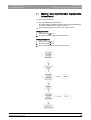
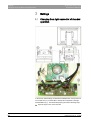
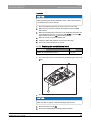
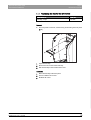
Installing the power supply unit
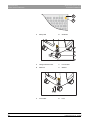
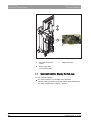
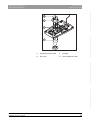
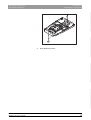
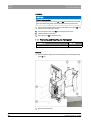
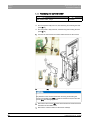
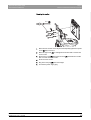
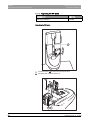
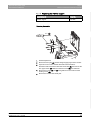
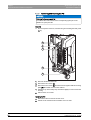
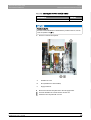
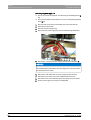
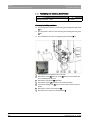
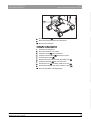
Insert the power supply unit in the holder provided for this purpose.
2.
Position the power supply unit with the four screws. Tighten the screws
securely only after all four of them have been set.
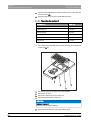
3.
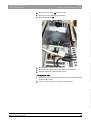
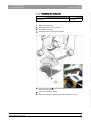
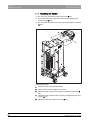
Fasten the ATX angle bracket to the PC with two screws.
4.
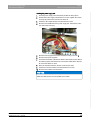
Reconnect the USB cable of the power supply unit. Observe the notes
you made when removing.
5.
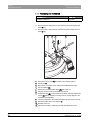
Reconnect the supply board and the mainboard using connector A.
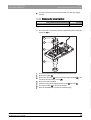
6.
Reconnect the power supplies.
7.
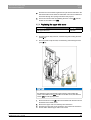
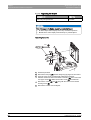
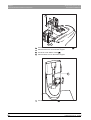
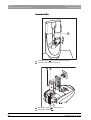
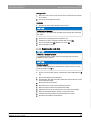
Insert the board holder in the PC and fasten it with the two screws. Bunch
the cables together and fasten them to the board holder with a cable tie.
Do not tie the cables too short.
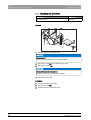
8.
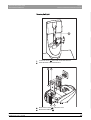
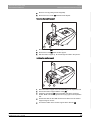
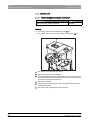
Place the hard drive holder in the PC, but don't lay it down.
9.
Fasten the hard drive holder to the PC with the four screws.
båÖäáëÜ
1.
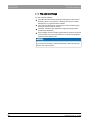
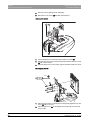
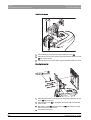
10. Reconnect the cables to the hard drive.
NOTICE
Make sure that the fans are not blocked by the cables.
62 34 269 D3492
D3492.076.01.01.02
02.2009
65