1
Front/Rear Panel
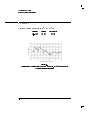
Display
Display
explanation of each annunciator can be found in the
\Annunciators" entry in this section of the manual.
The carrier display is the uorescent display that is on the
right side of the front panel. The primary purpose of this
display is to indicate the current setting of the synthesizer
output frequency and power level.When parameter entry is
initiated, the information in this display will be temporarily
replaced with a parameter entry display. Pressing 4 5
(ENTER) returns the frequency and power level information
5 key is pressed,
to the display. As an example, if the 4
the text RECALL STATE FROM REG 0 appears in the display.
If a cursor ( 9 ) appears over one of the digits in the display,
this digit will be increased or decreased as the knob is
rotated. Note that the cursor indicates that particular
parameter is active. The cursor can be moved left or right
by pressing the 4(5 or 4)5 keys.
Hz
RECALL
NOTE
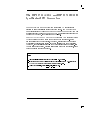
When operating the synthesizer in a secure environment, the display can be blanked so that the
synthesizer parameters and status cannot be viewed. For more information, refer to the \Clear Display"
entry in Chapter 7 of this manual.
See Also
(5
)5
4
4
Annunciators
CLEAR DISPLAY
DISPlay[:WINDow][:STATe]
Knob
5-12