1
Service Bulletin
Service Bulletin JBL2001-04 Rev2 – February 2003
To:
This is considered a Minor repair
All JBL Service Centers
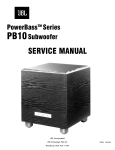
Models: PB10, PB12 (Revision 1 only)*
Subject: Hum, Buzz or “Thumping”
In the event you receive a PB10 or PB12 subwoofer complaint: “There is an audible hum or buzz”, or the
subwoofer “thumps” or “pops” every 10 seconds, then review the conditions below to determine the most
effective solution:
A) Audible Hum with unit on, Green LED is ON, hum disappears completely when the connecting input cables (RCA or
Speaker-Level) are disconnected:
Very long runs of line-level input cables, particularly in parallel with AC power cords, may induce hum in the
audio cables. Check audio cables for defects, broken ground connections, or replace low quality cables. Try
plugging the AC power cord from the subwoofer into a different AC service outlet other than the outlet the rest
of the audio equipment is plugged into.
B) Mild Audible Hum under all circumstances when power cord is plugged in outlet. Hum level does not change
whether the LED’s are Red or Green, or input cables are connected or disconnected. Level control adjustments do
not change the hum level.
This may be a mechanical hum caused by the power transformer. Note that a slight hum, within design limits,
may be noticeable in a very quiet room, when you are close to the unit. This is acceptable within the PB10/12’s
product and price category to most customers, but not to others. If the mechanical hum is unacceptable to the
customer, then replace Power Transformer. PB10: JBL part# 80135. PB12: JBL part# 80116
C) Loud Hum, under all circumstances. It may be louder when LED’s are Green vs. Red ; it may be affected by the
position of the Level control. The subwoofer may “thump” or “pop” approximately every 10 seconds.
Reset the digital subwoofer amplifier by unplugging the AC power cord. Wait 30 seconds, then plug the cord
back in. Repeat this 2-3 times if necessary.
For #B only - If the unit still does not function correctly, then check and replace main Power Supply
capacitors C1 and C2.
Both Value and df should be checked, with a GenRad model 1657 Digibridge or equivalent
Value should be the rating listed below, within this tolerance: +80/-20 %
A df value of higher than 15% (.15) should be considered defective.
PB10
PB12
4700 µF 50v 105c
2200 µF 100v 105c
JBL part# 30706
JBL part# 30710
For #C only - If the unit still does not function correctly, then replace Power Amp Module S53/64AMI as per
instructions below: PB10: JBL part# 60301 PB12: JBL part# 60302
1) Set the unit on a padded surface and remove all external cables.
2) On the amplifier faceplate, remove the (10) Phillips mounting screws around the perimeter.
3) Remove the amplifier assembly from the enclosure. If the amp is supported correctly, no other connectors need to
be unplugged.
4) Locate the Power Amp Module S53/64AMI, see location on the following page. It is the large black or gray
component with a metal case. On the solder side of the circuit board are 28 soldered connections. NOTE: See
special handling instructions for S53/64AMI on the following page.
5) Replace the amplifier assembly back into the cabinet; replace the screws.
6) Test the unit and confirm the original problem has been corrected. NOTE: THE PB10/12 REVISION 1 AMPLIFIER
MUST ALWAYS BE TESTED WITH A WOOFER OR 4 OHM RESISTIVE LOAD.
JBL Incorporated
250 Crossways Park Dr.
Woodbury, New York 11797 (516) 496-3400
14