1
Spurious emissions & ACP
Because the ACP measurement for 1xEVDO is based on “Conducted Spurious
Emissions” by 3GPP2, this measurement is
merged into the personality as well. The
measurement mode can be selected as
either ACP or SEM (spectrum emission
mask). When switching modes between
ACP and SEM, the offset frequency, RBW,
and limit lines are automatically adjusted
according to the measurement definition in
the 3GPP2 standard. Even though this is a
burst signal, a RMS detector can be selected and the measurement offset and measurement interval can be set in units of
chips and microseconds. The spurious
emissions & ACP measurement has default
offset and interval settings that can be
accessed via the {Pre-Defined Ofs/Intvl}
soft key menu under [Meas Setup].
PSA
Instructions Keystrokes
Activate the spurious emissions & ACP measurement.
[MEASURE] {Spurious emissions & ACP}
Set triggering for external rear port. [Meas Setup] {Trig Source} {Ext Rear}
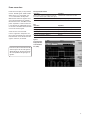
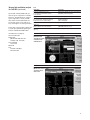
Restart the measurement (Figure 4). [Restart]
Figure 4.
SEM (spectrum
emission mask)
measurement
for idle slot
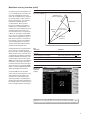
This exercise illustrates SEM and ACP measurements for idle slots. Notice in the PSA
measurement that the mask limit is represented by a green trace on the screen.
Note:
Because the PSA series performs fast Fourier transforms
(FFT) for this measurement, the local oscillator (LO)
steps in discrete frequency increments. (The step size
is assigned under [Meas Setup] {Offset/Limits} {Step
Freq}.) A measurement is made at each frequency
point; offset segments group the points. For each segment, the resolution bandwidth can be individually
specified. {Step Freq} and {Res BW} default to coupled
mode. When these parameters are set manually, it is
essential that the resolution bandwidth be larger than
the step size. If not, some signal components will be
missed when they fall between successive peaks of
the resolution bandwidth filter. In fact, it is good practice to make the {Res BW} twice as wide as the step
size given that the filter is Gaussian. This ensures that
successive filter bandwidth steps will overlap.
6
PSA
Instructions Keystrokes
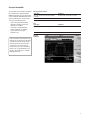
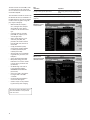
Change measurement mode from SEM to ACP. [Meas Setup] {Meas Mode ACP}
Restart the measurement (Figure 5). [Restart]
Figure 5.
ACP measurement
for idle slot