1
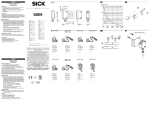
Executive Series EX300 Barrier Optical Swing Gate Lane Service & Installation Manual Note: Successful turnstile installation depends on reading this manual. Important Note: Please keep this service manual after installation. If an installation is done by a construction company or outside installer, please pass this book along to the end user. This book is required for maintenance, troubleshooting, and repairs. Security Begins with Controlled Access 1636 W. 130th St, Brunswick, OH 44212 Toll Free Phone: (800) 942-0829 | Fax: (800) 942-0828 | Phone: (330) 273-6185 | Fax: (330) 273-4468 Web: http://www.controlledaccess.com | E-mail: [email protected] EX300 Service & Installation Manual Table of Contents Theory of Operation 3 Lane Functionality 4 Pre-installation Preparation 6 Concrete Anchor Instructions 9 Installation Instructions 10 Sensor Alignment 11 Sensor Designations 12 Wiring Legend 13 Wiring Diagrams 14 Overview of the Access Window 17 Device Settings of the EX300 19 Warranty Information 21 Appendix: Component Literature Security Begins with Controlled Access 1636 W. 130th St, Brunswick, OH 44212 Toll Free Phone: (800) 942-0829 | Fax: (800) 942-0828 | Phone: (330) 273-6185 | Fax: (330) 273-4468 Web: http://www.controlledaccess.com | E-mail: [email protected] 2 EX300 Service & Installation Manual EX300 Barrier Optical Turnstile Theory of Operation: The EX300 barrier optical swing gate lane is designed to control traffic with an intuitive motorized barrier design. This is accomplished with thru-beam type sensors to detect where a person is inside of the lane. Crossing and uncrossing certain beams at certain times will evaluate a passage to be either authorized or unauthorized. Within each lane there are two primary zones of sensors. Each zone acts as a “limit”. Upon a valid entry (card read, push button, keypad, etc.), the unit recognizes authorization and swings open to allow passage through in the direction requested. Once passage is complete, the arms return to their home position. Should a user pass in the incorrect direction or has not been authorized for passage, an audible alarm will pulse and red x’s will flash on the LED boards. An additional solid state output during alarm scenarios also exists for integration into other security systems. In addition to the two sensor zones mentioned previously, a third sensor zone exists for crawl-through detection. If anyone attempts to crawl through the lane under the arms, the third sensor zone detects them and an alarm goes off. EX300 lanes are designed to allow heavy flows of traffic. With an adjustable swipe queue, one user can request passage through the lane while another is already inside. This negates the need to wait for the lane to return to a secured status before the next person can pass. Physically, a lane of EX300 consists of two cabinets: a primary and a secondary. From this base pair, additional single arm lanes can be added. This is accomplished by changing the rear of the cabinet to accept transmitter sensors for the next primary cabinet to create a lane. Inside the primary cabinet, a logic controller with a display screen and input buttons allow a variety of settings for the machine to be adjusted to facility preferences. Security Begins with Controlled Access 1636 W. 130th St, Brunswick, OH 44212 Toll Free Phone: (800) 942-0829 | Fax: (800) 942-0828 | Phone: (330) 273-6185 | Fax: (330) 273-4468 Web: http://www.controlledaccess.com | E-mail: [email protected] 3 EX300 Service & Installation Manual Lane Functionality Lane configuration: Each base lane consists of two different types of cabinets; a primary cabinet and a secondary cabinet. In instances where additional single arm lanes are added to an array, the rear side of each cabinet opposite of the lane’s cabinet with the arm becomes a secondary panel to the primary cabinet of that lane. See sample layout below. The base ADA lane’s secondary cabinet communicates with the primary cabinet with a provided 12 conductor cable. This allows the primary cabinet to operate the solenoids and motor of the secondary cabinet, as well as keep track of the secondary cabinet’s arm position via its 3 proximity sensors. The secondary cabinet also contains 7 optical transmitters which the primary cabinet uses to evaluate lane passage via receivers. This is also applicable for each single arm lane within an array. From the factory, each cabinet in an array is preconfigured to the requested operation and layout. Each lane has two directions of passage, each of which can be configured for controlled passage, free passage or no passage. This configuration can be changed in the field via settings on lane’s logic controller located inside of the primary cabinet. Security Begins with Controlled Access 1636 W. 130th St, Brunswick, OH 44212 Toll Free Phone: (800) 942-0829 | Fax: (800) 942-0828 | Phone: (330) 273-6185 | Fax: (330) 273-4468 Web: http://www.controlledaccess.com | E-mail: [email protected] 4 EX300 Service & Installation Manual Lane Functionality (cont.) Electrical requirements: Primary cabinets require 100-240 VAC input voltage. An internal power supply steps the voltage down to 24VDC. Between the two cabinets in an ADA lane, an 18 gauge 12 conductor cable is necessary in order to operate the secondary cabinet. It will be necessary to provide ¾” conduit access between the two cabinets. However, only the primary cabinet requires 100240VAC. The secondary cabinet will obtain 24VDC from the primary cabinet. The secondary panel (rear of the cabinet across from the primary cabinet) of a single arm lane is powered with only a 2 conductor cable from the primary cabinet, as there are no solenoids, motors or proximity sensors involved in that instance. This cable provides voltage to the optical transmitters for that lane. It is recommended that the primary side of a hybrid cabinet receives 100-240VAC and the secondary side receives the 24VDC from the primary cabinet of the other lane. This is so one lane can be taken offline without affecting the next one. The primary cabinet may also require conduit access from the access control system, this is dependent on the method of installation of access control. Security Begins with Controlled Access 1636 W. 130th St, Brunswick, OH 44212 Toll Free Phone: (800) 942-0829 | Fax: (800) 942-0828 | Phone: (330) 273-6185 | Fax: (330) 273-4468 Web: http://www.controlledaccess.com | E-mail: [email protected] 5 EX300 Service & Installation Manual Pre-installation Preparation In order to install an EX300 lane, each cabinet needs to be opened up. Once opened, anchor holes for concrete mounting as well as conduit access for electrical work can be accessed. Each cabinet has two removable front panels and a lid that need to be removed in order to install. The first front panel to remove is a V-shaped cover which is fastened onto an aluminum housing for the arm assembly. It is held into place with two 10-24 stainless steel button heads (shown below). After the V-shaped plate is removed, the lid must be taken off of the cabinet. The lid is held in the front with a key lock and fits into two clips in the back. To remove the lid, first unlock the key, then pull the lid forward and lift up to unhook the clips in the back. Security Begins with Controlled Access 1636 W. 130th St, Brunswick, OH 44212 Toll Free Phone: (800) 942-0829 | Fax: (800) 942-0828 | Phone: (330) 273-6185 | Fax: (330) 273-4468 Web: http://www.controlledaccess.com | E-mail: [email protected] 6 EX300 Service & Installation Manual Pre-installation Preparation (cont.) The next step before being able to access the floor plate is to remove the front panels of the cabinets. With the lid removed, two 10/32 screws are found in the top corners of each panel. Simply remove these screws and the front panel can be removed by tilting it forward and lifting it out of the floor plate Although it should not be necessary, the sensors can be disconnected from their cables. Each sensor is equipped with an M8 euro style quick disconnect cable. These can be disconnected so that the panels can be completely removed from the area to provide more work space. Simply unscrew the thread on the cable where it connects to the sensor and remove. Security Begins with Controlled Access 1636 W. 130th St, Brunswick, OH 44212 Toll Free Phone: (800) 942-0829 | Fax: (800) 942-0828 | Phone: (330) 273-6185 | Fax: (330) 273-4468 Web: http://www.controlledaccess.com | E-mail: [email protected] 7 EX300 Service & Installation Manual Pre-installation Preparation (cont.) Pre-installation Alignment: Before anchoring the cabinets to the floor, we recommend laying out the lane and testing alignment. Place the cabinets in their approximate end location and connect the 2 conductor cable inside of the primary cabinet to the end in the secondary cabinet. Plug in the primary cabinet to AC voltage to power up the lane. Inside of the primary cabinet, there is a series of 7 total photo cell sensors. Each of these sensors is equipped with two LED’s on the rear. One of them is green and should always be lit. The other should be solid orange while the beam is uncrossed and off while the beam is crossed. If the orange LED is blinking in any case, you will need to adjust the sensor alignment, shift the cabinets so that they are straight to each other, or shim the cabinets so that they are level. See the sensor alignment section of this manual for advice on how to ensure the transmitter’s light reaches the receiver properly. Security Begins with Controlled Access 1636 W. 130th St, Brunswick, OH 44212 Toll Free Phone: (800) 942-0829 | Fax: (800) 942-0828 | Phone: (330) 273-6185 | Fax: (330) 273-4468 Web: http://www.controlledaccess.com | E-mail: [email protected] 8 EX300 Service & Installation Manual Concrete Anchor Instructions Security Begins with Controlled Access 1636 W. 130th St, Brunswick, OH 44212 Toll Free Phone: (800) 942-0829 | Fax: (800) 942-0828 | Phone: (330) 273-6185 | Fax: (330) 273-4468 Web: http://www.controlledaccess.com | E-mail: [email protected] 9 EX300 Service & Installation Manual Installation Instructions 1. Floor should be level +/- 1/16”. If not, each cabinet must be shimmed. Note: Anchoring optical lanes to an uneven ground most likely will cause serious issues in unit operation. 2. Install conduit for 100-240 VAC to primary cabinet, conduit for access control integration (if applicable), and a 3/4" conduit in between the primary and secondary cabinet for cabling to the secondary cabinet. 3. With each cabinet in the exact position to be mounted, use a center punch to mark location of the four holes to be drilled in the floor. Note: Make sure each cabinet is square to each other, otherwise operation will be inconsistent 3. If necessary, move cabinets out of the way. Drill four 3/8” holes 4” deep per cabinet and remove all concrete dust from the holes. 4. Place cabinet in the correct location and install SS wedge type anchors supplied. Torque the nuts to a minimum of 50 foot pounds. 5. Plug the power supply in the main cabinet into 100-240 VAC (single phase) minimum 3 amp GFI circuit. 6. The sensors we use are a thru-beam type: they require a transmitter and receiver in order to operate. In order to accomplish this, you must connect 24VDC power to the secondary cabinet. This is accomplished with a provided 12 conductor (or 2 conductor for single lane add-on) cable. See the wiring diagram for more information. 7. Connect access control as required to direction inputs on the logic controller. See wiring diagram for more information. Security Begins with Controlled Access 1636 W. 130th St, Brunswick, OH 44212 Toll Free Phone: (800) 942-0829 | Fax: (800) 942-0828 | Phone: (330) 273-6185 | Fax: (330) 273-4468 Web: http://www.controlledaccess.com | E-mail: [email protected] 10 EX300 Service & Installation Manual Sensor Alignment The EX300 series is equipped with visible target laser thru beam sensors. The transmitter sensors (located in the secondary cabinet) shine much like a flash light. The target from the transmitters can be visibly seen by simply placing a piece of white paper onto the target area. Each photo cell is mounted onto a bracket which is screwed onto a panel. Loosening the screws holding the bracket to the panel will allow for some range of motion up and down. The sensors can also be tilted on the brackets themselves to provide a left-to-right alignment adjustment. Simply loosen the screws holding the bracket to the sensor and tilt in the desired direction. Note that the light from the transmitters will actually be larger than the surface area of the receivers. This makes alignment much easier. Try to center out the targets to the receiver as close as possible. Security Begins with Controlled Access 1636 W. 130th St, Brunswick, OH 44212 Toll Free Phone: (800) 942-0829 | Fax: (800) 942-0828 | Phone: (330) 273-6185 | Fax: (330) 273-4468 Web: http://www.controlledaccess.com | E-mail: [email protected] 11 EX300 Service & Installation Manual Sensor Designations Above is a diagram which illustrates each sensor’s position. There are 7 sensors on each cabinet total, separated into 3 “zones”. The zone designated as “Sensor Zone 1” is part of the intelligence behind whether or not authorized access has been granted. For example, if the zone 1 sensors have been tripped but direction 2 was the direction that authorization was granted, an alarm will trigger. The zone called Sensor Zone 2 does the same thing as zone 1, but in the opposite direction. The sensor zones have another function as well. On free flow mode, when the sensor zone for the appropriate direction is actuated, access is granted for that direction. The third zone are sensors which prevent the arms from closing on obstruction and also serve as anti-crawl through sensors. These will detect unauthorized people who are attempting to crawl underneath the main zones. Security Begins with Controlled Access 1636 W. 130th St, Brunswick, OH 44212 Toll Free Phone: (800) 942-0829 | Fax: (800) 942-0828 | Phone: (330) 273-6185 | Fax: (330) 273-4468 Web: http://www.controlledaccess.com | E-mail: [email protected] 12 EX300 Service & Installation Manual EX300 Wiring Legend Security Begins with Controlled Access 1636 W. 130th St, Brunswick, OH 44212 Toll Free Phone: (800) 942-0829 | Fax: (800) 942-0828 | Phone: (330) 273-6185 | Fax: (330) 273-4468 Web: http://www.controlledaccess.com | E-mail: [email protected] 13 EX300 Service & Installation Manual Overview of the Access Window On the logic controller, an access window is available to change and adjust many different values. Each value is referred to as a “device”. The window comprises of 3 primary areas: The device selector window, operation keys, and the main display window. Although the logic controller is capable of many functions, all of the devices that the control head operates from are accessed in “Device Mode”. When device mode is active, the display screen will show DM in the top left corner. That being said, it is possible to stray from the device mode settings. In the selected device type section of the access window, DM, TM, T/C, CTC, TRM, and RLY are all possible selections to load. Again, we are only using DM (device mode) with the Beacon series. Should you find that you accidently have loaded any other selected device type, simply press to scroll until you have once again loaded the DM type. Security Begins with Controlled Access 1636 W. 130th St, Brunswick, OH 44212 Toll Free Phone: (800) 942-0829 | Fax: (800) 942-0828 | Phone: (330) 273-6185 | Fax: (330) 273-4468 Web: http://www.controlledaccess.com | E-mail: [email protected] 17 EX300 Service & Installation Manual In addition to the device mode window, system mode can be accessed as well. Although under normal circumstances you should never encounter this window, if by accident you should happen to come across it, simply press the up or down arrow until the window reads “run”. Press and hold the button for 3 seconds, and the display will return to device mode. Additionally, should for any reason the display lettering become red instead of green, you will need to access system mode to run the program in this fashion. Holding the key while pressing up and down allows you to change between system mode and device mode. A third mode, which will display TRM on the left side of the screen, can also be accessed. Cycle through until the appropriate mode is displayed. Finally, it is possible to lock the keypad. Should you inadvertently do so, press and hold the button and an arrow key together for 3 seconds to unlock the keypad again. Security Begins with Controlled Access 1636 W. 130th St, Brunswick, OH 44212 Toll Free Phone: (800) 942-0829 | Fax: (800) 942-0828 | Phone: (330) 273-6185 | Fax: (330) 273-4468 Web: http://www.controlledaccess.com | E-mail: [email protected] 18 EX300 Service & Installation Manual Device Settings of the EX300 Pressing the up or down arrows allow you to select which device you wish to modify. Pressing and holding the key for 3 seconds loads the modification window. While modifying, the digits on the window begin to flash. Pressing will move the cursor in a digit. Select the correct digit to modify, then use the arrows to change the value. Once finished, hold the button for 3 seconds and your adjustment will save. Should an entered value not fall within the specified range of the device being modified, the value will automatically adjust to the highest possible value. A description of each device setting is: DM0: Timer value for Direction 1 - The range of this setting is 1 – 60 seconds. This is how long the direction will remain open for if a user does not pass through the direction. The default setting is 7 seconds. DM1: Timer value for Direction 2 - The range of this setting is 1 – 60 seconds. This is how long the direction will remain open for if a user does not pass through the direction. The default setting is 7 seconds. DM2: Alarm Timer - This setting allows for an adjustment to the duration of the alarm timer once the cause of the alarm has cleared. DM3: Direction 1 Power Failure Setting - This determines when the solenoid receives power and is preconfigured based how each individual order was built. 0 means the direction is fail lock & 1 means the direction is fail open. Changing this setting by itself without the proper mechanical changes will cause functionality issues. This setting is not affected by factory reset. DM4: Direction 2 Power Failure Setting - This determines when the solenoid receives power and is preconfigured based how each individual order was built. 0 means the direction is fail lock & 1 means the direction is fail open. Changing this setting by itself without the proper mechanical changes will cause functionality issues. This setting is not affected by factory reset. DM5: Direction 1 One Shot - This setting determines whether or not the access control input length is ignored and converted to a .1 second pulse internally. Enabling this allows the turnstile to ignore access control from allowing too many users pass through the turnstile. Disabling it allows access control to hold the direction open. 0 means the oneshot timer is inactive & 1 means the one-shot timer is active. Factory reset sets this to 1. DM6: Direction 2 One Shot - This setting determines whether or not the access control input length is ignored and converted to a .1 second pulse internally. Enabling this allows the turnstile to ignore access control from allowing too many users pass through the turnstile. Disabling it allows access control to hold the direction open. 0 means the oneshot timer is inactive & 1 means the one-shot timer is active. Factory reset sets this to 1. Security Begins with Controlled Access 1636 W. 130th St, Brunswick, OH 44212 Toll Free Phone: (800) 942-0829 | Fax: (800) 942-0828 | Phone: (330) 273-6185 | Fax: (330) 273-4468 Web: http://www.controlledaccess.com | E-mail: [email protected] 19 EX300 Service & Installation Manual DM7: Direction 1 Mode - This setting determines the mode of operation for direction 1. A setting of 0 is set for controlled passage. A setting of 1 is set for free-flow passage. A setting of 2 is set for no passage. This setting is not affected by factory reset. DM8: Direction 2 Mode - This setting determines the mode of operation for direction 2. A setting of 0 is set for controlled passage. A setting of 1 is set for free-flow passage. A setting of 2 is set for no passage. This setting is not affected by factory reset. DM9: Direction 1 multi-swipe - This setting allows more than one access control request to be processed at a time to allow a faster flow of traffic. The range is 1-3. As each access control request is processed, each rotation subtracts from the total, allowing a constant flow of traffic. Most installations would benefit from a value of 2, which is the default setting. DM10: Direction 2 multi-swipe - This setting allows more than one access control request to be processed at a time to allow a faster flow of traffic. The range is 1-3. As each access control request is processed, each rotation subtracts from the total, allowing a constant flow of traffic. Most installations would benefit from a value of 2, which is the default setting. DM11: Single Arm Lane Settings – If set to 0, the lane is a standard double arm ADA width lane. If set to 1, the lane only has 1 arm. This setting is not affected by factory reset. DM12: Fire Alarm Swing – This setting defines which way the arm swings in a fire alarm scenario. While the fire alarm input is active, a setting of 0 swings the arm(s) in direction 1 while a setting of 1 swings the arm(s) in direction 2. This setting is not affected by factory reset. DM13: Anti-crawl through: This setting allows or disallows the anti-crawl through function, which detects objects on the lower section of the lane while neither direction is active. In facilities where users drag objects low to the ground behind them frequently (such as gyms with rolling luggage), it may be beneficial to disable this setting. A value of 0 is disabled and a value of 1 is enabled. A factory reset enables this feature. Additionally, scrolling downward past DM0 will allow you access to DM1999, which resets all settings to factory defaults. Choose any value greater than 0 to perform the factory reset. Security Begins with Controlled Access 1636 W. 130th St, Brunswick, OH 44212 Toll Free Phone: (800) 942-0829 | Fax: (800) 942-0828 | Phone: (330) 273-6185 | Fax: (330) 273-4468 Web: http://www.controlledaccess.com | E-mail: [email protected] 20 EX300 Service & Installation Manual Warranty Information Seller warrants the goods against defective workmanship and materials provided that Buyer notify Seller within one (1) year after receipt by Buyer of the goods of any claim under this Warranty. The liability of Seller shall be limited to replacing or repairing defective goods returned by Buyer and delivered to the factory of the Seller, transportation charges prepaid. Replaced or repaired goods will be redelivered freight repaid to the address of Buyer shown hereon. Except for the Warranty contained herein, there shall be no other warranties, such as warranties of fitness and merchantability or otherwise express or implied, written or verbal, and Seller shall not be liable for consequential damages in any event. Security Begins with Controlled Access 1636 W. 130th St, Brunswick, OH 44212 Toll Free Phone: (800) 942-0829 | Fax: (800) 942-0828 | Phone: (330) 273-6185 | Fax: (330) 273-4468 Web: http://www.controlledaccess.com | E-mail: [email protected] 21 Inductive proximity sensors Cylindrical threaded housing, IME12 Type Part No. > IME12-04BPSZW2K > 1040765 At a glance • Size M12 • IP 67 enclosure rating • Operating temperature from -25° C to +75° C Your benefits • Reduced machine downtime • Reduced mechanical damage • Fewer maintenance costs due to longer service life • High resistance to shock and vibrations Features Design: Thread size: Sensing range Sn: Assured sensing range Sa: Installation type: Switching frequency: Switching output: Output function: Electrical wiring: Enclosure rating: Connection type: Housing: 1) Cylindrical M12 x 1 4 mm 3.24 mm Flush 2,000 Hz PNP NO DC 3-wire 1) IP 67 Cable, 3-wire, 2 m Short-body According to EN 60529 Mechanics/electronics Supply voltage: Ripple: Voltage drop: Power consumption: Time delay before availability: Hysteresis: Repeatability:: Temperature drift (of Sr): EMC: 10 V DC ... 30 V DC ≤ 10 % ≤2V 1) ≤ 10 mA ≤ 100 ms 5 % ... 15 % 2) 3) ≤2% ± 10 % According to EN 60947-5-2 Inductive proximity sensorsAAAAAAAAAA© SICK AG. Subject to change without notice.AAAAAAAAAA6/9/2015 2:24:52 PM Continuous current Ia: Cable material: Short-circuit protection: Reverse polarity protection: Power-up pulse protection: Shock and vibration resistance: Ambient operating temperature: Housing material: Housing cap material: Housing length: Thread length: Tightening torque, max.: 1) Without load 2) Ub and Ta constant 3) ≤ 200 mA PVC ü ü ü 30 g, 11 ms/10 Hz ... 55 Hz, 1 mm -25 °C ... +75 °C Metal, Nickel-plated brass Plastic, PA6 44 mm 29 mm 12 Nm Of Sr Reduction factors Note: Carbon steel St37 (Fe): Stainless steel (V2A, 304): Copper (Cu): Aluminum (Al): Brass (Br): The values are reference values which may vary 1 Ca. 0.8 Ca. 0.4 Ca. 0.45 Ca. 0.4 Installation note B: C: D: F: Remark: 24 mm 12 mm 12 mm 32 mm Associated graphic see "Installation" Inductive proximity sensorsAAAAAAAAAA© SICK AG. Subject to change without notice.AAAAAAAAAA6/9/2015 2:24:52 PM Connection diagram Dimensional drawing Inductive proximity sensorsAAAAAAAAAA© SICK AG. Subject to change without notice.AAAAAAAAAA6/9/2015 2:24:52 PM Photoelectric sensors G6, Through-beam photoelectric sensor Type Part No. > GSE6-P4111 > 1052446 At a glance • PinPoint LED for a bright, precise light spot • Durable metal threaded inserts • SICK ASIC technology - the result of decades of experience in photoelectric sensors • Large, user-friendly potentiometer • Large, bright indicator LEDs • adjustable receiver sensitivity via 270° turn potentiometer (depending on type) • IP 67 enclosure rating Illustration may differ Your benefits • Easy alignment and precise object detection due to a highly visible PinPoint LED • Quick and easy mounting and high durability due to threaded metal inserts • SICK ASIC technology provides high performance and excellent reliability • Easy to adjust due to large, user-friendly potentiometers • Easy to monitor due to large, bright indicator LEDs • Easy installation with SICK accessories Features Sensor/detection principle: Dimensions (W x H x D): Housing design (light emission): Sensing range max.: Sensing range: Type of light: Light source: Wave length: Light spot size (distance): 1) Through-beam photoelectric sensor 12 mm x 31.5 mm x 21 mm Rectangular 0 m ... 15 m 0 m ... 10 m Visible red light 1) PinPoint LED 650 nm Ø 375 mm (12 m) Average service life of 100,000 h at T = +25 °C A Mechanics/electronics Supply voltage: Ripple: Power consumption: Switching output: Switching mode: 10 V DC ... 30 V DC 2) ± 10 % 3) ≤ 30 mA PNP Light/dark switching 1) Photoelectric sensorsAAAAAAAAAAAAA© SICK AG. Subject to change without notice.AAAAAAAAAAAAA6/9/2015 2:20:19 PM Switching mode selector: Output current Imax.: Response time: Switching frequency: Connection type: Circuit protection::: Protection class: Weight: Polarisation filter: Optics material: Enclosure rating: Ambient operating temperature: Ambient storage temperature: UL File No.: Signal voltage PNP HIGH/LOW: Housing material: Selectable via light/dark selector 4) ≤ 100 mA 5) < 500 µs 6) 1,000 Hz Connector M8, 4-pin 7) 8) 9) A, B, D III 40 g PMMA IP 67 10) -25 °C ... +55 °C -40 °C ... +70 °C NRKH.E348498 & NRKH7.E348498 VS - (≤ 3 V) ∕ approx. 0 V ABS/PC, Plastic 1) 2) 3) 4) Limit values, operation in short-circuit protected network max. 8 A May not exceed or fall short of V tolerances Without load At Vs > 24 V, I max = 50 mA S A 5) 6) 7) 8) Signal transit time with resistive load With light/dark ratio 1:1 A = V connections reverse-polarity protected B = inputs and output reverse-polarity protected S 9) 10) D = outputs overcurrent and short-circuit protected Temperature stability after adjustment +/-10°C Dimensional drawing Photoelectric sensorsAAAAAAAAAAAAA© SICK AG. Subject to change without notice.AAAAAAAAAAAAA6/9/2015 2:20:19 PM Adjustments possible Connection diagram Photoelectric sensorsAAAAAAAAAAAAA© SICK AG. Subject to change without notice.AAAAAAAAAAAAA6/9/2015 2:20:19 PM 13/15DVA CONTROL SERIES LT34 (13/15DVATRI-0805) CONTROLS Instruction Manual Variable Speed Control P.O. Box 10 5000 W. 106th Street Zionsville, Indiana 46077 Phone (317) 873-5211 Fax (317) 873-1105 www.dartcontrols.com A-5-3012B MODEL 13DVA Rev.A / 15DVA Rev.A HOOK-UP WARNING IMPROPER INSTALLATION OR OPERATION OF THIS CONTROL MAY RESULT IN INJURY TO PERSONNEL OR ELECTRONIC FAILURE. THE CONTROL MUST BE INSTALLED AND GROUNDED IN ACCORDANCE WITH LOCAL, STATE, AND NATIONAL SAFETY CODES. AT NO TIME SHOULD THE CIRCUIT CONTINUITY BE CHECKED BY SHORTING TERMINALS WITH A SCREWDRIVER OR OTHER METAL DEVICE. PLEASE READ COMPLETELY BEFORE MAKING ANY ADJUSTMENTS HOOK-UP & TERMINAL IDENTIFICATION 1) Before attempting to wire the control, make sure all power is turned off. 2) Use a normal blow fuse, wired in series with hot side of AC input, rated to 125% of motor current. Note: Both AC lines should be fused for 240 VAC input. CAUTION SHOULD BE USED IN SELECTING THE SIZE OF HOOK-UP WIRING. LIMIT THE VOLTAGE DROP THROUGH THE WIRING TO 5% OF THE LINE VOLTAGE AT FULL LOAD. 3) +ARM: Connect to plus (+) Armature wire on motor. 0-90 VDC for 120 VAC input, and 0-180 VDC for 240 VAC input. 4) -ARM: Connect to minus (-) Armature wire on motor. 5) -FIELD: Connect to minus (-) Field wire of Shunt Wound Motor. 6) AC1 and AC2: 120 VAC - Connect incoming hot AC (black wire) to AC1 and neutral (white wire) to AC2 240 VAC - Connect both hot sides, one to AC1 and one to AC2. 7) +FIELD: Do not use for permanent magnet motor. This supplies +Field voltage for a Shunt Wound Motor. For motors with dual voltage field (ie; 50/100V or 100/200V), make sure the highest value is connected. CAUTION: DO NOT ATTEMPT TO PERFORM A HI-POT TEST ACROSS AC LINES WITH CONTROL IN CIRCUIT. THIS WILL RESULT IN IMMEDIATE OR LONG TERM DAMAGE TO THE CONTROL. ADJUSTMENTS 1) Preset trimpots in the counter-clockwise (CCW) position. 2) Apply power. 3) Rotate the Speedpot fully CW and adjust MAX trimpot in the CW direction until the maximum desired speed is obtained. 4) Rotate the Speedpot fully counter-clockwise (CCW) and adjust the MIN trimpot in the CW direction until deadband or the minimum desired speed is obtained. 5) The IR COMP trimpot is used as a regulation adjustment. If better motor regulation is needed between minimum and maximum loads, then adjust IR COMP trimpot as follows. Rotate the Speedpot CW to the 50% position and rotate the IR COMP trimpot CW as needed to increase regulation. 6) Recheck and readjust trimpots if necessary. Trimpot interaction with each other will be minimal. -TS OPTION TO REMOTE SPEEDPOT SPEEDPOT HI SPEEDPOT WIPER SPEEDPOT LO (orange wire) SPEEDPOT WIPER (red wire) SPEEDPOT LO SPEEDPOT HI (white wire) IN IN M M P M P M O C O C IR IR X X A A M M M M R R +A +A M M R R -A -A D LD IE -F L IE -F 2 C C A A 2 1 C C A A 1 D L IE D L IE +F +F HEATSINK DIMENSIONS & IDENTIFICATION 1 or 1A HOUSING* 2.500 +/-.050 .240 2.055 .318 .178 .140 (SIDE PROFILE) 1.261 CL .140 DIA. (2 PLACES) .750 .592 .216 .230 .203 .377 DIA. (1 HOLE) 2.126 2.326 2 or 2A HOUSING* 13DVA Rev.A /15DVA Rev.A MODEL SPECIFICATIONS AC Input Voltage .............................................................................................. ± 10% Rated Line Voltage Amps - DC Output ........................................................................................................ 150mA to 2 Amps• Dimensions ............................................................. 13DV1 / 15DV1: 2.80" wide, 1.30" high, 3.30" deep Dimensions ............................................................. 13DV2 / 15DV2: 2.80" wide, 1.50" high, 3.30" deep Input Frequency ..................................................................................................................... 50 / 60 Hertz Input Voltage - 13DV .................................................................................................... 12 VAC or 24 VAC Input Voltage - 15DV ................................................................................................. 120 VAC or 240 VAC I.R. Compensation ................................................................................................. Adjustable - full range Max. Speed .................................................................................... Adjustable (40 - 120% of Base Speed) Min. Speed .................................................................................................... Adjustable (0 - 30% of Max) Output Voltage - 13DV (12 or 24 VAC Input) .................................................................. 0-12 or 0-24 VDC Output Voltage - 15DV (120 or 240 VAC Input) .......................................................... 0-105 or 0-210 VDC Overload Capacity ........................................................................................................ 200% for 1 minute Shunt Field Voltage - 13DV ..................................................................... 1 Amp max, 10 VDC at 12 VAC Shunt Field Voltage - 15DV ..................................................................... 1 Amp max, 20 VDC at 24 VAC Shunt Field Voltage - 15DV ................................................................. 1 Amp max, 100 VDC at 120 VAC Shunt Field Voltage - 15DV ................................................................. 1 Amp max, 200 VDC at 240 VAC Speed Control ........................................................................................... 5K Ohm Speed Potentiometer Speed Range ........................................................................................................................................ 25:1 Speed Regulation ...................................................................................................... ± 1% of Base Speed Temperature Range ....................................................................... -10o to 45o C. Ambient (15o to 115o F.) Transient Protection ........................................................................................................................ G-Mov Weight .................................................................................................. 13DV1A / 15DV1A weighs 2.64 oz. Weight .................................................................................................. 13DV2A / 15DV2A weighs 3.03 oz. • With suitable external heatsink, current can be increased to 4 Amps. The 13DV/15DV heatsink temperature should not exceed 70o C. Equivalent to 4" x 4" x 0.125" thick aluminum plate mounted to housing.