1
Background measurement
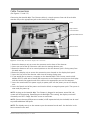
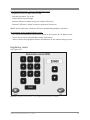
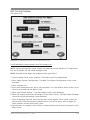
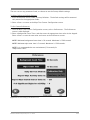
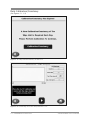
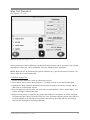
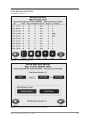
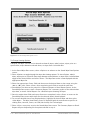
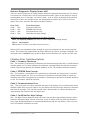
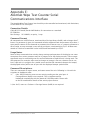
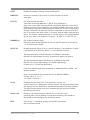
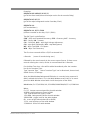
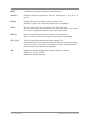
(See Figure 5.3.)
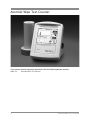
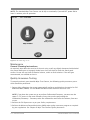
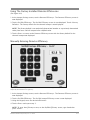
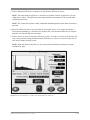
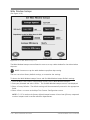
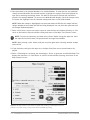
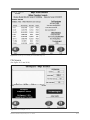
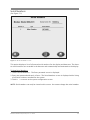
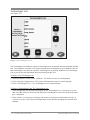
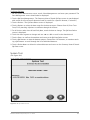
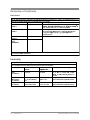
Figure 5.4. The Background Wipe Test Counter screen.
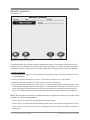
like daily calibration, a background measurement must be taken on a daily basis, once every 24
hours, or any time the system has been turned oFF. if you have not performed a background
check within these parameters, the system will prompt you to do so before allowing a wipe test
to proceed.
to perform a Background measurement:
1. ensure the area is clear of background contamination and the detector is free of radioactive
sources.
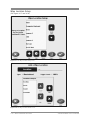
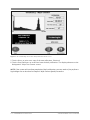
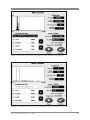
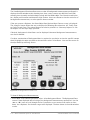
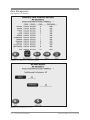
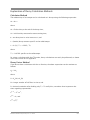
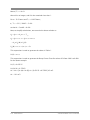
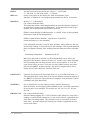
2. at the Background – Wipe test counter screen, touch <start>. the system begins a minimum
30-second background measurement. When complete, the display will note that Background
is completed and oK, or that the background test has failed.
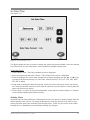
NOTE: The background count time is set in the Wipe Counter Configuration Preferences
screen.
biodex medical systems, inc. © 2014
5-5