1
view stored Wipe data
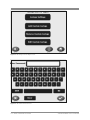
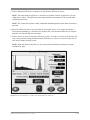
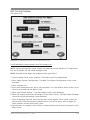
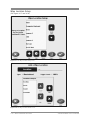
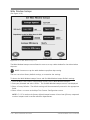
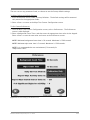
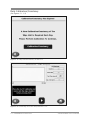
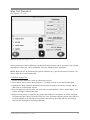
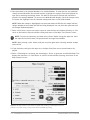
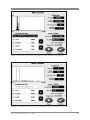
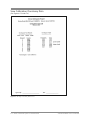
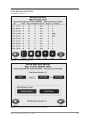
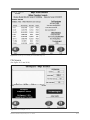
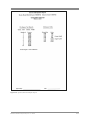
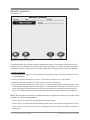
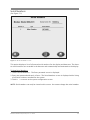
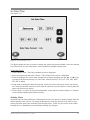
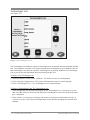
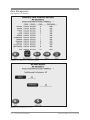
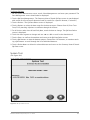
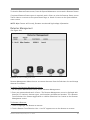
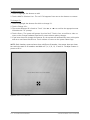
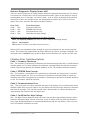
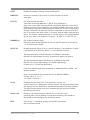
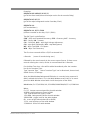
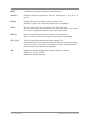
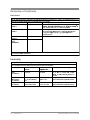
(See Figure 6.12 - 6.14.)
Figure 6.12. The Stored Wipe Data Summary screen.
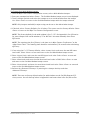
the view stored Wipe data function allows the user to view data for any wipe test stored in the
system. it displays the date, location, status, net cpm, net activity, along with the Biodex Wipe
test counter model number, display serial number and detector serial number. users can
choose to view the entire list of wipe tests, or select specific dates to review. if desired, view
Wipe details can be displayed. unwanted wipe tests can also be deleted.
to view all Wipe tests:
1. at the Wipe test counter Qa screen, select <view stored Wipe data>. the stored Wipe data
screen is now displayed with a listing of all wipes performed. use the <▲> or <▼> icons to
scroll though the list if you desire to see entries from earlier or later dates that are not displayed.
to delete any stored Wipe test:
1. at the Wipe test data screen, highlight the wipe to delete and then select <delete>.
2. select <oK> to delete the entry and return to the Wipe test data screen.
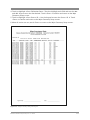
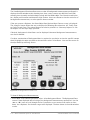
to views a specific Wipe’s detail:
1. Highlight the specific wipe test and then select <view Wipe>. the wipe detail
information is now displayed.
biodex medical systems, inc. © 2014
6-15