1
Valve and Line Accessories
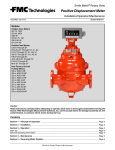
Smith Meter® Model 210
Digital Electro-Hydraulic Set Stop
Installation / Operation / Service Manual
Bulletin MN03010 ║ Issue/Rev 0.3 (4/15)
Customer Support
Contact Information:
Customer Service
FMC Technologies Measurement Solutions, Inc.
1602 Wagner Avenue
Erie, Pennsylvania 16510 USA
P: +1 814 898-5000
F: +1 814 899-8927
[email protected]
www.fmctechnologies.com
Model 210 Valve (I / O / S) Manual
Table of Contents
Table of Contents
1 – General................................................................................................................................................................................... 4
1.1 – Receipt of Equipment........................................................................................................................................................... 4
1.2 – Installation............................................................................................................................................................................ 4
1.3 – Electrical............................................................................................................................................................................... 4
2 – Operation............................................................................................................................................................................... 5
2.1 – Principle................................................................................................................................................................................ 7
2.2 – Start-up and Field Adjustment.............................................................................................................................................. 7
3 – Troubleshooting Guide......................................................................................................................................................... 8
21
4 – Service and Maintenance..................................................................................................................................................... 9
4.1 – Service / Maintenance Intervals........................................................................................................................................... 9
4.2 – Recommended Spare Components..................................................................................................................................... 9
4.3 – Tools Required...................................................................................................................................................................... 9
4.4 – Document Sequence............................................................................................................................................................ 9
4.5 – 210 Valve Service................................................................................................................................................................. 9
5 – Related Publications........................................................................................................................................................... 24
Issue/Rev. 0.3 (4/15) ║ MN03010 • Page 3
Model 210 Valve (I / O / S) Manual
General
1 – General
The Smith Meter® Model 210 Digital Control Valves are hydraulically-operated,
1.1
diaphragm-controlled valves, typically used in conjunction with either an AccuLoad
or microLoad.
Receipt of Equipment
When the equipment is received, the outside packing case should be checked
immediately for any shipping damage. Carefully remove the unit from its packing
case and inspect for damaged or missing parts. If damage has occurred during
shipment or parts are missing, the local carrier should be notified immediately and
a written report should be submitted to the Customer Service Department, FMC
Technologies Measurement Solutions, Inc., P.O. Box 10428, Erie, Pennsylvania
16514-0428. Prior to installation the unit should be stored in its original packing
case and protected from adverse weather conditions and abuse.
Standard explosion proof solenoids are:
UL listed and CSA certified for use in Class I, Groups C and D, Division 1.
Class II, Groups E, F, and G, Division 1 hazardous locations.
1.2Installation
Ensure the valve is installed with flow in the correct direction. The intended flow
direction is indicated on the side of the valve body.
These products have been designed for petroleum applications, where corrosion/
erosion is normally minimum. The design of the pressure containing housings have
adequate material allowance for typical petroleum applications. Consult the factory
for other applications or for the actual material allowances.
1.3Electrical
Wiring is covered in the appropriate controller manual:
MN06150 microLoad.net (I)
MN06037 AccuLoad II (I)
MN06135 AccuLoad III (I)
MN06140 AccuLoad III.SA (I)
MN06143 AccuLoad III-N4 (I)
Page 4 • MN03010 ║ Issue/Rev. 0.3 (4/15)
Model 210 Valve (I / O / S) Manual
Operation
2 – Operation
2.1Principle
The Smith Meter® Model 210 Valve (Figure 1) fundamentally consists of a Smith Meter®
200 Series Valve with two solenoid controls. A valve response control device, typically
a needle valve, is located between each solenoid and its respective upstream or downstream port. This device is used to fine tune the opening/closing rates of the valve, as
well as provide control loop isolation for easier control loop service. Adjustment of these
devices controls the flow rate to and from the cover chamber permitting valve adjustments based on product viscosity and pressures.
N.O.
Solenoid
(30B)
N.C.
Solenoid
(30A)
Opening
Speed
Control
Closing
Speed
Control
Strainer
Flow
Figure 1 – Model 210 Valve Schematic
The normally open (N.O.) and normally closed (N.C.) solenoids, located in the
upstream and downstream portions of the control loop, respectively, control the operation of the valve. When both solenoids are energized, high upstream pressure is
blocked from reaching the main valve cover, the pressure in the cover vents to downstream (lower pressure), and the valve opens. Conversely, when both solenoids are
deenergized, the downstream control loop is blocked and high upstream pressure
closes the valve.
During flow, when the N.O. solenoid is energized while the N.C. solenoid is deenergized, pressure is trapped in the cover causing the valve poppet to be hydraulically
locked in a fixed open position. Therefore, a constant flow rate is maintained. When
operating conditions change causing a change in flow rate for that fixed valve opening, the flow controller (e.g., microLoad, or AccuLoad) signals the appropriate solenoid to open or close momentarily, changing the valve open position, thereby readjusting the flow rate to its set value.
When the set flow rate changes (e.g., from low flow start to high flow limit, or during multi-step valve shutdown), the appropriate solenoids are signalled to open and/
or close until the flow rate adjusts to the new set value. When the product delivered
reaches a predetermined (field adjustable first stage trip) value in the controller, valve
closure is initiated. The flow controller signals the 210 Valve to ramp down the flow in
a multi-step manner, thus preventing line shock.
Issue/Rev. 0.3 (4/15) ║ MN03010 • Page 5
Model 210 Valve (I / O / S) Manual
Flow Rate GPM
900
600
Gallons*
Operation
First Stage Trip*
Final
Stage Trip*
First High Flow Rate*
300
0
Low Flow Start*
Second High Flow Rate*
2,000
Gallons to Be Delivered
*Field programmable.
60
0
Caution: There must be sufficient pump capacity to achieve the
flow rate set into the AccuLoad or microLoad or the valve may
close slowly resulting in a spill.
Figure 2 – Typical Load Cycle
When the preset quantity is nearly reached (1-2 gallons remaining), a final trip point
(field adjustable in controller) signals the valve to close completely assuring accurate
delivery of the preset quantity. Figure 2 shows a typical truck loading flow rate
sequence.
2.2
Start-up and Field Adjustments
Upon initial system start-up, using the 210 Valve, it is recommended that the following steps be followed sequentially to insure a stable and properly operating system:
Step 1: First, all air must be vented from the cover chamber of the main valve. Otherwise, the valve may be unstable or sluggish. This is done by pressurizing the system
and loosening the highest vent plug in the valve cover until all air is expelled. Valves
installed in horizontal lines usually automatically expel all of the air from the cover
chamber after just a few full actuations of the valve.
Step 2: Be certain the flow rate limit is properly set in the controller (e.g., AccuLoad,
microLoad, etc.) so the meter is protected from over-speeding and the valve is modulating (i.e., controlling flow rate).
Step 3: Before energizing the solenoids to open the valve, completely close the
downstream solenoid control loop isolation needle valve. This prevents the 210 Valve
from opening. Also, adjust the upstream solenoid control loop isolation needle valve
about 1/4 - 1/2 open.
Step 4: With no other loading position from the pump open (highest valve inlet pressure) preset a small volume and energize the valve solenoids as normally would be
done to initiate flow.
Step 5: Slowly open the downstream needle valve until the main valve opens slowly
but smoothly and maintains flow stability (solenoids not "clicking" excessively).
Step 6: Allow a normal preset shutdown, observing the valve closing speed and flow
stability during the multi-stage shutdown.
Step 7: If the shutdown speed and flow stability are acceptable, go to the next step.
If either is unacceptable, adjust the upstream needle valve (further closed for slower
valve shutdown and better flow stability, or further open for faster valve shutdown).
Preset small batches each time, repeating Steps 5 and 6 until satisfactory valve performance is obtained.
Page 6 • MN03010 ║ Issue/Rev. 0.3 (4/15)
Model 210 Valve (I / O / S) Manual
Operation
Step 8: Preset a small batch and after high flow is reached, initiate an emergency
stop ('E' Stop). Record the volume throughput after initiation of the 'E' Stop and observe whether there was excessive line shock. If line shock was excessive, close the
upstream solenoid isolation needle valve a little further to slow the valve closure rate.
Repeat this step until excessive line shock is eliminated.
Step 9: If possible, with all other loading positions from the pump open (lowest valve
inlet pressure), preset a small batch and run. If opening speed is not acceptable,
open the downstream solenoid isolation needle valve a little further and observe normal valve opening and closing performance, as done in Steps 6 and 7 (See Note A).
Repeat this step until acceptable opening speed is obtained.
Step 10: If closing speed is unacceptable, adjust the first stage trip value in the preset counter to a value sufficient to assure reaching final step flow prior to the final
stage trip on the preset counter (See Note B).
Step 11: Conduct an 'E' Stop test as in Step 8. If the volume throughput after initiation of 'E' Stop is greater than the volume left in the tank or compartment after a high
level sensor initiates an 'E' Stop (typically about twenty (20) gallons for a gasoline
transport), a decision must be made whether to speed up the valve closure and accept some line shock at high valve inlet pressure (i.e., one load position operating), or
accept a slower than ideal valve closure on 'E' Stop at low valve inlet pressure (i.e.,
all load positions operating).
Step 12: If a modulating pressure pilot was supplied on the valve, it should have
been factory set for the specified control pressure (e.g., 64A pilot set at 35 psi maximum valve outlet pressure or 23 BP pilot set at 15 psi minimum valve inlet pressure).
Open the isolation needle valve(s) on the pressure pilot loop, causing the pressure
pilot (e.g., Model 64A) to control the valve by adjusting manual valves in the system.
Slowly close the isolation needle valve upstream of the pressure pilot until stable (no
flow surging) 210 Valve operation is obtained. Using a pressure gauge, check to be
sure the pressure pilot is set to control at the desired pressure. Adjust it as required.
Notes:
A.
If it is not possible to conduct Steps 9, 10, and 11 with all load positions
operating, compromise by having as many load positions as possible operating.
Then throttle the flow ahead of the meter with a manual valve until the 210 Valve
is not limiting flow i.e., not modulating). This occurs when the flow rate is less
than the high flow rate limit (set into the controller) by more than the flow control
"band width".
B. The pump should be wired to remain on for at least five (5) seconds after 'E' Stop
is initiated to assist in valve closure.
C.
If the ratio between the highest and the lowest 210 Valve inlet pressure at high
flow (ie., one versus all positions operating from that pump) is greater than 2:1,
it may not be possible to obtain satisfactory valve performance under all
operating conditions. If the inlet pressure variation is extreme, no compromise
needle valve settings may be possible. The system will then have to be changed,
either by adding pumping capacity, adding a pressure reducing valve in the
common line from the pump to the loading positions, or by replacing the 210
Valves with air-operated 215 Valves, etc.
D.
If it becomes necessary to use the control loop needle valves for pilot isolation
(i.e., in order to repair or replace a pilot without draining down the system),
be sure to mark their "control position" precisely to permit easy resetting after
the repair is complete.
Issue/Rev. 0.3 (4/15) ║ MN03010 • Page 7
Model 210 Valve (I / O / S) Manual
Troubleshooting Guide
3 – Troubleshooting Guide
Problem
Cause
Remedy
1.
A.
No pump pressure
Start pump
2.
3.
4.
5.
6.
Low or no flow.
Improper or erratic high flow
Excessive high flow
Valve shuts down early
Valve shuts down late
Valve fails to shut off
B.
Upstream block valve closed
Open valve
C.
Improper wiring
Check wiring
D.
Downstream Model 13 Valve on 210 Valve
closed
Open needle valve
E.
AccuLoad or microLoad fuse blown
Replace fuse
F.
Broken 210 Valve diaphragm
Check diaphragm
G.
Improper fluid connection to truck
Open dry break coupling
H.
AccuLoad or microLoad relay failed
Test board*
I.
Line strainer clogged
Visually check
J.
Preset counter switch not working
Visually check
K.
N.C. solenoid failed closed
Test and replace
A.
Fluid pressure oscillating
Stabilize system
B.
Improper pressure regulator pilot settings
Adjust settings
C.
AccuLoad or microLoad Hi Flow setting
incorrect
Correct setting
D.
Wiring connections loose
Repair as required
E.
Solenoid wiring revised
Correct no. 3 & 4 connection
A
Manual override valve open
Close valve
B.
Improper wiring
Check wiring
C.
N.O. solenoid failed to open
Test and replace
D.
N.C. solenoid failed to close
Test and replace
E.
Contamination in 210 pilot loop
Clean or replace
F.
AccuLoad or microLoad Hi Flow setting
incorrect
Correct setting
G.
Pulse transmitter slotted disk loose on shaft
Reposition and tighten*
A.
Final zero adjustment too early
Read just "Zero" on Preset Counter+
B.
N.O. solenoid leaking
Test and replace
C.
AccuLoad or microLoad board defective
Test and replace
D.
Leaking diaphragm
Replace diaphragm
A.
Upstream Model 13 needle valve
B.
Improper switch settings on high flow
Open needle valve further
Adjust preset counter trip+
C.
First trip too late on Preset Counter
Adjust Preset Counter trip+
D.
Final zero adjusting
Readjust "Zero" on Preset Counter
A.
Manual override valve open
Close valve
B.
Upstream Model 13 Needle Valve closed
Open needle valve
C.
N.O. Solenoid failed to open
Test and replace
D.
N.C. Solenoid failed to close
Test and replace
E.
Final trip failed on Preset Counter
Replace or repair switch+
F.
AccuLoad or microLoad board defective
Test and replace*
G.
Valve strainer clogged
Check strainer
7.
Line shock on shutdown
A.
210 Valve closing too fast
Gradually close upstream needle valve
8.
Downstream system pressure too high
A.
210 Valve leaking
Repair as required
* See AccuLoad Installation Manual (Bulletin MN06135).
+ See Veeder-Root Installation/Operation/Service Manual 251278 (Bulletin 8-015).
Page 8 • MN03010 ║ Issue/Rev. 0.3 (4/15)
Model 210 Valve (I / O / S) Manual
Service and Maintenance
4 – Service and Maintenance
4.1
The intent of this section is to illustrate proper service and provide maintenance
interval guidelines of Smith Meter® 210 digital control valves.
Service / Maintenance Intervals
The preset or device that is controlling the solenoids may be equipped with a means
to count the number of solenoid actuations. In the event that this is possible, the
following is a maintenance schedule for both upstream and downstream solenoid:
•
•
•
•
At 250,000 actuations, inspect and replace components as needed
At 500,000 actuations, rebuild the solenoids
At 750,000 actuations, inspect and replace components as needed
At 1,000,000 actuations, replace the solenoids
Inside the main valve, the elastomers (diaphragm, stem O-rings and poppet seal)
should be visibly inspected for cracks, breakout and deterioration every 3 to 5 years
under normal load rack conditions. This guideline can be used as a starting point
for elastomer inspection; however, it is essential for every customer to determine a
unique maintenance plan based on experience as every application and installation
will vary.
4.2
Recommended Spare Components
4.3
Caution!
4.4
4.5
Reference the appropriate valve parts list for recommended spare parts.
Tools Required:
•
•
•
•
•
•
Open ended wrenches
Standard sockets
Crescent wrench
Manual torque wrench
Pry bar
Two flat headed screwdriver
Prior to any service, ensure that the line has been completely drained and power
has been removed from the solenoids. Use proper protective equipment (i.e. safety
glasses, gloves, etc.) while servicing the equipment.
Document Sequence
This document will follow a sequential flow of a description of the action, followed by
a picture of the action.
210 Valve Service
It is highly recommended to service the valve while in the horizontal plane. If the
valve is in the vertical plane, this could cause misalignment of some of the components if proper care is not taken. If the valve is removed from piping, place on a flat
surface and use wedges to ensure the valve does not roll while servicing. If the valve
is not removed from the piping, some of these steps may difficult to accomplish.
Disconnect all wiring to solenoids. Remove tubing from valve and set aside. The tubing can be reused if in good condition. Remove solenoids by turning the solenoid and
fitting assembly in the counter clockwise direction – this will remove the pipe nipple
from the junction box.
Issue/Rev. 0.3 (4/15) ║ MN03010 • Page 9
Model 210 Valve (I / O / S) Manual
Service and Maintenance
Figure 3 – Tubing Removal
If the solenoids are to be disassembled, inspect the solenoid elastomers for any
“chunking” or missing elastomer pieces. If abnormal wear is visible, the solenoid should be rebuilt or replaced.
Figure 4 – Solenoid Elastomer Damage Example
Remove the junction box and junction box bracket.
Once the valve cover has clearance to be removed, using an open ended wrench or
socket, remove all of the cover nuts.
Page 10 • MN03010 ║ Issue/Rev. 0.3 (4/15)
Model 210 Valve (I / O / S) Manual
Figure 5 – Cover Disassembly
Caution!
Service and Maintenance
The cover spring(s) could cause the cover to release from the body unexpectedly.
However, if the cover does not release from the body, use two flat headed screwdrivers to pry down, against the body as shown below. Ensure to only insert the tip
of the screwdrivers underneath the rabbit and not to pry against the diaphragm.
Depending on valve size, there could be two springs underneath the cover – 2”
and 3” valves have one spring while 4” and 6” valves have two springs.
Figure 6 – Cover Removal
Issue/Rev. 0.3 (4/15) ║ MN03010 • Page 11
Model 210 Valve (I / O / S) Manual
Figure 7 – Cover Removal
Figure 8 – Cover Removal
Remove the spring(s) from the valve stem.
Figure 9 – Cover Spring Removal
Service and Maintenance
Remove the stem assembly from the valve body. On the underside of the stem, note
that the stem may have a flat machined surface. This flat surface is dependent on
valve size. Some valve sizes have a nut where this flat would be (Figures 10 and 11).
Secure this flat surface or the lower stem nut in a vice as shown in Figure 12.
Page 12 • MN03010 ║ Issue/Rev. 0.3 (4/15)
Model 210 Valve (I / O / S) Manual
Service and Maintenance
Figure 10 – Stem Flat Surface
Figure 11 – Stem Nut
Figure 12 – Poppet Assembly
Remove the stem nut with a socket or open ended wrench.
Issue/Rev. 0.3 (4/15) ║ MN03010 • Page 13
Model 210 Valve (I / O / S) Manual
Service and Maintenance
Figure 13 – Stem Nut Removal
Remove the lock washer, back-up plate and diaphragm washer.
Note: the back-up plate and diaphragm washer have a tight fit around the stem.
Ensure not to gall the threads of the stem while removing the back-up plate.
Figure 14 – Diaphragm O-ring
Remove the top diaphragm O-ring, diaphragm and lower diaphragm O-ring and
discard as these components should be replaced.
Figure 15 – Diaphragm O-ring Removal
Page 14 • MN03010 ║ Issue/Rev. 0.3 (4/15)
Model 210 Valve (I / O / S) Manual
Service and Maintenance
Figure 16 – Diaphragm Removal
Inspect the lower diaphragm washer for any defects. If none are present, the
diaphragm washer can be left on the stem. If there are visible defects (i.e. sharp
edges, warpage, etc.), the diaphragm washer should be replaced. Use caution when
installing the washer and ensure not to gall the threads.
Figure 17 – Diaphragm Washer
Place a new diaphragm O-ring around the stem. Gently roll the O-ring down the stem
until it mates with the diaphragm washer and apply a light coat of petroleum jelly to
the O-ring.
Place the new diaphragm on the stem. Use caution while pulling the diaphragm down
the threads as to not fray the diaphragm. It is recommended to install the diaphragm
so that the part number and elastomer markings are visible from the top.
Issue/Rev. 0.3 (4/15) ║ MN03010 • Page 15
Model 210 Valve (I / O / S) Manual
Service and Maintenance
Figure 18 – Diaphragm
Install a new diaphragm O-ring. Use caution while pulling the O-ring down the
threads of the stem.
Figure 19 – Diaphragm O-ring
Apply a light coating of petroleum jelly to the top diaphragm O-ring and the stem.
Figure 20 – Petroleum Jelly Application
Page 16 • MN03010 ║ Issue/Rev. 0.3 (4/15)
Model 210 Valve (I / O / S) Manual
Service and Maintenance
Inspect the upper diaphragm washer for any defects. If none are present, install the
diaphragm washer. If there are visible defects (i.e. sharp edges, warpage, etc.), the
diaphragm washer should be replaced. Use caution when installing the washer and
ensure not to gall the threads.
Figure 21 – Upper Diaphragm Washer
Using a fine file, dress the surfaces of the back-up plate to remove any burrs.
Figure 22 – Back-up Plate
Using a brass bristle brush, dress the inner diameter of the back-up plate to remove
any burrs.
Figure 23 – Back-up Plate
Issue/Rev. 0.3 (4/15) ║ MN03010 • Page 17
Model 210 Valve (I / O / S) Manual
Service and Maintenance
Figure 24 – Back-up Plate Installation
Install the lock washer on the stem.
Figure 25 – Lock Washer
Secure the stem nut to the stem using a socket or open ended wrench. Tighten until
the lock washer engages and is flat against the surface of the back-up plate.
Figure 26 – Engaged Lock Washer
Page 18 • MN03010 ║ Issue/Rev. 0.3 (4/15)
Model 210 Valve (I / O / S) Manual
Service and Maintenance
Remove the stem assembly from the vice and install the stem into the seat of the
valve. DO NOT slide the diaphragm over the studs at this point.
Figure 27 – Stem Assembly
Figure 28 – Stem Assembly
Insert a pry bar into the inlet of the valve and lift up the bottom of the stem. Lift the
stem to ensure that the diaphragm does not fray against the threads of the studs
while seating the diaphragm. Gently slide the diaphragm stud holes over the studs.
Ensure not to fray or twist the inner diameter of the diaphragm stud holes. Ensure
this is done while the stem is lifted. This may require additional assistance.
If the valve is installed in the piping, manually hold the valve stem assembly so that
the diaphragm uniformly slides over the studs.
Issue/Rev. 0.3 (4/15) ║ MN03010 • Page 19
Model 210 Valve (I / O / S) Manual
Service and Maintenance
Figure 29 – Stem Assembly Installation
While the stem is lifted (if the valve has been removed from the piping),
install the spring(s) over the stem against the backup plate.
Figure 30 – Stem Assembly Installation
If the valve has one spring, install the spring over the stem. If the valve has two
springs, install the taller spring over the stem, seating the spring flat against the
backup plate noting the orientation of the starting coil of the spring. Place the shorter
spring over the taller spring, seating the spring against the backup plate. Ensure
that the shorter spring is oriented 180 degrees out of phase from the taller spring as
shown above.
Figure 31 – Spring(s) Installation
Page 20 • MN03010 ║ Issue/Rev. 0.3 (4/15)
Model 210 Valve (I / O / S) Manual
Service and Maintenance
Figure 32 – Cover Installation
With the stem still lifted (if the valve has been removed from the piping), install every
other nut until pressure can be relived from the cover. While tightening the nuts, tuck
the excess of the diaphragm under the rabbit of the cover. DO NOT cut the excess
off. This can be done by using a screwdriver or a thin flat device. Ensure not to puncture the diaphragm.
Figure 33 – Cover Installation
Issue/Rev. 0.3 (4/15) ║ MN03010 • Page 21
Model 210 Valve (I / O / S) Manual
Service and Maintenance
Figure 34 – Cover Installation
Continue tightening the cover nuts by hand until they require a wrench and the rabbit
of the cover completely covers the valve body. Install the remaining nuts by hand.
As the nuts are being tightened, check for gap uniformity of the valve body and
cover. Once the nuts are snug, using a manual torque wrench tighten the nuts per
the sequence as shown in the table and diagrams below (Table 1).
1 88
8
4
11
1
8
5
44
55
3
6
3
66
2
7 22
8 bolt
6
11
88
9
33
77
8 8bolt
bolt
5
1010
7
2
55
10 bolt
8
99
4
4
33
10
66
22
44
10
77
6
1010bolt
bolt
Valve Size:
2 Inch (8 bolt)
3 Inch (8 bolt)
4 Inch (10 bolt)
Nominal Bolt
Size:
5/16-18
7/16-14
5/8-11
Round 1:
Hand tighten to snug
Hand tighten to snug
Hand tighten to snug
Round 2:
Tighten to 10 ft-lbs
Tighten to 25 ft-lbs
Tighten to 35 ft-lbs
Round 3:
Tighten to 20 ft-lbs
Tighten to 45 ft-lbs
Tighten to 90 ft-lbs
Round 4:
Tighten to 20 ft-lbs
Tighten to 45 ft-lbs
Tighten to 150 ft-lbs
Round 5:
N/A
N/A
Tighten to 150 ft-lbs
Table 1 – Cover Nut Torque Valves and Sequence
Page 22 • MN03010 ║ Issue/Rev. 0.3 (4/15)
12
2
1
1212
88 5
11
55
44
9
99
1010
3
33
66 7
77
11
2 2 1111
12 bolt
1212bolt
bolt
6 Inch (12 bolt)
Model 210 Valve (I / O / S) Manual
Service and Maintenance
If the valve has been removed from the piping, the valve can be rested on the inlet or
outlet flange to allow proper leverage.
Figure 35 – Torque Cover Nuts
Install the junction box and junction box bracket and install solenoids. Note the
position of the longer studs. These are to be used for the junction box installation.
If solenoid fittings were removed or replaced, lightly dress fitting threads with Loctite
565 thread sealant.
Reinstall the valve tubing. The tubing can be reused if in good condition. Install tubing
by loosely securing the tubing fitting to the solenoid fitting. This will allow the tubing
to be somewhat flexible and will make installation simpler. Once all tubing is in place,
secure tubing with an open ended wrench. Ensure not to over tighten as this could
crush the tubing and create a leak path.
Figure 36 – Tubing Installation
Issue/Rev. 0.3 (4/15) ║ MN03010 • Page 23
Model 210 Valve (I / O / S) Manual
Service and Maintenance
Figure 37 – Tubing Installation
Re-wire solenoid connections. Ensure to reference proper preset controller or PLC
manuals for this process.
Once the valve is completely assembled, refer to the Start-up and Field Adjustments
section for proper valve tuning procedure.
Issue/Rev. 0.3 (4/15) ║ MN03010 • Page 24
Model 210 Valve (I / O / S) Manual
Service and Maintenance
5 – Related Publications
The following literature can be obtained from FMC Technologies Measurement Solutions Literature Fulfillment at
[email protected] or online at www.fmctechnologies.com/mesurementsolutions.
When requesting literature from Literature Fulfillment, please reference the appropriate bulletin number and title.
Model 210 Digital Electro-Hydraulic Set-Stop Specifications........................................................... Bulletin SS03009
Issue/Rev. 0.3 (4/15) ║ MN03010 • Page 25
Revisions included in MN03010 Issue/Rev. 0.3 (4/15):
Total Revision.
The specifications contained herein are subject to change without notice and any user of said s pecifications should verify from the manufacturer that the specifications are currently
in effect. Otherwise, the manufacturer assumes no responsibility for the use of specifications which m
ay have been changed and are no longer in effect.
Contact information is subject to change. For the most current contact information, visit our website at www.fmctechnologies.com/measurementsolutions and click on the “Contact
Us” link in the left-hand column.
Headquarters:
500 North Sam Houston Parkway West,
Suite 100, Houston, TX 77067 USA
Phone: +1 (281) 260 2190
Fax: +1 (281) 260 2191
Operations:
Measurement Products and Equipment:
Ellerbek, Germany +49 (4101) 3040
Erie, PA USA +1 (814) 898 5000
The specifications contained herein are subject to change without notice and any user of said
specifications should verify from the manufacturer that the specifications are currently in effect.
Otherwise, the manufacturer assumes no responsibility for the use of specifications which
may have been changed and are no longer in effect.
Integrated Measurement Systems:
Corpus Christi, TX USA +1 (361) 289 3400
Kongsberg, Norway +47 (32) 286700
Contact information is subject to change. For the most current contact information, visit our
website at www.fmctechnologies.com/measurementsolutions and click on the “Contact Us”
link in the left-hand column.
www.fmctechnologies.com/measurementsolutions
Printed in U.S.A. © 4/15 FMC Technologies Measurement Solutions, Inc. All rights reserved. MN03010 Issue/Rev. 0.3 (4/15)