1
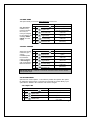
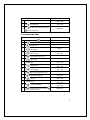
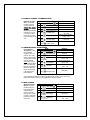
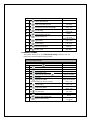
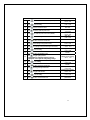
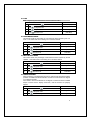
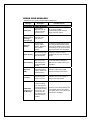
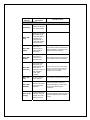
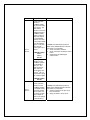
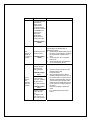
DELIVERY LIFT TEST CONTINUED
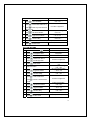
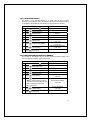
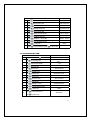
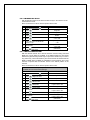
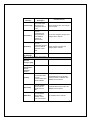
6.
At completion
7.
Press
8.
At completion
9.
Press
DISPLAY
Lift Up
1-open 2-closed *-ext
Lift Up
(Flashes)
Lift Down
1-open 2-closed *-ext
to lower the Delivery Lift
(Sales Mode)
4 times to exit
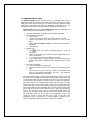
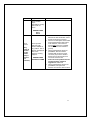
NOTE: The display may show “Lift Unknown” while the Delivery Lift is
moving to the up or down position. If the control board can’t determine a
lift motors cam position the “Lift Unknown” message will also appear.
IMPORTANT: Do not attempt to run the Delivery Lift Test diagnostic if the
Delivery Lift plate may be jammed or appears with one end near the Delivery lift
sensors and the other end near the bottom of the Delivery Box. Manually
correct this issue before running the test. Contact Vendnet Service at 1-800-8334411 for assistance.
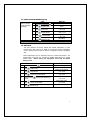
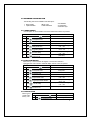
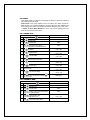
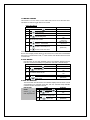
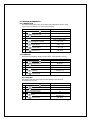
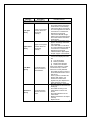
0.0.6 LIFT OPTICS ALIGN
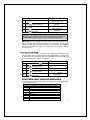
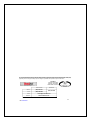
This indicates if the Delivery Lift Sensors are functioning and aligned so that
they can detect when a product is lifted to the correct height. The Green LED
on the lift optics board (located behind the iVend Red LED sensor board) will
also be illuminated when sensors are aligned.
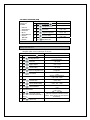
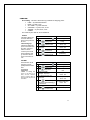
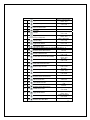
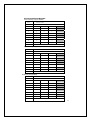
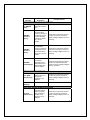
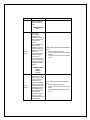
STEP
DISPLAY
1.
Press Service Mode Button
Motors ( - - )
2.
Press
for Diagnostics menu
Diagnostics
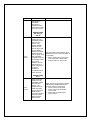
3.
Press
for Peripherals menu
Peripherals
Press
for Lift Optics status
Lift Opt Align: (Current Status)
XXXXXms
Press
5 times to exit
4.
9.
(Sales Mode)
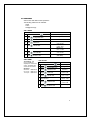
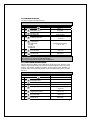
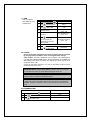
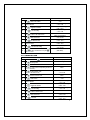
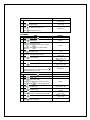
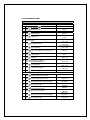
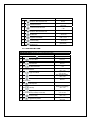
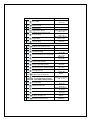
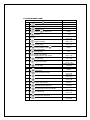
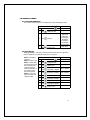
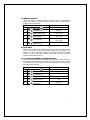
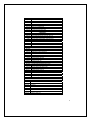
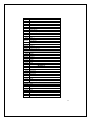
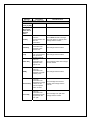
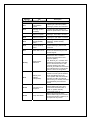
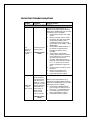
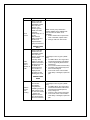
CUSTOMER LEAD THROUGH MESSAGES
The following messages are affected by the language selection and are stored
in the controller memory.
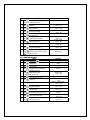
MESSAGE 1
English
Italian
Dutch
Spanish
Danish
French
German
Turkish
Auxiliary
YOU ARE GETTING HUNGRY TIME TO ENJOY A SNACK
GRAZIE
DANK U
GRACIAS
TAK
MERCI
VIEL DANK
ACIKIYOR MUSUNUZ? ATISTIRMA ZAMANI
ENJOY A SNACK NOW [maximum length: 40]
60