1
INSTALLATION
1. Remove the four #10 hex head screws from the
back of the enclosure and attach mounting brackets
to enclosure.
OPERATION
6. To install additional wiring devices inside the
enclosure, first remove rectangular knock-out(s) in
dead front. Next, remove hex head screws in back of
enclosure and install stand-offs* in place of screws.
Attach wiring device to stand-offs.
2. Select the proper location for the Control and hang
enclosure on a flat vertical surface or other support,
using hardware suitable for the purpose.
• Stand-offs are not furnished. Order 21T156A for a set of
four (4) stand-offs and mounting hardware.
3. Prepare the necessary conduit runs, terminate them
at both ends and pull-in the conductors as specified
by the installation layout.
7. If external bonding is required, install bonding lug(s)
on bottom of enclosure (156T11047A may be
ordered) and bond installation according to code requirements.
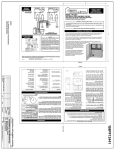
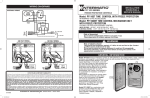
4. Refer to Figure 1 below. Note that this enclosure
contains two independent time switches. The one on
the left is a Model T106M, a Single Pole Double
Throw (SPDT) switch, and it’s function is to change
the speed (RPM) of the pump motor. The time
switch on the right is a Model T104M, a Double
Pole Single Throw (DPST) switch, and it’s
function is to start/stop the
PRESSURE PLATE
pump motor. To wire the
TERMINAL SCREW
two switches, follow wiring
MAKE SURE INSULATION
diagram on page 4 of this
CLEARS PRESSURE PLATE
manual. Make sure that
connections to time switch terminals are tight
(25 lb. - in. minimum) and insulation clears the
pressure plate - see illustration.
8. Testing of the installation is optional and
recommended only if pump is securely in place
and will not be damaged by the following test:
a. Turn the manual level of the time switches to OFF.
b. Turn ON power at breaker panel.
c. Move the manual lever of T104M to the right (ON).
Pump should start and run on low speed.
d. Move the manual lever of T106M to the right (ON).
Pump should now be running on high speed.
e. Move the manual lever of T104M to the left (OFF).
Pump should stop running.
In case of unsatisfactory results, turn OFF power,
check your wiring, refer to Troubleshooting on Page 4.
a.Remove clock motor leads from Terminals A and 3 of
T106M and connect to Terminals 1 and 3 of T104M.
Connect LINE 1 to Terminal 1 and LINE 2 to Terminal
3 of T104M.
b.Install jumpers between Terminals 1 and 4 of T106M
and between Terminal 2 of T104M and Terminal 1 of
T106M.
c.Connect COMMON of Two Speed Pump to Terminal 4
of T104M, LOW to Terminal 2 of T106M and HIGH to
Terminal 3 of T106M.
d.Connect green grounding conductors to the Equipment
Grounding Terminal at bottom of enclosure.
type of pool equipment, etc. If not sure, contact your
local pool service professional for advice.
Setting a schedule is easy:
1. Set Time of Day on both time switches by
pulling out, then turning yellow dials until
Time-Of-Day lines up with pointer.
2. Set Start (ON tripper) and Stop (OFF tripper)
times on right side (T104M) dial.
3. Set Low to High (ON tripper) time and
High to Low (OFF tripper) time on left side
(T106M) dial.
The length of the daily filtration/heating cycle depends
on many variables such as geographic location, size
and usage of pool, season of year,
EXAMPLES
The following examples are only two of the many individualized schedules one can devise.
SCHEDULE EXAMPLE #1
SCHEDULE EXAMPLE #2
ON-High Speed
ON-High Speed
(place ON tripper on T104M dial at 6 AM)
(place ON tripper on T104M dial at 6 AM)
OFF
(place OFF tripper on T104M dial at 8 AM)
From High to Low Speed
(place OFF tripper on T106M dial at 9 AM)
ON-High Speed
(place ON tripper on T104M dial at NOON)
From High to Low Speed
(place OFF tripper on T106M dial at 2 PM)
From Low to High Speed
(place ON tripper on T106M dial at 3 PM)
9. Install front panel over wiring compartment.
The control is now ready for programming,
Keep door closed at all times.
OFF
(place OFF tripper on T104M dial at 6 PM)
OFF
From Low to High
(place ON tripper on T106M dial at 8 PM)
(place OFF tripper on T106M dial at 6 AM)
5. If required by the heater manufacturer, install
fireman switch kit 156T4042A (not furnished) on Time Switch Plate and make the fireman switch
connections.
Use at least #18
AWG wiring with
insulation rated
300 Volt or higher.
Place heater
ON/OFF switch
WARNING: Do not disconnect high limit or pressure switches.
on heater to ON.
TRIPPER SETTINGS
Left Dial (T106M)
TRIPPER SETTINGS
Right Dial (T104M)
Left Dial (T106M)
Right Dial (T104M)
WARRANTY
Figure 1
2
158TP11097 2
TO SET DAILY SCHEDULE: The setting of a schedule
is done by placing the ON (silver) and OFF (gold) trippers on the two yellow dials.
The dials turn in synchronous speed and make exactly
one revolution in 24 hours. The trippers placed on the
dial on the right will set the start and stop time of
pump operation while the
trippers on the left side dial will set the time
the pump will change speed.
If within one (1) year from the date of installation, this product fails due to a defect in material or workmanship, Intermatic Incorporated
will repair or replace it free of charge.
The warranty does not cover labor for removal or reinstallation and does not apply to: (a) damage caused by accident, abuse, mishandling, or dropping; (b) a unit which has been subject to unauthorized repair; (c) units not used in accordance with directions; (d) damages
exceeding the cost of the product. Some states do not allow a limitation of damages so the foregoing warranty may not apply to you. This
warranty gives you specific legal rights and you may also have other rights which vary from state to state.
This warranty service is available, if the defective product or its defective component is returned with proof of purchase and date of
installation, either (a) to the dealer from whom the unit was purchased or (b) by shipping prepaid to the Intermatic Service Center, Intermatic
Incorporated, Intermatic Plaza, Spring Grove IL 60081-9698
3
3/23/09 2:59:41 PM