1
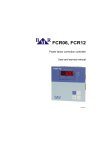
FCR 06, FCR 12
Power factor correction controller
User and service manual
version 2.3
BMR
Lipovka 17
516 01 Rychnov n. Kn.
Czech Republic
BMR trading
Horní lán 17
779 00 Olomouc
Czech Republic
1
Tel: +420 774 415 703
Fax: +420 494 533 602
[email protected]
www.bmr-trading.com
Development and production of systems for measurement and control
Content
1. Control and signal elements......................................................................................................................................... 3
2. Device description........................................................................................................................................................ 4
3. Instruction manual for connection and operation......................................................................................................... 5
4. Description of the function........................................................................................................................................... 6
5. Installation of the device.............................................................................................................................................. 6
6. Regulator parameter setting......................................................................................................................................... 8
6.1. Target cosF setting (CoS1, CoS2)..................................................................................................................... 10
6.2. Setting of current or voltage transformer ratio (I_tr, U_tr)..................................................................................10
6.3. Automatic detection of compensation stages (Auto).......................................................................................... 10
6.4. Deceleration of regulation at over compensation (SHtd)....................................................................................10
6.5. Manual setting of compensation stages (St_P).................................................................................................. 10
6.6. Discharging time (dItI)........................................................................................................................................ 11
6.7. Delay for disconnection (dIPA).......................................................................................................................... 11
6.8. Number of stage circuit closing (rSSt)................................................................................................................ 11
6.9. Fixed capacitor stages (FISt)............................................................................................................................. 11
6.10. Connection configuration (CoCo)....................................................................................................................... 11
6.11. Level of harmonic voltages (H03t – H19t).......................................................................................................... 12
6.12. Current harmonic distortion (tHdI)...................................................................................................................... 12
6.13. Alarms................................................................................................................................................................ 12
6.14. Regulation to average or instantaneous power factor (ˉCoS)............................................................................13
6.15. Configuration of RS485 communication port..................................................................................................... 13
6.16. Password for entering service mode (CodE)..................................................................................................... 13
6.17. Restart (rES)...................................................................................................................................................... 14
7. Displayed values........................................................................................................................................................ 14
7.1. Maximums......................................................................................................................................................... 15
7.2. Cosφ.................................................................................................................................................................. 15
7.3. Apparent current................................................................................................................................................ 15
7.4. Voltage............................................................................................................................................................... 15
7.5. Powers............................................................................................................................................................... 15
7.6. De-compensation delay..................................................................................................................................... 15
7.7. Number of stage circuit closings........................................................................................................................ 15
7.8. System frequency.............................................................................................................................................. 16
7.9. Temperature...................................................................................................................................................... 16
8. Manual operation....................................................................................................................................................... 16
9. Alarm notification....................................................................................................................................................... 16
10. Technical features...................................................................................................................................................... 17
BMR
Lipovka 17
516 01 Rychnov n. Kn.
Czech Republic
BMR trading
Horní lán 17
779 00 Olomouc
Czech Republic
2
Tel: +420 774 415 703
Fax: +420 494 533 602
[email protected]
www.bmr-trading.com
Development and production of systems for measurement and control
1. Control and signal elements
Picture 1. Description of front control panel
1. LED ind
– it is ON in the case of inductive cosφ
2. LED cap
– it is ON in the case of capacitive cosφ
3. LED power supply
– it is ON when there is power supply to electrical network
4. LED manual
– it is ON at manual operation of capacitor stages
5. LED cosφ
– it is ON when instantaneous or average value of cosφ is shown on the display
6. LED amp/volt
– it is ON when value of measured current / voltage is shown on the display
7. LED harm.
– it is ON when total harmonic distortion of current / voltage is shown on the display
8. LED kvar/kW
– it is ON when powers are shown on the display
9. LED alarm
– it is ON when alarm is present
10. LED STAGES
– dichromatic LEDs indicate status of each stage individually
11. Buttons for regulator control
Picture 2. Device terminal connection
BMR
Lipovka 17
516 01 Rychnov n. Kn.
Czech Republic
BMR trading
Horní lán 17
779 00 Olomouc
Czech Republic
3
Tel: +420 774 415 703
Fax: +420 494 533 602
[email protected]
www.bmr-trading.com
Development and production of systems for measurement and control
2. Device description
Power factor correction regulator FCR06 and FCR12 are designed for power factor control in low and medium
voltage system networks 50/60 Hz. FCR06 and FCR12 regulator belong to the group of fast regulators and allow to
make regulation up to 25 times per second. This feature allows to FCR regulator to control mechanical contactors
and also fast semiconductor stages.
FCR06 and FCR12 regulators measure and display also following parameters:
Parameter
Display
Maximum
Instantaneous cosφ, average cosφ (capacitive, inductive)
●
Line voltage between measured phases
●
●
Current in the measured phase
●
●
System frequency
●
●
Apparent three-phase power
●
●
Active three-phase power
●
●
Reactive three-phase power
●
●
Allowed reactive power
●
●
Odd current harmonics (1 ... 19) in %
●
●
Total harmonic distortion of current THDI
●
●
Odd voltage harmonics (1 ... 19) in %
●
●
Total harmonic distortion of voltage THDU
●
●
Number of connections of each stage
●
Temperature
●
Table 1. Measured and displayed parameters
Regulator is available with 6 and 12 stages design. Regulator FCR06 has available 1 x 6 outputs and regulator
FCR12 has available 2 x 6 outputs. Outputs for mechanical contactors are with relays and outputs for semiconductor
contactors are realized by OPTO-MOSFET transistors, which are able to operate under 24 V DC / 100 mA or
230 V AC / 100 mA (maximum) according to regulator variant.
Regulator variant
Total number of all stages
Number of dynamic stages
Control voltage
FCR 06
6
0
230 VAC
FCR 06-01
6
1
230 VAC
FCR 06-02
6
2
230 VAC
FCR 06-03
6
3
230 VAC
FCR 06-06
6
6
24 VDC
FCR 12
12
0
230 VAC
FCR 12-01
12
1
230 VAC
FCR 12-02
12
2
230 VAC
FCR 12-03
12
3
230 VAC
FCR 12-06
12
6
24 VDC
FCR 12-12
12
12
24 VDC
Table 2. Controller variants for contactor and semiconductor stages
BMR
Lipovka 17
516 01 Rychnov n. Kn.
Czech Republic
BMR trading
Horní lán 17
779 00 Olomouc
Czech Republic
4
Tel: +420 774 415 703
Fax: +420 494 533 602
[email protected]
www.bmr-trading.com
Development and production of systems for measurement and control
Regulators FCR06 and FCR12 are available in several variants of supplying and measuring voltage. In case that
auxiliary power supply is used (measuring voltage is different than supply voltage) the alarm output is not available.
Regulator variant
Power supply voltage
Measuring voltage
Alarm output
FCR 06
400 VAC
400 VAC
yes
FCR 12
400 VAC
400 VAC
yes
FCR 06 V100
100 VAC
100 VAC
yes
FCR 06 V230
230 VAC
100 ... 690 VAC
no
FCR 12 V100
100 VAC
100 VAC
yes
FCR 12 V230
230 VAC
100 ... 690 VAC
no
Table 3. Controller variants according to power supply and measuring voltage
3. Instruction manual for connection and operation
Default parameters are set to the device in production, according to the table 4. Supply voltage has to be taken from
regulated network, because it is used also for voltage measuring circuit. Value of this supply voltage is on the product
label. Current for current measuring circuit is taken from the remaining phase. By default, in the case of 3 x 400 V,
voltage is being measured between phases L2 and L3, and the current is being measured in the phase L1. The
connection of measuring circuits is shown at picture 3.
Commissioning procedure:
1. Make connection according to connection diagram at picture 5.
2. Connect supply voltage. In the case that the value of current is lower than 10 mA, the display will show "----". If
not, the display will show instantaneous value of power factor.
3. Press button SET for the time longer than 5 seconds. After that device will switch to the service menu and on the
display will appear parameter CoS1.
4. By pressing the button SET once again display will show target cosφ. Setting the targeting values of cosφ is done
via buttons ▲ (+) and ► (-) .
5. Confirmation of the set value CoS1 is done by pressing the button SET.
6. Press the button ▲ until the parameter Itr will appear on the display. It means ratio of current transformer.
7. Press the button SET and on the display will appear set value of transformer ratio (default value is 1).
8. Using the buttons ▲, ► set known value of transformer ratio.
9. By pressing button SET confirm set value. On the display will appear again the parameter Itr.
10. In the case that measuring / supplying voltage is taken from voltage transformer, move to the parameter U_tr by
pressing button ▲. For example, if the ratio is 22000 / 100, then it should be set like 220.
11. Now again, by using the buttons ▲, ► move to the parameter Auto and by pressing button SET confirm it. Via
button ▲ switch to the value on and via button SET confirm set value. Device automatically perform phasing of
measured voltage, current and detection of connected compensation stages. All parameters will be saved to the
internal memory. When the detection is finished, parameter Auto will be automatically changed to the value oFF.
12. Verify if detection of power of all stages was done correctly. Press button SET for time of 8 seconds. On display
will appear CoS1, via pressing button ▲ move to the parameter St_P. Press again button SET and LED1 of first
stage will be turned on. Another pressing the button SET will make the value of the power of the first stage be
shown on the display. If the value is not correct, it should be changed by pressing buttons ▲, ► until the correct
value. In the case of capacitor stage LED cap, placed at the left side of display, has to light. If the power is correct
press again button SET and on the display will appear again parameter St_P. Via button ▲ move to another
stage and LED2 will turn ON. Repeat the same procedure the same way like for the first stage. Following the
same control or setting of all stages should be done. At the end press button SET until value of power factor will
appear on the display.
13. If everything is set correctly, on the display is shown real instantaneous value of power factor. Regulator FCR06
or FCR12 is ready for operation.
Other parameters may remain on having the default values, that were made by the manufacturer. In the case that
further changes are necessary, the user should follow detailed manual given in chapter 6.
BMR
Lipovka 17
516 01 Rychnov n. Kn.
Czech Republic
BMR trading
Horní lán 17
779 00 Olomouc
Czech Republic
5
Tel: +420 774 415 703
Fax: +420 494 533 602
[email protected]
www.bmr-trading.com
Development and production of systems for measurement and control
4. Description of the function
Device digitizes measured phase to phase voltage between two phases and current in the measured phase. Then,
from those values, parameters like: power factor, effective values of voltage and current, harmonic distortion of
voltage and current, are being counted. Calculation of the needed compensation power is done by using the value of
allowed reactive power, which is set in the device in the form of requested power factor. According to its size,
regulator will switch on or switch off appropriate capacitor stages.
In preference, regulator compensates via semiconductor stages. When it gets to the point when it's not possible
anymore, the regulator will use contactor stages.
Within the scope of each power level, regulator uses method of circle switching. All the time connects this stage at
appropriate power level which was switched off for longest time. Everything is made so that regulator will reach
optimal compensation in one regulation cycle with minimum number of switched stages.
The regulator makes harmonics analysis of current and voltage up to 19 th harmonics and counts THD factor of
voltage and current. If the limit value of TDHI (current) is set, in the case that this value has been overpassed, the
regulator will disconnect all capacitor stages and switch on the alarm relay.
The regulator can operate not just with compensation capacitor stages, but also with de-compensation reactor stages
as well, at the same time. The power of these reactor stages will be registered with the negative numerical sign. De
compensation reactors has to be connected after last capacitor stage. If the automatic detection of the powers is not
possible, these values could be also set manually. For more details, follow the manual in chapter 6.
5. Installation of the device
Regulator FCR is designed in metal box, which provides perfect EMC shielding. Regulator's design also provides
panel mounting, into the hole 138 x 138 mm. The connection of the wires is from the back side of regulator, to the
terminals box. Measuring and auxiliary voltages are being taken from supply voltage, which must be protected by
fuse 6 A.
Picture 3: Connection of measuring circuits
Picture 4: Position of FCR12 controller in the compensation system
Location of the current transformer has to allow both current of the load and the current of the capacitor to be
measured together. Correct location is shown on the picture 4 as well as examples of wrong location.
The complete connection is shown at the picture 5. There is only one rule that should be considered. Stages with the
same power have to be connected side by side. For example:
1st stage
2nd stage
3rd stage
4th stage
5th stage
6th stage
6,25 kVAr
6,25 kVAr
12,5 kVAr
-
25 kVAr
25 kVAr
However, ranging the powers in accordance is not necessary. There could be even gaps between particular power
levels. For example, stages 1 and 2 could be connected, then stage 3 disconnected, stages 4 and 5 connected and
so on.
BMR
Lipovka 17
516 01 Rychnov n. Kn.
Czech Republic
BMR trading
Horní lán 17
779 00 Olomouc
Czech Republic
6
Tel: +420 774 415 703
Fax: +420 494 533 602
[email protected]
www.bmr-trading.com
Development and production of systems for measurement and control
Important
Fast thyristor stages have to be placed from the first stage of regulator outputs. De-compensation reactors is useful to
connect behind the capacitors.
Connection diagrams depend according to the fact if the regulator controls only contactor stages, combination of
contactor and semiconductor stages in one set of six stages, or it controls only semiconductor stages in the set of 6
stages.
Picture 5. Connection of the FCR 12 controller for contactor and thyristor stages for standard supply voltage 400 VAC
6. Regulator parameter setting
Considering various usage of regulators FCR06 or FCR12, there is a number of programmable parameters. For easy
start, regulator is set to default parameters, made by manufacturer. Set parameters are stated in the following table.
For fast start, the parameters that should necessary be set are cosφ and transformer ratio of current transformer.
Eventually, transformer ratio of voltage transformer could also be set. Further more, there are also other parameters
that could be set, in accordance to the customer request.
In order to avoid any unwanted reprogramming of the device, it is possible to protect access to service mode by
setting the four digits password. By default, new regulator doesn't have any password protection activated. It is
recommended to activate password protection after setting all parameters. After the protection has been activated, it
is possible to see all set parameters, but not to change any of them.
For checking respective setting set parameters follow those instructions:
1. Press the button SET for 5 seconds. Device switches to the service mode and parameter CoS1 will appear on the
display. This is a symbol of parameter whose currently set value will appear after another pressing of button SET.
2. Via buttons ▲, ► is possible to set the requested value of specified parameter.
BMR
Lipovka 17
516 01 Rychnov n. Kn.
Czech Republic
BMR trading
Horní lán 17
779 00 Olomouc
Czech Republic
7
Tel: +420 774 415 703
Fax: +420 494 533 602
[email protected]
www.bmr-trading.com
Development and production of systems for measurement and control
3. By pressing the button SET again, regulator will save changed value to the internal memory and on display
symbol of the set parameter will appear again. Via buttons ▲, ► it is possible to move to another parameter (see
the table 4).
4. If the offered parameter is not the one, which is requested to be modified, follow via buttons ▲, ► to the
requested parameter.
5. Regulator turns back automatically from service mode after 1 minute without any keyboard action, or by repeated
pressing of buttons SET during returning from parameter value setting.
Important
While service mode is activated, device is not regulating. Regulator will not react to the power factor changes, neither to the
changes of other monitored variables. Alarm output will not operate as well.
BMR
Lipovka 17
516 01 Rychnov n. Kn.
Czech Republic
BMR trading
Horní lán 17
779 00 Olomouc
Czech Republic
8
Tel: +420 774 415 703
Fax: +420 494 533 602
[email protected]
www.bmr-trading.com
Development and production of systems for measurement and control
Parameter
Description
Factory setting Setting range
CoS1
target cosφ
ind 0,98
0,80 cap. ... 0,80 ind. in steps of 0,01
CoS2
target cosφ for second tariff
ind 0,90
0,80 cap. ... 0,80 ind. in steps of 0,01
I_tr
current transformer ratio
1
1 ... 6000 in steps of 1
U_tr
voltage transformer ratio
1
1 ... 300 in steps of 1
Auto
automatic detection of compensation stages
SHtd
deceleration of regulation in the case of over-compensation
60
0 ... 9999 s in steps of 1 s
St_P
manual setting of compensation stages
0
999,9 kVAr cap. ... 999,9 kVAr ind. in steps of
0,1 or overdrive of 1
dItI
discharging time for thyristor / contactor stage
0/60
5 ... 900 s in steps of 5 s or overdrive of 50 s
dIPA
delay for disconnection of thyristor / contactor stage
0/15
5 ... 900 s in steps of 5 s or overdrive of 50 s
rSSt
number of circuit closing of thyristor / contactor stage
0/99.99
FISt
fixed capacitor stages
CoCo
connection configuration
90
0° ... 330° in steps of 30°
H03t
level of 3rd harmonic of voltage
0
0 ... 20 % in steps of 0,1%
H05t
level of 5th harmonic of voltage
0
0 ... 20 % in steps of 0,1%
H07t
level of 7 harmonic of voltage
0
0 ... 20 % in steps of 0,1%
H09t
level of 9 harmonic of voltage
0
0 ... 20 % in steps of 0,1%
H11t
level of 11th harmonic of voltage
0
0 ... 20 % in steps of 0,1%
H13t
level of 13th harmonic of voltage
0
0 ... 20 % in steps of 0,1%
H15t
level of 15 harmonic of voltage
0
0 ... 20 % in steps of 0,1%
H17t
level of 17 harmonic of voltage
0
0 ... 20 % in steps of 0,1%
H19t
level of 19th harmonic of voltage
0
0 ... 20 % in steps of 0,1%
tHdI
total harmonic distortion of current
0
0 ... 300 % in steps of 1%
UL.AL
under-voltage alarm
oFF
on / oFF – off alarm does not operate
UH.AL
over-voltage alarm
oFF
on / oFF – off alarm does not operate
IL.AL
under-current alarm
oFF
on / oFF – off alarm does not operate
IH.AL
over-current alarm
oFF
on / oFF – off alarm does not operate
Co.AL
alarm for cosφ, that is permanently over set limits
oFF
on / oFF – off alarm does not operate
Ht.AL
alarm for harmonic distortion of U and I
oFF
on / oFF – off alarm does not operate
ot.AL
alarm for high ambient temperature
oFF
on / oFF – off alarm does not operate
rS.AL
alarm for exceeding of maximum number of stage circuit
closing
oFF
on / oFF – off alarm does not operate
ˉCoS
regulation to the average power factor
on
on / oFF / Auto – off device regulates to
instantaneous cosφ
Id
device id number in RS485 network
1
1 ... 255
bAUd
communication speed for data transmission
0
0 ... 9600 Bd
PAr
communication control by parity checking
oFF
oFF / on /on_o
CodE
password for access to SET mode
0000
any four digits number 0001 ... 9999
rES
reset to the factory setting
oFF
Auto
th
th
th
th
on / oFF
up to 99990
Auto / oFF / on
-
Table 4. Service menu parameters
BMR
Lipovka 17
516 01 Rychnov n. Kn.
Czech Republic
BMR trading
Horní lán 17
779 00 Olomouc
Czech Republic
9
Tel: +420 774 415 703
Fax: +420 494 533 602
[email protected]
www.bmr-trading.com
Development and production of systems for measurement and control
6.1. Target cosF setting (CoS1, CoS2)
Press the button SET at least for 5 second for entering service mode. On the display will appear parameter symbol
CoS1. After another pressing of button SET display will show set value. Via buttons ▲, ► set new requested value in
the limits from 0,8 inductive to 0,8 capacitive. Another pressing of button SET saves new value to the memory and on
display it will appear again symbol CoS1.
For programming CoS2 follow the same instructions as previous case. For changing from CoS1 to CoS2 it is
necessary to connect auxiliary supply of 230 V AC to the terminal marked as 2nd Tariff on the connection diagram.
6.2. Setting of current or voltage transformer ratio (I_tr, U_tr)
If SET mode is activated, move by buttons ▲, ► to the parameter I_tr. After pressing button SET, the set value will
appear on the display. Via buttons ▲, ► is possible to change value of transformer ratio. Another press of button
SET saves new value to the memory and on display, symbol I_tr will appear again.
It is important to have in mind that the value which is set, is ratio itself. It means that, for example, if primary nominal
current of transformer is 50 A and secondary is 5 A then set parameter value is I_tr = 10.
In case of voltage transformer usage, parameter U_tr should also be set the same way.
Caution
Measurement range of the current inputs is from 10 mA to 6 A. Maximum of the current transformer ratio is 30000 / 5 A. If
the current value is over 5,3 A, alarm will be started, in the case it is enabled.
6.3. Automatic detection of compensation stages (Auto)
Another parameter in the menu is function Auto. After pressing of button SET, the display will show oFF. Via buttons
▲, ► change to the value on. After double pressing of button SET automatic detection will start to detect connected
stages. The symbol CoCo will appear on the display, and first capacitor stage will be switched on and off 6 times in
the cycle of 20 seconds.
Detection of regulator connection to the network is followed by detection of power of connected capacitor stages.
During detection, the measured values of each stage are shown on the display. Measured values are being rounded
on 0,5 kvar. After the detection is finished, the regulator will switch parameter Auto back to oFF.
Important
In some cases regulator is not able to make automatic detection and in place of measured power shows zeros. It can happen
in places with very fast changes of network parameters, where measured values will not be correct. In this case regulator
shows Err1 and it is necessary to set parameters manually, after detailed network measurements.
6.4. Deceleration of regulation at over compensation (SHtd)
This parameter is represented by symbol SHtd. This function is used for slowing down the regulation during overcompensation. At under-compensation regulation is slowed down according to average power factor. This function
assures reduction of switch on/off operation of contactor stages. After pressing the button SET, display will show set
value of deceleration. By buttons ▲, ► it is possible to change value and button SET saves this into the memory.
Current situation of regulation deceleration during over-compensation is shown under parameter SHtd, in the menu
of measured values.
Important
This function does not affect semiconductor stages. Semiconductor stages react immediately.
6.5. Manual setting of compensation stages (St_P)
After parameter Shtd, the parameter that follows in the menu is St_P. Pressing the button SET will enter the sub
menu, where it is necessary to select the stage, which has to be set, via buttons ▲, ►. Selected stage will be
signalized by green LED. By pressing button SET on display will appear set value of stage that is signalized by
relevant green LED. Via buttons ▲, ► it is possible to change the value and by pressing button SET to save this into
memory. Via buttons ▲, ► select another stage, which must be set and follow the same procedure as before. After
BMR
Lipovka 17
516 01 Rychnov n. Kn.
Czech Republic
BMR trading
Horní lán 17
779 00 Olomouc
Czech Republic
10
Tel: +420 774 415 703
Fax: +420 494 533 602
[email protected]
www.bmr-trading.com
Development and production of systems for measurement and control
setting of all stages, keep pressing button SET until display will show St_P and all LED's will be off.
6.6. Discharging time (dItI)
For setting the absorption of stages, parameter dItI is available in the menu. By this parameter, it is possible to set,
for each stage separately, suitable time for capacitor discharge. This time can be set from 5 to 900 seconds. Default
factory setting value is 60 seconds. Setting procedure is according to the same rules as another parameters
explained before.
Important
For semiconductor stages the time is set on 0 seconds, and it is not possible to change it.
6.7. Delay for disconnection (dIPA)
This parameter is represented on the display by symbol dIPA. It is the minimum time for contactor stage circuit
closing. It is possible to be set from 5 to 900 seconds. Setting procedure is according to the same rules as another
parameters explained before.
Important
For semiconductor stages the time is set on 0 seconds, and it is not possible to change it.
6.8. Number of stage circuit closing (rSSt)
On the display, it is represented by symbol rSSt. It is possible to set allowed number of circuit closing for each
contactor stage. For semiconductor stages, this feature doesn't have any reason. Maximum set value is 99.99, which
means 99990 closings. Number that appears on display has to be multiplied by 1000.
6.9. Fixed capacitor stages (FISt)
On the display it is represented by symbol FISt. This parameter allows to set stages as a fixed ones. The regulator is
not counting those stages for regulation cycle. Each stage can stay in three working regimes.
• Auto
– stage is normally regulated by controller
• oFF
– always off (status indication LED blinks red)
• on
– always on (status indication LED blinks green)
• tAr2
– stage is always on when second tariff is activated at tariff input
Setting procedure is according the same rules as another parameters explained before.
6.10. Connection configuration (CoCo)
If the regulator is connected according the connection diagram on the picture 3 correction angle is 90°. That is default
value set by manufacturer. If the regulator is not connected according to this connection diagram, then it is necessary
to make angle correction by displacement of measuring current and voltage. This parameter allows to set angle
movement from 0° to 330° in steps of 30°. On the display symbol CoCo will be shown. After pressing the button SET,
the display will show set value. Via buttons ▲, ► it is possible to change the value. Another press of button SET will
save new value into the memory.
BMR
Lipovka 17
516 01 Rychnov n. Kn.
Czech Republic
BMR trading
Horní lán 17
779 00 Olomouc
Czech Republic
11
Tel: +420 774 415 703
Fax: +420 494 533 602
[email protected]
www.bmr-trading.com
Development and production of systems for measurement and control
Table 4. Phase shift setting for supply and measuring voltage 400 VAC
6.11. Level of harmonic voltages (H03t – H19t)
Regulator makes harmonic analysis of currents and voltages, up to 19 th harmonic. It is possible to set limit values
from 3rd till 19th harmonic of measured voltage. Setting procedure is according to the same rules as another
parameters explained before. In service mode, via buttons ▲, ►, move to the parameter H03t. After the button SET
being pressed, the display will show set value. The set value can be changed via buttons ▲, ►. By another pressing
of button SET save changes into the internal memory and on the display the symbol H03t will appear again. Via
button ▲ move to another harmonic and repeat the same procedure. If it is not necessary to change some limit,
move to another harmonic by pressing button ▲. If the value is set to 0 ,then voltage harmonic control is disabled.
6.12. Current harmonic distortion (tHdI)
Regulator doesn't make harmonic control of the current, which is measured, for each particular harmonic, but
evaluates total harmonic distortion THdI. This symbol is shown on the display when this parameter is active in
service mode. Parameter setting should be done according to the same procedure as other parameters. After
pressing the button SET, display will show set value of THdI. Via buttons ▲, ► this value is possible to be changed.
By pressing button SET this new value will be confirmed and on the display will appear again symbol THdI. If the set
value is exceeded, regulator automatically disconnect all capacitor stages and starts the alarm, in the case it is
previously activated. If the value 0 is set, then harmonic distortion control is disabled.
6.13. Alarms
During normal operation alarm output is opened. In the case of any disturbance the alarm output will close. There are
lot of events, that can be enabled to activate alarm.
Individual events, which activate alarms are possible to be defined by following: in service mode move to the first
item of alarm event, which is alarm at under-voltage. On the display symbol UL.AL will appear. After pressing the
button SET, display will show if alarm is enabled or disabled. Value oFF means that alarm is disabled. Value on
means that alarm is enabled. Via buttons ▲, ► it is possible to change on / oFF. By pressing button SET new value
is saved into the regulator memory. Following the same procedure sets other alarm events.
For alarm Co.AL is also possible to set if alarm should be activated at power factor failure during consumption and
distribution (on), only during consumption (on_o) or only during distribution (on_d).
BMR
Lipovka 17
516 01 Rychnov n. Kn.
Czech Republic
BMR trading
Horní lán 17
779 00 Olomouc
Czech Republic
12
Tel: +420 774 415 703
Fax: +420 494 533 602
[email protected]
www.bmr-trading.com
Development and production of systems for measurement and control
Alarm
Condition of activation
UL.AL
measuring voltage < Unominal - 20%
UH.AL
measuring voltage > Unominal + 14%
IL.AL
measuring current on regulator terminals < 10 mA
IH.AL
measuring current on regulator terminals > 5,3 A
Co.AL
it is permanently not possible to reach set power factor for 1 hour
Ht.AL
threshold value of at least one of harmonics over-passed set level or set THDI over-passed set level
ot.AL
ambient temperature for regulator location
35°C switch on alarm output – ventilator (30°C switch of the alarm output – ventilator)
50°C disconnect all stages (40°C will turn back to normal regulation)
rS.AL
if any of contactor stage overpasses maximum allowed circuit closing = 99.999
Temperature alarm is a special alarm which behaves in two levels. When ot.AL is enabled then alarm output is
supposed to control cabinet ventilation by fan. In first level it starts fan for ventilation at 35 °C. Second level which
disconnects all compensation stages and gives alarm event on display is at 45°C. Both temperature values are
preset in device by manufacturer and cannot be changed by user.
Caution
For harmonic alarm Ht.AL it is necessary to define the level of harmonic. If the harmonic distortion is higher than set level,
all compensation stages are disconnected.
6.14. Regulation to average or instantaneous power factor (ˉCoS)
This setting defines if regulator will regulate slow contactor stages to average or instantaneous power factor. If the
set value is on then usage of contactor stages is affected by average power factor. If the set value is off then
regulation is performed only according to instantaneous power factor. In service mode move via button ▲, ► to the
item ˉCoS. After pressing of button SET display will show set value on / oFF / Auto. Via buttons ▲, ► it is possible
to change this value. Another pressing of button SET saves new value into the regulator memory.
Caution
Option auto is a modification for Lithuanian market where there is not defined any area for cos φ (for example 0,96 ... 1) but
strict limit cosφ = 1. With enabled option Auto, controller is regulating symmetrically according to parameter SHtd.
6.15. Configuration of RS485 communication port
Following parameters relate to configuration of serial communication for RS485 port (MODBUS communication
protocol).
• Id
– defines the number of device in the RS485 network and can be set from 1 ... 255
• bAUd – defines communication speed between the FCR controller and PC. Default value is 0
• PAr
– by default it is set to oFF and it can be changed to even (on) or odd (on_o)
6.16. Password for entering service mode (CodE)
Thanks to password is possible to protect regulator against unauthorized configuration. Without proper password
knowledge it is possible only see set parameters but not to change them. Password is set as four digit number. In
service mode move via buttons ▲, ► to the parameter CodE. After pressing of button SET display will show ‘’- - - -‘’.
First dash from left side is blinking. Via button ▲ set number from 0 - 9 and confirm by button ►. Now second dash is
blinking and first set number lights on the display. Keep the same procedure until last number is set. By pressing of
button SET, password for entering service mode is saved into the memory. From this moment it is necessary, for
each change, type password in order to enter service mode. Otherwise any change will not be accepted.
BMR
Lipovka 17
516 01 Rychnov n. Kn.
Czech Republic
BMR trading
Horní lán 17
779 00 Olomouc
Czech Republic
13
Tel: +420 774 415 703
Fax: +420 494 533 602
[email protected]
www.bmr-trading.com
Development and production of systems for measurement and control
6.17. Restart (rES)
This function restores default configuration. It is last item in the menu and it is represented on the display by symbol
rES. Press the button SET and keep it. At the same time press the button MAN. LED of capacitor stages will turn on
and then slowly will start to go down. This cycle will repeat two times. After that, the display will show instantaneous
value of power factor. Factory setting will be restored.
Important
After restart, it is necessary to set device again as well as make auto detection.
7. Displayed values
Monitoring features do not affect regulation process which is invisibly working all the time. Displayed value is possible
to be changed at any time and LEDs on the right side of display identify type of shown value.
Shown values are divided to levels so that values in one level are closely related. For switching between particular
levels press button ▲ and for changing screens in one level press button ►. Splitting of shown values to the levels is
clear from following list. For returning to the instantaneous CoSF press button SET.
CoSF
instantaneous cosφ
iCoS
►
►
tHdI
►
3rd harmonics of current
►
tHdU
►
3rd harmonics of voltage
►
P_rL
►
►
inductive average cosφ at
consumption
ċCoS
►
capacitive average cosφ
at consumption
iCoS
inductive average cosφ at
distribution
►
ċCoS
capacitive average cosφ at
distribution
▲
I_AP
apparent current
THDI of current
H03i
H19i
..
►..
19th harmonic of current
..
►..
19th harmonics of voltage
►
allowed reactive power
▲
U_EF
phase voltage effective
value
THDU of voltage
H03u
H19u
▲
P_AP
apparent power
active power
P_rC
reactive power
rC_P
▲
Shtd
deceleration time
▲
C1_S
number of 1st stage
operation
▲
C2_S
number of 2nd stage
operation
.
.
▲
.
.
C12S
number of 12th stage
operation
▲
U_Fr
system frequency
▲
t_ºC
controller ambient
temperature
BMR
Lipovka 17
516 01 Rychnov n. Kn.
Czech Republic
BMR trading
Horní lán 17
779 00 Olomouc
Czech Republic
14
Tel: +420 774 415 703
Fax: +420 494 533 602
[email protected]
www.bmr-trading.com
Development and production of systems for measurement and control
7.1. Maximums
FCR06 and FCR12 controllers record maximums of several measured parameters to volatile memory for information
purposes only. Registered maximum values are reset when the power supply is lost.
For getting information about maximum of the measured value, press button MAN and the max value will be shown
for a while. Keeping the button pressed, the display will show maximum of the measured value.
To erase this maximum value, press together button MAN and button SET.
7.2. Cosφ
Displaying the cosφ is default indication. This value will appear on display after supply voltage connection and if in
current input the current flow is higher than 10 mA. Red LED on the left side of display marked as ind and cap
indicates if measured power factor is in inductive or capacitive area.
If measuring current drops below 10 mA, controller disconnects all stages and on the display will appear " - - - - ". By
button ► it is possible move to average inductive power factor indication. At first, the display will show symbol i_CoS
and then after 1 second numeric value will be shown. After pressing the button ►, the display will show symbol ċCoS
and after 1 second it will show numeric value. Another pressing of button ► will show iCOS during distribution
(power supply LED is on), followed by cCOS during distribution, and then will return back to instantaneous value of
cosφ.
7.3. Apparent current
Pressing of button ▲ will move to another level - apparent current. Symbol I_AP will appear on the display for 1
second. After that, the display will show effective value of apparent current on primary side of current transformer,
assuming that correct transformer ratio is set in service mode, under the parameter I_tr.
Another value in this level is current harmonic distortion factor. After pressing the button ►, the display will show
symbol THDI, which will be replaced after 1 second by actual measured value. For getting information about
maximum value or erasing it, follow the same procedure as described above.
7.4. Voltage
This level has exactly the same structure as previous level for apparent current, but this time it is for network voltage.
7.5. Powers
Another level offers values of four powers. At the first position there is apparent power P_AP , following by active
power P_rL and reactive power P_rC, respectively and the last but not least there is allowed reactive power rC_P.
For all powers actual measured value is available and of course also maximum measured value. Procedure of
showing or erasing of all values is the same as for previous levels.
7.6. De-compensation delay
This information shows actual remaining time (seconds) to regulation action during over-compensation. Displayed
value is decreased each second by square of true control deviation and requested power factor value.
7.7. Number of stage circuit closings
Number of stage circuit closings is divided to the 6 for FCR06 (12 for FCR12) independent levels. For the first stage,
the display will show symbol C1_S and after it disappears the number of first stage circuit closings will be displayed.
By simultaneous pressing of buttons SET and MAN this information can be erased. To another level, where
information about second stage is, move by pressing the button ▲. The rest of procedure is the same as for the first
stage.
Note
For semiconductor stages number of circuit closings is not recorded.
BMR
Lipovka 17
516 01 Rychnov n. Kn.
Czech Republic
BMR trading
Horní lán 17
779 00 Olomouc
Czech Republic
15
Tel: +420 774 415 703
Fax: +420 494 533 602
[email protected]
www.bmr-trading.com
Development and production of systems for measurement and control
7.8. System frequency
Next to the last level is system frequency U_Fr. Also at this level, actual value of system voltage frequency,
maximum value and minimum value are available. Showing of actual and maximum values is the same as for
previous levels.
7.9. Temperature
Last level shows regulator ambient temperature t_°C. Both actual and maximum value are possible to be seen.
Showing or erasing these values is the same as for previous levels.
8. Manual operation
Switching the regulator to the service mode and by subsequent press of button MAN, manual regulation of
compensation stages will be activated. The status is indicated by LED with label manual. On the display, symbol
St_1 will be shown for 1 second. After that, it will be replaced by actual value, which blinking (manual mode
indication). Button ▲ allows to change stage status with respecting the set discharging time and delay for stage
disconnection. It means that if the stage was disconnected, pressing the button ▲ will switch the stage on. If the
stage was connected, the same button will switch the stage off. For another stage selection press button ►. After
pressing this button, the display will show for 1 second symbol St_2, representing another stage. The whole
procedure is the same like for the previous stage. By pressing the button MAN, manual mode can be deactivated.
9. Alarm notification
If at least one of enabled alarm events appeared, then alarm output relay will be switched on for 1 min and LED with
label alarm will blink on the display. This LED will also blink after the alarm event disappears, until it gets canceled by
button SET. Alarm notification does not have any influence to regulator behaviour, except in the case when alarm is
activated by high harmonic disturbance.
The symbol of alarm sort is shown on the display after pressing of button SET. Symbol of the event that caused the
alarm will appear on the display. Another pressing the button SET will cancel shown alarm. If more alarm events
happened, another event symbol will appear on the display. By keeping the same procedure, it is possible to follow
till last alarm event is canceled. In the displayed values mode it is possible to find out which values of alarm events
activated alarm (chapter 7.1). Alarm event symbols are the same as symbols used during alarm setting in service
mode.
BMR
Lipovka 17
516 01 Rychnov n. Kn.
Czech Republic
BMR trading
Horní lán 17
779 00 Olomouc
Czech Republic
16
Tel: +420 774 415 703
Fax: +420 494 533 602
[email protected]
www.bmr-trading.com
Development and production of systems for measurement and control
10. Technical features
Parameter
Value
Supply voltage = measuring voltage
400 V AC 50 Hz (+10%,-15%)
Frequency
50 / 60 Hz
Current range
0,01 ... 6 A
Measurement accuracy of 1 current harmonic (I > 200mA)
±1 mA (class 2)
Power consumption
10 VA
Output channels number
6 or 12
Switching power of alarm output
250 VAC / 5 A
Switching power of relay contacts
250 VAC / 5 A
Switching power of semiconductor contacts
24 VDC / 100 mA or 230 VAC / 100 mA
Switching speed of semiconductor stages
25 operations per second
Range of requested power factor
0,8 ind. ... 0,8 cap.
Re-connection delay: semiconductor / contactor stages
0 s / 5 ... 900 s
Switching off delay: semiconductor / contactor stages
0 s / 5 ... 900 s
Compensation stages value setting
manually / automatically
Communication port
RS485 (optional)
Communication protocol
MODBUS RTU
Communication speed
up to 9600 Bd
Temperature limit
-40°C ... +70°C
Front panel
144 mm x 144 mm
Panel cutout
138 mm x 138 mm
Site depth
55 mm
Weight
1 kg (including packaging)
Protection degree
IP20 rear cover / IP54 front panel
Standards
EN 61010-1, EN50081-1, EN50082-1
st
BMR
Lipovka 17
516 01 Rychnov n. Kn.
Czech Republic
BMR trading
Horní lán 17
779 00 Olomouc
Czech Republic
17
Tel: +420 774 415 703
Fax: +420 494 533 602
[email protected]
www.bmr-trading.com