1
Calibrating the Touchscreen
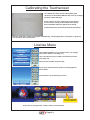
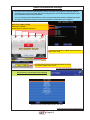
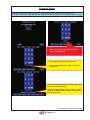
To calibrate the touch screen when starting the
device press the buttons HOLD 4 & 5 hold up to image
left then release the keys.
Press a finger on the red Crosses, as they appear
on the screen, exactly in the middle of the Cross,
does not matter where the black cross stands.
Caution Please do not touch the monitor elsewhere!
After the calibration, starts the program automatically . The program goes in the game or goes too
Licensemenu. See Licensemenu.
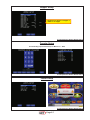
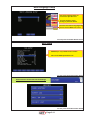
License Menu
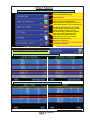
VERSION ID
79B523EB45
MAC
00190F083A28
REQUEST KEY
13265FE477C9
ENTER LICENSE
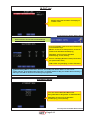
Over a PS2 keyboard or over Touchscreen, you change
the license number (see Page 4-1)
You can find the license number on the PCI connector
(see Page 4-2)
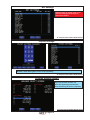
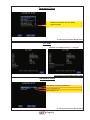
Enter license number and press OK
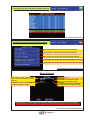
If you have entered license number correctly appears
this window
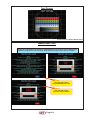
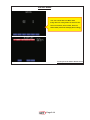
you will then see the following screens
Here see you the
Version Number
If you have a wrong license number call the service hotline
Page 2-1