1
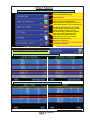
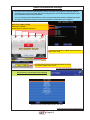
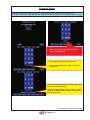
Main Menu
Press the Master Bookkeeping button on the IO-Board or plug in Master E-Key
Accounting (Bookkeeping)
Game Statistics
Setting (for Game), Bet Settings
Payout Settings, Arrange Select Screen
Game Denomination ( not in all Versions)
Bill Setup, Remote Setup, Coin Setup
Hopper Setup, Counters Setup, Limits
Setup, Parameter Setup, I/O Test
Hardware Setup, Test Picture, Master
Ram Clear, Multi Language Setup
SAS Setup (only SAS-Versions)
Network Info (only VLT-Versions)
Game History, Event Log
Bill In List, In Out List
Programming E-Keys
To exit press the button Game Select
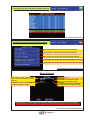
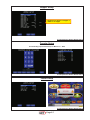
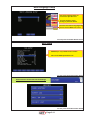
Press Play(Start) or touch this field for Accounting
Bookkeeping has 2 Levels: Master & Attendant see next screens
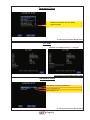
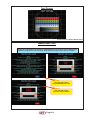
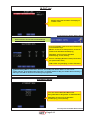
Master- & Attendantaccounting has 2 Submenus: Bill/Coin & Hopper
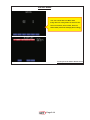
To exit press the button Game Select
Page 2-2