1
Contents
– Processor's clock speed . . . . . . . . . . . . . . . . . . . . . . .
– Jumper and LEDs . . . . . . . . . . . . . . . . . . . . . . . . . . . .
– Add-on modules . . . . . . . . . . . . . . . . . . . . . . . . . . . . . .
RemoteView-chipDISK . . . . . . . . . . . . . . . . . . . . . . . . . . .
Operating panel board . . . . . . . . . . . . . . . . . . . . . . . . . . . .
SCSI backplane . . . . . . . . . . . . . . . . . . . . . . . . . . . . . . . . .
SATA backplane . . . . . . . . . . . . . . . . . . . . . . . . . . . . . . . .
Power backplane . . . . . . . . . . . . . . . . . . . . . . . . . . . . . . . .
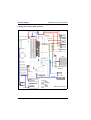
Internal cabling . . . . . . . . . . . . . . . . . . . . . . . . . . . . . . . . . . . .
SCSI version . . . . . . . . . . . . . . . . . . . . . . . . . . . . . . . . . . .
– Cabling with onboard SCSI controller . . . . . . . . . . . . .
– Cabling with additional SCSI RAID controller . . . . . . .
– Cabling HDD extension box . . . . . . . . . . . . . . . . . . . . .
– Addresses for SCSI devices . . . . . . . . . . . . . . . . . . . .
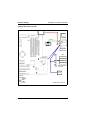
SATA version . . . . . . . . . . . . . . . . . . . . . . . . . . . . . . . . . . .
– Cabling with an additional SATA controller . . . . . . . . . .
Cable overview . . . . . . . . . . . . . . . . . . . . . . . . . . . . . . . . .
02-TX150S2-50
02-TX150S2-51
02-TX150S2-53
02-TX150S2-54
02-TX150S2-55
02-TX150S2-56
02-TX150S2-57
02-TX150S2-58
02-TX150S2-59
02-TX150S2-59
02-TX150S2-60
02-TX150S2-61
02-TX150S2-62
02-TX150S2-63
02-TX150S2-64
02-TX150S2-64
02-TX150S2-65
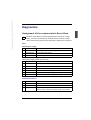
Diagnostics . . . . . . . . . . . . . . . . . . . . . . . . . . . . . . . . . . . . . . 02-TX150S2-67
Assignment of the components in ServerView . . . . . . . . . . . . 02-TX150S2-67
Troubleshooting . . . . . . . . . . . . . . . . . . . . . . . . . . . . . . . . . . . 02-TX150S2-69
Removal/installation routines . . . . . . . . . . . . . . . . . . . . . . .
Preparation . . . . . . . . . . . . . . . . . . . . . . . . . . . . . . . . . . . . . . .
Opening/closing the server . . . . . . . . . . . . . . . . . . . . . . . . . . .
Floorstand model . . . . . . . . . . . . . . . . . . . . . . . . . . . . . . . .
– Removing/installing the drive covers . . . . . . . . . . . . . .
– Removing/installing the front cover . . . . . . . . . . . . . . .
Rack model . . . . . . . . . . . . . . . . . . . . . . . . . . . . . . . . . . . .
Hard disk subsystem . . . . . . . . . . . . . . . . . . . . . . . . . . . . . . .
Components and indicators of the hard disk module . . . .
Installing/removing a hard disk module . . . . . . . . . . . . . . .
– Removing the dummy cover . . . . . . . . . . . . . . . . . . . .
– Installing the dummy cover . . . . . . . . . . . . . . . . . . . . .
– Installing SCSI hard disk module . . . . . . . . . . . . . . . . .
– Removing hard disk module . . . . . . . . . . . . . . . . . . . .
– Replacing a hard disk module during
operation (hot-plug) . . . . . . . . . . . . . . . . . . . . . . . . . . .
– Changing the hard disk drive in the hard disk carrier . .
02–TX150S2–2
July 2004
02-TX150S2-75
02-TX150S2-75
02-TX150S2-76
02-TX150S2-76
02-TX150S2-76
02-TX150S2-80
02-TX150S2-81
02-TX150S2-83
02-TX150S2-85
02-TX150S2-86
02-TX150S2-86
02-TX150S2-87
02-TX150S2-87
02-TX150S2-88
02-TX150S2-88
02-TX150S2-89
U41057-J19-Z146-1-76