1
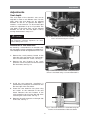
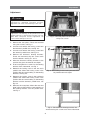
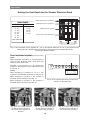
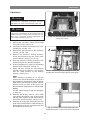
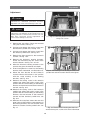
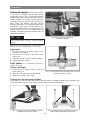
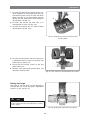
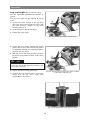
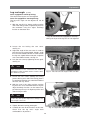
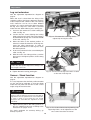
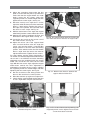
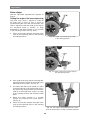
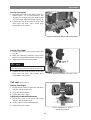
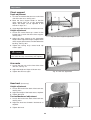
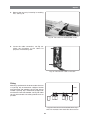
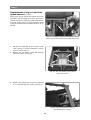
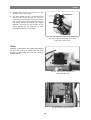
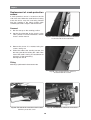
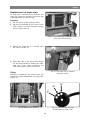
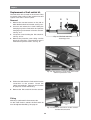
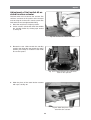
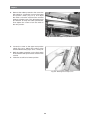
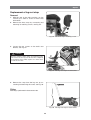
Adjustments Chest support Depth adjustment 1. Unscrew and remove the two nuts on the inner side of the arm rest, see Fig. 46:1. 1 2. Move the chest support holder so that the chest support lines up at the appropriate depth. The depth can be adjusted in this manner in steps of 1”. 2 3 3. Screw the holder firmly back in with the two nuts. Height adjustment 1. Loosen the socket head cap screws for the locking ring on each side of the chest support, see Fig. 46:2. Fig. 46. Chest support adjustment. 2. Adjust the chest support to the appropriate height. Never adjust the height so high that the chest support bar becomes invisible below the bushing, see Fig. 46:3. 3. Tighten the locking ring's socket head cap screws again. WARNING Make sure that both ends of the chest support bar are visible below the edge of the bushing after adjusting. Arm rests 1. Loosen the two nuts on the inner side of the arm rest, see Fig. 47. 2. Adjust the height and slope of the arm rest. Fig. 47. Arm rest adjustment. 3. Tighten the two nuts again. Head rest (Accessory) Height adjustment 1. Loosen the knob on the back of the back rest, see Fig. 48:1. 2. Adjust the height of the head rest as required. 3. Tighten the knob. Forward/backward adjustment 1 1. Loosen the knob on the back of the back rest, see Fig. 48:2. 2. Adjust the head rest forwards/ backwards as required. 2 3. Tighten the knob. Fig. 48. Adjusting the head rest. 22