1
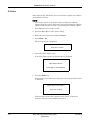
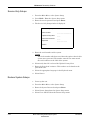
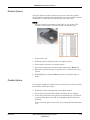
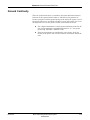
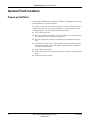
Troubleshooting: Frequently Asked Questions Frequently Asked Questions Maintenance NOTE See Operator’s Manual for complete System Setup information. Save Setups Q: How do I save changes I have made to the System Setups? A: Check the following: Return to Menu by pressing the esc key or selecting More from the menu until you see System Setup. Select System Setup. Select Save Setup. Select To System. You can select Main Menu to exit System Setup. Storing ECGs Q: Why won't any of the ECGs I perform save to the SD card? A: Check the following: Check that the SD card is fully inserted into the drive. Make sure you are using 64 MB SD cards. Verify that the SD card is not write-protected. Try a new SD card. If your system is not set up to automatically save records, you must manually save by pressing Store. Format an SD Card Q: How do I format an SD card in the MAC 5500? A: Most secure digital cards do not require formatting. In the event an unformatted SD card is used with the system, the following message will display: This SD Card cannot be read and requires formatting. Formatting will destroy all data on this SD Card. Are you sure you want to format? Select Yes to format the SD card. Cleaning Q: Should I clean the MAC 5500? A: Clean the exterior surfaces of all the equipment and peripheral devices monthly, or more frequently if needed. 5-20 Use a clean, soft cloth and a mild dishwashing detergent diluted in water. MAC 5500 resting ECG analysis system 2020299-020 Revision A