1
⇒ 5.
Rev. 03/2007
Wait five minutes, and then press the “Other function” key. You will hear two
beeps.
z
If the screen does not change, this means the installation is not finished yet.
Wait a few more minutes and then press the “Other function” key again.
z
When the installation is finished, the following will be displayed:
6. Set the heap size and stack size for the application. (In User Tools/Extended
Features setting, see the Administrator Tools tab.)
7. Install the application using the installation procedure provided with the
application.
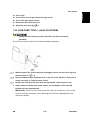
1.20.15 CHECK ALL CONNECTIONS
1.
Plug in the power cord. Then turn on the main switch.
2.
Enter the printer user mode. Then print the configuration page.
User Tools > Printer Settings > List Test Print > Config. Page
All installed options are shown in the “System Reference” column.
B230/B237
1-84
SM