1
Multimeters
Performance Tests
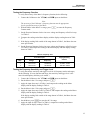
Testing the Frequency Function
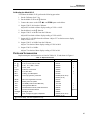
To verify the accuracy of the Meter’s frequency function, do the following:
1. Connect the Calibrator to the Vand COM inputs on the Meter.
Note
The accuracy of the Calibrator’s frequency function must be appropriate
for the specified accuracy of the Meter.
2. With the Meter in the 400 mV ac range, press F to enter the Frequency
Counter mode.
3. Set the Function Generator for the sine wave voltage and frequency called for in step
1 of Table 5.
4. Compare the reading on the Meter display with the display reading shown in Table
5.
5. If the display reading falls outside of the range shown in Table 5, the Meter does not
meet specification.
6. Set the Function Generator for the sine wave voltage and frequency called for in step
2 of Table 5 and compare the reading on the Meter display with the display reading
shown in Table 5.
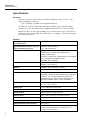
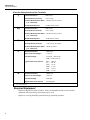
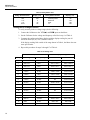
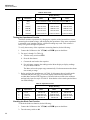
Table 5. Frequency Test
Sine Wave Input
Step
Voltage
Frequency
Display Reading
83/85/87
1
150 mV rms
19.000 kHz
18.998 to 19.002
2
150 mV rms
190.00 kHz
189.98 to 190.02
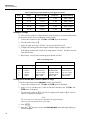
Testing the Frequency Sensitivity and Trigger Level
To verify the counter sensitivity and trigger levels for all frequency modes and ranges,
do the following. (For any function and range, the sensitivity and trigger level is the
same in both frequency and duty cycle modes.)
1. Connect the Calibrator to the Vand COM inputs on the Meter.
2. Put the Meter in the 4 V ac range, and press F.
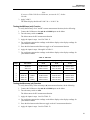
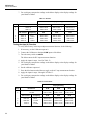
3. Apply the input from step 1 of Table 6, and compare the reading on the Meter
display with the display reading in Table 6.
4. Put the Meter in the 4 V dc range, and press F.
5. Apply the input from steps 2 and 3 of Table 6, and compare the reading on the Meter
display with the display reading in Table 6.
If the display reading falls outside of the range shown in Table 6, the Meter does not
meet specification.
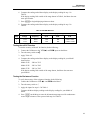
6. On the Meter, press Kto enter the 40 V dc range.
7. Apply the input for steps 4 and 5 of Table 6, compare the reading on the Meter
display with the display reading in Table 6.
17